Lenovo ThinkTab X11 Gen 1 review – The Tablet That Runs Without a Battery!
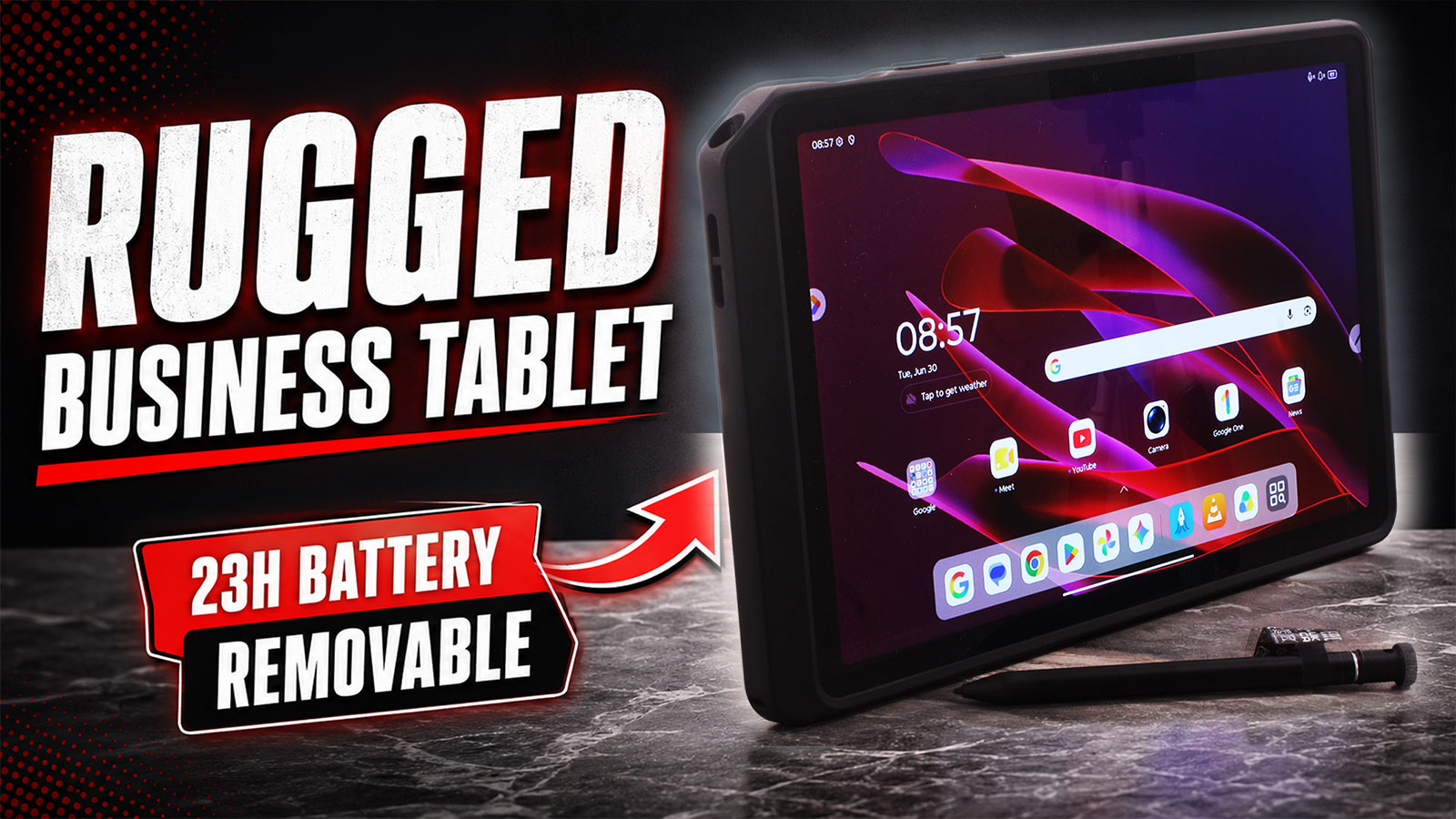 When you first pick up the Lenovo ThinkTab X11 Gen 1, its rugged Eclipse Black chassis makes its purpose clear: this is not a thin entertainment tablet trying to impress from the sofa. It is a practical Android work tool designed for field workers, logistics, retail, service teams, and enterprise environments where durability, battery life, and serviceability matter more than raw speed.
And that focus leads to some genuinely unusual strengths. In our testing, the ThinkTab X11 Gen 1 delivered 22 hours and 40 minutes of offline video playback, and its removable battery is more than just a repairability bonus – the tablet can continue running from USB-C power even after the battery is removed. That makes it especially interesting for kiosks, long-term deployments, warehouses, and other fixed or semi-fixed work setups.
Of course, this utilitarian approach comes with trade-offs. The Snapdragon 7s Gen 3 is a modest performer compared to consumer tablets in the same price range, and the glossy display, while bright and PWM-free, is not a premium wide-gamut panel for color-critical work. So the real question is simple: does the ThinkTab X11 Gen 1 offer enough rugged practicality to justify choosing it over a faster, sleeker consumer tablet?
TESTED CONFIGURATION:
– Qualcomm Snapdragon 7s Gen 3
– Qualcomm Adreno 810 GPU
– 8GB LPDDR5 RAM
– 256GB UFS 3.1 storage
– 10.95″, 2560 x 1600, 90Hz IPS touchscreen
– 10,000 mAh removable battery
You can check the current price of Lenovo ThinkTab X11 Gen 1 here: Buy from Amazon.com.au (#CommissionsEarned)
Contents
Specs Sheet, What’s in the box
| Lenovo ThinkTab X11 Gen 1 | |
|---|---|
| Processor | Qualcomm Snapdragon 7s Gen 3 Mobile Platform (8-core, 1x Kryo Prime @2.5GHz + 3x Kryo Gold @2.4GHz + 4x Kryo Silver @1.8GHz) |
| GPU | Qualcomm Adreno 810 GPU |
| Operating System | Android 16 or later |
| Memory | 6GB or 8GB LPDDR5 (Soldered, not upgradable) |
| Storage | 128GB or 256GB UFS 3.1 (on systemboard), expandable via microSD card up to 2TB exFAT |
| Display | 10.95″ 2.5K (2560×1600) IPS, 16:10, 90Hz, 72% NTSC, 600 nits typical / 800 nits HBM, 1500:1 contrast ratio, anti-fingerprint, Corning Gorilla Glass, 10-point multi-touch, glove-and-wet touch support, 85% screen-to-body ratio |
| Battery | Removable 10,000 mAh nominal / 10,200 mAh typical rechargeable Li-ion battery; batteryless mode supported |
| Dimensions | 257.10 x 168.65 x 9.93 mm (10.12 x 6.64 x 0.39 inches) |
| Weight | Around 650 g (1.43 lbs) |
| Color | Eclipse Black |
| Ports/Slots |
|
| WiFi and Bluetooth |
|
| Location / SIM |
|
| NFC | Front-mounted NFC |
| Sensors |
|
| Cameras | Front: 8.0MP, fixed focus, face unlock supported via OTA upgrade Rear: 13.0MP, autofocus, with flashlight |
| Audio | 2x speakers, optimized with Dolby Atmos; dual microphone |
| Security | Touch-style fingerprint reader integrated into the power button; face unlock supported via OTA upgrade; no privacy shutter listed in PSREF |
| Durability | IP68 rating; MIL-STD-810H tested on models bundled with the rugged case |
| Input / Accessories |
|
What’s in the box?
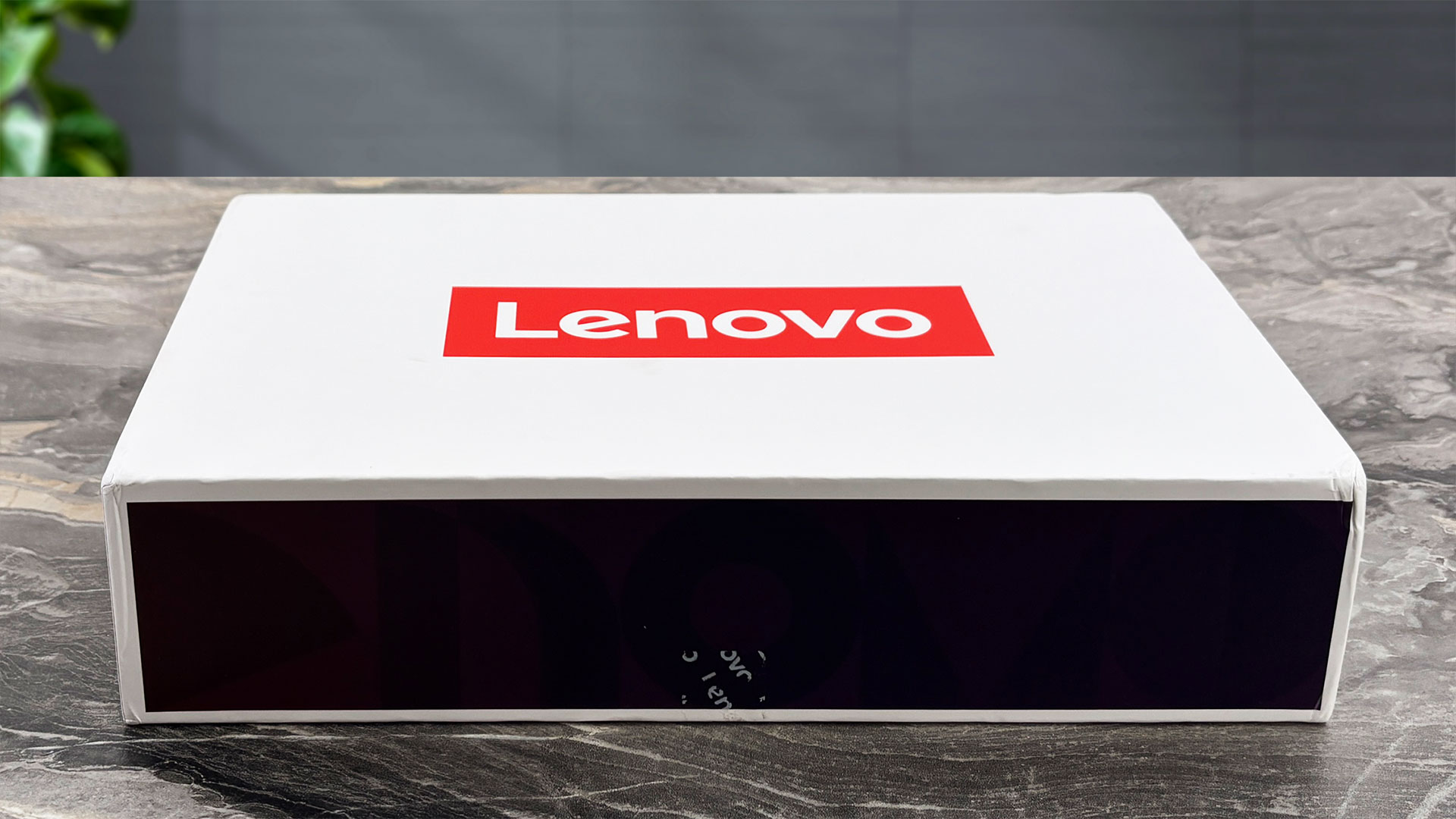
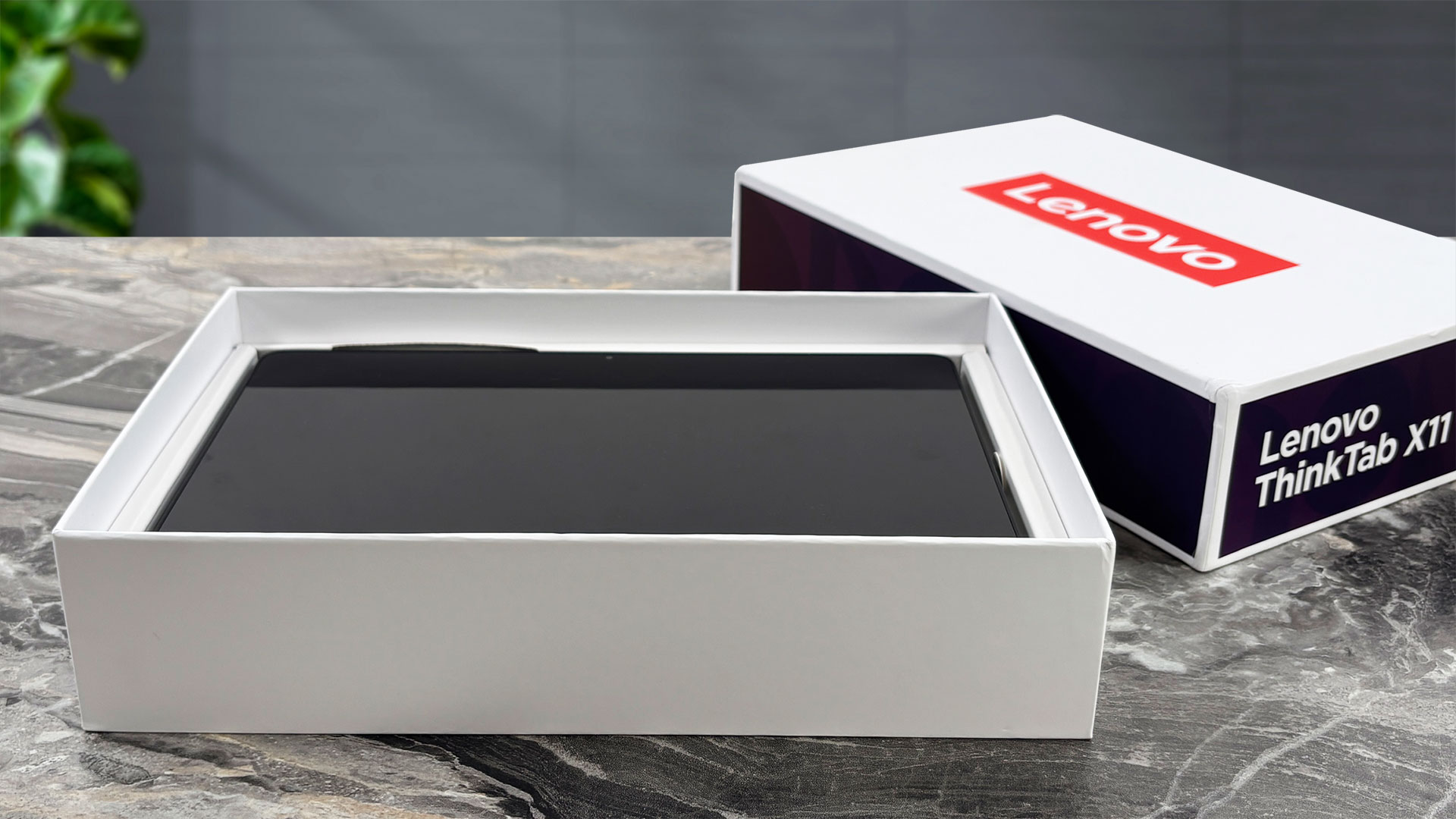
Unboxing the ThinkTab X11 Gen 1 depends strongly on the exact SKU and region. Our EU package came well equipped, with both the Rugged Smart Case and the Lenovo Tab Pen XE included in the box.
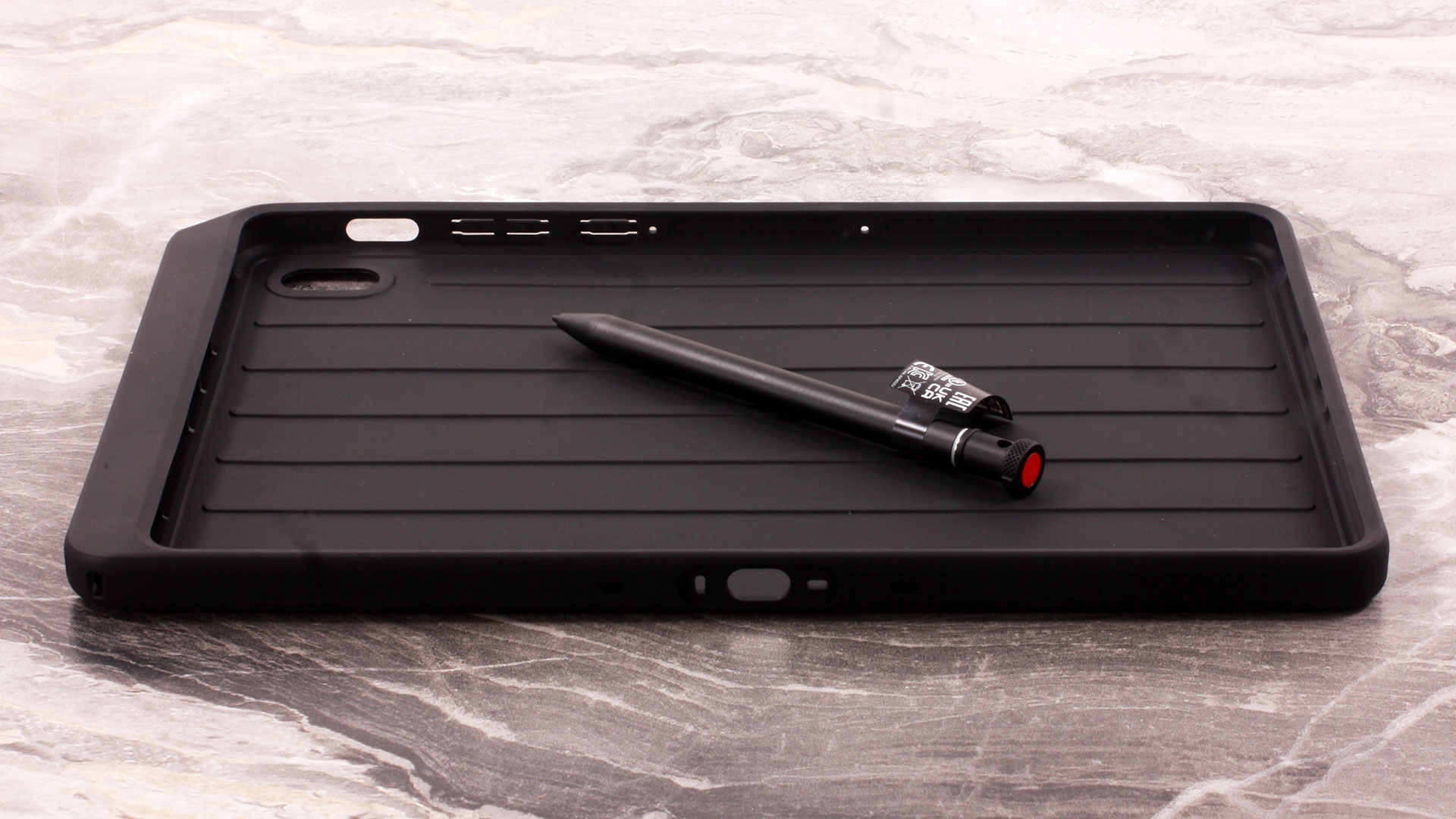
These extras are not guaranteed with every configuration, and in some regions the tablet may ship without the pen, the rugged case, or even the 45W USB-C adapter.
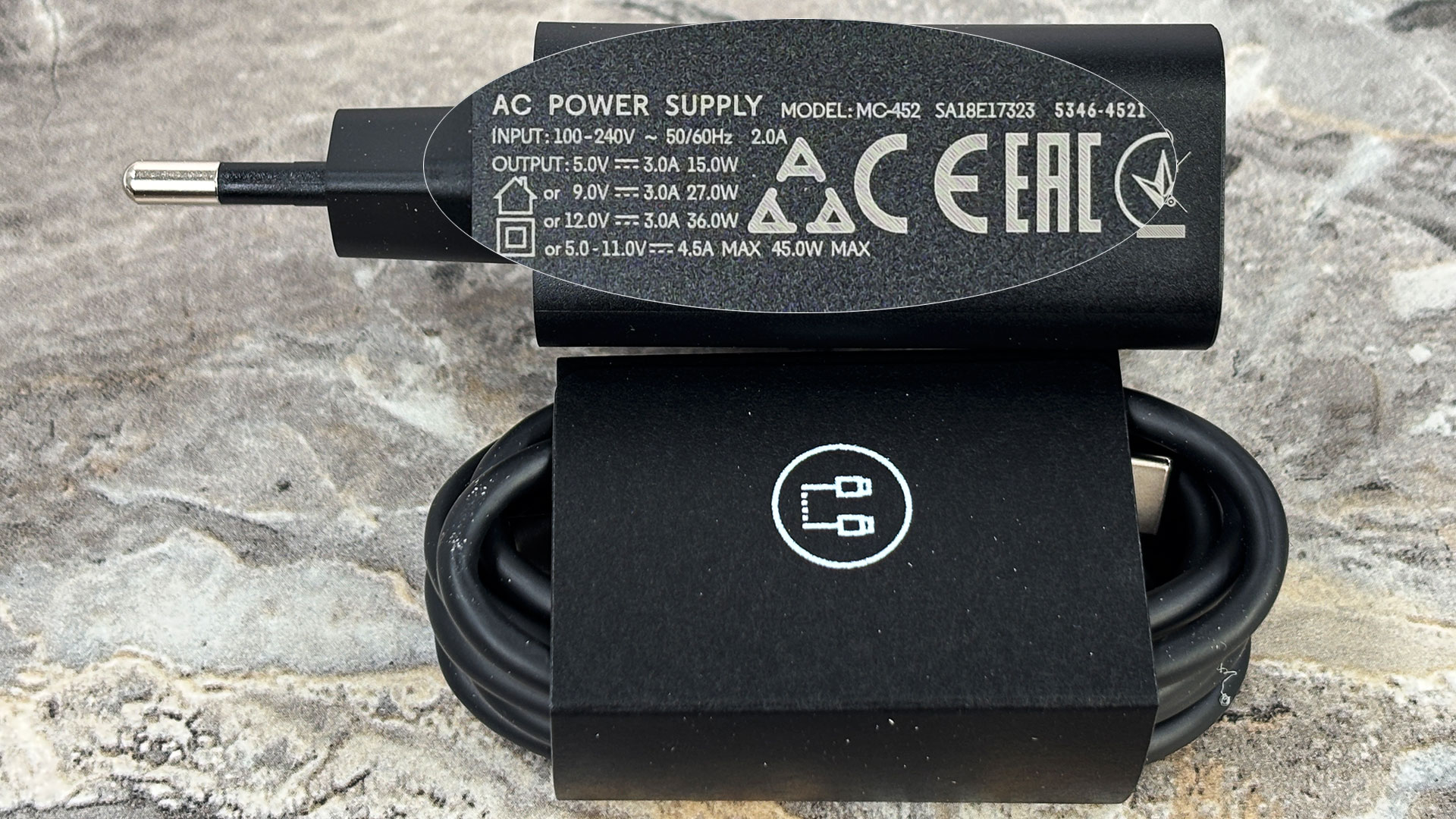
Even the 45W USB-C adapter is not always included
Design and construction
The Lenovo ThinkTab X11 Gen 1 doesn’t chase the ultra-thin, delicate look of a premium consumer tablet. Instead, it has a clearly professional, rugged appearance, finished in Lenovo’s Eclipse Black color. The design is practical rather than flashy, with thicker protective lines and a utilitarian shape that make it obvious this tablet is intended for field work, logistics, retail, service environments, or other demanding scenarios. The chassis is made of plastic, but that is not necessarily a drawback here. For a rugged tablet, plastic can make more sense than aluminum, as the priority is impact resistance, lower weight, and long-term practicality rather than a cold premium feel.
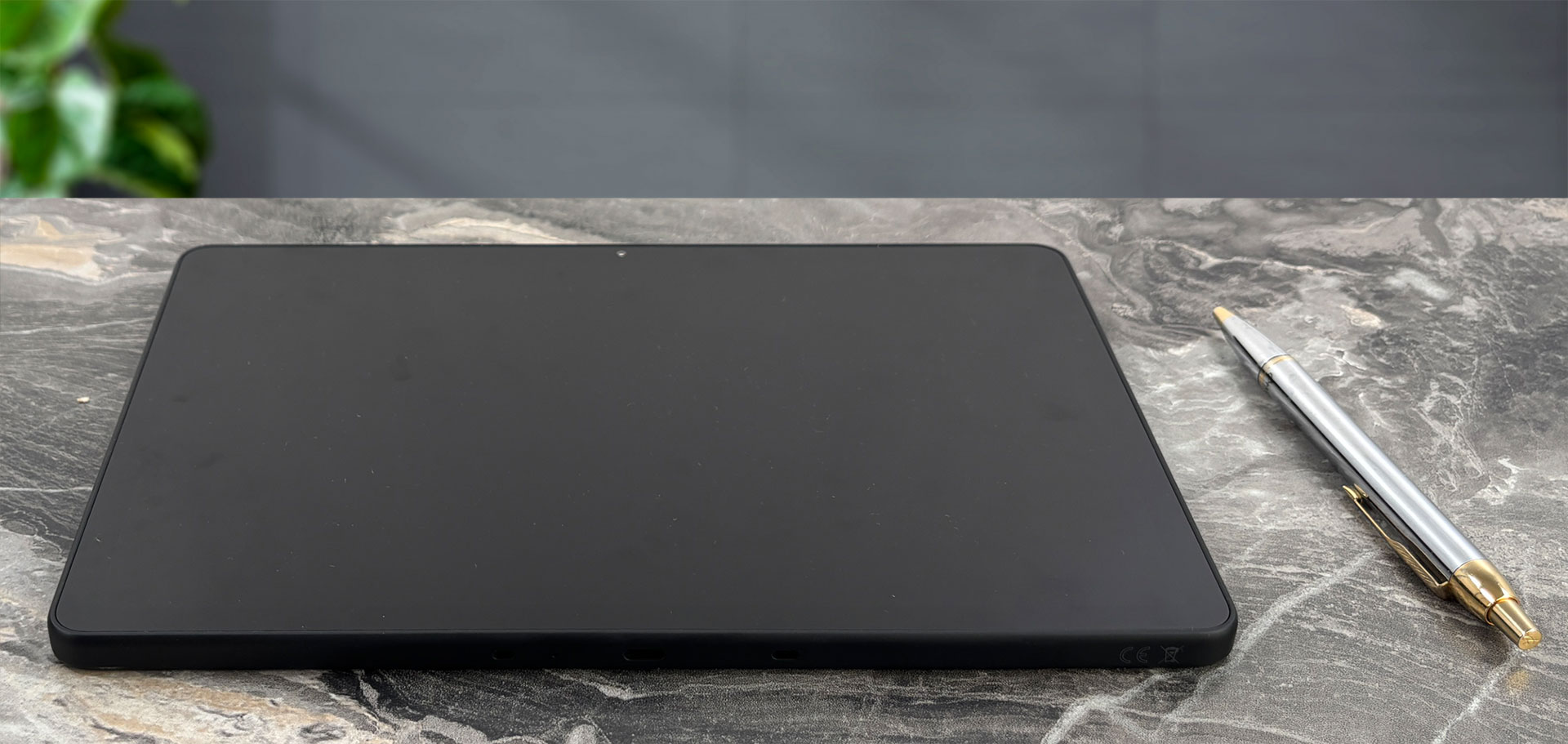
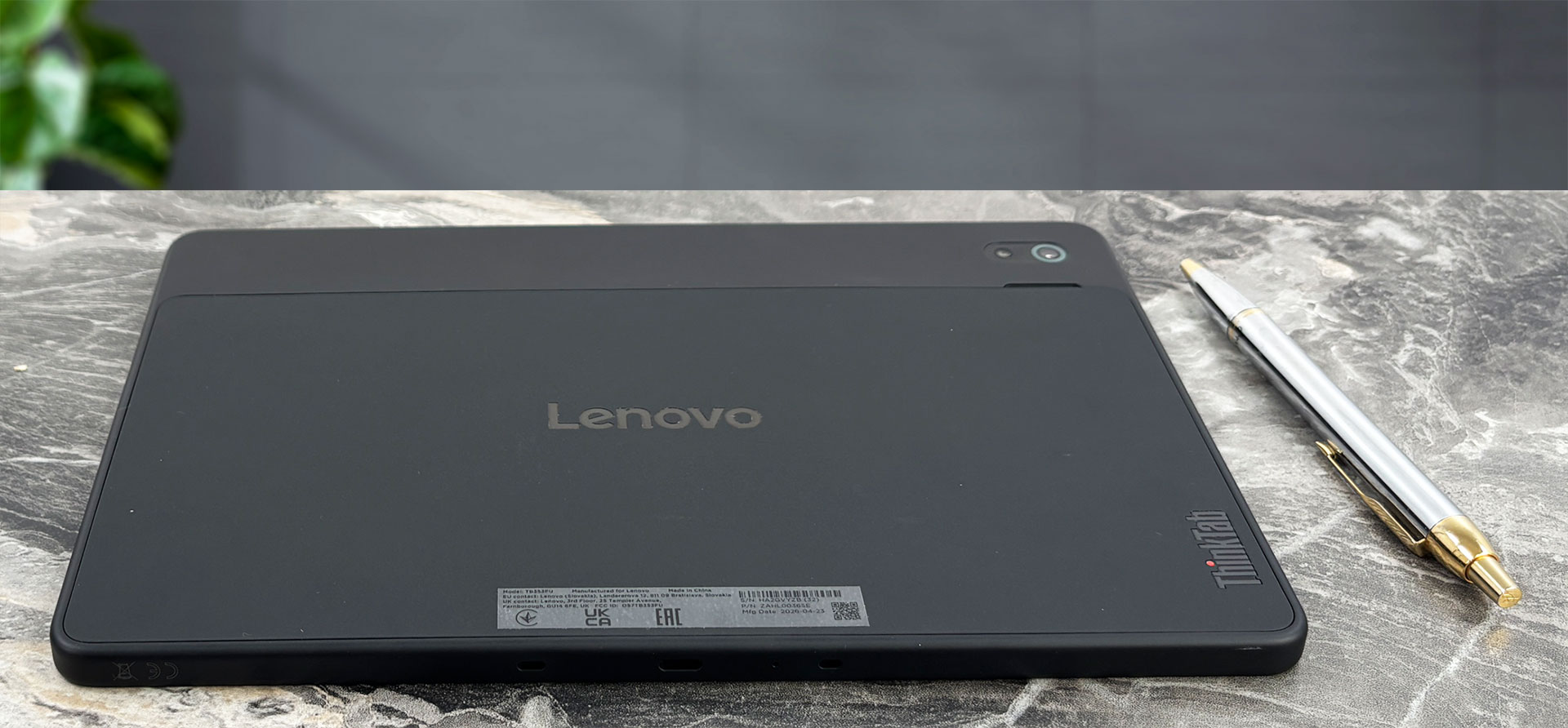
The front is protected by Corning Gorilla Glass and Lenovo lists an anti-fingerprint surface for the display. This helps keep the screen cleaner during daily use, although the matte black rear surface can still show smudges under direct light. Structurally, the tablet feels very solid in the hands, with no obvious flex during normal handling. Of course, the whole point of this machine is not just to feel tough, but to survive harsher conditions than a regular tablet.
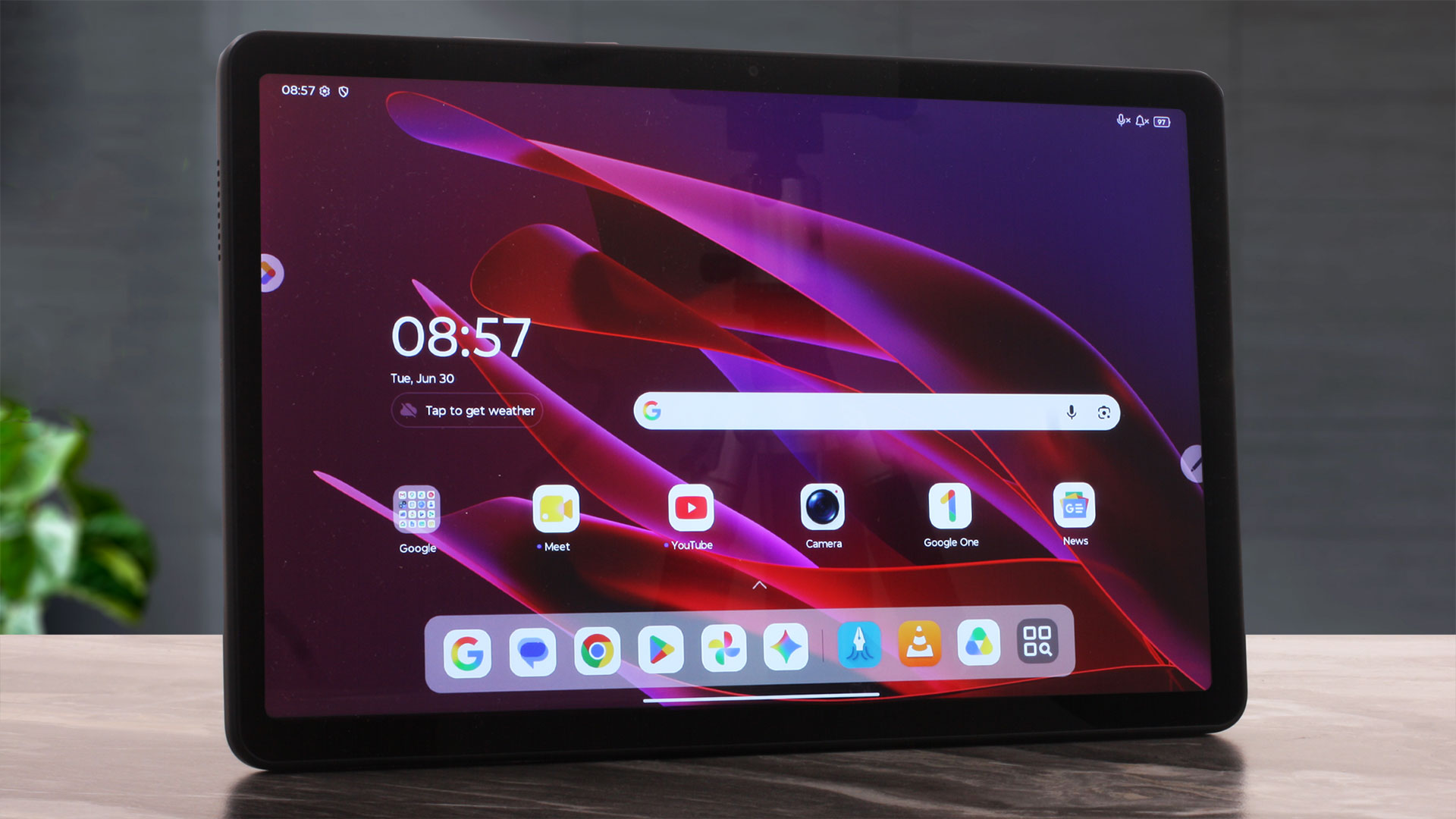
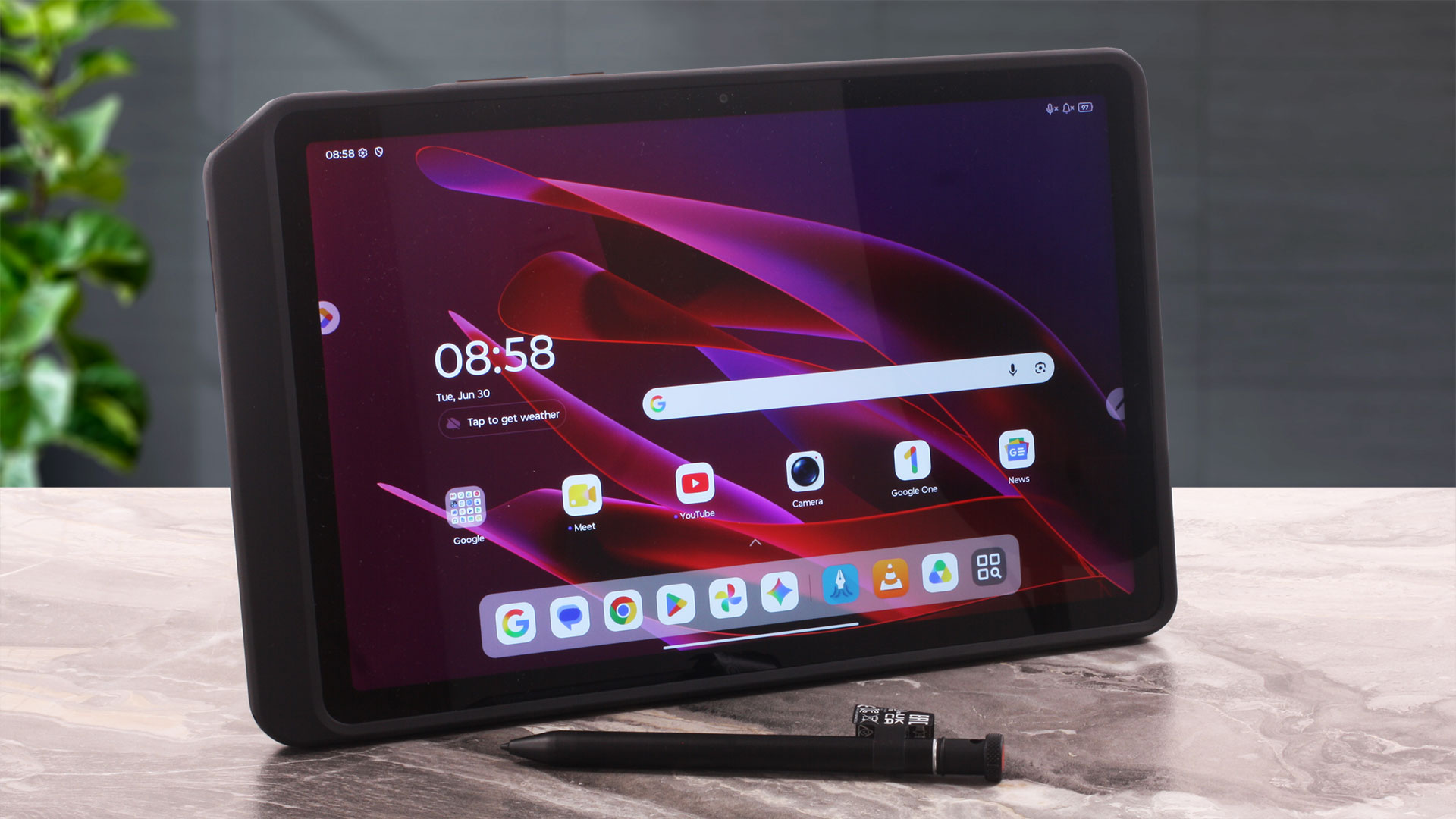
In terms of size, the ThinkTab X11 Gen 1 is much more manageable than its rugged appearance may suggest. It weighs around 650 grams and is just under 10 mm thick. One small detail worth mentioning is that Lenovo’s official documentation appears to contain a typo in the inch conversion for the width: 257.10 mm converts to around 10.12 inches, not 12.12 inches.
| Lenovo ThinkTab X11 Gen 1 | Dimensions | Weight |
| Metric units | 257.10 mm x 168.65 mm x 9.93 mm | 0.65 kg |
| U.S. customary | 10.12 in x 6.64 in x 0.39 in | 1.43 lbs |
Durability is one of the main selling points of this model. The tablet is IP68-rated for dust and water resistance, and Lenovo also lists MIL-STD-810H testing. However, there is an important clarification here: the MIL-STD-810H claim applies to models bundled with the rugged case, so this should not be presented as a bare-tablet-only claim without context.
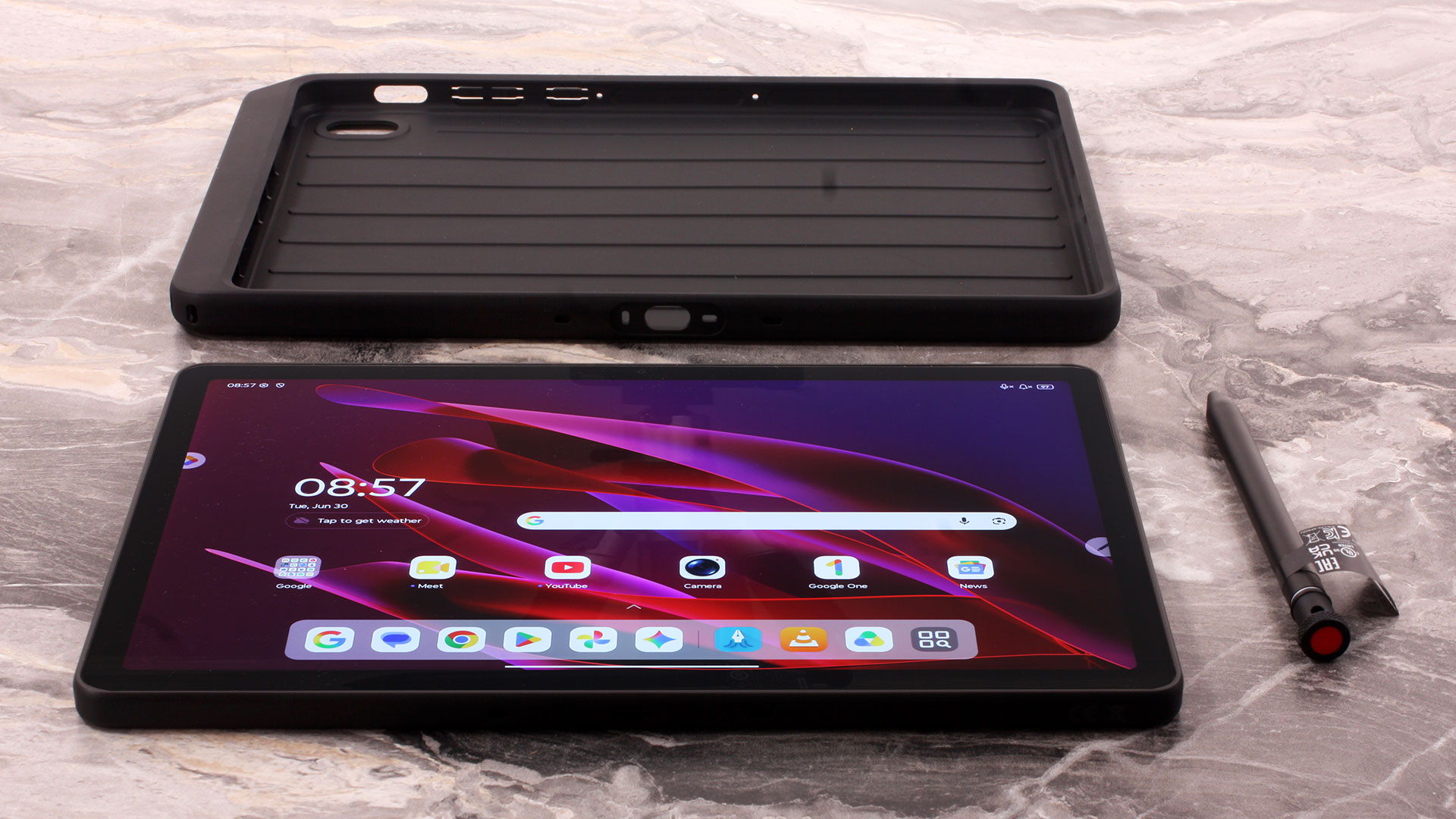
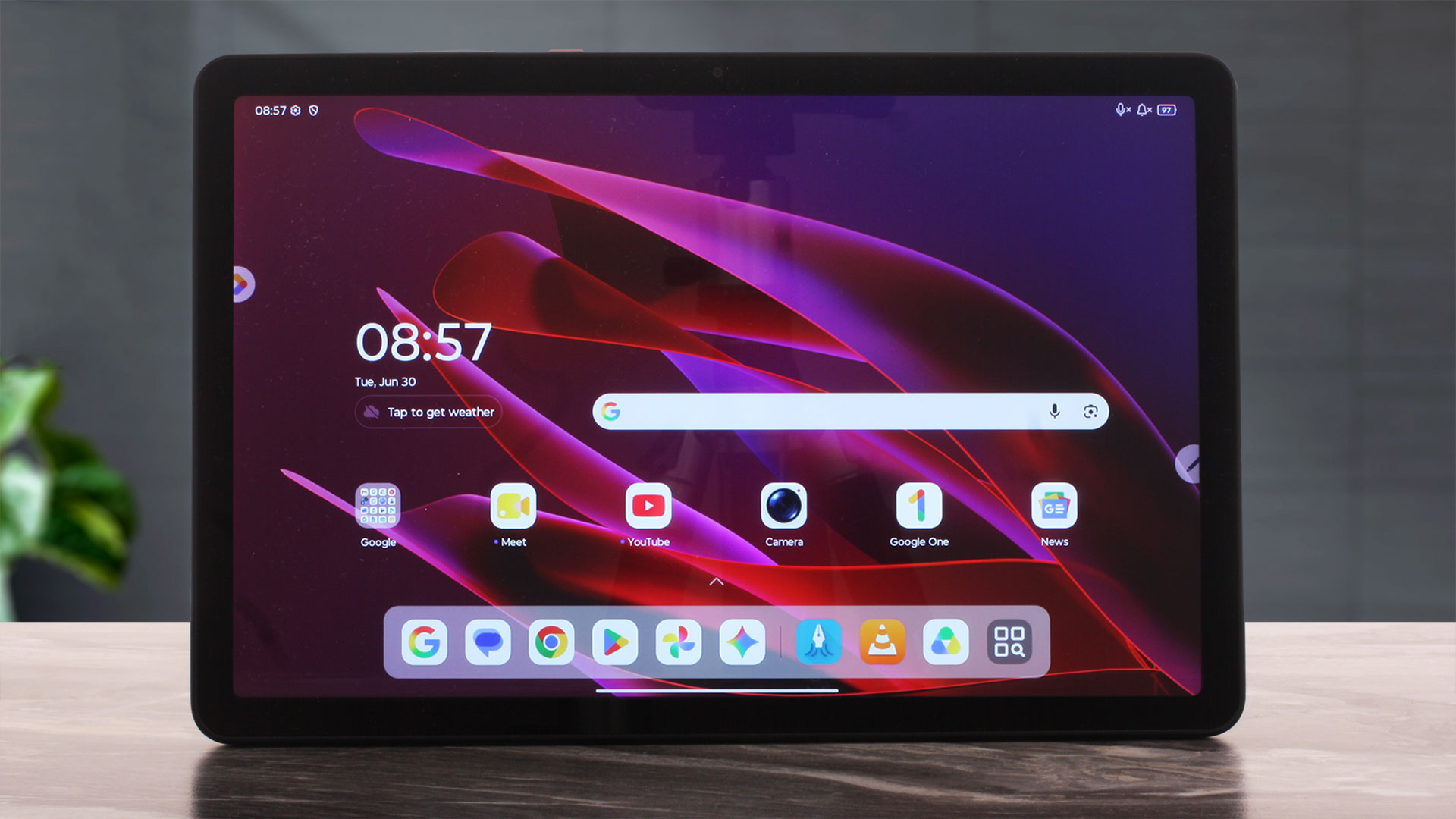
The bezels around the 10.95-inch display are thicker than what you would see on a modern premium entertainment tablet, but this makes sense for a device like this. The extra frame gives your thumbs a place to rest and helps reduce accidental touches when using the tablet while standing, walking, or working. Lenovo lists an 85% screen-to-body ratio, which is perfectly reasonable for a rugged model. The front camera is an 8MP fixed-focus unit, while the rear camera is a 13MP autofocus module with a flashlight.
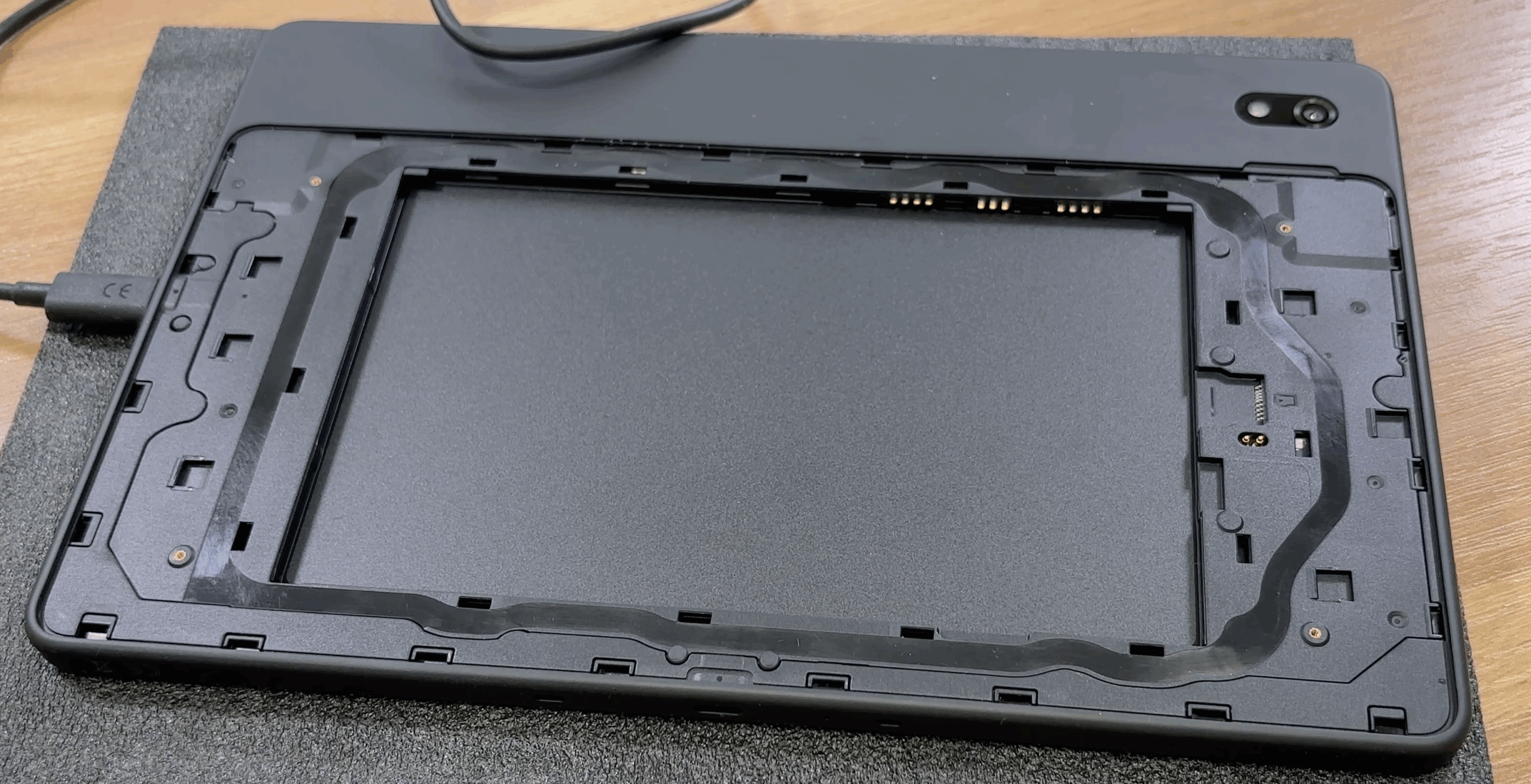
The physical layout also includes several business-friendly details. The power button integrates a touch-style fingerprint reader, which is useful when unlocking the tablet quickly without typing a PIN. There are also volume buttons and a dedicated Action key, which can be valuable in field use if configured for a frequently used function or work application. Another practical detail is the card slot placement: it is positioned beneath the removable battery cover. This helps keep it protected, but it also means the slot is not designed for frequent, quick microSD card swapping.
Ports and Connectivity
The port layout of Lenovo ThinkTab X11 Gen 1 is more work-oriented compared to many regular tablets. Along the top edge, you get the physical controls: the Action key, the volume buttons, and the power button with the integrated fingerprint reader.

The left side is mostly clean, with no traditional ports there.

The right side is where the main wired connectivity is located. Here you get a 3.5 mm headphone/microphone combo jack and the primary USB-C port. This is the more capable of the two USB-C connectors, supporting USB 5Gbps, charging, and DisplayPort output for an external display. This is the port to use for faster accessories, USB-C hubs, or monitor output.

There is also a second USB-C port on the bottom edge, but the two ports are not equal. The right-side USB-C is the faster and more capable one, supporting USB 5Gbps, charging, and DisplayPort output. The bottom USB-C is listed as Hi-Speed USB with charging support; despite the name, this refers to USB 2.0-class connectivity, so it is better suited for charging or basic wired accessories rather than fast external storage or monitor output.

Storage expansion is handled through a card slot placed beneath the removable battery cover. On WLAN configurations, this is a microSD card slot, while WWAN models combine Nano-SIM and microSD support, along with eSIM. The placement is secure and appropriate for a rugged device, but it is not as convenient as a side-mounted card tray if you need to swap cards often.
Wireless connectivity is strong for a professional tablet. The series supports Wi-Fi 6E and Bluetooth 5.4, and it also includes front-mounted NFC, which can be useful for ID badges, NFC tags, asset tracking, or other business workflows. Some configurations are available with 5G Sub-6, Nano-SIM/eSIM, and GNSS location services, but the configuration we ordered is the WLAN version, so it should be treated as a Wi-Fi model rather than a cellular one. It is also worth noting that the WWAN versions are data-only tablets, so even the 5G models should not be presented as full smartphone replacements.
Software and Features
The Lenovo ThinkTab X11 Gen 1 ships with Android 16 or later, depending on region and update status. The software experience is close to a business-focused Android tablet setup, with Lenovo Vantage, Smart Connect, WPS Office, Squid, Google apps, and other practical tools preinstalled.
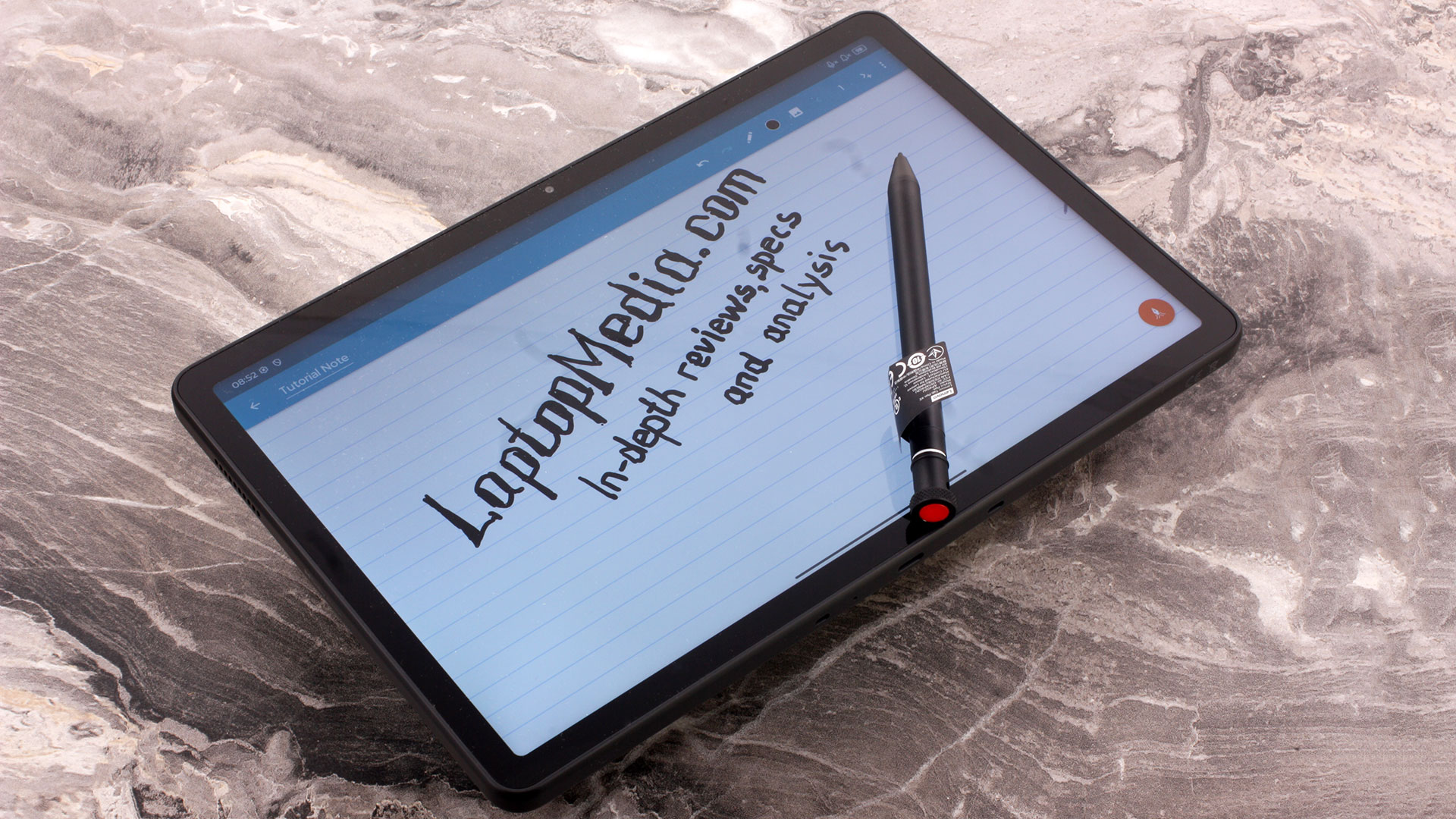
We did not find a dedicated high-performance mode in the settings. For this type of device, that is not a major issue: the ThinkTab X11 Gen 1 is tuned more for stability, battery life, and long-term use than for short performance bursts.
Features like NFC, the fingerprint reader, stylus support, Wi-Fi Display, and batteryless operation are more important here than gaming-focused software extras.
Display and Sound Quality
| Lenovo ThinkTab X11 Gen 1 | |
| Diagonal | 10.95 inches (27.8 cm) |
| Panel Type | IPS touchscreen, Gorilla Glass |
| Resolution | 2560 x 1600 pixels |
| Max Refresh Rate | 90 Hz |
| Aspect Ratio | 16:10 |
| Pixel Density | 276 PPI |
| ‘Retina’ Distance | 32 cm or greater |
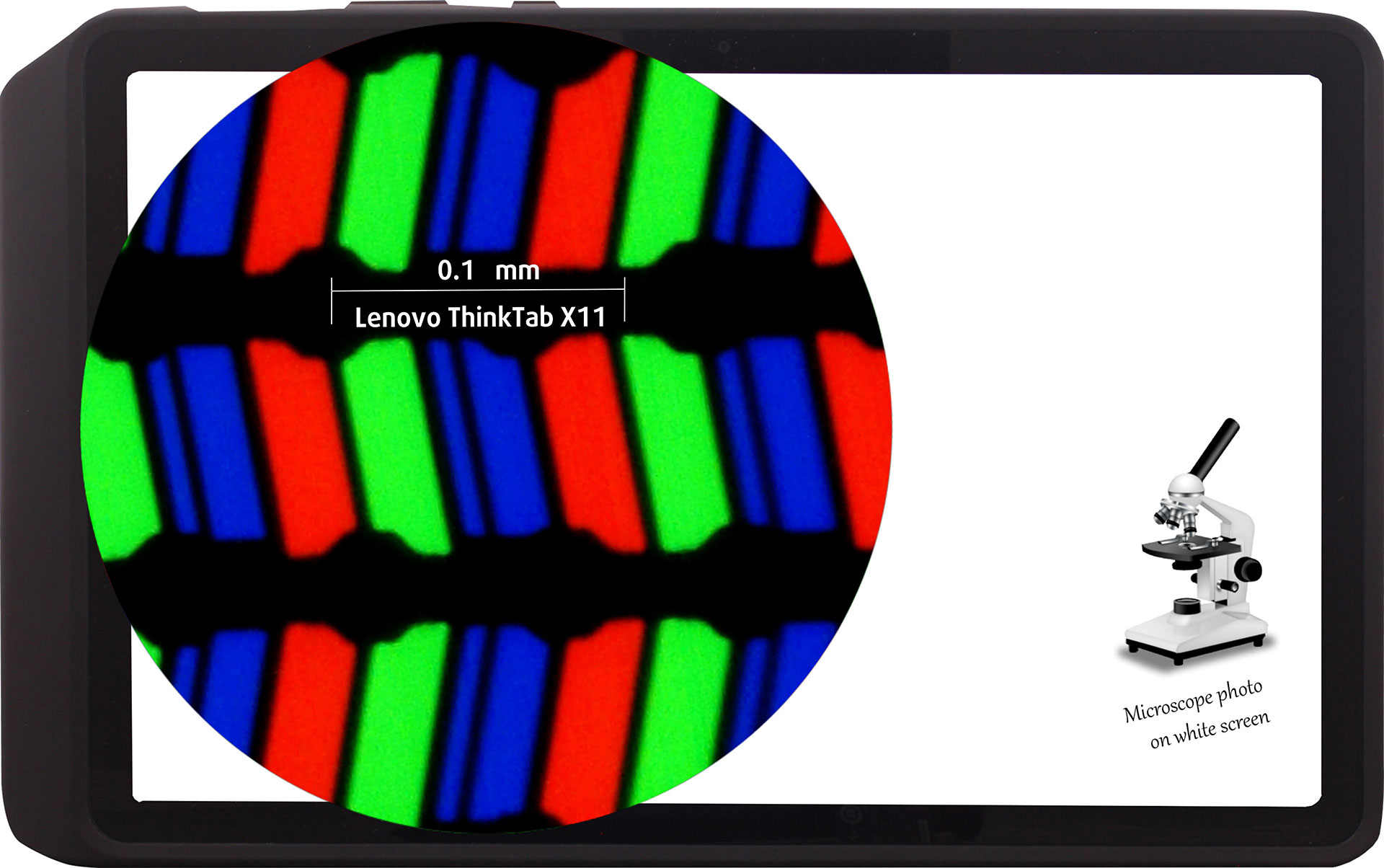
The WQXGA / 2.5K (2560 x 1600), 90 Hz, IPS display variant under our microscope
Viewing Angles
Viewing angles are good. We take photos from different angles to evaluate the quality.
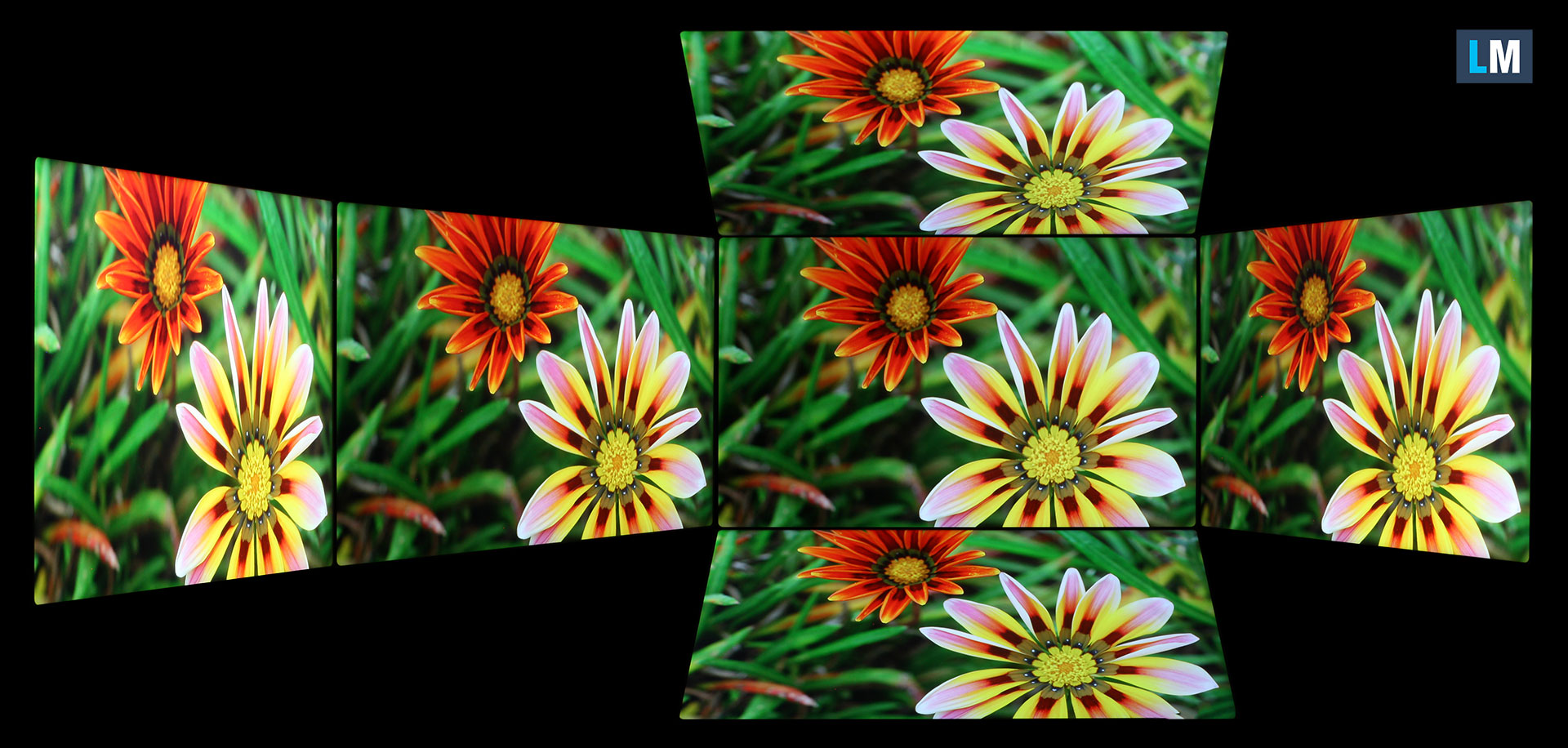
Also, a video with locked focus and exposure.
[YOUTUBE IFRAME]
Color Coverage
The sail-shaped diagram represents the visible color space, while the black curved line represents Pointer’s gamut, which approximates the colors commonly found in nature.
Then, we’ve drawn some of the most important and interesting color spaces, compared to the colors the panel of Lenovo ThinkTab X11 Gen 1 can show:
Standard/For Web: sRGB – widely used color space for most consumer devices, ideal for Web design and development.
For Print: AdobeRGB – used in professional photo editing, graphic design, and print
For Photographers/Video Editors: DCI-P3 – used in high-end film production, post-production, and digital cinema
Premium HDR: Rec.2020 – one of the widest consumer color standards, covering 75.8% of the visible spectrum and serving as a benchmark for premium HDR content.
Lenovo ThinkTab X11 Gen 1: the yellow dashed triangle (– – – – – –) represents the range of colors this display can show.
In our tests, we calculated the total color coverage of the display at 99% of the sRGB color gamut and 80% of the DCI-P3 color gamut.
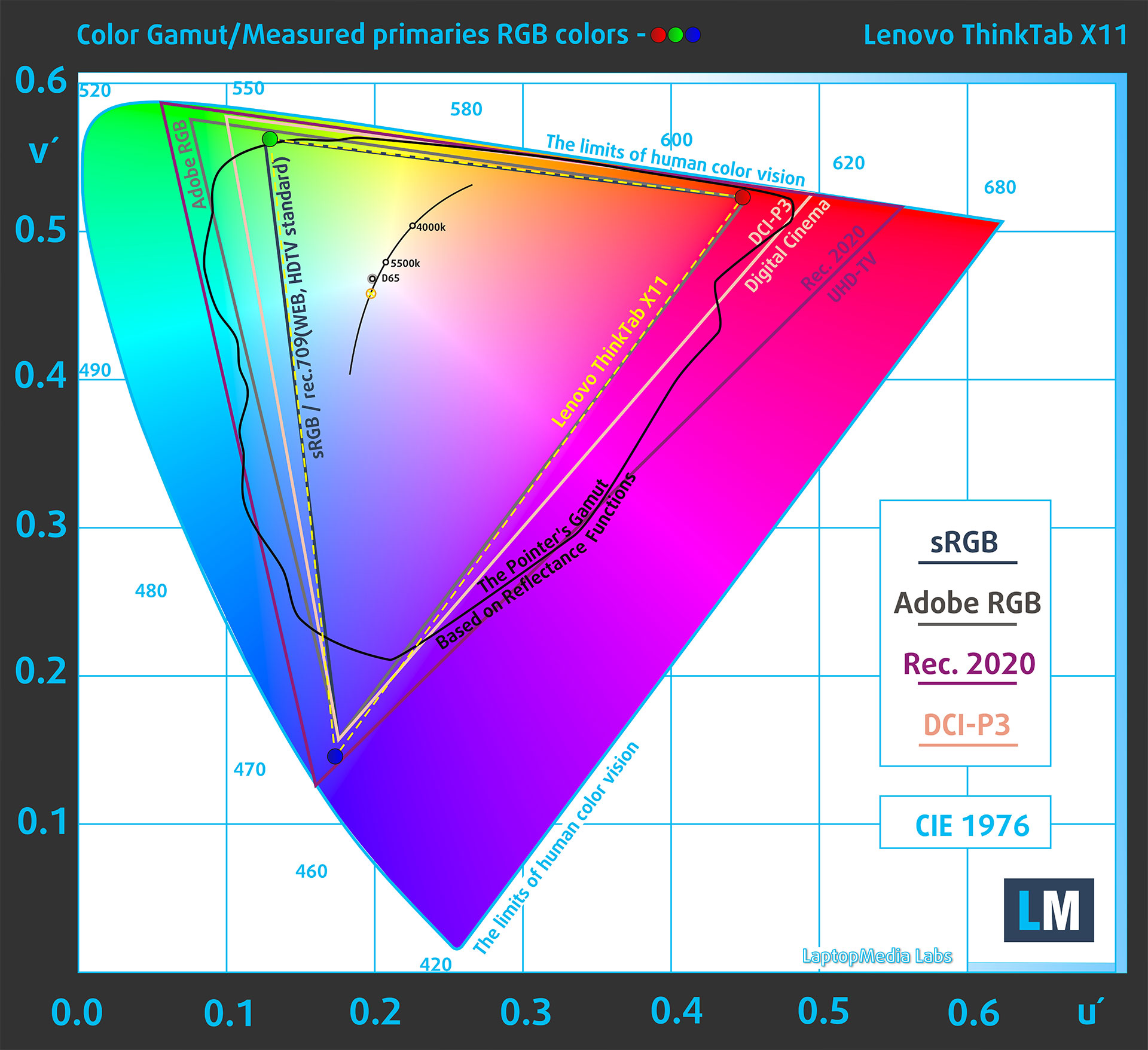
(Fig. 1) Lenovo ThinkTab X11 Gen 1 covers 99% of the sRGB gamut and 80% of DCI-P3.
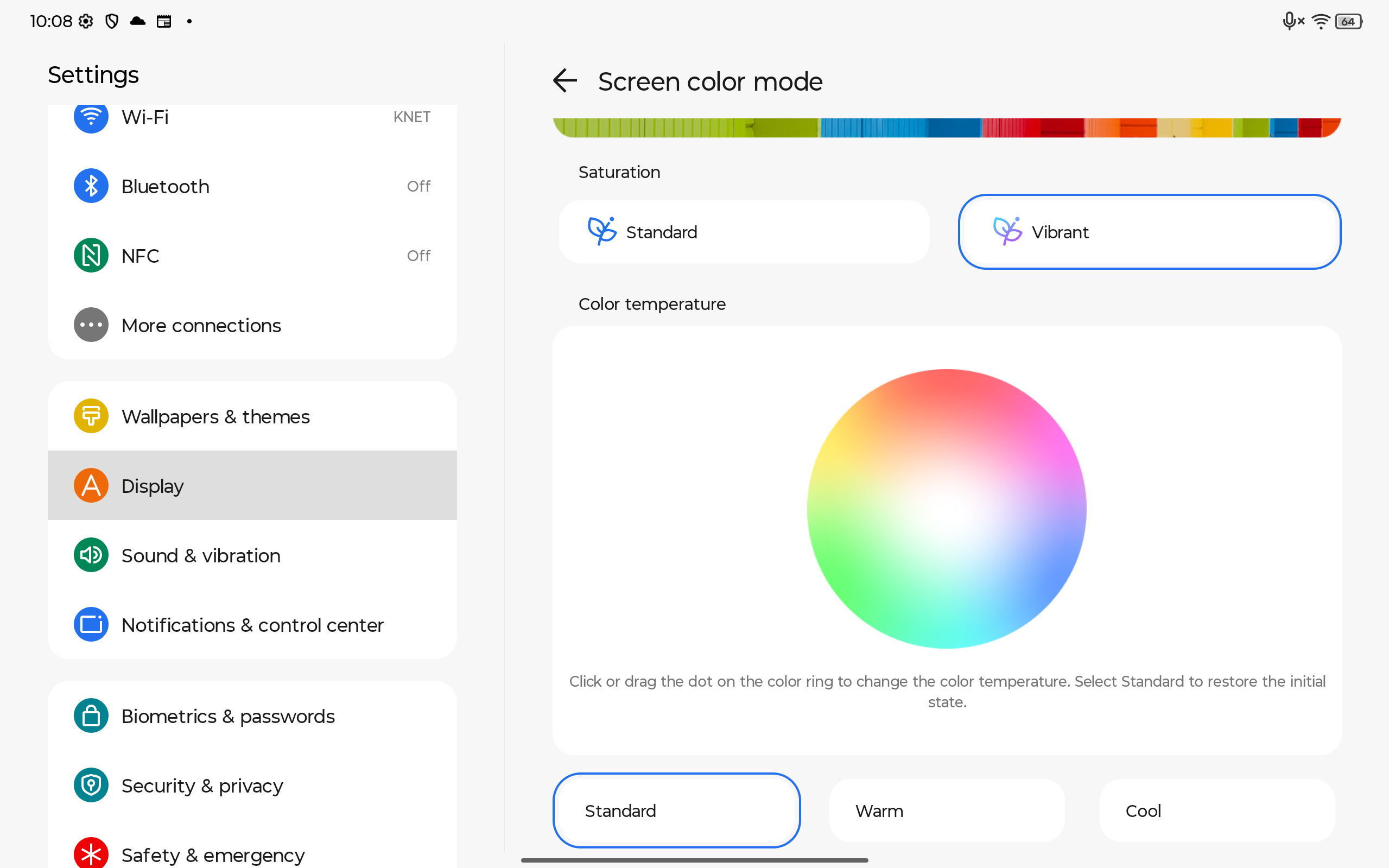
Screen color mode settings used for our measurements
Brightness and Contrast
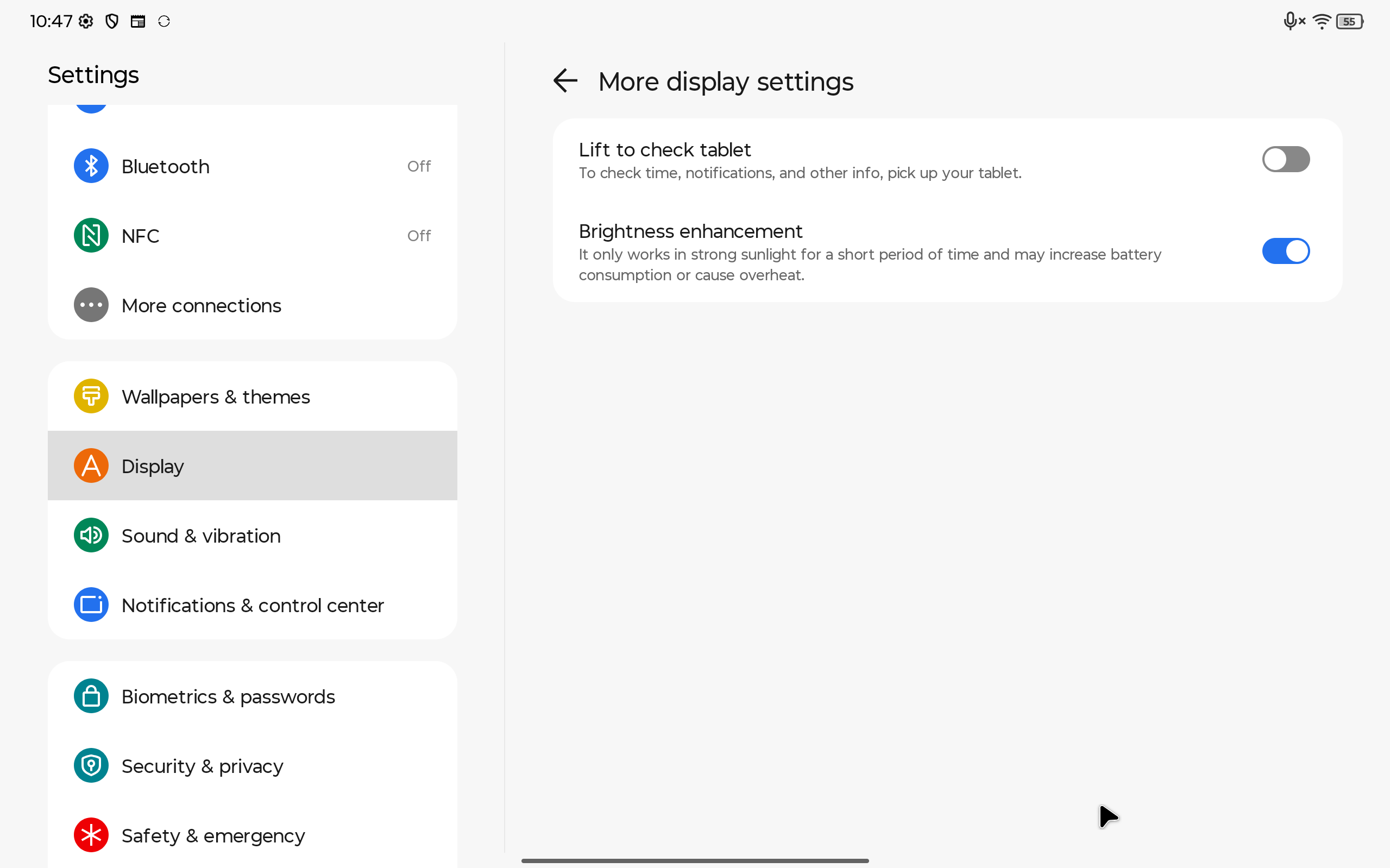
We measured a maximum brightness of 560 cd/m² in the center of the screen in Vibrant saturation mode with Standard color temperature, with Brightness enhancement disabled. With Brightness enhancement enabled, peak luminance depends on the ambient light and how long the high-brightness mode remains active. In a bright indoor environment, we measured 652 cd/m² in the center of the screen.
The Correlated Color Temperature (CCT) on a white screen at maximum brightness is 7470 K (in Vibrant / Standard color temperature mode).
The contrast ratio is 1480:1.
Uniformity: Luminance, Contrast, and Color Deviation
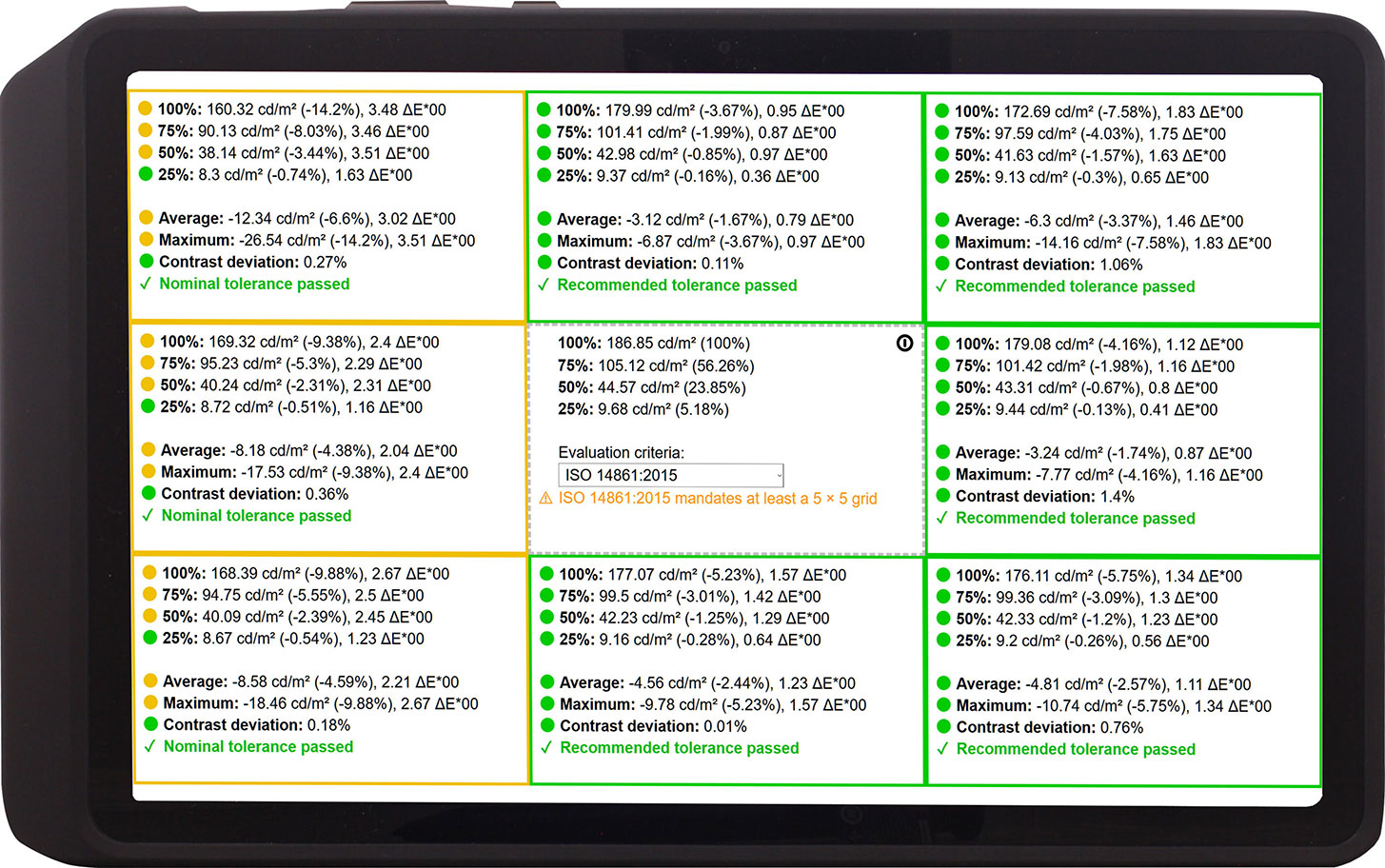
The figure below shows the results from our uniformity test across different sections of the screen. It’s measured at 187 nits (slider = 48%) – a brightness level we consider typical for standard working conditions.
DeltaE 2000 values below 4.0 are acceptable for regular users. For those working with colors, screens with DeltaE 2000 values no higher than 2.0 are recommended.
Color Accuracy
Let’s check the difference between real colors and those you’ll see on the Lenovo ThinkTab X11 Gen 1. We measure that distance in DeltaE – the higher the number, the more different they look.
Values below 4.0 are acceptable for regular users, while values below 2.0 are suitable for color-sensitive work. A value below 1.0 means the difference is indistinguishable to the naked eye.
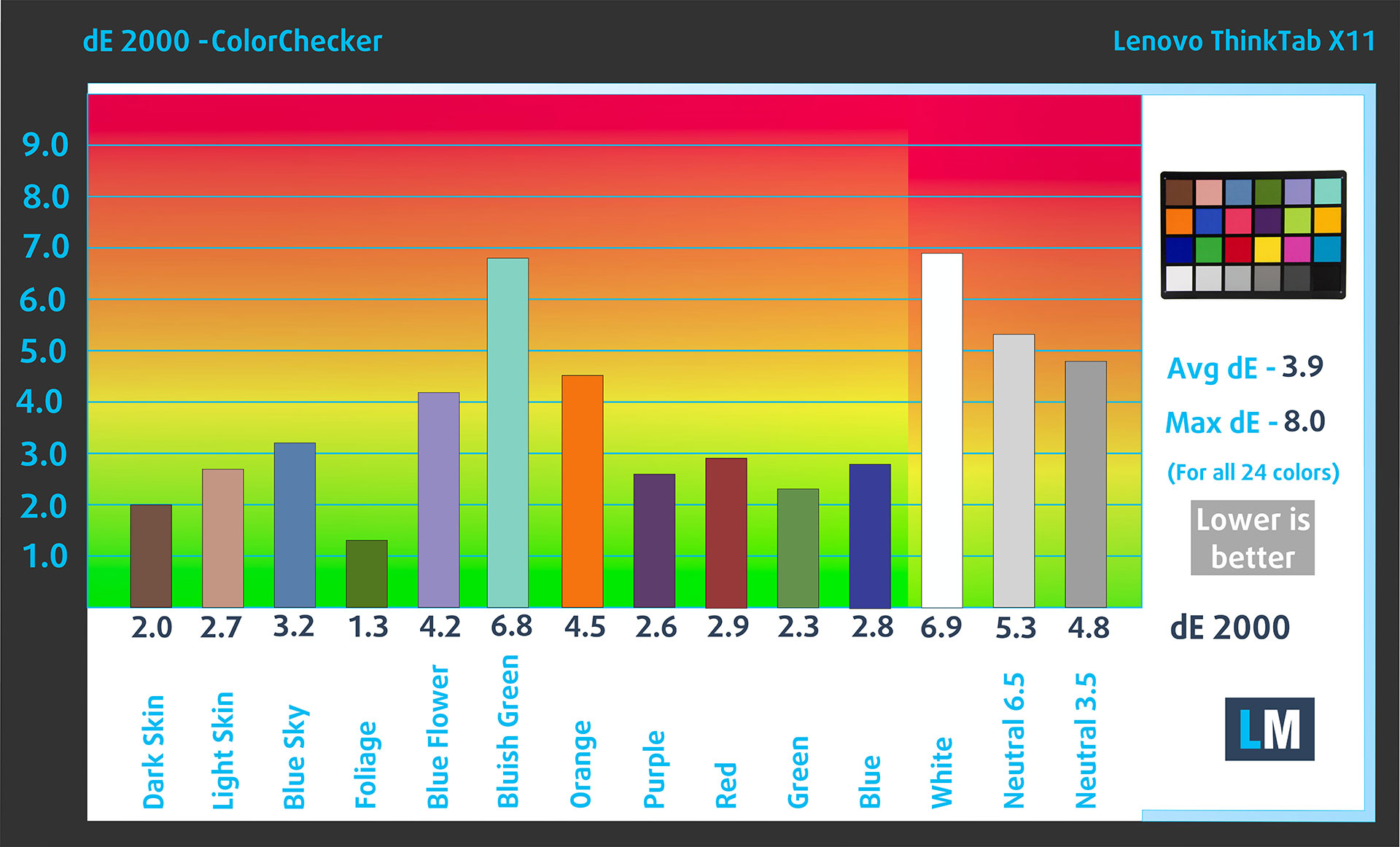
For the next graph, we’ve selected 24 common colors, including dark and light skin tones, blue sky, green grass, etc.
Below are the results of the Lenovo ThinkTab X11 Gen 1 using the Vibrant / Standard color temperature mode, without additional calibration, compared to the sRGB color space. The average dE 2000 is 3.9, which is acceptable for everyday use, but the maximum deviation of 8.0 means the display is not suitable for color-sensitive work without calibration.
Response time (Gaming capabilities)
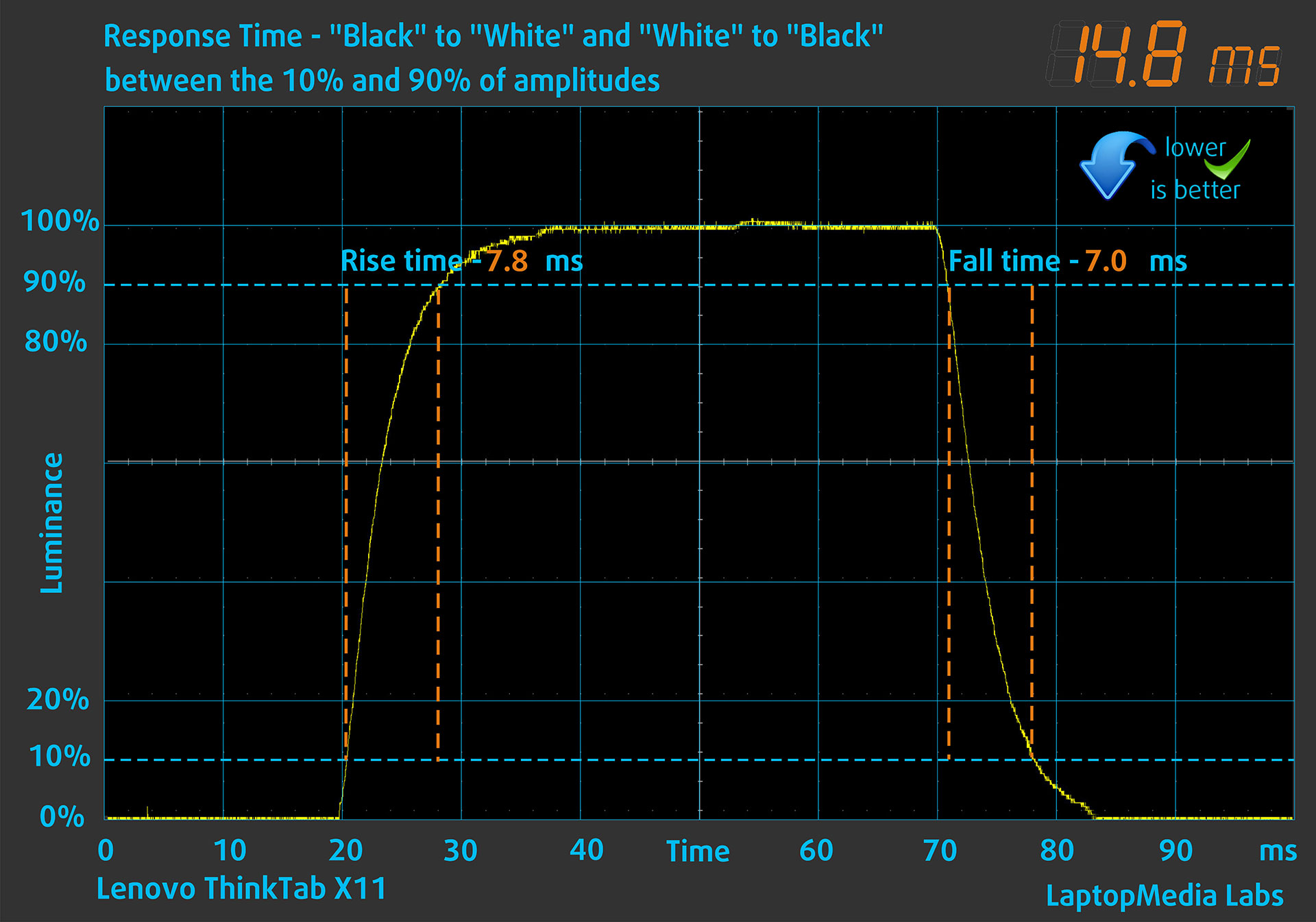
We test the reaction time of the pixels with the usual “black-to-white” and “white-to-black” method from 10% to 90% and vice versa.
We recorded Rise Time + Fall Time of 14.8 ms, not particularly fast, but acceptable for an IPS-class LCD tablet panel.
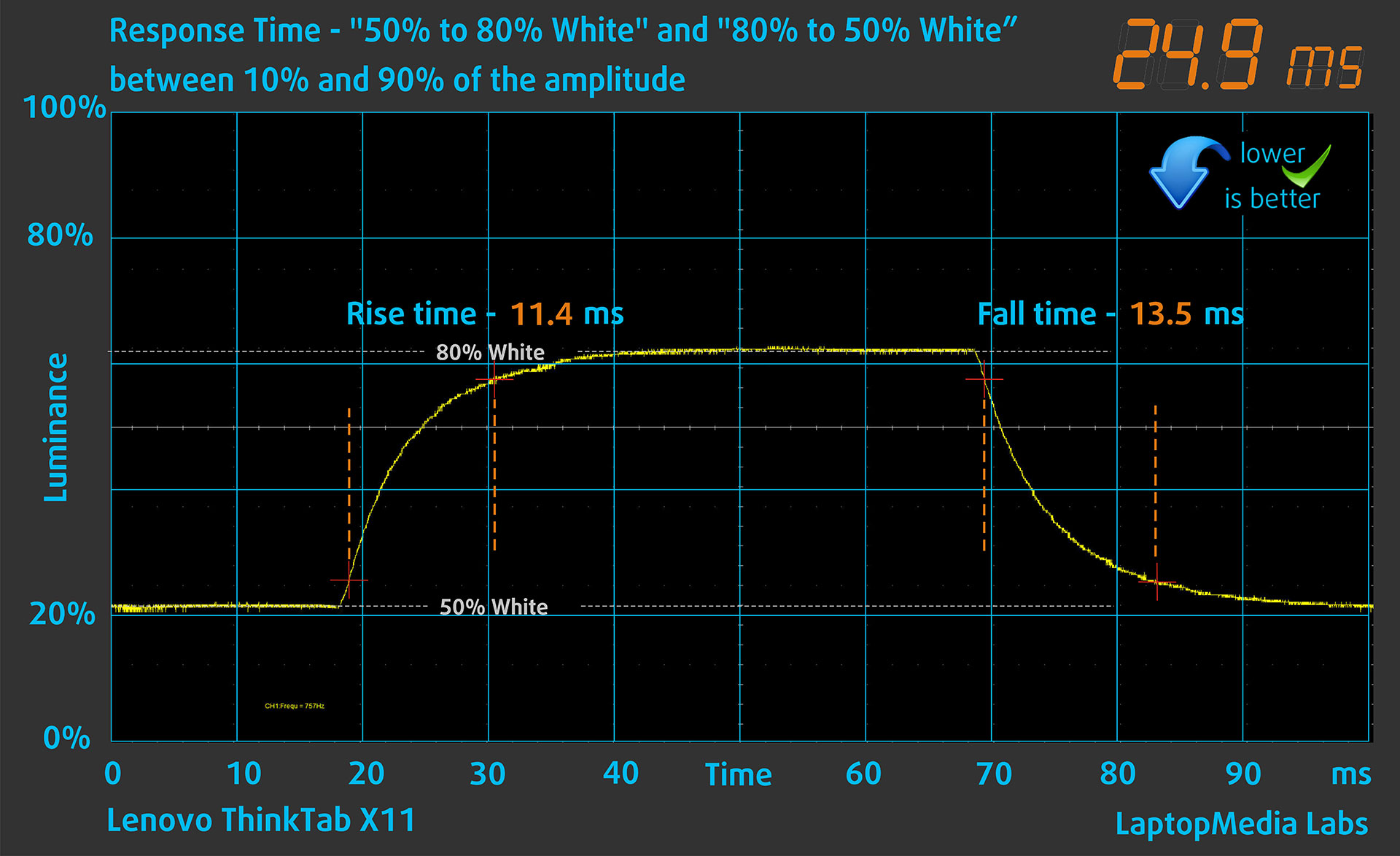
After that, we test the reaction time of the pixels with the usual “Gray-to-Gray” method from 50% White to 80% White and vice versa between 10% and 90% of the amplitude.
In the Gray-to-Gray test, we recorded Rise Time + Fall Time of 24.9 ms.
Health Impact: PWM (Screen flickering)
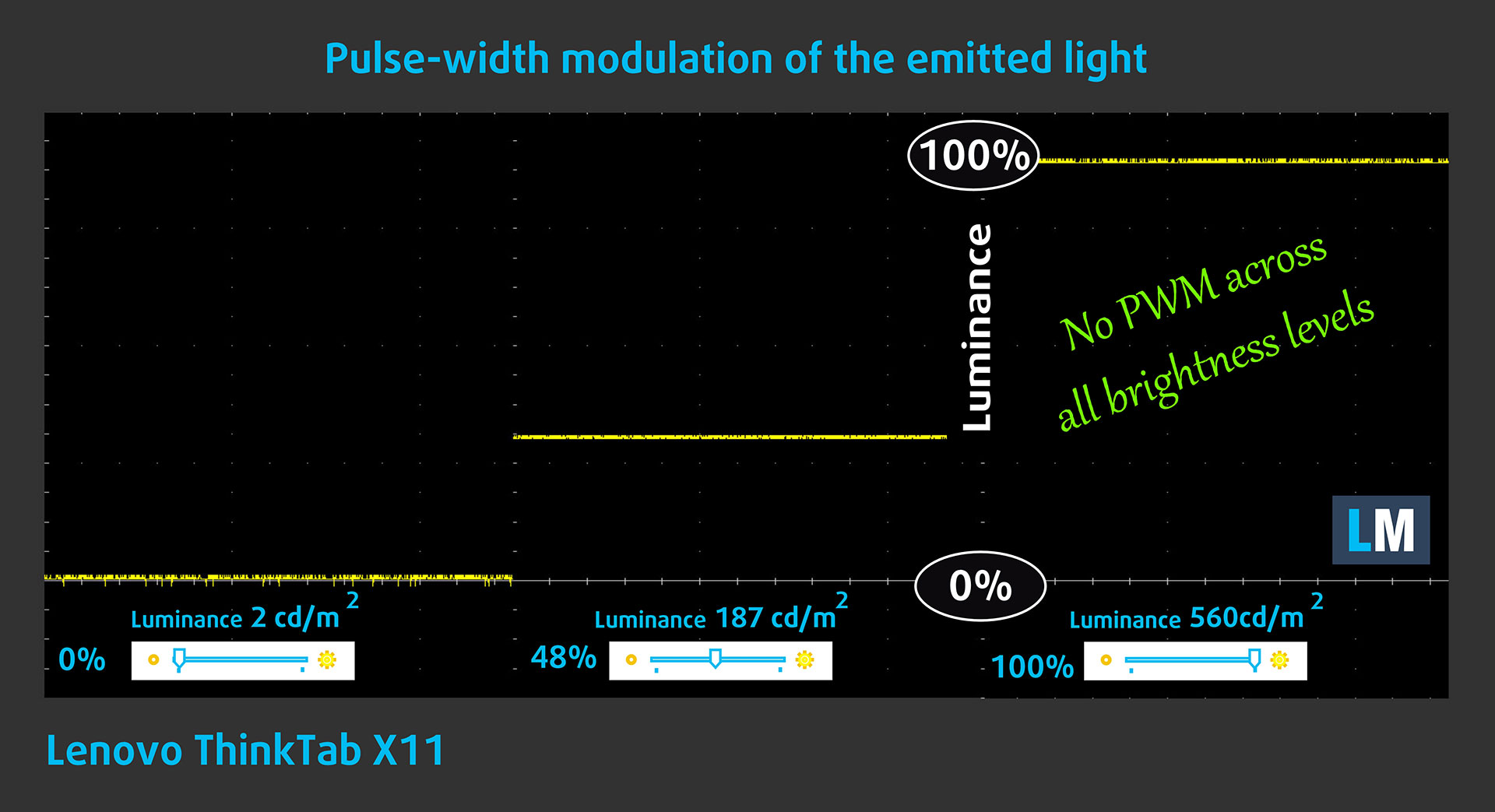
Some displays use PWM to regulate brightness, which means that instead of reducing the light intensity, they pulse or flicker. Our brain merges the image, so it appears darker, but this strains both it and our vision, especially when the frequency of the pulses is low. You can read more about that in our dedicated article on PWM.
In the graph below, you can see the intensity of light at different brightness levels. The vertical axis shows the brightness of the emitted light, while the horizontal axis shows time.
The Lenovo ThinkTab X11 Gen 1‘s display does not use PWM to regulate brightness at any brightness level we tested, which makes it comfortable for prolonged use in this regard.
Health Impact: Screen Reflectance
Glossy-coated displays can cause eye fatigue in high ambient light conditions due to reflections. We measure the level of screen reflection with the display turned off, at a 60° angle.
The reflectance of the Lenovo ThinkTab X11 Gen 1’s screen is 106 GU. This places it in the high-reflectance category, so reflections can be distracting under strong ambient light, even though the panel itself gets quite bright.
Low Reflectance: < 45 GU
Medium Reflectance: 45 – 80 GU
High Reflectance: > 80 GU
Sound Quality
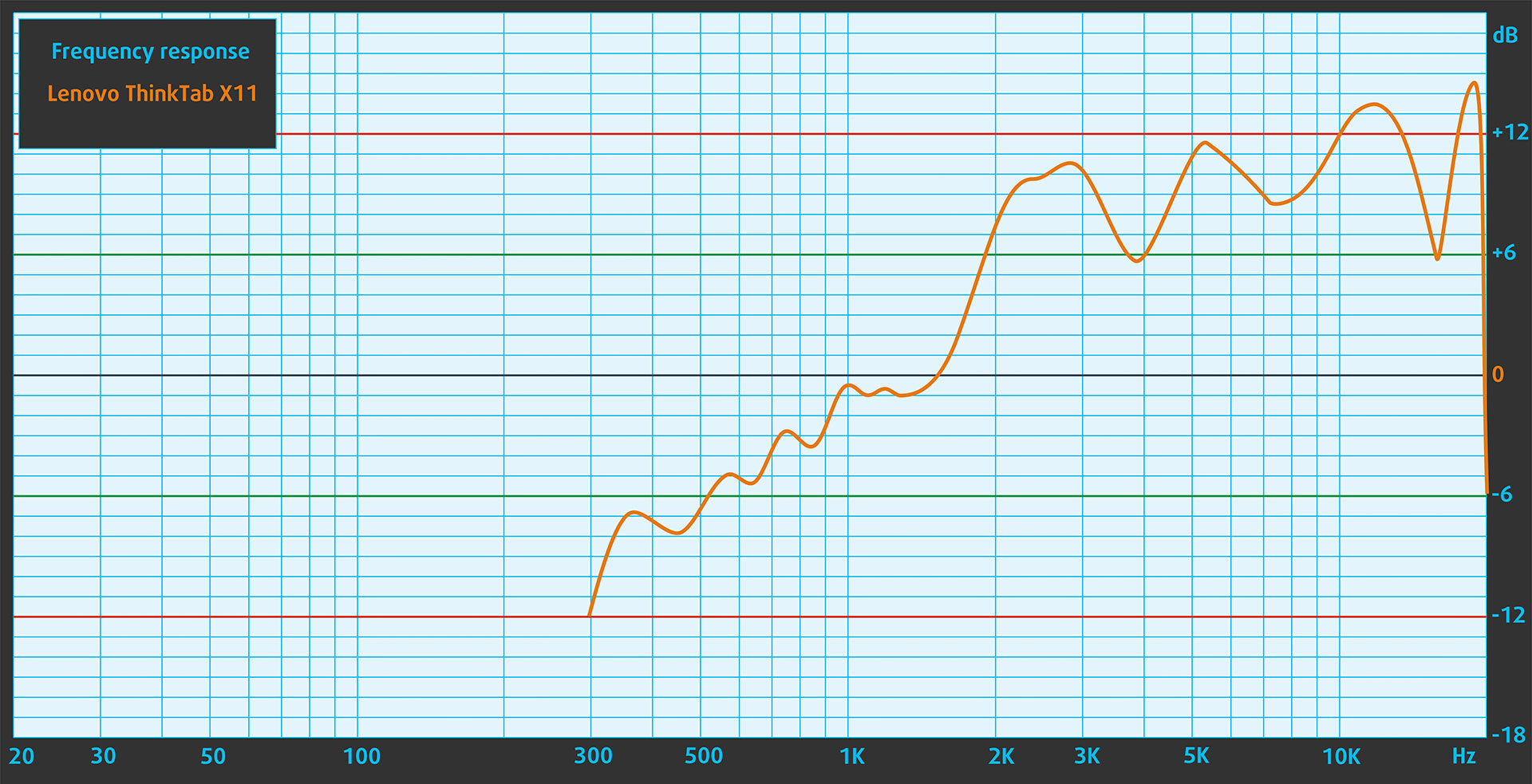
The sound from the Lenovo ThinkTab X11 Gen 1’s speakers is good for a tablet. The mids and highs are clear, while the low frequencies are limited.
Performance: CPU, GPU, Gaming, Storage
The Lenovo ThinkTab X11 Gen 1 is powered by the Qualcomm Snapdragon 7s Gen 3, paired with the Qualcomm Adreno 810 GPU. This is not a flagship-class tablet platform, and that is important to keep in mind from the start. The ThinkTab X11 is designed as a rugged, serviceable work tablet rather than a high-end gaming or creator device.
Still, the platform is modern enough for everyday Android work. Web browsing, document handling, video calls, PDF viewing, app switching, and light multitasking feel smooth in normal use, and the 8GB of LPDDR5 memory helps the tablet remain responsive when moving between typical apps.
Our benchmark tests were performed on battery power at around 50% charge. The display was set to 60Hz during the main benchmark run, but this does not materially affect the Unlimited 3DMark tests, Geekbench, CPDT, or the stress test results.
CPU Performance
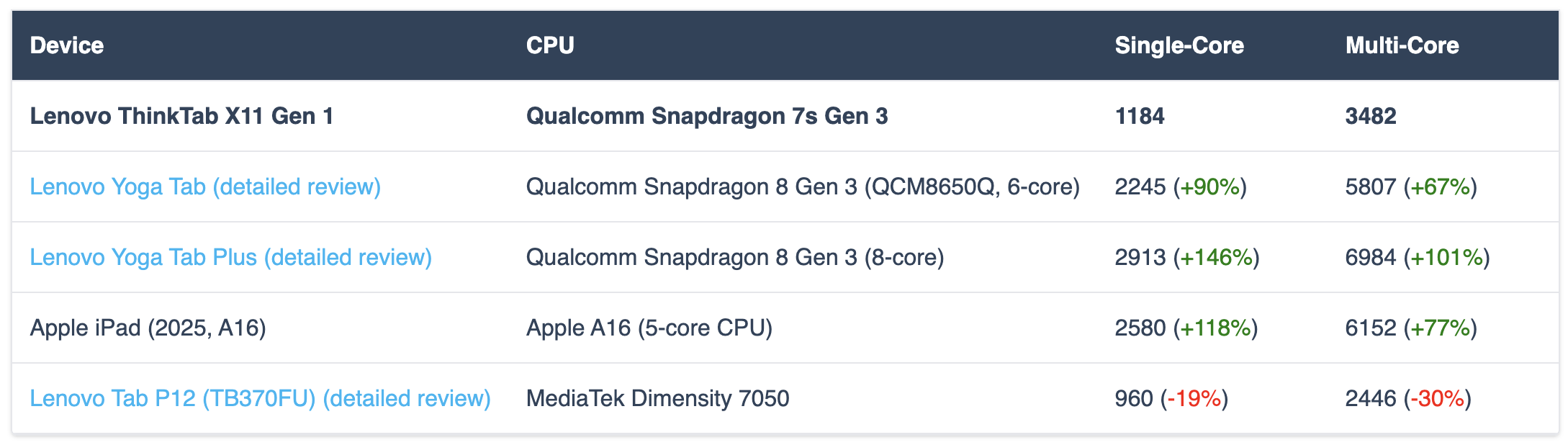
In Geekbench 6, the ThinkTab X11 Gen 1 scores 1184 points in Single-Core and 3482 in Multi-Core. These results place it clearly below Lenovo’s more entertainment-focused Yoga Tab models and the Apple iPad (2025, A16), but above older mid-range Android tablets such as the Lenovo Tab P12 (TB370FU) (detailed review).
For this type of device, that is not automatically a deal-breaker. Single-core performance is enough for responsive everyday interaction, while the multi-core score is acceptable for regular productivity tasks. However, if your workflow includes heavy photo editing, video editing, large creative projects, or demanding games, this is not the tablet Lenovo built for that job.
| Device | CPU | Single-Core | Multi-Core |
| Lenovo ThinkTab X11 Gen 1 | Qualcomm Snapdragon 7s Gen 3 | 1184 | 3482 |
| Lenovo Yoga Tab (detailed review) | Qualcomm Snapdragon 8 Gen 3 (QCM8650Q, 6-core) | 2245 (+90%) | 5807 (+67%) |
| Lenovo Yoga Tab Plus (detailed review) | Qualcomm Snapdragon 8 Gen 3 (8-core) | 2913 (+146%) | 6984 (+101%) |
| Apple iPad (2025, A16) | Apple A16 (5-core CPU) | 2580 (+118%) | 6152 (+77%) |
| Lenovo Tab P12 (TB370FU) (detailed review) | MediaTek Dimensity 7050 | 960 (-19%) | 2446 (-30%) |
GPU Performance
For graphics performance, we use 3DMark Wild Life Extreme Unlimited and Steel Nomad Light Unlimited. The ThinkTab X11 Gen 1 scores 1123 and 412 respectively.
These numbers confirm what the CPU tests already suggested: this is not a gaming-first tablet. The Adreno 810 GPU is fine for the Android interface, video playback, casual games, and less demanding 3D titles, but it is far behind the Adreno 750 inside Lenovo’s Yoga Tab models. In our 3DMark Unlimited tests, the Yoga Tab’s Adreno 750 scores roughly four times higher than the ThinkTab X11’s Adreno 810. This does not mean every game will run exactly four times faster, but it clearly shows the class difference between the two platforms.
| Device | GPU | Wild Life Extreme Unlimited | Steel Nomad Light Unlimited |
| Lenovo ThinkTab X11 Gen 1 | Qualcomm Adreno 810 | 1123 | 412 |
| Lenovo Yoga Tab (detailed review) | Qualcomm Adreno 750 | 4612 (+311%) | 1665 (+304%) |
| Lenovo Yoga Tab Plus (detailed review) | Qualcomm Adreno 750 | 4560 (+306%) | 1643 (+299%) |
| Apple iPad (2025, A16) | Apple A16 GPU (4-core graphics) | 2535 (+126%) | – |
| Lenovo Tab P12 (TB370FU) (detailed review) | Arm Mali-G68 | 620 (-45%) | – |
Sustained Performance
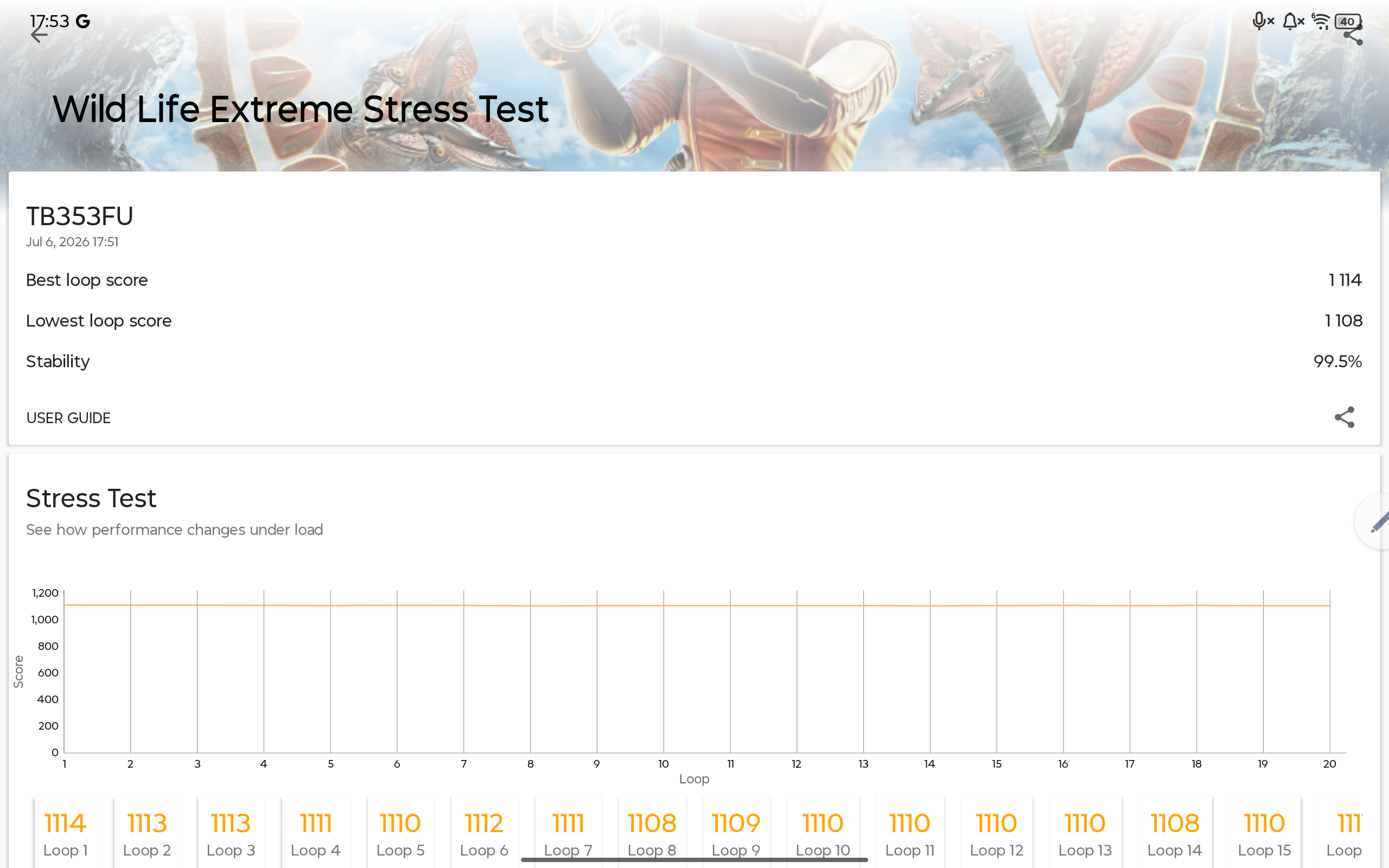
We also ran the 3DMark Wild Life Extreme Stress Test to check how the ThinkTab X11 Gen 1 behaves under repeated GPU load. The final result was excellent: 99.5% stability, with a best loop score of 1114 and a lowest loop score of 1108.
In other words, the ThinkTab X11 Gen 1 does not deliver high peak GPU performance, but it maintains what it has extremely consistently under repeated load. For a rugged tablet, this is arguably more important than a short benchmark burst, because the device is likely to be used for long shifts rather than quick gaming sessions.
Real Gaming
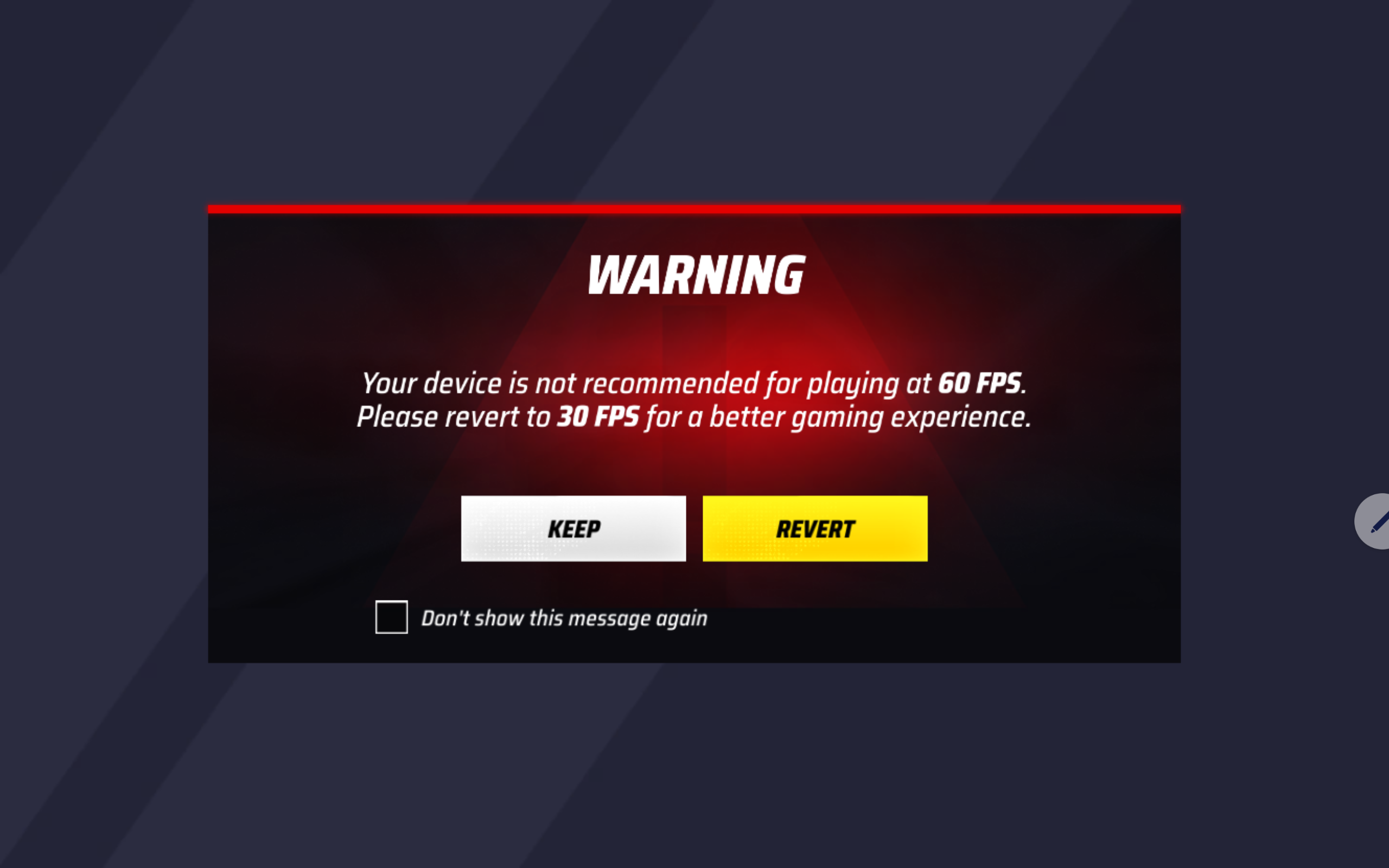
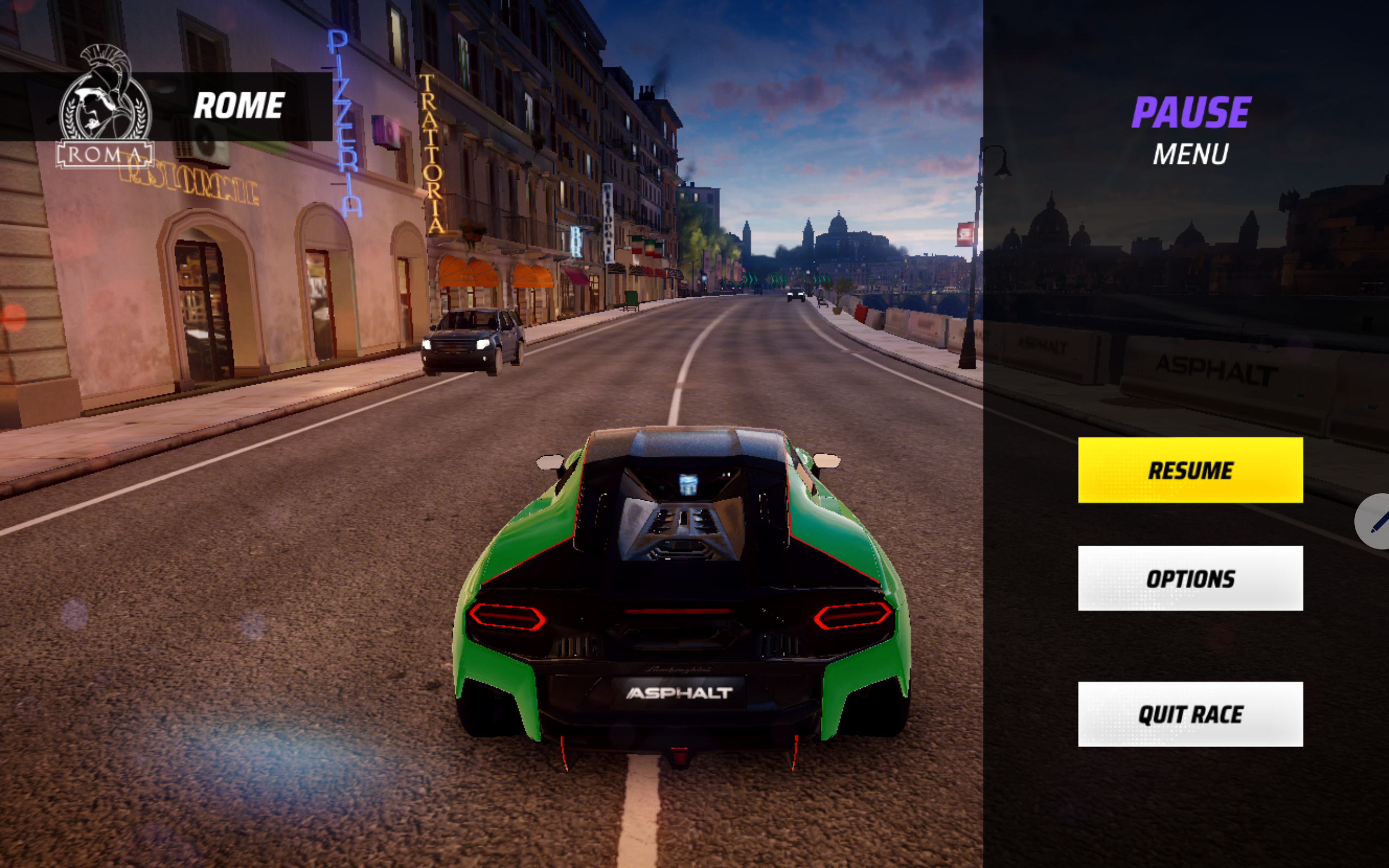
For real-world gaming, we tested Asphalt Legends. The game immediately warned us that the device is not recommended for 60 FPS gameplay and suggested reverting to 30 FPS for a better experience. We kept 60 FPS enabled anyway, to see how far the tablet could go.
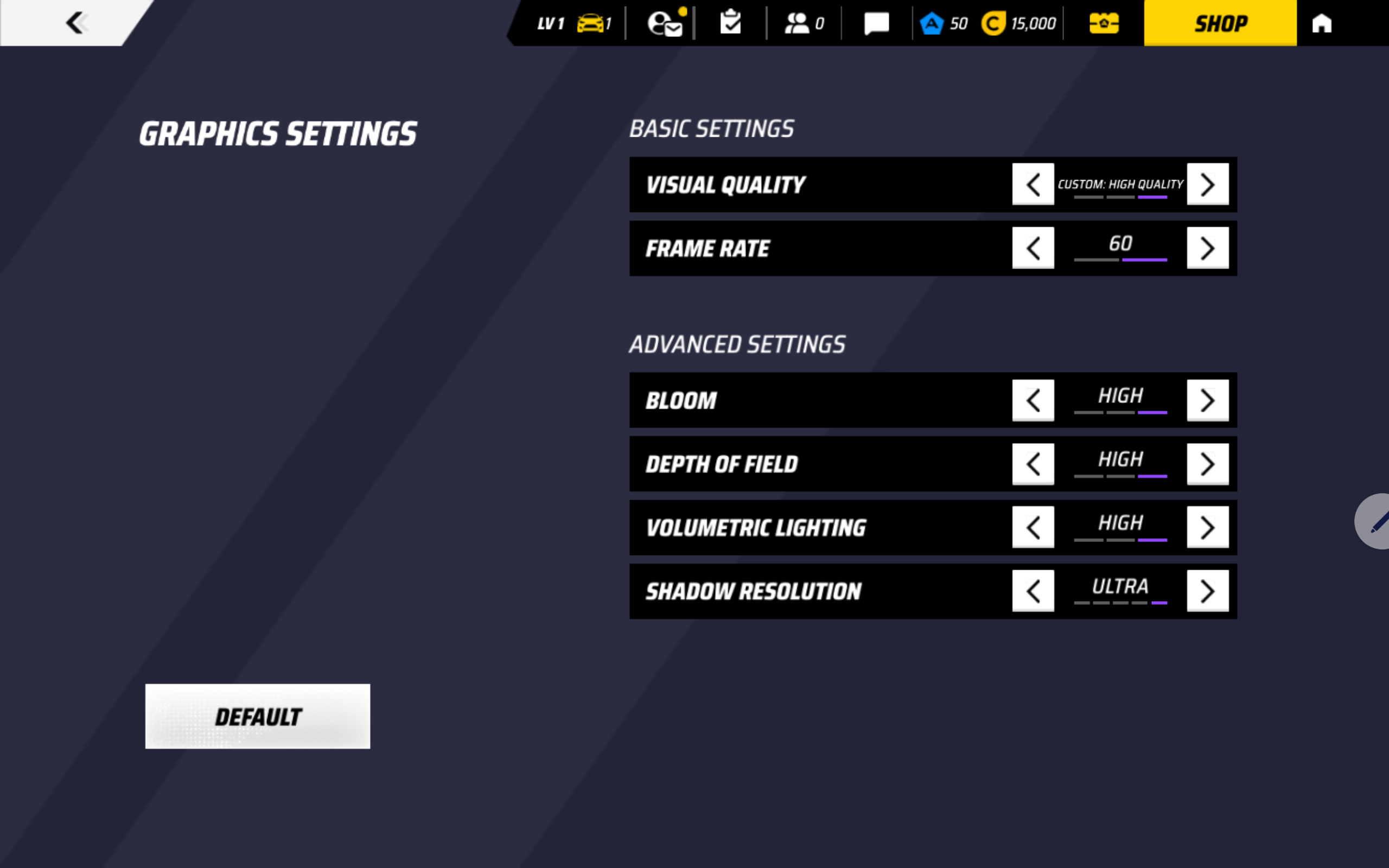
Some graphics options were not available on this device. There was no 120 FPS mode, and the anti-aliasing option was also missing. We also checked again with the display set to 90Hz/Auto, but these options still did not appear, so this seems to be a device-side limitation rather than a simple refresh-rate setting issue.
We pushed the available settings as high as possible, using Custom High Quality, 60 FPS, High Bloom, High Depth of Field, High Volumetric Lighting, and Ultra Shadow Resolution. Despite the warning and the missing higher-end graphics options, gameplay was smooth and we did not experience major stutter during regular play.
This is a good practical result, but it should be interpreted correctly: the ThinkTab X11 Gen 1 can handle lighter and moderately demanding games well, but it is not a tablet for high-refresh competitive gaming or maximum visual settings in heavier titles.
Storage Performance
Our configuration comes with 256GB UFS 3.1 storage and 8GB of LPDDR5 memory. Unlike some consumer tablets, the ThinkTab X11 Gen 1 also has a microSD card slot, which is useful for field work, documents, media, maps, logs, and other expandable storage needs. The slot is positioned beneath the removable battery cover, so it is protected, but not ideal for frequent card swapping.
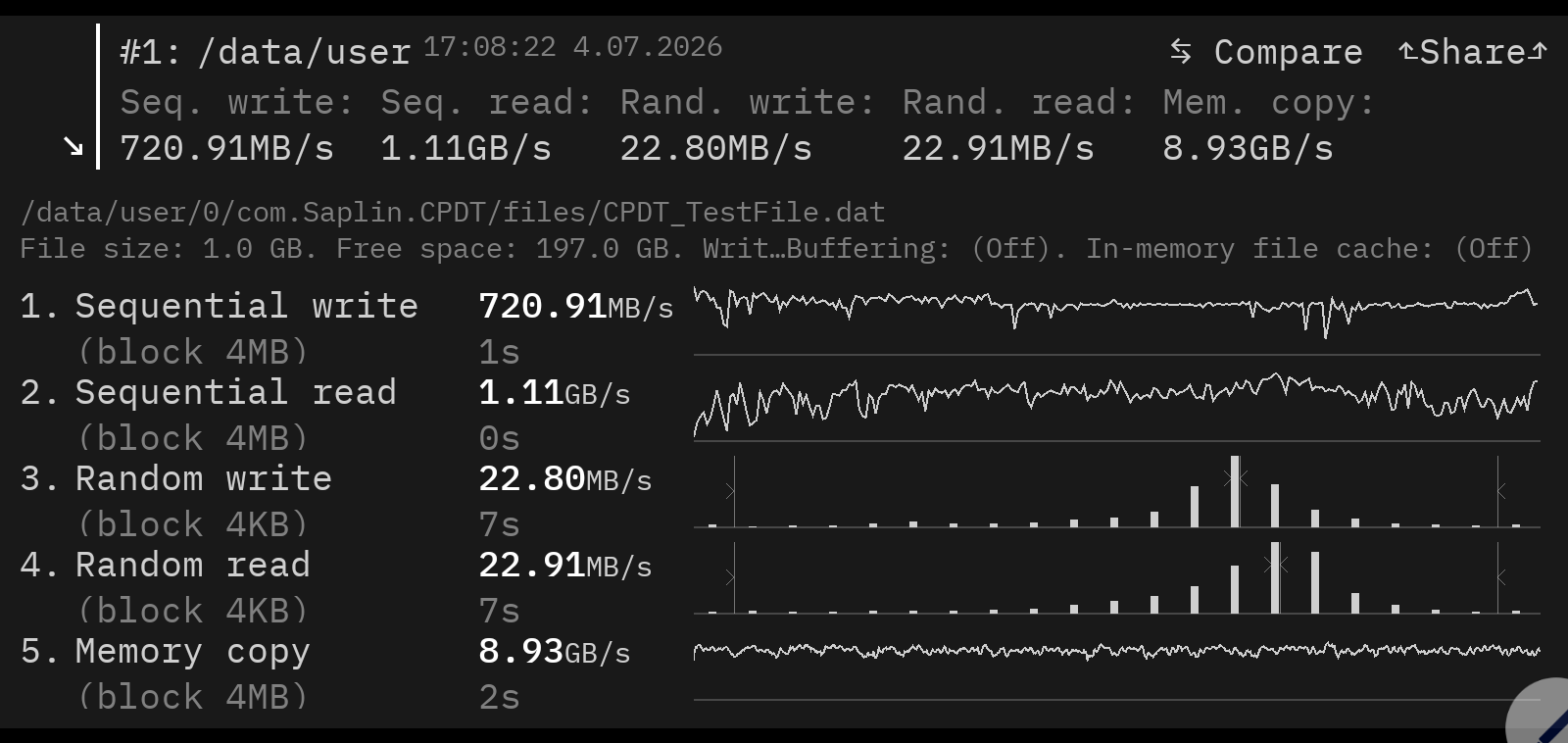
In CPDT Benchmark, our tablet reached 1.11GB/s sequential read and 720.91MB/s sequential write. Random 4K results were 22.91MB/s read and 22.80MB/s write, while memory copy reached 8.93GB/s.
These are solid results for UFS 3.1 storage. Lenovo Yoga Tab (detailed review) with UFS 4.0 is still faster, especially in sequential transfers, but the ThinkTab X11 Gen 1 feels responsive in app launches, app switching, and regular multitasking.
| Device | Storage type | Sequential read | Sequential write |
| Lenovo ThinkTab X11 Gen 1 | UFS 3.1 | 1.11GB/s | 720.91MB/s |
| Lenovo Yoga Tab (detailed review) | UFS 4.0 | 1.88GB/s (+69%) | 1.10GB/s (+53%) |
Battery Life
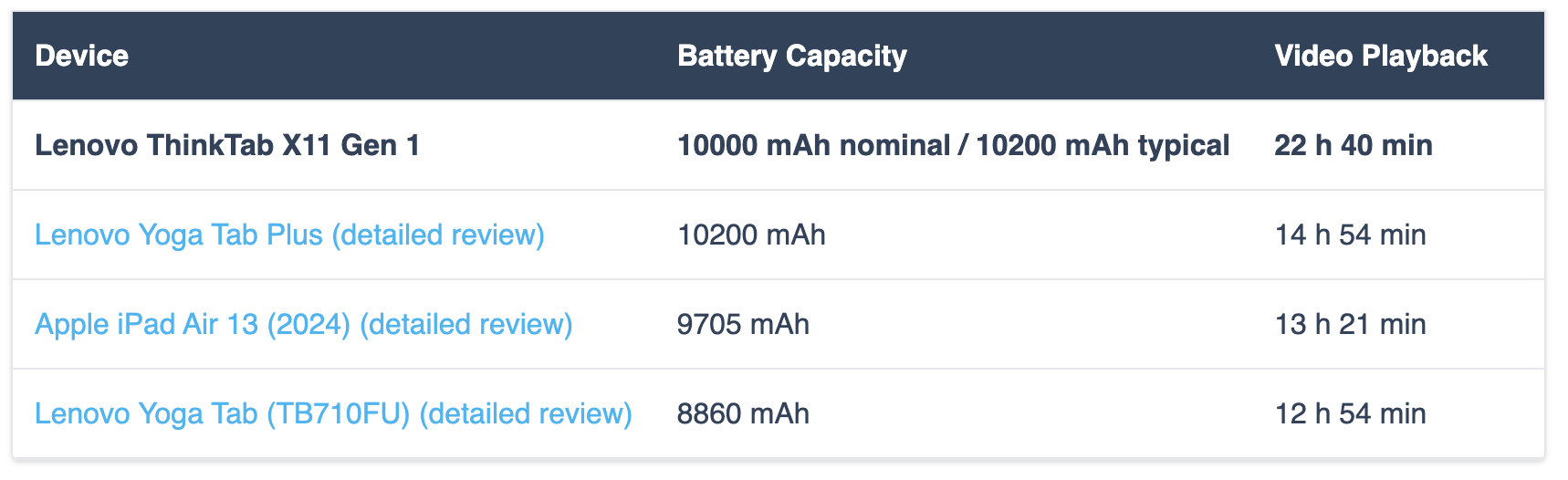
The Lenovo ThinkTab X11 Gen 1 uses a 3.91V Li-ion battery, model L25D2P33, with a nominal capacity of 10000 mAh and a nominal energy rating of 39.1 Wh. Lenovo lists the typical capacity as 10200 mAh.
In our offline video playback test, the tablet lasted 22 hours and 40 minutes, which is an excellent result and one of the strongest practical advantages of this model. This is especially important for a rugged/business tablet, where long shifts, field work, inventory tasks, video calls, documentation, and outdoor usage matter more than short benchmark bursts.
We tested the battery with the screen fixed at 187 nits, 60Hz refresh rate, Vibrant mode with Standard color temperature, adaptive brightness disabled, and battery saving mode turned off.
| Device | Battery Capacity | Video Playback |
| Lenovo ThinkTab X11 Gen 1 | 10000 mAh nominal / 10200 mAh typical | 22 h 40 min |
| Lenovo Yoga Tab Plus (detailed review) | 10200 mAh | 14 h 54 min |
| Apple iPad Air 13 (2024) (detailed review) | 9705 mAh | 13 h 21 min |
| Lenovo Yoga Tab (TB710FU) (detailed review) | 8860 mAh | 12 h 54 min |
Compared to recent tablets we have tested, the ThinkTab X11 Gen 1 is clearly ahead in offline video playback. It lasts much longer than the Lenovo Yoga Tab Plus (detailed review) and the Apple iPad Air 13 (2024) (detailed review), despite using a battery with a similar nominal capacity. This makes battery life one of the biggest reasons to consider it, especially if you care more about endurance and reliability than raw performance.
Removable Battery and Batteryless Mode
One of the most unusual and practical features of the Lenovo ThinkTab X11 Gen 1 is its removable battery. This is not just a serviceability advantage — the tablet can also continue working while connected to its USB-C charger, even after the battery is removed.
In the short video below, we show the tablet running from external power, then removing the battery while the system stays on. You can also see what is located under the rear cover, including the protected card slot area. This makes the ThinkTab X11 Gen 1 much more suitable for long-term business use, kiosk setups, field work, and environments where serviceability matters.
Lenovo also rates the tablet for a wider operating temperature range in batteryless mode, which further reinforces the idea that this feature is meant for fixed installations and demanding work environments, not just for convenience.
Verdict
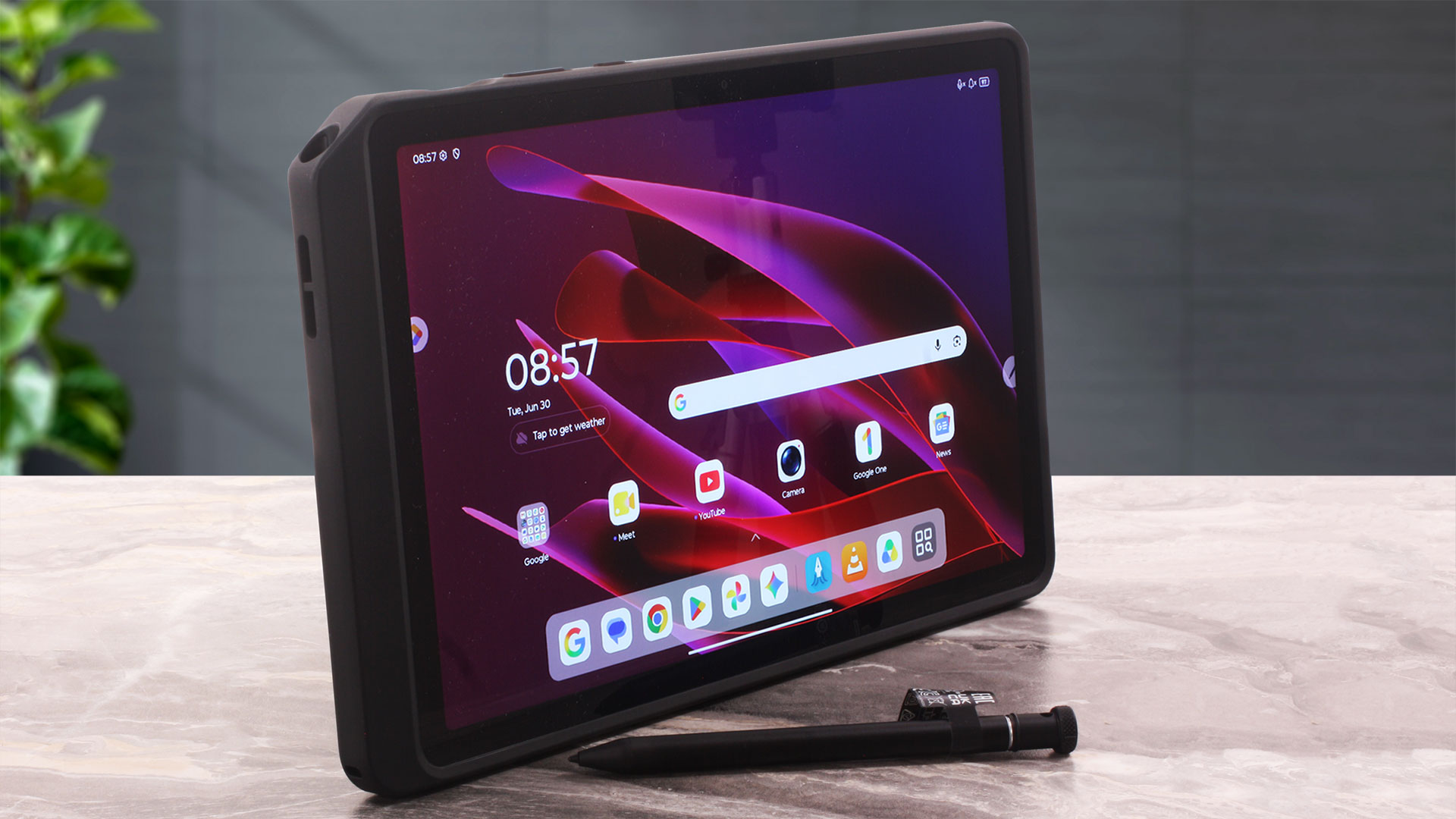 The Lenovo ThinkTab X11 Gen 1 is one of those devices that makes much more sense once you stop judging it as a regular consumer tablet. It is not trying to be the thinnest, flashiest, or fastest Android slate on the market. Instead, it is a purpose-built rugged work tablet designed for field work, retail, logistics, service teams, warehouses, kiosks, and other professional environments where reliability, battery life, and serviceability matter more than benchmark numbers.
And in that role, it is surprisingly convincing. The ThinkTab X11 Gen 1 feels solid, offers IP68 protection, supports a Rugged Smart Case, has front-mounted NFC, a fingerprint reader, Wi-Fi 6E, stylus support, expandable storage, and two USB-C ports. More importantly, it delivers outstanding endurance and adds something most modern consumer tablets have abandoned: a user-removable battery.
You can check the current price of Lenovo ThinkTab X11 Gen 1 here: Buy from Amazon.com.au (#CommissionsEarned)
✅ The Good
The highlight is battery life. In our offline video playback test, the ThinkTab X11 Gen 1 lasted 22 hours and 40 minutes, which is an excellent result and clearly ahead of the recent tablets we have tested. For a rugged/business device, this is not just a nice number — it means the tablet can comfortably handle long shifts, field work, inventory tasks, documentation, video calls, or kiosk-style use without constantly depending on a charger.
The removable battery makes the device even more interesting. The tablet can continue running directly from USB-C power even after the battery is removed, thanks to its batteryless mode. This is a major advantage for fixed installations, serviceability, long-term deployments, and companies that want to keep devices useful for longer instead of replacing the whole tablet when the battery ages.
The display is also better than its rugged nature might suggest. It is sharp, bright, has good viewing angles, covers 99% of sRGB, and does not use PWM at any brightness level we tested. It is not a premium wide-gamut media panel, but it is a very practical screen for work, reading, forms, maps, documents, and long usage sessions.
❌ The Bad
The main compromise is performance. The Snapdragon 7s Gen 3 and Adreno 810 are perfectly fine for everyday Android work, browsing, documents, video calls, PDF viewing, app switching, and lighter games, but this is not a high-performance tablet. If you want a device mainly for demanding games, creative workloads, heavy editing, or maximum benchmark scores, there are faster consumer tablets for the money.
The display also has a few limitations. While it is bright and PWM-free, its 80% DCI-P3 coverage means it is not suitable for color-critical creative work, and the glossy surface is quite reflective. The port layout also requires attention: only the side USB-C port supports USB 5Gbps and DisplayPort output, while the bottom USB-C port is limited to Hi-Speed USB. The microSD slot is placed under the removable battery cover, which is secure, but not ideal for frequent card swapping.
🆚 The Competitors
Compared to the Lenovo Yoga Tab Plus (detailed review), the ThinkTab X11 Gen 1 is much slower and less focused on entertainment. The Yoga Tab Plus is the better choice for media consumption, gaming, and raw performance. The ThinkTab X11 Gen 1, however, wins in the areas that matter for work environments: ruggedness, battery life, removable battery design, batteryless operation, NFC, and long-term practicality.
Against the Apple iPad Air 13 (2024) (detailed review), the performance and ecosystem advantages clearly go to Apple. But the iPad is not built for the same job. It lacks expandable storage, a removable battery, batteryless operation, and rugged field-ready construction. The ThinkTab X11 Gen 1 is the better tool for users who care more about endurance, repairability, and professional deployment than raw speed or app ecosystem polish.
Overall, the Lenovo ThinkTab X11 Gen 1 is a very good product when judged by the right standards. It is not the tablet to buy if you want the fastest chip or the most spectacular display. It is the tablet to consider if you need a durable Android work device with excellent battery life, removable-battery serviceability, batteryless operation, and practical business features that regular consumer tablets simply do not offer.
Pros
- Excellent battery life — 22 hours and 40 minutes in our video playback test
- User-removable battery
- Batteryless mode for kiosks, fixed installations, and long-term deployments
- Solid rugged design with IP68 protection
- Our ordered configuration includes the Rugged Smart Case and Lenovo Tab Pen XE
- Bright, sharp, 90Hz IPS display
- No PWM detected at any tested brightness level
- 99% sRGB color coverage
- Front-mounted NFC
- Fingerprint reader integrated into the power button
- microSD card slot
- Very stable sustained GPU performance
Cons
- CPU and GPU performance are modest for the price
- Glossy display surface is highly reflective
- Thicker and heavier than regular consumer tablets
 Author: Simeon NikolovEditor-in-Chief at LaptopMedia.com with 20+ years of experience in testing and analyzing laptops and mobile devices.
 Author: eng. Kroum NikolovHead of Engineering at LaptopMedia.com, inventor and innovator with 40+ years of experience in electronics and high technology.

![[June 2026] Best-Selling Laptop Brands on Amazon Global – Apple’s Unrivaled Dominance in Units and Revenue](https://laptopmedia.com/wp-content/uploads/2026/07/GLOBAL-Best-Brands-400x225.jpg)
![[June 2026] Amazon Global: Top 10 Best-Selling Laptops – Apple’s New MacBook Neo Storms to #1, Reshaping the Market with Affordability](https://laptopmedia.com/wp-content/uploads/2026/07/Best-Selling-Laptops-GLOBAL-Top-10-400x225.jpg)
![[June 2026] Amazon Global: Top 10 Best-Selling Gaming Laptops – Acer’s Nitro V 16S AI Dominates Sales, While ASUS Leads Overall Revenue](https://laptopmedia.com/wp-content/uploads/2026/07/Best-Selling-Gaming-Laptops-GLOBAL-Top-10-400x225.jpg)
![[June 2026] Global Ranking of Best-Selling Laptop GPUs on Amazon – NVIDIA RTX 5060 is the Top-Selling Dedicated GPU](https://laptopmedia.com/wp-content/uploads/2026/07/Best-Selling-GPUs-GLOBAL-Top-10-400x225.jpg)
![[June 2026] Global Ranking of Best-Selling Laptop CPUs on Amazon – Apple M5 Dominates, AMD Ryzen 7 260 Gets Solid Premium Share](https://laptopmedia.com/wp-content/uploads/2026/07/Best-Selling-CPUs-GLOBAL-Top-10-400x225.jpg)
