Acer Swift 5 display profiles – Quality and Health impact results
 We are happy to see that the not-so-expensive Acer Swift 5 incorporates an excellent 14-inch IPS display with just a few drawbacks, which, by the way, can be easily fixed by installing our custom profiles. The profile packages contain the usual Office work, Design & Gaming and Health-Guard profiles, each of which will improve the overall image quality in certain aspects. You can read more about them here and how to use them. We also suggest reading our dedicated article regarding blue light emissions and PWM and how our custom Health-Guard profile reduces Blue Light’s impact and eliminates the harmful PWM.
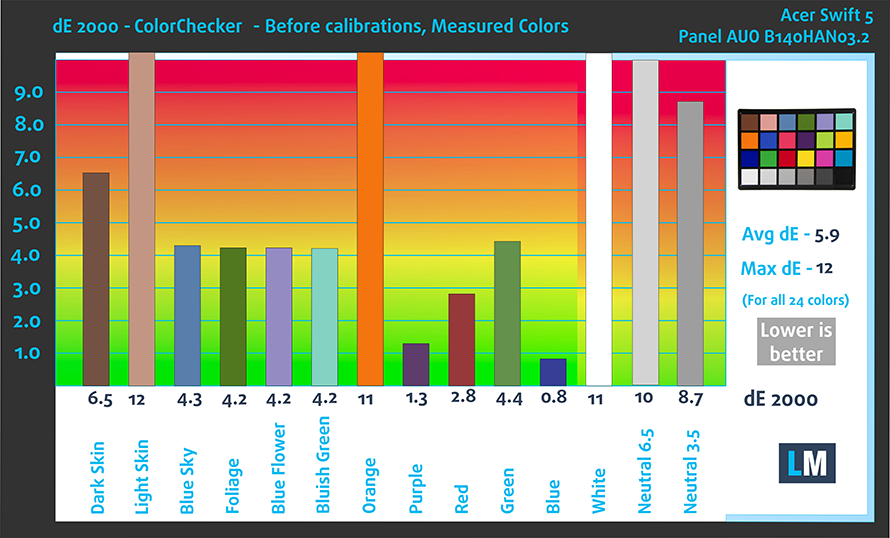
The Acer Swift 5 has a Full HD IPS panel with 93% sRGB color gamut coverage, excellent contrast ratio (1400:1), high maximum brightness (354 cd/m2) and almost optimal color temperature – 6600K.
Since our profiles are tailored for each individual display model, this article and its respective profile package are meant for the Acer Swift 5 with 14″ panel manufactured by AU Optronics with model number B140HAN03.2 featuring FHD (1920 x 1080) resolution and the machine can be found at Amazon.com: Acer Swift 5.
*Should you have problems with downloading the purchased file, try using a different browser to open the link you’ll receive via e-mail. If the download target is a .php file instead of an archive, change the file extension to .zip or contact us at [email protected].
除了获得高效且有益健康的配置文件外,购买 LaptopMedia 的产品也是对我们实验室发展的支持,我们在实验室中测试设备,以提供最客观的评测。

办公工作
Office Work 主要适用于大部分时间在查看文本、表格或上网的用户。此配置文件旨在通过保持平坦的伽马曲线 (2.20)、原始色温和感知上准确的颜色来提供更好的清晰度。

设计和游戏
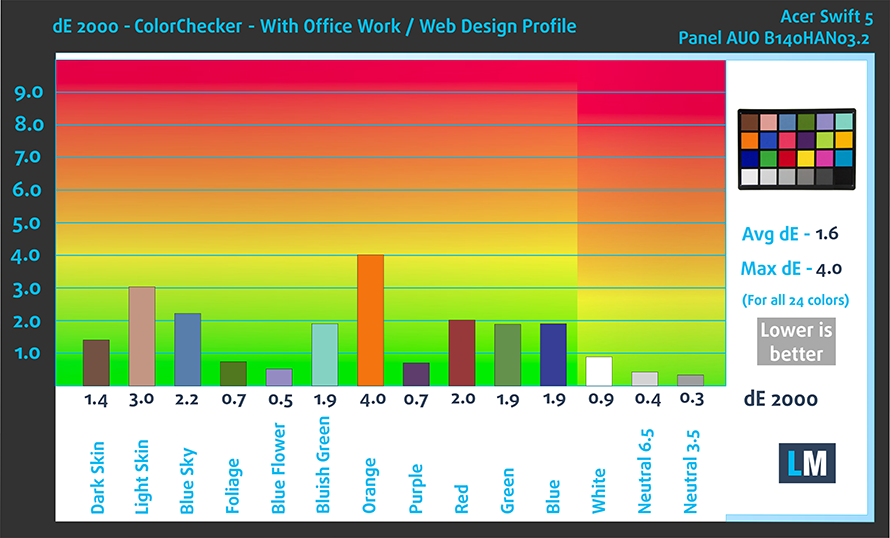
此配置文件适用于专业处理色彩的设计师,以及游戏和电影。Design and Gaming 将显示面板推向极限,使其在 Web 和 HDTV 的 sRGB IEC61966-2-1 标准中尽可能准确,白点为 D65。

以 33% 的折扣获取所有 3 个配置文件

Office Work
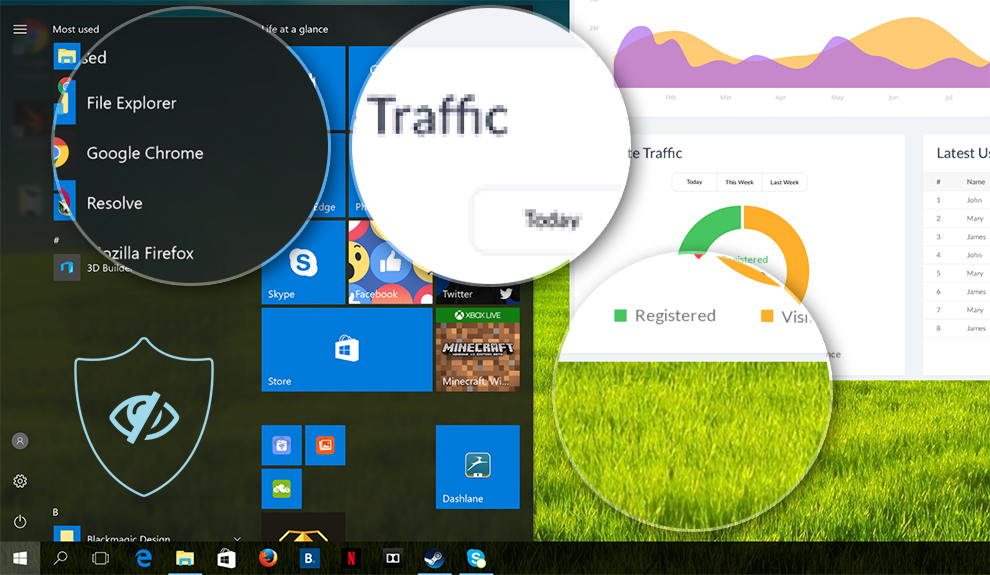
This profile aims to deliver better distinctness and clarity by keeping a flat gamma curve (2.20), native color temperature and perceptually accurate colors.
Left: No Profile | Drag the slider to see the difference | Right: Office Work Profile
Design and Gaming
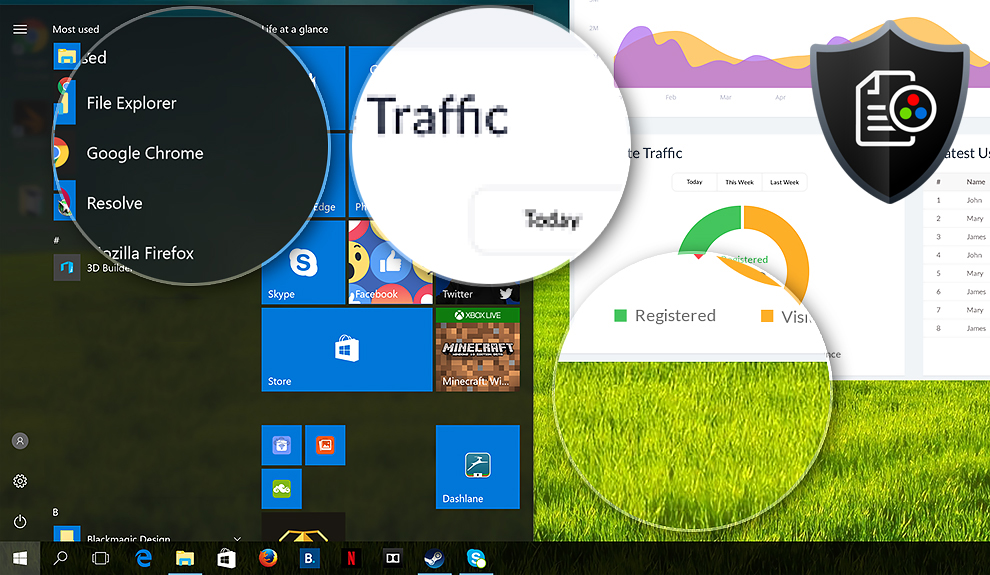
Left: No Profile | Drag the slider to see the difference | Right: Design & Gaming Profile


This profile is aimed at designers who work with colors professionally, and for games and movies as well. “Design and Gaming” takes display panels to their limits, making them as accurate as possible in the sRGB IEC61966-2-1 standard for Web and HDTV, at white point D65.
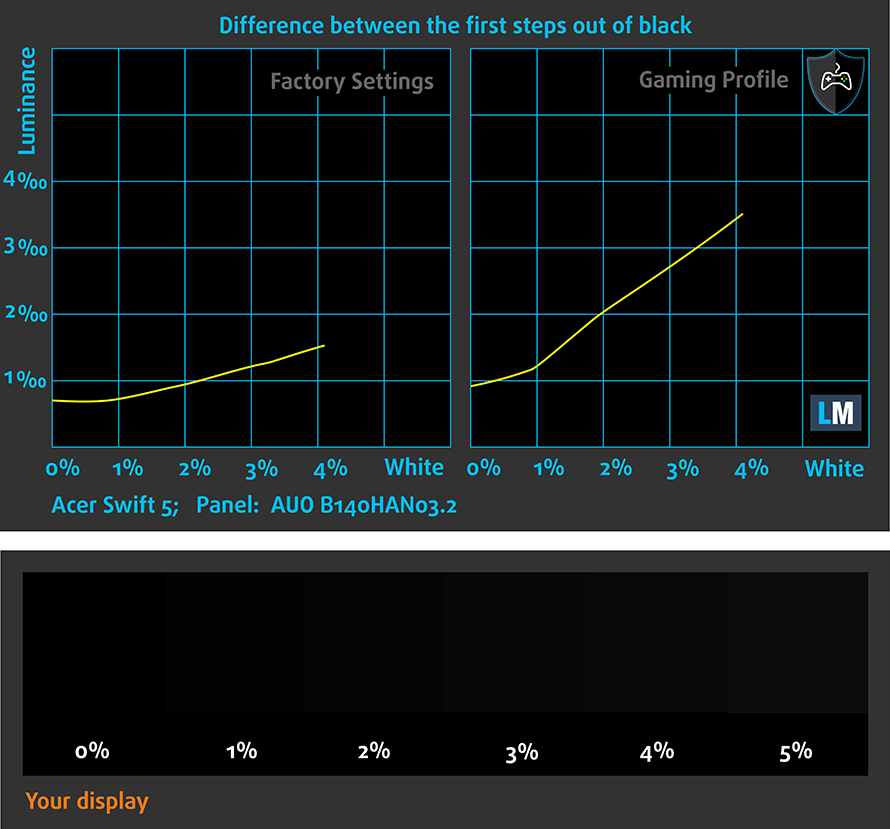
It also regulates the first steps out of black so you can have even faster reflexes when playing in dark virtual environments…or just see everything in the darkest scenes in movies.
Left: No Profile | Drag the slider to see the difference | Right: Design & Gaming Profile


Health-Guard profile
Left: No Profile | Drag the slider to see the difference | Right: Health-Guard Profile


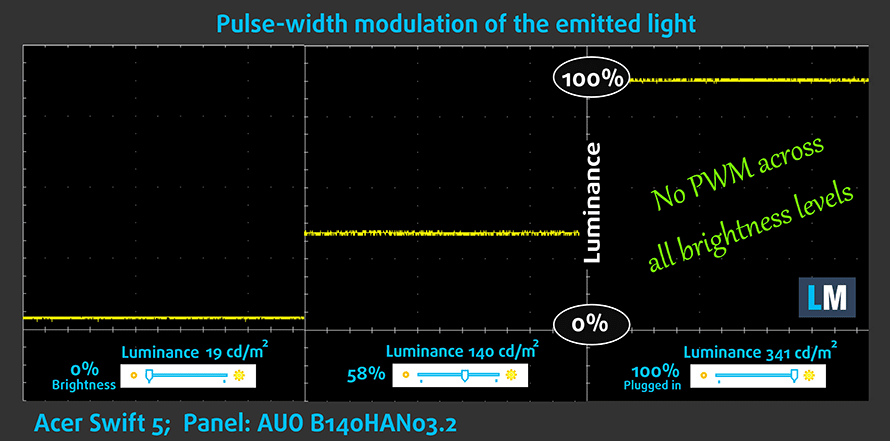
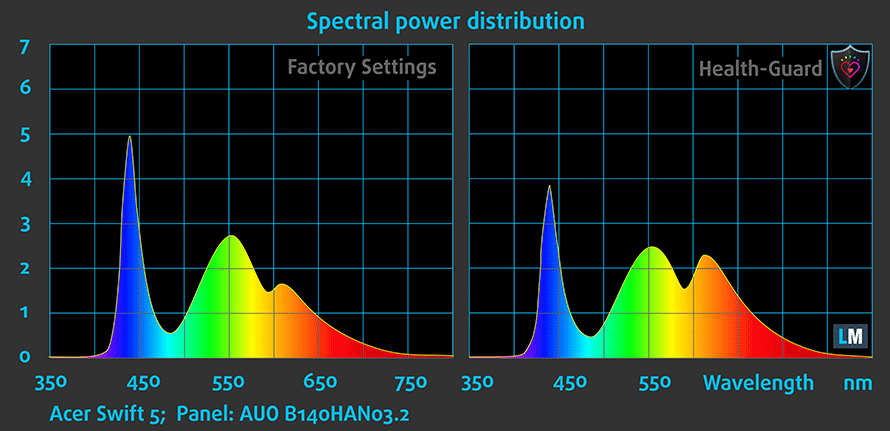
As for the Health-Guard profile, it reduces the blue light impact and eliminates the PWM. However, since the notebook’s display doesn’t use PWM, this profile will come in handy for reducing the negative blue light emissions.
Pro Tip: As the Health-Guard profile simulates paper and has as accurate as possible colors, it could be a great tool for prepress designers!
Installing and using the profiles
You can find a guide for installing and using the profiles HERE.
You can find the notebook’s price and configurations here: http://amzn.to/2qj3EWL
And here you can find the full review of the Acer Swift 5.
 Author: Rossen Pandev

![[2026年6月] 亚马逊全球畅销笔记本电脑品牌——苹果在销量和营收方面均占据无可匹敌的统治地位](https://laptopmedia.com/wp-content/uploads/2026/07/GLOBAL-Best-Brands-400x225.jpg)
![[2026年6月] 亚马逊全球:笔记本电脑销量前十名——苹果新款MacBook Neo强势登顶,以亲民价格重塑市场格局](https://laptopmedia.com/wp-content/uploads/2026/07/Best-Selling-Laptops-GLOBAL-Top-10-400x225.jpg)
![[2026年6月] 亚马逊全球:十大畅销游戏笔记本电脑——宏碁Nitro V 16S AI销量领跑,华硕总营收居首](https://laptopmedia.com/wp-content/uploads/2026/07/Best-Selling-Gaming-Laptops-GLOBAL-Top-10-400x225.jpg)
![[2026年6月] 亚马逊全球畅销笔记本电脑显卡排行榜——NVIDIA RTX 5060 位居专用显卡销量榜首](https://laptopmedia.com/wp-content/uploads/2026/07/Best-Selling-GPUs-GLOBAL-Top-10-400x225.jpg)
![[2026年6月] 亚马逊全球畅销笔记本电脑CPU排行榜——苹果M5占据主导地位,AMD锐龙7 260在高端市场占据稳固份额](https://laptopmedia.com/wp-content/uploads/2026/07/Best-Selling-CPUs-GLOBAL-Top-10-400x225.jpg)
