Inside Lenovo Ideapad L340 Gaming (15″) – disassembly and upgrade options
Finally, an Ideapad that is specifically branded for gaming! However, is it going to be as successful as the Legion brand? Let’s see, because one of the main things people factor in before buying a laptop is to what extent it can be upgraded, how futureproof it is.
Check out all Lenovo Ideapad L340 Gaming (15″) prices and configurations in our Specs System, or read our In-Depth review.

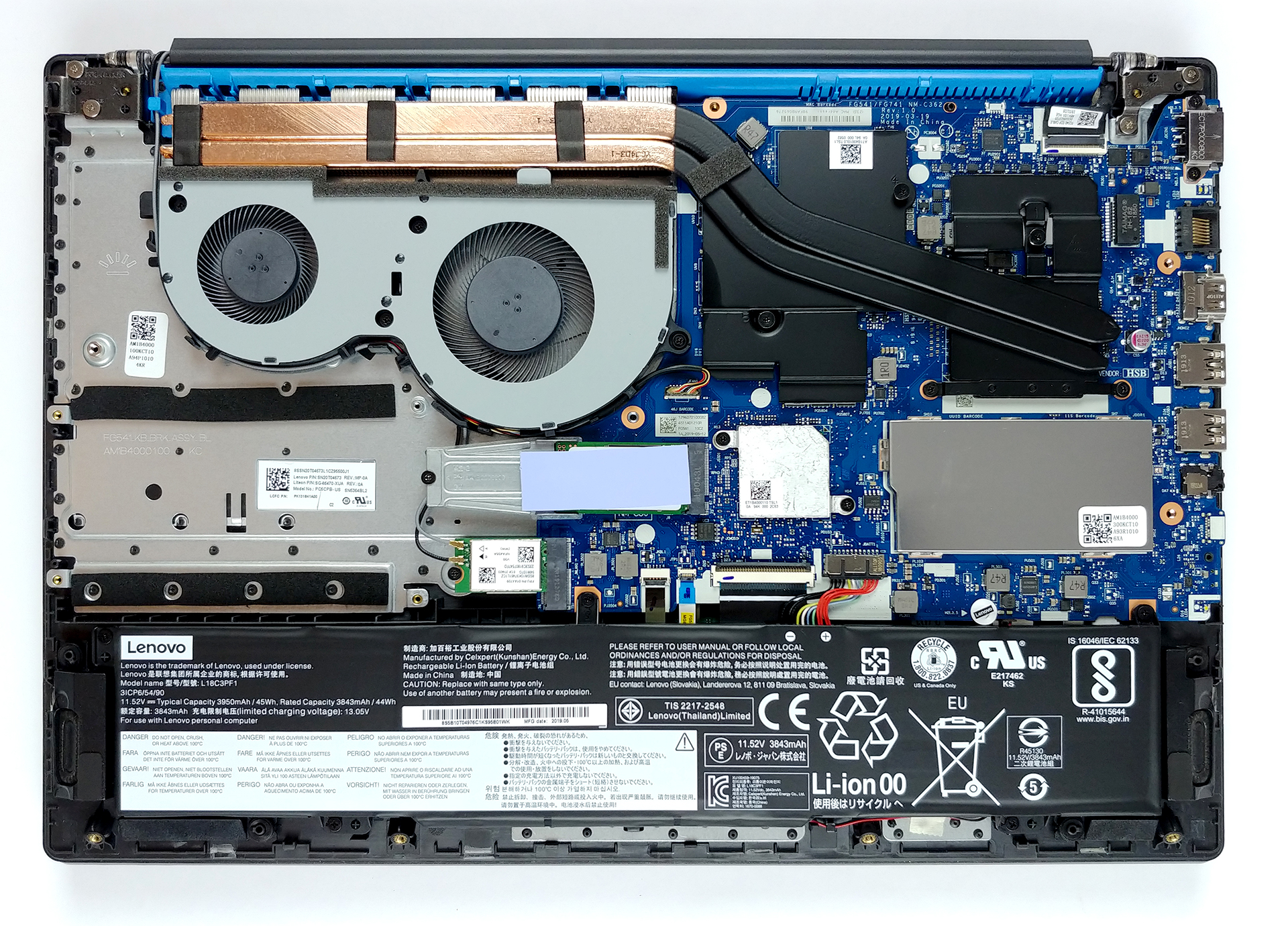
1. Remove the bottom plate
Its bottom plate is secured in7 hours of web browsing and around 5 hours and 45 minutes of video playback. place by 11 Phillips-head screws. After that, the panel itself needs some prying action to get off the chassis and be careful not to break any of the plastic clips, since they are extremely fragile.
2. Battery
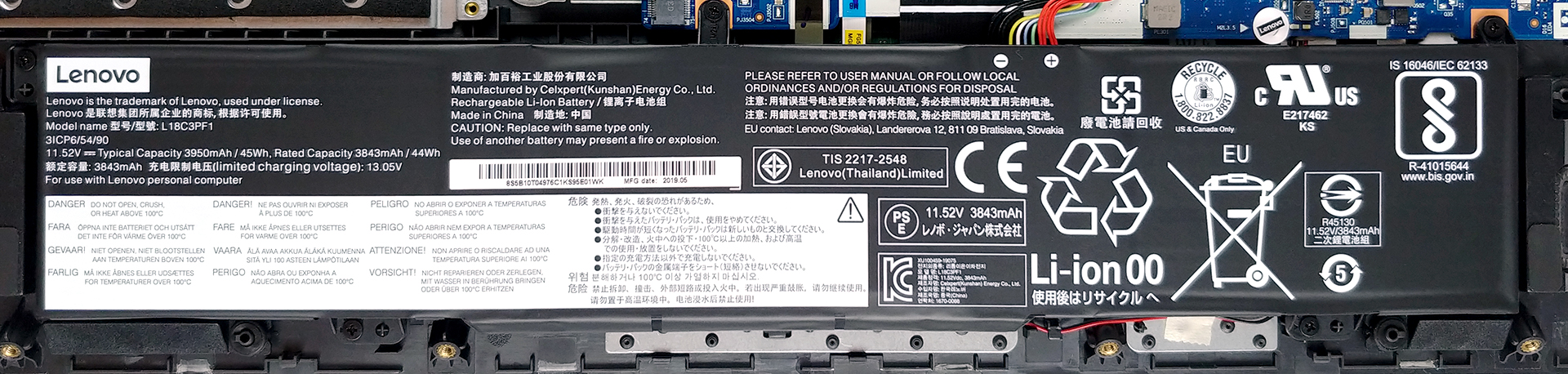
Traditionally, the first thing you should when you upgrade your device is to disconnect all of the power going to it. This, in the case with laptops, means to remove the battery connector from the motherboard. Essentially, if you want to change the battery pack, there are five Phillips-head screws that hold it onto the chassis. The battery itself is a 45Wh unit and we were kind of surprised by the autonomous time it delivered – 7 hours of Web browsing and around 5 hours and 45 minutes of video playback.
3. Memory and storage
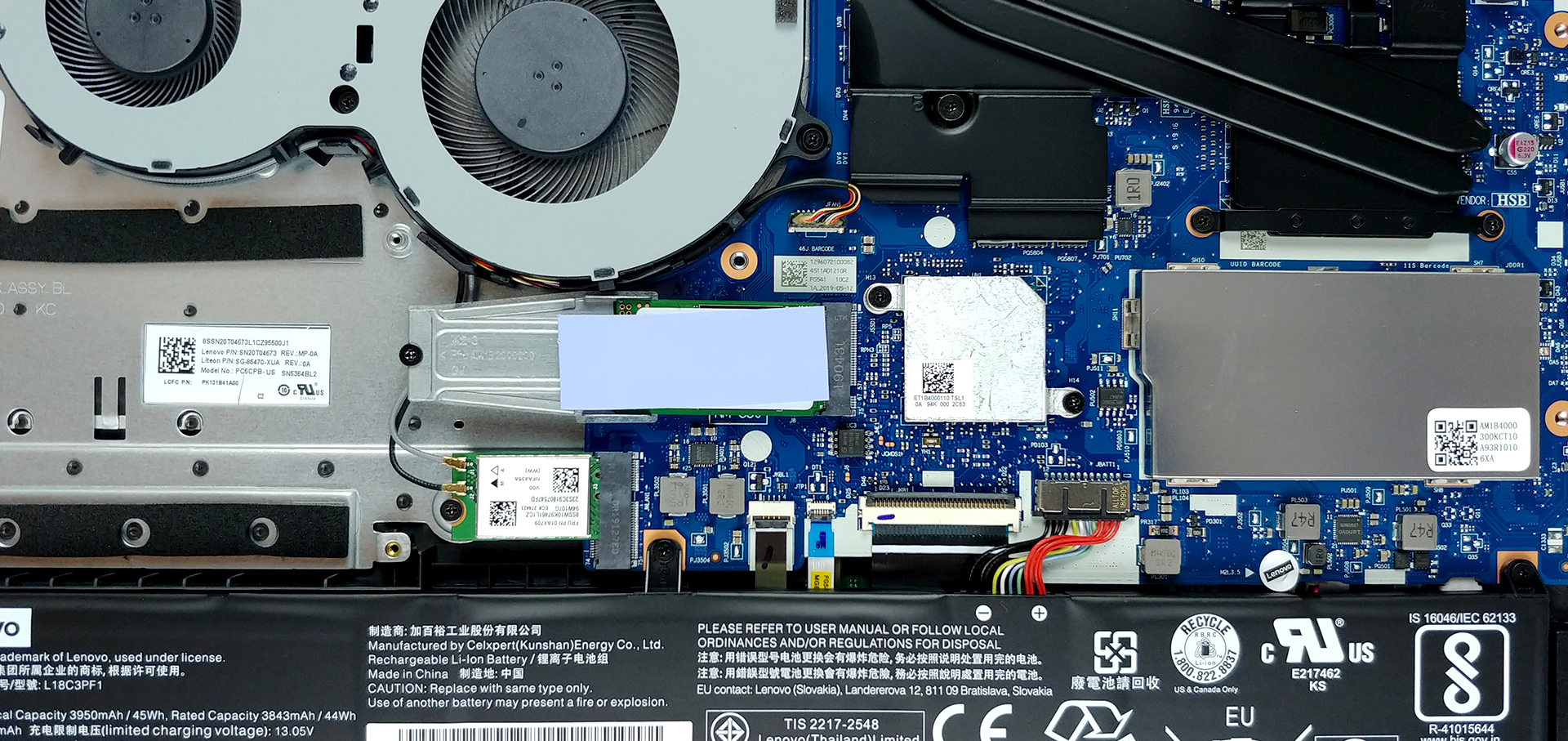
So, let’s start with the storage – there is one obvious M.2 NVMe-enabled drive. However, just beneath it, there is a SATA connector on the motherboard that is used to connect a 2.5″ drive (you can see the mounting points to the left of the M.2 SSD). Memory-wise, there is sadly only one RAM DIMM, plus 4GB of soldered memory. Yep, not the way you do a “Gaming” laptop, Lenovo, you should know best.
4. Cooling solution
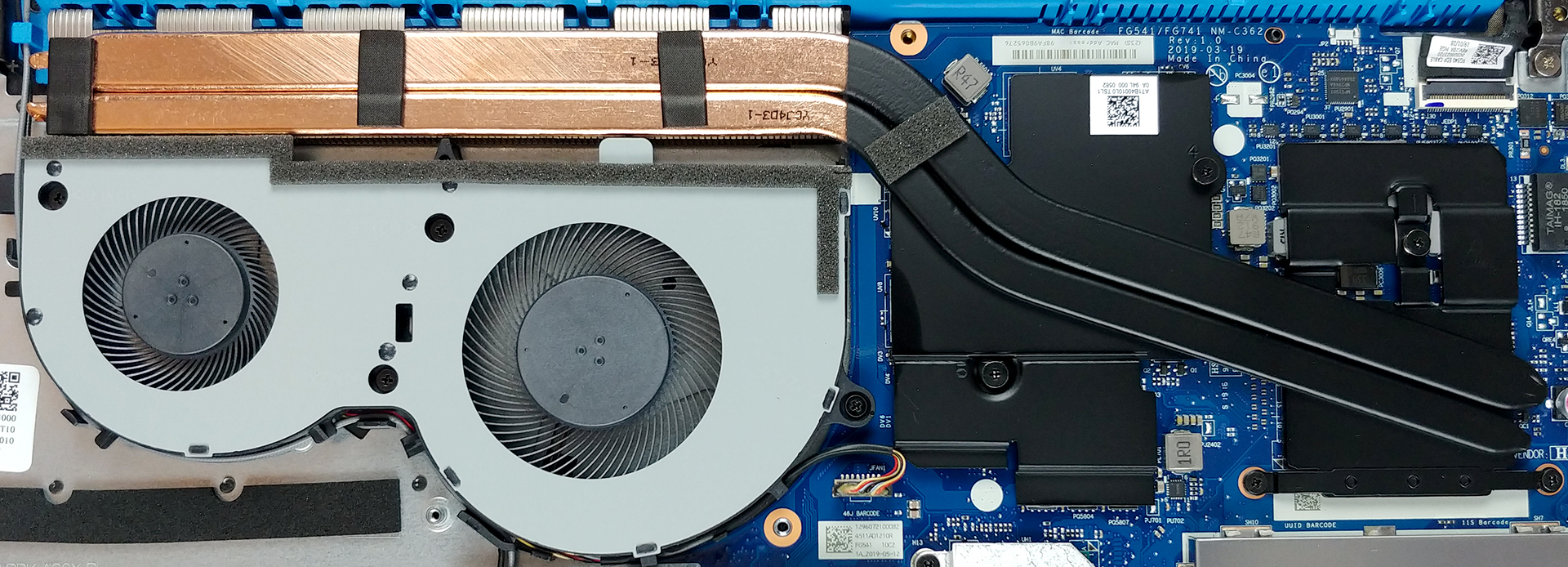
Here you can see the cooling system that is pretty much the same as the one on Lenovo Ideapad 330-15ICH. Additionally, the design it uses is pretty similar to the one we saw on the Acer Nitro 5 (both the new and the old one). Usually, having two heat pipes that lead to the same fans and heat sinks, however, it seems like this is working pretty nice on the Ideapad L340 Gaming (15″). What is the worst thing in this type of cooling is that the fan that is closest to the chips is doing the hard work, while the other is not being utilized to its full potential.
Check out all Lenovo Ideapad L340 Gaming (15″) prices and configurations in our Specs System, or read our In-Depth review.
 Author: Alex Iliev

![[2026年8月] 亚马逊全球畅销笔记本电脑显卡排行榜——苹果独占鳌头,英伟达RTX 5060领跑独立显卡榜单](https://laptopmedia.com/wp-content/uploads/2026/09/Best-Selling-GPUs-GLOBAL-Top-10-400x225.jpg)
![[2026年8月] 亚马逊全球畅销笔记本电脑处理器排行榜——苹果同时称霸平价和高端市场:2026年8月,A18 Pro和M5大获全胜,碾压英特尔和AMD](https://laptopmedia.com/wp-content/uploads/2026/09/Best-Selling-CPUs-GLOBAL-Top-10-400x225.jpg)
![[2026年8月] 亚马逊全球:销量前十的笔记本电脑——苹果MacBook Neo独占鳌头,而平价和中端Windows笔记本则在销量上展开激烈角逐](https://laptopmedia.com/wp-content/uploads/2026/09/Best-Selling-Laptops-GLOBAL-Top-10-400x225.jpg)
![[2026年8月] 亚马逊全球畅销笔记本电脑品牌——苹果在营收方面占据主导地位,而惠普在机型种类方面领跑](https://laptopmedia.com/wp-content/uploads/2026/09/GLOBAL-Best-Brands-400x225.jpg)
![[2026年8月] 亚马逊全球:畅销游戏本前十名——惠普Victus 15荣登榜首,高性价比机型占据榜单主导地位](https://laptopmedia.com/wp-content/uploads/2026/09/Best-Selling-Gaming-Laptops-GLOBAL-Top-10-400x225.jpg)

Where do I get the connector I need to connect an SSD drive to the motherboard ? It’s a flex cable
lenovo sells these cable you need, but the wait time for shipping can be two – three months. they are about $10
where is the cpu?, I want to change the thermal paste
Can I upgrade the ram from 4GB (the not soldered one) to 8GB or even 16GB? Will it work ?
4gb would be the stock one, but you can add up to 16gb of ram.
Up to 32
You said you got 7 hours of battery while web browsing, what battery settings where you using?
Hi there where is the display plugged into the motherboard im experiencing screen flicker?
i have this laptop but i have version with 8gb ram in stock but diffrent cpu my is I5-9300h
Hola muy buenas quería preguntar
¿de que forma puedo ampliar el almacenamiento?
Puedes hacerlo tanto con una unidad SATA de 2,5″ como con un SSD M.2 NVMe.
—
You can expand your storage with both a 2.5″ SATA drive, and an M.2 NVMe SSD.