Top 5 reasons to BUY or NOT to buy the Dell Latitude 13 5320 (2-in-1)
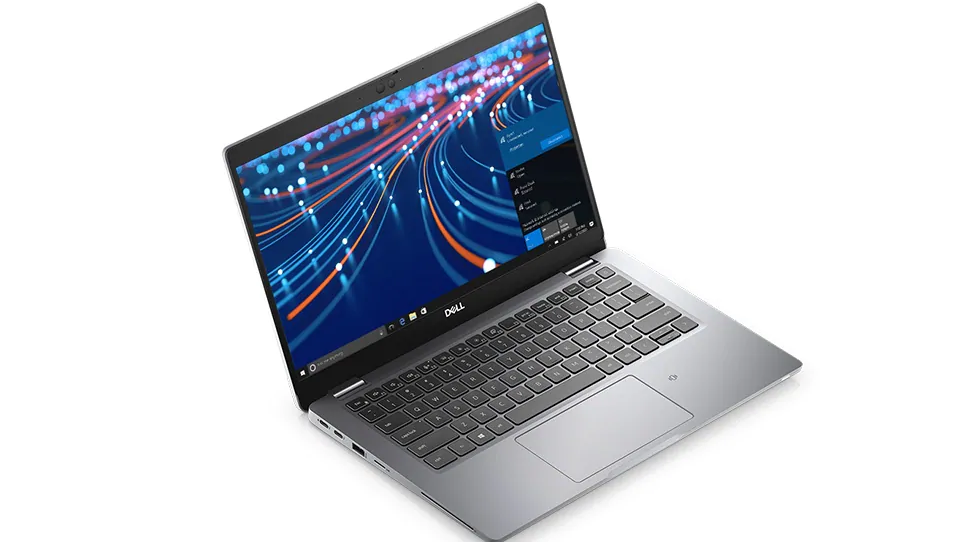 Business convertibles, on paper, seem like a great bargain. However, in reality, they haven’t done as well as people thought they would. The premise of a versatile laptop was great, but when it came to action, there were very few instances where their versatility was useful. Dell has thought of a way to make their convertibles an option to their already successful Latitude lineup.
For example, they offer the 2-in-1 device side by side with their standard Latitude 13 5320. When it comes to the hardware inside, there isn’t a spec of difference between the two. Both devices have Tiger Lake CPUs which can go as high as the Core i7-1185G7.
Today we are presenting you with LaptopMedia’s top 5 picks about the Dell Latitude 13 5320 (2-in-1).
Dell Latitude 13 5320 (2-in-1): Full Specs / In-depth Review
3 reasons to BUY the Dell Latitude 13 5320 (2-in-1)
1. Display
Probably the main selling point of this device is the display. Being a convertible, it has touchscreen capabilities, which also means that if you get your hands on a Stylus pen, you can draw effortlessly on it. Dell doesn’t include one in the box, which would have been neat, considering the price of the device. Instead, you have to buy one from them, which adds an extra cost to the overall price tag.
Now, going back to the display, it has a diagonal of 14 inches and sports a Full HD resolution. The panel is IPS and it provides comfortable viewing angles, a maximum brightness of 338 nits, with a maximum deviation of 6%, and a contrast ratio that is very good, sitting at 1780:1. The display covers 94% of the sRGB color gamut, which will make the aforementioned drawing actually a viable path.
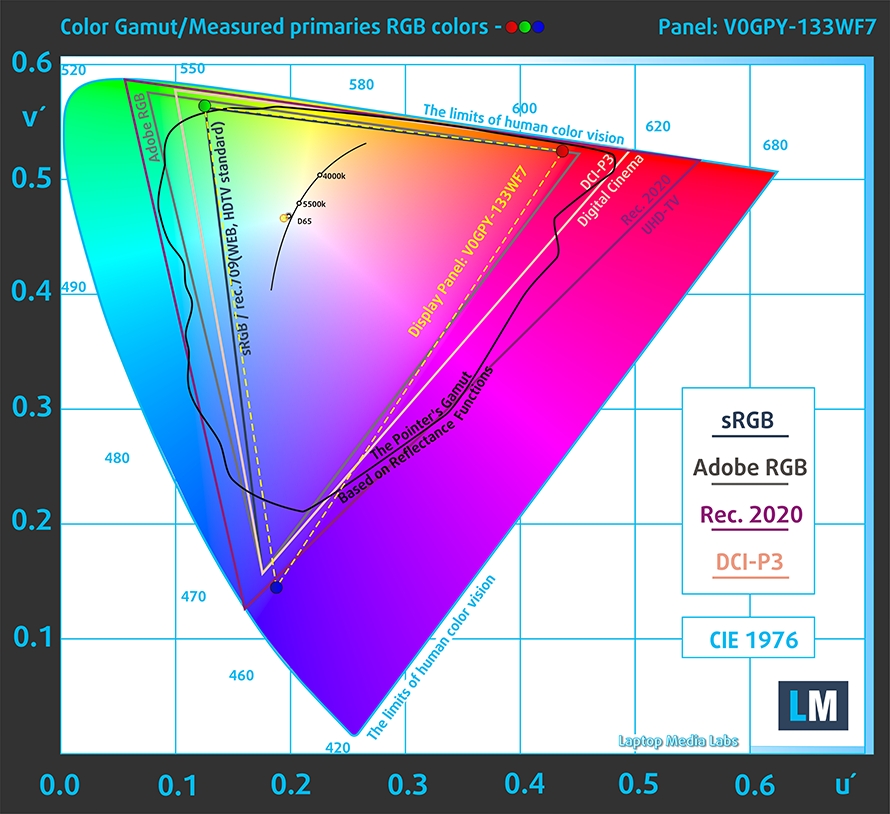
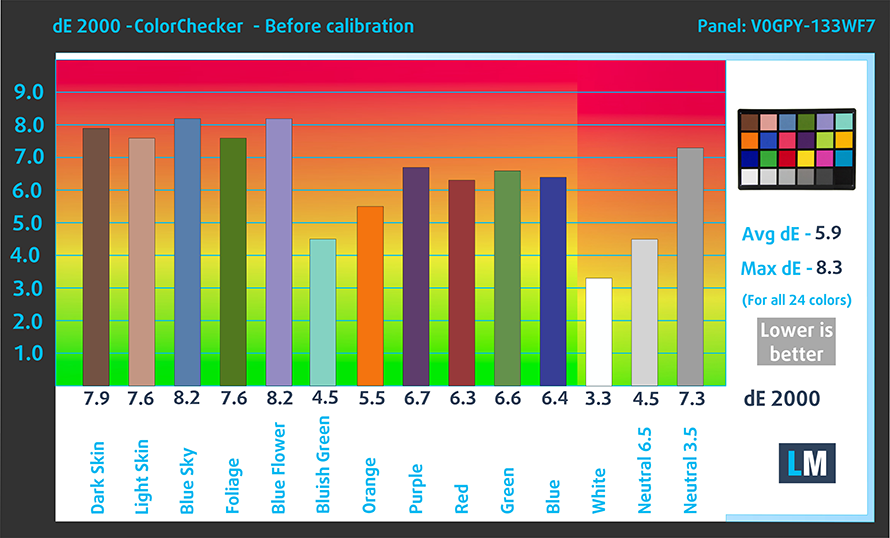
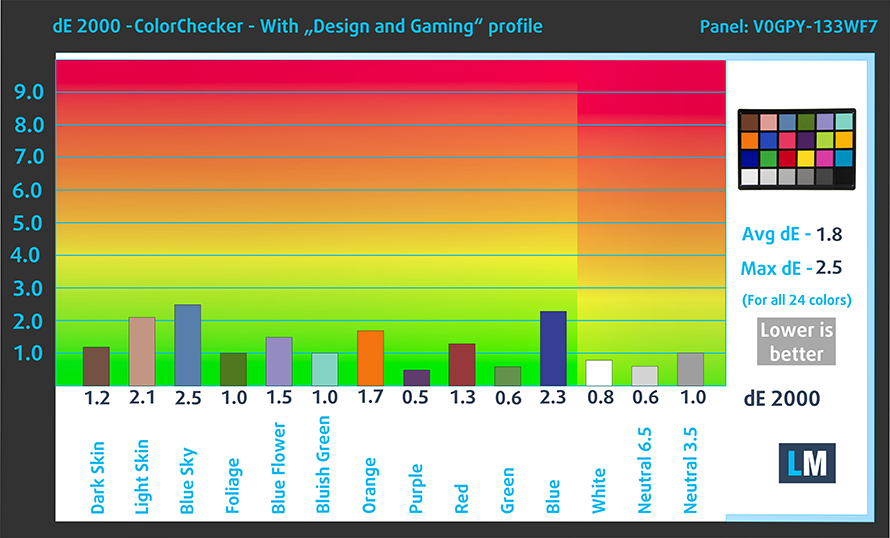
The color accuracy out of the box isn’t that great, but if you choose to use our Design and Gaming profile, you would get much better results. In our test, which uses the 24 most commonly used colors, the panel reached a dE value of 1.8 when our profile was applied. Here are the results with the factory settings (left) and with our Design and gaming profile applied (right).
Buy our profiles
Since our profiles are tailored for each individual display model, this article and its respective profile package are meant for Dell Latitude 13 5320 (2-in-1) configurations with 13.3″ LG V0GPY-133WF7 (LGD05DC) (FHD, 1920 × 1080) IPS panel.
*Should you have problems with downloading the purchased file, try using a different browser to open the link you’ll receive via e-mail. If the download target is a .php file instead of an archive, change the file extension to .zip or contact us at [email protected].
Read more about the profiles HERE.
除了获得高效且有益健康的配置文件外,购买 LaptopMedia 的产品也是对我们实验室发展的支持,我们在实验室中测试设备,以提供最客观的评测。

办公工作
Office Work 主要适用于大部分时间在查看文本、表格或上网的用户。此配置文件旨在通过保持平坦的伽马曲线 (2.20)、原始色温和感知上准确的颜色来提供更好的清晰度。

设计和游戏
此配置文件适用于专业处理色彩的设计师,以及游戏和电影。Design and Gaming 将显示面板推向极限,使其在 Web 和 HDTV 的 sRGB IEC61966-2-1 标准中尽可能准确,白点为 D65。

以 33% 的折扣获取所有 3 个配置文件

2. Battery life
With a beefy battery unit with a size of 63Wh, the laptop lasts for 13 hours and 10 minutes of Web browsing, and 12 hours and 20 minutes of video editing. As always, we perform our tests with the Windows Better performance setting turned on, screen brightness adjusted to 120 nits, and all other programs turned off except for the one we are testing the notebook with. Here you can see the results of the test, along with scores from other competing laptops, one of which is the non-convertible Latitude 13 5320.
3. I/O and features
When it comes to the I/O, this device is no slouch. You get two Thunderbolt 4 connectors (both of which can be used for charging), one USB Type-A 3.2 (Gen.1) port, a Micro SD card reader, all of which are put on the left side. As for the right, there is an HDMI connector, a security slot, one more USB Type-A 3.2 (Gen.1) port, the mandatory 3.5 mm audio jack, and an optional SIM card slot.


The keyboard on the device is also a very good one, as it has decent key travel that is paired with clicky feedback and a great backlight. The touchpad isn’t something to write off too, as it has snappy and accurate tracking. The embedded fingerprint reader inside the power button is also very neat.

2 reasons NOT to buy the Dell Latitude 13 5320 (2-in-1)
1. Design and Build quality
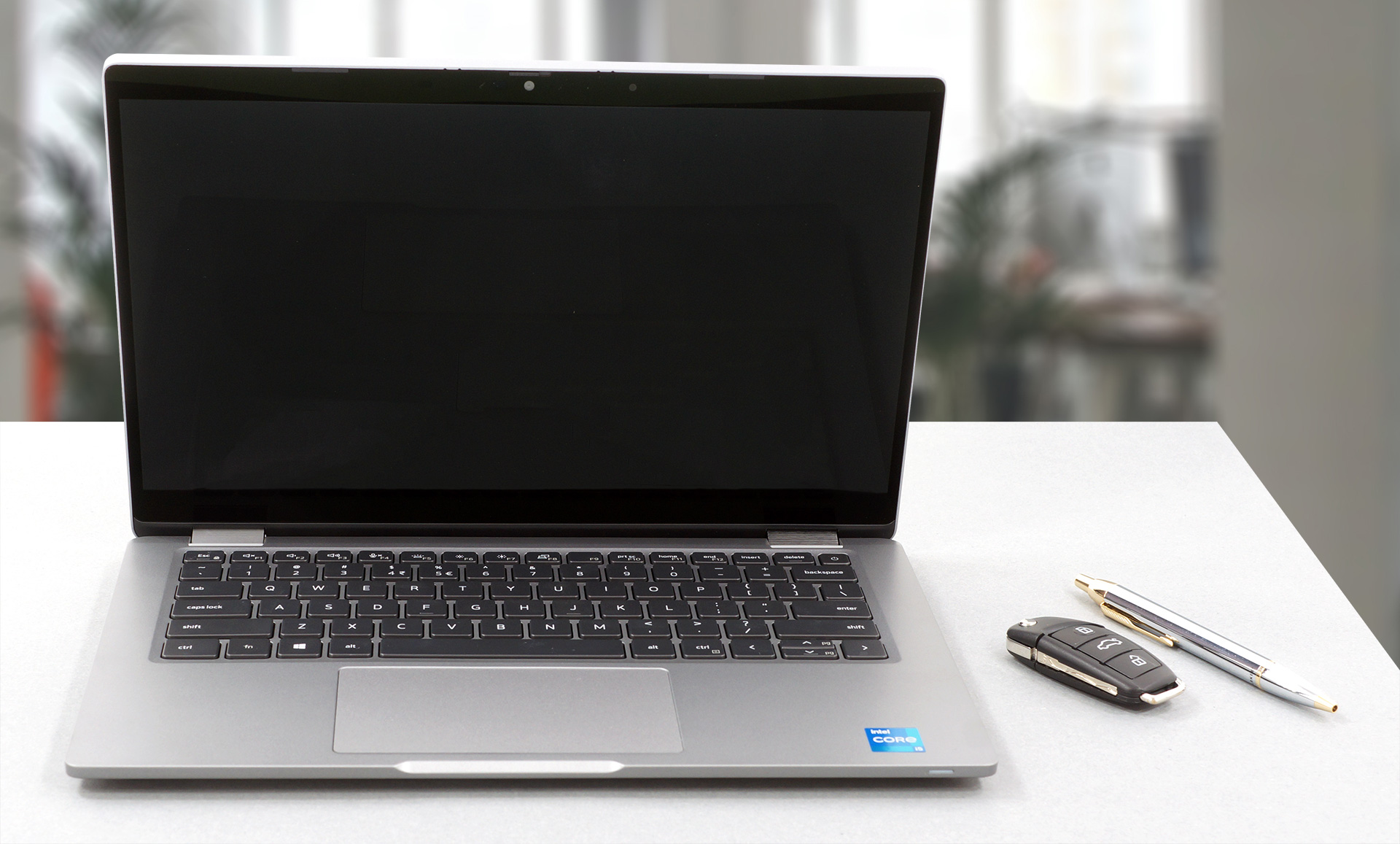
While the laptop is considered a premium one. Its build quality wouldn’t suggest that. With a price that is north of $1000, you wouldn’t expect to get a base that is more flexible than a yoga practitioner. The build materials might have a play in this, as the laptop uses mainly bioplastics, which are made from a paper-making byproduct. However, we have seen other devices with a plastic build, that fare much well, and we should blame the materials for it. When it comes to weight and height, the device weighs in at 1.32kg and is 17mm tall, which is decent.
2. Upgradeability
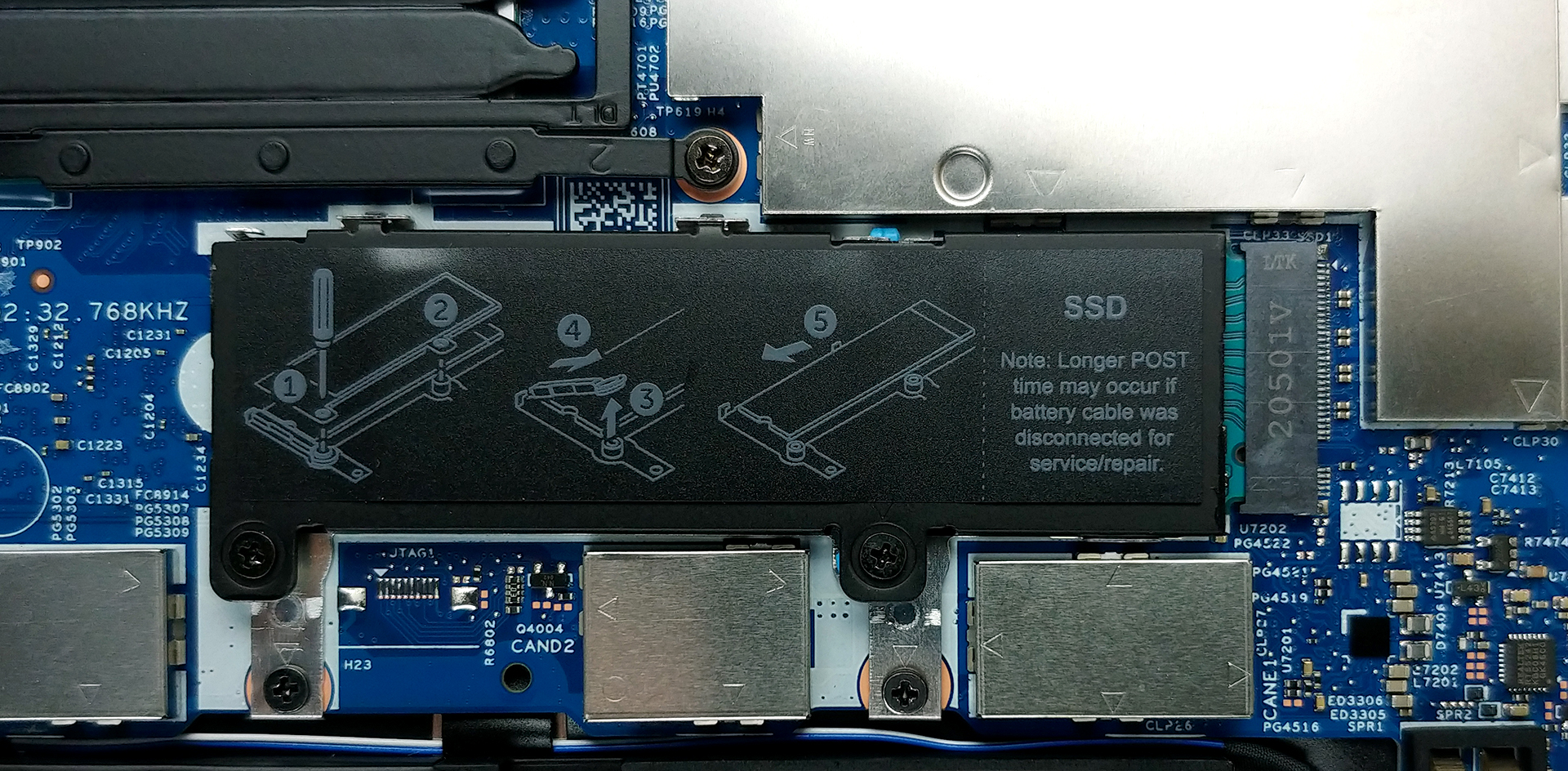
Upgradeability is another weak point of the device, as all of the RAM is soldered onto the motherboard. Fortunately, there are several configurations, which go up to 32GB of RAM, which works in dual-channel. For the storage, there is an M.2 PCIe x4 slot, with installation instructions on the cover.
All Dell Latitude 13 5320 (2-in-1) configurations:
 Author: Severin Kolakov

![[2026年6月] 亚马逊全球畅销笔记本电脑品牌——苹果在销量和营收方面均占据无可匹敌的统治地位](https://laptopmedia.com/wp-content/uploads/2026/07/GLOBAL-Best-Brands-400x225.jpg)
![[2026年6月] 亚马逊全球:笔记本电脑销量前十名——苹果新款MacBook Neo强势登顶,以亲民价格重塑市场格局](https://laptopmedia.com/wp-content/uploads/2026/07/Best-Selling-Laptops-GLOBAL-Top-10-400x225.jpg)
![[2026年6月] 亚马逊全球:十大畅销游戏笔记本电脑——宏碁Nitro V 16S AI销量领跑,华硕总营收居首](https://laptopmedia.com/wp-content/uploads/2026/07/Best-Selling-Gaming-Laptops-GLOBAL-Top-10-400x225.jpg)
![[2026年6月] 亚马逊全球畅销笔记本电脑显卡排行榜——NVIDIA RTX 5060 位居专用显卡销量榜首](https://laptopmedia.com/wp-content/uploads/2026/07/Best-Selling-GPUs-GLOBAL-Top-10-400x225.jpg)
![[2026年6月] 亚马逊全球畅销笔记本电脑CPU排行榜——苹果M5占据主导地位,AMD锐龙7 260在高端市场占据稳固份额](https://laptopmedia.com/wp-content/uploads/2026/07/Best-Selling-CPUs-GLOBAL-Top-10-400x225.jpg)
