Lenovo V14 review – great battery life and stability at a low cost
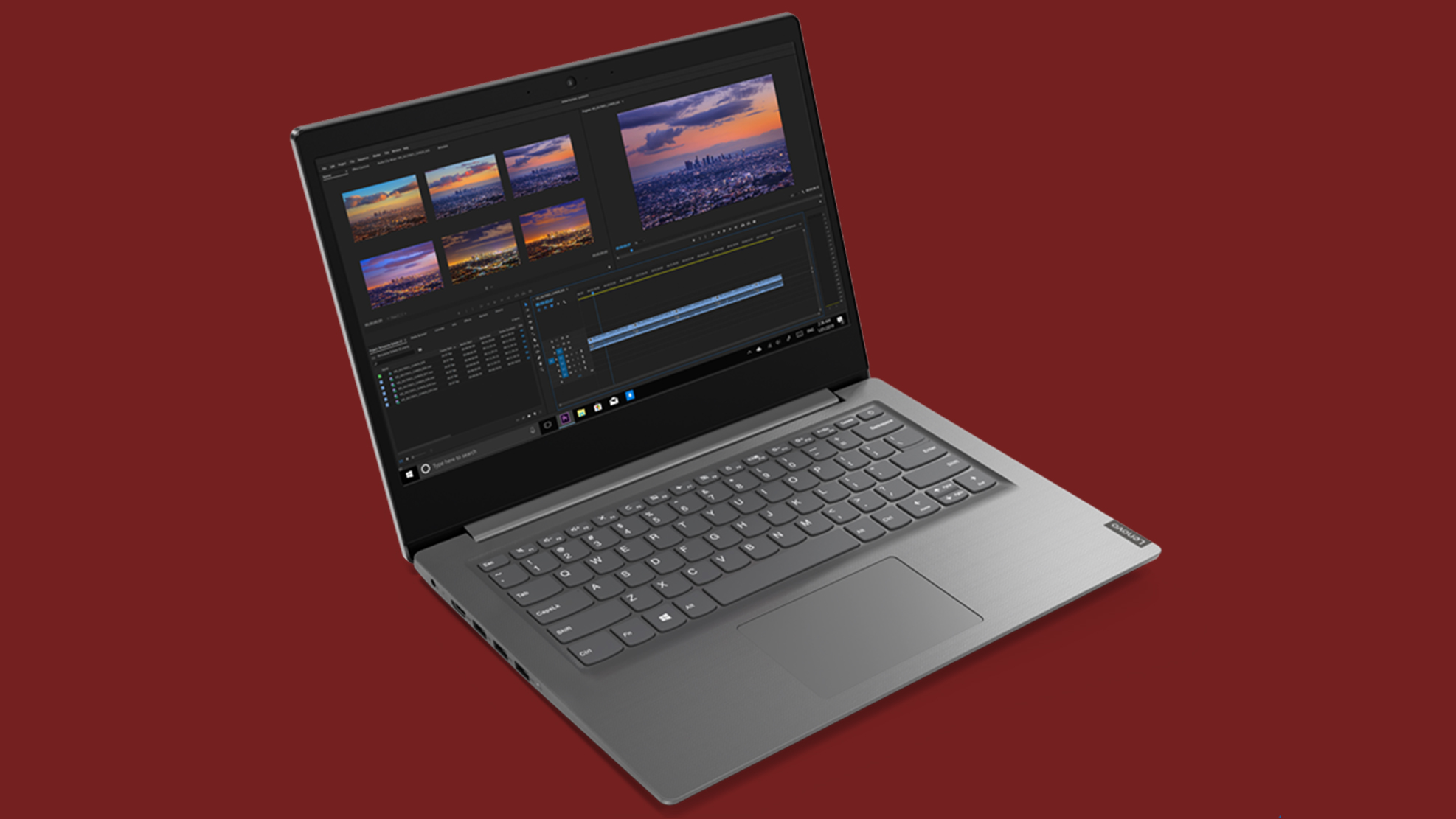 Well, obviously some of Lenovo’s small-to-medium business laptops are overlaying each other. Today we are looking at another one of them. This time, it is a 14-incher which is unanimously named – the Lenovo V14. It is designed in a way that it both doesn’t cost a pretty penny, but also helps you en route to your business endeavors.
Nevertheless, it can be purchased equipped with a lot of processor options. Some of them feature the Whiskey Lake CPU lineup, while others boast the Ice Lake 10nm devices. Since we own the V14-IWL model, we can’t really tell anything about the performance of the latter, but sure enough, you can drive a conclusion upon the former.
So, what should you expect? Probably not the best build quality and some shortcomings, driven by the cost-cutting measurements. Let’s proceed.
You can check the prices and configurations in our Specs System: https://laptopmedia.com/series/lenovo-v14/
Contents
Specs Sheet
Lenovo V14 - 规格
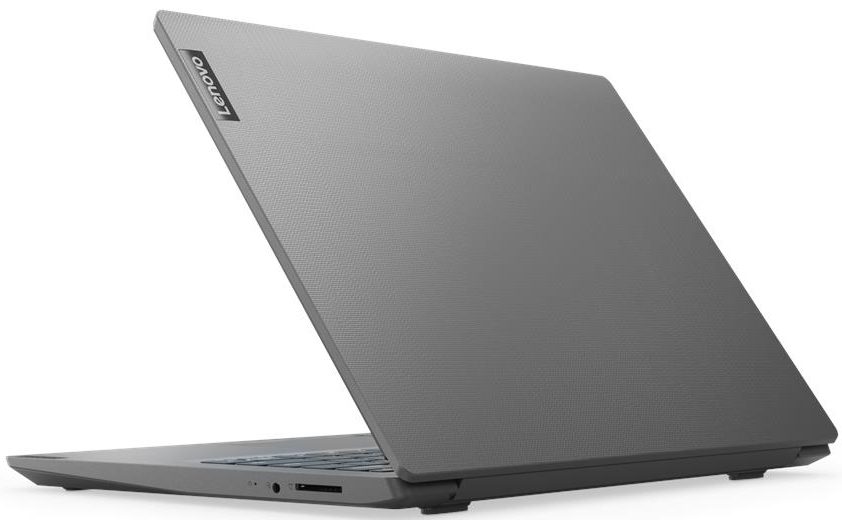

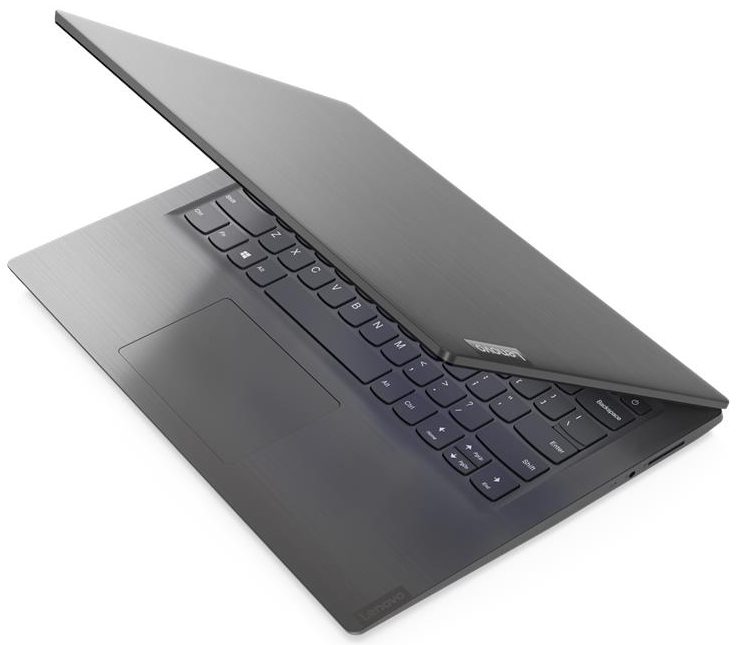
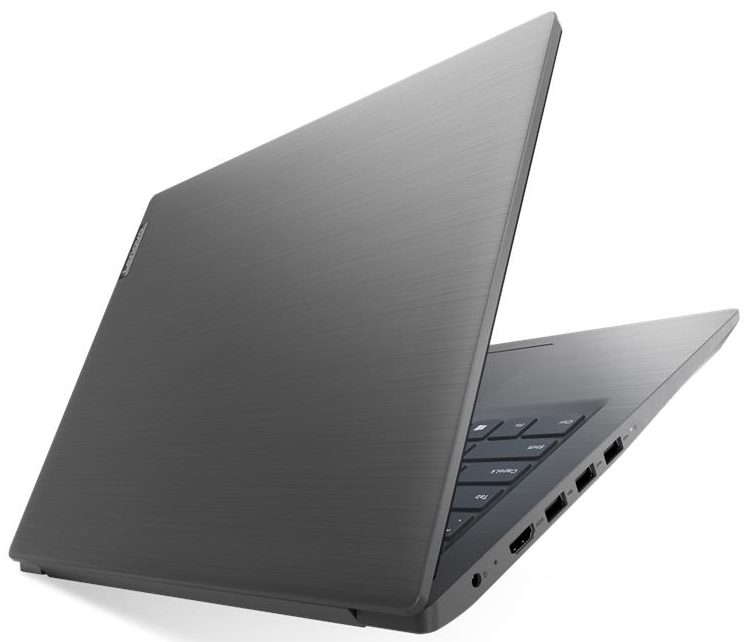
- CPU
- Intel Core i3-1005G1 #215 在顶级 CPU 中Intel Pentium Gold 5405U Intel Core i7-8565U Intel Core i7-1065G7 Intel Core i5-8265U Intel Core i5-8250U Intel Core i5-1035G4 Intel Core i5-1035G1 Intel Core i3-8145U Intel Core i3-8130U Intel Core i3-10110U Intel Celeron N4020 AMD Ryzen 7 4700U AMD Ryzen 5 4500U AMD Ryzen 3 3250U AMD Ryzen 3 2200U AMD Athlon Gold 3150U AMD 3020e
- GPU
- NVIDIA GeForce MX110 (2GB GDDR5) #334 在顶级 GPU 中 Intel UHD Graphics G1 #345 在顶级 GPU 中 Intel UHD Graphics 620 #342 在顶级 GPU 中 Intel UHD Graphics 600 #366 在顶级 GPU 中 Intel UHD Graphics #364 在顶级 GPU 中 Intel Iris Plus Graphics G7 #340 在顶级 GPU 中 Intel HD Graphics 610 #362 在顶级 GPU 中 AMD Radeon RX Vega 7 (R4000/5000, 15W) #321 在顶级 GPU 中 AMD Radeon RX Vega 6 (R4000/5000, 15W) #329 在顶级 GPU 中 AMD Radeon RX Vega 3 #335 在顶级 GPU 中Intel Iris Plus Graphics G4

- HDD/SSD
- 高达 2000GB SSD + 高达 1000GB HDD
- M.2 插槽
- 1x 2280 PCIe NVMe 3.0 x4
- RAM
- up to 20GB
- 操作系统
- Windows 10 Pro, Windows 11 Pro, DOS, No OS, Windows 11 Home, Windows 10 Home
- 电池
- 35Wh, 30Wh, 2-cell, 30Wh, 35Wh, 2-cell, 35Wh
- 机身材质
- Plastic / Polycarbonate
- 尺寸
- 327 x 241 x 19.9 mm (12.87" x 9.49" x 0.78")
- 重量
- 1.60 kg (3.5 lbs)
- 端口和连接
- 2x USB Type-A
- 3.2 Gen 1 (5 Gbps)
- 1x USB Type-A
- 2.0
- HDMI
- 1.4b
- 读卡器
- MMC, SD, SDHC, SDXC
- Wi-Fi
- 802.11ac
- 蓝牙
- 4.2
- 音频插孔
- 3.5 mm combo
- 功能
- 指纹识别器
- 网络摄像头
- HD
- 背光键盘
- 麦克风
- Monaural Microphone
- 扬声器
- 2x 1.5W, Dolby Audio
- 光驱
- 安全锁槽
全部 Lenovo V14 配置
What’s in the box?
Unsurprisingly, the unboxing experience is nothing too special. You will find a 45W charger that plugs directly into the wall, some paper manuals, and of course – the laptop itself.
Design and construction
What does the chassis feel like? Well, plasticky, to be honest. This is completely normal, given the fact, it is entirely made out of plastic. It also has a woven-like texture finish both on the lid and on the base. However, we are quite happy with the quality of the build. Like the body, itself, barely bends when you twist it, and it almost doesn’t produce the weird squeaky sound. At the same time, this is not the smallest 14-inch laptop out there, as it has a 19.9mm profile and weighs 1.60kg.


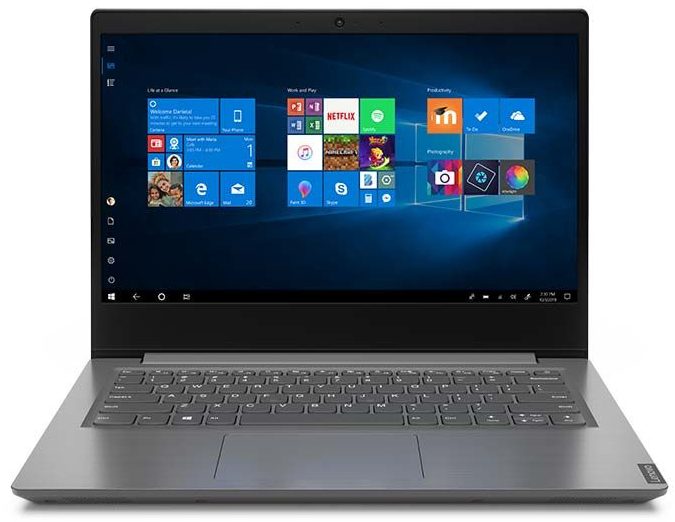
Another thing that makes the laptop bigger than it could have been are the top and bottom bezels. Especially the latter, as it is immensely huge, guys. Additionally, you won’t be able to open the lid with one hand, and we found it to be more on the bendy side.
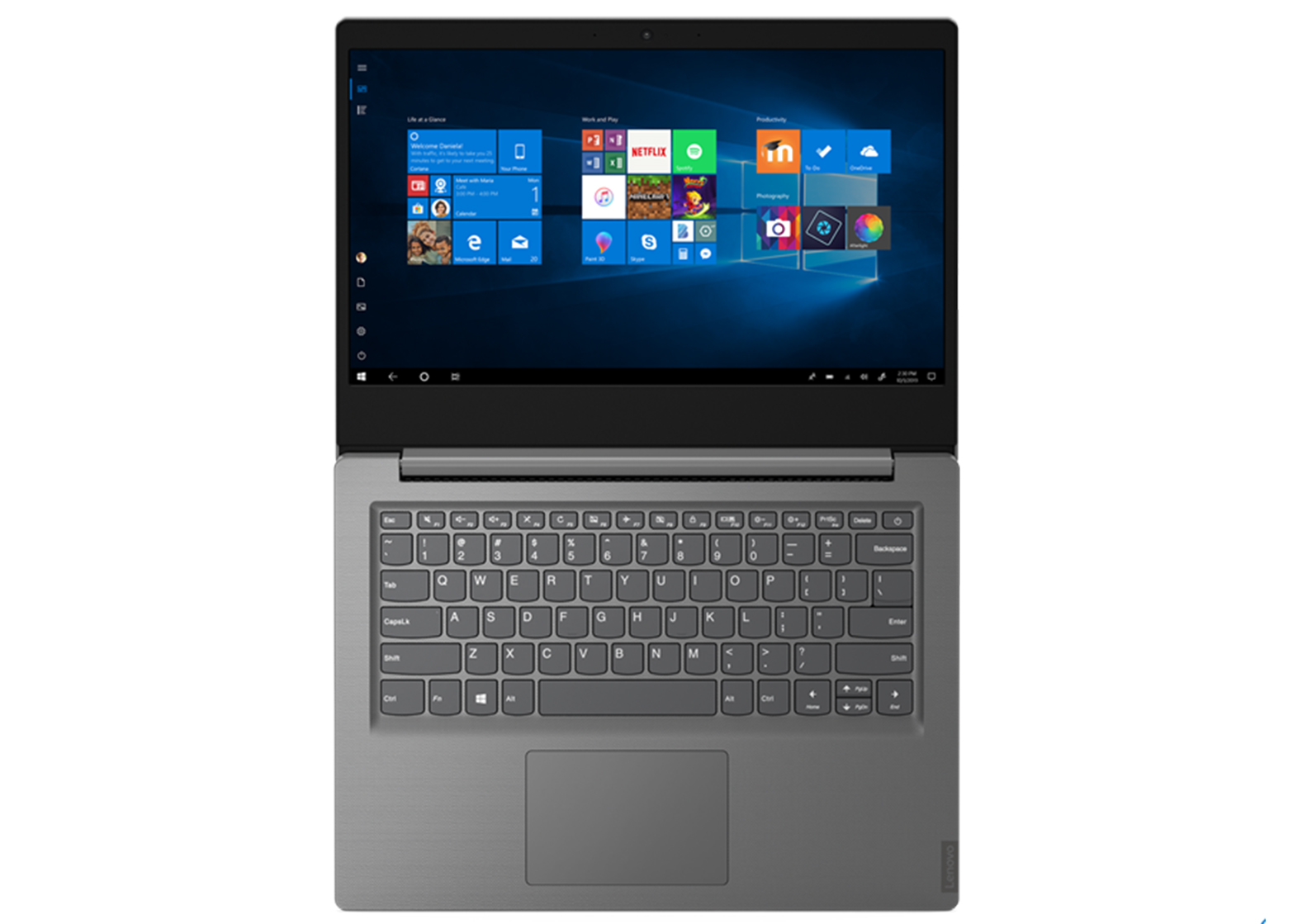
Further down, we can have a clear look at the keyboard. Although it lacks a backlight, it has a spill resistance, which makes it perfect for clumsy people like us. One should not miss the large keycaps, balanced tactile feedback, and decent key travel. Overall, a familiar package, from other Lenovo devices. However, the touchpad is really not a great device. It has a rather cheap feel to it and is also slow and uses ELAN drivers.


As of the ventilation, traditionally, it happens through the bottom plate, as the hot air escapes the chassis from in between the lid and the base. Facing downwards, you will also see the uninspiring speakers.
Ports
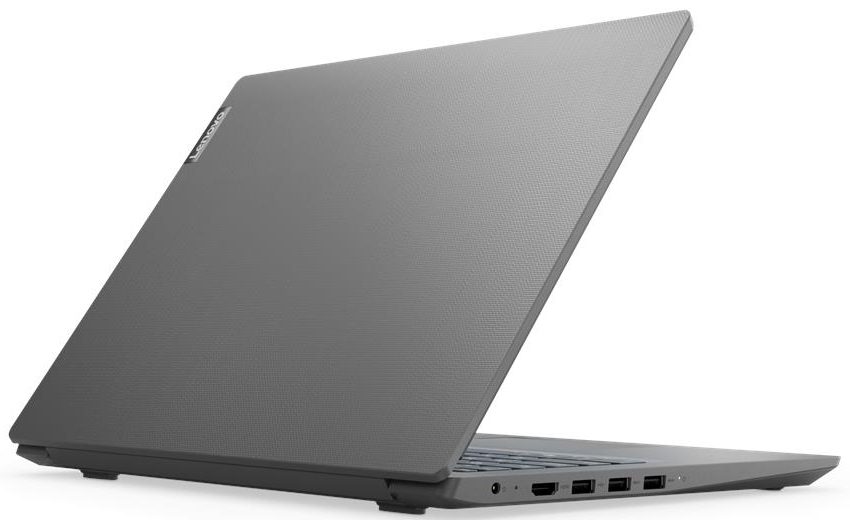
This laptop’s charging plug is placed on the left. Besides it, you will find an HDMI connector, three USB Type-A ports (one 2.0 and two 3.1 (Gen. 1)). Then on the right, there is only an SD card reader and an Audio Jack.


Display quality
Lenovo V14 has a Full HD TN screen, model number AUO B140HTN02.0 (AUO203D). Its diagonal is 14″ (35.56 cm), and the resolution – 1920 х 1080. Additionally, the screen ratio is 16:9, the pixel density – 157 ppi, their pitch – 0.161 x 0.161 mm. The screen can be considered Retina when viewed from at least 56 cm (from this distance, the average human eye can’t see the individual pixels).
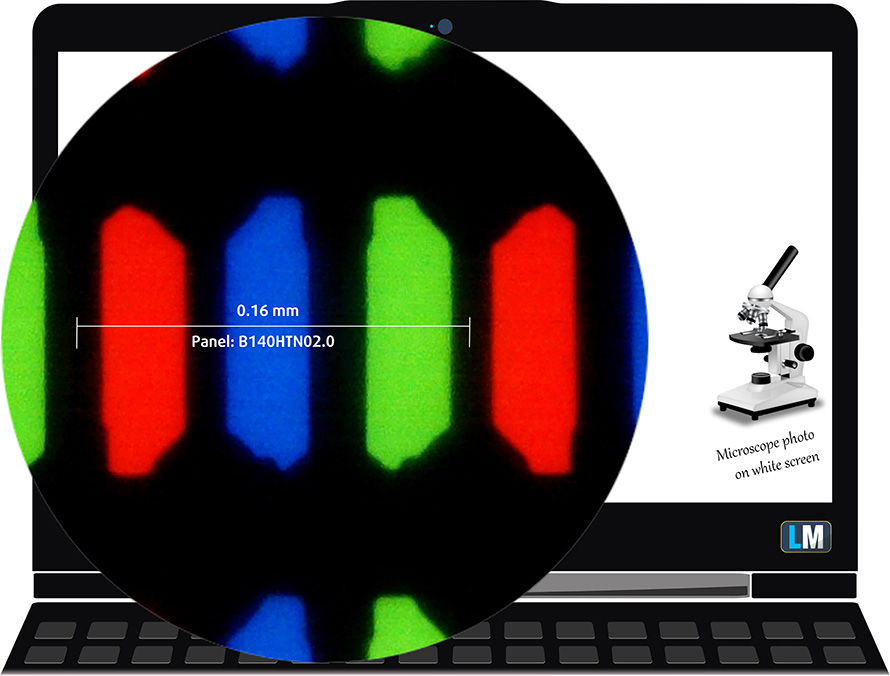
Viewing angles are terrible. We have provided images at 45 degrees to evaluate quality.

The maximum measured brightness is 237 nits (cd/m2) in the middle of the screen and 227 nits (cd/m2) average across the surface with a maximum deviation of 9%. The Correlated Color Temperature on a white screen and at maximum brightness is 7030K (average) – colder than the 6500K optimum for sRGB.
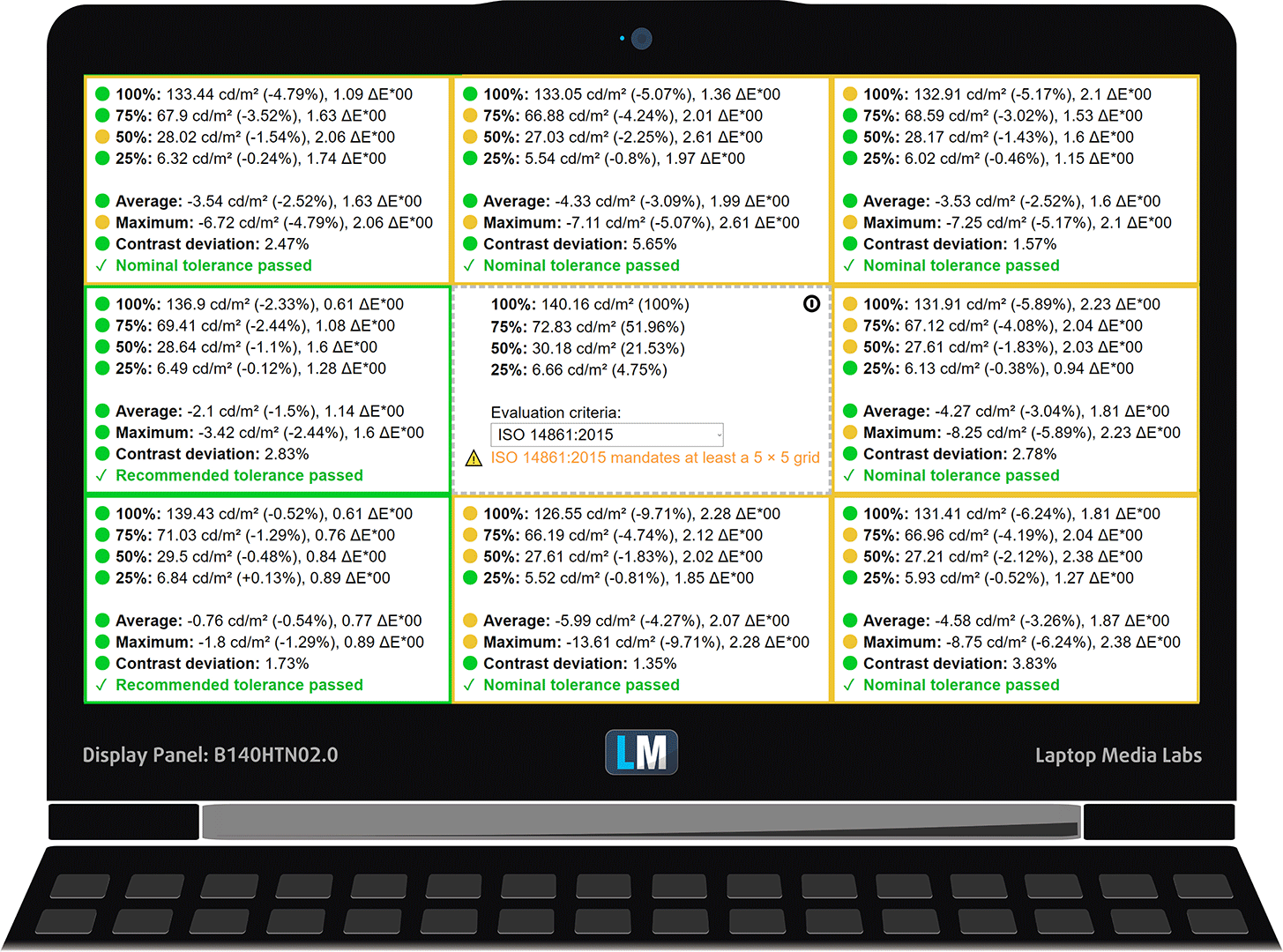
In the illustration below you can see how the display performs from a uniformity perspective. The illustration below shows how matters are for operational brightness levels (approximately 140 nits) – in this particular case at 58% Brightness (White level = 140 cd/m2, Black level = 0.32 cd/m2).
Values of dE2000 over 4.0 should not occur, and this parameter is one of the first you should check if you intend to use the laptop for color-sensitive work (a maximum tolerance of 2.0 ). The contrast ratio is mediocre – 430:1 (380:1 after profiling).
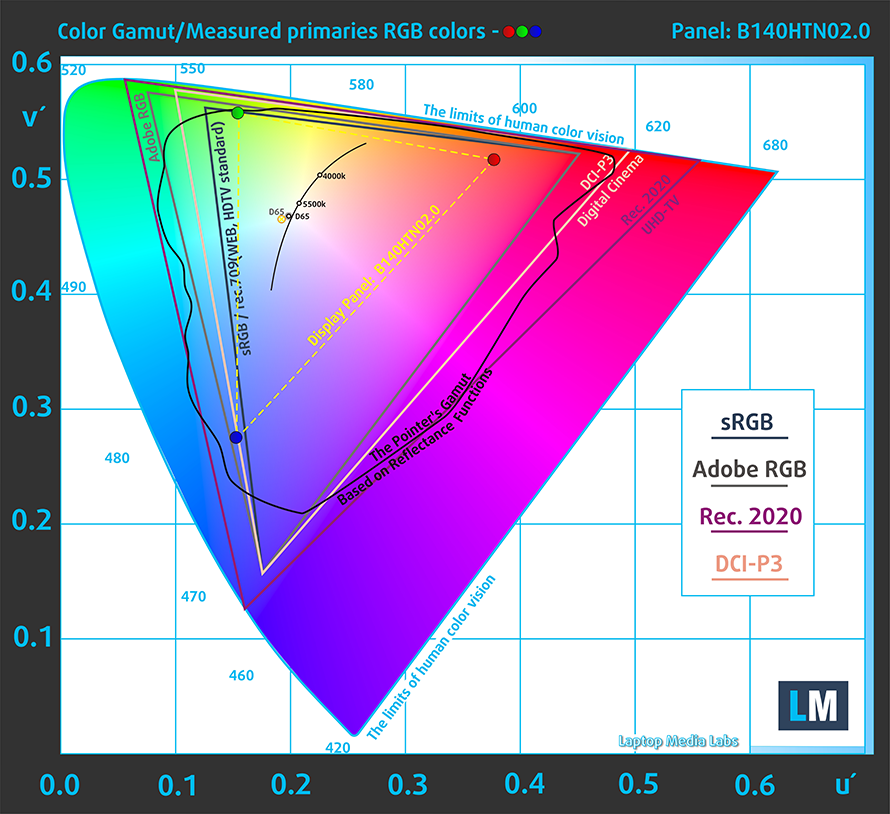
To make sure we are on the same page, we would like to give you a little introduction to the sRGB color gamut and the Adobe RGB. To start, there’s the CIE 1976 Uniform Chromaticity Diagram that represents the visible specter of colors by the human eye, giving you a better perception of the color gamut coverage and the color accuracy.
Inside the black triangle, you will see the standard color gamut (sRGB) that is being used by millions of people in HDTV and on the web. As for the Adobe RGB, this is used in professional cameras, monitors, etc for printing. Colors inside the black triangle are used by everyone and this is the essential part of the color quality and color accuracy of a mainstream notebook.
Still, we’ve included other color spaces like the famous DCI-P3 standard used by movie studios, as well as the digital UHD Rec.2020 standard. Rec.2020, however, is still a thing of the future and it’s difficult for today’s displays to cover that well. We’ve also included the so-called Michael Pointer gamut, or Pointer’s gamut, which represents the colors that naturally occur around us every day.
The yellow dotted line shows Lenovo V14’s color gamut coverage.
Its display covers just 50% of the sRGB/ITU-R BT.709 (web/HDTV standard) in CIE1976.
Our “Design and Gaming” profile delivers optimal color temperature (6500K) at 140 cd/m2 luminance and sRGB gamma mode.
We tested the accuracy of the display with 24 commonly used colors like light and dark human skin, blue sky, green grass, orange, etc. You can check out the results at factory condition and also, with the “Design and Gaming” profile.
Below you can compare the scores of Lenovo V14 with the default settings (left), and with the “Gaming and Web design” profile (right).


The next figure shows how well the display can reproduce dark parts of an image, which is essential when watching movies or playing games in low ambient light.
The left side of the image represents the display with stock settings, while the right one is with the “Gaming and Web Design” profile activated. On the horizontal axis, you will find the grayscale and on the vertical axis – the luminance of the display. On the two graphs below you can easily check for yourself how your display handles the darkest nuances but keep in mind that this also depends on the settings of your current display, the calibration, the viewing angle, and the surrounding light conditions.

Response time (Gaming capabilities)
We test the reaction time of the pixels with the usual “black-to-white” and “white-to-black” method from 10% to 90% and vice versa.
We recorded Fall Time + Rise Time = 11 ms.

Health impact – PWM / Blue Light
PWM (Screen flickering)
Pulse-width modulation (PWM) is an easy way to control monitor brightness. When you lower the brightness, the light intensity of the backlight is not lowered, but instead turned off and on by the electronics with a frequency indistinguishable to the human eye. In these light impulses, the light/no-light time ratio varies, while brightness remains unchanged, which is harmful to your eyes. You can read more about that in our dedicated article on PWM.
Lenovo V14’s display doesn’t use PWM for brightness adjustment at any brightness level. This makes it comfortable for your eyes in this aspect, even in long working periods.

Blue light emissions
Installing our Health-Guard profile not only eliminates PWM but also reduces the harmful Blue Light emissions while keeping the colors of the screen perceptually accurate. If you’re not familiar with the Blue light, the TL;DR version is – emissions that negatively affect your eyes, skin and your whole body. You can find more information about that in our dedicated article on Blue Light.
Conclusions
Lenovo V14’s display has a TN panel with a Full HD resolution, quick reaction times and a comfortable backlight in terms of PWM. On the downside sit the poor viewing angles, mediocre contrast ratio, and modest color coverage.
Buy our profiles
Since our profiles are tailored for each display model, this article and its respective profile package are meant for Lenovo V14 configurations with 14.0″ AUO B140HTN02.0 (AUO203D) (FHD, 1920 × 1080) TN panel.
*Should you have problems with downloading the purchased file, try using a different browser to open the link you’ll receive via e-mail. If the download target is a .php file instead of an archive, change the file extension to .zip or contact us at [email protected].
Read more about the profiles HERE.
除了获得高效且有益健康的配置文件外,购买 LaptopMedia 的产品也是对我们实验室发展的支持,我们在实验室中测试设备,以提供最客观的评测。

办公工作
Office Work 主要适用于大部分时间在查看文本、表格或上网的用户。此配置文件旨在通过保持平坦的伽马曲线 (2.20)、原始色温和感知上准确的颜色来提供更好的清晰度。

设计和游戏
此配置文件适用于专业处理色彩的设计师,以及游戏和电影。Design and Gaming 将显示面板推向极限,使其在 Web 和 HDTV 的 sRGB IEC61966-2-1 标准中尽可能准确,白点为 D65。
以 33% 的折扣获取所有 3 个配置文件

Sound
Lenovo V14’s speakers produce sound with relatively good quality. However, there are deviations across the entire frequency range.

Drivers
All of the drivers and utilities can for the Lenovo V14 be downloaded from here: https://pcsupport.lenovo.com/bg/en/products/laptops-and-netbooks/lenovo-v-series-laptops/v14-iwl/downloads
Battery
Now, we conduct the battery tests with Windows Better performance setting turned on, screen brightness adjusted to 120 nits and all other programs turned off except for the one we are testing the notebook with.
We got around 8 hours and a half of Web browsing and 8 hours and 20 minutes of video playback.
为了模拟真实生活条件,我们使用自己的脚本自动浏览超过 70 个网站。
CPU options
Since we have the V14-IWL, the processor options here settle with the Celeron 4205U (2c/2t), Pentium Gold 5405U (2c/4t), Core i3-8145U (2c/4t), Core i5-8265U (4c/8t), Core i7-8565U (4c/8t).
结果来自 Cinebench 20 CPU 测试(分数越高越好)
GPU options
Its processors feature the integrated Intel UHD Graphics 610 and 620, and you can also bundle the notebook with the dedicated GeForce MX110 with 2GB of GDDR5 memory.
Temperatures and comfort
Max CPU load
In this test we use 100% on the CPU cores, monitoring their frequencies and chip temperature. The first column shows a computer’s reaction to a short load (2-10 seconds), the second column simulates a serious task (between 15 and 30 seconds), and the third column is a good indicator of how good the laptop is for long loads such as video rendering.
Average core frequency (base frequency + X); CPU temp.
| Intel Core i3-8145U (15W TDP) | 0:02 – 0:10 sec | 0:15 – 0:30 sec | 10:00 – 15:00 min |
|---|---|---|---|
| Lenovo V14 | 3.31 GHz (B+58%)@ 74°C | 3.00 GHz (B+43%)@ 76°C | 2.57 GHz (B+22%)@ 65°C |
| Lenovo Ideapad S340 (14) | 3.60 GHz (B+71%)@ 84°C | 2.90 GHz (B+38%)@ 83°C | 2.64 GHz (B+26%)@ 69°C |
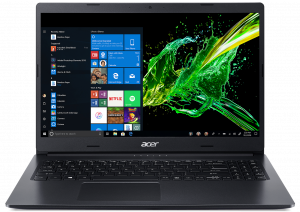
| Acer Aspire 3 (A315-55G) | 3.04 GHz (B+45%)@ 82°C | 2.71 GHz (B+29%)@ 80°C | 2.60 GHz (B+24%)@ 77°C |
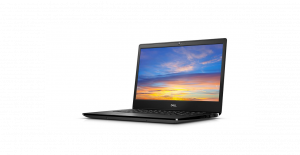
| Dell Latitude 14 3400 | 3.42 GHz (B+63%)@ 83°C | 3.36 GHz (B+60%)@ 96°C | 2.82 GHz (B+34%)@ 81°C |
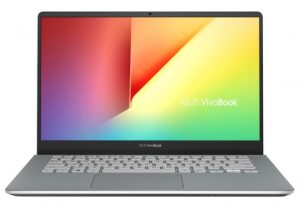
| ASUS VivoBook S14 S430 | 3.34 GHz (B+59%)@ 68°C | 3.24 GHz (B+54%)@ 83°C | 1.97 GHz @ 56°C |
| ASUS VivoBook S13 S330 | 3.58 GHz (B+70%)@ 68°C | 3.51 GHz (B+67%)@ 79°C | 2.77 GHz (B+32%)@ 72°C |
Indeed, the V14 is far away from some of its competitors, when it comes to short-term tasks and clock speed. However, after 15 minutes of Prime95 stress testing, the frequency of the CPU was 2.57 with an average temperature for the last five minutes being 65C. Not bad at all.
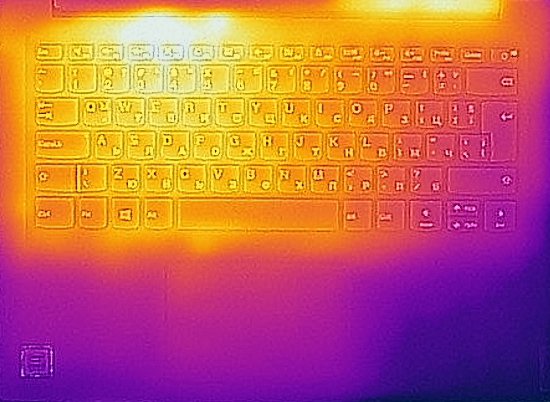
Comfort during full load
Not only that, but the laptop was pretty quiet. At least with the unpretentious Core i3-8145U.

Verdict
Dear reader. First, we would like to say that the display portion of this review will be updated as soon as we are ready with the screen evaluation. Next, we want to address that the Ice Lake-equipped devices might have different thermal properties than this one in addition to the performance differences.
So what left the best impression in us? Definitely the battery life and the keyboard. We were able to get 8 hours and a half of Web browsing and a similar amount of time of video playback from it. As you probably know, usually, budget devices suffer from poor battery life, because of the cost reduction procedures.
As of the keyboard, we have a lot of experience with it actually. It is the same unit seen on many Ideapads and other 14-inch Lenovo devices. Mainly because of the balanced clicking mechanism, relatively large keycaps, and decent travel. Sadly, the same cannot be said about the touchpad, as it uses ELAN drivers and is genuinely uncomfortable to use. We often found ourselves going for keyboard shortcuts, rather than using the touchpad itself.
Lenovo V14’s display has a TN panel (AUO B140HTN02.0 (AUO203D)) with a Full HD resolution, quick reaction times and a comfortable backlight in terms of PWM. On the downside sit the poor viewing angles, mediocre contrast ratio, and modest color coverage.
Some more plus and minuses include the featuring of an SD card reader, but also the lack of a USB Type-C port and an RJ-45 connector. Also, on the downside, the TN displays suffer from poor viewing angles and torrid contrast ratio.
As a good alternative to this notebook, you can check the Dell Latitude 3400. Although its keyboard is worse, it actually sports a better battery life than this one.
Pros
- Appealing price tag
- Decent battery life
- Features an SD card reader
- Comfortable keyboard
- Doesn’t use PWM for brightness adjustment (AUO203D)
Cons
- No Type-C port and RJ-45 connector
- The TN panel has naturally poor viewing angles and mediocre contrast ratio (AUO203D)
- Covers only 50% of sRGB (AUO203D)
- Uncomfortable touchpad
You can check the prices and configurations in our Specs System: https://laptopmedia.com/series/lenovo-v14/
 Author: Alex Iliev
 Author: eng. Kroum NikolovHead of Engineering at LaptopMedia.com, inventor and innovator with 40+ years of experience in electronics and high technology.

![[2026年8月] 亚马逊全球畅销笔记本电脑显卡排行榜——苹果独占鳌头,英伟达RTX 5060领跑独立显卡榜单](https://laptopmedia.com/wp-content/uploads/2026/09/Best-Selling-GPUs-GLOBAL-Top-10-400x225.jpg)
![[2026年8月] 亚马逊全球畅销笔记本电脑处理器排行榜——苹果同时称霸平价和高端市场:2026年8月,A18 Pro和M5大获全胜,碾压英特尔和AMD](https://laptopmedia.com/wp-content/uploads/2026/09/Best-Selling-CPUs-GLOBAL-Top-10-400x225.jpg)
![[2026年8月] 亚马逊全球:销量前十的笔记本电脑——苹果MacBook Neo独占鳌头,而平价和中端Windows笔记本则在销量上展开激烈角逐](https://laptopmedia.com/wp-content/uploads/2026/09/Best-Selling-Laptops-GLOBAL-Top-10-400x225.jpg)
![[2026年8月] 亚马逊全球畅销笔记本电脑品牌——苹果在营收方面占据主导地位,而惠普在机型种类方面领跑](https://laptopmedia.com/wp-content/uploads/2026/09/GLOBAL-Best-Brands-400x225.jpg)
![[2026年8月] 亚马逊全球:畅销游戏本前十名——惠普Victus 15荣登榜首,高性价比机型占据榜单主导地位](https://laptopmedia.com/wp-content/uploads/2026/09/Best-Selling-Gaming-Laptops-GLOBAL-Top-10-400x225.jpg)

It is by far the worst screen i have try ever
Surprised to find the screen is very dim.
I installed 16GB RAM and the computer reacts (unable to boot up – unable to succesfully log in to windows). Mine is the Ryzen 7, 4700u variants. Is the RAM defective or the laptop unable to support 4 + 16 RAM?
Hello, the motherboard for this laptop supports maximum 12GB RAM. 4GB integrated + one slot for maximum 8GB.
I have Lenovo V14 IlL Intel Core i5 1035G1 8GB 256GB SSD last year.
Since the first day, it works at most 3 hours for web surfing and Ms. Word using. Also, there is not any program that is running background.
But you wrote 500 minutes for web surfing.
Is it correct?
I have Lenovo V14 IlL Intel Core i5 1035G1 8GB 256GB SSD last year.
Since the first day, it works at most 3 hours for web surfing and Ms. Word using. Also, there is not any program that is running background.
But you wrote 500 minutes for web surfing.
Is it correct?