Acer Nitro 17 (AN17-51) Testbericht – hat eine leistungsfähige Kühlung und großes Display
Leistung: CPU, GPU, Spiele-Tests
CPU-Optionen
Sie können dieses Notebook mit dem Intel Core i5-13500H oder dem Core i7-13700H finden.
Hier bewerten wir die CPU-Leistung anhand einer realen 3D-Rendering-Aufgabe und beurteilen ihre Fähigkeit, komplexe Berechnungen und Rendering-Workloads effizient zu bewältigen.
Die Ergebnisse stammen vom Cinebench 2024 Multi-Core-Test (höher ist besser).
GPU-Optionen
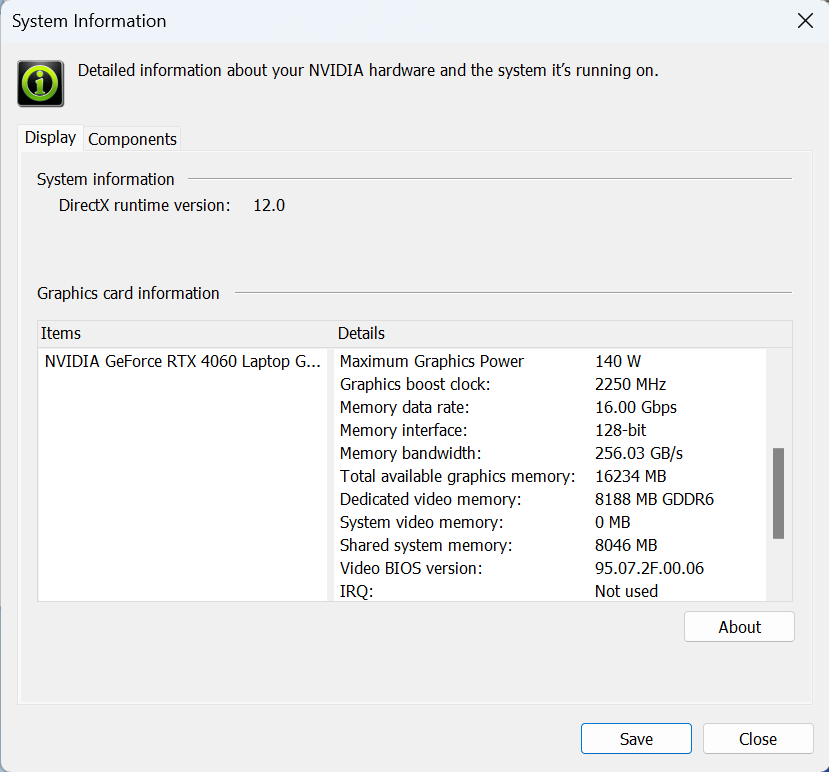
Die GPU-Optionen sind die folgenden – NVIDIA GeForce RTX 3050 (Laptop, 95W), GeForce RTX 4050 (Laptop, 140W) und GeForce RTX 4060 (Laptop, 140W).
Die Ergebnisse stammen vom 3DMark Time Spy (Grafik). Ein höherer Wert ist besser.
Die Ergebnisse stammen vom 3DMark Fire Strike (Grafik) Benchmark (ein höherer Wert ist besser).
Die Ergebnisse stammen vom 3DMark Wild Life Extreme Unlimited. Ein höherer Wert ist besser.
Die Ergebnisse stammen vom Unigine Superposition Benchmark (ein höherer Wert ist besser).
Spiele-Tests


| Assassin’s Creed Walhalla | Full HD, Niedrig(Einstellungen prüfen) | Full HD, Mittel (Einstellungenprüfen) | Full HD, Hoch(Einstellungen prüfen) | Full HD, Ultra(Einstellungen prüfen) |
|---|---|---|---|---|
| Durchschnittliche FPS | 168 fps | 141 fps | 116 fps | 105 fps |

| Borderlands 3 | Full HD, V.Low(Einstellungen prüfen) | Full HD, Mittel (Einstellungenprüfen) | Full HD, Hoch(Einstellungen prüfen) | Full HD, Knallhart(Einstellungen prüfen) |
|---|---|---|---|---|
| Durchschnittliche FPS | 192 fps | 162 fps | 119 fps | 90 fps |

| Far Cry 6 | Full HD, Niedrig(Einstellungen prüfen) | Full HD, Hoch(Einstellungen prüfen) | Full HD, Ultra(Einstellungen prüfen) |
|---|---|---|---|
| Durchschnittliche FPS | 158 fps | 129 fps | 115 fps |

| Gears 5 | Full HD, Niedrig(Einstellungen prüfen) | Full HD, Mittel (Einstellungenprüfen) | Full HD, Hoch(Einstellungen prüfen) | Full HD, Ultra(Einstellungen prüfen) |
|---|---|---|---|---|
| Durchschnittliche FPS | 270 fps | 199 fps | 167 fps | 132 fps |
Wie Sie sehen können, ist die Spieleleistung der GeForce RTX 4060 sehr gut und reicht für hohe FPS bei Ultradetails.
 Author: Nikolay Palaozov
 Author: eng. Kroum NikolovHead of Engineering at LaptopMedia.com, inventor and innovator with 40+ years of experience in electronics and high technology.

![[August 2026] Amazon Global: Die 10 meistverkauften Laptops – Das Apple MacBook Neo führt die Charts an, während preisgünstige und Mittelklasse-Windows-Laptops um Absatzzahlen kämpfen](https://laptopmedia.com/wp-content/uploads/2026/09/Best-Selling-Laptops-GLOBAL-Top-10-400x225.jpg)
![[August 2026] Die meistverkauften Laptop-Marken bei Amazon Global – Apple dominiert den Umsatz, während HP bei der Modellvielfalt führend ist](https://laptopmedia.com/wp-content/uploads/2026/09/GLOBAL-Best-Brands-400x225.jpg)
![[August 2026] Amazon Global: Die 10 meistverkauften Gaming-Laptops – Der HP Victus 15 erobert den ersten Platz, während preisgünstige Modelle die Rangliste dominieren](https://laptopmedia.com/wp-content/uploads/2026/09/Best-Selling-Gaming-Laptops-GLOBAL-Top-10-400x225.jpg)
![[August 2026] Best-Selling Laptop Brands on Amazon Japan – Apple Dominates Market Share and Revenue Led by Strong Unit Sales](https://laptopmedia.com/wp-content/uploads/2026/09/CO.JP-Best-Brands-1-400x225.jpg)
![[August 2026] Best-Selling Laptop Brands on Amazon USA – Apple Dominates Market Revenue and Volume Despite Lower Model Diversity](https://laptopmedia.com/wp-content/uploads/2026/09/COM-Best-Brands-1-400x225.jpg)

I have this laptop, but with Micron 3400 512Gb Ssd and 2×8 GB Ram
I undervolted Rtx 4060 via Msi afterburner (2250 Mhz at 0.825 V) max TGP is 68W with minimal loose of fps and GPU memory is set +1000 (18 Gbps)
I disabled E cores in Bios and set CPU PL1/PL2 manually to 65/85W this will assure max turbo 5 GHz and in stress mode all core turbo ~4.1 GHz all time (4.5 Ghz for 30 sec)
With this settings I have solid performance in games, much lower temps and power draw overall
how did you adjust pl1/pl2 manually? I have this same laptop and the cpu runs way too hot, i also cant adjust the fan curv e and auto mode does not keep it cool enough.