ASUS TUF Gaming A16 FA607 (2024) Test – Dieser preisgünstige Gaming-Laptop ist eine Überraschung
Temperaturen und Komfort, Akkulaufzeit
Maximale CPU-Last
In diesem Test lasten wir die CPU-Kerne zu 100 % aus und überwachen ihre Frequenzen und die Chiptemperatur. Die erste Spalte zeigt die Reaktion des Computers auf eine kurze Belastung (2-10 Sekunden), die zweite Spalte simuliert eine ernsthafte Aufgabe (zwischen 15 und 30 Sekunden), und die dritte Spalte ist ein guter Indikator dafür, wie gut der Laptop für lange Belastungen wie Video-Rendering ist.
Durchschnittliche Kernfrequenz (Basisfrequenz + X); CPU-Temp.
| AMD Ryzen 9 7845HX (55W TDP) | 0:02 – 0:10 Sek. | 0:15 – 0:30 Sek. | 10:00 – 15:00 min |
|---|---|---|---|
| ASUS TUF Gaming A16 FA607 (2024) | 4,34 GHz @ 78°C @ 121W | 4,16 GHz @ 76°C @ 102W | 3,96 GHz @ 85°C @ 93W |
| ASUS ROG Strix G17 G713P (2023) | 4,57 GHz @ 80°C @ 128W | 4,52 GHz @ 90°C @ 128W | 4,37 GHz @ 93°C @ 117W |
Der Ryzen 9 7845HX im TUF Gaming A16 FA607 (2024) kann bei jeder Art von Nutzung hohe Taktraten aufrechterhalten. Sicher, das Strix G17 G713P macht einen etwas besseren Job, besonders auf lange Sicht, aber es ist ein 17,3-Zoll-Gerät, während das FA607 ein kleineres 16-Zoll-Notebook ist.
Spiele im echten Leben
| NVIDIA GeForce RTX 4060 | GPU-Frequenz/Kerntemperatur (nach 2 Minuten) | GPU-Frequenz/Kerntemperatur (nach 30 Minuten) |
|---|---|---|
| ASUS TUF Gaming A16 FA607 (2024) | 2610 MHz @ 76°C @ 111W | 2610 MHz @ 80°C @ 113W |
| HP OMEN Transcend 16 (u1000) | 2625 MHz @ 75°C @ 113W | 2625 MHz @ 76°C @ 114W |
| ASUS Vivobook Pro 15 OLED (N6506) “Lüftermodus mit voller Geschwindigkeit” | 2540 MHz @ 84°C @ 109W | 2564 MHz @ 82°C @ 108W |
| ASUS Vivobook Pro 15 OLED (N6506) “Leistungslüfter-Modus” | 2247 MHz @ 76°C @ 85W | 2306 MHz @ 76°C @ 89W |
| Lenovo Legion 5i (16, Gen 9) | 2715 MHz @ 73°C @ 111W | 2715 MHz @ 71°C @ 110W |
| Acer Nitro 16 (AN16-41) | 2580 MHz @ 68°C @ 102W | 2595 MHz @ 66°C @ 102W |
| Acer Nitro 17 (AN17-51) “Turbo”-Voreinstellung | 2520 MHz @ 78°C @ 112W | 2520 MHz @ 81°C @ 111W |
| Acer Nitro 17 (AN17-51) Voreinstellung “Leistung | 2490 MHz @ 73°C @ 108W | 2490 MHz @ 73°C @ 108W |
| ASUS TUF Gaming A15 (FA507, 2023) | 2520 MHz @ 78°C @ 112W | 2520 MHz @ 81°C @ 111W |
| Lenovo ThinkBook 16p Gen 4 | 2475 MHz @ 76°C @ 107W | 2475 MHz @ 77°C @ 108W |
| HP Victus 16 (16-r0000) | 2520 MHz @ 77°C @ 107W | 2520 MHz @ 76°C @ 107W |
Die GPU-Leistung ist gut, denn die mobile GeForce RTX 4060 kann nach 30 Minuten Spielbetrieb 2610 MHz + 113W aushalten.
Komfort unter Volllast
Wie bei vielen anderen Laptops desselben Herstellers gibt es drei Leistungsvoreinstellungen und einen manuellen Modus. Die Lüfter sind im “Turbo”-Modus laut, aber das Geräusch bei maximaler CPU-/GPU-Last ist akzeptabel, wenn die Voreinstellung “Leistung” verwendet wird. Äußerlich fühlt sich die Tastatur in der Mitte etwas warm an, aber für die Arbeit ist das angenehm genug.
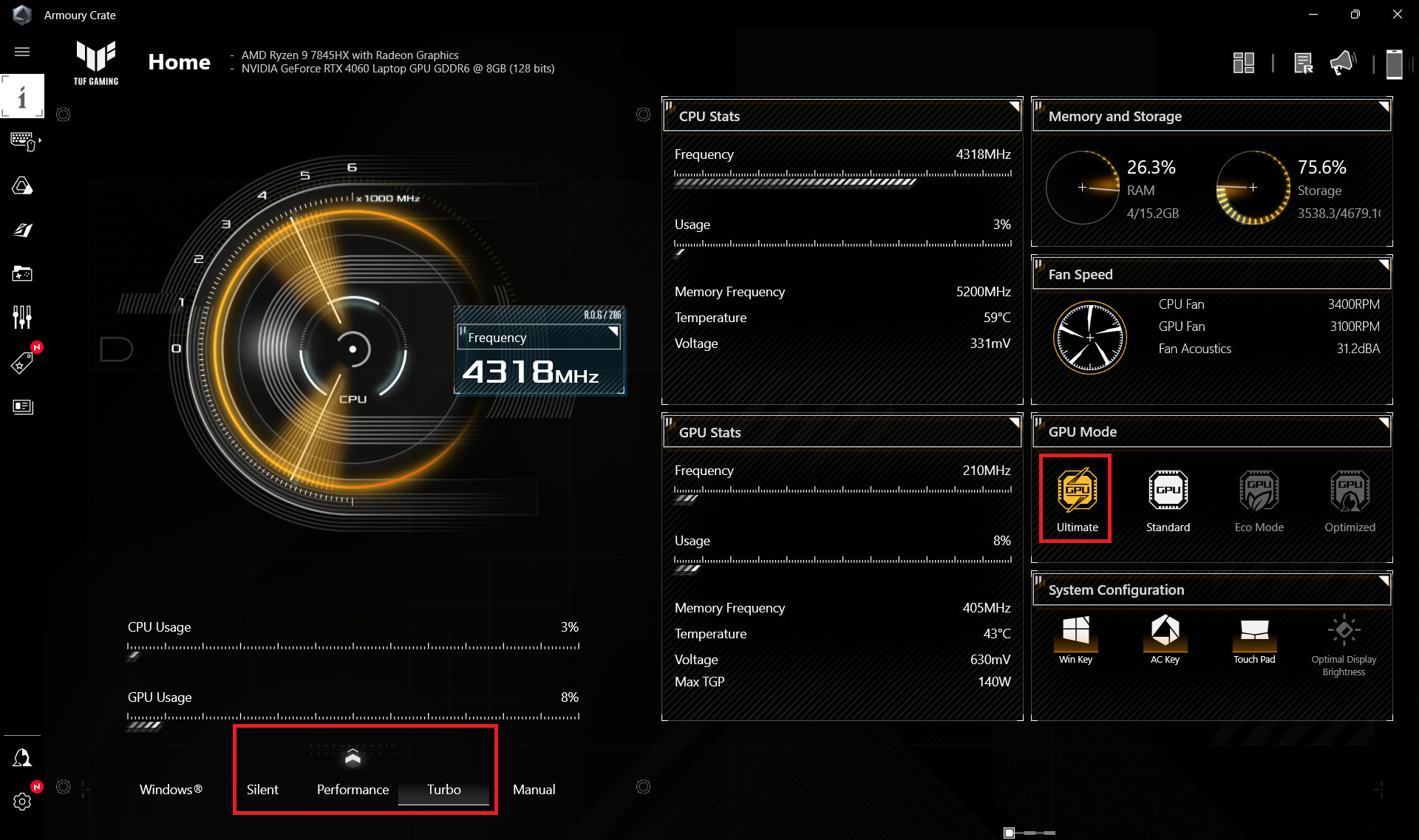

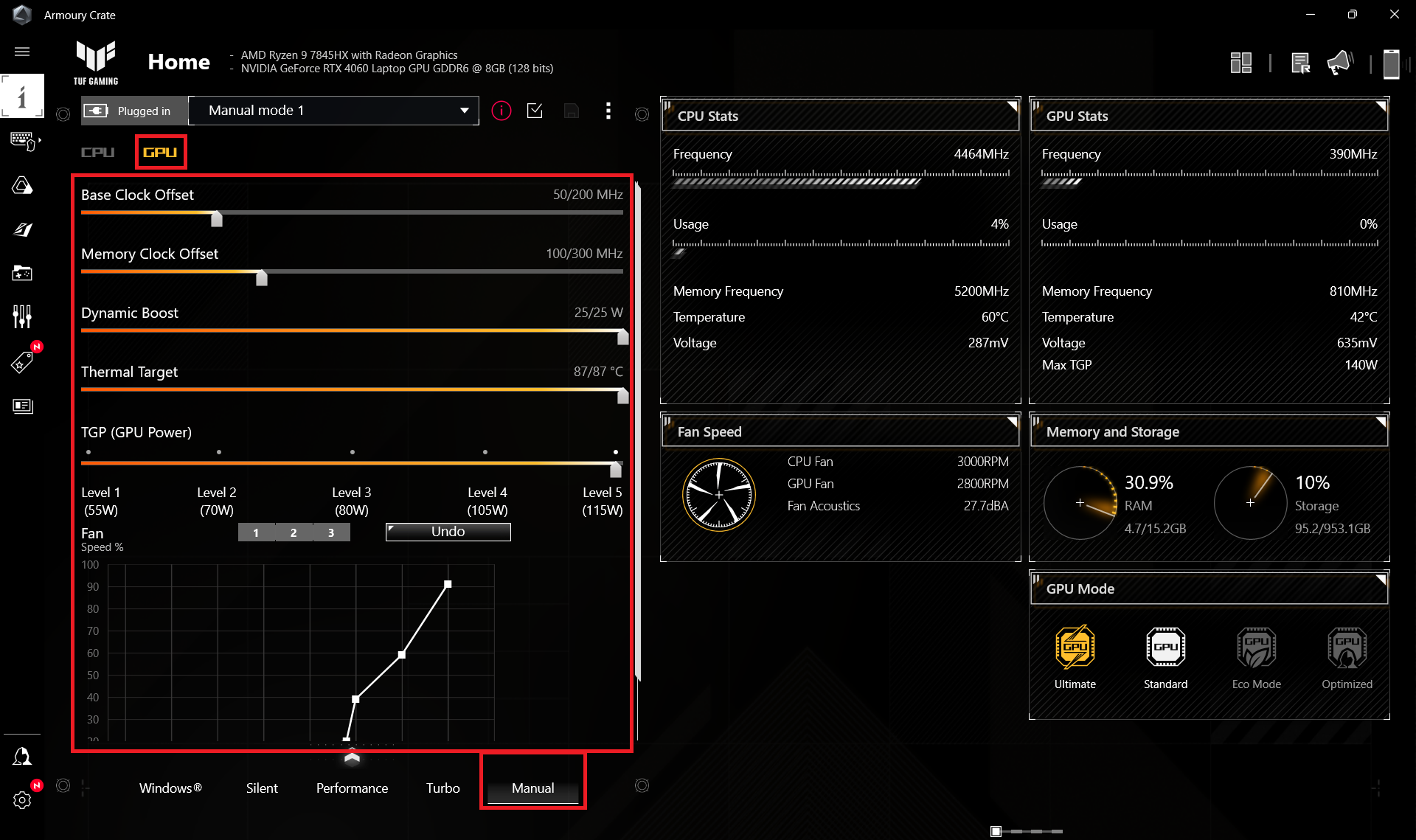
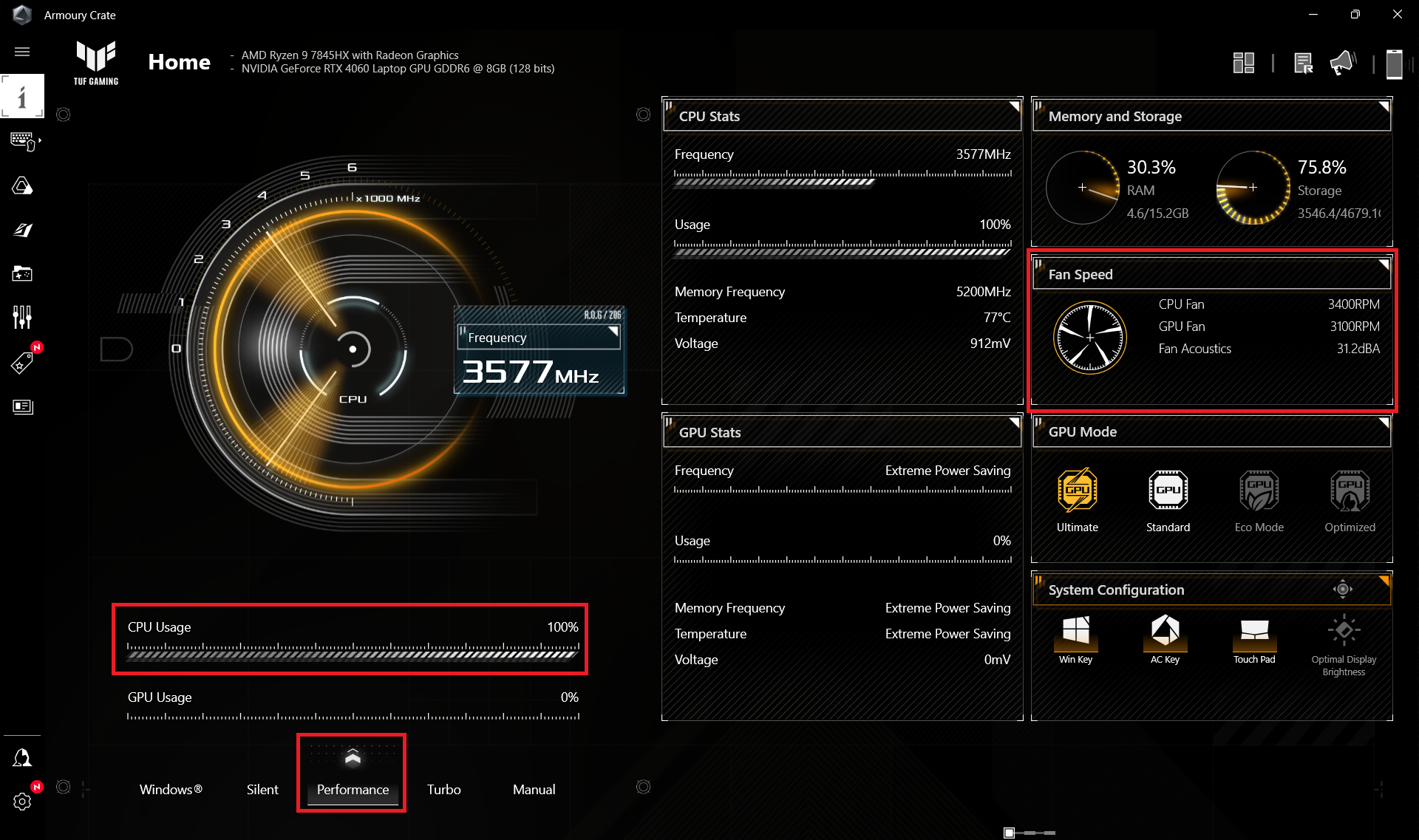
Wenn der Prozessor Schwerstarbeit leistet, liegt die Drehzahl der Lüfter im “Turbo”-Modus bei ~6000 RPM und das ist laut. Im “Performance”-Modus liegt die Drehzahl etwas über 3000 RPM und interessanterweise kann man die gleiche Drehzahl auch im “Silent”-Modus erwarten.
 Maximale CPU-Last “Turbo”
 Maximale CPU-Last “Performance”
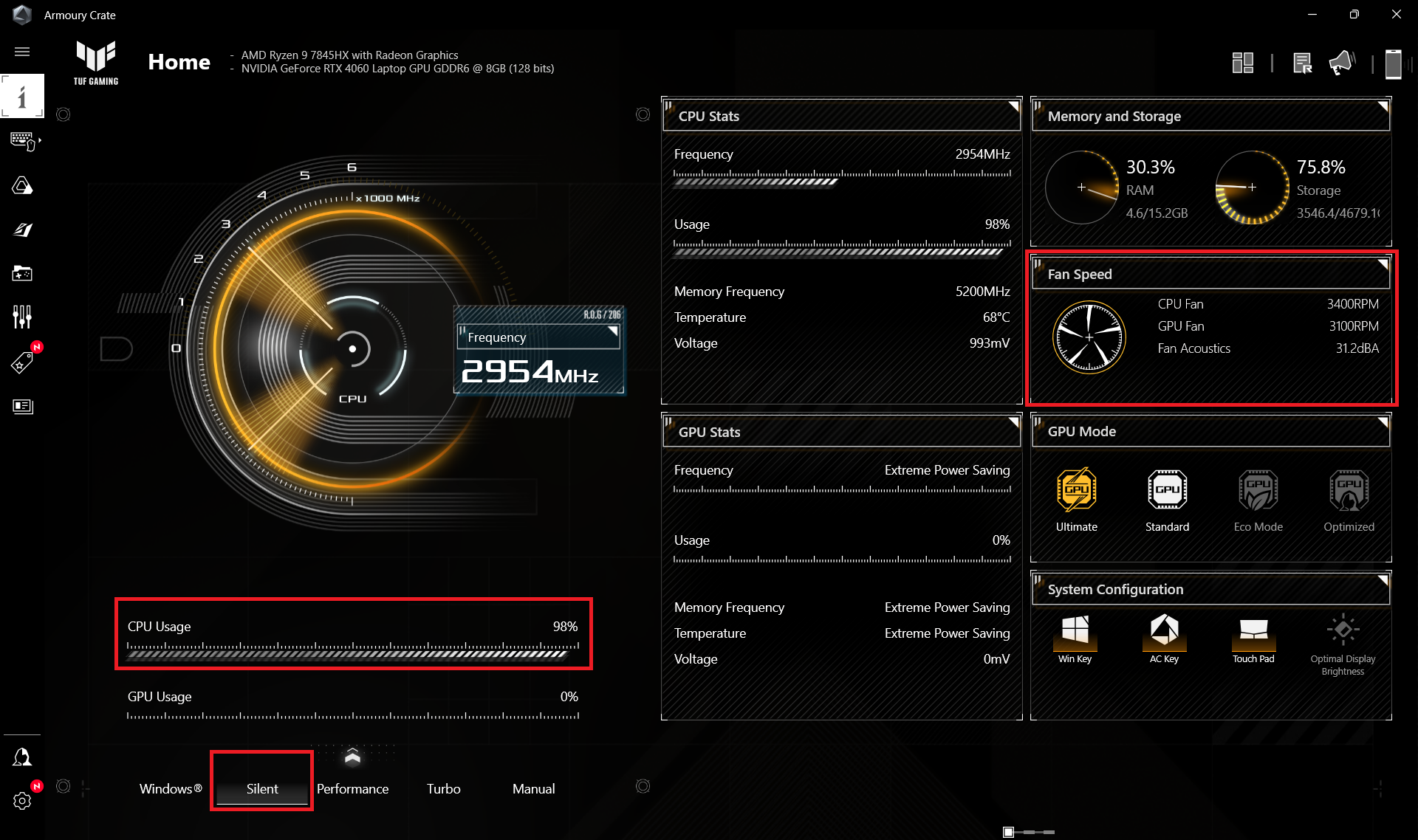 Maximale CPU-Last “Silent”
Während des Spielens im “Turbo”-Modus sind die Lüfter sogar noch aggressiver (6600 RPM), während die GPU TGP ~110W beträgt. Die Leistungsgrenze der Grafikkarte liegt bei ~80W bei einem Kerntakt von 2175MHz und einer Lüfterdrehzahl von 3900 – 4300 RPM, wenn das Preset “Performance” verwendet wird. Das reicht für eine akzeptable Leistung bei anspruchsvollen Spielen und eine deutlich geringere Geräuschentwicklung. Der “Silent”-Modus bietet etwa 53W TGP.
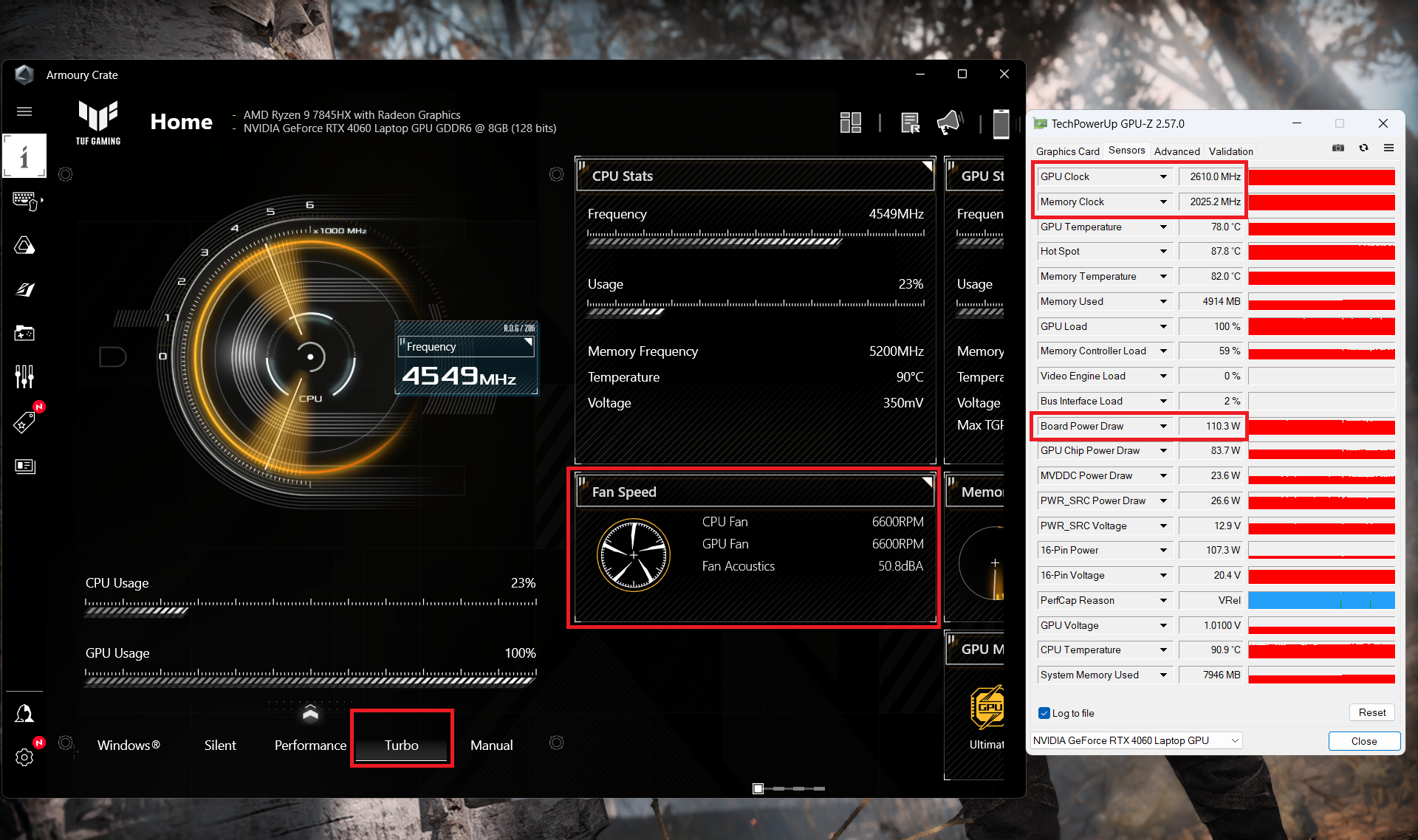 Gaming “Turbo”
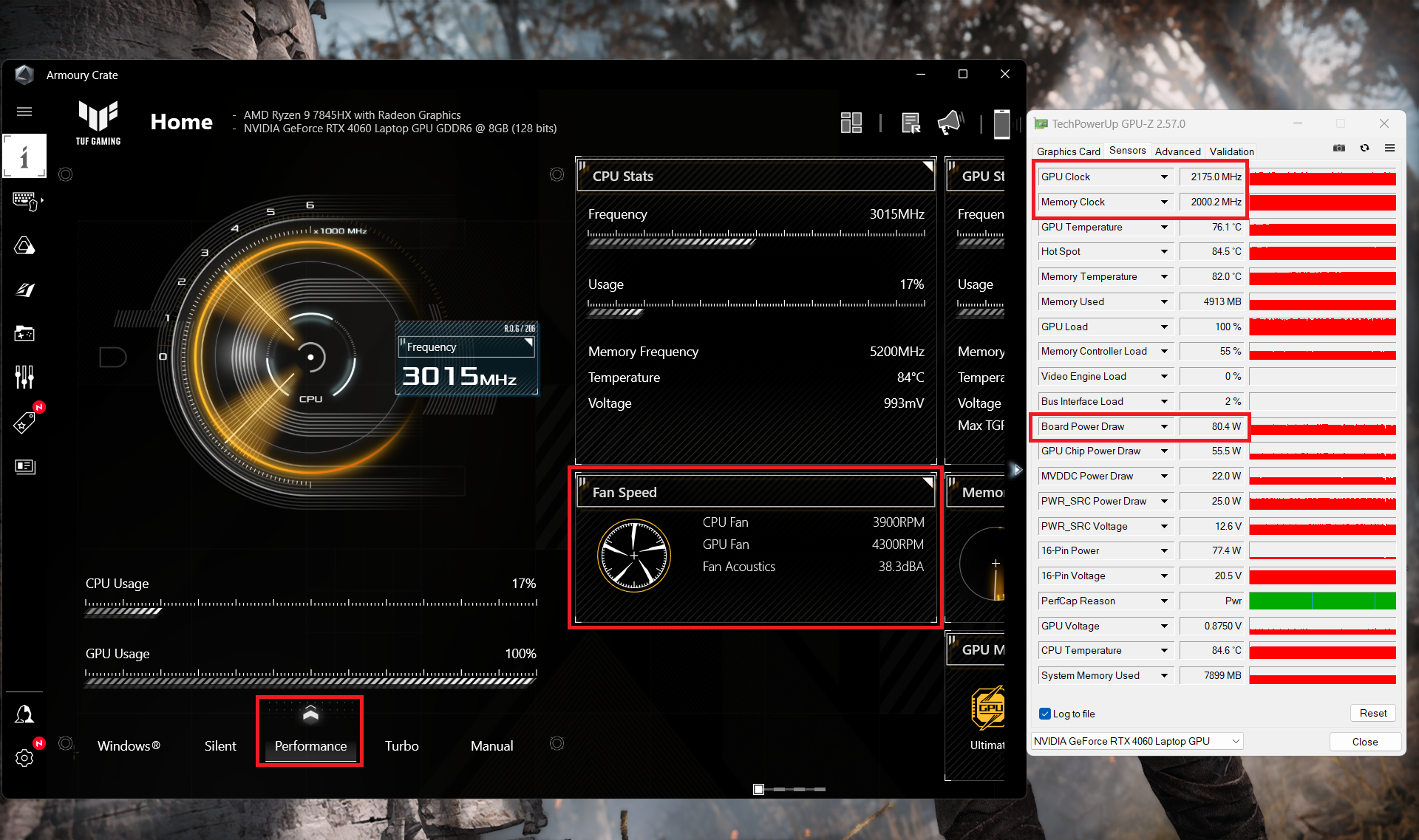 Gaming “Performance”
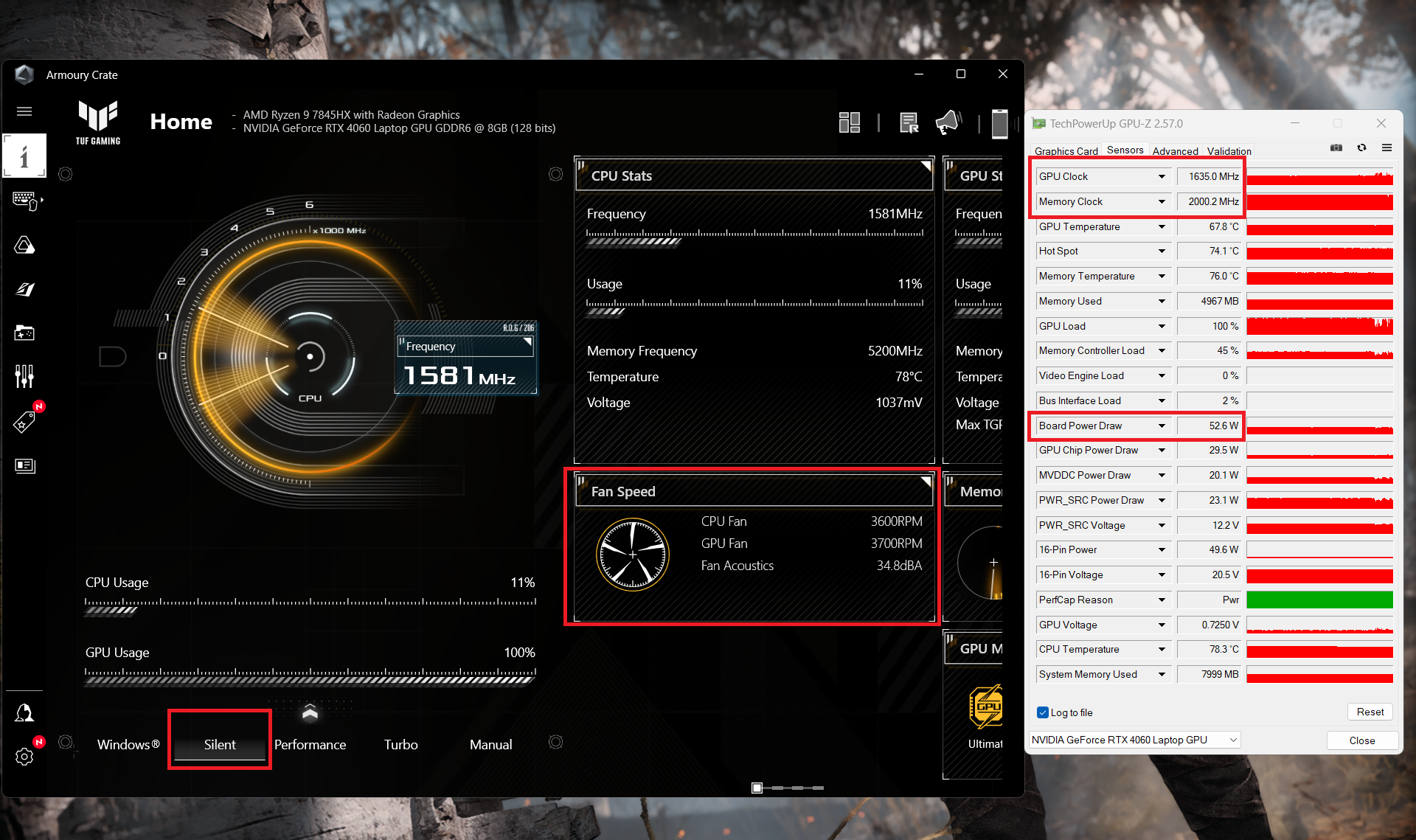 Gaming “Silent”
Akku
Nun führen wir die Akkutests durch, wobei die Einstellung ” Bessere Leistung ” von Windows aktiviert ist, die Bildschirmhelligkeit auf 120 nits eingestellt ist und alle anderen Programme außer dem, mit dem wir das Notebook testen, ausgeschaltet sind. Der 90-Wh-Akku dieses Notebooks reicht für 7 Stunden und 42 Minuten Webbrowsing oder 4 Stunden und 33 Minuten Videowiedergabe. Um dies zu erreichen, wählen Sie in der Armoury Crate App den Modus “Leistung”. Wenden Sie dort den “Eco”-Modus an, um die iGPU zu nutzen. Außerdem wird der DC-Lüfter-Betriebsmodus auf die Voreinstellung “Windows” gesetzt. Sie können auch die “AI Noise Cancelling” für den Lautsprecher und das Mikrofon ausschalten.
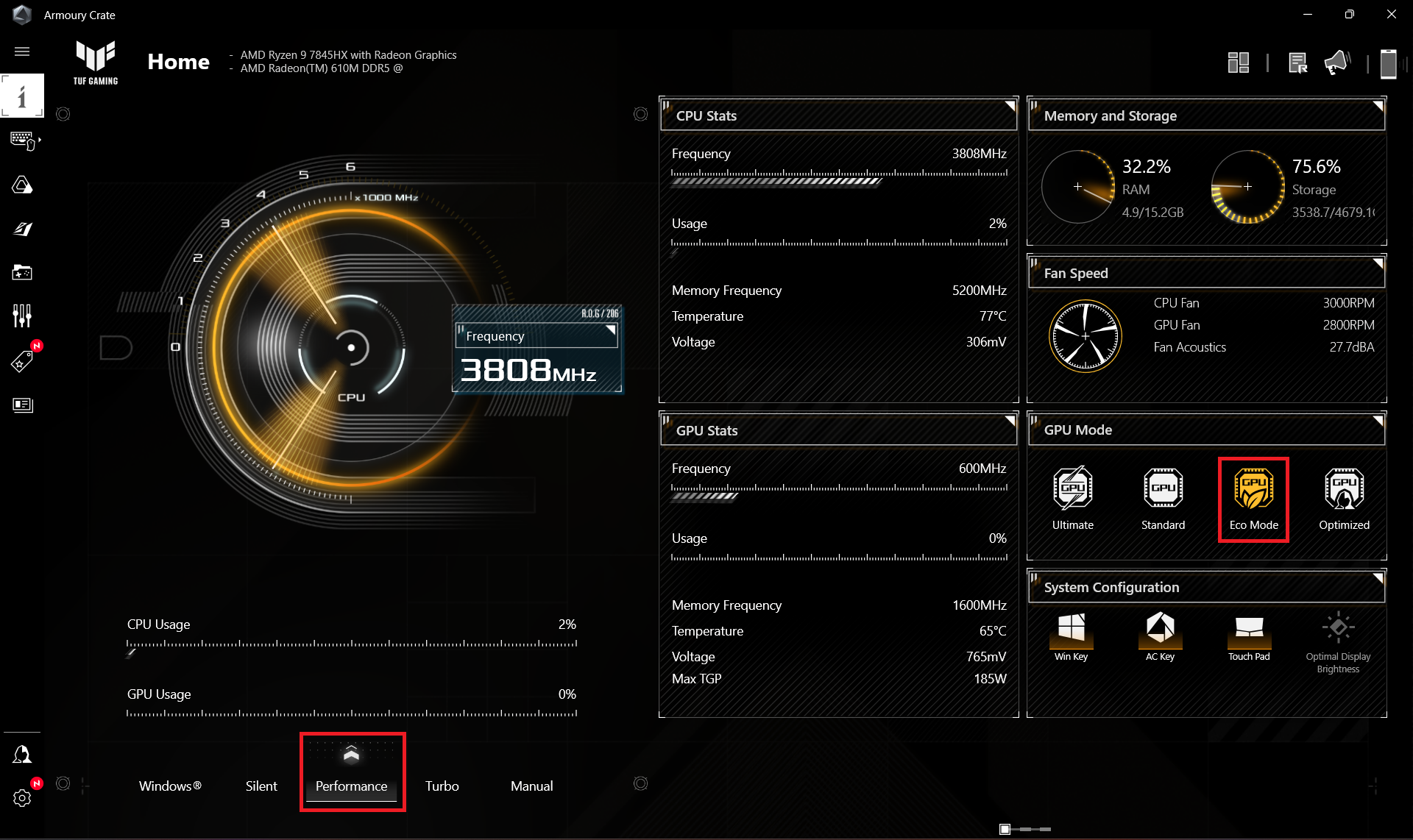
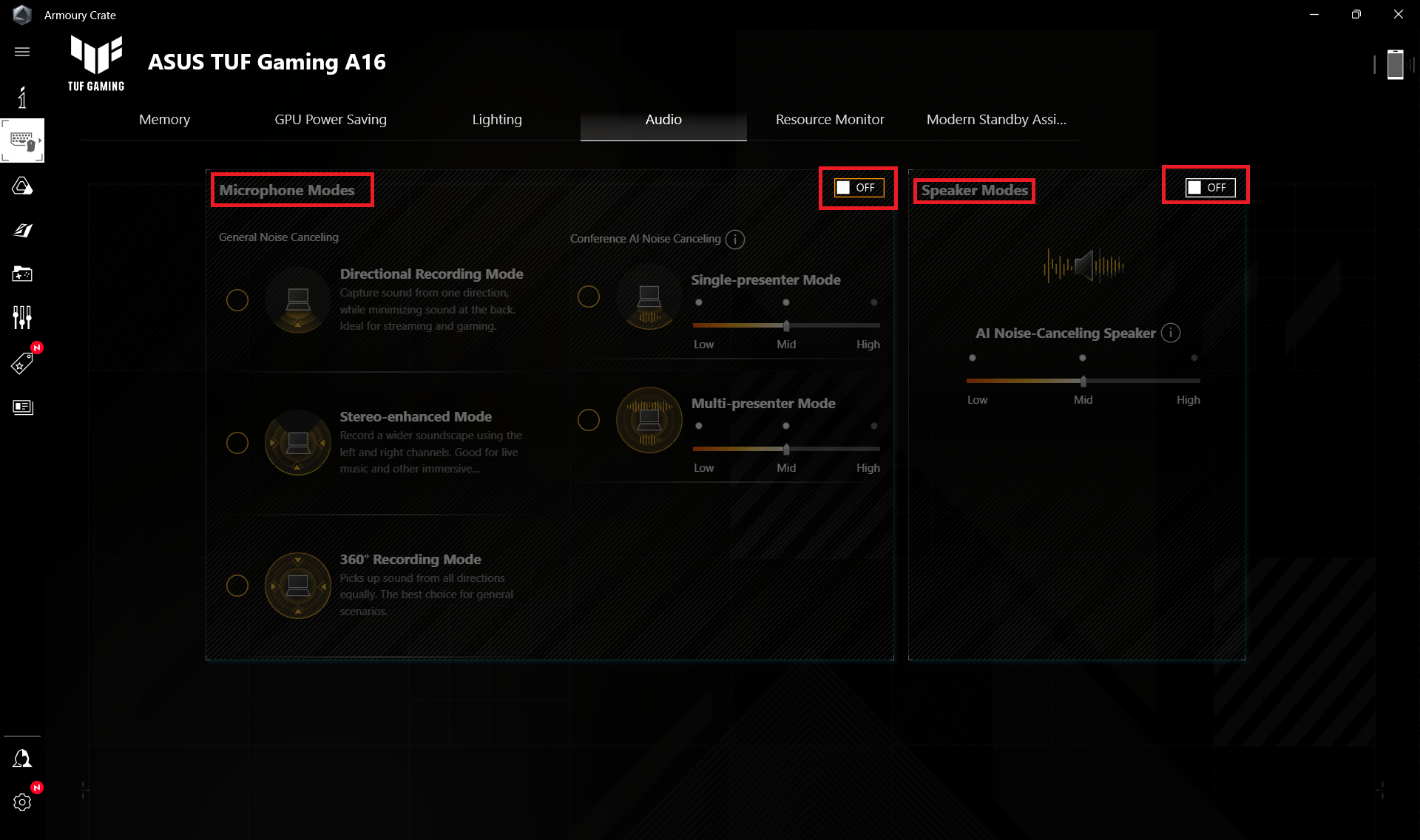
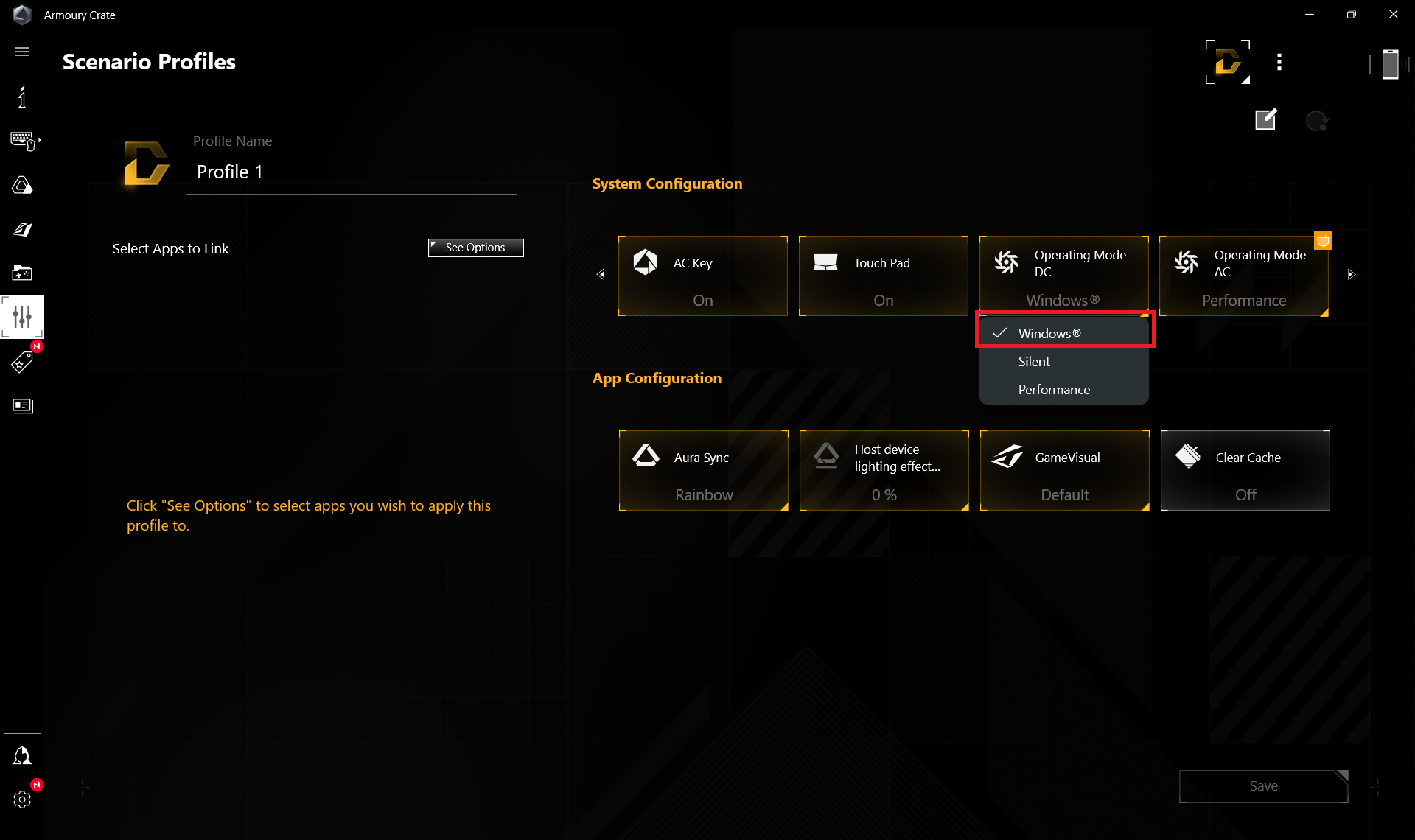
Sie müssen die Voreinstellung “Ausbalanciert” im Windows-Menü “Energie & Akku” anwenden

Helligkeit: 180 Nits; Anzeigemodus: SDR
Zeit bis zur vollständigen Entladung: Höher ist besser


Um reale Bedingungen zu simulieren, haben wir unser eigenes Skript für das automatische Surfen auf über 70 Websites verwendet.
 Author: Nikolay Palaozov
 Author: eng. Kroum NikolovHead of Engineering at LaptopMedia.com, inventor and innovator with 40+ years of experience in electronics and high technology.

![[July 2026] Amazon Canada: Top 10 Best-Selling Laptops – Apple MacBook Neo Dominates the Market to Claim the #1 Spot](https://laptopmedia.com/wp-content/uploads/2026/08/Best-Selling-Laptops-CA-Top-10-2-400x225.jpg)
![[July 2026] Best-Selling Laptop Brands on Amazon Japan – HP and Lenovo Dominate Units and Revenue Amid Fierce Competition](https://laptopmedia.com/wp-content/uploads/2026/08/CO.JP-Best-Brands-2-400x225.jpg)
![[July 2026] Amazon Italy: Top 10 Best-Selling Laptops – Apple MacBook Neo Claims the #1 Spot Amid Budget-Friendly Dominance](https://laptopmedia.com/wp-content/uploads/2026/08/Best-Selling-Laptops-IT-Top-10-400x225.jpg)
![[July 2026] Amazon Italy: Top 5 Best-Selling Gaming Laptops – ASUS V16 Claims the Crown While Mid-Range Powerhouses Dominate Sales](https://laptopmedia.com/wp-content/uploads/2026/08/Best-Selling-Gaming-Laptops-IT-Top-10-400x225.jpg)
![[July 2026] Best-Selling Laptop Brands on Amazon Italy – HP Leads in Volume While Apple Dominates Revenue](https://laptopmedia.com/wp-content/uploads/2026/08/IT-Best-Brands-400x225.jpg)

Can you tell me abit more regarding the Hinges’ durability? Do you think that ASUS TUF’s “military grade” laptop hinges are better than other budget laptop such as Acer Nitro, HP Victus, and MSI GF63? I’m really curious about how they compare. Thank you very much in advance!
To receive the MIL-STD 810H certifications, ASUS laptops undergo 12 test methods and 26 procedures, but none of them relate to hinges, here’s the testing report:
https://www.asus.com/event/2023/productguide/asus_consumer_laptops_military_grade_testing_report_202303.pdf
The laptops we review are brand new from an online store. Although we haven’t encountered problems with their hinges, we can’t guarantee long-term reliability.
Overall, we’re satisfied with the build quality of ASUS laptops; it’s clear they’ve put considerable thought into it.
Can i know which model info of this TUF A16 that use 7945hx?
because when i referred to this link https://www.asus.com/laptops/for-gaming/tuf-gaming/asus-tuf-gaming-a16-2024/techspec/ it says that there only available with 7845hx and 7940hx?
You are correct, it’s a mistake on our end, and we’ve fixed it, sorry about that, it is a 7845HX indeed.
Oh no! The non-gaming battery life is 50% shorter than the 2023 model 🙁
Can I add a second SSD with a thermal protector? Or is the thermal protector incompatible
the screen is at 144 FPS, not 165, as indicated on the official website