ASUS Vivobook Pro 15 OLED (N6506) Test – Killer-Display, ausdauernder Akku, kleine Kompromisse
Demontage, Aufrüstungsoptionen und Wartung
Um dieses Notebook zu öffnen, müssen Sie 10 Torx-Schrauben lösen. Heben Sie dann die Bodenplatte mit einem Hebelwerkzeug in der Nähe einer der beiden oberen Ecken an, um einen Spalt zu schaffen. Danach können Sie die Platte mit einem dünnen Kunststoffwerkzeug aufbrechen. Seien Sie vorsichtig in den Bereichen mit Lüftungsöffnungen und Anschlüssen.
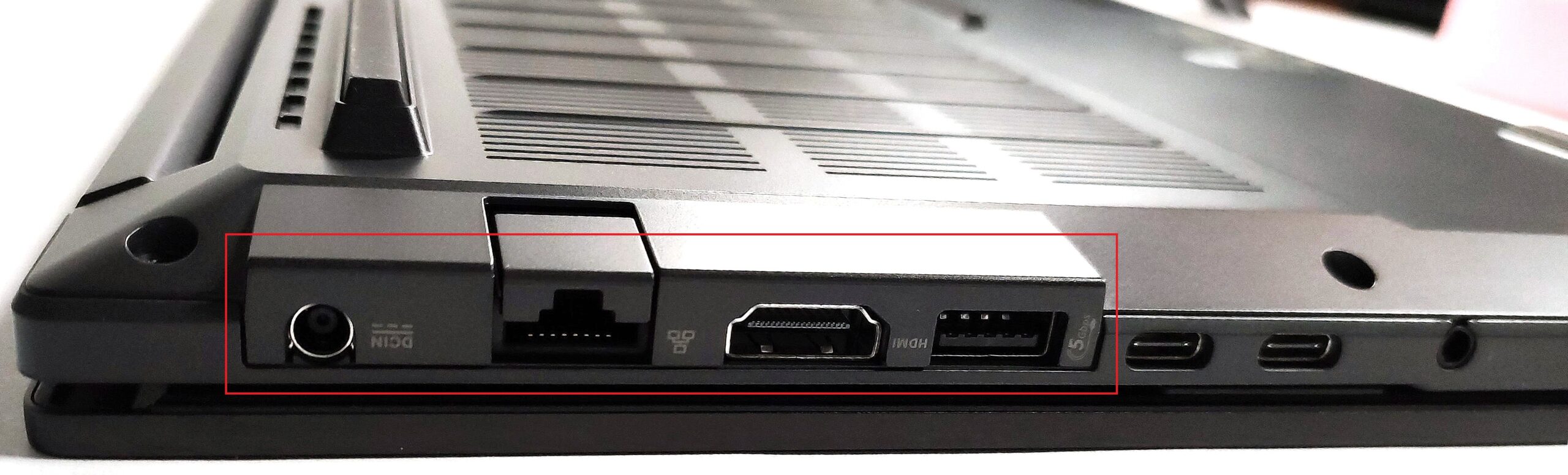

Drücken Sie die Bereiche um die Anschlüsse vorsichtig und nicht zu stark ab.
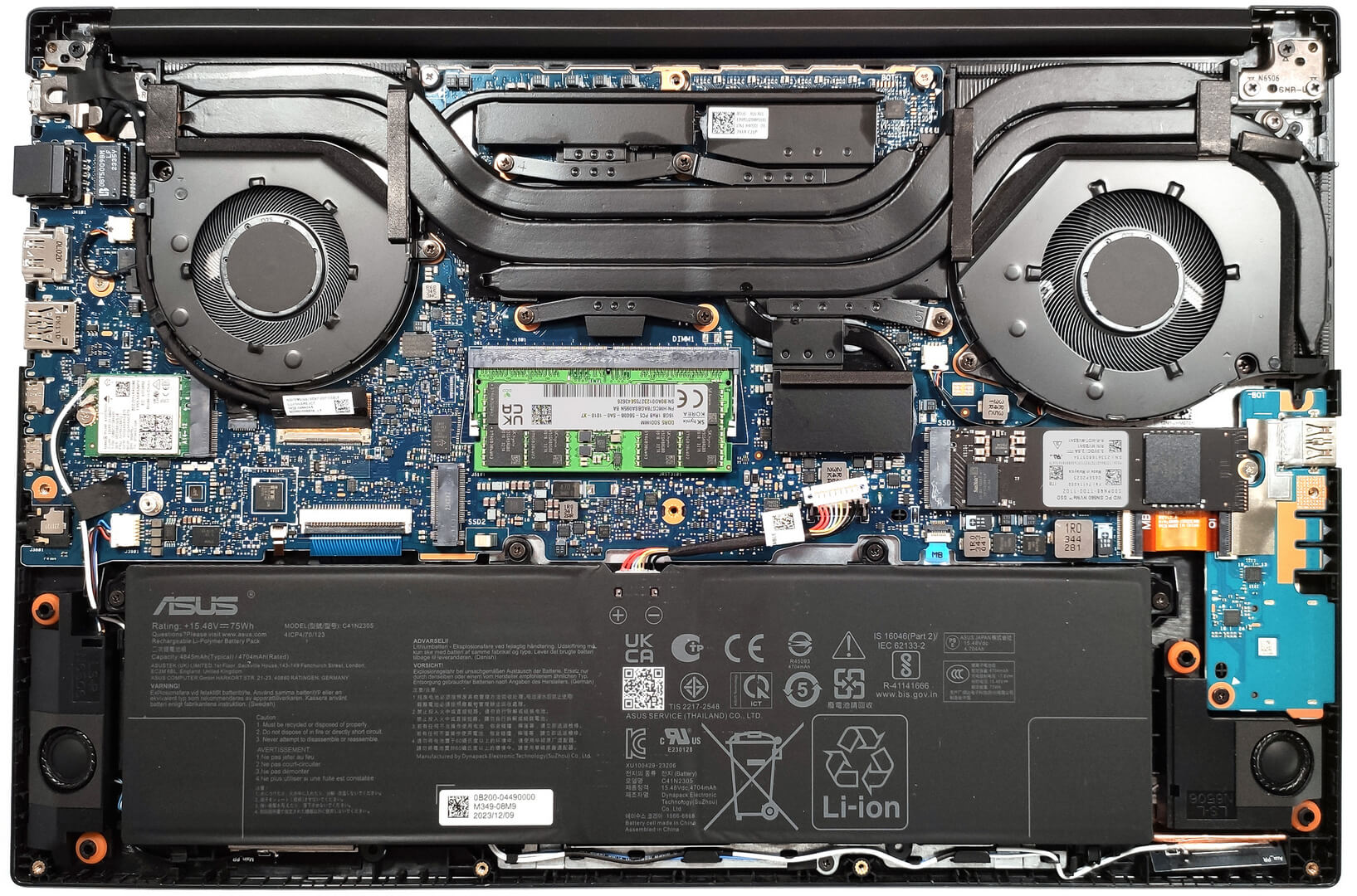
So sieht die Bodenplatte von innen aus.
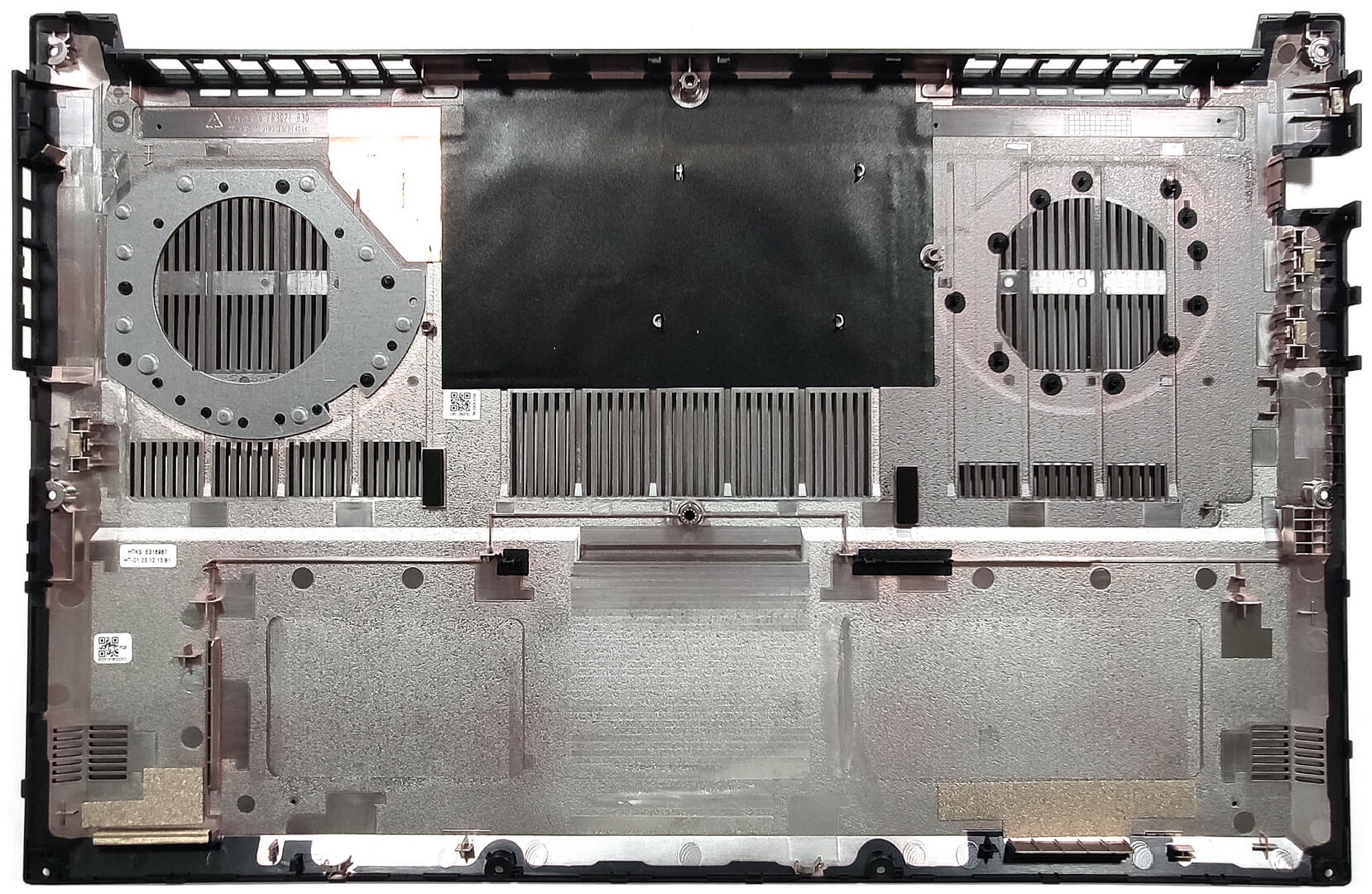
Die Batterie ist ein 75-Wh-Modell. Um ihn herauszunehmen, ziehen Sie den Stecker von der Hauptplatine ab und lösen Sie die 4 Kreuzschlitzschrauben, mit denen die Einheit befestigt ist. Die Kapazität reicht für 25 Stunden Webbrowsing oder 6 Stunden und 40 Minuten Videowiedergabe.

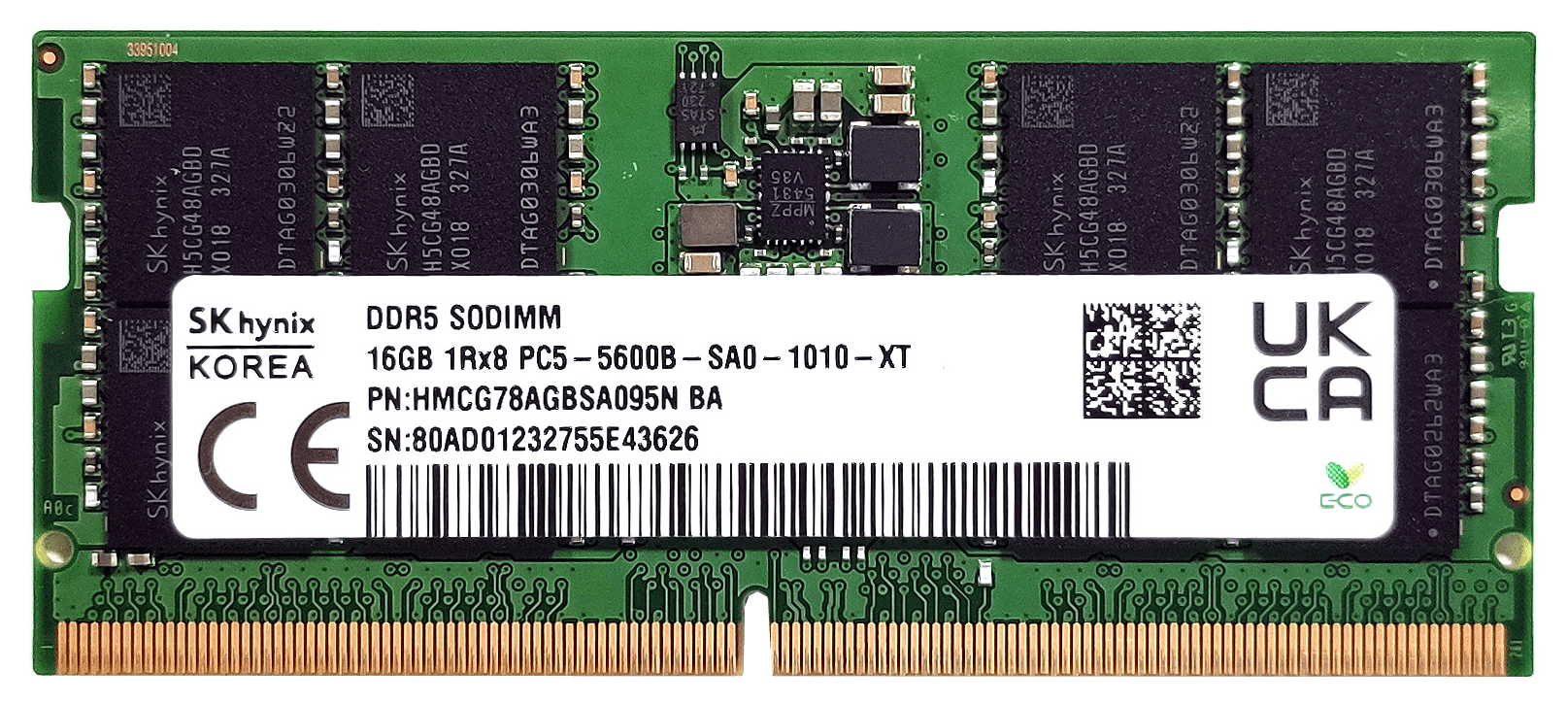
Leider sind 8 Gigabyte Systemspeicher verlötet. Positiv ist, dass Sie ein SODIMM für den Dual-Channel-Modus erhalten. Die maximale Menge an Arbeitsspeicher beträgt 24 GB DDR5-5600MHz.

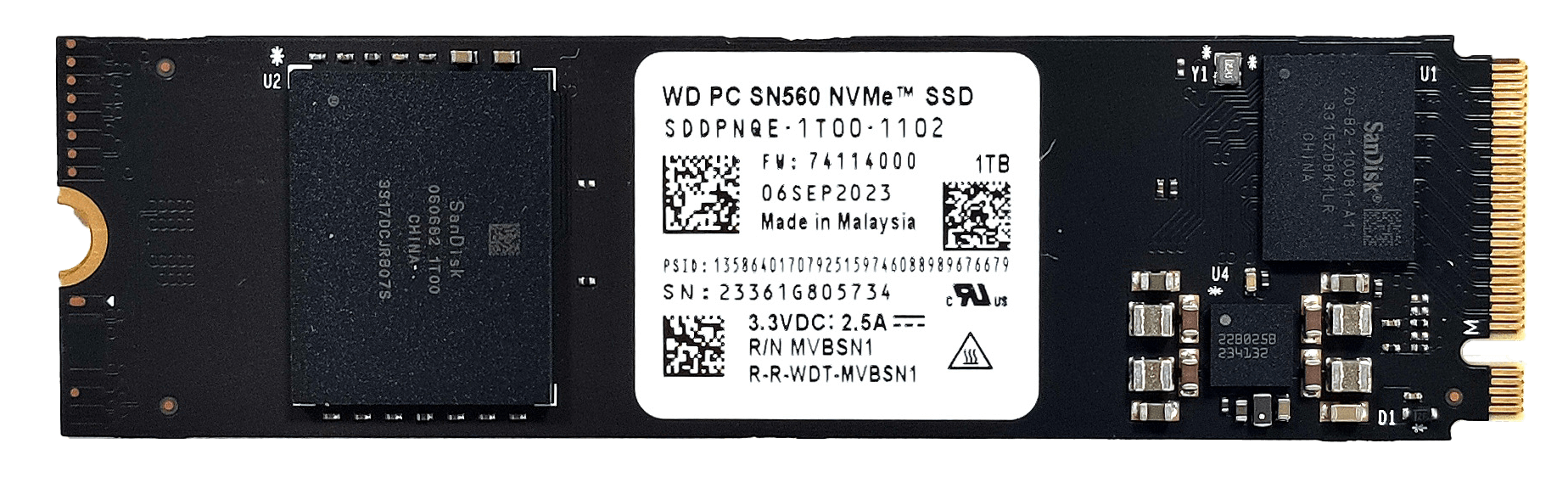
Für die Speicherung gibt es zwei M.2-Steckplätze, die mit 2280 Gen 4 SSDs kompatibel sind.


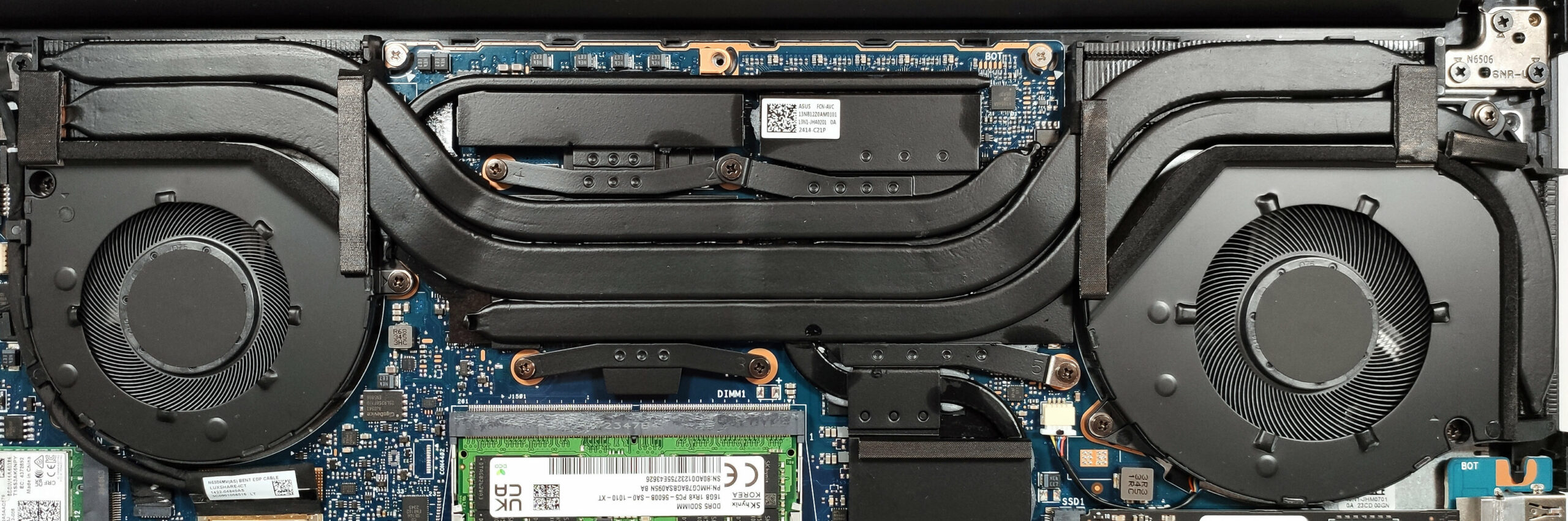
Die Kühlung scheint für ein solches Gerät ausreichend zu sein. Sie besteht aus zwei großen Lüftern, drei Heatpipes, einem Trio von Kühlkörpern, zwei großen Wärmespreizern und einem kleineren.
 Author: Nikolay Palaozov
 Author: eng. Kroum NikolovHead of Engineering at LaptopMedia.com, inventor and innovator with 40+ years of experience in electronics and high technology.

![[August 2026] Weltweite Rangliste der meistverkauften Laptop-Grafikkarten bei Amazon – Apple dominiert, NVIDIAs RTX 5060 führt die Rangliste der dedizierten Grafikkarten an](https://laptopmedia.com/wp-content/uploads/2026/09/Best-Selling-GPUs-GLOBAL-Top-10-400x225.jpg)
![[August 2026] Weltweite Rangliste der meistverkauften Laptop-CPUs bei Amazon – Apple dominiert sowohl im Einsteiger- als auch im Premium-Segment: A18 Pro und M5 lassen Intel und AMD im August 2026 weit hinter sich](https://laptopmedia.com/wp-content/uploads/2026/09/Best-Selling-CPUs-GLOBAL-Top-10-400x225.jpg)
![[August 2026] Amazon Global: Die 10 meistverkauften Laptops – Das Apple MacBook Neo führt die Charts an, während preisgünstige und Mittelklasse-Windows-Laptops um Absatzzahlen kämpfen](https://laptopmedia.com/wp-content/uploads/2026/09/Best-Selling-Laptops-GLOBAL-Top-10-400x225.jpg)
![[August 2026] Die meistverkauften Laptop-Marken bei Amazon Global – Apple dominiert den Umsatz, während HP bei der Modellvielfalt führend ist](https://laptopmedia.com/wp-content/uploads/2026/09/GLOBAL-Best-Brands-400x225.jpg)
![[August 2026] Amazon Global: Die 10 meistverkauften Gaming-Laptops – Der HP Victus 15 erobert den ersten Platz, während preisgünstige Modelle die Rangliste dominieren](https://laptopmedia.com/wp-content/uploads/2026/09/Best-Selling-Gaming-Laptops-GLOBAL-Top-10-400x225.jpg)

Does the laptop support the installing of a 32GB stick of memory in the sodimm slot or intalling it results in the system not booting up, not recognize the memory or behave strangely? On the zephyrus g14 2022 Asus claims a maximum memory of 32GB but I knew of people reaching 48GB with no problem changing the 16GB stick with a 32GB one.
Thank you in advance.
According to ASUS, the maximum amount of RAM supported is 24GB. However, since the CPU can support up to 96GB, the Vivobook Pro 15 OLED likely wouldn’t have issues running with up to 56GB of DDR5-5600MHz RAM (8GB soldered + 48GB in the SODIMM slot).
Yes. But 32GB is a 2 rank memory, so the frequency will be lowered to 4800 and the total speed will be around 40GB/s.
Thank you for such a comprehensive review. I would really appreciate if you could incorporate the fan noise for a normal workload – web browsing, movies, etc. This is often left out in favor of fan noise at full load, which is seldom relevant.
How would you categorize the fan noise under normal office work, please?
It’s basically silent, occasionally there is some fan noise but it’s very quiet. Does get very loud sometimes during intensive workloads, but silent mode should do the trick in most cases.
Is the GPU eco mode disabled when the laptop is connected via the power brick? 🙁
With my current asus laptop I usually always have eco mode on even when connected to power to keep my laptop cool (often have it my lap or chest)
For the display what is the max brightness in HDR (small window and full screen)? Also what is the colour accuracy like in HDR?
Measuring color accuracy in HDR mode is more complex and influenced by various external and internal factors, which is why our current measurements are limited to SDR mode. Additionally, manufacturers typically prioritize more attractive picture over color accuracy in HDR. If you aim for the most realistic colors, working in SDR mode is the better option.
Regarding the size of the white window when measuring screen brightness, we’ve conducted tests with both 10% fill and fullscreen fill. In both cases, the max brightness was similar, just below 400 nits.
Did you really get 25 hours of browser time or is that a mistake?
I have this laptop at idle on minimum brightness consumes about 9 watts, that is about 8 hours of idle time with no applications running.
Any activity increases the consumption and the actual browser time is about 6 hours.
But I have a second module 32 GB, maybe the reason is this, or the drivers are not installed correctly. Installed different Windows builds several times, different drivers – nothing helps.
Hi,
I have this laptop, and with browsing on chrome, I only get 2-3 hours. Could you tell me what settings you are using?
Even though they said 25 hours, 6 hours is still better than the 3 hours that I’m getting.
I’m on silent mode, and it’s fairly new. I usually just use google docs and some other websites like amazon, makerworld, but nothing super power intensive.
Thank you!!
Just use Optimal Operation mode to disconnect Nvidia from the battery (this is crucial) and Standard or Quiet cooler mode.
If only 2-3 hours in this case as well,
1. Look in Task Manager to see which applications are loading the CPU and/or graphics card
2. Install drivers for your laptop from the official Asus website, because other, even newer drivers not from Asus may not work correctly.
Thank you so much for your helpful response! I looked in the Task Manager and found that a few background apps like steam were using a lot of resources, so I just closed out of them, and with a few chrome tabs, I also let MyASUS auto install some drivers, and I’m getting much better battery life! (Nvidia was already disconnected and quiet mode was on before.)
Thanks for your help! I’m getting around an estimate of around 5 hours, seeing that I lost around 50 percent after 3 hours.
Hi,
Please tell me how you got it to 25 hours of battery life!!! I can’t even get 3 hours on this thing and I’m just doing basic web browsing with google docs!
Anything helps!!
Thank you so much!