Inside ASUS TUF FX505 – disassembly and upgrade options
When a gaming laptop is on a budget, we have to bear in mind that there have been some sort of cost management going on. Despite that, TUF FX505’s upgradability is unhurt. Check it out.
Check out all ASUS TUF FX505 prices and configurations in our Specs System or read more in our In-depth Review.

1. Remove the bottom plate
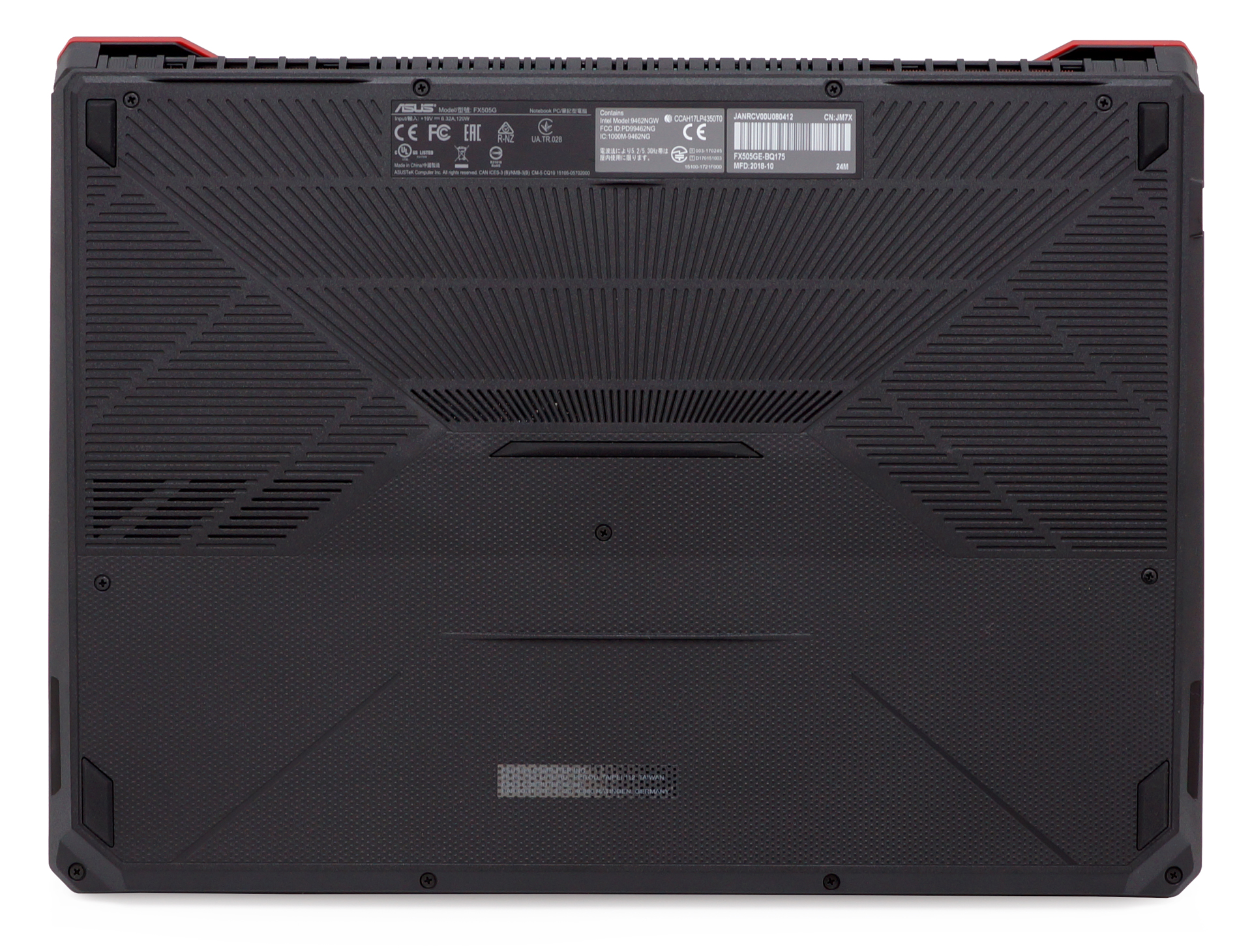
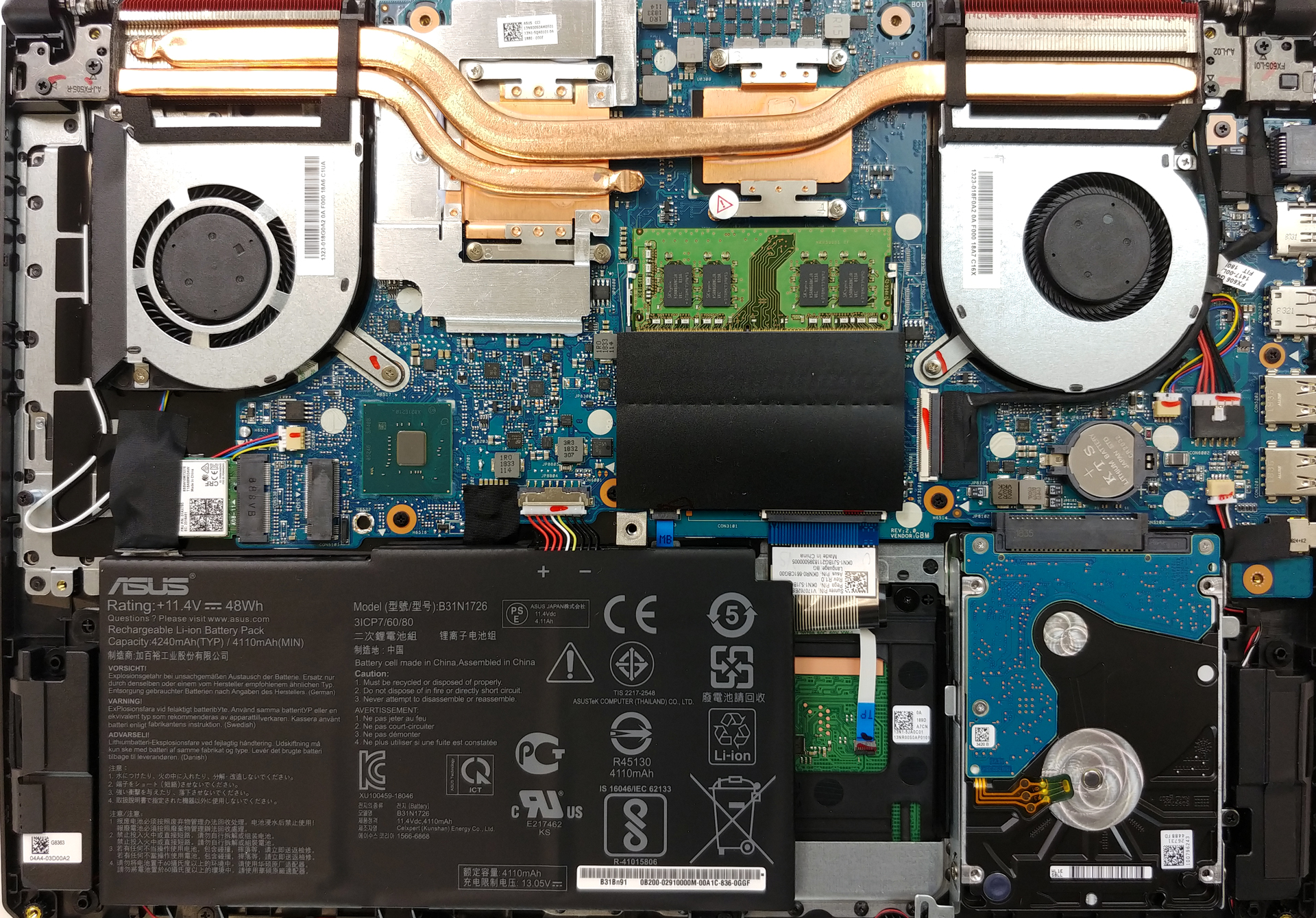
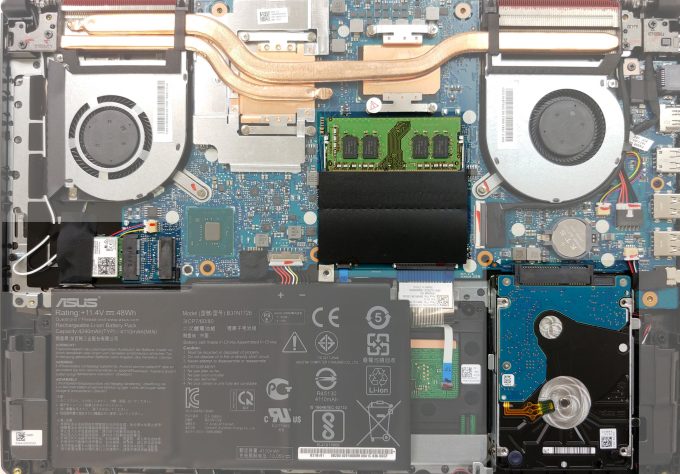
Taking the bottom panel off the FX505 is simple as a pie. Take all 11 Phillips-head screws and pry the panel up with a plastic tool. At first sight, we immediately see something that could have been improved.
2. Battery
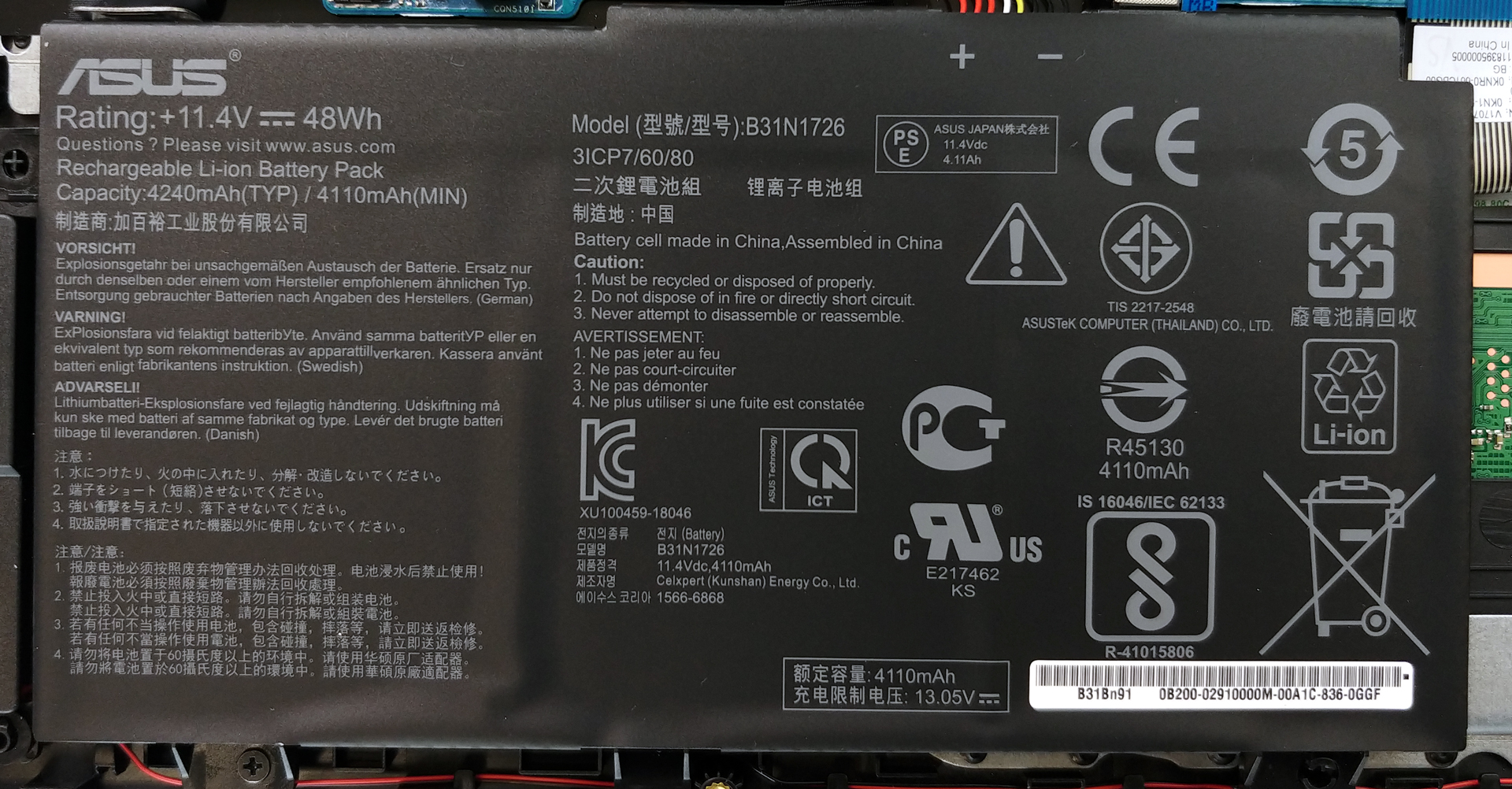
Sadly, it is the battery. This laptop is equipped with a 48Wh battery pack, which depending on the processor you use can deliver terrible or average results. In order to continue with the disassembly, you should remove the battery connector. If you need to swap the battery out, though, just unscrew the two Phillips-head screws on the bottom and you can easily lift it up.
Brillo: 180 nits; Modo de pantalla: SDR
Tiempo hasta descarga completa: Cuanto más alto, mejor
Para simular condiciones reales, utilizamos nuestro propio script para la navegación web automática a través de más de 70 sitios web.
Utilizamos la prueba de F1 2017 en bucle para simular el juego real.
3. Memory and storage
TUF FX505 is blessed with two RAM DIMMs that support up to 32GB of DDR4 memory at speeds of maximum 2666 MHz. At the same time, there are two storage options on the laptop – a SATA drive, located on the right side of the battery and an M.2 slot, placed on top of the Wi-Fi card.
4. Cooling system
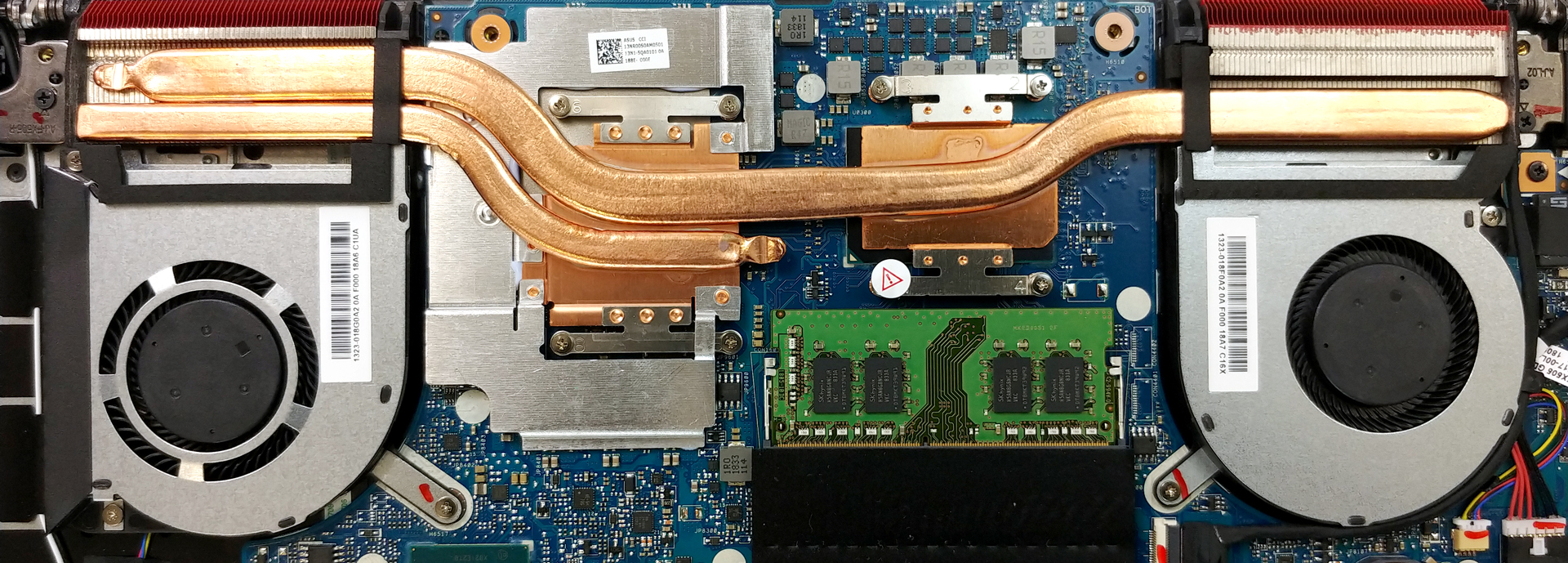
As far as the cooling is concerned, the system is not very sophisticated nor sufficient. There is one rather bulky heat pipe cooling off both of the chips, and one more – thinner and shorter, only dedicated to the graphics card.
Check out all ASUS TUF FX505 prices and configurations in our Specs System or read more in our In-depth Review.
 Author: Alex Iliev

![[Agosto de 2026] Clasificación mundial de las GPU para portátiles más vendidas en Amazon: Apple se impone con autoridad, mientras que la RTX 5060 de NVIDIA encabeza la lista de tarjetas dedicadas](https://laptopmedia.com/wp-content/uploads/2026/09/Best-Selling-GPUs-GLOBAL-Top-10-400x225.jpg)
![[Agosto de 2026] Clasificación mundial de las CPU para portátiles más vendidas en Amazon: Apple domina tanto el segmento económico como el de gama alta; la A18 Pro y la M5 arrasan frente a Intel y AMD en agosto de 2026](https://laptopmedia.com/wp-content/uploads/2026/09/Best-Selling-CPUs-GLOBAL-Top-10-400x225.jpg)
![[Agosto de 2026] Amazon Global: las 10 portátiles más vendidas — La Apple MacBook Neo domina las listas, mientras que los portátiles con Windows de gama baja y media compiten por el volumen de ventas](https://laptopmedia.com/wp-content/uploads/2026/09/Best-Selling-Laptops-GLOBAL-Top-10-400x225.jpg)
![[Agosto de 2026] Las marcas de portátiles más vendidas en Amazon Global: Apple domina los ingresos, mientras que HP lidera la variedad de modelos](https://laptopmedia.com/wp-content/uploads/2026/09/GLOBAL-Best-Brands-400x225.jpg)
![[Agosto de 2026] Amazon Global: Las 10 portátiles para videojuegos más vendidas – La HP Victus 15 se lleva la corona mientras los modelos económicos dominan las listas de ventas](https://laptopmedia.com/wp-content/uploads/2026/09/Best-Selling-Gaming-Laptops-GLOBAL-Top-10-400x225.jpg)

Wht is high ram can be upgrade for asus tuf gaming?
“TUF FX505 is blessed with two RAM DIMMs that support up to 32GB of DDR4 memory at speeds of maximum 2666 MHz.” It comes with a 8GB installed, you can install 2 with up to 2 32GB, so maximal 64 GB ram in total.
Also what is with your spelling? I’m not shure what you asked, because the answer to that was in the article, so please correct me if I’m wrong here
not sure but i think the max ram is 16+16=32gb
You are right.
16+16=32GB, and it can only run up to 2400 MHz at that config due to the limitations of the processor. What you get is 8 gigs at 2666 MHz, but your best bet is upgrading/max 16+16=32 at 2400 MHz, you don’t have to spend more on the 2666 MHz, just take 2400 (it should be the cheapest option).
is it possible to upgrade the cpu with a ryzen 4000 series ? i have the the ryzen 3750 and it bottleneck my rtx 2060. thks for the answer
I`m quite sure that cpu is soldered not plugged into the slot…
Uh this is coming from first hand experience the 3750h does get bottlenecked by the rtx 2060 at all. Sorry to burst your bubble but that’s true at all.
can you upgrade the cpu to better one?
whats the maximum storage capacity for sata port and m.2 port?
How hot yours get while gaming mine is around 90+CPU and 45+GPU
can i uprgrade my battery 48kwh to a 90 after removing the hdd slot
is it support for nvme ssd ?
What if I’ll just add another 1TB SSD internal drive? Do I need to upgrade the RAM? Another 16GB? Please advise of which brand to buy? Thanks.
Could you tell me how to get a 100% compatible GPU fan replacement for the model FX505DV-HN311T (RTX 2060 GPU, NOT GTX1060)?
The part number on the fan’s sticker is “1323-01AX0A20AF000209FC18Q.
A link and shipping to Germany would be great.
Thank you!