Inside ASUS X509 – disassembly and upgrade options
ASUS X509 has a surprisingly good looking externals. However, on the inside, we saw some indications of cost-cutting.
Check out all ASUS X509 prices and configurations in our Specs System or read more in our In-Depth review.


1. Remove the bottom plate
There are a total of 10 Phillips-head screws holding the bottom panel. In addition to that, there are some clips, that have to be popped with a plastic tool. Keep in mind that the material here is not of the best quality, which ultimately means you can damage the laptop quite easily.
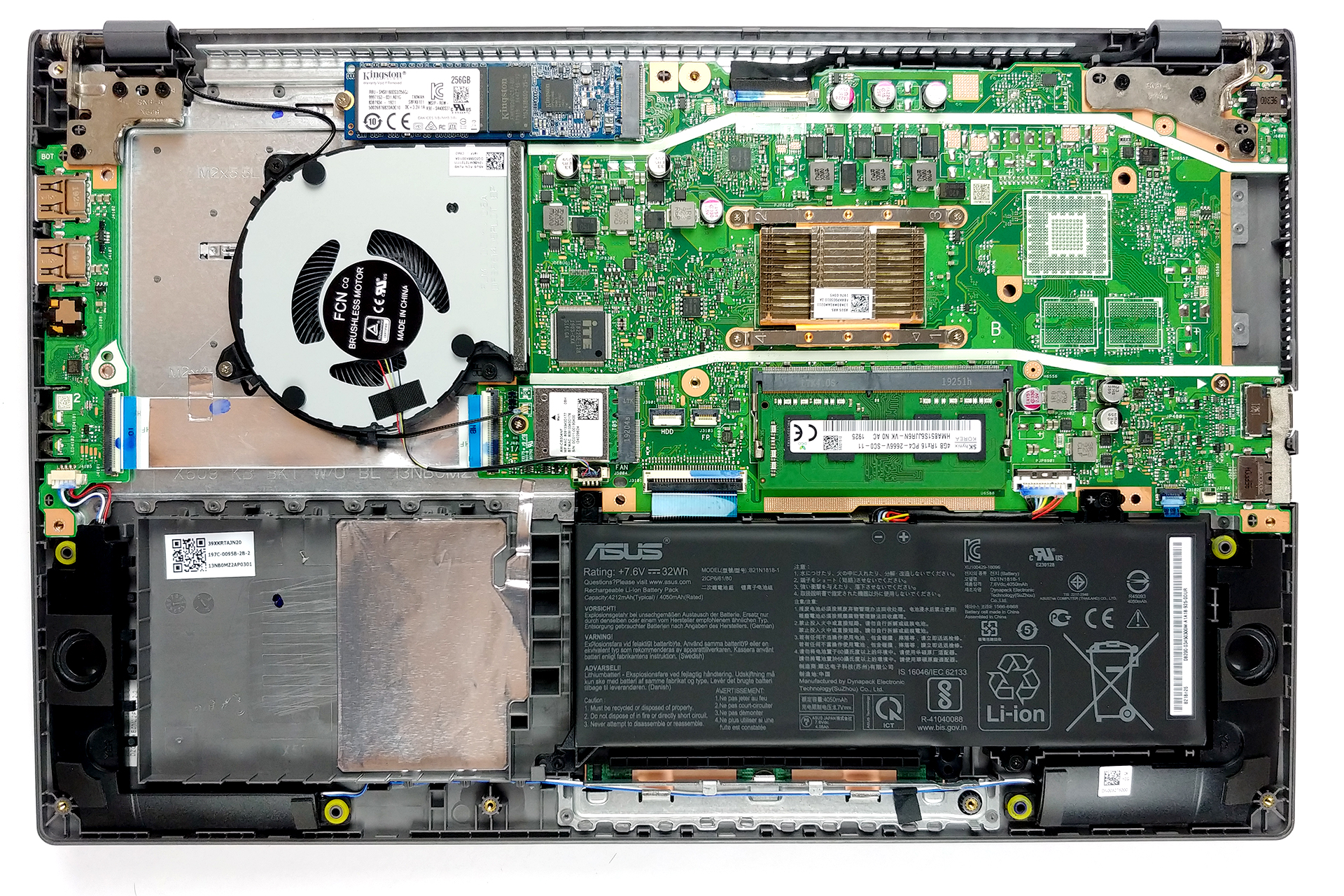
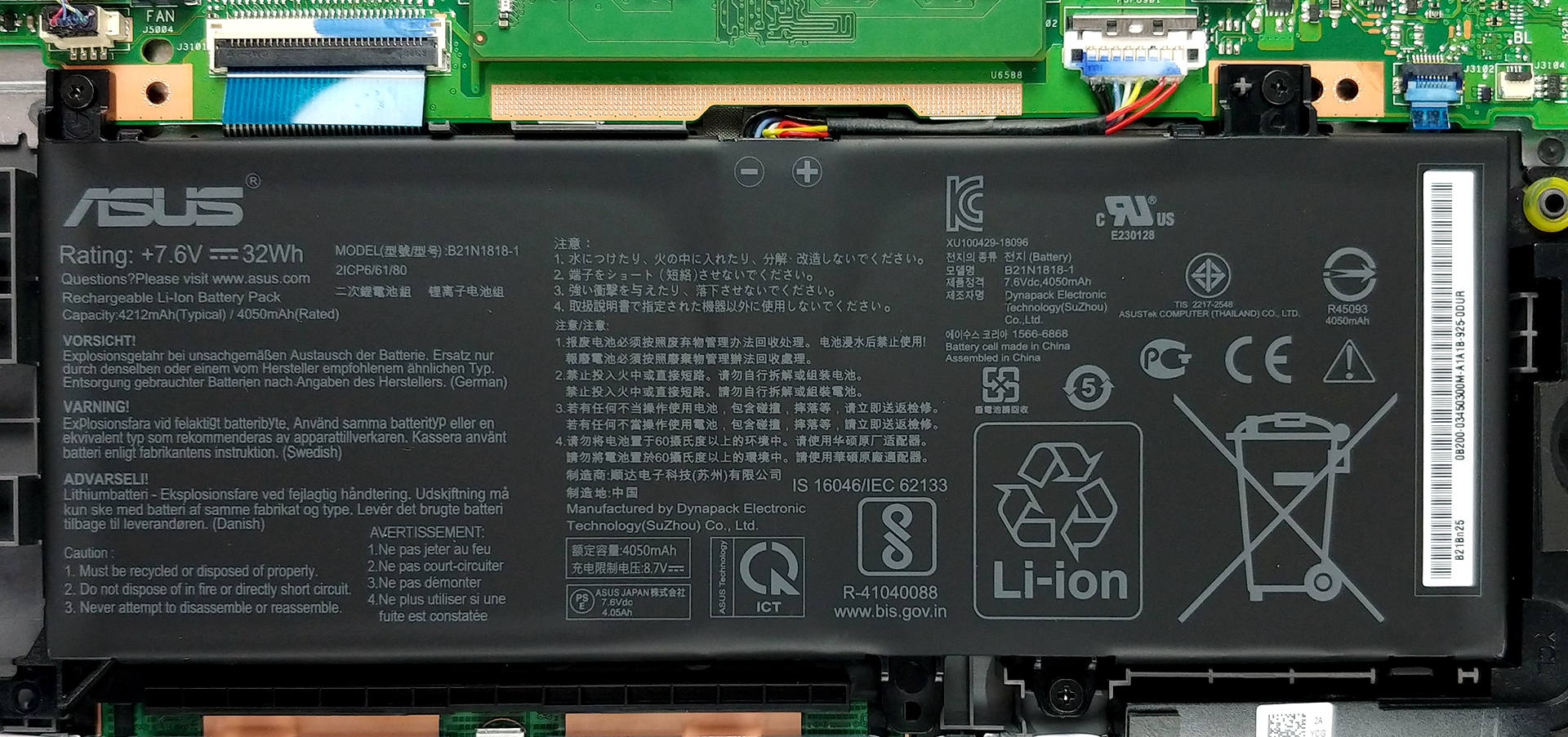
2. Battery
On the other side, the battery is extremely easy to be removed. There are three Phillips-head screws that lock it in place. As of the unit, itself, it has a 32Wh capacity, which is disappointing for a 15-inch notebook.
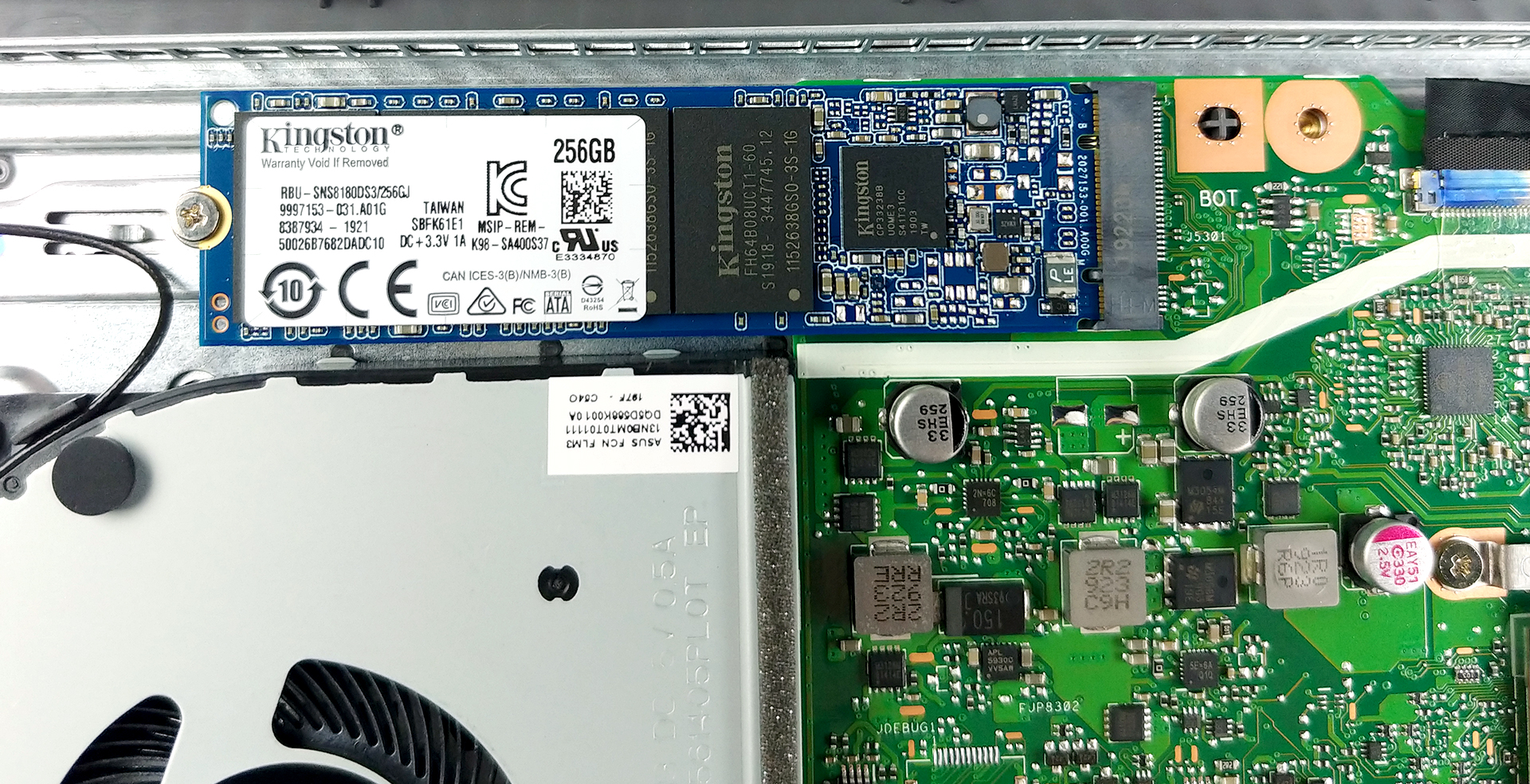
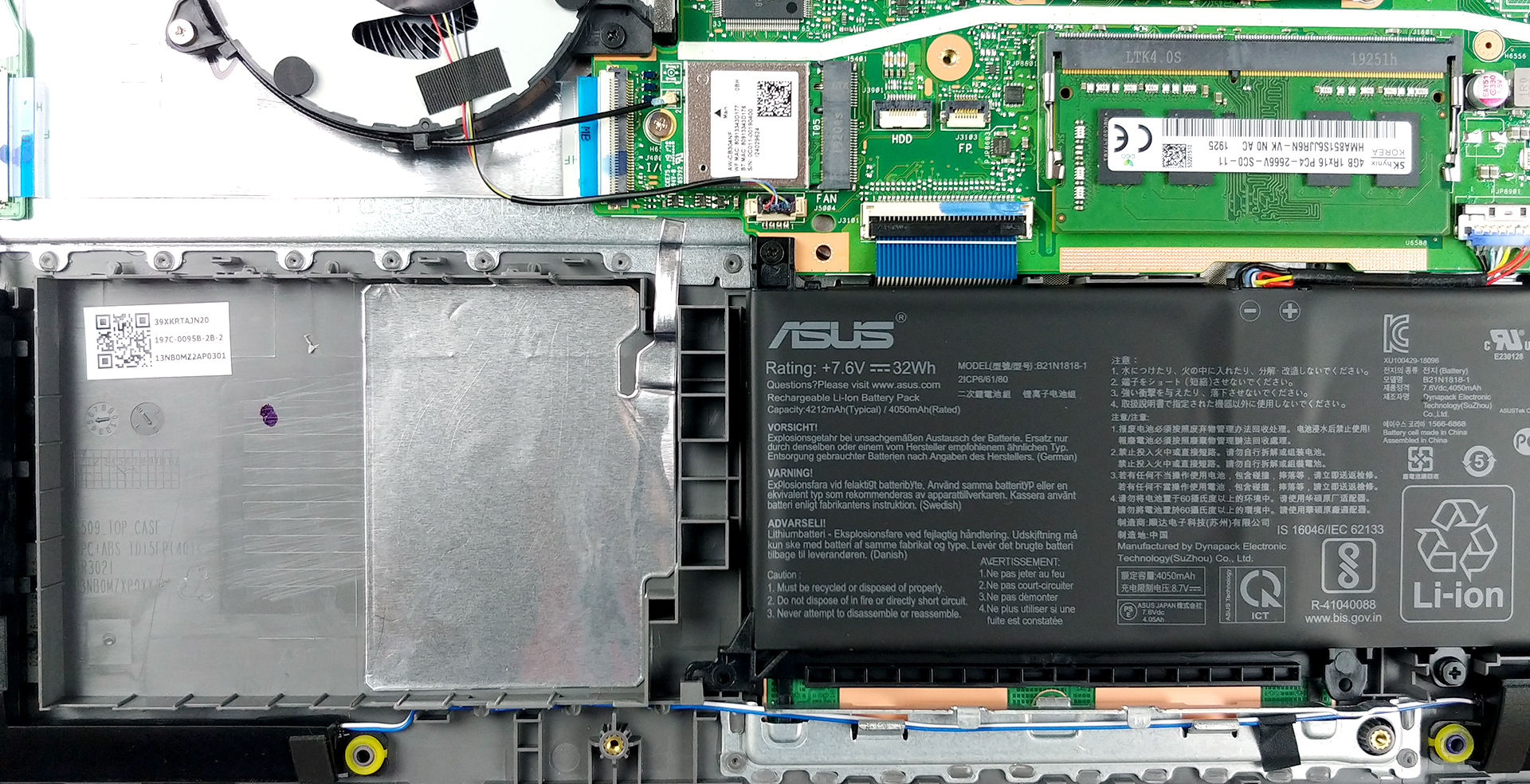
3. Memory and storage
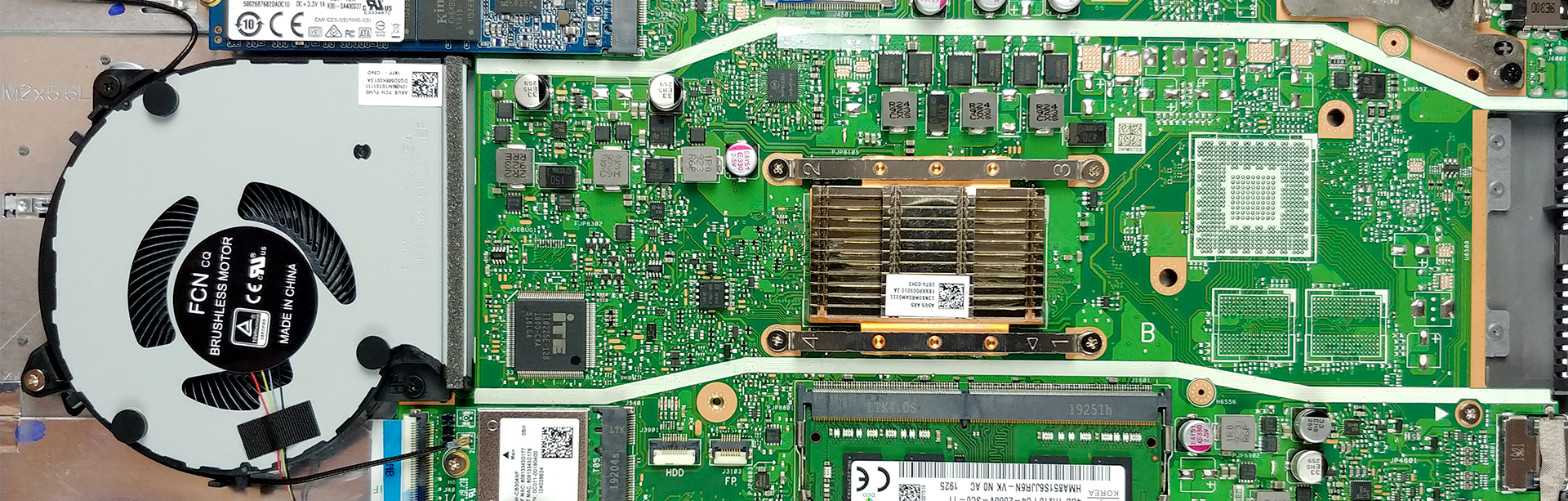
As far as upgradability is concerned, this laptop is pretty strong. While there are 4GB of RAM already soldered to the motherboard, there is also one RAM DIMM that can add up to a maximum of 16GB of memory. Additionally, on the top side of the machine, you can find an M.2 PCIe x2 slot, while the 2.5″ SATA slot is located on the bottom right.
4. Cooling system
In terms of cooling, the X509 features a bizarre execution. There are no heat pipes, but just a little heat spreader placed right on top of the processor. Then, air is blown towards it, while plastic rails on the bottom plate guide the airflow from the fan, through the heat spreader, all the way to the side of the machine.
Check out all ASUS X509 prices and configurations in our Specs System or read more in our In-Depth review.
 Author: Alex Iliev




Hello, can i put in this laptop new cpu?
Hi, What is the fp 3103 port next to the ssd port?
Do you mean the HD port? That port is where you plug in an HD cable and plug the other end into a TV or monitor. I have this model and don’t see ANY ports other than the HD port, 3 USB ports, a 1/8″ headphone/aux audio output port and the AC port where the charger plugs in.
FWIW, The ASUS X509J is a total piece of garbage!
Mine came with too much forced in, unremoveable, bundled garbage, NO CD-Rom, NO means of reformatting and when a FORCED IN Windows update broke the operating system I have NO way to reformat, when I try to, it wastes about an hour or more than pops up some message saying “Reformatting can not be completed, device restarting” And the busted version restarts. I can not use the camera, can’t use the menu list, start list and have to do everything the hard way!
Windows store no longer works, most apps will NOT open, apps I manually download either won’t open at all, or malfunction.
I can’t even use any anti-virus now!
Since a Windows update fucked my shit up, I tried to get them assholes to fix it, but they tell me to either pay $200+, or go to ASUS.
ASUS is NO help, they NEVER are, and ARE the WORST at cust service, they only say “Windows fucked it up, tell windows to fix it”
SO I go back to windows, they say “Give us your “product key”, which they know damn well NO laptops come with anymore and I don’t have, so they say “Than you have to pay, because your version is illegitimate!”, I tell them “But I BOUGHT this laptop from BEST BUY!”, they say “We doubt you did”, I said I have receipts, they still call ME a liar, so my lawyer wants to crawl up their asses!
I go back to ASUS and tell them windows wont fix my shit, they say “Send us your receipt, numbers off the box and blah blah blah, so I send them EVERYTHING I could find, they say “You didn’t give us your product key number”, I tell them “You know damn well you DIDN’T include one when you sold this to best buy who sold it to ME!”, than they get nasty and rude and cut me off!
So I’m stuck with a $900 piece of shit that has NO battery life, the fan makes an awful, loud, annoying noise all the time that never stops!
This IS the 4th laptop in 6 years that windows update has destroyed on me!
I HATE windows, you can NOT stop nor disable windows updates!
Even when you try to, they restart themselves, even when you go into system manager and try to disable everything, they still restart themselves!
It’s microshits way of staying attached to MY device and snooping on what I do, which is nothing illegal! Bill gates deserves to die of AIDS slowly and painfully! And I despise ANYONE who kisses his retarded ass!
You… You can check your windows key with a command in cmd
Hello, any ideea where is the cmos battery or how to reset cmos?