Inside Lenovo Yoga Slim 7i Pro (14) – disassembly and upgrade options
Before we reviewed this device we didn’t really expect it to have the huge performance it showed. However, as with every typical thin and light model, there are compromises on the upgradability front. This is a bit of a letdown for a laptop bearing the “Pro” moniker.
Check out all Lenovo Yoga Slim 7i Pro (14) prices and configurations in our Specs System or read more in our In-Depth review.
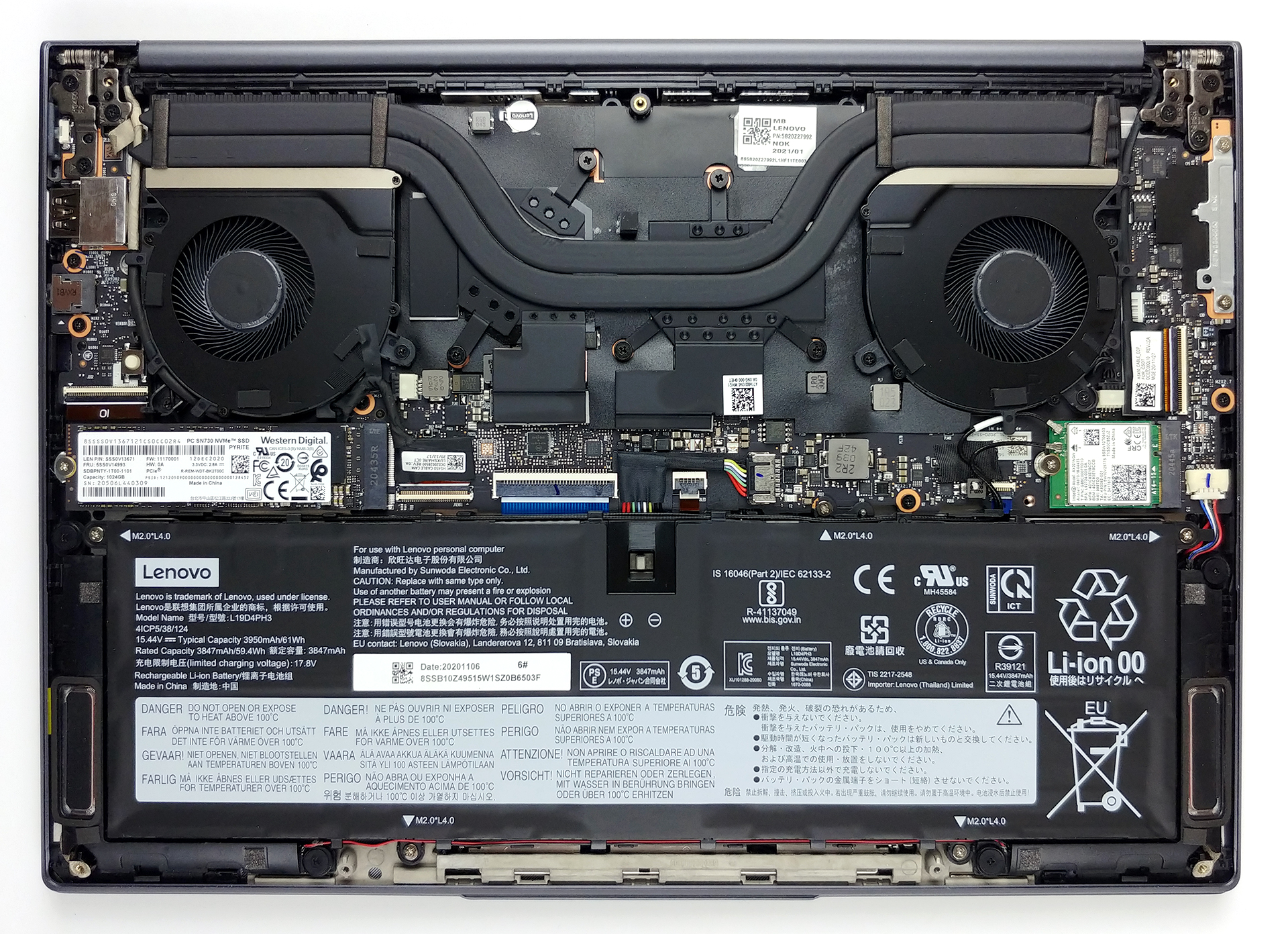
1. Remove the bottom plate and battery
This notebook’s bottom panel is held in place by 7 Torx head screws. After you undo them, you need to carefully pry the panel with a plastic tool. Then you can lift it away from the chassis.
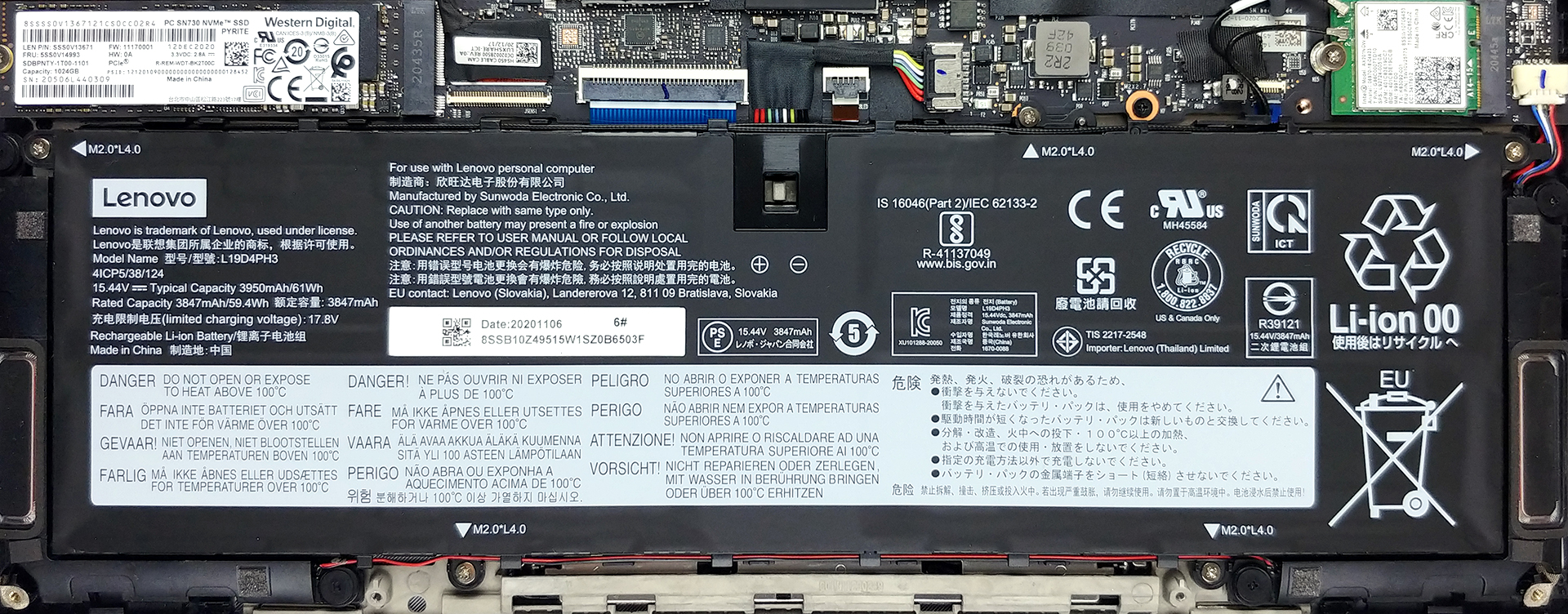
2. Battery
The battery pack inside of this device has a capacity of 61Wh.
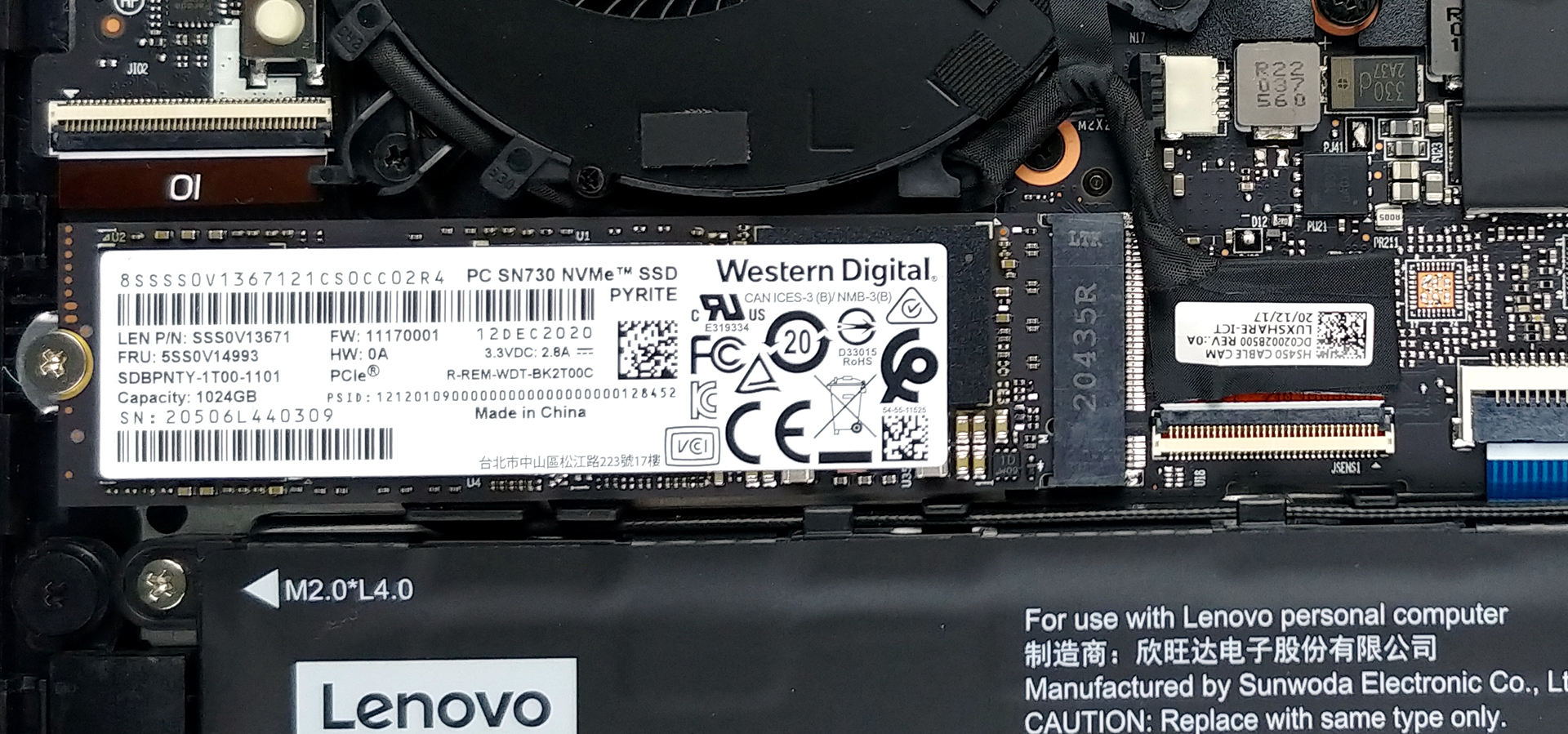
3. Мemory and storage
We were not very happy to see that there are no memory upgrade options. There are only two configurations, which include either 8GB or 16GB of dual-channel RAM. On the other hand, the single M.2 slot supports PCIe x4 drives.
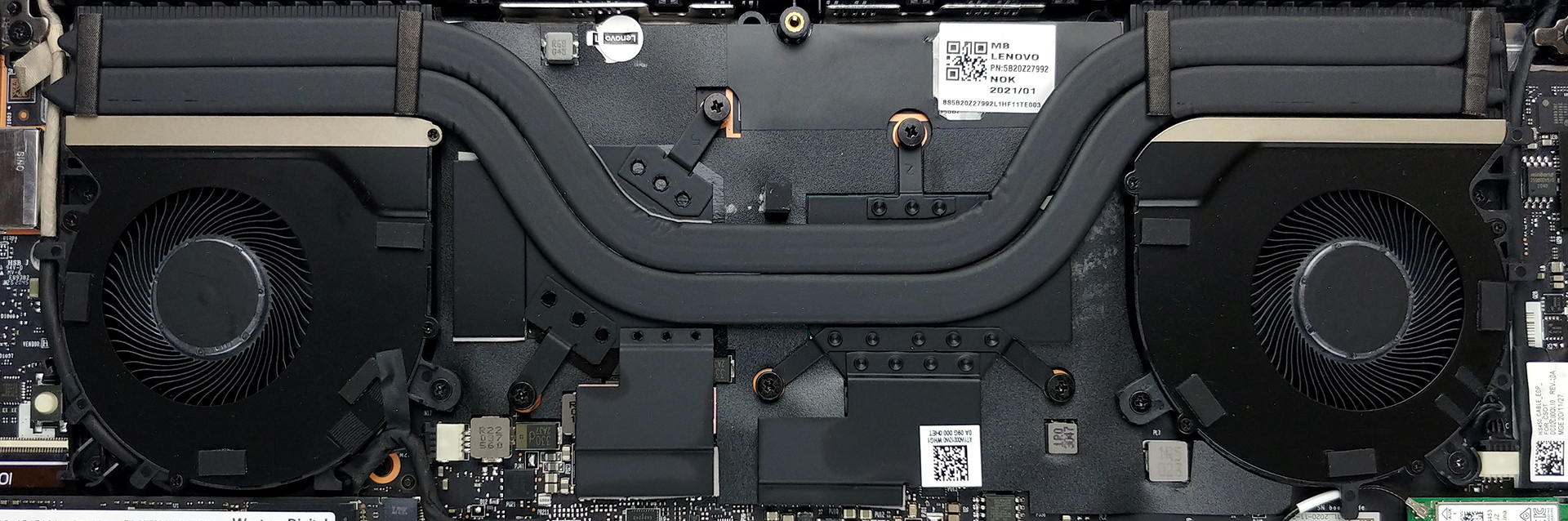
4. Cooling system
It is good to see that Lenovo is trying to justify the Pro name of this laptop by putting a decent-looking cooling solution. It has two heat pipes, which cool both the CPU and the GPU and then transfer the heat to two heat sinks. Respectively, the heat is dissipated by a pair of fans. Additionally, you can see that the VRMs and the graphics memory are also actively cooled.
Check out all Lenovo Yoga Slim 7i Pro (14) prices and configurations in our Specs System or read more in our In-Depth review.
Lenovo Yoga Slim 7i Pro (14") reseña en profundidad
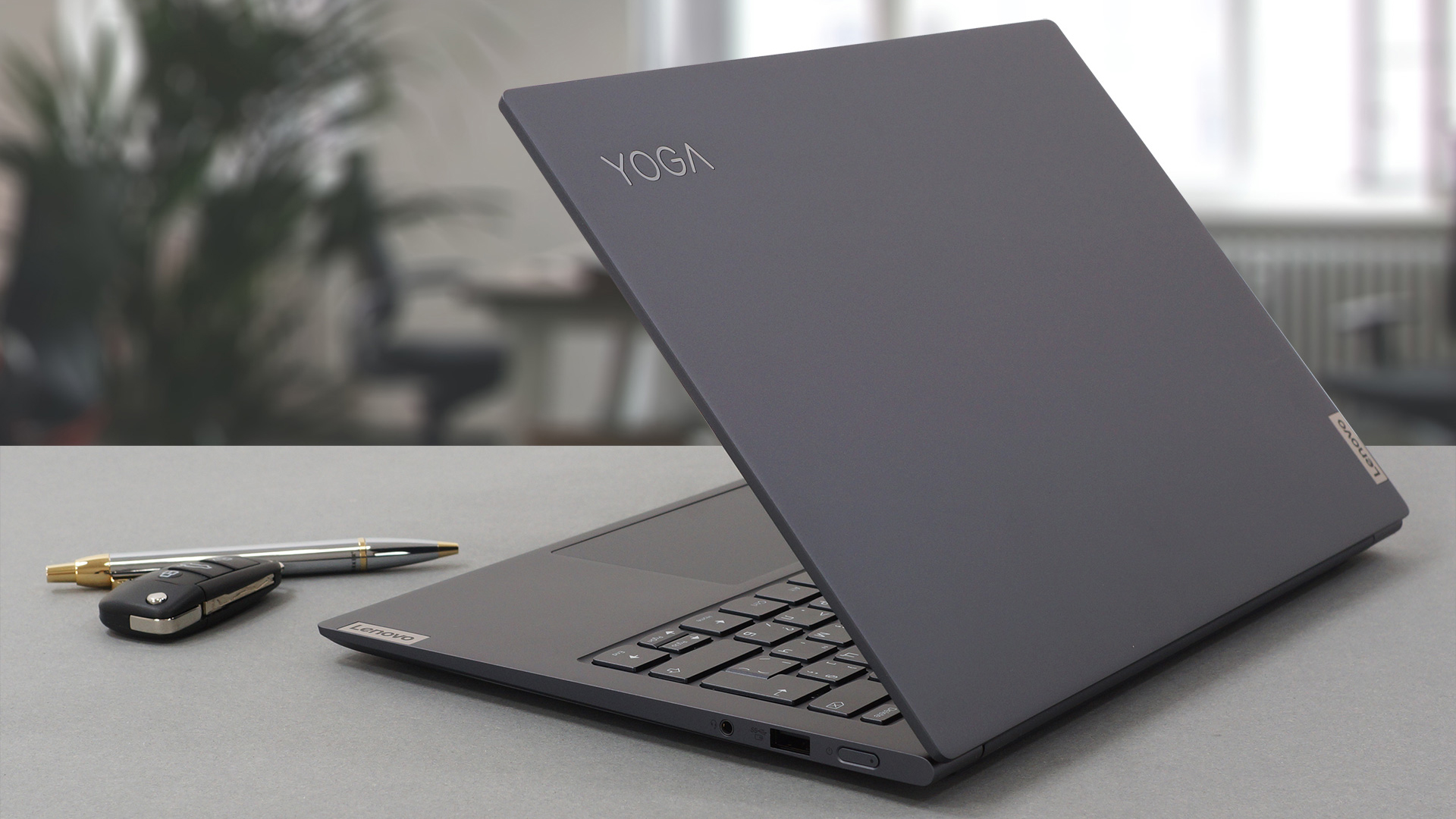
In the mobile industry, manufacturers are using the "Pro" moniker a bit out of context. However, there are brands that try to deliver on what they promise, and in this case, Lenovo is promising something else.The entire package of the Yoga Slim 7i Pro (14) is extraordinary. Perhaps the most interesting feature about it is its 14-inch 16:10 display. Ultimately, you have two-panel options – a 2240×1400 (2.2K), and a 2880×1800 (2.8K), both based on the IPS technology and able to display 100% of the sRGB color gamut. You can easily differentiate them in person, because the former has an a[...]
Pros
- Great performance
- Doesn't use PWM for brightness adjustment
- Good battery life
- Choice of carbon and aluminum for build materials
- Decent input devices
- High-quality product
- IR face recognition camera and two Thunderbolt 4 connectors
- Covers 99% of sRGB colors and offers accurate color representation thanks to our Gaming and Web design profile
- High-resolution display options with a 16:10 aspect ratio
Contras
- No SD card slot
- Memory is soldered to the motherboard
 Author: Alex Iliev

![[Agosto de 2026] Amazon Global: las 10 portátiles más vendidas — La Apple MacBook Neo domina las listas, mientras que los portátiles con Windows de gama baja y media compiten por el volumen de ventas](https://laptopmedia.com/wp-content/uploads/2026/09/Best-Selling-Laptops-GLOBAL-Top-10-400x225.jpg)
![[Agosto de 2026] Las marcas de portátiles más vendidas en Amazon Global: Apple domina los ingresos, mientras que HP lidera la variedad de modelos](https://laptopmedia.com/wp-content/uploads/2026/09/GLOBAL-Best-Brands-400x225.jpg)
![[Agosto de 2026] Amazon Global: Las 10 portátiles para videojuegos más vendidas – La HP Victus 15 se lleva la corona mientras los modelos económicos dominan las listas de ventas](https://laptopmedia.com/wp-content/uploads/2026/09/Best-Selling-Gaming-Laptops-GLOBAL-Top-10-400x225.jpg)
![[August 2026] Best-Selling Laptop Brands on Amazon Japan – Apple Dominates Market Share and Revenue Led by Strong Unit Sales](https://laptopmedia.com/wp-content/uploads/2026/09/CO.JP-Best-Brands-1-400x225.jpg)
![[August 2026] Best-Selling Laptop Brands on Amazon USA – Apple Dominates Market Revenue and Volume Despite Lower Model Diversity](https://laptopmedia.com/wp-content/uploads/2026/09/COM-Best-Brands-1-400x225.jpg)
