Inside Acer Predator Triton 900 – disassembly and upgrade options
Acer Predator Triton 900 is one of the most sophisticated laptops of early 2019. It not only embodies a full-blown RTX 2080 in a rather thin chassis but also houses a rotatable touchscreen display, thanks to its revolutionary hinge assembly.
Check out all Acer Predator Triton 900 prices and configurations in our Specs System or read more in our In-depth Review.
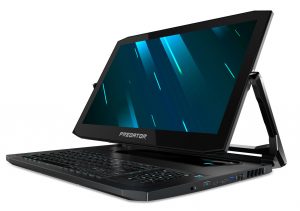
1. Remove the bottom plate
After you unscrew all of the 12 Phillips-head screws, you need to turn the laptop around and carefully pry the base up. Mind the fact, that there are two ribbon-styled cables and one regular one, connecting the base to the laptop itself. Unplug them and you are ready to go.
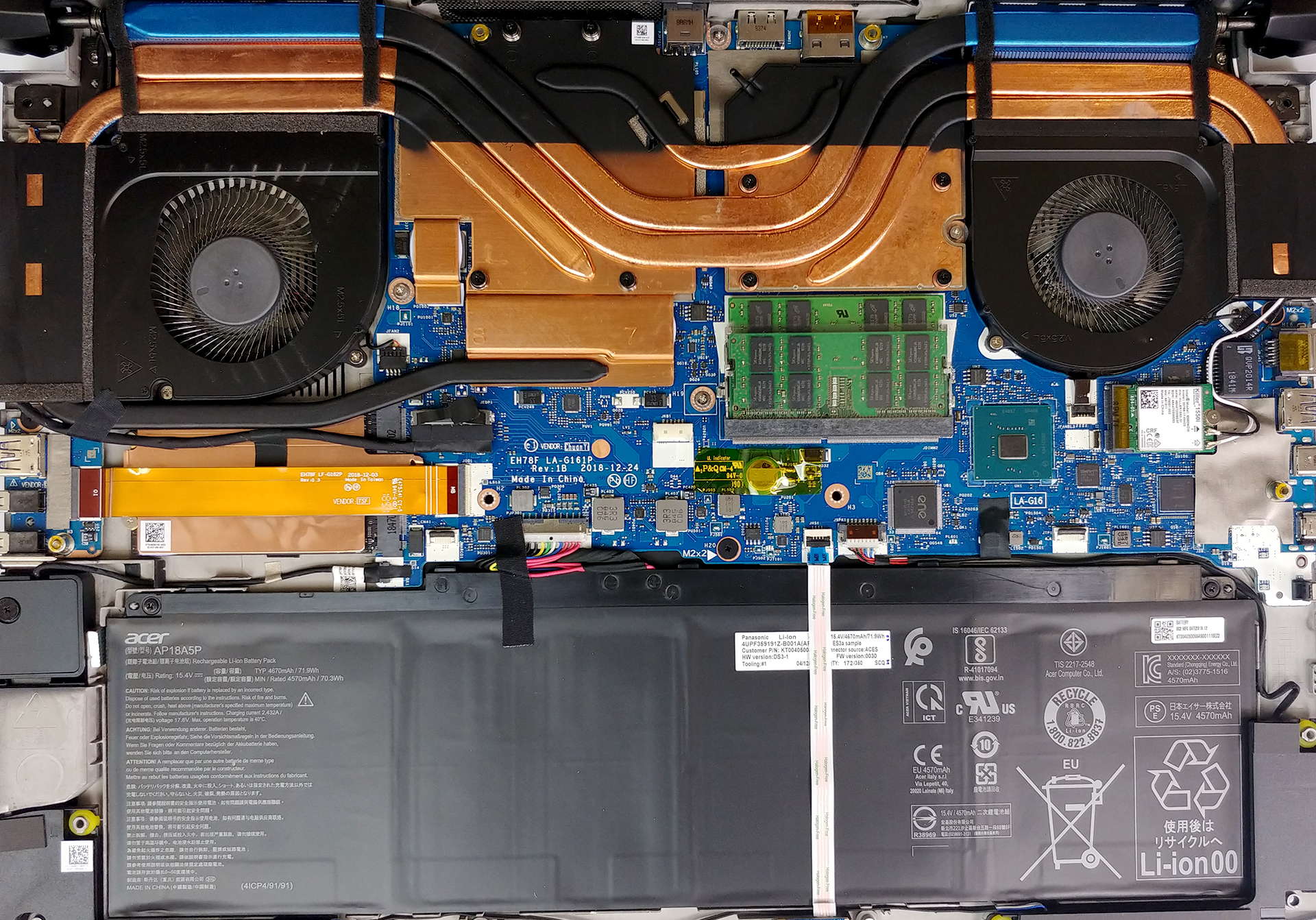
2. Battery
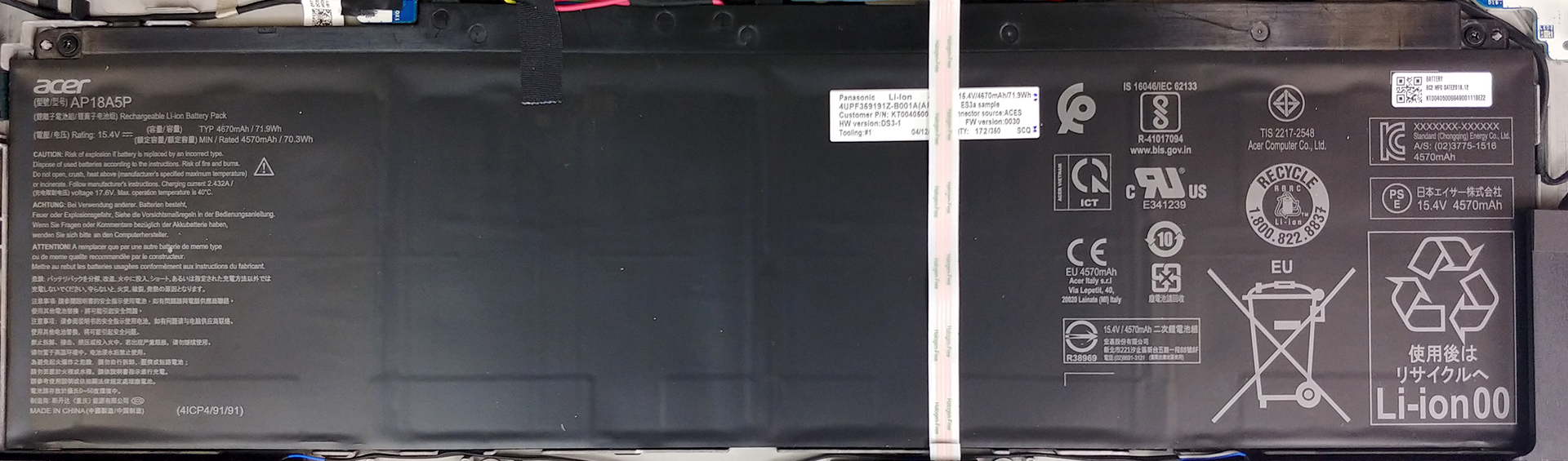
This laptop is equipped with a 71.9Wh battery pack, which at first seems relatively large, however, we are talking about a 4K display and an RTX 2080 here, so don’t expect majestic performance out of it. Before you start any sort of upgrade or disassembly, make sure you disconnect the battery from the motherboard. After that, you need to unscrew two Phillips-head screws and to unplug the ribbon connector that runs through the battery itself. Before you lift it up, you may want to make some extra space by dislocating the speakers.
Brightness: 180 nits; Display Mode: SDR
Time to Full Discharge: Higher is Better
In order to simulate real-life conditions, we used our own script for automatic web browsing through over 70 websites.
We use F1 2017’s built-in benchmark on loop in order to simulate real-life gaming.
3. Memory and storage
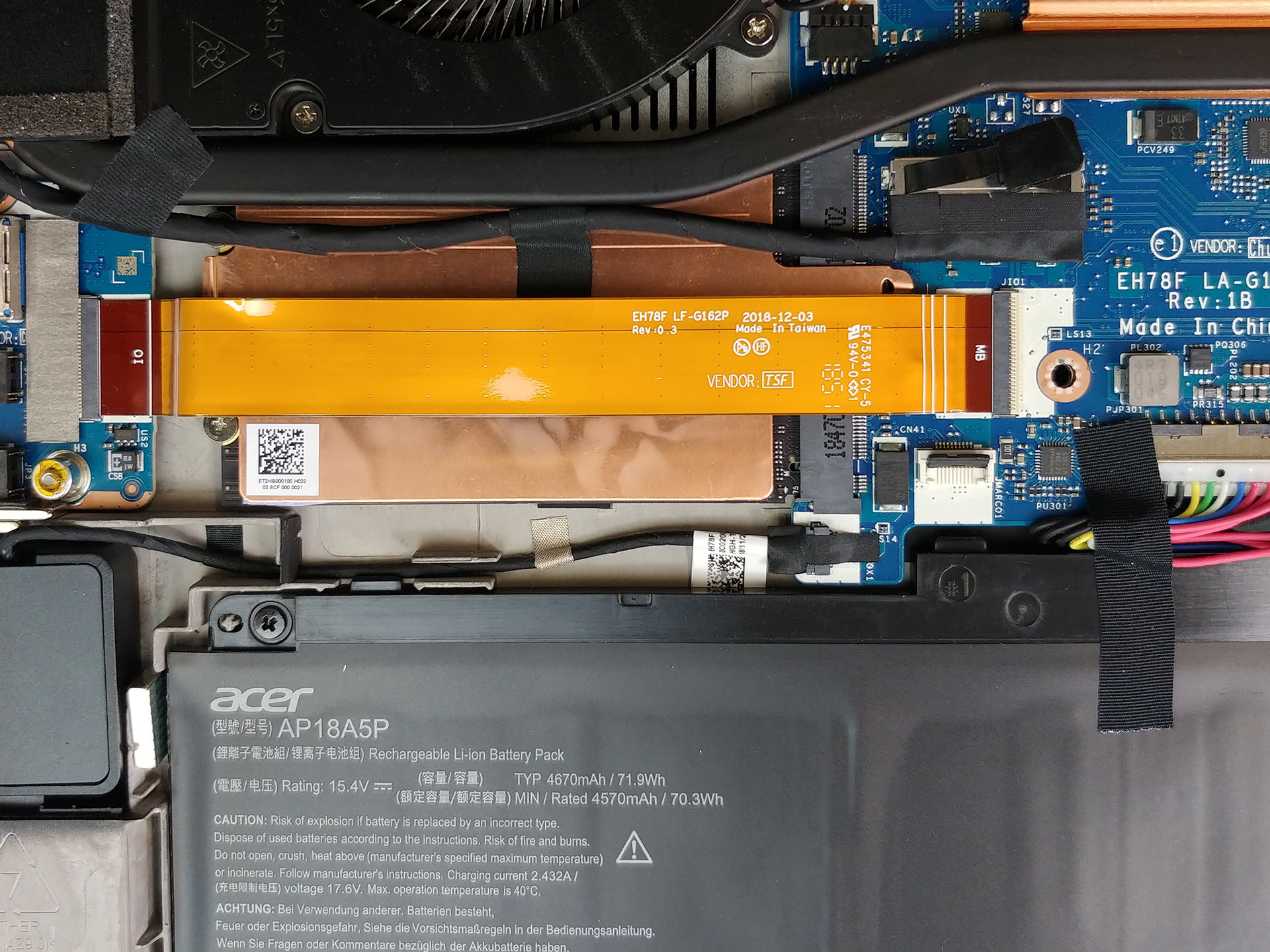
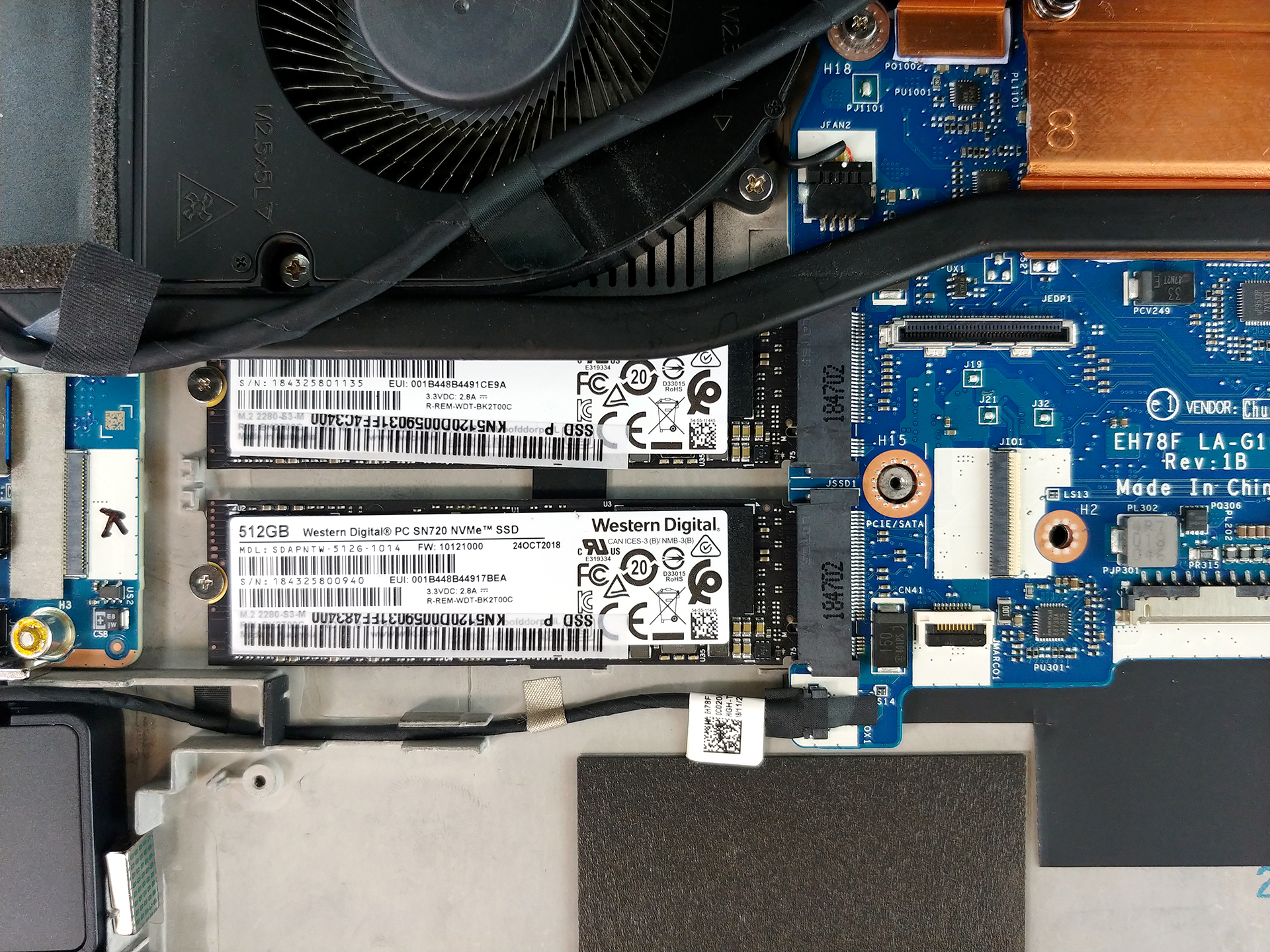
This laptop has two RAM DIMMs (in our case full with 32GB of DDR4 memory at 2666 MHz). In terms of storage, there are two M.2 PCIe x4 slots, that support RAID 0. They are hidden beneath a cooling plate. Sadly, there is no SATA expansion slot, for the only reason that there is not enough space for it inside.
4. Cooling system
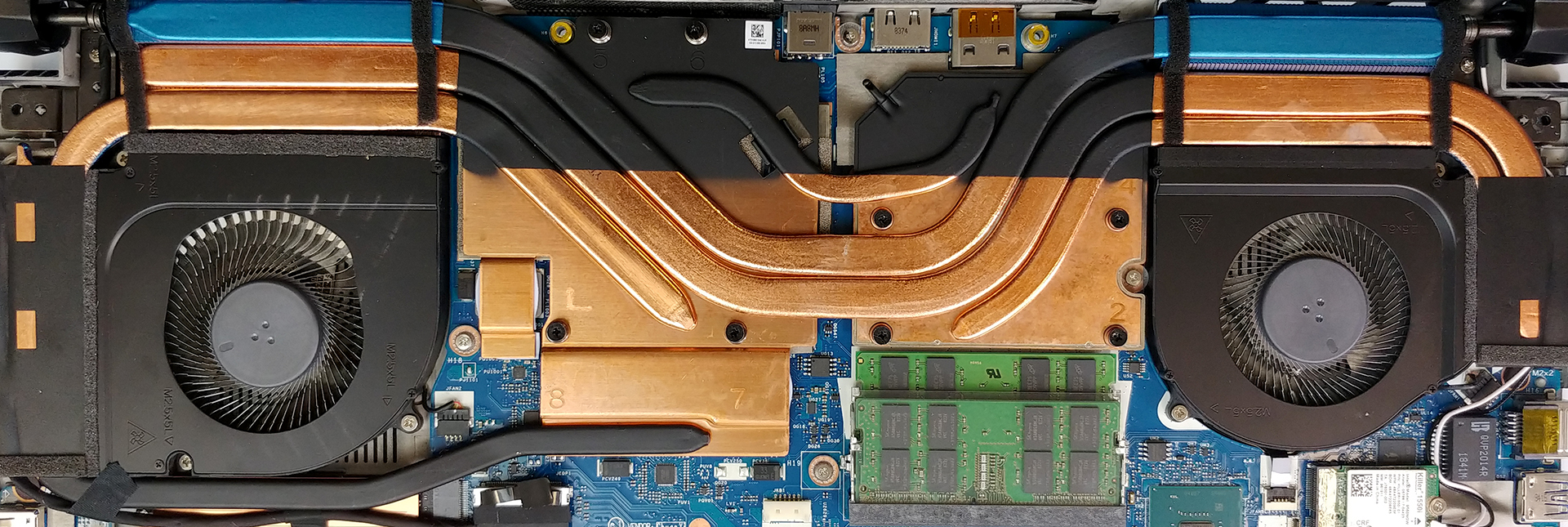
Predator Triton 900’s cooling solution comprises two fat heat pipes that run through the CPU and the GPU. Additionally, there is one more each, and one that helps the thermal conductivity, by connecting both of the huge plates, and one that is cooling the VRAM and the VRMs. At the end of the heat pipes, there are heatsinks cooled by two rather big fans – one is plastic, while the other one has metal blades and produces a lot more airflow.
Check out all Acer Predator Triton 900 prices and configurations in our Specs System or read more in our In-depth Review.
 Author: Alex Iliev

![[June 2026] Best-Selling Laptop Brands on Amazon Global – Apple’s Unrivaled Dominance in Units and Revenue](https://laptopmedia.com/wp-content/uploads/2026/07/GLOBAL-Best-Brands-400x225.jpg)
![[June 2026] Amazon Global: Top 10 Best-Selling Laptops – Apple’s New MacBook Neo Storms to #1, Reshaping the Market with Affordability](https://laptopmedia.com/wp-content/uploads/2026/07/Best-Selling-Laptops-GLOBAL-Top-10-400x225.jpg)
![[June 2026] Amazon Global: Top 10 Best-Selling Gaming Laptops – Acer’s Nitro V 16S AI Dominates Sales, While ASUS Leads Overall Revenue](https://laptopmedia.com/wp-content/uploads/2026/07/Best-Selling-Gaming-Laptops-GLOBAL-Top-10-400x225.jpg)
![[June 2026] Global Ranking of Best-Selling Laptop GPUs on Amazon – NVIDIA RTX 5060 is the Top-Selling Dedicated GPU](https://laptopmedia.com/wp-content/uploads/2026/07/Best-Selling-GPUs-GLOBAL-Top-10-400x225.jpg)
![[June 2026] Global Ranking of Best-Selling Laptop CPUs on Amazon – Apple M5 Dominates, AMD Ryzen 7 260 Gets Solid Premium Share](https://laptopmedia.com/wp-content/uploads/2026/07/Best-Selling-CPUs-GLOBAL-Top-10-400x225.jpg)
