How to open Lenovo Yoga 7i 2-in-1 (14″, Gen 9) – disassembly and upgrade options

Opening the Device
- Undo the seven Torx-head screws securing the bottom panel.
- Lift the top two corners with a thin plastic tool to create a gap and pry the sides.
- Pry the front of the panel.
- Do not pop the back; instead, lift the front of the panel and slide it forward to remove it.
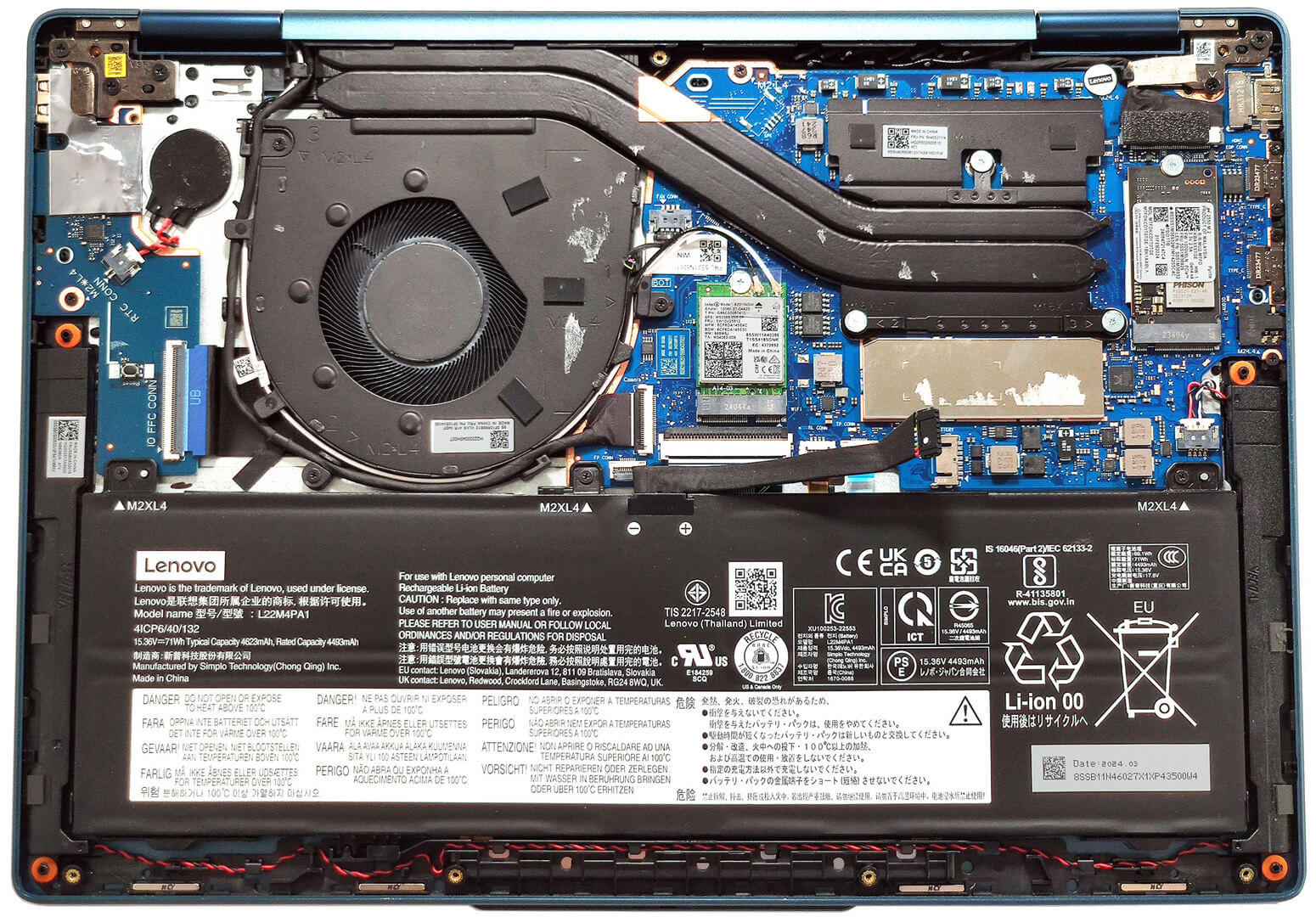
More info: Here’s how the bottom panel looks on the inside.

Battery Removal
- Unplug the battery connector from the motherboard.
- Undo the 3 Phillips-head screws securing the battery.
- Lift the battery to remove it from the device.
Note: The device uses a 71Wh battery, providing approximately 20 hours of web browsing or 13 hours of video playback.

Memory Information
Note: The RAM is soldered. The device can be configured with up to 32GB of LPDDR5x-7467MHz memory in dual-channel mode. The metal cap above the chips can be popped with a lever tool to view the soldered modules.
Storage Upgrade
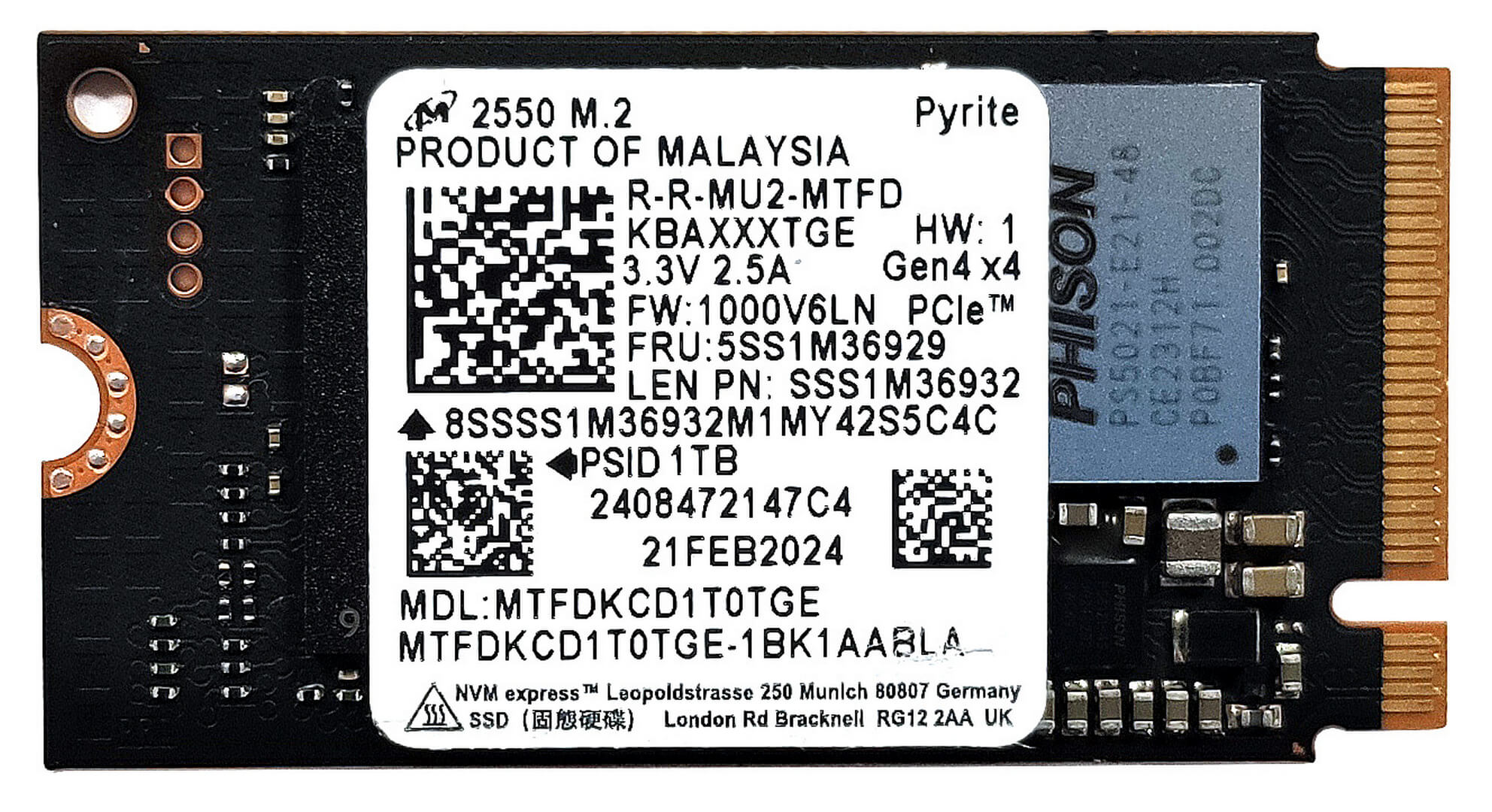
- Locate the single M.2 slot for 2242 Gen 4 SSDs.
- Remove the NVMe drive and the thermal pad below it.
- Install the new SSD in the slot.
Hint: Don’t forget to check out our Top M.2 SSDs Performance Rankings for insights on the best storage options available.
You can buy compatible SSDs here: Vásárolj az Amazon.com-ról (#CommissionsEarned)

Cooling System Overview
- The cooling system includes one large fan, a pair of long heat pipes, one heat sink, and a heat spreader.
- Ensure all cooling components are clean and free of dust for optimal performance.

Lenovo Yoga 7i 2-in-1 (14IML9) részletes értékelés
Az új Intel Meteor Lake lapkákkal a laptop-transzformátorok az AI-funkciók mellett sebességnövekedést is kaptak. Mint például a Lenovo Yoga 7i 2-in-1 (14″, Gen 9), amelyet két Intel Meteor Lake-H és két Meteor Lake-U sorozatú CPU-val kínálnak. Ha a teljesítmény a fő szempont, akkor egy 28 wattos processzorral kell számolnod. Ha viszont a lehető legjobb akkumulátoros üzemidőre vágyik, akkor szerezzen be egy Intel Evo tanúsítvánnyal rendelkező laptopot (opció) 15 W-os processzorral. Ez egy hordozható 2 az 1-ben gép, ezért a processzoron belüli iGPU-ra támaszko[...]

Előnyök
- Szilárd alumínium felépítés
- A ventilátor szinte halk marad teljes CPU terhelés mellett "Performance" üzemmódban
- 100%-os sRGB és DCI-P3 lefedettség (LEN88AC)
- Magas maximális fényerő SDR (387 nits) és HDR módban (594 nits) (LEN88AC)
- Végtelen kontrasztarány + 16:10 képarány (LEN88AC)
- Jó hangminőség
- C-típusú töltés
- 1080p IR kamera E-sutterrel
- Modern I/O két Thunderbolt 4 porttal és MicroSD kártyaolvasóval
- A CPU rövid és közepes terhelés esetén is jó órajeleket és teljesítményhatárokat tud tartani (~2,8 GHz / 2,30GHz a P és E magoknál + 53W).
- Kényelmes háttérvilágítású billentyűzet plusz sima érintőpad
- Opcionális ujjlenyomat-olvasó és Intel Evo tanúsítvány
- Sima 360 fokos zsanér, amely támogatja a laptop, sátor, állvány és táblagép üzemmódokat
- Opcionális Lenovo toll
Hátrányok
- Forrasztott memória és csak egy M.2 foglalat
- Alacsony CPU P-mag órajelek és teljesítménykorlátozás hosszabb terhelés esetén (1,14 GHz / 22W)
- PWM használat (LEN88AC)
 Author: Severin Kolakov

![[2026. július] Az Amazonon legkelendőbb laptop-grafikus kártyák globális ranglistája – Az RTX 5060 uralja a prémium szegmenst, az Intel továbbra is vezet a kedvező árú kategóriában](https://laptopmedia.com/wp-content/uploads/2026/08/Best-Selling-GPUs-GLOBAL-Top-10-400x225.jpg)
![[2026. július] Az Amazonon legkelendőbb laptop-processzorok globális ranglistája – az Apple uralja a prémium szegmenst, az Intel pedig az összesített ranglistát](https://laptopmedia.com/wp-content/uploads/2026/08/Best-Selling-CPUs-GLOBAL-Top-10-400x225.jpg)
![[July 2026] Amazon Canada: Top 10 Best-Selling Laptops – Apple MacBook Neo Dominates the Market to Claim the #1 Spot](https://laptopmedia.com/wp-content/uploads/2026/08/Best-Selling-Laptops-CA-Top-10-2-400x225.jpg)
![[July 2026] Best-Selling Laptop Brands on Amazon Japan – HP and Lenovo Dominate Units and Revenue Amid Fierce Competition](https://laptopmedia.com/wp-content/uploads/2026/08/CO.JP-Best-Brands-2-400x225.jpg)
![[July 2026] Amazon Italy: Top 10 Best-Selling Laptops – Apple MacBook Neo Claims the #1 Spot Amid Budget-Friendly Dominance](https://laptopmedia.com/wp-content/uploads/2026/08/Best-Selling-Laptops-IT-Top-10-400x225.jpg)
