Inside ASUS TUF FX505 – disassembly and upgrade options
When a gaming laptop is on a budget, we have to bear in mind that there have been some sort of cost management going on. Despite that, TUF FX505’s upgradability is unhurt. Check it out.
Check out all ASUS TUF FX505 prices and configurations in our Specs System or read more in our In-depth Review.
1. Remove the bottom plate
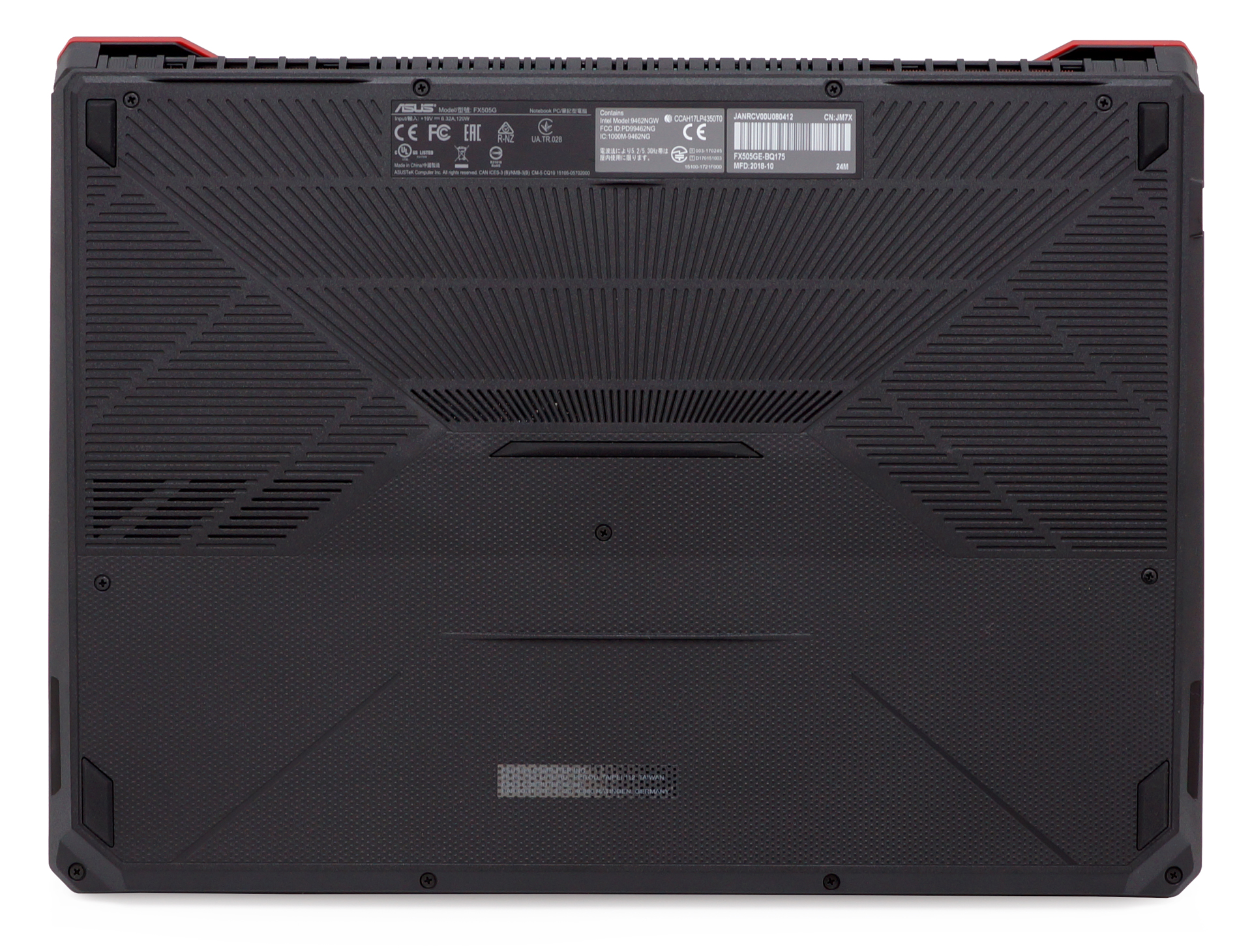
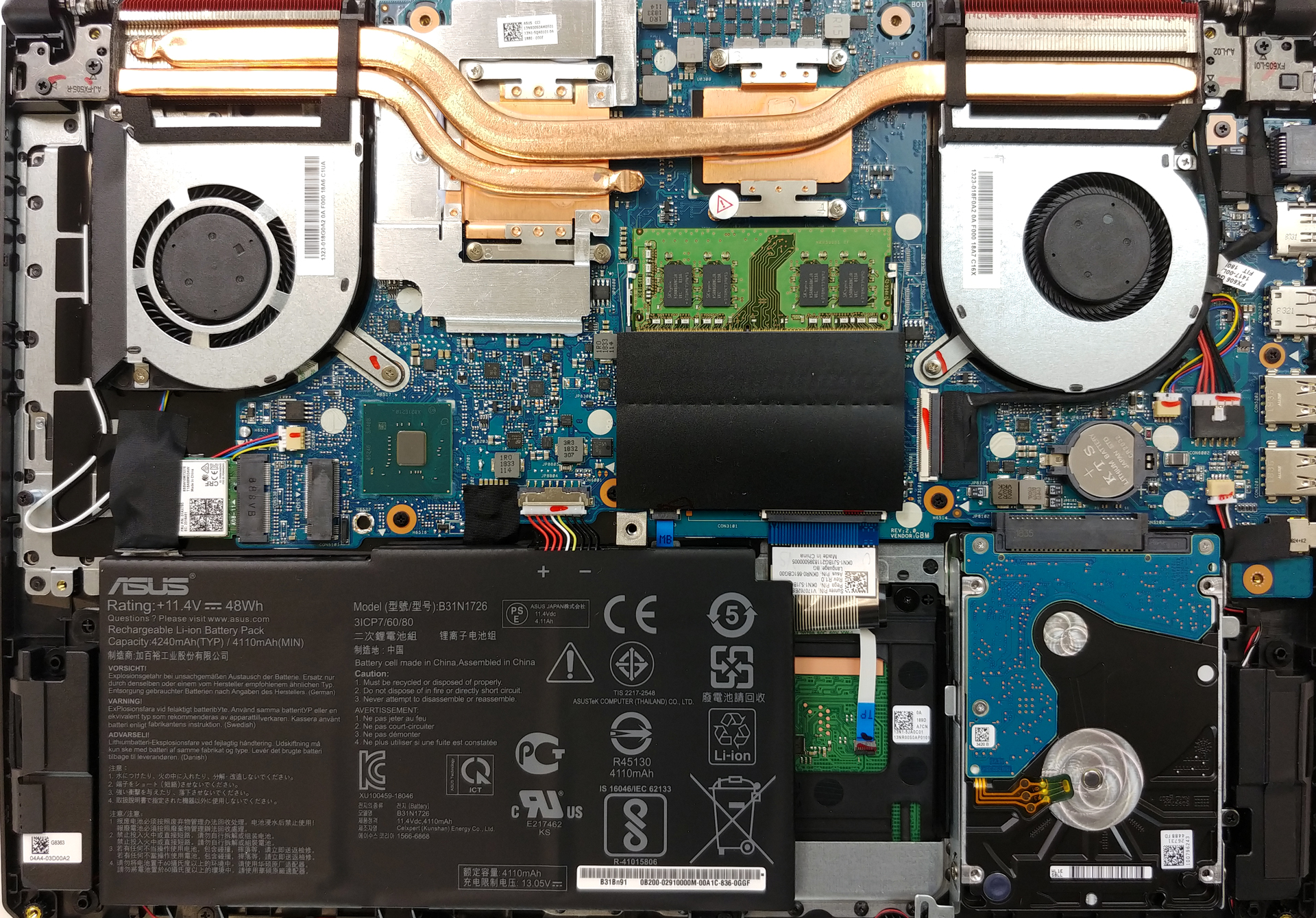
Taking the bottom panel off the FX505 is simple as a pie. Take all 11 Phillips-head screws and pry the panel up with a plastic tool. At first sight, we immediately see something that could have been improved.
2. Battery
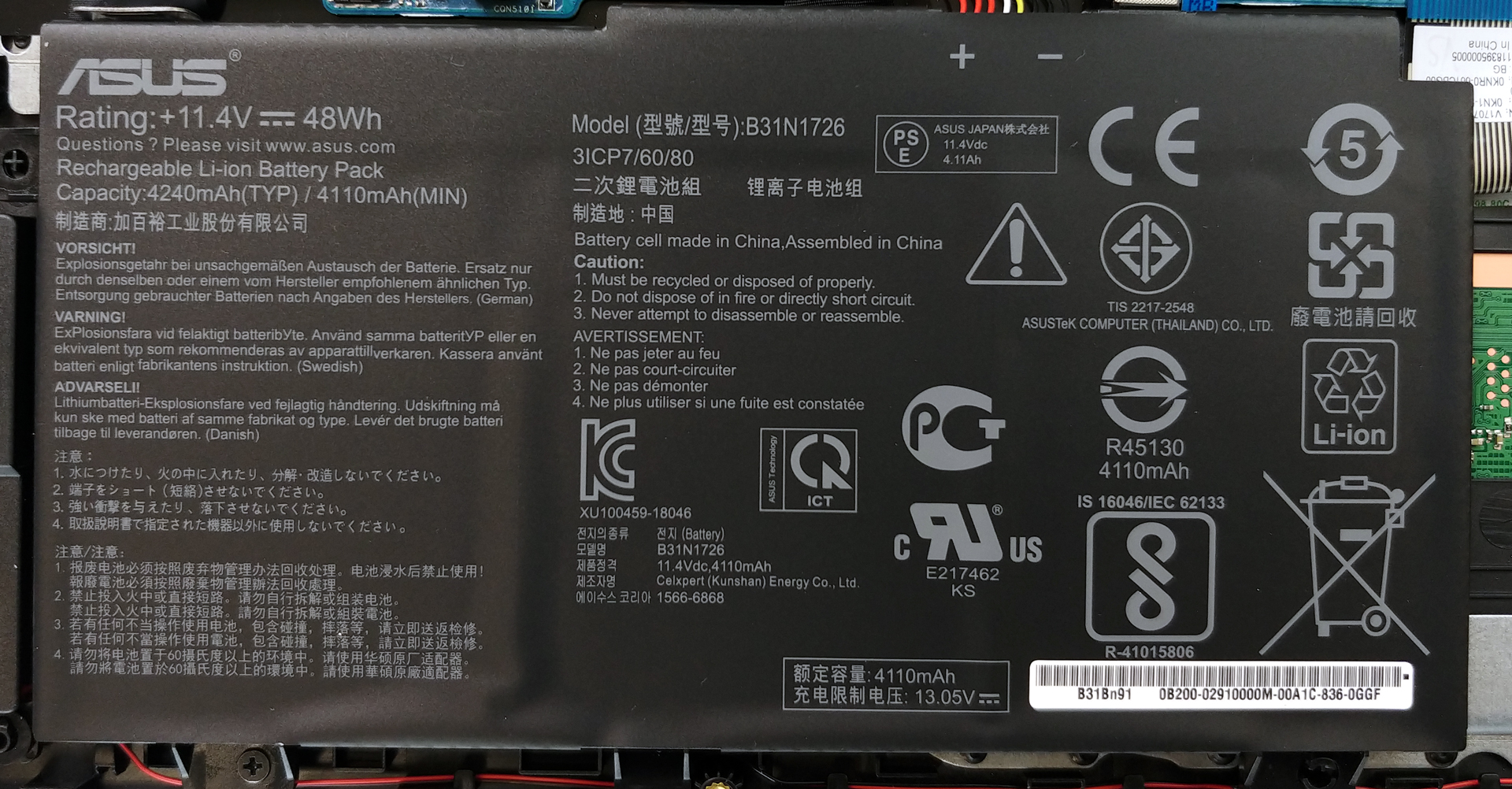
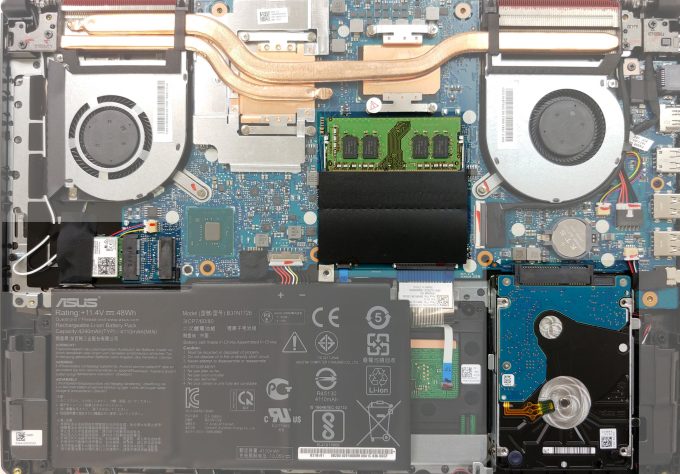
Sadly, it is the battery. This laptop is equipped with a 48Wh battery pack, which depending on the processor you use can deliver terrible or average results. In order to continue with the disassembly, you should remove the battery connector. If you need to swap the battery out, though, just unscrew the two Phillips-head screws on the bottom and you can easily lift it up.
चमक: 180 nits; डिस्प्ले मोड: SDR
पूर्ण डिस्चार्ज का समय: उच्चतर बेहतर है
वास्तविक जीवन की स्थितियों का अनुकरण करने के लिए, हमने 70 से अधिक वेबसाइटों के माध्यम से स्वचालित वेब ब्राउज़िंग के लिए अपनी खुद की स्क्रिप्ट का उपयोग किया।
हम वास्तविक जीवन गेमिंग का अनुकरण करने के लिए लूप में F1 2017 के अंतर्निहित बेंचमार्क का उपयोग करते हैं।
3. Memory and storage
TUF FX505 is blessed with two RAM DIMMs that support up to 32GB of DDR4 memory at speeds of maximum 2666 MHz. At the same time, there are two storage options on the laptop – a SATA drive, located on the right side of the battery and an M.2 slot, placed on top of the Wi-Fi card.
4. Cooling system
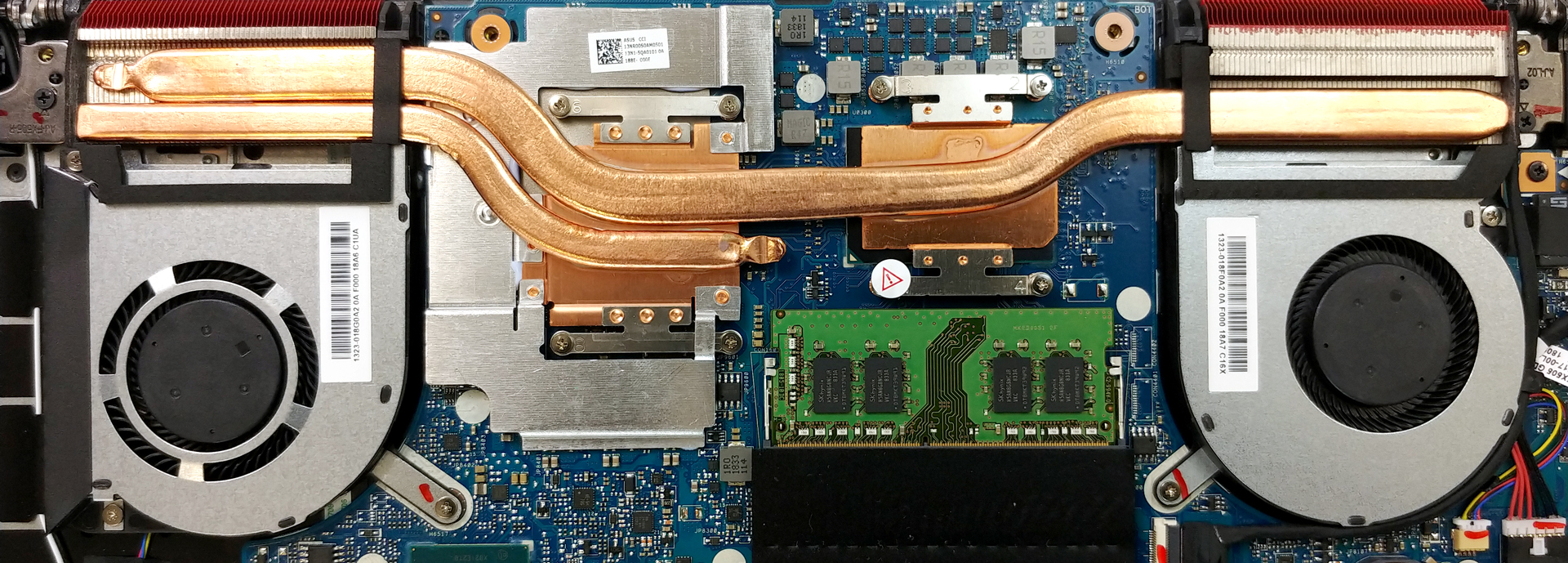
As far as the cooling is concerned, the system is not very sophisticated nor sufficient. There is one rather bulky heat pipe cooling off both of the chips, and one more – thinner and shorter, only dedicated to the graphics card.
Check out all ASUS TUF FX505 prices and configurations in our Specs System or read more in our In-depth Review.
 Author: Alex Iliev

![[August 2026] Global Ranking of Best-Selling Laptop GPUs on Amazon – Apple Reigns Supreme, NVIDIA’s RTX 5060 Tops Dedicated Chart](https://laptopmedia.com/wp-content/uploads/2026/09/Best-Selling-GPUs-GLOBAL-Top-10-400x225.jpg)
![[August 2026] Global Ranking of Best-Selling Laptop CPUs on Amazon – Apple Dominates Both Budget and Premium: A18 Pro and M5 Crush Intel and AMD in August 2026](https://laptopmedia.com/wp-content/uploads/2026/09/Best-Selling-CPUs-GLOBAL-Top-10-400x225.jpg)
![[August 2026] Amazon Global: Top 10 Best-Selling Laptops – Apple MacBook Neo Dominates the Charts as Budget and Mid-Range Windows Portables Fight for Volume](https://laptopmedia.com/wp-content/uploads/2026/09/Best-Selling-Laptops-GLOBAL-Top-10-400x225.jpg)
![[August 2026] Best-Selling Laptop Brands on Amazon Global – Apple Dominates Revenue While HP Leads in Model Variety](https://laptopmedia.com/wp-content/uploads/2026/09/GLOBAL-Best-Brands-400x225.jpg)
![[August 2026] Amazon Global: Top 10 Best-Selling Gaming Laptops – HP Victus 15 Captures the Crown as Budget-Friendly Models Dominate the Charts](https://laptopmedia.com/wp-content/uploads/2026/09/Best-Selling-Gaming-Laptops-GLOBAL-Top-10-400x225.jpg)

Can I put 1 TB HDD in this laptop
Yes, you can put 1TB SATA disk in the HDD slot, for gaming I would recommend 1TB SATA SSD
What is the speed of ram that came with this laptop? If I want to add another 8gb of ram, should I buy the same speed with the first one?
EDIT: I thought it had 16GB. Sorry, yes i believe you need to get the same speed
Can we upgrade screen to 120hz LCD ?
There is a version of this laptop that has 120Hz IPS FHD screen https://www.asus.com/Laptops/ASUS-TUF-Gaming-FX505DD-DT-DU/specifications/
Doesnt this laptop have nvme ssd? is it that in the bottom right corner?
the left one, there is a slot for nvme ssds
Yes, it’s the M2 slot over the wifi. You can put up to 2TB NVME M2 2280 SSD in there which is superfast.
I am not sure if you should opt for a unit with a heatsink though – or if it will fit. I just got a Samsung EVO Plus 1TB to put in there.
Is the ram a Samsung unit?
I dont think so, at least mine had Hynix memory.
Mine was a Samsung. If you use a utility like CPUID (wwww.cpuid.com) you can trace all these details. I have a 8GB 2666 Mhz Samsung DDR 4. Easiest way to upgrade RAM is to get an identical unit, to make 16 GB. Part number for this is: M471A1K43DB1-CTD – https://www.samsung.com/semiconductor/dram/module/M471A1K43DB1-CTD/. It’s pretty widely available. If you can’t find the same make, at least get the same speed. Of course, make inside may vary, depending on region (and if you got the model number right) However, many sites confirm that the memory controller for the Ryzen 3550H is limited to DDR4… और पढ़ें »
I have this laptop with 512 gb ssd can i add another 1 tb hdd in it?
On the M2 slot on the left, just above the Battery and above the WiFi card.
I plan to do just that in the next few weeks.
Be aware of the potential Win10 memory issue though, 2TB or 16TB limits (including your external drives). I am researching this more and will post back.
Without external drives, you can install at least 2 x 1TB.
The M2 TB can be the bootable OS since it is faster (NVMe is quicker than the standard SSD drive slot)
I’ll also post some howto when I get it done.
I bought 2x8GB HyperX 2666Mhz, CL15 kit and replaced original 8GB with it, but CPU-Z still shows memory speed 2400Mhz. Is that because of Ryzen 3750 or I have something wrongly configured?
I did read this is a Ryzen limitation
Indeed, it is a limit of the dual memory controller architecture on this generation Ryzen mobile chips, which is actually the same (Raven Ridge) as the 25xx
.
A good link (first paragraph):
https://www.notebookcheck.net/AMD-Ryzen-5-3550H-Processor.391031.0.html
So this even applies to the 3750 as well?!
The CL# might affect things a little. There’s the difference between your HyperX (CL15) and the stock Samsung (CL17). But it’s minor
I already have a 256 nvme ssd but I want to install another. Can I install 1 tb nvme ssd in place of hdd?
So if i want to upgrade the r7 3750h to r7 3700x will I be able to do so?
Hi mate ,installed WD BLUE 3D NAND SATA SSD M. 2 2280 1Tb in Asus tuf fx505dy , bios (uefi ) didn’t not recognize it.
Could tell me why please?
Thank you .
Regards Sergio.
what ssd brand for tuf fx505ge?
Can i remove the battery & use plug in only?
Can I add 2tb HDD?
Crucial 8GB (1x8GB) DDR4 2666MHz Single Desktop Memory would this be the right one to upgrade my ram wit h
The best idea would be to pair your memory with the same module of SODIMM it has pre-installed. Both regarding manufacturer and speed.
I have the stealth black edition of this laptop. Sadly, the Asus logo in Stealth Black edition, does not glow. Is it possible to replace the back panel of my laptop with the Steel gold edition where the logo lights up?