HP ZBook Firefly 14 G10 review – small and light laptop with color-accurate display
Performance: CPU, GPU, Gaming Tests
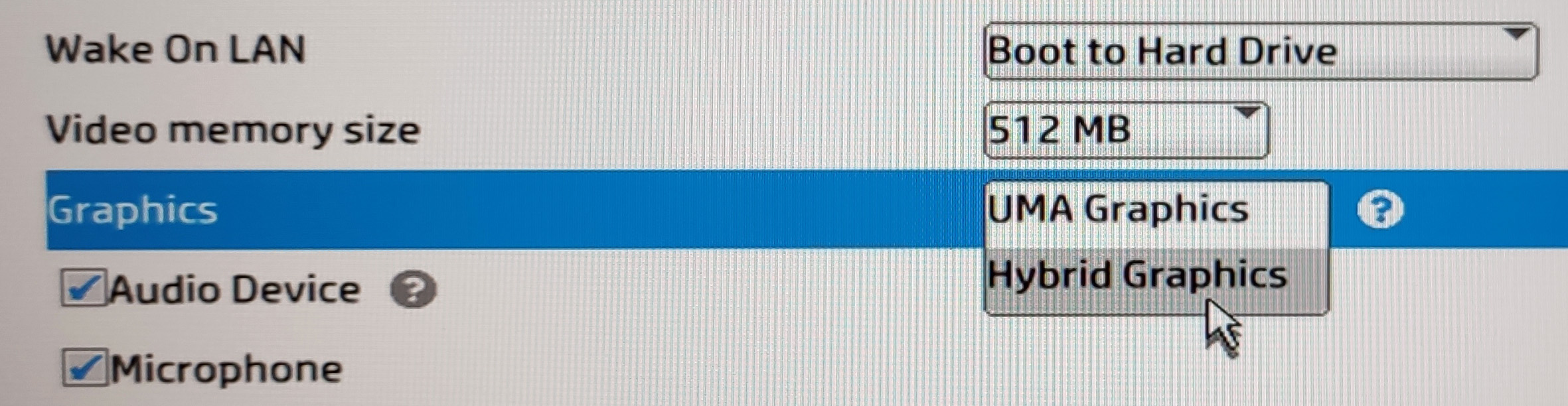
All benchmarks and tests were conducted with the “Best performance” preset activated in the Windows “Power & Battery” menu. Also, the “Hybrid Graphics” mode is selected and the “Fan Always on while on AC Power” function is turned on in the BIOS.


CPU options
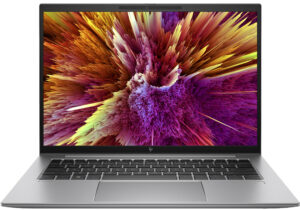
You can find this laptop with the Intel Core i5-1335U, Core i5-1345U, Core i7-1355U, Core i7-1365U, Core i5-1340P, Core i5-1350P, Core i7-1360P, or Core i7-1370P.
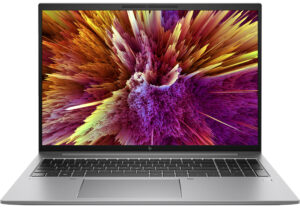
यहां, हम एक वास्तविक-विश्व 3D रेंडरिंग कार्य का उपयोग करके CPU के प्रदर्शन का मूल्यांकन करते हैं, जटिल संगणनाओं और रेंडरिंग वर्कलोड को कुशलतापूर्वक संभालने की इसकी क्षमता का आकलन करते हैं।
परिणाम Cinebench 2024 Multi-Core टेस्ट से हैं (उच्चतर बेहतर है)
GPU options
If the iGPU isn’t enough powerful for your needs, you can pick the optional NVIDIA RTX A500 (Laptop, 30W).
परिणाम 3DMark Time Spy (Graphics) से हैं। उच्चतर बेहतर है।
परिणाम 3DMark Fire Strike (Graphics) बेंचमार्क से हैं (स्कोर जितना अधिक हो, उतना अच्छा)
परिणाम 3DMark Wild Life Extreme Unlimited से हैं। उच्चतर बेहतर है।
परिणाम Unigine Superposition बेंचमार्क से हैं (स्कोर जितना अधिक हो, उतना अच्छा)
Gaming tests



| Assassin’s Creed Valhalla | Full HD, Low (Check settings) | Full HD, Medium (Check settings) | Full HD, High (Check settings) | Full HD, Ultra (Check settings) |
|---|---|---|---|---|
| Average FPS | 51 fps | 39 fps | 30 fps | 19 fps |

| Borderlands 3 | Full HD, V.Low (Check settings) | Full HD, Medium (Check settings) | Full HD, High (Check settings) | Full HD, Badass (Check settings) |
|---|---|---|---|---|
| Average FPS | 64 fps | 41 fps | 26 fps | 24 fps |

| Far Cry 6 | Full HD, Low (Check settings) | Full HD, High (Check settings) | Full HD, Ultra (Check settings) |
|---|---|---|---|
| Average FPS | 51 fps | 37 fps | 31 fps |

| Gears 5 | Full HD, Low (Check settings) | Full HD, Medium (Check settings) | Full HD, High (Check settings) | Full HD, Ultra (Check settings) |
|---|---|---|---|---|
| Average FPS | 68 fps | 42 fps | 38 fps | 30 fps |
The RTX A500 (Laptop, 30W) has just a 64-bit bus and 4GB VRAM buffer. Still, it has enough power to achieve decent FPS on Low or Medium details in heavy titles such as Borderlands 3.
 Author: Nikolay Palaozov
 Author: eng. Kroum NikolovHead of Engineering at LaptopMedia.com, inventor and innovator with 40+ years of experience in electronics and high technology.
सदस्यता लें
0 Comments


![[August 2026] Amazon Global: Top 10 Best-Selling Laptops – Apple MacBook Neo Dominates the Charts as Budget and Mid-Range Windows Portables Fight for Volume](https://laptopmedia.com/wp-content/uploads/2026/09/Best-Selling-Laptops-GLOBAL-Top-10-400x225.jpg)
![[August 2026] Best-Selling Laptop Brands on Amazon Global – Apple Dominates Revenue While HP Leads in Model Variety](https://laptopmedia.com/wp-content/uploads/2026/09/GLOBAL-Best-Brands-400x225.jpg)
![[August 2026] Amazon Global: Top 10 Best-Selling Gaming Laptops – HP Victus 15 Captures the Crown as Budget-Friendly Models Dominate the Charts](https://laptopmedia.com/wp-content/uploads/2026/09/Best-Selling-Gaming-Laptops-GLOBAL-Top-10-400x225.jpg)
![[August 2026] Best-Selling Laptop Brands on Amazon Japan – Apple Dominates Market Share and Revenue Led by Strong Unit Sales](https://laptopmedia.com/wp-content/uploads/2026/09/CO.JP-Best-Brands-1-400x225.jpg)
![[August 2026] Best-Selling Laptop Brands on Amazon USA – Apple Dominates Market Revenue and Volume Despite Lower Model Diversity](https://laptopmedia.com/wp-content/uploads/2026/09/COM-Best-Brands-1-400x225.jpg)
