Inside Dell Latitude 15 5520 – disassembly and upgrade options
A business laptop should be fluent in a lot of different tasks in order to in full service to its owner. Upgradability is definitely one of the most important of them.
Check out all Dell Latitude 15 5520 prices and configurations in our Specs System or read more in our In-Depth review.
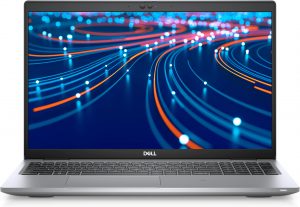
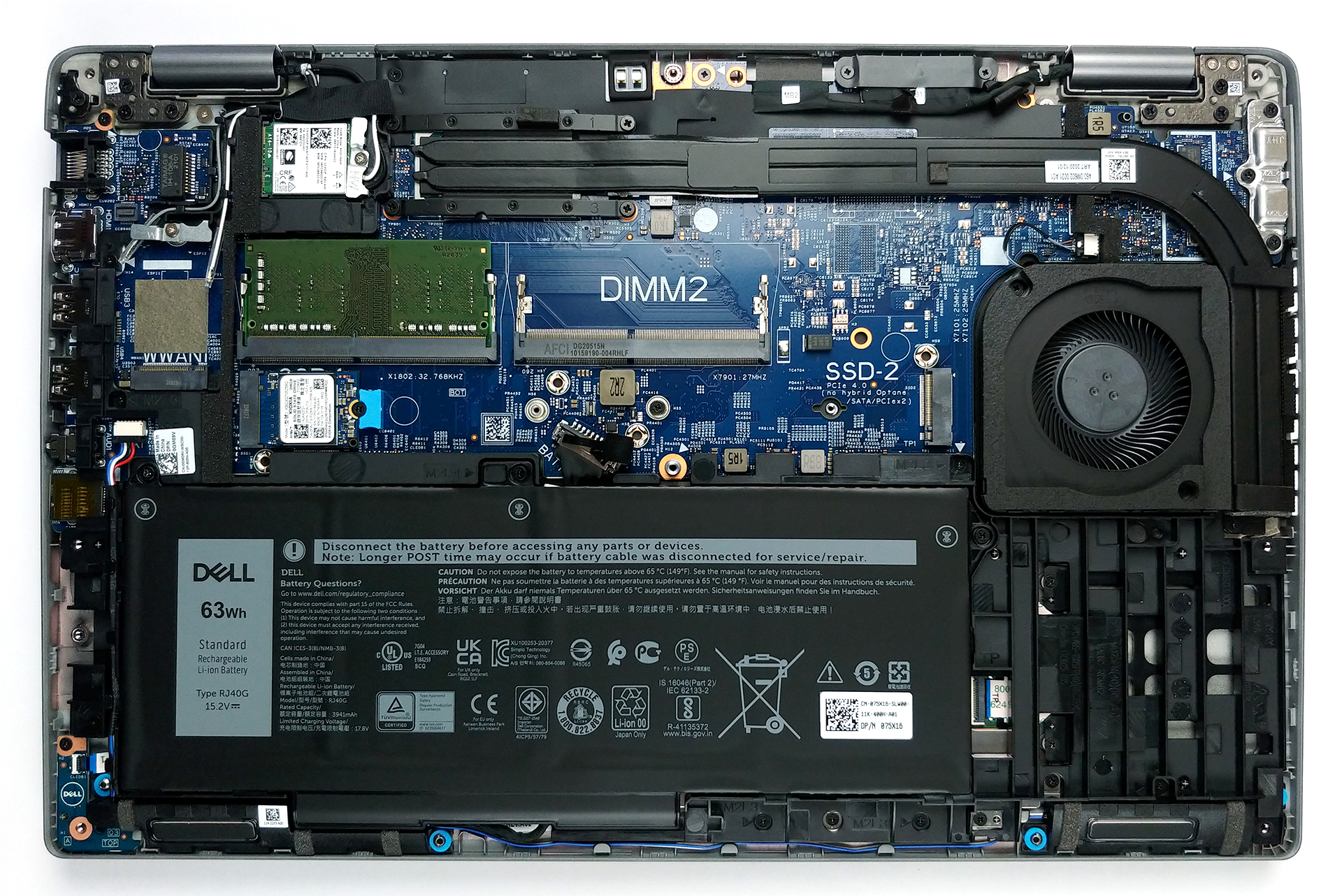
1. Remove the bottom plate
Accessing this laptop’s internals is extremely easy. You just need to undo 8 captive Phillips-head screws, and then pry the bottom panel with a plastic tool.
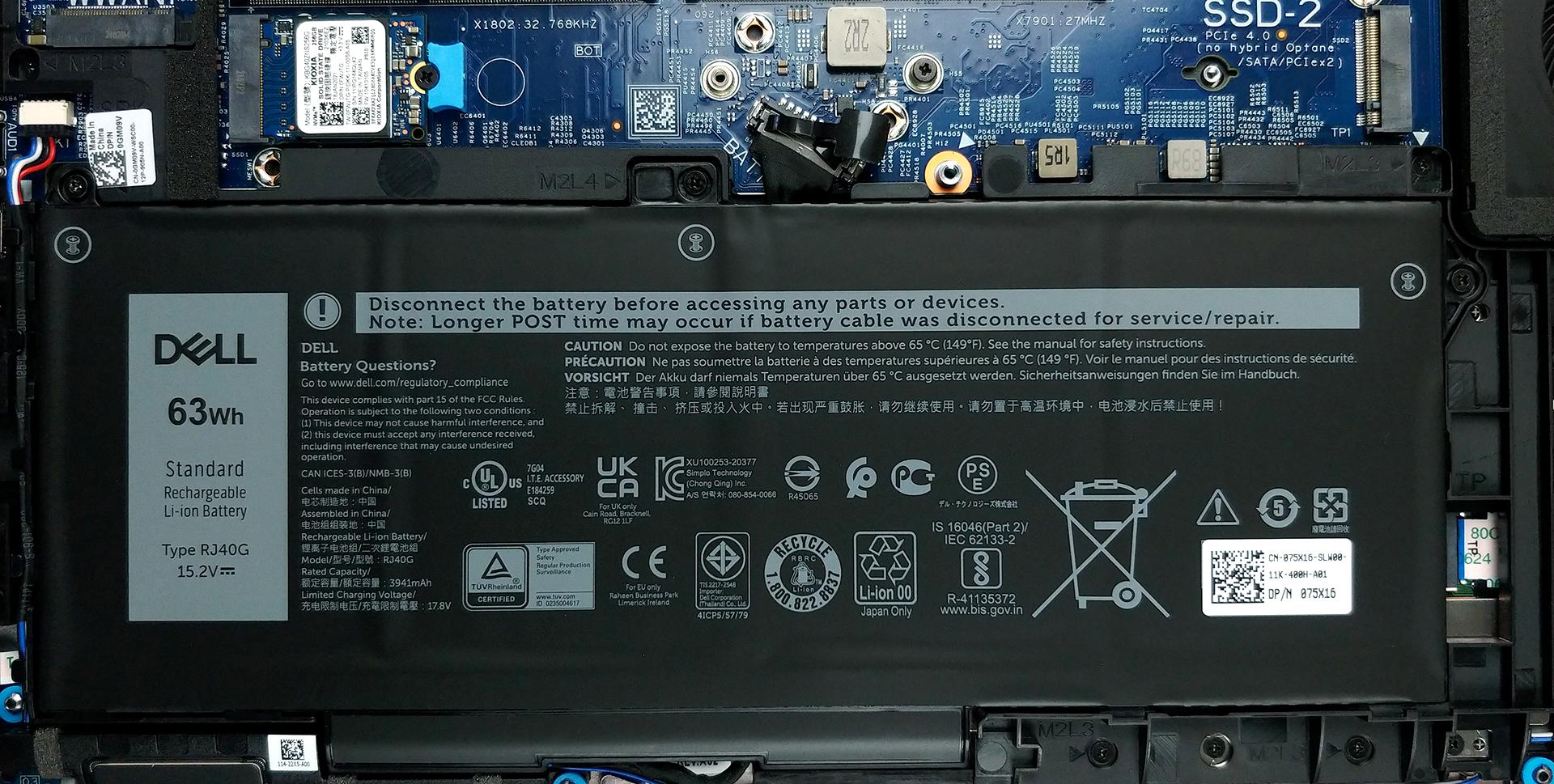
2. Battery
After you get inside, you will see the battery pack. Our unit has a 63Wh capacity, while some configurations will include a smaller 42Wh battery.
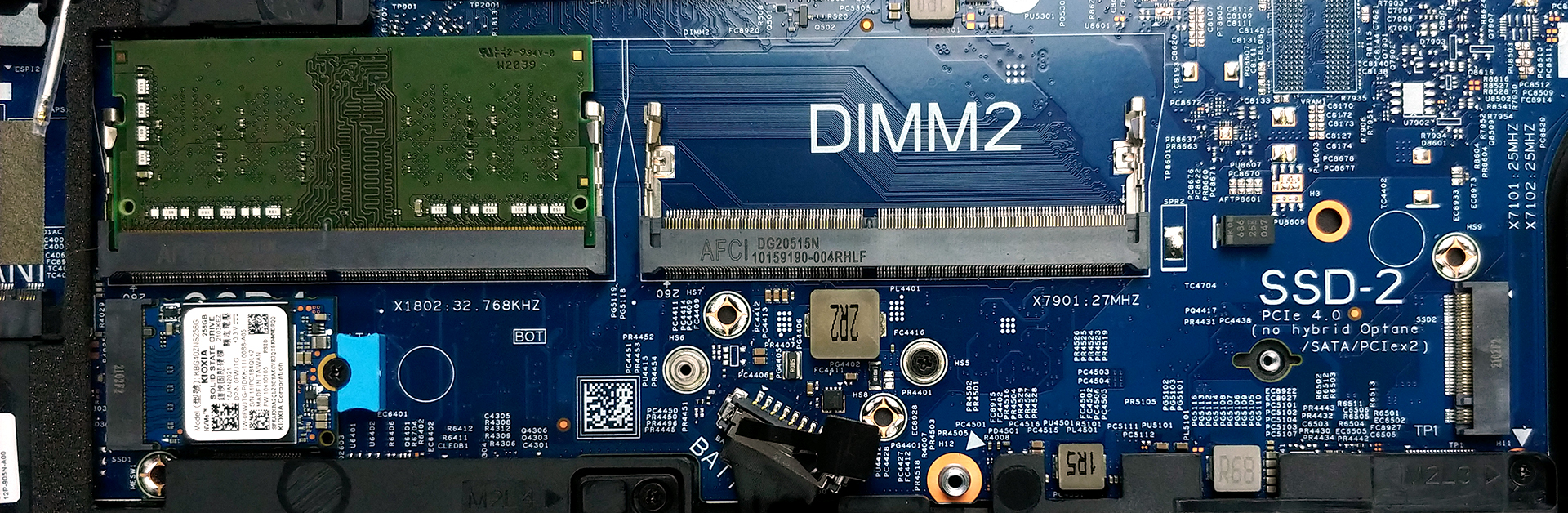
3. Мemory and storage
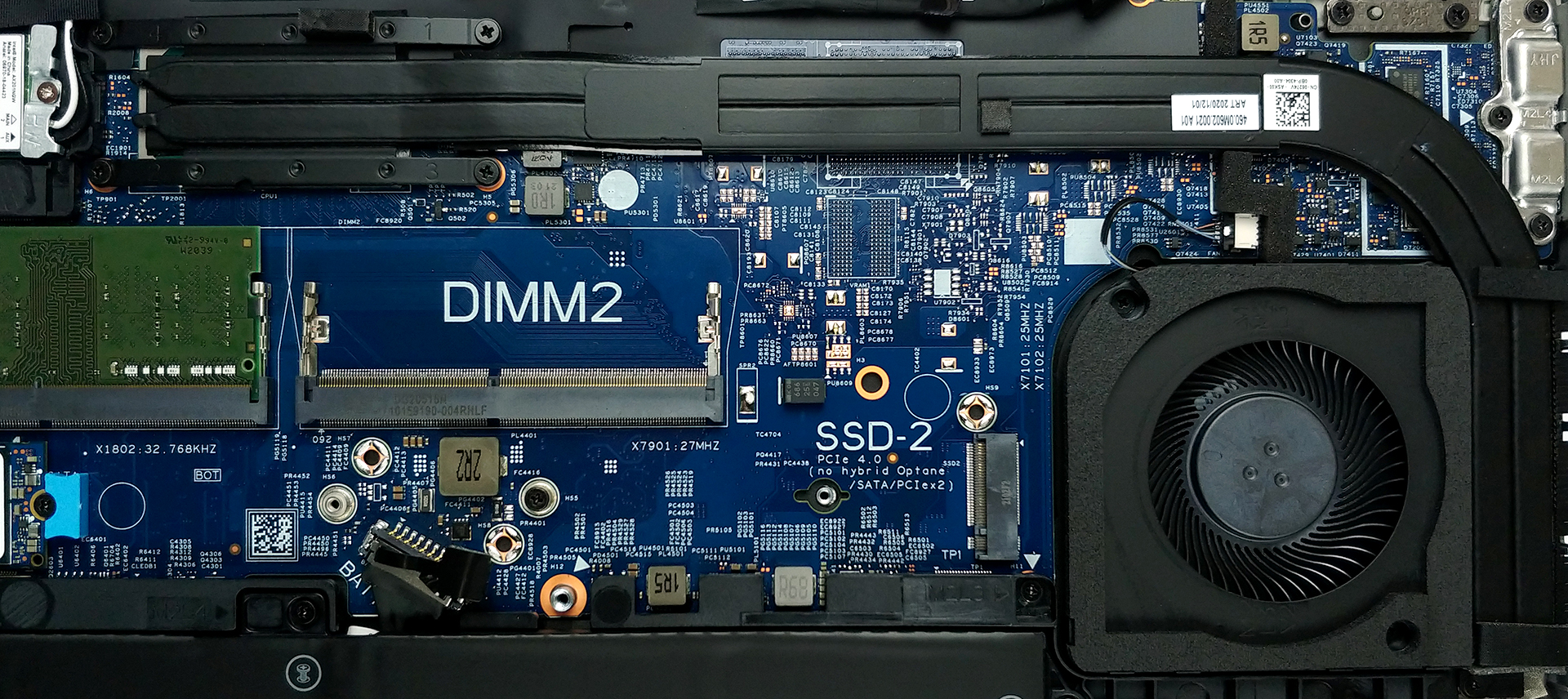
In terms of memory, there are two SODIMM slots, which support up to 64GB of dual-channel RAM in total. Storage-wise, you get two M.2 PCIe x4 slots, with that one labeled with number 2 supporting PCIe Gen 4 drives.
4. Cooling system
As for the cooling, there are two rather long heat pipes, connected to a side-mounted heat spreader. The tough job of getting the heat dissipated is done by the fan, which is not that big in diameter but has a pretty thick profile.
Check out all Dell Latitude 15 5520 prices and configurations in our Specs System or read more in our In-Depth review.
Dell Latitude 15 5520 recensione approfondita
Grazie alla linea di processori Tiger Lake di Intel, i notebook business di tutte le marche sono stati sostanzialmente sovralimentati rispetto ai loro predecessori. Uno di questi portatili è senza dubbio il Dell Latitude 15 5520.Oltre al nuovo chipset, si ottiene una leggera riprogettazione, con la natura al centro dei materiali di costruzione. Quest'anno, Dell utilizza fino al 21% di bioplastica, derivata da un sottoprodotto della carta, per tutta la sua serie Latitude 5000. Indipendentemente dalla qualità del dispositivo, incoraggeremo sempre e ci complimenteremo con le aziende che st[...]
Pro
- Ampio I/O, che include un lettore di schede MicroSD
- Due slot di archiviazione M.2, uno dei quali funziona a velocità 4.0 + 2x slot RAM SODIMM
- Lettore di impronte digitali incorporato nel pulsante di accensione + riconoscimento facciale IR opzionale
- Wi-Fi 6, PCIe x4, Thunderbolt 4
- Non usa PWM per la regolazione della luminosità (AUO 5NG4M-B156HAN)
- Tastiera confortevole con retroilluminazione
- Buona durata della batteria
Contro
- Copre solo il 53% di sRGB (AUO 5NG4M-B156HAN)
- Abbandona i pulsanti dedicati del touchpad e il trackpoint
 Author: Alex Iliev

![[Agosto 2026] Amazon Global: i 10 laptop più venduti – L’Apple MacBook Neo domina le classifiche mentre i portatili Windows economici e di fascia media si contendono i volumi di vendita](https://laptopmedia.com/wp-content/uploads/2026/09/Best-Selling-Laptops-GLOBAL-Top-10-400x225.jpg)
![[Agosto 2026] Le marche di laptop più vendute su Amazon Global: Apple domina in termini di fatturato, mentre HP è in testa per varietà di modelli](https://laptopmedia.com/wp-content/uploads/2026/09/GLOBAL-Best-Brands-400x225.jpg)
![[Agosto 2026] Amazon Global: i 10 laptop da gaming più venduti – L’HP Victus 15 conquista il primo posto mentre i modelli economici dominano la classifica](https://laptopmedia.com/wp-content/uploads/2026/09/Best-Selling-Gaming-Laptops-GLOBAL-Top-10-400x225.jpg)
![[August 2026] Best-Selling Laptop Brands on Amazon Japan – Apple Dominates Market Share and Revenue Led by Strong Unit Sales](https://laptopmedia.com/wp-content/uploads/2026/09/CO.JP-Best-Brands-1-400x225.jpg)
![[August 2026] Best-Selling Laptop Brands on Amazon USA – Apple Dominates Market Revenue and Volume Despite Lower Model Diversity](https://laptopmedia.com/wp-content/uploads/2026/09/COM-Best-Brands-1-400x225.jpg)
