Recensione di Dell G16 7630: la sua CPU arriva a 200W
Smontaggio, opzioni di aggiornamento e manutenzione
Per accedere ai componenti interni del notebook, è necessario svitare le 10 viti con testa a croce. Quindi, sollevare il pannello inferiore dallo chassis. Se si intende accedere alla soluzione di raffreddamento, è necessario svitare due viti con testa a croce all’interno e quattro viti sul retro del dispositivo.
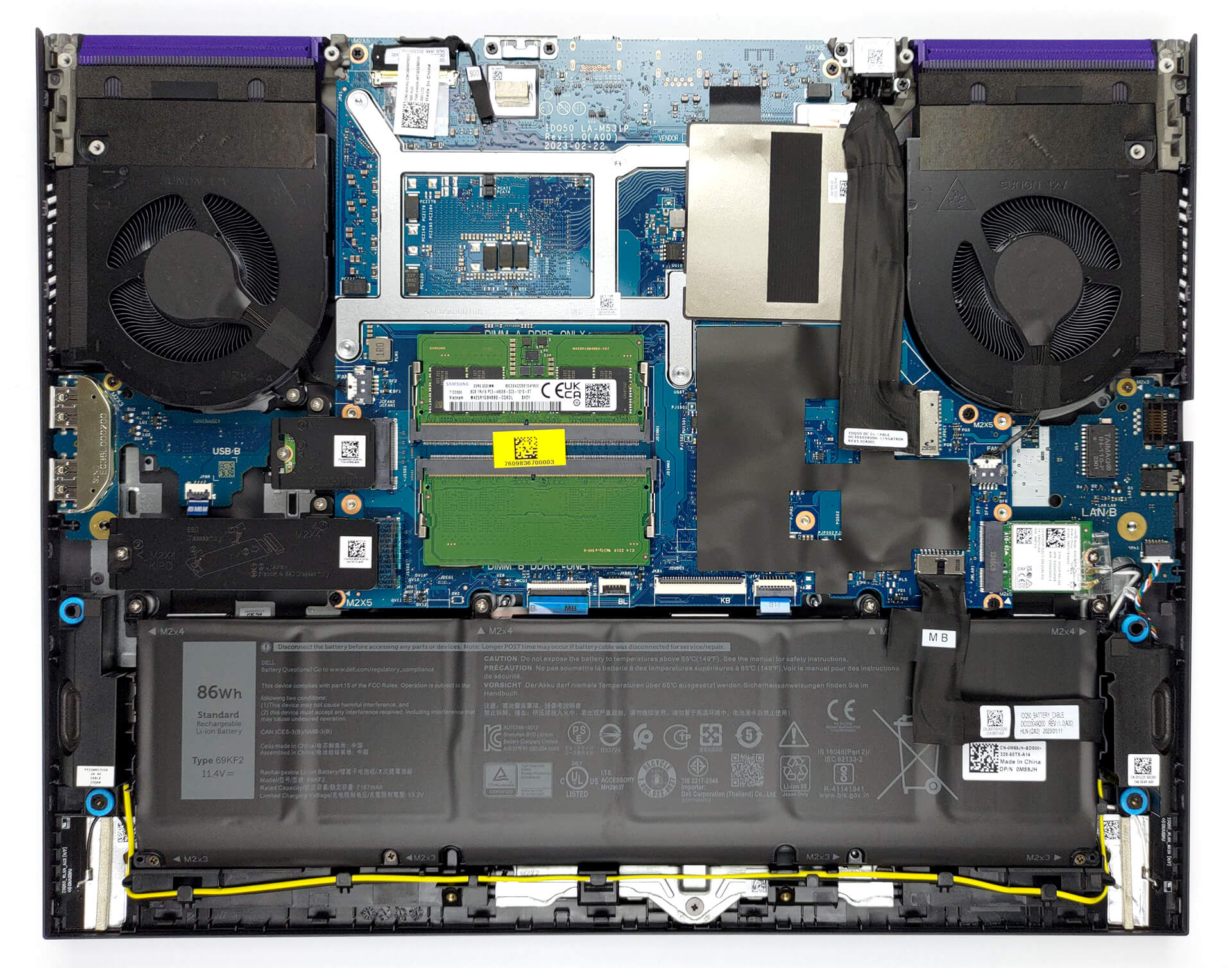
La nostra configurazione prevede una batteria da 86Wh. Per estrarla, scollegare il connettore della batteria e svitare le 7 viti con testa a croce che la fissano al dispositivo.

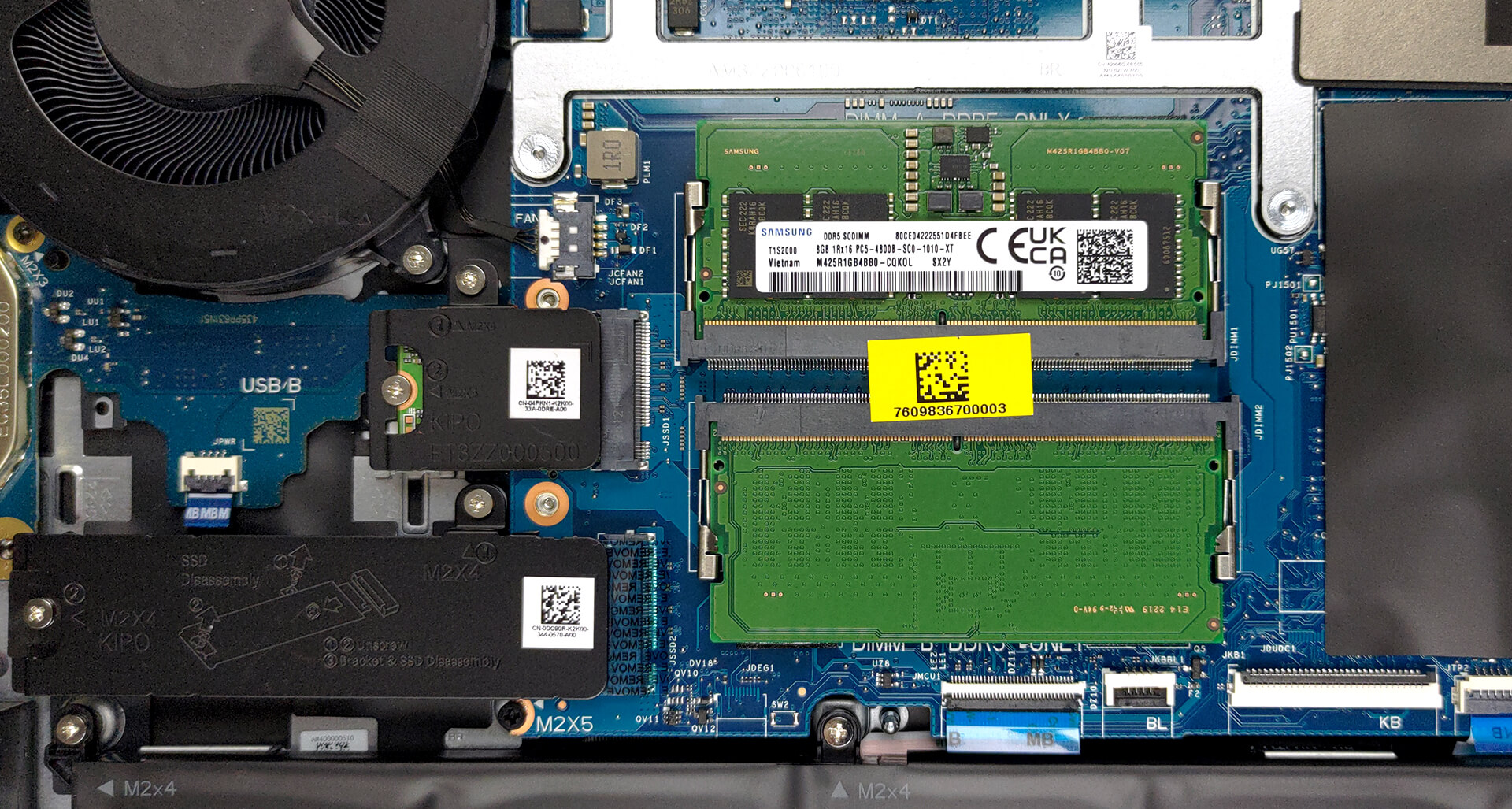
Per quanto riguarda la memoria, sono disponibili due slot SODIMM che funzionano con RAM DDR5. Per quanto riguarda lo storage, sono presenti due slot M.2 PCIe x4. Uno di essi è adatto a unità da 30 mm, mentre l’altro è adatto a unità da 80 mm. Entrambi funzionano con le unità SSD Gen 4.
Per continuare lo smontaggio è necessario rimuovere la scheda Wi-Fi. Successivamente, scollegare tutti i connettori dalla scheda madre. Quindi, rimuovere la staffa metallica USB Type-C. Il passo successivo prevede la rimozione delle 8 viti con testa a croce che fissano la scheda madre, le due schede figlie e le ventole al telaio.
Come si può vedere, ci sono due heat pipe condivise tra la CPU e la GPU con un’altra allocata a ciascuna di esse. Un totale di quattro dissipatori e due ventole si occupano della dissipazione del calore. Inoltre, sembra che ci sia una camera di vapore che aiuta il processo di raffreddamento.

 Author: Alex Iliev
 Author: eng. Kroum NikolovHead of Engineering at LaptopMedia.com, inventor and innovator with 40+ years of experience in electronics and high technology.

![[Luglio 2026] Classifica globale delle GPU per laptop più vendute su Amazon: la RTX 5060 domina la fascia premium, mentre Intel continua a dominare quella economica](https://laptopmedia.com/wp-content/uploads/2026/08/Best-Selling-GPUs-GLOBAL-Top-10-400x225.jpg)
![[Luglio 2026] Classifica globale delle CPU per laptop più vendute su Amazon: Apple domina la fascia premium, Intel mantiene il primato assoluto](https://laptopmedia.com/wp-content/uploads/2026/08/Best-Selling-CPUs-GLOBAL-Top-10-400x225.jpg)
![[July 2026] Amazon Canada: Top 10 Best-Selling Laptops – Apple MacBook Neo Dominates the Market to Claim the #1 Spot](https://laptopmedia.com/wp-content/uploads/2026/08/Best-Selling-Laptops-CA-Top-10-2-400x225.jpg)
![[July 2026] Best-Selling Laptop Brands on Amazon Japan – HP and Lenovo Dominate Units and Revenue Amid Fierce Competition](https://laptopmedia.com/wp-content/uploads/2026/08/CO.JP-Best-Brands-2-400x225.jpg)
![[Luglio 2026] Amazon Italia: i 10 laptop più venduti – L’Apple MacBook Neo conquista il primo posto in una classifica dominata dai modelli economici](https://laptopmedia.com/wp-content/uploads/2026/08/Best-Selling-Laptops-IT-Top-10-400x225.jpg)

This difference in the clocks/power ratio between the G16 and other models with the same CPU is related to the variation in chip quality.
This tested G16 i7 apparently did badly in the silicon lottery.
i agree, we need more sample
good
nice
GPU option is the RTX 4070
I love my Dell 2023 G16. I have the 13650HX and the 4050 GPU for $1199. I have a 13900k and 4090 for video editing videos on my desktop, but I needed a laptop for editing while on vacation and traveling this summer. I would have bought the 4070 variant, but it wasn’t available for another few weeks and I needed something now. After placing my order through Dell.com, I hopped onto Amazon and ordered a WD Black SN850X 2TB and 64GB of Crucial ram for a total of $300 in upgrades. The G16 isn’t thin or light, but it… Leggi di più »
Hey Ryan,
Whats your battery life look like if you just find yourself web browsing/ basic tasks?
Thanks
theres zero heat pipes
For what test it’s CPU reach upto 190W? Mine doesn’t reach that wattage.