Recensione di Dell Precision 16 7670: la memoria CAMM è destinata a rimanere?
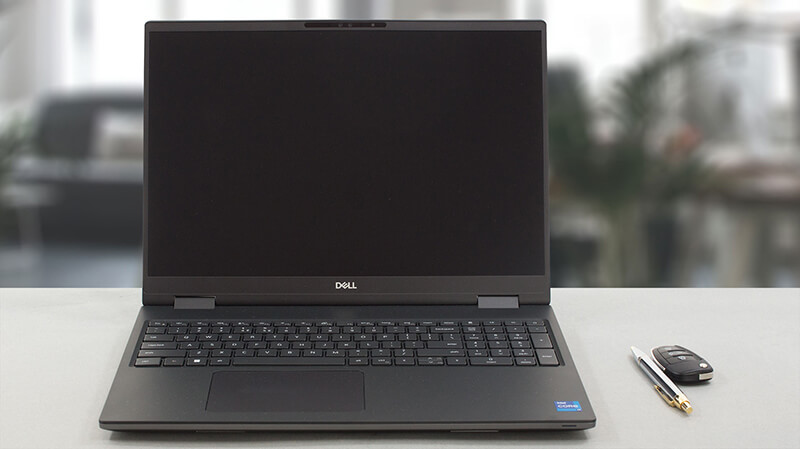 L’anno scorso è stato cruciale per il mondo dei computer portatili pesanti. Con la diffusione degli schermi da 16 pollici, abbiamo visto sempre meno esemplari da 15 pollici arrivare sul mercato. È così che è nato il Precision 16 7670.
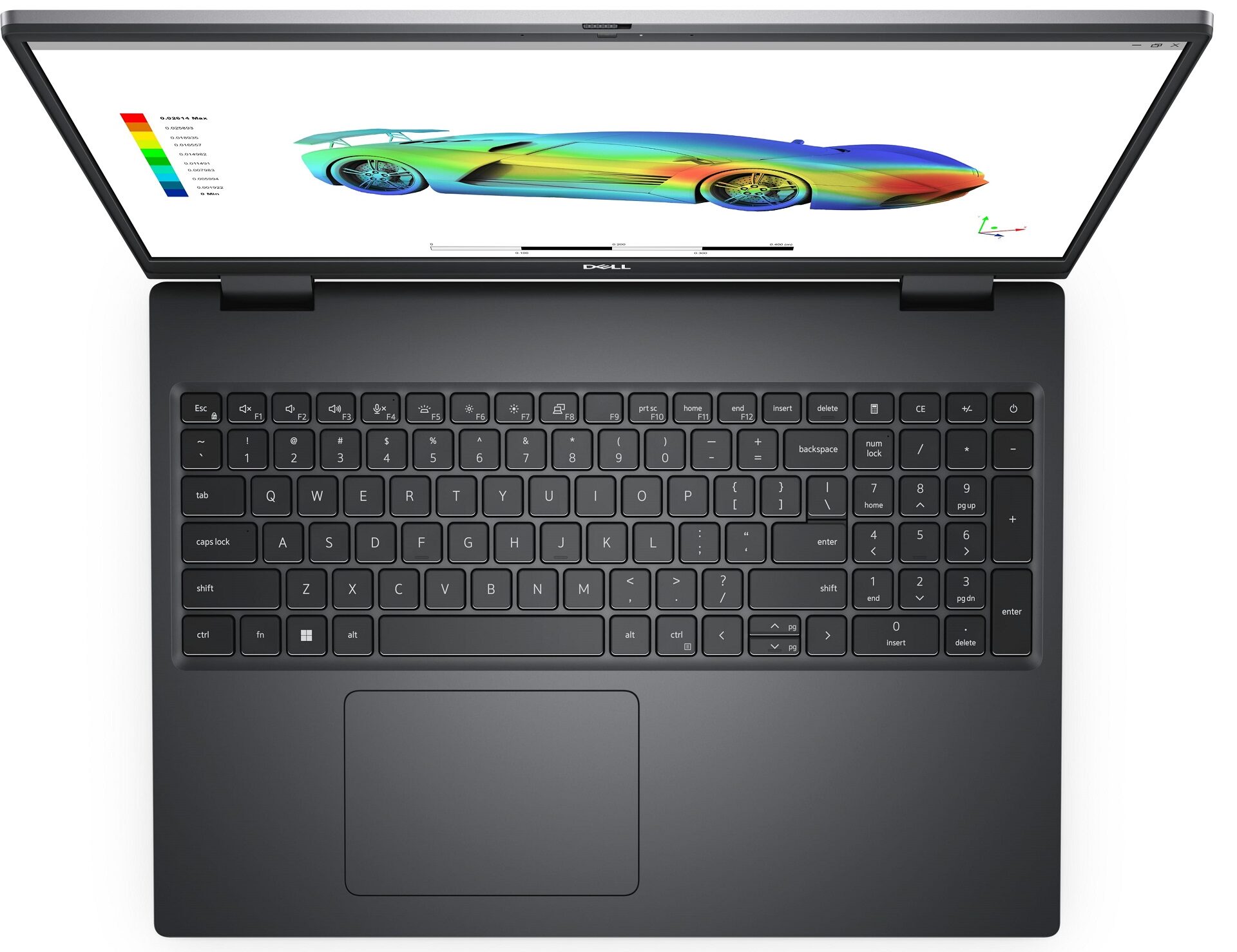
A prima vista possiamo dire che ha ricevuto una riprogettazione di cui aveva bisogno. Ora ha un aspetto più moderno, con i suoi angoli vivi e le ridotte cornici intorno al display. A questo proposito, Dell offre ora la possibilità di acquistare il Precision 16 7670 con un display OLED 4K. Qualcosa che raramente si vede in questo particolare marchio.
C’è una cosa che rende interessanti le workstation: l’hardware. Questo dispositivo può essere acquistato con una CPU piuttosto potente, con un elevato numero di core e un TDP di base di 55W. Si tratta del Core i9-12950HX.
Alcuni (noi compresi) sono confusi dalla scelta della scheda grafica e da cosa abbia a che fare con il pannello della scocca. Ebbene, molti portatili offrono diverse soluzioni di raffreddamento, a seconda della GPU presente all’interno. La gamma di questa macchina va dalla RTX A1000 alla RTX A5500: profili di prestazioni estremamente diversi.
Per questo motivo, la RTX A1000 e la RTX A2000 si trovano all’interno di uno chassis più sottile, chiamato Precision 16 7670 Thin base. Il resto del settore, che necessita di un sistema di raffreddamento migliore, deve affidarsi a uno chassis più spesso. Ma poiché “base spessa” suona un po’ sessista, Dell lo chiama “base performante”.
Un’altra cosa degna di nota è il fatto che Dell esplora nuovi territori nel reparto memoria. Tuttavia, terremo le carte in tavola fino a quando non arriveremo a quella parte della recensione.
Potete controllare i prezzi e le configurazioni nel nostro sistema di specifiche: https://laptopmedia.com/series/dell-precision-16-7670/
Contents
- Specifiche, driver, contenuto della confezione
- Design e costruzione
- Qualità del display, impatto sulla salute (PWM), suono
- Acquista i nostri profili
- Prestazioni: CPU, GPU, Test di gioco
- [Guida eBook + Strumenti] Come sfruttare al massimo il tuo Dell Precision 16 7670
- Temperature e comfort, durata della batteria
- Smontaggio, opzioni di aggiornamento e manutenzione
- Il verdetto
Specifiche, driver, contenuto della confezione
Dell Precision 16 7670 - Specifiche


- GPU
- NVIDIA RTX A4500 (Laptop, 135W) #71 nella Top GPU NVIDIA RTX A3000 (Laptop, 135W) #103 nella Top GPU NVIDIA RTX A1000 (Laptop, 95W) #175 nella Top GPU Intel UHD Graphics Xe 750 (32EU) #343 nella Top GPUNVIDIA RTX A5500 (Laptop, 135W) NVIDIA RTX A4500 (Laptop) NVIDIA RTX A2000 (Laptop, 95W) NVIDIA RTX A2000 (Laptop) NVIDIA GeForce RTX 3080 Ti (Laptop, 135W)

- HDD/SSD
- fino a 8000GB SSD + fino a 512GB HDD
- Slot M.2
- 2x 2280 PCIe NVMe 4.0 x4 Vedi foto
- RAM
- up to 128GB
- SO
- Windows 11 Pro, Windows 11 Home, Windows 10 Pro
- Batteria
- 93Wh, 6-cell, 83Wh, 83Wh, 6-cell
- Materiale del corpo
- Plastic / Polycarbonate, Aluminum, Carbon
- Dimensioni
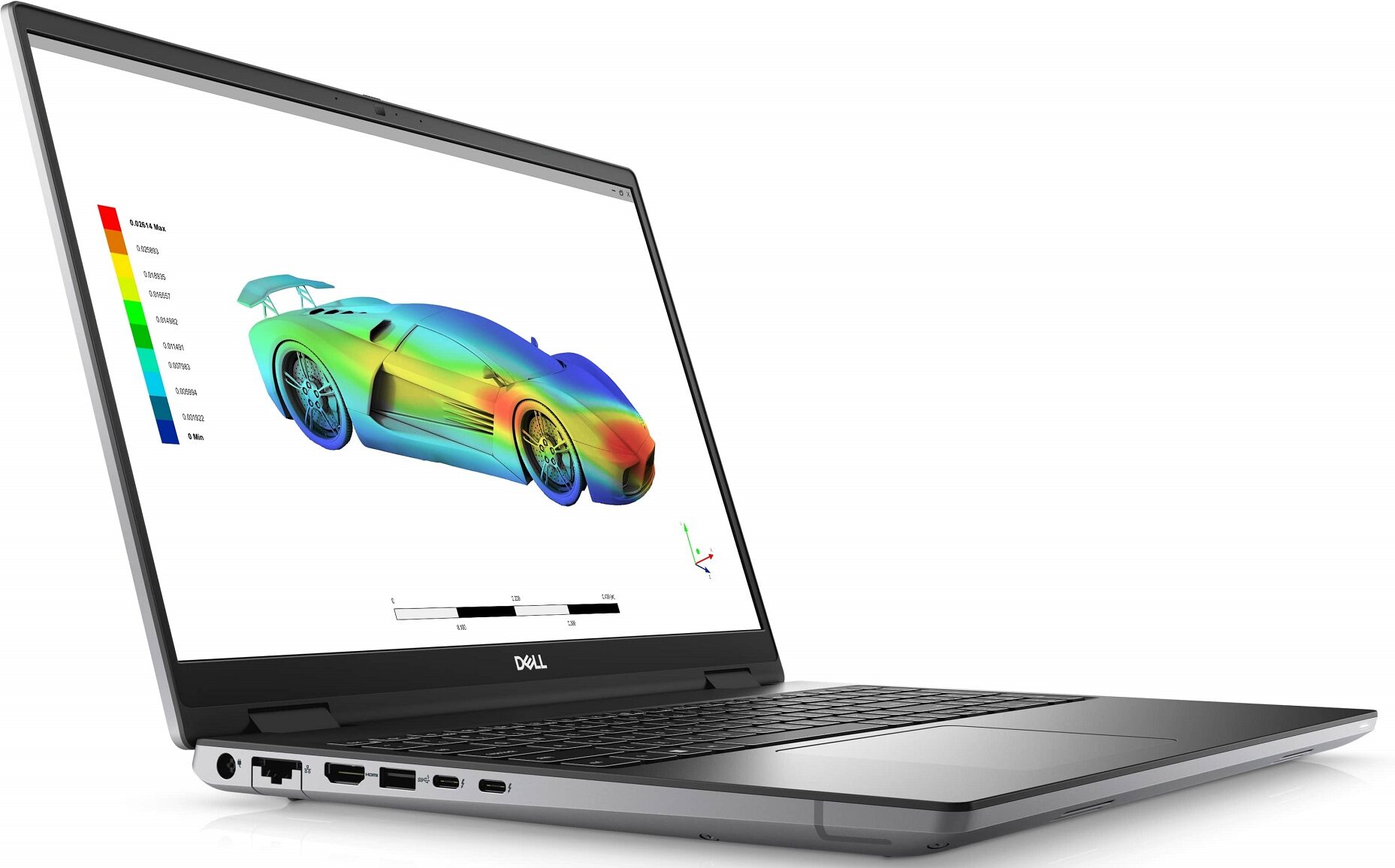
- 356 x 258.34 x 23.20 - 25.90 mm (14.02" x 10.17" x 0.91")
- Peso
- 2.60 kg (5.7 lbs)
- Porte e connettività
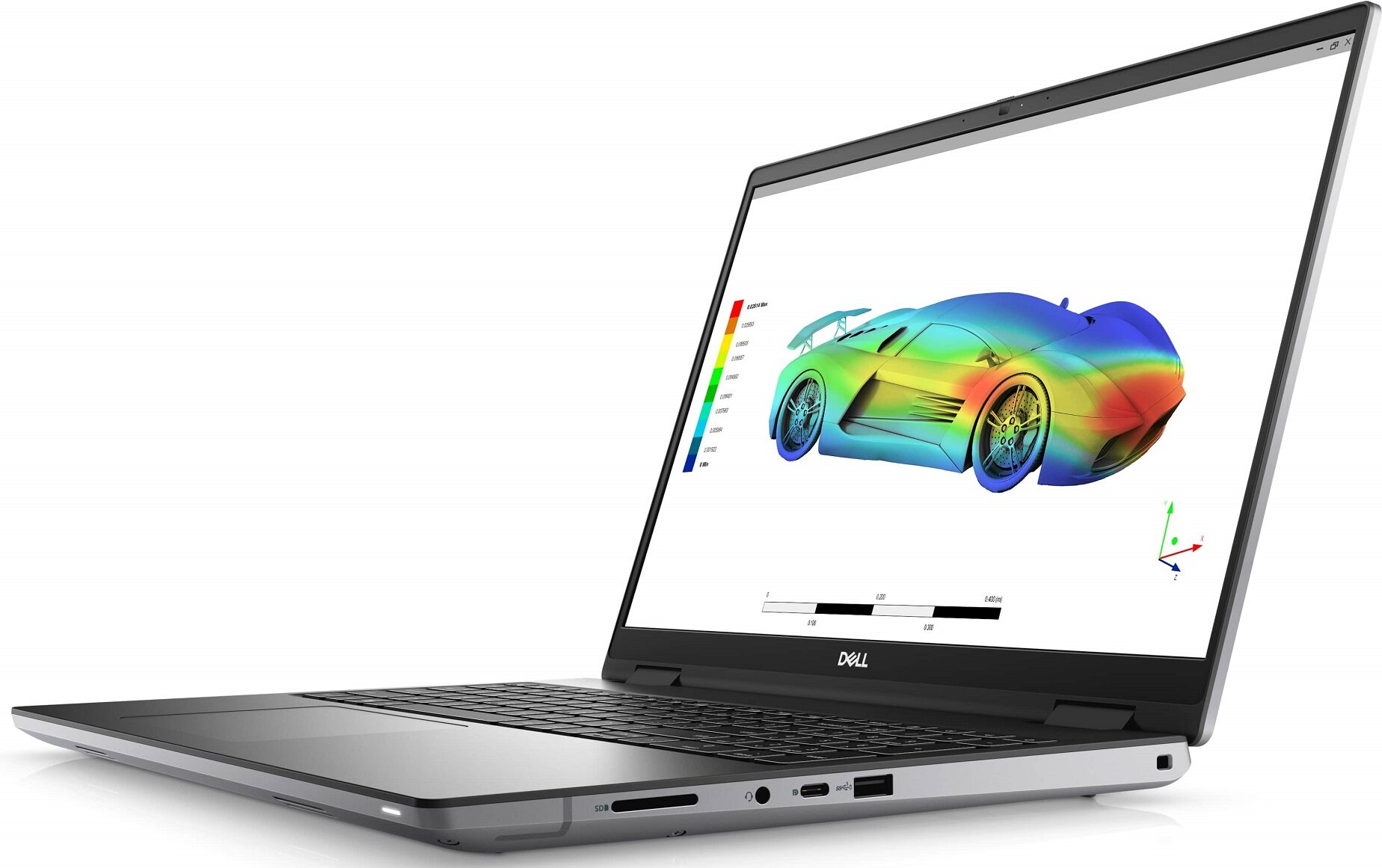
- 1x USB Type-A
- 3.2 Gen 1 (5 Gbps)
- 1x USB Type-A
- 3.2 Gen 1 (5 Gbps), Sleep and Charge
- 1x USB Type-C
- 3.2 Gen 2 (10 Gbps), DisplayPort
- 2x USB Type-C
- Thunderbolt 4
- HDMI
- 2.1
- Lettore di schede
- SD, SDHC, SDXC
- LAN Ethernet
- 10, 100, 1000 Mbit/s
- Wi-Fi
- 802.11ax
- Bluetooth
- 5.2
- Jack audio
- 3.5mm Combo Jack
- Caratteristiche
- Lettore di impronte digitali
- optional
- Webcam
- FHD + IR scanner
- Tastiera retroilluminata
- optional
- Microfono
- Dual Array Digital Microphones
- Altoparlanti
- 2x 2.5W Woofers + 2x 2.5W Tweeters
- Unità ottica
- Slot per lucchetto di sicurezza
- Wedge Lock
Tutti Dell Precision 16 7670 configurazioni
Driver
Tutti i driver e le utility per questo notebook sono disponibili qui: https://www.dell.com/support/home/en-us/product-support/product/precision-16-7670-laptop/drivers
Cosa c’è nella confezione?
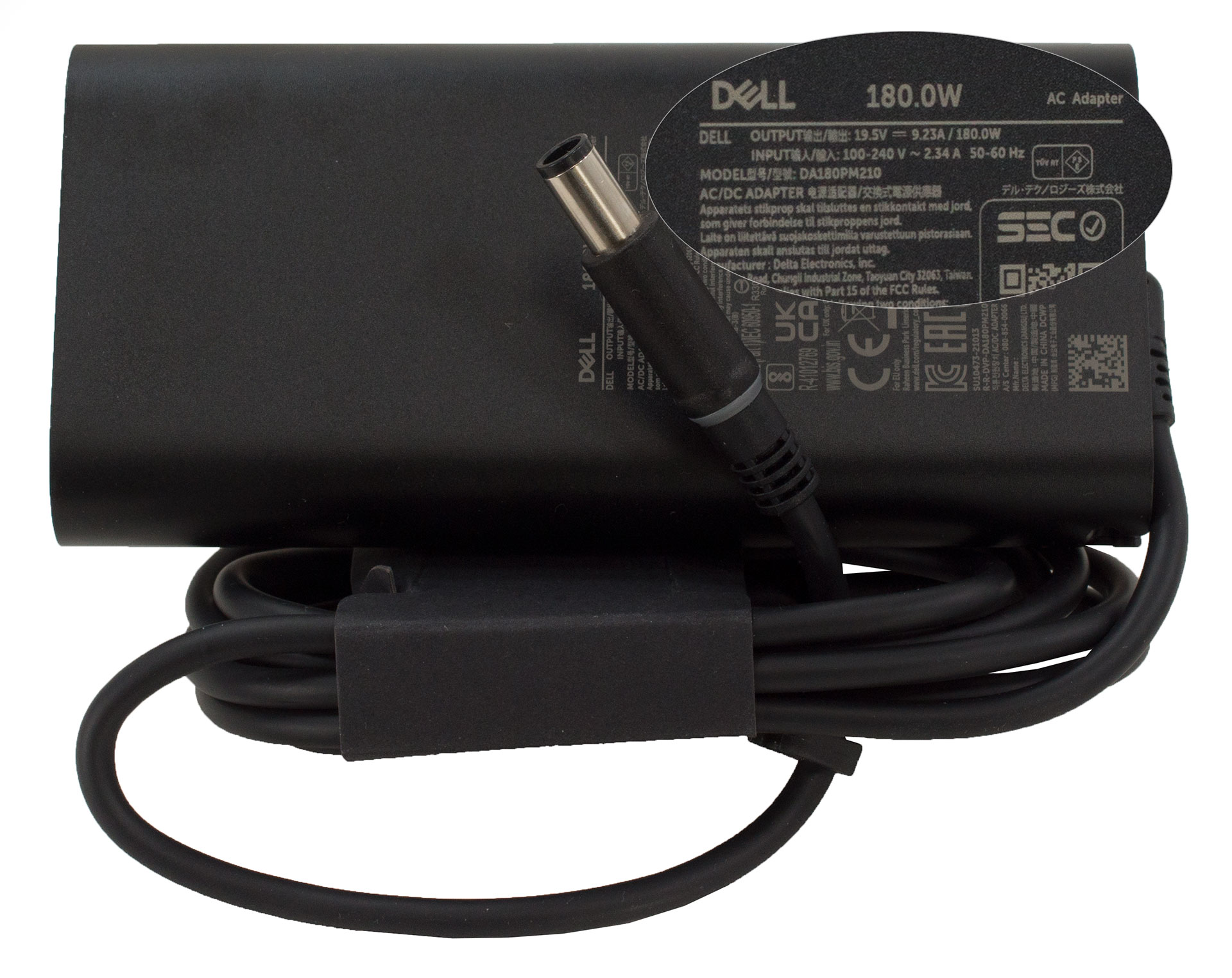
All’interno di quella che sembra una confezione standard, troviamo i documenti obbligatori e un caricabatterie da 180W. Alcune unità riceveranno un caricabatterie da 230 W, ma ciò che è probabilmente più importante è il fatto che Dell utilizza quasi interamente materiali riciclati e quasi senza plastica per l’imballaggio.
 Author: Alex Iliev
 Author: eng. Kroum NikolovHead of Engineering at LaptopMedia.com, inventor and innovator with 40+ years of experience in electronics and high technology.

![[Agosto 2026] Classifica globale delle GPU per laptop più vendute su Amazon: Apple domina la scena, mentre la RTX 5060 di NVIDIA è in testa alla classifica delle schede dedicate](https://laptopmedia.com/wp-content/uploads/2026/09/Best-Selling-GPUs-GLOBAL-Top-10-400x225.jpg)
![[Agosto 2026] Classifica globale delle CPU per laptop più vendute su Amazon: Apple domina sia nella fascia economica che in quella premium; A18 Pro e M5 sbaragliano Intel e AMD nell’agosto 2026](https://laptopmedia.com/wp-content/uploads/2026/09/Best-Selling-CPUs-GLOBAL-Top-10-400x225.jpg)
![[Agosto 2026] Amazon Global: i 10 laptop più venduti – L’Apple MacBook Neo domina le classifiche mentre i portatili Windows economici e di fascia media si contendono i volumi di vendita](https://laptopmedia.com/wp-content/uploads/2026/09/Best-Selling-Laptops-GLOBAL-Top-10-400x225.jpg)
![[Agosto 2026] Le marche di laptop più vendute su Amazon Global: Apple domina in termini di fatturato, mentre HP è in testa per varietà di modelli](https://laptopmedia.com/wp-content/uploads/2026/09/GLOBAL-Best-Brands-400x225.jpg)
![[Agosto 2026] Amazon Global: i 10 laptop da gaming più venduti – L’HP Victus 15 conquista il primo posto mentre i modelli economici dominano la classifica](https://laptopmedia.com/wp-content/uploads/2026/09/Best-Selling-Gaming-Laptops-GLOBAL-Top-10-400x225.jpg)

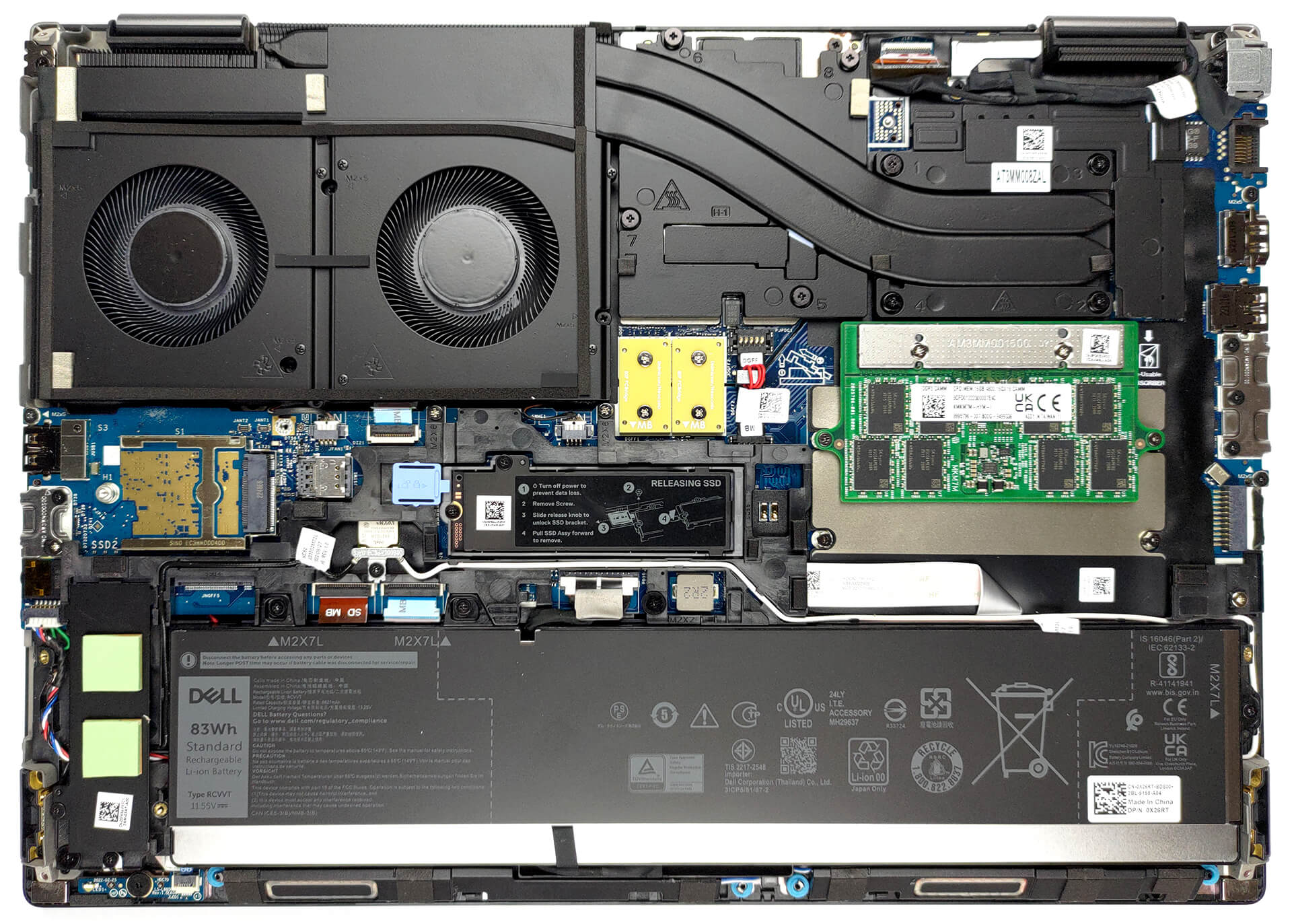
Try running the 7670 with an RTX A3000… even with the thicker chassis, the cooling system is absolutely demolished by any kind of load that hits the CPU and GPU at the same time. Games are bad enough, but professional 3D workloads are appalling. The CPU wattage and CPU frequency is throttled down so low, the laptop is slower than it’s predecessors (Precision 7550 or 7560). With only 2 heatpipes shared between the CPU and GPU, and the fans at the end of the thermal line, any load on the GPU overwhelms the CPU.
Indeed. There are several gurus (e.g. Tech3D channel on YouTube) discussing the poor job Dell is doing with thermal management on these machines, not to mention using the same old 240 watt adapter which causes these system to be power starved. Inexcusable.
Piggybacking a powerful CPU and GPU this way being questionable in the first place, heat efficiency appears to suffer further by the second heat pipe falling short of covering the entire width of the second fan, seeming to cover only about half the width – alas, the hinge is in the way. The heat sink’s width is also halved in this section to accomodate the hinge. It’s a good example of high quality material put to bad use.