Dell Precision 15 3580レビュー – 改良が望まれる薄型軽量ワークステーション
分解、アップグレードオプション、メンテナンス
このノートブックの内部にアクセスするには、8 本のプラスネジ(固定)を外す必要があります。次に、底板を前面の角からこじります。
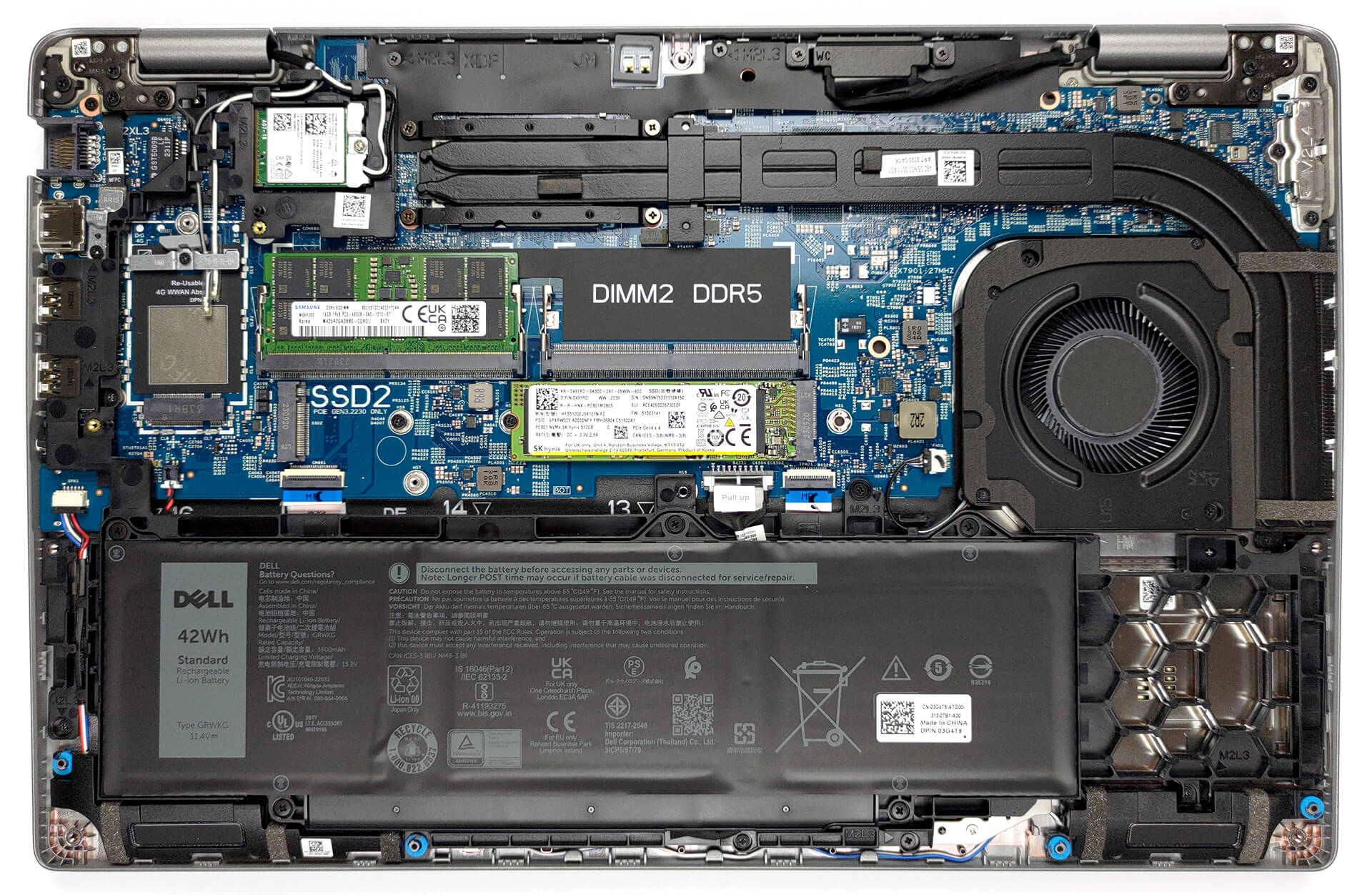
中に入るとバッテリーが見えます。バッテリーを取り外すには、バッテリーのコネクターをマザーボードから外します。次に、5つのプラスネジ(固定式)を外します。

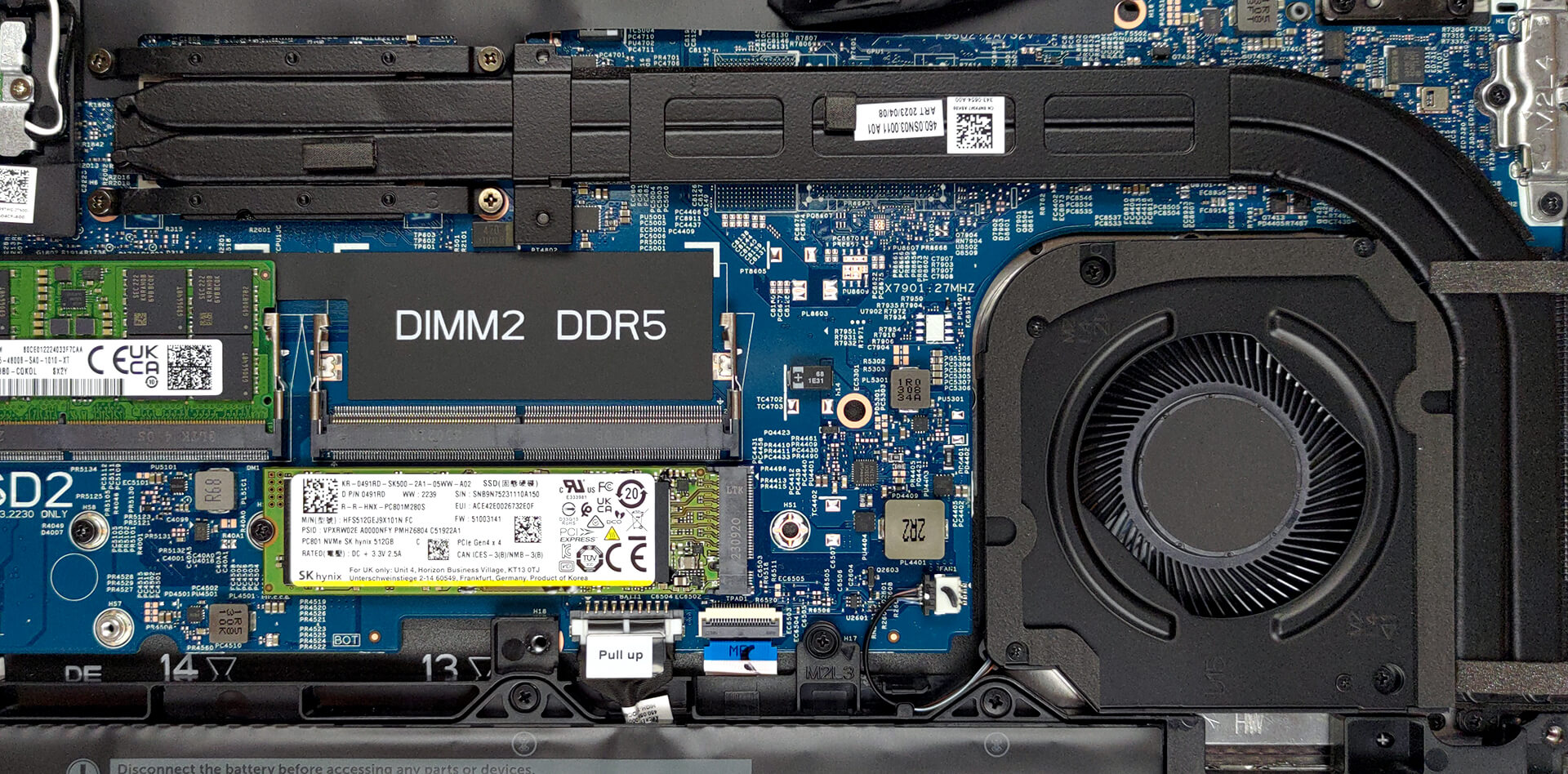
このデバイスには2つのRAM SODIMMスロットがあります。合計で最大64GBのDDR5メモリをサポートし、デュアルチャンネルモードで動作します。ストレージに関しては、2つのM.2 PCIe x4スロットがあり、どちらもGen 4 SSDをサポートします。

冷却は、2本の非常に長いヒートパイプと1つのヒートシンク、そしてファンで構成されています。
 Author: Alex Iliev
 Author: eng. Kroum NikolovHead of Engineering at LaptopMedia.com, inventor and innovator with 40+ years of experience in electronics and high technology.

![[2026年7月] AmazonにおけるノートPC用GPUの世界販売ランキング ― RTX 5060がハイエンド市場を席巻、低価格帯は依然としてインテルが優勢](https://laptopmedia.com/wp-content/uploads/2026/08/Best-Selling-GPUs-GLOBAL-Top-10-400x225.jpg)
![[2026年7月] AmazonにおけるノートPC用CPUの世界販売ランキング ― プレミアム部門はAppleが独占、総合首位はIntelが維持](https://laptopmedia.com/wp-content/uploads/2026/08/Best-Selling-CPUs-GLOBAL-Top-10-400x225.jpg)
![[July 2026] Amazon Canada: Top 10 Best-Selling Laptops – Apple MacBook Neo Dominates the Market to Claim the #1 Spot](https://laptopmedia.com/wp-content/uploads/2026/08/Best-Selling-Laptops-CA-Top-10-2-400x225.jpg)
![[2026年7月] Amazon.co.jpで最も売れているノートPCブランド――激しい競争の中、HPとLenovoが販売台数と売上高で首位を占める](https://laptopmedia.com/wp-content/uploads/2026/08/CO.JP-Best-Brands-2-400x225.jpg)
![[July 2026] Amazon Italy: Top 10 Best-Selling Laptops – Apple MacBook Neo Claims the #1 Spot Amid Budget-Friendly Dominance](https://laptopmedia.com/wp-content/uploads/2026/08/Best-Selling-Laptops-IT-Top-10-400x225.jpg)

Very good, with the better battery and screen option it becomes very attractive, but the CPU tests have exactly the same results as the Yoga 9i with the same 1360P.
I think there is an error there..
Updating: after my message they updated the Cinebench results to exactly the same result obtained by the MSI Summit E14…
Do you actually test the laptops or do you try to approximate the expected results?
Hello! Yes, we do test them. The result is a strange bug, already reported, thank you!
The left side of the laptop also incorporates a battery status light which doesn’t appear to double as a hard disk activity light as on previous Dell laptops. The manual also makes no mention of a pause/break key combination which used to be Fn+B.
BTW Dell dropped the screen size from its model nomenclature a while back guys. This model is simply called the Precision 3580.
Can this be used for gaming