Dell Inspiron 17 3793 review – a budget daily driver that will stretch your backpack
 Today, we are going to review a bit of a clunky daily-driver from Dell. It is the brand new Inspiron 17 3793 and is now equipped with the Ice Lake processor line-up from Intel. Similarly to its 15-inch brother, it is good to see that a somewhat entry-level device is swiftly refreshed with the 10nm CPU Intel has to offer.
Else of that, the notebook comes with a 1080 IPS panel (optional), which is going to be significantly more pleasing to the eye than the TN-version. Furthermore, you can configure the device with an MX230 dedicated GPU, which provides some extra graphics power over the already improved Iris Plus Graphics.
Let’s see how did the cost-cutting affects the performance, as well as the overall usability of this laptop.
You can check the prices and configurations in our Specs System: https://laptopmedia.com/series/dell-inspiron-17-3793/
Contents
Specs Sheet
Dell Inspiron 17 3790 / 3793 - Specyfikacja

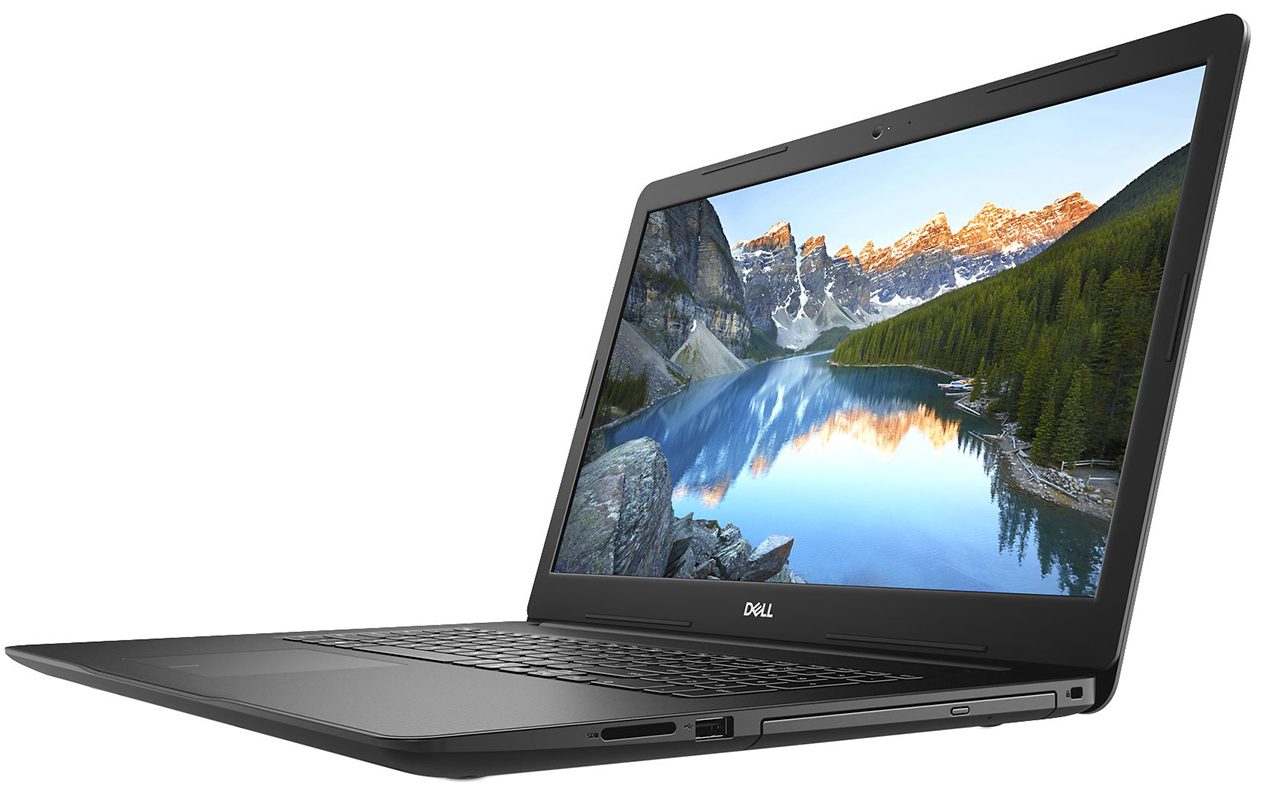

- HDD/SSD
- do 8000GB SSD + do 2000GB HDD
- RAM
- up to 64GB
- System operacyjny
- Windows 10 Home, Windows 10 Pro
- Bateria
- 42Wh, 3-cell
- Wymiary
- 415.4 x 279.2 x 25~25.6 mm (16.35" x 10.99" x 0.98")
- Waga
- 3.03 kg (6.7 lbs)
- Porty i łączność
- 2x USB Type-A
- 3.2 Gen 1 (5 Gbps)
- 1x USB Type-A
- 2.0
- 1x USB Type-C
- 3.2 Gen 1 (5 Gbps)
- HDMI
- 1.4b
- Czytnik kart
- SD, SDHC, SDXC
- Ethernet LAN
- 10, 100 Mbit/s
- Wi-Fi
- 802.11ac
- Bluetooth
- 5.0
- Gniazdo audio
- 3.5 mm combo
- Cechy
- Czytnik linii papilarnych
- optional
- Kamera internetowa
- HD
- Podświetlana klawiatura
- optional
- Mikrofon
- Głośniki
- 2x 2W
- Napęd optyczny
- optional
- Gniazdo blokady bezpieczeństwa
Wszystkie Dell Inspiron 17 3790 / 3793 konfiguracje
What’s in the box?
If you pick the option, including the dedicated MX230, you are going to receive the 65W power adapter, else, there should be a 45W unit.
Design and construction
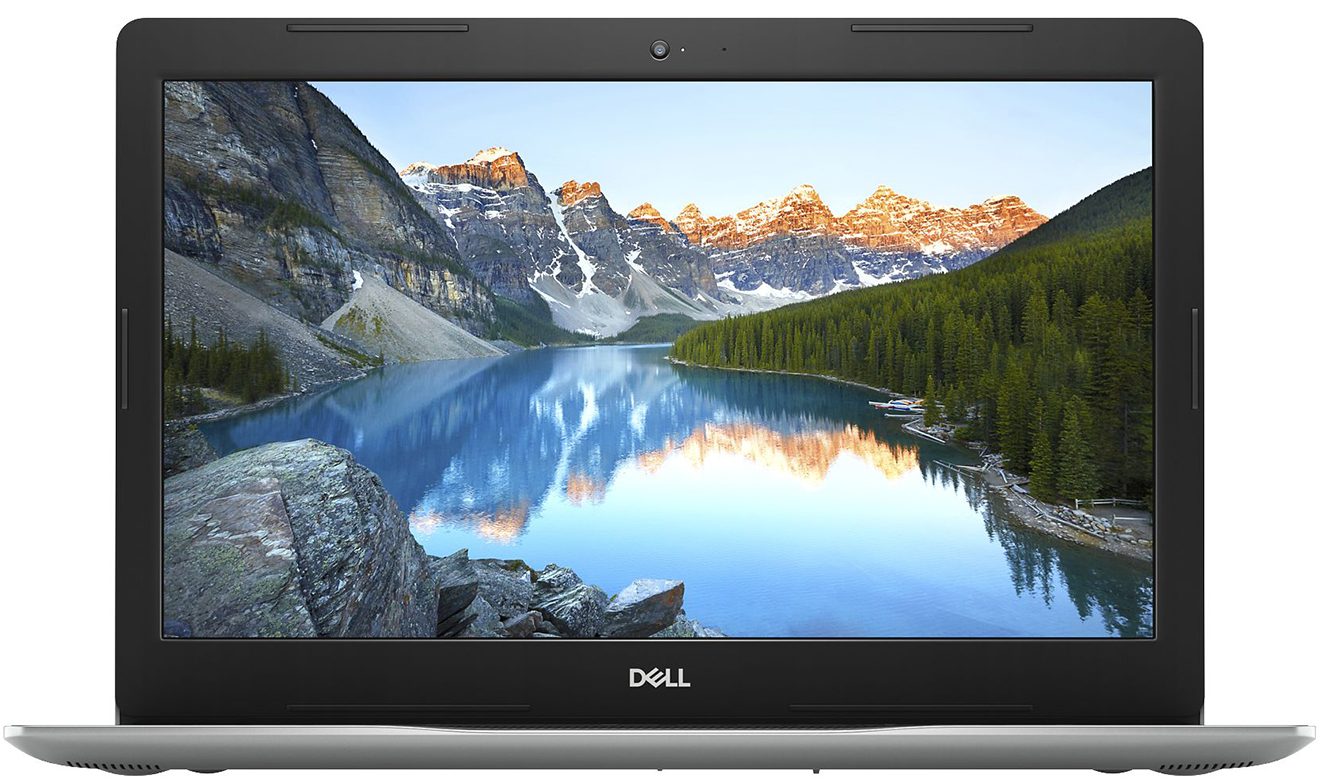
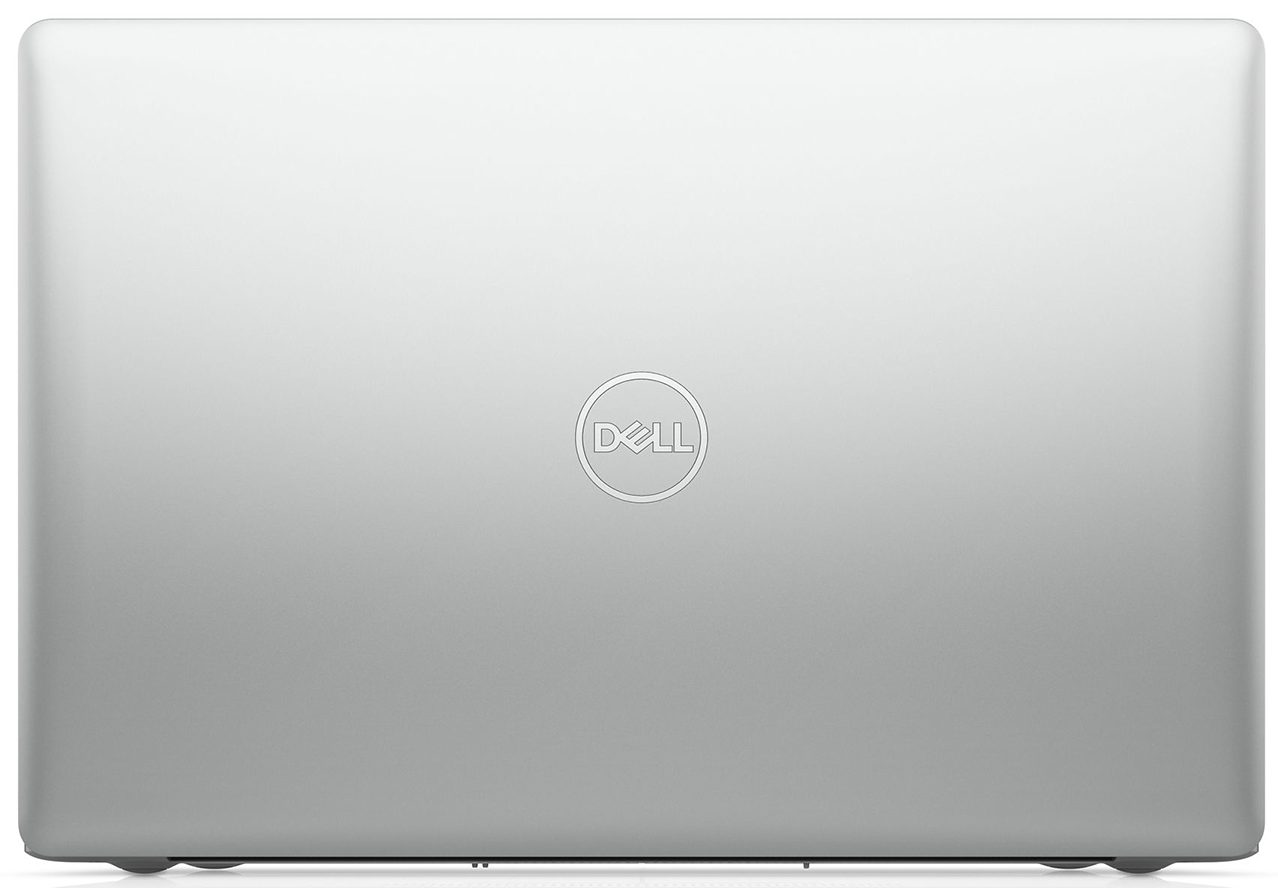
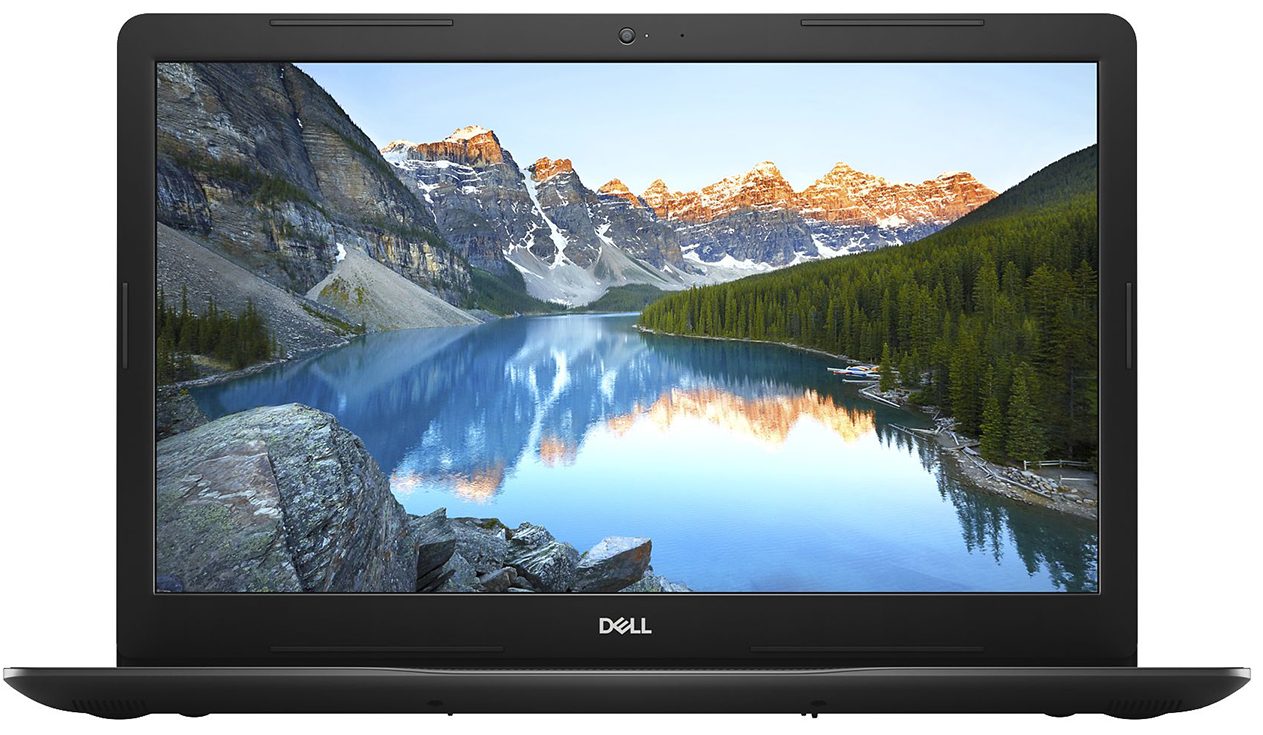
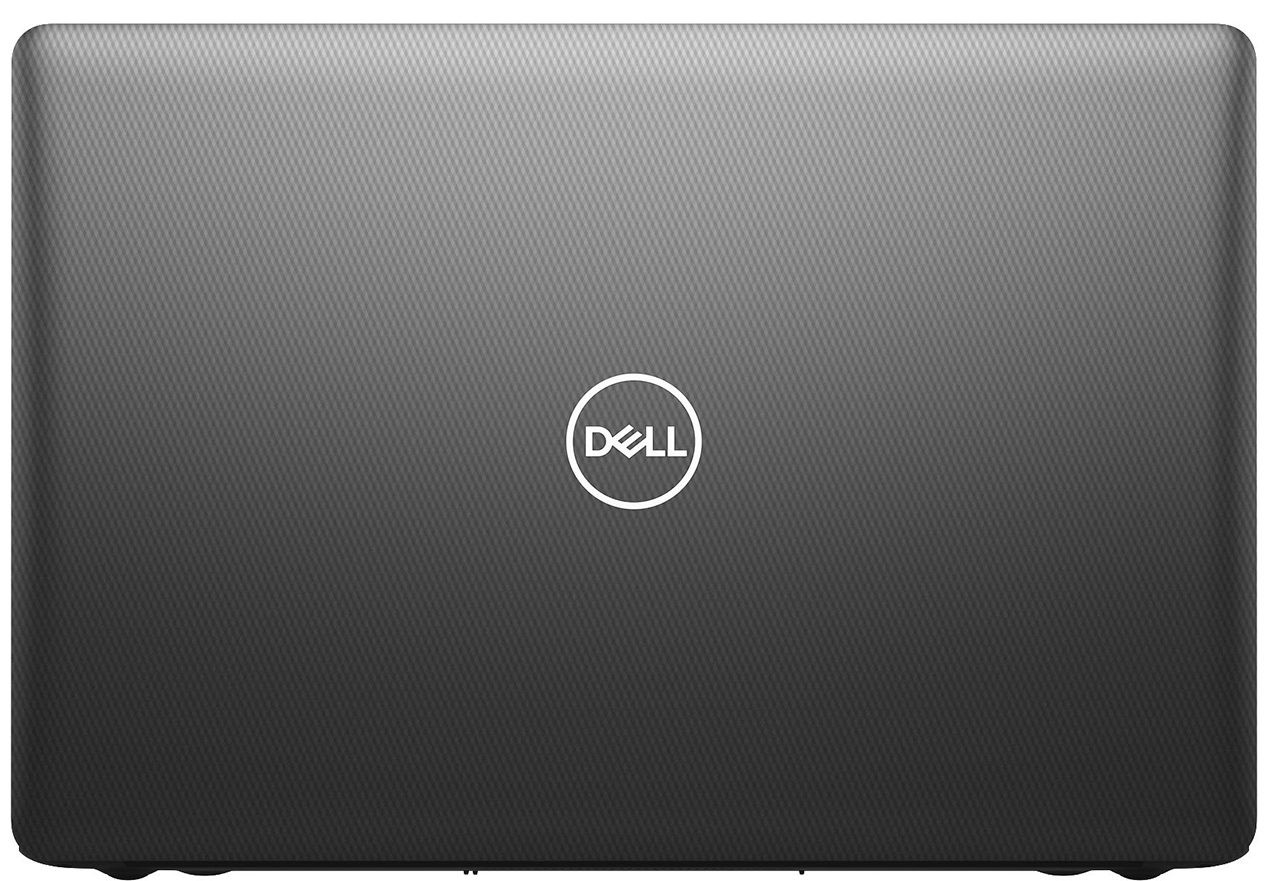
As seen on Dell’s official page, this device is sold in a touchscreen and a non-touchscreen form. Its both iterations weigh 3.03 kg. Apart from the obvious capabilities of the former, they differ in thickness, as well. The first is 21.9mm in the front and 25mm in the back, while the second goes from 22.5-25.6mm. As far as the design goes, the Inspiron 17 3793 is unamusing, with a fairly old-looking shell. In terms of colors – there is a silver and black model.

Frustratingly, the lid cannot be opened with a single hand, which is not very comfortable, when the laptop weighs more than 3 kg.
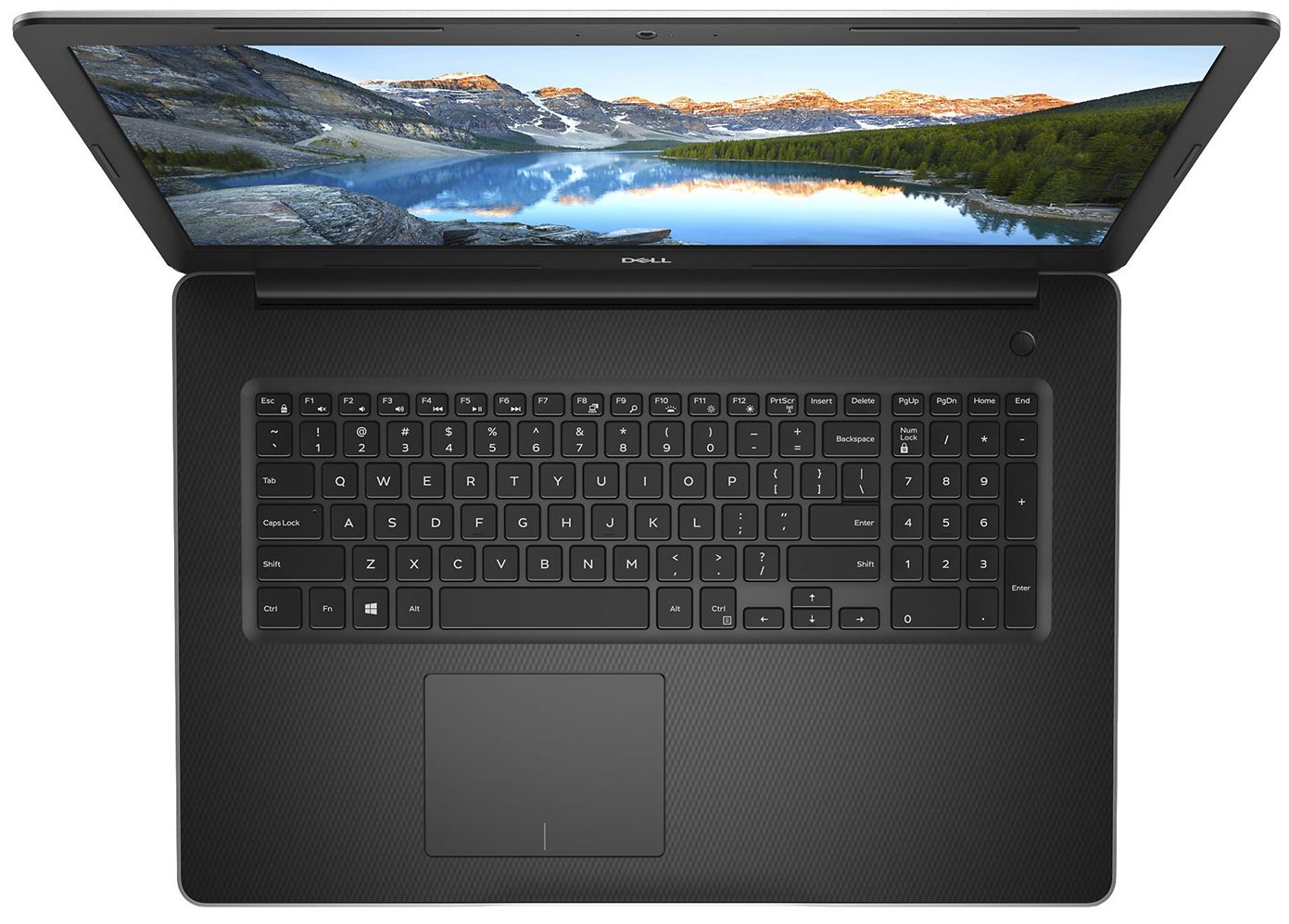
Further to the base, the budget plastic materials continue, however, there is a cross-cut-looking finish, that from around 1-2 miles can be mistaken for carbon fiber. While there is some bend when you press hard on it, there is nothing too dramatic. Then, the keyboard has decent tactile feedback and relatively long key travel. In addition to that, the board is equipped with a NumberPad section, although the keys are slightly smaller than the rest.
Further below, the fingerprint reader looks a little too small for the footprint of the device. On the bright side, it is above the average seen on Windows laptops, with its accurate reading and matte finish.
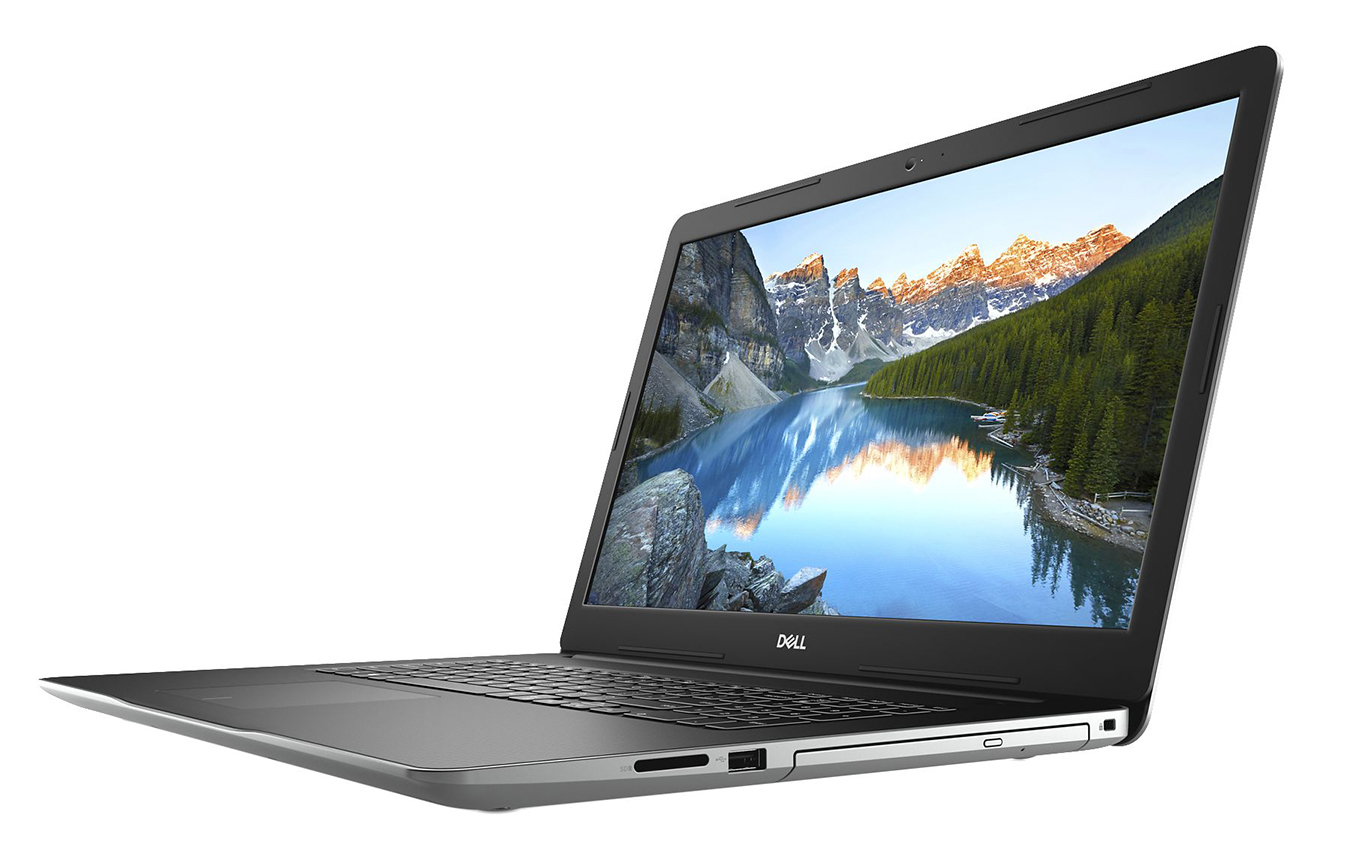
Lastly, on the bottom plate, there are three distinctive cut-outs. The foremost two are for the speakers, while the one in the middle is a ventilation grill. Expectedly, hot air comes out from in between the base and the lid.
Ports
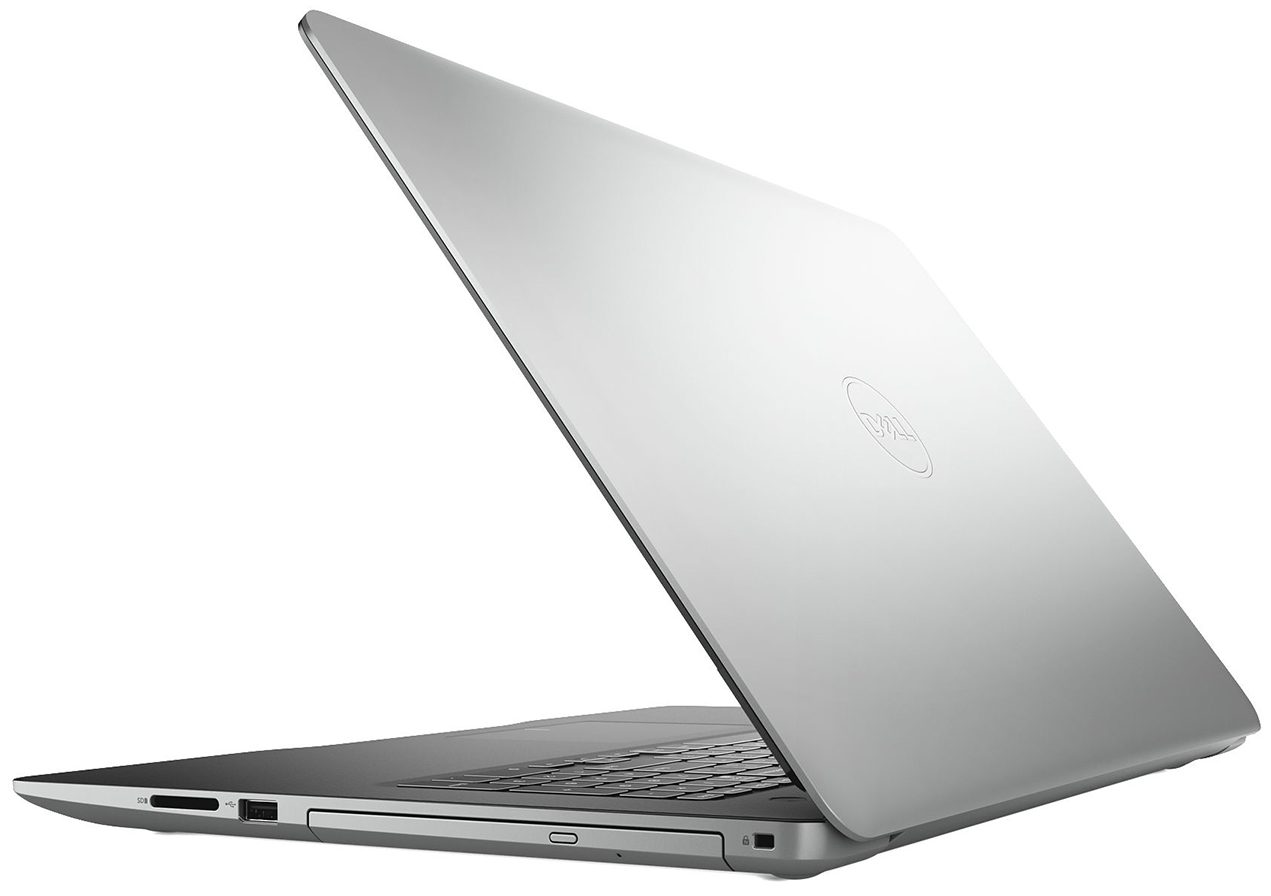
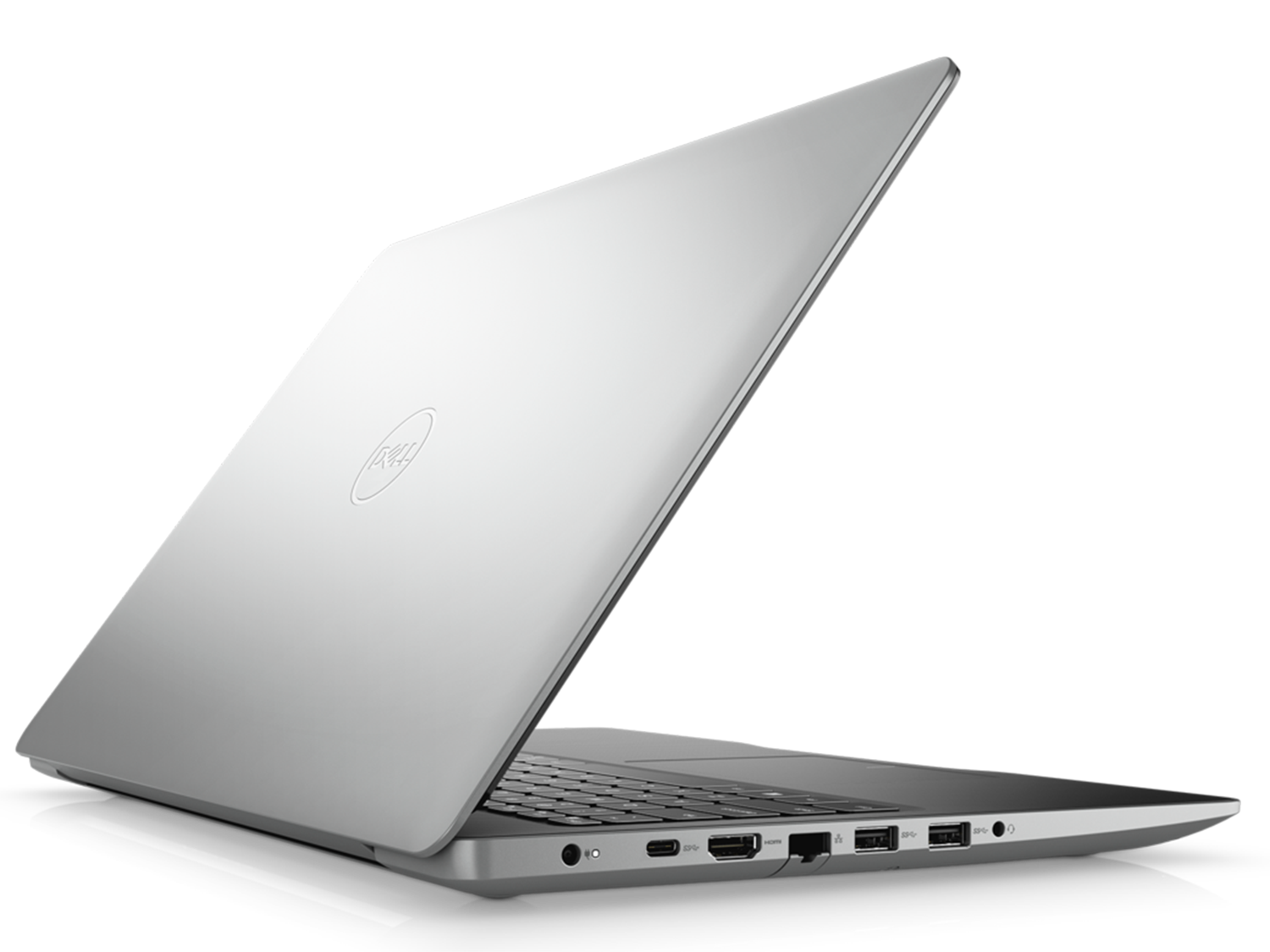
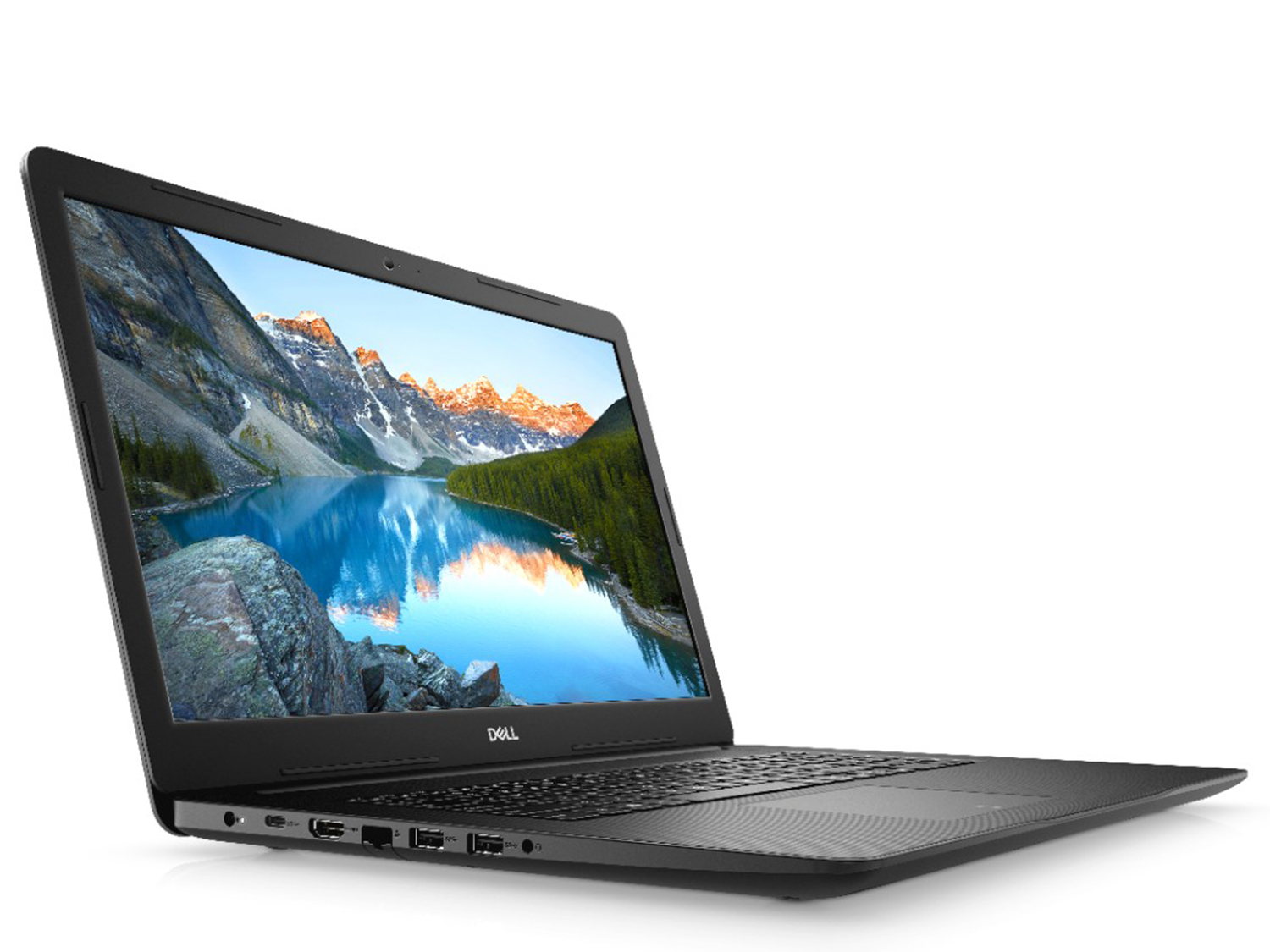
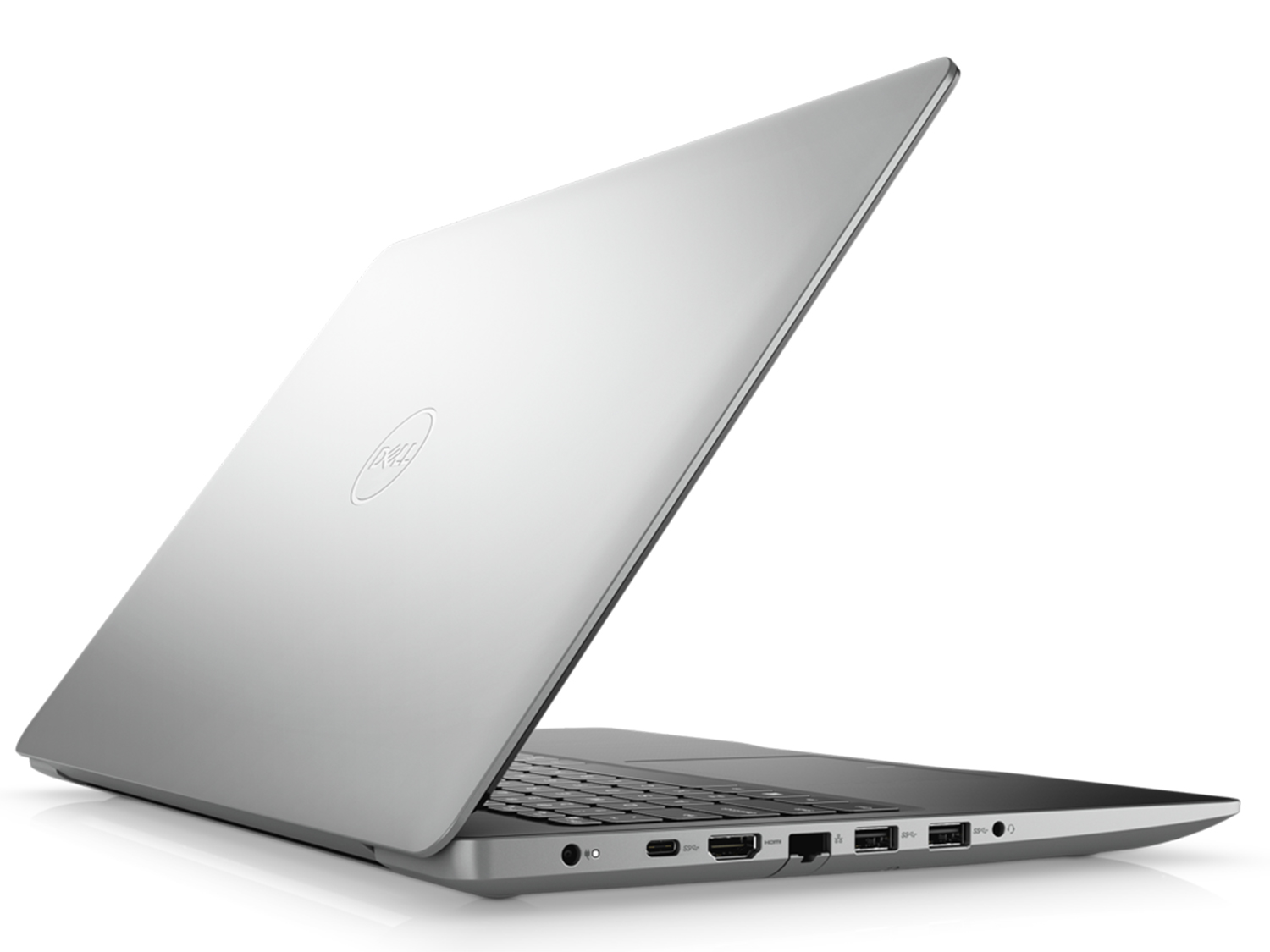
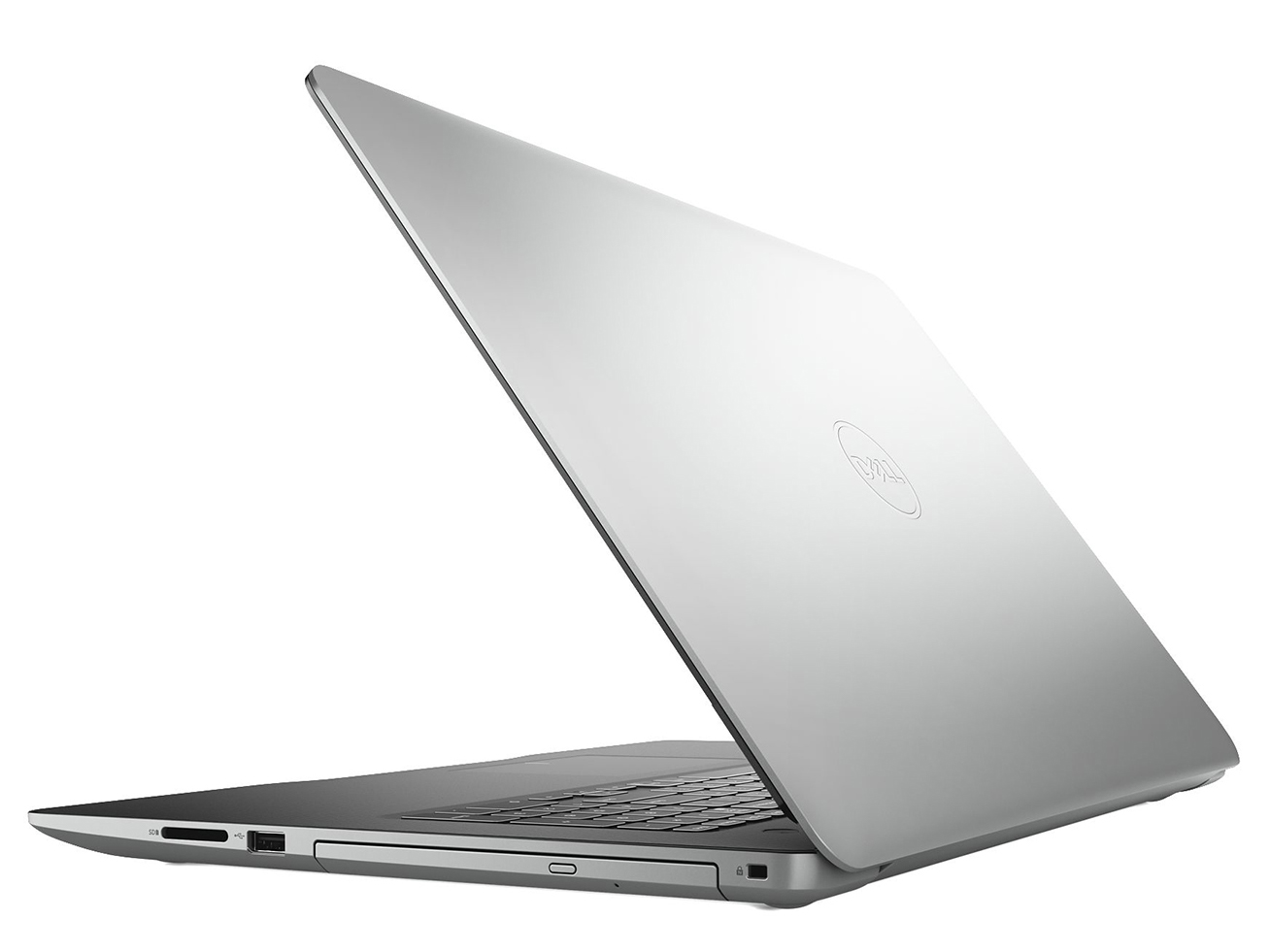
Most of the I/O of this machine can be found on its left side – there you will see the power plug, as well as a USB Type-C 3.1 (Gen. 1) port, an HDMI connector, an RJ-45 connector, followed by two USB Type-A 3.1 (Gen. 1) ports and an audio jack. Then, on the right, are located the Optical drive Read/Write, a USB Type-A 2.0 port and an SD card reader.

Disassembly, upgrade options and maintenance
As is the case with almost all units that come with an optical drive is that it is the first thing to go. Unscrew the screw that keeps it in place and just pull it out. Then, there are 14 additional Phillips-head screws to remove, two of which are located beneath where the optical drive used to sit. After that just pop the thing with a plastic pry tool, and you are inside!
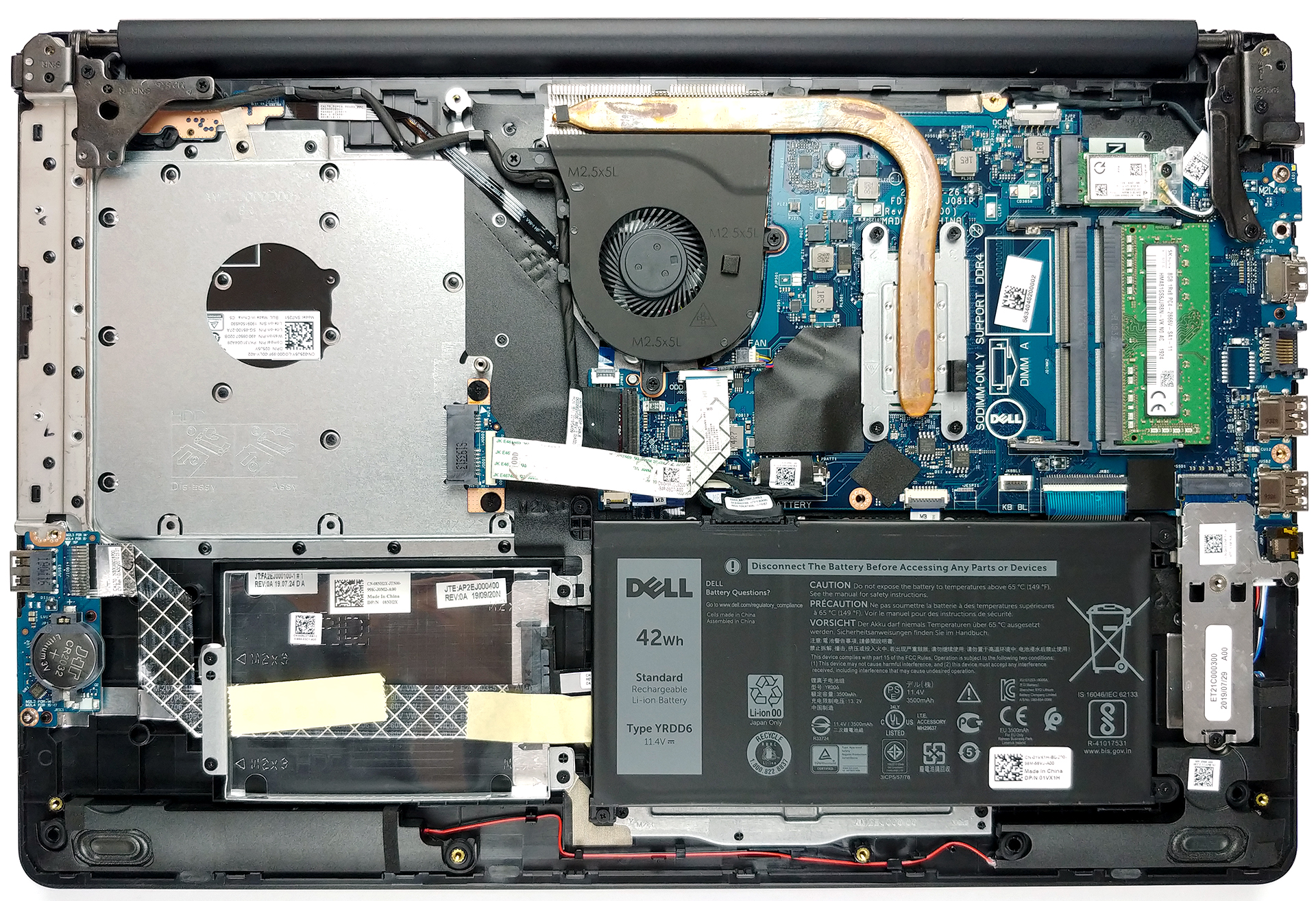
The cooling of this notebook is nothing too fancy – just a single heat pipe and a fan, blowing at the heat spreader.

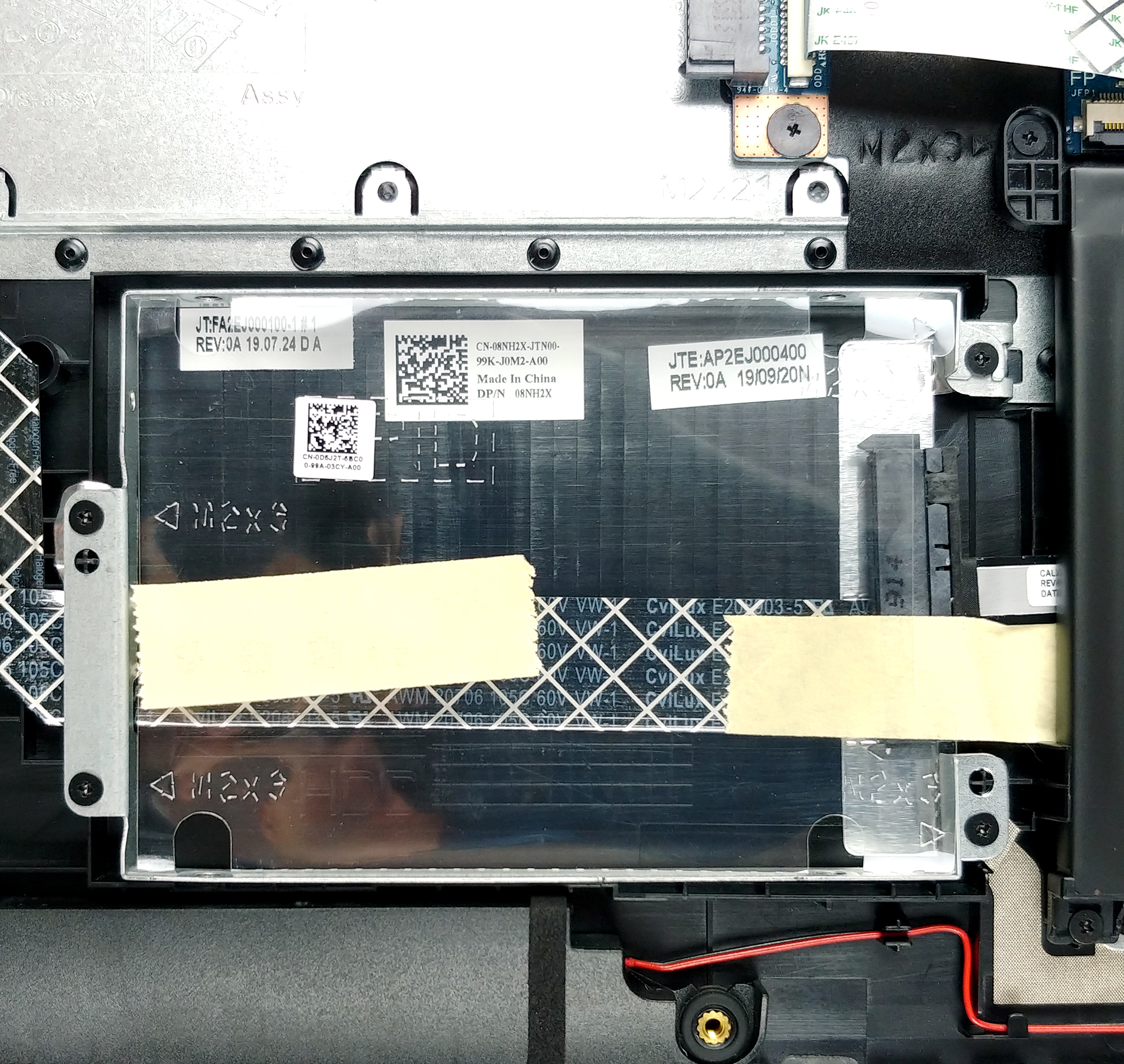
On the bright side, there are two RAM DIMMs that support up to 16GB of DDR4 memory in total. Moreover, it has an M.2 slot that supports PCIe x4 speeds and up to 512GB capacity, as well as a 2.5″ SATA drive that can fit a 2TB HDD.

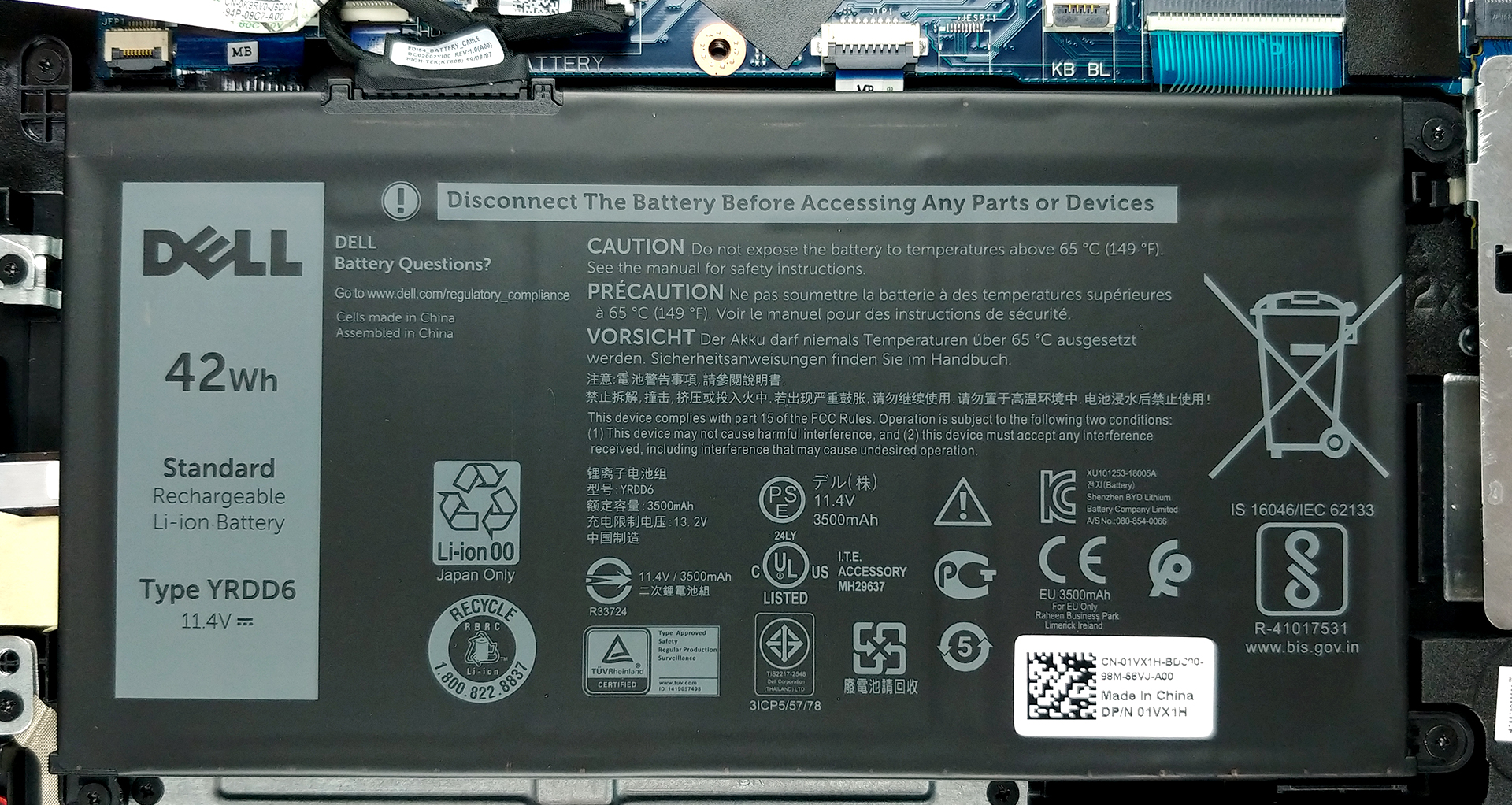
Last, but not least, there is the 42Wh battery, seen on its 15-inch brother.
Display quality
Dell Inspiron 17 3793 is equipped with a Full HD IPS screen, model number CMN1738 (Y4PG7-17HCE; N173HCE-E31). Its diagonal is 17.3″ (43.94 cm), and the resolution – 1920 х 1080. Additionally, the screen ratio is 16:9, the pixel density – 127 ppi, their pitch – 0.1995 x 0.1995 mm. The screen can be considered Retina when viewed from at least 69 cm (from this distance, the average human eye can’t see the individual pixels).
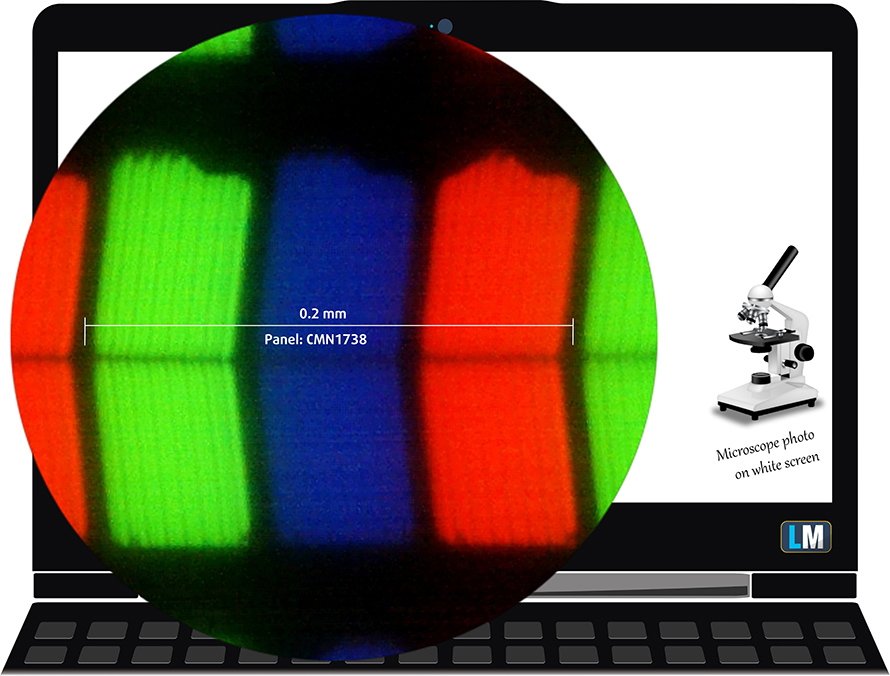
Its viewing angles are comfortable. We have provided images at 45 degrees to evaluate quality.

The maximum measured brightness is relatively high – 310 nits (cd/m2) in the middle of the screen and 294 nits (cd/m2) average across the surface with a maximum deviation of 11%. The Correlated Color Temperature on a white screen and at maximum brightness is 7070K (average) – colder than the 6500K optimum for sRGB. The average color temperature through the grey scale before profiling is 6950K.
In the illustration below you can see how the display performs from uniformity perspective. The illustration below shows how matters are for operational brightness levels (approximately 140 nits) – in this particular case at 43% Brightness (White level = 141 cd/m2, Black level = 0.11 cd/m2).
Values of dE2000 over 4.0 should not occur, and this parameter is one of the first you should check if you intend to use the laptop for color sensitive work (a maximum tolerance of 2.0 ). The contrast ratio is very good – 1250:1 (1140:1).

To make sure we are on the same page, we would like to give you a little introduction to the sRGB color gamut and the Adobe RGB. To start, there’s the CIE 1976 Uniform Chromaticity Diagram that represents the visible specter of colors by the human eye, giving you a better perception of the color gamut coverage and the color accuracy.
Inside the black triangle, you will see the standard color gamut (sRGB) that is being used by millions of people in HDTV and on the web. As for the Adobe RGB, this is used in professional cameras, monitors, etc for printing. Basically, colors inside the black triangle are used by everyone and this is the essential part of the color quality and color accuracy of a mainstream notebook.
Still, we’ve included other color spaces like the famous DCI-P3 standard used by movie studios, as well as the digital UHD Rec.2020 standard. Rec.2020, however, is still a thing of the future and it’s difficult for today’s displays to cover that well. We’ve also included the so-called Michael Pointer gamut, or Pointer’s gamut, which represents the colors that naturally occur around us every day.
The yellow dotted line shows Dell Inspiron 17 3793’s color gamut coverage.
Its display covers 94% of the sRGB/ITU-R BT.709 (web/HDTV standard) in CIE1976, which provides a vibrant and punchy image.

Our “Design and Gaming” profile delivers optimal color temperature (6500K) at 140 cd/m2 luminance and sRGB gamma mode.
We tested the accuracy of the display with 24 commonly used colors like light and dark human skin, blue sky, green grass, orange, etc. You can check out the results at factory condition and also, with the “Design and Gaming” profile.
Below you can compare the scores of Dell Inspiron 17 3793 with the default settings (left), and with the “Gaming and Web design” profile (right).
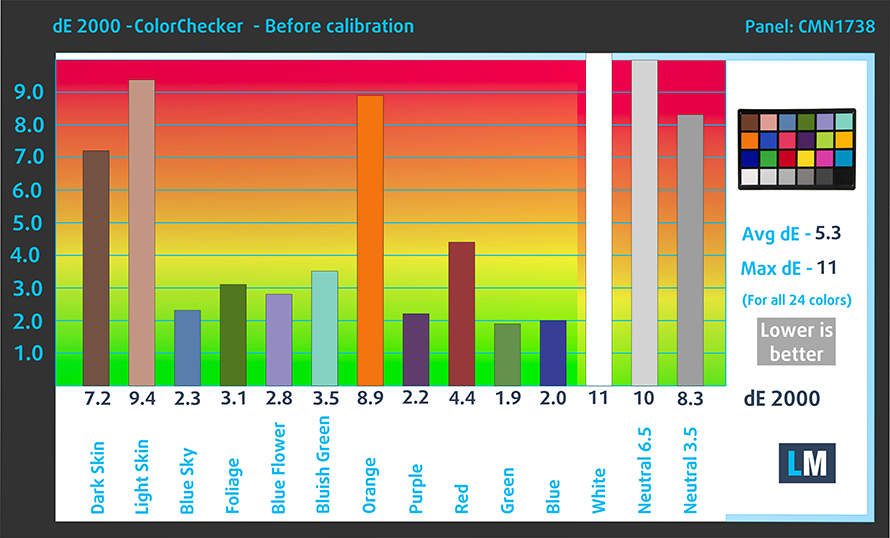
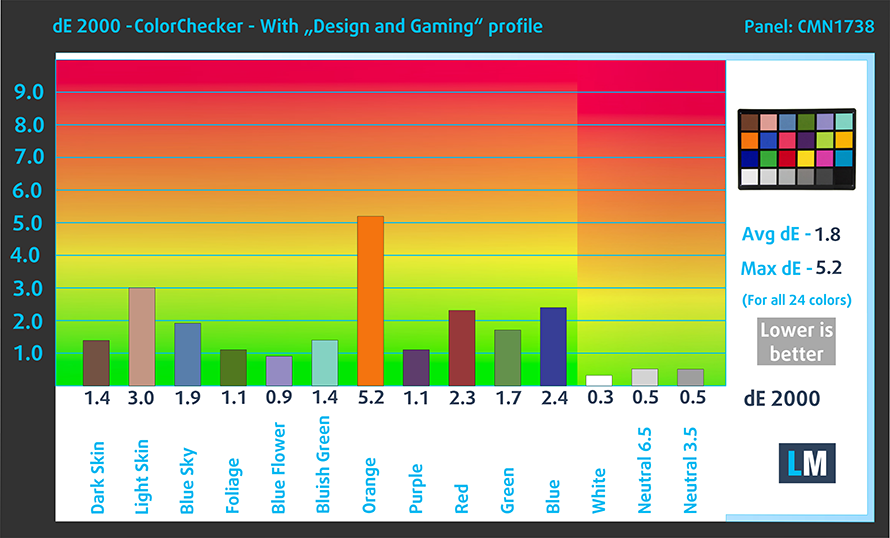
The left side of the image represents the display with stock settings, while the right one is with the “Gaming and Web Design” profile activated. On the horizontal axis, you will find the grayscale and on the vertical axis – the luminance of the display. On the two graphs below you can easily check for yourself how your display handles the darkest nuances but keep in mind that this also depends on the settings of your current display, the calibration, the viewing angle, and the surrounding light conditions.

Response time (Gaming capabilities)
We test the reaction time of the pixels with the usual “black-to-white” and “white-to-black” method from 10% to 90% and vice versa.
We recorded Fall Time + Rise Time = 25 ms.

Health impact – PWM / Blue Light
PWM (Screen flickering)
Pulse-width modulation (PWM) is an easy way to control monitor brightness. When you lower the brightness, the light intensity of the backlight is not lowered, but instead turned off and on by the electronics with a frequency indistinguishable to the human eye. In these light impulses, the light/no-light time ratio varies, while brightness remains unchanged, which is harmful to your eyes. You can read more about that in our dedicated article on PWM.
Dell Inspiron 17 3793’s display is doesn’t use PWM for brightness adjustment up until 82 nits and with high frequency. This makes it comfortable for long working periods, without being harmful to your eyes in this aspect.

Blue light emissions
Installing our Health-Guard profile not only eliminates PWM but also reduces the harmful Blue Light emissions while keeping the colors of the screen perceptually accurate. If you’re not familiar with the Blue light, the TL;DR version is – emissions that negatively affect your eyes, skin and your whole body. You can find more information about that in our dedicated article on Blue Light.
Conclusions
Dell Inspiron 17 3793’s display has an IPS panel with a Full HD resolution, high contrast ratio, comfortable viewing angles and exceptionally high color coverage – 94% of sRGB. Moreover, its backlight doesn’t use aggressive PWM to adjust its brightness levels and with the help of our Gaming and Web design profile, it can be used for design purposes, as the Average dE falls below the 2.0 value.
Buy our profiles
Since our profiles are tailored for each individual display model, this article and its respective profile package are meant for Dell Inspiron 17 3793 configurations with 17.3″ CMN1738 (Y4PG7-17HCE; N173HCE-E31) (FHD, 1920 × 1080) IPS.
*Should you have problems with downloading the purchased file, try using a different browser to open the link you’ll receive via e-mail. If the download target is a .php file instead of an archive, change the file extension to .zip or contact us at [email protected].
Read more about the profiles HERE.
Oprócz otrzymywania wydajnych i przyjaznych dla zdrowia profili, kupując produkty LaptopMedia, wspierasz również rozwój naszych laboratoriów, w których testujemy urządzenia w celu tworzenia jak najbardziej obiektywnych recenzji.

Office Work
Office Work powinien być używany głównie przez użytkowników, którzy spędzają większość czasu patrząc na teksty, tabele lub po prostu przeglądając internet. Ten profil ma na celu zapewnienie lepszej wyrazistości i klarowności poprzez utrzymanie płaskiej krzywej gamma (2.20), natywnej temperatury barwowej i percepcyjnie dokładnych kolorów.

Design and Gaming
Ten profil jest przeznaczony dla projektantów, którzy pracują z kolorami zawodowo, a także do gier i filmów. Design and Gaming wykorzystuje panele wyświetlaczy do granic ich możliwości, czyniąc je tak dokładnymi, jak to tylko możliwe w standardzie sRGB IEC61966-2-1 dla stron internetowych i telewizji HD, przy punkcie bieli D65.

Health-Guard
Health-Guard eliminuje szkodliwą modulację szerokości impulsu (PWM) i redukuje negatywne niebieskie światło, które wpływa na nasze oczy i ciało. Ponieważ jest on dostosowany do każdego panelu, udaje mu się utrzymać percepcyjnie dokładne kolory. Health-Guard symuluje papier, dzięki czemu nacisk na oczy jest znacznie zmniejszony.
Zdobądź wszystkie 3 profile z 33% zniżką

Sound
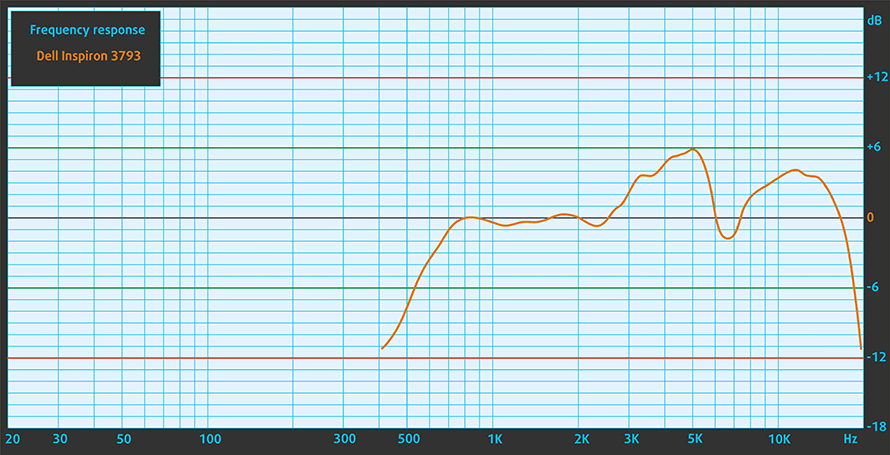
Dell Inspiron 17 3793’s speakers produce a loud sound with very good quality. Its low, mid and high tones are clear of deviations.
Drivers
All of the drivers and utilities can be downloaded from here: https://www.dell.com/support/home/us/en/19/product-support/product/inspiron-17-3793-laptop/drivers
Battery
Now, we conduct the battery tests with Windows Better performance setting turned on, screen brightness adjusted to 120 nits and all other programs turned off except for the one we are testing the notebook with. As we mentioned, the notebook features a 42Wh battery.
We were able to extract 5 hours and a half of Web browsing and around 6 hours and a half of video playback, which is somewhat reasonable, given the size of the display.
Jasność: 180 nitów; Tryb Wyświetlania: SDR
Czas do Pełnego Rozładowania: Wyższy jest Lepszy
Aby symulować rzeczywiste warunki, użyliśmy własnego skryptu do automatycznego przeglądania ponad 70 stron internetowych.
CPU options
Ice Lake is the family to go here. The processors of choice in ascending order are – the Core i3-1005G1, the Core i5-1035G1, and the Core i7-1065G7.
Wyniki pochodzą z testu CPU Cinebench 20 (im wyższy wynik, tym lepiej)
GPU options
In terms of the graphics card, there are the integrated Intel UHD Graphics for the first two and the Iris Plus Graphics for the latter. Additionally, the Inspiron 3793 can be purchased with the NVIDIA GeForce MX230 on board.
Dell Inspiron 17 3790 / 3793 Warianty układów GPU
Tutaj możesz zobaczyć przybliżone porównanie układów GPU, które można znaleźć w modelach z [serii] dostępnych na rynku. W ten sposób możesz sam zdecydować, który model [serii] jest najlepszy dla Ciebie.
Uwaga: Wykres pokazuje najtańsze różne konfiguracje GPU, więc należy sprawdzić, jakie są inne specyfikacje tych laptopów, klikając na nazwę laptopa / GPU.
Wyniki pochodzą z testu 3DMark Time Spy (Graphics). Wyższy wynik jest lepszy.
Wyniki pochodzą z benchmarku 3DMark: Fire Strike (Graphics) (im wyższy wynik, tym lepiej)
Wyniki pochodzą z benchmarku Unigine Superposition (im wyższy wynik, tym lepiej)
Temperatures and comfort
Max CPU load
In this test we use 100% on the CPU cores, monitoring their frequencies and chip temperature. The first column shows a computer’s reaction to a short load (2-10 seconds), the second column simulates a serious task (between 15 and 30 seconds), and the third column is a good indicator of how good the laptop is for long loads such as video rendering.
Average core frequency (base frequency + X); CPU temp.
| Intel Core i5-1035G1 (15W TDP) | 0:02 – 0:10 sec | 0:15 – 0:30 sec | 10:00 – 15:00 min |
|---|---|---|---|
| Dell Inspiron 17 3793 | 2.75 GHz (B+175%) @ 98°C | 1.97 GHz (B+97%) @ 91°C | 1.79 GHz (B+79%) @ 89°C |
| Intel Core i5-1035G4 (15W TDP) | 0:02 – 0:10 sec | 0:15 – 0:30 sec | 10:00 – 15:00 min |
| Lenovo Yoga S740 (14) | 2.64 GHz (B+140%) @ 100°C | 1.89 GHz (B+72%) @ 83°C | 1.66 GHz (B+51%) @ 69°C |
One slight issue (or a perk) of this laptop is that its fan sounds like an RC car – the higher the rpm go, the more revving it sounds. Either way, we monitored frequencies that were kind of disappointing, compared to the Whiskey Lake CPUs. Additionally, the temperatures maintained quite a high value, throughout the entire test.
Comfort under heavy load


Verdict
What does a daily driver need, to be efficient as such? Well, it needs a decent display, that should be comfortable and bright, a battery that should get you through the day, some performance, and not on the last place – be easy to carry around.
Well, the Inspiron 17 3793 is certainly not the easiest to carry, with its 3 kg weight. If you look at it as just the next 17-inch notebook, it doesn’t seem like that much, however, when you take into consideration the fact that it is 2019 and there are laptops like the LG Gram that are lighter than a notebook – the things become different.
On the bright side, the device offers 16GB of total memory across two RAM DIMMs. Also, there is an M.2 slot for PCIe x4 and SATA drives, as well as a 2.5″ SATA drive slot. Not only that, but the Inspiron 17 3793 is one of the rare instances, where you will still find an optical drive.
Dell Inspiron 17 3793’s display has an IPS panel with a Full HD resolution, high contrast ratio, comfortable viewing angles and exceptionally high color coverage – 94% of sRGB. Moreover, its backlight doesn’t use aggressive PWM to adjust its brightness levels and with the help of our Gaming and Web design profile, it can be used for design purposes, as the Average dE falls below the 2.0 value.
As far as the battery goes, we weren’t particularly impressed by the 42Wh unit. It provides 5 hours and a half of Web browsing, and 6 hours and a half of video playback. Yes, all of this may sound reasonable enough for a relatively budget offering, but a 42Wh battery on a 17-inch laptop is not serious.
What could we say, guys, the build quality is not the best, the I/O doesn’t include a Thunderbolt connector, and there is something to be left in terms of its performance. However, things like the SD card reader, comfortable to type keyboard and IPS panel option help the Inspiron 17 3793 to float above the surface.
Pros
- SD card slot and an optical drive reader
- IPS display option
- Great keyboard for typing
- Decent upgradability
- Features Intel’s 10nm Ice Lake CPUs
- Covers 94% of sRGB and with the help of our Gaming and Web design profile the Average dE drops below the value of 2.0
- It doesn’t use PWM to adjust its brightness levels
Cons
- Lacks Thunderbolt connector
- Mediocre build quality
- Not very sufficient cooling
- Its hinges are too stiff
You can check the prices and configurations in our Specs System: https://laptopmedia.com/series/dell-inspiron-17-3793/
 Author: Alex Iliev
 Author: eng. Kroum NikolovHead of Engineering at LaptopMedia.com, inventor and innovator with 40+ years of experience in electronics and high technology.

![[Sierpień 2026] Globalny ranking najlepiej sprzedających się procesorów graficznych do laptopów na Amazonie – Apple nie ma sobie równych, a model RTX 5060 firmy NVIDIA zajmuje pierwsze miejsce w kategorii kart dedykowanych](https://laptopmedia.com/wp-content/uploads/2026/09/Best-Selling-GPUs-GLOBAL-Top-10-400x225.jpg)
![[Sierpień 2026] Globalny ranking najlepiej sprzedających się procesorów do laptopów na Amazonie – Apple dominuje zarówno w segmencie budżetowym, jak i premium: modele A18 Pro i M5 zdecydowanie wyprzedzają Intel i AMD w sierpniu 2026 roku](https://laptopmedia.com/wp-content/uploads/2026/09/Best-Selling-CPUs-GLOBAL-Top-10-400x225.jpg)
![[Sierpień 2026] Amazon Global: 10 najlepiej sprzedających się laptopów – Apple MacBook Neo dominuje w rankingach, podczas gdy niedrogie i średniej klasy laptopy z systemem Windows walczą o udział w rynku](https://laptopmedia.com/wp-content/uploads/2026/09/Best-Selling-Laptops-GLOBAL-Top-10-400x225.jpg)
![[Sierpień 2026 r.] Najlepiej sprzedające się marki laptopów w serwisie Amazon Global – Apple dominuje pod względem przychodów, a HP przoduje pod względem różnorodności modeli](https://laptopmedia.com/wp-content/uploads/2026/09/GLOBAL-Best-Brands-400x225.jpg)
![[Sierpień 2026 r.] Amazon Global: 10 najlepiej sprzedających się laptopów do gier – HP Victus 15 zdobywa pierwsze miejsce, a rankingi zdominowały modele w przystępnej cenie](https://laptopmedia.com/wp-content/uploads/2026/09/Best-Selling-Gaming-Laptops-GLOBAL-Top-10-400x225.jpg)

I asked my hub to research some large screen laptops for me and he bought this one. I just got it and am feeling a bit underwhelmed tba. The display doesn’t seem great and it’s a bit of an ugly brick. My iphone and ipad are rose gold (girly sure) but they just feel less old-school techy, more stylish – although I’m not interested in going Mac with a laptop. Is it that hard to find a more elegant big screen laptop?
Yes, brilliant, as long as it is rose gold, that is all that matters! LOL. Your iphone and Ipad probs cost more than this machine. But you need to get your priorities right: forget colour and look at the spec. Next time research it yourself rather than leaving it to hubby.
Cool!
I’m buying either this or Lenovo L340 17. Both pretty IPS screens at low prices.
AMD is far from being the best choice.
Does the fan annoy at idle, web-browsing and video loads?
Nope. Bought this and used over a year. Silent operation with the occasional quiet fan spin up.
Better get a portable cooling pad.
A cooling pad is a pointless solution, since we are cooling the case and not the processor.
Agree. Used this laptop with a decent cooler. Next to useless in reducing temps.
Ordered this beautiful Dell Inspiron 17 3793 via Amazon … coz of the beautiful IPS screen and the cheap price. Bought a cheapo $15 cooling pad to keep temps down. If and when GeForce NOW arrives here in SG, I’d be happily playing Cyberpunk 2077 with ray-tracing ON at max settings on this budget laptop that has no discrete graphics. LOL
Hi I have bought also this one but i have issues with distortion on the screen since the bios from august, do you also have this issue?
Nope. No issue on my 3793.
Nope.
Is the Nvidia GeForce video card worth the extra price over Intel integrated? Also, anyone know if you could late upgrade the video card?
(1) I doubt GPU can be upgraded after purchase.
(2) The MX250 (be it 10W or the 25W version) is clearly better than Intel’s best iGPU (G7):
https://laptopmedia.com/comparisons/nvidia-geforce-mx250-vs-intel-iris-plus-g7-the-nvidia-gpu-offers-better-performance-at-lower-cost/
https://laptopmedia.com/comparisons/nvidia-geforce-mx250-10w-vs-intel-iris-plus-g7-despite-its-reduced-tdp-the-mx250-is-faster/
My 3793 does not have USB c port. And no backlite for keyboard, on top of that the power button does not even lite up, have to hit caps lock to see if it is on. What the heck?
Hi I have bought also this one but i have issues with distortion on the screen since the bios from august, do you also have this issue?
I’m disappointed with my dumbed-down Dell Inspiron 17 (3793). Looks good on the outside, but only to realize frequent 100 degrees CPU temps, small keys, gimped HDMI output (only 1080p when CPU is 4K-capable), mono audio when connected to headphones, 2.5 hours of battery life in a 17-incher, etc.
My bad. Audio is stereo. Just re-checked.