Dell SE3223Q Monitor – Specs, Pros / Cons: Big Screen with Tons of Detail, and Super Accurate Colors with Our Display Profiles
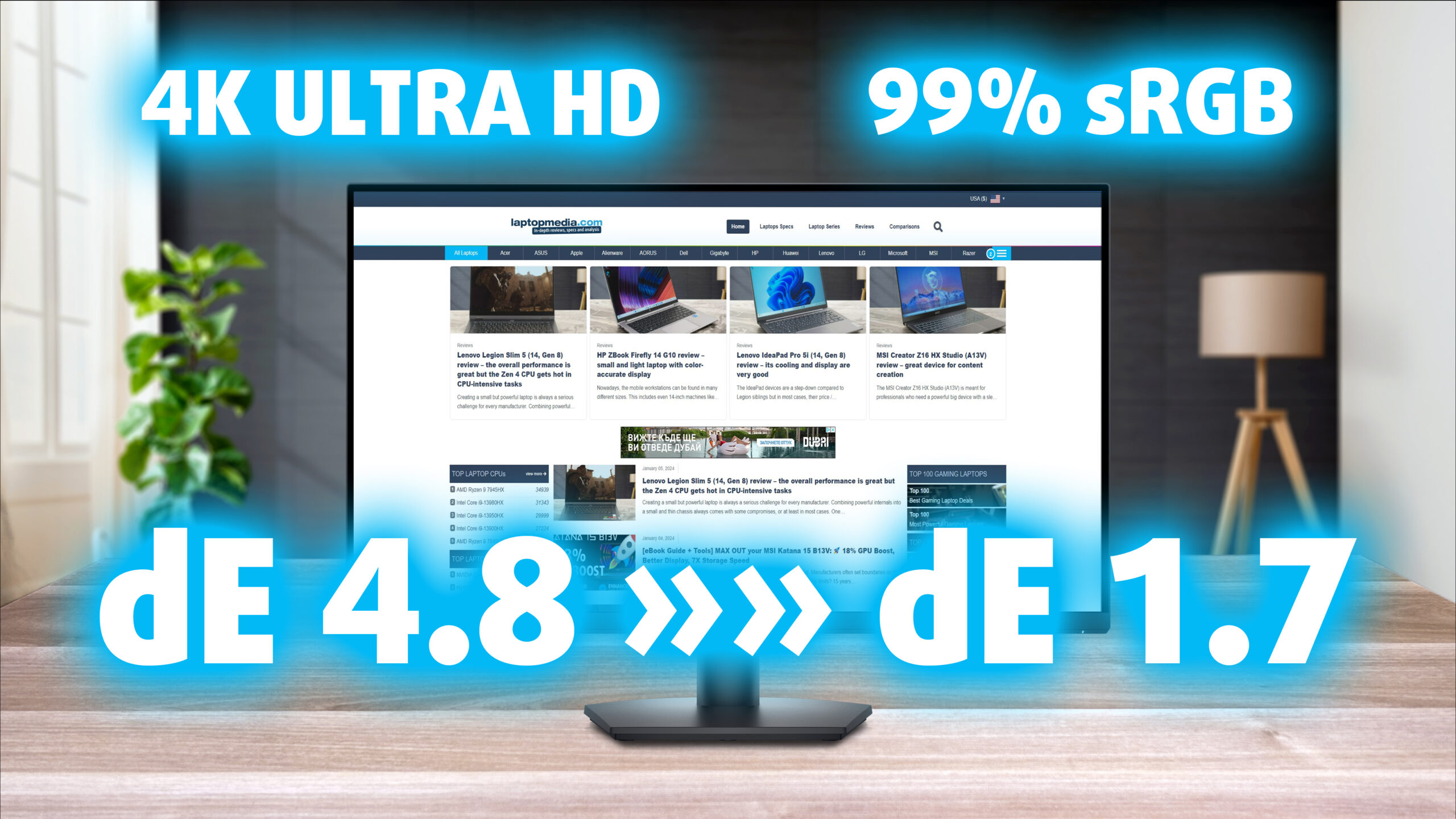 The Dell SE3223Q presents just how many pixels you can get for a decent price. It’s a great monitor for an office, as thanks to its high 4K resolution at 32 inches, you get tons of space to work with and multitask. The rest of the specs don’t seem that impressive at first glance, with just a 60Hz refresh rate and a 4ms response time, however, the addition of FreeSync does open the door to smoother gameplay despite the refresh rate limitation.
What’s more important, the monitor is amazing at color-sensitive work, as you’ll see once we get to the Display Quality section. We can spoil it a bit by saying that this is an absolute value machine for creators, as with the resolution and these results, you really don’t need anything more from a Creator Monitor.
You can check the current price of the Dell SE3223Q here: Amazon.com'dan satın al (#CommissionsEarned)
Contents
Specs sheet, What’s in the box?, Drivers, OSD, Design, Connectivity
| Screen size | 32 inch (81.28 cm) |
|---|---|
| Refresh rate | 60Hz |
| Response time | 4ms |
| Panel type | VA |
| Backlight type | LED |
| Screen finish | Matte |
| Resolution | 3840 x 2160 (4K UHD) |
| Technologies |
|
| I/O |
|
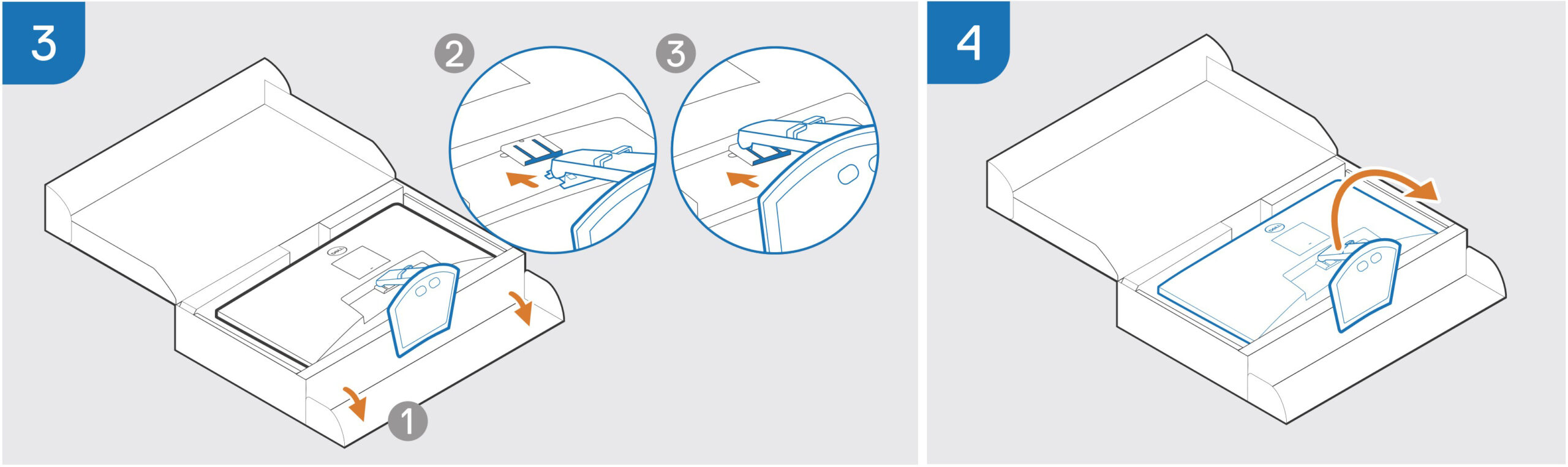
What’s in the box? Assembly

Drivers and Software
You can find all the downloadable files for the Dell SE3223Q on Dell’s Official Support Page. This includes the drivers as well as the Dell Display Manager, an app that allows you to create specific layouts for multitasking. With the display size and resolution of the monitor, the app will be even better, as you can spread many apps and tools at the same time.
OSD Menu




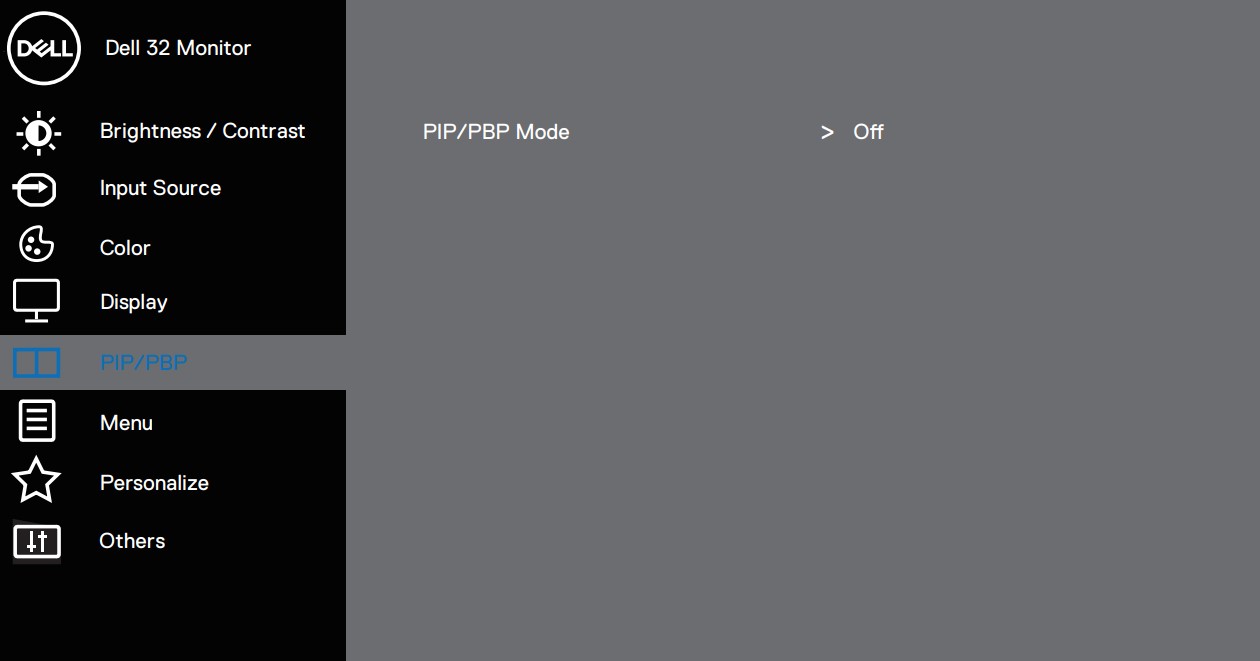
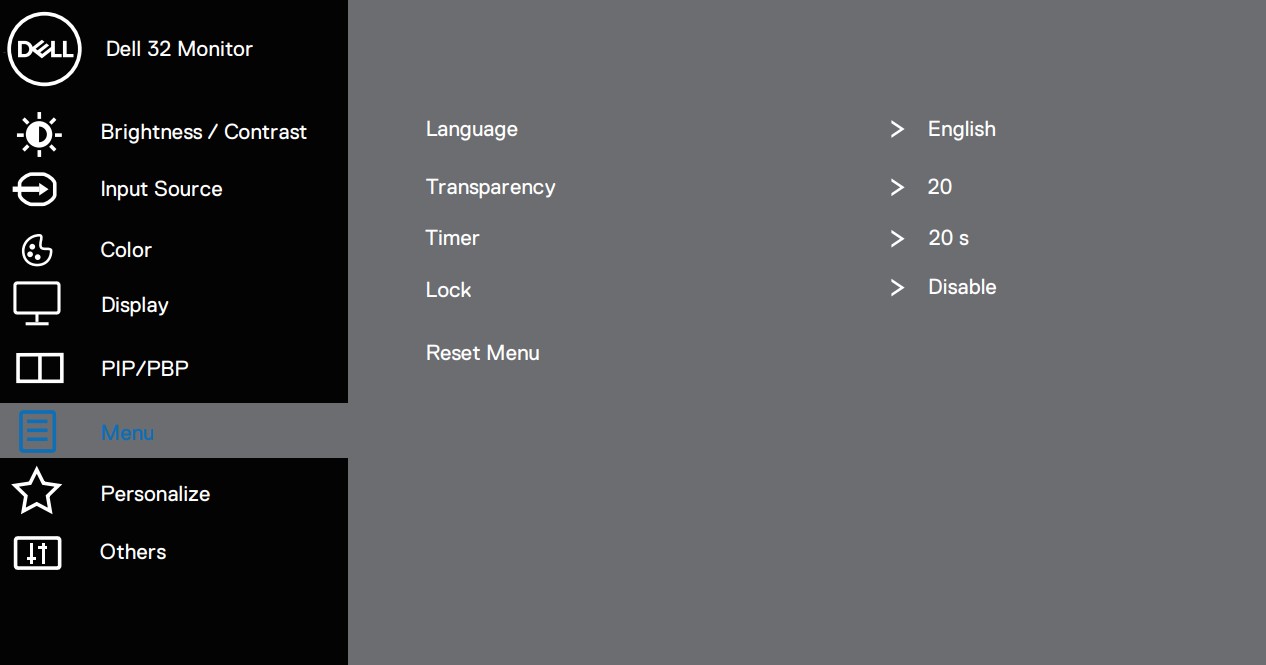
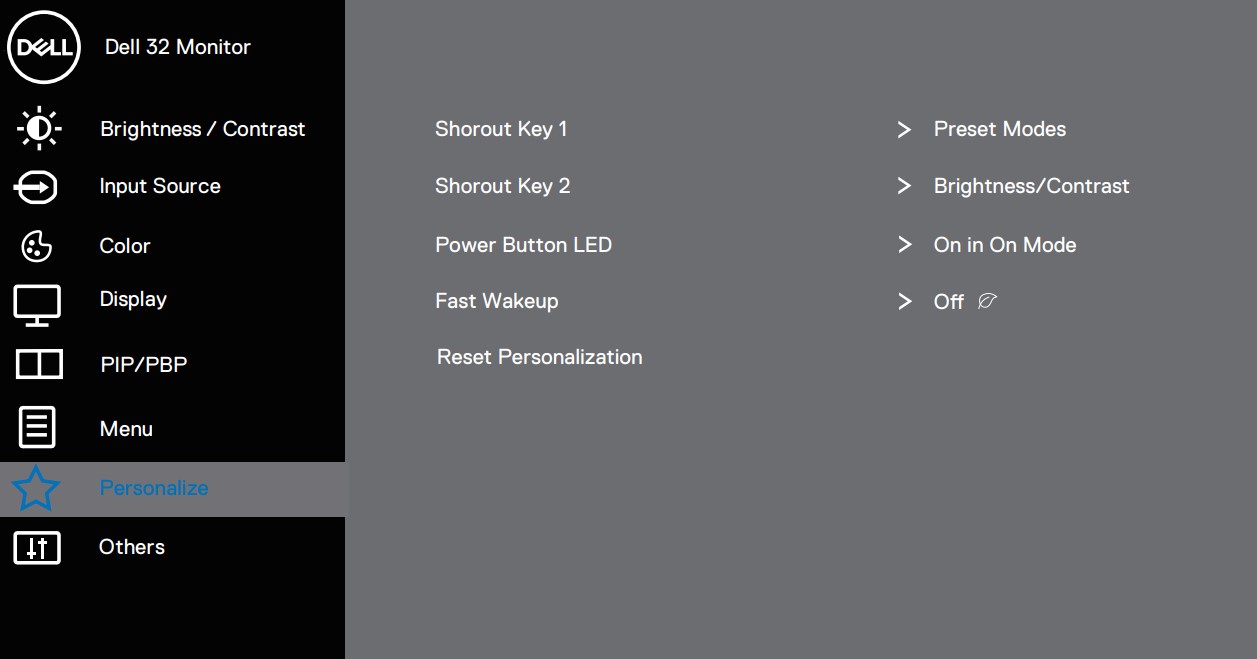

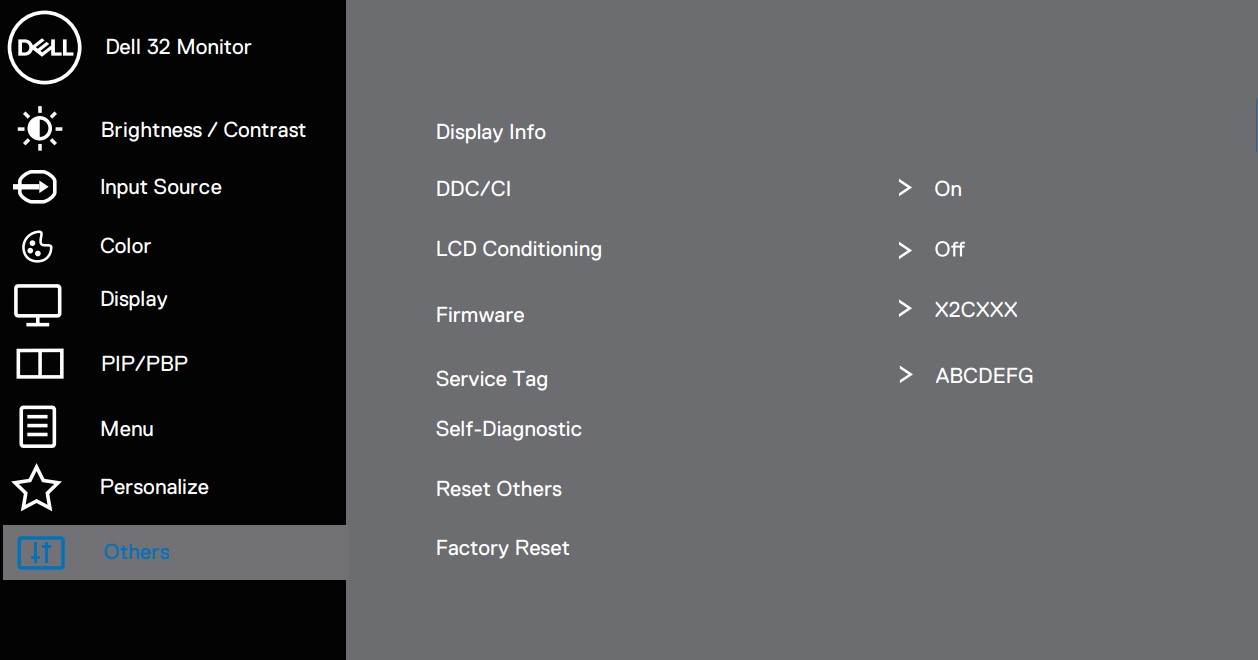
Design and Connectivity
Contrasting many other Dell monitors, this one here has a fully black exterior and the stand is a bit stiffer when compared to other Dell models, as it only brings Tilt adjustment. However, not all hope is lost, as on the back there are VESA 100 x 100 mm mounting holes, so you can get a desk mount or a wall mount, which gives you much more adjustability. Just get a sturdier stand, as the monitor is pretty heavy, with just the screen weighing 6.4 kg or 14.2 lbs.
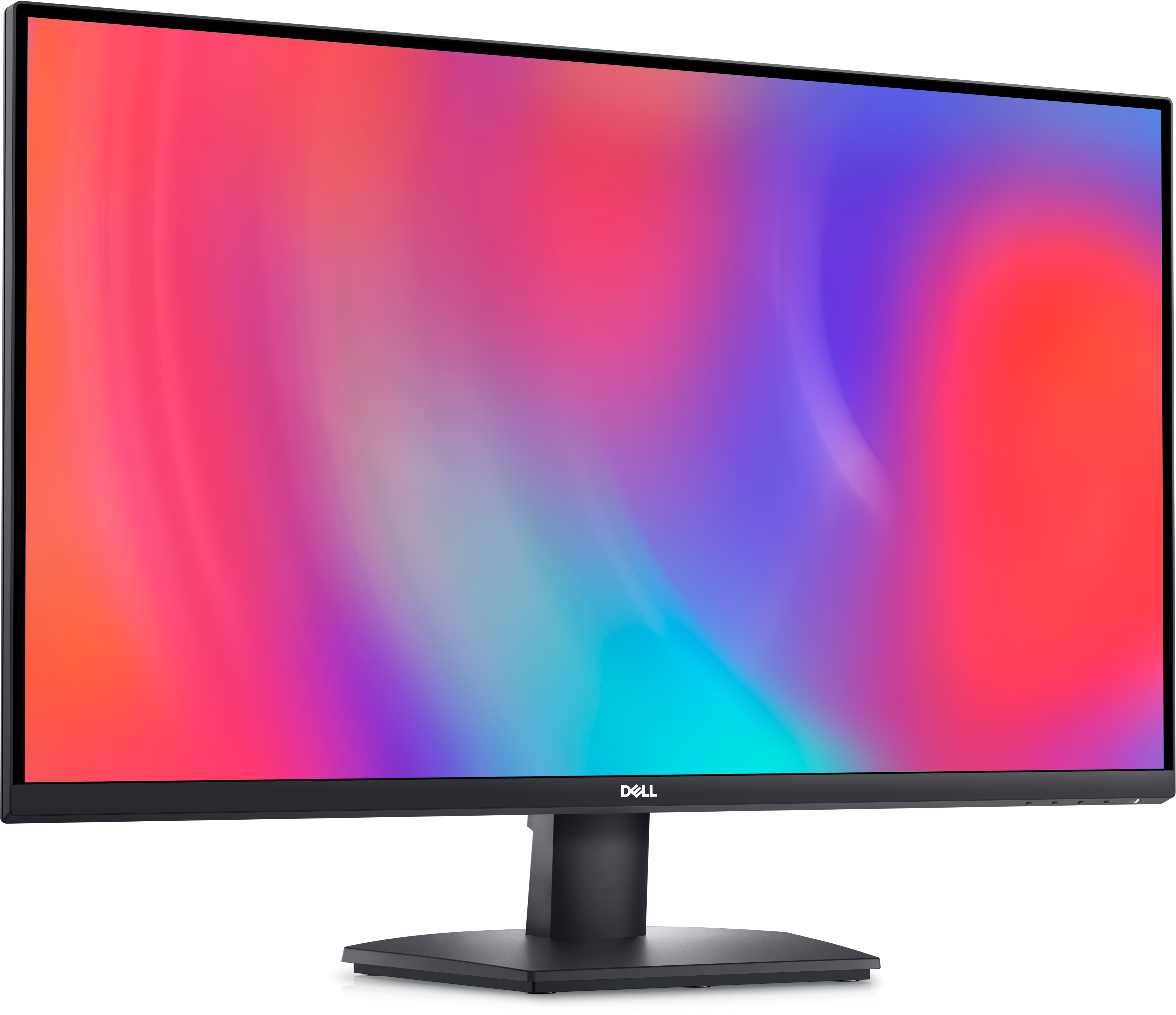

In terms of ports, there are two HDMI 2.0 ports, one DisplayPort 1.2. and an audio jack.

Display quality, Buy our profiles, Verdict
The Dell SE3223Q brings a 32-inch 4K Ultra HD screen (3840 x 2160p), which calculates to a pixel density of 137.68 PPI, a pitch of 0.1845 x 0.1845 mm, and a Retina distance of 24.97 inches or 63.42 cm. From this distance, the human eye can’t distinguish individual pixels.
The correlated color temperature on a white screen after a Factory Reset in sRGB mode is 6250 K (Luminance 150 cd/m2 at 20% Brightness). The average gamma value is 2.18.
Color coverage
Here’s an illustration (Fig. 1). The whole “sail-shaped” map below consists of all the colors we can see, while the black crooked line shows all the colors from real-world scenes and nature around us.
Then, we’ve drawn some of the most important and interesting color spaces, compared to the colors the panel of Dell SE3223Q can show:
Standard/For Web: sRGB – widely used color space for most consumer devices, ideal for Web design and development
For Print: AdobeRGB – used in professional photo editing, graphic design, and print
For Photographers/Video Editors: DCI-P3 – used in high-end film production, post-production, and digital cinema
Premium HDR: Rec.2020 – the widest consumer ITU color standard, covering a massive 75.8% of the visible spectrum, a benchmark for premium HDR content
Dell SE3223Q: the yellow dashed triangle (– – – – – –) represents the range of colors this monitor can display. In our tests, we calculated the total color coverage of the monitor at 99% of the sRGB color gamut and 90% of the DCI-P3 color gamut.

(Fig.1) Dell SE3223Q covers 99% of the Web colors (sRGB)
This means that if the Dell SE3223Q tries to show any color outside of its triangle, it will show the closest color to it that’s inside the triangle.
Color accuracy
Now let’s see how big is the difference between the real colors and the one you’ll see on the Dell SE3223Q. We measure that distance in DeltaE – the bigger the number, the more different they look.
For the next illustration, we’ve chosen 24 common colors like dark and light skin, blue sky, green grass, etc.
Values below 2.0 are considered suitable for color-sensitive work. Before our calibration of the Dell SE3223Q, the Average color accuracy was 4.8 dE (Fig. 2), and with our Web Design and Office Work profile, it lowered to 1.7 dE (Fig. 3). Thanks to our profile, the monitor became nearly 3X more accurate, with a 2.8X increase, so you’ll be able to do plenty of color-related work on it.
 (Fig. 2) Dell SE3223Q in its factory condition
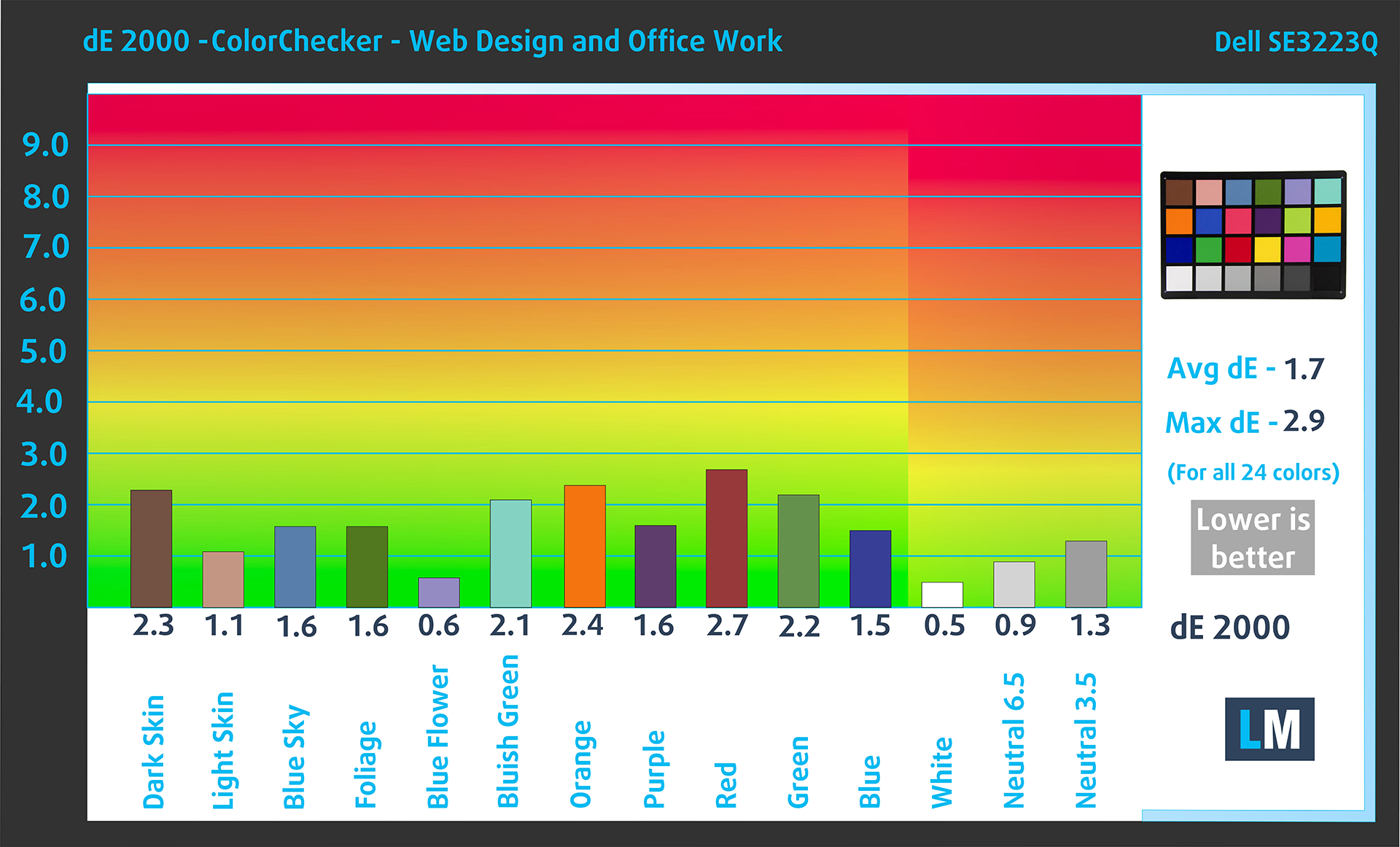 (Fig. 3) Dell SE3223Q with our display profiles
Comparison in the sRGB color space (primaries and D65 white point specified in ITU-R BT.709, sRGB encoding curve).
Left: No Profile | Drag the slider to see the difference | Right: Design & Gaming Profile


Health-Guard eliminates the harmful Pulse-Width Modulation (PWM) and reduces the negative Blue Light which affects our eyes and body. Since it’s custom-tailored for every panel, it manages to keep the colors perceptually accurate (they may seem strange at first but after a few minutes our brain will start recognizing them as accurate ones – that’s how Health-Guard differs from alternatives like f.lux).
Pro Tip: As the Health-Guard profile simulates paper and has as accurate as possible colors, it could be a great tool for prepress designers!
Left: No Profile | Drag the slider to see the difference | Right: Health-Guard Profile


Gaming and Movies
We also have a third Gaming and Movies profile, which regulates the black colors, making dark areas in games and movies appear more visible, thus giving you a better viewing experience. Shooting at your opponent first can be a make-or-break moment, so make sure you’re best prepared with our profile.
Left: No Profile | Drag the slider to see the difference | Right: Design & Gaming Profile


BUY OUR DISPLAY PROFILES
Since our profiles are tailored for each individual display model, this article and its respective profile package are meant for the Dell SE3223Q.
*Should you have problems with downloading the purchased file, try using a different browser to open the link you’ll receive via e-mail. If the download target is a .php file instead of an archive, change the file extension to .zip or contact us at [email protected].
Read more about the profiles HERE.
Here’s how to prepare thе monitor for our profiles:
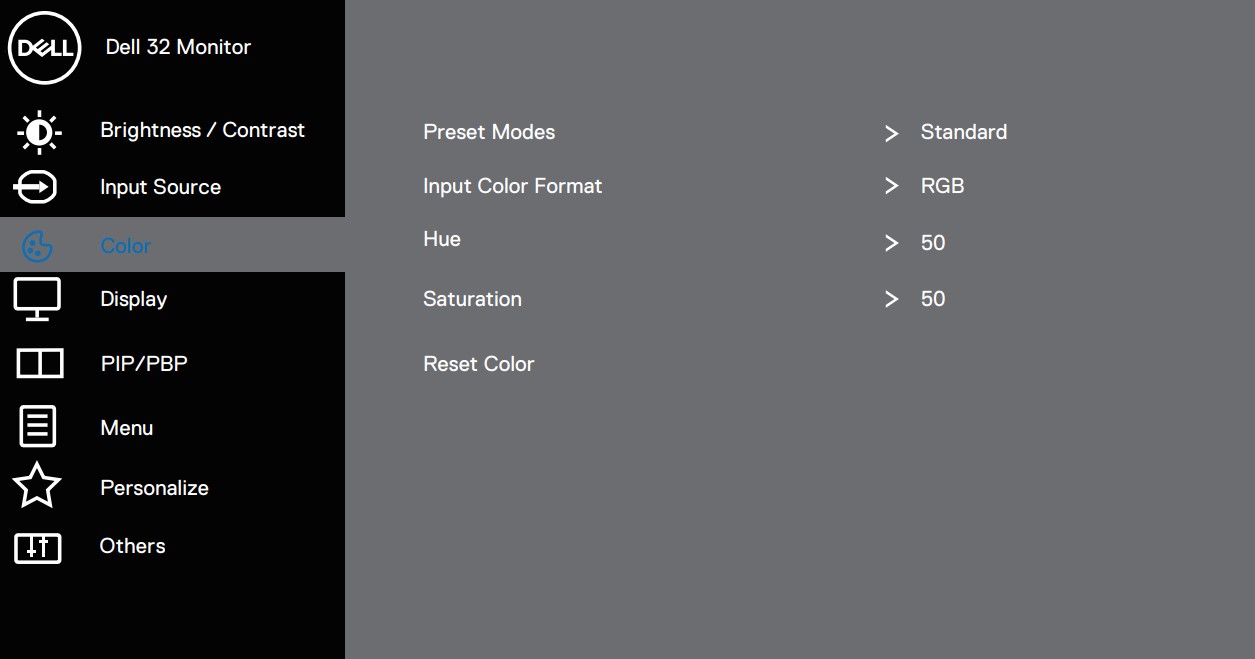
1. Open the OSD menu (On-Screen Display)
2. Reset Settings: Go to Menu ➡️ Others ➡️ Factory Reset, and click ‘Yes’.
3. Brightness: Navigate to Brightness/Contrast ➡️ Brightness and set it to 85% for optimal viewing.
Verimli ve sağlık dostu profiller almanın yanı sıra, LaptopMedia'nın ürünlerini satın alarak, mümkün olan en objektif incelemeleri üretmek için cihazları test ettiğimiz laboratuvarlarımızın gelişimini de desteklemiş olursunuz.

Ofis Çalışması
Ofis Çalışması, çoğunlukla metinlere, tablolara bakan veya sadece gezinen kullanıcılar tarafından kullanılmalıdır. Bu profil, düz bir gama eğrisi (2.20), doğal renk sıcaklığı ve algısal olarak doğru renkler tutarak daha iyi ayırt edilebilirlik ve netlik sunmayı amaçlamaktadır.

Tasarım ve Oyun
Bu profil, renklerle profesyonel olarak çalışan tasarımcılara ve aynı zamanda oyunlara ve filmlere yöneliktir. Tasarım ve Oyun, ekran panellerini sınırlarına kadar zorlayarak Web ve HDTV için sRGB IEC61966-2-1 standardında, D65 beyaz noktasında mümkün olduğunca doğru olmalarını sağlar.

Health-Guard
Health-Guard, zararlı Darbe Genişlik Modülasyonunu (PWM) ortadan kaldırır ve gözlerimizi ve vücudumuzu etkileyen negatif Mavi Işığı azaltır. Her panel için özel olarak uyarlandığından, renkleri algısal olarak doğru tutmayı başarır. Health-Guard kağıdı simüle eder, böylece gözlerdeki baskı büyük ölçüde azalır.
3 profili de %33 indirimle alın

Verdict
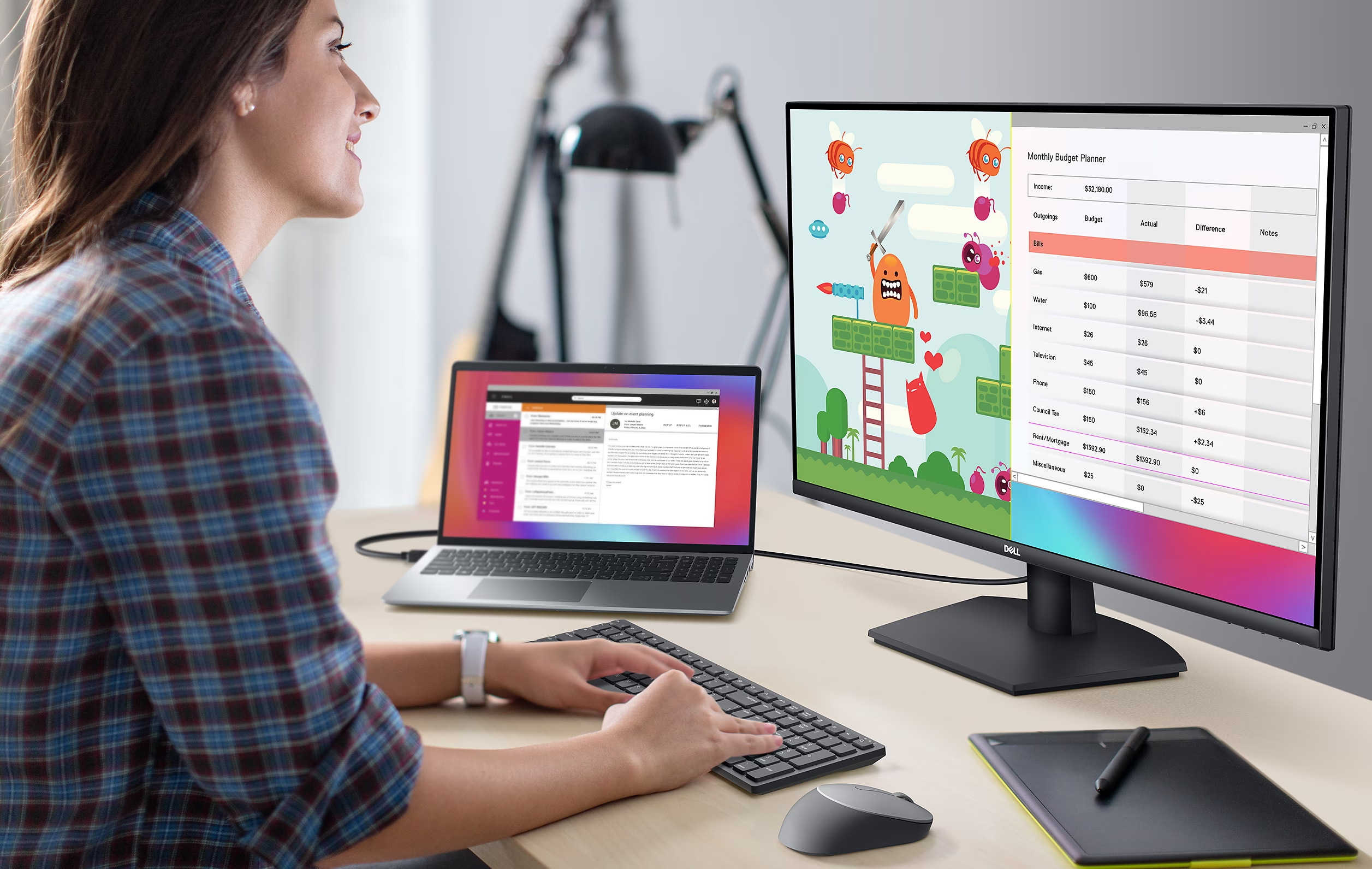 The Dell SE3223Q is ultimately an office and content machine, offering the complete feature set to be close to if not the best. The design of the monitor is pretty good, from the overall look to the panel itself. The stand isn’t as adjustable as we’ve seen on other Dell monitors, which probably won’t appeal to most of you.
However, the wall mount option is always here, if you want more ergonomic adjustment. The port selection could also use some more ports, however, but that’s fixable with a USB hub or having a PC or laptop with more USBs.
Now, let’s focus on the more important stuff, the color coverage and accuracy. The 4K 32-inch display covers 99% of the sRGB and 90% of the DCI-P3 color gamut, which means incredibly deep and rich colors. Additionally, using our Web Design and Office Work profile, we managed to deliver a 2.8X increase in terms of color accuracy. Paired with the high resolution, you can handle complex Creator tasks, finding the smallest imperfections in photos, or just having a super-detailed and accurate canvas for you to express yourself.
In terms of enjoyment outside of content creation, the Gaming and Movies profile has a very specific job: To stabilize the black colors so you can see if enemies are hiding in the dark. It makes the difference between winning a round in CS2 or losing, so having it on is important. It also helps in movies, as dark scenes instantly become more visible. While this isn’t a gaming monitor, it still comes with AMD FreeSync, so your games will run smoothly, even at 60Hz.
Lastly, the Health-Guard eliminates the two biggest sources of eye strain in any monitor: Blue Light and PWM (Flickering). The former can affect sleep negatively, while the latter tire your eyes, as the constant flicker means your pupils have to constantly adjust their opening to allow more light or less light, depending on the circumstances.
You can check the current price of the Dell SE3223Q: Amazon.com'dan satın al (#CommissionsEarned)
Pros
- High-resolution panel delivers incredible detail
- Wide color coverage (99% sRGB and 90% DCI-P3 coverage)
- 2.8X Increase in accuracy (dE 4.8 => dE 1.7)
- Affordable price
Cons
- The stand isn’t very adjustable
- Port selection is a bit slim
 Author: Severin Kolakov

![[Haziran 2026] Amazon Global’de En Çok Satan Dizüstü Bilgisayar Markaları – Apple’ın Satış Adedi ve Gelir Açısından Rakipsiz Hakimiyeti](https://laptopmedia.com/wp-content/uploads/2026/07/GLOBAL-Best-Brands-400x225.jpg)
![[Haziran 2026] Amazon Global: En Çok Satan 10 Dizüstü Bilgisayar – Apple’ın Yeni MacBook Neo, 1. Sıraya Fırtına Gibi Yükseldi; Uygun Fiyatıyla Pazarı Yeniden Şekillendiriyor](https://laptopmedia.com/wp-content/uploads/2026/07/Best-Selling-Laptops-GLOBAL-Top-10-400x225.jpg)
![[Haziran 2026] Amazon Global: En Çok Satan 10 Oyun Dizüstü Bilgisayarı – Acer’ın Nitro V 16S AI modeli satışlarda başı çekerken, ASUS toplam gelirde lider konumda](https://laptopmedia.com/wp-content/uploads/2026/07/Best-Selling-Gaming-Laptops-GLOBAL-Top-10-400x225.jpg)
![[Haziran 2026] Amazon’da En Çok Satan Dizüstü Bilgisayar GPU’larının Küresel Sıralaması – NVIDIA RTX 5060, en çok satan özel amaçlı GPU’dur](https://laptopmedia.com/wp-content/uploads/2026/07/Best-Selling-GPUs-GLOBAL-Top-10-400x225.jpg)
![[Haziran 2026] Amazon’da En Çok Satan Dizüstü Bilgisayar İşlemcilerinin Küresel Sıralaması – Apple M5 Liderlik Yapıyor, AMD Ryzen 7 260 Üst Sınıf Segmentte Sağlam Bir Pay Elde Ediyor](https://laptopmedia.com/wp-content/uploads/2026/07/Best-Selling-CPUs-GLOBAL-Top-10-400x225.jpg)