How to open ASUS Zenbook Pro 16X OLED (UX7602) – disassembly and upgrade options
The inside of this device presents us with a bit of a mixed bag. Thankfully, there is a vapor chamber cooling system, but on the other hand, you won’t be able to upgrade the memory.
Check out all ASUS Zenbook Pro 16X OLED (UX7602) prices and configurations in our Specs System, or read more in our In-Depth review.
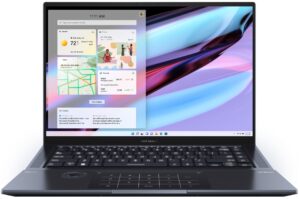
1. Remove the bottom plate
There are 10 Torx-head screws keeping this notebook’s bottom panel in place. After you undo them, pry the panel with a plastic tool, and remove it from the chassis.
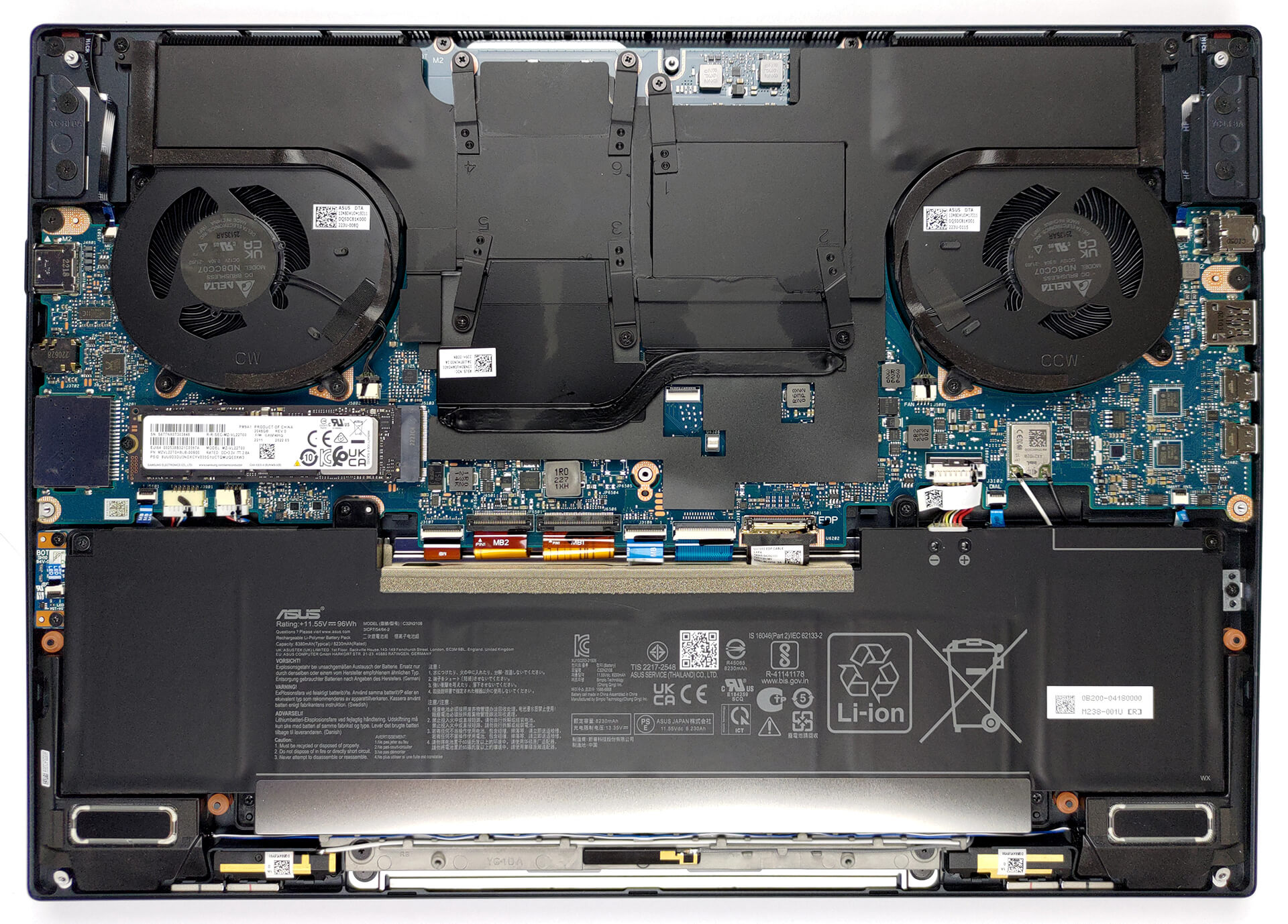
2. Remove the battery
Inside, we find a 96Wh battery pack. To remove it, unplug the connector from the motherboard, and undo the six Phillips-head screws holding it in place.

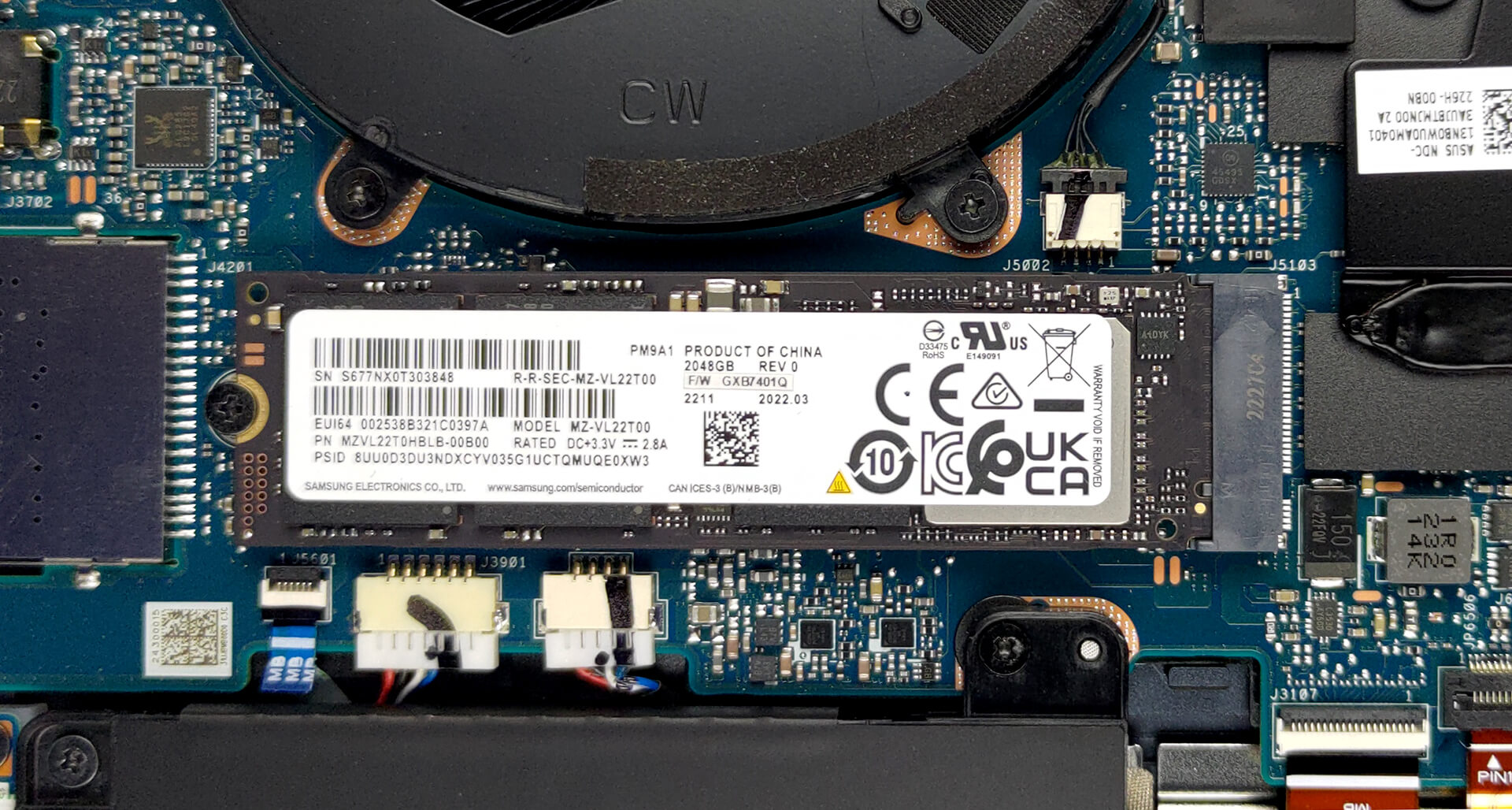
3. Upgrade memory and storage
This notebook’s memory is soldered to the motherboard. The maximum available configuration comes with 32GB of LPDDR5 RAM. Storage-wise, there is one M.2 PCIe x4 slot, which supports Gen 4 SSDs.
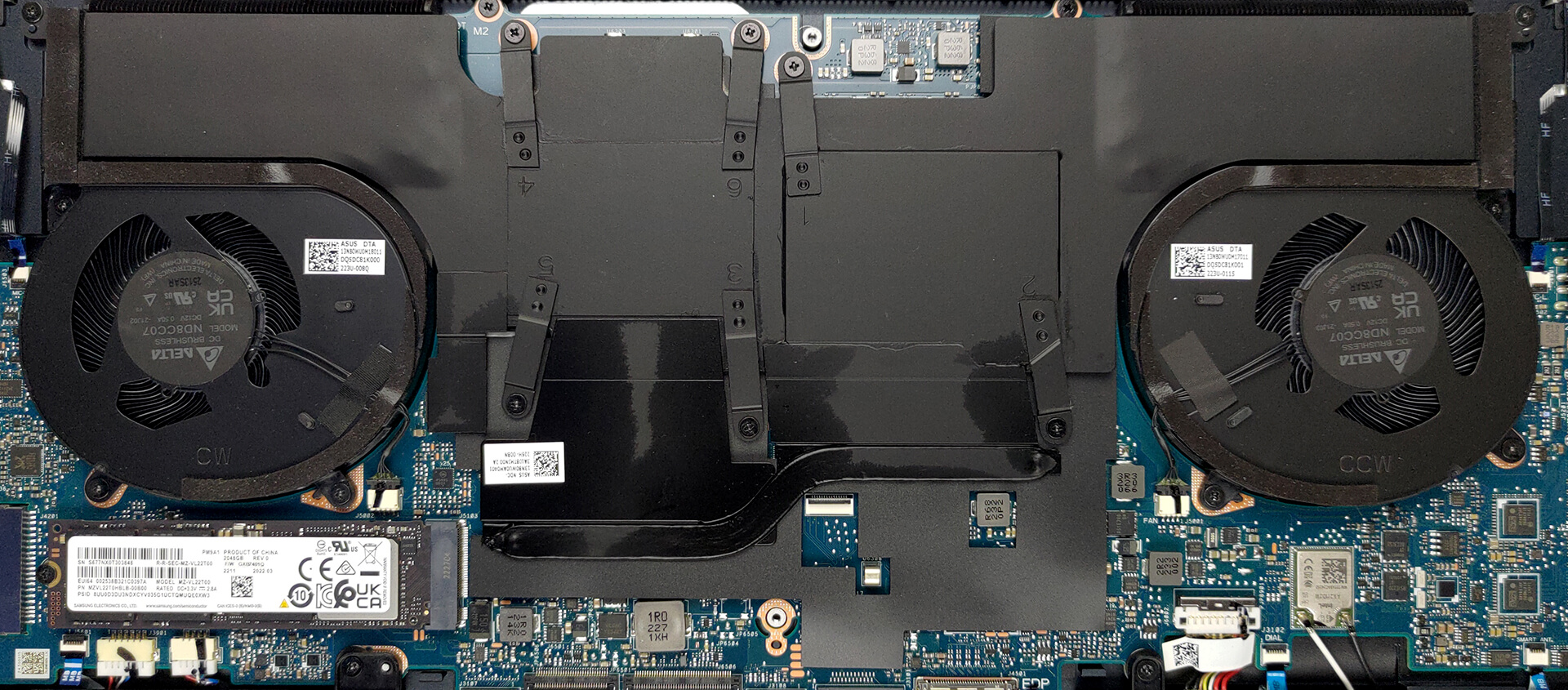
4. Cooling system
Here, the cooling comprises a vapor chamber, a couple of heat sinks, two fans, and a heat pipe managing the heat of the graphics memory and the VRMs.
Check out all ASUS Zenbook Pro 16X OLED (UX7602) prices and configurations in our Specs System, or read more in our In-Depth review.
ASUS Zenbook Pro 16X OLED (UX7602) derinlemesine inceleme
In the wide ocean of mobile computers, there are only a handful of products that really catch our eyes. That's regardless of whether it is because of their striking visuals, fantastic performance, or just outstanding innovation.Well, today's notebook - the Zenbook Pro 16X OLED (UX7602) may very well qualify for one or more of the aforementioned categories. It includes plenty of new technology, starting from the display, and going all the way to the cooling inside.Some features are more visible than others - you get a tilted keyboard, which has more than one benefit. Plus, there is a k[...]
Artıları
- Comfortable keyboard
- Super rigid structure
- 100% sRGB and DCI-P3 coverage + HDR support
- High resolution and 16:10 aspect ratio + fast pixel response times
- True and virtually infinite contrast ratio
- ASUS Dial + touchpad with haptics
- IR face recognition + fingerprint reader
- Plethora of sensors
- 2x Thunderbolt 4 + SD card slot
- Capable vapor chamber cooling
Eksileri
- Soldered memory
 Author: Alex Iliev

![[Haziran 2026] Amazon Global’de En Çok Satan Dizüstü Bilgisayar Markaları – Apple’ın Satış Adedi ve Gelir Açısından Rakipsiz Hakimiyeti](https://laptopmedia.com/wp-content/uploads/2026/07/GLOBAL-Best-Brands-400x225.jpg)
![[Haziran 2026] Amazon Global: En Çok Satan 10 Dizüstü Bilgisayar – Apple’ın Yeni MacBook Neo, 1. Sıraya Fırtına Gibi Yükseldi; Uygun Fiyatıyla Pazarı Yeniden Şekillendiriyor](https://laptopmedia.com/wp-content/uploads/2026/07/Best-Selling-Laptops-GLOBAL-Top-10-400x225.jpg)
![[Haziran 2026] Amazon Global: En Çok Satan 10 Oyun Dizüstü Bilgisayarı – Acer’ın Nitro V 16S AI modeli satışlarda başı çekerken, ASUS toplam gelirde lider konumda](https://laptopmedia.com/wp-content/uploads/2026/07/Best-Selling-Gaming-Laptops-GLOBAL-Top-10-400x225.jpg)
![[Haziran 2026] Amazon’da En Çok Satan Dizüstü Bilgisayar GPU’larının Küresel Sıralaması – NVIDIA RTX 5060, en çok satan özel amaçlı GPU’dur](https://laptopmedia.com/wp-content/uploads/2026/07/Best-Selling-GPUs-GLOBAL-Top-10-400x225.jpg)
![[Haziran 2026] Amazon’da En Çok Satan Dizüstü Bilgisayar İşlemcilerinin Küresel Sıralaması – Apple M5 Liderlik Yapıyor, AMD Ryzen 7 260 Üst Sınıf Segmentte Sağlam Bir Pay Elde Ediyor](https://laptopmedia.com/wp-content/uploads/2026/07/Best-Selling-CPUs-GLOBAL-Top-10-400x225.jpg)
