How to open Lenovo V15 Gen 4 – disassembly and upgrade options
Nowadays, more and more affordable notebooks are giving away the opportunity to shine with upgrade options. The Lenovo V15 Gen 4 is one of these devices.
Check out all Lenovo V15 Gen 4 prices and configurations in our Specs System, or read more in our In-Depth review.
1. Remove the bottom plate
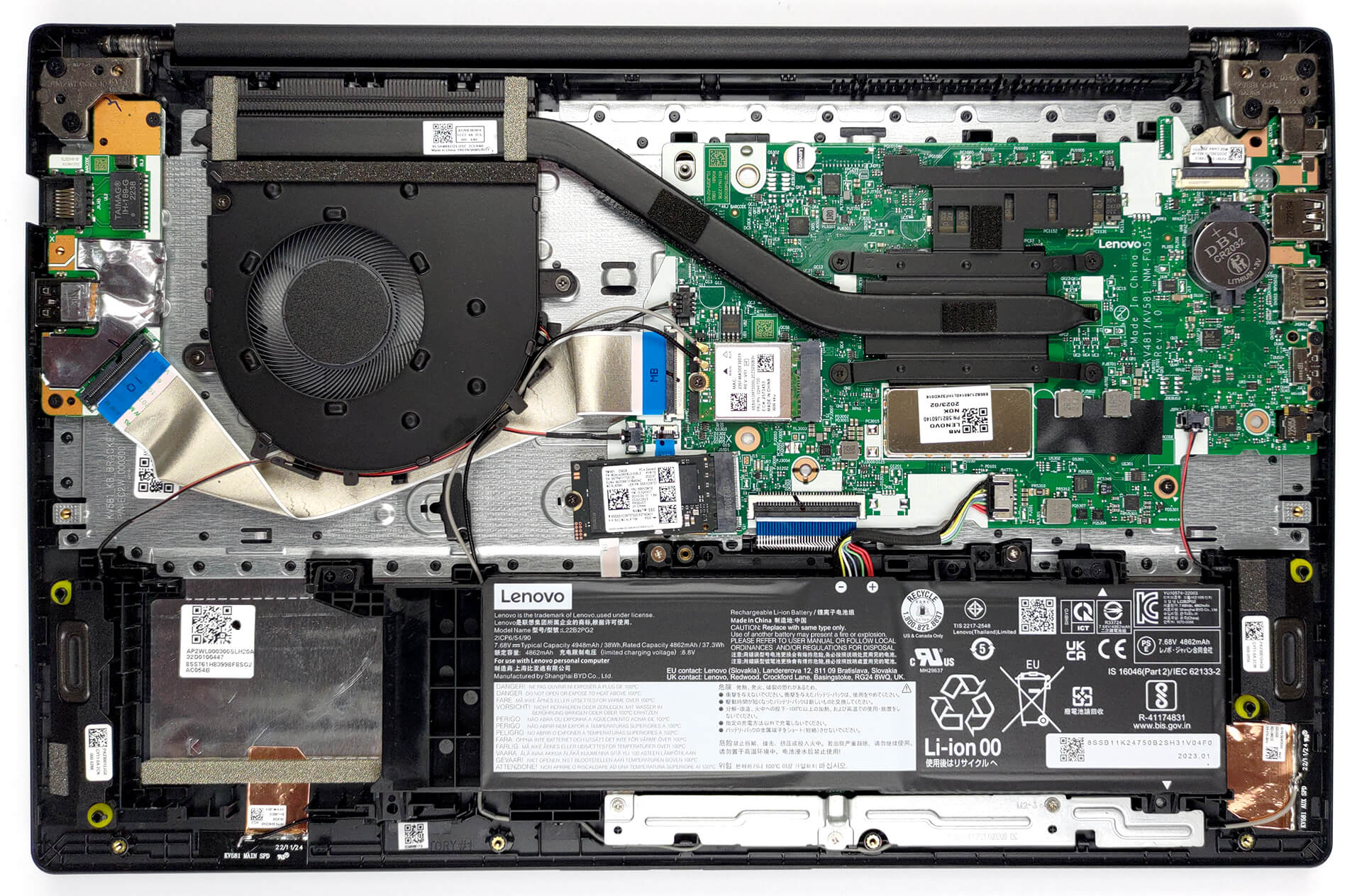
To get inside this device, you need to undo 11 Phillips-head screws. Then, pry the bottom panel with a plastic tool, and lift it away from the chassis.
2. Remove the battery
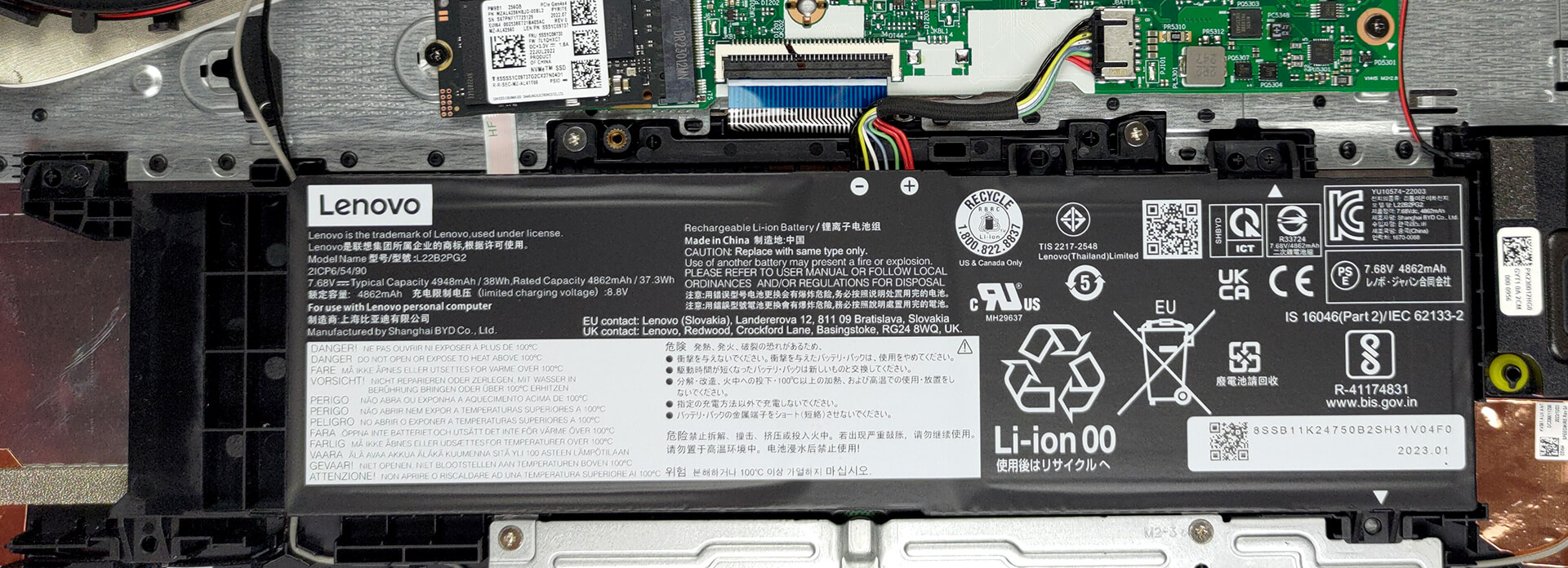
As you can see, there is a 38Wh battery pack inside. To take it out, unplug the battery connector, and undo two Phillips-head screws.
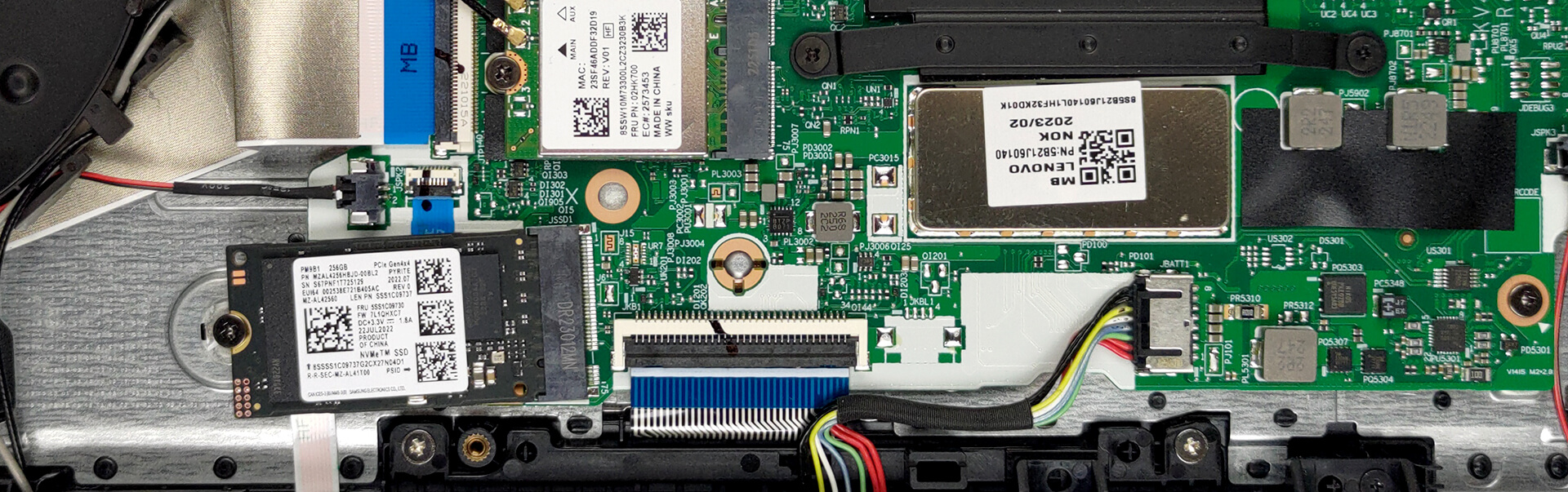
3. Upgrade memory and storage
Like many more premium notebooks, this one has its memory soldered to the motherboard. You can find the laptop with either 8, or 16GB of LPDDR5 RAM, working at 4800MHz. Storage-wise, you get one M.2 PCIe x2 slot, which fits 42mm Gen 3 drives.
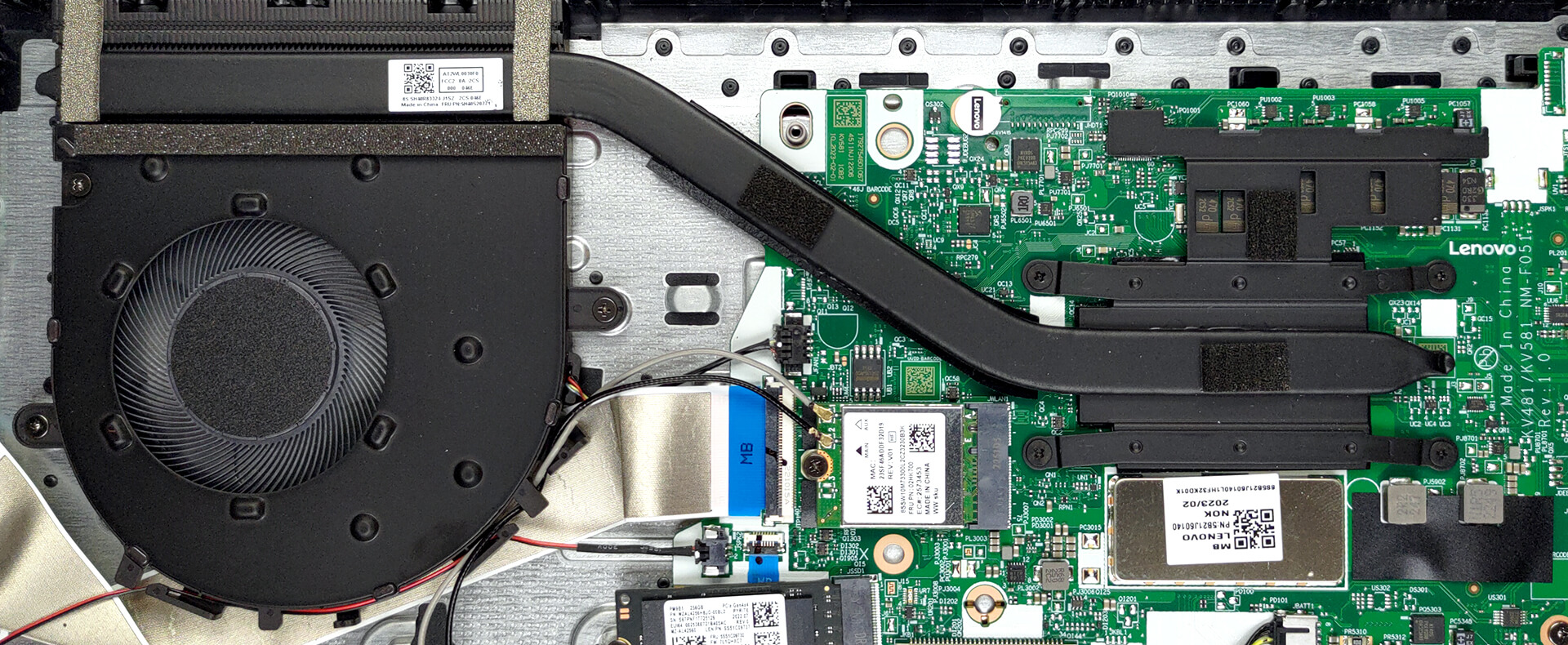
4. Cooling system
In terms of cooling, you get one heat pipe, a heat sink, and a fan. In addition, there is a heat spreader for the VRMs.
Check out all Lenovo V15 Gen 4 prices and configurations in our Specs System, or read more in our In-Depth review.
Lenovo V15 Gen 4 (AMD) derinlemesine inceleme
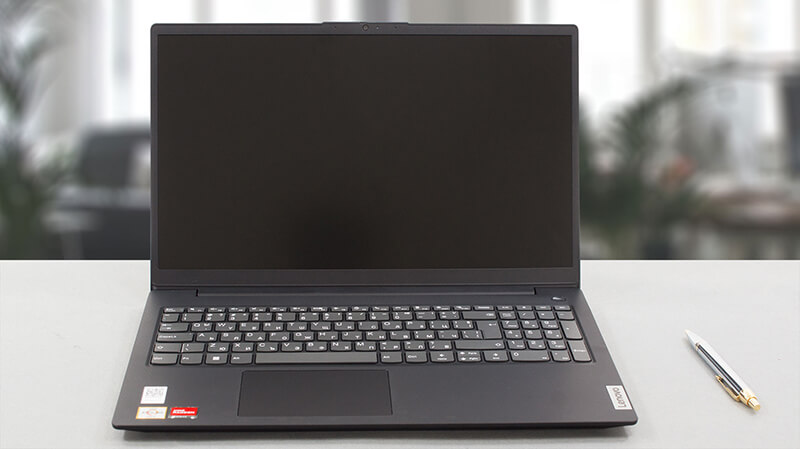
As one of the least expensive offerings from the manufacturer, the Lenovo V15 Gen 4 is poised to tackle the neverending critique of people like us. However, its simplicity and low price will attract significantly more customers, than its possible disadvantages ever would.Today, we are going to review this laptop, putting its hardware through a bunch of tests. The unit we got in our office is the AMD version of the model. It can be found with either an Athlon Silver, Athlon Gold, Ryzen 3 7320U, or Ryzen 5 7520U. As you can tell, there is quite a difference between the lowest-tier, and the [...]
Artıları
- Comfortable, spill-resistant keyboard
- Very cool and quiet during extreme load
- Super competitively priced
- No PWM (BOE NT156FHM-N43 (BOE08D5))
- Full-stack USB Type-C port
Eksileri
- Not a great build quality
- Uncomfortable viewing angles and poor contrast ratio (BOE NT156FHM-N43 (BOE08D5))
- It covers only 49% of the sRGB gamut (BOE NT156FHM-N43 (BOE08D5))
- No SD card reader
- Soldered memory
 Author: Alex Iliev

![[Ağustos 2026] Amazon’da En Çok Satan Dizüstü Bilgisayar GPU’larının Küresel Sıralaması – Apple Liderliğini Sürdürüyor, NVIDIA’nın RTX 5060 Modeli Özel GPU Sıralamasında Zirvede](https://laptopmedia.com/wp-content/uploads/2026/09/Best-Selling-GPUs-GLOBAL-Top-10-400x225.jpg)
![[Ağustos 2026] Amazon’da En Çok Satan Dizüstü Bilgisayar İşlemcilerinin Küresel Sıralaması – Apple Hem Ekonomik Hem de Üst Sınıf Segmentte Hakimiyet Kuruyor: A18 Pro ve M5, Ağustos 2026’da Intel ve AMD’yi Geride Bıraktı](https://laptopmedia.com/wp-content/uploads/2026/09/Best-Selling-CPUs-GLOBAL-Top-10-400x225.jpg)
![[Ağustos 2026] Amazon Global: En Çok Satan 10 Dizüstü Bilgisayar – Apple MacBook Neo Listelerin Zirvesinde Yer Alırken, Ekonomik ve Orta Sınıf Windows Dizüstü Bilgisayarlar Satış Hacmi İçin Rekabet Ediyor](https://laptopmedia.com/wp-content/uploads/2026/09/Best-Selling-Laptops-GLOBAL-Top-10-400x225.jpg)
![[Ağustos 2026] Amazon Global’de En Çok Satan Dizüstü Bilgisayar Markaları – Apple Gelirde Liderken, HP Model Çeşitliliği Konusunda Önde](https://laptopmedia.com/wp-content/uploads/2026/09/GLOBAL-Best-Brands-400x225.jpg)
![[Ağustos 2026] Amazon Global: En Çok Satan 10 Oyun Dizüstü Bilgisayarı – HP Victus 15 Birinci Sırayı Aldı; Listeyi Uygun Fiyatlı Modeller Hakimiyetine Aldı](https://laptopmedia.com/wp-content/uploads/2026/09/Best-Selling-Gaming-Laptops-GLOBAL-Top-10-400x225.jpg)

hallo