HP Pavilion x360 15 (15-cr0000) display profiles – Quality and Health impact results
 The new HP Pavilion x360 15 (in-depth review) is one of the most popular laptops on the market. Its price is great, it covers all the essentials you may need and it’s 2-in-1 convertible which is handy in many situations.
So is there a catch? Yes, it turned out that it has many catches and one of them is the screen quality. HP used the AUO B156HAN02.2 (AUO22ED) panel which barely covers half of the sRGB color gamut – just 53% (CIE1976). The color deviations are literally off the charts (see below), even our Design & Gaming profile didn’t lower the average DeltaE below 4.0 (values below 1.0 are recommended for color-sensitive work).
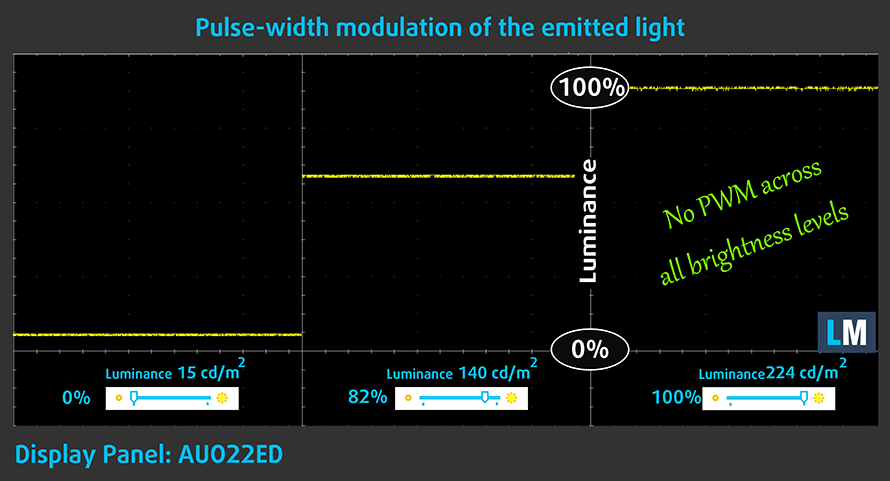
However, if you don’t care for the color accuracy, there are some good news here – the display doesn’t use harmful PWM for controlling the brightness and the contrast ratio is good (1200:1) which makes the screen comfortable for your eyes. If you want to protect your body further, check out our Health-Guard profile.
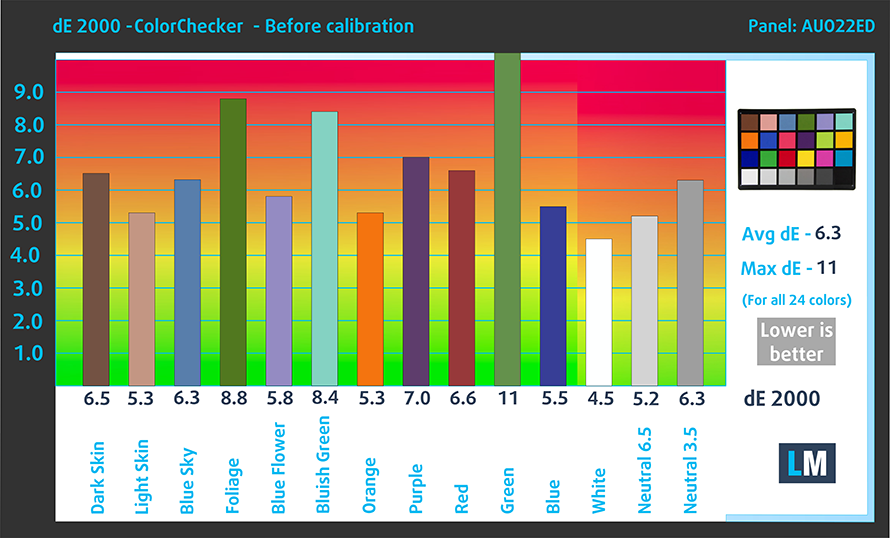
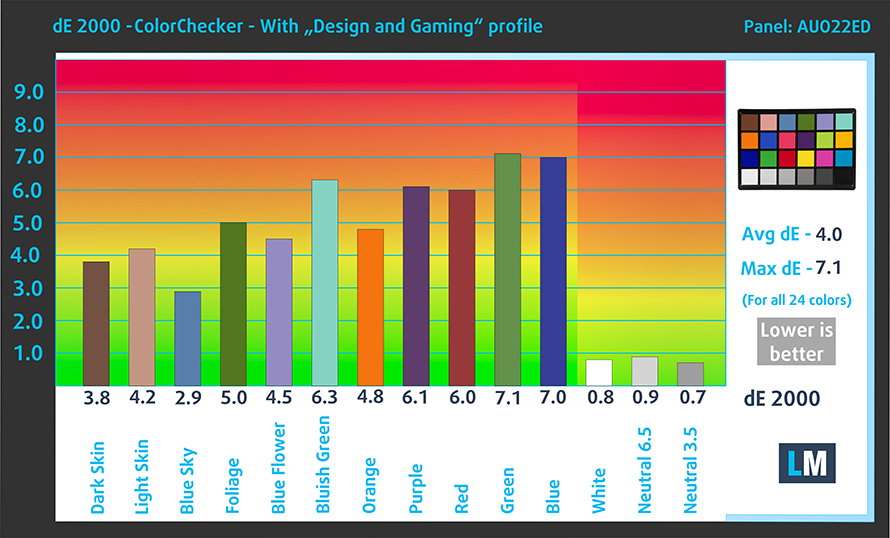
Since our profiles are tailored for each individual display model, this article and its respective profile package are meant for the HP Pavilion x360 15 (15-cr0000) with a 15.6″ AUO B156HAN02.2 (AUO22ED) panel with Full HD (1920 x 1080) resolution. You can check out all configurations here:
https://laptopmedia.com/series/hp-pavillion-x360-15-15-cr0000/
*Should you have problems with downloading the purchased file, try using a different browser to open the link you’ll receive via e-mail. If the download target is a .php file instead of an archive, change the file extension to .zip or contact us at [email protected].
Verimli ve sağlık dostu profiller almanın yanı sıra, LaptopMedia'nın ürünlerini satın alarak, mümkün olan en objektif incelemeleri üretmek için cihazları test ettiğimiz laboratuvarlarımızın gelişimini de desteklemiş olursunuz.

Ofis Çalışması
Ofis Çalışması, çoğunlukla metinlere, tablolara bakan veya sadece gezinen kullanıcılar tarafından kullanılmalıdır. Bu profil, düz bir gama eğrisi (2.20), doğal renk sıcaklığı ve algısal olarak doğru renkler tutarak daha iyi ayırt edilebilirlik ve netlik sunmayı amaçlamaktadır.

Tasarım ve Oyun
Bu profil, renklerle profesyonel olarak çalışan tasarımcılara ve aynı zamanda oyunlara ve filmlere yöneliktir. Tasarım ve Oyun, ekran panellerini sınırlarına kadar zorlayarak Web ve HDTV için sRGB IEC61966-2-1 standardında, D65 beyaz noktasında mümkün olduğunca doğru olmalarını sağlar.

Health-Guard
Health-Guard, zararlı Darbe Genişlik Modülasyonunu (PWM) ortadan kaldırır ve gözlerimizi ve vücudumuzu etkileyen negatif Mavi Işığı azaltır. Her panel için özel olarak uyarlandığından, renkleri algısal olarak doğru tutmayı başarır. Health-Guard kağıdı simüle eder, böylece gözlerdeki baskı büyük ölçüde azalır.
3 profili de %33 indirimle alın

Office Work
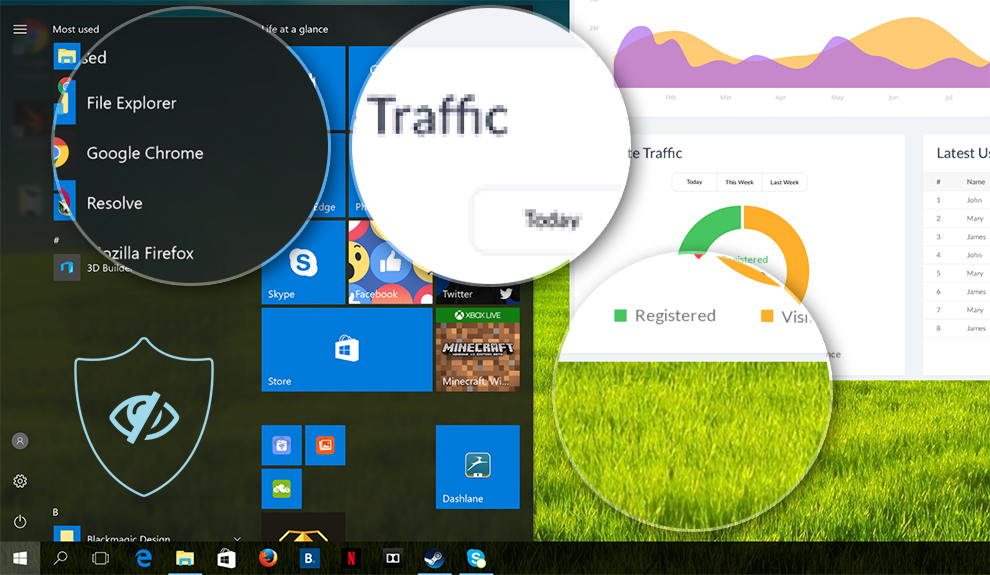
This profile aims to deliver better distinctness and clarity by keeping a flat gamma curve (2.20), native color temperature and perceptually accurate colors.
Left: No Profile | Drag the slider to see the difference | Right: Office Work Profile
Design and Gaming
Left: No Profile | Drag the slider to see the difference | Right: Design & Gaming Profile


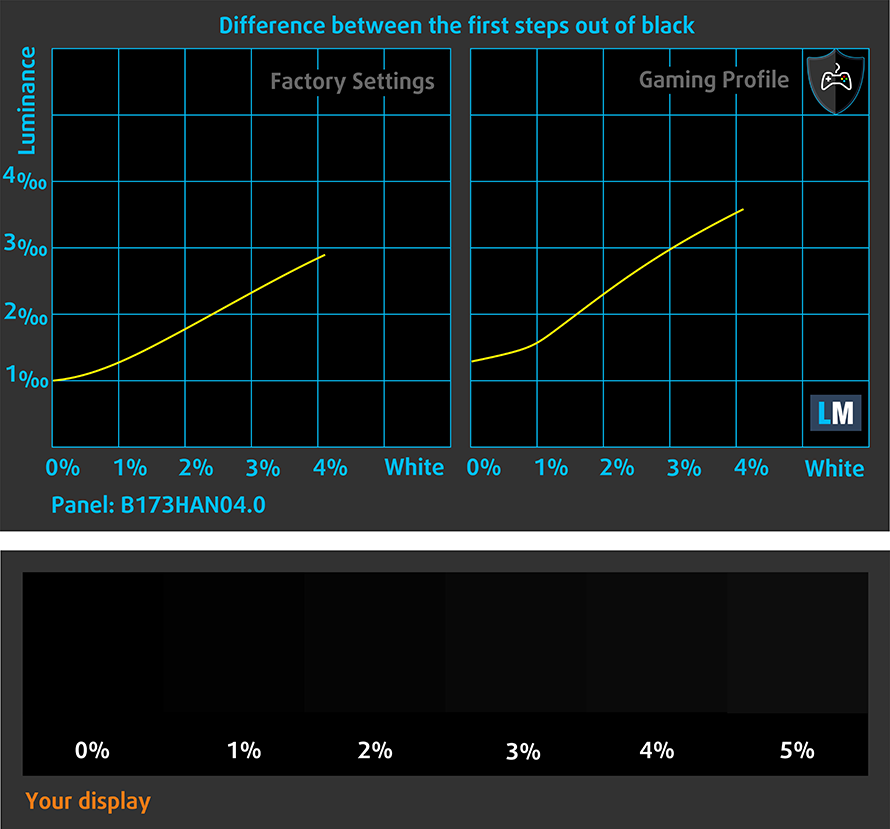
This profile is aimed at designers who work with colors professionally, and for games and movies as well. “Design and Gaming” takes display panels to their limits, making them as accurate as possible in the sRGB IEC61966-2-1 standard for Web and HDTV, at white point D65.
It also regulates the first steps out of black so you can have even faster reflexes when playing in dark virtual environments… or just see everything in the darkest scenes in movies.
Left: No Profile | Drag the slider to see the difference | Right: Design & Gaming Profile


Health-Guard profile
Left: No Profile | Drag the slider to see the difference | Right: Health-Guard Profile


As for the Health-Guard profile, it reduces the blue light impact and eliminates PWM.
Pro Tip: As the Health-Guard profile simulates paper and has as accurate as possible colors, it could be a great tool for prepress designers!
Installing and using the profiles
You can find a guide for installing and using the profiles HERE.
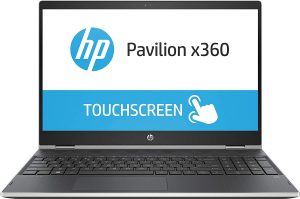
HP Pavilion x360 15 (15-cr0000) configurations
 Author: Simeon NikolovEditor-in-Chief at LaptopMedia.com with 20+ years of experience in testing and analyzing laptops and mobile devices.

![[Ağustos 2026] Amazon Global: En Çok Satan 10 Dizüstü Bilgisayar – Apple MacBook Neo Listelerin Zirvesinde Yer Alırken, Ekonomik ve Orta Sınıf Windows Dizüstü Bilgisayarlar Satış Hacmi İçin Rekabet Ediyor](https://laptopmedia.com/wp-content/uploads/2026/09/Best-Selling-Laptops-GLOBAL-Top-10-400x225.jpg)
![[Ağustos 2026] Amazon Global’de En Çok Satan Dizüstü Bilgisayar Markaları – Apple Gelirde Liderken, HP Model Çeşitliliği Konusunda Önde](https://laptopmedia.com/wp-content/uploads/2026/09/GLOBAL-Best-Brands-400x225.jpg)
![[Ağustos 2026] Amazon Global: En Çok Satan 10 Oyun Dizüstü Bilgisayarı – HP Victus 15 Birinci Sırayı Aldı; Listeyi Uygun Fiyatlı Modeller Hakimiyetine Aldı](https://laptopmedia.com/wp-content/uploads/2026/09/Best-Selling-Gaming-Laptops-GLOBAL-Top-10-400x225.jpg)
![[August 2026] Best-Selling Laptop Brands on Amazon Japan – Apple Dominates Market Share and Revenue Led by Strong Unit Sales](https://laptopmedia.com/wp-content/uploads/2026/09/CO.JP-Best-Brands-1-400x225.jpg)
![[August 2026] Best-Selling Laptop Brands on Amazon USA – Apple Dominates Market Revenue and Volume Despite Lower Model Diversity](https://laptopmedia.com/wp-content/uploads/2026/09/COM-Best-Brands-1-400x225.jpg)
