Inside Acer Aspire 3 (A317-53) – disassembly and upgrade options
It is very common for budget 17-inchers to have a ton of free space inside. This is not necessarily a bad thing though, since the tech needed to run a modern laptop is shrinking in size as we speak. However, putting a larger battery is always a good choice. Well, Acer didn’t do it with this one.
Check out all Acer Aspire 3 (A317-53) prices and configurations in our Specs System or read more in our In-Depth review.

1. Remove the bottom plate
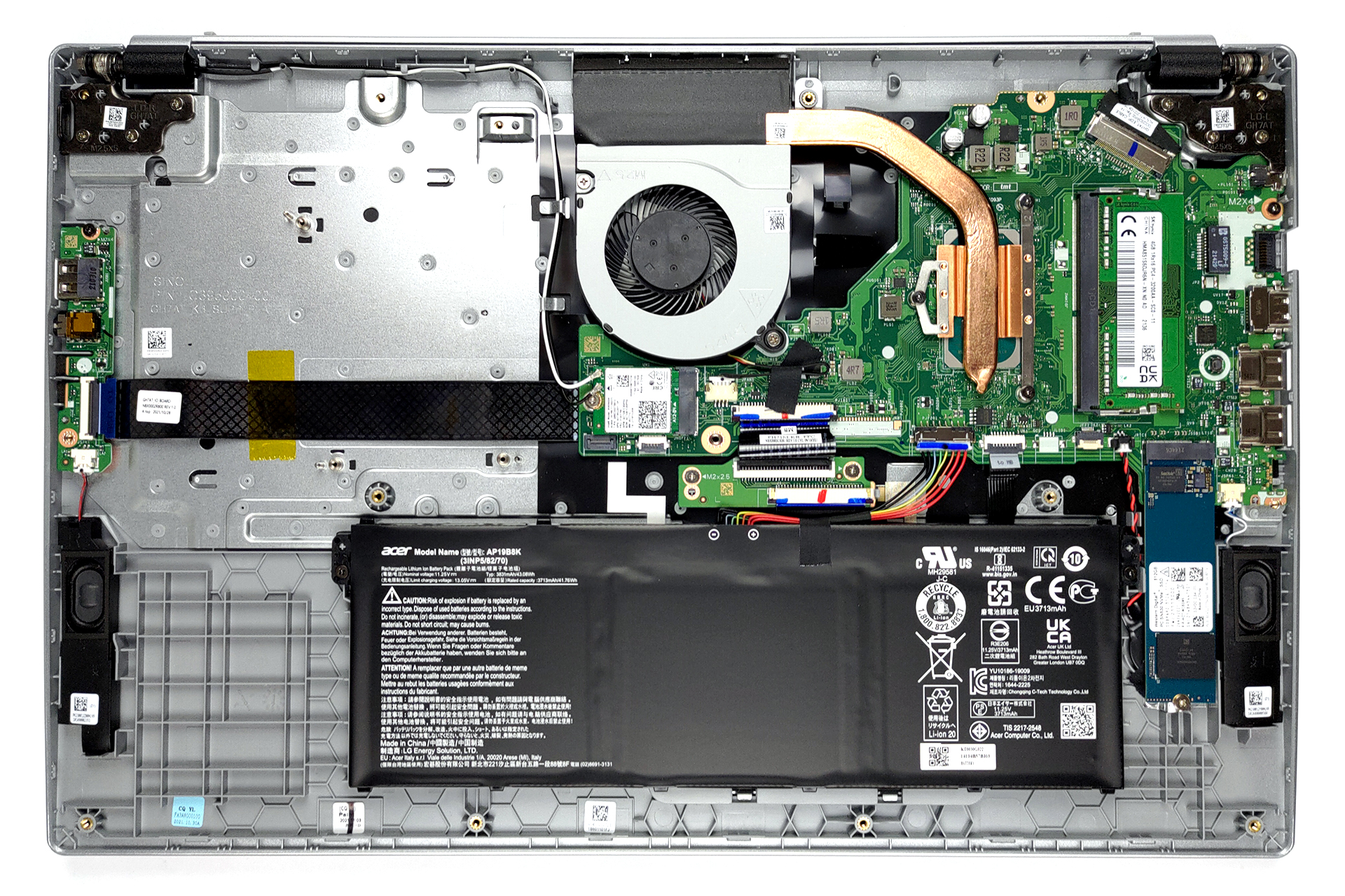
To take this laptop apart, you need to undo a total of 14 Phillips-head screws. After that, pry the bottom panel with a plastic tool, starting from the back two corners.
2. Battery
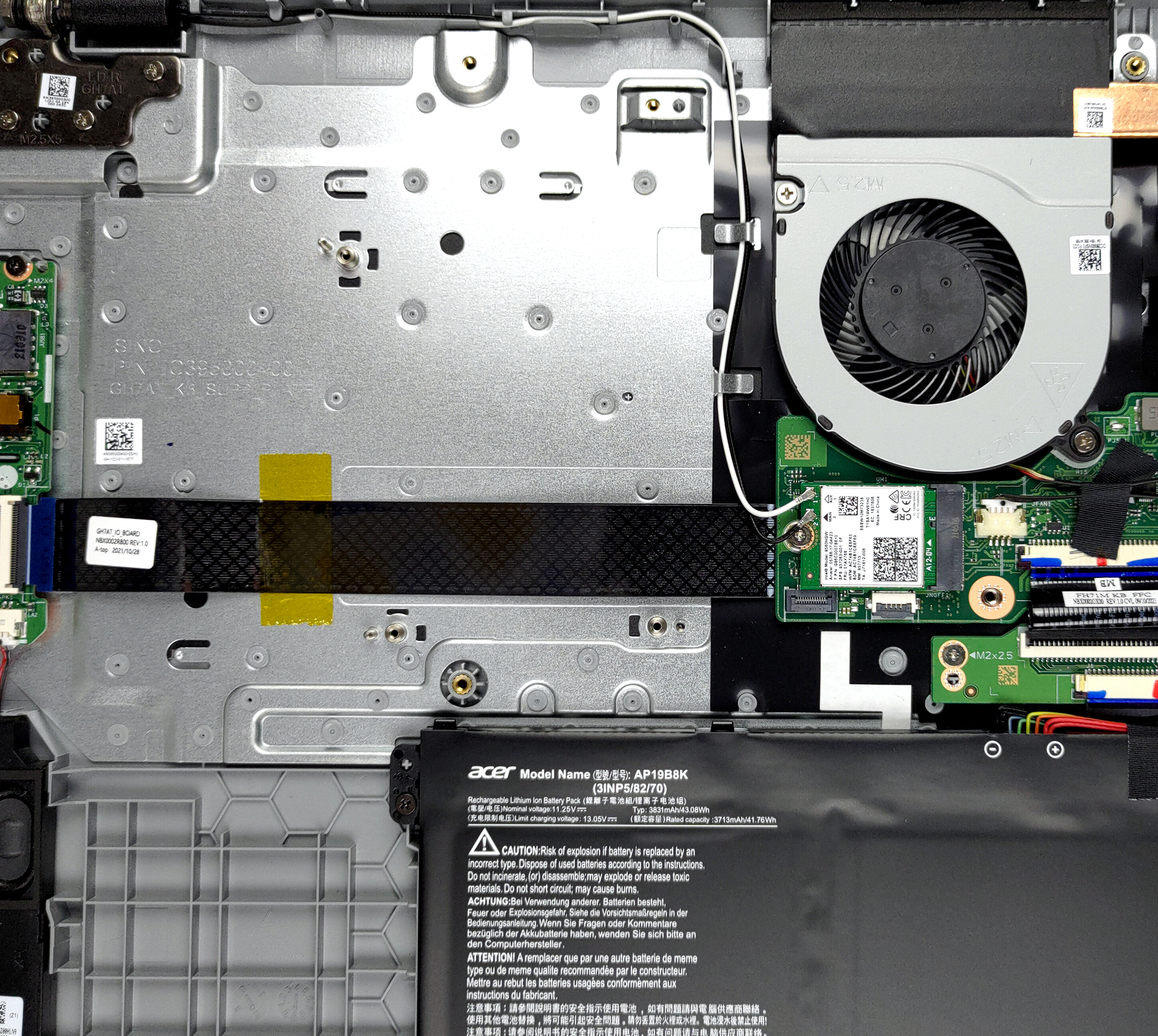
Inside, we see a ton of free space. But more importantly, there is a 43Wh battery pack. It lasted us for about 10 hours of Web browsing, or 6 hours of video playback. To take the battery out, you first need to unplug the connector from the motherboard. Then, undo the two Phillips-head screws, holding it in place.

3. Memory and storage
Memory-wise, there is one SODIMM slot, which enables you to expand the RAM soldered to the motherboard. As for the storage, you get an M.2 PCIe x4 slot. In addition, there is space for a 2.5-inch SATA device on the left, but we can’t be 100% sure about that.

4. Cooling system
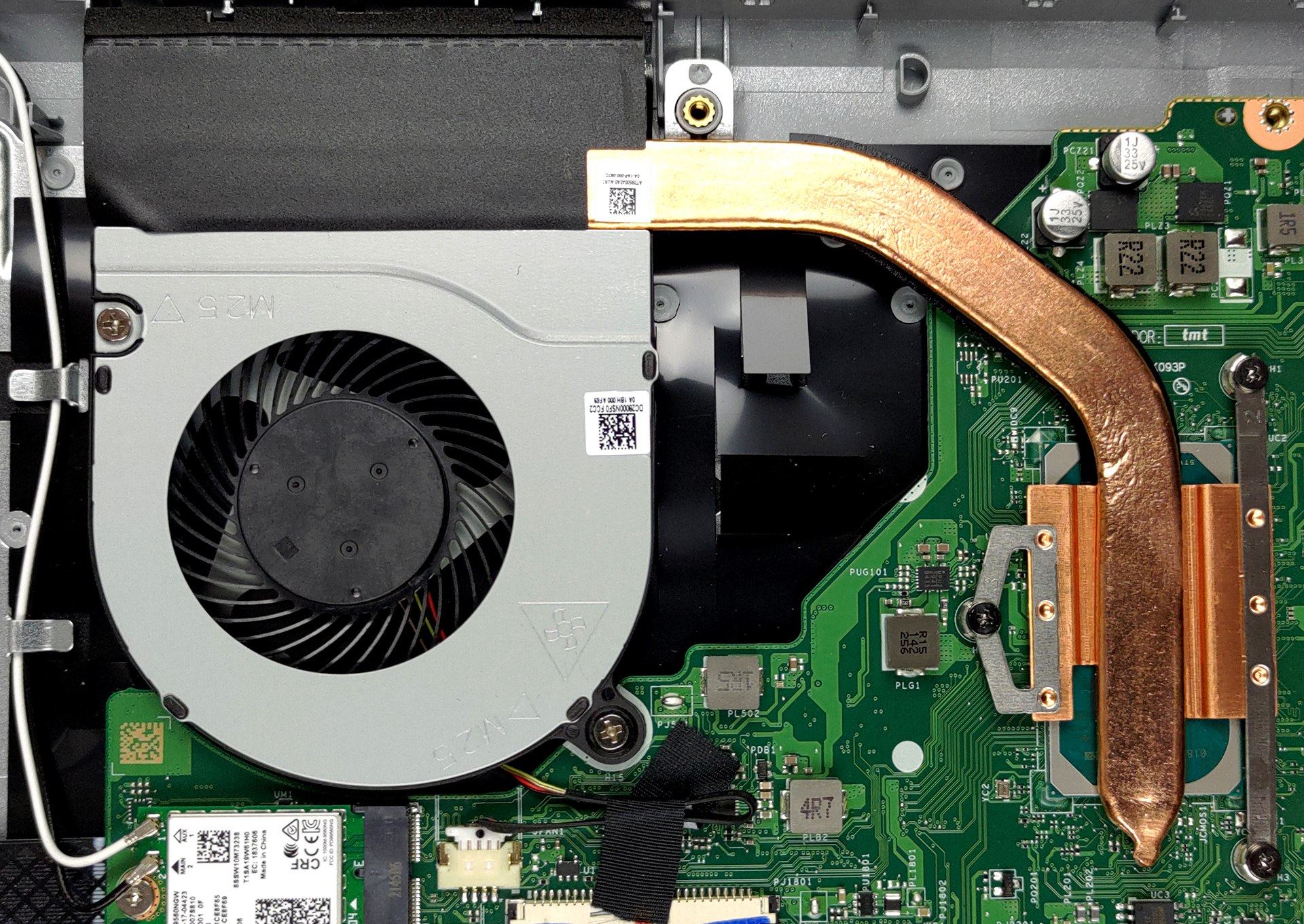
In terms of cooling, we see something quite common with one heat pipe, a heat sink, and a fan.
Check out all Acer Aspire 3 (A317-53) prices and configurations in our Specs System or read more in our In-Depth review.
Acer Aspire 3 (A317-53 / А317-53G) derinlemesine inceleme
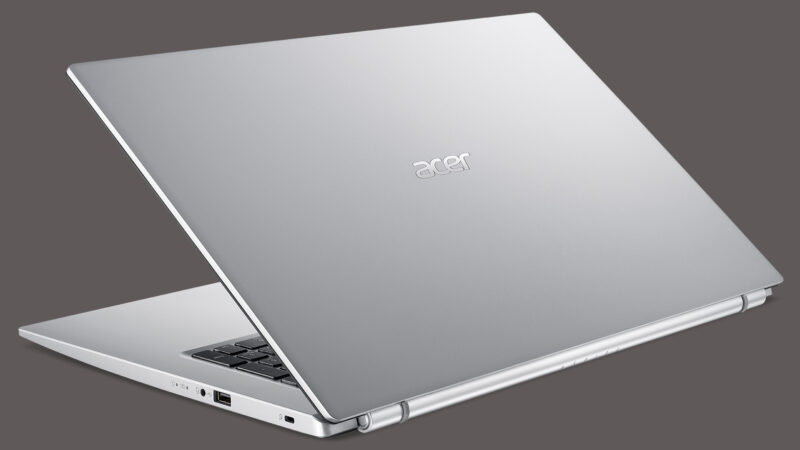
As we've said numerous times, all manufacturers have their top dogs and premium notebooks that epitomize the complexity and ingenuity of their R&D departments. However, their best sellers reside in the budget category. The same can be said about Acer, whose arguably best-selling device is the Aspire 3.Today, we're going to provide some insight on the Aspire 3 (A317-53), which is a 17-inch notebook with quite some potential. It's worth saying that the competition in its price range is pretty fierce. Both Lenovo and HP have impressive offerings in the face of the IdeaPad 3 (17", 2021) a[...]
Artıları
- 1x SODIMM, 1x M.2 PCIe x4, 1x 2.5-inch SATA (optional)
- Surprisingly good performance and cooling
- Strong chassis
Eksileri
- Not the best input devices
- No SD card reader
- Lacks a USB Type-C port
 Author: Alex Iliev

![[Haziran 2026] Amazon Global’de En Çok Satan Dizüstü Bilgisayar Markaları – Apple’ın Satış Adedi ve Gelir Açısından Rakipsiz Hakimiyeti](https://laptopmedia.com/wp-content/uploads/2026/07/GLOBAL-Best-Brands-400x225.jpg)
![[Haziran 2026] Amazon Global: En Çok Satan 10 Dizüstü Bilgisayar – Apple’ın Yeni MacBook Neo, 1. Sıraya Fırtına Gibi Yükseldi; Uygun Fiyatıyla Pazarı Yeniden Şekillendiriyor](https://laptopmedia.com/wp-content/uploads/2026/07/Best-Selling-Laptops-GLOBAL-Top-10-400x225.jpg)
![[Haziran 2026] Amazon Global: En Çok Satan 10 Oyun Dizüstü Bilgisayarı – Acer’ın Nitro V 16S AI modeli satışlarda başı çekerken, ASUS toplam gelirde lider konumda](https://laptopmedia.com/wp-content/uploads/2026/07/Best-Selling-Gaming-Laptops-GLOBAL-Top-10-400x225.jpg)
![[Haziran 2026] Amazon’da En Çok Satan Dizüstü Bilgisayar GPU’larının Küresel Sıralaması – NVIDIA RTX 5060, en çok satan özel amaçlı GPU’dur](https://laptopmedia.com/wp-content/uploads/2026/07/Best-Selling-GPUs-GLOBAL-Top-10-400x225.jpg)
![[Haziran 2026] Amazon’da En Çok Satan Dizüstü Bilgisayar İşlemcilerinin Küresel Sıralaması – Apple M5 Liderlik Yapıyor, AMD Ryzen 7 260 Üst Sınıf Segmentte Sağlam Bir Pay Elde Ediyor](https://laptopmedia.com/wp-content/uploads/2026/07/Best-Selling-CPUs-GLOBAL-Top-10-400x225.jpg)
