Inside ASUS ExpertBook P2 P2451 – disassembly and upgrade options
Despite its small size, the ExpertBook P2 P2451 offers a good amount of upgradability.
Check out all ASUS ExpertBook P2 P2451 prices and configurations in our Specs System or read more in our In-Depth review.
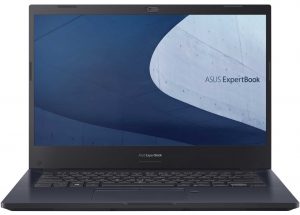
1. Remove the bottom plate
To take this notebook apart you have to remove the bottom panel. It is held in place by 10 Phillips-head screws and a dozen of plastic clips.
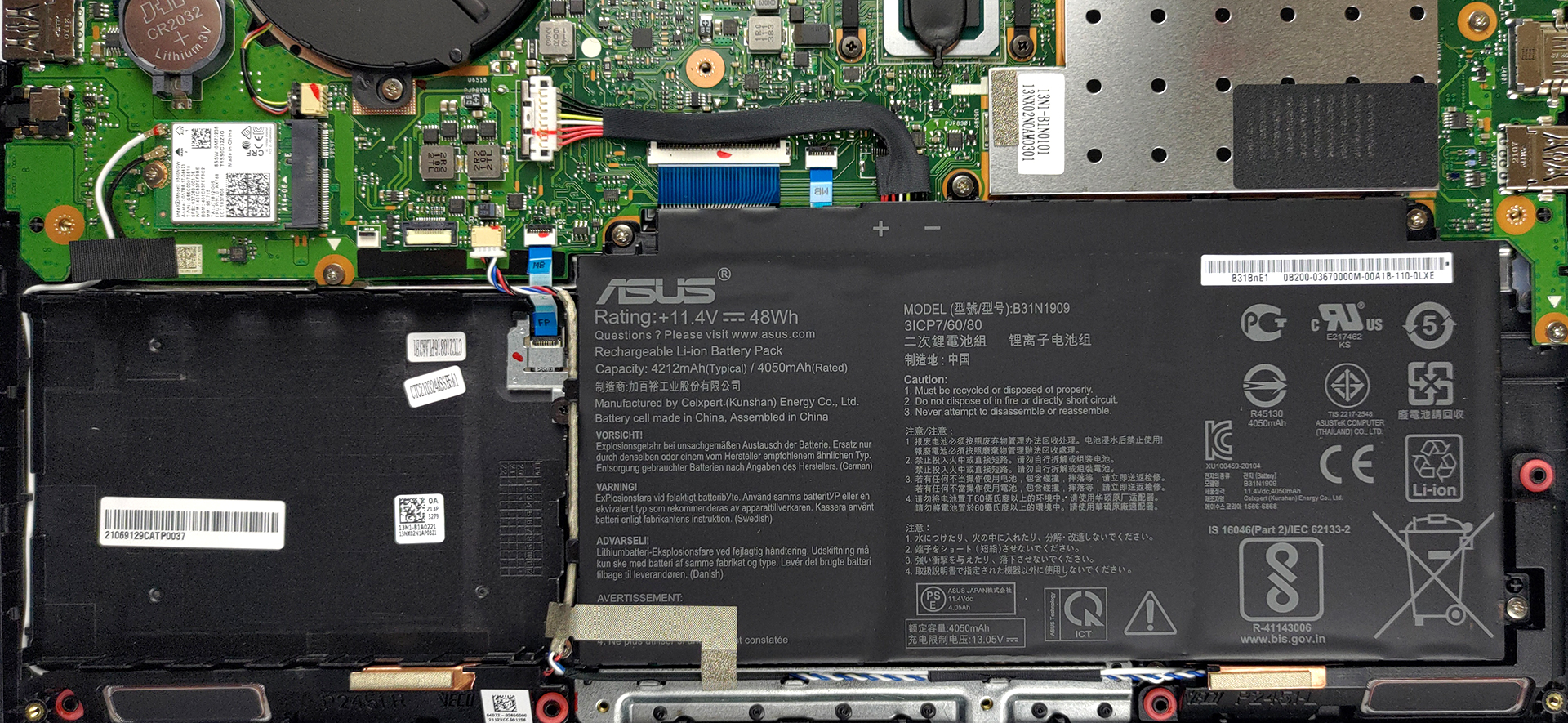
2. Battery
Its battery has a capacity of 48Wh.
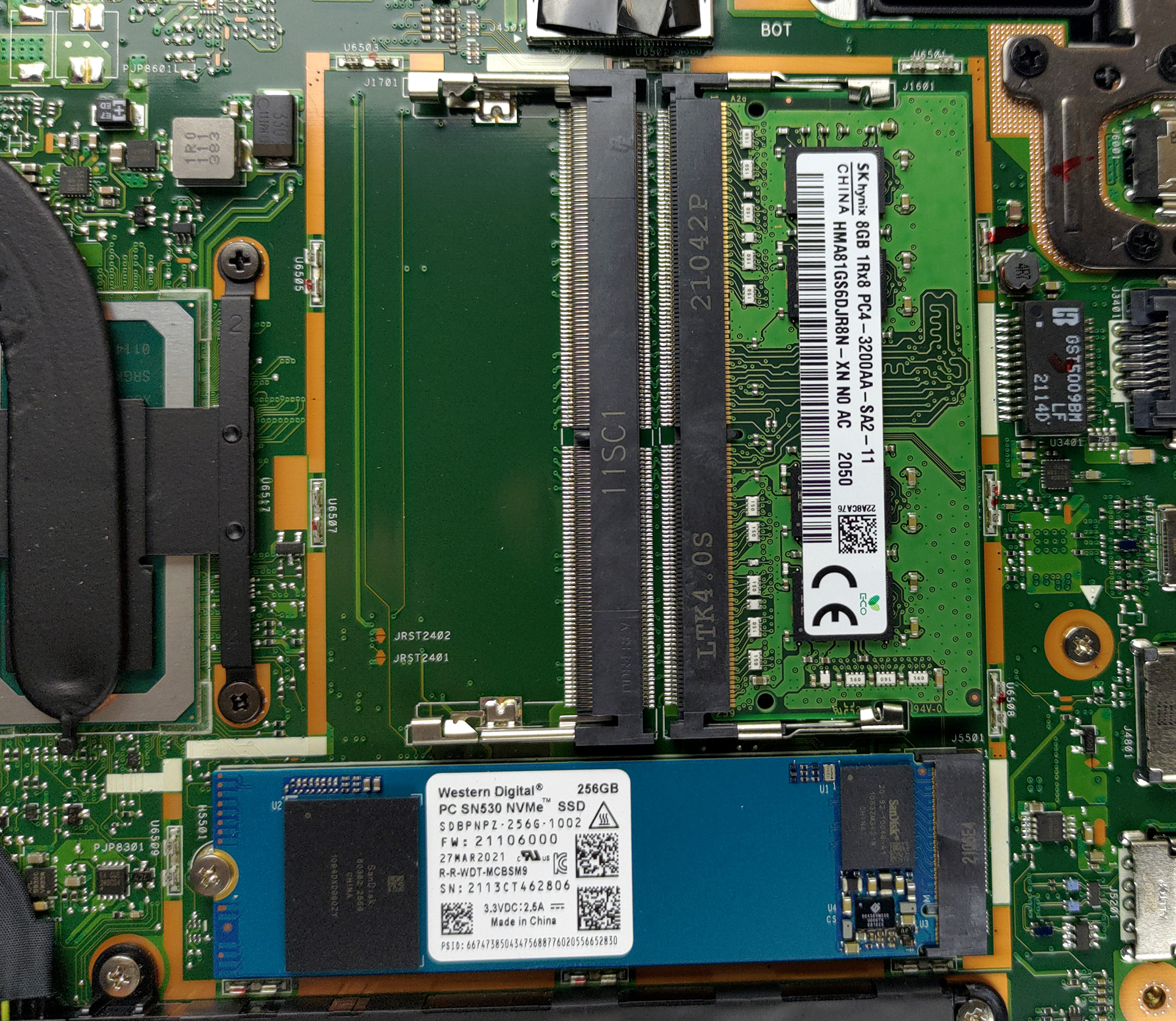
3. Мemory and storage
Here, the memory and SSD slots are hidden beneath a metal bracket. When you remove it, you will see two SODIMM slots for dual-channel RAM, as well as one M.2 slot for fast storage. Also, this is one of the few devices that still offer a 2.5-inch SATA drive bay.
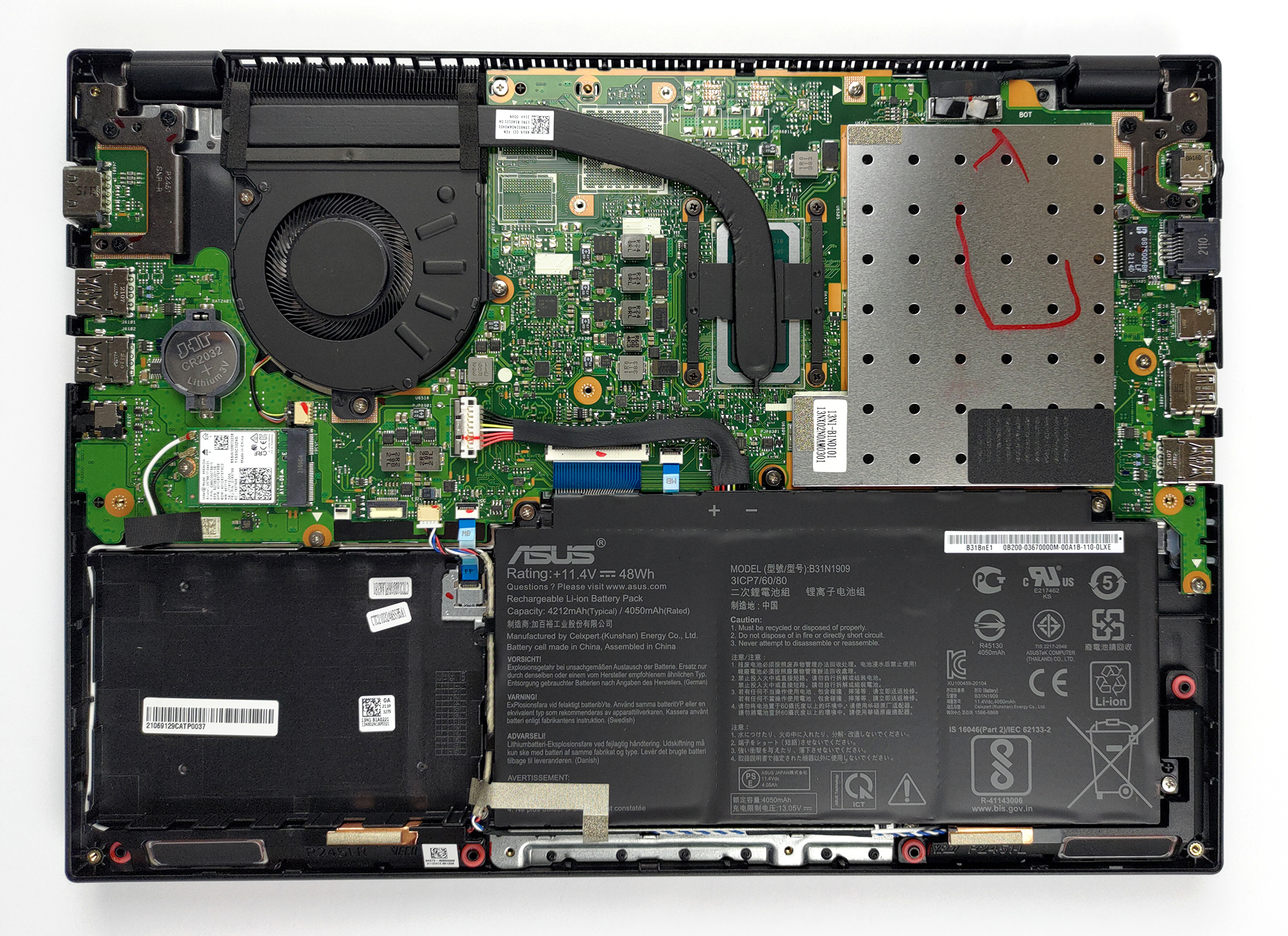
4. Cooling system
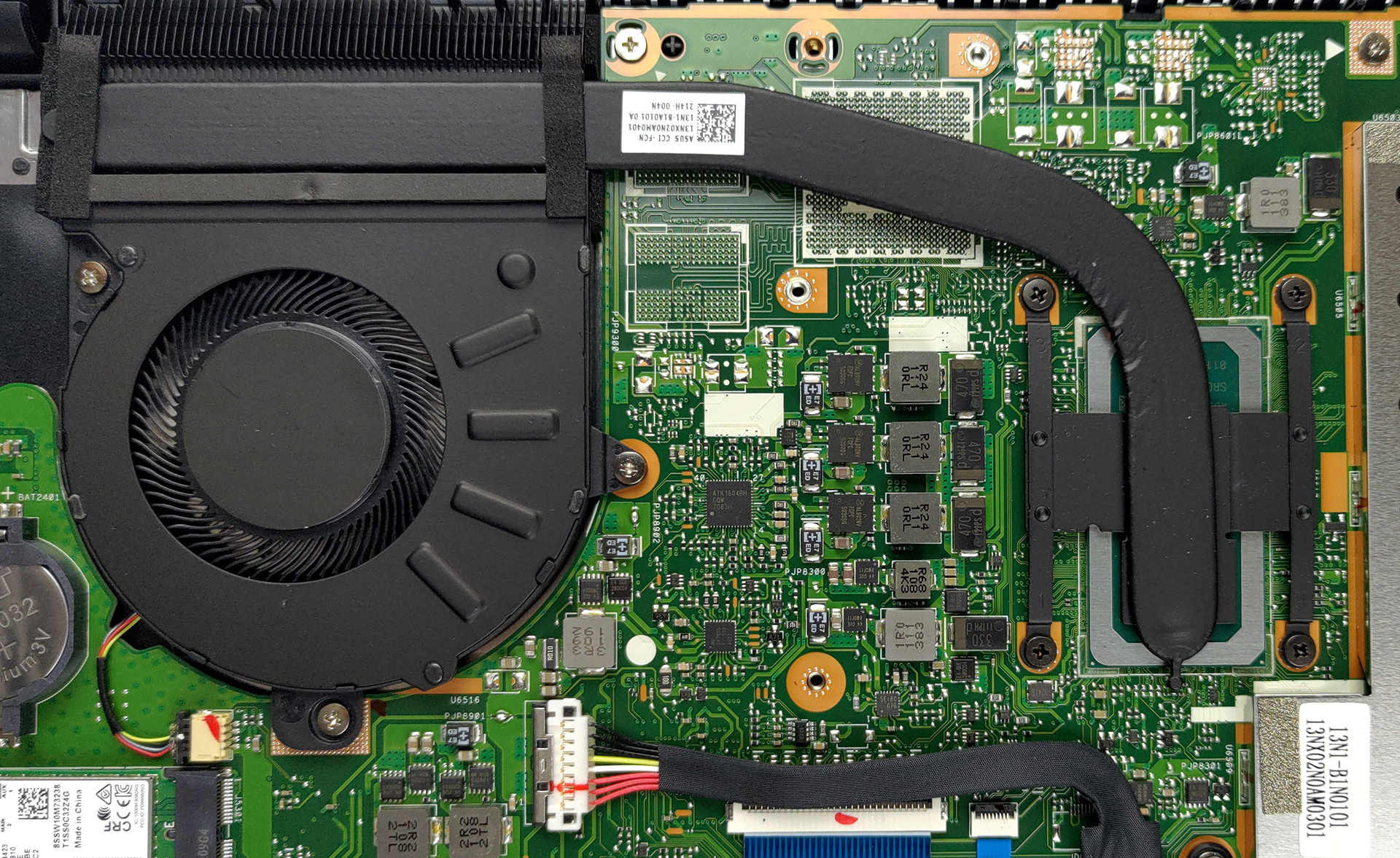
Lastly, the cooling looks pretty straightforward. You get one heat pipe, a heat sink, and a medium-sized fan.
Check out all ASUS ExpertBook P2 P2451 prices and configurations in our Specs System or read more in our In-Depth review.
ASUS ExpertBook P2 (P2451) derinlemesine inceleme
ASUS is not usually recognized for its business-centric devices. Through the years, the brand has become synonymous with gaming on the go, as well as style. This is thanks to their ROG and ZenBook subbrands. Today, we will show you something different. The device in question is the ExpertBook P2 P2451, and its ultimate goal is to attract small and large businesses to the brand, and show them that ASUS can be a viable choice in a world of ThinkPads, Latitudes, and EliteBooks.Looking at the specs sheet, we see that the ExpertBook P2 P2451 isn't exactly sitting on the cutting edge of technol[...]
Artıları
- 2x SODIMM slots, 1x M.2 slot, 1x 2.5-inch bay
- Great battery life
- Privacy shutter and fingerprint reader
- MicroSD card slot and a VGA port
- No aggressive PWM (Innolux N140HGA-EA1 (CMN14E5))
- Steel reinforcement of the chassis
- Abundance of ports
Eksileri
- Old CPUs
- Narrow viewing angles and poor contrast ratio (Innolux N140HGA-EA1 (CMN14E5))
- 52% of sRGB coverage (Innolux N140HGA-EA1 (CMN14E5))
 Author: Alex Iliev

![[Haziran 2026] Amazon Global’de En Çok Satan Dizüstü Bilgisayar Markaları – Apple’ın Satış Adedi ve Gelir Açısından Rakipsiz Hakimiyeti](https://laptopmedia.com/wp-content/uploads/2026/07/GLOBAL-Best-Brands-400x225.jpg)
![[Haziran 2026] Amazon Global: En Çok Satan 10 Dizüstü Bilgisayar – Apple’ın Yeni MacBook Neo, 1. Sıraya Fırtına Gibi Yükseldi; Uygun Fiyatıyla Pazarı Yeniden Şekillendiriyor](https://laptopmedia.com/wp-content/uploads/2026/07/Best-Selling-Laptops-GLOBAL-Top-10-400x225.jpg)
![[Haziran 2026] Amazon Global: En Çok Satan 10 Oyun Dizüstü Bilgisayarı – Acer’ın Nitro V 16S AI modeli satışlarda başı çekerken, ASUS toplam gelirde lider konumda](https://laptopmedia.com/wp-content/uploads/2026/07/Best-Selling-Gaming-Laptops-GLOBAL-Top-10-400x225.jpg)
![[Haziran 2026] Amazon’da En Çok Satan Dizüstü Bilgisayar GPU’larının Küresel Sıralaması – NVIDIA RTX 5060, en çok satan özel amaçlı GPU’dur](https://laptopmedia.com/wp-content/uploads/2026/07/Best-Selling-GPUs-GLOBAL-Top-10-400x225.jpg)
![[Haziran 2026] Amazon’da En Çok Satan Dizüstü Bilgisayar İşlemcilerinin Küresel Sıralaması – Apple M5 Liderlik Yapıyor, AMD Ryzen 7 260 Üst Sınıf Segmentte Sağlam Bir Pay Elde Ediyor](https://laptopmedia.com/wp-content/uploads/2026/07/Best-Selling-CPUs-GLOBAL-Top-10-400x225.jpg)
