Inside HP EliteBook 830 G8 – disassembly and upgrade options
Not only is this device easy to disassemble, but it offers a decent amount of upgrade options as well.
Check out all HP EliteBook 830 G8 prices and configurations in our Specs System or read more in our In-Depth review.
1. Remove the bottom plate
Thankfully, there are only 5 Phillips-head screws holding the bottom panel in place. After you undo them, pry the panel with a plastic tool and lift it away.
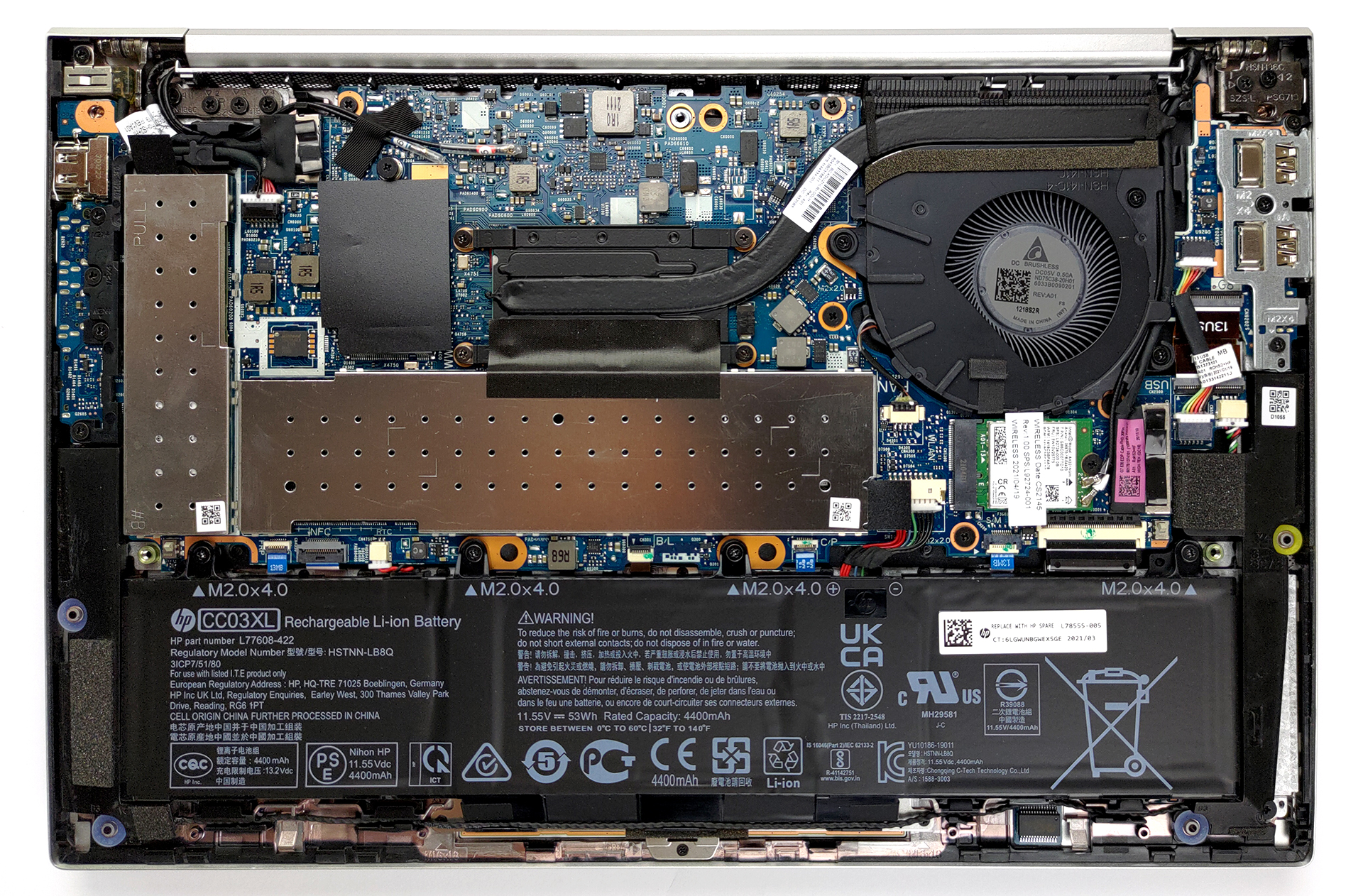
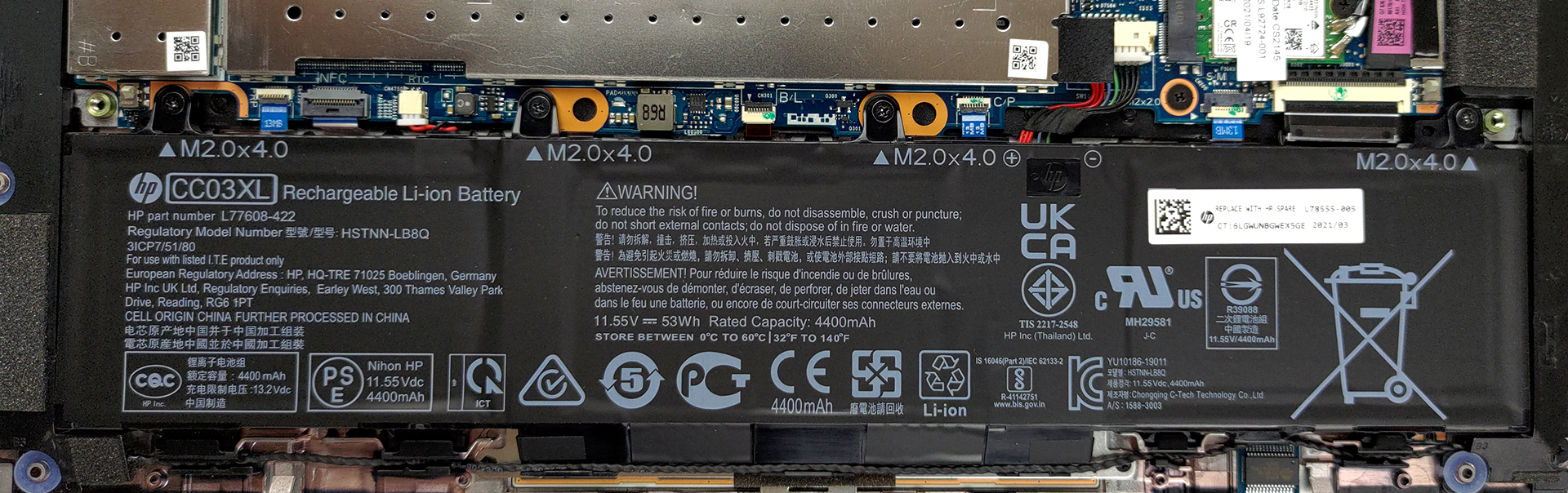
2. Battery
Inside, you will find a 53Wh battery pack. Before you continue, unplug the battery connector from the motherboard.
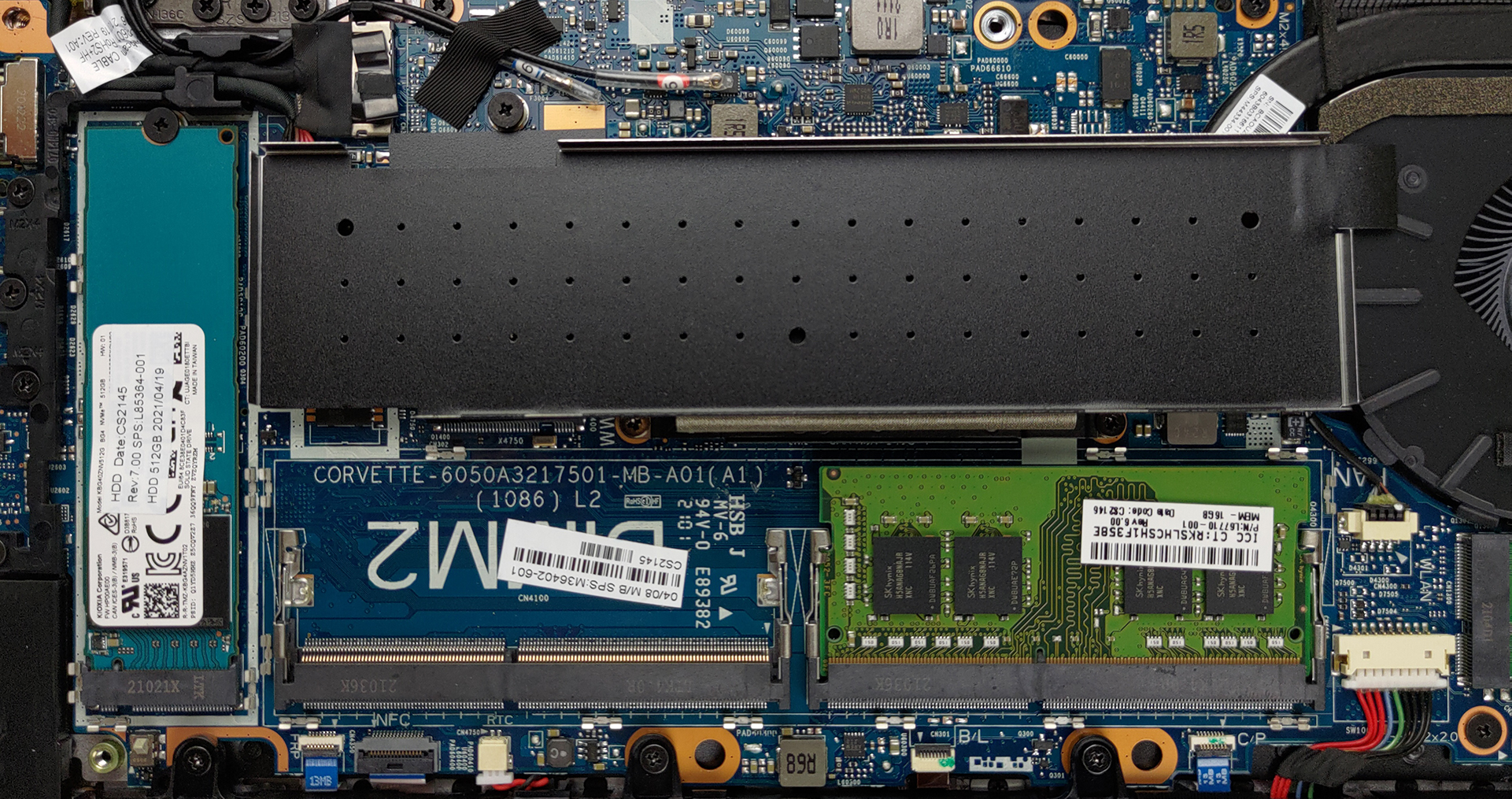
3. Мemory and storage
To access the memory and the storage, you have to remove two metal brackets. They are hiding two SODIMM slots for up to 64GB of dual-channel RAM, as well as an M.2 PCIe x4 slot.
4. Cooling system
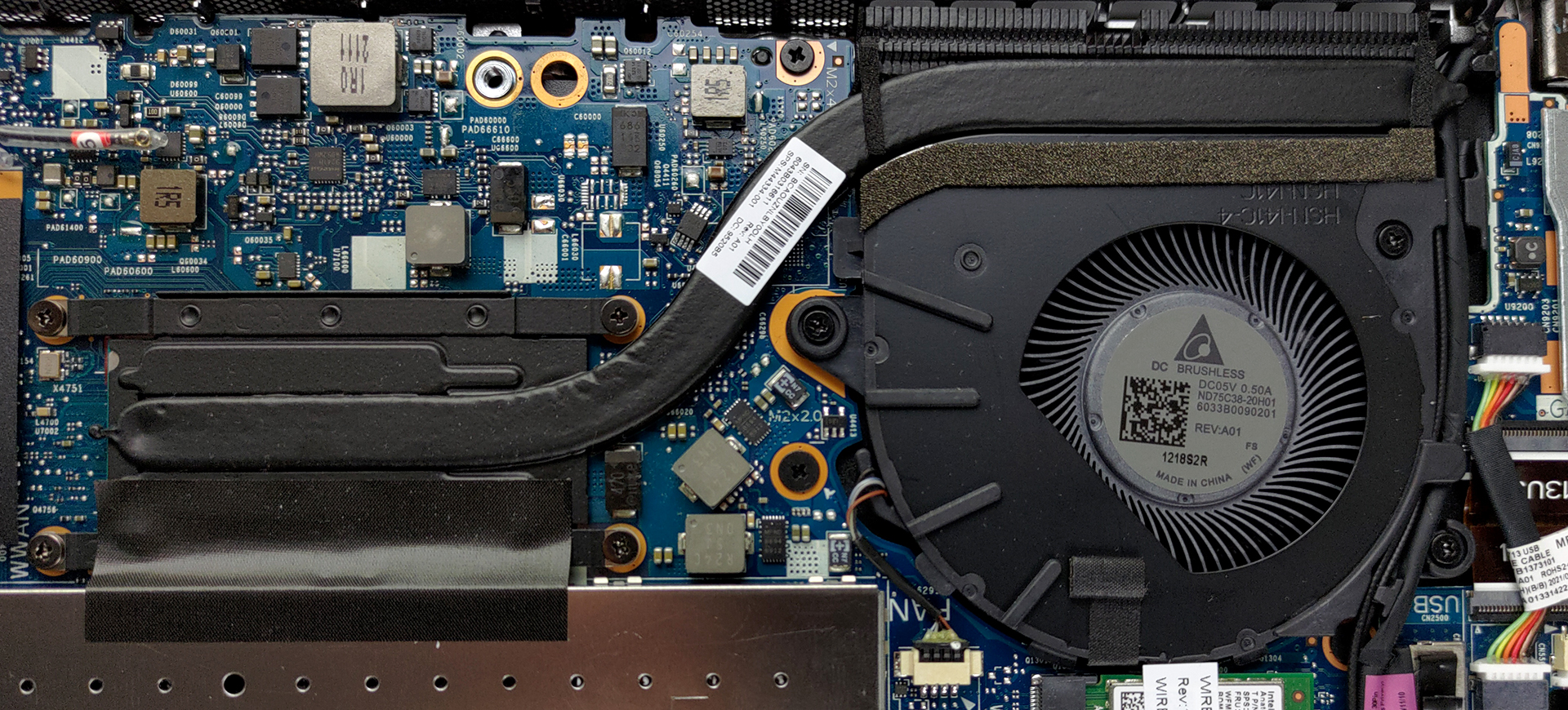
This notebook’s processor is cooled down by one heat pipe, and a medium-sized fan. Interestingly, there is a pattern on the heat spreader that should help with heat dissipation.
Check out all HP EliteBook 830 G8 prices and configurations in our Specs System or read more in our In-Depth review.
HP EliteBook 830 G8 derinlemesine inceleme
If you are an enterprise laptop user, you would be familiar with brands like ThinkPad, Latitude, and EliteBook. Today, we are going to review a notable member of the EliteBook family, called the EliteBook 830 G8. Ultimately it's not very different from its predecessor from the G7 series.However, this unit comes with Tiger Lake CPUs - a huge jump from the Comet Lake-U processors from last year. Actually, the performance was one of the main issues with yesteryear's model. Despite that, it was extremely efficient and posted one of the best battery life we've ever tested here. We really hope [...]
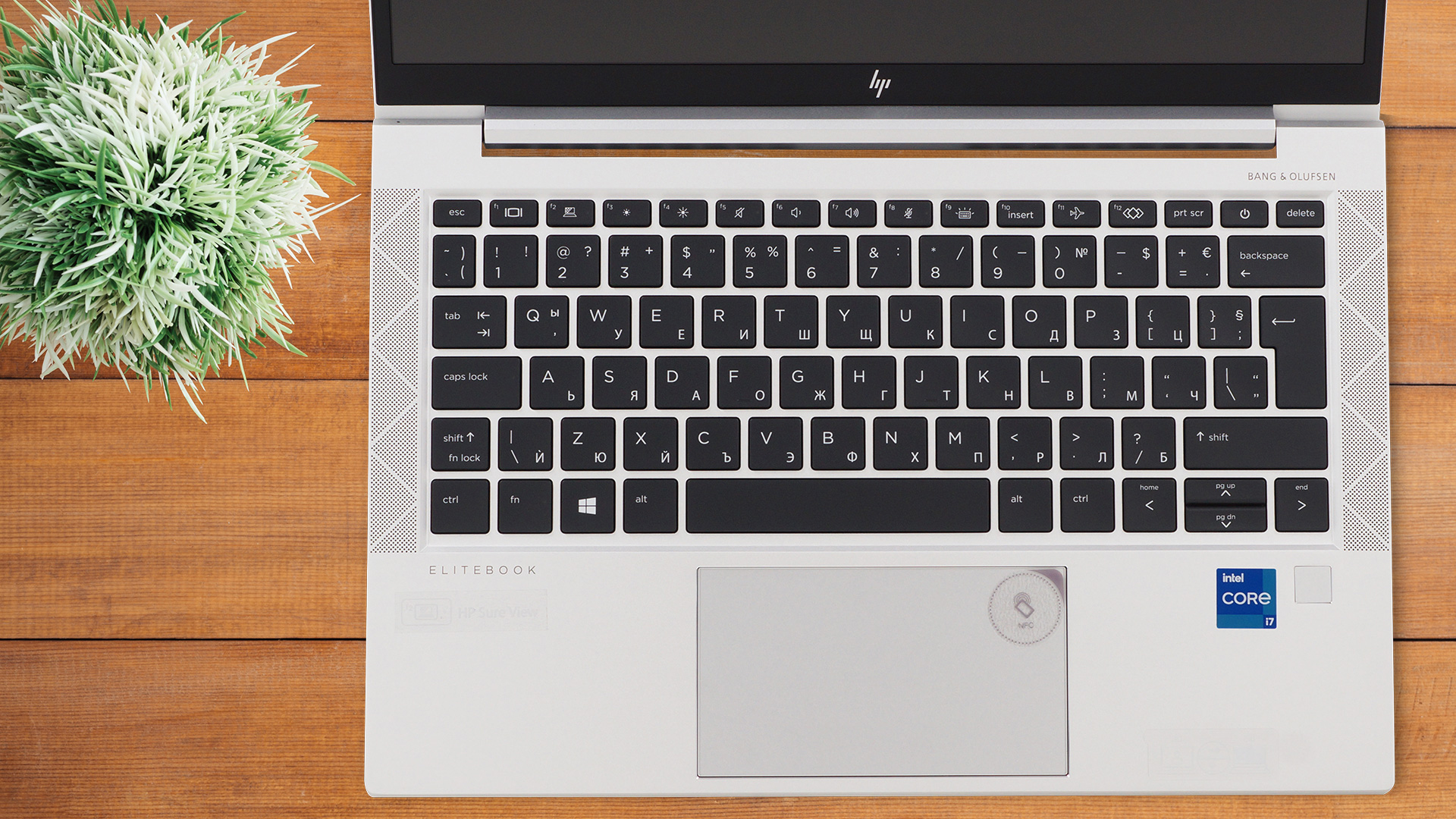
Artıları
- Decent battery life
- PCIe x4 support + 64GB of DDR4 memory in dual-channel
- Two Thunderbolt 4 connectors, Wi-Fi 6, and optional 5G support
- 89% of sRGB coverage and great color accuracy with our Gaming and Web design profile (IVO X133NVFF R0 (IVO8596))
- No PWM for brightness adjustment (IVO X133NVFF R0 (IVO8596)9)
- Spill-resistant keyboard
- IR face recognition and fingerprint reader
Eksileri
- Weird fan noise at low RPM
- High deviation in luminance in the top left corner (IVO X133NVFF R0 (IVO8596))
- Minimum brightness is too high for use in the dark (IVO X133NVFF R0 (IVO8596))
 Author: Alex Iliev

![[Haziran 2026] Amazon Global’de En Çok Satan Dizüstü Bilgisayar Markaları – Apple’ın Satış Adedi ve Gelir Açısından Rakipsiz Hakimiyeti](https://laptopmedia.com/wp-content/uploads/2026/07/GLOBAL-Best-Brands-400x225.jpg)
![[Haziran 2026] Amazon Global: En Çok Satan 10 Dizüstü Bilgisayar – Apple’ın Yeni MacBook Neo, 1. Sıraya Fırtına Gibi Yükseldi; Uygun Fiyatıyla Pazarı Yeniden Şekillendiriyor](https://laptopmedia.com/wp-content/uploads/2026/07/Best-Selling-Laptops-GLOBAL-Top-10-400x225.jpg)
![[Haziran 2026] Amazon Global: En Çok Satan 10 Oyun Dizüstü Bilgisayarı – Acer’ın Nitro V 16S AI modeli satışlarda başı çekerken, ASUS toplam gelirde lider konumda](https://laptopmedia.com/wp-content/uploads/2026/07/Best-Selling-Gaming-Laptops-GLOBAL-Top-10-400x225.jpg)
![[Haziran 2026] Amazon’da En Çok Satan Dizüstü Bilgisayar GPU’larının Küresel Sıralaması – NVIDIA RTX 5060, en çok satan özel amaçlı GPU’dur](https://laptopmedia.com/wp-content/uploads/2026/07/Best-Selling-GPUs-GLOBAL-Top-10-400x225.jpg)
![[Haziran 2026] Amazon’da En Çok Satan Dizüstü Bilgisayar İşlemcilerinin Küresel Sıralaması – Apple M5 Liderlik Yapıyor, AMD Ryzen 7 260 Üst Sınıf Segmentte Sağlam Bir Pay Elde Ediyor](https://laptopmedia.com/wp-content/uploads/2026/07/Best-Selling-CPUs-GLOBAL-Top-10-400x225.jpg)
Dit is geen x360 830 G8 maar een G7.
Bij een G8 is de memory vast gesoldeerd op het moederbord.