Inside Lenovo Ideapad 330-15ICH – disassembly and upgrade options
Lenovo Ideapad 330-15ICH is one of the cheapest gaming devices on the market. Yes, it doesn’t look fancy like the others, neither it is super classy on the outside, but it has the heart of a lion. Now, let’s take a closer look inside and see whether the dated facade is reflecting on the internals.
Check out all Lenovo Ideapad 330-15ICH prices and configurations in our Specs System or read more in our In-depth Review.
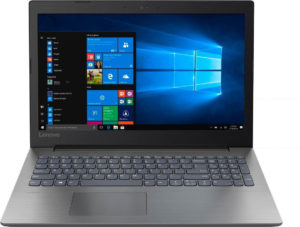
1. Remove the bottom plate
First, let’s turn the laptop upside down and unscrew these 11 Phillips-head bad boys. Next, carefully remove the bottom plate by prying up with a plastic tool, or a credit card.
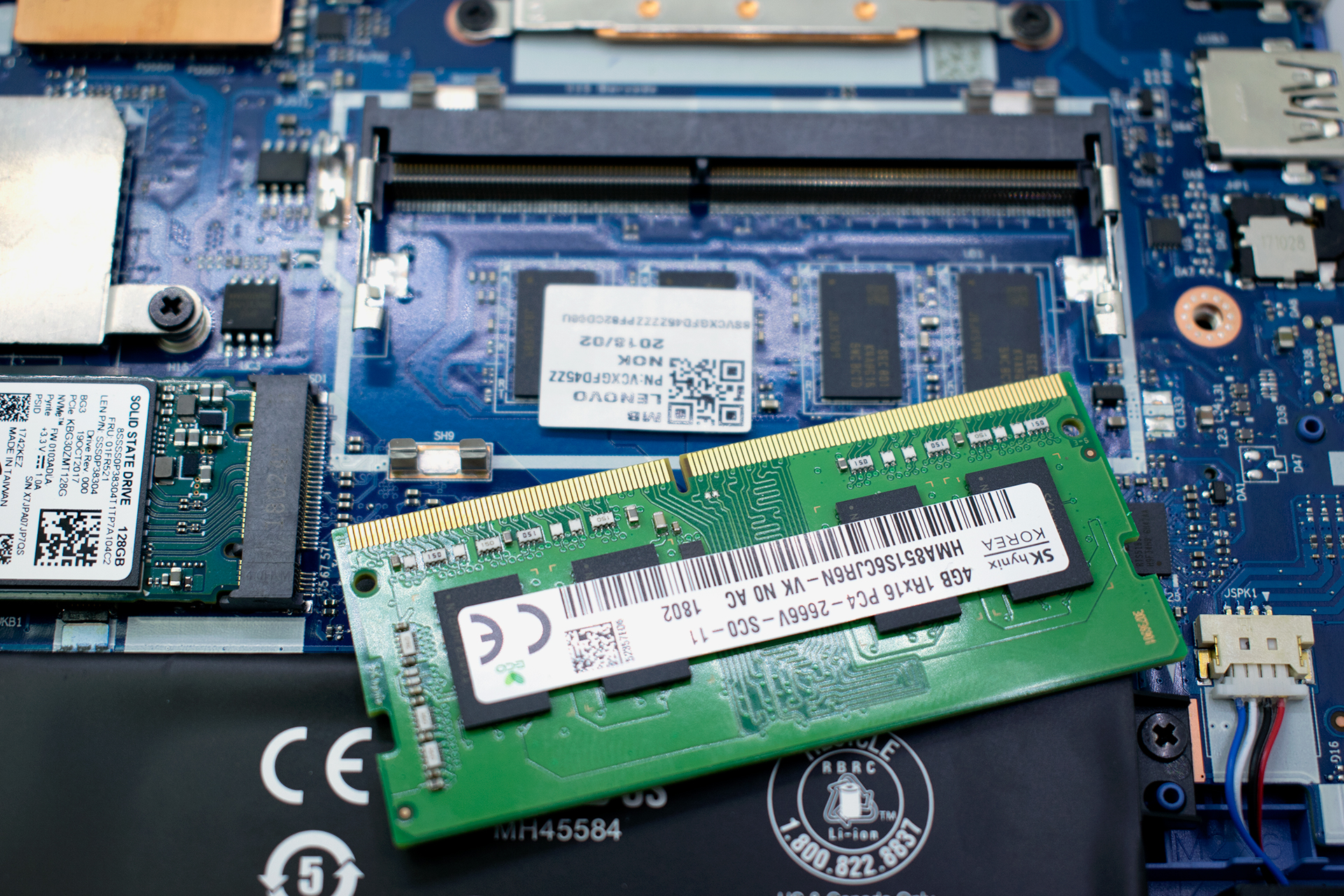
2. Memory and storage
Here, you’ll find the memory socket, which is located right beneath one of the chips. What is interesting here is that there is only one RAM DIMM for upgradable memory, while there are 4 GB of DDR4 memory soldered to the motherboard. They are hiding just below the RAM PCB. As of the storage devices, there is one PCIe M.2 slot and one SATA connector, which is currently not on the motherboard. However, Lenovo provides it inside the box of the new unit.

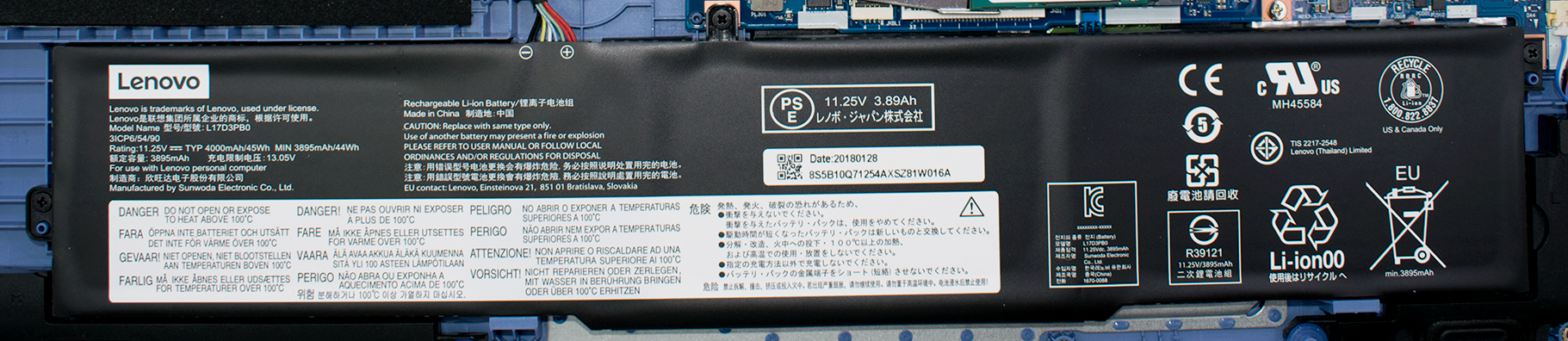
3. Battery
Ideapad 330-15ICH is equipped with a rather modest battery pack – a 45Wh unit, which provides you with no more than 5 hours of web browsing and/or video playback.
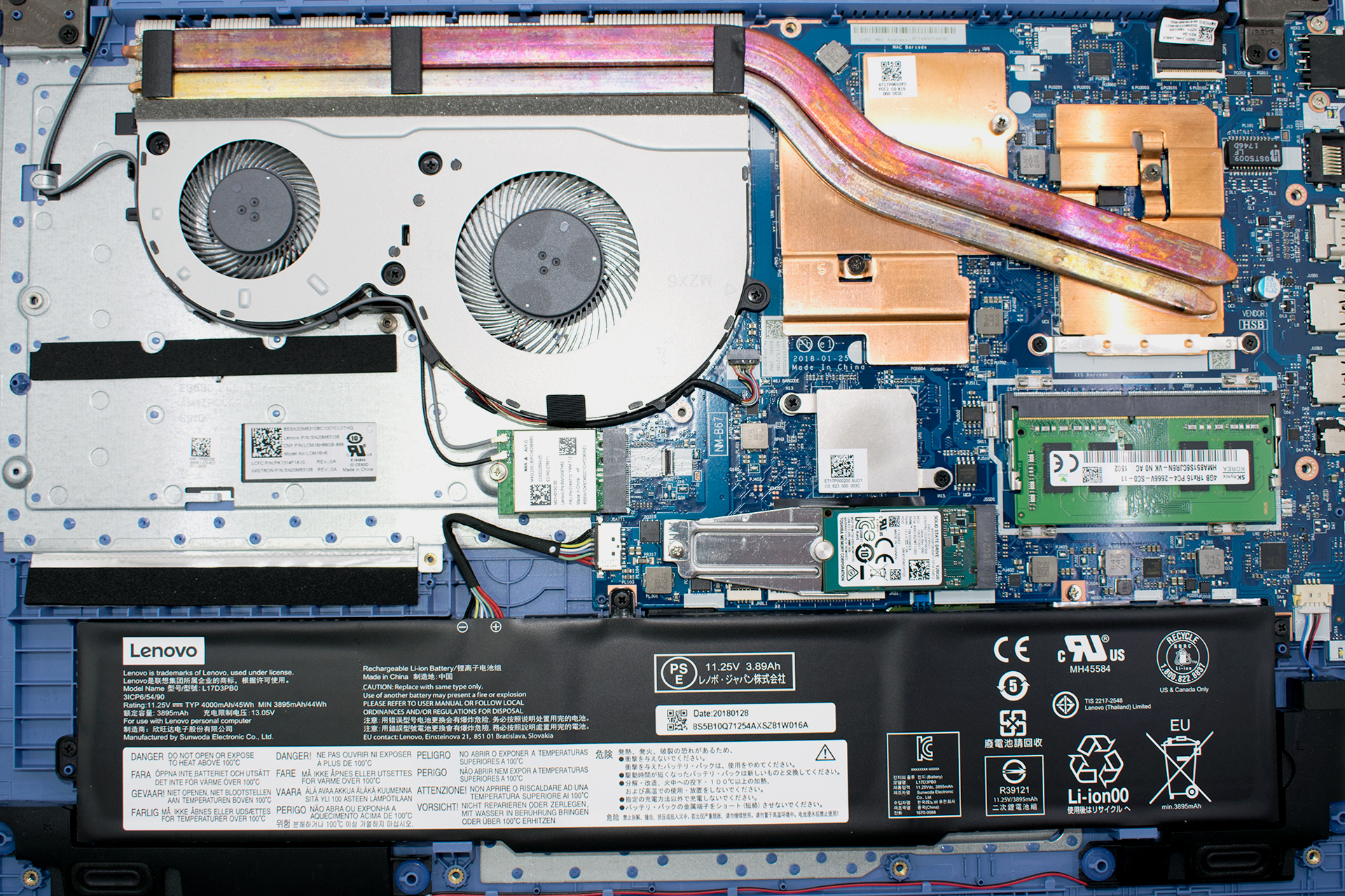
4. Cooling system
This model is not very well known for its cooling capacity. In our review, we saw very very low clock speeds from the Intel Core i7-8750H, although the temperatures were low as well. On the hardware side, there is the disadvantage of using the same heat pipes to cool down both the CPU and the GPU. In addition to that, there are two fans cooling a wide heatsink. Well, at first glance it is good that Lenovo has implemented a two-fan design. However, in this case, the smaller fan gets a little useless since most of the heat is already dissipated by the larger fan.

Check out all Lenovo Ideapad 330-15ICH prices and configurations in our Specs System or read more in our In-depth Review.
 Author: Alex Iliev

![[Haziran 2026] Amazon Global’de En Çok Satan Dizüstü Bilgisayar Markaları – Apple’ın Satış Adedi ve Gelir Açısından Rakipsiz Hakimiyeti](https://laptopmedia.com/wp-content/uploads/2026/07/GLOBAL-Best-Brands-400x225.jpg)
![[Haziran 2026] Amazon Global: En Çok Satan 10 Dizüstü Bilgisayar – Apple’ın Yeni MacBook Neo, 1. Sıraya Fırtına Gibi Yükseldi; Uygun Fiyatıyla Pazarı Yeniden Şekillendiriyor](https://laptopmedia.com/wp-content/uploads/2026/07/Best-Selling-Laptops-GLOBAL-Top-10-400x225.jpg)
![[Haziran 2026] Amazon Global: En Çok Satan 10 Oyun Dizüstü Bilgisayarı – Acer’ın Nitro V 16S AI modeli satışlarda başı çekerken, ASUS toplam gelirde lider konumda](https://laptopmedia.com/wp-content/uploads/2026/07/Best-Selling-Gaming-Laptops-GLOBAL-Top-10-400x225.jpg)
![[Haziran 2026] Amazon’da En Çok Satan Dizüstü Bilgisayar GPU’larının Küresel Sıralaması – NVIDIA RTX 5060, en çok satan özel amaçlı GPU’dur](https://laptopmedia.com/wp-content/uploads/2026/07/Best-Selling-GPUs-GLOBAL-Top-10-400x225.jpg)
![[Haziran 2026] Amazon’da En Çok Satan Dizüstü Bilgisayar İşlemcilerinin Küresel Sıralaması – Apple M5 Liderlik Yapıyor, AMD Ryzen 7 260 Üst Sınıf Segmentte Sağlam Bir Pay Elde Ediyor](https://laptopmedia.com/wp-content/uploads/2026/07/Best-Selling-CPUs-GLOBAL-Top-10-400x225.jpg)
