How to open the Lenovo IdeaPad Slim 5 (16″, 2023) – disassembly and upgrade options
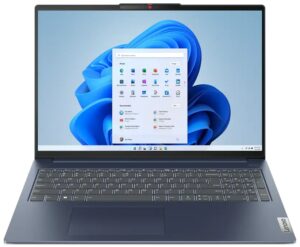

1. Unscrewing the Back Panel
To begin disassembling the Lenovo IdeaPad Slim 5 (16″, 2023), you first need to undo the nine Torx-head screws on the back of the notebook. A Torx screwdriver will be required for this step.

2. Removing the Back Panel
After removing the screws, use a plastic pry tool to carefully lift the bottom panel, starting from the back.
Caution: Be careful not to apply too much force, as this could potentially damage the panel or the notebook’s internal components.
3. Disconnecting the Battery
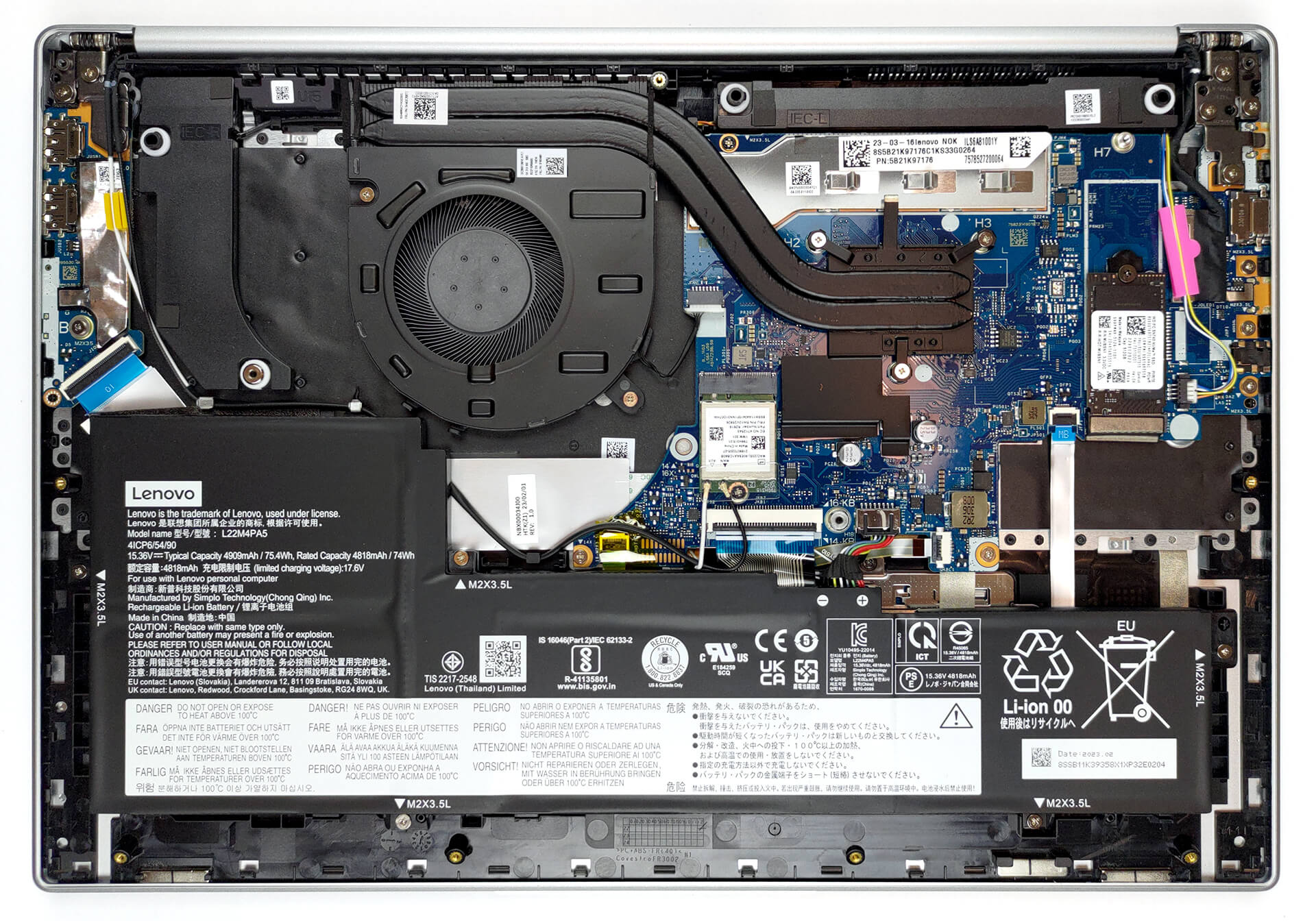
Once inside, you’ll find a 75.4Wh battery pack. To remove the battery, unplug the connector from the motherboard and undo the five Phillips-head screws securing it to the chassis.

4. Assessing the RAM
In this device, the memory is soldered to the motherboard. Depending on the configuration, you’ll either find 8GB of single-channel or 16GB of dual-channel RAM.
Note: Since the RAM is soldered, it’s not upgradeable. Ensure you choose a model with a suitable amount of memory for your needs.

5. Upgrading the Storage
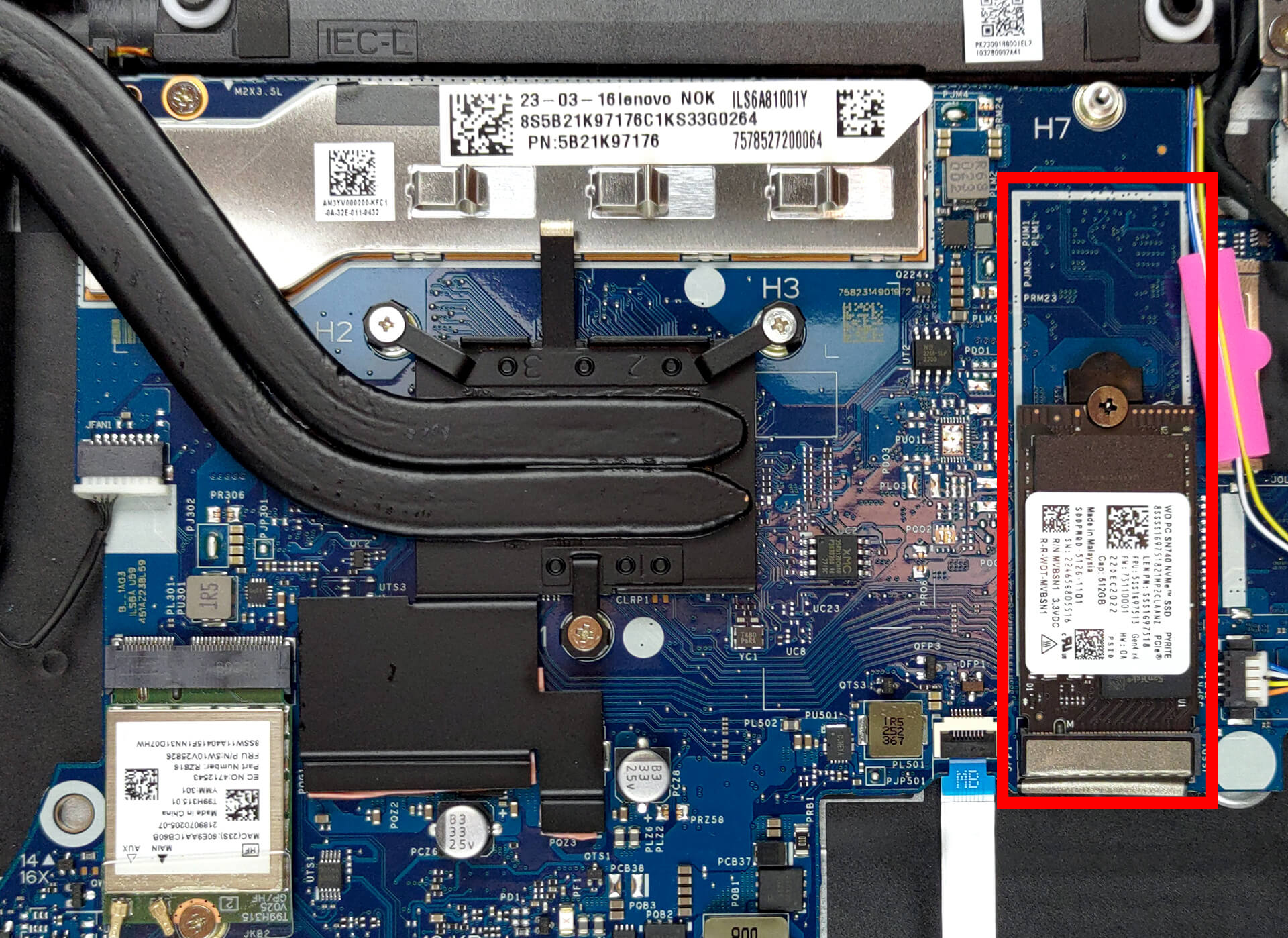
For storage, the Lenovo IdeaPad Slim 5 has one M.2 PCIe x4 slot that supports Gen 3 SSDs. This provides an opportunity for storage expansion or upgrades.
You can buy Gen 3 M.2 SSD modules here: Amazon.com'dan satın al (#CommissionsEarned)
6. Understanding the Cooling System
The cooling solution of this notebook consists of two heat pipes, one heat sink, and one fan. Additionally, the Voltage Regulator Modules (VRMs) are cooled by a heat spreader.
Note: Regular cleaning and maintenance of the cooling system can help to maintain the laptop’s performance and extend its lifespan.

Lenovo IdeaPad Slim 5 (16", 2023) derinlemesine inceleme
Nowadays, 16-inch screens are so common, that even the more affordable laptops come with them. Gone are the days of 15.6-inch 16:10 displays. Now, you can even get the Lenovo IdeaPad Slim 5 in a 16-inch form factor.There is one inherent flaw of these devices - the increased weight. That's totally not the case with the IdeaPad Slim 5 (16", 2023). Not only is the laptop thin and light but also features some brand-new processors from AMD.Well, the term "brand new" is not exactly true, since the Ryzen 7x30U CPUs are actually refreshes of the already refreshed Ryzen 5000U processors. Now, [...]

Artıları
- Optional fingerprint reader and IR face recognition scanner
- Thin, light, and rigid aluminum body
- No PWM (LEN160WUXGA (LEN9156))
- MicroSD card slot and good port selection
- Surprisingly good performance
- Very good battery life
Eksileri
- Soldered memory
- 50% sRGB coverage (LEN160WUXGA (LEN9156))
 Author: Severin Kolakov

![[Haziran 2026] Amazon Global’de En Çok Satan Dizüstü Bilgisayar Markaları – Apple’ın Satış Adedi ve Gelir Açısından Rakipsiz Hakimiyeti](https://laptopmedia.com/wp-content/uploads/2026/07/GLOBAL-Best-Brands-400x225.jpg)
![[Haziran 2026] Amazon Global: En Çok Satan 10 Dizüstü Bilgisayar – Apple’ın Yeni MacBook Neo, 1. Sıraya Fırtına Gibi Yükseldi; Uygun Fiyatıyla Pazarı Yeniden Şekillendiriyor](https://laptopmedia.com/wp-content/uploads/2026/07/Best-Selling-Laptops-GLOBAL-Top-10-400x225.jpg)
![[Haziran 2026] Amazon Global: En Çok Satan 10 Oyun Dizüstü Bilgisayarı – Acer’ın Nitro V 16S AI modeli satışlarda başı çekerken, ASUS toplam gelirde lider konumda](https://laptopmedia.com/wp-content/uploads/2026/07/Best-Selling-Gaming-Laptops-GLOBAL-Top-10-400x225.jpg)
![[Haziran 2026] Amazon’da En Çok Satan Dizüstü Bilgisayar GPU’larının Küresel Sıralaması – NVIDIA RTX 5060, en çok satan özel amaçlı GPU’dur](https://laptopmedia.com/wp-content/uploads/2026/07/Best-Selling-GPUs-GLOBAL-Top-10-400x225.jpg)
![[Haziran 2026] Amazon’da En Çok Satan Dizüstü Bilgisayar İşlemcilerinin Küresel Sıralaması – Apple M5 Liderlik Yapıyor, AMD Ryzen 7 260 Üst Sınıf Segmentte Sağlam Bir Pay Elde Ediyor](https://laptopmedia.com/wp-content/uploads/2026/07/Best-Selling-CPUs-GLOBAL-Top-10-400x225.jpg)
