How to open ASUS Vivobook S 16 OLED M5606 – disassembly and upgrade options
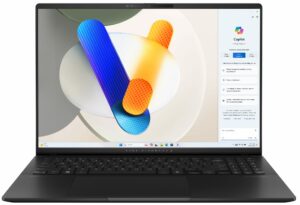
Opening the Device
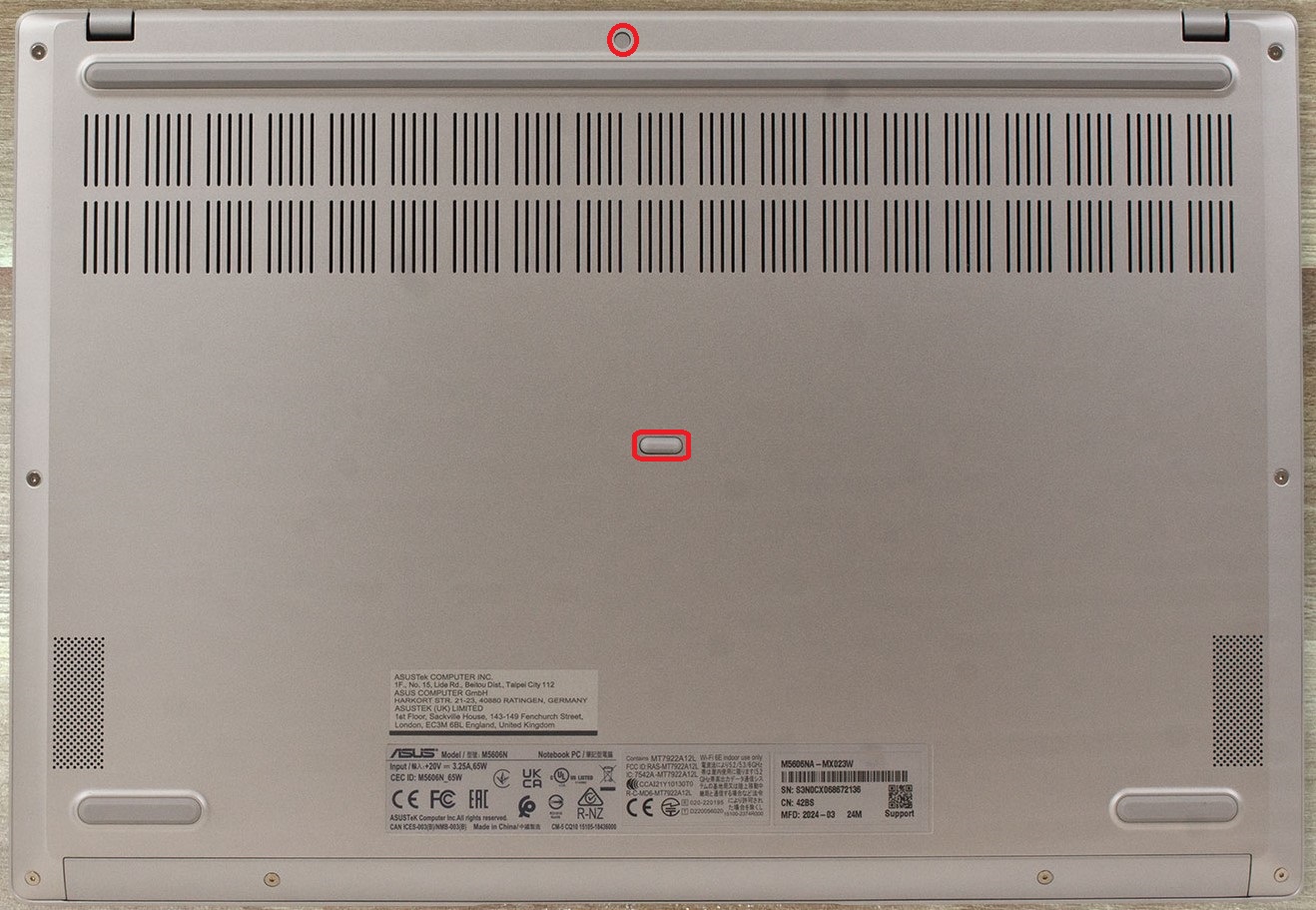
- Undo the 10 Torx-head screws securing the bottom panel. The top two in the middle are hidden under a small cap and rubber foot, which you need to unglue first.
- Raise the two zones behind the hinges with a lever tool. Since the hinges aren’t very solid, press them with a finger before popping the plate with a lever tool.
- Pry all the sides starting from the back to remove the bottom panel.
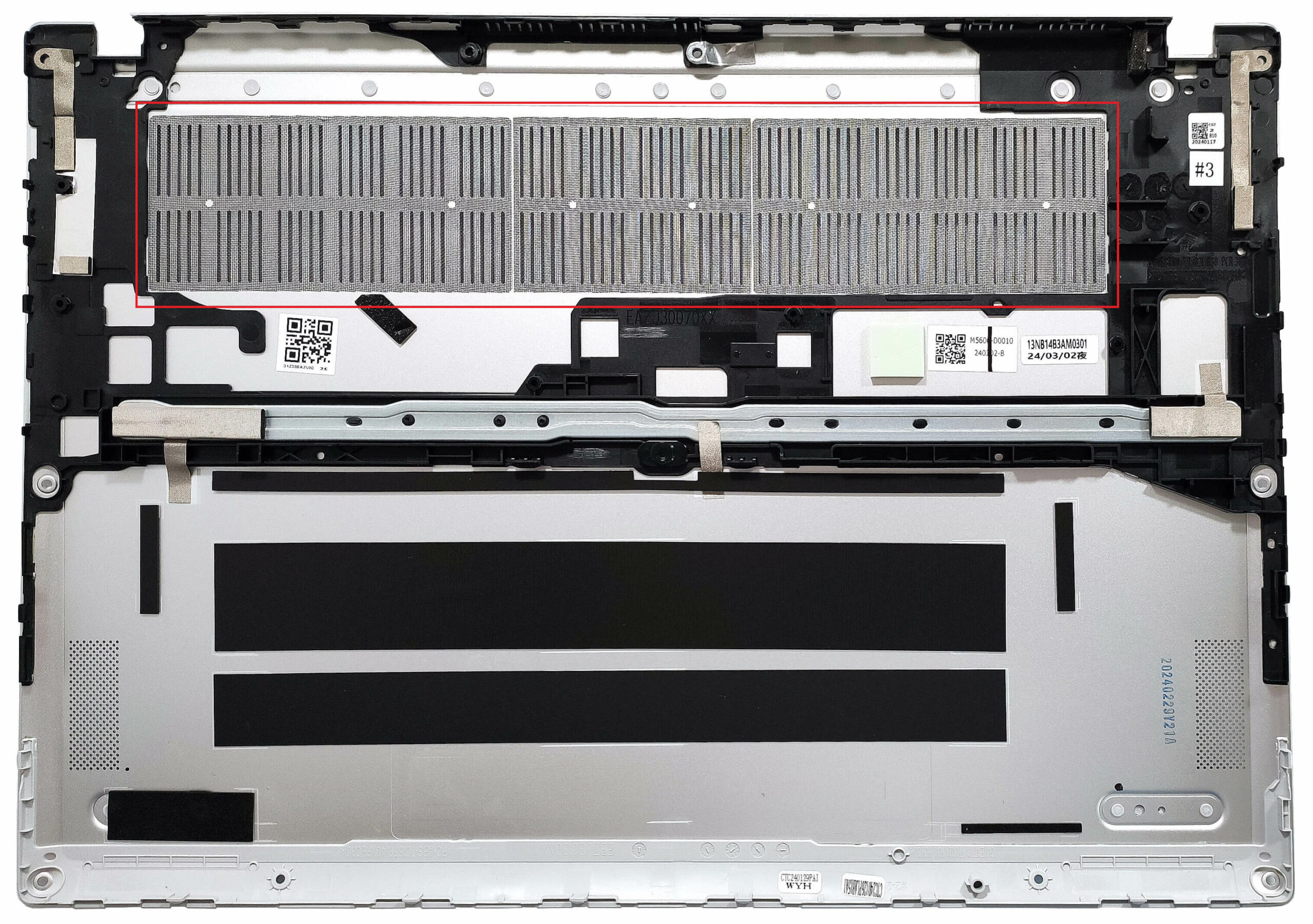
More info: There is a dust filter for the ventilation grill on the inside of the bottom plate.
Battery Removal
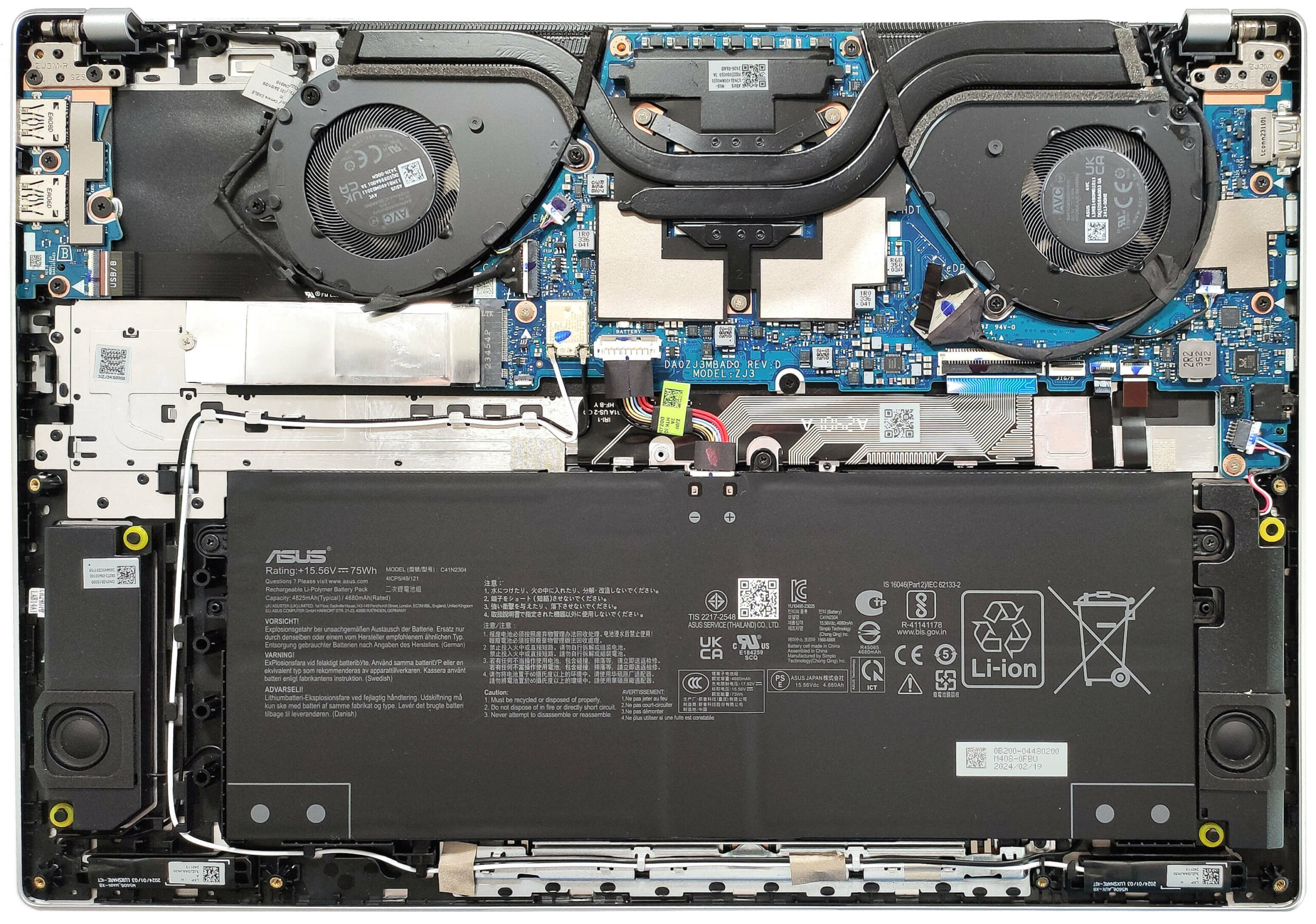
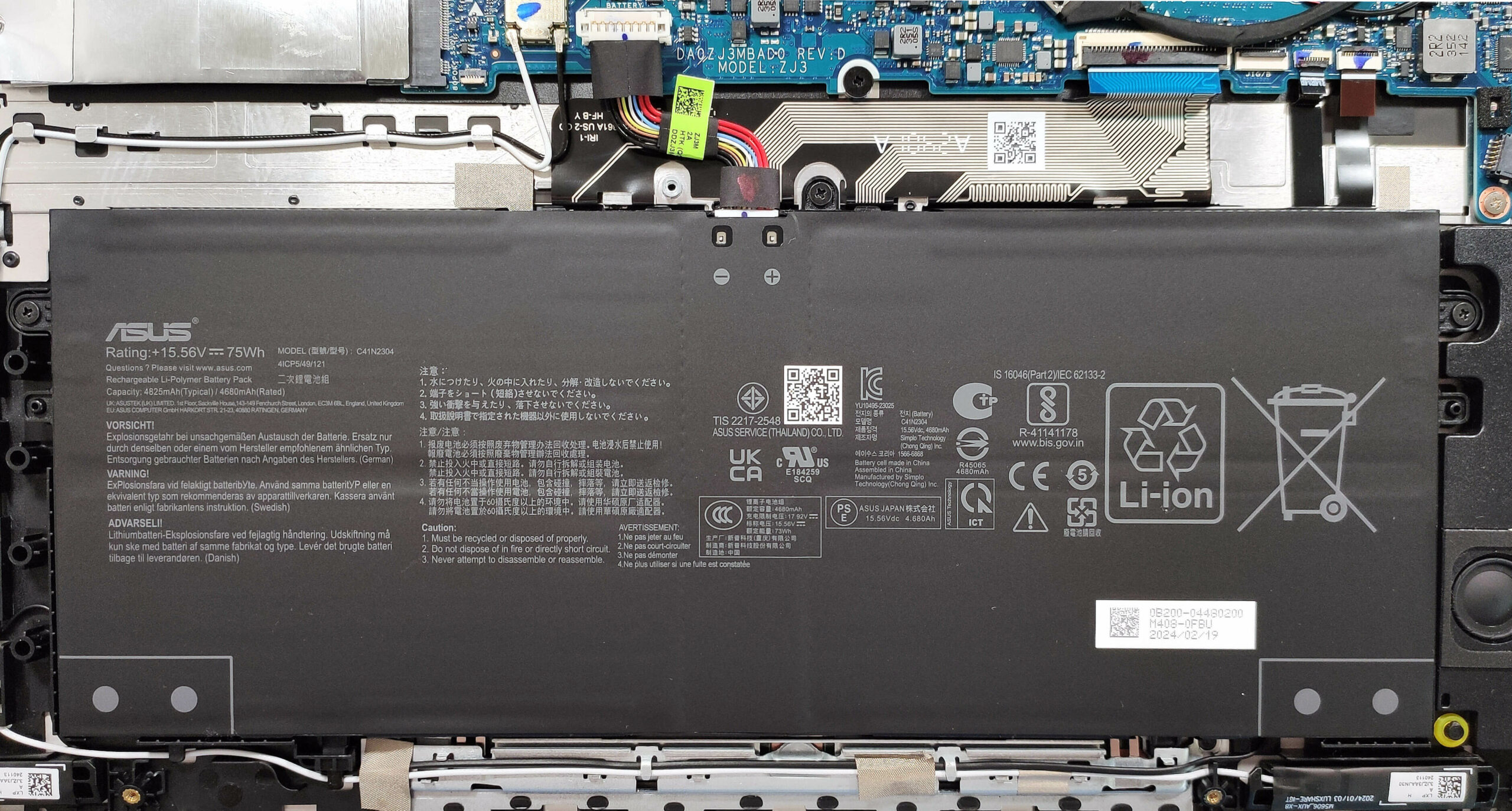
- Detach the battery connector from the mainboard.
- Undo the 3 Phillips-head screws securing the battery.
- Lift the battery to remove it from the device.
Note: The device uses a 75Wh battery, providing approximately 11 hours of video playback.
Memory Information
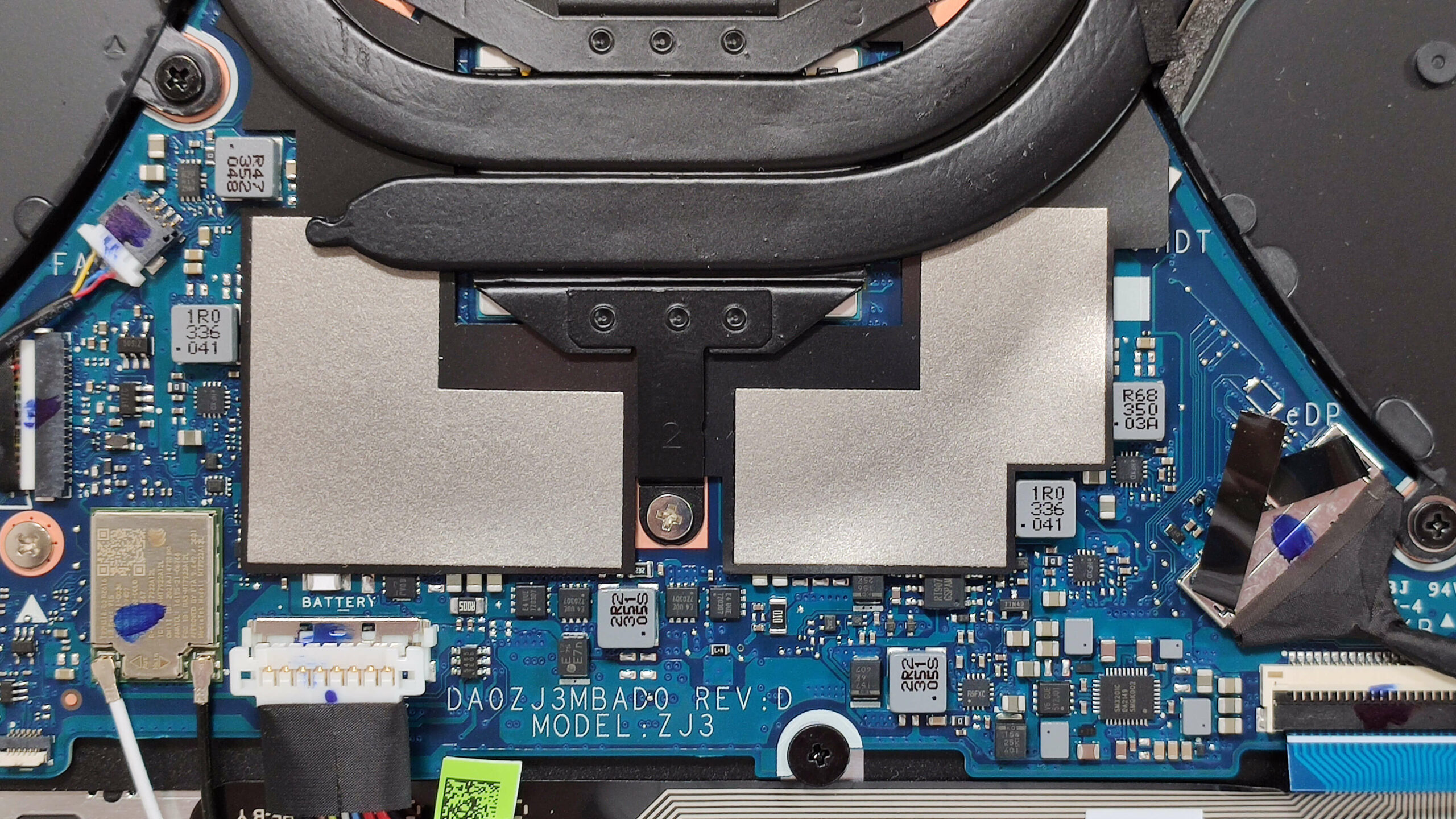
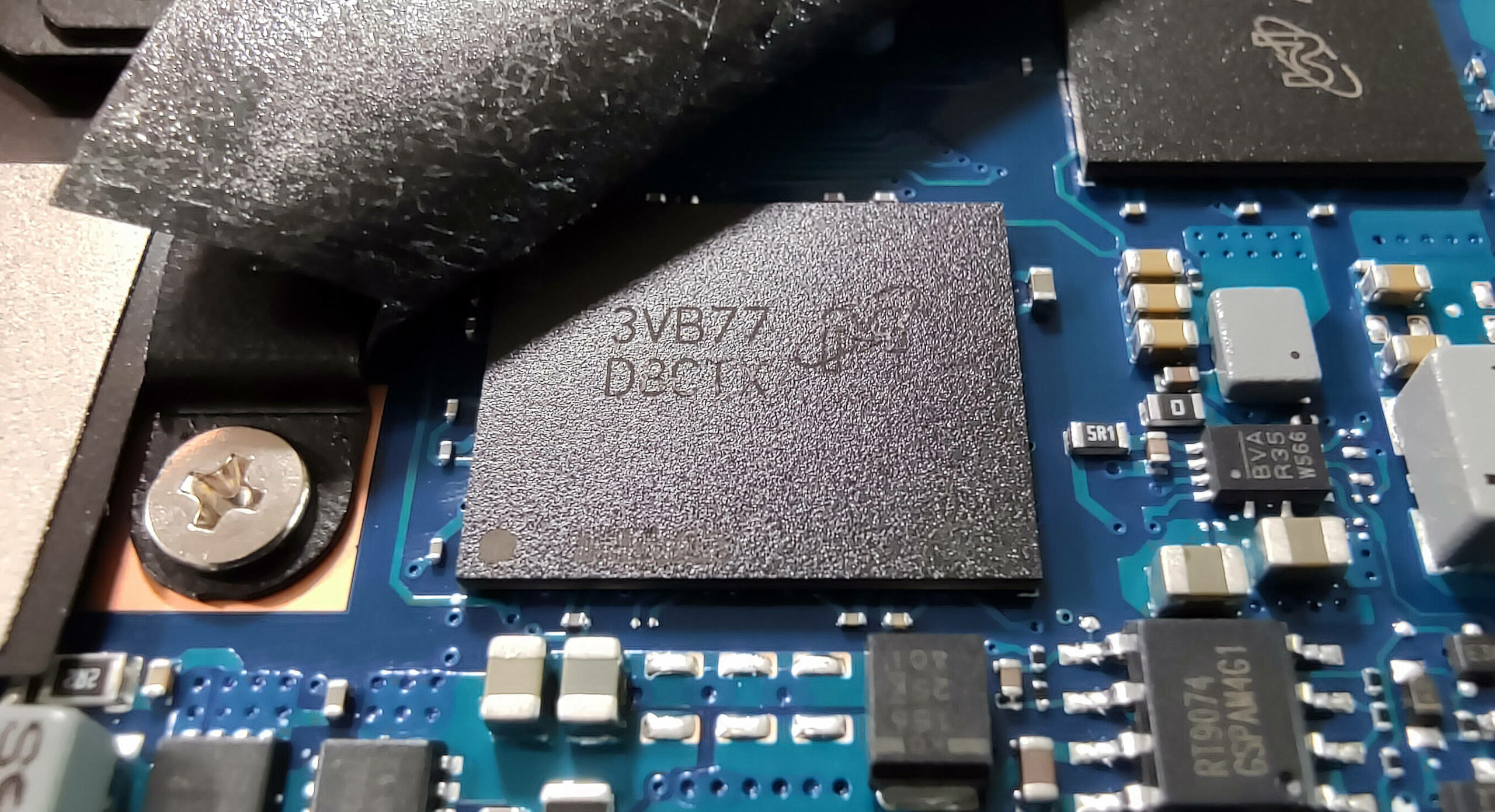
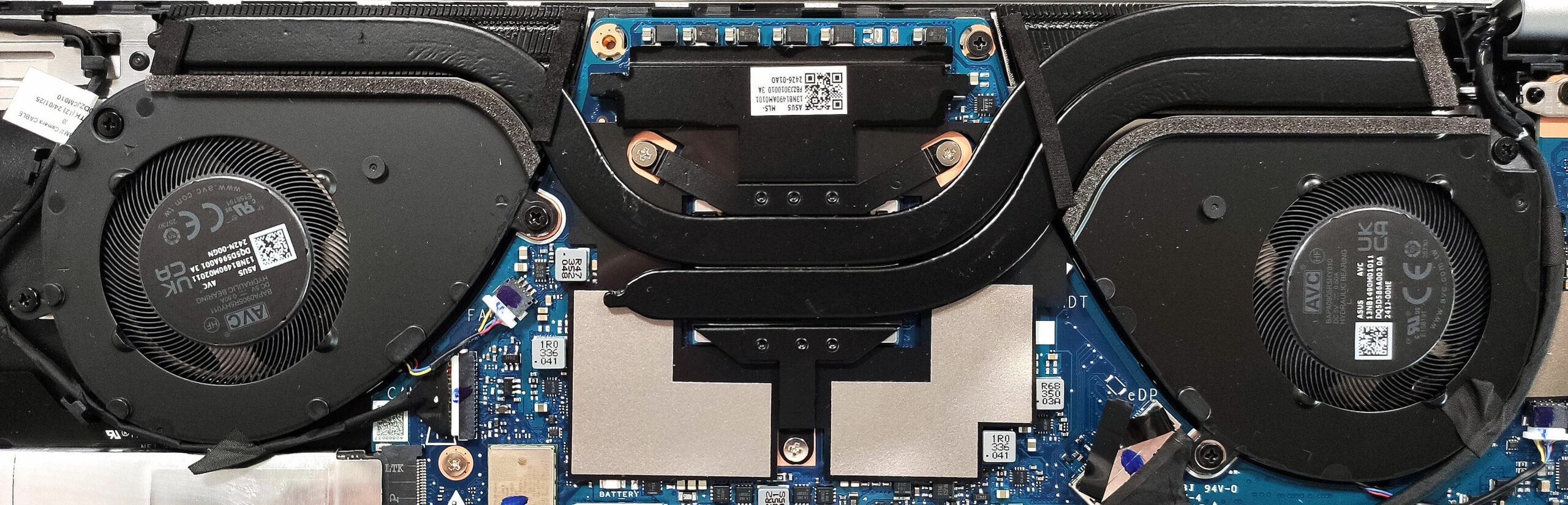
Note: The soldered memory is covered with foil and placed below the heat spreader. All devices rely on LPDDR5x RAM in dual-channel mode. Machines with Zen 3+ CPUs are configured with 16GB, while those with Zen 4 and Ryzen AI chips can have up to 32GB. The memory in our case is rated at 6400 MHz. The Wi-Fi card is also soldered.
Storage Upgrade
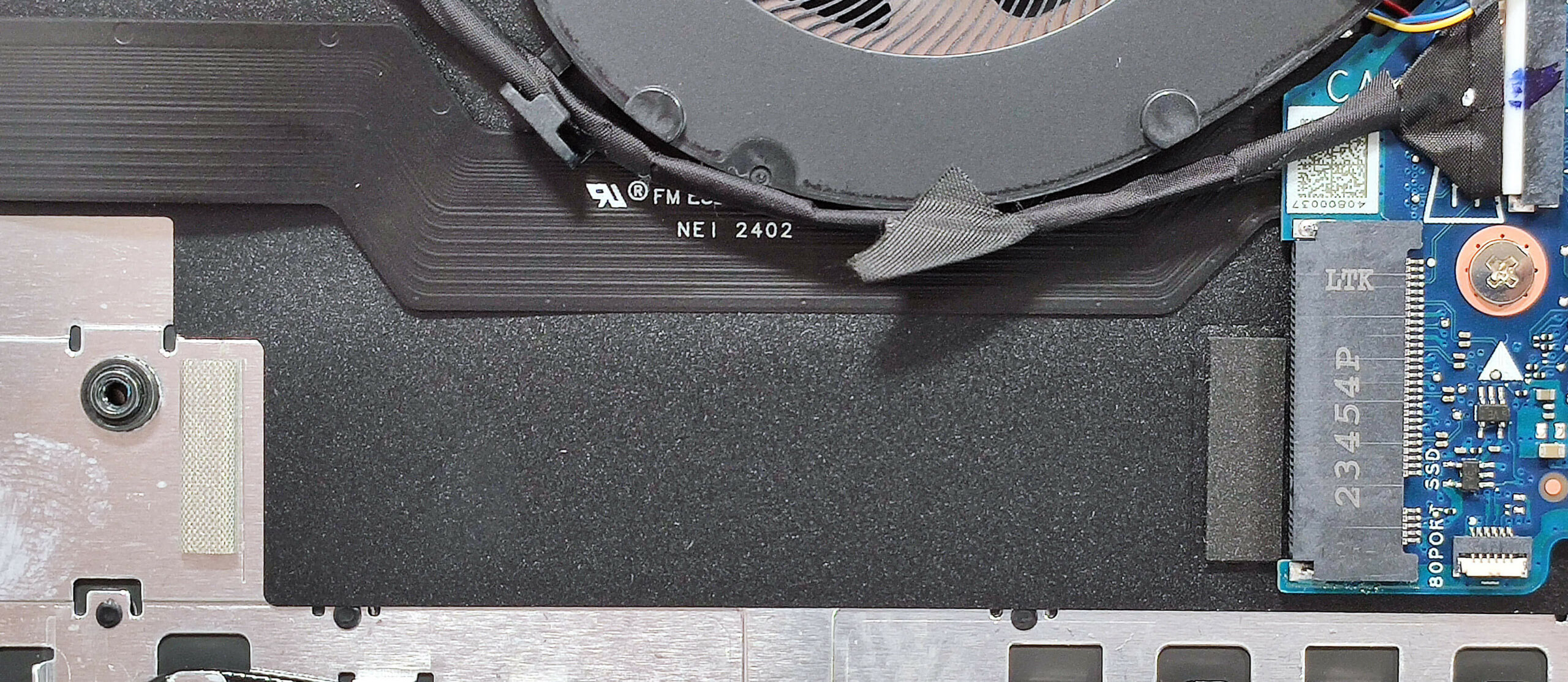
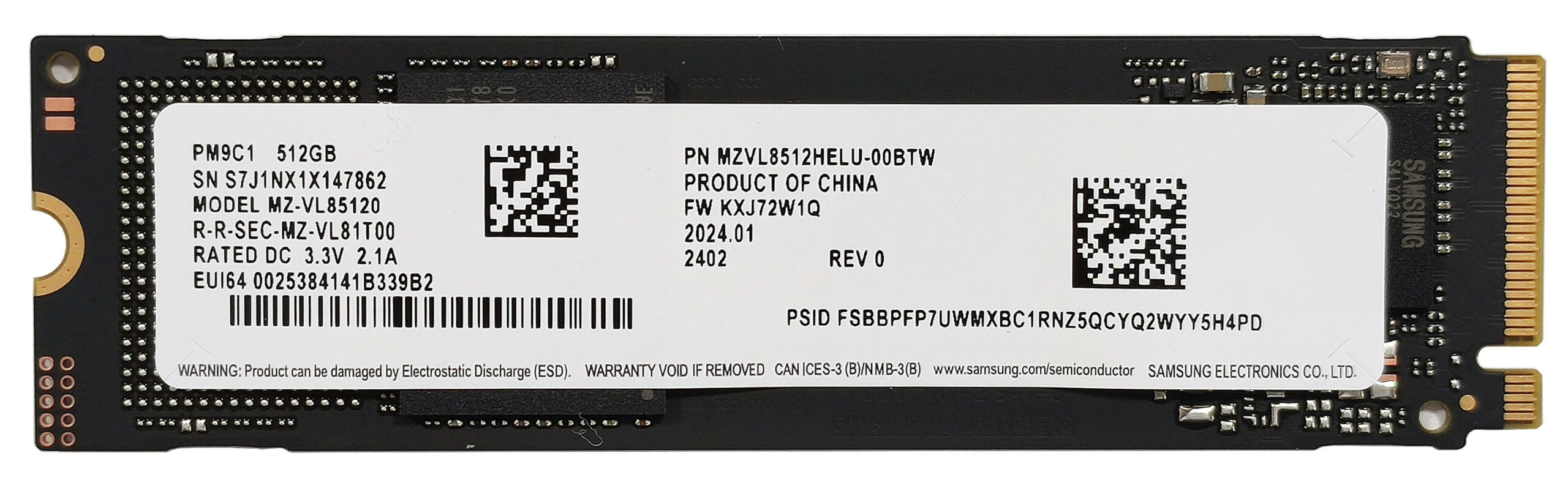
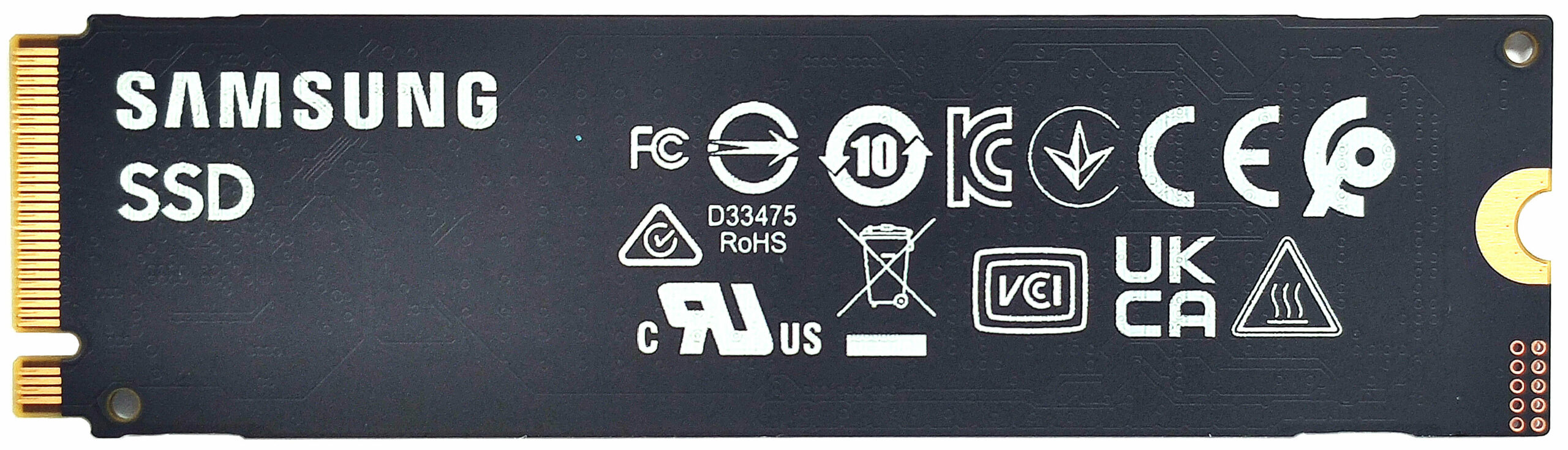
- Locate the single M.2 slot compatible with 2280 Gen 4 SSDs.
- Remove the preinstalled SSD and the thermal pad beneath it, if present.
- Install the new SSD in the slot.
Hint: Don’t forget to check out our Top M.2 SSDs Performance Rankings for insights on the best storage options available.
You can buy compatible SSDs here: Buy from Amazon.com (#CommissionsEarned)
Cooling System Overview
- The thermal system includes a pair of fans, two heat pipes, two top-mounted heat sinks, and a heat spreader.
- Ensure all cooling components are clean and free of dust for optimal performance.
ASUS Vivobook S 16 OLED (M5606) in-depth review
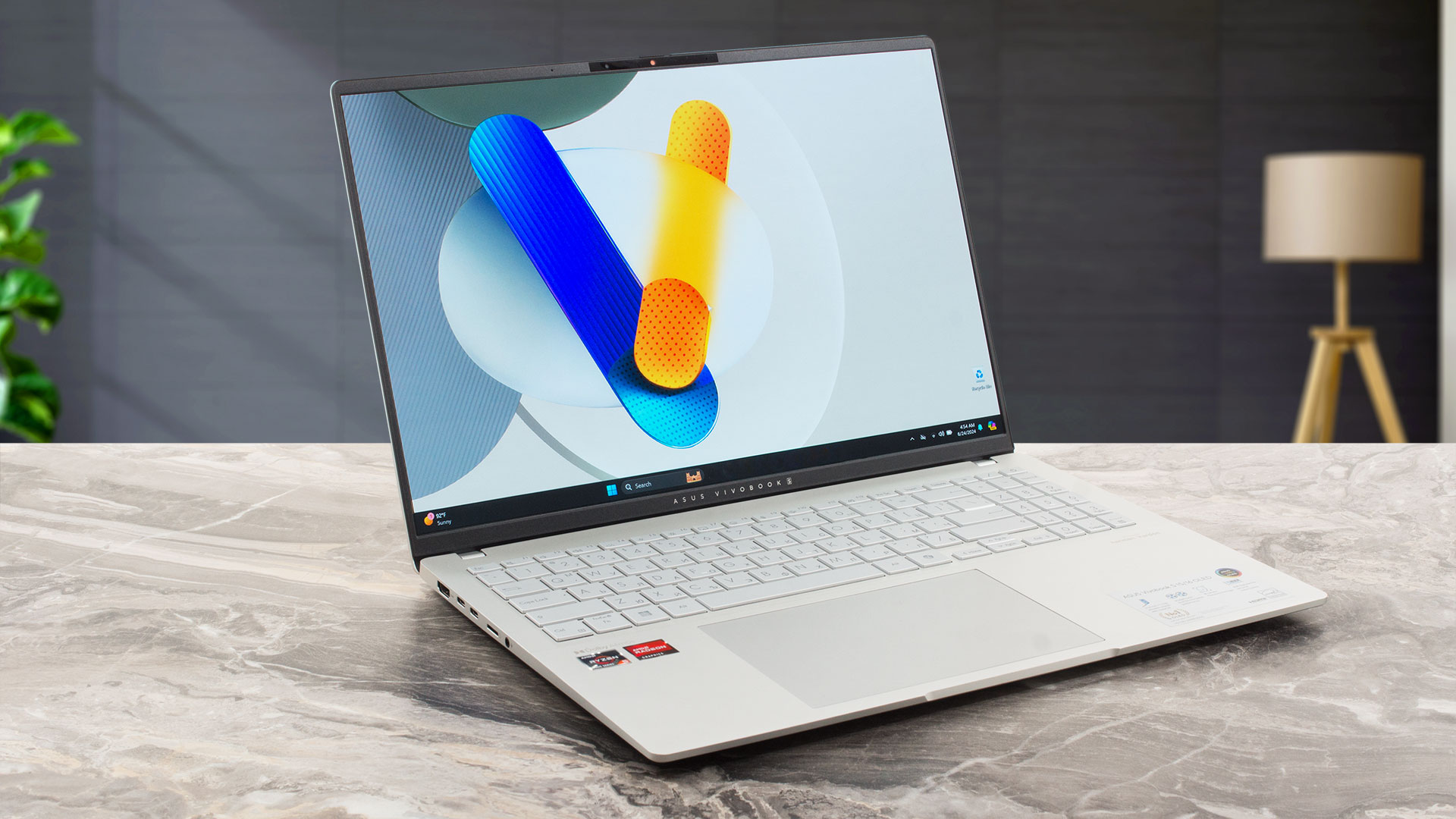
The ASUS Vivobook S 16 OLED M5606 strikes the market with a thin and light chassis and a big 16" OLED panel. This can be a mouthwatering combination for some users who need a big-screen laptop for work on the go. Hardware-wise, this device is pretty capable for home or standard office usage. It's offered with Zen 3+, Zen 4 (Hawk Point-HS), or Ryzen AI CPUs. We settled for a machine that has an AMD Ryzen 5 7535HS and a Radeon 660M - more than enough for browsing the Web or playing Dota 2. The low weight comes at a price of limited upgradability and a bit of outdated port selection. On the brigh[...]
Pros
- Great OLED display with 100% sRGB and DCI-P3 coverage (SDC4178)
- Infinite contrast ratio, 120Hz refresh rate, and 3200 х 2000 resolution (SDC4178)
- Good audio quality
- "OLED Flicker-Free Dimming" mode in MyASUS software
- Comfortable keyboard
- Sizable and smooth touchpad
- 1080p IR Web camera with a privacy shutter
- Good overall performance given the thin profile
- The fans are almost quiet in "Whisper" mode during full loads
- Up to 32GB of soldered LPDDR5x for the Zen 4 and Ryzen AI-based laptop
- Long battery life
- Adequate CPU clocks no matter the load
- Metal build
Cons
- PWM usage without the "Flicker-Free Dimming" mode (SDC4178)
- Only one M.2 slot
- Slow 5 Gbps USB port (for the Zen 3+ machines)
- The Ryzen 5 7535HS-based notebooks come with just 16GB of RAM
 Author: Severin Kolakov

![[June 2026] Best-Selling Laptop Brands on Amazon Global – Apple’s Unrivaled Dominance in Units and Revenue](https://laptopmedia.com/wp-content/uploads/2026/07/GLOBAL-Best-Brands-400x225.jpg)
![[June 2026] Amazon Global: Top 10 Best-Selling Laptops – Apple’s New MacBook Neo Storms to #1, Reshaping the Market with Affordability](https://laptopmedia.com/wp-content/uploads/2026/07/Best-Selling-Laptops-GLOBAL-Top-10-400x225.jpg)
![[June 2026] Amazon Global: Top 10 Best-Selling Gaming Laptops – Acer’s Nitro V 16S AI Dominates Sales, While ASUS Leads Overall Revenue](https://laptopmedia.com/wp-content/uploads/2026/07/Best-Selling-Gaming-Laptops-GLOBAL-Top-10-400x225.jpg)
![[June 2026] Global Ranking of Best-Selling Laptop GPUs on Amazon – NVIDIA RTX 5060 is the Top-Selling Dedicated GPU](https://laptopmedia.com/wp-content/uploads/2026/07/Best-Selling-GPUs-GLOBAL-Top-10-400x225.jpg)
![[June 2026] Global Ranking of Best-Selling Laptop CPUs on Amazon – Apple M5 Dominates, AMD Ryzen 7 260 Gets Solid Premium Share](https://laptopmedia.com/wp-content/uploads/2026/07/Best-Selling-CPUs-GLOBAL-Top-10-400x225.jpg)
