Lenovo LOQ 15 (15IPH11) review – The Coolest Budget Gaming Laptop of 2026?
 The budget gaming laptop market is usually a minefield of hot, loud, and plasticky machines, but the Lenovo LOQ 15 (Gen 11, 15IPH11) wants to change that narrative.
Aimed squarely at budget-conscious gamers who also need a reliable daily driver for school or work, this entry-level machine makes a stellar first impression with its mature, stealthy “Luna Grey” chassis that completely avoids aggressive gaming clichés. But what truly surprised us during our lab tests was the astonishingly cool thermals. The cooling system is so incredibly effective that the CPU and GPU barely break a sweat under heavy gaming load, allowing for highly stable, throttling-free frame rates. Combine that with a fantastic, eye-friendly 165Hz PWM-free display, and it’s deeply impressive.
However, it’s not without its budget-driven flaws; the baffling decision to bottleneck the second SSD slot at half speed (PCIe 4.0 x2) left us disappointed. Let’s dive into the details to see if the pros outweigh the cons.
TESTED CONFIGURATION:
– Intel Core Ultra 7 355
– NVIDIA GeForce RTX 5050
– 16GB RAM
– 512GB SSD NVMe
– 15.3″, 1920 x 1200 (WUXGA), IPS, 165Hz
You can check the prices and configurations in our Specs System: https://laptopmedia.com/series/lenovo-loq-15-15iph11-gen-11/
Contents
Specs, Drivers, What’s in the box
Lenovo LOQ 15 (15IPH11, Gen 11) - Specs

- HDD/SSD
- up to 1000GB SSD
- M.2 Slot
- 1x 2280 M.2 NVMe PCIe 4.0 x4 + 1x 2280 M.2 NVMe PCIe 4.0 x2 See photo
- RAM
- up to 32GB
- OS
- No OS, Windows 11 Pro, Windows 11 Home
- Battery
- 60Wh
- Body material
- Plastic / Polycarbonate
- Dimensions
- 344.9 x 254.83 x 20.9 - 23.25 mm (13.58" x 10.03" x 0.82")
- Weight
- 2.10 kg (4.6 lbs)
- Ports and connectivity
- 2x USB Type-A
- 3.2 Gen 1 (5 Gbps)
- 1x USB Type-A
- 3.2 Gen 2 (10 Gbps)
- 1x USB Type-C
- Thunderbolt 4, Power Delivery (PD), DisplayPort
- HDMI
- 2.1 (8K@60Hz)
- Card reader
- Ethernet LAN
- 10, 100, 1000 Mbit/s
- Wi-Fi
- Wi-Fi 6
- Bluetooth
- 5.3
- Audio jack
- 3.5mm Combo Jack
- Features
- Fingerprint reader
- Web camera
- 5.0MP, with E-shutter, fixed focus
- Backlit keyboard
- Microphone
- Dual-microphone array
- Speakers
- Stereo speakers, 2W x2, optimized with Nahimic Audio
- Security Lock slot
All Lenovo LOQ 15 (15IPH11, Gen 11) configurations
Drivers
All drivers and utilities for this notebook can be found here: https://pcsupport.lenovo.com/us/en/products/laptops-and-netbooks/gaming-series/loq-15iph11/downloads
What’s in the box?
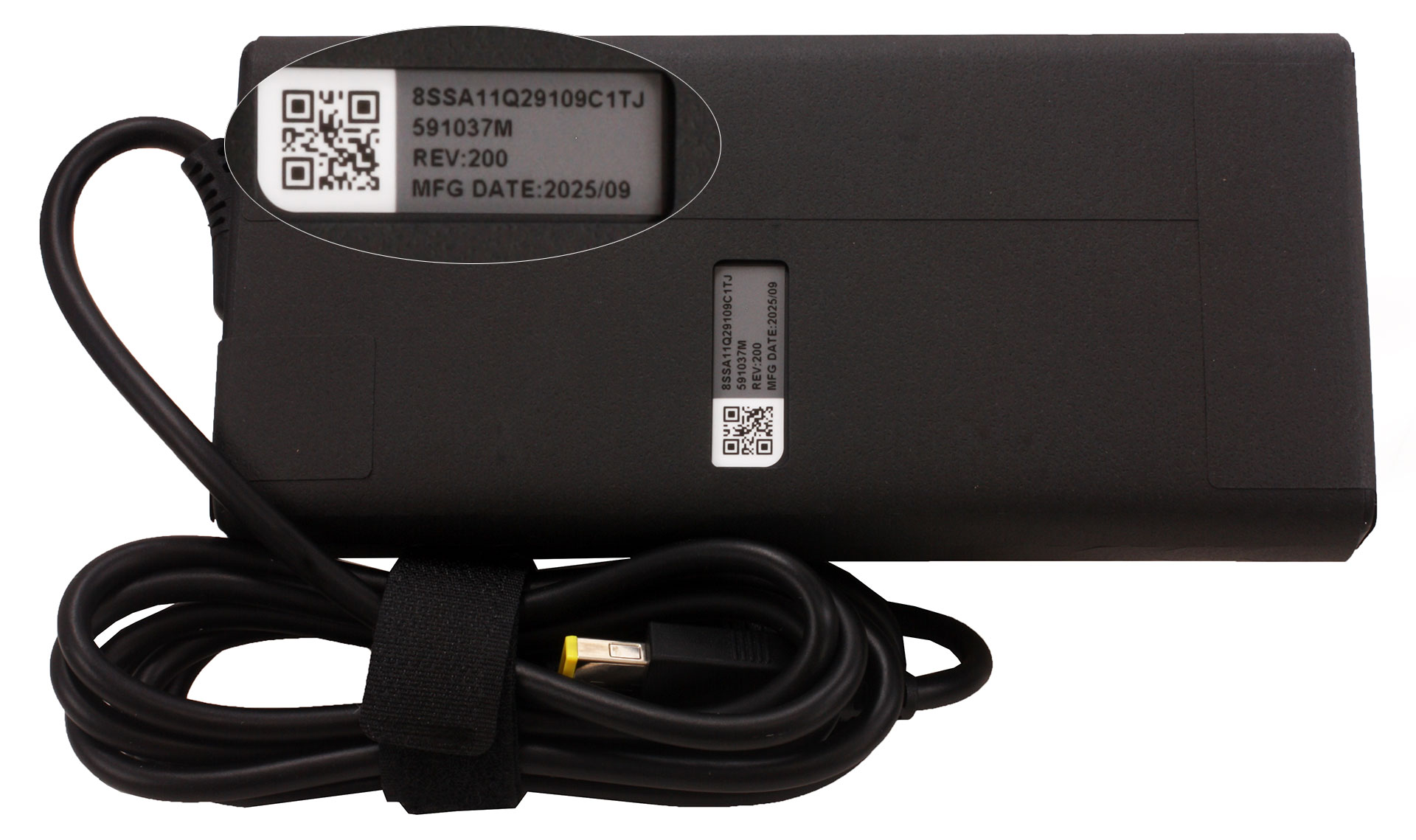
The packaging for the LOQ 15 keeps things completely straight to the point. Inside the box, you’ll find only the machine itself, the essential setup booklets, and the powerful 245W slim tip charger.
Design and construction
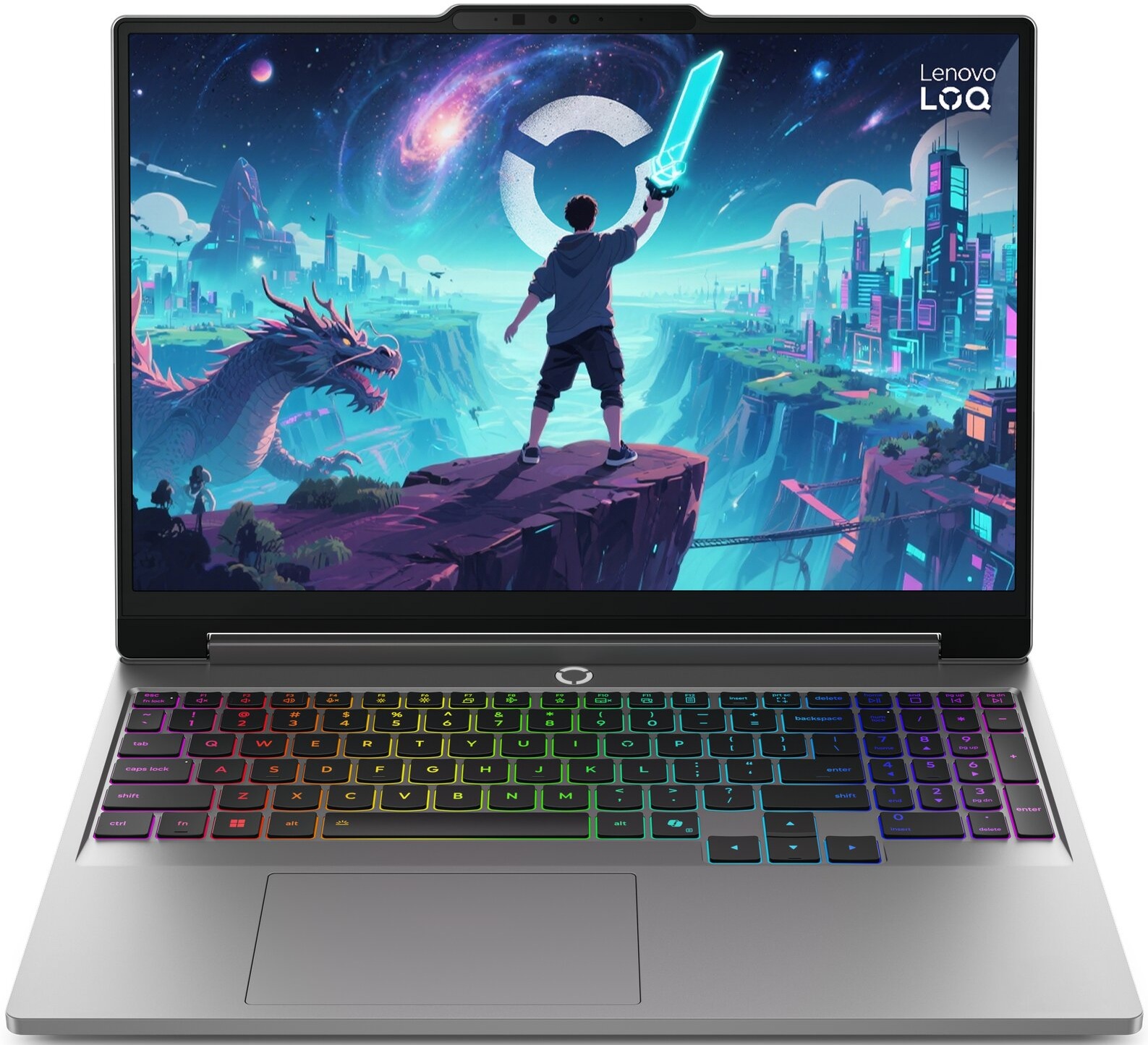
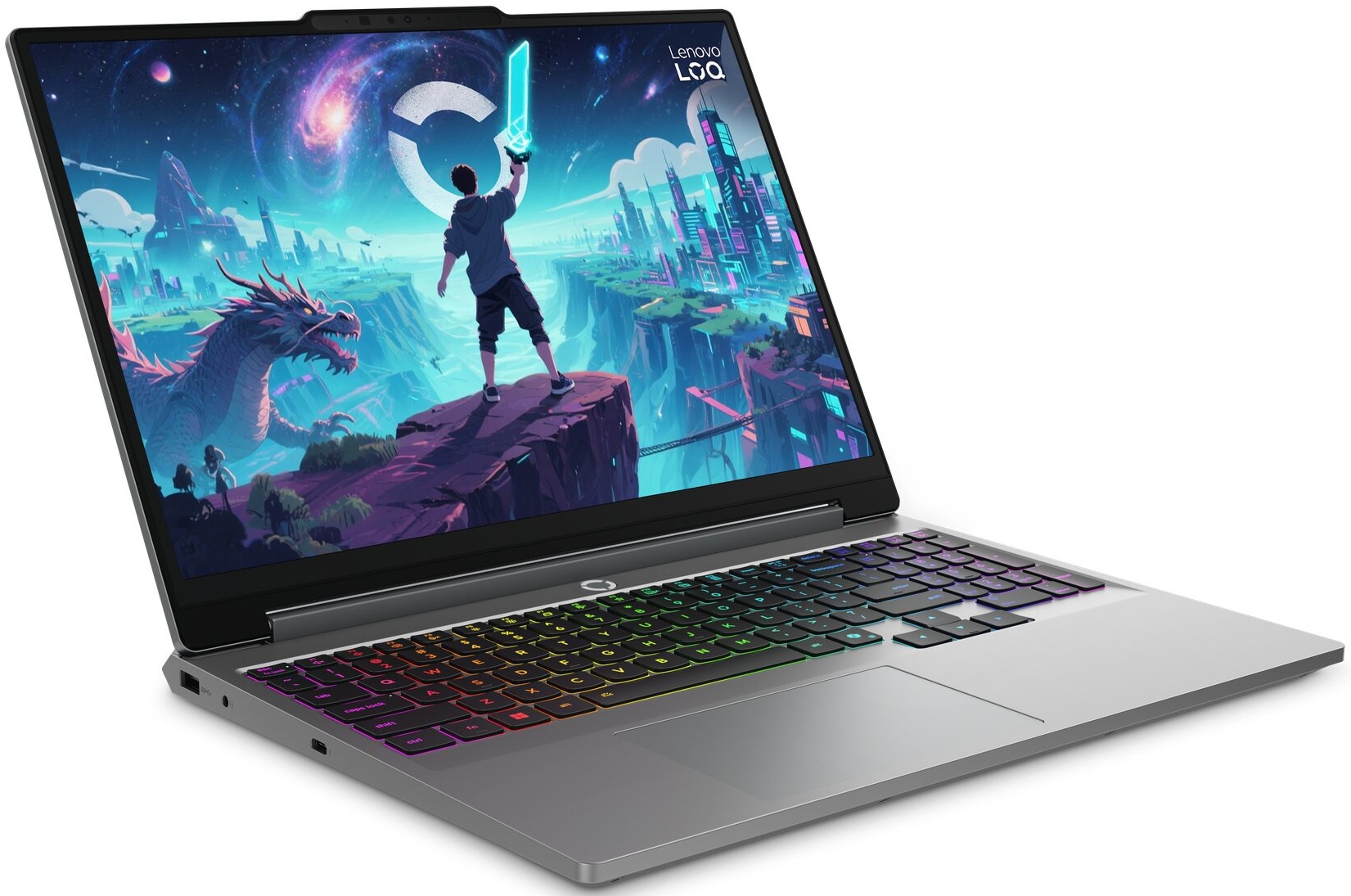
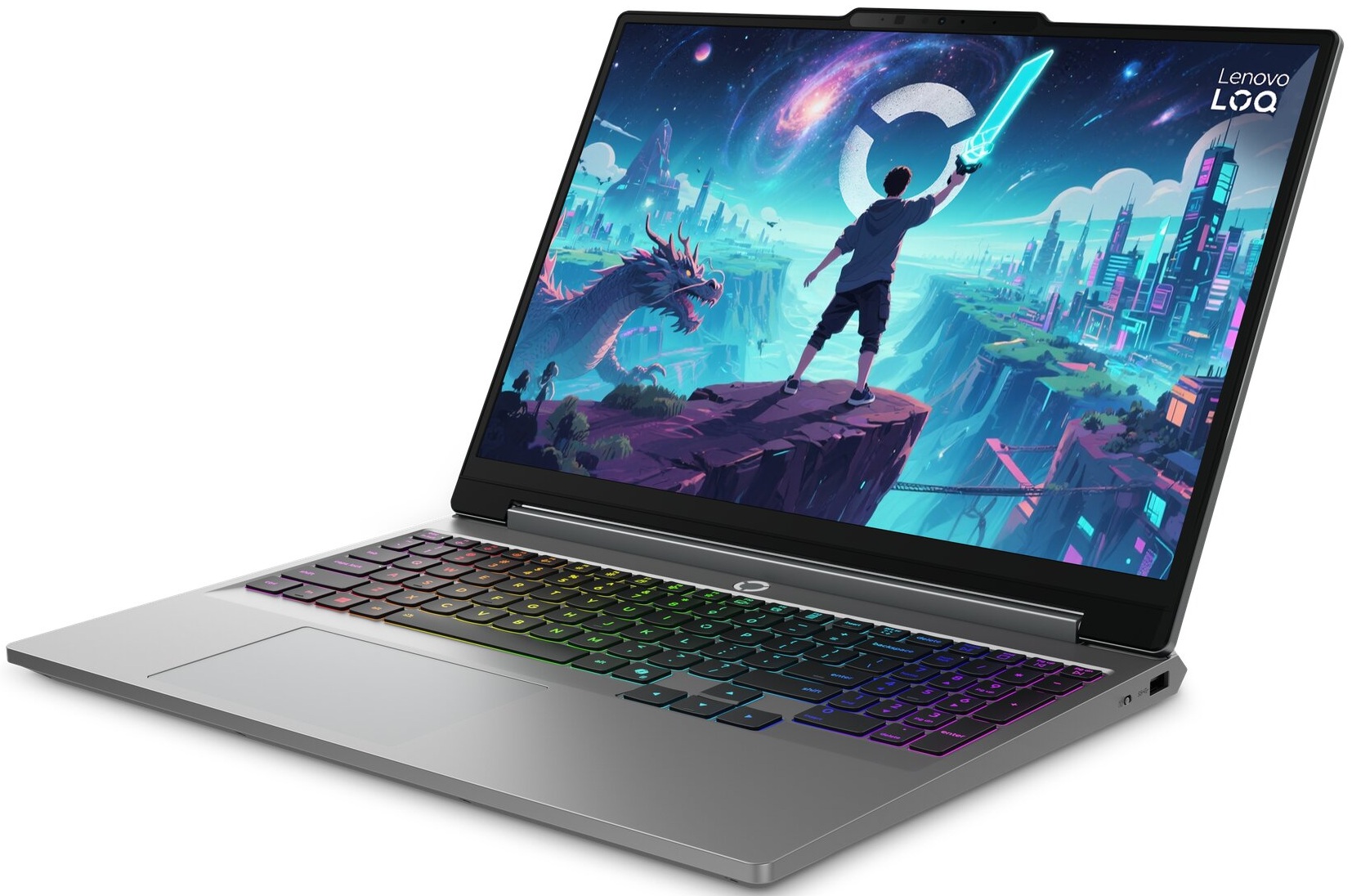
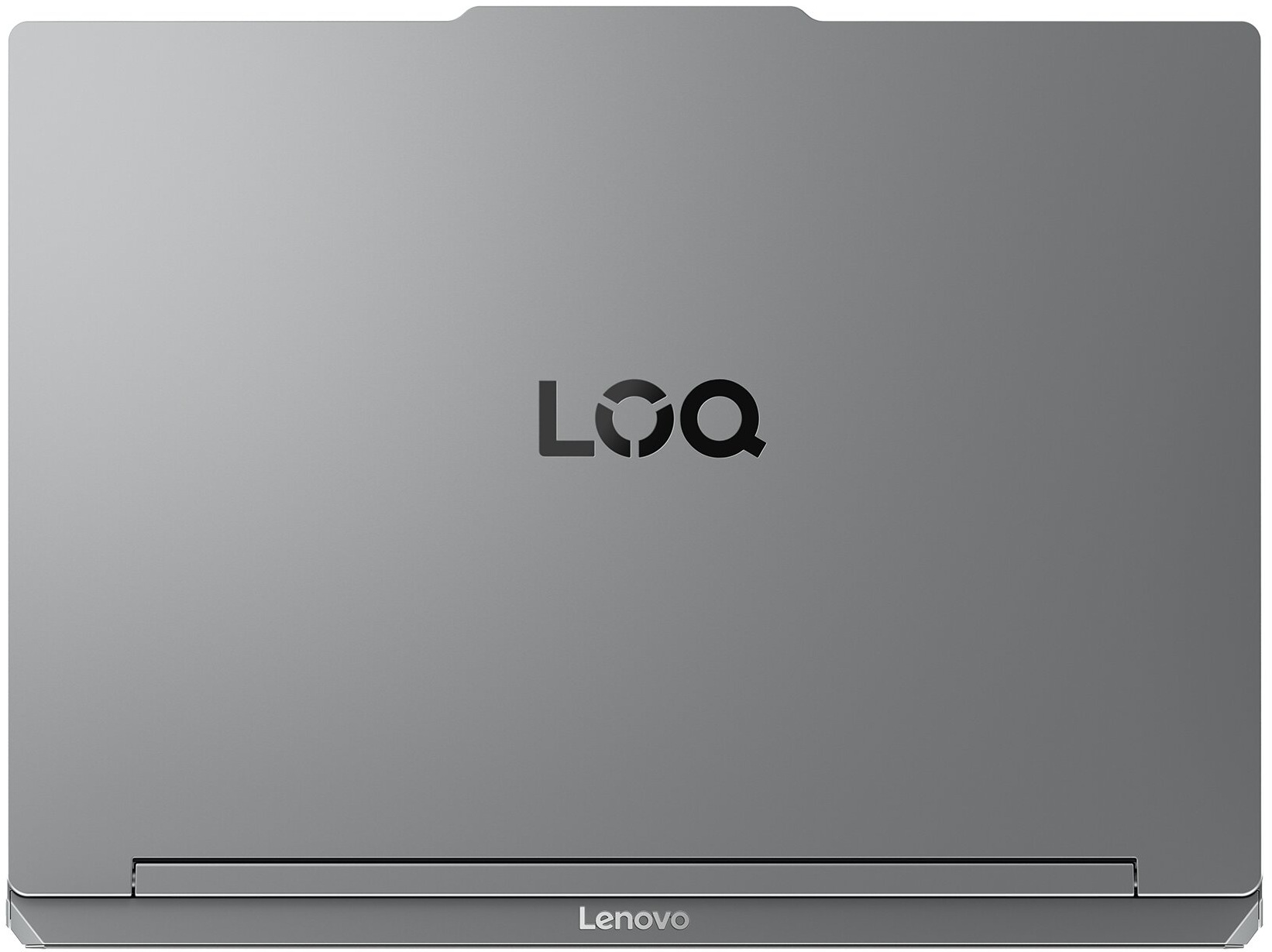
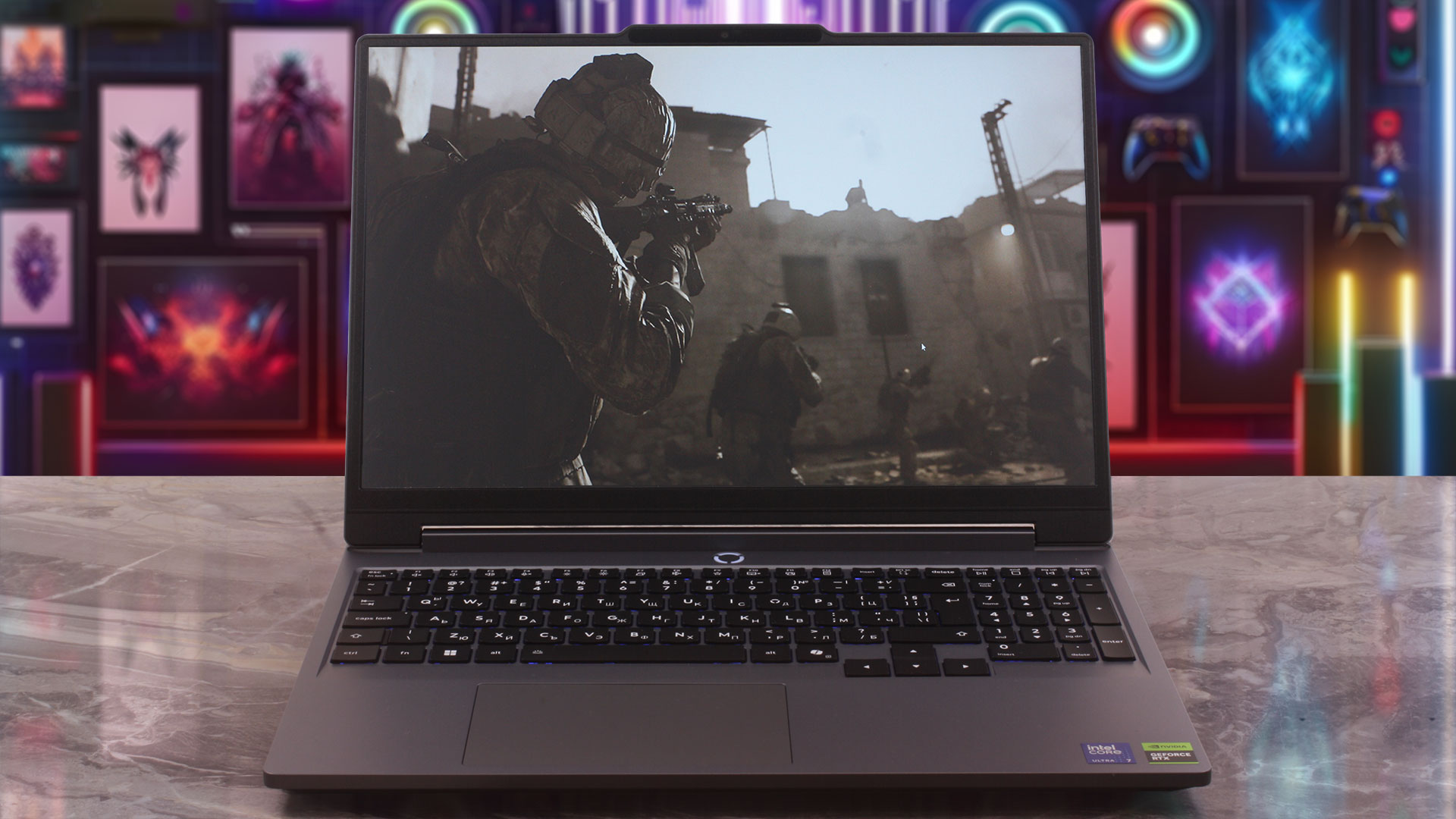
The Lenovo LOQ 15 (15IPH11) strikes a great balance for gamers who prefer a more restrained look over flashy light shows. It still has a clear gaming identity, mainly thanks to the sharp lines and prominent rear ventilation grilles, but it avoids excessive RGB strips or overly aggressive styling. We ordered our configuration in “Luna Grey” – a sophisticated dark grey finish that suits the machine’s mature vibe very well.
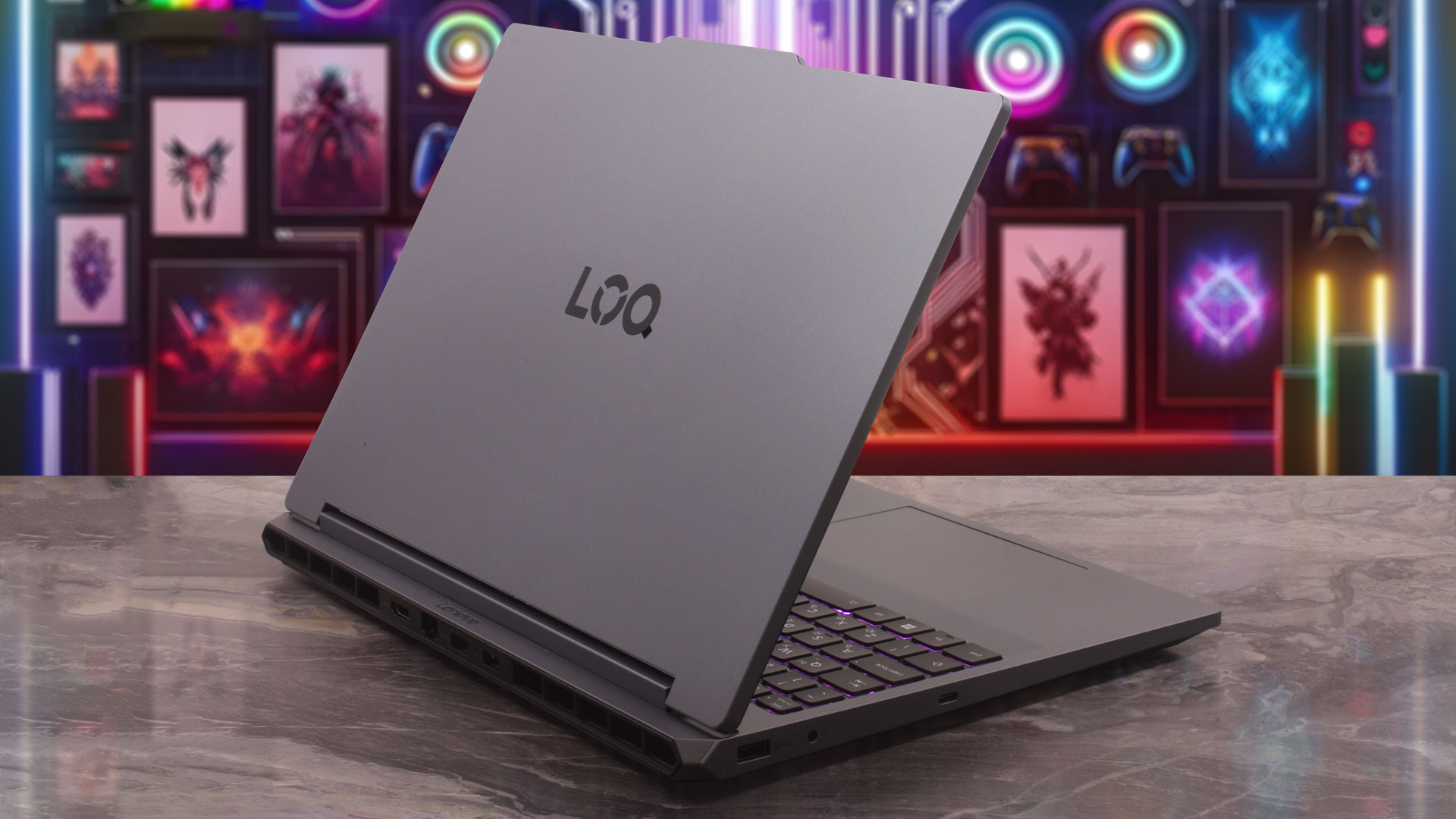
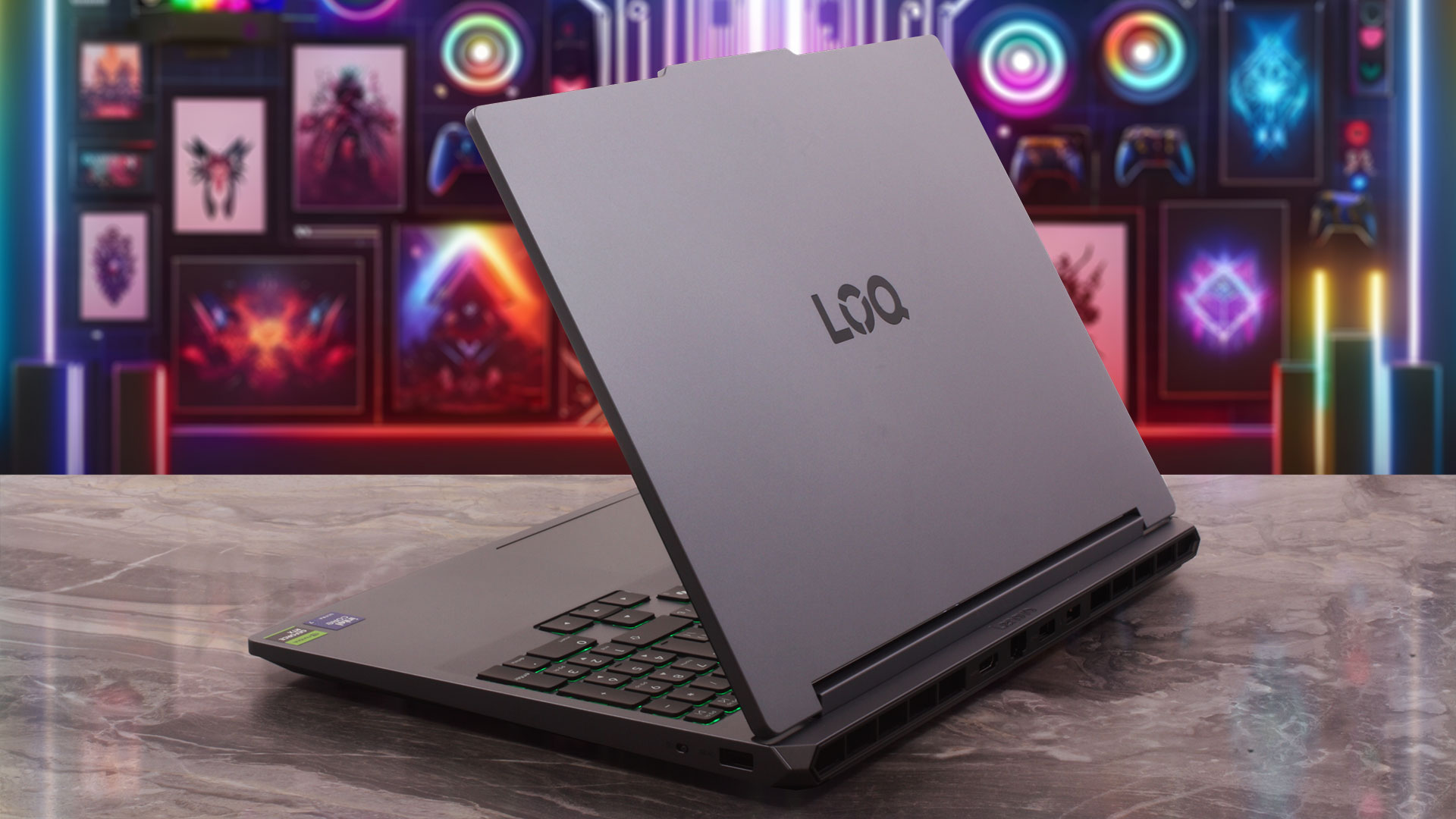
The Luna Grey finish also does a very good job of hiding fingerprints. Even after extended daily use in our lab without constant cleaning, the chassis stayed surprisingly clean. The top cover features a painted treatment while the bottom is textured. The spec sheet reveals an all-plastic construction using PC-ABS for both the top and bottom covers, but the laptop does not feel cheap. The base is solid, the keyboard deck resists pressure well, and the lid is sturdier than we expected from a budget-oriented gaming model.
For a 15-inch gaming device, it maintains a very reasonable physical footprint. Note that the thickness measurements below exclude Lenovo’s listed additional 1.7 mm bump, and the weight can naturally vary slightly depending on your chosen internal components:
| Lenovo LOQ 15IPH11 | Dimensions | Weight |
| Metric units | 344.9 x 254.83 x 20.9–23.25 mm | Starting at 2.1 kg |
| U.S. customary | 13.58 x 10.03 x 0.82–0.92 in | Starting at 4.6 lbs |
The hinges holding the screen are well-calibrated and offer a nice quality-of-life feature: the display can fold completely flat to a full 180 degrees. While there are no touchscreen configurations available for this model, the ability to lay the screen flat is useful for sharing content or finding the right ergonomic angle on a laptop stand. Once opened, the display feels immersive, helped by the modern thin bezels and the 92% active area ratio (AAR). To achieve this without sacrificing webcam placement, Lenovo uses a subtle “bump” at the top center of the lid.
Depending on the configuration, the LOQ 15IPH11 can be equipped with a 5.0MP fixed-focus camera with or without an IR sensor for Windows Hello facial recognition. Both camera variants include an E-shutter, which electronically disables the camera feed for extra privacy.
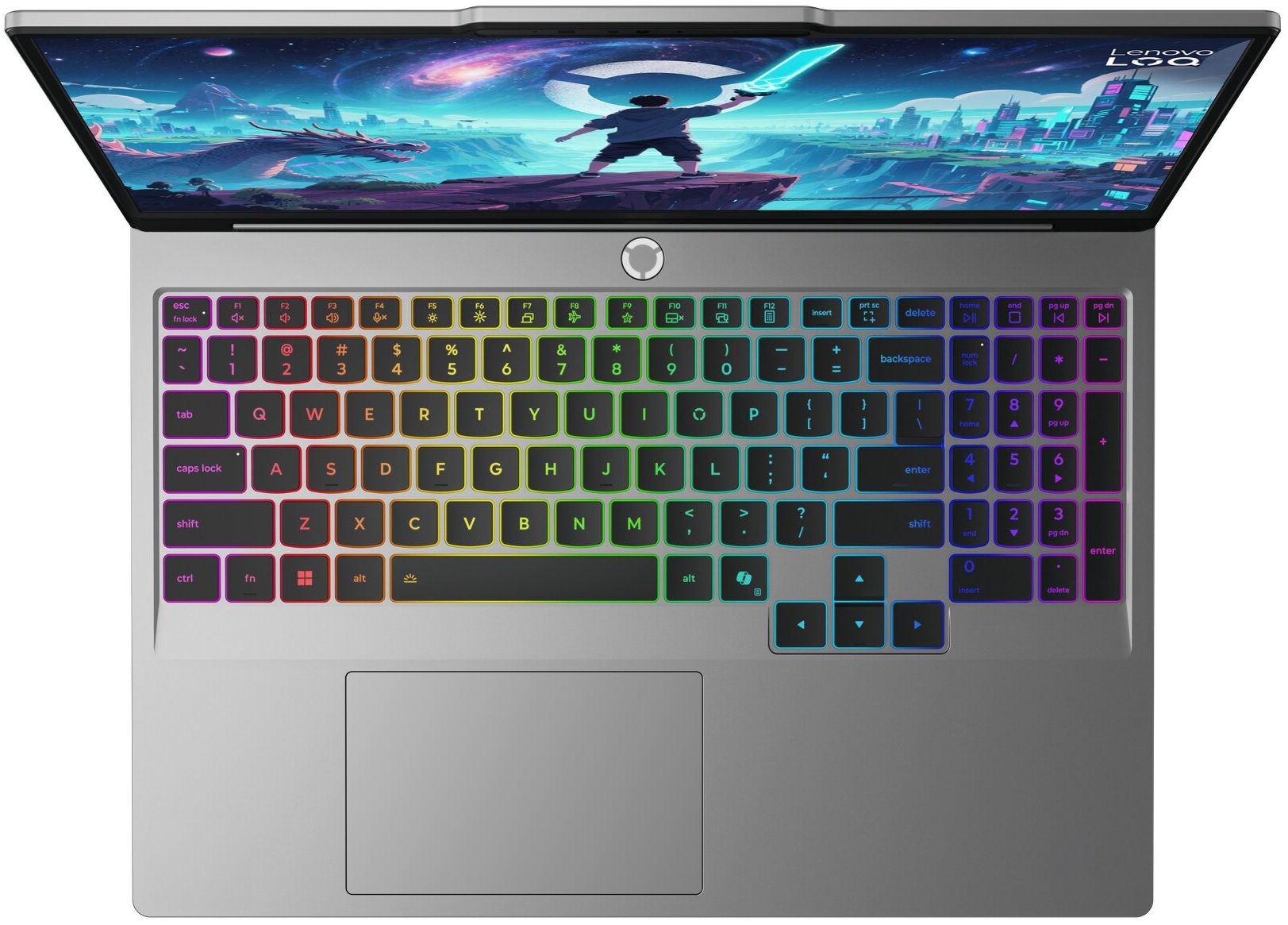
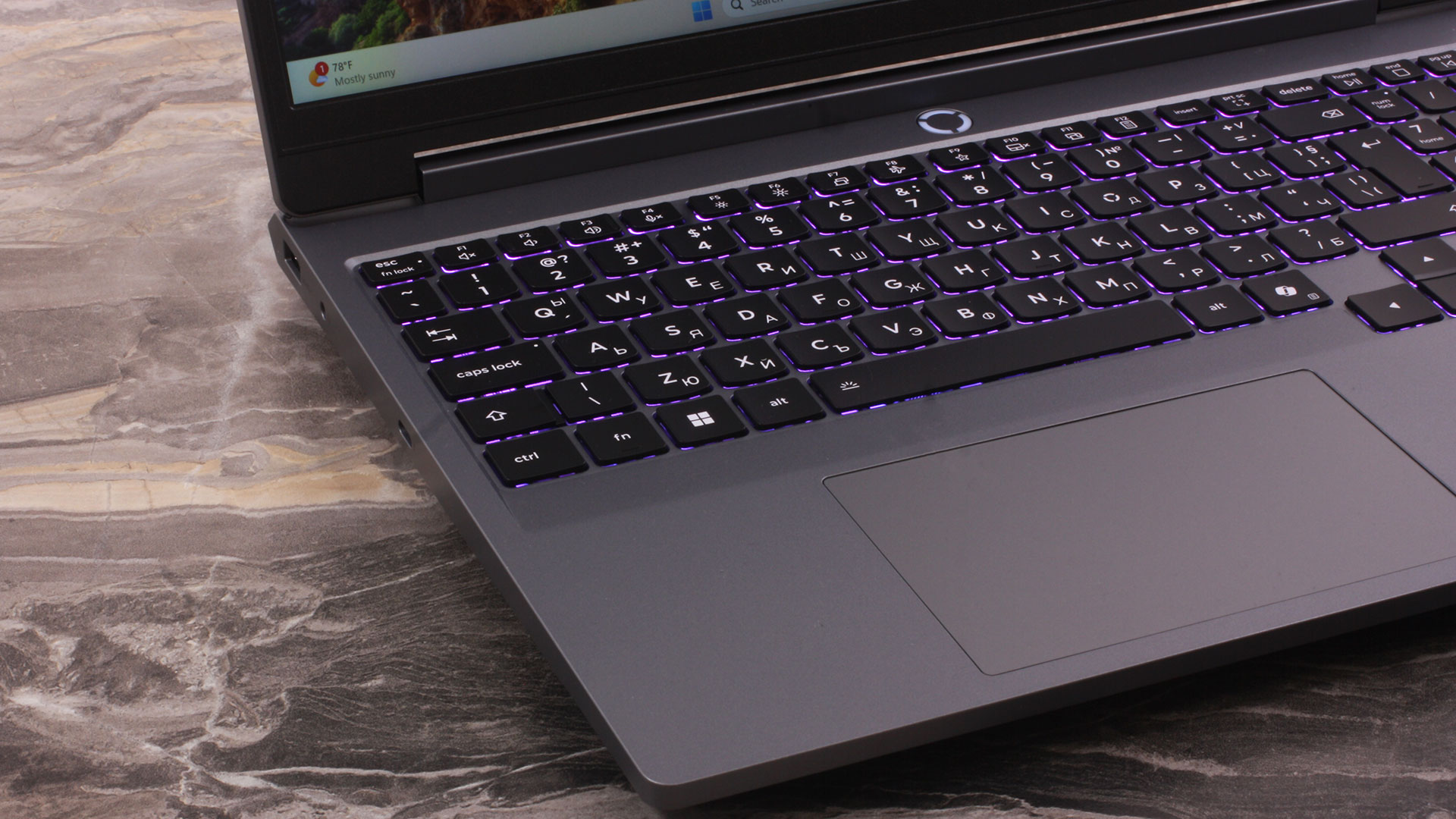
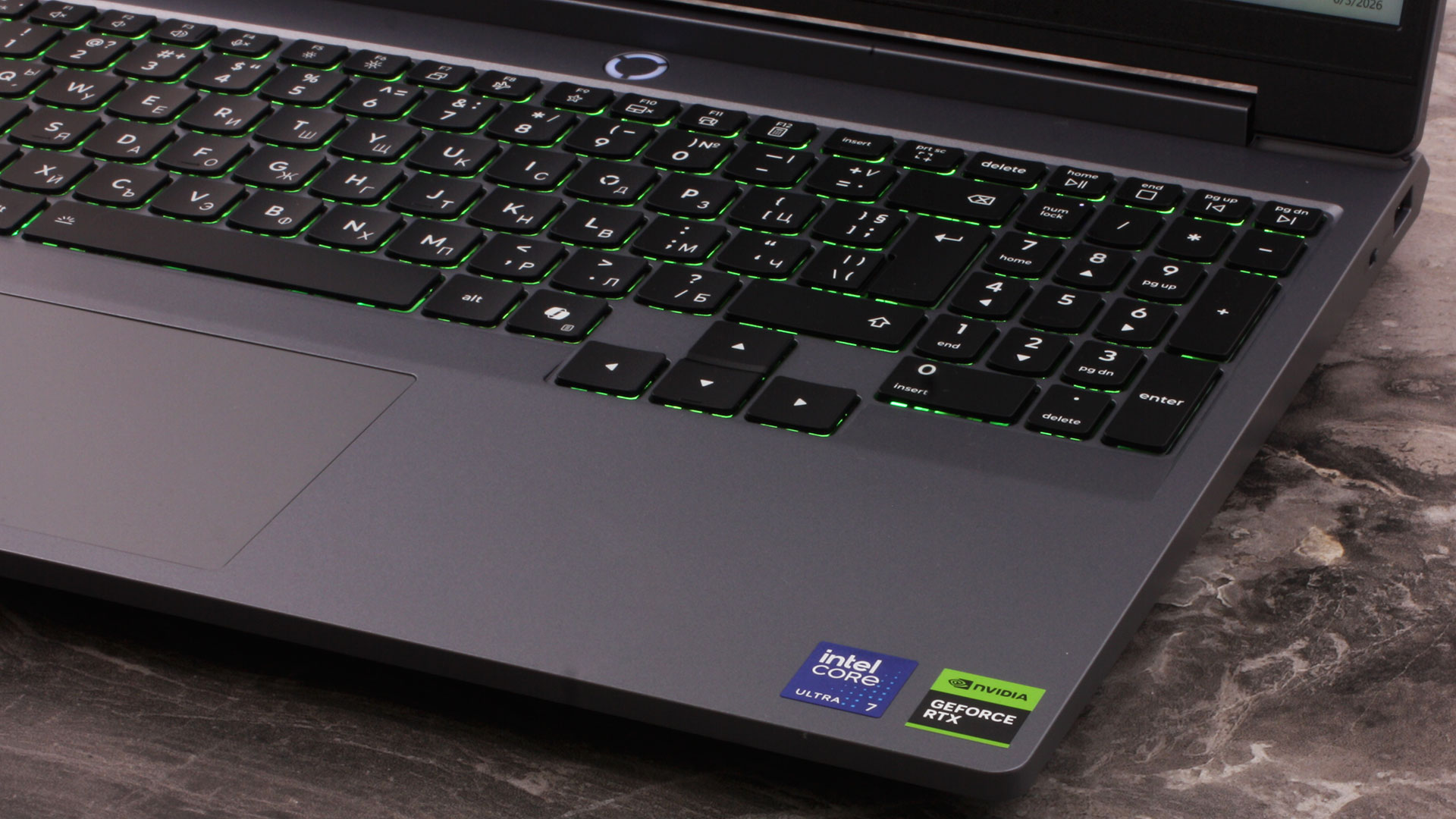
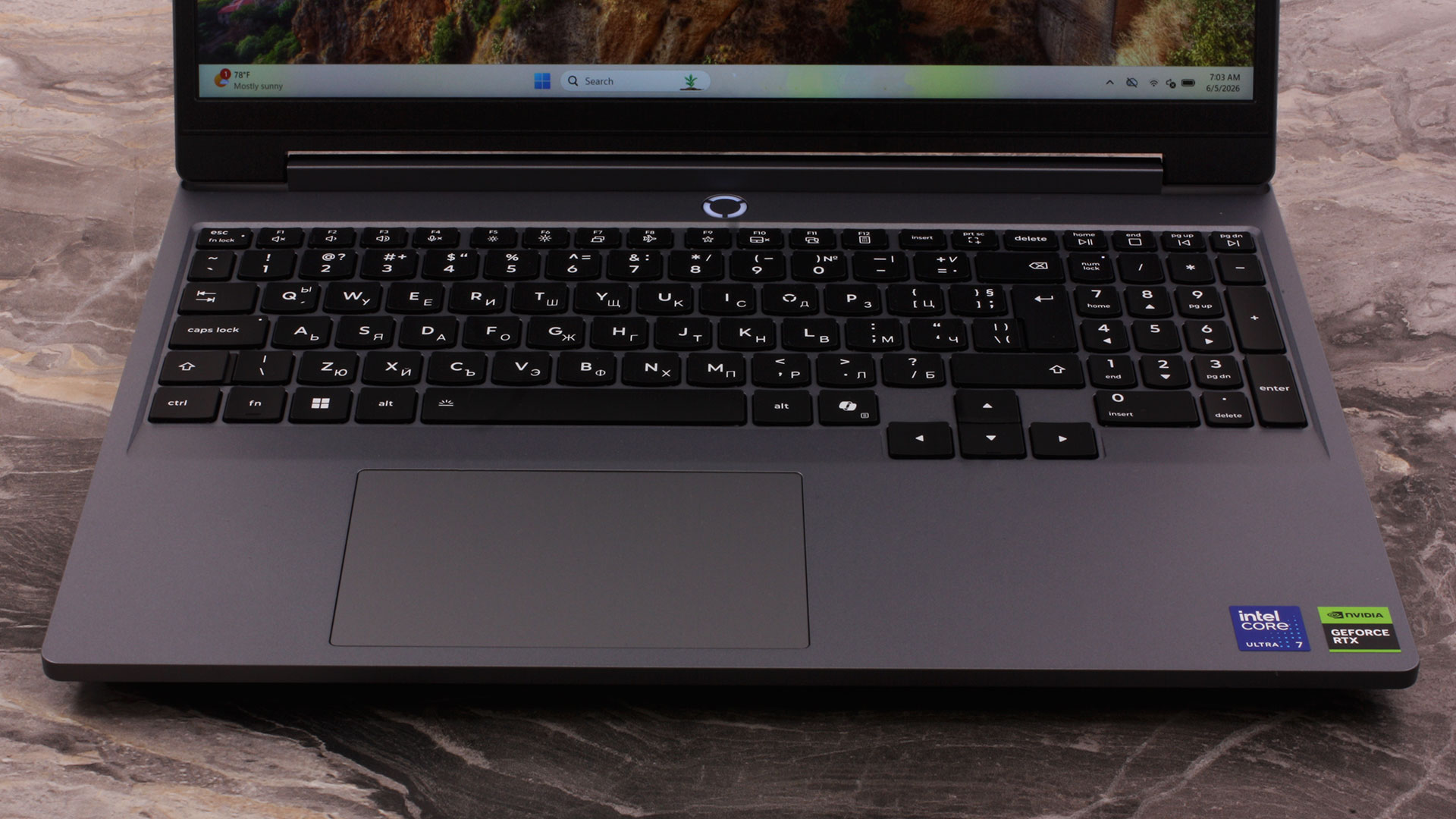
Moving to the interior deck, the keyboard layout makes good use of the available space and includes a dedicated NumPad. The numeric keys are slightly reduced in size, but they remain practical for spreadsheets and data entry. The typing experience is comfortable, and the keyboard is available with either 1-zone or 24-zone RGB backlighting. Our ordered configuration uses the 1-zone option. A nice practical detail is the arrow key cluster: Lenovo has separated it from the main block and kept the keys full-sized, which is much better than the cramped half-height arrows still found on many laptops.
Since there is no fingerprint reader on the chassis, if biometric login matters to you, the IR camera configuration is the one to look for.
Finally, sitting below the keyboard is a buttonless Mylar multi-touch trackpad. Measuring 75 x 120 mm (2.95 x 4.72 inches), it provides a comfortable surface area for a 15-inch gaming laptop. It supports Windows Precision TouchPad (PTP) gestures, tracks smoothly, and the click mechanism on our machine feels stable.
Ports and Connectivity
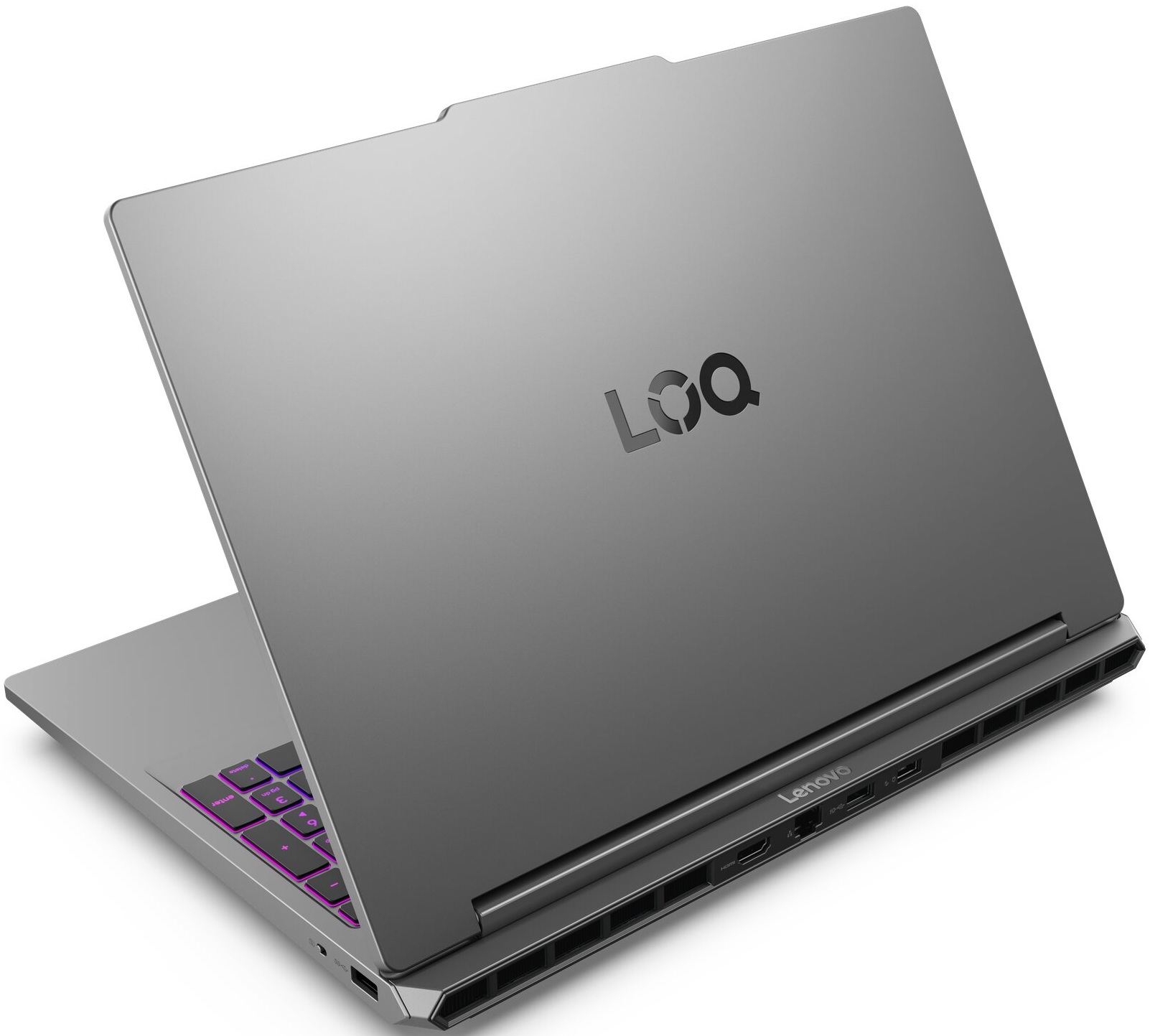
The Lenovo LOQ 15 (15IPH11) uses a practical three-sided port layout that keeps most of the thicker cables away from your immediate workspace. Starting on the left, you get a USB Type-A port operating at 5Gbps (USB 3.2 Gen 1), a 3.5mm combo audio jack for headsets, and the most capable connector on the machine: a Thunderbolt 4 port. This USB-C port supports 40Gbps data transfers, DisplayPort 2.1 video output, and USB Power Delivery between 65W and 100W for alternative charging on the go. Lenovo also lists support for 140W charging through this port, but reaching that wattage requires a compatible Lenovo adapter and Lenovo’s own charging protocol, rather than a standard third-party 140W USB-C charger.
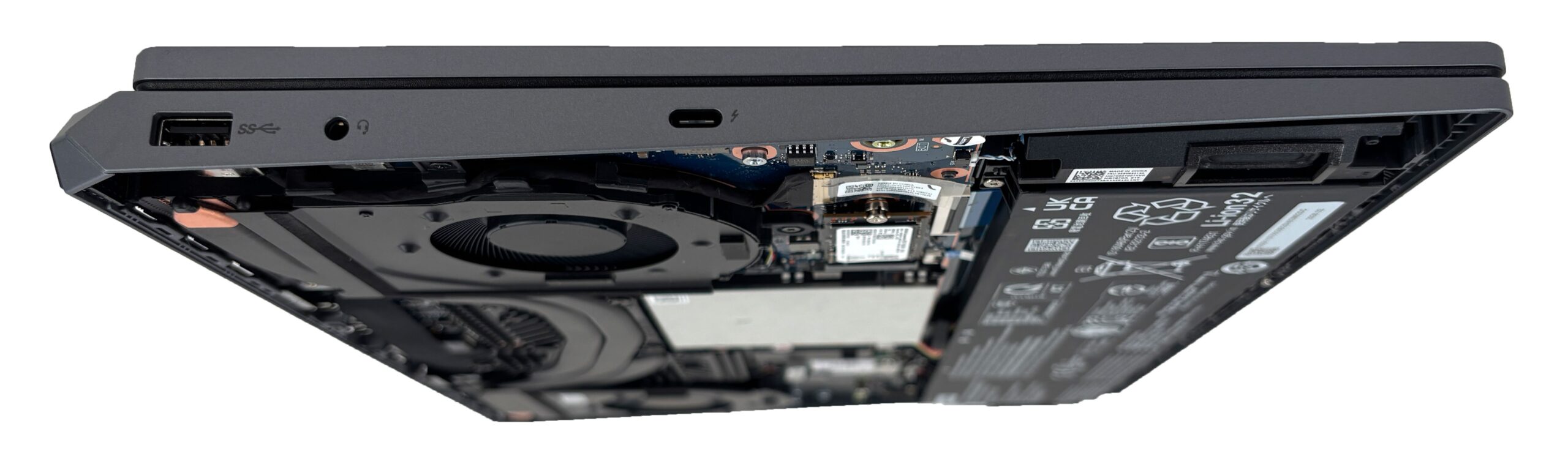
The right side is intentionally sparse, housing only a second 5Gbps USB Type-A port and the camera E-shutter switch. The latter electronically disables the webcam feed, which is a useful privacy feature, even though it is not a physical sliding cover over the lens. The minimal right-side layout is also good news for right-handed gamers, as there are fewer cables to interfere with mouse movement.
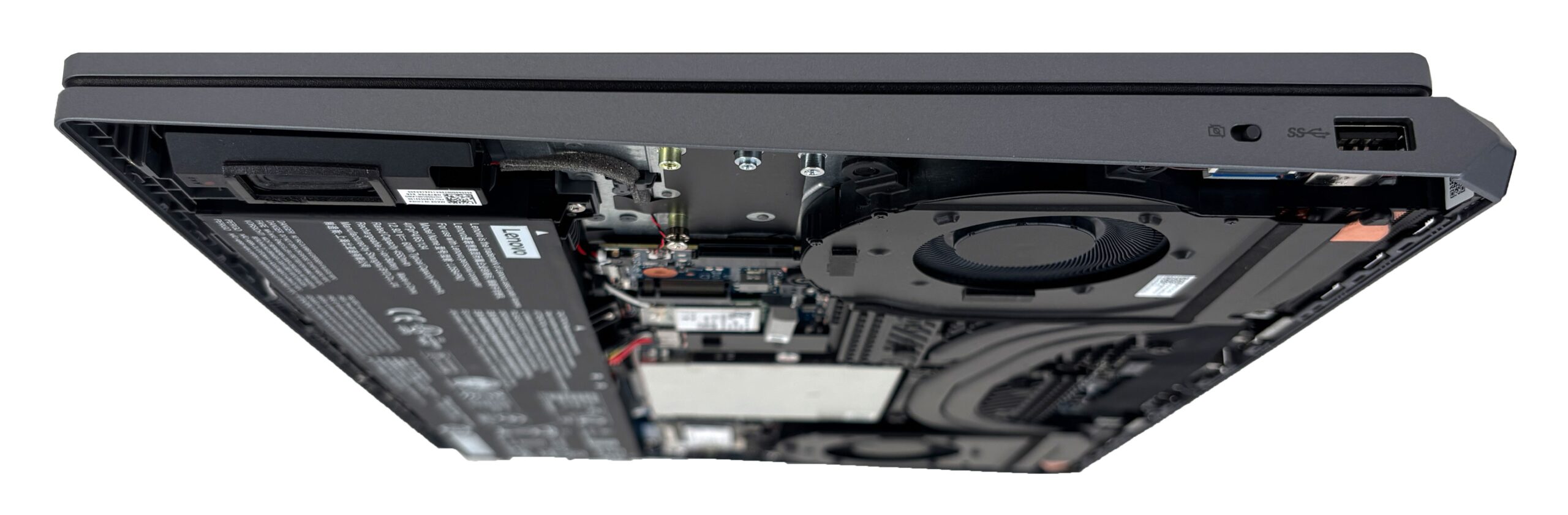
The thickest and least frequently unplugged cables are routed to the back, between the large cooling exhausts. Here, you will find the Lenovo Slim Tip power connector, an RJ-45 LAN port for wired networking, an HDMI 2.1 port for external monitors, and a third USB Type-A port. Unlike the two side USB-A ports, the rear one operates at 10Gbps (USB 3.2 Gen 2), making it the best Type-A option on the laptop for faster external storage or a permanent high-speed accessory. The HDMI output supports up to 8K@60Hz, and the system can drive up to three independent displays in total: the internal screen plus two external monitors via HDMI and Thunderbolt.

In terms of wireless connectivity, the LOQ 15 relies on Wi-Fi 6 (802.11ax) with a 2×2 antenna configuration and Bluetooth 5.3. Wi-Fi 6 is still fast enough for gaming and everyday use, but the laptop does miss out on the 6 GHz band available with Wi-Fi 6E and Wi-Fi 7. There is no cellular connectivity, so WWAN/SIM support is not available, and content creators should also note the absence of an SD card reader.
Display and Sound Quality, Display Profiles
We ordered the Lenovo LOQ 15IPH11 with the more affordable 15.3-inch WUXGA (1920 × 1200) 165 Hz IPS display option (AUO B153UAN02.J / AUO5DBA). It is a good everyday and gaming display, but not a high-end creator-grade screen. Its strongest points are excellent color accuracy after calibration, very good eye-safety behavior thanks to the lack of PWM, and nearly full sRGB coverage. Brightness, contrast, and pixel density are more average, but for a budget-oriented gaming laptop, the overall package is sensible.
If you want a sharper and slightly faster screen, Lenovo also offers a 15.3-inch WQXGA (2560 × 1600) IPS panel with a 180 Hz refresh rate and higher 400-nit brightness. Both options are listed with 100% sRGB coverage, NVIDIA G-SYNC, AMD FreeSync, Advanced Optimus, and TÜV Rheinland Low Blue Light certification.
| Lenovo LOQ 15 (15IPH11) | 15.3″, WUXGA (1920 x 1200), 165 Hz, IPS AUO B153UAN02.J / AUO5DBA | 15.3″, WQXGA (2560 x 1600), 180 Hz, IPS |
| Diagonal | 15.3 inches (38.9 cm) | 15.3 inches (38.9 cm) |
| Panel Type | IPS | IPS |
| Resolution | 1920 x 1200 pixels | 2560 x 1600 pixels |
| Max Refresh Rate | 165 Hz | 180 Hz |
| Aspect Ratio | 16:10 | 16:10 |
| Pixel Density | 148 PPI | 197 PPI |
| ‘Retina’ Distance | 59 cm or greater | 44 cm or greater |
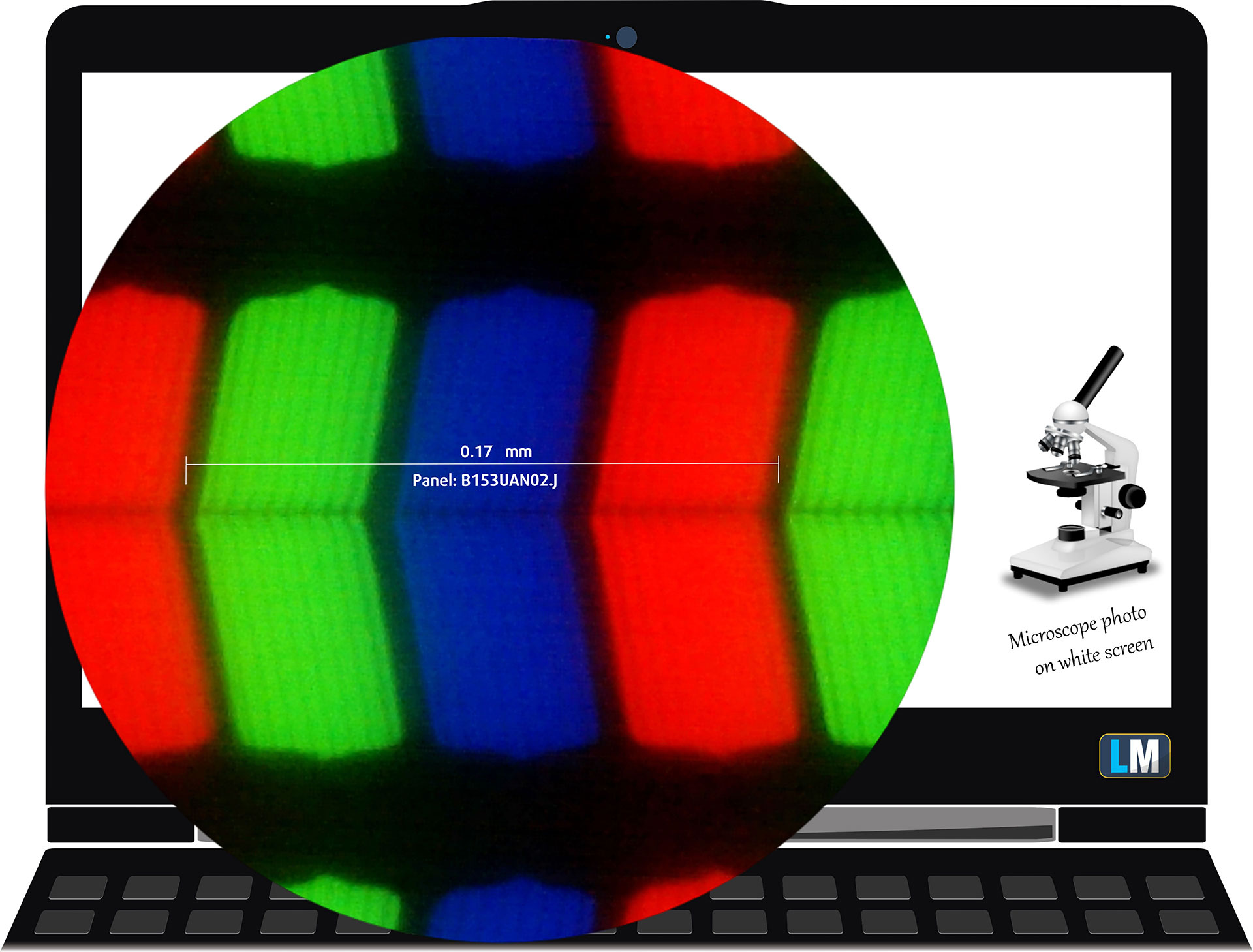
The WUXGA (1920 x 1200), 165 Hz, IPS display variant under our microscope
Viewing Angles
Viewing angles are good. We take photos from different angles to evaluate the quality.
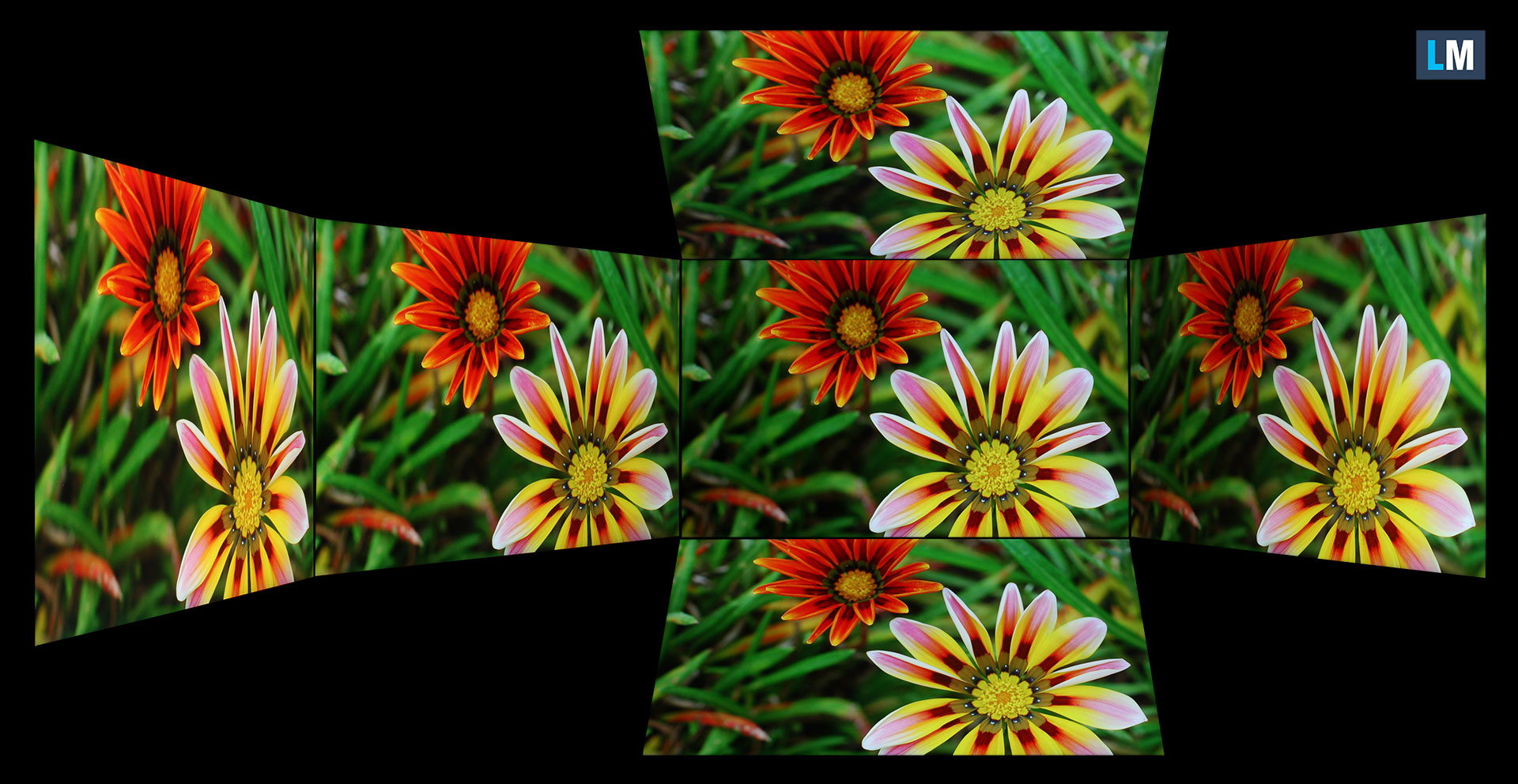
Also, a video with locked focus and exposure.
Color Coverage
The whole “sail-shaped” map below (Fig. 1) consists of all the colors we can see, while the black curved line shows all the colors from real-world scenes and nature around us.
Then, we’ve drawn some of the most important and interesting color spaces, compared to the colors the panel of Lenovo LOQ 15IPH11 can show:
Standard/For Web: sRGB – widely used color space for most consumer devices, ideal for Web design and development.
For Print: AdobeRGB – used in professional photo editing, graphic design, and print.
For Photographers/Video Editors: DCI-P3 – used in high-end film production, post-production, and digital cinema.
Premium HDR: Rec.2020 – one of the widest consumer color standards, covering 75.8% of the visible spectrum and serving as a benchmark for premium HDR content.
Lenovo LOQ 15IPH11: the yellow dashed triangle (– – – – – –) represents the range of colors this display can show.
In our tests, we calculated the total color coverage of the display at 99% of the sRGB color gamut and 80% of the DCI-P3 color gamut. This makes the panel very suitable for web content, everyday work, and gaming in the sRGB space, while wide-gamut DCI-P3 work is not its main strength.
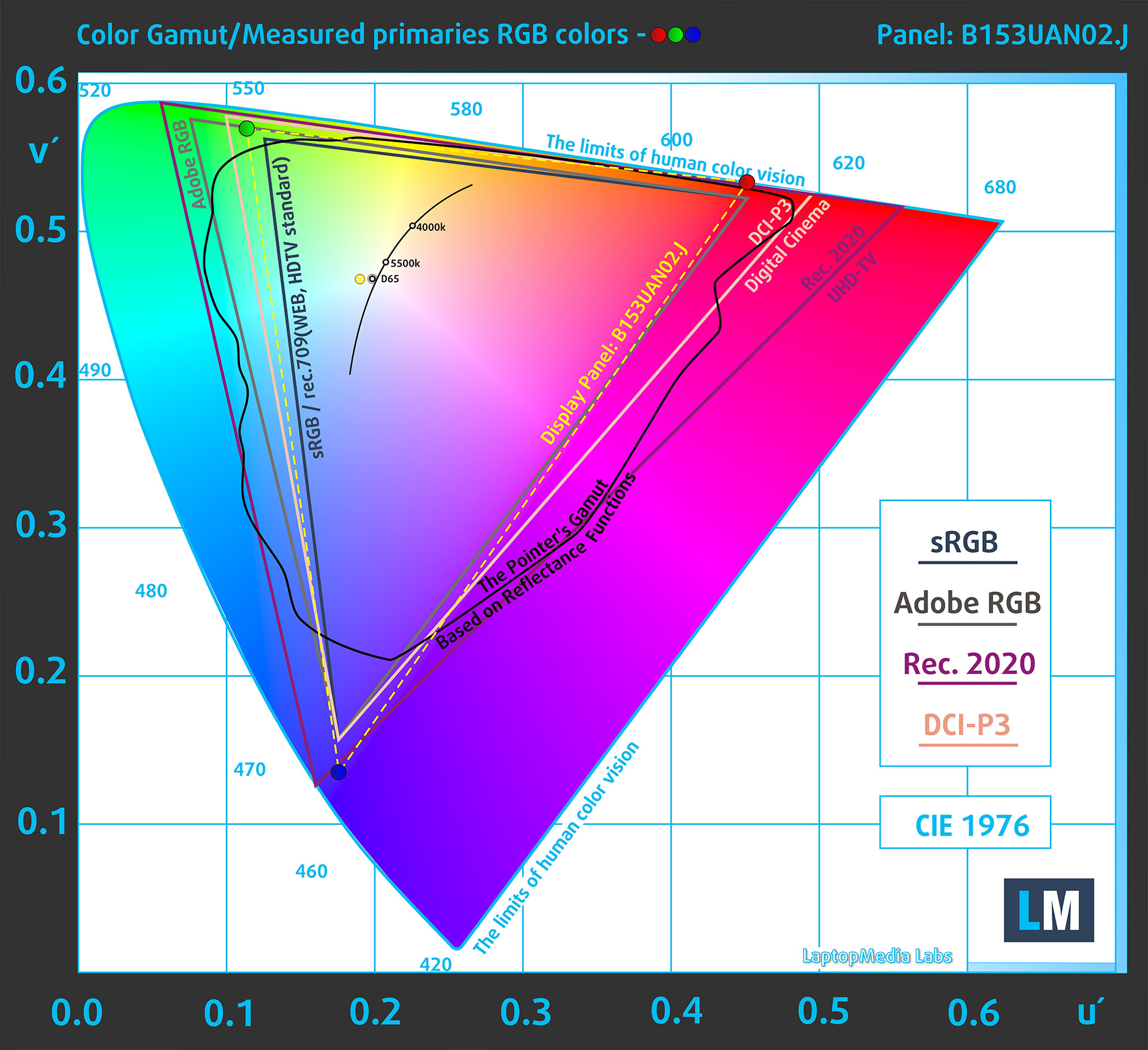
(Fig. 1) Lenovo LOQ 15IPH11 covers 99% of the sRGB gamut
Brightness and Contrast
The maximum brightness in SDR mode is 326 cd/m² in the center of the screen and 318 cd/m² averaged across the surface with a maximum deviation of 11%.
The Correlated Color Temperature (CCT) on a white screen at maximum brightness is 7210 K.
The contrast ratio is 1280:1.
The panel is not recognized by Windows as HDR-capable for games, apps, and desktop use. HDR video streaming is reported as supported, but the display should be considered an SDR screen.

Uniformity: Luminance, Contrast, and Color Deviation
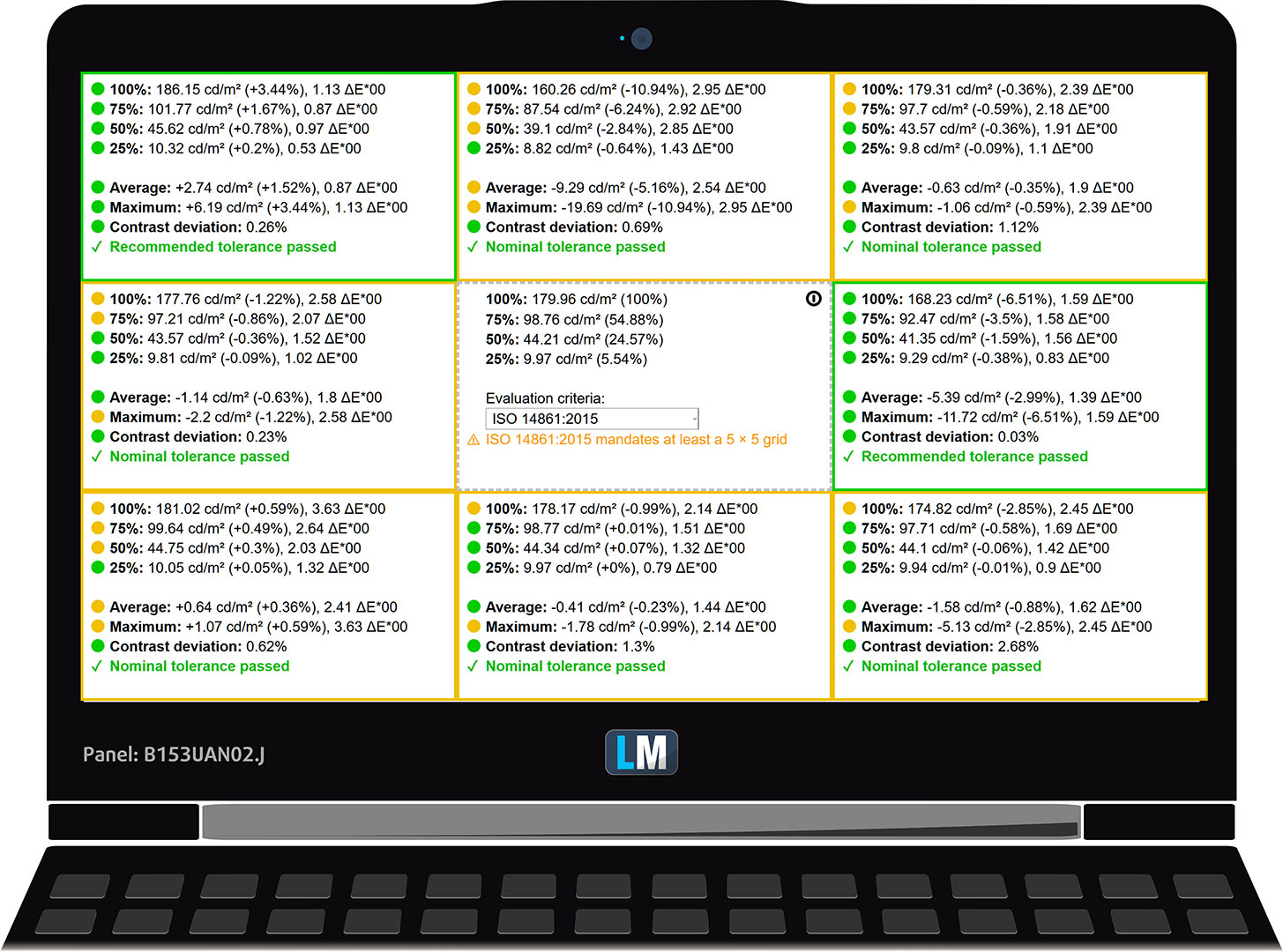
The figure below shows the results from our uniformity test across different sections of the screen. It’s measured at 180 nits (Windows slider = 75%) – a brightness level we consider typical for standard working conditions.
DeltaE values below 4.0 are acceptable for regular users. For those working with colors, screens with DeltaE values no higher than 2.0 are recommended.
Color Accuracy
Let’s check the difference between real colors and those you’ll see on the Lenovo LOQ 15IPH11. We measure that distance in DeltaE – the higher the number, the more different they look.
Values below 4.0 are acceptable for regular users, while values below 2.0 are suitable for color-sensitive work. A value below 1.0 means the difference is indistinguishable to the naked eye.
For the next graph, we’ve selected 24 common colors, including dark and light skin tones, blue sky, green grass, etc.
Before our calibration of the Lenovo LOQ 15IPH11, the average color accuracy was 4.3 dE (Fig. 2), which is not ideal for color-sensitive work. With our Design and Office profile, it improved to 1.2 dE (Fig. 3), turning the panel into a much more accurate screen for sRGB content.
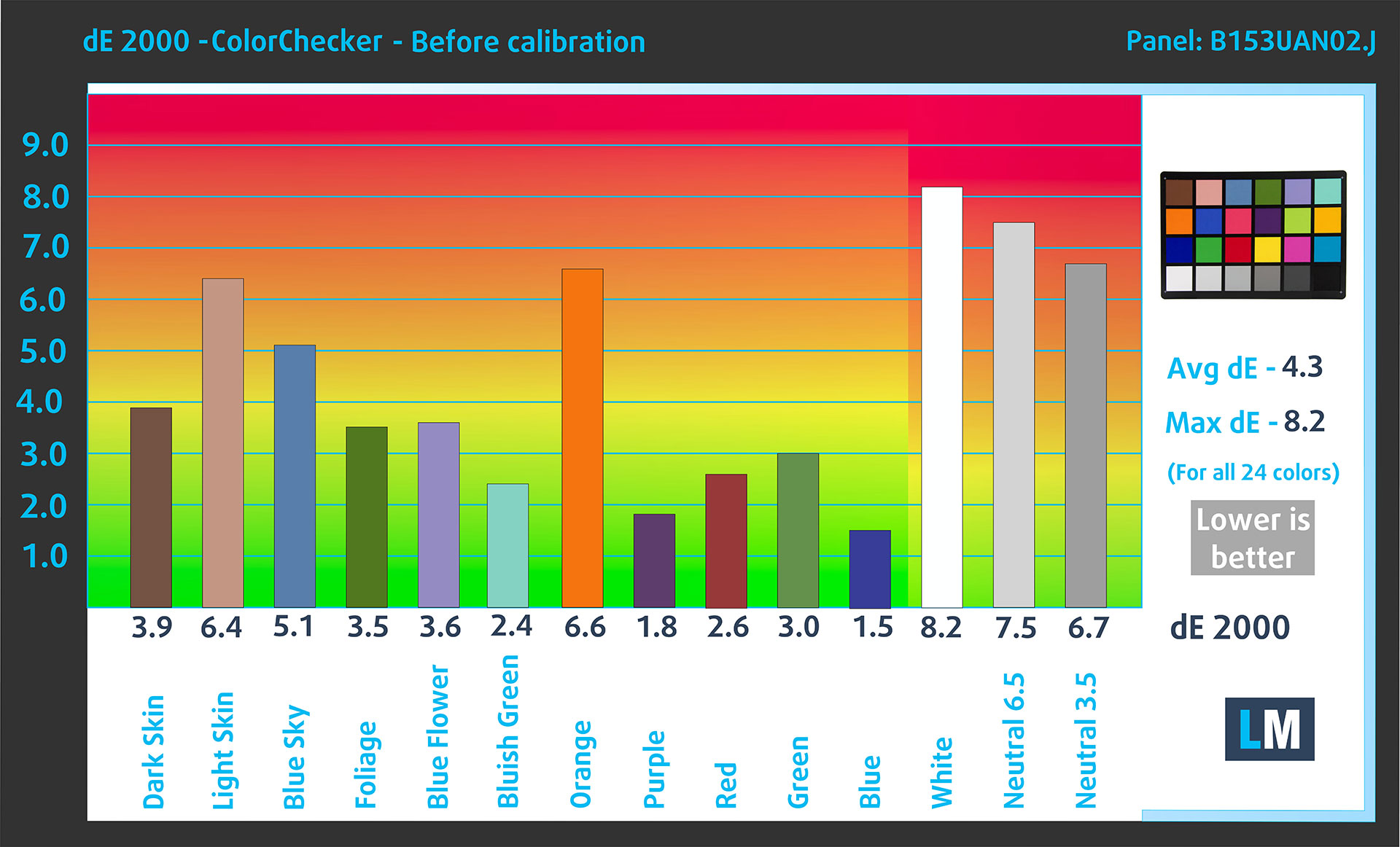
(Fig. 2) Lenovo LOQ 15IPH11 in its factory condition
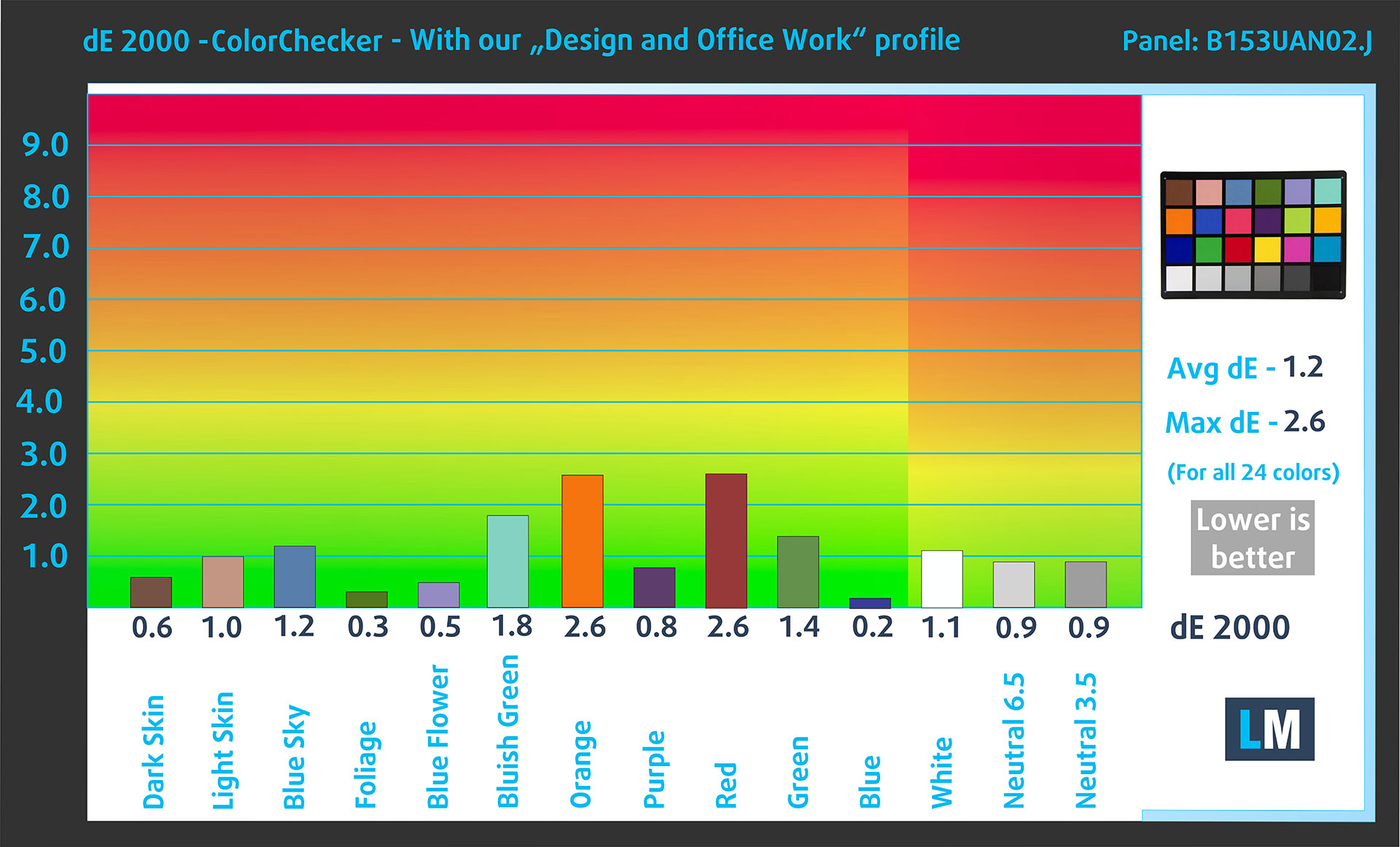
(Fig. 3) Lenovo LOQ 15IPH11 with our display profile
Comparison in the sRGB color space.
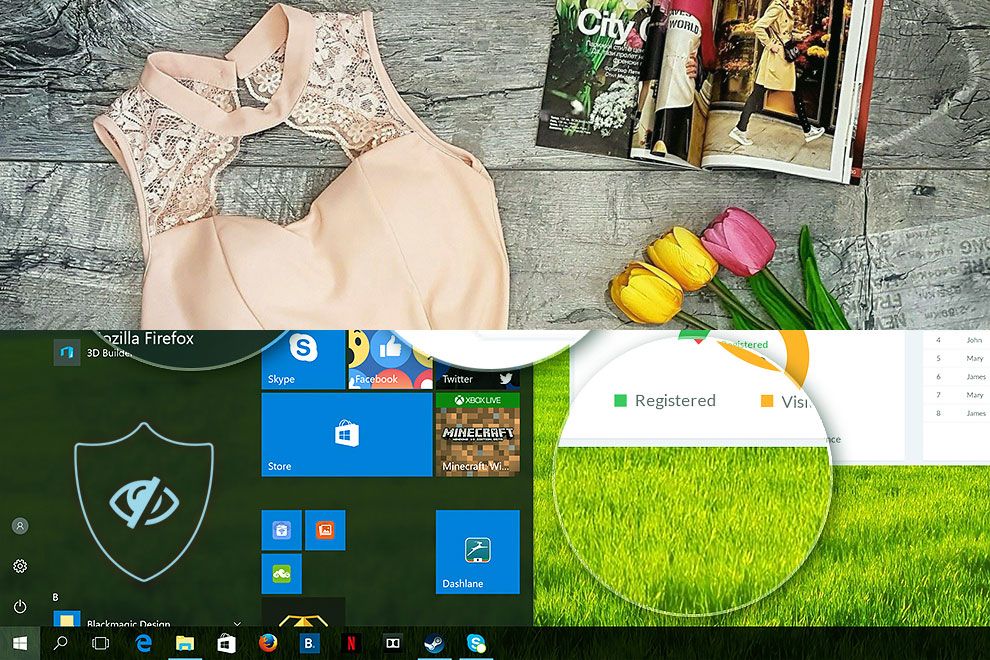
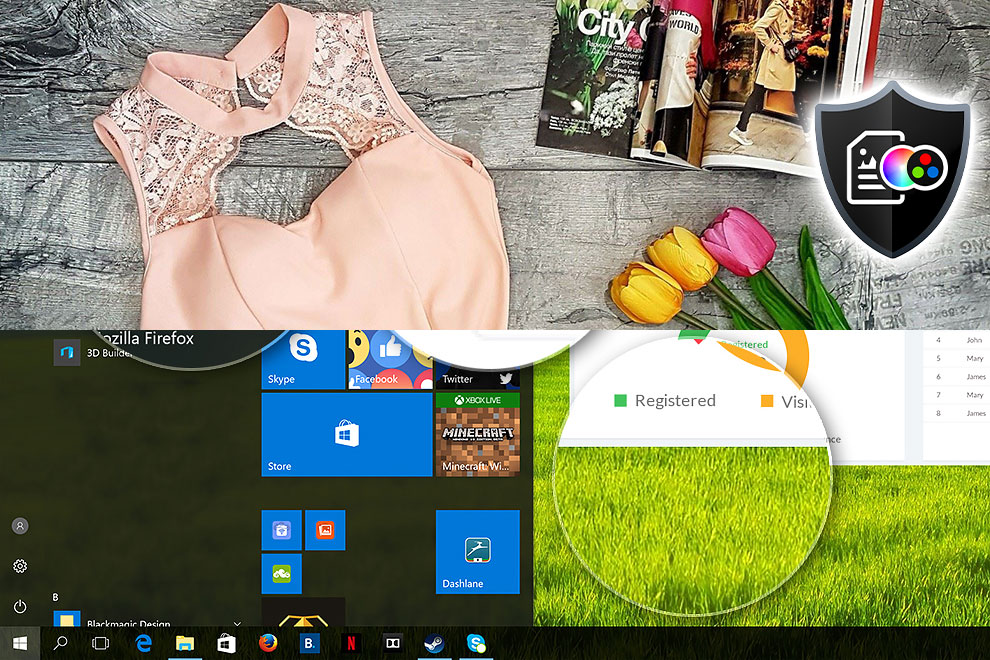
Here’s an illustration of what the Design and Office profile aims to deliver:
Left: No Profile | Drag the slider to see the difference | Right: Design & Office Profile
Visibility in dark scenes
Have you ever watched a movie with dark scenes where you could barely see anything? This often happens because many display panels struggle to differentiate the darkest nuances, making them appear the same.
The next figure illustrates how well the display reproduces these dark nuances. The left side of the image shows the display with stock settings, and the right side shows it with our Gaming and Movies profile activated.
The horizontal axis shows the grayscale levels, while the vertical axis shows the corresponding display brightness.
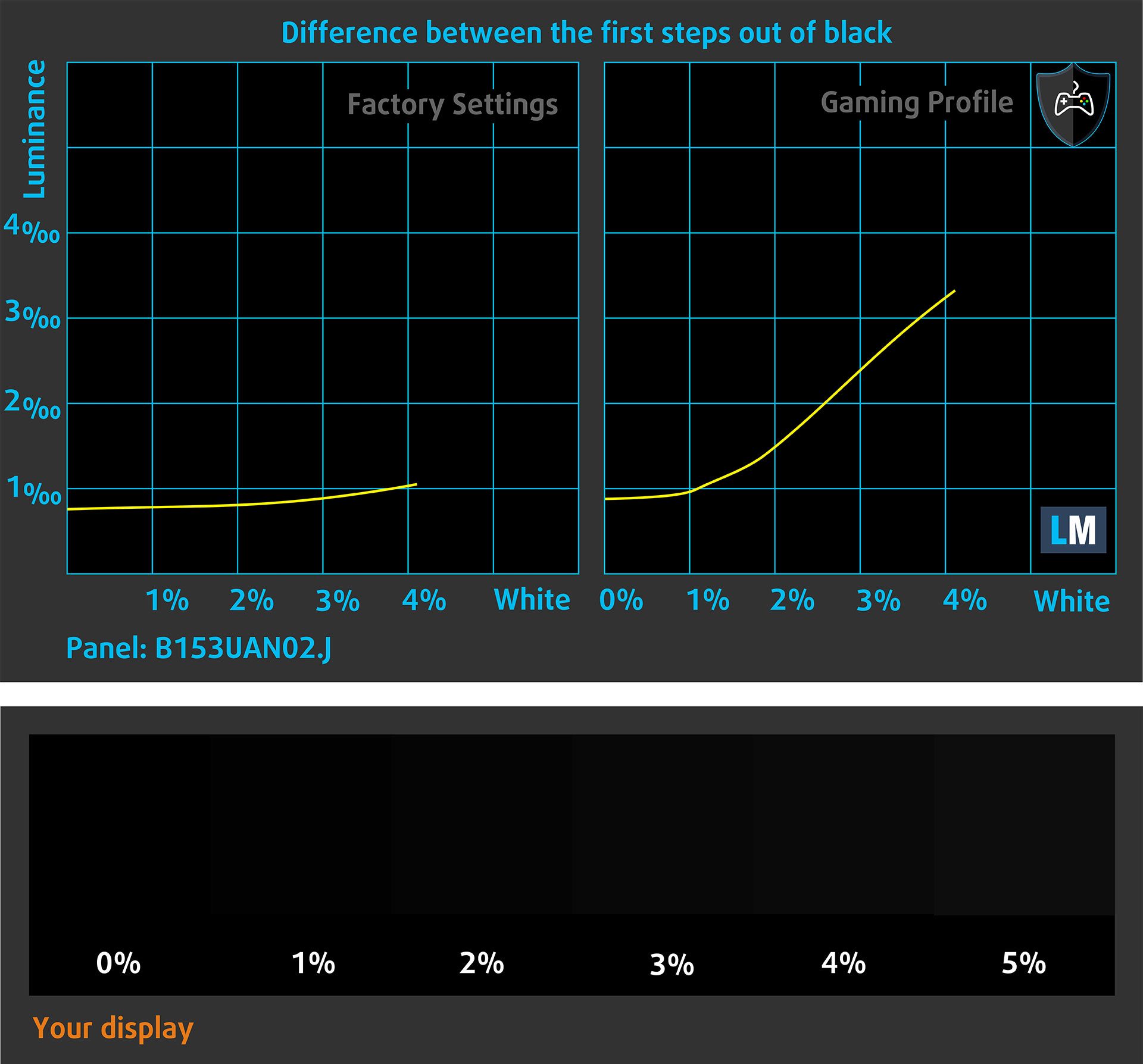
You can also check how your display handles the darkest nuances, but keep in mind that this also depends on the settings of your current display and the surrounding light conditions.
Response time (Gaming capabilities)
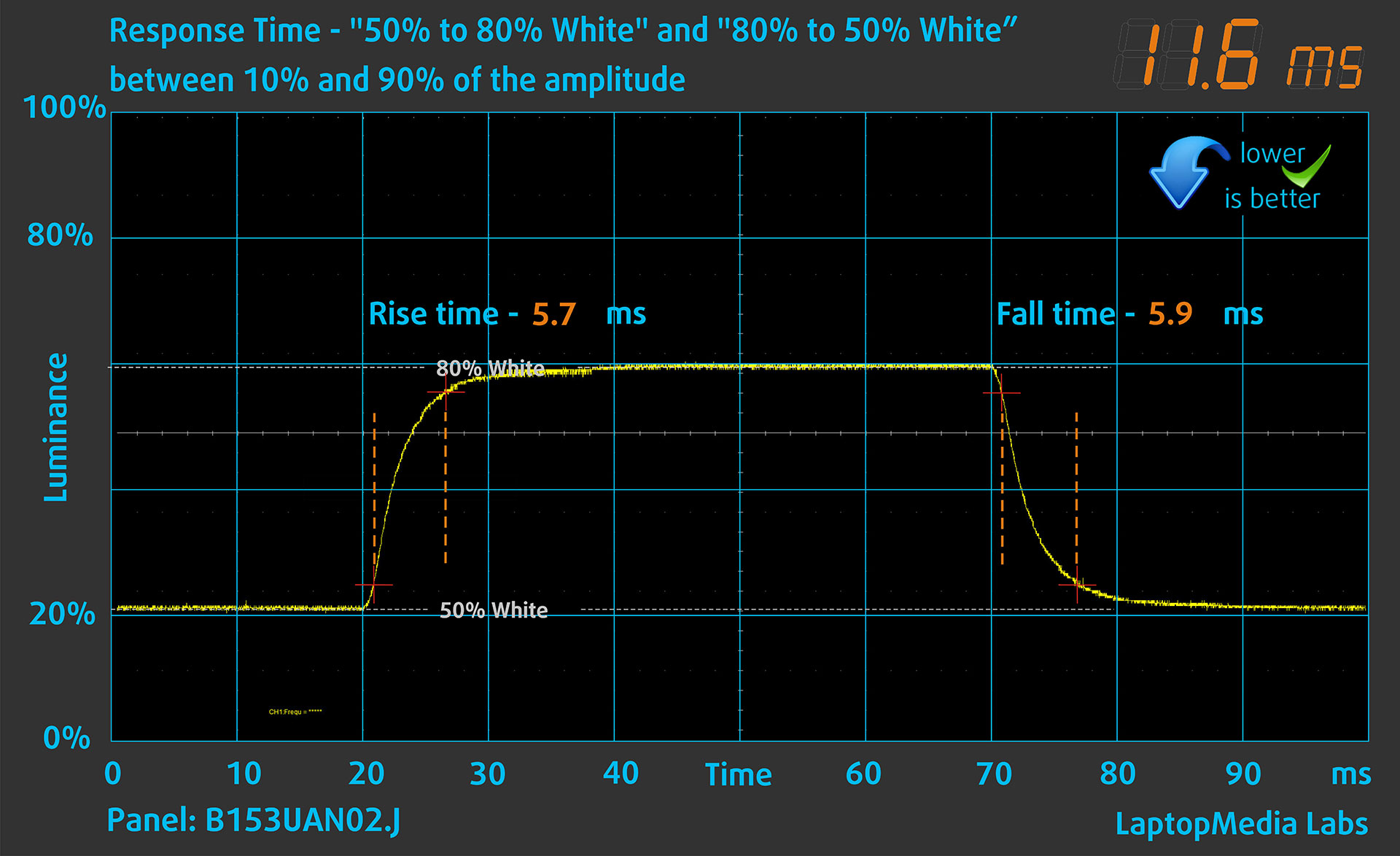
We test the reaction time of the pixels with the usual “black-to-white” and “white-to-black” method from 10% to 90% and vice versa.
We recorded Rise Time + Fall Time of 7.0 ms, which is a good result for an IPS-class LCD panel. Short pixel response time is a prerequisite for a smooth picture in dynamic scenes, and this result is well matched to the 165 Hz refresh rate of our WUXGA configuration.
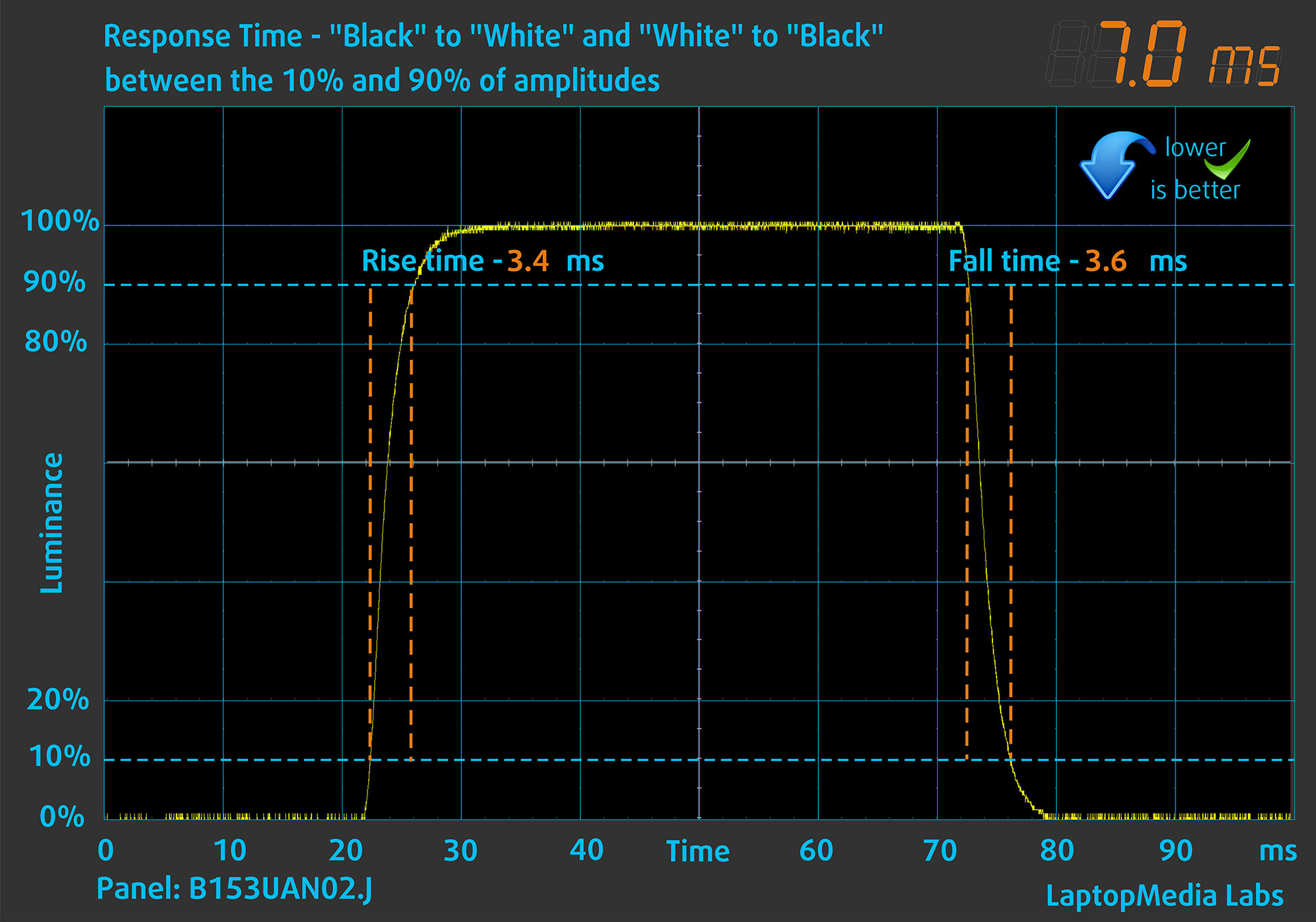
After that, we test the reaction time of the pixels with the usual “Gray-to-Gray” method from 50% White to 80% White and vice versa between 10% and 90% of the amplitude.
Health Impact: PWM (Screen flickering)
Some displays use PWM to regulate brightness, which means that instead of reducing the light intensity, they pulse or flicker. Our brain merges the image, so it appears darker, but this strains both it and our vision, especially when the frequency of the pulses is low. You can read more about that in our dedicated article on PWM.
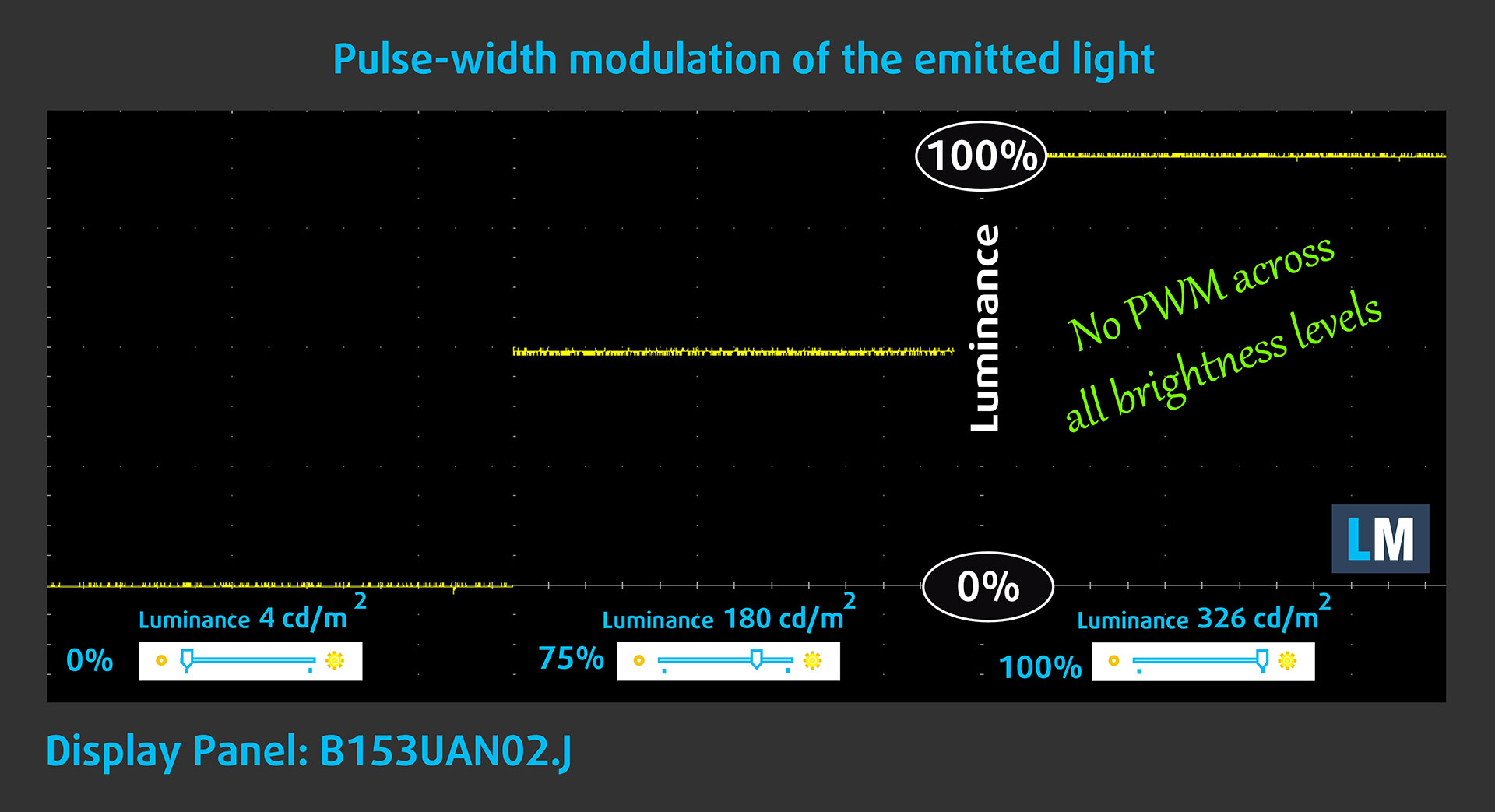
In the graph below, you can see the intensity of light at different brightness levels. The vertical axis shows the brightness of the emitted light, while the horizontal axis shows time.
The Lenovo LOQ 15IPH11‘s display does not use PWM to regulate brightness, which makes it comfortable for prolonged use in this regard.
Health Impact: blue light emissions
Since this panel already does not use PWM to regulate brightness, the main benefit of our Health-Guard profile here is reducing harmful Blue Light emissions while keeping the colors of the screen perceptually accurate.
If you’re not familiar with Blue Light, the TL;DR version is – emissions that can negatively affect your eyes, sleep, and overall comfort during prolonged screen use. You can find more information about that in our dedicated article on Blue Light.
Health Impact: Screen Reflectance
Displays with higher surface reflectance can cause eye fatigue in bright ambient conditions due to reflections. We measure the level of screen reflection with the display turned off, at a 60° angle.
The reflectance of the Lenovo LOQ 15IPH11’s screen is 58.5 GU. This places it in the medium-gloss range, but it is still a good result for practical use.
High Gloss: >70 GU
Medium Gloss: 30 – 70 GU
Low Gloss: <30 GU
Get our profiles
Since our profiles are tailored for each individual display model, this article and its respective profile package are meant for Lenovo LOQ 15IPH11 configurations with B153UAN02.J (AUO5DBA), 1920 x 1200, IPS panel.
*Should you have problems with downloading the purchased file, try using a different browser to open the link you’ll receive via e-mail. If the download target is a .php file instead of an archive, change the file extension to .zip or contact us at [email protected].
Read more about the profiles HERE.
In addition to receiving efficient and health-friendly profiles, by buying LaptopMedia's products you also support the development of our labs, where we test devices in order to produce the most objective reviews possible.

Design and Office
The Design and Office profile makes display colors as close to real as possible.Ideal not only for professionals but also for everyday users, it meets sRGB standards (D65 white point, sRGB gamma) with minimal DeltaE for precise color reproduction on your panel.

Gaming and Movies
Have you ever watched a movie where, during dark scenes, you can barely see anything? Many displays fail to distinguish dark tones properly. Our Gaming and Movies profile enhances low-light performance, like HDR tech, using a gamma curve tailored to human perception — ideal for gamers seeking faster reactions and clearer visuals.

Health-Guard
Our Health-Guard profile protects your eyes by eliminating PWM flickering, reducing strain and fatigue, and minimizing harmful Blue light exposure that can disrupt sleep and health. It uses software dimming and a gamma curve tailored to human perception for comfort and safety during screen use.
Get All The Profiles With 33% Discount!

Sound Quality
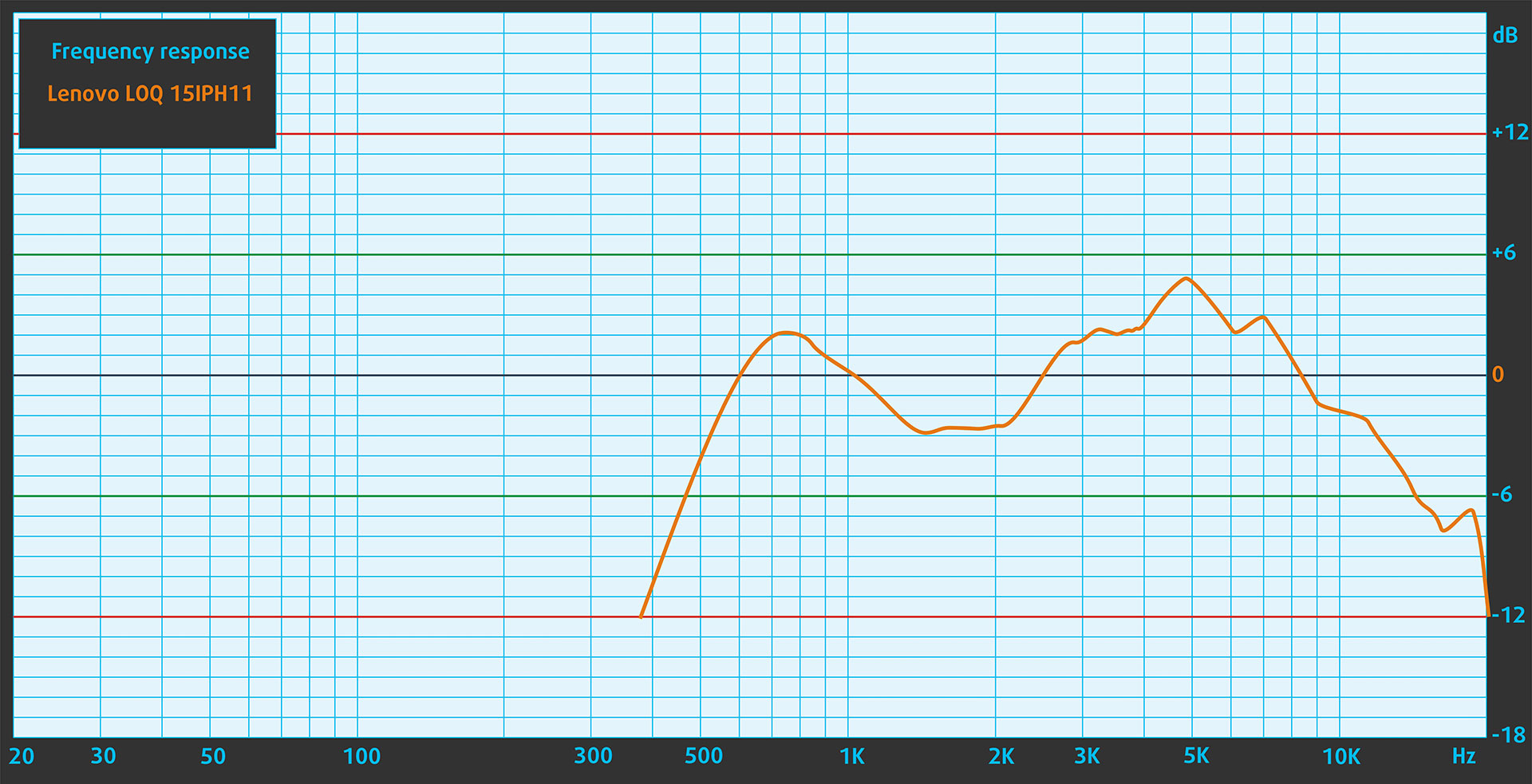
The speakers of the Lenovo LOQ 15IPH11 deliver reasonably good sound quality. The lows, mids, and highs are generally clear, although careful listening reveals slight imperfections in overall clarity.
Work Performance: CPU, Storage, AI
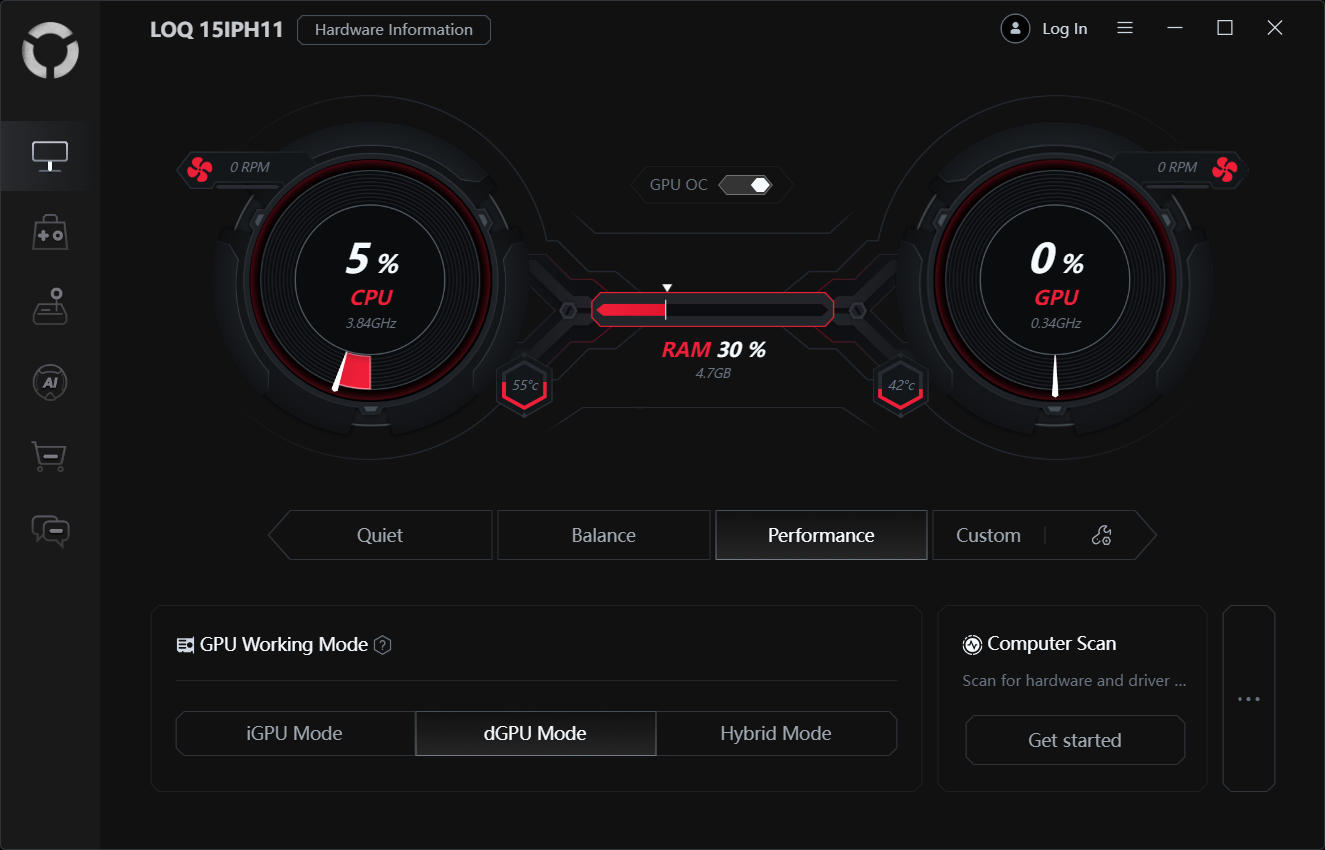
All performance and temperature tests are conducted with Performance mode and dGPU mode activated in LegionSpace:
CPU and Work Performance
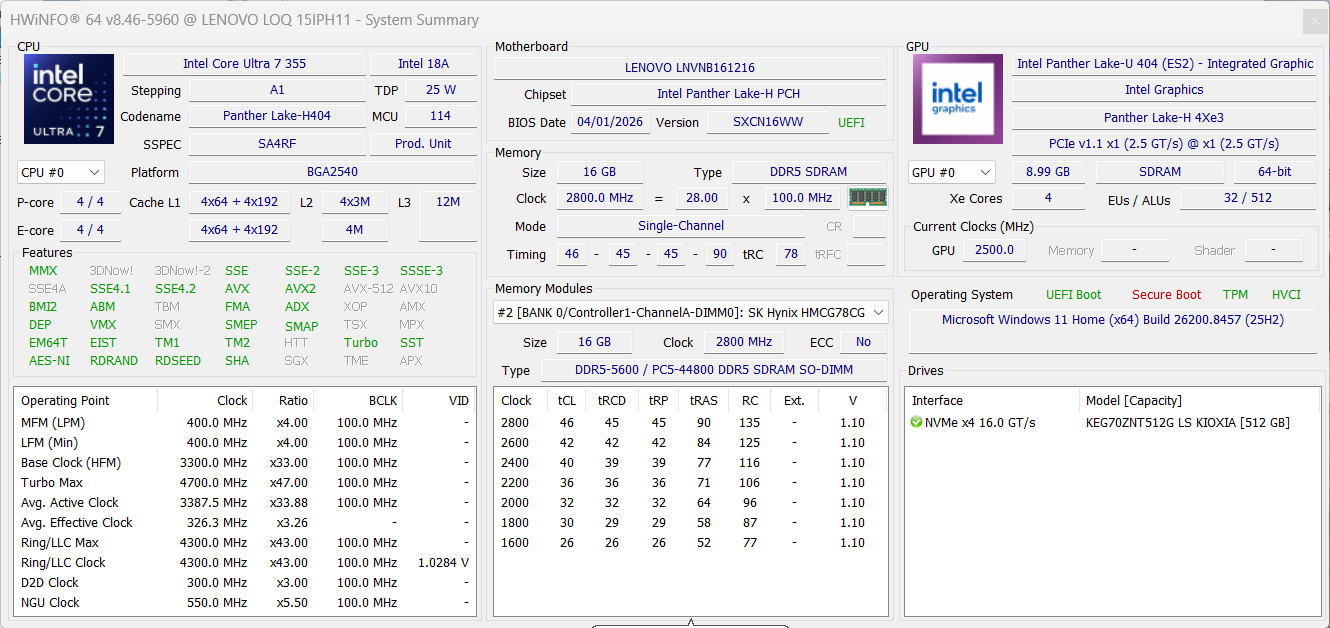
The Lenovo LOQ 15 (15IPH11, Gen 11) is available with Intel Core Ultra processors, including the Core Ultra 7 356H and Core Ultra 7 355. Our ordered configuration uses the Core Ultra 7 355. The stronger Core Ultra 7 356H is currently ranked #28 in our Top Laptop CPU Ranking, while the Core Ultra 7 355 sits much lower at #120. This makes the exact CPU configuration important, as the difference between the two options can be significant in heavier productivity workloads.
In practice, the Core Ultra 7 355 delivers very good everyday responsiveness and enough CPU power for gaming, office work, multitasking, and casual content creation. Compared with the Lenovo LOQ Essential 15IRX11, Gen 11 (detailed review), our LOQ 15IPH11 feels more modern in light and bursty tasks, but the HX-class processor in the Essential can still be competitive in sustained multi-core work. The Lenovo Legion 5 15″, Gen 10 (detailed review) with Ryzen 7 260 remains the stronger choice for heavy rendering and long CPU workloads, while the LOQ 15IPH11 stays closer to mainstream gaming machines such as the HP Victus Gaming 15-fb3000 (detailed review) and MSI Cyborg 17 B13WEKG (detailed review). In other words, this CPU is a good match for a mainstream gaming laptop, but the Core Ultra 7 356H option is the one to look for if CPU-heavy work is a priority.
Single-core performance ensures smooth operation and responsiveness in operating systems, providing a better user experience.
Results are from the Geekbench 6 Single-Core test (higher is better)
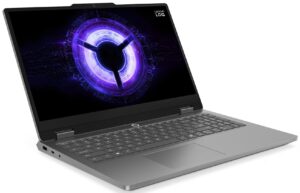
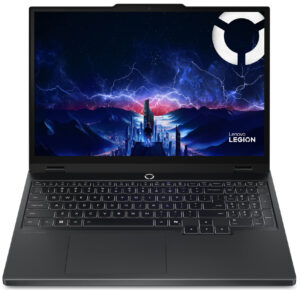
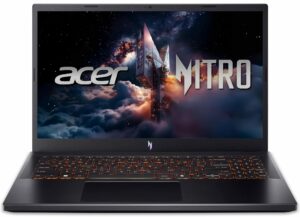
Multi-core performance is essential for handling complex and demanding tasks, such as Video editing, CAD, and Scientific simulations.
Results are from the Geekbench 6 Multi-Core test (higher is better)
Here, we evaluate the CPU's performance using a real-world 3D rendering task, assessing its ability to handle complex computations and rendering workloads efficiently.
Results are from the Cinebench 2024 Multi-Core test (higher is better)
Storage Performance
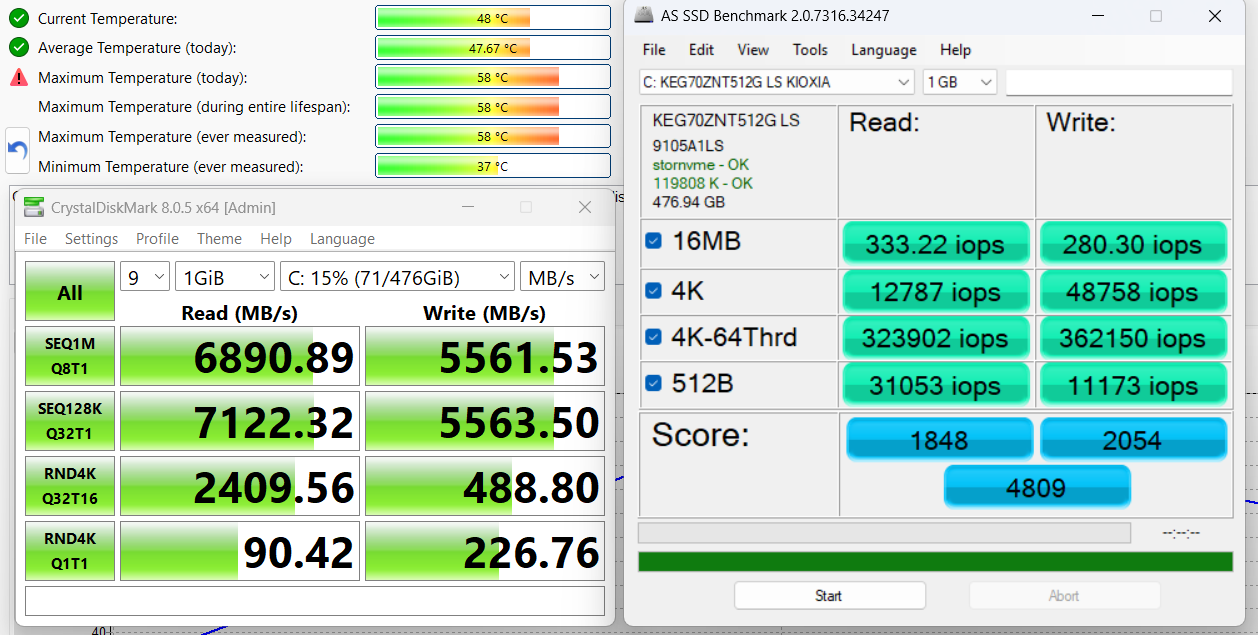
We ordered a configuration with 512GB of storage, and the 15IPH11 arrived with a KIOXIA KEG70ZNT512G LS SSD.
It is a fast M.2 2242 PCIe 4.0 x4 NVMe drive, reaching 6.9GB/sec sequential read and 5.6GB/sec sequential write speeds in our benchmark, while keeping temperatures within good limits. The drive itself performs very well; the more practical limitation is capacity, as 512GB can fill up quickly on a gaming laptop. Thankfully, the platform offers room for storage expansion, which we will cover in the disassembly section.
AI Performance
Here you can see the position of the GPUs and CPUs (NPUs) found within the Lenovo LOQ 15 (15IPH11, Gen 11) in our AI Hardware Performance Rankings based on their AI processing power, measured in TOPS (Tera Operations Per Second) - a critical metric indicating the computational throughput, particularly for AI tasks.
The first column shows peak performance for INT8/FP8 precision, which is the most widespread metric for evaluating AI inference capabilities. We exclude Sparsity to provide a more accurate reflection of AI performance in dense computation scenarios where sparsity optimizations may not be applicable. The second and third columns show the performance with Sparsity, and FP4 TFLOPS, when supported.
For SoCs, the results reflect the peak performance of the integrated NPU. Additionally, it’s important to note that, according to Microsoft, a NPU must have at least 40 TOPS of AI computing power for the PC to be considered “AI-capable.”
| # | GPU / CPU (NPU) | TOPS INT8/FP8 No Sparsity | TOPS INT8/FP8 Sparsity | TFLOPS FP4 Sparsity |
|---|---|---|---|---|
| 1010. | NVIDIA GeForce RTX 5060 (Laptop) | 133 | 266 | 532 |
| 1564. | Intel Core Ultra 7 356H | 50 | — | — |
| 1577. | Intel Core Ultra 7 355 | 49 | — | — |
GPU and Gaming Performance
Graphics options include NVIDIA GeForce RTX 5060 and RTX 5050 laptop GPUs. The RTX 5060 is the faster choice, ranked #72 in our Top Laptop Graphics Ranking, while the RTX 5050 sits at #126. Our ordered configuration uses the RTX 5050 Laptop GPU with 8GB of GDDR7 memory and a 115W TGP, which is important because RTX 5050 laptops can behave very differently depending on power limits and cooling.
The good news is that this is not a weak low-power RTX 5050 implementation. In our tests, the LOQ 15IPH11 performs very close to the Lenovo Legion 5 15″, Gen 10 (detailed review) with the same GPU and clearly ahead of thinner or more power-restricted RTX 5050 machines such as the Lenovo LOQ Essential 15IRX11, Gen 11 (detailed review), Acer Nitro V 15 ANV15-52 (detailed review), HP Victus Gaming 15-fb3000 (detailed review), and MSI Cyborg 17 B13WEKG (detailed review). This makes the RTX 5050 configuration a sensible pairing for the 1920 x 1200 display in our machine, especially if you use DLSS in heavier titles. The RTX 5060 option is still the better choice if you want more long-term headroom, higher settings, or if you are considering the sharper WQXGA display option.
The results are from 3DMark Time Spy (Graphics). Higher is better.
The results are from 3DMark Wild Life Extreme Unlimited. Higher is better.
Gaming tests

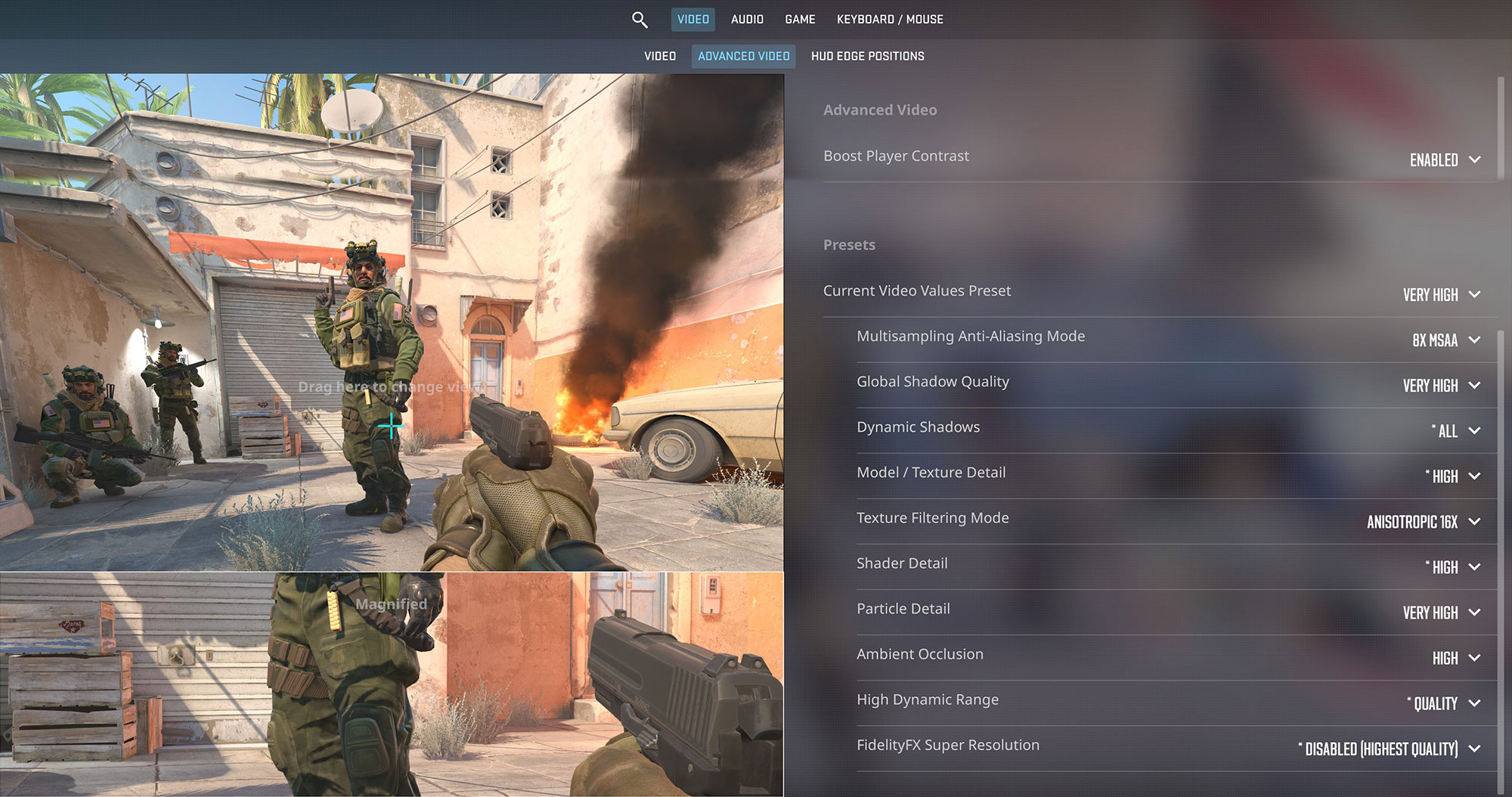
The Lenovo LOQ 15 (15IPH11) is a very capable choice for esports gaming on a budget. In Counter-Strike 2, the RTX 5050 reaches 188 FPS at 1200p on the Very High preset, which is enough to make good use of the 165Hz display and deliver a responsive competitive experience.
| Counter Strike 2 | 1200p, Very High (Check settings) |
| Average FPS | 188 FPS |

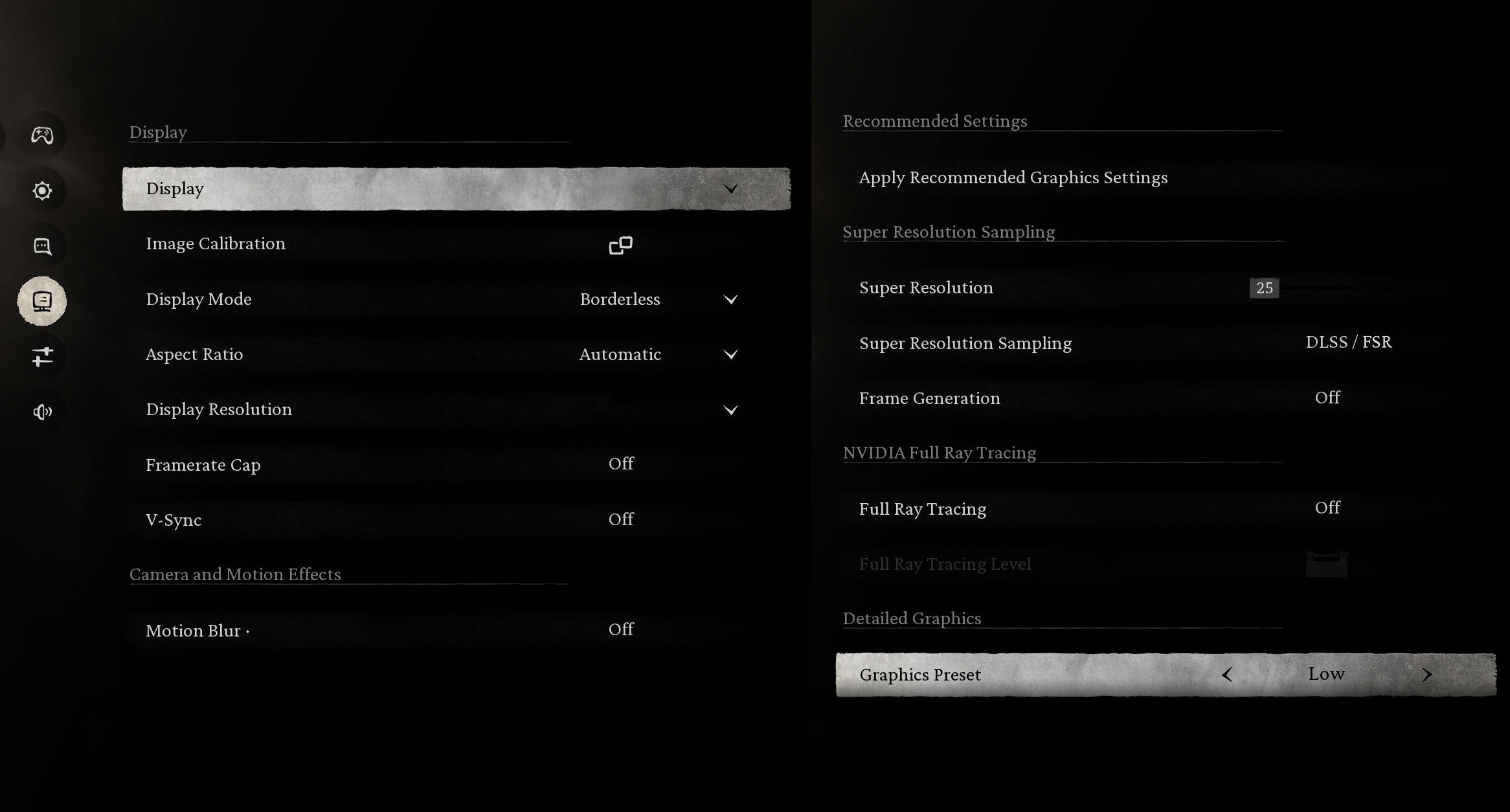
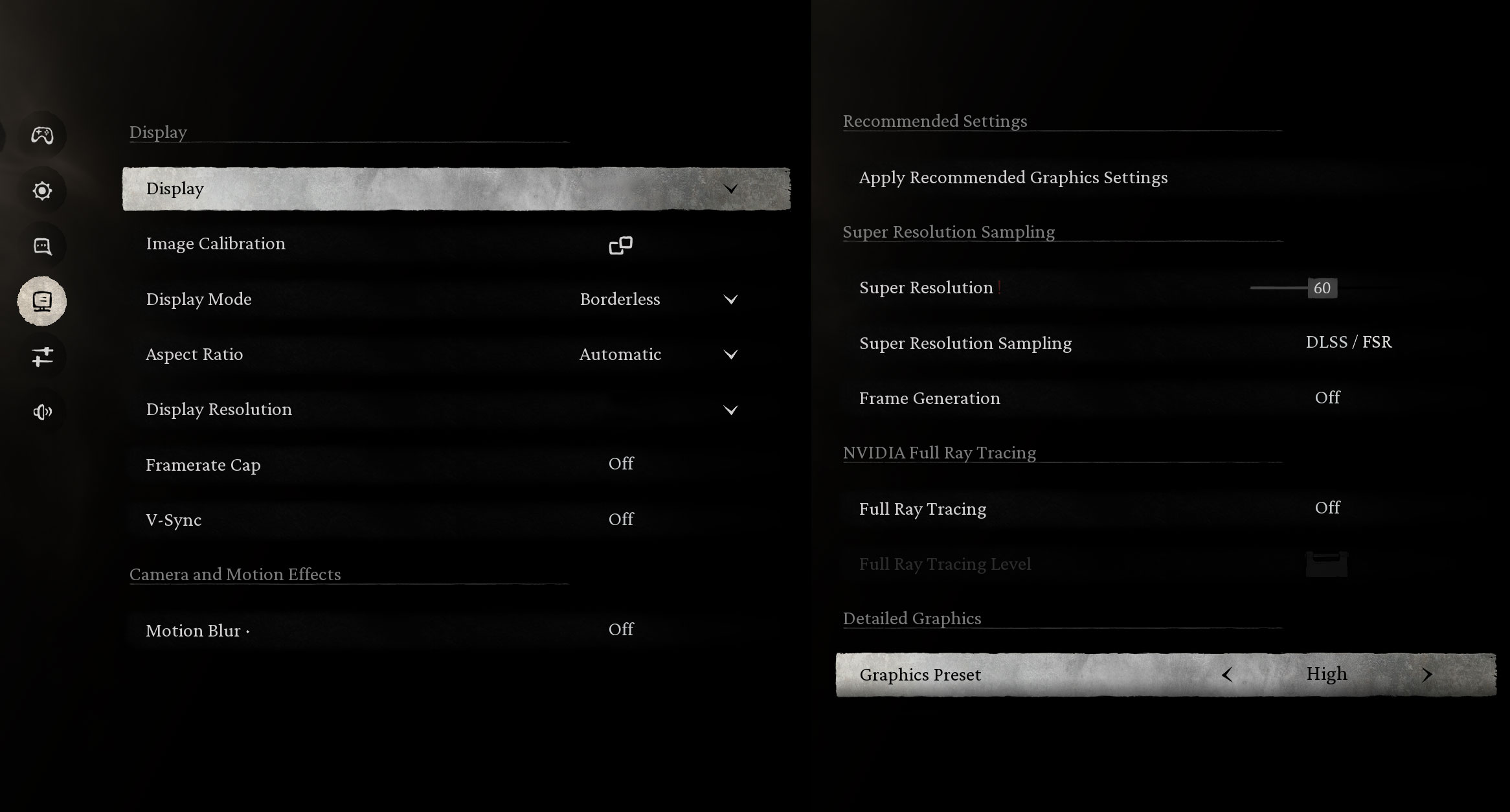
Black Myth: Wukong is a much heavier modern title, but the laptop still handles it well at the native 1200p resolution. The Low preset delivers 153 FPS, while the High preset stays at 83 FPS, which is a smooth result for this class of GPU.
| Black Myth: Wukong | 1200p, Low (Check settings) | 1200p, High (Check settings) |
| Average FPS | 153 FPS | 83 FPS |

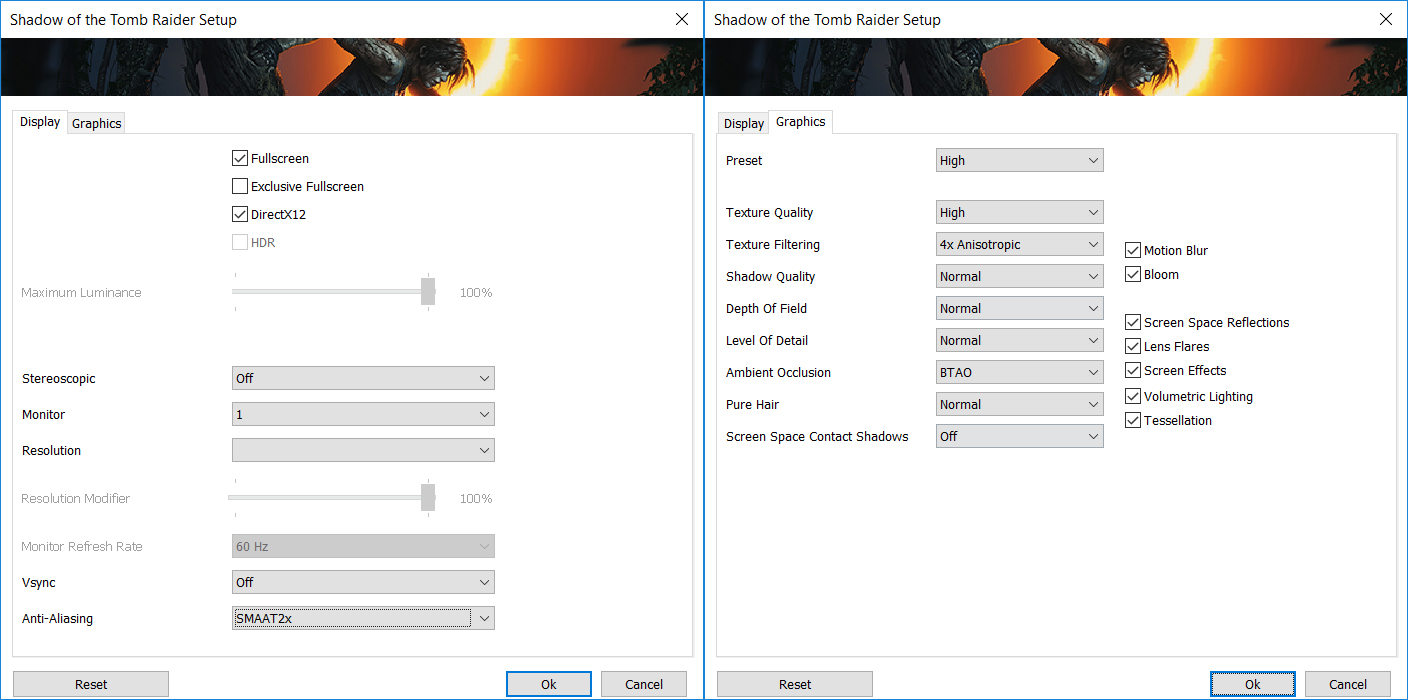
Shadow of the Tomb Raider is not a new game anymore, but it remains a useful benchmark for comparing gaming laptops. At 1200p on the High preset, the LOQ 15IPH11 delivers 126 FPS, giving you plenty of performance headroom for a smooth single-player experience.
| Shadow of the Tomb Raider | 1200p, High (Check settings) |
| Average FPS | 126 FPS |

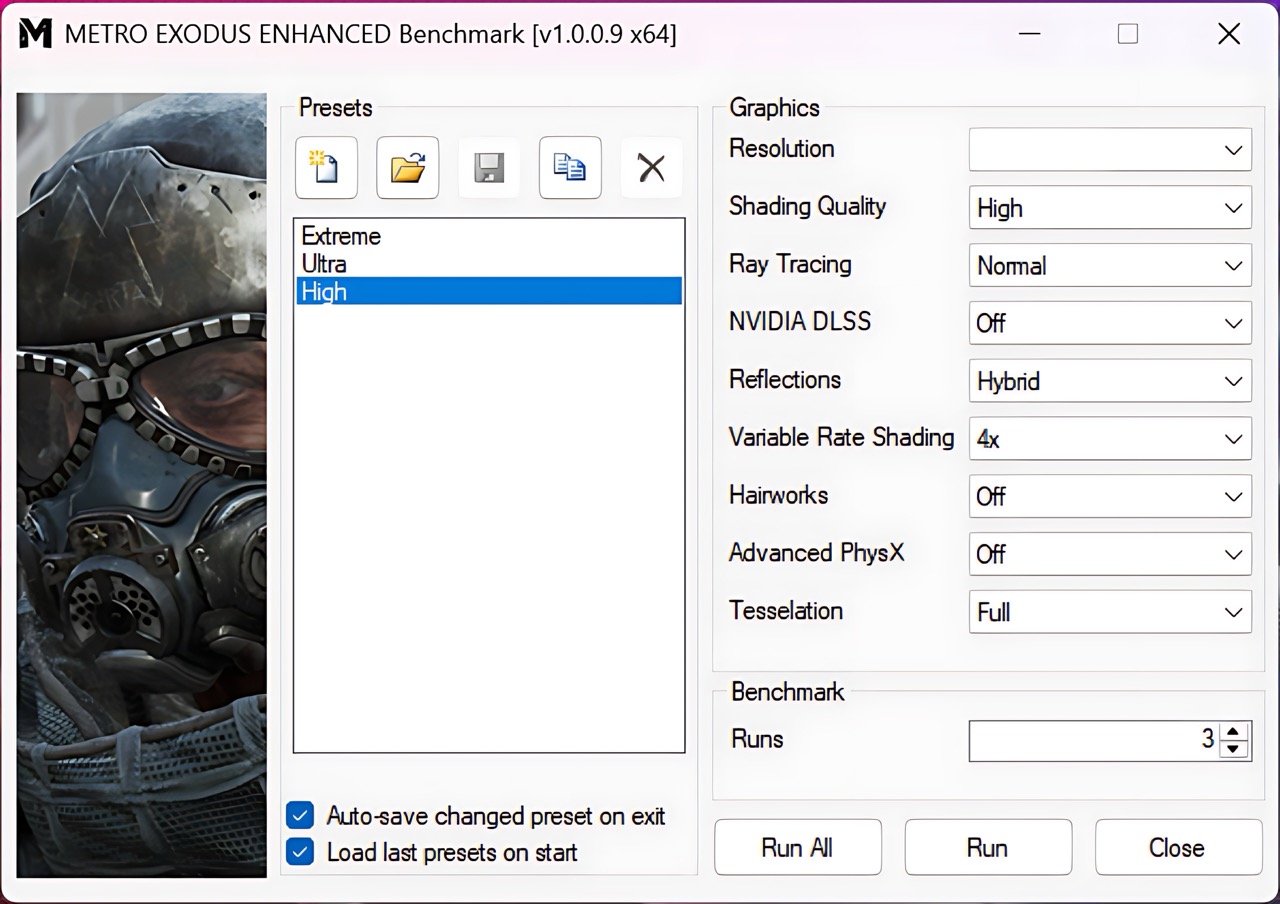
Metro Exodus Enhanced Edition is a tougher test because of its ray-tracing-based rendering pipeline. Even here, the RTX 5050 manages 72 FPS at 1200p on the High preset, which keeps the game comfortably above the 60 FPS mark.
| Metro Exodus Enhanced Edition | 1200p, High (Check settings) |
| Average FPS | 72 FPS |
Temperatures and Comfort, Noise, Stability
At idle, the CPU package of the Intel Core Ultra 7 355 maintains a temperature of 42ºC, and the notebook remains completely silent.
Office Work, Web Development, Design
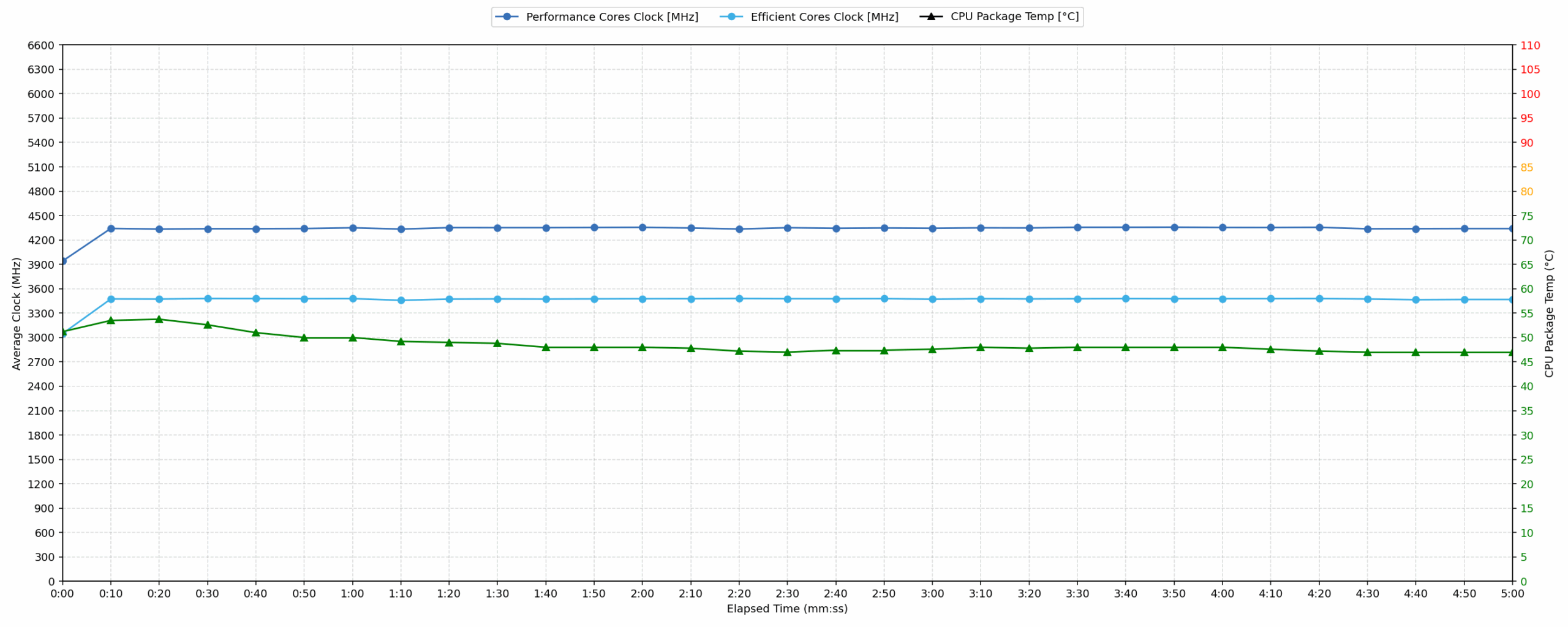
Short periods (0:00 – 0:10 s) of 100 % CPU load
This test shows the CPU behavior during short periods of serious load. It’s important for users who are looking for laptops suitable for tasks like Web Design and Programming.
| Intel Core Ultra 7 355 | Avg. P-Core Clock | Avg. CPU Temp. | Avg. CPU Power |
| Lenovo Yoga 9i 2-in-1 Aura Edition (14″, Gen 11) | 3950 MHz | 83 °C | 29 W |
| Lenovo LOQ 15 (15IPH11) | 3941 MHz | 51 °C | 32 W |
During short bursts of activity, the Lenovo LOQ 15 reacts quickly and keeps the Core Ultra 7 355 under very good thermal control. The processor reaches up to 4349 MHz in the first few seconds and maintains an average P-core clock of 3941 MHz over the first 10 seconds. What stands out here is the temperature behavior: the CPU averages only 51 °C, with a peak of 54 °C, which is unusually cool for this type of short 100% load.
Video editing, Scientific computing, Software compilation, 3D rendering
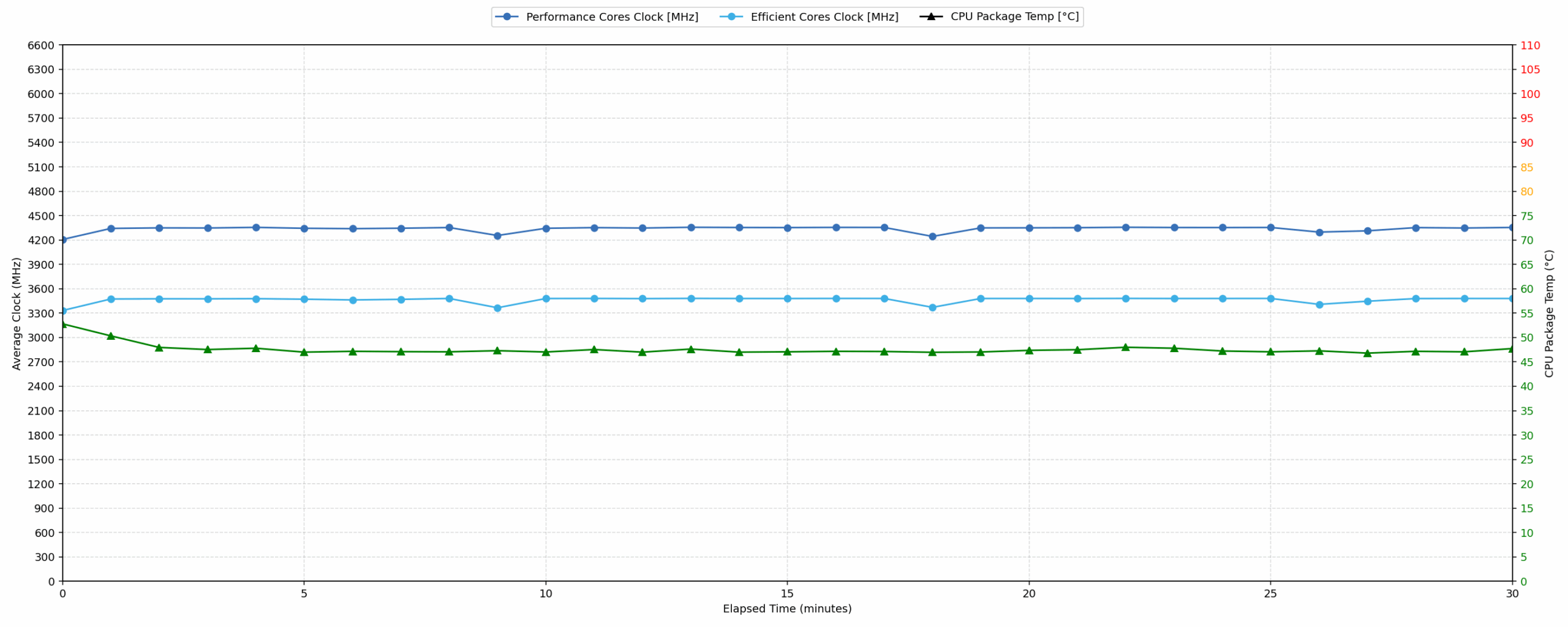
Long periods (0:00 – 30:00 min) of 100 % CPU load
This test shows the CPU behavior during long periods of serious load. It’s important for users who are looking for laptops suitable for tasks like Video Editing and 3D Rendering.
| Intel Core Ultra 7 355 | Avg. P-Core Clock | Avg. CPU Temp. | Avg. CPU Power |
| Lenovo LOQ 15 (15IPH11) | 4338 MHz | 47 °C | 40 W |
| Lenovo Yoga 9i 2-in-1 Aura Edition (14″, Gen 11) | 3560 MHz | 84 °C | 28 W |
Under extended CPU workloads, the Lenovo LOQ 15 shows very strong stability. During the 30-minute stress test, the Intel Core Ultra 7 355 sustains an average P-core clock of 4338 MHz at 40 W average CPU power. The clock behavior is impressively steady as well, with the minimum recorded P-core clock between 30 seconds and 5 minutes dropping only slightly to 4315 MHz. Thermals are excellent throughout the run, with an average CPU temperature of just 47 °C. This gives the LOQ 15 a clear advantage over much thinner designs using the same CPU, such as the Yoga 9i 2-in-1 Aura Edition.
Gaming Stability
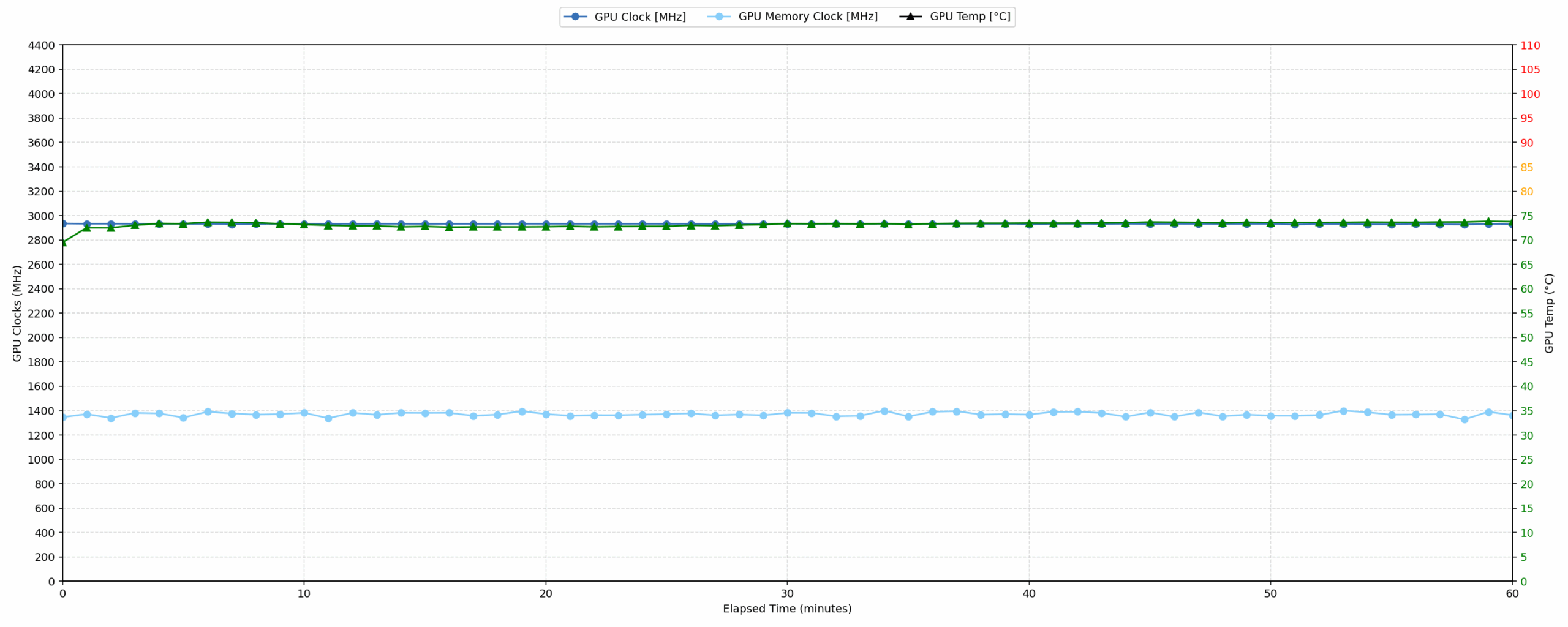
Continuous gaming simulation (1-hour test)
This test evaluates the laptop’s performance under sustained GPU load and high CPU usage.
| NVIDIA GeForce RTX 5050 | Avg. GPU Clock | Avg. GPU Temp. | Avg. Memory Clock | Avg. GPU Mem Temp. | Avg. GPU Power |
| Lenovo Legion 5 (15″, Gen 10) | 2944 MHz | 85 °C | 1272 MHz | 77 °C | 111 W |
| Lenovo LOQ 15 (15IPH11) | 2931 MHz | 73 °C | 1370 MHz | 63 °C | 103 W |
| HP Victus Gaming 15 (15-fb3000) | 2756 MHz | 78 °C | 1148 MHz | 72 °C | 79 W |
| Lenovo LOQ Essential (15″, Gen 11, 15IRX11) | 2371 MHz | 73 °C | 1125 MHz | 74 °C | 60 W |
| MSI Cyborg 17 B13W | 1985 MHz | 66 °C | 1125 MHz | 63 °C | 44 W |
The one-hour gaming simulation is where the LOQ 15IPH11 makes its strongest case as a proper mainstream gaming laptop rather than a thin, power-limited RTX 5050 machine. The GPU averages 2931 MHz at 103 W, with the minimum clock dropping only to 2910 MHz during the run. That puts it very close to the Lenovo Legion 5 (15″, Gen 10), while clearly ahead of lower-power RTX 5050 implementations such as the HP Victus Gaming 15, LOQ Essential, and MSI Cyborg 17.
The thermal behavior is also reassuring. The GPU core averages 73 °C, while the memory temperature averages only 63 °C, both of which are comfortably within safe limits for sustained gaming. More importantly, we did not observe the kind of clock collapse or power drop that can turn a good short benchmark result into inconsistent real-world gaming performance. In this test, the LOQ 15IPH11 remains stable over time.
Battery Life
The Lenovo LOQ 15IPH11 is equipped with a 4-cell Li-ion battery, model L25B4PK0, with a capacity of 60.0 Wh. In our offline video playback test, it lasted 6 hours and 41 minutes, which is a respectable result for a mainstream gaming laptop with a 60Wh battery.
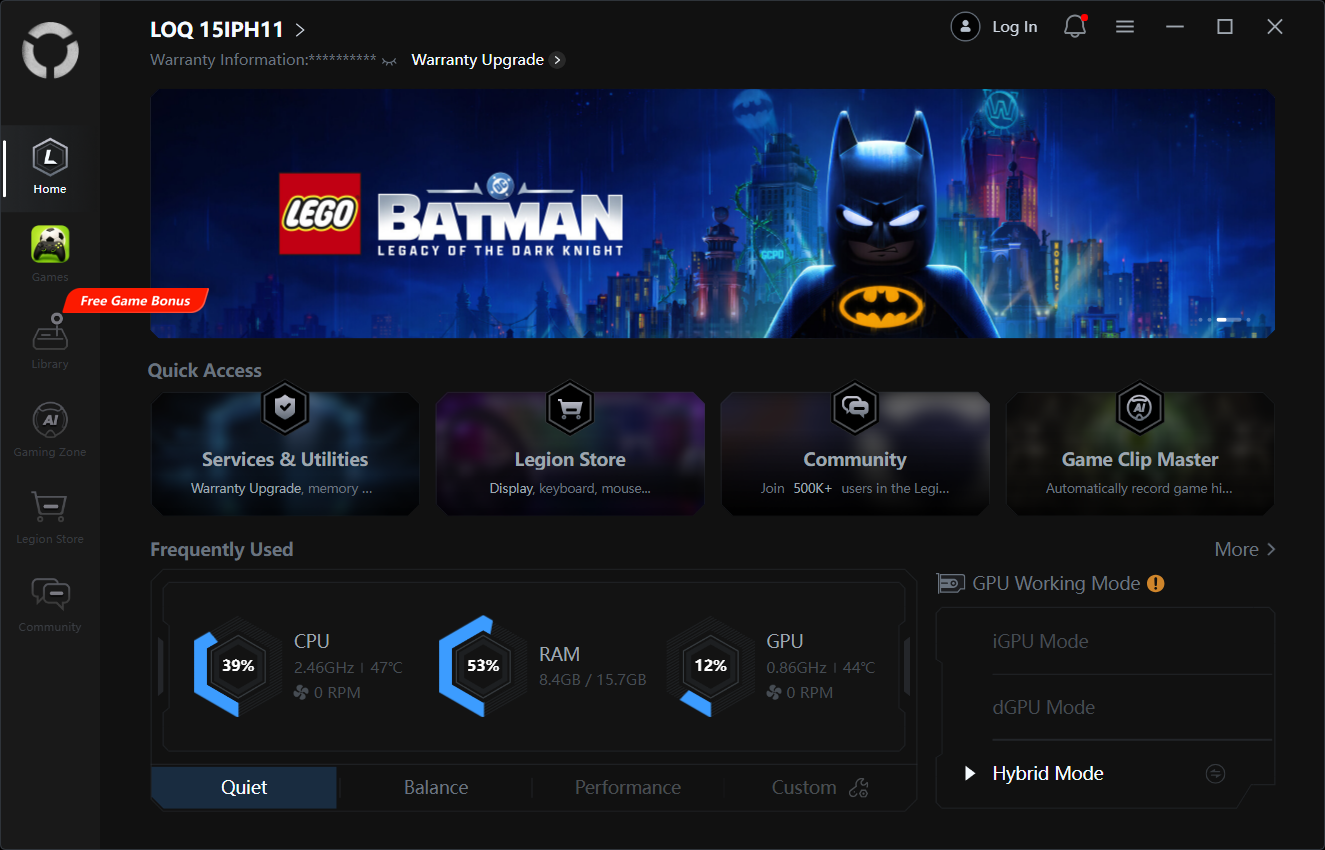
We tested the battery with the “Best Power Efficiency” mode activated in Windows settings, and with “Quiet” mode plus “Hybrid” mode enabled in the LegionSpace app.
Compared to its direct rivals, the LOQ 15IPH11 performs well for its battery size. It outlasts the Lenovo LOQ Essential 15IRX11, Gen 11 (detailed review), even though both machines use a 60Wh battery, and it also stays ahead of the HP Victus Gaming 15-fb3000 (detailed review), despite the Victus having a larger 70Wh unit. The Lenovo Legion 5 15″, Gen 10 (detailed review) remains in another league here, mainly thanks to its bigger 80Wh battery. Still, for a gaming laptop in this class, the LOQ 15IPH11 delivers solid unplugged video playback time rather than feeling like a machine that must always stay near the charger.
Brightness: 180 nits; Display Mode: SDR
Time to Full Discharge: Higher is Better
Disassembly, Upgrade options, and Maintenance
Getting inside the Lenovo LOQ 15IPH11 is fairly straightforward. The bottom panel is held by 10 screws, with the first four being shorter than the rest, so it is worth keeping them separated during disassembly. After the screws are out, the panel can be released with a thin plastic tool, but the clips are tight, so patience is needed and the tool should not be pushed too deeply inside the chassis.
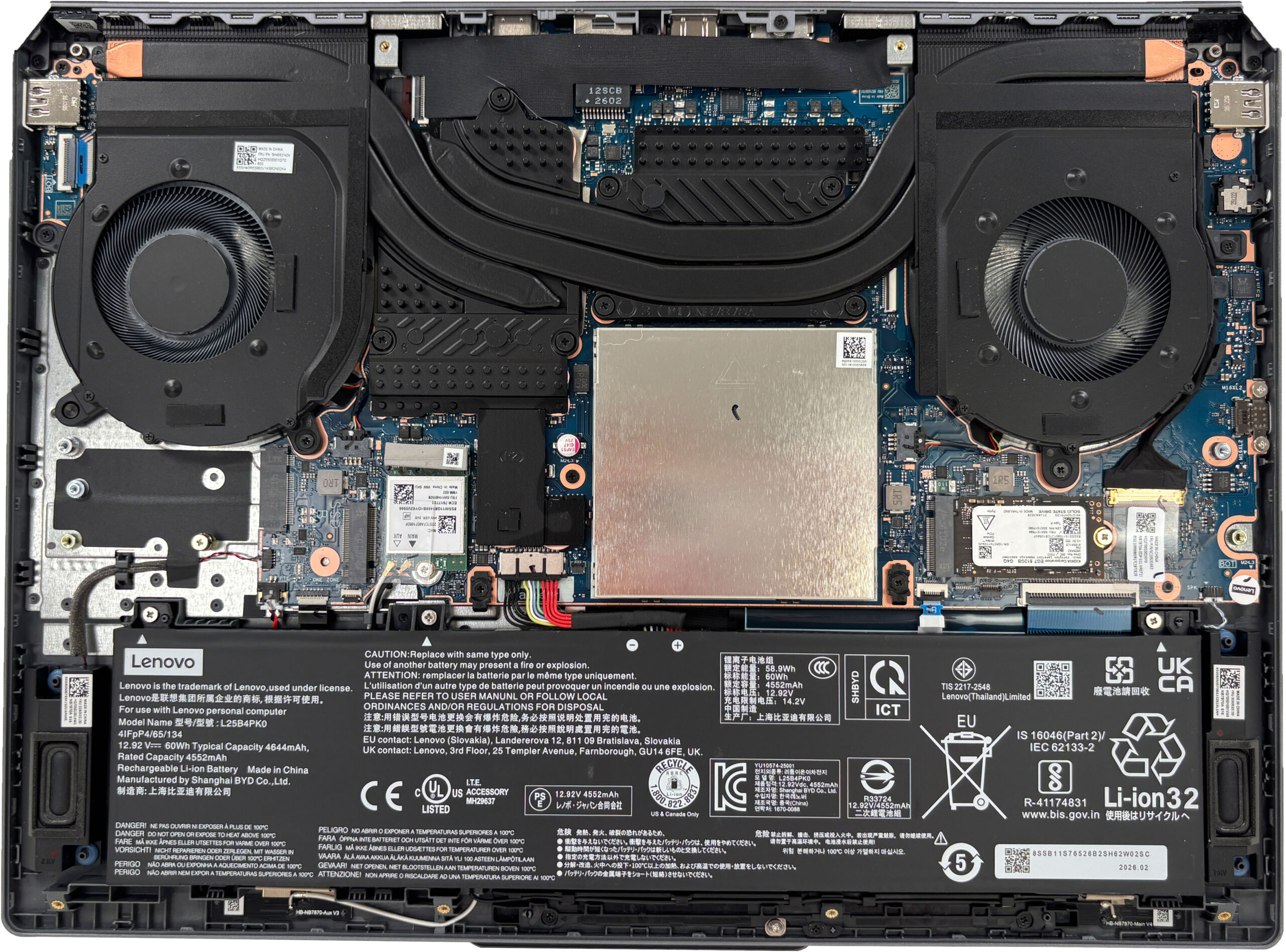
As always, the battery should be disconnected before working inside the laptop. The configuration we ordered uses a Lenovo L25B4PK0 lithium-ion pack with a 60Wh typical capacity. This is a replaceable unit, held in place with screws, and it sits along the front side of the chassis. For this class of machine, 60Wh is a reasonable capacity, though not especially large for a gaming laptop with a discrete GPU.
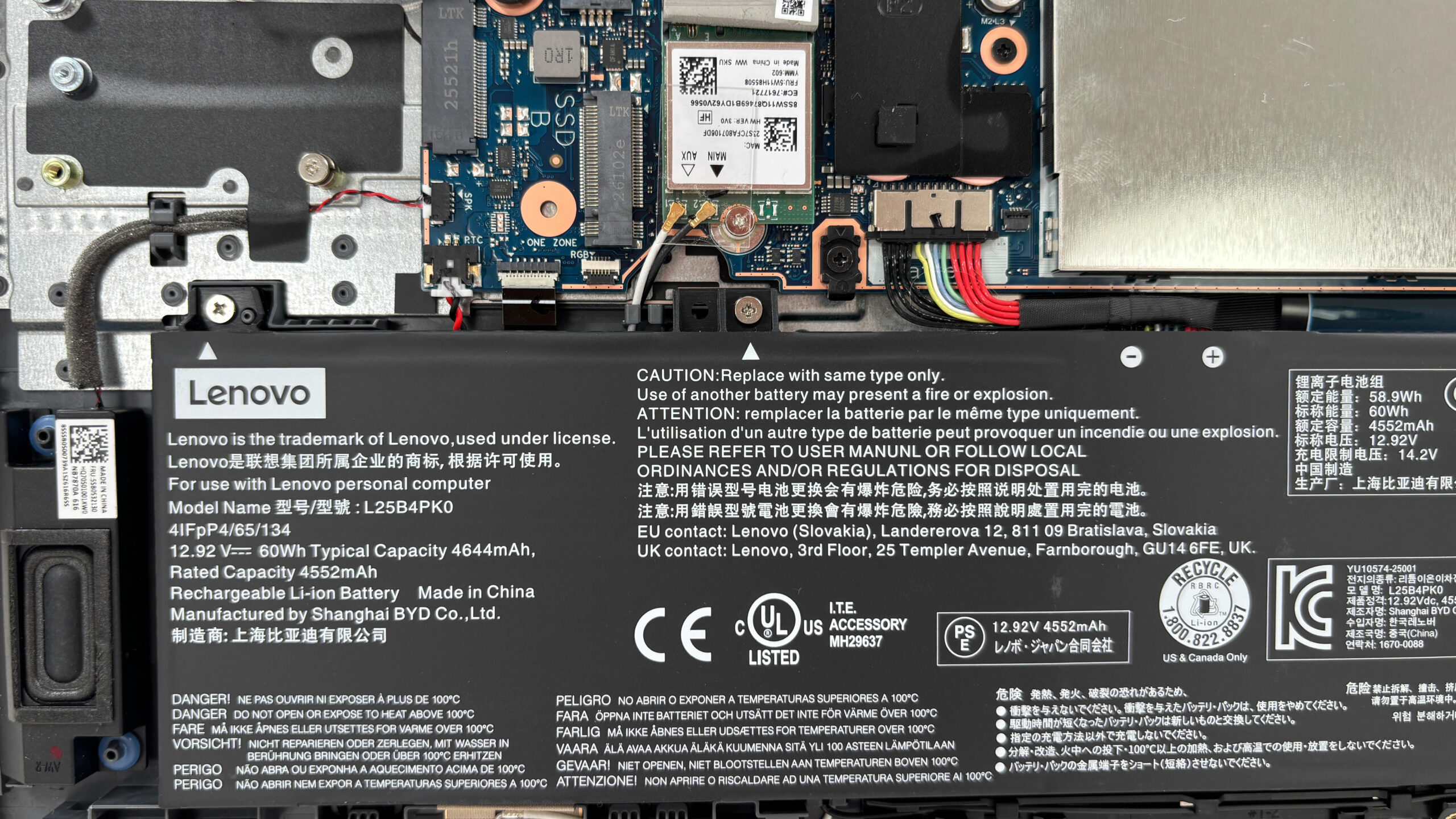
The cooling system uses two fans and a shared heat-pipe layout that covers both the Intel Core Ultra processor and the NVIDIA GeForce RTX 5050 Laptop GPU in our configuration. The GPU side gets additional cooling coverage, which makes sense considering that this chassis can also be configured with the more powerful GeForce RTX 5060 Laptop GPU, depending on the market.
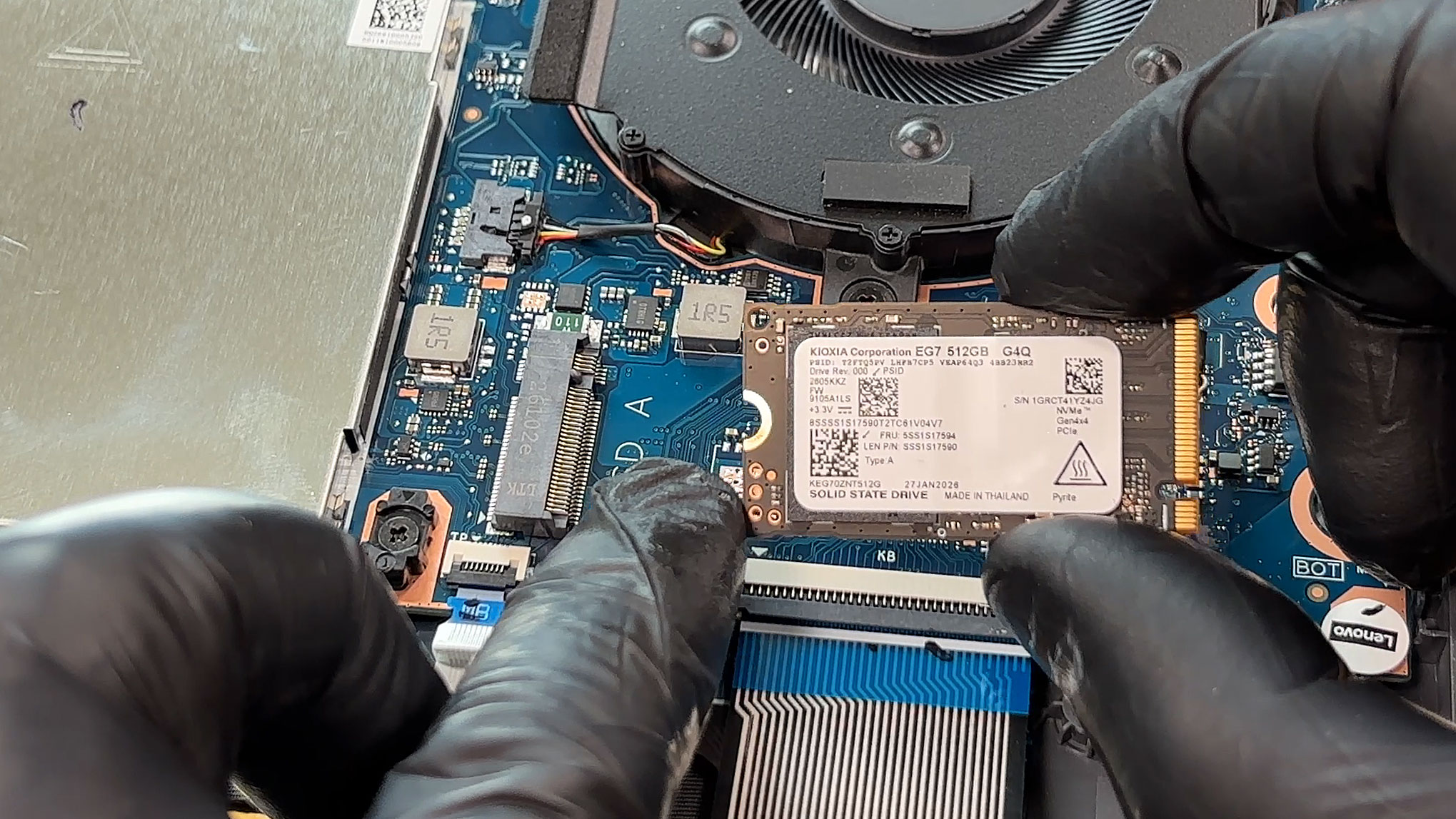
Storage upgradeability is good for a mainstream gaming laptop. Our machine comes with a 512GB KIOXIA KEG70ZNT512G LS M.2 2242 NVMe SSD installed in the primary PCIe 4.0 x4 M.2 slot.Lenovo also provides a second M.2 2280 slot for storage expansion, although it is wired for PCIe 4.0 x2 rather than x4, so the fastest SSDs will not reach their full peak benchmark potential in that slot.
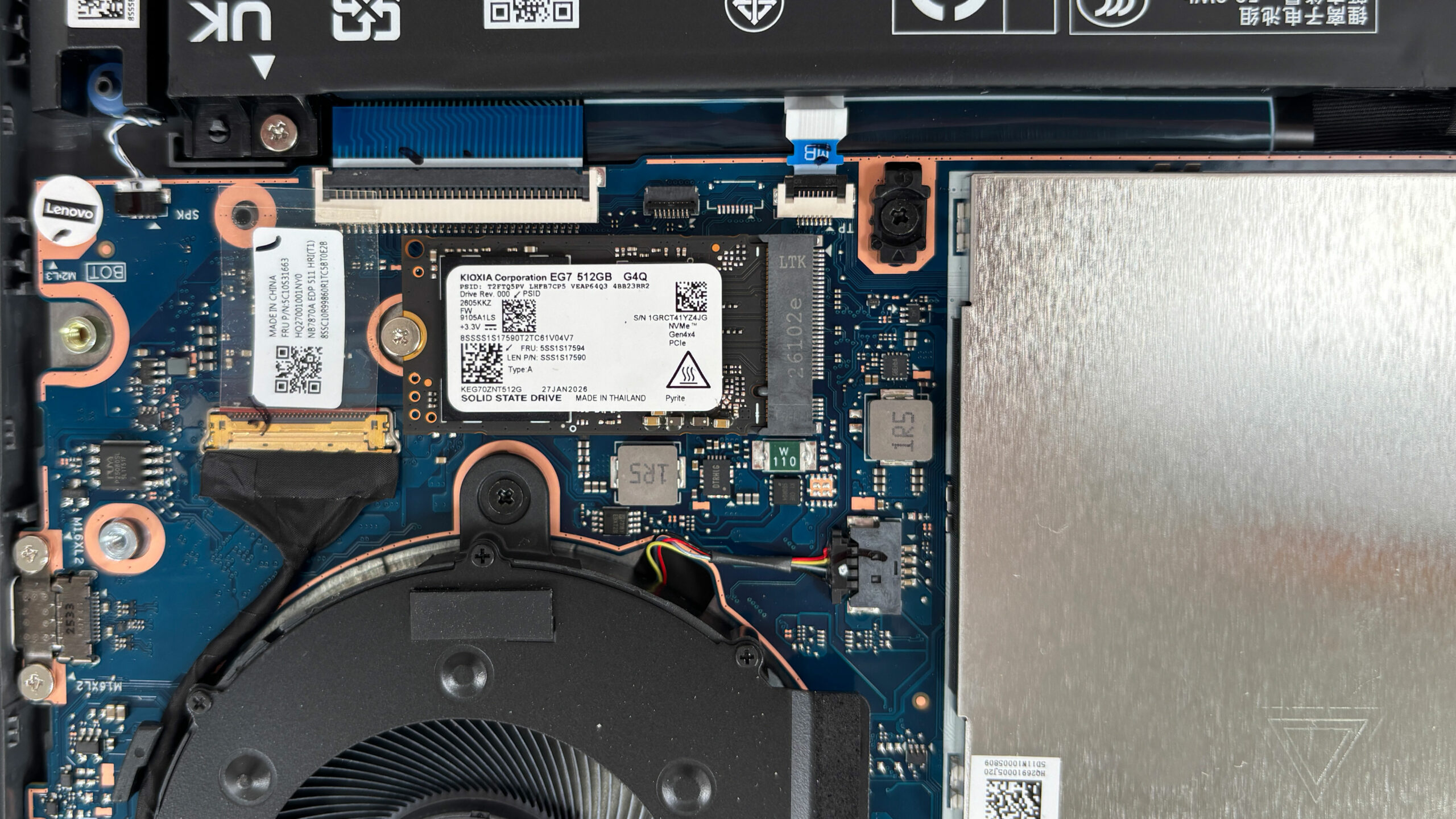
The SSD area is also helped by thermal pads placed on the inside of the bottom cover, positioned above the drive zones. This is a nice detail, because compact NVMe drives can get warm under sustained load, especially in a laptop that shares internal space with a dedicated GPU and two fans.
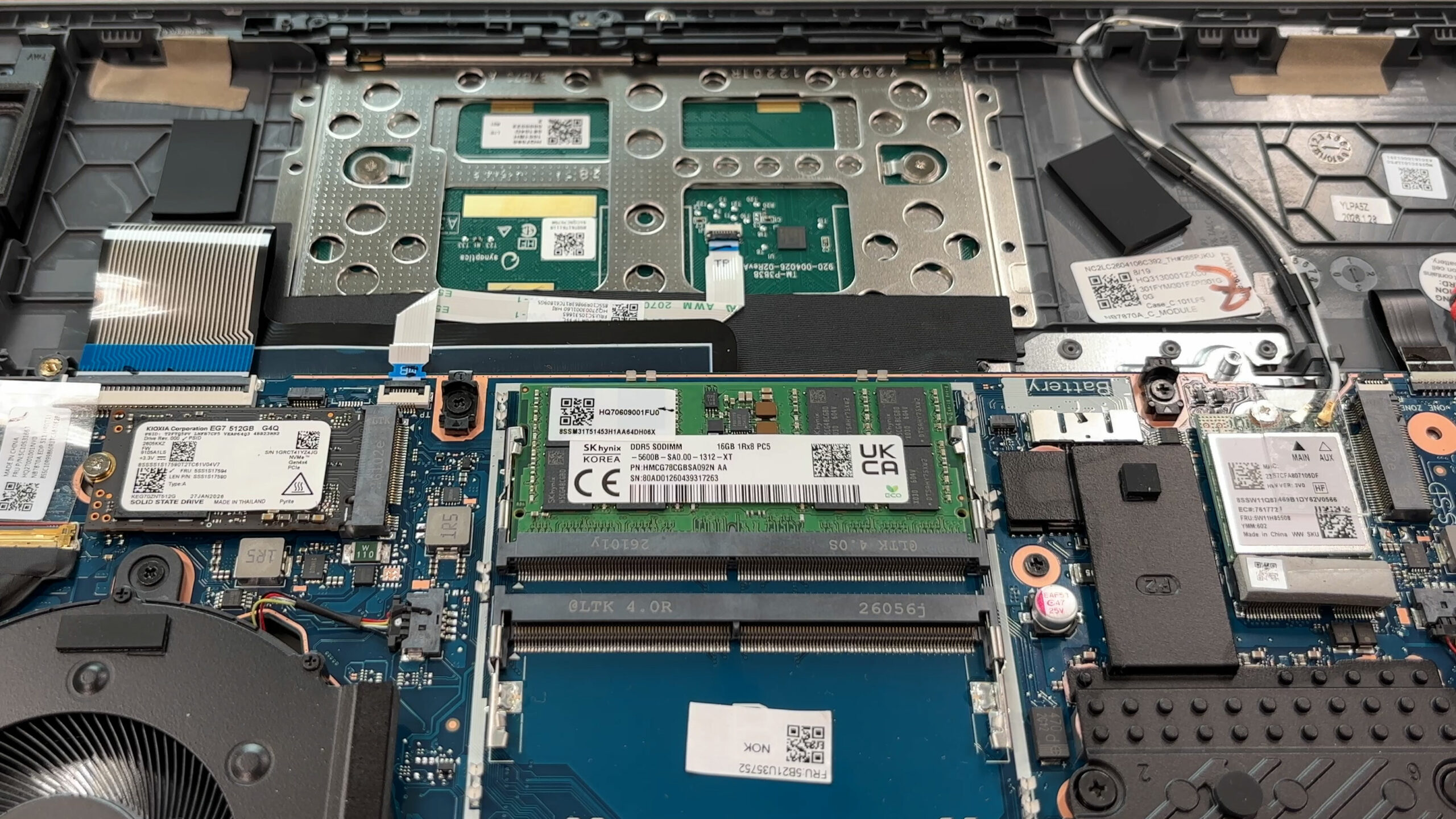
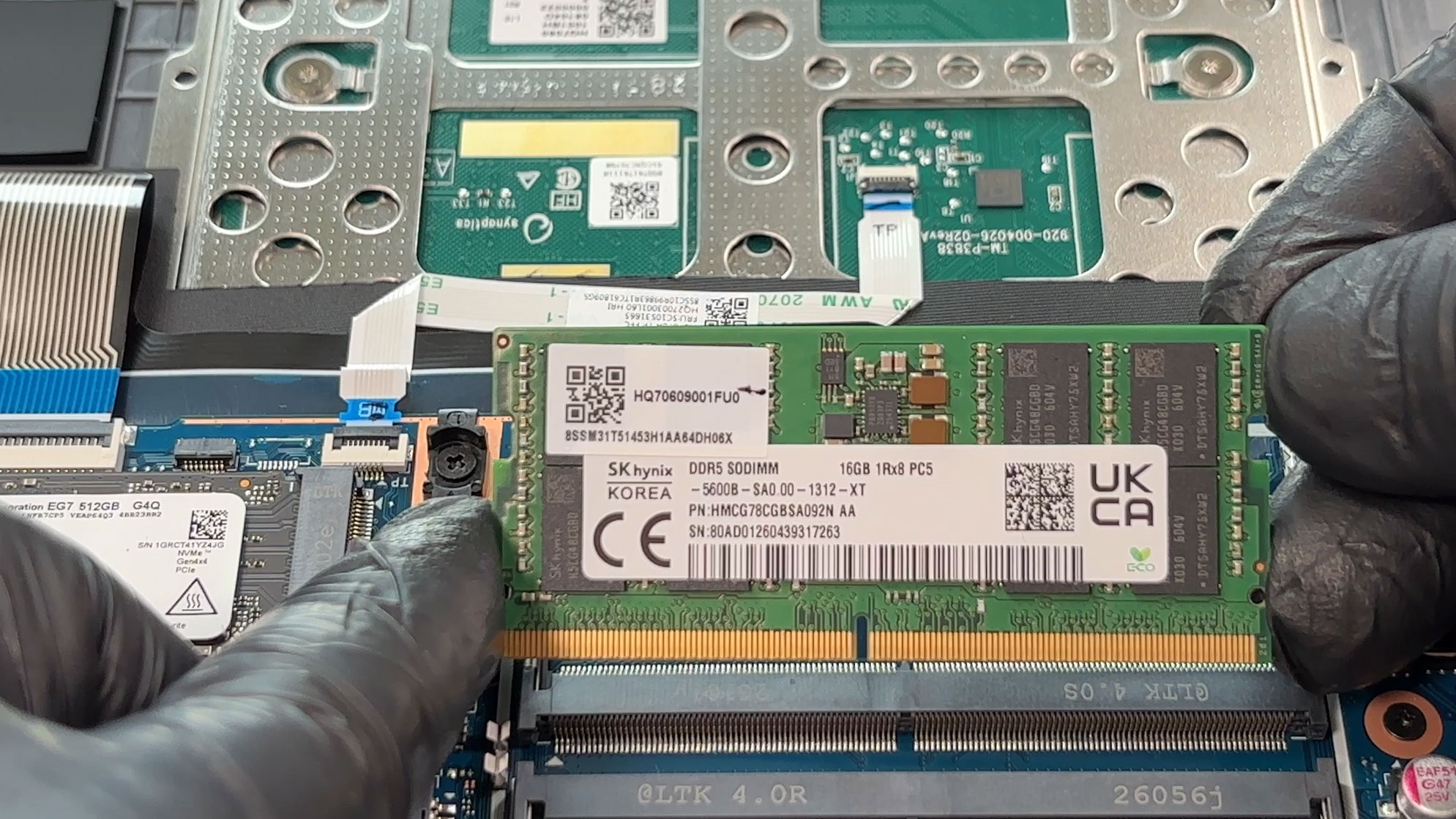
Memory is not soldered, which is great to see. Under the metal shielding plate are two DDR5 SO-DIMM slots. The configuration we ordered has one 16GB SK hynix DDR5-5600 module installed, leaving the second slot free for an easy dual-channel upgrade. Lenovo officially lists support for up to 32GB of DDR5-5600 memory.
The RAM shield is mounted quite tightly, so extra care is needed when removing and reinstalling it. When putting it back, all metal clips have to be aligned correctly before pressing down, because forcing the shield at an angle can damage the small retaining points around the slots.
The Wi-Fi card is also replaceable. Our configuration uses a Realtek RTL8852BE Wi-Fi 6 module with Bluetooth 5.3, positioned close to the battery connector and the right-side storage area. The antennas are clearly accessible, but as usual, they should be disconnected gently and reattached with proper alignment.
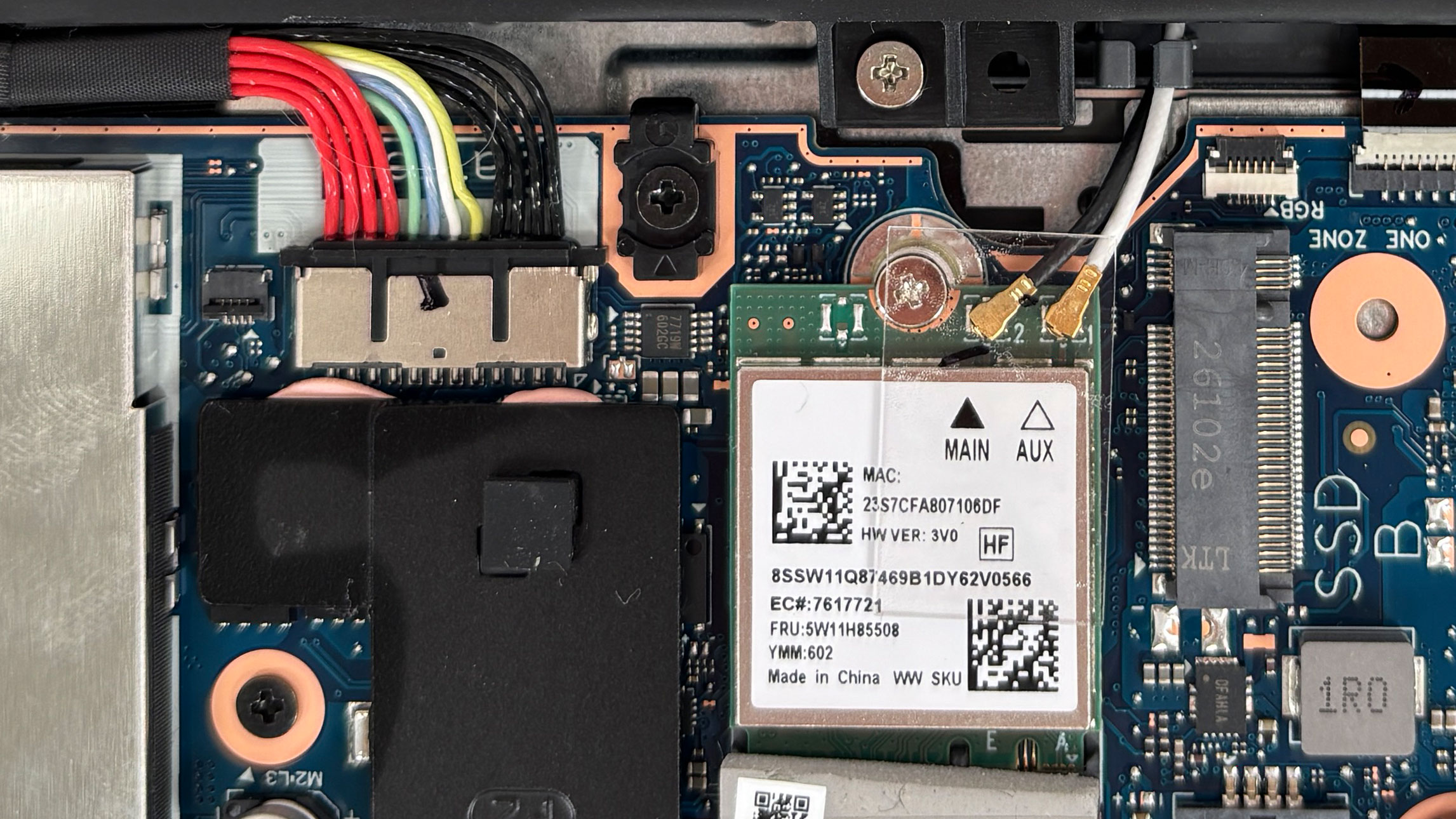
Other visible serviceable parts include the battery, the SSDs, the memory modules, the Wi-Fi card, the fans, and the speakers. The touchpad area is visible from the inside as well, but it is not something most users will need to touch during normal upgrades or cleaning.
Overall, the Lenovo LOQ 15IPH11 is easy to maintain for its class: access is simple, the main upgrade parts are replaceable, and the only real limitations are Lenovo’s official 32GB memory ceiling and the second SSD slot being limited to PCIe 4.0 x2.
Verdict
The Lenovo LOQ 15 (15IPH11, Gen 11) is a very strong example of how a budget-friendly gaming laptop can be done right. It keeps the design relatively mature and understated, avoids unnecessary visual excess, and focuses on the things that matter most in this class: stable gaming performance, good cooling, a usable display, and sensible upgrade options. It is still clearly a mainstream gaming machine with a plastic chassis and some expected cost-saving decisions, but the core experience is surprisingly well executed.
This is a laptop for the pragmatic gamer who wants strong 1200p gaming performance, low temperatures, and a comfortable display without moving into Legion-level pricing. It proves that a more affordable gaming laptop does not have to feel cheap, run hot, or behave like a heavily power-limited machine.
You can check the prices and configurations in our Specs System: https://laptopmedia.com/series/lenovo-loq-15-15iph11-gen-11/
✅ The Good
The biggest highlight of this machine is its excellent thermal behavior and long-term stability. During our stress tests, the Intel Core Ultra 7 355 stayed unusually cool, while the RTX 5050 Laptop GPU maintained high clocks and a 103W average power draw during a one-hour gaming simulation. This is important because not all RTX 5050 laptops are equal — some are limited heavily by power and cooling. In this chassis, the GPU is allowed to perform properly, which results in strong mainstream gaming performance.
The 165Hz display is also a good fit for the class. It covers 99% of the sRGB gamut, becomes highly accurate with our display profile, and does not use PWM to regulate brightness, making it comfortable for prolonged use in this regard. It is not a high-end creator panel, but for gaming, web content, and everyday work, it makes sense. We also appreciate Lenovo’s keyboard layout, especially the full-sized, separated arrow keys and the dedicated NumPad.
The port selection is another practical advantage. The thick cables are routed to the rear, while the side layout remains clean enough for comfortable mouse use. The presence of a Thunderbolt 4 port is a welcome addition in this price segment, and the chassis, despite being plastic, feels solid and does a very good job of hiding fingerprints.
❌ The Bad
The most notable compromise is in the storage upgrade path. While you do get two M.2 slots, the secondary slot is limited to PCIe 4.0 x2, so very fast SSDs will not reach their full peak benchmark potential there. For game storage and everyday use, this is not a deal-breaker, but it is still a limitation worth knowing before upgrading.
The Intel Core Ultra 7 355 is perfectly adequate for gaming, office work, multitasking, and casual content creation, but it is not the CPU to choose if heavy rendering, long video exports, or intensive multi-core workloads are your priority. The stronger Core Ultra 7 356H option makes more sense for that type of work. Also, there is no fingerprint reader, and IR camera support depends on the configuration, so not every LOQ 15IPH11 will offer biometric login.
🆚 The Competitors
Compared to the HP Victus Gaming 15 (15-fb3000) (detailed review), the Lenovo LOQ 15IPH11 looks like the stronger overall gaming choice. It delivers higher GPU performance, runs cooler under sustained load, and offers a better display package. The Victus still has its place as a budget machine, but the LOQ feels more complete if gaming stability and screen quality matter to you.
Against the Lenovo Legion 5 (15″, Gen 10) (detailed review), the LOQ 15IPH11 holds up surprisingly well in GPU stability, coming very close in sustained RTX 5050 behavior. The Legion remains the better machine for heavier CPU work and battery life, mainly thanks to its faster processor and larger 80Wh battery. However, for buyers who mainly want cool and stable gaming performance at a lower price, the LOQ 15IPH11 is the more budget-conscious choice.
Pros
- Excellent CPU and GPU temperatures under heavy load
- High-wattage RTX 5050 implementation with strong sustained gaming performance
- PWM-free 165Hz IPS display with 99% sRGB coverage
- Very good color accuracy with our Design and Office profile
- Comfortable keyboard with full-sized, separated arrow keys and a NumPad
- Practical rear-port layout with Thunderbolt 4
- Solid-feeling plastic chassis that resists fingerprints well
- Two user-accessible RAM slots and two M.2 SSD slots
Cons
- Secondary M.2 SSD slot is limited to PCIe 4.0 x2 speeds
- Core Ultra 7 355 is not ideal for heavy multi-core workloads
- No fingerprint reader; IR camera availability depends on the configuration
- Wi-Fi 6 only, with no Wi-Fi 6E or Wi-Fi 7 support
 Author: Simeon NikolovEditor-in-Chief at LaptopMedia.com with 20+ years of experience in testing and analyzing laptops and mobile devices.
 Author: eng. Kroum NikolovHead of Engineering at LaptopMedia.com, inventor and innovator with 40+ years of experience in electronics and high technology.

![[August 2026] Amazon Italy: Top 10 Best-Selling Laptops – Apple MacBook Neo Claims the Crown as Budget and Mid-Range Windows Machines Dominate Volume](https://laptopmedia.com/wp-content/uploads/2026/09/Best-Selling-Laptops-IT-Top-10-400x225.jpg)
![[August 2026] Amazon Italy: Top 7 Best-Selling Gaming Laptops – ASUS V16 Claims the #1 Spot Amid Strong Mid-Range Demand](https://laptopmedia.com/wp-content/uploads/2026/09/Best-Selling-Gaming-Laptops-IT-Top-10-400x225.jpg)
![[August 2026] Best-Selling Laptop Brands on Amazon Italy – Lenovo Dominates Market Share and Revenue Leadership](https://laptopmedia.com/wp-content/uploads/2026/09/IT-Best-Brands-400x225.jpg)
![[August 2026] Amazon India: Top 10 Best-Selling Laptops – Apple MacBook Neo Dominates the Charts with Massive Sales Lead](https://laptopmedia.com/wp-content/uploads/2026/09/Best-Selling-Laptops-IN-Top-10-400x225.jpg)
![[August 2026] Amazon India: Top 10 Best-Selling Gaming Laptops – HP Victus 15 Dominates the Market with Massive Unit Lead](https://laptopmedia.com/wp-content/uploads/2026/09/Best-Selling-Gaming-Laptops-IN-Top-10-400x225.jpg)