Lenovo Legion 5i (15″, Gen 11) review – Full-Power RTX 5060, OLED Display, and Real Upgradeability
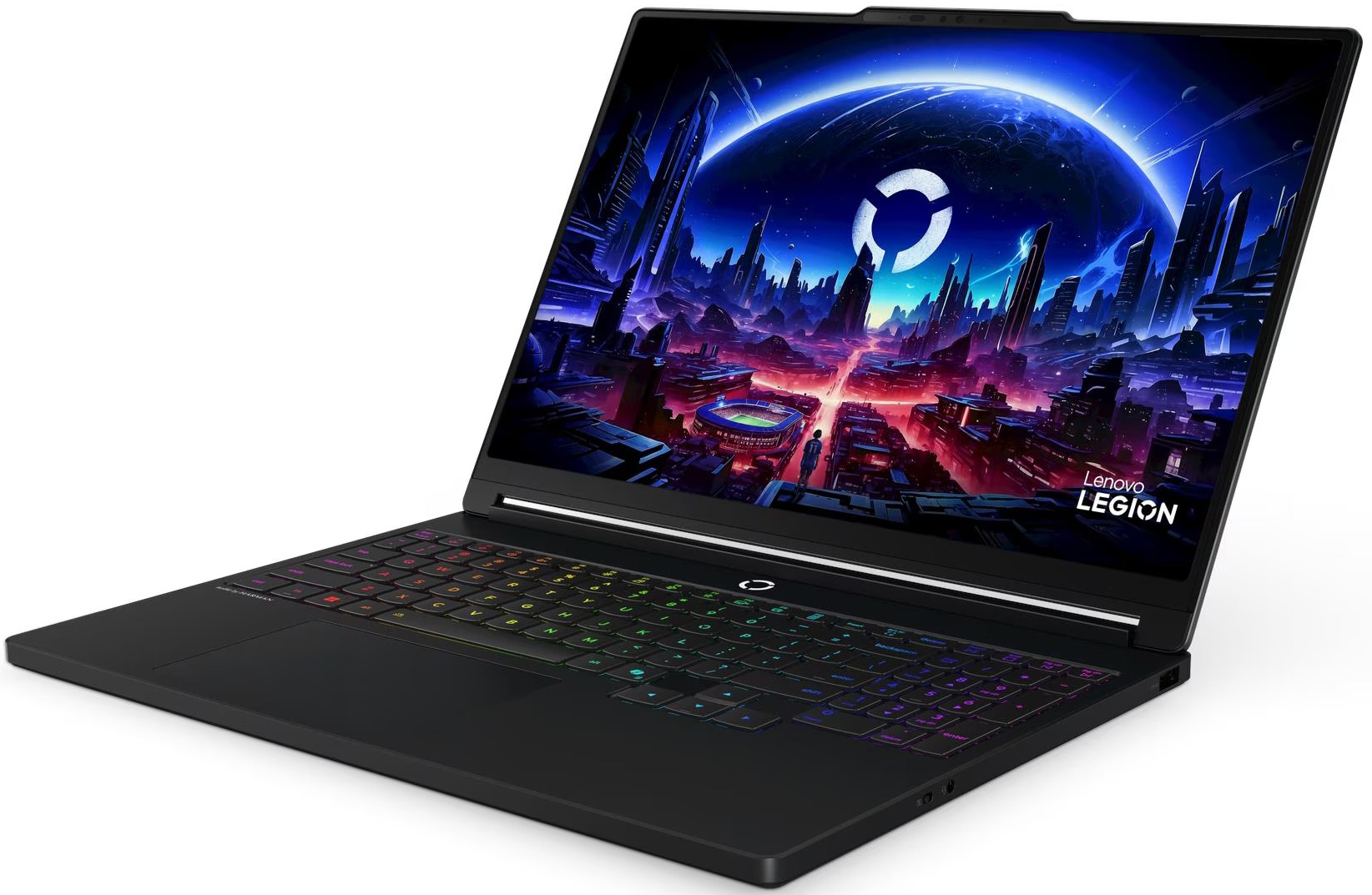
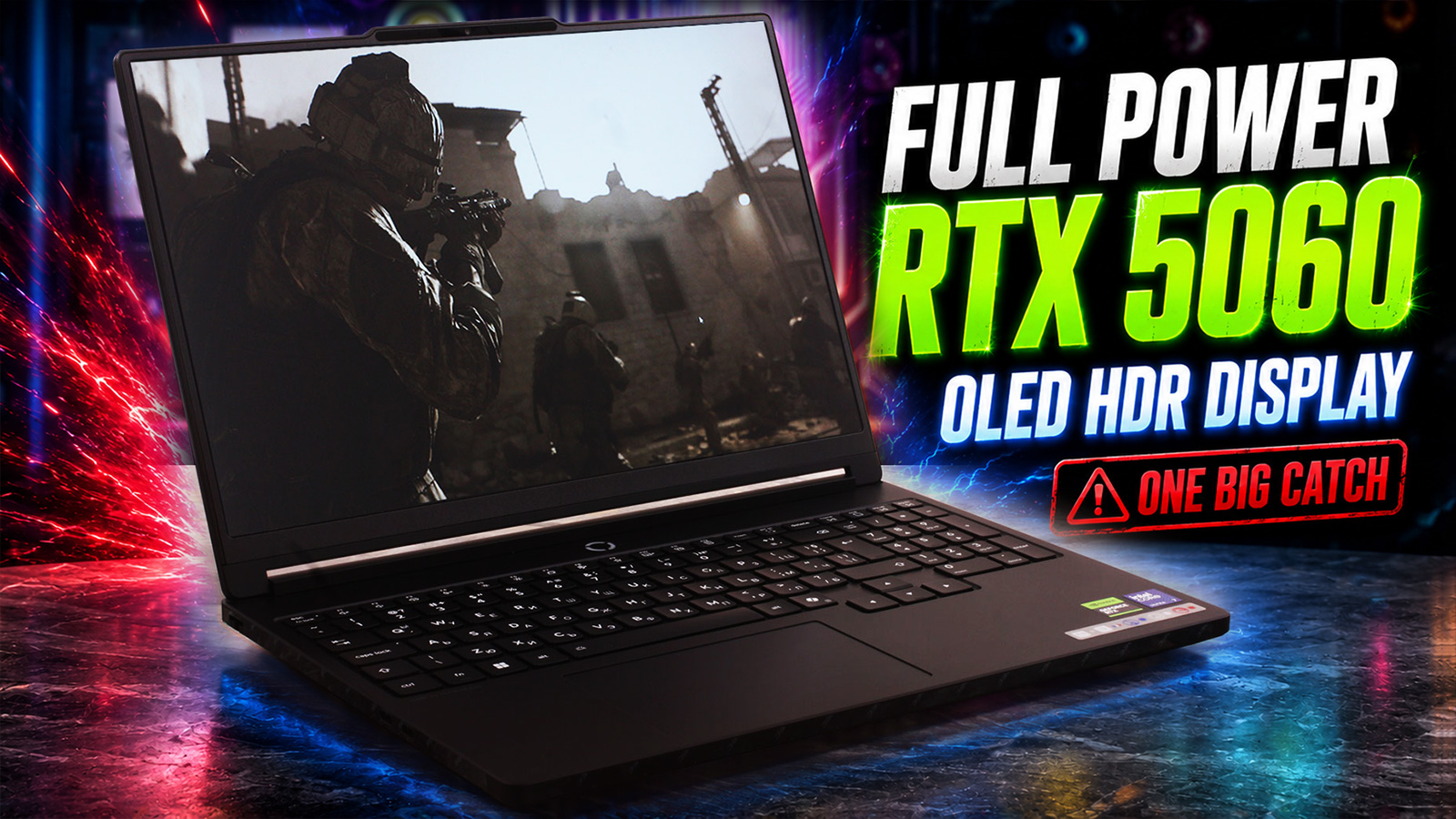 This might be the most understated RTX 5060 gaming laptop we’ve tested so far. The Lenovo Legion 5i (15″, Gen 11) looks clean, almost business-like, but in our tests, the configuration we ordered came surprisingly close to larger gaming machines in sustained GPU performance. It sits in the sweet spot: not a budget laptop, not a massive flagship, but an upper-mainstream gaming machine with a 165Hz OLED display, replaceable RAM, two M.2 slots, Thunderbolt 4, and a keyboard that actually makes sense for work too.
But the real question is whether Lenovo managed to build the most practical 15-inch RTX 5060 laptop …or whether the glossy OLED screen, fan behavior, and missing extras hold it back. The answer turned out to be more interesting than we expected.
TESTED CONFIGURATION:
– Intel Core Ultra 7 356H
– NVIDIA GeForce RTX 5060 Laptop GPU
– 32GB DDR5-5600 RAM
– 1TB NVMe SSD
– 15.3″ WQXGA (2560×1600) OLED, 165 Hz
You can check the prices and configurations in our Specs System: https://laptopmedia.com/series/lenovo-legion-5-15iph11-gen-11/
Contents
Specs, Drivers, What’s in the box
Lenovo Legion 5 (15IPH11, Gen 11) - Specs

- HDD/SSD
- up to 2000GB SSD
- M.2 Slot
- 2x 2280 M.2 NVMe PCIe 4.0 x4 See photo
- RAM
- up to 32GB
- OS
- Windows 11 Home, No OS, Windows 11 Pro
- Battery
- 80Wh
- Body material
- Plastic / Polycarbonate, Aluminum
- Dimensions
- 344 x 244.5 x 18.95 - 19.95 mm (13.54" x 9.63" x 0.75")
- Weight
- 1.87 kg (4.1 lbs)
- Ports and connectivity
- 1x USB Type-A
- 3.2 Gen 1 (5 Gbps)
- 1x USB Type-A
- 3.2 Gen 2 (10 Gbps)
- 1x USB Type-A
- 3.2 Gen 2 (10 Gbps), Sleep and Charge
- 1x USB Type-C
- 3.2 Gen 2 (10 Gbps), Power Delivery (PD), DisplayPort
- 1x USB Type-C
- Thunderbolt 4, Power Delivery (PD), DisplayPort
- HDMI
- 2.1 (8K@60Hz)
- Card reader
- Ethernet LAN
- 10, 100, 1000 Mbit/s
- Wi-Fi
- Wi-Fi 6E / Wi-Fi 7
- Bluetooth
- 5.3 / 5.4
- Audio jack
- 3.5mm Combo Jack
- Features
- Fingerprint reader
- Web camera
- 5.0MP + IR, with E-shutter, fixed focus
- Backlit keyboard
- Microphone
- Dual-microphone array
- Speakers
- Stereo speakers, 2W x2, audio by HARMAN, optimized with Nahimic Audio
- Security Lock slot
All Lenovo Legion 5 (15IPH11, Gen 11) configurations
Drivers
All drivers and utilities for this notebook can be found here: https://pcsupport.lenovo.com/us/en/products/laptops-and-netbooks/legion-series/legion-5-15iph11/downloads
What’s in the box?
The box contents of the Legion 5i can vary depending on the region and the exact configuration. Lenovo lists optional extras such as an anti-reflection screen protector or a Legion M220 wireless RGB mouse, and the former would actually make a lot of sense here, given the glossy OLED display.
Our European retail unit keeps things simple. Inside the box, we found the laptop itself, the usual paperwork, and the standard 245W Slim Tip power adapter. There was no bundled mouse or screen protector in our package, so if those extras matter to you, it is worth checking the exact retailer listing before ordering.
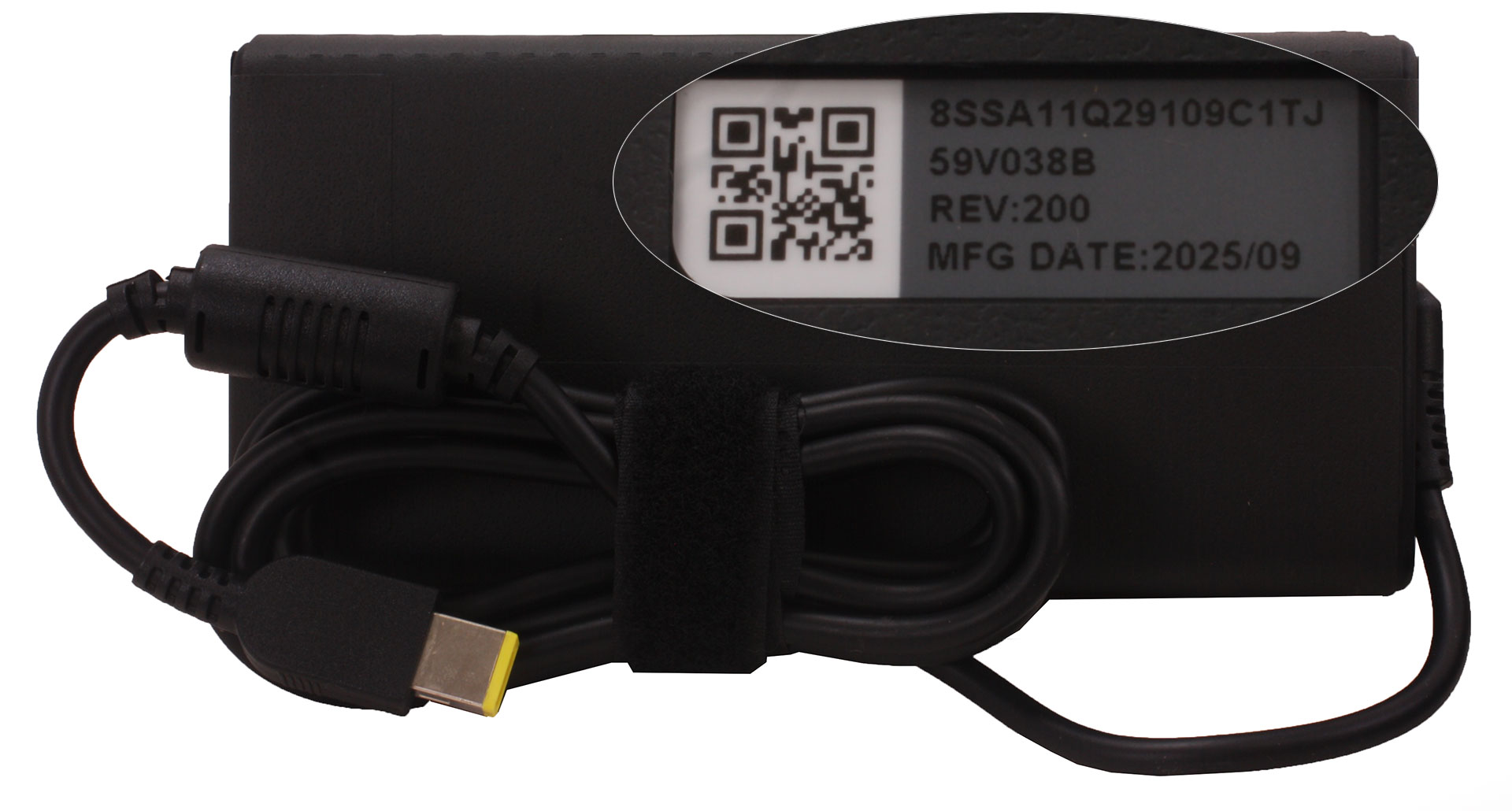
The 245W adapter is the important part of the package, since this is what allows the laptop to run at full performance. USB-C charging is supported as well, but it is better treated as a convenience option for lighter use rather than the main power source for gaming or heavy workloads.
Design and construction
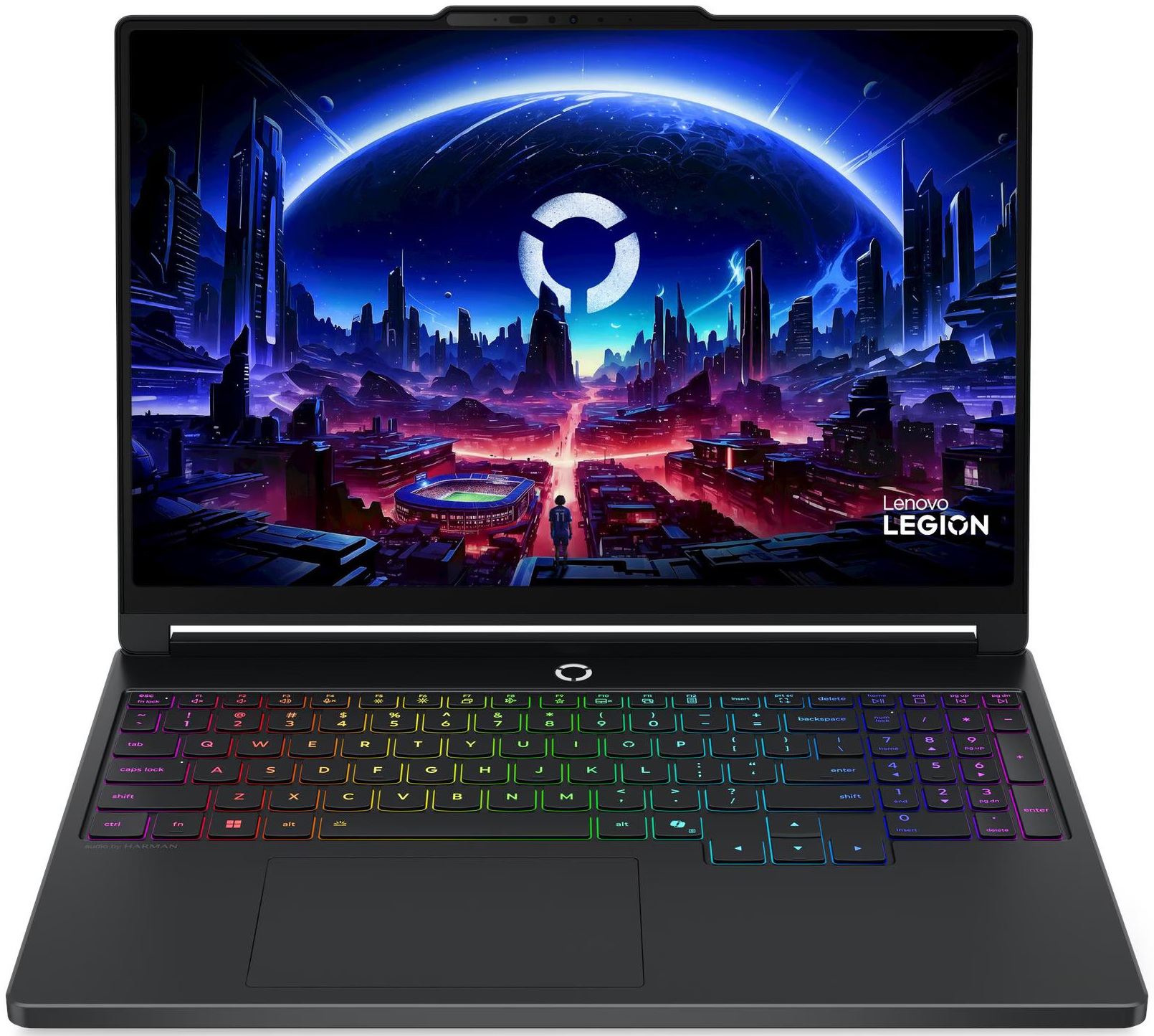
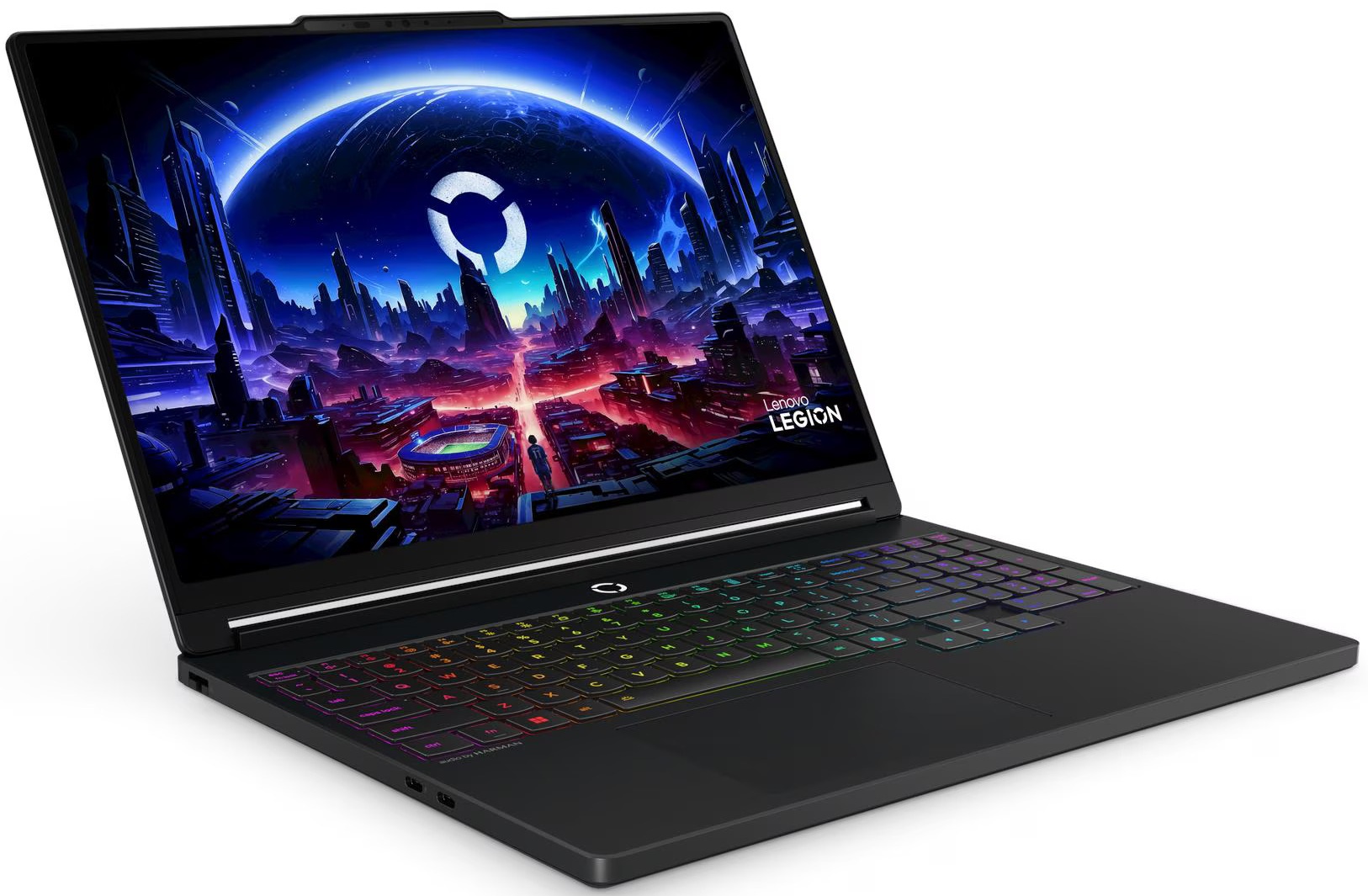
The Lenovo Legion 5i (15″, Gen 11) walks a fine line between a proper gaming laptop and a clean, productivity-friendly machine. It still has enough Legion DNA to look purposeful, but it avoids the overly aggressive ornaments that used to define many gaming notebooks. The result is a more mature design that would not look out of place on a work desk, even though the hardware inside is clearly built for gaming.
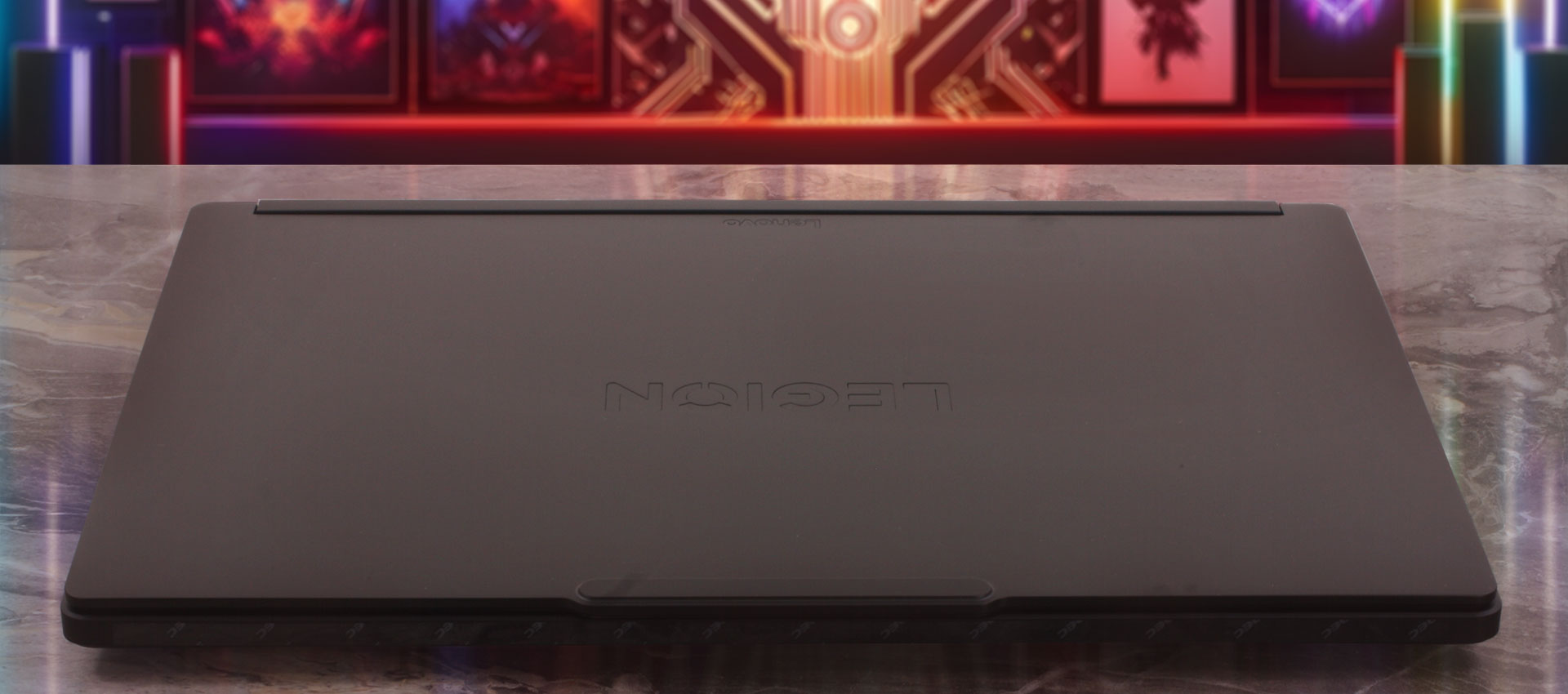
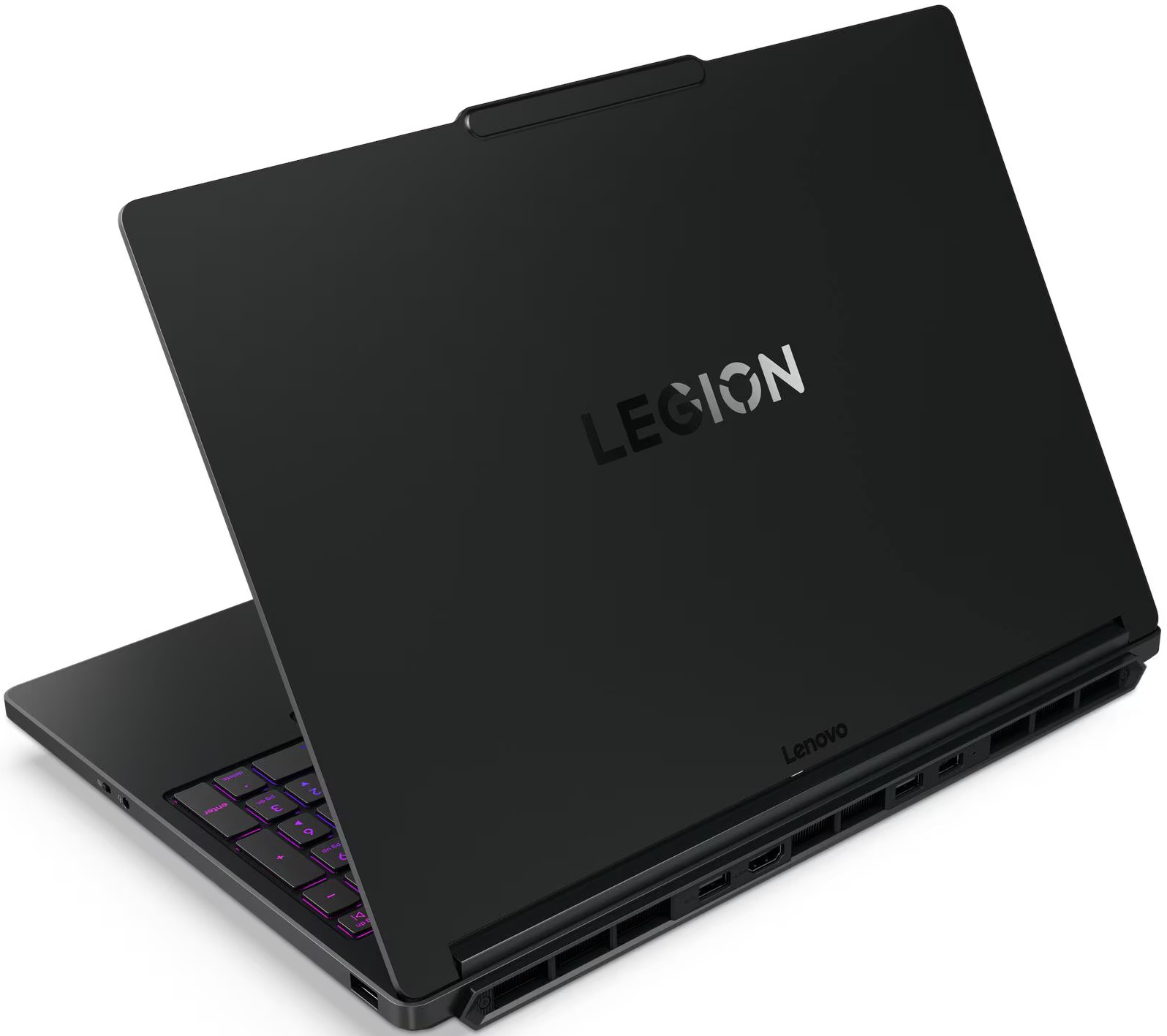
We ordered our unit in “Eclipse Black,” a dark, stealthy shade that appears to be the only color option currently available for this line. The material choice reflects a sensible balance between premium feel and practicality: the lid is made from anodized, sandblasted aluminum, while the bottom chassis uses painted PC-ABS plastic. There is no exterior system lighting here, so the laptop keeps a relatively restrained look when the keyboard backlight is off. Usually, matte black surfaces are absolute fingerprint magnets, but Lenovo pleasantly surprised us here. The interior palm rest remains remarkably clean during use, and while the metal lid does pick up some faint smudges, they are not distracting or demanding of a constant wipe-down.
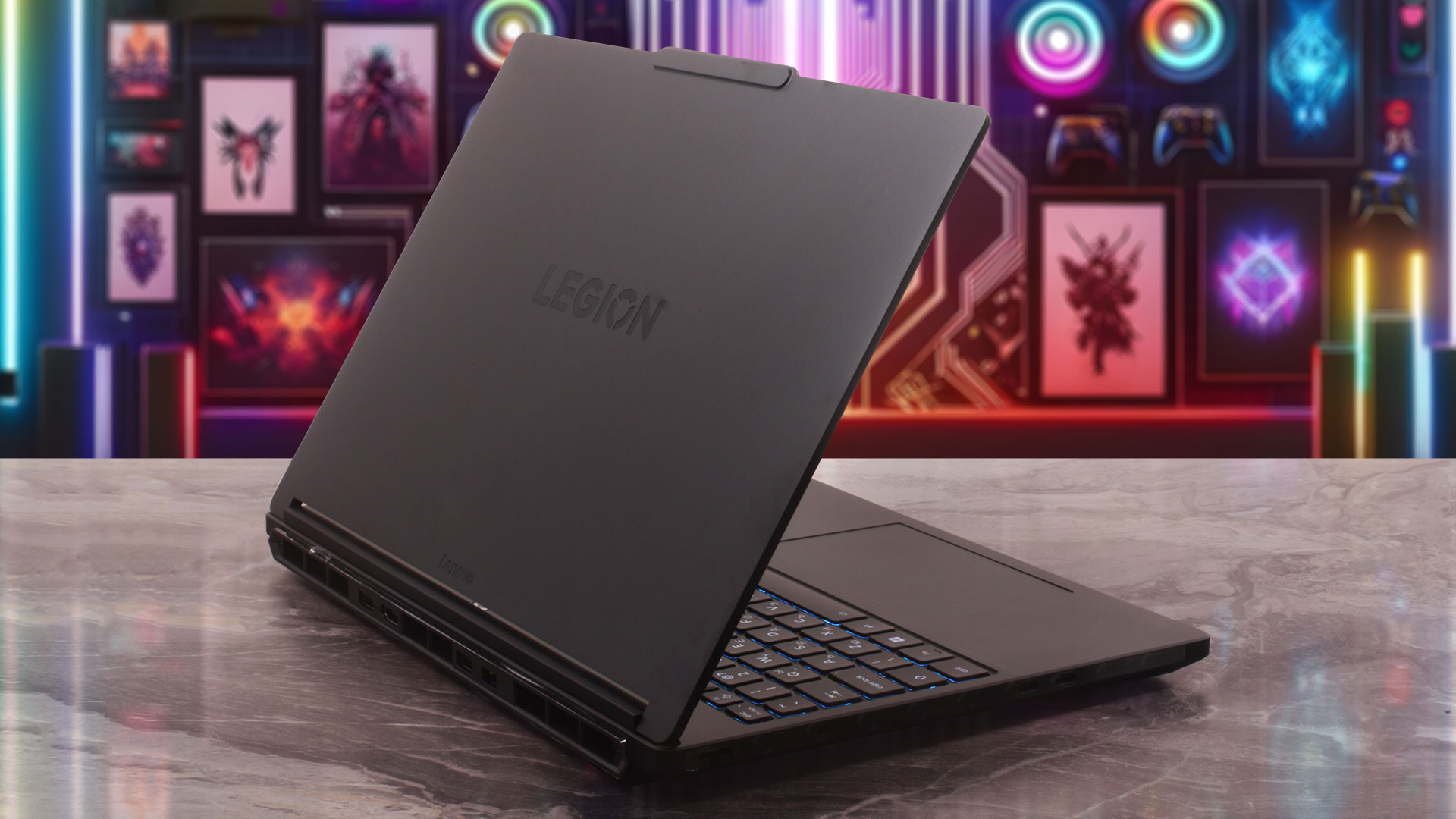
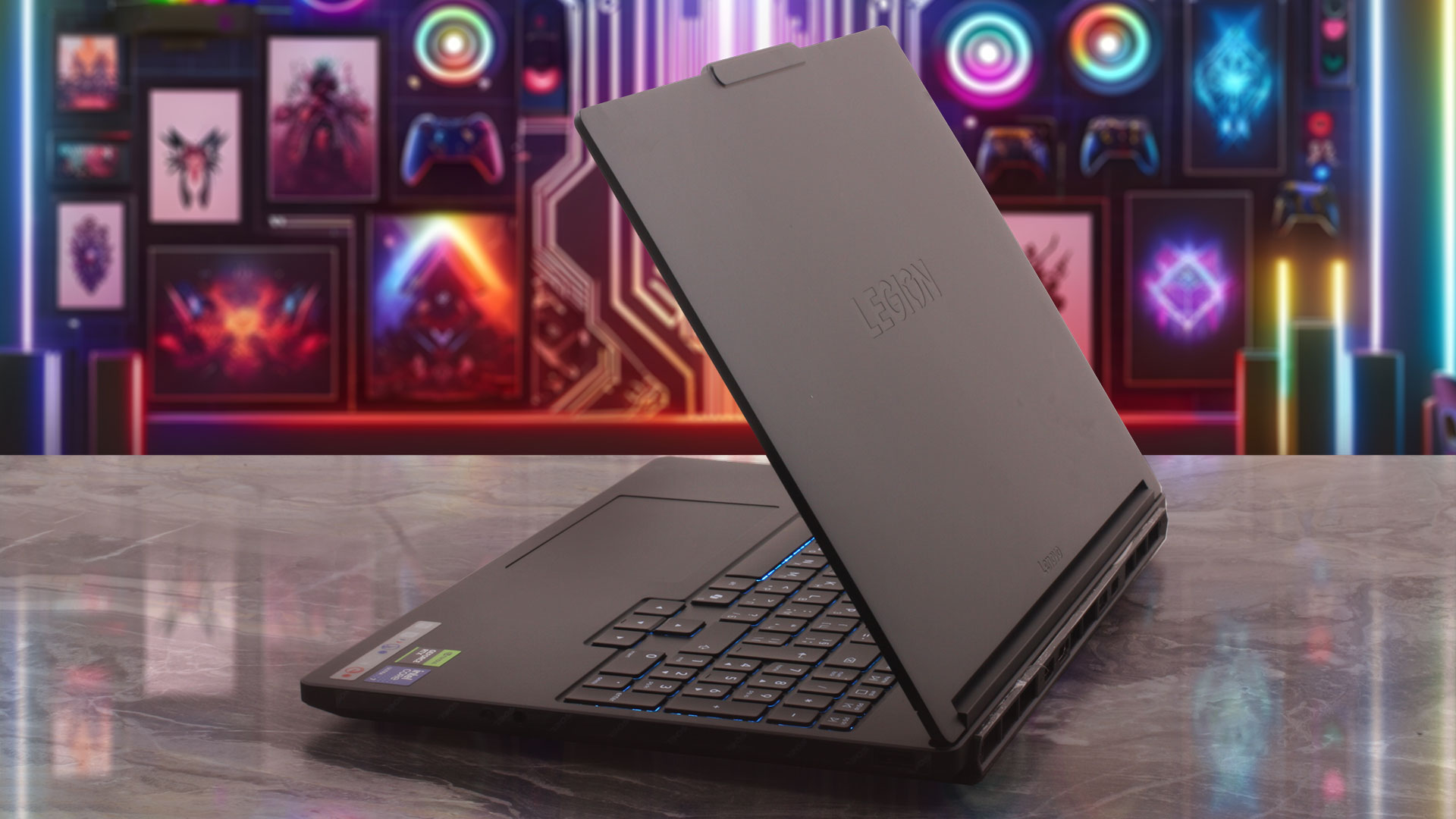
For a machine with a dedicated RTX GPU, the Legion 5i is impressively compact. It is not an ultrabook, of course, but it is much closer to the modern thin gaming category than to the bulky desktop-replacement machines of the past. Here is how its physical footprint measures up:
| Lenovo Legion 5i (15″, Gen 11) | Dimensions | Weight |
| Metric units | 344 x 244.5 x 18.95-19.95 mm | 1.87 kg |
| U.S. customary | 13.54 x 9.63 x 0.75-0.79 in | 4.12 lbs |
Keep in mind that Lenovo’s official height figure does not include the small rear bump, but even with that in mind, this remains a relatively slim gaming notebook.
When it comes to structural integrity, the chassis feels solid and well put together. You can coax out a slight flex if you press down heavily on the panels, but there is nothing concerning for daily operation; the machine feels sturdy enough for regular transport, typing, and long gaming sessions. The hinges are excellent as well, allowing the display to fold completely flat to a full 180 degrees. While there are no touchscreen configurations available, we still appreciate the ergonomic flexibility and sharing convenience of a lay-flat hinge. There is no lift-up hinge mechanism that raises the rear of the base for extra airflow, so cooling relies on the standard intake and exhaust layout.
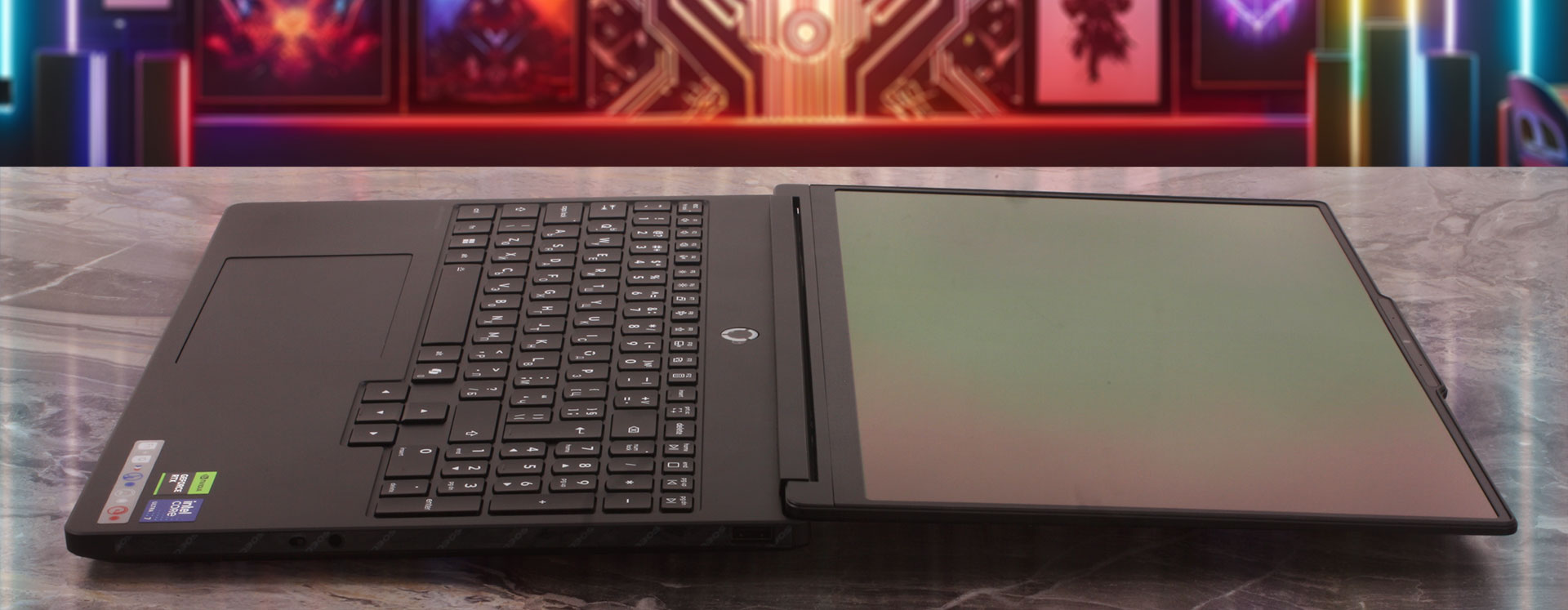
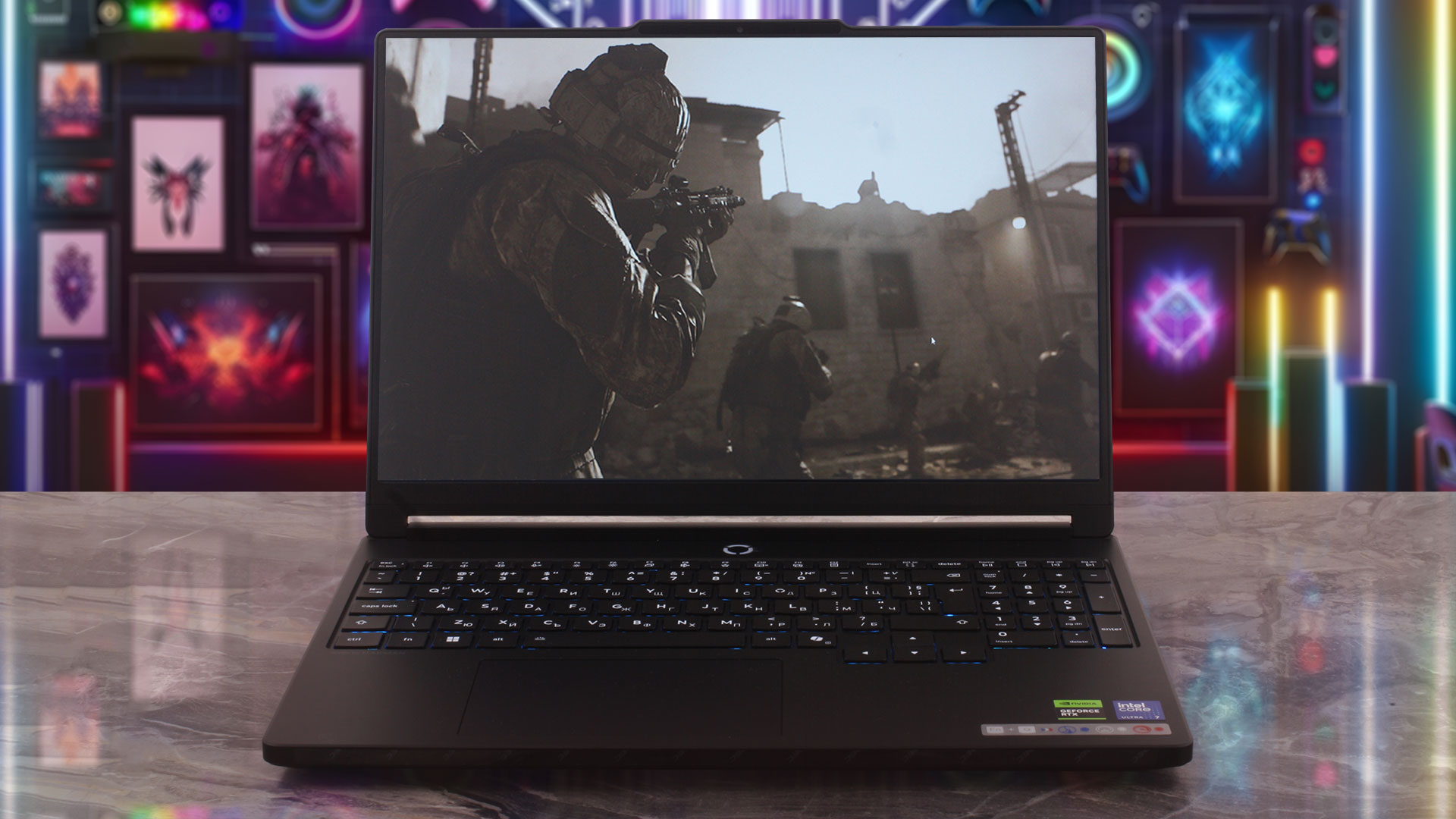
Opening the lid reveals a very modern 15.3-inch, 16:10 display framed by thin bezels, achieving an excellent 92% screen-to-body ratio. To accommodate the webcam without sacrificing those slim borders, Lenovo uses its familiar slight bump at the top edge, which also acts as a convenient grip when opening the lid. Nestled inside is a sharp 5.0MP fixed-focus camera. Buyers can choose between a standard 5.0MP sensor and a 5.0MP + IR option for Windows Hello; the configuration we ordered comes without the IR sensor. Crucially, regardless of the camera option you choose, Lenovo includes a dedicated E-shutter to electronically secure your privacy.
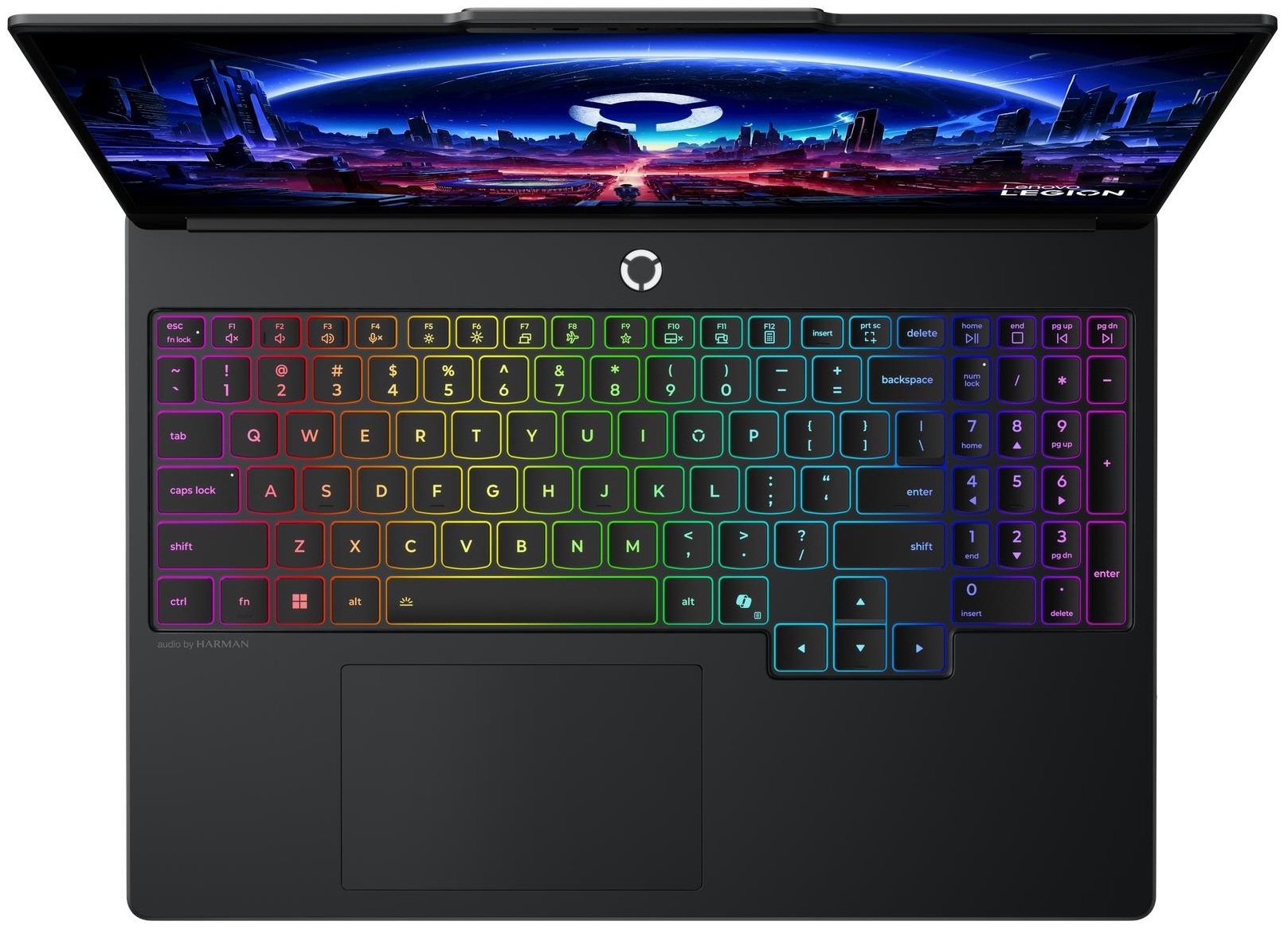
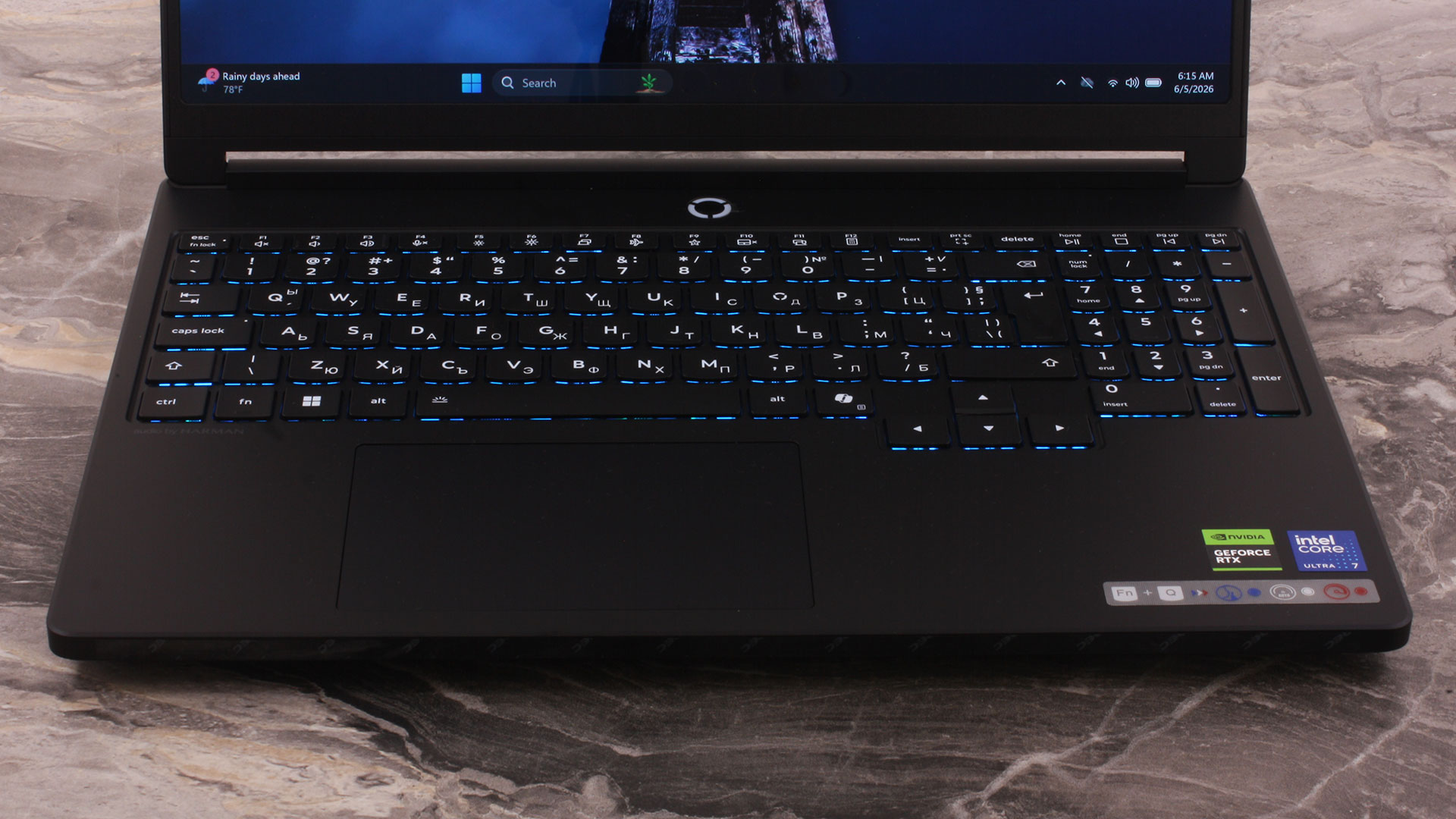
The keyboard deck makes great use of the available space. In a major win for productivity workers and spreadsheet users, Lenovo managed to include a dedicated NumPad. The typing experience is genuinely comfortable, featuring a 6-row layout, a satisfying 1.6 mm of key travel, and a subtle 0.3 mm keycap dish that helps your fingertips settle naturally on the keys. We are also happy to report that the arrow keys are full-sized, avoiding the frustrating half-height compromise seen on many modern laptops. Our unit features a 1-zone RGB backlight, though a more vibrant 24-zone RGB option is available depending on the configuration you order. Because there is no fingerprint reader anywhere on the chassis, your only option for biometric login is to choose a configuration with the IR camera.
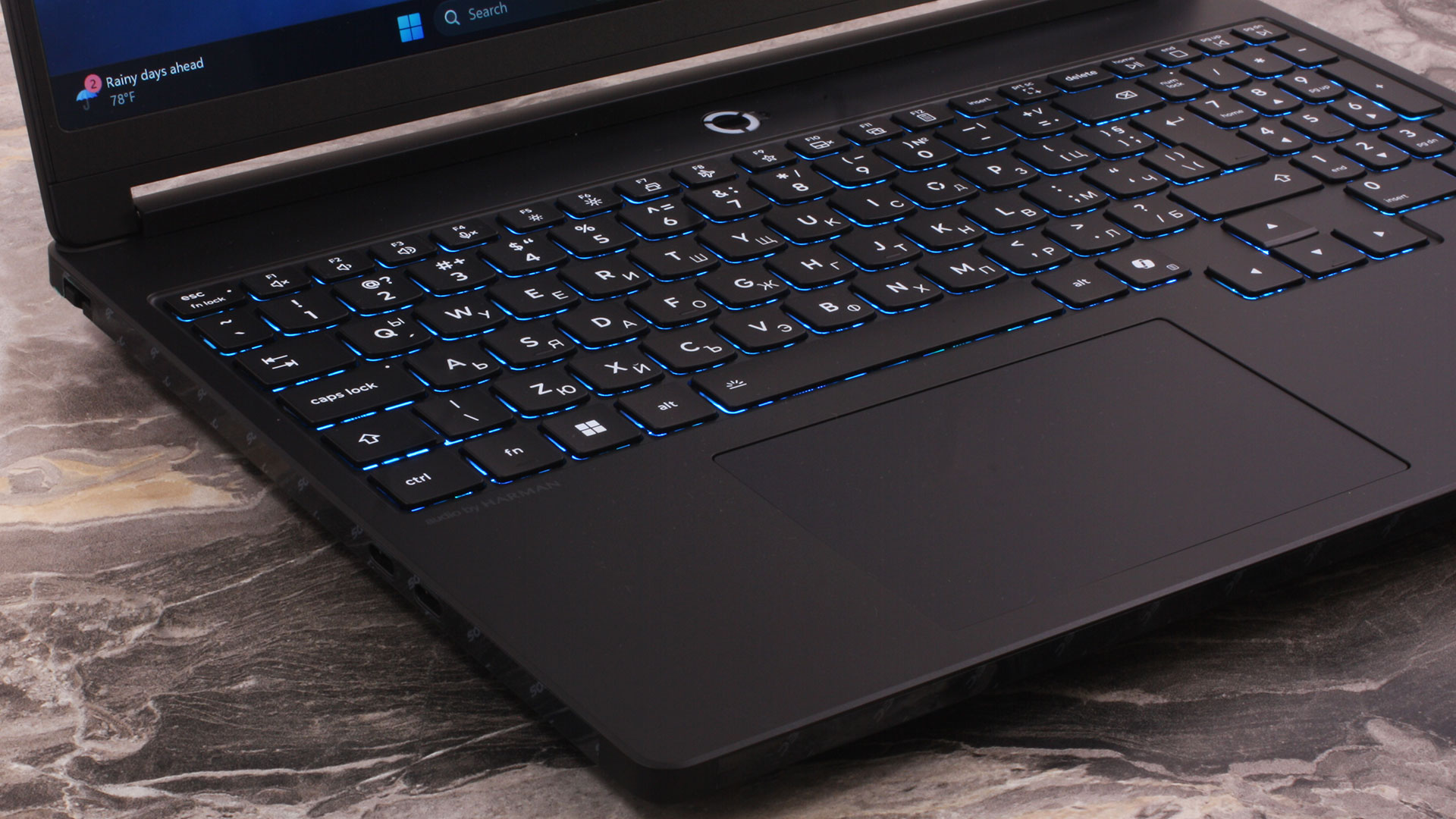
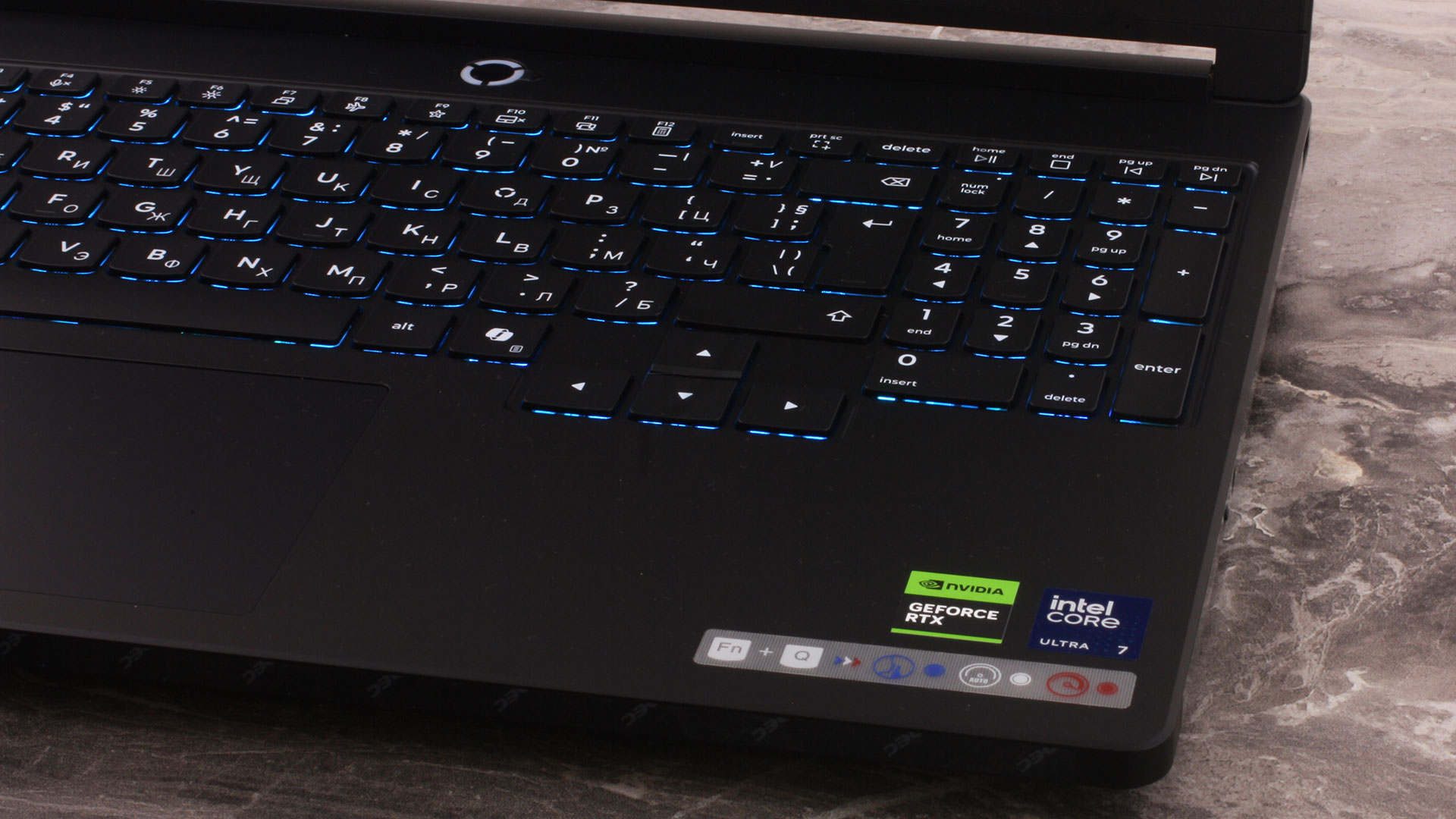
Below the keyboard sits a buttonless Mylar trackpad measuring 75 x 120 mm (2.95 x 4.72 inches). It supports Precision TouchPad (PTP) gestures, and while it is not the largest trackpad on the market, it is smooth, reliable, and perfectly comfortable for everyday navigation.
Ports and Connectivity
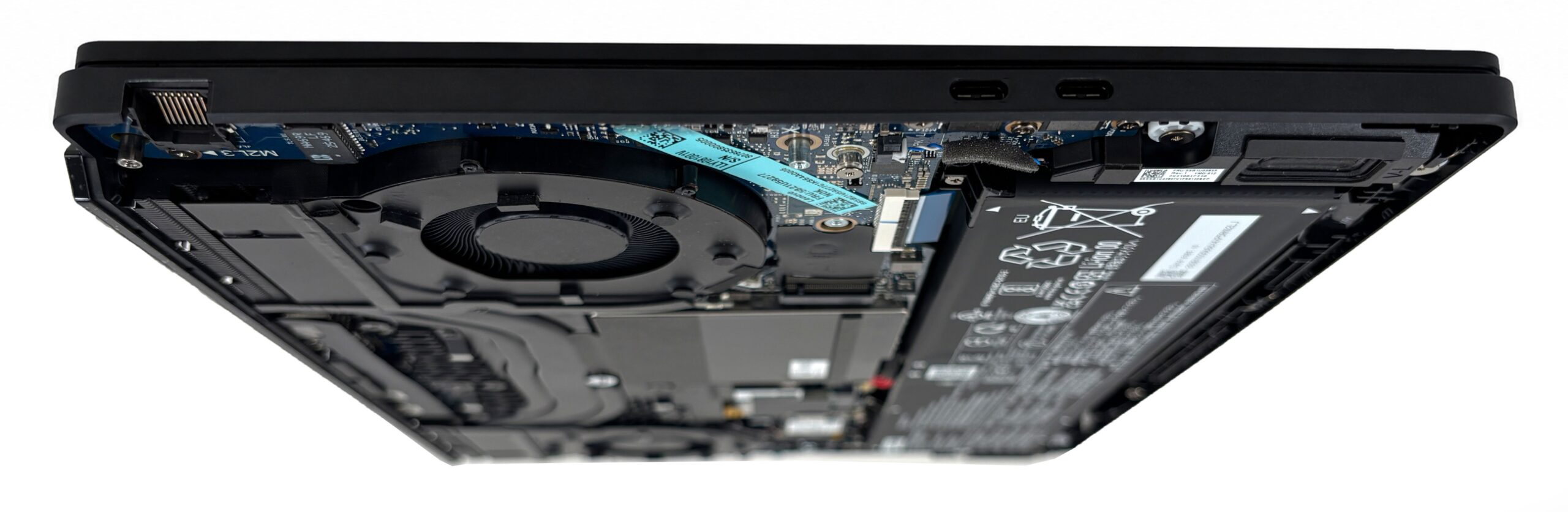
The Lenovo Legion 5i (15″, Gen 11) uses a smart port layout that separates quick-access peripherals from the thicker, more permanent cables. On the left side, you get a Gigabit Ethernet (RJ-45) port for a stable wired connection, alongside two capable USB-C ports. One of them is a Thunderbolt 4 connector with 40Gbps bandwidth, while the other is a USB-C 10Gbps port. Both Type-C ports support DisplayPort 2.1 video output and 65-100W USB Power Delivery, which is useful for lighter work or travel charging.
However, there is an important charging caveat. The laptop can also support 140W charging over USB-C, but this relies on Lenovo’s own protocol and requires a specific Lenovo adapter. In other words, a standard third-party 140W USB-C charger should not be treated as a guaranteed equivalent. For full performance, especially during gaming or heavy combined CPU/GPU workloads, the included 245W Slim Tip adapter remains the proper power source.
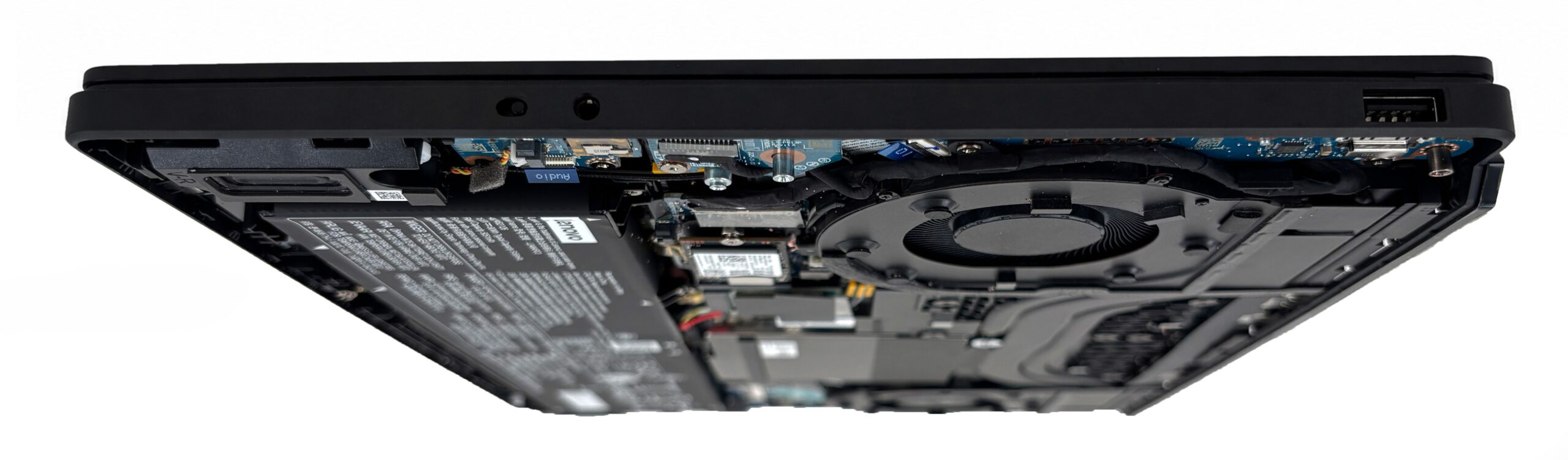
The right side is kept intentionally clean, which is practical if you use an external mouse. Here, Lenovo has placed only a 3.5mm headphone/microphone combo jack, a single USB Type-A 5Gbps port, and the E-shutter switch for the webcam. This is a sensible arrangement, because it keeps most cable clutter away from your mouse hand.
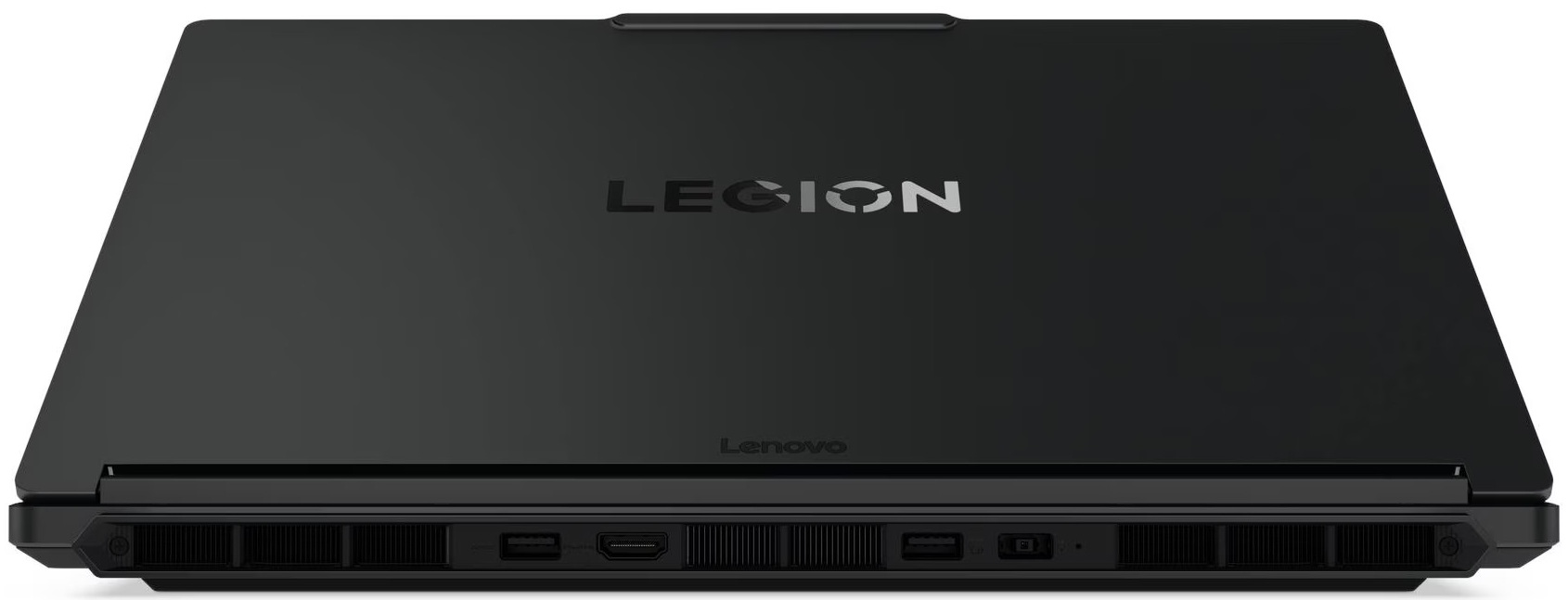
The bulkiest connections are routed to the rear of the chassis. This is where you plug in the main Slim Tip power adapter, and it is also where you get the HDMI 2.1 output, rated for up to 8K at 60Hz. The back panel also includes two USB Type-A 10Gbps ports, one of which supports Always On charging for accessories even when the laptop is shut down.
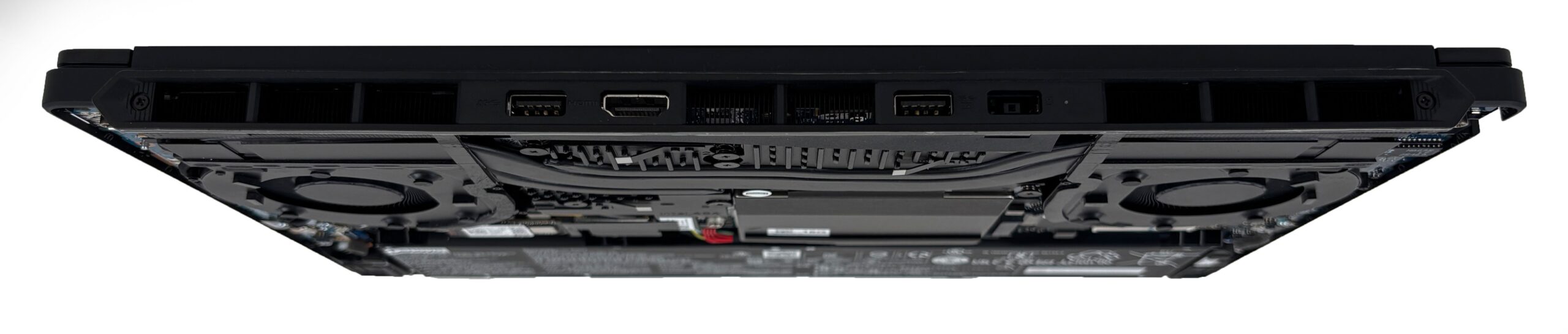
External display support is strong for this class. The laptop can drive up to four independent displays in total, including the built-in panel and up to three external monitors via HDMI and USB-C. Both HDMI and USB-C can go up to 8K at 60Hz, although the maximum resolution requires a DSC-enabled display.
One thing missing from the port selection is a card reader. This is not unusual for a gaming laptop, but it is still worth mentioning because the excellent OLED display may attract some users who also do photo or video work. There is no WWAN or SIM support either.
In terms of networking, the aforementioned Gigabit Ethernet port supports Wake-on-LAN, although Lenovo notes that this requires the AC adapter to be connected and the system to be in S3 sleep mode. Wireless connectivity depends on the exact configuration: the series can be equipped with either Wi-Fi 6 + Bluetooth 5.3 or Wi-Fi 7 + Bluetooth 5.4. Our configuration has the better Wi-Fi 7 module, which is a welcome upgrade if you already have a compatible modern router.
Display and Sound Quality, Display Profiles
The display is one of the main reasons to consider this configuration. It performs exceptionally well in color coverage, color accuracy, and contrast, while brightness is also strong for an OLED laptop panel. The weaker points are not related to image quality itself, but to eye comfort in challenging lighting conditions: the panel uses OLED brightness modulation, and the glossy surface is extremely reflective, so room lighting and screen positioning matter a lot.
Our Lenovo Legion 5i (15″, Gen 11) configuration is equipped with the WQXGA OLED, 165 Hz screen option, which is currently the only listed display option for the series. It is a very sharp 15.3-inch, 16:10 panel with excellent color potential, high refresh rate, and HDR support.
| Lenovo Legion 5i (15″, Gen 11) | EDO EF25QBA63.E (EDO3415) |
| Diagonal | 15.3 inches (38.9 cm) |
| Panel Type | OLED |
| Resolution | 2560 x 1600 pixels |
| Max Refresh Rate | 165 Hz |
| Aspect Ratio | 16:10 |
| Pixel Density | 197 PPI |
| ‘Retina’ Distance | Greater than or equal to 44 cm |
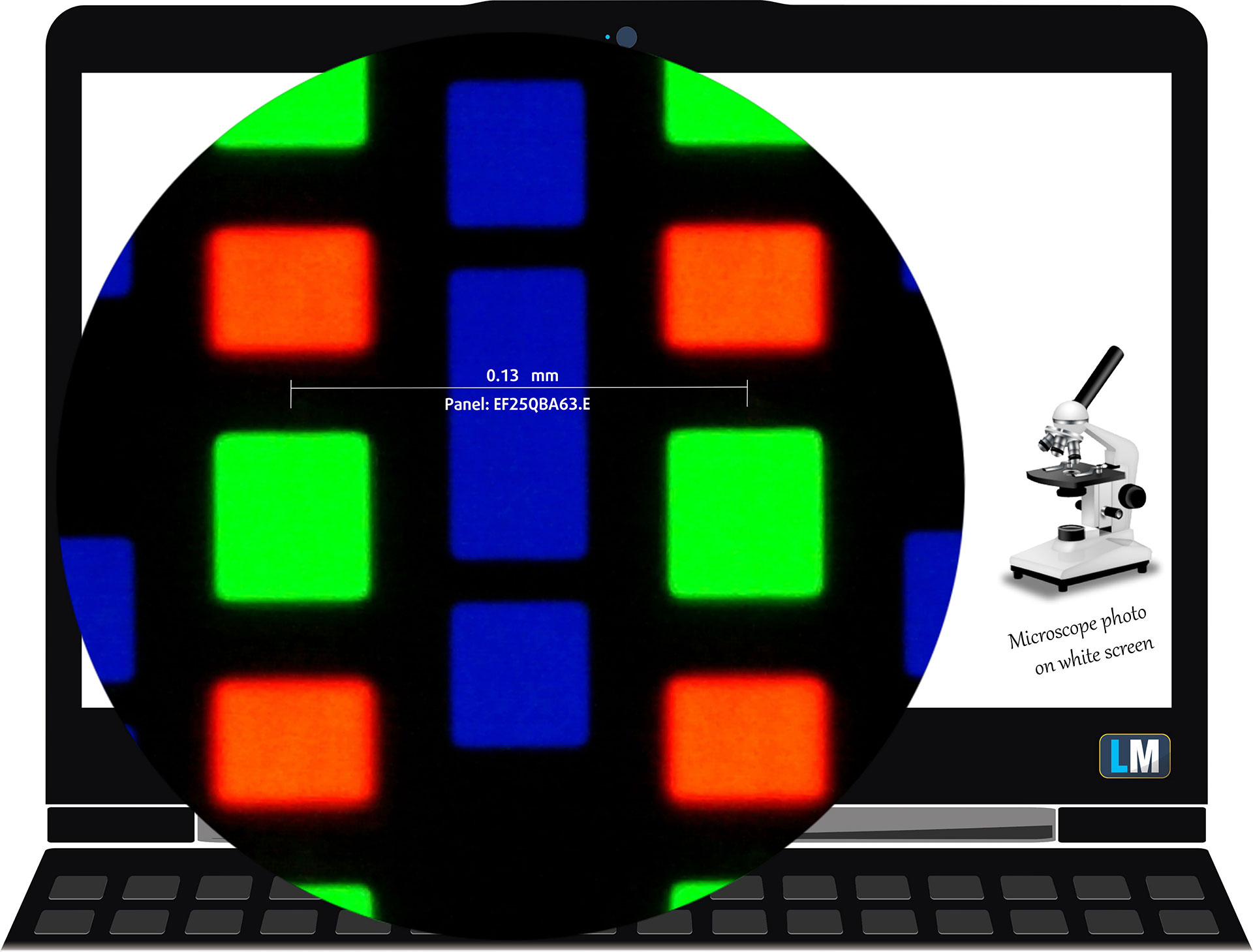
The WQXGA (2560 × 1600), 165 Hz, OLED display variant under our microscope
Viewing Angles
Viewing angles are good. We take photos from different angles to evaluate the quality.

We also include a video recorded with locked focus and exposure.
Color Coverage
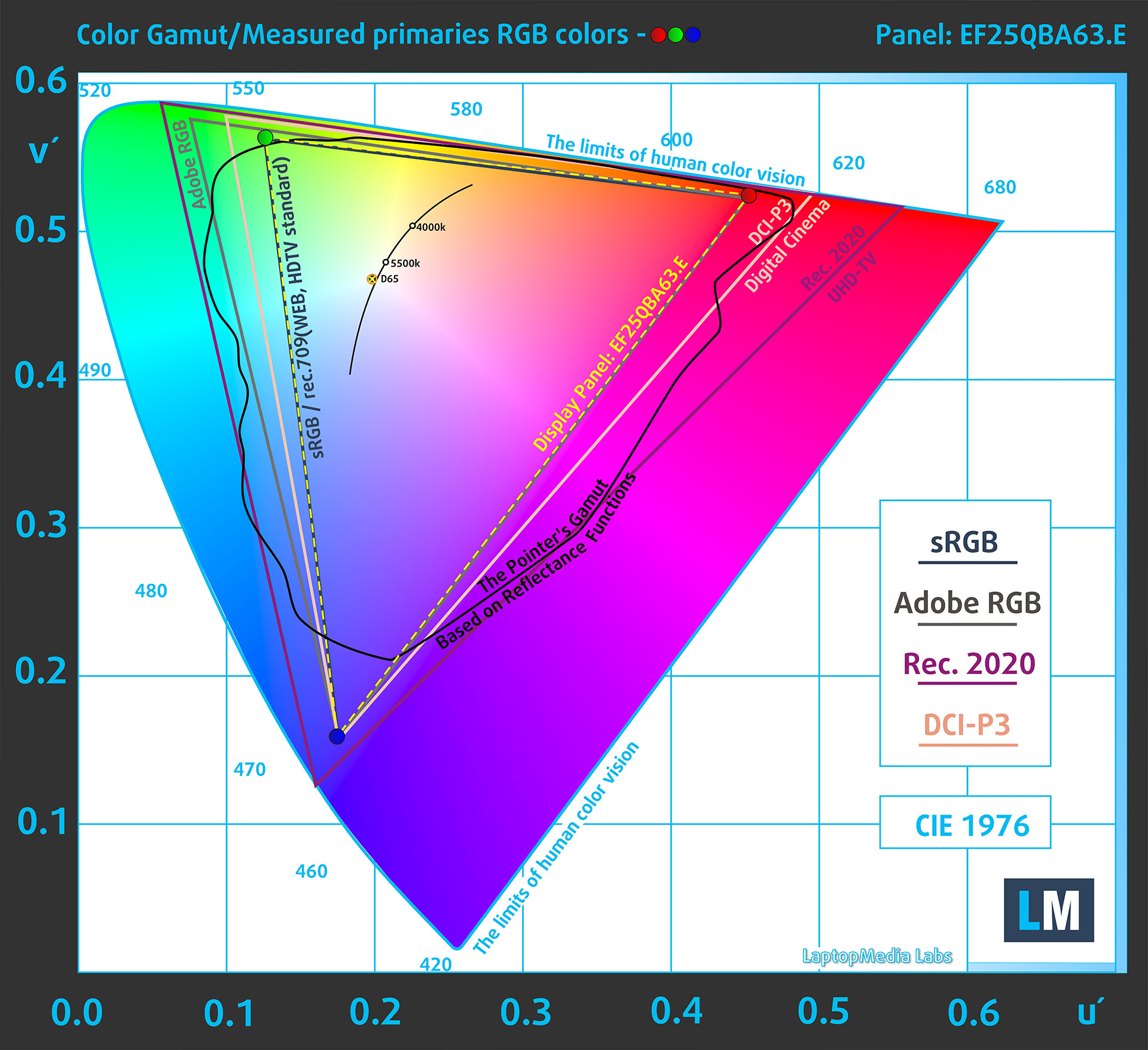
The entire ‘sail-shaped’ diagram below (Fig. 1) represents all the colors visible to the human eye, while the black curved line shows the colors found in real-world scenes and nature.
Then, we’ve drawn some of the most important and interesting color spaces, compared to the colors the panel of Lenovo Legion 5i (15″, Gen 11) can show:
Standard/For Web: sRGB – widely used color space for most consumer devices, ideal for Web design and development
For Print: AdobeRGB – used in professional photo editing, graphic design, and print
For Photographers/Video Editors: DCI-P3 – used in high-end film production, post-production, and digital cinema
Premium HDR: Rec.2020 – the widest consumer ITU color standard, covering a massive 75.8% of the visible color gamut, a benchmark for premium HDR content.
Lenovo Legion 5i (15″, Gen 11): the yellow dashed triangle (– – – – – –) represents the range of colors this display can show.
In our tests, we calculated the total color coverage of the display at 100% of the sRGB color gamut and 100% of the DCI-P3 color gamut. This makes the panel suitable not only for gaming and media consumption, but also for color-sensitive work, especially because Lenovo provides usable sRGB and Display P3 modes in the software.
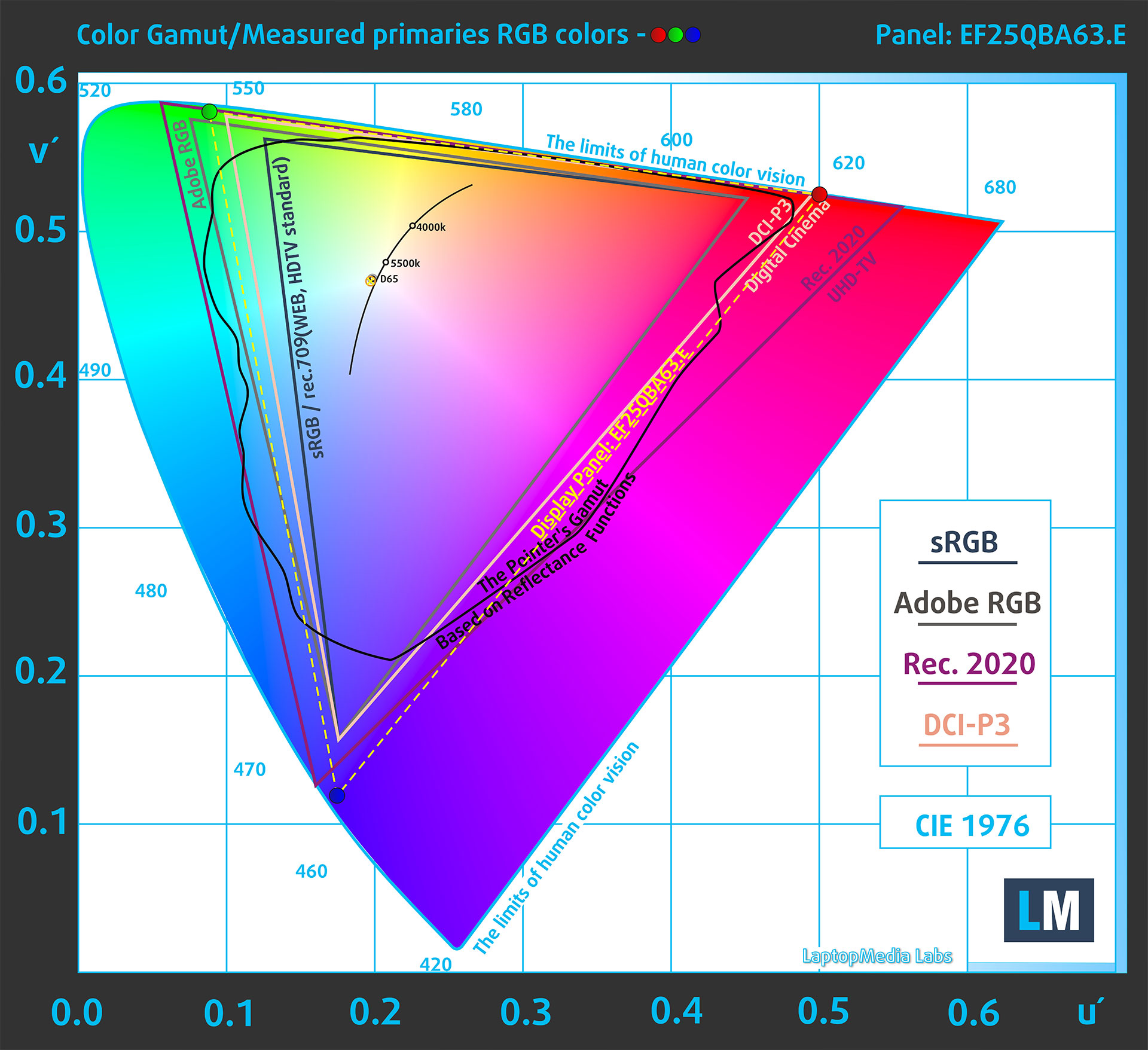
(Fig.1) Lenovo Legion 5i (15″, Gen 11) covers 100% of the DCI-P3 gamut
The Lenovo Legion 5i (15″, Gen 11) can emulate the Display P3 and sRGB color spaces.
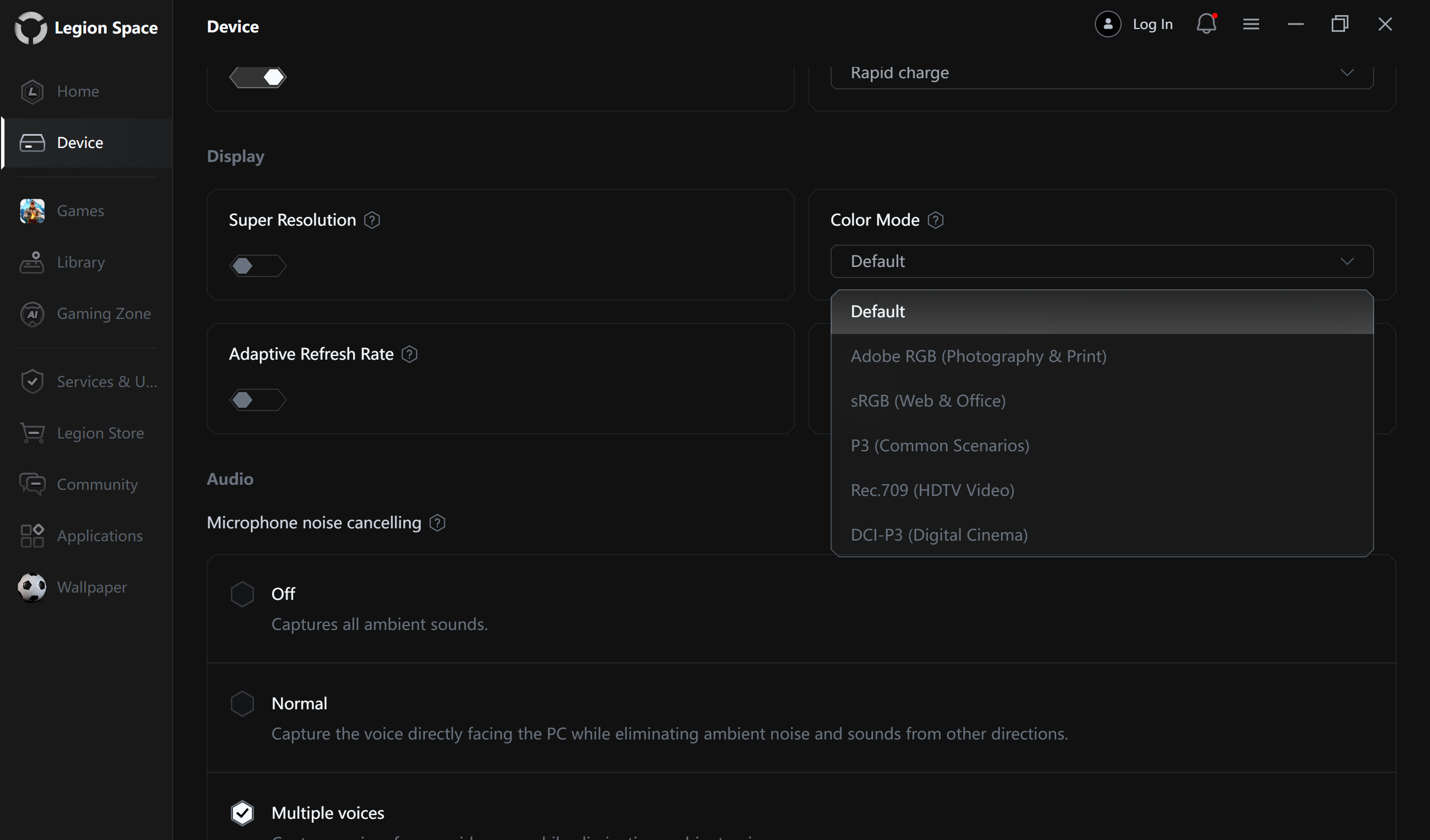
This is important because the native OLED gamut is very wide. For web work and standard SDR content, the sRGB mode helps prevent oversaturated colors, while Display P3 is the better choice for P3-targeted photo, video, and HDR-related workflows.
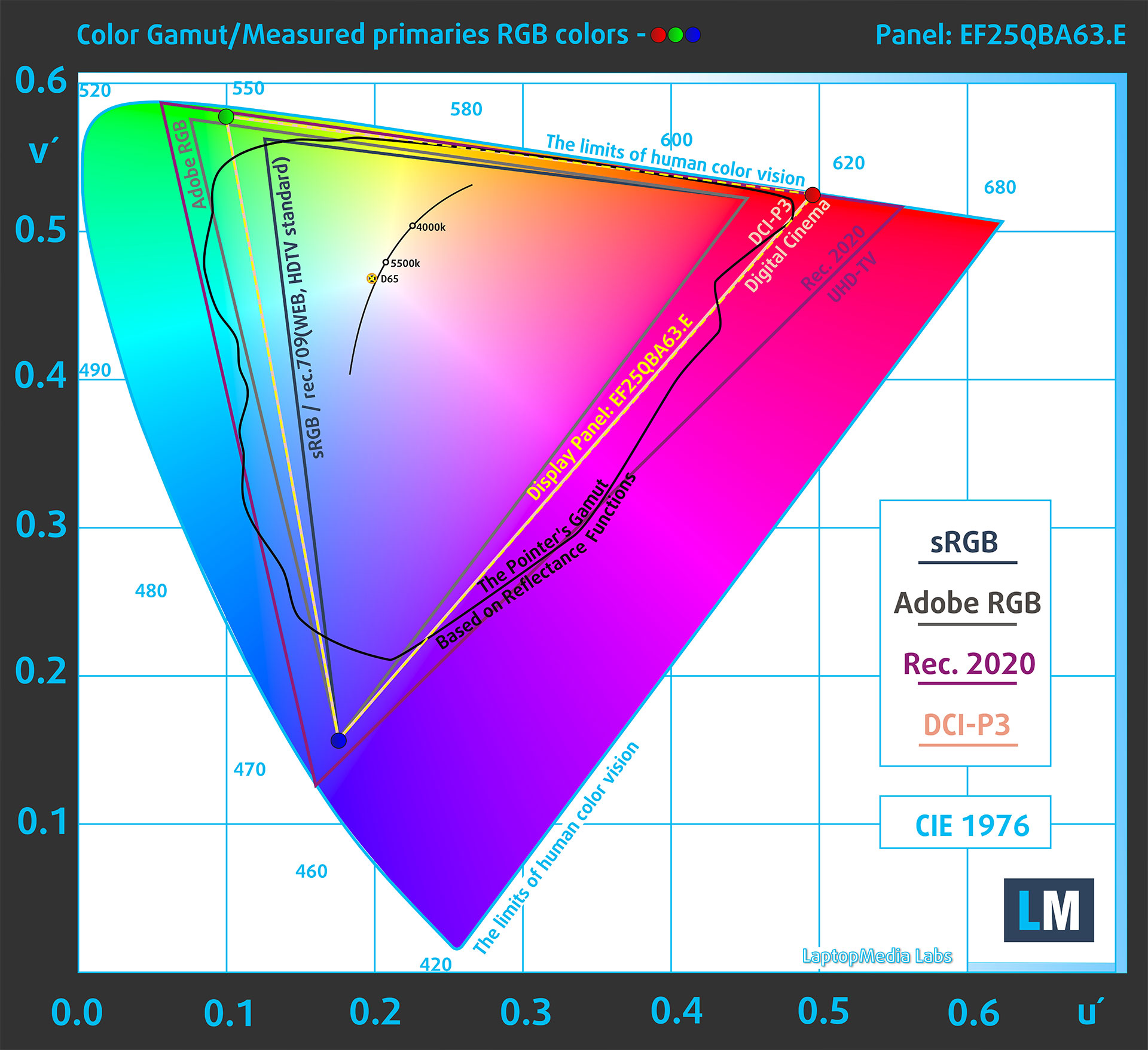
(Fig.2) Display P3
(Fig.3) sRGB
Brightness and Contrast
The maximum brightness in HDR mode is 1090 cd/m² at 8% white screen fill and 714 cd/m² on a full white screen.

The maximum brightness in SDR mode is 491 cd/m².
The Correlated Color Temperature (CCT) on a white screen at maximum brightness is 6490K in the Default mode color profile.
The contrast ratio of OLED panels is excellent because the pixels turn off completely when displaying black.
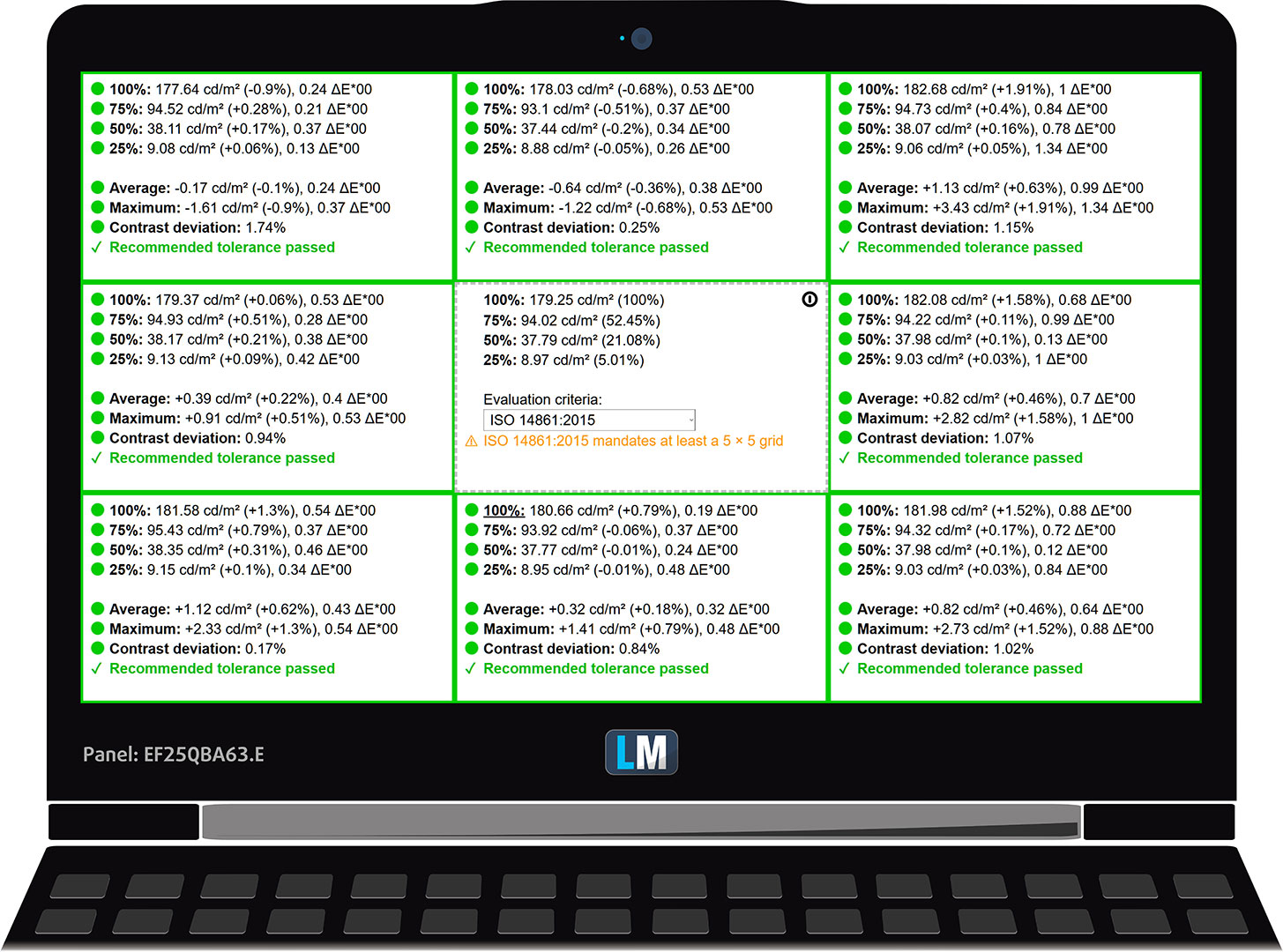
Uniformity: Luminance, Contrast, and Color Deviation
The figure below shows the results from our uniformity test across different sections of the screen. The measurements are taken at 179 nits (Windows slider = 71%) – a brightness level we consider typical for standard working conditions.
DeltaE values below 4.0 are acceptable for regular users. For those working with colors, screens with DeltaE values no higher than 2.0 are recommended.
Color Accuracy
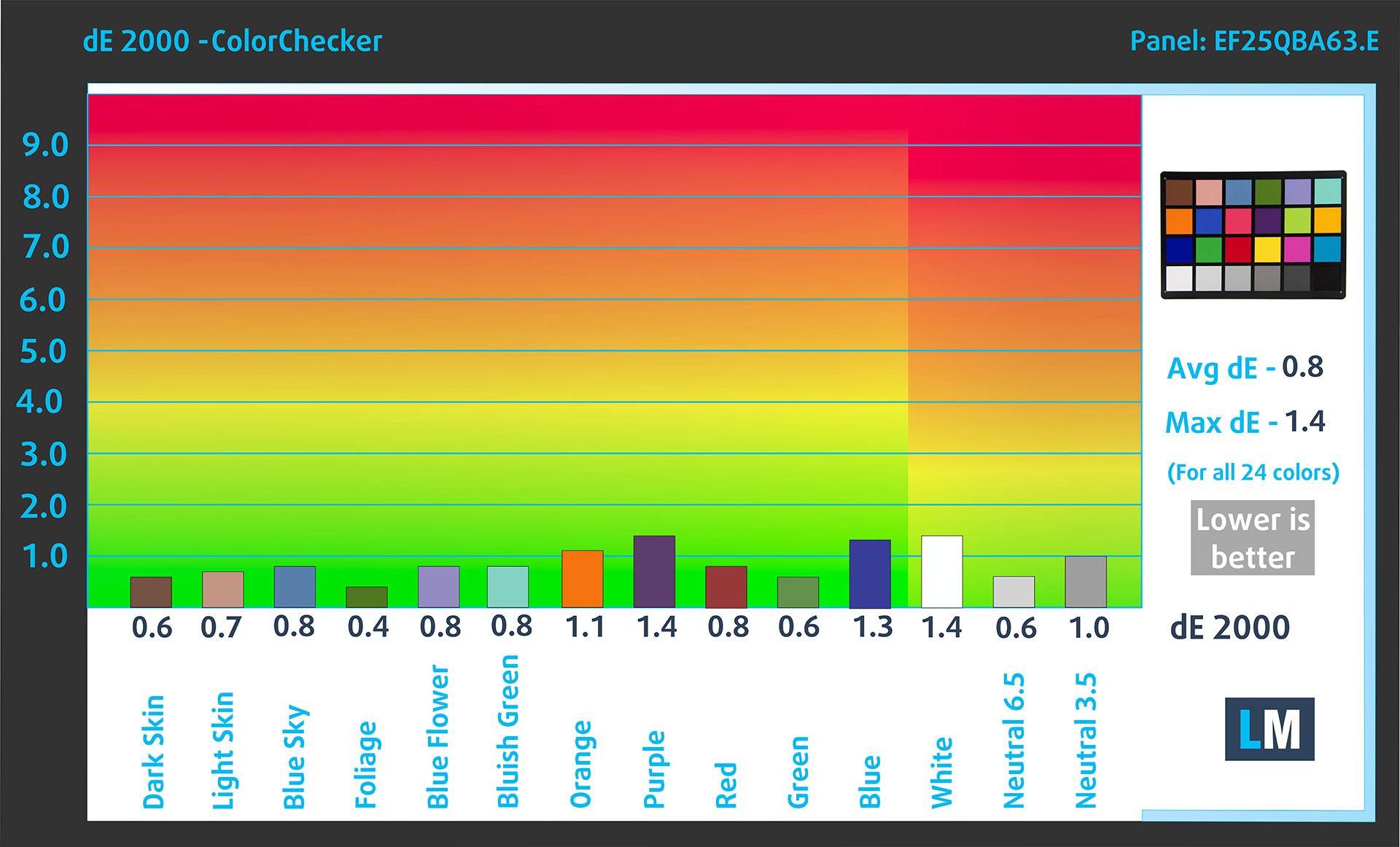
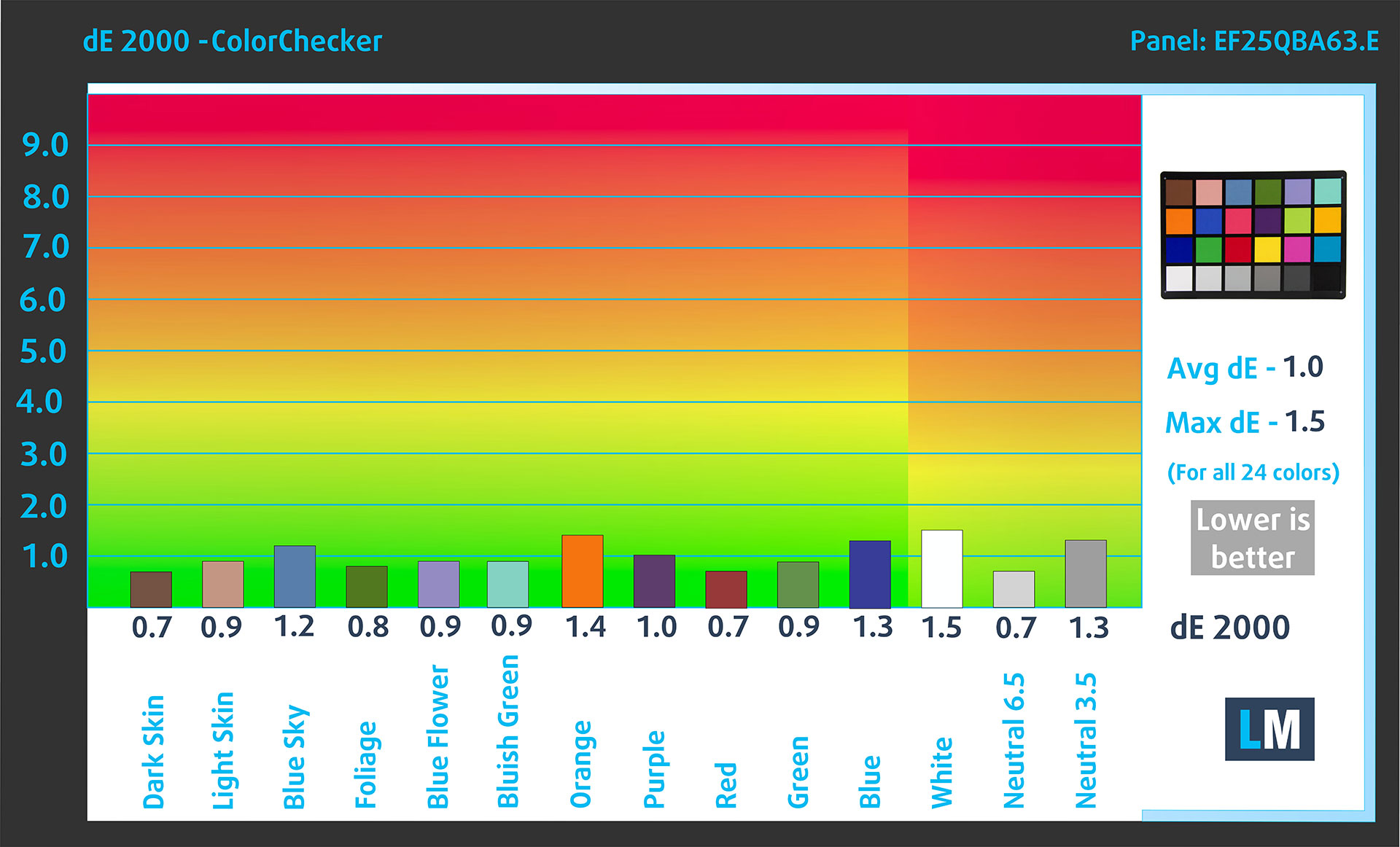
Let’s check the difference between real colors and those you’ll see on the Lenovo Legion 5i (15″, Gen 11). We measure that distance in DeltaE – the higher the number, the more different they look.
Values below 4.0 are acceptable for regular users, while values below 2.0 are suitable for color-sensitive work. A value below 1.0 means the difference is indistinguishable to the naked eye.
For the next graph, we’ve selected 24 common colors, including dark/light skin, blue sky, green grass, etc.
Below are the results of the Lenovo Legion 5i (15″, Gen 11) using the sRGB mode in the Legion Space app, without additional calibration, compared to the sRGB color space.
Comparison in the sRGB color space.
Below are the results of the Lenovo Legion 5i (15″, Gen 11) using the Display P3 mode in the Legion Space app, without additional calibration, compared to the Display P3 color space.
Comparison in the Display P3 color space.
The factory color modes are excellent. Without additional calibration, we measured an average dE 2000 of 0.8 in sRGB mode and 1.0 in Display P3 mode, which means the panel is ready for color-sensitive work straight out of the box, as long as you choose the correct color mode for your workflow.
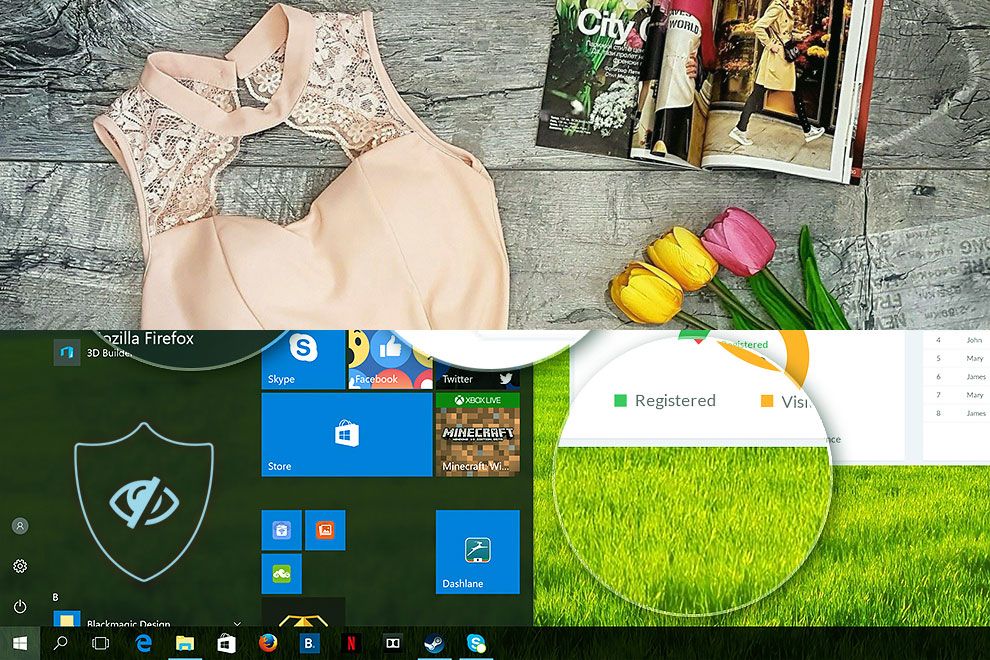
Our Design and Office profile builds on an already excellent foundation. It does not need to rescue a bad display here; instead, it refines the experience by applying our standardized color workflow, making the image more predictable across different devices and easier to trust for office work, web content, and design-related tasks. On a panel this good, that final level of consistency is what turns a beautiful OLED screen into a genuinely useful work tool.
Comparison in the sRGB color space (primaries and D65 white point specified in ITU-R BT.709, sRGB encoding curve).
Here’s an illustration of what the Design and Office profile aims to deliver:
Left: No Profile | Drag the slider to see the difference | Right: Design & Office Profile
Health Impact: PWM (Screen flickering)
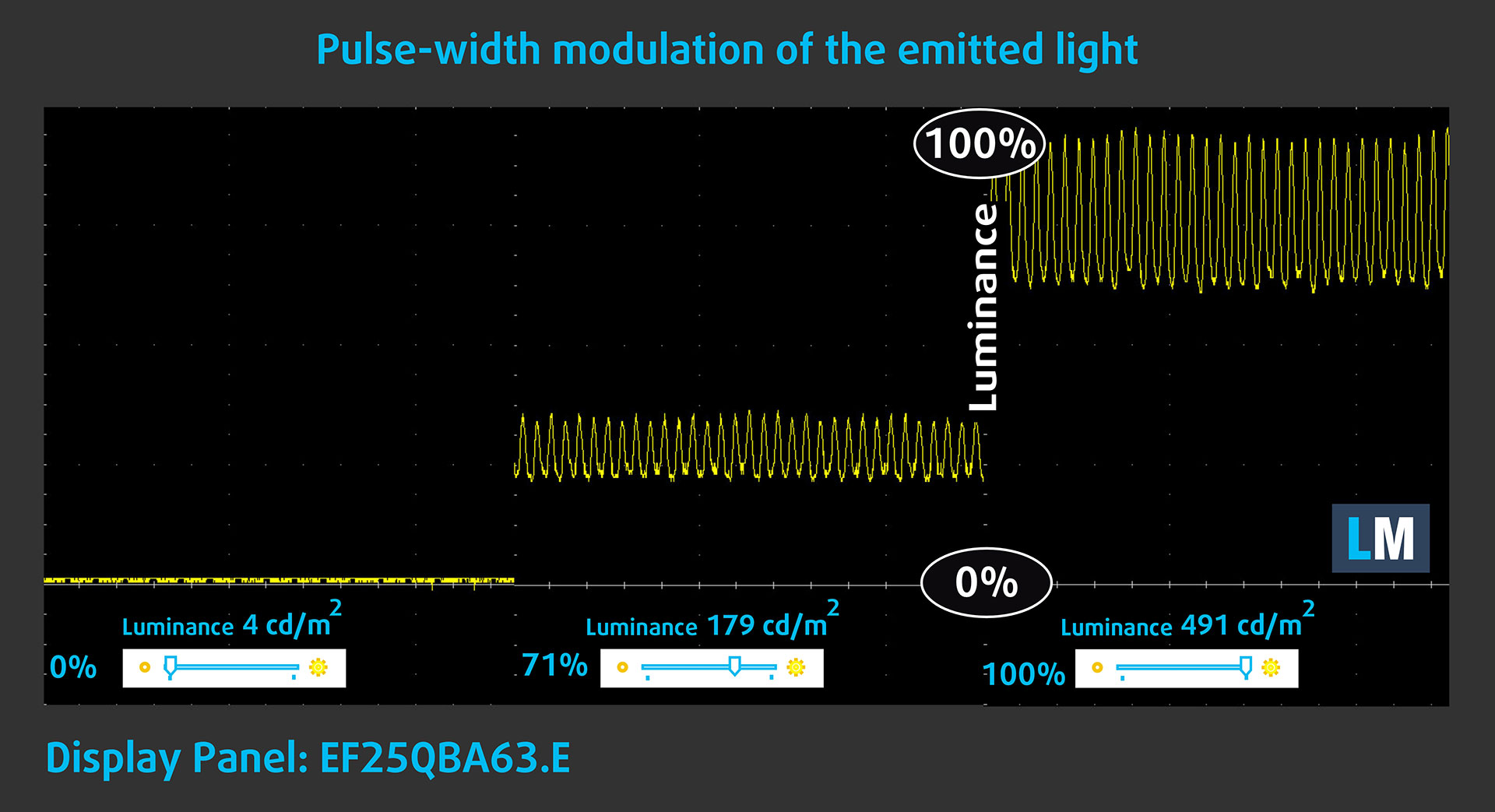
Some displays use PWM to regulate brightness, which means that instead of reducing the light intensity, they pulse or flicker. Our brain merges the image, so it appears darker, but this can increase eye strain, especially when the pulse frequency is low. You can read more about that in our dedicated article on PWM.
In the graph below, you see the intensity of light at different brightness levels—the vertical axis shows the brightness of the emitted light, and on the horizontal axis—time.
The display light of the Lenovo Legion 5i (15″, Gen 11) pulsates across the entire brightness range, but the amplitude is limited. This makes it more comfortable than many aggressive PWM implementations, but sensitive users should still keep this in mind, especially during long sessions at lower brightness levels.
Health Impact: Blue light emissions
Installing our Health-Guard profile not only reduces harmful Blue Light emissions while keeping the colors of the screen perceptually accurate, but it also gives users a more comfortable viewing setup for long sessions. This is especially valuable on a vivid OLED panel like this one, where the image is naturally punchy and bright.
If you’re not familiar with the Blue light, the TL;DR version is – emissions that negatively affect your eyes, skin, and your whole body. You can find more information about that in our dedicated article on Blue Light.
Health Impact: Screen Reflectance
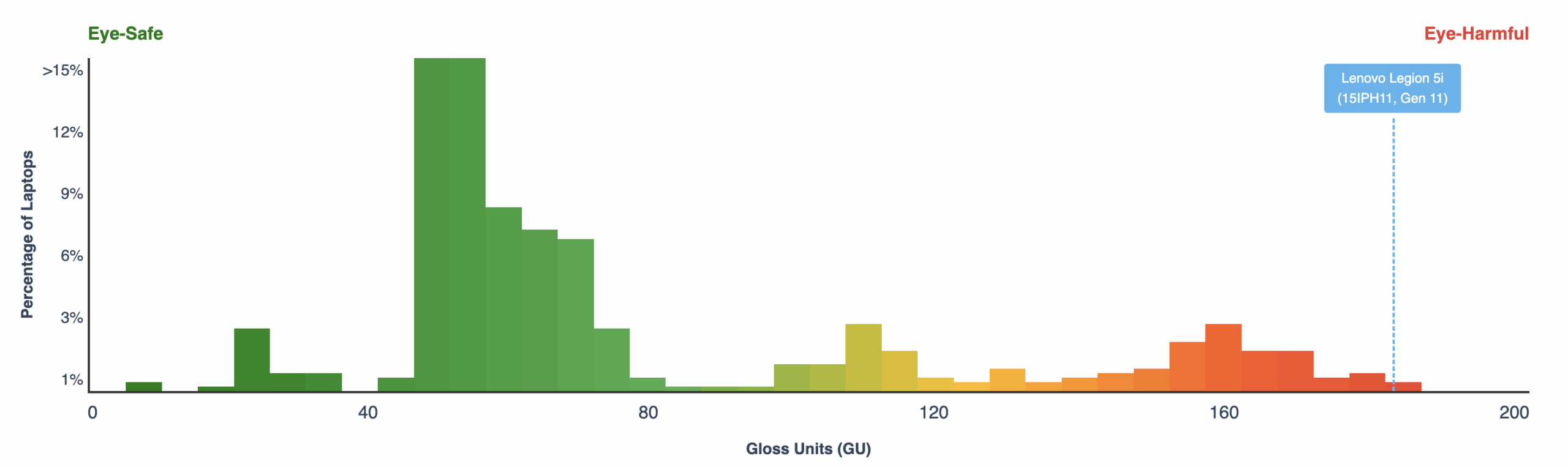
Glossy-coated displays can cause eye fatigue in high ambient light conditions due to reflections. We measure the level of screen reflection with the display turned off, at a 60° angle.
The reflectance of the Lenovo Legion 5i (15″, Gen 11)’s screen is 181 GU. This is among the highest reflectance values we’ve ever recorded and it is the main practical drawback of this otherwise excellent OLED panel. In a controlled room, the image looks fantastic, but in bright environments or under direct lamps, reflections can become distracting very quickly.
High Gloss: >70 GU
Medium Gloss: 30 – 70 GU
Low Gloss: <30 GU
Sound
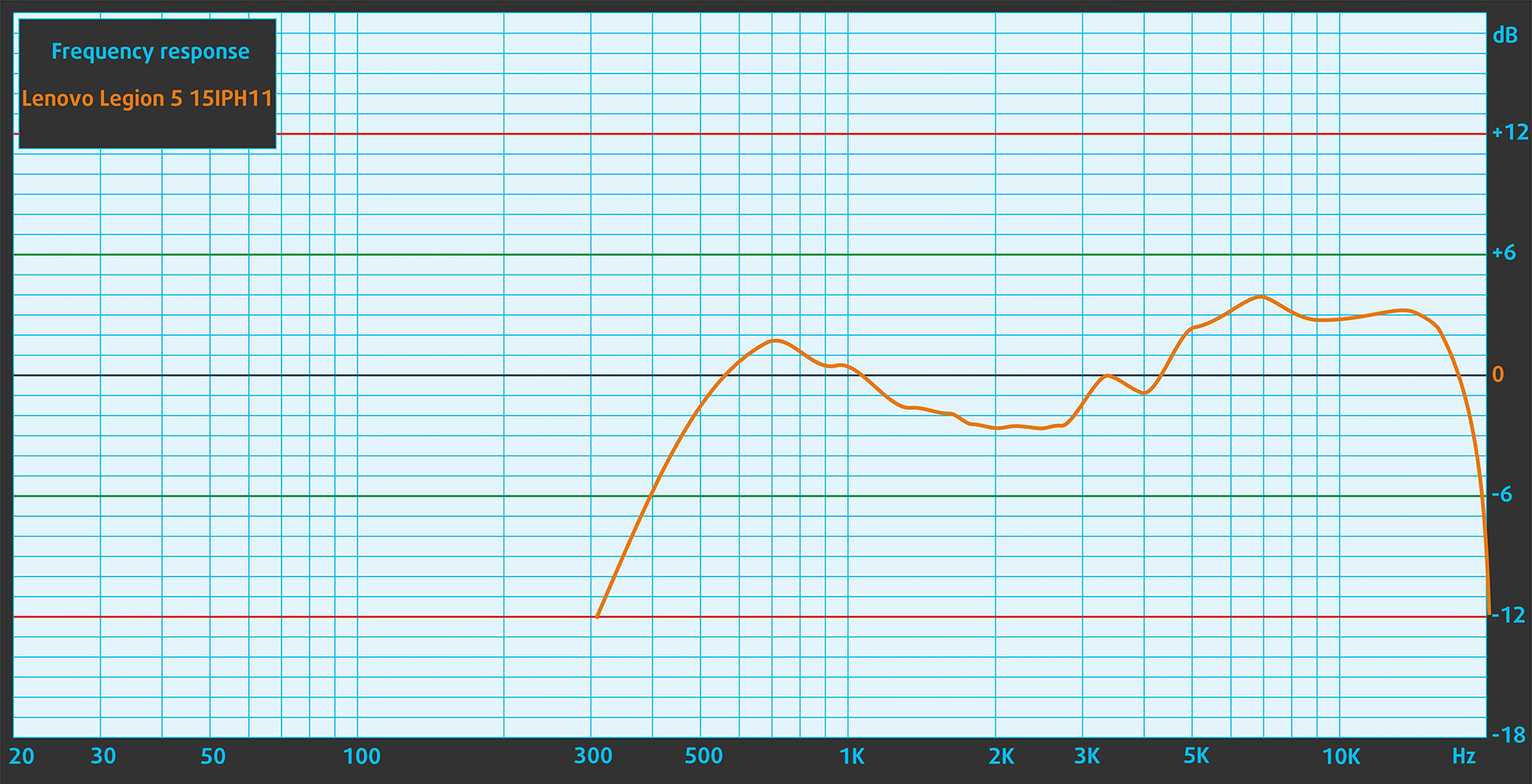
The sound of the Lenovo Legion 5i (15″, Gen 11) is decent for a gaming laptop. Voices and higher frequencies are clear enough, but the frequency response shows limited depth in the lower range. For games, movies, and music, headphones or external speakers will deliver a fuller experience.
Work Performance: CPU, Storage, AI
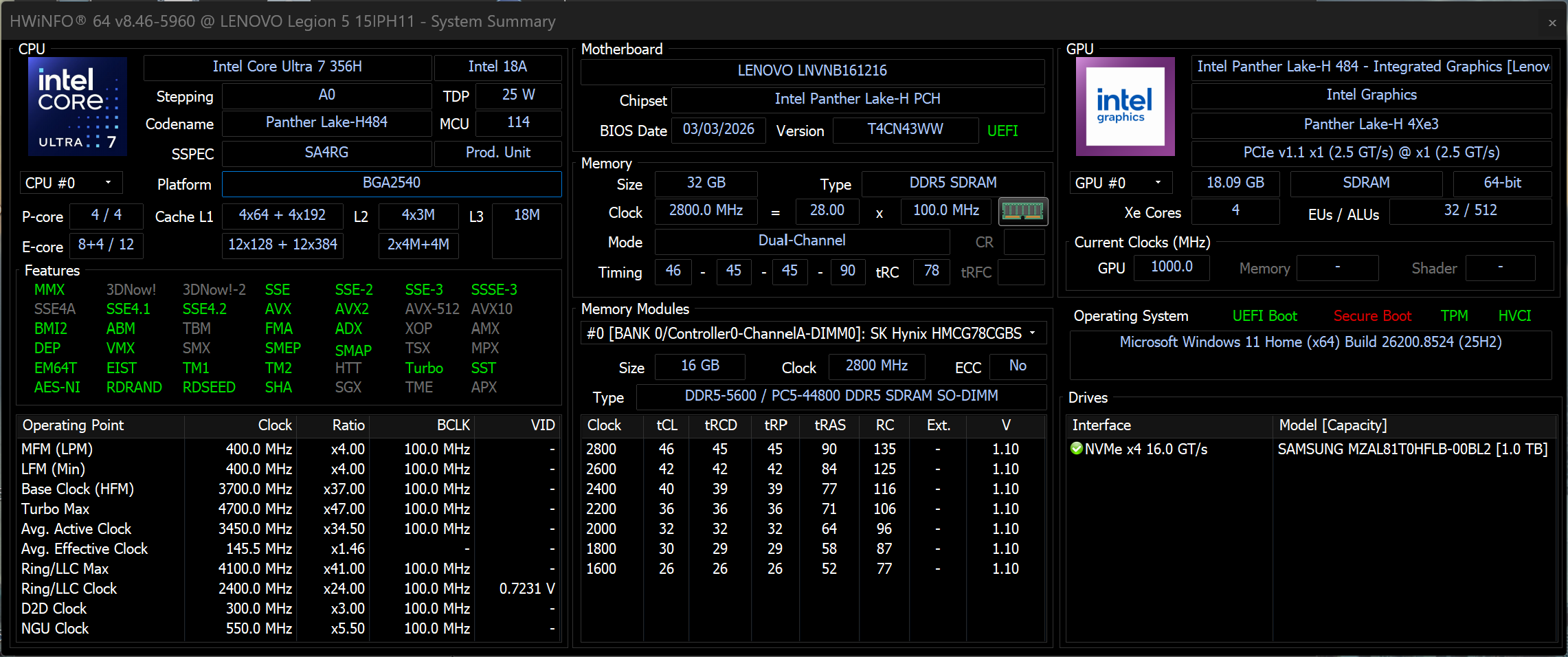
All performance and temperature tests are conducted with Performance / dGPU mode activated in Legion Space:
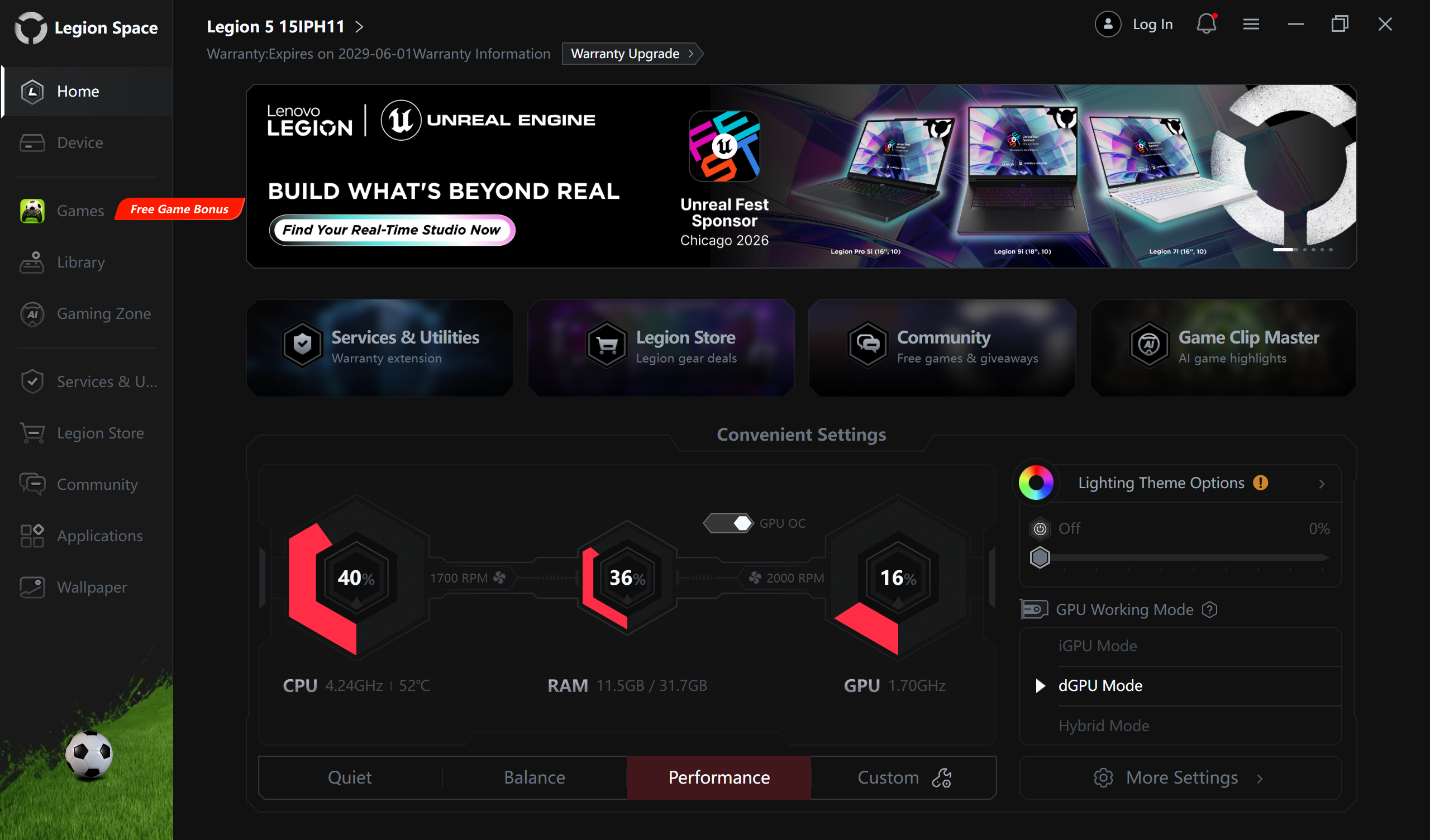
CPU and Work Performance
The Lenovo Legion 5i (15″, Gen 11) is available with Intel Core Ultra H-series processors, including the Core Ultra 9 386H and Core Ultra 7 356H. The Core Ultra 9 386H is currently ranked #27 in our Top Laptop CPU Ranking, while the Core Ultra 7 356H follows closely at #28. Both CPUs are suitable for gaming, productivity, and heavier multitasking, so the difference between configurations may be less dramatic than the model names suggest.
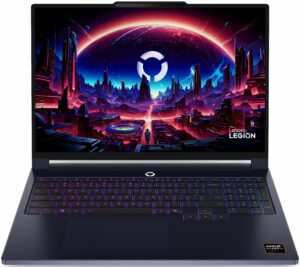
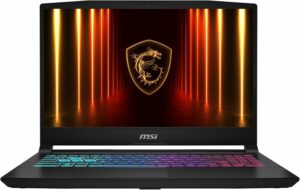
In our ordered configuration, the Core Ultra 7 356H delivers excellent CPU performance for this class. It stays very close to the Ryzen AI 9-powered Lenovo Legion 5a (15″, Gen 11, 15AGP11) (detailed review) and Lenovo Legion 7a (16″, Gen 11) (detailed review), while even outperforming the Legion 5a in our 3D rendering test. The Legion 7a and MSI Katana 15 HX (B14Wx) (detailed review) still have a small advantage in the heaviest rendering workloads, but the Legion 5i offers a very strong balance of responsiveness, multi-core power, and efficiency.
Single-core performance ensures smooth operation and responsiveness in operating systems, providing a better user experience.
Results are from the Geekbench 6 Single-Core test (higher is better)
Multi-core performance is essential for handling complex and demanding tasks, such as Video editing, CAD, and Scientific simulations.
Results are from the Geekbench 6 Multi-Core test (higher is better)
Here, we evaluate the CPU's performance using a real-world 3D rendering task, assessing its ability to handle complex computations and rendering workloads efficiently.
Results are from the Cinebench 2024 Multi-Core test (higher is better)
Storage Performance
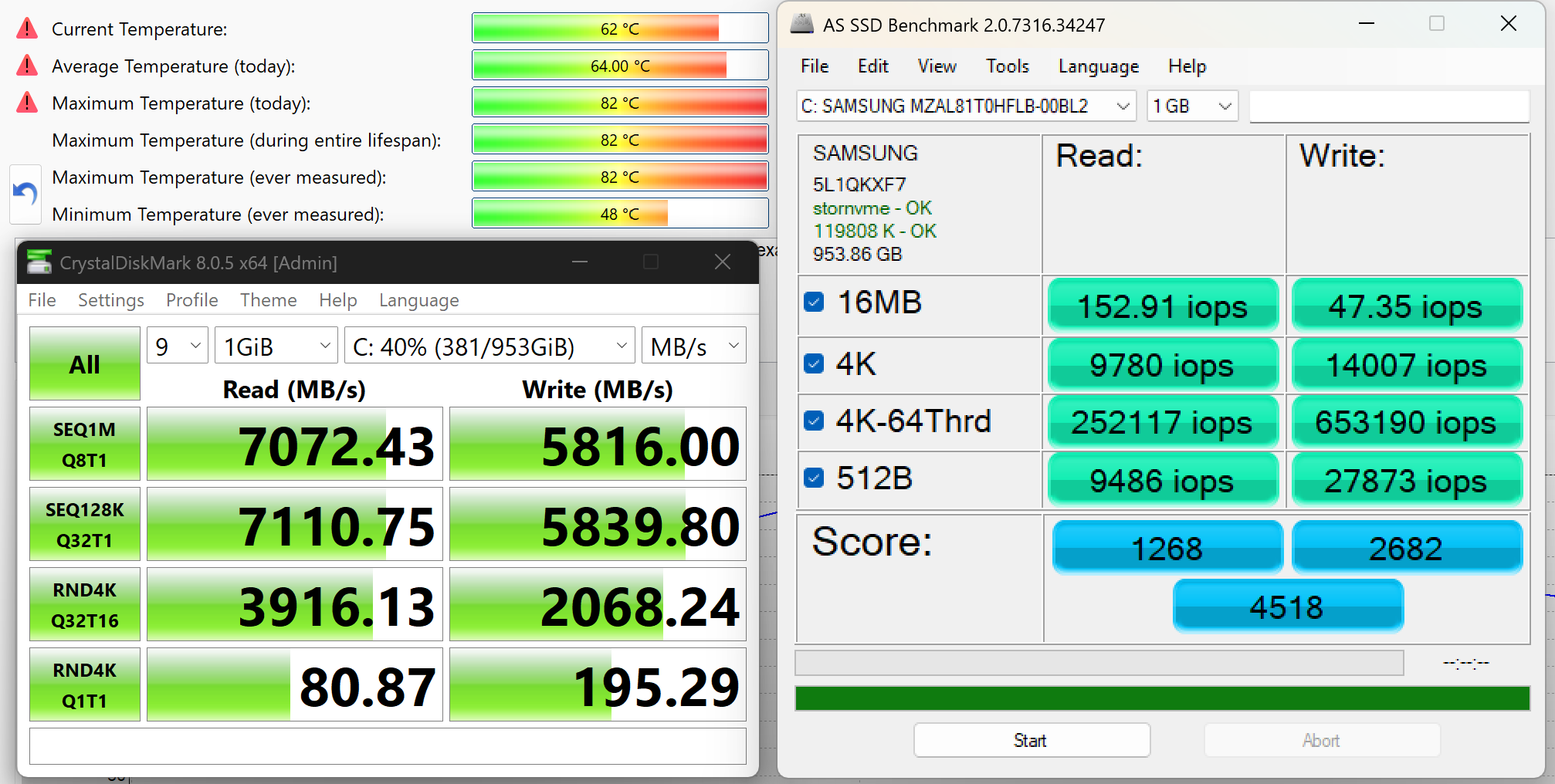
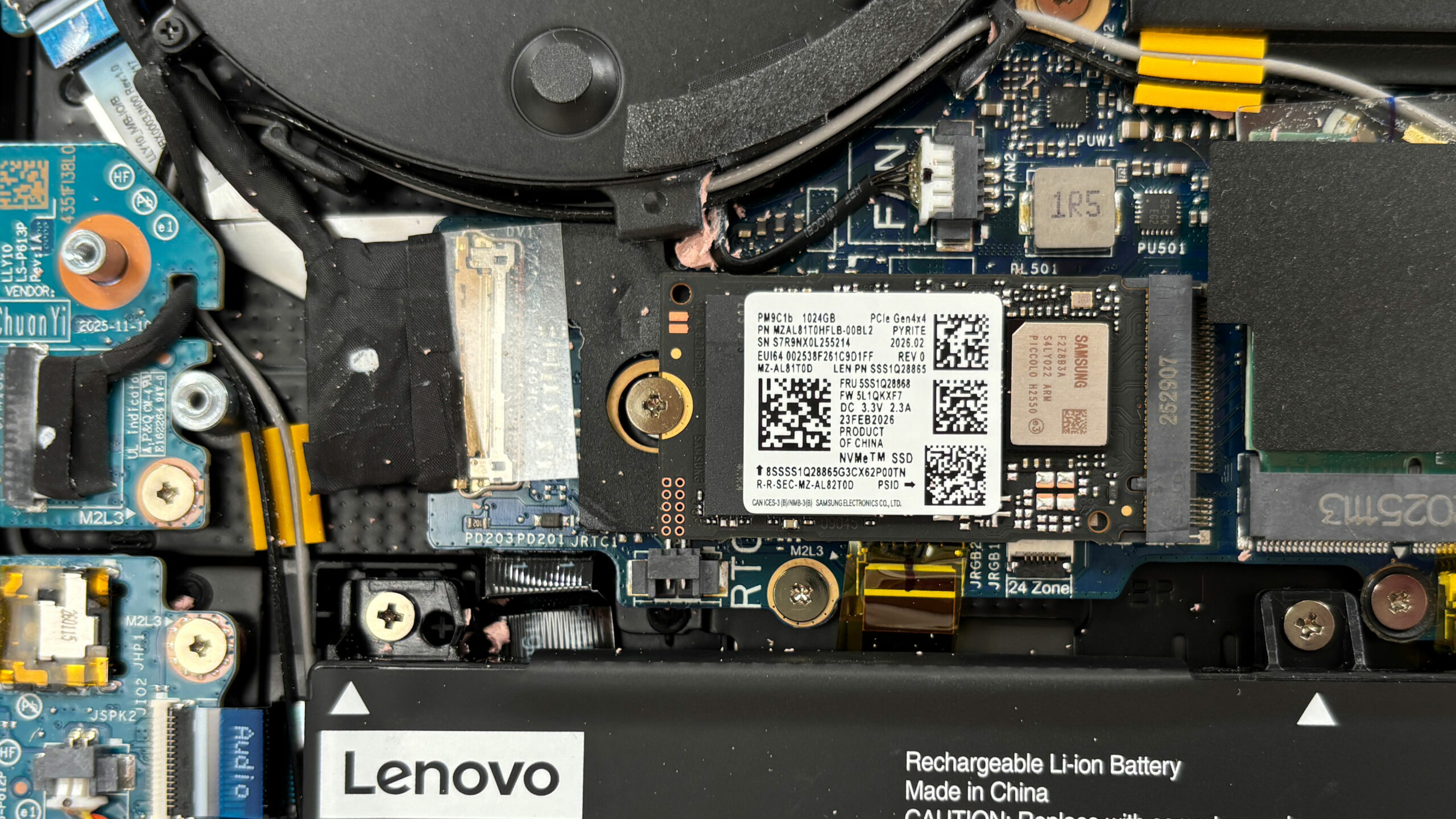
We ordered a configuration with 1TB of storage and the Lenovo Legion 5i (15″, Gen 11) arrived with SAMSUNG MZAL81T0HFLB-00BL2.
This is a very fast PCIe 4.0 NVMe drive, reaching 7.1GB/sec sequential read and 5.8GB/sec sequential write speeds in our benchmark. The downside is temperature: during our stress test, it climbed as high as 82ºC, so heavy sustained transfers are something to keep an eye on, especially if you plan to add a second SSD later.
AI Performance
Here you can see the position of the GPUs and CPUs (NPUs) found within the Lenovo Legion 5 (15IPH11, Gen 11) in our AI Hardware Performance Rankings based on their AI processing power, measured in TOPS (Tera Operations Per Second) - a critical metric indicating the computational throughput, particularly for AI tasks.
The first column shows peak performance for INT8/FP8 precision, which is the most widespread metric for evaluating AI inference capabilities. We exclude Sparsity to provide a more accurate reflection of AI performance in dense computation scenarios where sparsity optimizations may not be applicable. The second and third columns show the performance with Sparsity, and FP4 TFLOPS, when supported.
For SoCs, the results reflect the peak performance of the integrated NPU. Additionally, it’s important to note that, according to Microsoft, a NPU must have at least 40 TOPS of AI computing power for the PC to be considered “AI-capable.”
| # | GPU / CPU (NPU) | TOPS INT8/FP8 No Sparsity | TOPS INT8/FP8 Sparsity | TFLOPS FP4 Sparsity |
|---|---|---|---|---|
| 1011. | NVIDIA GeForce RTX 5060 (Laptop) | 133 | 266 | 532 |
| 1541. | Intel Core Ultra 7 356H | 50 | — | — |
| 1571. | Intel Core Ultra 9 386H | 50 | — | — |
GPU and Gaming Performance
For graphics, the laptop can be configured with NVIDIA GeForce RTX 5060 or RTX 5050 laptop GPUs. The RTX 5060 is the stronger option, ranked #72 in our Top Laptop Graphics Ranking, while the RTX 5050 sits at #126. This GPU selection positions the Legion 5i as a mainstream gaming machine, with enough performance for modern games and GPU-accelerated workloads, while still staying below the more expensive high-end configurations.
The RTX 5060 in our ordered configuration behaves like a proper full-power implementation. In synthetic graphics tests, the Legion 5i stays very close to the larger Lenovo Legion Pro 5 (16″, Gen 10) (detailed review) and edges out the Lenovo Legion 5a (15″, Gen 11, 15AGP11) (detailed review), while clearly outperforming more restricted RTX 5060 machines such as the ASUS V16 (V3607) (detailed review). This is exactly what we want to see from a mainstream 15-inch gaming laptop: not a high-end GPU tier, but a strong implementation of the hardware it offers.
The results are from 3DMark Time Spy (Graphics). Higher is better.
The results are from 3DMark Wild Life Extreme Unlimited. Higher is better.
Gaming tests

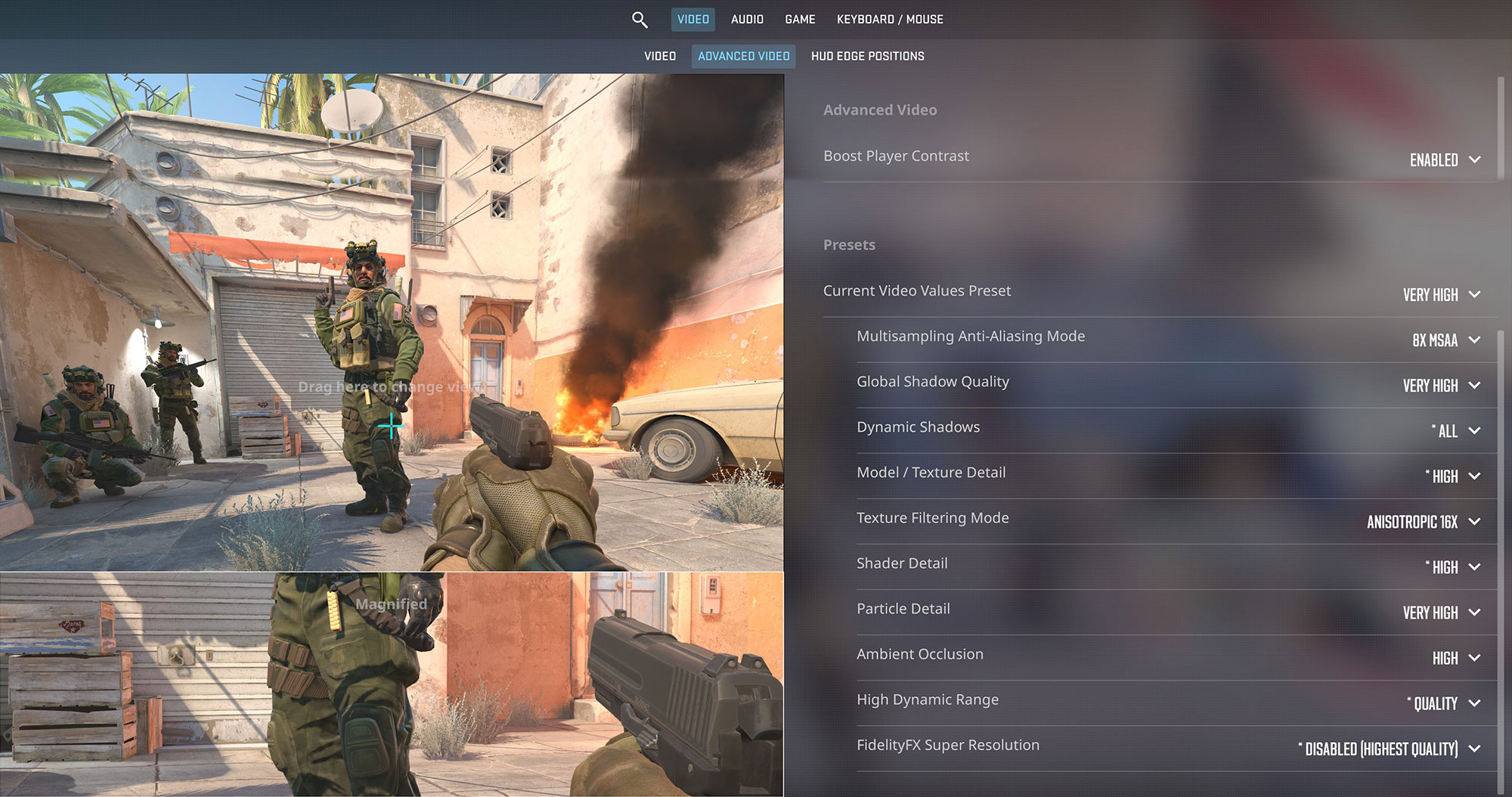
The Lenovo Legion 5i is a strong fit for its 165Hz OLED display in competitive titles. In Counter-Strike 2, it averages 169 FPS at the native 1600p resolution on Very High settings, which is just above the panel’s refresh rate and results in a very smooth esports experience.
| Counter Strike 2 | 1600p, Very High (Check settings) |
| Average FPS | 169 FPS |

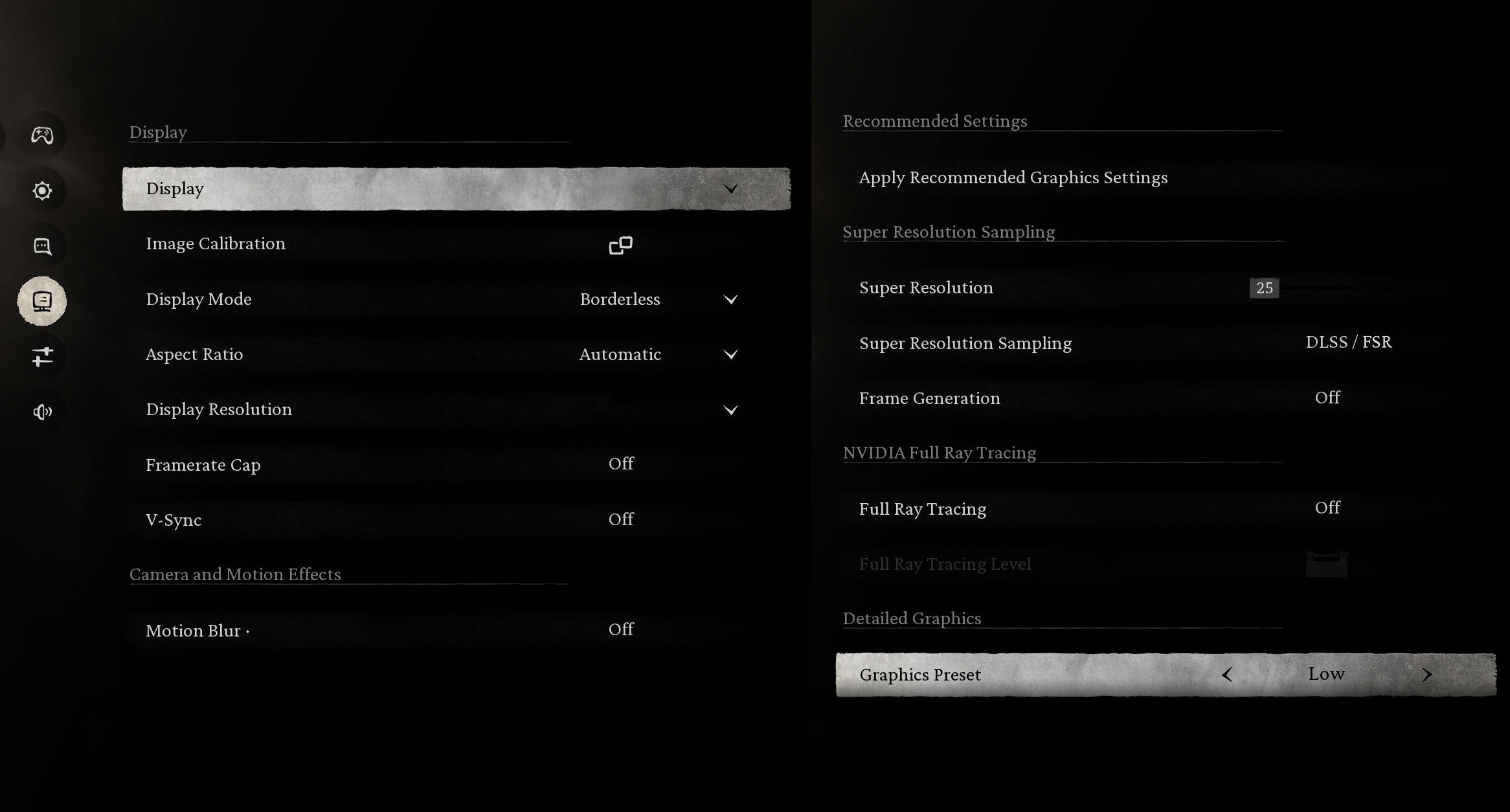
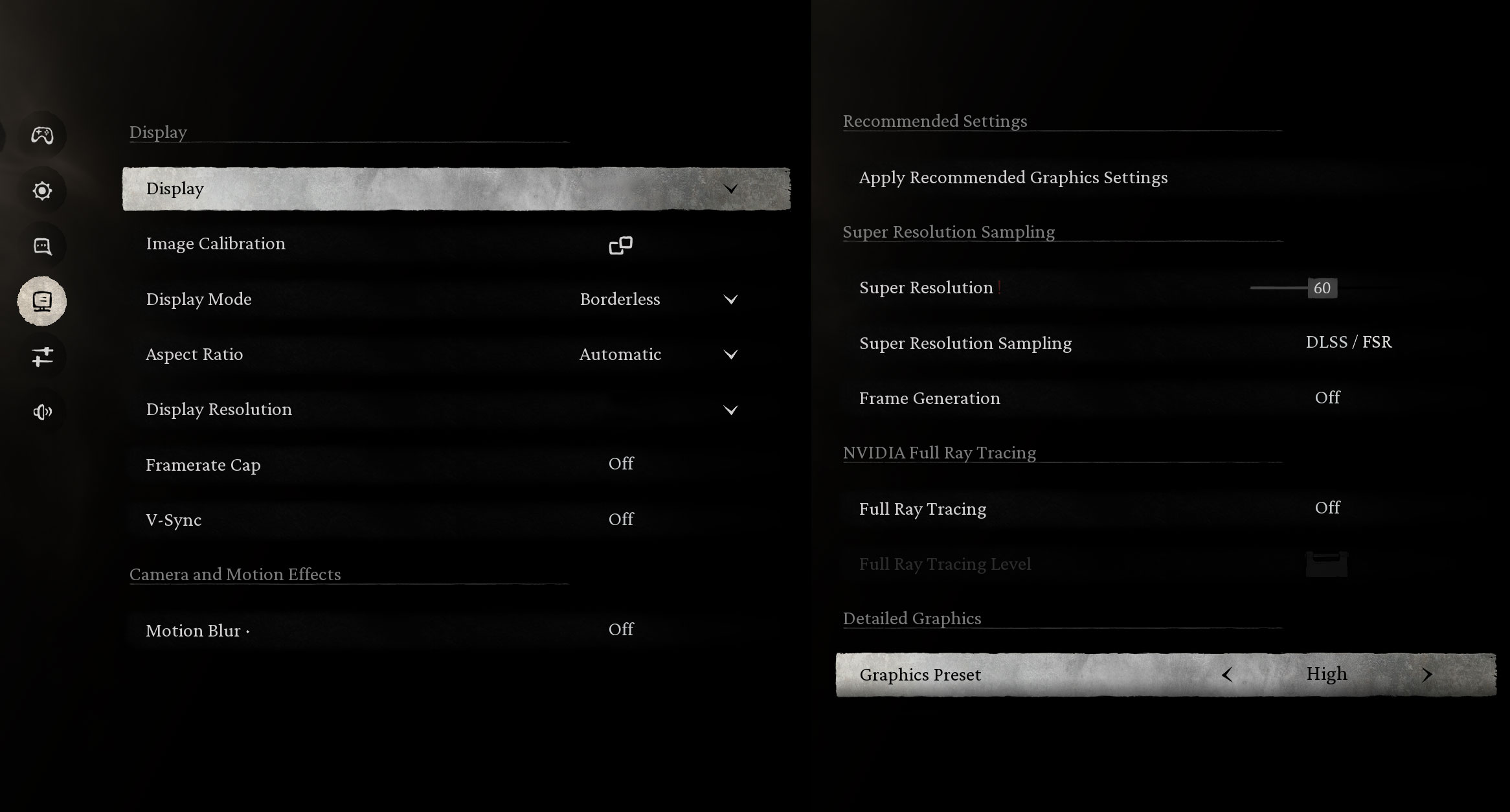
Black Myth: Wukong shows the flexibility of the RTX 5060 at 1600p. You can go for very high frame rates on the Low preset, where the laptop reaches 157 FPS, or switch to the High preset for much richer visuals while still maintaining a smooth 75 FPS.
| Black Myth: Wukong | 1600p, Low (Check settings) | 1600p, High (Check settings) |
| Average FPS | 157 FPS | 75 FPS |

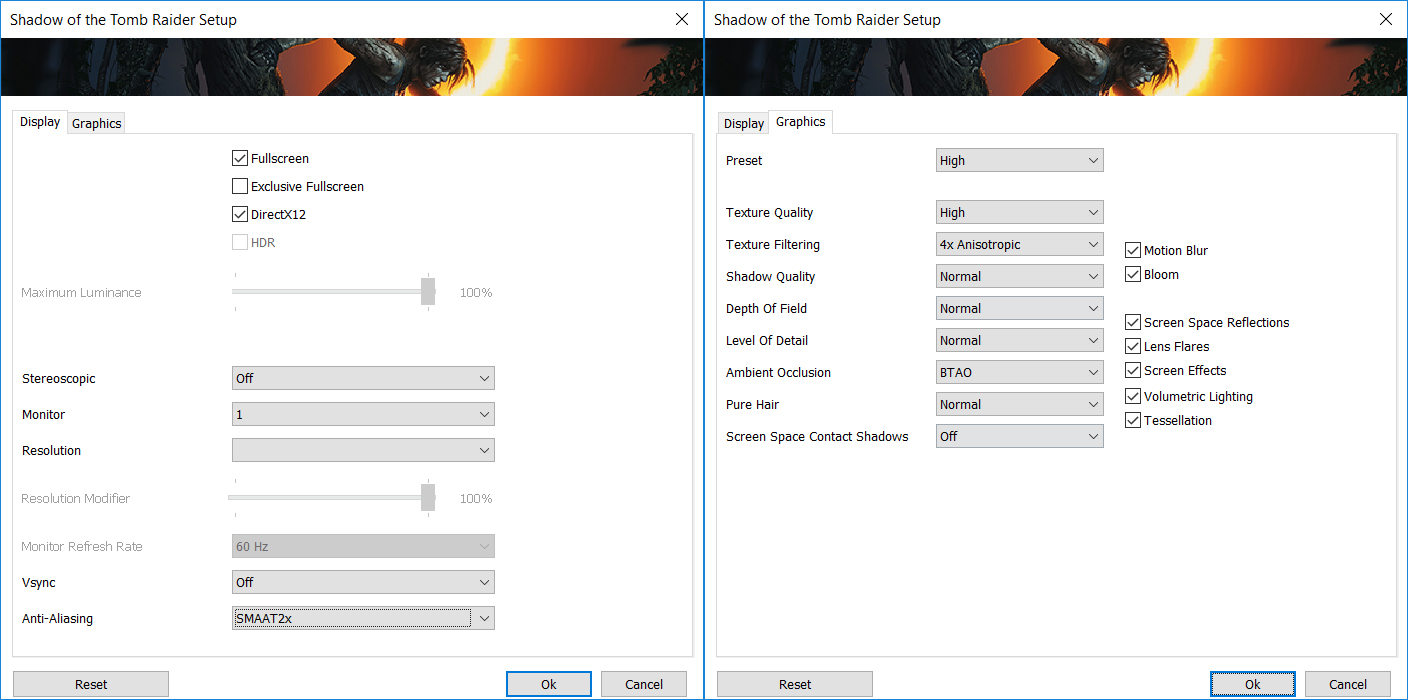
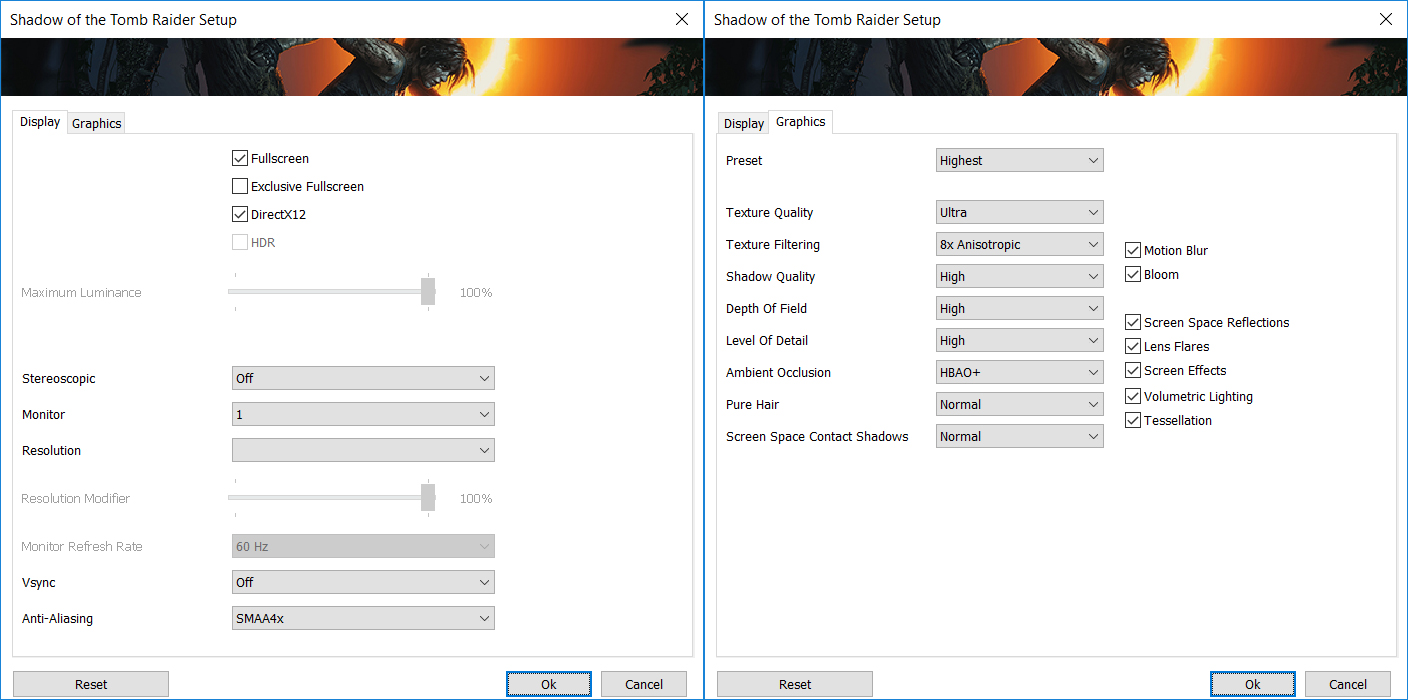
Shadow of the Tomb Raider runs very well at the native 1600p resolution. The Legion 5i reaches 112 FPS on the High preset and remains comfortably playable even on the Highest settings, where it averages 70 FPS.
| Shadow of the Tomb Raider | 1600p, High (Check settings) | 1600p, Highest (Check settings) |
| Average FPS | 112 FPS | 70 FPS |

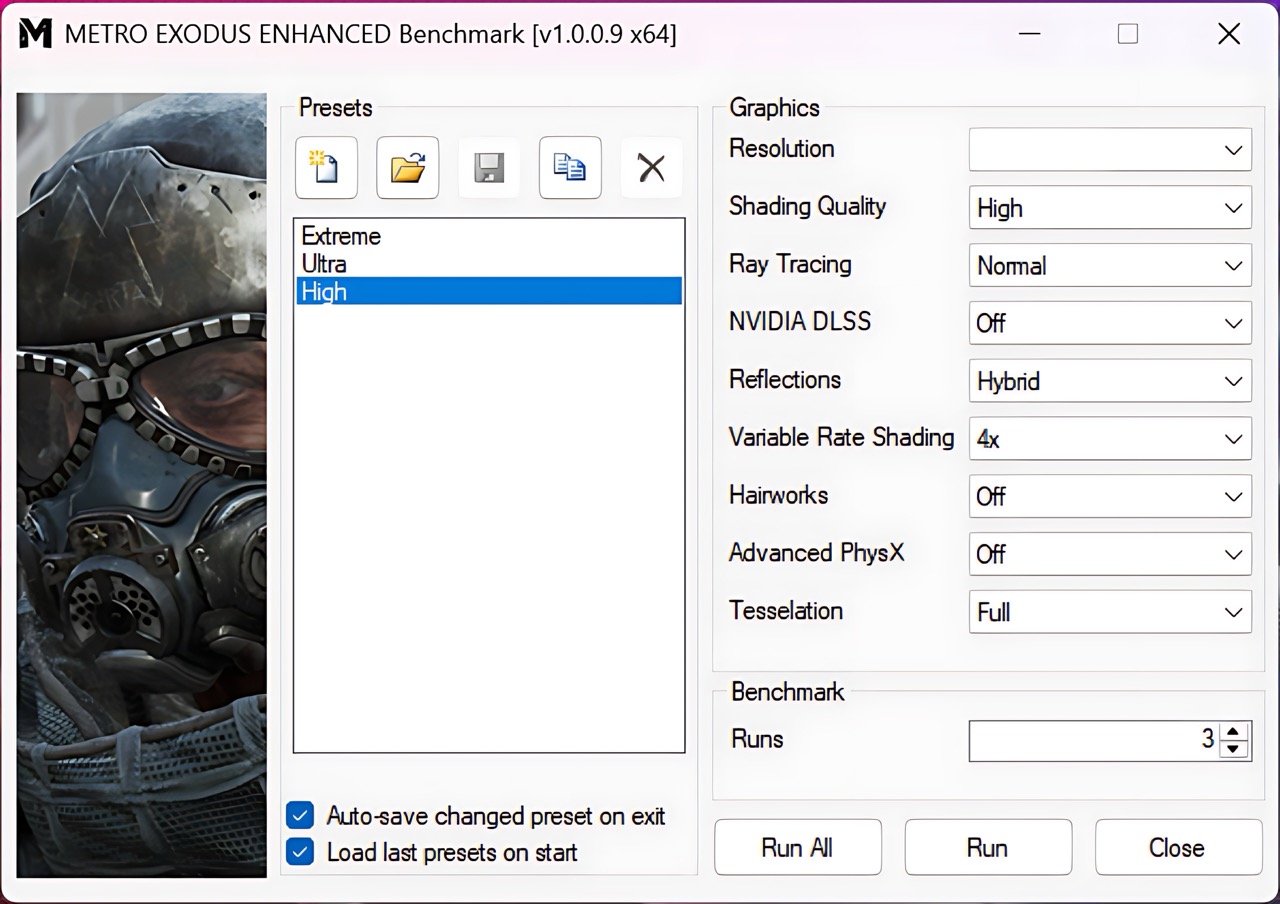
Metro Exodus Enhanced Edition is a heavier ray-tracing workload, so dropping the resolution to 1200p is the more sensible choice for this GPU. At High settings, the Legion 5i averages 89 FPS, which is a very good result for a mainstream RTX 5060 gaming laptop.
| Metro Exodus Enhanced Edition | 1200p, High (Check settings) |
| Average FPS | 89 FPS |
Temperatures and Comfort, Noise, Stability
At idle, the Intel Core Ultra 7 356H CPU package sits at 49ºC, with the fans already spinning at 1500 RPM for the CPU side and 1800 RPM for the GPU side. The laptop is only slightly audible, but not completely silent. Switching to Quiet mode lowers the fan speeds to 1300 RPM and 1600 RPM respectively, which helps, although the machine still does not become fully passive or dead silent.
Office Work, Web Development, Design
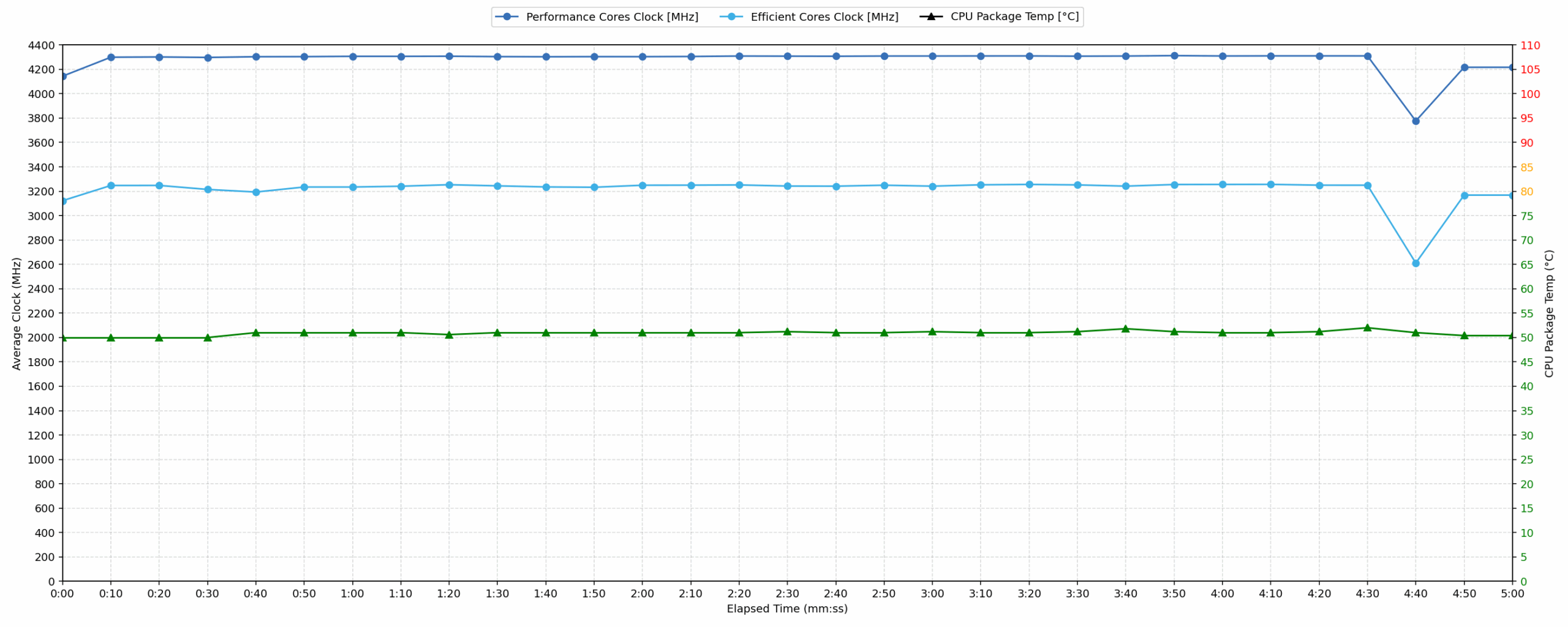
Short periods (0:00 – 0:10 s) of 100 % CPU load
This test shows the CPU behavior during short periods of serious load. It’s important for users who are looking for laptops suitable for tasks like Web Design and Programming.
| Intel Core Ultra 7 356H | Avg. P-Core Clock | Avg. CPU Temp. | Avg. CPU Power |
| Lenovo Legion 5i (15″, Gen 11) | 4143 MHz | 50 °C | 47 W |
During short bursts of CPU load, the Legion 5i reacts very quickly. The Core Ultra 7 356H reaches up to 4306 MHz in the first 5 seconds and averages 4143 MHz over the full 10-second window, while drawing an average of 47 W. The reported CPU temperatures are very low in this scenario, with an average of 50 °C and a peak of 54 °C, giving the laptop plenty of headroom for short office, programming, and design workloads.
Video editing, Scientific computing, Software compilation, 3D rendering
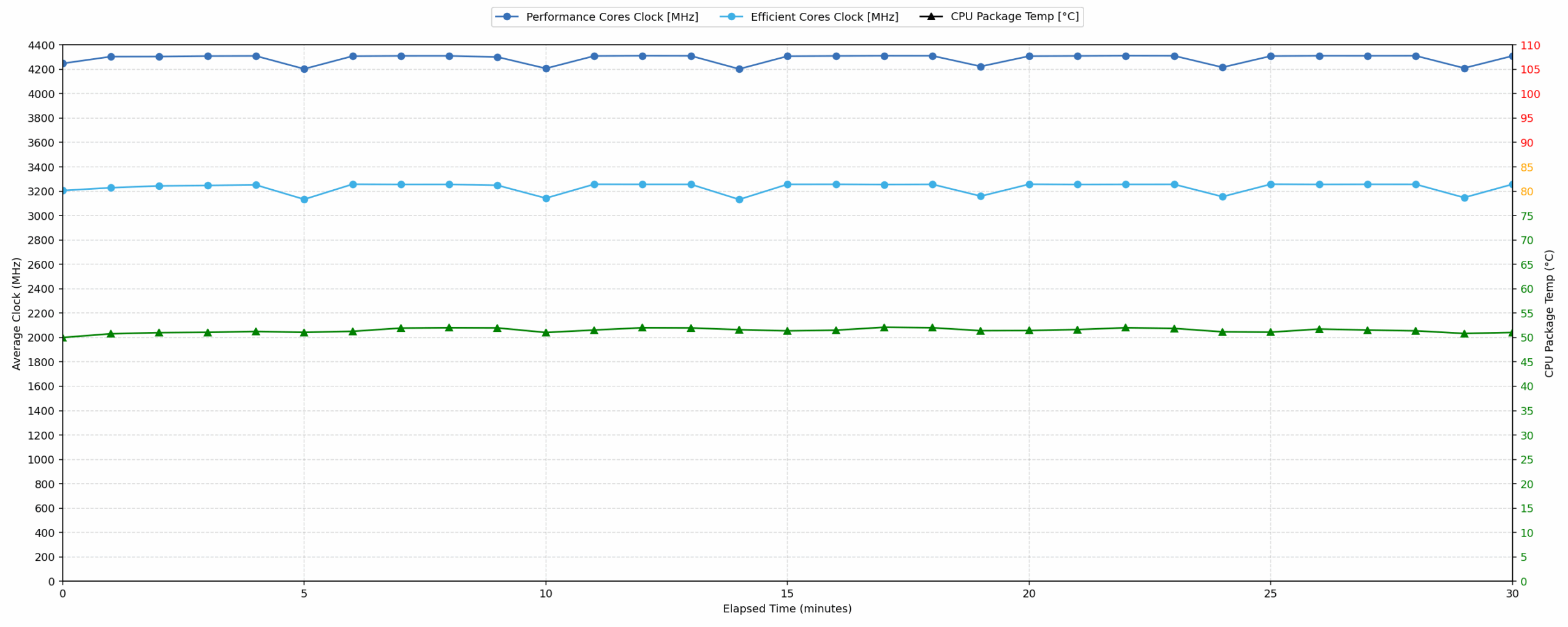
Long periods (0:00 – 30:00 min) of 100 % CPU load
This test shows the CPU behavior during long periods of serious load. It’s important for users who are looking for laptops suitable for tasks like Video Editing and 3D Rendering.
| Intel Core Ultra 7 356H | Avg. P-Core Clock | Avg. CPU Temp. | Avg. CPU Power |
| Lenovo Legion 5i (15″, Gen 11) | 4288 MHz | 51 °C | 59 W |
Sustained CPU performance is very strong. Over a 30-minute 100% CPU load, the Core Ultra 7 356H averages 4288 MHz at 59 W, which is an excellent result for this class. According to the sensor readings, CPU temperatures remain unusually low as well, averaging 51 °C and peaking at 54 °C in this CPU-only workload. Since the dedicated GPU is not adding heat to the cooling system in this test, the result should not be interpreted as representative of combined CPU+GPU loads, but it still shows that the Legion 5i has plenty of thermal headroom for processor-heavy tasks.
Gaming Stability
Continuous gaming simulation (1-hour test)
This test evaluates the laptop’s performance under sustained GPU load and high CPU usage.
| NVIDIA GeForce RTX 5060 | Avg. GPU Clock | Avg. GPU Temp. | Avg. Memory Clock | Avg. GPU Mem Temp. | Avg. GPU Power |
| Lenovo Legion Pro 5 (16″, Gen 10) | 2821 MHz | 75 °C | 1400 MHz | 61 °C | 113 W |
| Lenovo Legion 5i (15″, Gen 11) | 2817 MHz | 76 °C | 1400 MHz | 72 °C | 113 W |
| Lenovo Legion 5a (15″, Gen 11, 15AGP11) | 2773 MHz | 74 °C | 1400 MHz | 72 °C | 113 W |
| Lenovo LOQ 17IRX10 | 2742 MHz | 85 °C | 1393 MHz | 77 °C | 113 W |
| ASUS TUF Gaming A16 FA608 (2025) | 2708 MHz | 84 °C | 1387 MHz | 78 °C | 111 W |
| ASUS TUF Gaming F16 FX608 | 2714 MHz | 72 °C | 1387 MHz | 60 °C | 110 W |
| Lenovo LOQ 15 (Gen 10, 15AHP10) | 2626 MHz | 77 °C | 1393 MHz | 74 °C | 99 W |
| Lenovo Yoga Pro 9i Aura Edition (16″, Gen 11) | 2568 MHz | 71 °C | 1375 MHz | 65 °C | 99 W |
| Acer Nitro V 16 AI (ANV16-42) | 2575 MHz | 84 °C | 1354 MHz | 79 °C | 93 W |
| Lenovo Legion 7a (16″, Gen 11) | 2569 MHz | 75 °C | 1400 MHz | 74 °C | 92 W |
| ASUS V16 (V3607) | 2120 MHz | 76 °C | 1232 MHz | 79 °C | 68 W |
| MSI Cyborg 15 B2RW | 1971 MHz | 72 °C | 1170 MHz | 73 °C | 54 W |
In our one-hour gaming simulation, the RTX 5060 behaves like a proper full-power implementation. It averages 2817 MHz at 113 W, putting it right next to the Lenovo Legion Pro 5 (16″, Gen 10) and slightly ahead of the Lenovo Legion 5a (15″, Gen 11, 15AGP11). More importantly, the performance remains stable throughout the run. The GPU core averages 76 °C, while the memory averages 72 °C, which are safe and comfortable values for a sustained gaming workload.
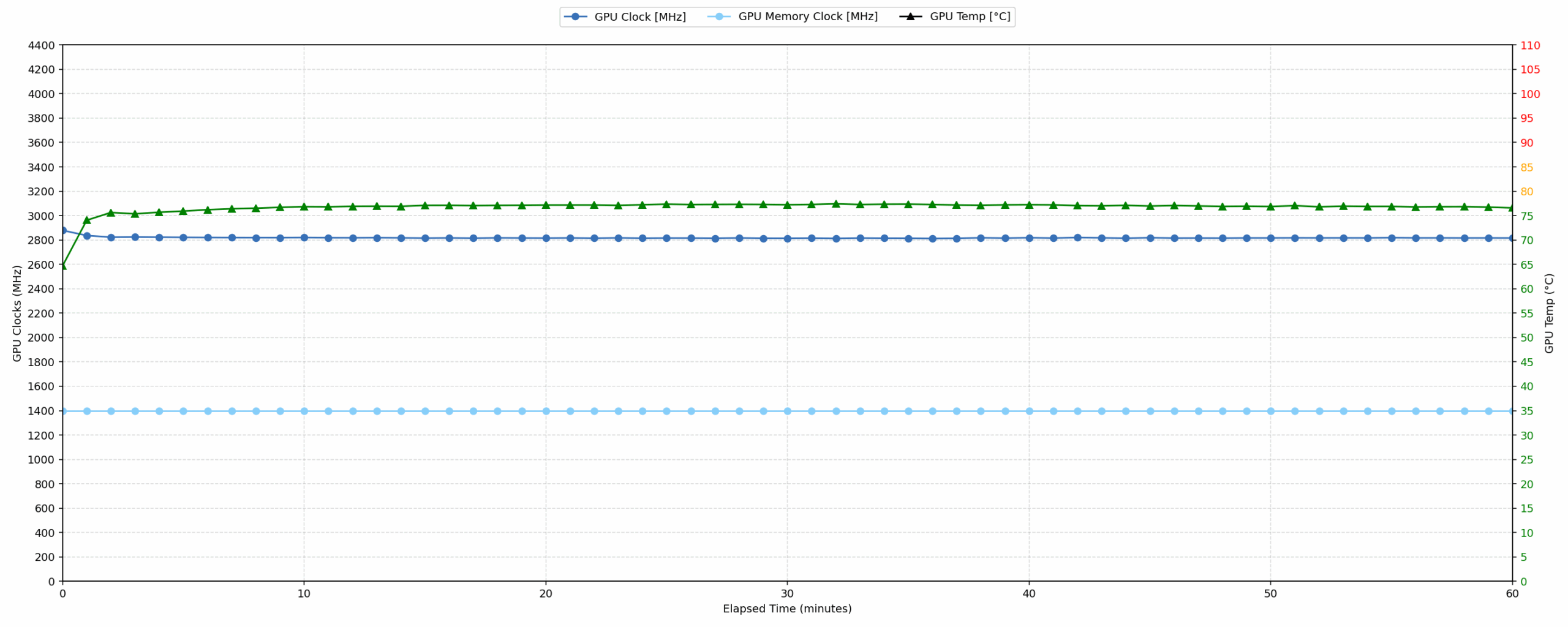
The main thing to keep in mind is that Performance mode prioritizes sustained speed over silence. The laptop is stable and well-cooled under load, but users who are sensitive to fan noise will likely prefer Balanced or Quiet mode for everyday work.
Battery Life
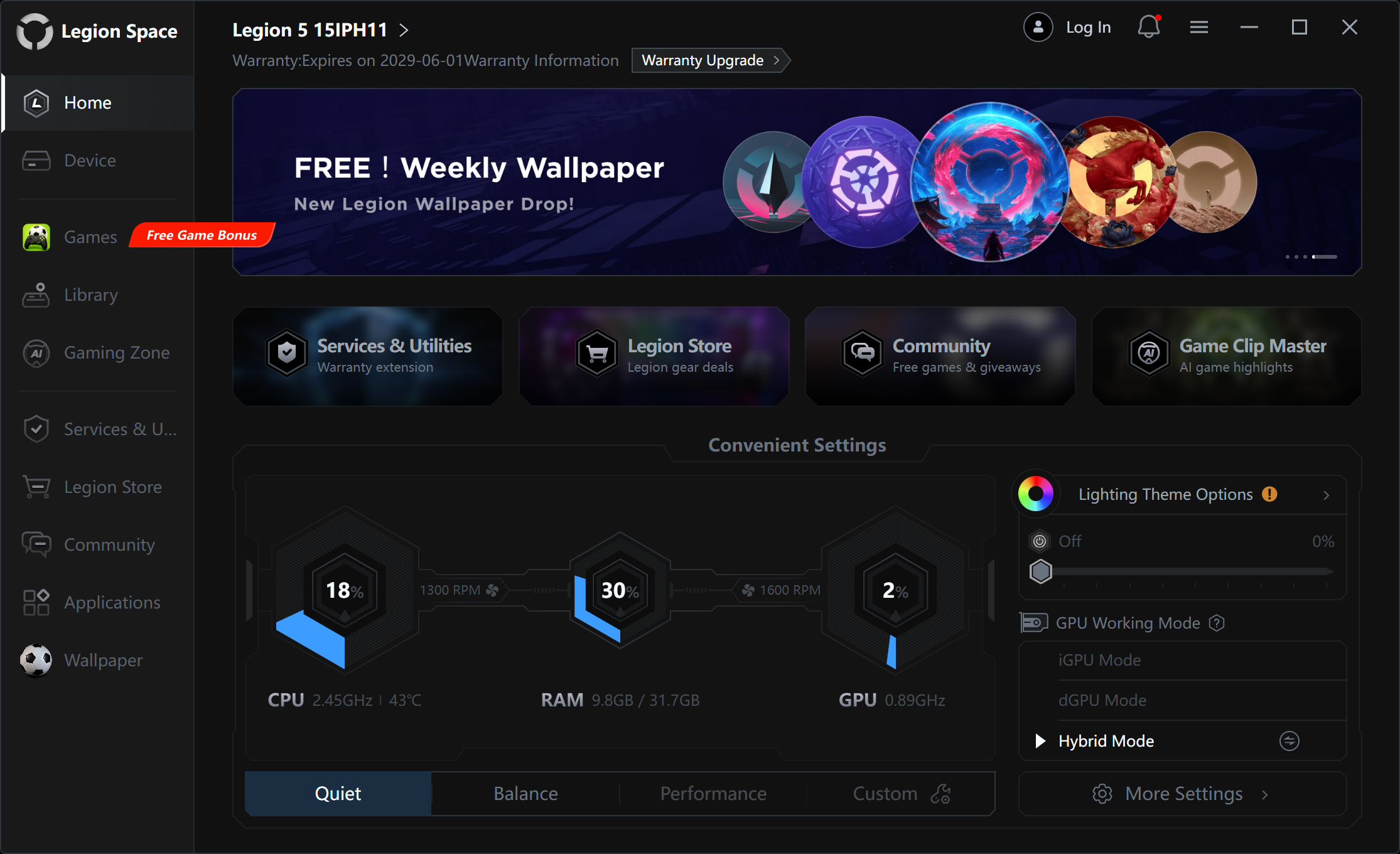
The battery of the Lenovo Legion 5i (15″, Gen 11) is a 4-cell Li-Ion unit, model L24M4PC0. It has a nominal voltage of 15.52 V and a capacity of 80 Wh.
We tested the battery with “Quiet/Hybrid” mode enabled in the Legion Space app.
In our video playback test, the Legion 5i delivers a solid result for a gaming laptop with a high-resolution OLED display. It does not quite reach the efficiency of slimmer or more optimized models like the ASUS V16 (V3607) (detailed review) and Lenovo Legion 7a (16″, Gen 11) (detailed review), but it clearly outlasts the Lenovo Legion 5a (15″, Gen 11, 15AGP11) (detailed review) and the thicker Lenovo Legion Pro 5 (16″, Gen 10) (detailed review). Overall, the result is good enough for media playback or light work away from the charger, but this is still a performance-focused gaming laptop rather than an endurance machine.
Brightness: 180 nits; Display Mode: SDR
Time to Full Discharge: Higher is Better
Disassembly, Upgrade options, and Maintenance
Getting inside the Lenovo Legion 5i 15 Gen 11 is straightforward. You need to undo 10 Phillips-head screws and pry the bottom panel carefully with a plastic tool. Keep in mind that the two screws in the middle area between the hinges are longer than the rest, so it is worth keeping track of their positions during reassembly.
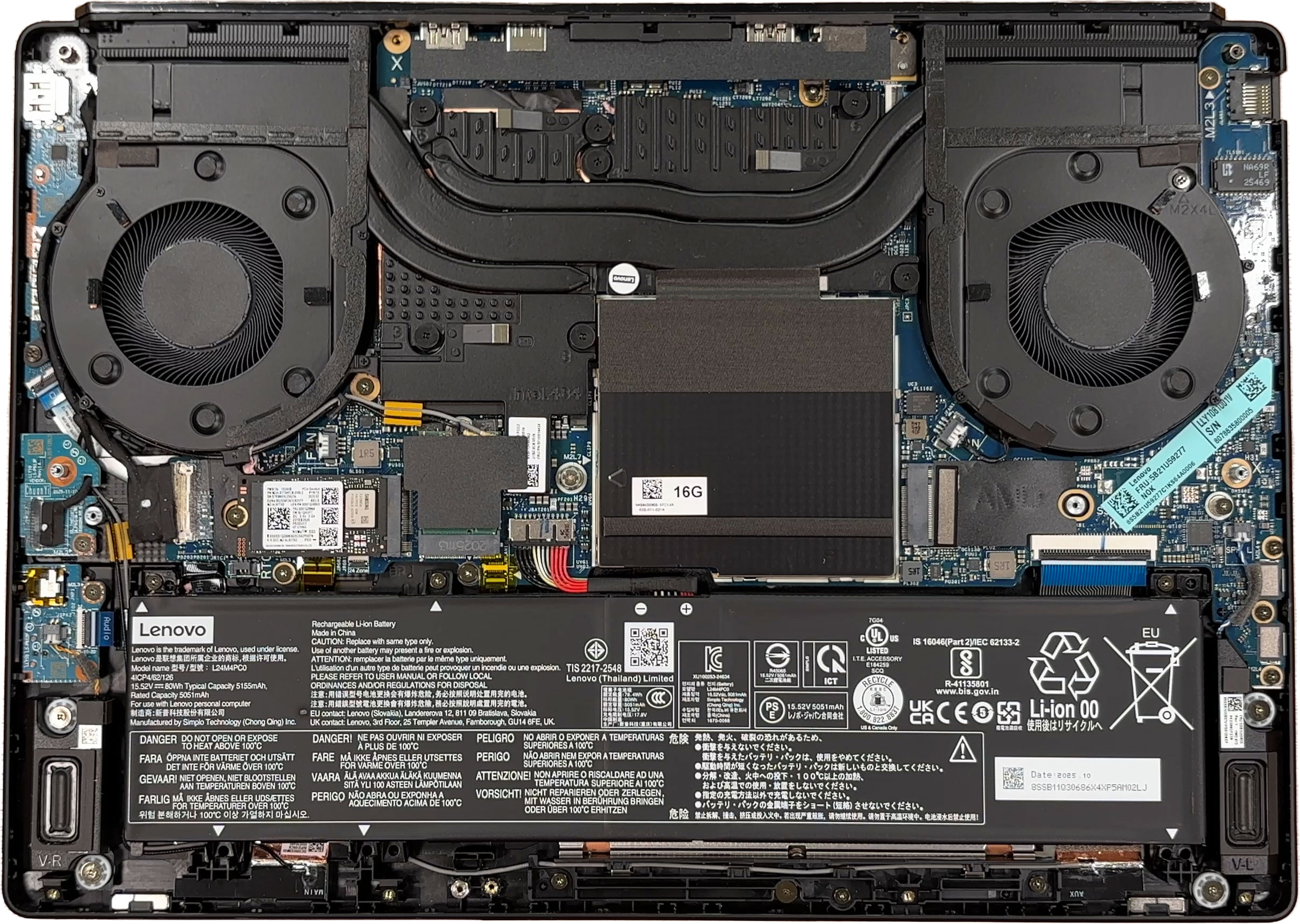
Once the bottom cover is removed, the layout is very easy to understand. The large 80Wh battery occupies the front section, the two fans sit near the rear corners, the memory area is protected by a metal EMI/RFI shield, and the M.2 storage slots are placed on opposite sides of the board. The Wi-Fi card is also accessible, so the main serviceable components are not buried under the motherboard.
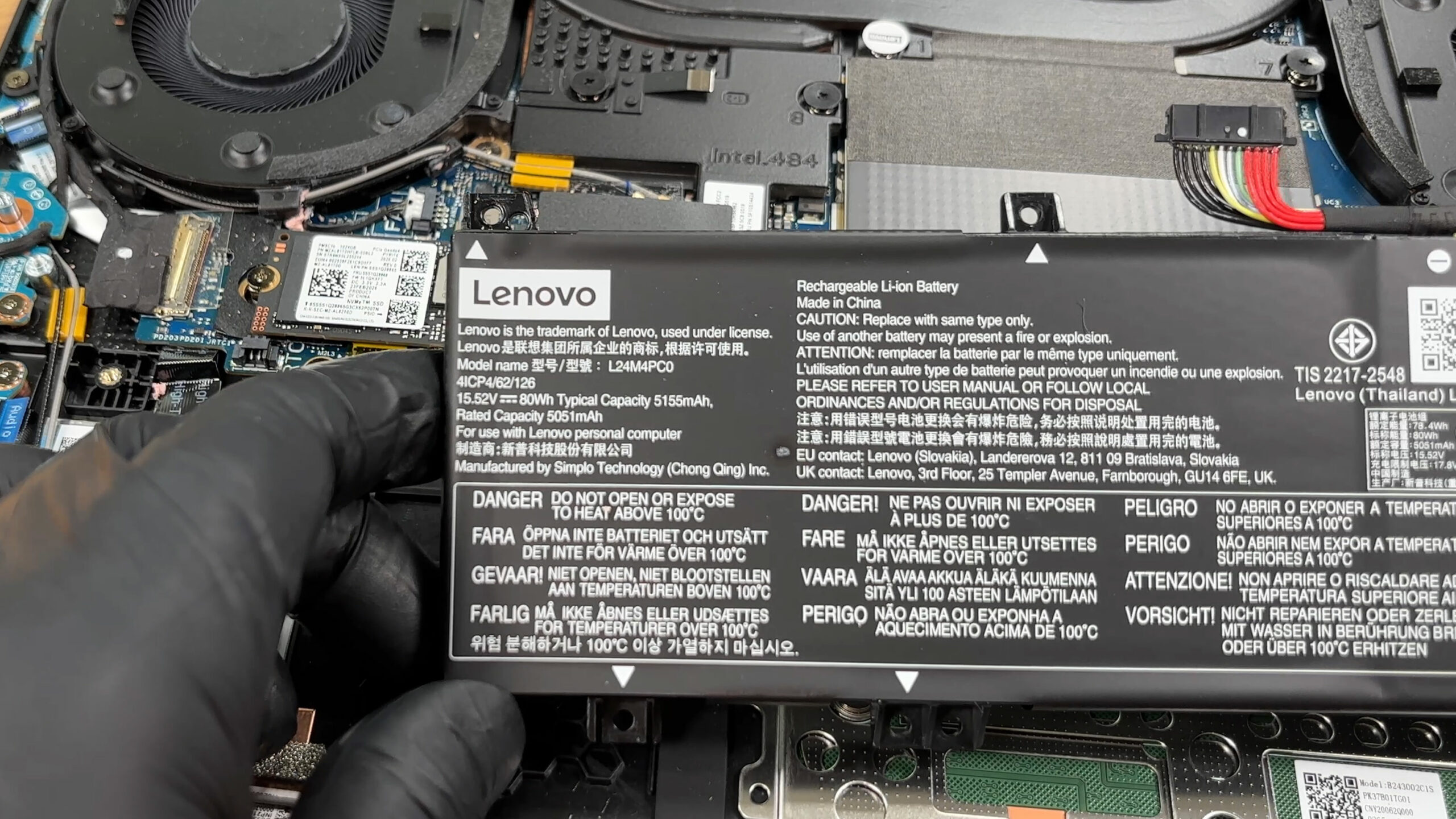
The cooling system uses two fans and several heat pipes shared between the Intel processor and the discrete NVIDIA GeForce RTX 5060 Laptop GPU in our ordered configuration. The CPU and GPU themselves are soldered, so they are not upgradeable, but the cooling module is accessible for cleaning, repasting, or servicing if needed.
For storage, Lenovo officially lists two M.2 2280 PCIe 4.0 x4 slots. The system supports dual SSDs, but Lenovo offers factory configurations with only one SSD installed, leaving the second slot for user self-expansion. Our ordered configuration comes with a 1TB Samsung MZAL81T0HFLB-00BL2 NVMe drive in the shorter M.2 2242 format, while the second M.2 slot is empty. This makes storage upgrades very convenient, especially since both slots are PCIe 4.0 x4. As usual, the real transfer speed will depend on the SSD itself, not just on the theoretical interface limit.
The memory setup is one of the practical advantages of this model. There are two DDR5 SO-DIMM slots under the metal shielding, instead of soldered memory. Our machine is equipped with two 16GB SK Hynix DDR5-5600 modules, for a total of 32GB in dual-channel mode. Lenovo lists up to 32GB DDR5-5600 for this configuration, so our machine already reaches the official memory offering, but the modules are still replaceable rather than permanently soldered to the motherboard.
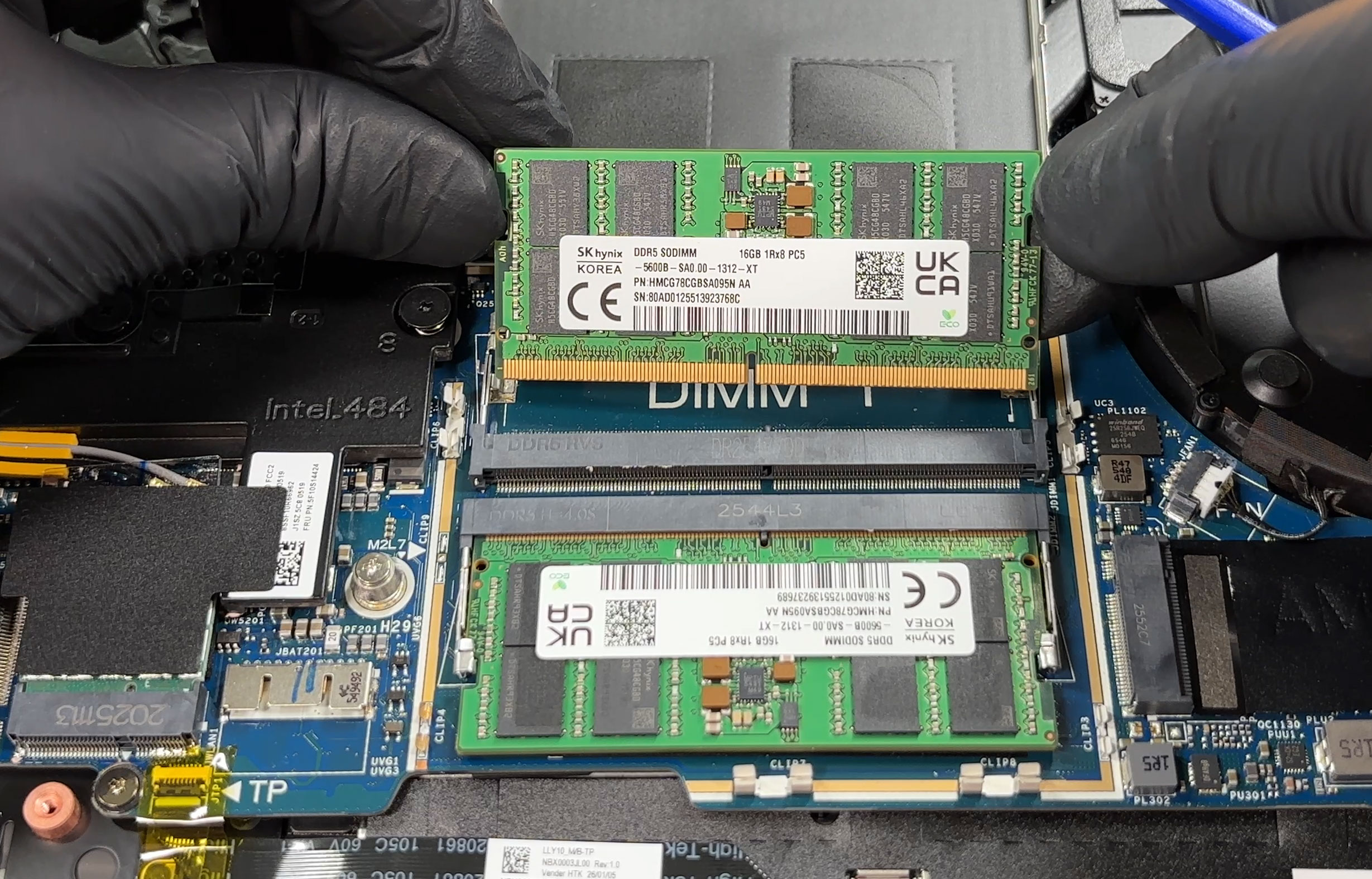
Be careful when removing or reinstalling the RAM shield. It is held by small metal clips that need to be aligned precisely, and they can bend if you press the cover down while it is off-center. The thermal pads above the memory modules may also stick either to the modules or to the shield, so take your time and make sure they return to the correct position before closing the machine.
The battery is a removable 80Wh unit secured by three screws. As usual, the battery connector should be disconnected before working around the SSDs, memory, or Wi-Fi card. The wireless card in our configuration is a replaceable Wi-Fi 7 module with 802.11be 2×2 and Bluetooth 5.4 support.
Overall, the Lenovo Legion 5i 15 Gen 11 is easy to maintain and pleasantly upgradeable for a modern gaming laptop. You get simple bottom-panel access, two replaceable memory modules, two M.2 2280 PCIe 4.0 x4 storage slots, a removable battery, and an accessible Wi-Fi card. The main upgrade limits are the soldered CPU and GPU, plus the fact that Lenovo officially lists this configuration with up to 32GB of DDR5 memory.
Verdict
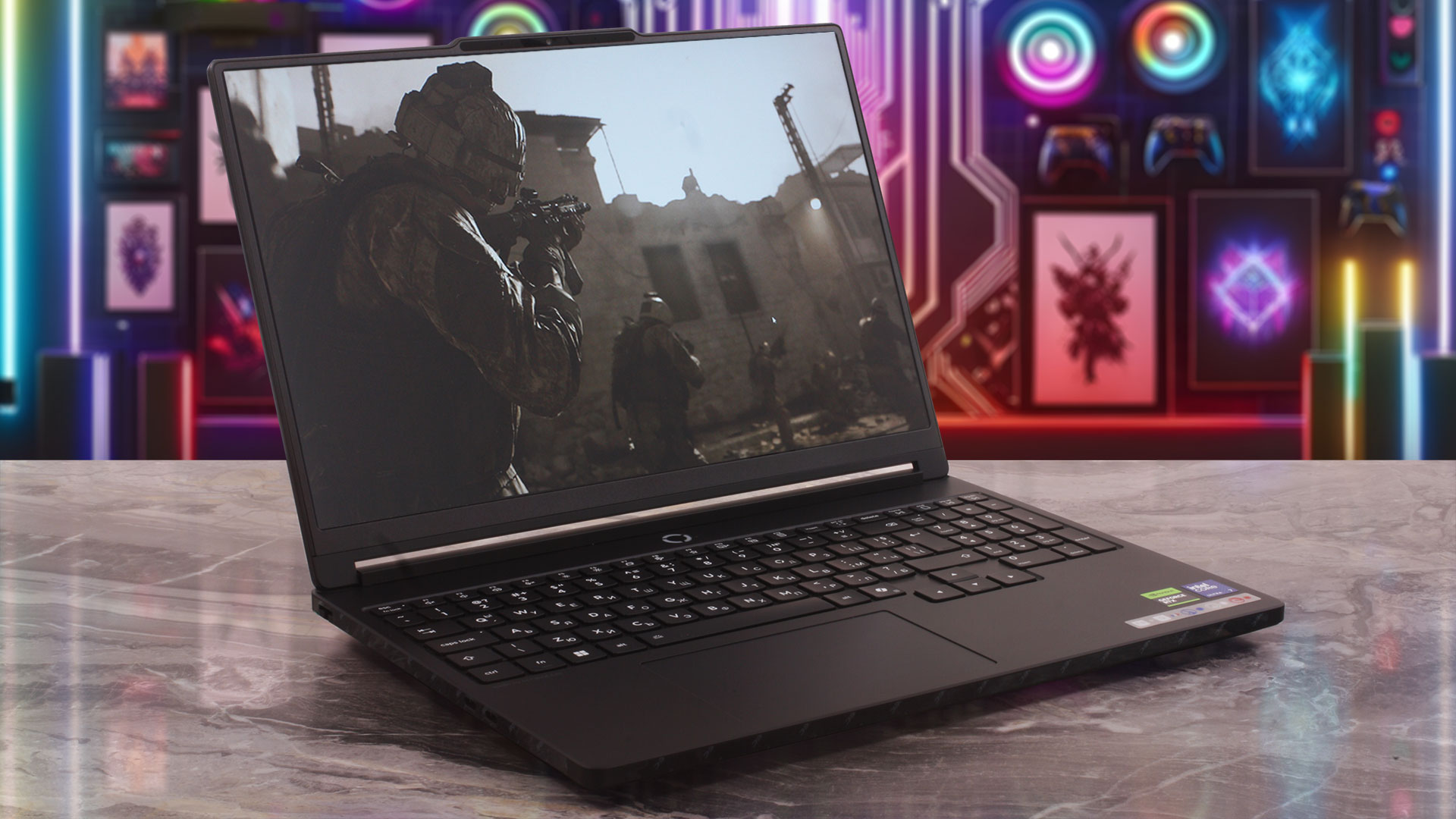 The Lenovo Legion 5i (15″, Gen 11) is one of the most balanced 15-inch gaming laptops we have tested recently. It does not try to look overly aggressive, yet it delivers the kind of sustained RTX 5060 performance that many flashier machines would struggle to match. The design is mature, the chassis is reasonably compact, and the hardware inside is clearly tuned for serious gaming rather than just looking good on paper.
Its biggest strengths are easy to spot: a strong full-power RTX 5060 implementation, excellent gaming stability, a beautiful 165Hz OLED display, and proper upgradeability with replaceable RAM and two M.2 slots. At the same time, it is not perfect. The glossy OLED panel is extremely reflective, battery life is only decent rather than great, and some quality-of-life features are missing depending on the configuration.
Overall, the Legion 5i is a very convincing choice for users who want a powerful, compact gaming laptop with an excellent screen and long-term upgrade options, without stepping into the much bulkier desktop-replacement category.
You can check the prices and configurations in our Specs System: https://laptopmedia.com/series/lenovo-legion-5-15iph11-gen-11/
✅ The Good
The RTX 5060 in our ordered configuration is one of the strongest implementations of this GPU we have tested. It runs at 113W in our one-hour gaming simulation, stays stable throughout the test, and performs very close to the larger Lenovo Legion Pro 5. This is exactly what we want from a mainstream gaming laptop: not a high-end GPU tier, but a strong and consistent implementation of the hardware it offers.
The display is another major highlight. The 15.3-inch 165Hz OLED panel has excellent contrast, full DCI-P3 coverage, very accurate factory color modes, and strong HDR brightness. Lenovo’s sRGB and Display P3 modes are genuinely useful, and our profiles further refine the experience for users who want a more predictable workflow across office, web, and design-related tasks.
Upgradeability is also excellent for a modern gaming laptop. You get two DDR5 SO-DIMM slots, two M.2 2280 PCIe 4.0 x4 slots, an accessible Wi-Fi card, and a removable battery. The keyboard is comfortable as well, with full-sized arrow keys, a NumPad, and RGB backlighting.
❌ The Bad
The biggest drawback is the display’s glossy surface. The OLED panel itself is excellent, but its reflectance is extremely high, which can make bright rooms, direct lamps, or window reflections distracting. If you mostly use the laptop in controlled lighting, this is less of an issue, but it is still the main practical weakness of the screen.
The laptop is also not completely silent at idle, even in Quiet mode. Performance mode does a great job of keeping the hardware stable, but users who are sensitive to fan noise will probably prefer Balanced or Quiet mode for everyday work.
There are a few missing extras as well. There is no fingerprint reader, and IR camera support depends on the configuration. Our ordered configuration comes without IR, so it does not offer biometric login. There is also no SD card reader, which is a small but relevant omission considering how good the display is for photo and video work. Finally, the SSD in our machine is very fast, but it reached 82°C in our stress test, so heavy sustained transfers are worth keeping an eye on.
🆚 The Competitors
Compared to the Lenovo Legion 5a (15″, Gen 11, 15AGP11) (detailed review), the Legion 5i feels like the more balanced version. The AMD model is very strong in CPU-heavy tasks, but the Intel-based Legion 5i delivers better battery life in our video playback test and a slightly stronger RTX 5060 implementation in our GPU tests.
Against the slimmer Lenovo Legion 7a (16″, Gen 11) (detailed review), the Legion 5i gives up some premium feel and portability, but answers with better raw gaming performance and much stronger upgradeability. If you care more about maximum FPS, replaceable RAM, and storage expansion than having the thinnest chassis, the Legion 5i is the more practical gaming choice.
Pros
- One of the strongest RTX 5060 implementations we have tested
- Stable 113W GPU performance in long gaming loads
- Excellent 165Hz WQXGA OLED display with full DCI-P3 coverage
- Very accurate factory sRGB and Display P3 modes
- Strong HDR brightness and excellent OLED contrast
- Great upgradeability with two RAM slots and two M.2 2280 PCIe 4.0 x4 slots
- Good port selection with Thunderbolt 4, HDMI 2.1, USB-C charging, and Ethernet
- Comfortable keyboard with full-sized arrow keys and NumPad
- Clean, mature design for a gaming laptop
Cons
- Extremely reflective glossy OLED screen
- Not completely silent at idle, even in Quiet mode
- No SD card reader
- The SSD reached 82°C in our stress test
 Author: Simeon NikolovEditor-in-Chief at LaptopMedia.com with 20+ years of experience in testing and analyzing laptops and mobile devices.
 Author: eng. Kroum NikolovHead of Engineering at LaptopMedia.com, inventor and innovator with 40+ years of experience in electronics and high technology.

![[August 2026] Best-Selling Laptop Brands on Amazon Japan – Apple Dominates Market Share and Revenue Led by Strong Unit Sales](https://laptopmedia.com/wp-content/uploads/2026/09/CO.JP-Best-Brands-1-400x225.jpg)
![[August 2026] Best-Selling Laptop Brands on Amazon USA – Apple Dominates Market Revenue and Volume Despite Lower Model Diversity](https://laptopmedia.com/wp-content/uploads/2026/09/COM-Best-Brands-1-400x225.jpg)
![[August 2026] Amazon Germany: Top 8 Best-Selling Gaming Laptops – Acer Dominates the Market as the Premium Nitro V 17 AI Takes the #1 Spot](https://laptopmedia.com/wp-content/uploads/2026/09/Best-Selling-Gaming-Laptops-DE-Top-10-1-400x225.jpg)
![[August 2026] Best-Selling Laptop Brands on Amazon France – Apple Dominates Revenue Despite Lenovo and HP Leading in Catalog Breadth and Volume](https://laptopmedia.com/wp-content/uploads/2026/09/FR-Best-Brands-1-400x225.jpg)
![[August 2026] Amazon Italy: Top 10 Best-Selling Laptops – Apple MacBook Neo Claims the Crown as Budget and Mid-Range Windows Machines Dominate Volume](https://laptopmedia.com/wp-content/uploads/2026/09/Best-Selling-Laptops-IT-Top-10-400x225.jpg)

Thanks for the information, it’s a great review.