Lenovo Legion 5a (15″, Gen 11, 15AGP11) review – The Fastest 15-inch RTX 5060 Laptop

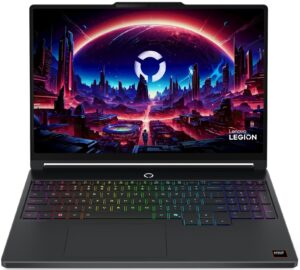
At first glance, Lenovo Legion 5a’s sleek, understated “Eclipse Black” chassis and premium metal lid suggest a high-end business workstation, perfectly suited for the boardroom. But beneath this professional exterior beats the heart of a ferocious gaming machine. Packing the latest AMD Ryzen AI 9 processor and an NVIDIA RTX 5060, it promises top-tier performance hidden in a surprisingly portable sub-2kg frame. In our testing, this stealthy approach yielded some incredible results, shattering records for its class. But does this relentless pursuit of power in a slim chassis come at too high a cost when it’s time to unplug? We put the new Legion 5a through its paces to separate the hype from the reality.
TESTED CONFIGURATION:
– AMD Ryzen AI 9 465
– NVIDIA GeForce RTX 5060
– 16GB RAM
– 512GB SSD NVMe
– 15.3”, 2560×1600 (WQXGA), 165Hz OLED
You can check the prices and configurations in our Specs System: https://laptopmedia.com/series/lenovo-legion-5-15agp11-gen-11/
Contents
Specs, Drivers, What’s in the box
Lenovo Legion 5a (15AGP11, Gen 11) - Specs

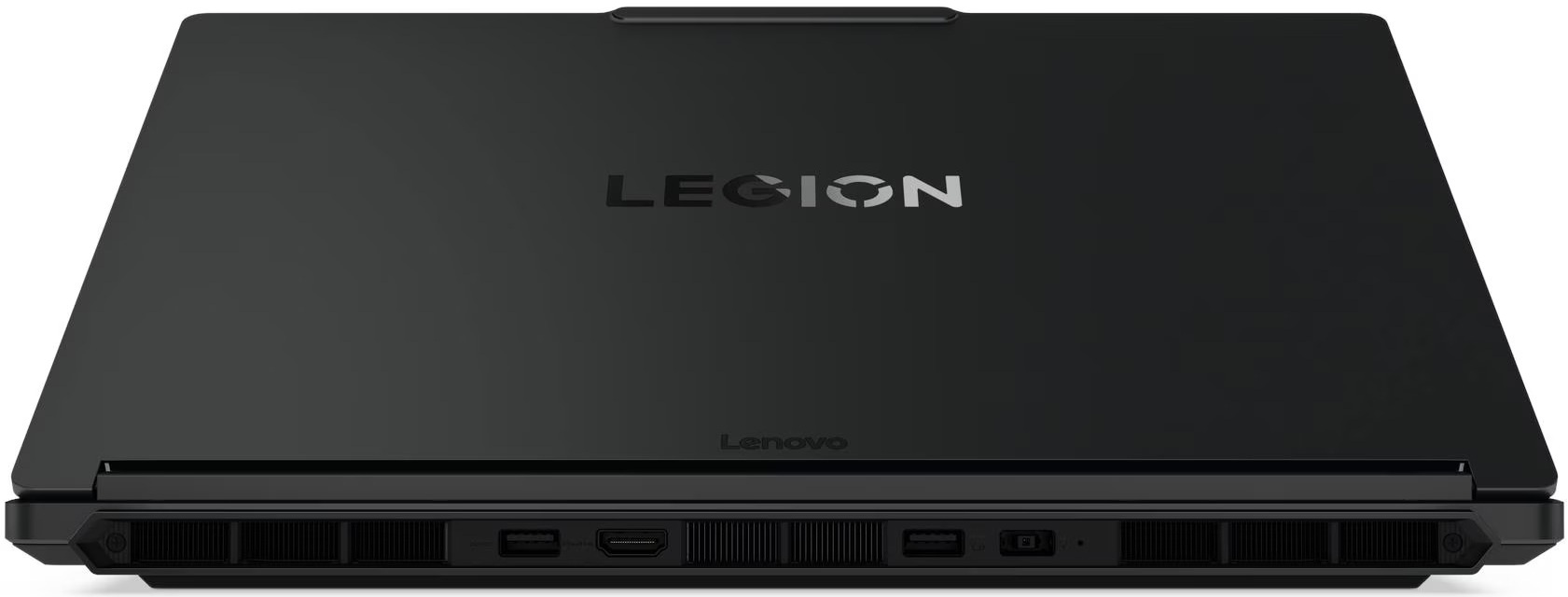

- HDD/SSD
- up to 2000GB SSD
- M.2 Slot
- 1x 2280 M.2 NVMe PCIe 4.0 x2 + 1x 2280 M.2 NVMe PCIe 4.0 x4 See photo
- RAM
- up to 32GB
- OS
- Windows 11 Home, No OS, Windows 11 Pro
- Battery
- 80Wh
- Body material
- Plastic / Polycarbonate, Aluminum
- Dimensions
- 344 x 244.5 x 18.95 - 19.95 mm (13.54" x 9.63" x 0.75")
- Weight
- 1.87 kg (4.1 lbs)
- Ports and connectivity
- 2x USB Type-A
- 3.2 Gen 1 (5 Gbps)
- 1x USB Type-A
- 3.2 Gen 1 (5 Gbps), Sleep and Charge
- 2x USB Type-C
- 4.0, Power Delivery (PD), DisplayPort
- HDMI
- 2.1 (8K@60Hz)
- Card reader
- Ethernet LAN
- 10, 100, 1000 Mbit/s
- Wi-Fi
- Wi-Fi 6E / Wi-Fi 7
- Bluetooth
- 5.3 / 5.4
- Audio jack
- 3.5mm Combo Jack
- Features
- Fingerprint reader
- Web camera
- 5.0MP + IR, with E-shutter, fixed focus
- Backlit keyboard
- Microphone
- Dual-microphone array
- Speakers
- Stereo speakers, 2W x2, audio by HARMAN, optimized with Nahimic Audio
- Security Lock slot
All Lenovo Legion 5a (15AGP11, Gen 11) configurations
Drivers
All drivers and utilities for this notebook can be found here: https://pcsupport.lenovo.com/bg/en/products/laptops-and-netbooks/legion-series/legion-5-15agp11
What’s in the box?
The unboxing for the Legion 5a is as direct as it gets, skipping any unnecessary extras to focus entirely on the hardware.
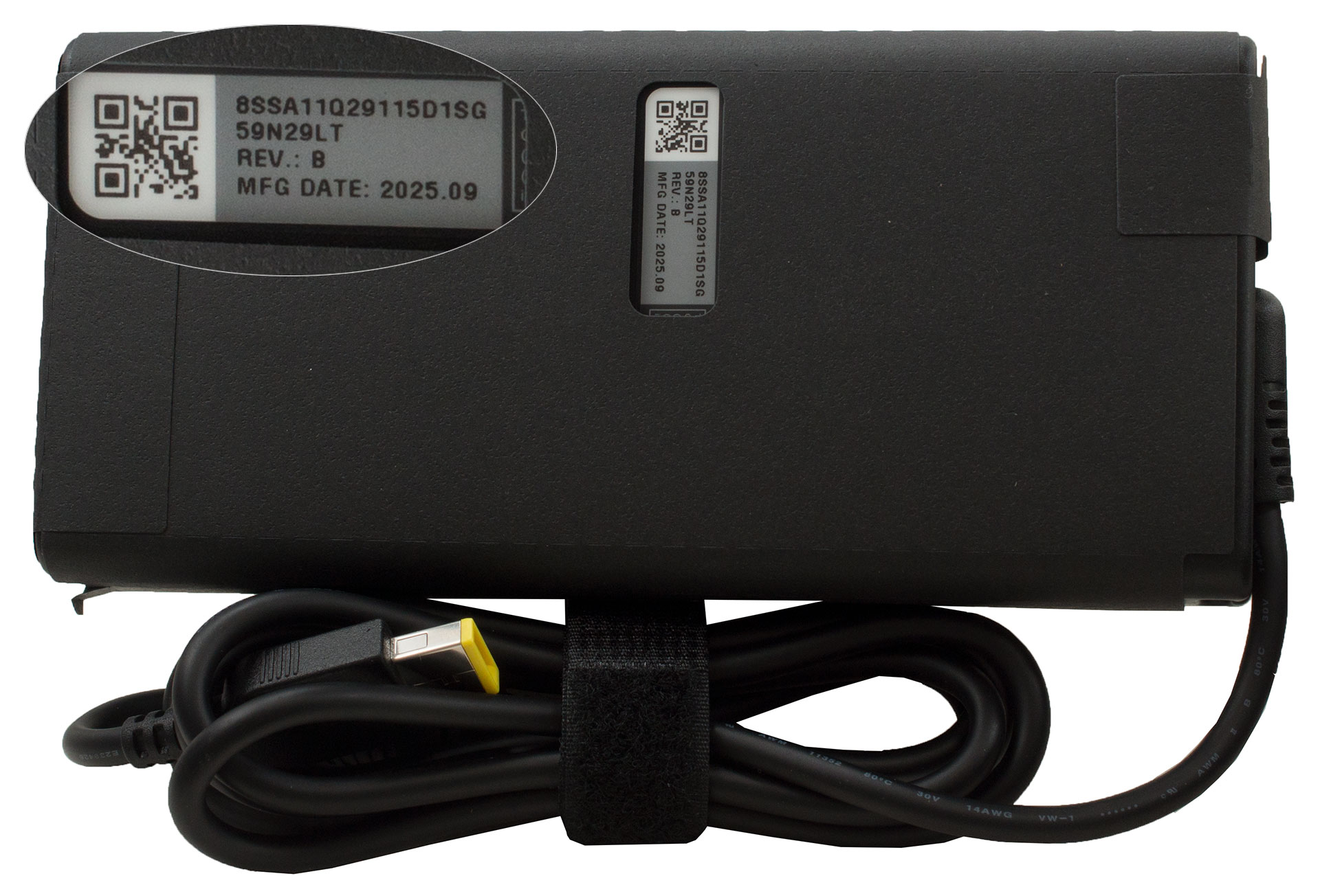
Inside, you’ll find just the machine itself nestled alongside its chunky 245W slim tip power adapter, providing everything you need to get powered up without any distractions.
Design and construction
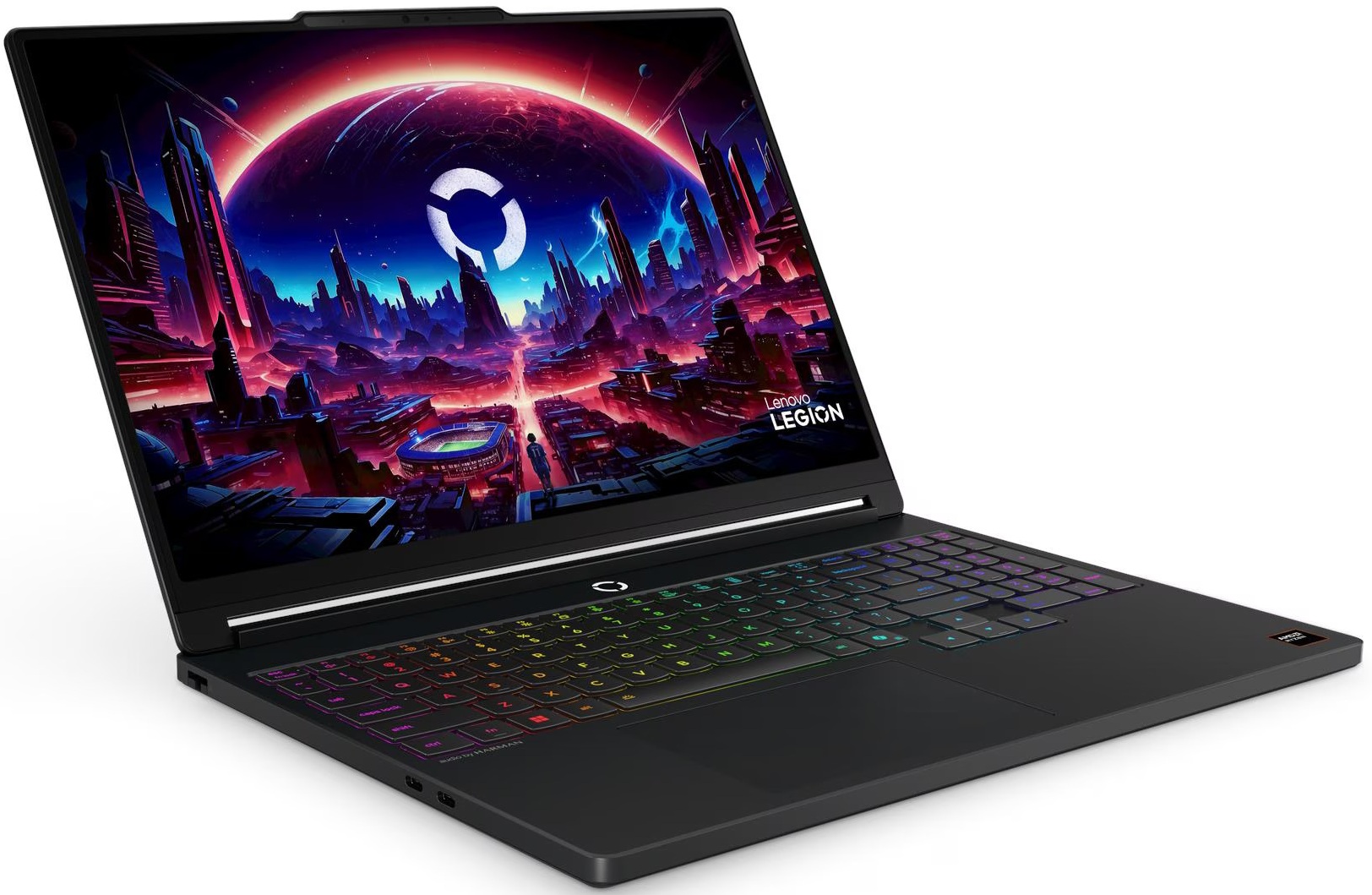
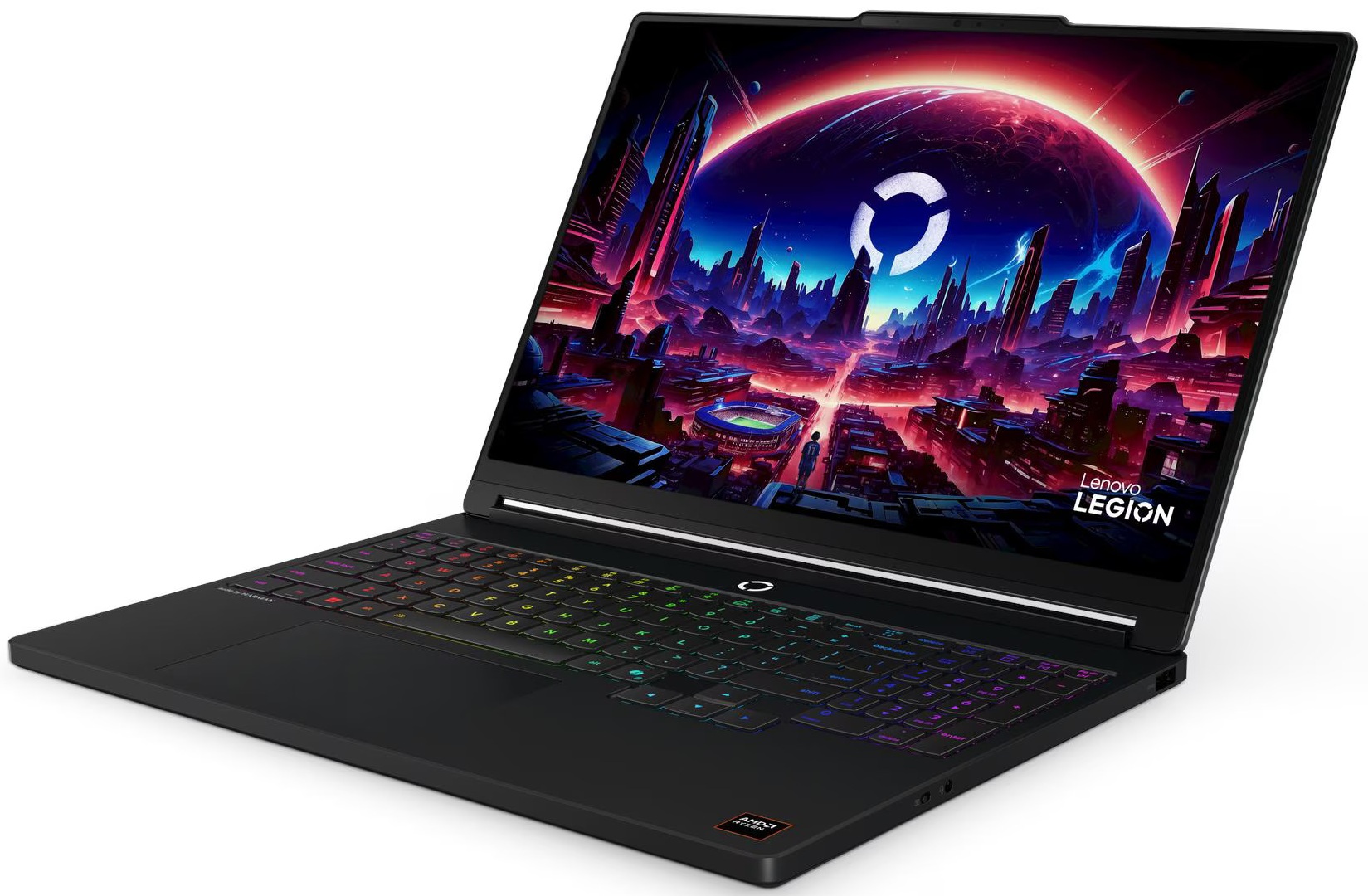
The Lenovo Legion 5a (15″, Gen 11, 15AGP11) plays a wonderful trick on the eyes. Before you awaken its RGB backlighting, it masquerades brilliantly as a sleek, professional workstation rather than a typical gaming rig.
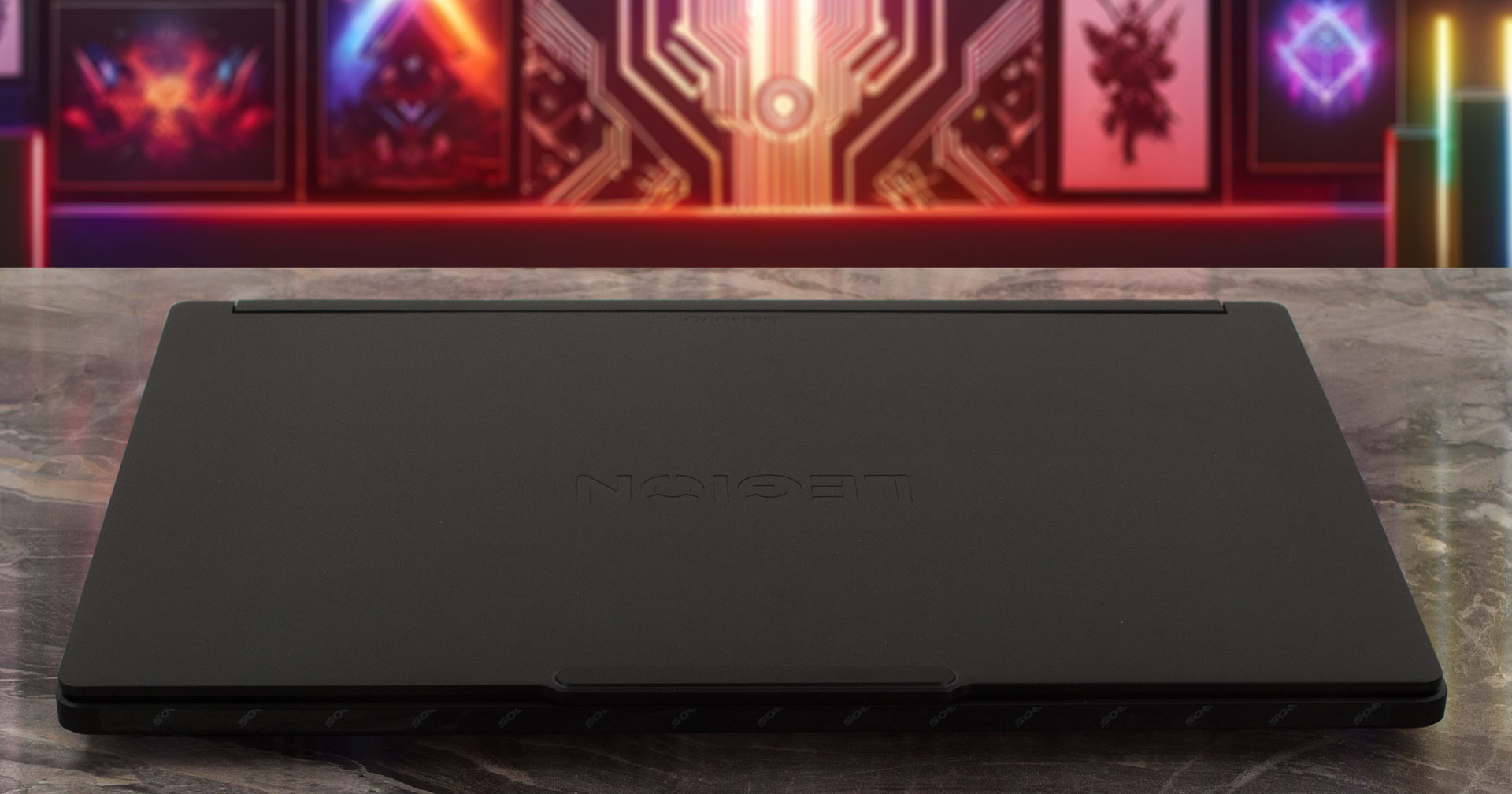
With strict, clean lines, an abundance of side and rear ports, and a highly stylish lid, it fits just as seamlessly into a boardroom as it does a gaming den. We purchased our review unit in the stealthy “Eclipse Black,” though Lenovo also offers a striking “Glacier White” alternative for those who prefer a lighter aesthetic.
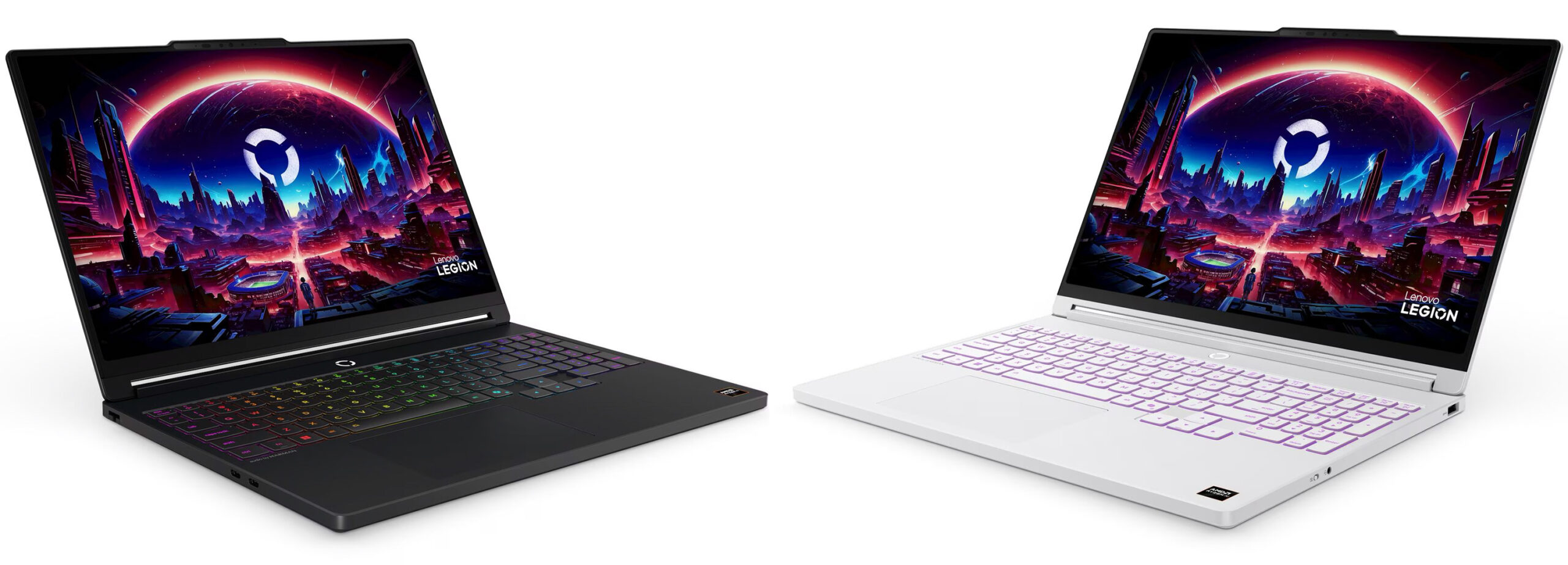
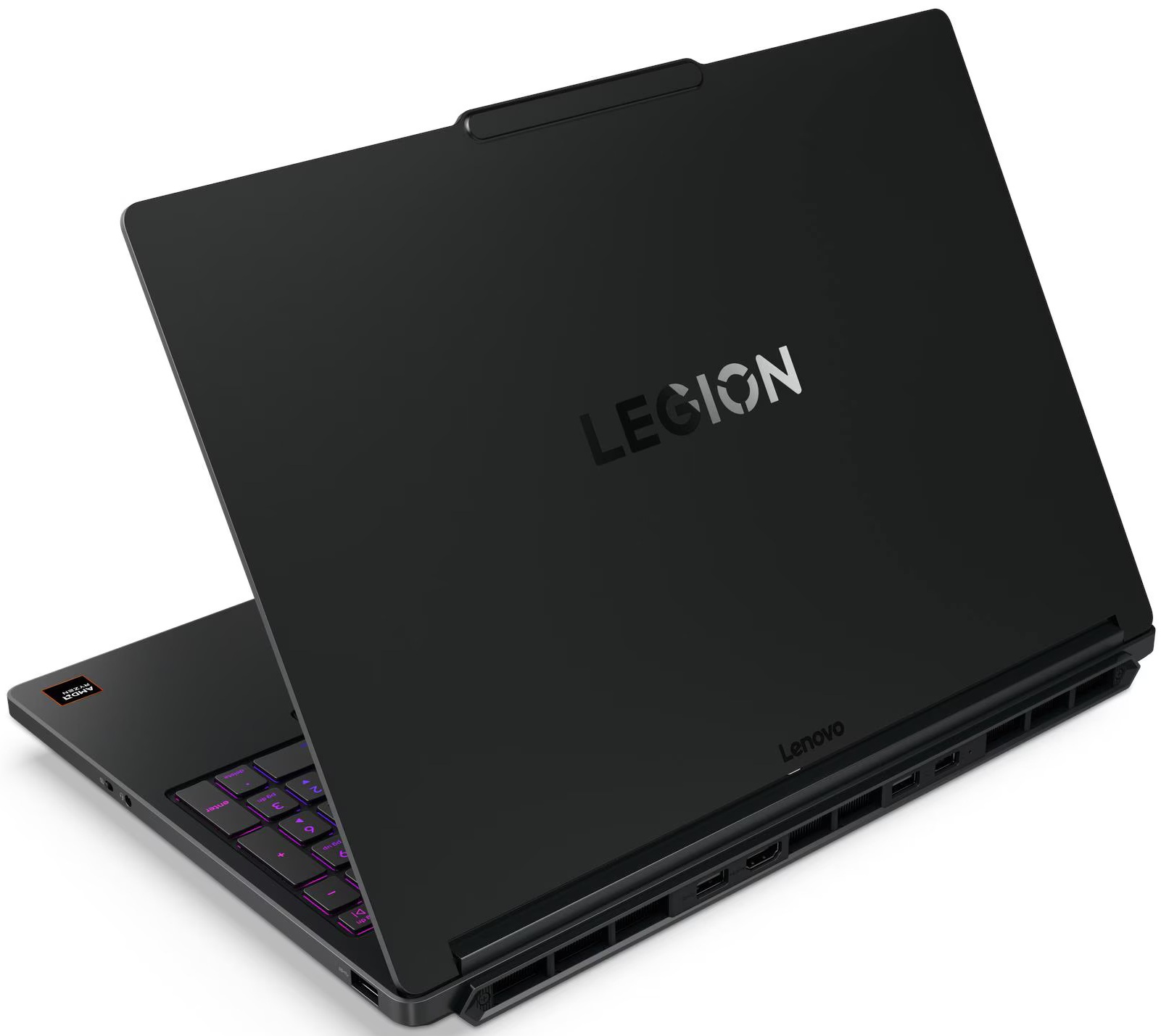
The laptop features a premium metal lid paired with a durable plastic interior. It is worth noting that while the interior chassis and trackpad do a decent job of hiding daily wear, the metal lid is a bit of a fingerprint magnet, so you might want to keep a microfiber cloth nearby to maintain its pristine look.
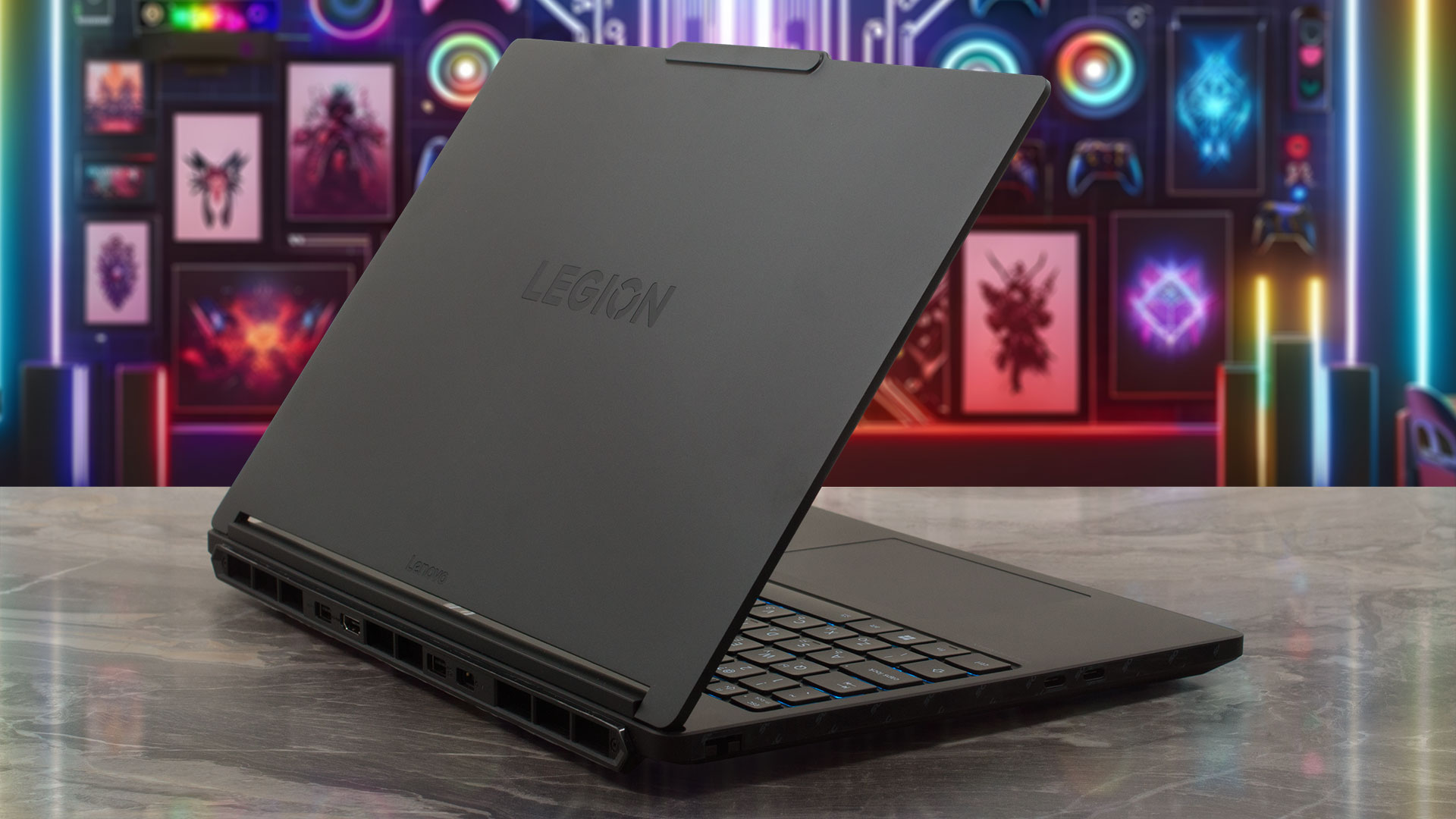
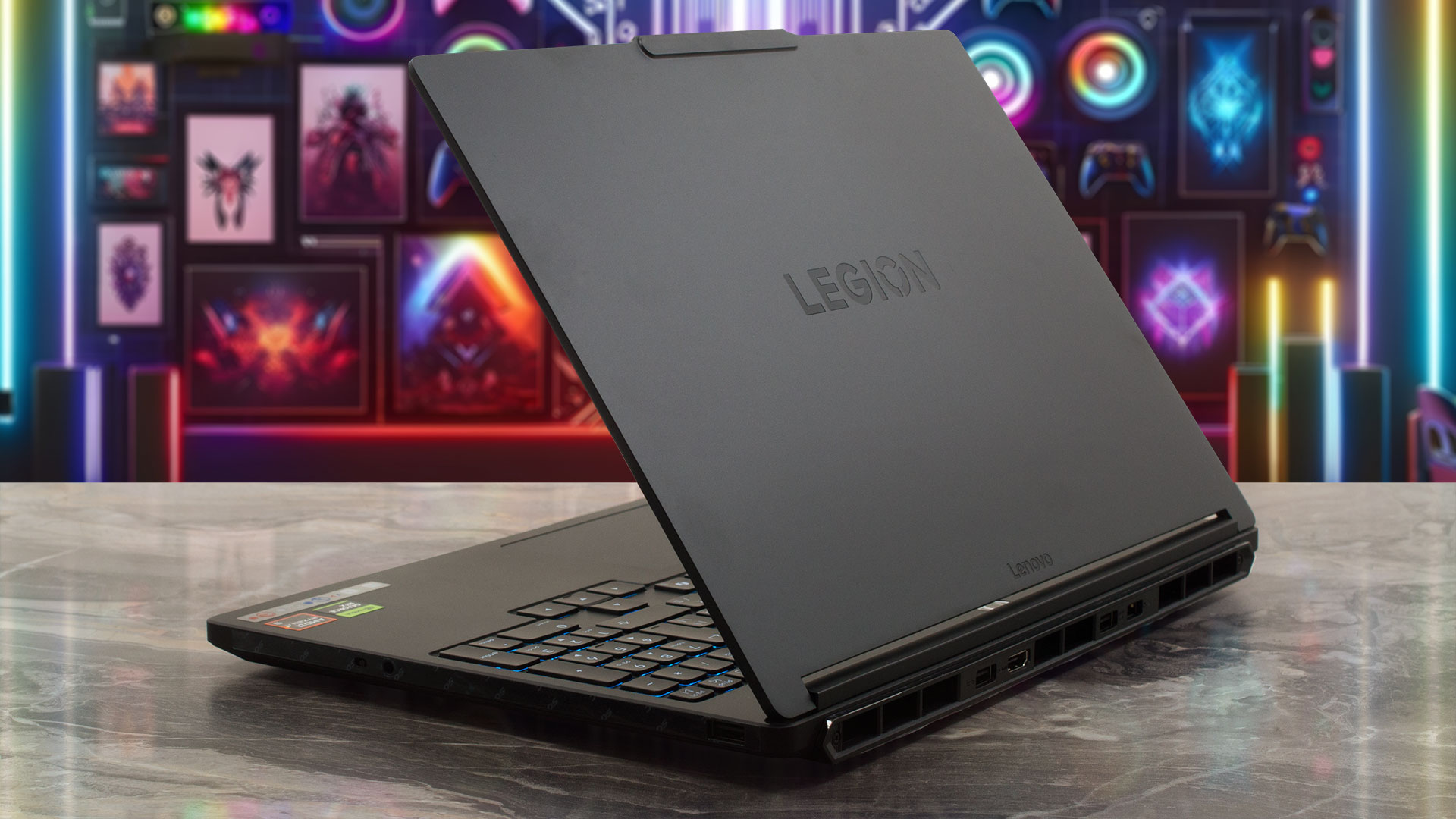
When it comes to physical construction, the Legion 5a is surprisingly portable for a 15-inch gaming device, breaking the sub-2 kg barrier. It feels remarkably solid and stable in hand, exhibiting virtually no flex even when we applied deliberate pressure to the chassis. Here is a quick breakdown of its physical footprint:
| Lenovo Legion 5a (15″, Gen 11, 15AGP11) | Dimensions | Weight |
| Metric units | 344 x 244.5 x 18.95-19.95 mm | Starting at 1.87 kg |
| U.S. customary | 13.54 x 9.63 x 0.75-0.79 in | Starting at 4.12 lbs |
Opening the laptop reveals a highly versatile hinge mechanism that allows the screen to lay completely flat at almost full 180 degrees.
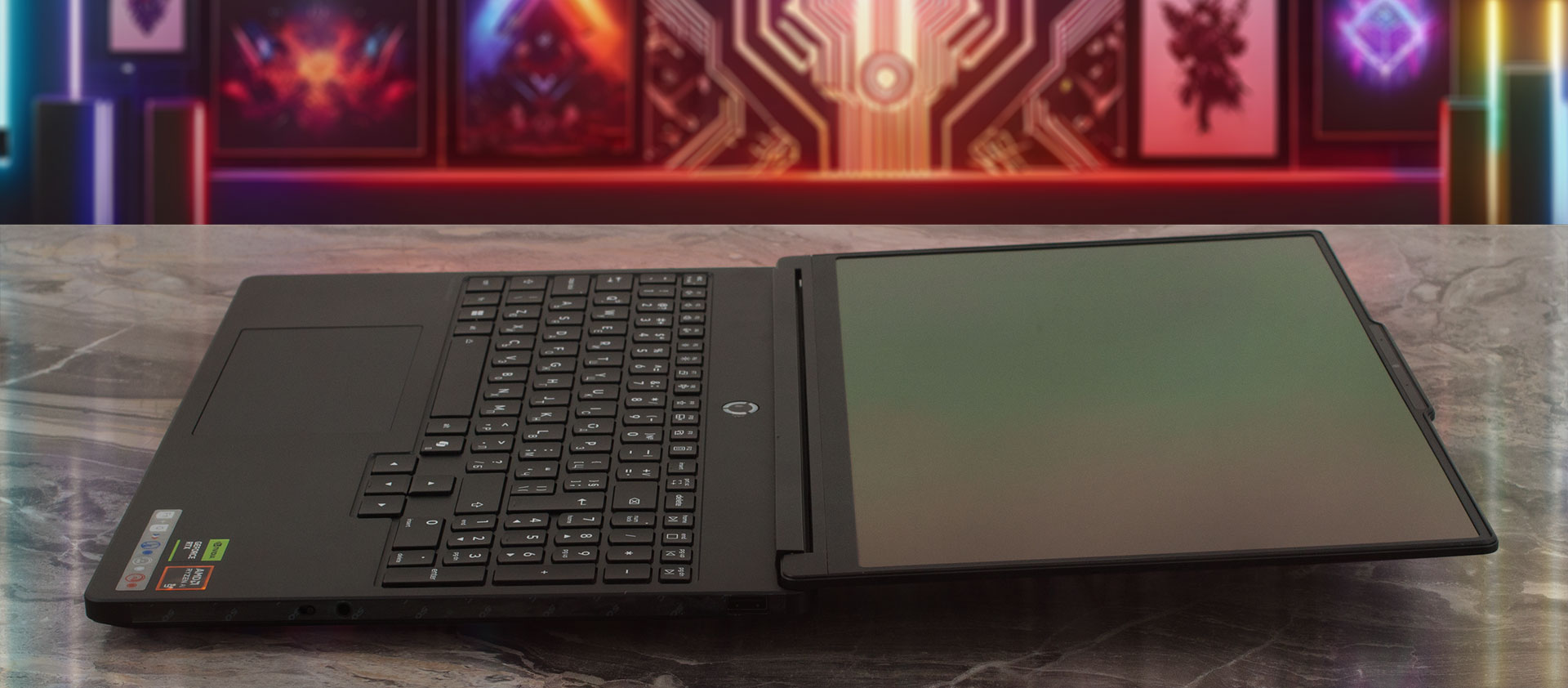
While there are no touchscreen options available here, we always appreciate this level of ergonomic flexibility for sharing content or finding the perfect viewing angle. The display itself is deeply immersive, boasting a fantastic 92% active area ratio (AAR) thanks to incredibly thin bezels. To achieve this modern look without sacrificing webcam placement, Lenovo opted for a subtle “bump” at the top center of the lid. This notch cleverly houses a dual-microphone array and a sharp 5.0MP fixed-focus camera. Crucially for peace of mind, it features an E-shutter to electronically kill the video feed, and depending on your configuration, it can also be equipped with an optional IR sensor for Windows Hello.
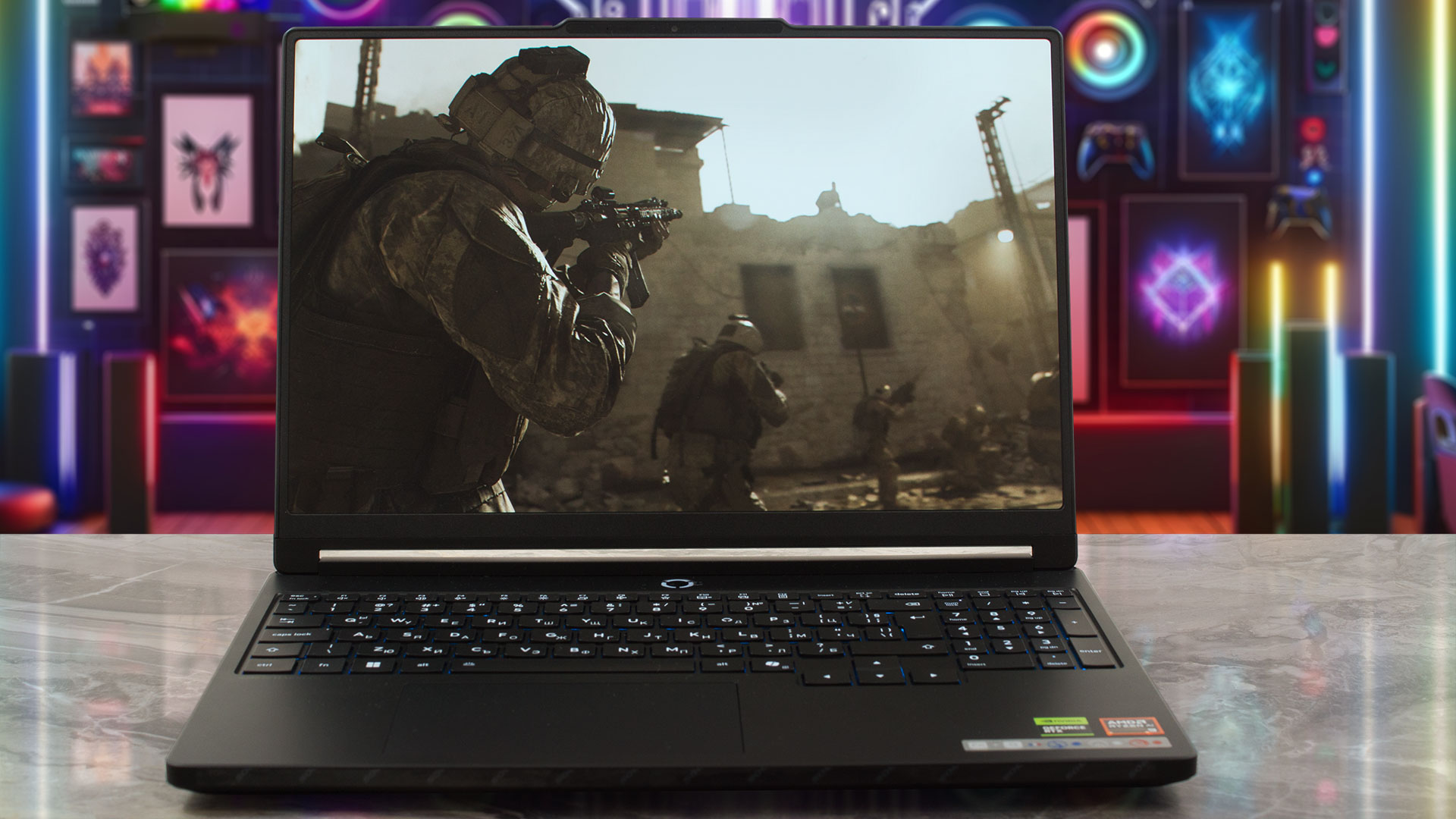
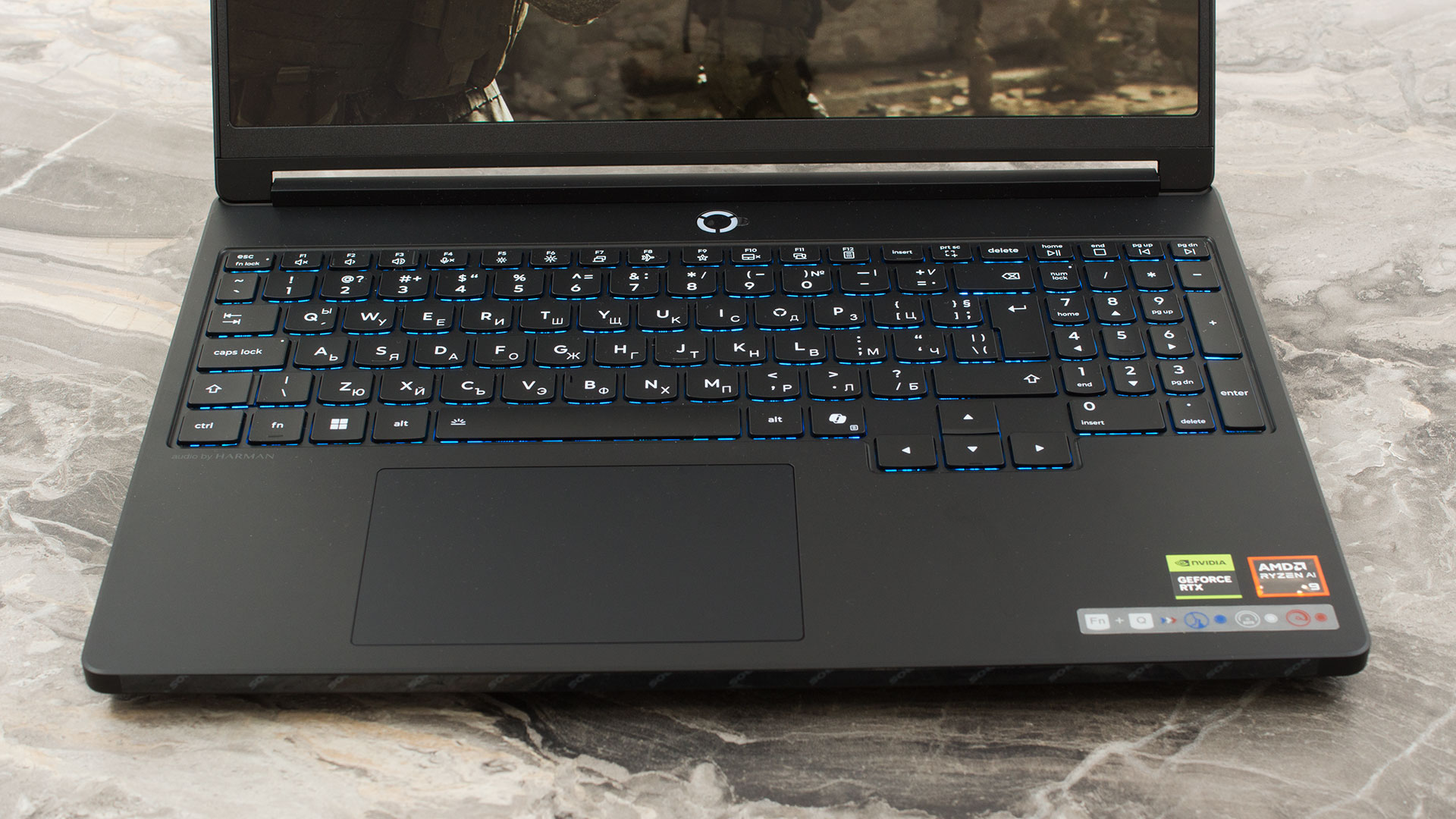
The interior deck makes excellent use of the available space, squeezing in a dedicated NumPad. While those specific keys are slightly reduced in size, they remain perfectly functional for quick data entry or in-game keybindings. To inject that undeniable gaming flair back into the machine, the keyboard is illuminated by either a 1-Zone or a vibrant 24-Zone RGB backlight, depending on the model you select. Because there is no fingerprint reader anywhere on the chassis, securing the device biometrically will rely entirely on whether you opted for the IR camera.
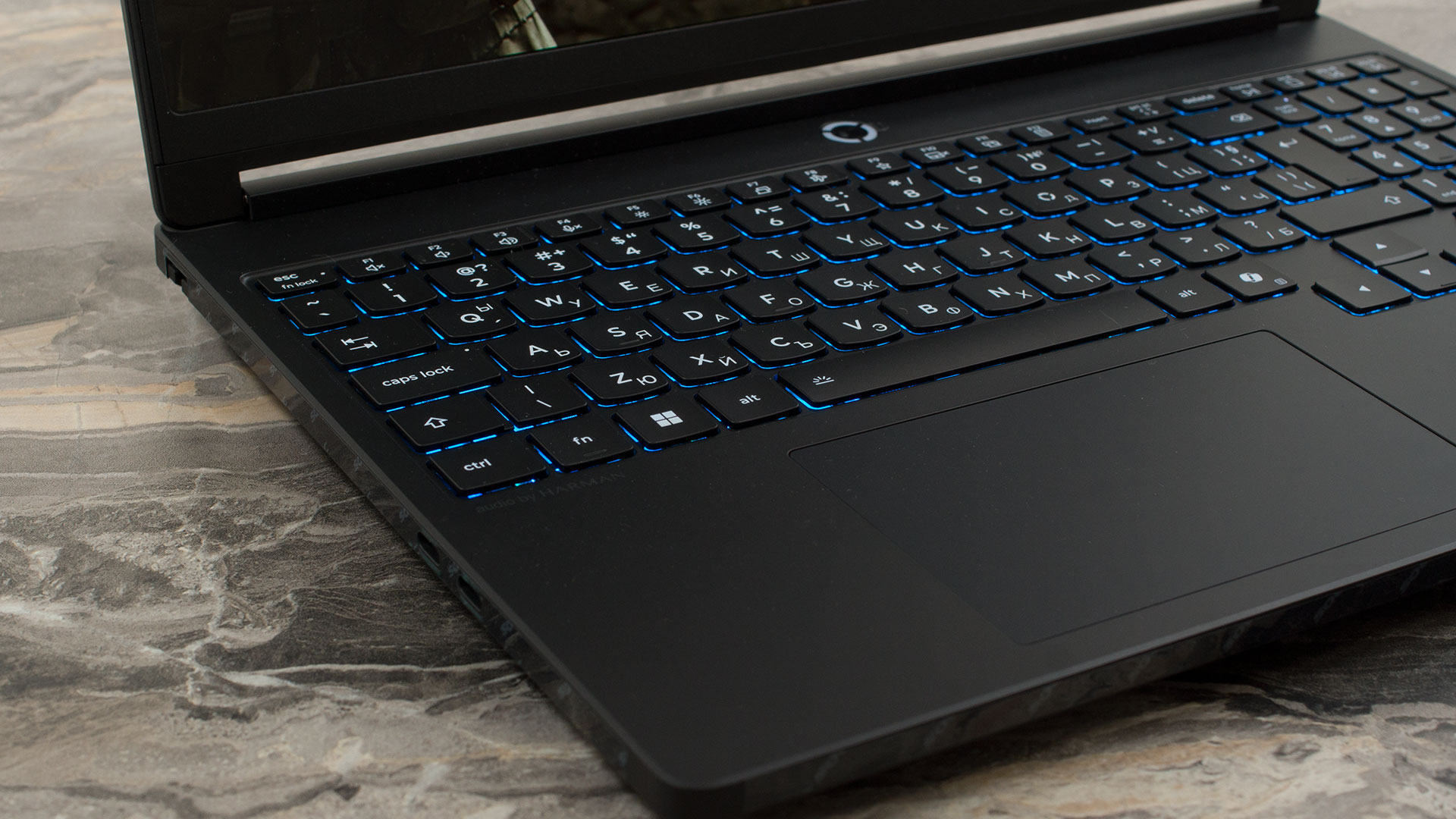
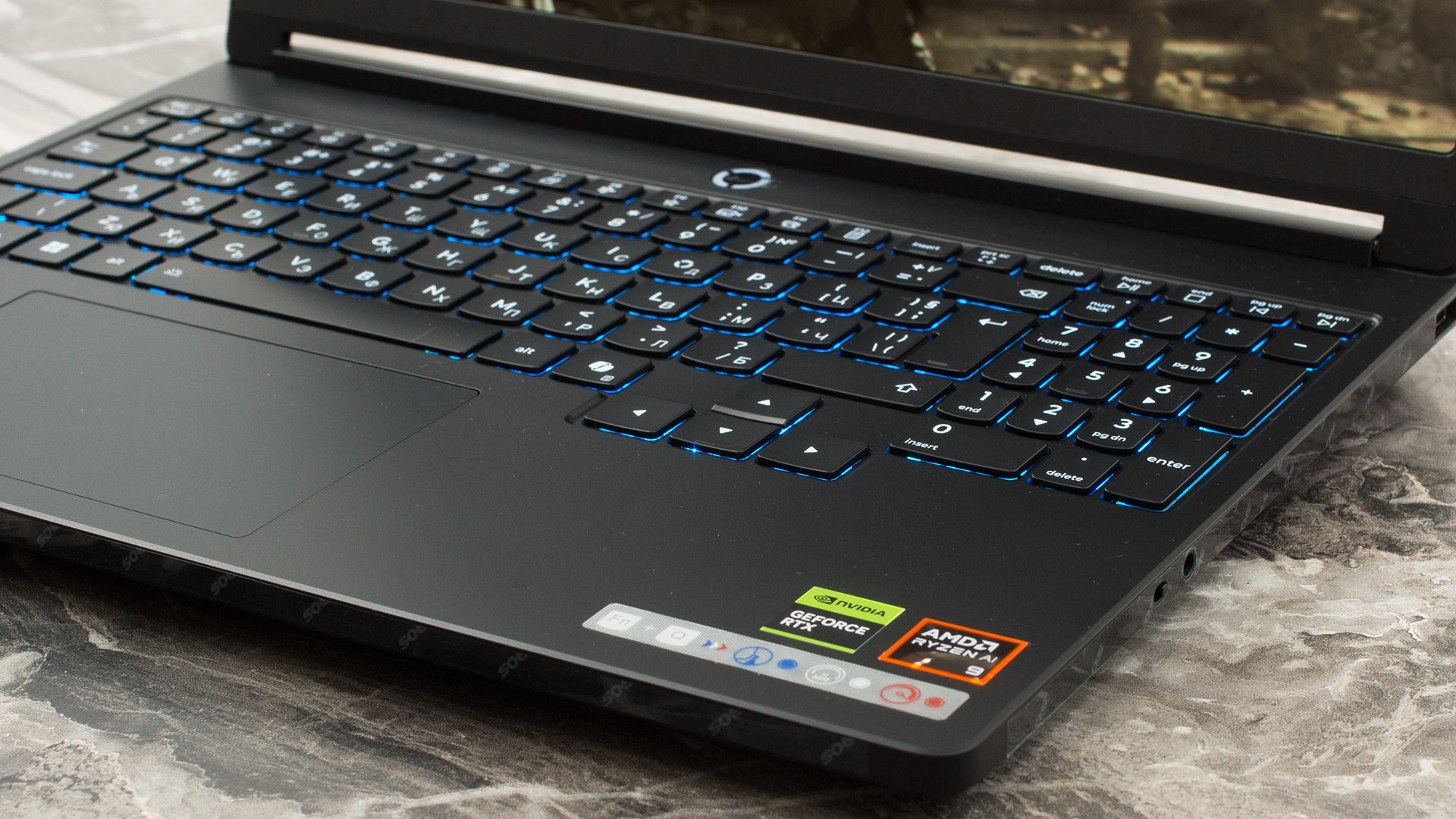
Below the keyboard sits a moderately sized, 75 x 120 mm (2.95 x 4.72 inches) buttonless Mylar trackpad. It supports Windows Precision TouchPad gestures and offers a smooth, reliable surface for everyday navigation when you don’t have your gaming mouse plugged in.
Ports and Connectivity
The Lenovo Legion 5a (15″, Gen 11, 15AGP11) features a strategic and well-balanced port layout that effectively separates everyday peripherals from thicker, permanent cables. On the left side, you will find a Gigabit Ethernet (RJ-45) port for stable, low-latency wired gaming, alongside a pair of highly capable USB-C ports. Both of these Type-C connections utilize the USB4 standard, delivering massive 40Gbps data transfer speeds. They also support DisplayPort 1.4 for external video output and can accept between 65W and 100W of USB Power Delivery, giving you flexible alternative charging options when away from the main power brick.

Left-side ports, Glacier White
The right side is kept intentionally sparse to avoid interfering with right-handed mouse movements, housing a single USB Type-A port operating at 5Gbps (USB 3.2 Gen 1), a standard 3.5mm headphone/microphone combo jack, and a physical E-shutter switch to securely disable the webcam.

Right-side ports, Glacier White
The rear of the chassis acts as the primary hub for your most permanent connections, which is an excellent design choice for maintaining a clean desk setup. Here, you plug in the dedicated Slim tip power connector and can utilize a powerful HDMI 2.1 port, which is fully capable of driving high-end external displays at resolutions up to 8K at 60Hz. The back panel also houses two additional 5Gbps USB Type-A ports, bringing the system’s total to three. Notably, one of these rear ports features an ‘Always On’ capability, allowing you to charge devices like a smartphone or wireless headset even when the laptop is completely powered down.

Rear-side ports, Eclipse Black
Wireless connectivity varies depending on the specific configuration you purchase, so potential buyers should verify the spec sheet. The laptop can be equipped with either a reliable Wi-Fi 6 (802.11ax) module paired with Bluetooth 5.3, or a cutting-edge Wi-Fi 7 (802.11be) card accompanied by Bluetooth 5.4. Both options utilize a 2×2 antenna configuration, but the Wi-Fi 7 variant will provide the best future-proofing, offering higher speeds and reduced latency on compatible modern networks.
Display and Sound Quality, Display Profiles
The Lenovo Legion 5a (15″, Gen 11, 15AGP11) has only one screen option – a 15.3″, WQXGA (2560 x 1600), 165 Hz, OLED panel.
| Lenovo Legion 5a (15″, Gen 11, 15AGP11) | EDO EF25QBA63.C (EDO3215) |
| Diagonal | 15.3 inches (38.9 cm) |
| Panel Type | OLED |
| Resolution | 2560 x 1600 pixels |
| Max Refresh Rate | 165 Hz |
| Aspect Ratio | 16:10 |
| Pixel Density | 197 PPI |
| ‘Retina’ Distance | Greater than or equal to 46 cm |
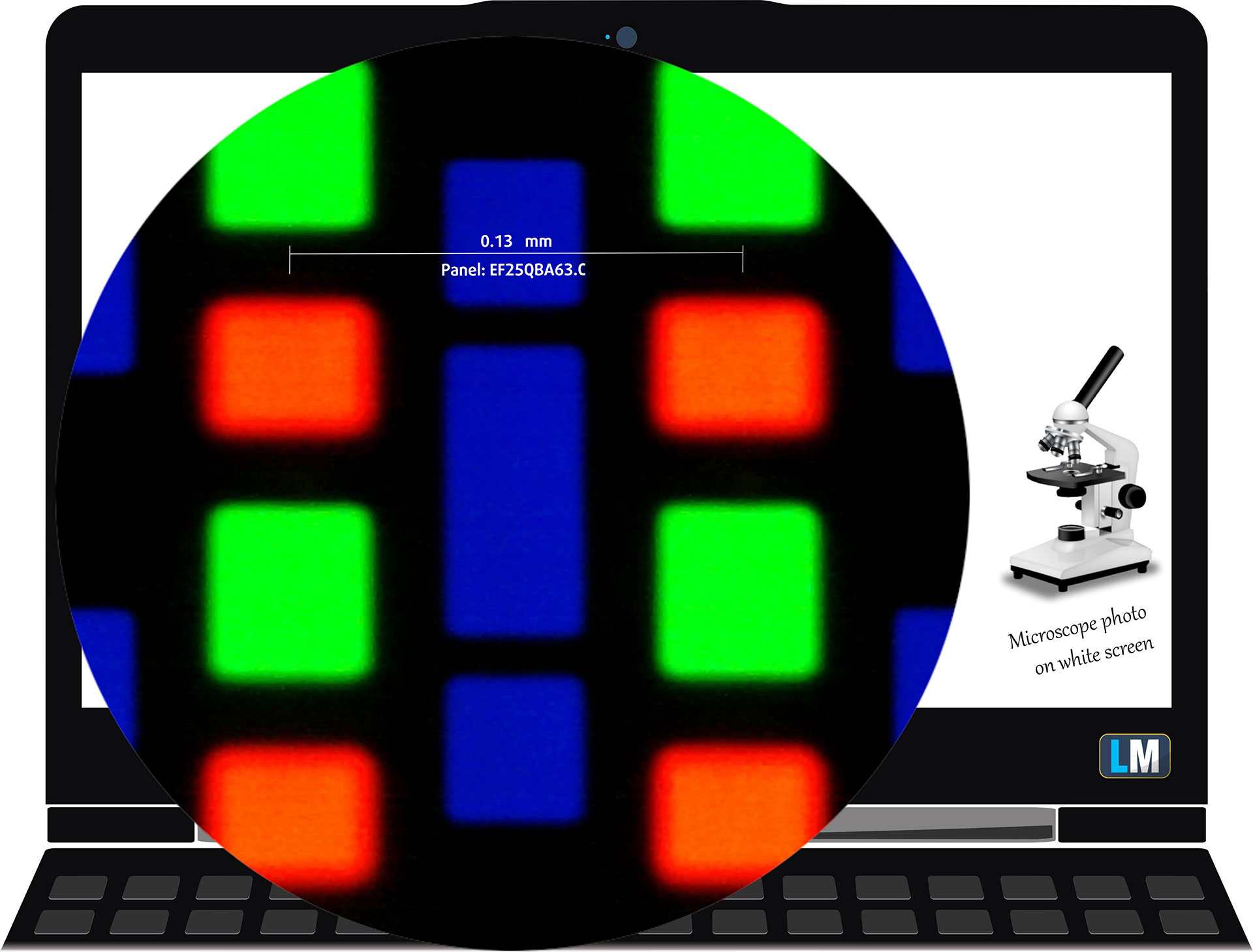 The WQXGA (2560 × 1600), 165 Hz, OLED display variant under our microscope
Viewing Angles
Viewing angles are good. We take photos from different angles to evaluate the quality.

Also, a video with locked focus and exposure.
Color Coverage
The whole “sail-shaped” map below (Fig. 1) consists of all the colors we can see, while the black crooked line shows all the colors from real-world scenes and nature around us.
Then, we’ve drawn some of the most important and interesting color spaces, compared to the colors the panel of Lenovo Legion 5a (15″, Gen 11, 15AGP11) can show:
Standard/For Web: sRGB – widely used color space for most consumer devices, ideal for Web design and development
For Print: AdobeRGB – used in professional photo editing, graphic design, and print
For Photographers/Video Editors: DCI-P3 – used in high-end film production, post-production, and digital cinema
Premium HDR: Rec.2020 – the widest consumer ITU color standard, covering a massive 75.8% of the visible spectrum, a benchmark for premium HDR content.
Lenovo Legion 5a (15″, Gen 11, 15AGP11): the yellow dashed triangle (– – – – – –) represents the range of colors this display can show.
In our tests, we calculated the total color coverage of the display at 100% of the sRGB color gamut and 100% of the DCI-P3 color gamut.
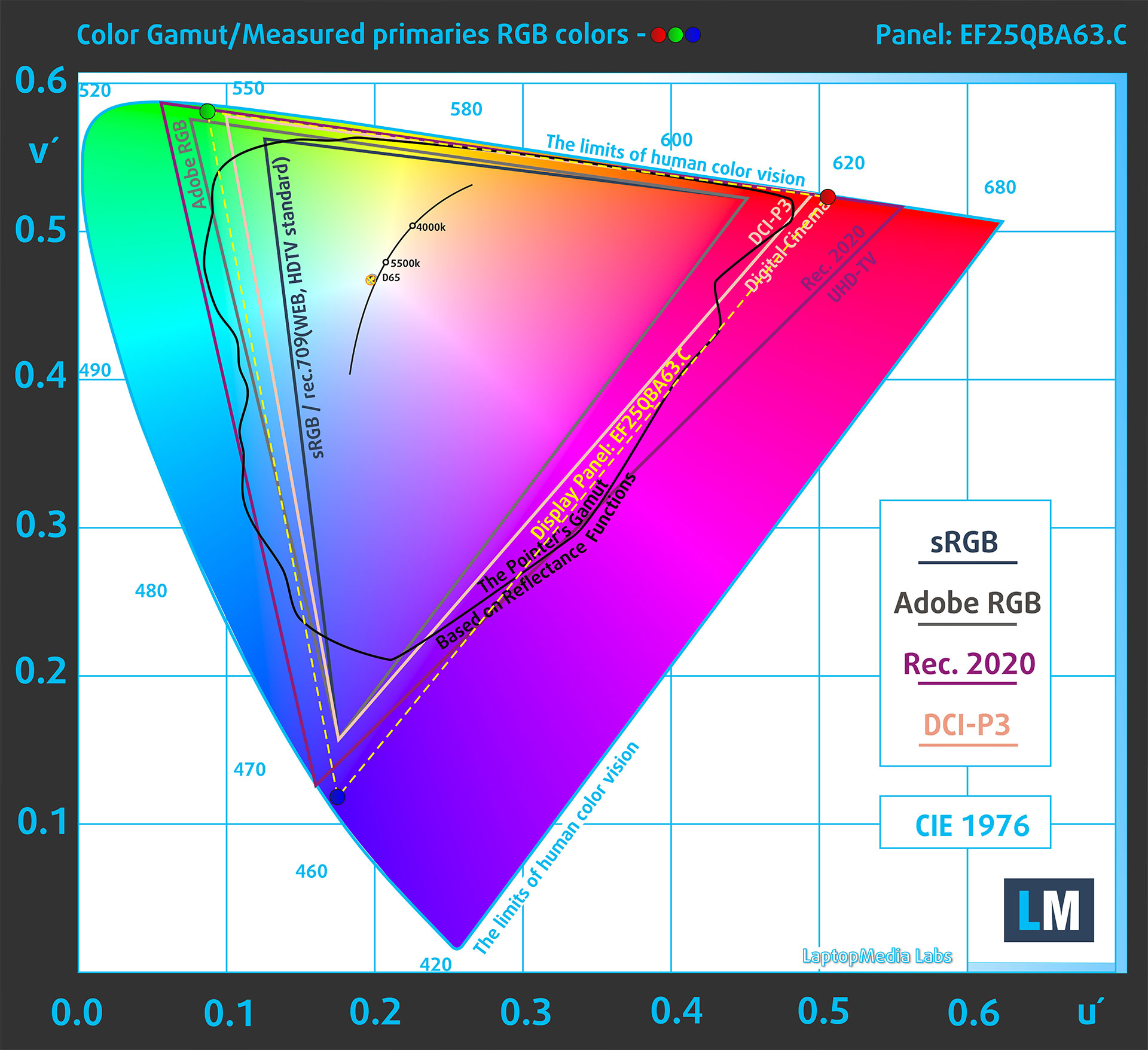
(Fig.1) Lenovo Legion 5a (15″, Gen 11, 15AGP11) covers 100% of the DCI-P gamut
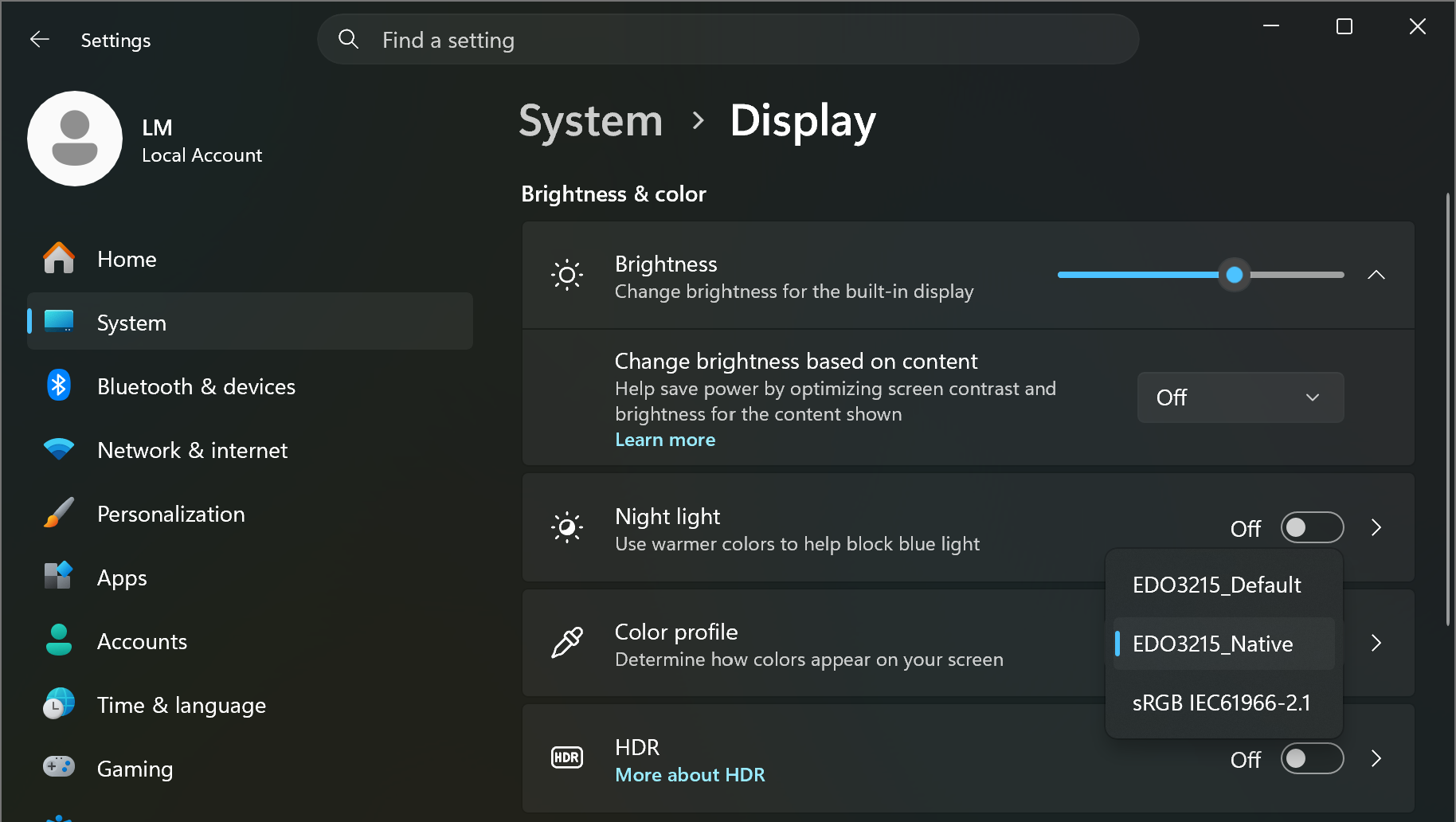
The laptop Lenovo Legion 5a (15″, Gen 11, 15AGP11) emulates Display P3 and sRGB color spaces.
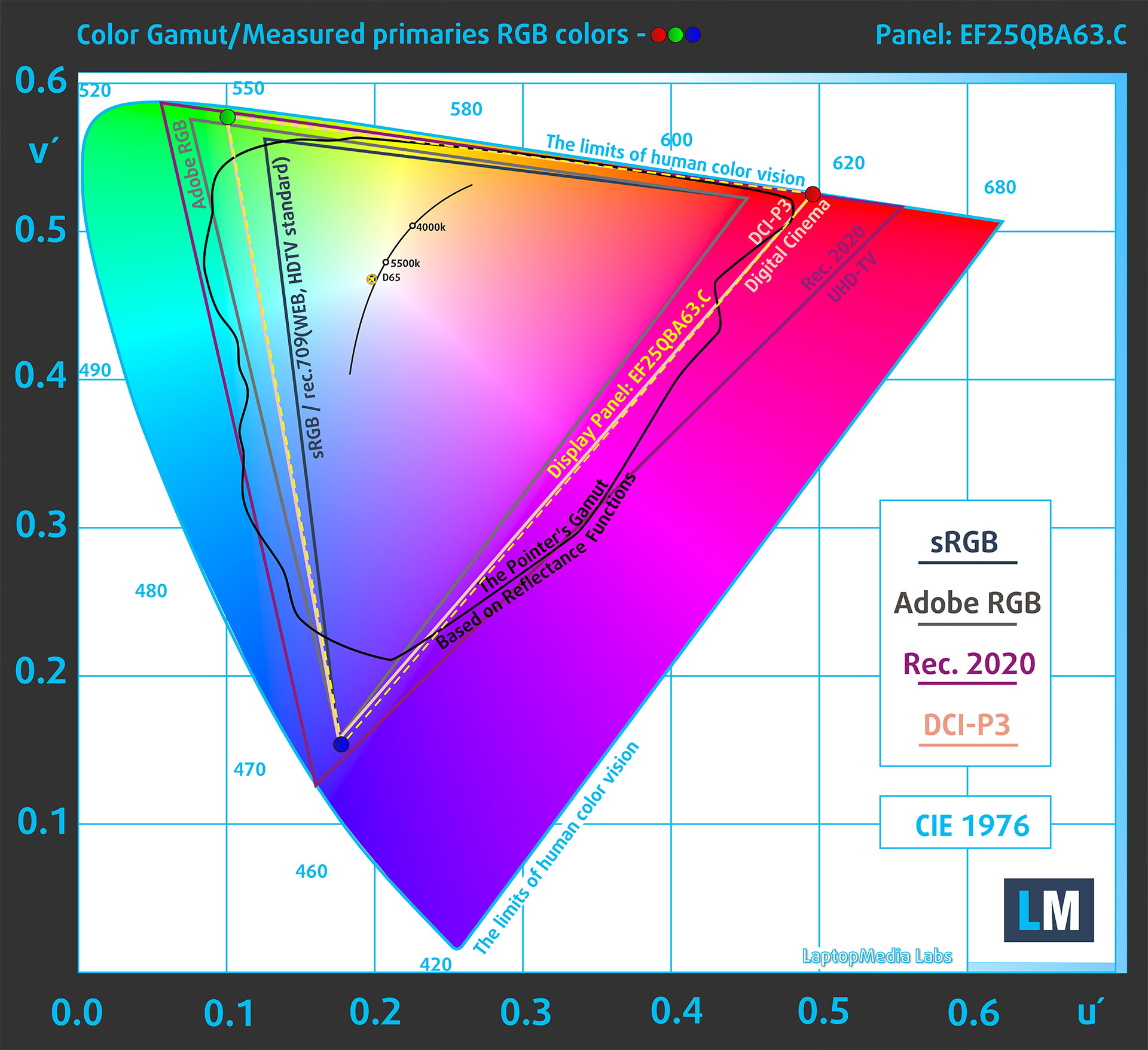
(Fig.2) Display P3
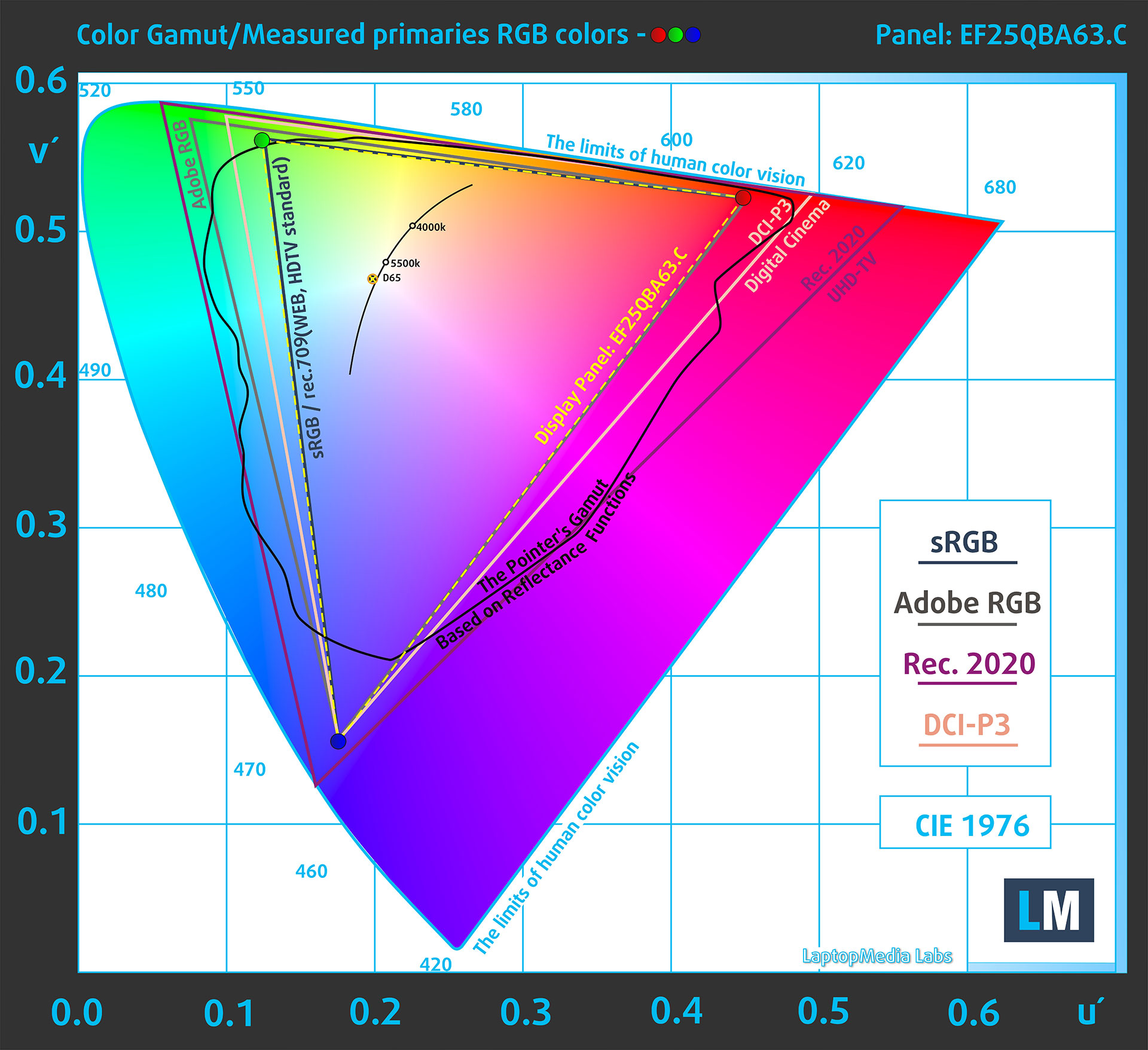
(Fig.3) sRGB
Brightness and Contrast
The maximum brightness in HDR mode is 1100 cd/m² at 8% white fill and 720 cd/m² on a full white screen.
The maximum brightness in SDR mode is 502 cd/m² in the center of the screen and 508 cd/m² averaged across the surface with a maximum deviation of 3%.
The Correlated Color Temperature (CCT) on a white screen at maximum brightness is 6500K.
The contrast ratio of OLED panels is excellent because the pixels turn off completely when displaying black.

Uniformity: Luminance, Contrast, and Color Deviation
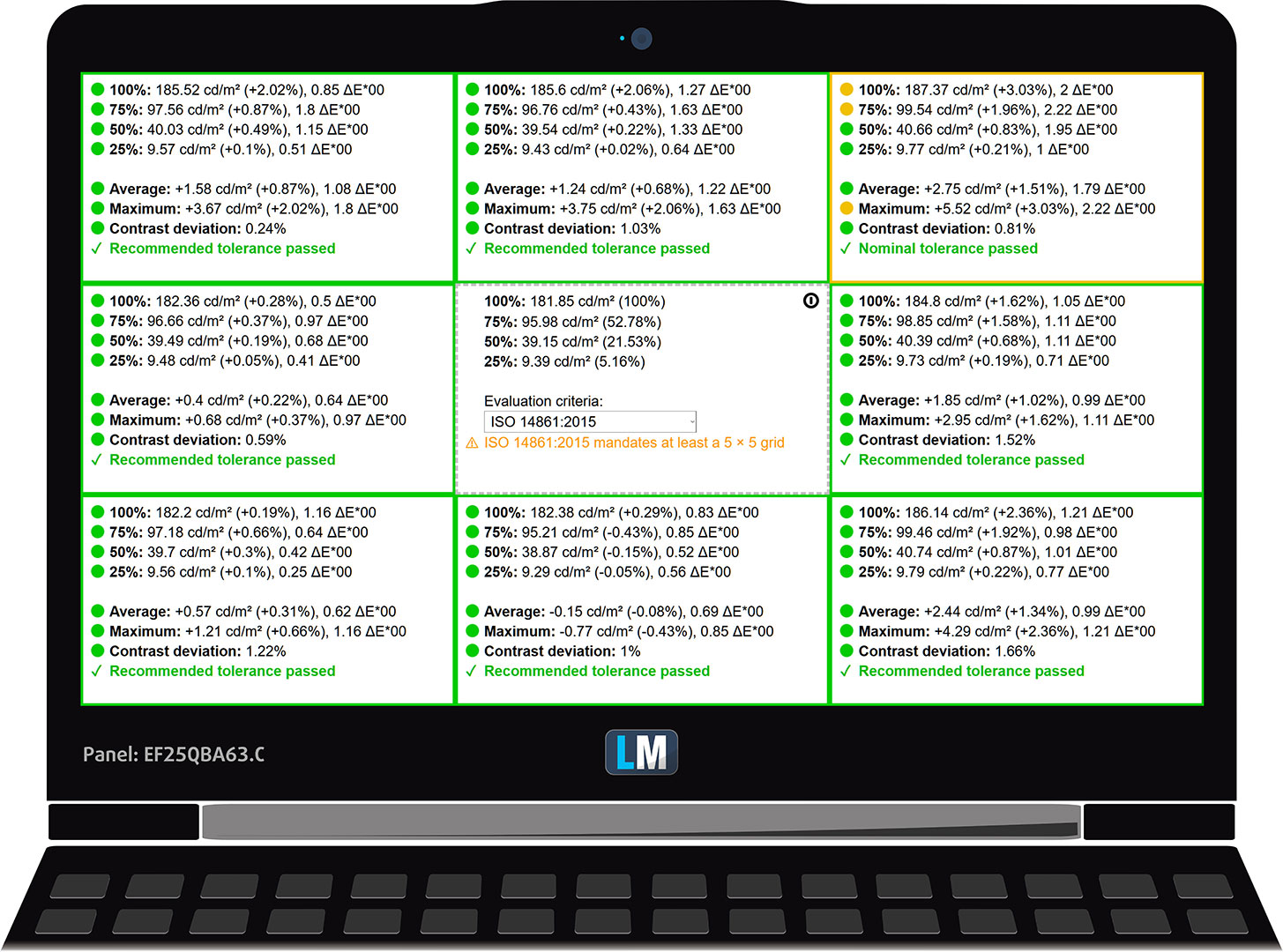
The figure below shows the results from our uniformity test across different sections of the screen. It’s measured at 182 nits (Windows slider = 63%) – a brightness level we consider typical for standard working conditions.
DeltaE values below 4.0 are acceptable for regular users. For those working with colors, screens with DeltaE values no higher than 2.0 are recommended.
Color Accuracy
Let’s check the difference between real colors and those you’ll see on the Lenovo Legion 5a (15″, Gen 11, 15AGP11). We measure that distance in DeltaE – the higher the number, the more different they look.
Values below 4.0 are acceptable for regular users, while values below 2.0 are suitable for color-sensitive work. A value below 1.0 means the difference is indistinguishable to the naked eye.
For the next graph, we’ve selected 24 common colors, including dark/light skin, blue sky, green grass, etc.
Below are the results of the Lenovo Legion 5a (15″, Gen 11, 15AGP11) in its factory condition (“sRGB” mode in Windows) compared to sRGB color space.
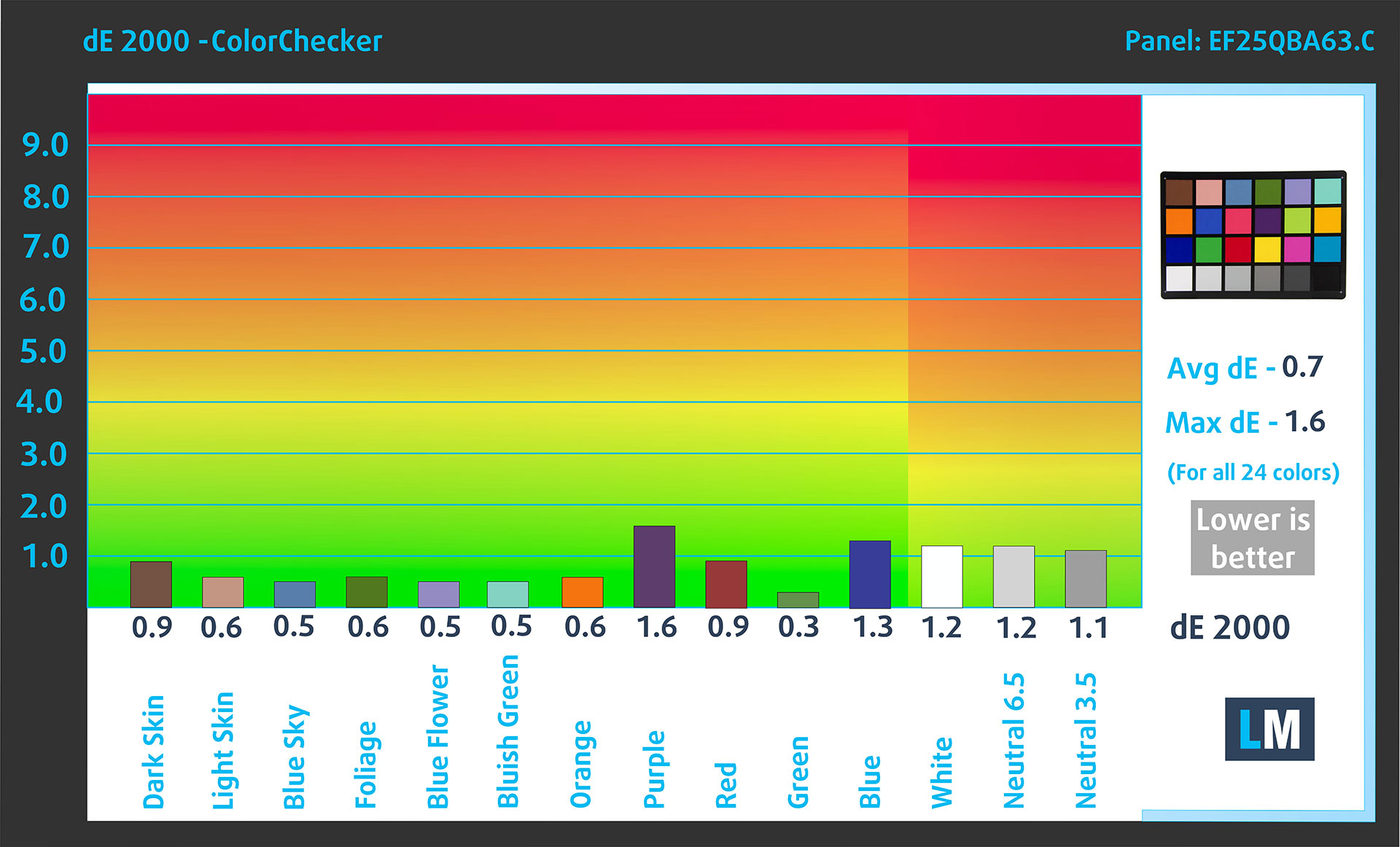
Comparison in the sRGB color space.
Below are the results of the Lenovo Legion 5a (15″, Gen 11, 15AGP11) in its factory condition (“Display P3” mode in Windows) compared to Display P3 color space.
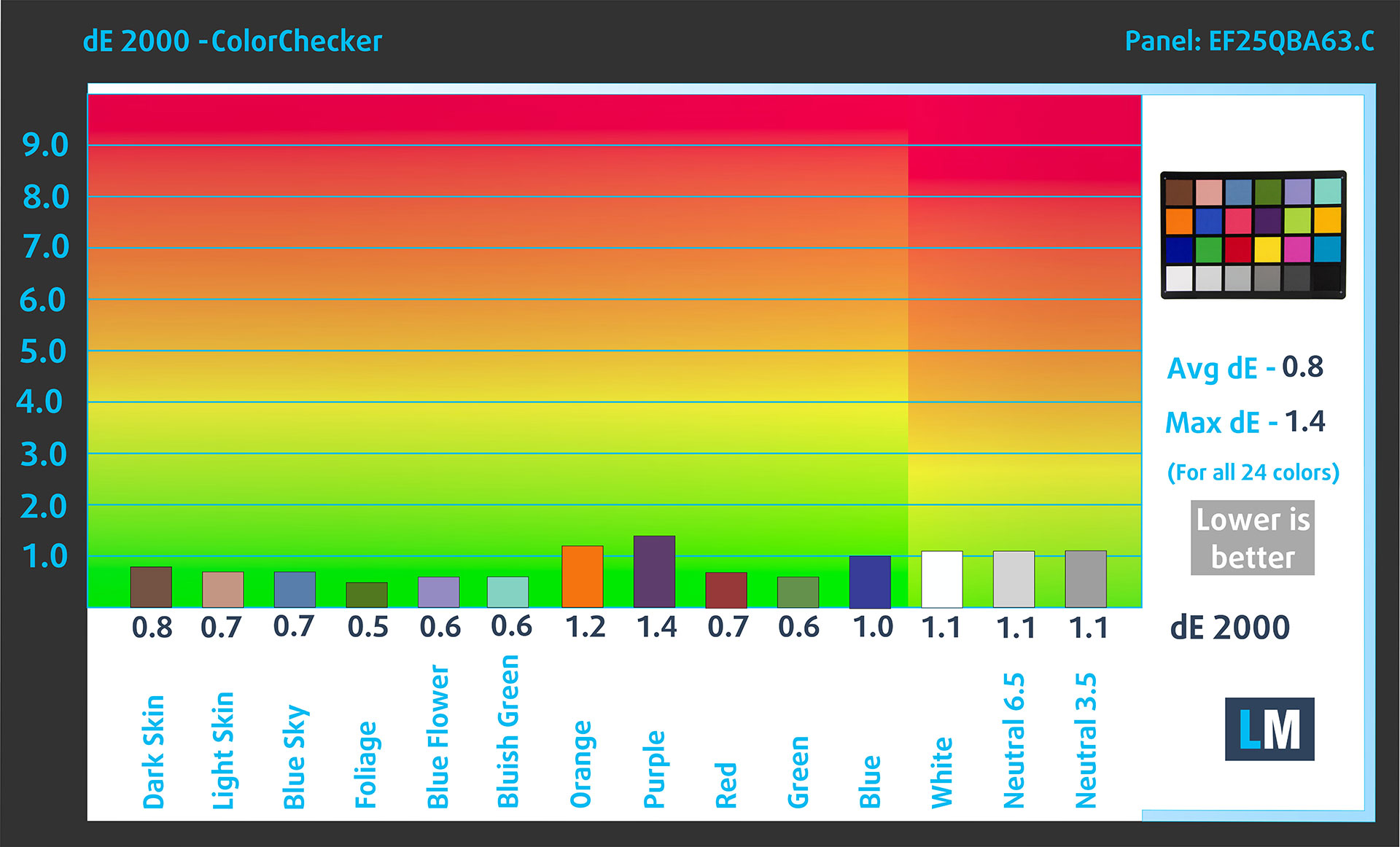
Comparison in the Display P3 color space.
The factory settings are almost perfect.
Health Impact: PWM (Screen flickering)
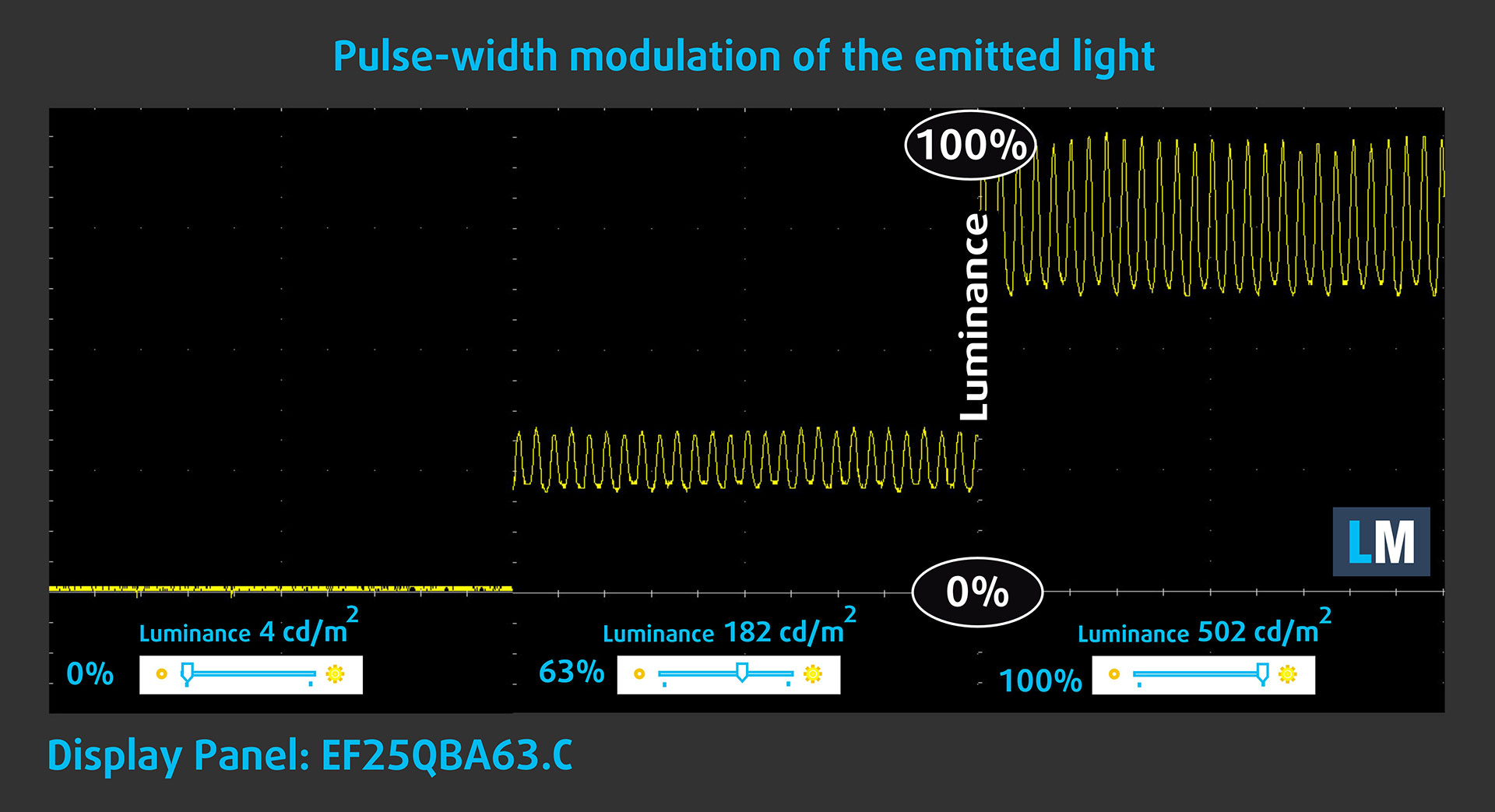
Some use PWM to regulate their brightness, which means that instead of reducing the light intensity, they pulse or flicker. Our brain merges the image, so it appears darker, but this strains both it and our vision, especially when the frequency of the pulses is low. You can read more about that in our dedicated article on PWM.
In the graph below, you see the intensity of light at different brightness levels—on the vertical axis is the brightness of the emitted light, and on the horizontal axis—time.
The display light of the Lenovo Legion 5a (15″, Gen 11, 15AGP11) pulsates, but with limited amplitude across the entire brightness range. In this regard, we find the display relatively comfortable on the eyes.
Health Impact: Screen Reflectance
Glossy-coated displays can cause eye fatigue in high ambient light conditions due to reflections. We measure the level of screen reflection with the display turned off, at a 60° angle.
The reflectance of the Lenovo Legion 5a (15″, Gen 11, 15AGP11)’s screen is 175 GU. This is a bad result and may lead to eye fatigue.
High Gloss: >70 GU
Medium Gloss: 30 – 70 GU
Low Gloss: <30 GU
Sound
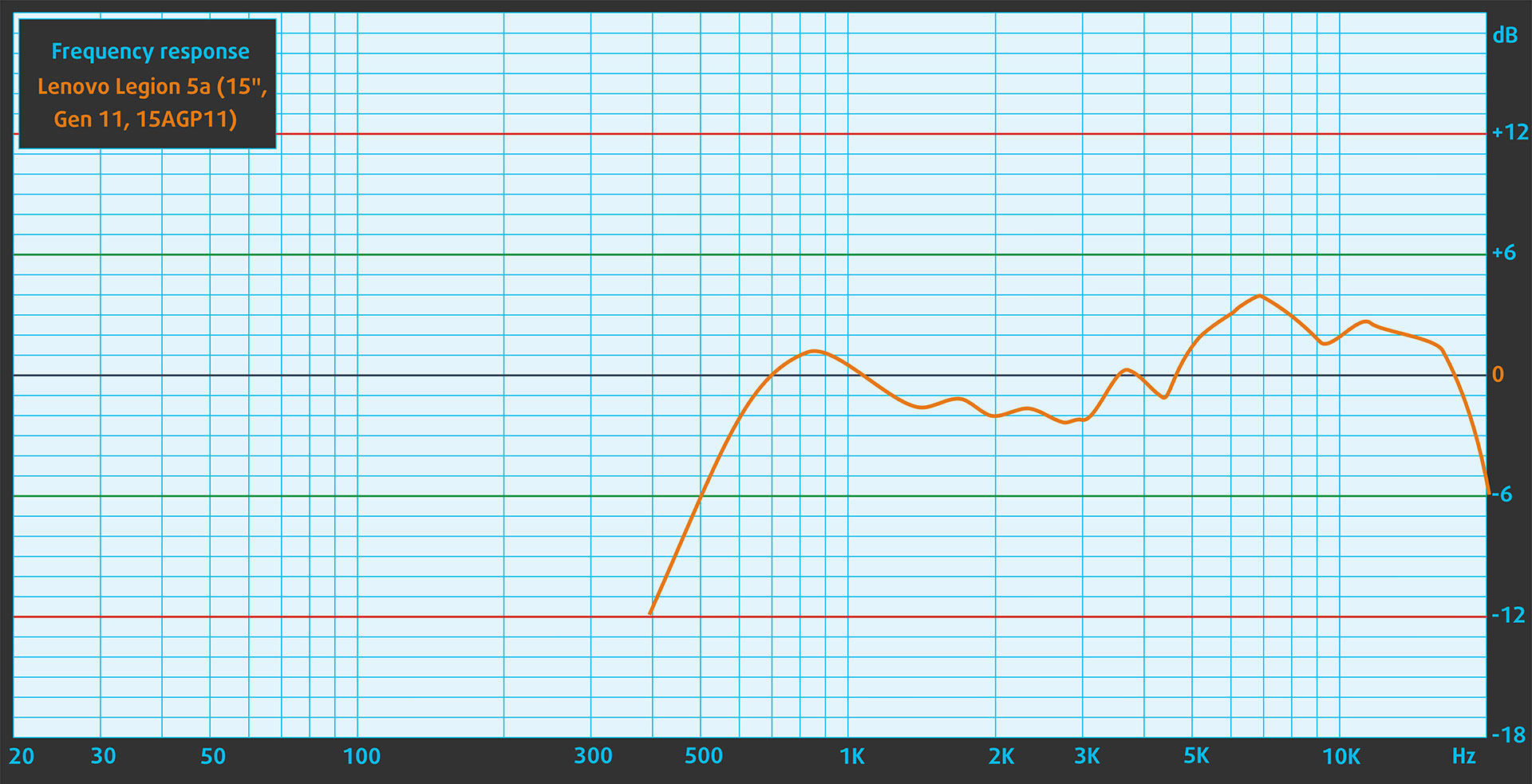
The sound from the Lenovo Legion 5a’s speakers is good. The low, mid, and high frequencies are clear.
Work Performance: CPU, Storage, AI
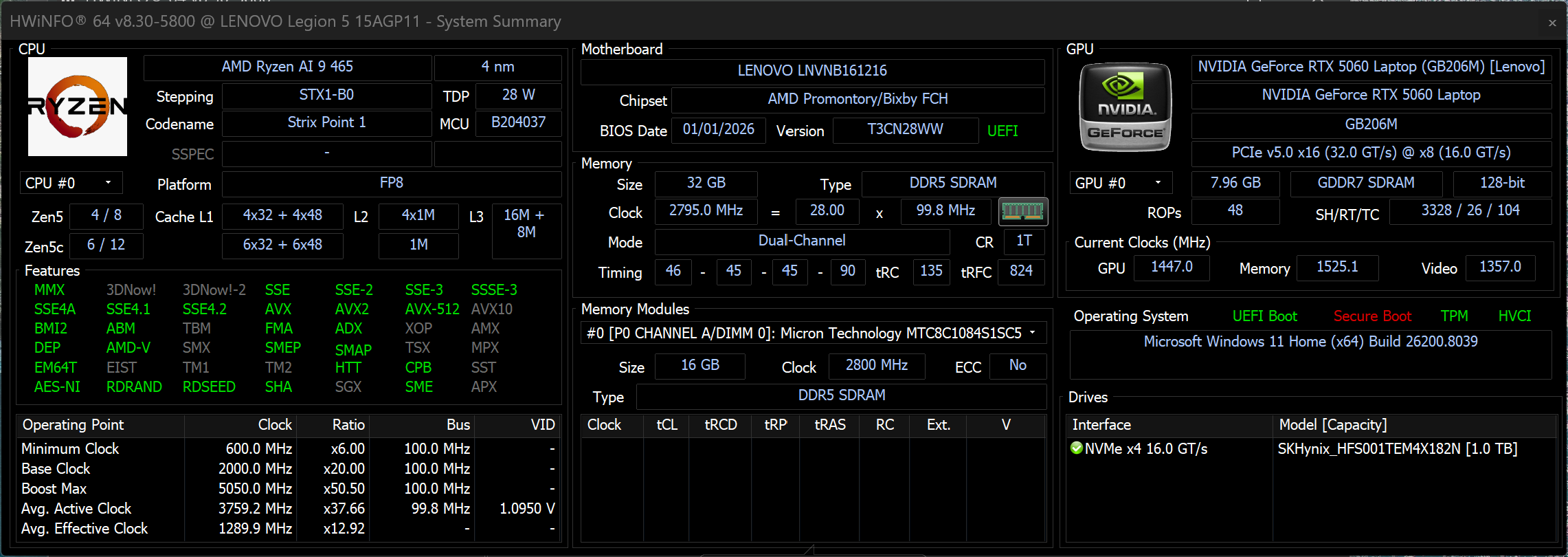
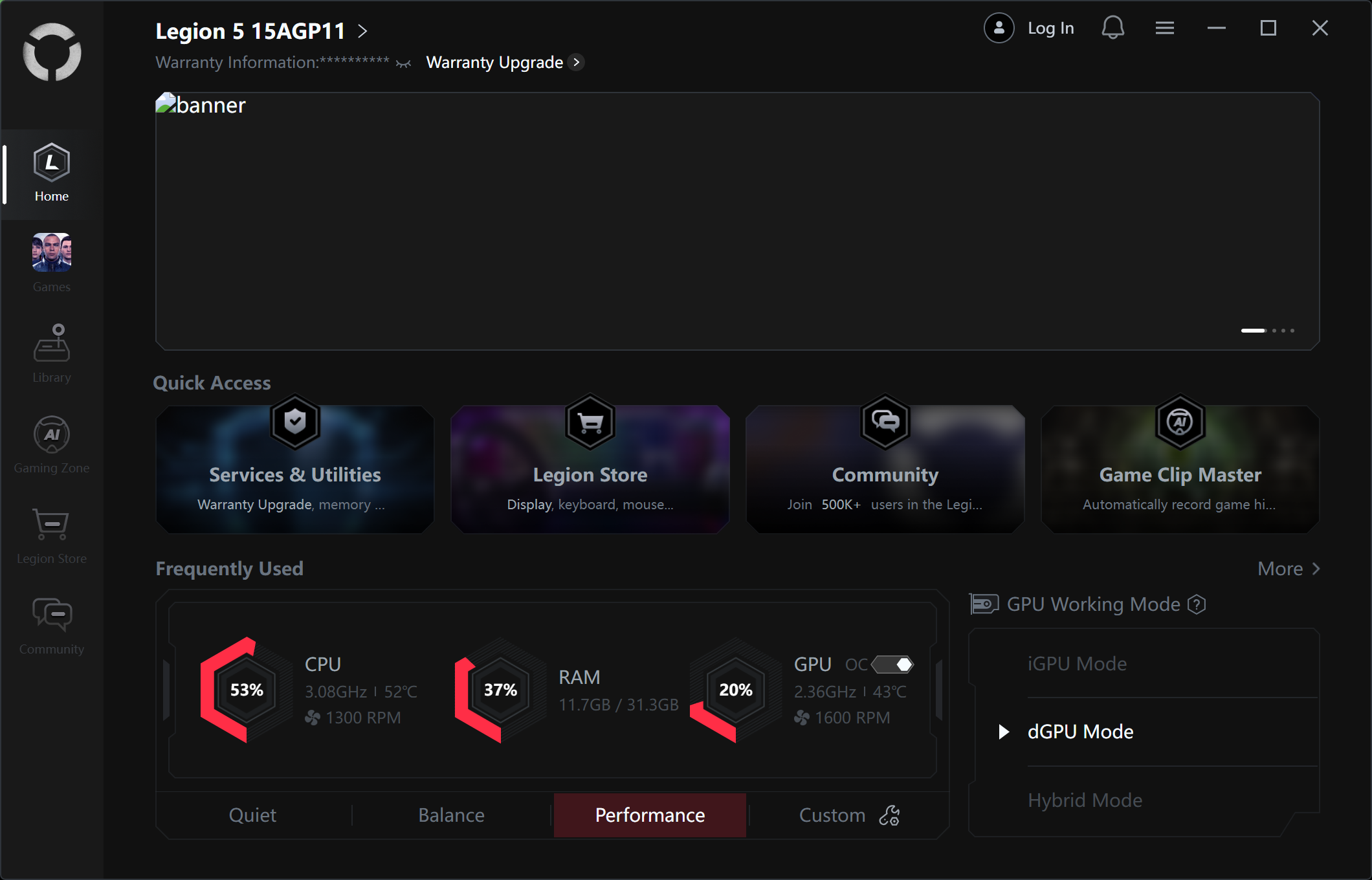
All performance and temperature tests are conducted with Performance / dGPU mode activated in Legion Space:
CPU and Work Performance
The Lenovo Legion 5a (15″, Gen 11, 15AGP11) is built around AMD’s newer Ryzen AI processors, including the Ryzen AI 7 450 and the higher-tier Ryzen AI 9 465. These chips are designed to balance strong multi-core performance with improved efficiency and integrated AI capabilities, making them suitable for both gaming and modern productivity workloads. If you want to see how they compare against other CPUs on the market, check our Top Laptop CPU Ranking.
AMD Ryzen AI 9 465 is an exceptional performer, actually faster than what you need for gaming. If you’re on a thighter budget, and you don’t plan to do heavy work on your machine, you may also consider a Ryzen AI 7 450 configuration.
Single-core performance ensures smooth operation and responsiveness in operating systems, providing a better user experience.
Results are from the Geekbench 6 Single-Core test (higher is better)
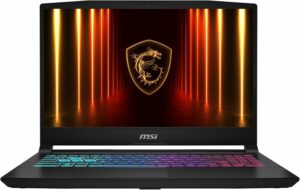
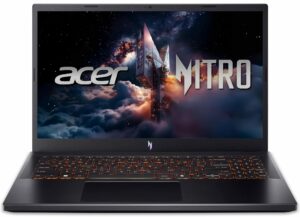
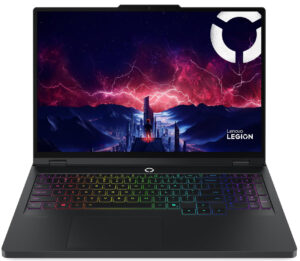
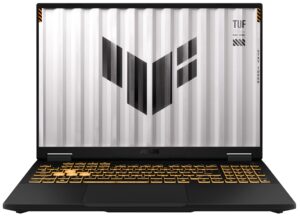
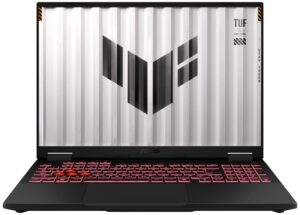
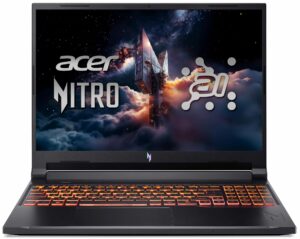
Multi-core performance is essential for handling complex and demanding tasks, such as Video editing, CAD, and Scientific simulations.
Results are from the Geekbench 6 Multi-Core test (higher is better)
Here, we evaluate the CPU's performance using a real-world 3D rendering task, assessing its ability to handle complex computations and rendering workloads efficiently.
Results are from the Cinebench 2024 Multi-Core test (higher is better)
Storage Performance
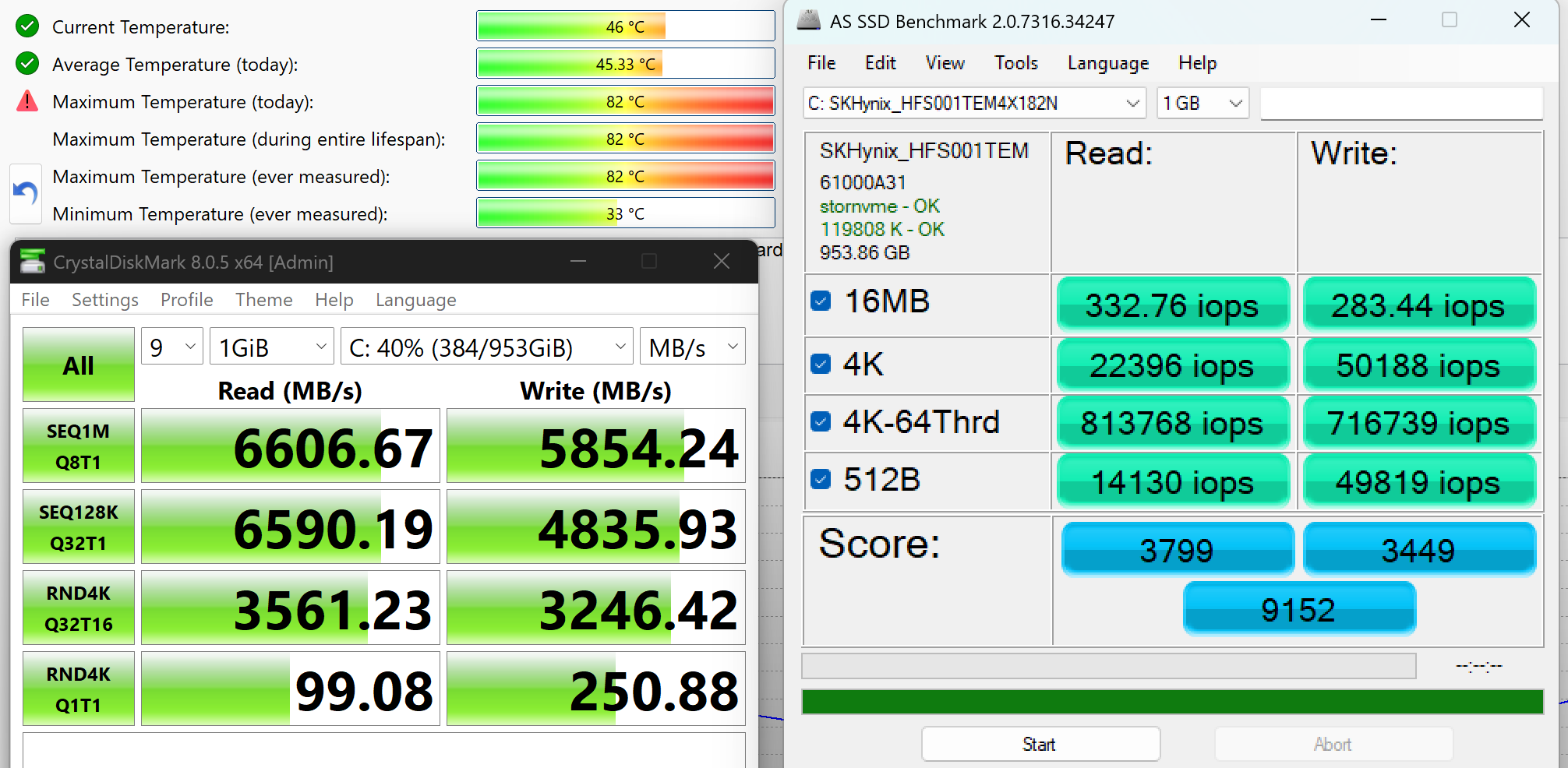
We ordered a configuration with 1TB of storage and the Legion 5a arrived with SK Hynix PVC10 (HFS001TEM4X182N).
It’s a very fast PCIe 4.0 x4, 2242-sized NVMe drive, reaching 6.6GB/sec sequential read and 5.9GB/sec sequential write speeds in our benchmark, but it reaches high temperatures – 82ºC during our benchmark, which is not optimal.
AI Performance
Here you can see the position of the GPUs and CPUs (NPUs) found within the Lenovo Legion 5a (15AGP11, Gen 11) in our AI Hardware Performance Rankings based on their AI processing power, measured in TOPS (Tera Operations Per Second) - a critical metric indicating the computational throughput, particularly for AI tasks.
The first column shows peak performance for INT8/FP8 precision, which is the most widespread metric for evaluating AI inference capabilities. We exclude Sparsity to provide a more accurate reflection of AI performance in dense computation scenarios where sparsity optimizations may not be applicable. The second and third columns show the performance with Sparsity, and FP4 TFLOPS, when supported.
For SoCs, the results reflect the peak performance of the integrated NPU. Additionally, it’s important to note that, according to Microsoft, a NPU must have at least 40 TOPS of AI computing power for the PC to be considered “AI-capable.”
| # | GPU / CPU (NPU) | TOPS INT8/FP8 No Sparsity | TOPS INT8/FP8 Sparsity | TFLOPS FP4 Sparsity |
|---|---|---|---|---|
| 1010. | NVIDIA GeForce RTX 5060 (Laptop) | 133 | 266 | 532 |
| 1562. | AMD Ryzen AI 7 450 | 50 | — | — |
| 1568. | AMD Ryzen AI 9 465 | 50 | — | — |
GPU and Gaming Performance
On the graphics side, the laptop can be configured with NVIDIA GeForce RTX 5060 (Laptop) and RTX 5050 (Laptop) GPUs. The RTX 5060 currently ranks #72 in our Top Laptop Graphics Ranking, while the RTX 5050 sits at #104. These options position the Legion 5a in the mid-range gaming segment, offering enough performance for modern titles and GPU-accelerated tasks without pushing into high-end territory.
Lenovo Legion 5a is the fastest RTX 5060 machine in the 15-inch category! Actually, the only faster machine of all 5060 laptop we’ve tested is its bigger sibling Lenovo Legion Pro 5 (16″, Gen 10). This is a remarkable result for a sub-2kg laptop (~ 4lbs).
The results are from 3DMark Time Spy (Graphics). Higher is better.
The results are from 3DMark Wild Life Extreme Unlimited. Higher is better.
Gaming tests

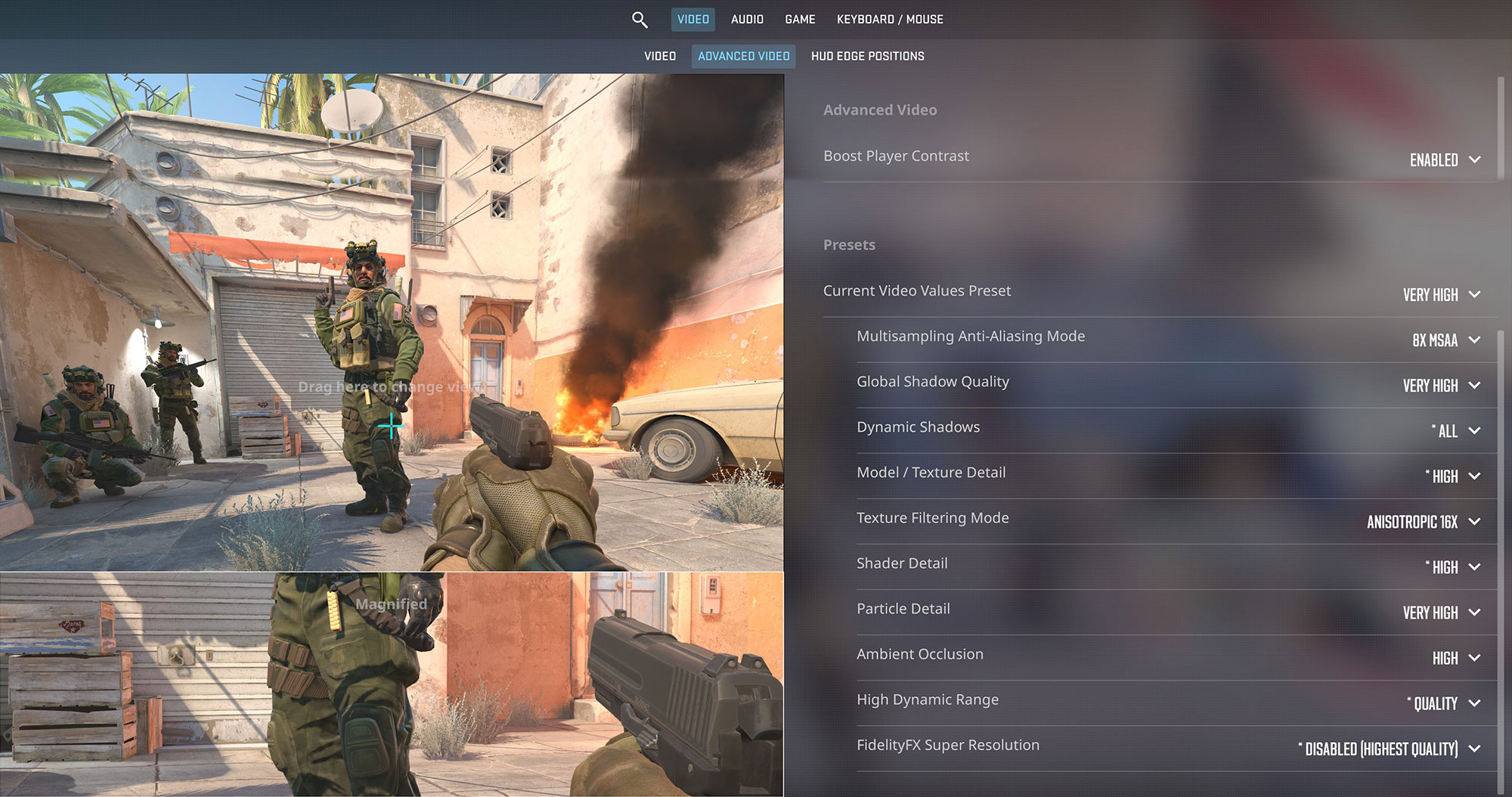
The Lenovo Legion 5a takes full advantage of its 165Hz OLED display in Counter-Strike 2. At the native 1600p resolution on Very High settings, it delivers a fantastic 167 FPS, ensuring an incredibly smooth and responsive competitive experience.
| Counter Strike 2 | 1600p, Very High (Check settings) |
| Average FPS | 167 FPS |

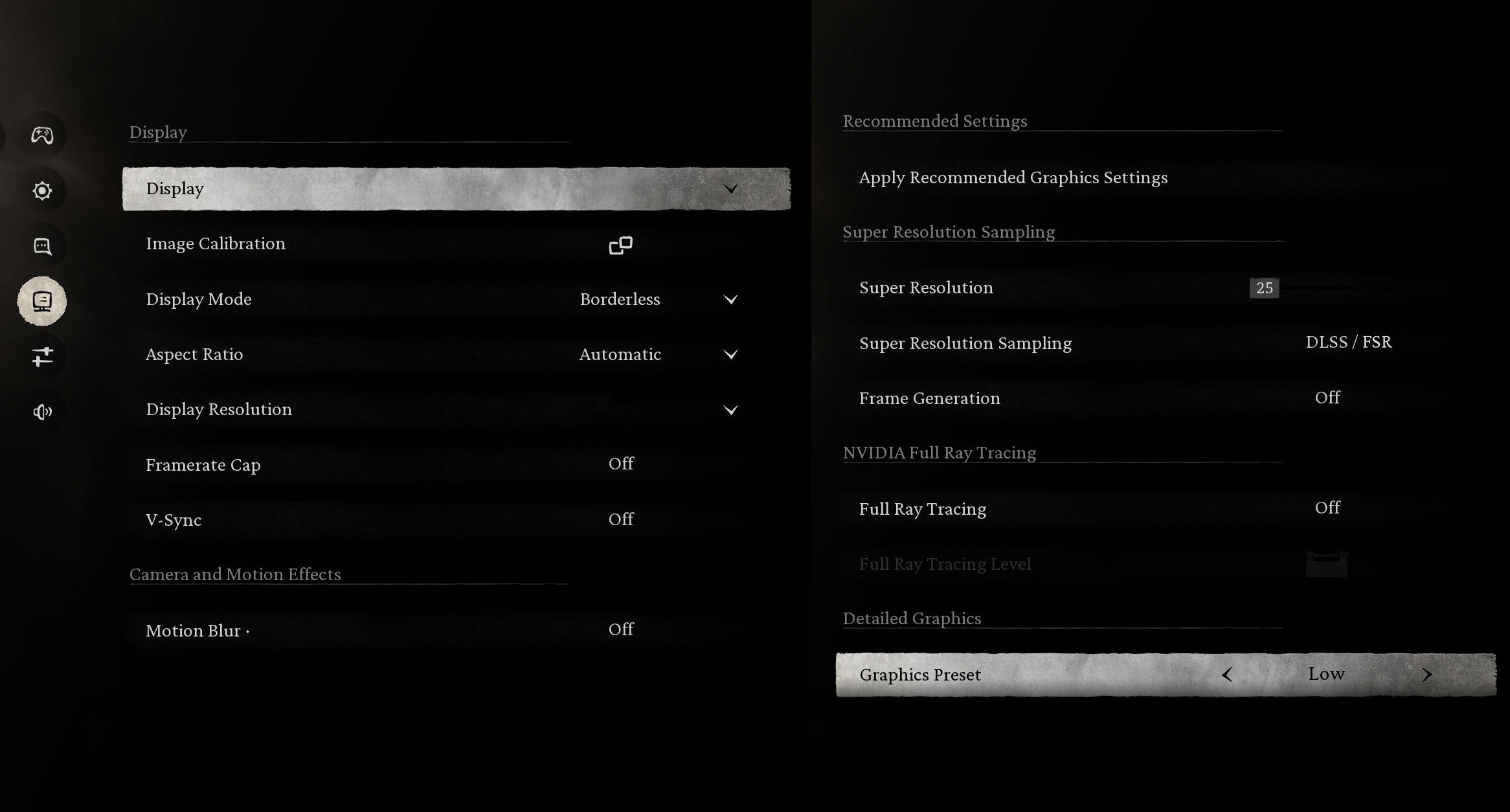
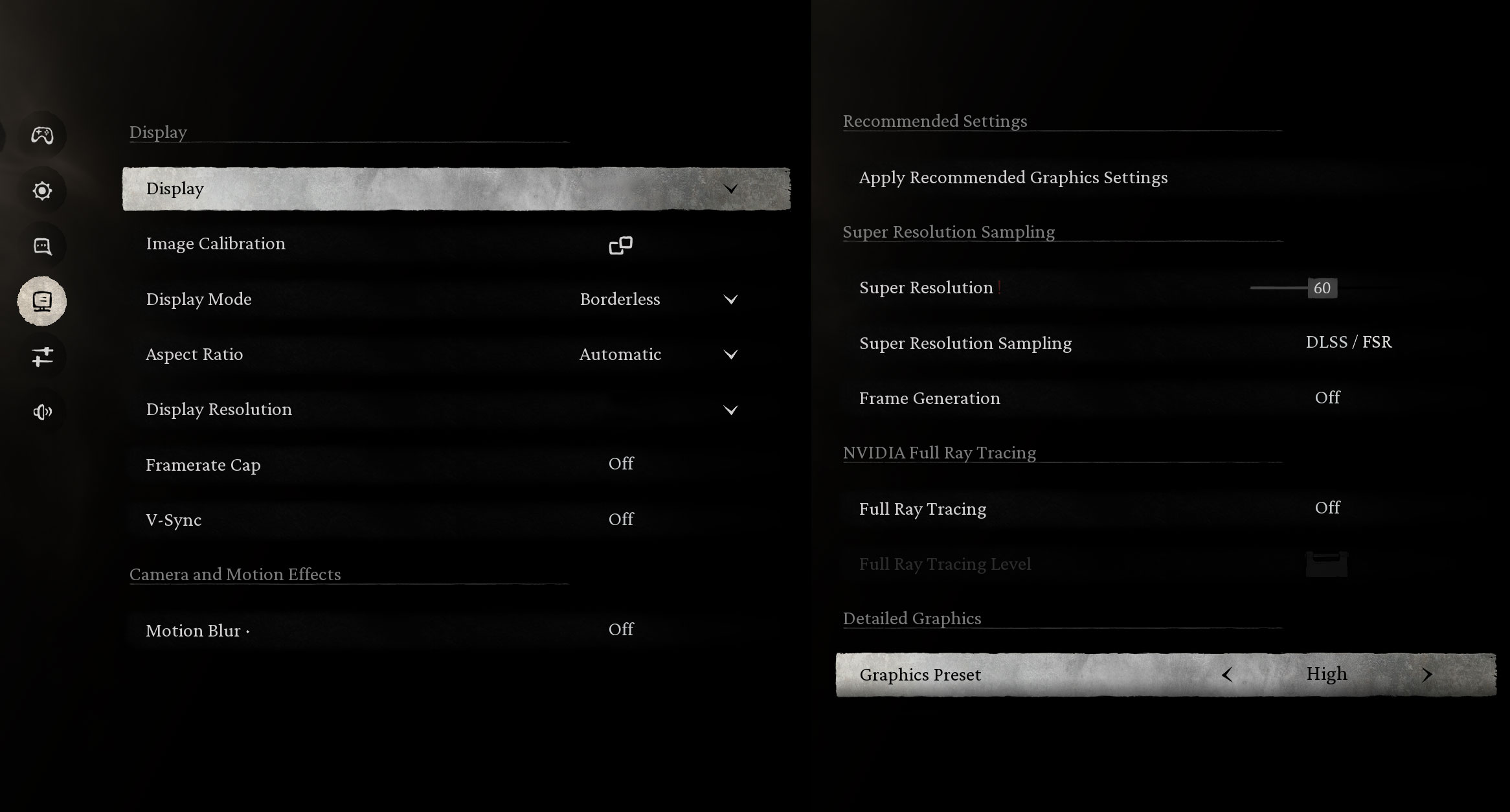
In the visually stunning Black Myth: Wukong, the RTX 5060 provides a breathtaking experience. It achieves a massive 165 FPS on Low settings and maintains a very fluid 77 FPS on High settings at the native 1600p resolution.
| Black Myth: Wukong | 1600p, Low (Check settings) | 1600p, High (Check settings) |
| Average FPS | 165 FPS | 77 FPS |

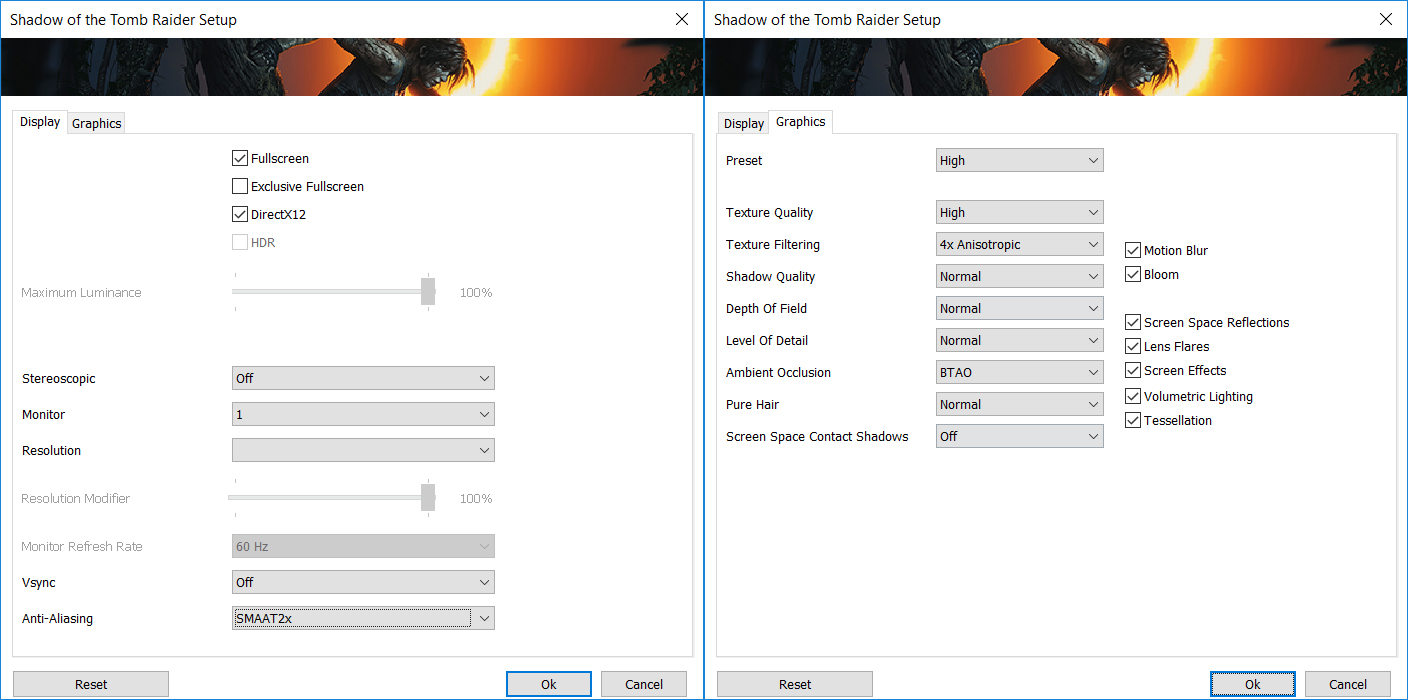
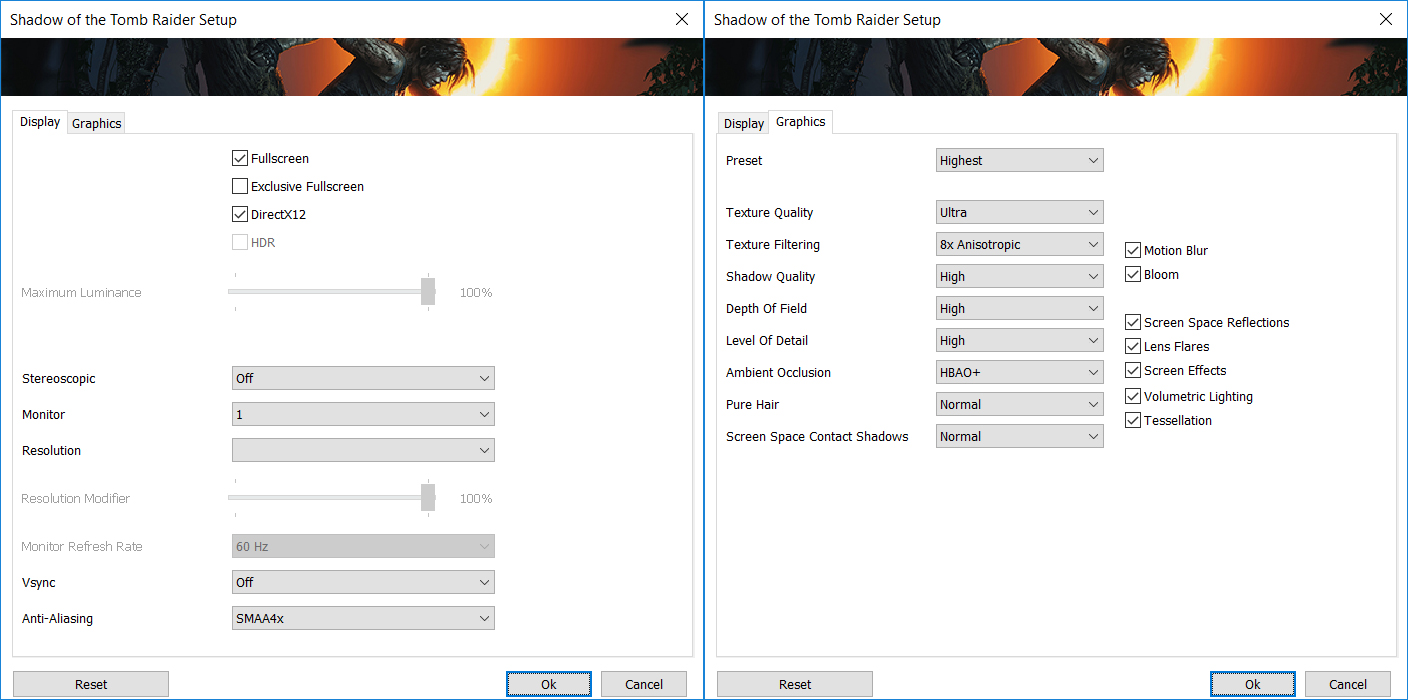
Action-adventure titles run exceptionally well. In Shadow of the Tomb Raider, the laptop pushes 111 FPS on the High preset and a very smooth 99 FPS on the Highest settings at 1600p, making for a highly immersive playthrough on the glossy OLED screen.
| Shadow of the Tomb Raider | 1600p, High (Check settings) | 1600p, Highest (Check settings) |
| Average FPS | 111 FPS | 99 FPS |

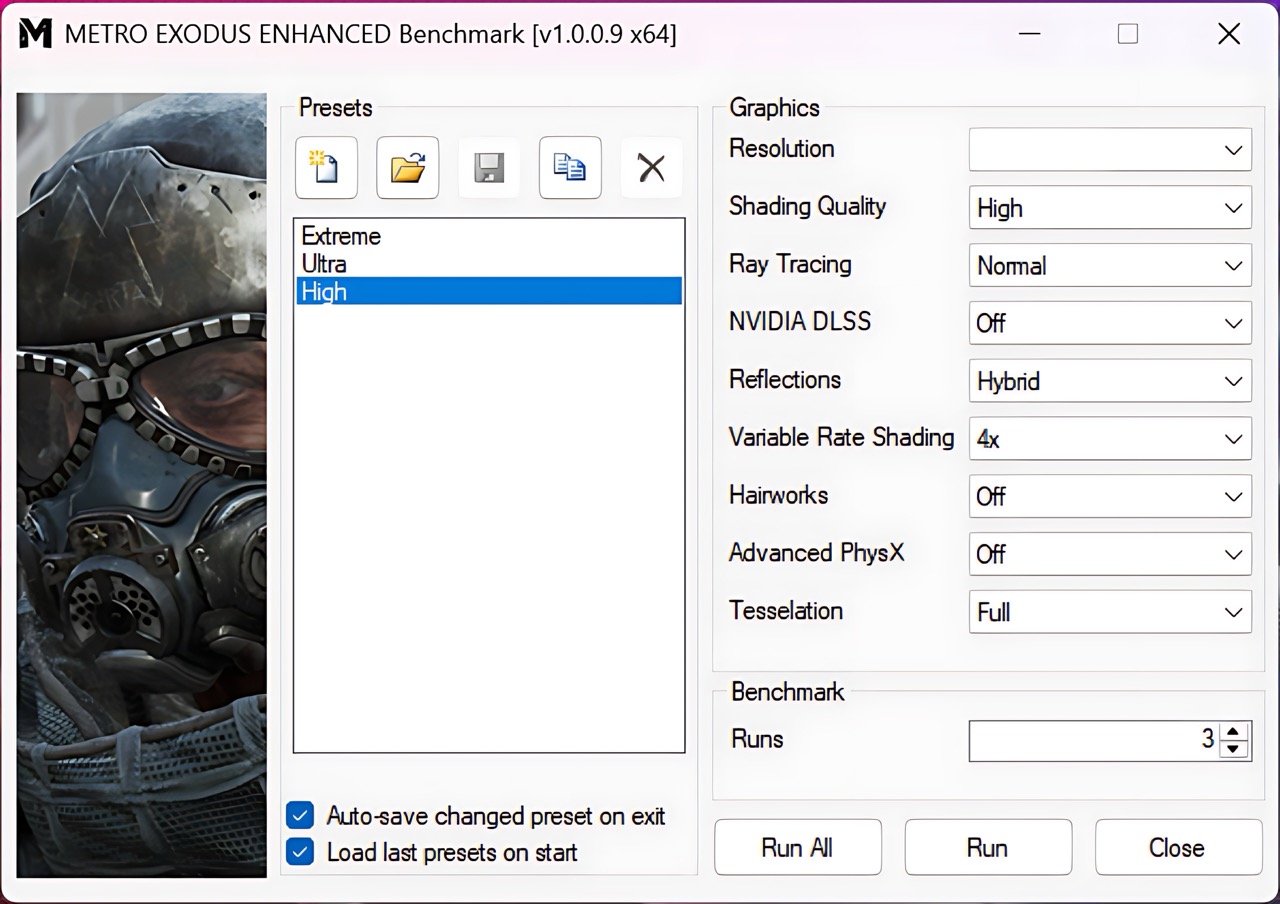
For heavy ray-tracing workloads like Metro Exodus Enhanced Edition, dropping the resolution slightly to 1200p yields great results. The machine delivers a solid 87 FPS on High settings, comfortably above the 60 FPS threshold for a smooth experience.
| Metro Exodus Enhanced Edition | 1200p, High (Check settings) |
| Average FPS | 87 FPS |
Temperatures and Comfort, Noise, Stability
At idle, the CPU package of the AMD Ryzen AI 9 465 maintains a temperature of 44ºC, and the notebook remains completely silent.
Office Work, Web Development, Design
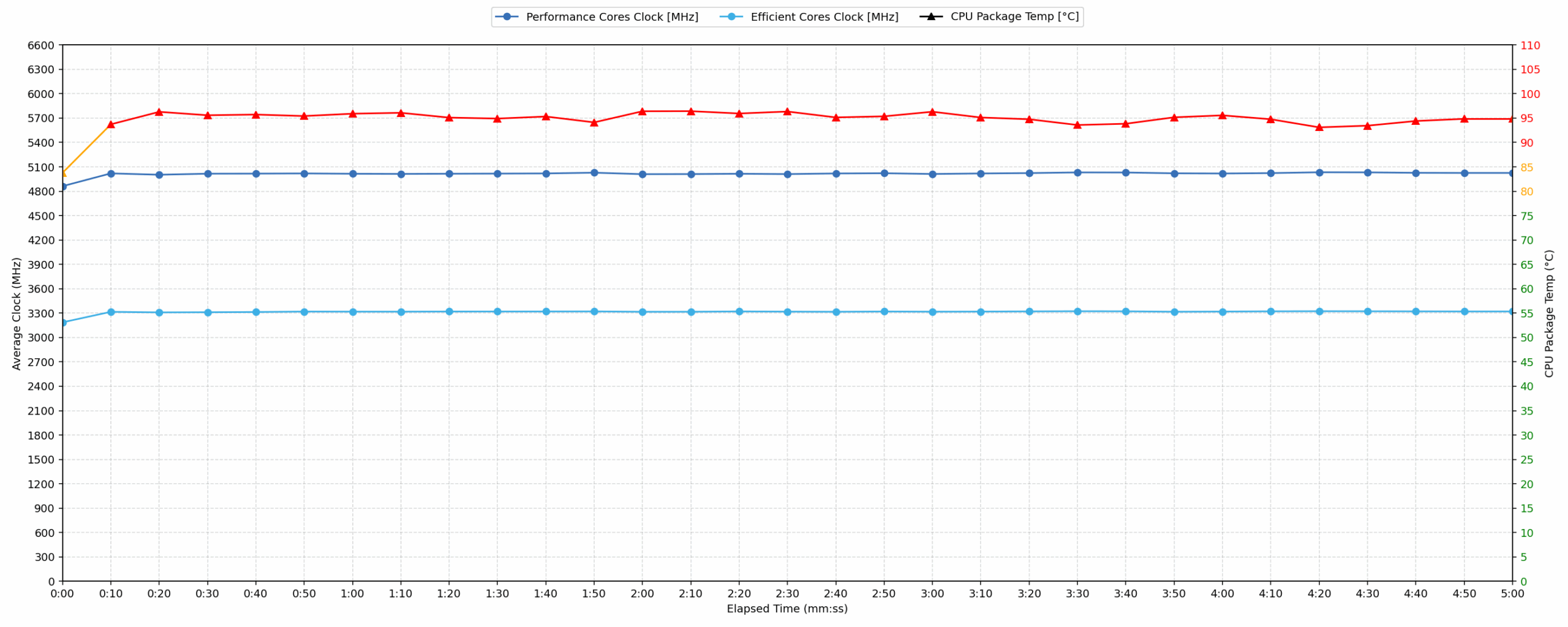
Short periods (0:00 – 0:10 s) of 100 % CPU load
This test shows the CPU behavior during short periods of serious load. It’s important for users who are looking for laptops suitable for tasks like Web Design and Programming.
| AMD Ryzen AI 9 465 | Avg. P-Core Clock | Avg. CPU Temp. | Avg. CPU Power |
| Lenovo Legion 5a (15″, Gen 11, 15AGP11) | 4890 MHz | 85 °C | 78 W |
The AMD Ryzen AI 9 465 in the Lenovo Legion 5a starts aggressively, reaching a peak power of 87 W and a peak clock of 5035 MHz within the first five seconds. During the initial ten seconds of load, the processor maintains a high average clock speed of 4890 MHz. While the average temperature of 85 °C is considered acceptable for short bursts, the CPU peak temperature quickly hits 97 °C, which is categorized as high. This initial burst demonstrates robust performance for short tasks, though the system encounters high thermal spikes immediately.
Video editing, Scientific computing, Software compilation, 3D rendering
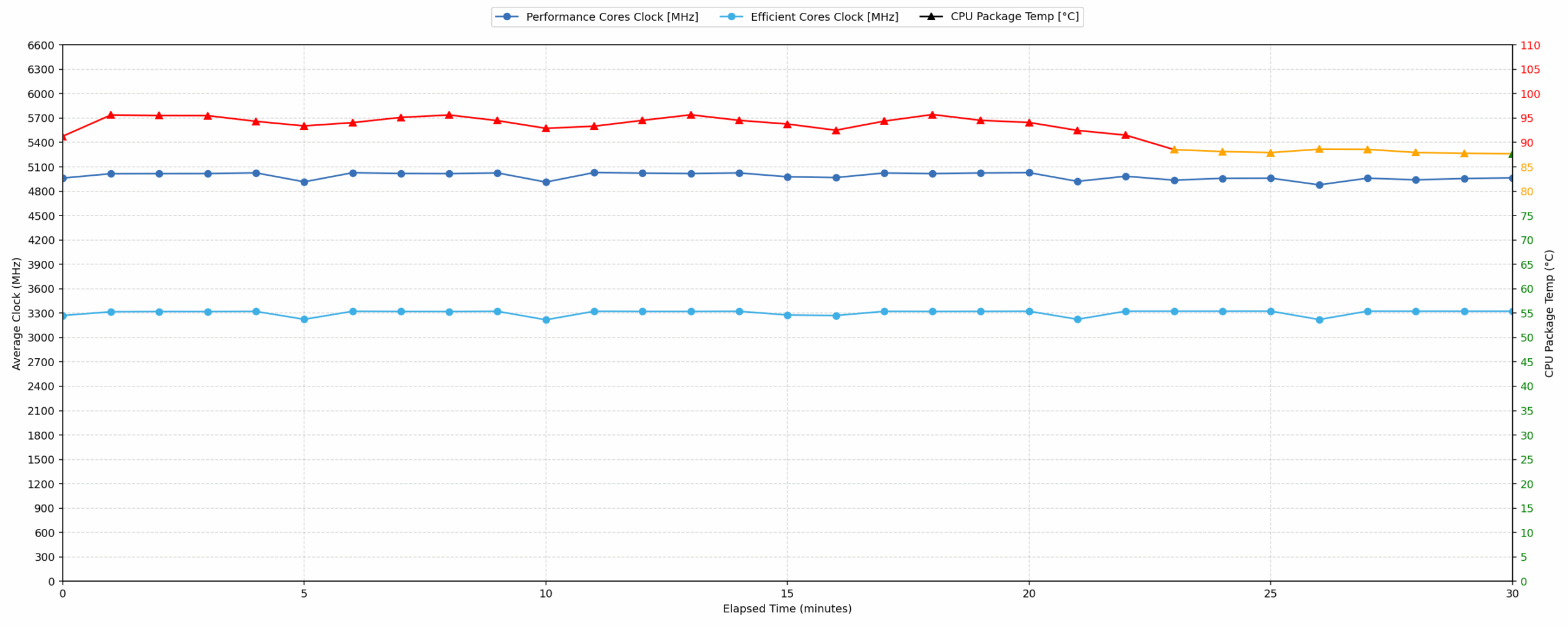
Long periods (0:00 – 30:00 min) of 100 % CPU load
This test shows the CPU behavior during long periods of serious load. It’s important for users who are looking for laptops suitable for tasks like Video Editing and 3D Rendering.
| AMD Ryzen AI 9 465 | Avg. P-Core Clock | Avg. CPU Temp. | Avg. CPU Power |
| Lenovo Legion 5a (15″, Gen 11, 15AGP11) | 4986 MHz | 92 °C | 85 W |
Under sustained 30-minute stress, the Legion 5a shows impressive frequency stability, with the clock speed dropping by only 38 MHz compared to the initial peak. The CPU maintains a high average clock of 4986 MHz at a consistent 85 W of power. However, this sustained performance results in high thermals, as the average temperature reaches 92 °C and the peak remains at 97 °C, both of which fall into the high range. While the frequency remains very stable for complex computational tasks, the processor operates consistently at the upper limits of its thermal envelope.
Gaming Stability
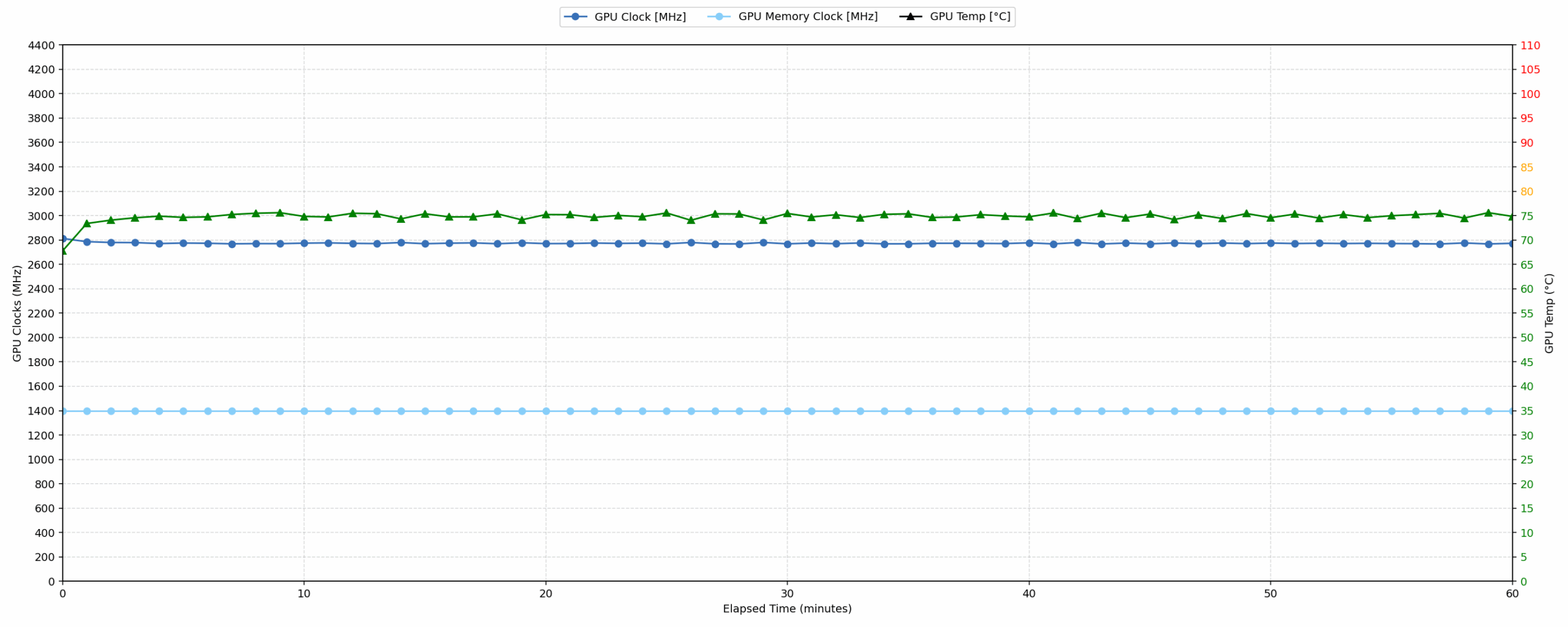
Continuous gaming (1-hour test)
This test evaluates the laptop’s performance under sustained GPU load and high CPU usage.
| NVIDIA GeForce RTX 5060 | Avg. GPU Clock | Avg. GPU Temp. | Avg. Memory Clock | Avg. GPU Mem Temp. | Avg. GPU Power |
| Lenovo Legion Pro 5 (16″, Gen 10) | 2821 MHz | 75 °C | 1400 MHz | 61 °C | 113 W |
| Lenovo Legion 5a (15″, Gen 11, 15AGP11) | 2773 MHz | 74 °C | 1400 MHz | 72 °C | 113 W |
| Lenovo LOQ 17IRX10 | 2742 MHz | 85 °C | 1393 MHz | 77 °C | 113 W |
| ASUS TUF Gaming F16 FX608 | 2714 MHz | 72 °C | 1387 MHz | 60 °C | 110 W |
| ASUS TUF Gaming A16 FA608 (2025) | 2708 MHz | 84 °C | 1387 MHz | 78 °C | 111 W |
| Lenovo LOQ 15 (Gen 10, 15AHP10) | 2626 MHz | 77 °C | 1393 MHz | 74 °C | 99 W |
| Acer Nitro V 16 AI (ANV16-42) | 2575 MHz | 84 °C | 1354 MHz | 79 °C | 93 W |
| ASUS V16 (V3607) | 2120 MHz | 76 °C | 1232 MHz | 79 °C | 68 W |
The NVIDIA GeForce RTX 5060 in the Legion 5a delivers excellent gaming performance, maintaining an average clock of 2773 MHz at 113 W. Compared to other laptops with the same GPU, it ranks second overall, trailing only the bigger Legion Pro 5. Its thermal performance is impressive; the average core temperature of 74 °C and memory temperature of 72 °C are both well within the good range. It outperforms competitors like the ASUS TUF A16 and Lenovo LOQ 17IRX10 by providing higher sustained clock speeds alongside notably lower operating temperatures during extended gaming sessions.
Battery Life
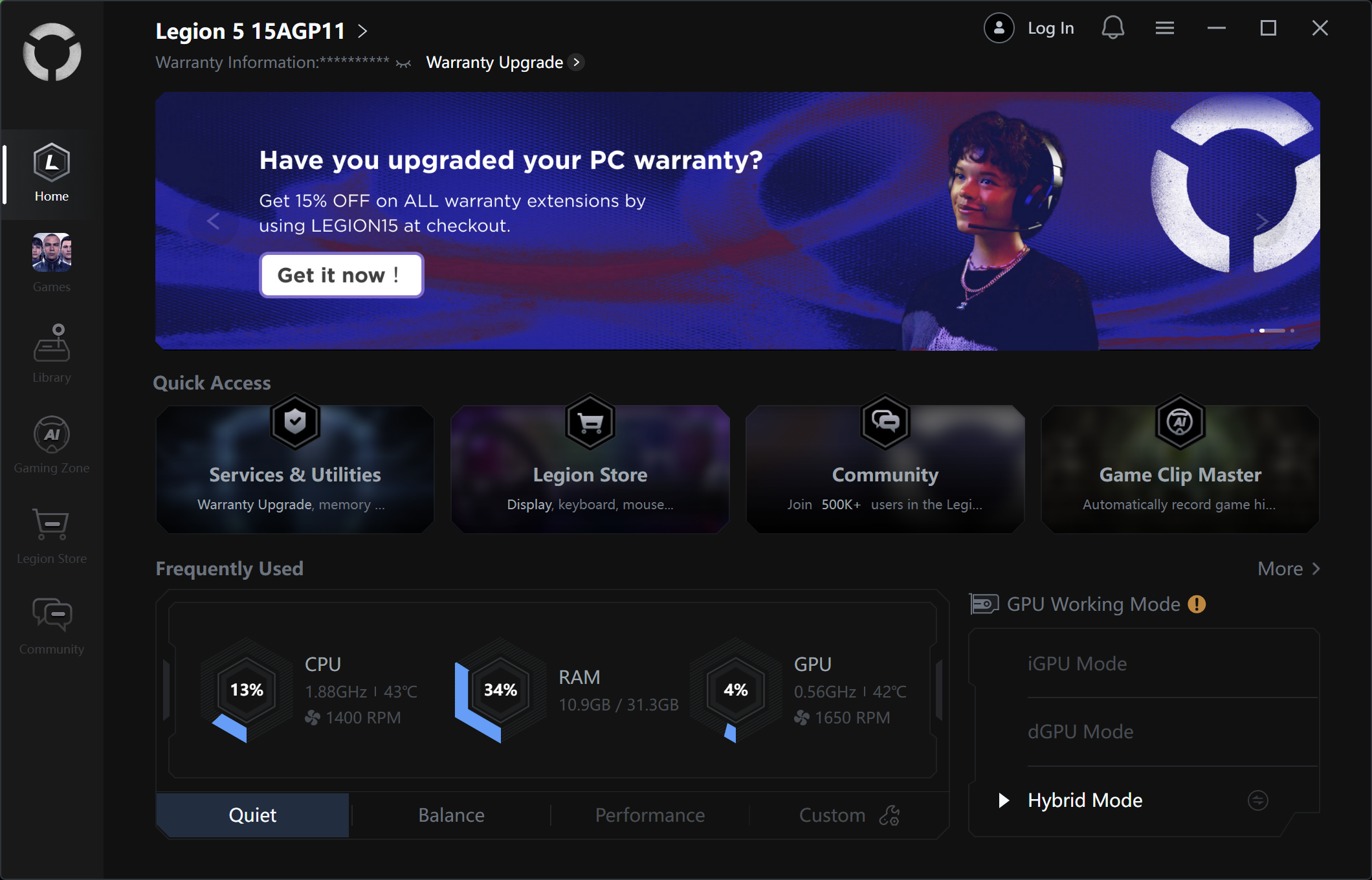
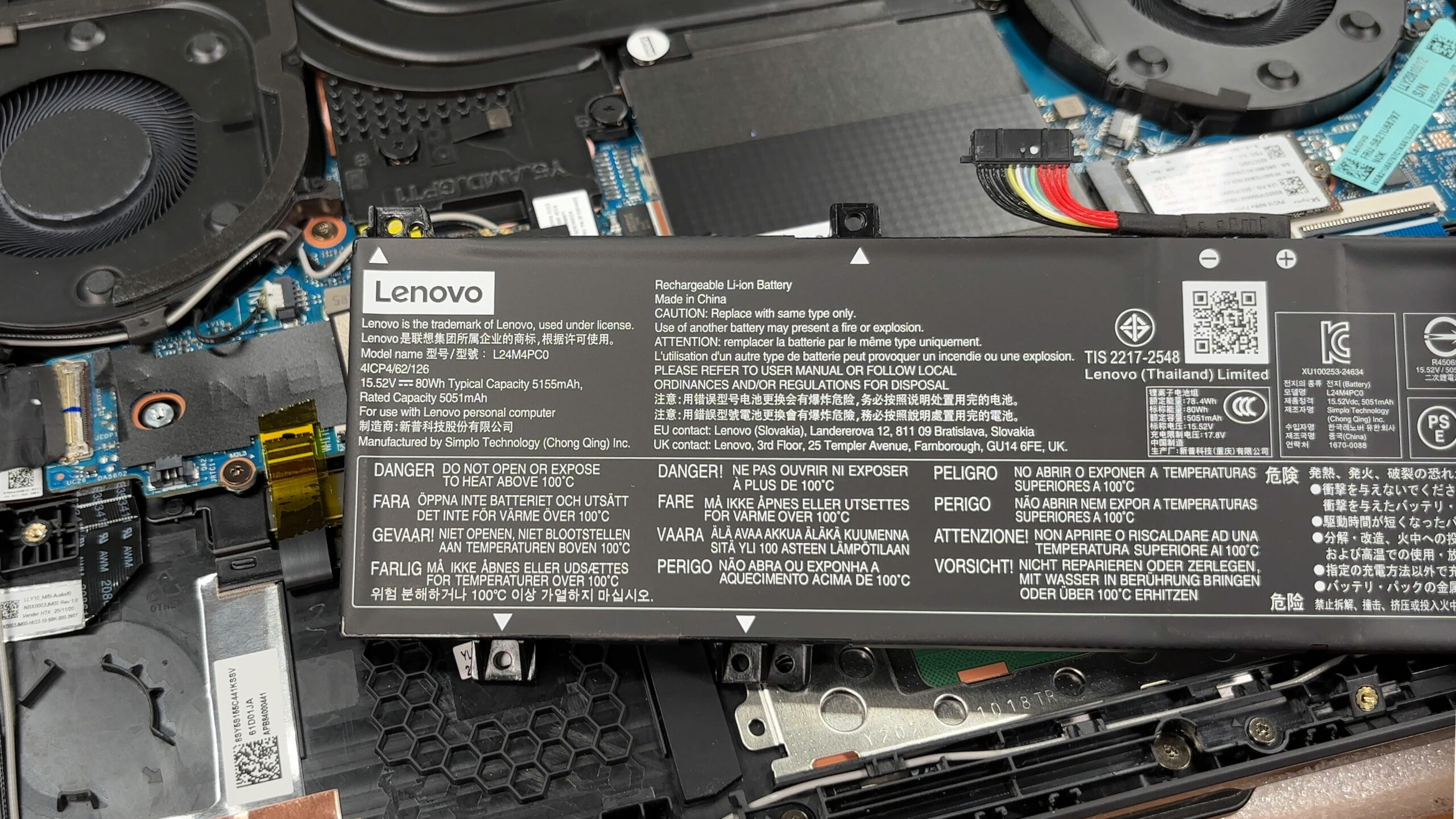
The battery of the Lenovo Legion 5a (15″, Gen 11, 15AGP11) is a 4-cell Li-ion, model L24M4PC0. Its nominal voltage is 15.52V and stores 80 Wh of electrical energy.
We tested the laptop with Quiet mode selected in Legion Space, Best Power Efficiency in Windows Settings and Hybrid mode for the GPU.
The battery life is not impressive – just over 3 hours. The champion here is ASUS TUF Gaming A16 FA608 with more than 14 hours on a single charge.
Brightness: 180 nits; Display Mode: SDR
Time to Full Discharge: Higher is Better
Disassembly, Upgrade options, and Maintenance
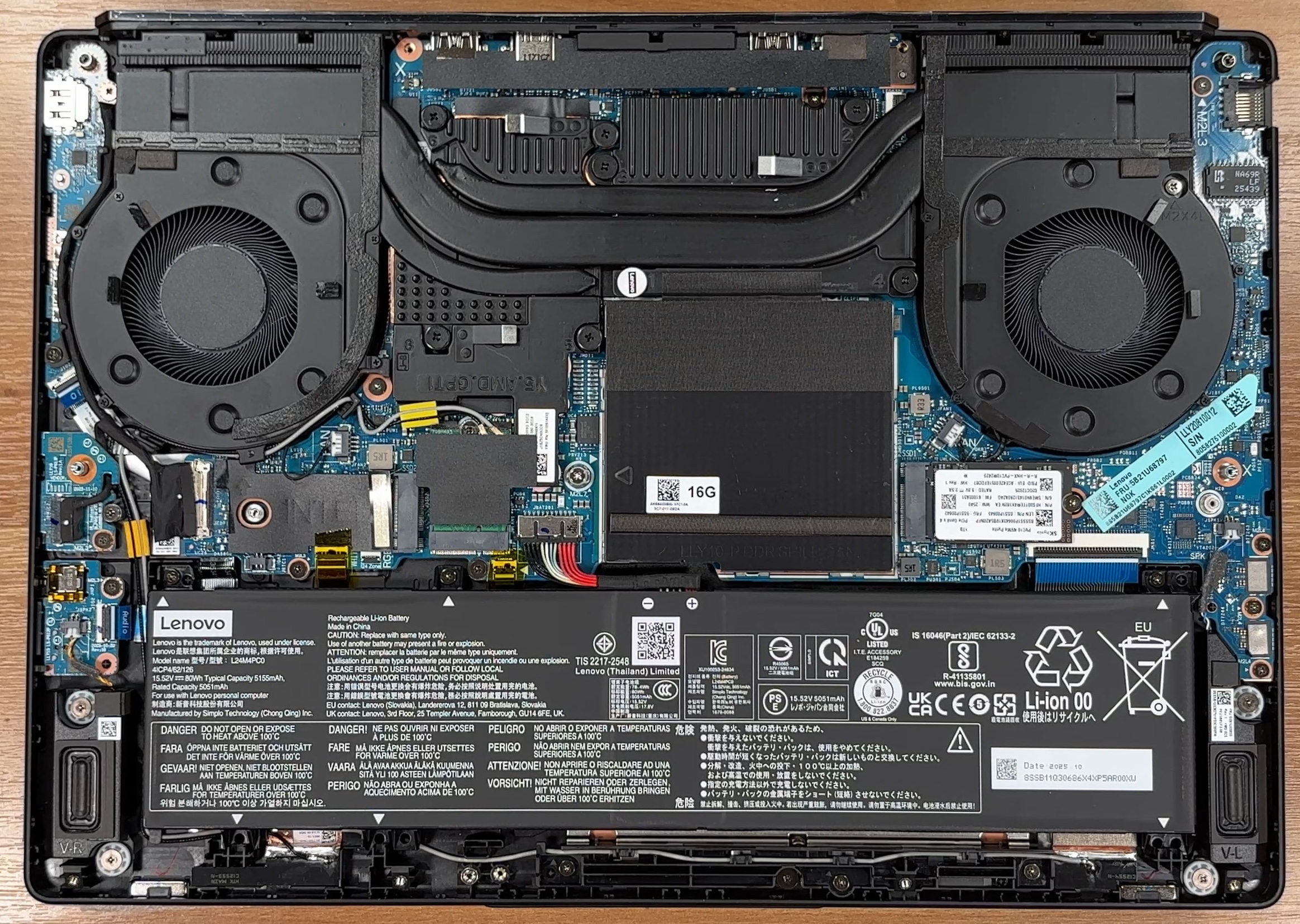
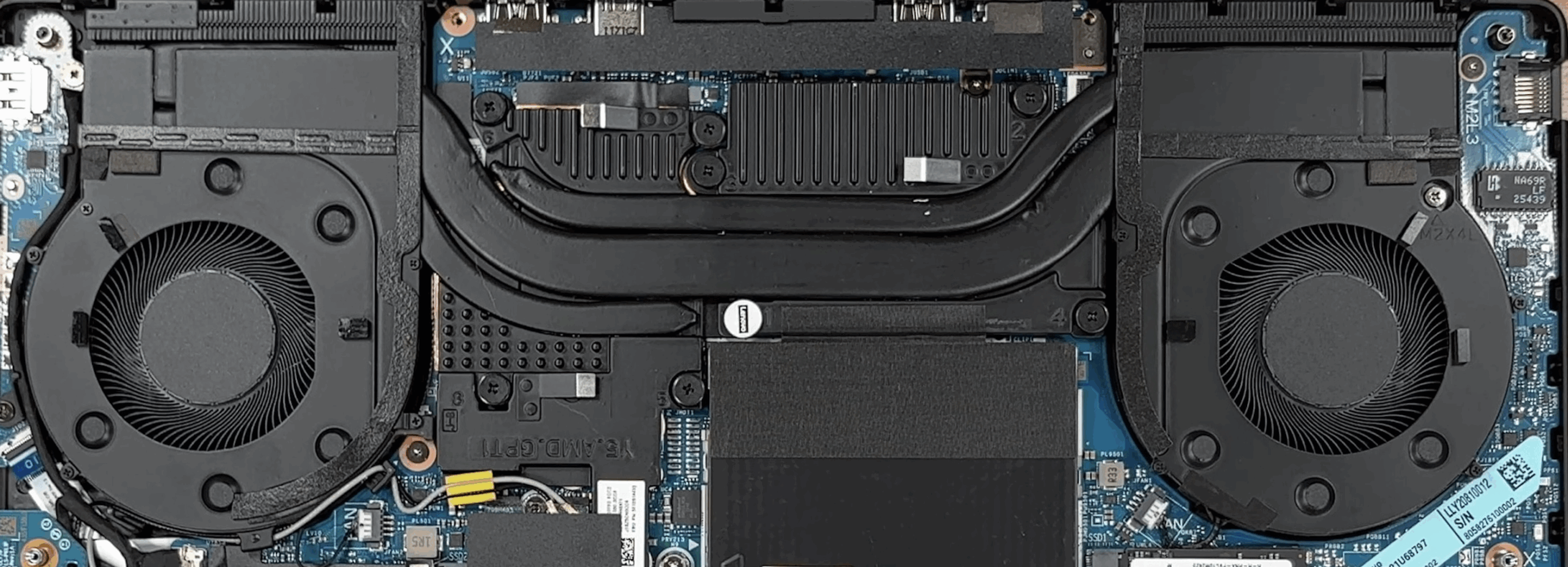
Getting inside the Lenovo Legion 5a 15, Gen 11 is fairly straightforward. The bottom panel comes off after undoing 10 screws and carefully releasing the clips, revealing a clean internal layout with the cooling hardware at the top, the battery stretched across the front, the memory in the center, and the storage components positioned around it. Lenovo has also added thermal pads on the inner side of the bottom cover to help pull heat away from the SSD area.
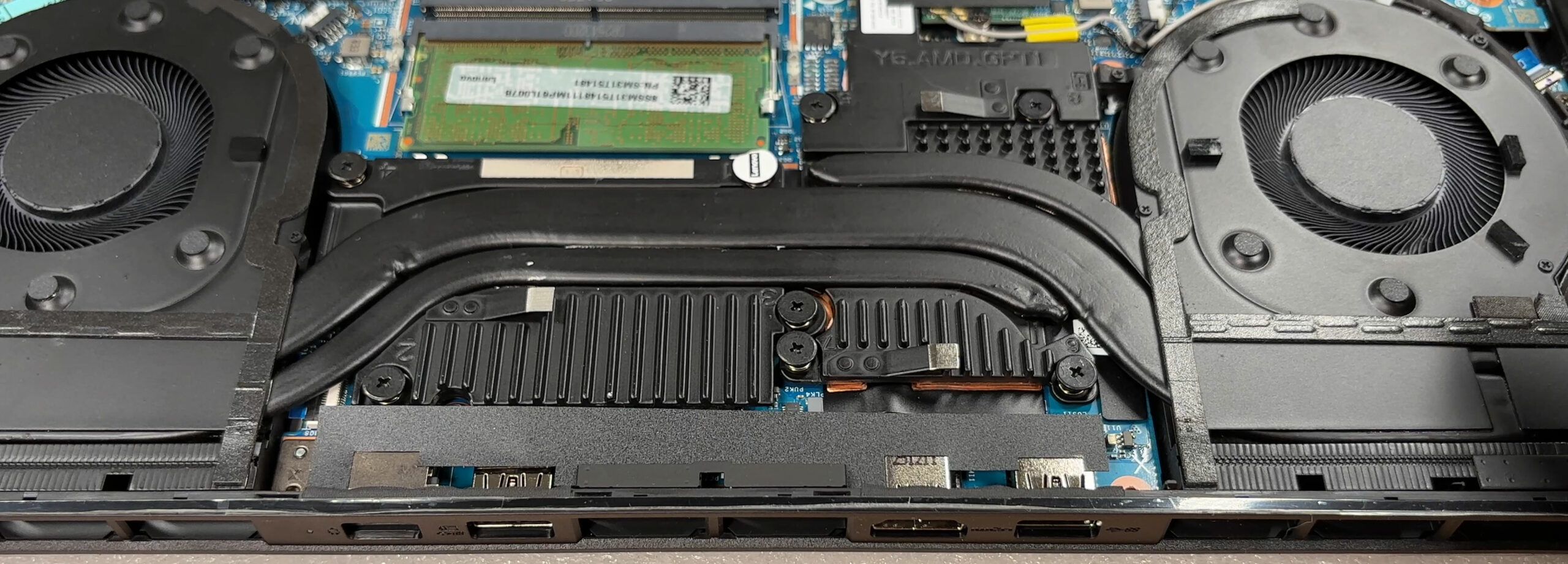
The cooling setup looks appropriately serious for a gaming machine in this class. You get two large fans, chunky heat pipes, and substantial heatsink mass spread across the rear section, with the processor and discrete graphics sitting underneath the main assembly. The design appears focused on feeding both chips with enough thermal headroom, while the wide rear exhaust section hints at a system built for sustained loads rather than short bursts alone.
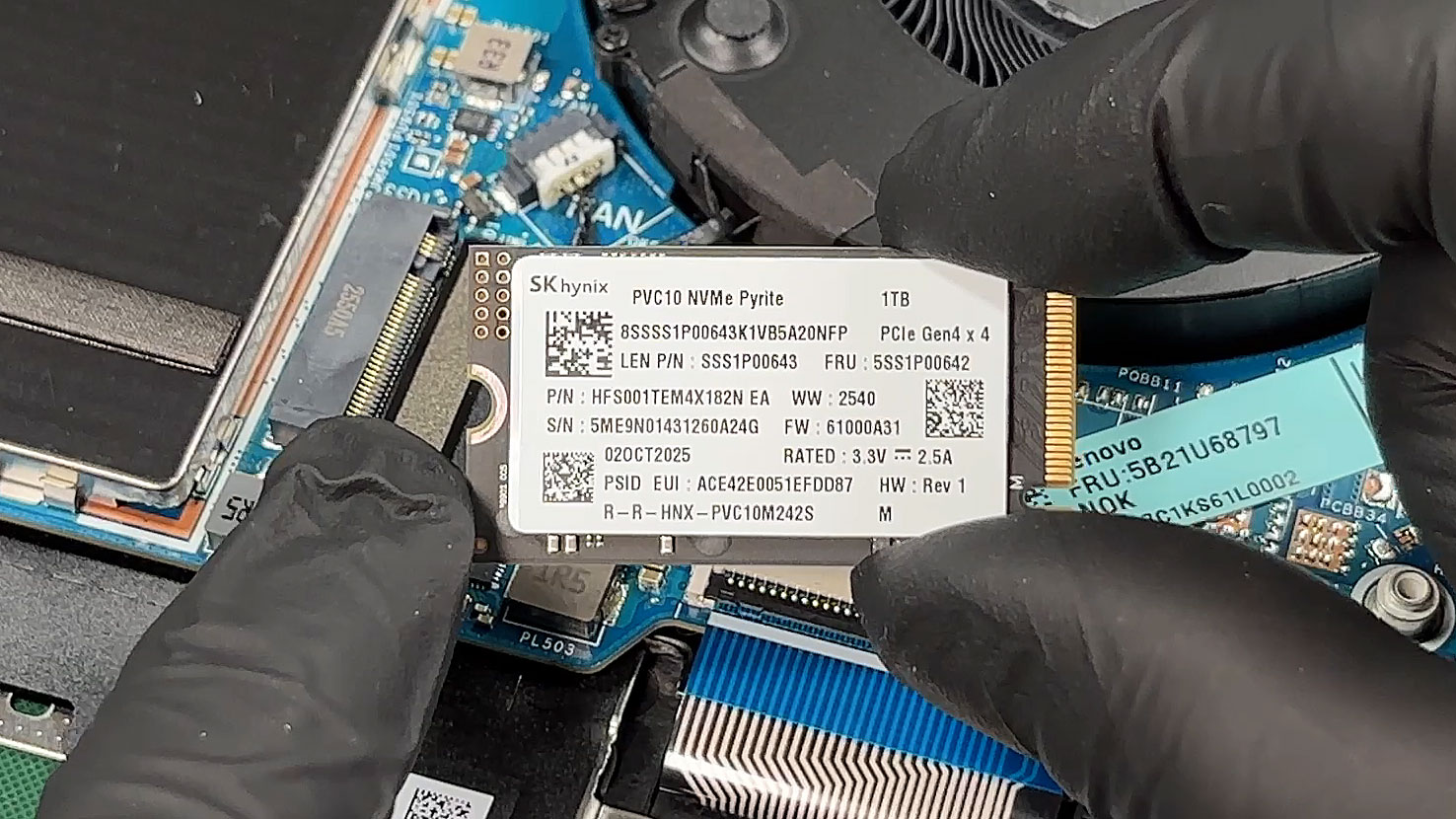
Storage is one of the nicer parts of this machine. Lenovo’s platform supports up to two M.2 PCIe Gen 4 NVMe drives, and the reviewed configuration comes with a 1TB SK hynix PVC10 Pyrite SSD. The installed drive is a short M.2 2242 unit, while the platform itself allows for a second SSD as well, so there is clear room for expansion if the factory capacity is not enough. That is always welcome on a gaming laptop, especially for users who keep a large local library of games and media.
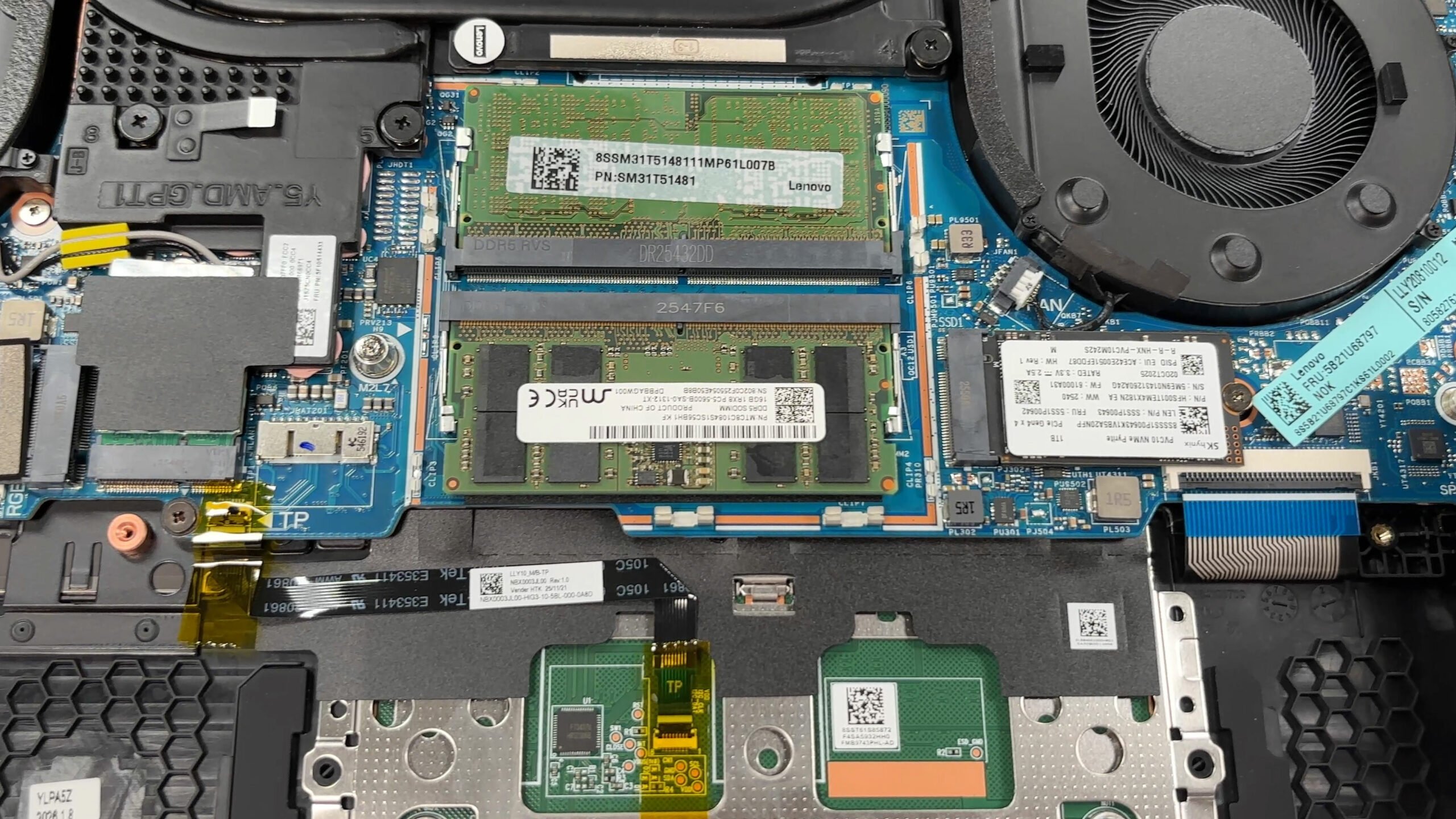
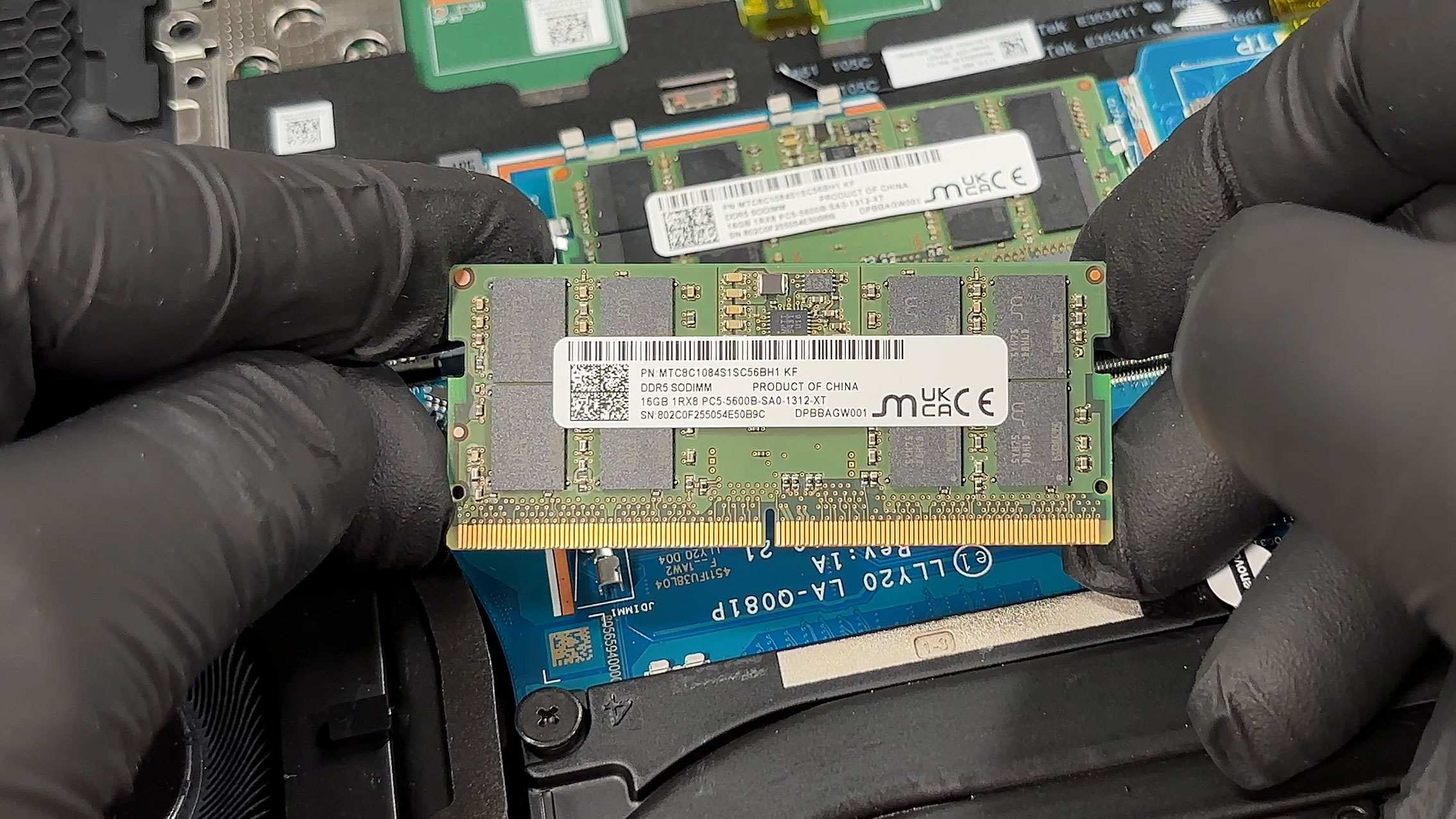
The memory sits under a dedicated shield, and once that cover is removed, you gain access to two DDR5 SODIMM slots. Lenovo officially lists support for up to 32GB of DDR5-5600 memory, and our machine already arrives with both slots populated, which means dual-channel operation is active out of the box. We have two 16GB Micron DDR5-5600 sticks, and Lenovo has also placed thermal pads between the shield and the memory to help with heat transfer. The practical downside is that upgrading beyond the installed setup will require replacing existing modules rather than simply adding another one.
The battery is a sizeable 80Wh unit, which suits the class well, and it is secured in a conventional, easy-to-service manner. Around it, you can also see that several other key parts remain modular, including the SSD, the RAM, and the wireless card, which is always preferable to a more locked-down design. The front-mounted speakers are neatly integrated into the chassis corners, while the internal layout leaves enough open space to make routine servicing less frustrating than on many thinner machines.
Overall, the Legion 5a 15, Gen 11 offers a well-organized interior with meaningful upgrade paths and pleasantly accessible core components, making it a solid machine for long-term ownership and maintenance.
Verdict
 The Lenovo Legion 5a (15AGP11, Gen 11) is a masterclass in stealth gaming. It successfully adopts a sleek, professional aesthetic that allows it to blend seamlessly into a boardroom, yet it packs the formidable hardware necessary to dominate demanding gaming sessions. It’s a machine designed for the versatile user who needs a powerful daily driver for work but refuses to compromise on high-end gaming performance when the day is done.
However, this dual identity comes with a significant caveat. While it excels in raw power and visual fidelity, its endurance when untethered from a power outlet is severely lacking, requiring users to carefully consider their mobility needs.
You can check the prices and configurations in our Specs System: https://laptopmedia.com/series/lenovo-legion-5-15agp11-gen-11/
✅ The Good
 The absolute star of the show is the stunning 165Hz QHD+ OLED display. With perfect contrast, 100% DCI-P3 coverage, and near-flawless color accuracy out of the box, it provides an exceptional visual experience for both gaming and professional creative work.
This visual brilliance is backed by outstanding gaming performance. Our RTX 5060 model proved to be the fastest 15-inch laptop we’ve tested with this GPU, and the cooling system keeps the graphics card running remarkably cool and stable during long sessions. We also love the excellent keyboard layout with full-sized arrow keys and a NumPad, and the fantastic connectivity that includes two USB4 ports.
The build quality is superb, featuring a premium metal lid and a chassis that resists fingerprints beautifully, and the upgradeability is solid with two user-accessible RAM slots and two M.2 slots.
❌ The Bad
The most significant and frustrating flaw is the abysmal battery life. Lasting just over 3 hours in our tests, it completely undermines the laptop’s portability, forcing you to carry the hefty power adapter wherever you go. It is a desktop replacement in a portable shell.
The beautiful OLED screen is highly reflective, which can be distracting in bright environments, and the laptop lacks any biometric login options (fingerprint or IR camera).
🆚 The Competitors
When compared to its more budget-friendly sibling, the Lenovo LOQ 15 (detailed review), the Legion 5a justifies its premium price with vastly superior GPU performance and a breathtaking OLED screen. However, the LOQ 15 manages to deliver significantly better battery life (over 7 hours), making it a more practical choice for students or travelers on a budget.
Against a battery champion like the ASUS TUF Gaming A16 (detailed review), the Legion 5a’s endurance looks even worse. The ASUS offers a staggering 14+ hours of battery life while still providing excellent gaming performance. The Legion 5a wins on display quality and professional aesthetics, but it loses heavily on true mobility.
Pros
- Stunning 165Hz QHD+ OLED display with perfect colors
- Class-leading RTX 5060 gaming performance for a 15-inch laptop
- Excellent GPU thermal management keeps the system stable
- Sleek, professional design with a fingerprint-resistant finish
- Great keyboard layout featuring full-sized arrow keys
- Future-proof connectivity with two USB4 ports
Cons
- Extremely poor battery life (just over 3 hours)
- CPU runs hot under sustained heavy load
- Highly reflective glossy OLED screen
- No biometric login options (fingerprint or IR)
 Author: Simeon NikolovEditor-in-Chief at LaptopMedia.com with 20+ years of experience in testing and analyzing laptops and mobile devices.
 Author: eng. Kroum NikolovHead of Engineering at LaptopMedia.com, inventor and innovator with 40+ years of experience in electronics and high technology.

![[August 2026] Amazon USA: Top 10 Best-Selling Laptops – Apple MacBook Neo Dominates the Market with Massive Unit Sales!](https://laptopmedia.com/wp-content/uploads/2026/09/Best-Selling-Laptops-COM-Top-10-400x225.jpg)
![[August 2026] Amazon USA: Top 10 Best-Selling Gaming Laptops – ASUS ROG Strix G16 Dominates the Market with Massive Unit Sales](https://laptopmedia.com/wp-content/uploads/2026/09/Best-Selling-Gaming-Laptops-COM-Top-10-400x225.jpg)
![[July 2026] Amazon Global: Top 10 Best-Selling Laptops – Apple MacBook Neo Dominates the Charts as Budget and Premium Notebooks Split the Market](https://laptopmedia.com/wp-content/uploads/2026/08/Best-Selling-Laptops-GLOBAL-Top-10-400x225.jpg)
![[July 2026] Amazon Global: Top 10 Best-Selling Gaming Laptops – ASUS ROG Strix G16 Dominates the Global Market with Record-Breaking Unit Sales](https://laptopmedia.com/wp-content/uploads/2026/08/Best-Selling-Gaming-Laptops-GLOBAL-Top-10-400x225.jpg)
![[July 2026] Global Ranking of Best-Selling Laptop GPUs on Amazon – RTX 5060 Dominate Premium, Intel Still Rules Budget](https://laptopmedia.com/wp-content/uploads/2026/08/Best-Selling-GPUs-GLOBAL-Top-10-400x225.jpg)

You should probably re-run battery test result in Hybrid iGPU only mode (in Legion Space) to ensure system does not use power hungry NVIDIA eGPU. This would be more fair comparison with Asus TUF A16 set to Eco Mode which limits system to iGPU only.