Lenovo LOQ 15 (Gen 10, 15AHP10) review – Huge Value, One Hidden Flaw
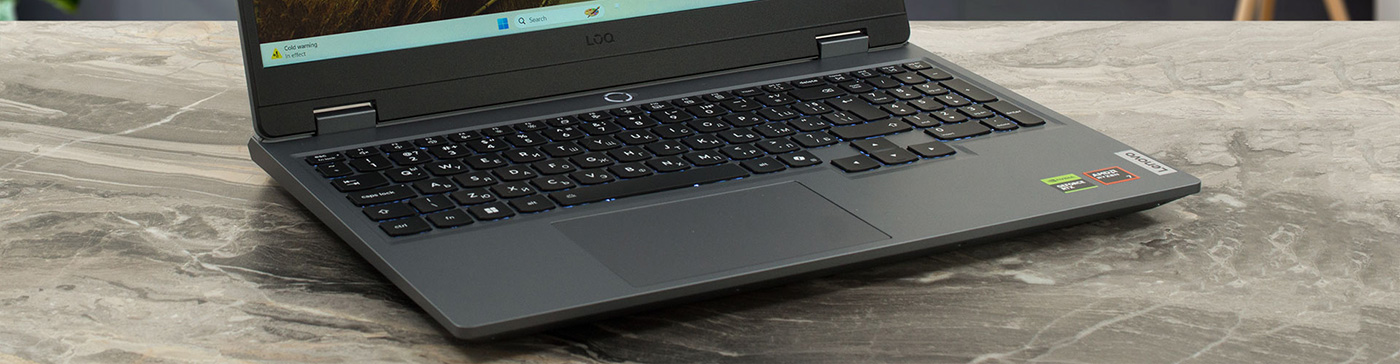
The budget gaming laptop market is a constant balancing act between performance, features, and price, and the Lenovo LOQ 15 (Gen 10, 15AHP10) attempts to walk that tightrope with the grace of its premium Legion siblings. Designed for gamers who want robust performance without the eye-watering price tag, it promises a refined, mature aesthetic and solid core specs. But in a segment where every manufacturer has to cut corners somewhere, the real test is where those cuts are made. Has Lenovo managed to deliver a cool, capable, and enduring machine, or are there hidden compromises lurking beneath its sleek “Luna Grey” exterior? We put it to the test to find out.
You can check the prices and configurations in our Specs System: https://laptopmedia.com/series/lenovo-loq-15-15-gen-10/
Contents
Specs, Drivers, What’s in the box
Lenovo LOQ 15 (15", Gen 10) - Specs

- HDD/SSD
- up to 8000GB SSD
- M.2 Slot
- 1x 2280 M.2 NVMe PCIe 4.0 x4 + 1x 2280 M.2 NVMe PCIe 4.0 x2 See photo
- RAM
- up to 64GB
- OS
- Windows 11 Home, Windows 11 Pro, No OS, DOS
- Battery
- 60Wh
- Body material
- Plastic / Polycarbonate
- Dimensions
- 359.86 x 258.7 x 21.9 - 23.9 mm (14.17" x 10.19" x 0.86")
- Weight
- 2.40 kg (5.3 lbs)
- Ports and connectivity
- 3x USB Type-A
- 3.2 Gen 1 (5 Gbps)
- 1x USB Type-C
- 3.2 Gen 2 (10 Gbps), Power Delivery (PD), DisplayPort
- HDMI
- 2.1
- Card reader
- Ethernet LAN
- 10, 100, 1000 Mbit/s
- Wi-Fi
- Wi-Fi 6E
- Bluetooth
- 5.3
- Audio jack
- 3.5mm Combo Jack
- Features
- Fingerprint reader
- Web camera
- 5.0MP, with E-shutter, fixed focus
- Backlit keyboard
- Microphone
- Dual-microphone array
- Speakers
- Stereo speakers, 2W x2, optimized with Nahimic Audio
- Security Lock slot
All Lenovo LOQ 15 (15″, Gen 10) configurations
Drivers
All drivers and utilities for this notebook can be found here: https://pcsupport.lenovo.com/us/en/products/laptops-and-netbooks/gaming-series/loq-15ahp10/downloads
What’s in the box?
Unboxing the LOQ 15 is a bit of a regional lottery when it comes to extra goodies. While some territories might find a Lenovo LOQ M100 RGB Mouse tucked inside, our unit didn’t come with any such luck – we received just the machine and its power adapter.
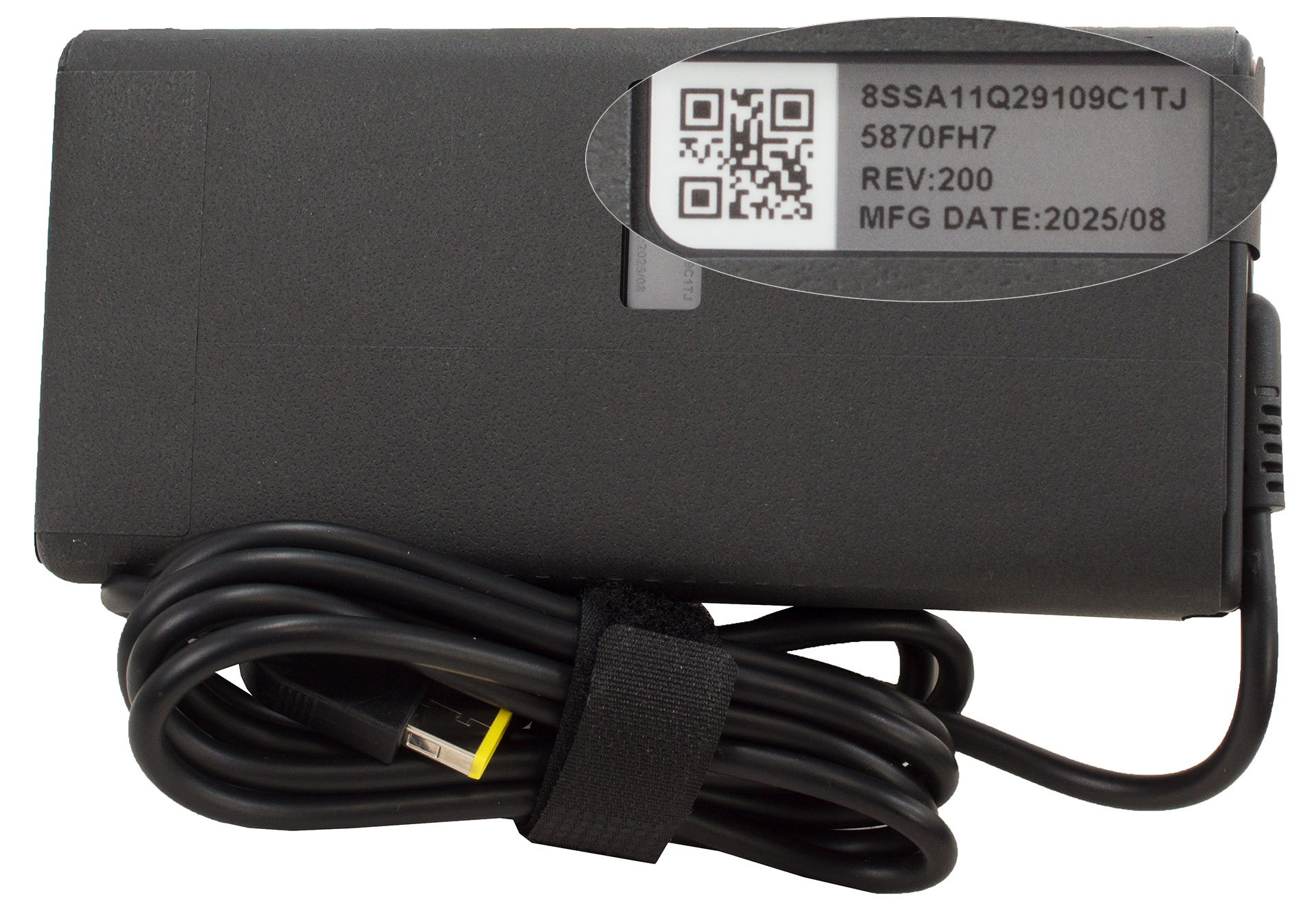
It’s definitely worth checking with your local retailer to see if you’ll be scoring that extra gaming peripheral or starting out with just the essentials.
Design and construction
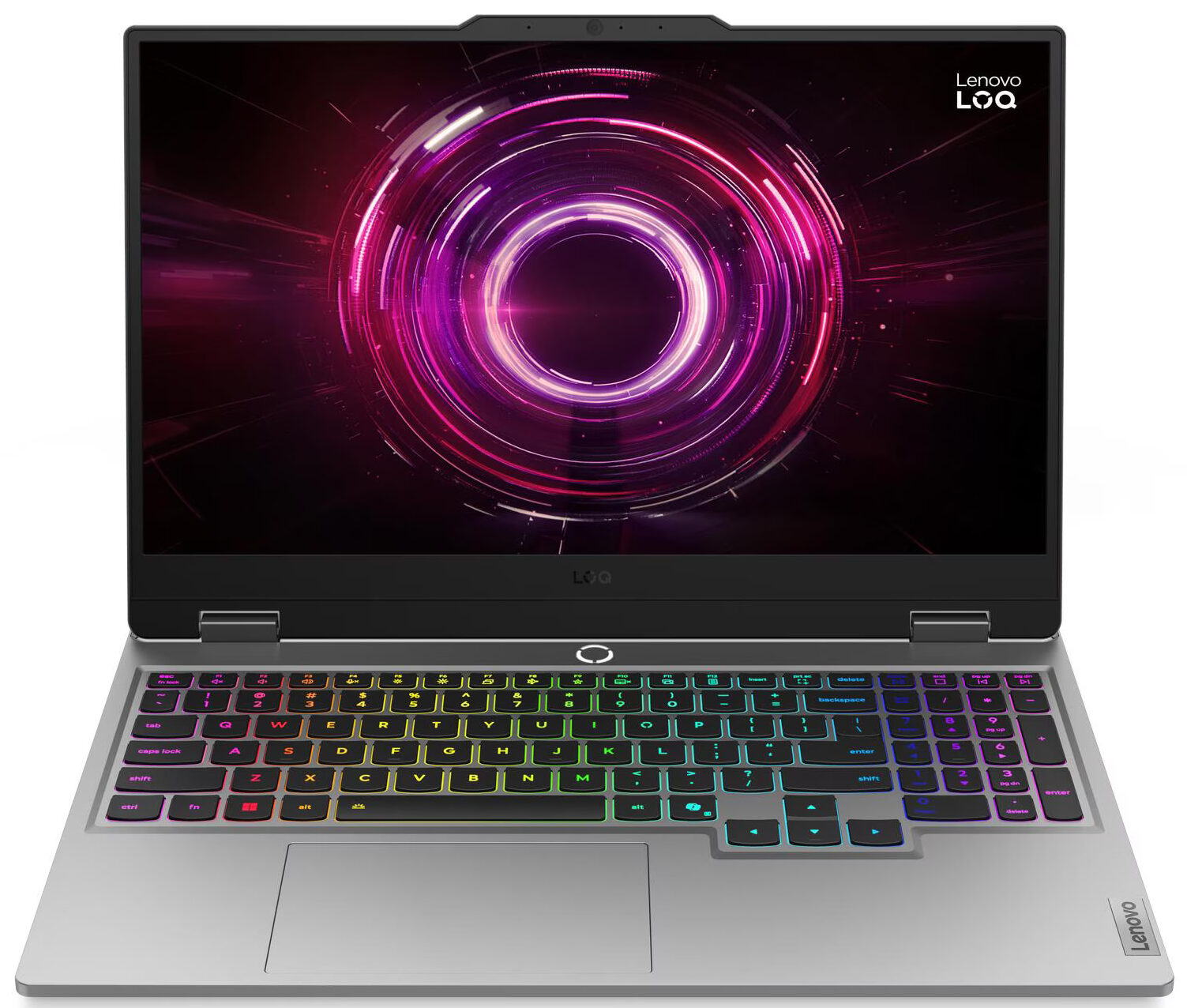
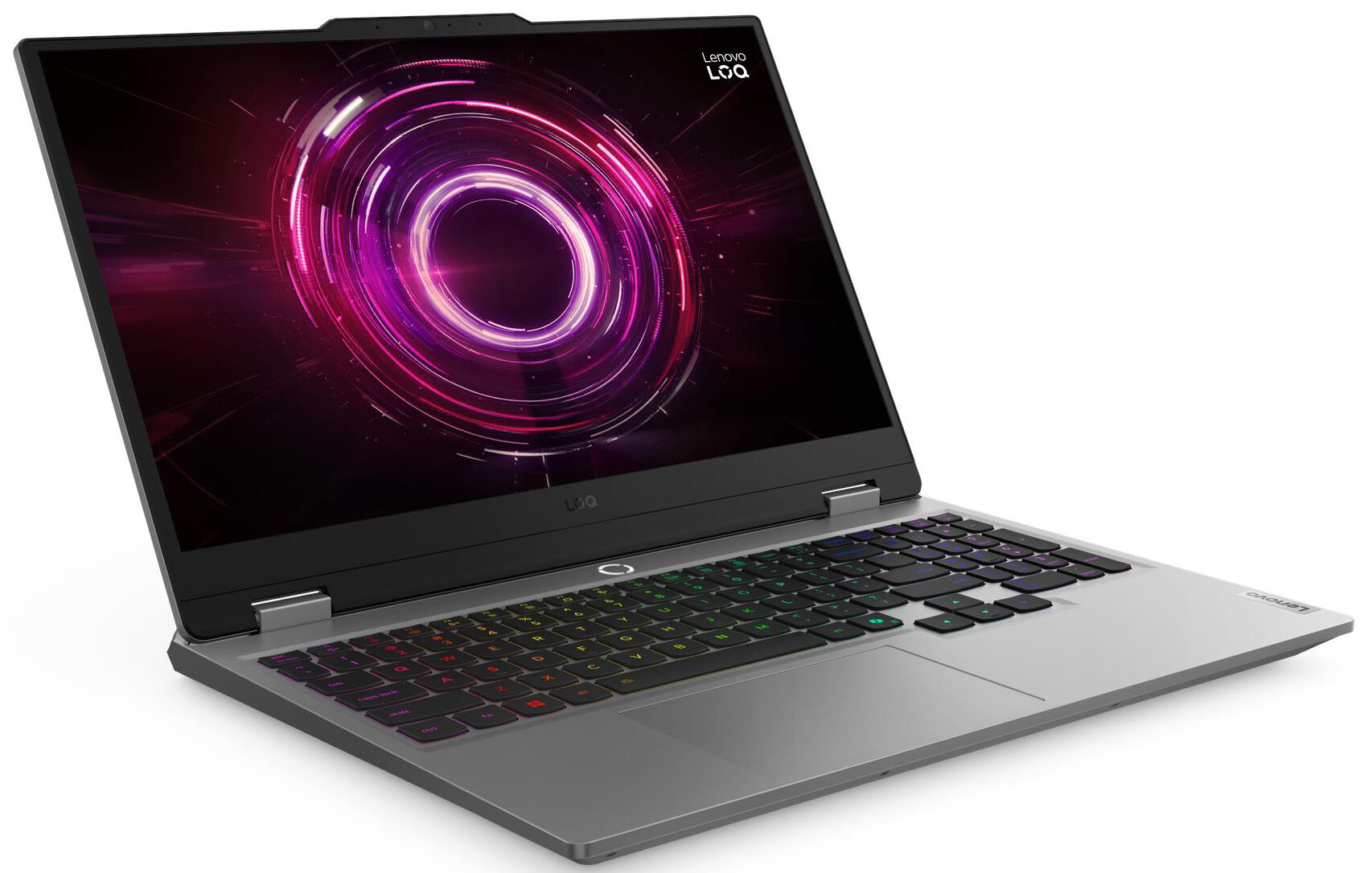
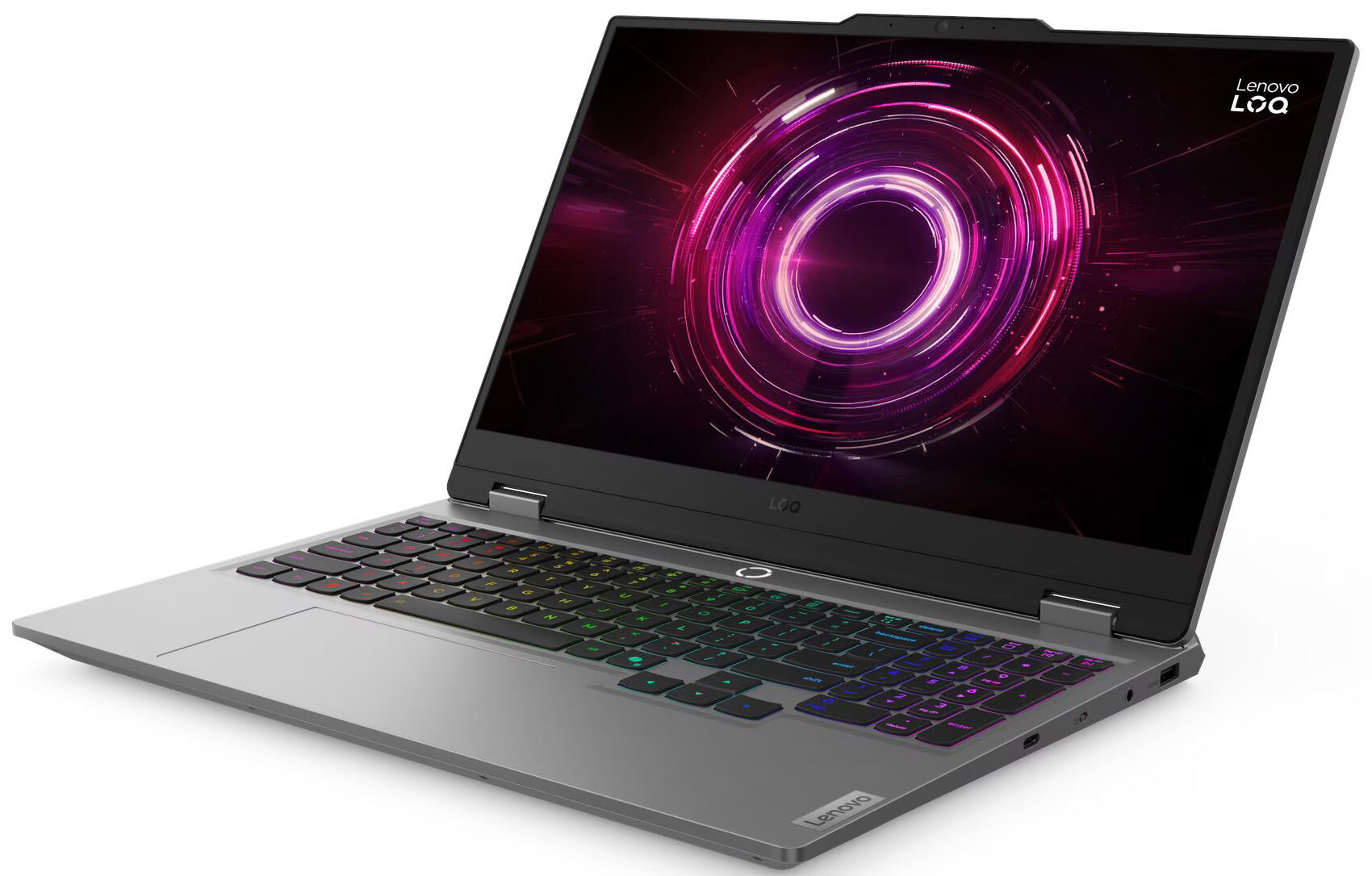
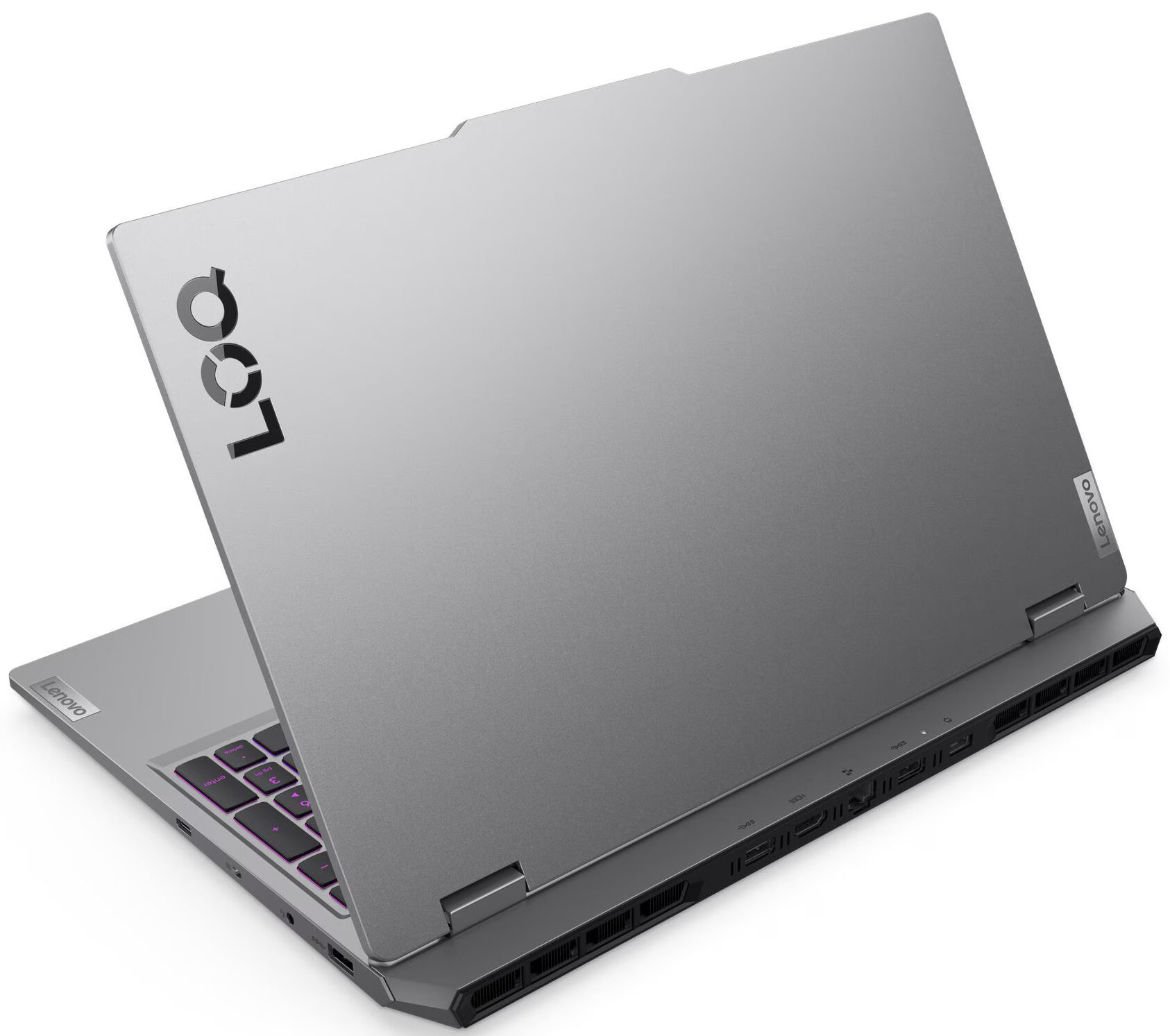
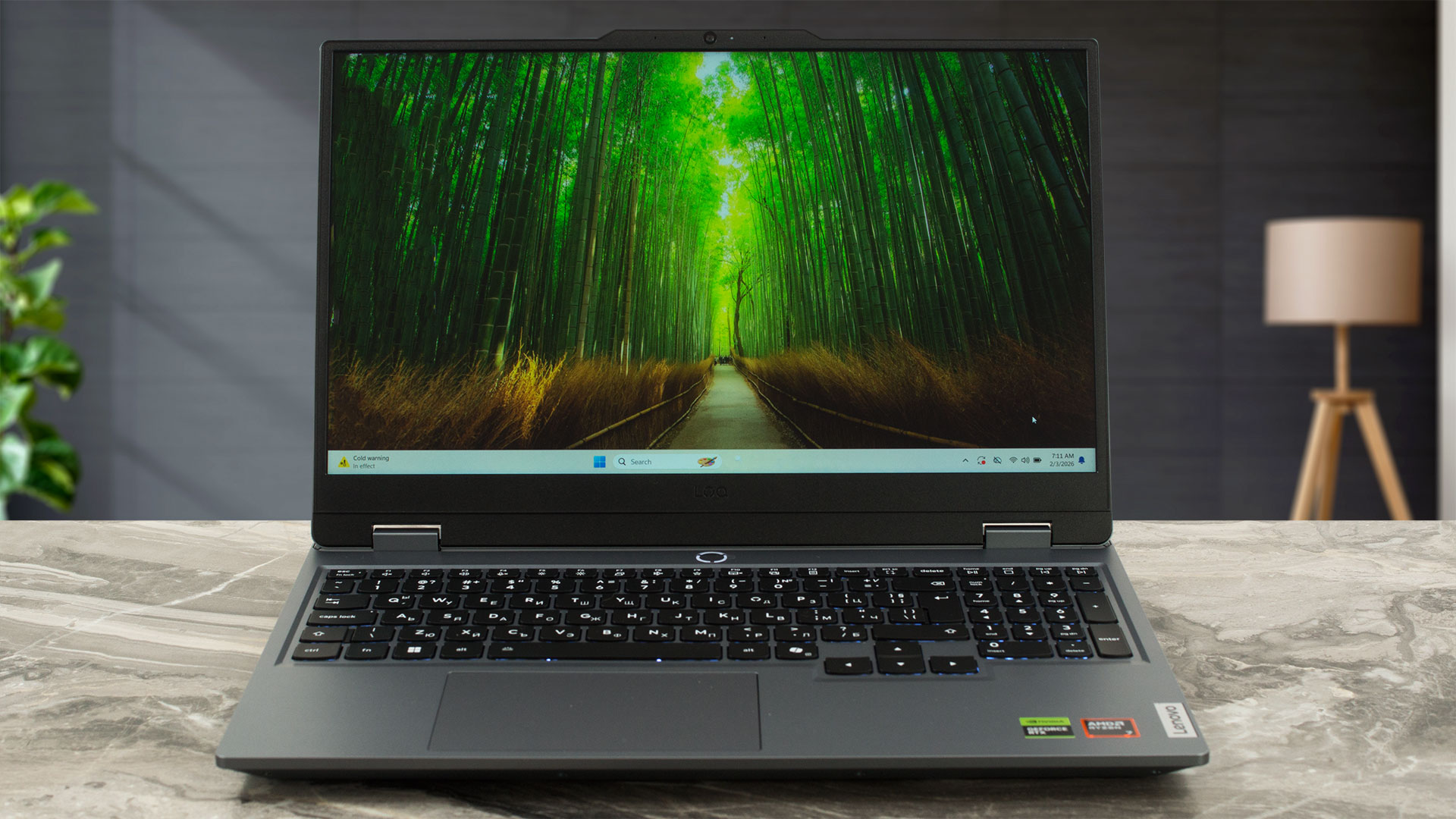
The Lenovo LOQ 15 (Gen 10, 15AHP10) presents a “gaming” aesthetic that is surprisingly restrained and mature, avoiding unnecessary ornamentation. It favours clean, straight lines and a massive rear section dominated by large ventilation grilles, hinting at its performance focus without screaming for attention. The lid is minimalist, adorned only with a prominent LOQ logo and a small, vertically oriented Lenovo badge.
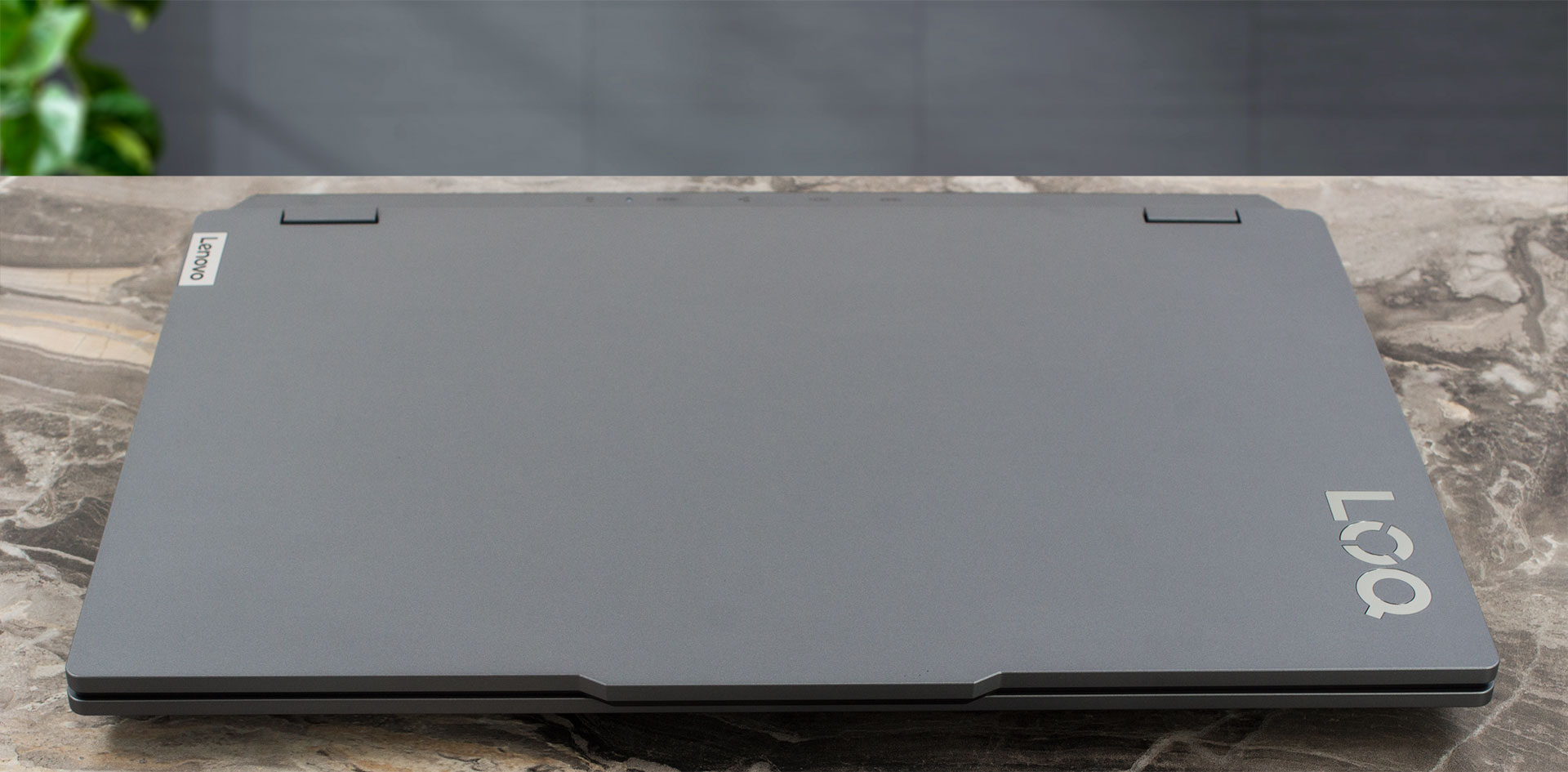
It’s available exclusively in a sophisticated “Luna Grey” finish, a matte surface that does an excellent job of resisting fingerprints and keeping the machine looking sharp. The chassis is constructed entirely from PC-ABS plastic, which feels sturdy enough for daily use. While there is some minor flex above the trackpad and below the spacebar if you press down intentionally, it’s not an area you’d typically apply pressure to during normal operation, so durability shouldn’t be a concern.
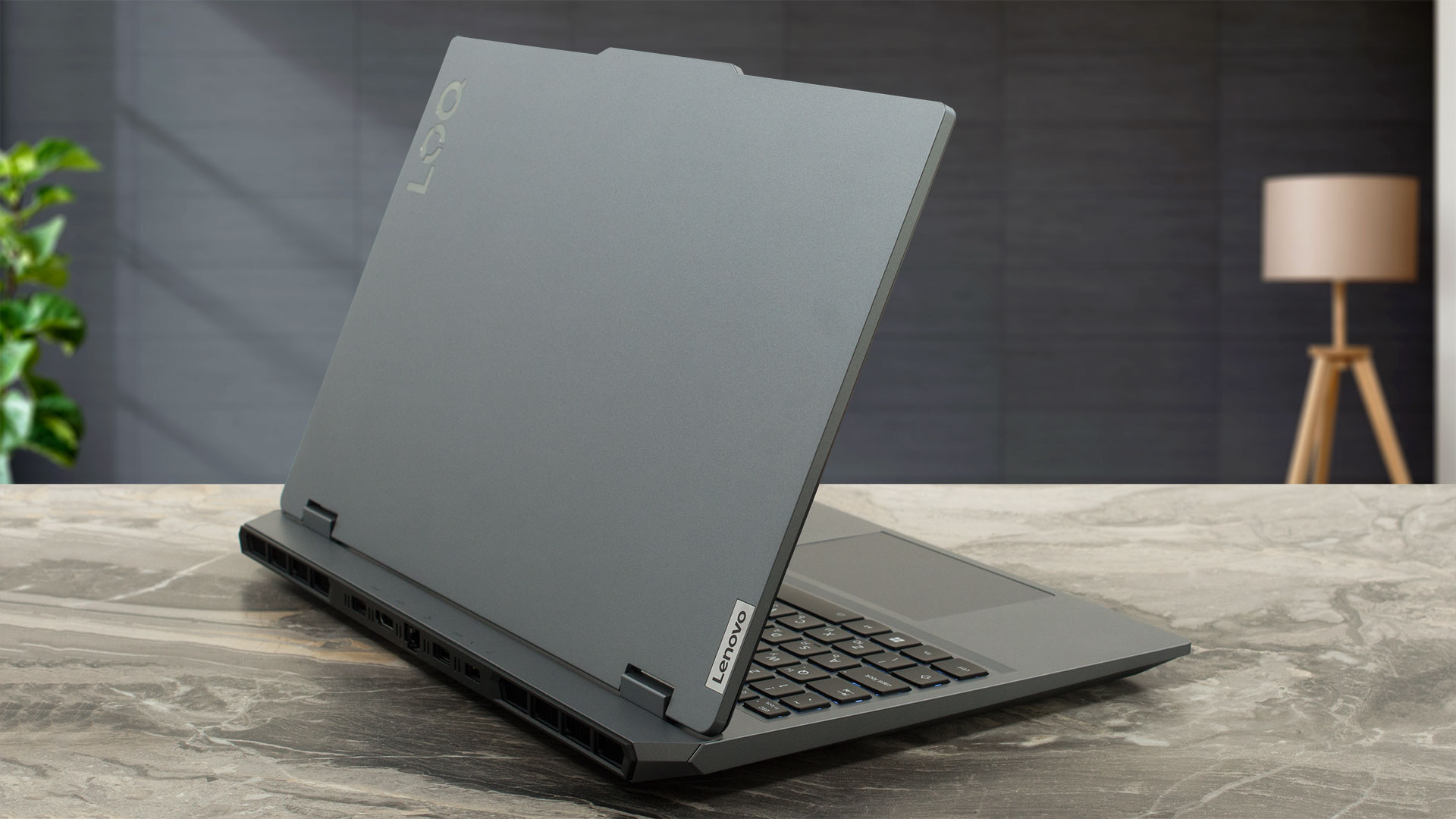
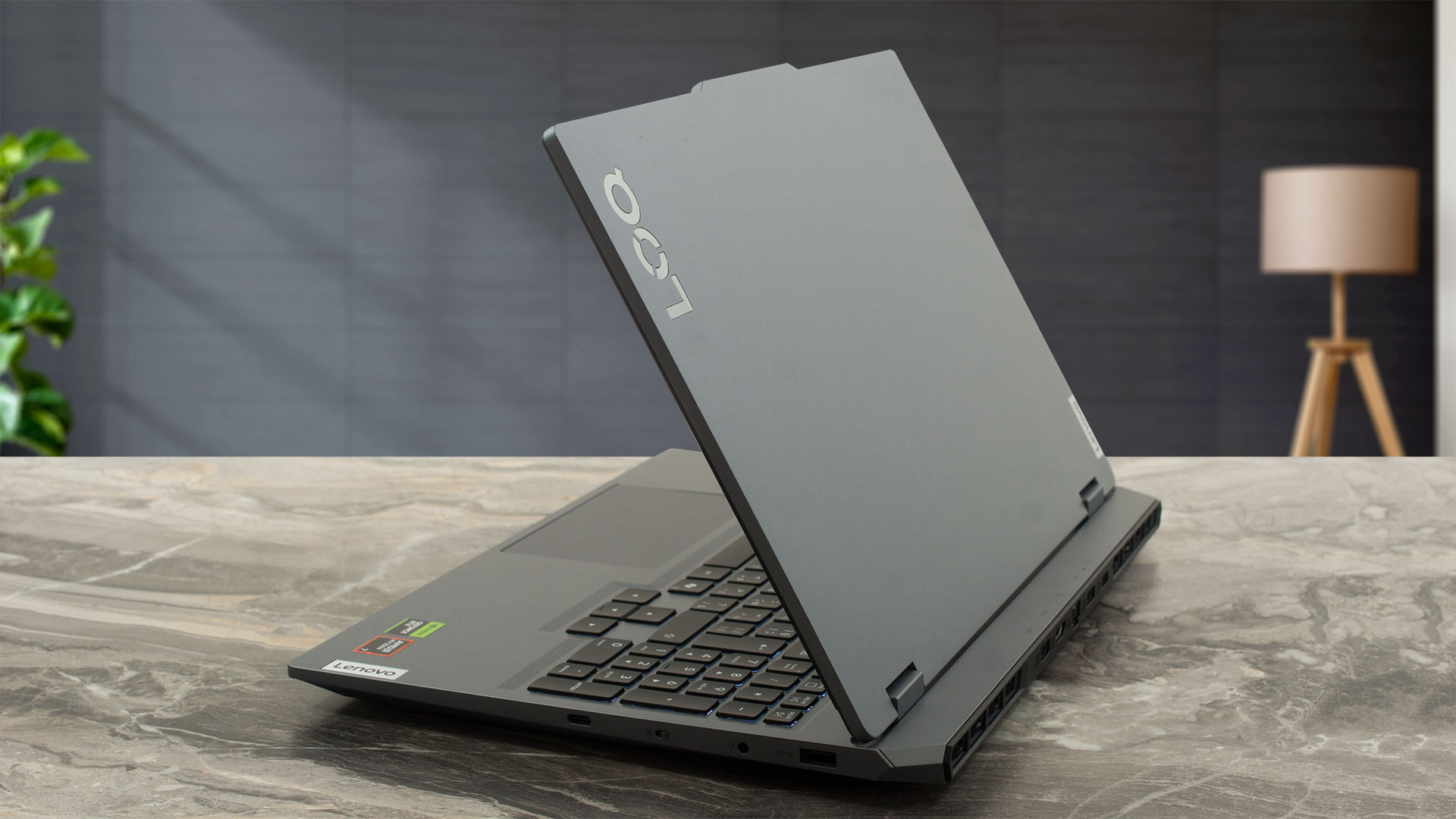
For a 15-inch gaming laptop, the LOQ 15 maintains a fairly standard footprint and weight:
| Series name | Dimensions | Weight |
| Metric units | 359.86 x 258.7 x 21.9–23.9 mm | Starting at 2.4 kg |
| U.S. customary | 14.17 x 10.19 x 0.86–0.94 in | Starting at 5.29 lbs |
The hinges are tuned to be quite firm, ensuring excellent screen stability during intense gaming sessions. Once open, the display is framed by relatively thin bezels on the sides and top, while the bottom chin, featuring another LOQ logo, is noticeably thicker. The top bezel includes a slight “bump” to accommodate the camera module, which houses either a 5.0MP or an HD 720p camera, both with fixed focus. For privacy, there is an E-shutter switch conveniently located on the right side of the chassis, physically cutting the camera feed.
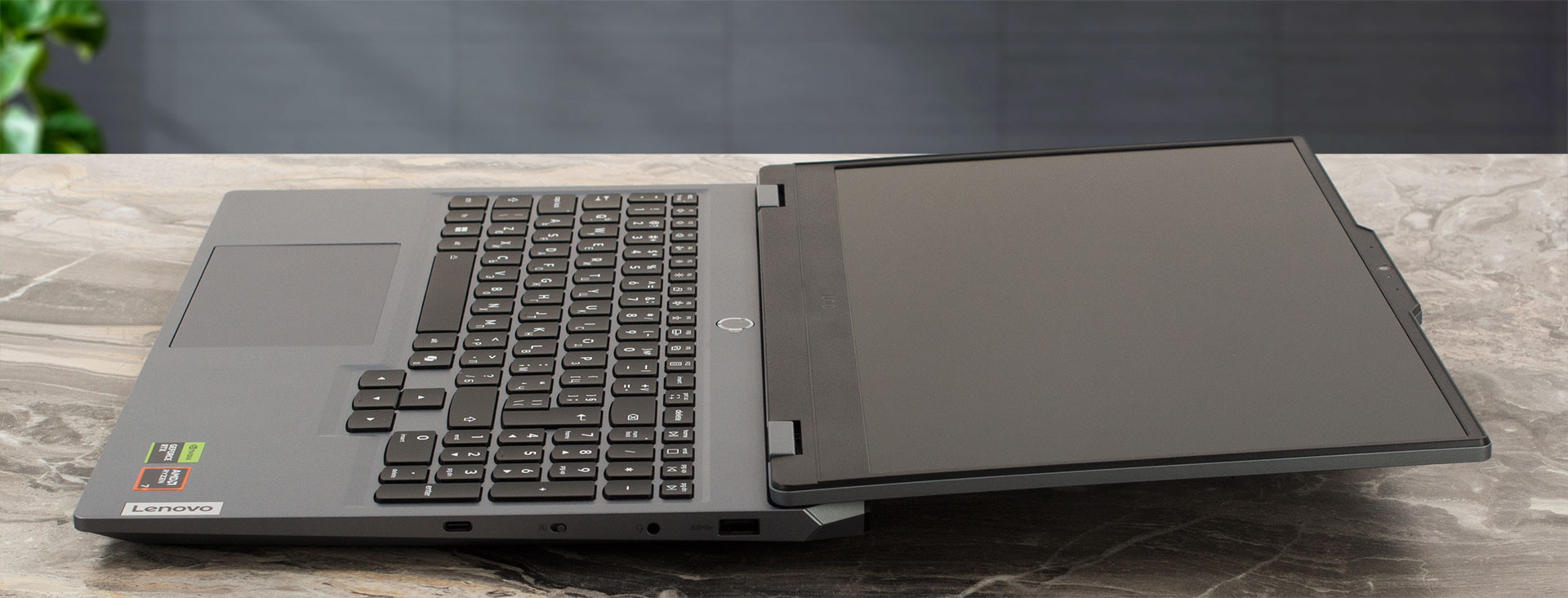
A standout feature of the hinge design is its ability to open a full 180 degrees, allowing the screen to lay (almost) completely flat.
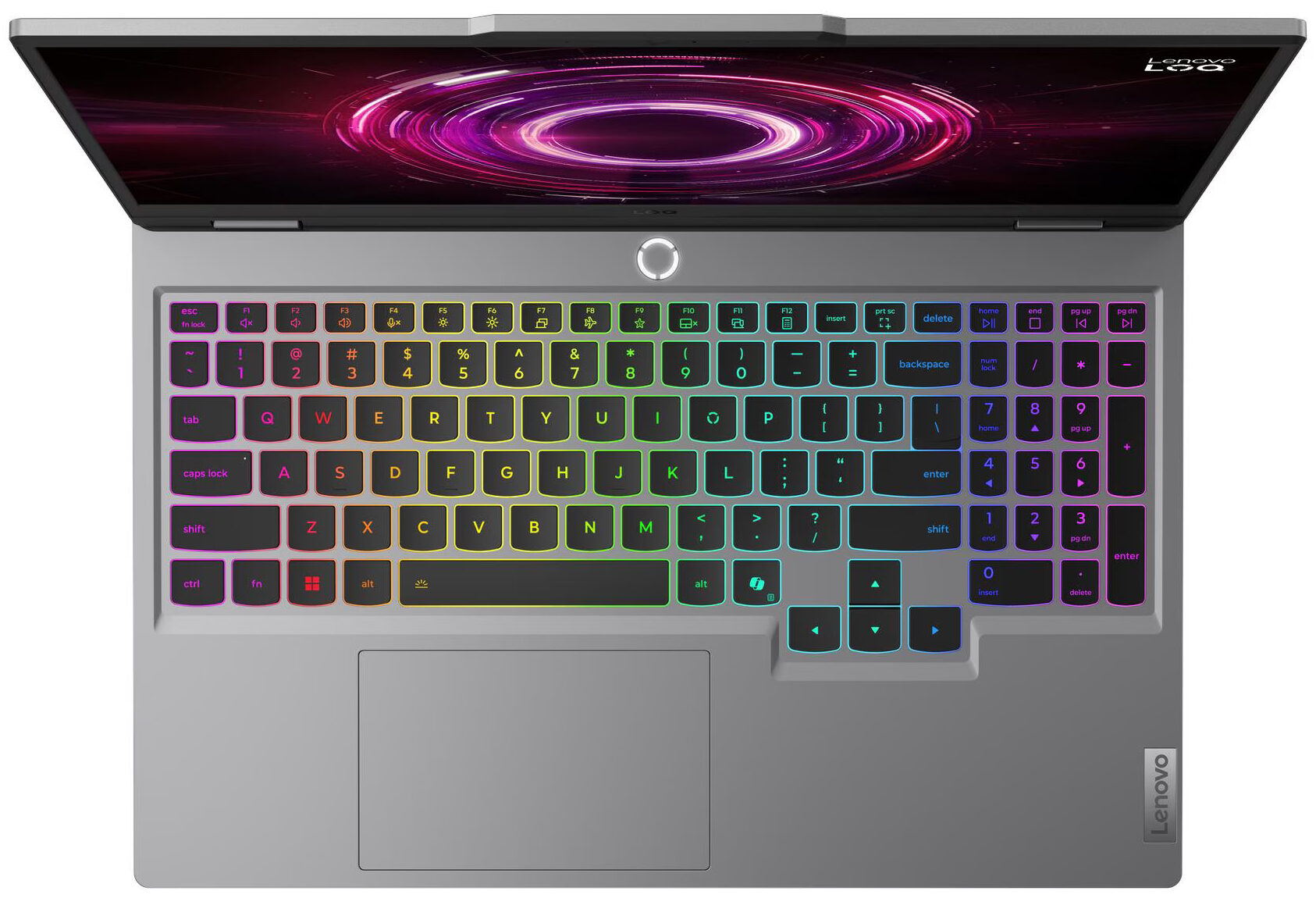
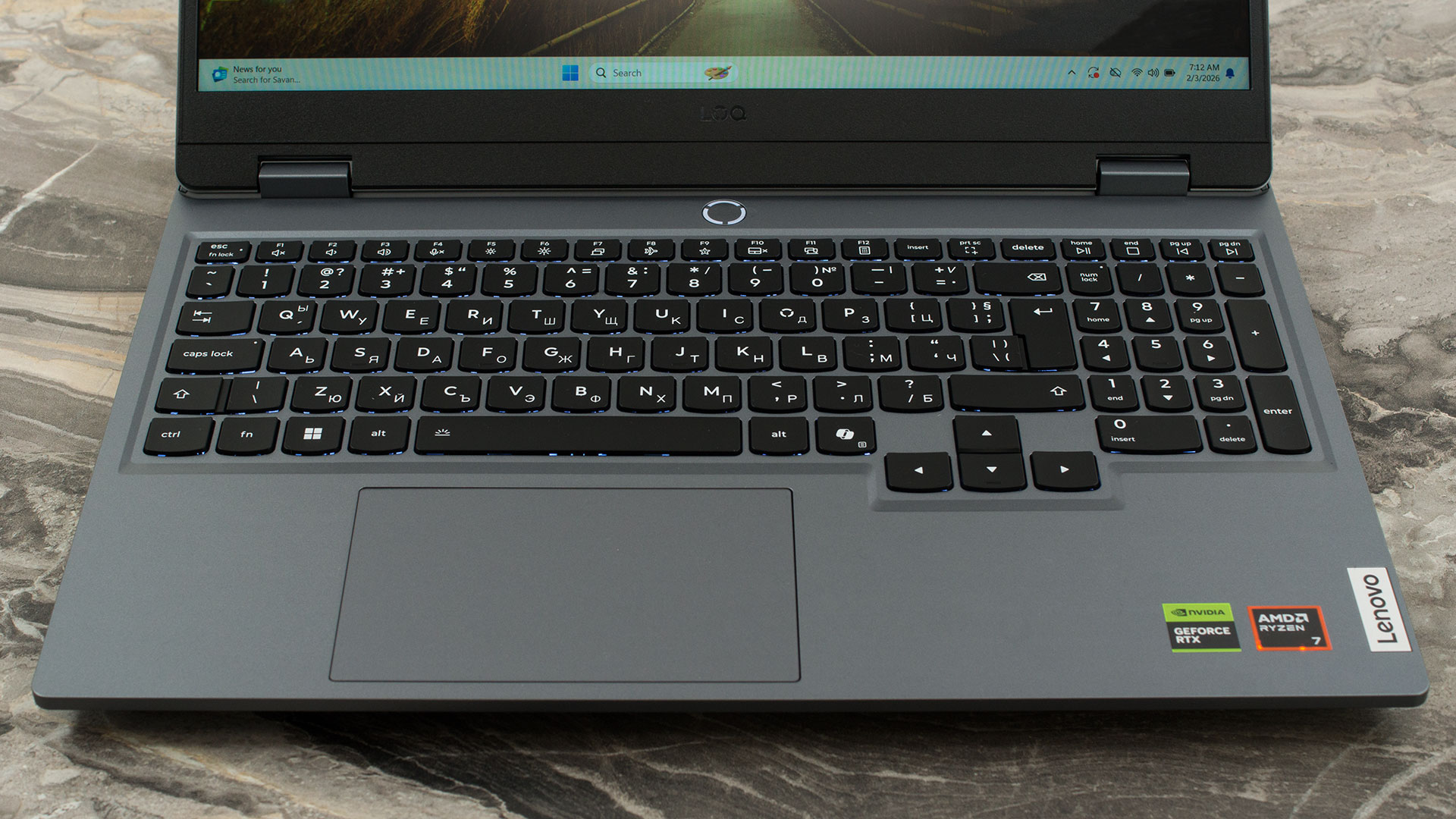
The keyboard deck is well-equipped for gamers. It includes a full NumPad with slightly smaller keys, but the real highlight is the arrow key cluster. These are full-sized and offset from the main block, making them incredibly easy to find by feel – a huge plus for racing game fans. The keys offer a comfortable 1.5mm of travel with a 0.3mm cap recess, providing a satisfying tactile response.
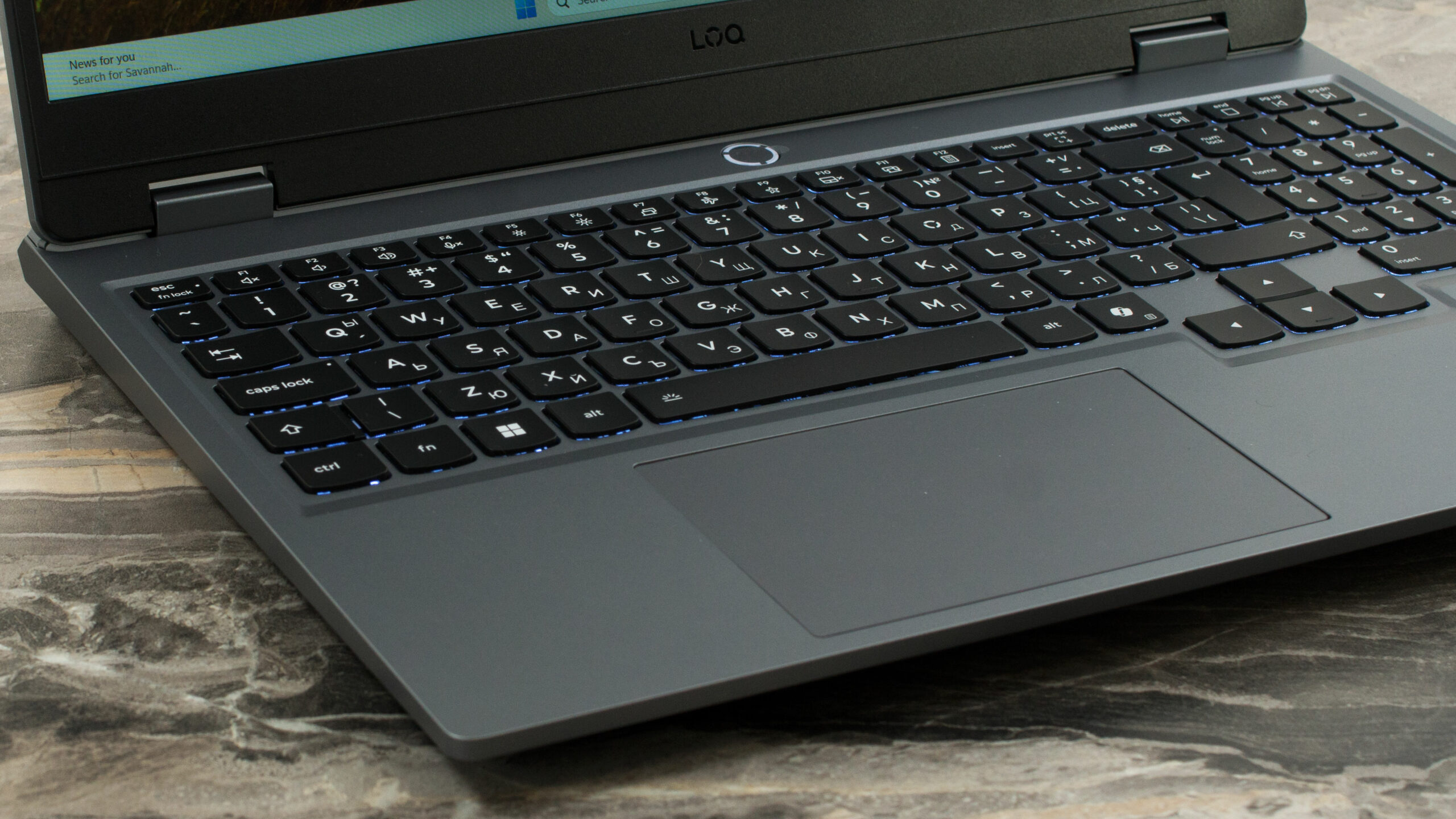
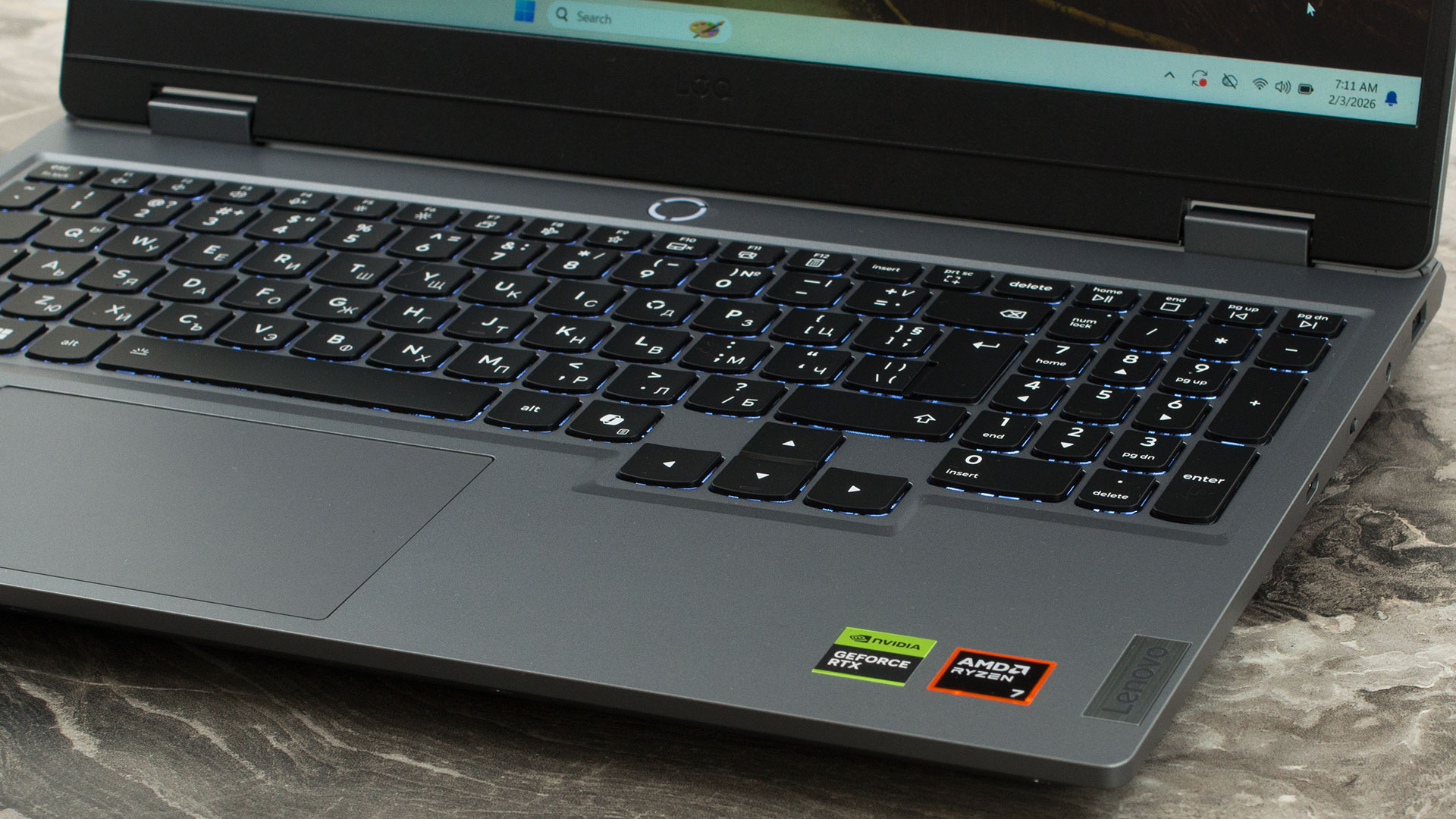
Backlighting options include either a crisp white backlight or a more vibrant 24-Zone RGB setup. There is no fingerprint reader for biometric login. Below the keyboard sits a generously sized buttonless Mylar trackpad measuring 75 x 120 mm (approximately 2.95 x 4.72 inches), which offers smooth and precise multi-touch navigation.
Ports and Connectivity
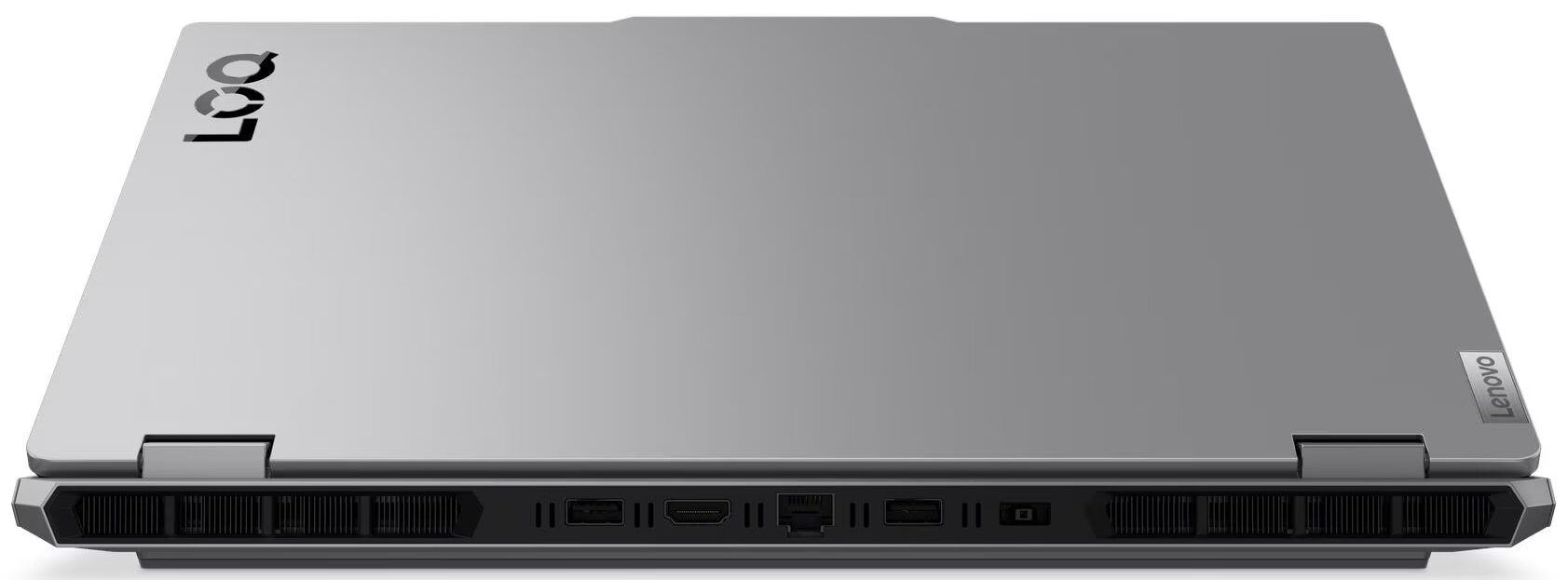
The Lenovo LOQ 15 (Gen 10, 15AHP10) features a strategic port layout that prioritizes cable management by keeping the majority of its thicker connections out of your immediate workspace. Notably, the left flank is completely devoid of ports, ensuring a clean, unobstructed area on that side of the machine.

All quick-access I/O is located on the right side, which houses a single USB Type-C port, a USB Type-A port operating at 5Gbps (USB 3.2 Gen 1) speeds, and a standard 3.5mm combo audio jack. A thoughtful and practical addition on this side is a physical E-shutter switch, allowing users to instantly and securely disable the webcam for guaranteed privacy.

The rear of the chassis acts as the main connectivity hub, which is excellent for keeping a desk setup tidy. Here, you will find the proprietary “Slim Tip” power connector and an RJ-45 LAN port for a stable, wired networking connection. This back panel also hosts two additional USB Type-A ports, both running at 5Gbps (USB 3.2 Gen 1), bringing the system’s total to three Type-A ports. For external displays, a powerful HDMI 2.1 port is included, capable of driving high-resolution monitors or TVs up to 8K at 60Hz.

For wireless connectivity, the laptop is equipped with a Wi-Fi 6 (802.11ax) module. Utilizing a 2×2 antenna configuration, this provides fast and reliable wireless networking performance. It is paired with Bluetooth 5.3, ensuring a stable and power-efficient connection for wireless peripherals such as headsets, mice, and controllers.
Display and Sound Quality, Display Profiles
We ordered the Lenovo LOQ 15 (Gen 10, 15AHP10) with its affordable 15.6-inch Full HD (1920 × 1080) IPS panel at 144 Hz (BOE NE156FHM-NX9 / BOE0C29). If you want a sharper image and a slightly brighter screen, Lenovo also offers a 15.6-inch WQHD (2560 × 1440) IPS option with a 165 Hz refresh rate.
| Lenovo LOQ 15 (Gen 10, 15AHP10) | 15.6″, Full HD (1920 x 1080), 144 Hz, IPS (BOE NE156FHM-NX9 / BOE0C29) | 15.6″, WQHD (2560 x 1440), 165 Hz, IPS |
| Diagonal | 15.6 inches (39.6 cm) | 15.6 inches (39.6 cm) |
| Panel Type | IPS | IPS |
| Resolution | 1920 x 1080 pixels | 2560 x 1440 pixels |
| Max Refresh Rate | 144 Hz | 165 Hz |
| Aspect Ratio | 16:9 | 16:9 |
| Pixel Density | 141 PPI | 188 PPI |
| ‘Retina’ Distance | Greater than or equal to 62 cm | Greater than or equal to 46 cm |
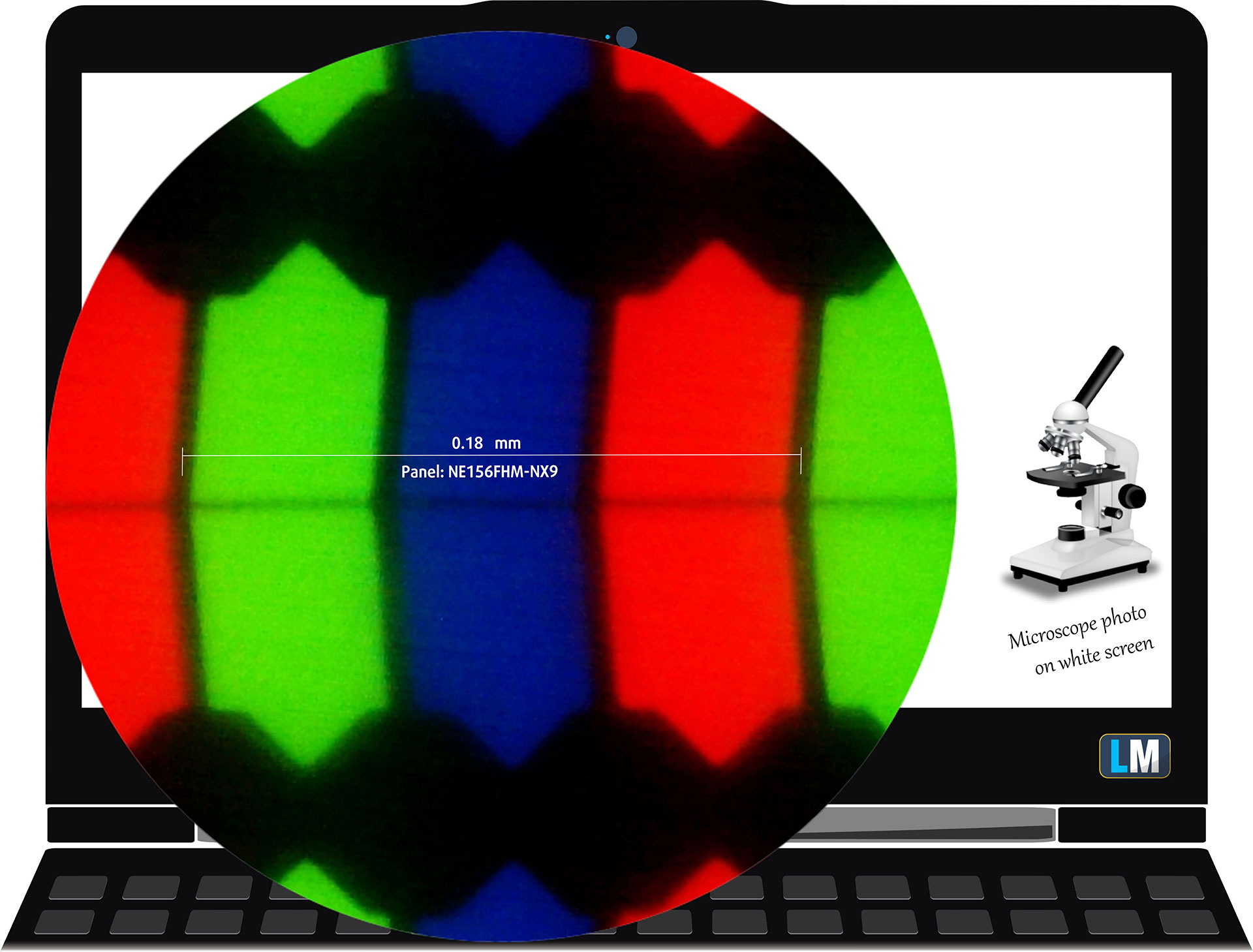 The Full HD (1920 x 1800), 144 Hz, IPS display variant under our microscope
Viewing Angles
Viewing angles are good. We take photos from different angles to evaluate the quality.
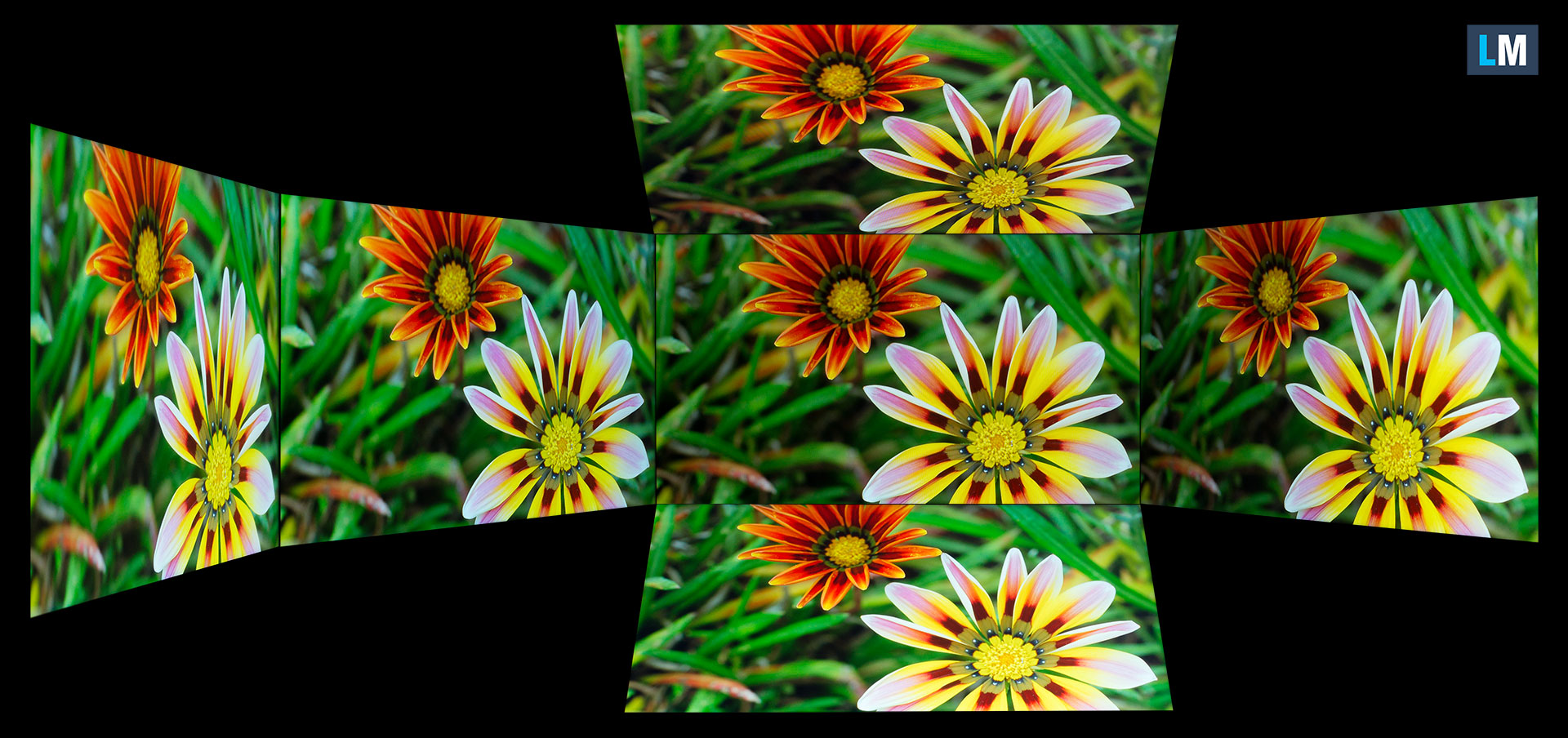
Also, a video with locked focus and exposure.
Color Coverage
The whole “sail-shaped” map below (Fig. 1) consists of all the colors we can see, while the black crooked line shows all the colors from real-world scenes and nature around us.
Then, we’ve drawn some of the most important and interesting color spaces, compared to the colors the panel of Lenovo LOQ 15 (Gen 10, 15AHP10) can show:
Standard/For Web: sRGB – widely used color space for most consumer devices, ideal for Web design and development
For Print: AdobeRGB – used in professional photo editing, graphic design, and print
For Photographers/Video Editors: DCI-P3 – used in high-end film production, post-production, and digital cinema
Premium HDR: Rec.2020 – the widest consumer ITU color standard, covering a massive 75.8% of the visible spectrum, a benchmark for premium HDR content.
Lenovo LOQ 15 (Gen 10, 15AHP10): the yellow dashed triangle (– – – – – –) represents the range of colors this display can show.
In our tests, we calculated the total color coverage of the display at 97% of the sRGB color gamut and 80% of the DCI-P3 color gamut.
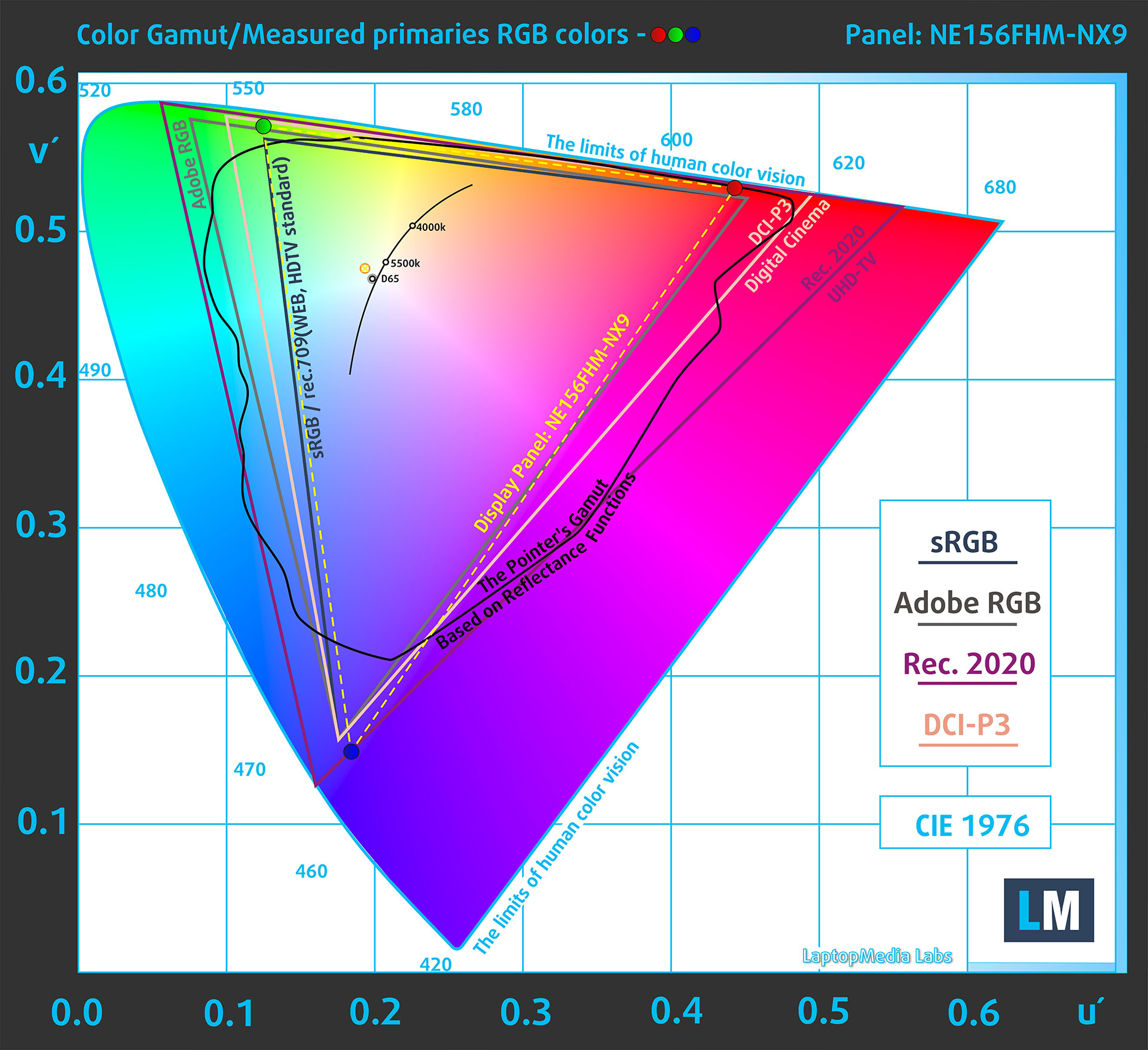
(Fig.1) Lenovo LOQ 15 (Gen 10, 15AHP10) covers 97% of the sRGB gamut
Brightness and Contrast
The maximum brightness in SDR mode is 334 cd/m² in the center of the screen and 318 cd/m² averaged across the surface with a maximum deviation of 8%.
The Correlated Color Temperature (CCT) on a white screen at maximum brightness is 6410K.
The contrast ratio is 1540:1.

Uniformity: Luminance, Contrast, and Color Deviation
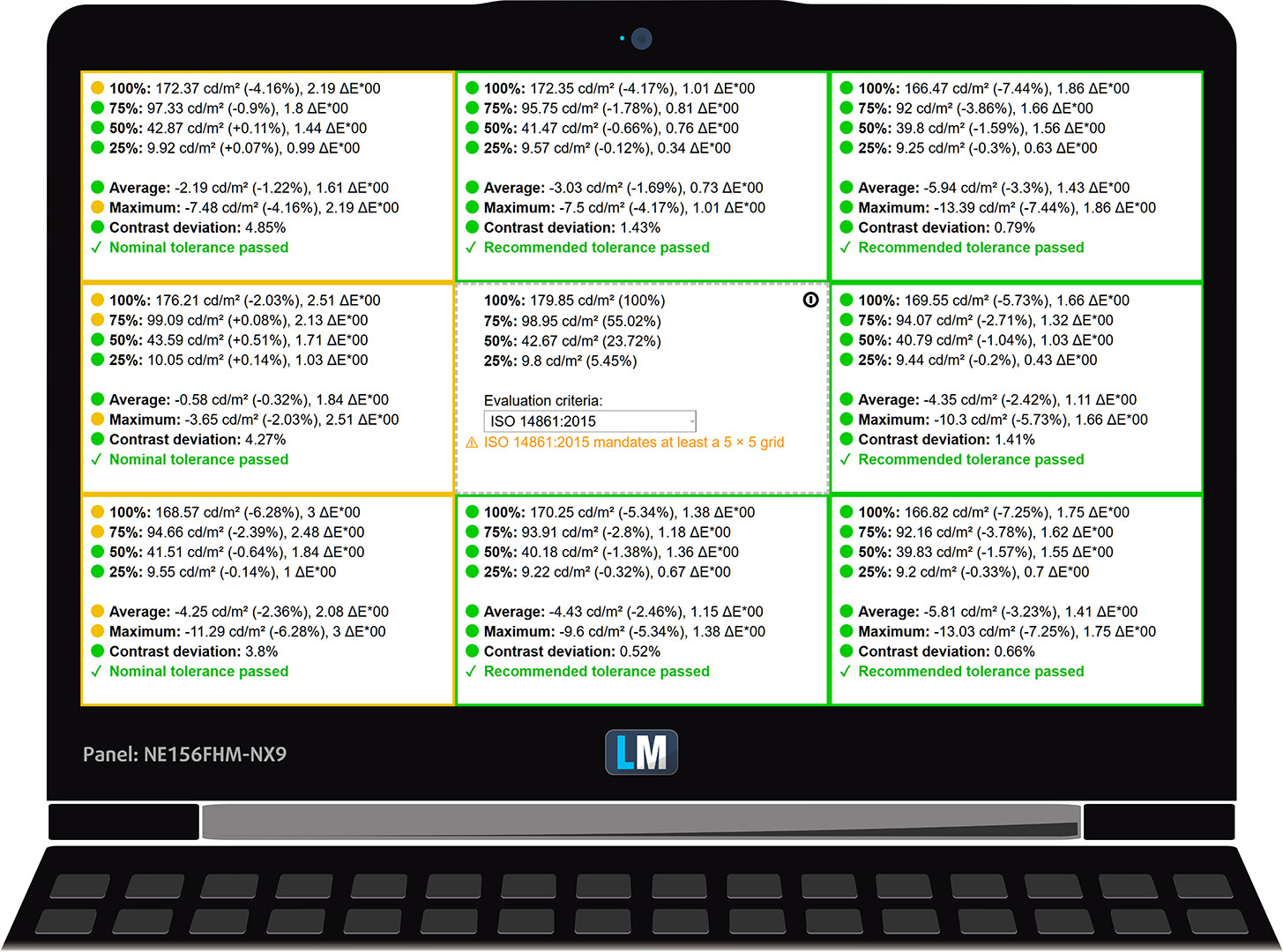
The figure below shows the results from our uniformity test across different sections of the screen. It’s measured at 180 nits (Windows slider = 74%) – a brightness level we consider typical for standard working conditions.
DeltaE values below 4.0 are acceptable for regular users. For those working with colors, screens with DeltaE values no higher than 2.0 are recommended.
Color Accuracy
Let’s check the difference between real colors and those you’ll see on the Lenovo LOQ 15 (Gen 10, 15AHP10). We measure that distance in DeltaE – the higher the number, the more different they look.
Values below 4.0 are acceptable for regular users, while values below 2.0 are suitable for color-sensitive work. A value below 1.0 means the difference is indistinguishable to the naked eye.
For the next graph, we’ve selected 24 common colors, including dark/light skin, blue sky, green grass, etc.
Before our calibration of the Lenovo LOQ 15 (Gen 10, 15AHP10), the Average color accuracy was 4.0 dE (Fig. 2), and with our Design and Office profile, it lowered to 1.4 dE (Fig. 3).
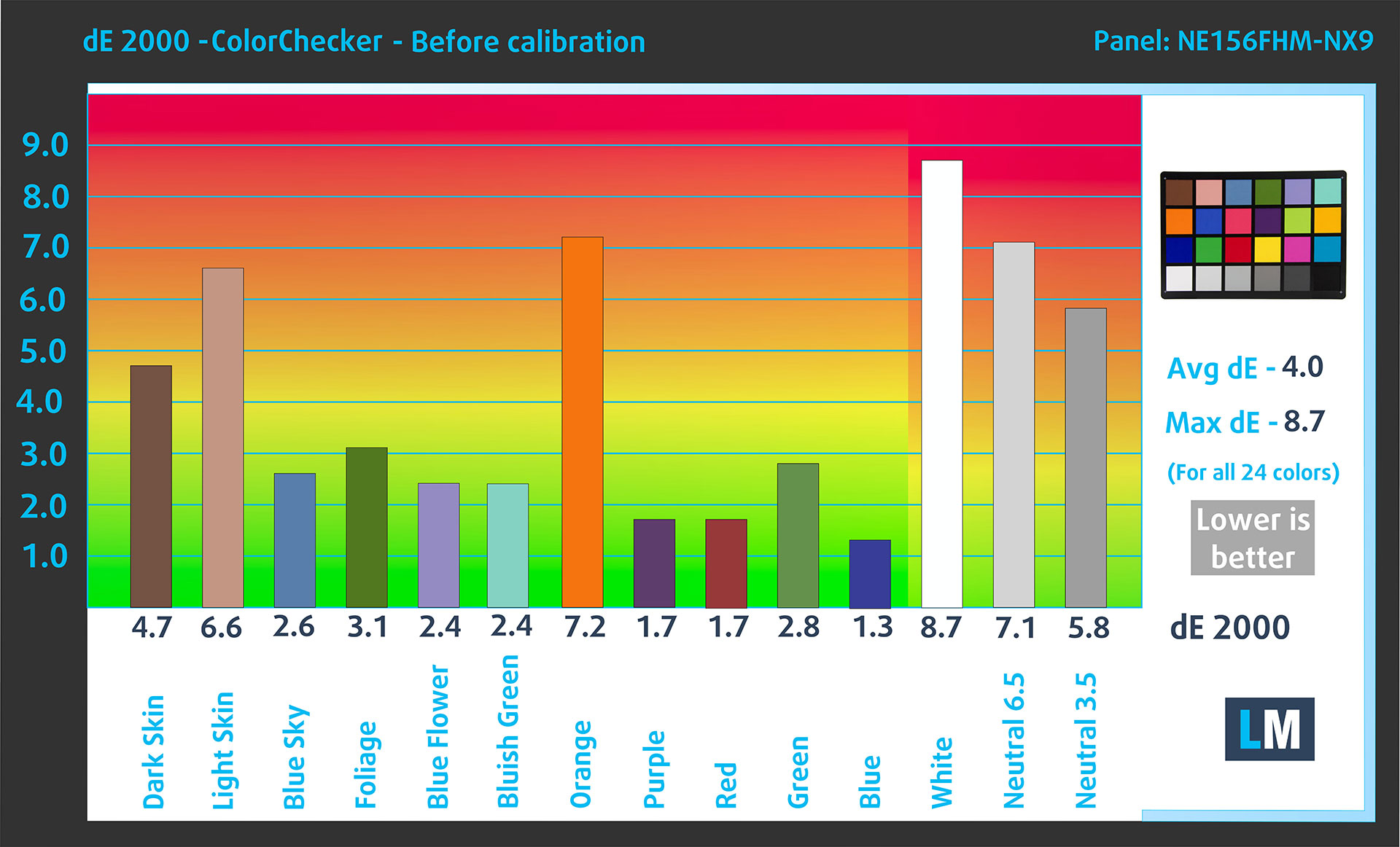
(Fig. 2) Lenovo LOQ 15 (Gen 10, 15AHP10) in its factory condition
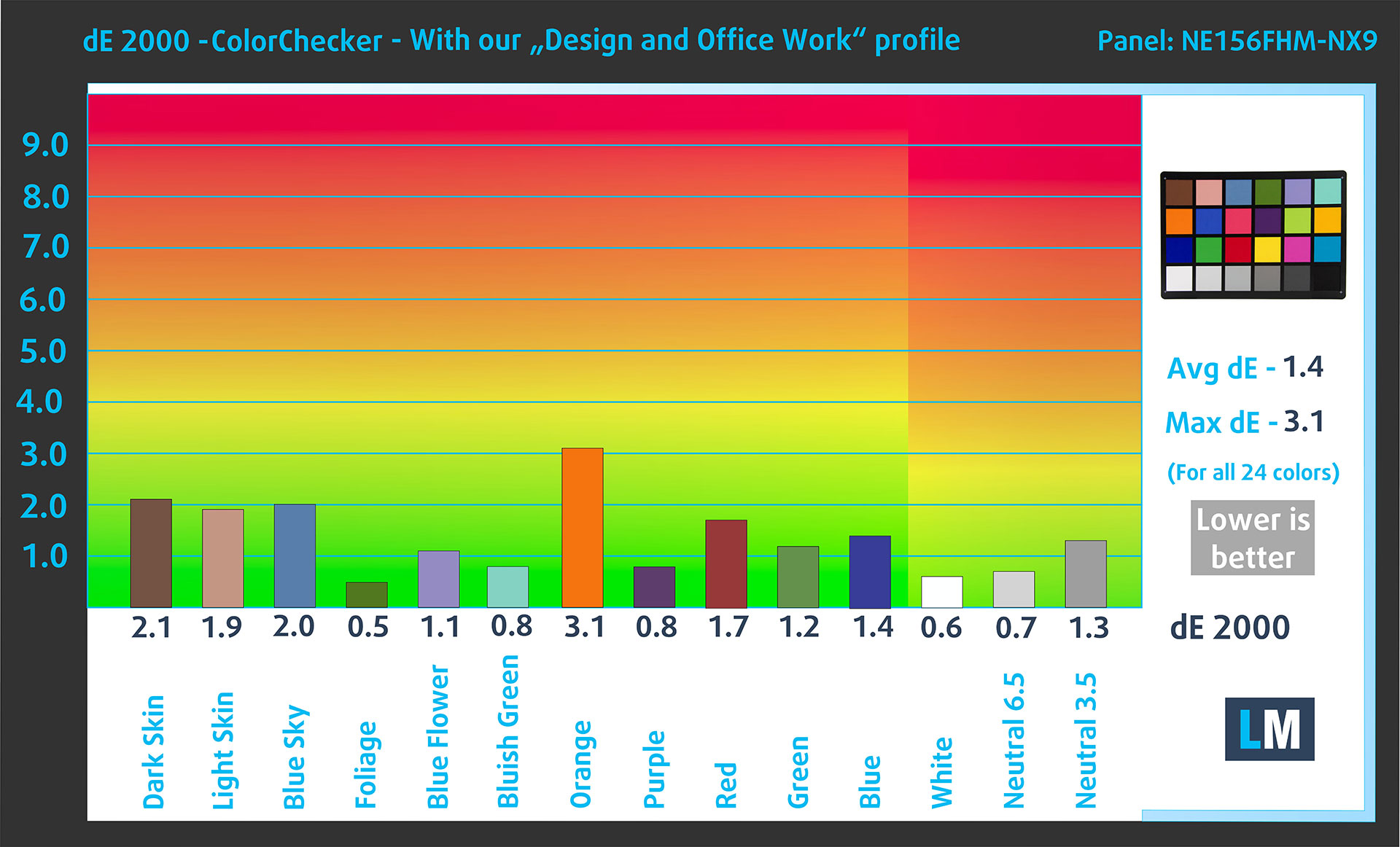
(Fig. 3) Lenovo LOQ 15 (Gen 10, 15AHP10) with our display profile
Comparison in the sRGB color space.
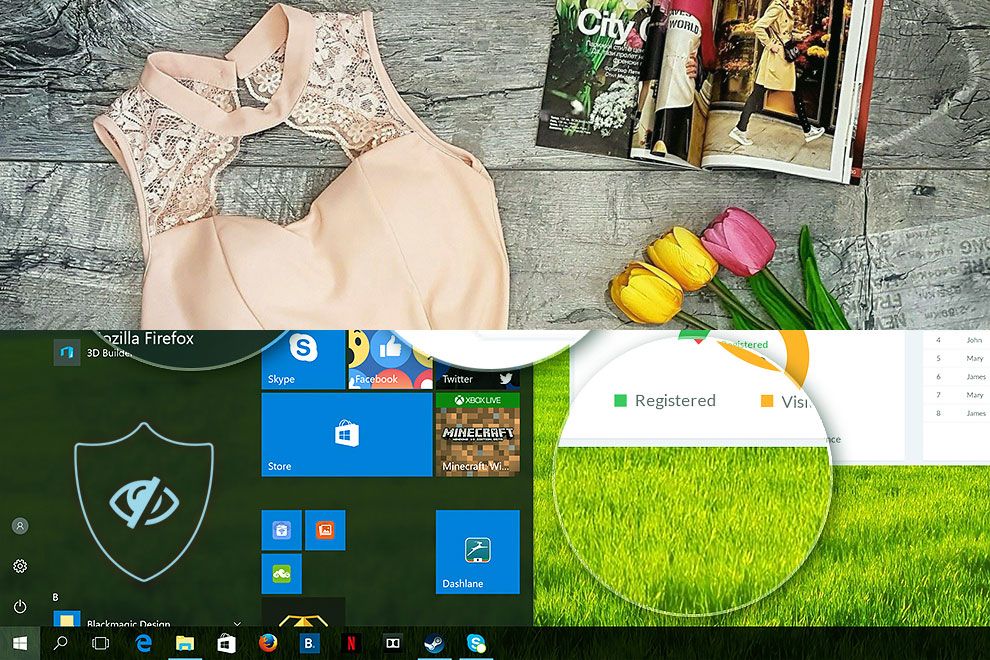
Here’s an illustration of what the Design and Office profile aims to deliver:
Left: No Profile | Drag the slider to see the difference | Right: Design & Office Profile
Visibility in dark scenes
Have you ever watched a movie with dark scenes where you could barely see anything? This often happens because many display panels struggle to differentiate the darkest nuances, making them appear the same.
The next figure illustrates how well the display reproduces these dark nuances. The left side of the image shows the display with stock settings, and the right side shows it with our Gaming and movies profile activated.
On the horizontal axis are the grayscale levels, and on the vertical axis – the corresponding display brightness.
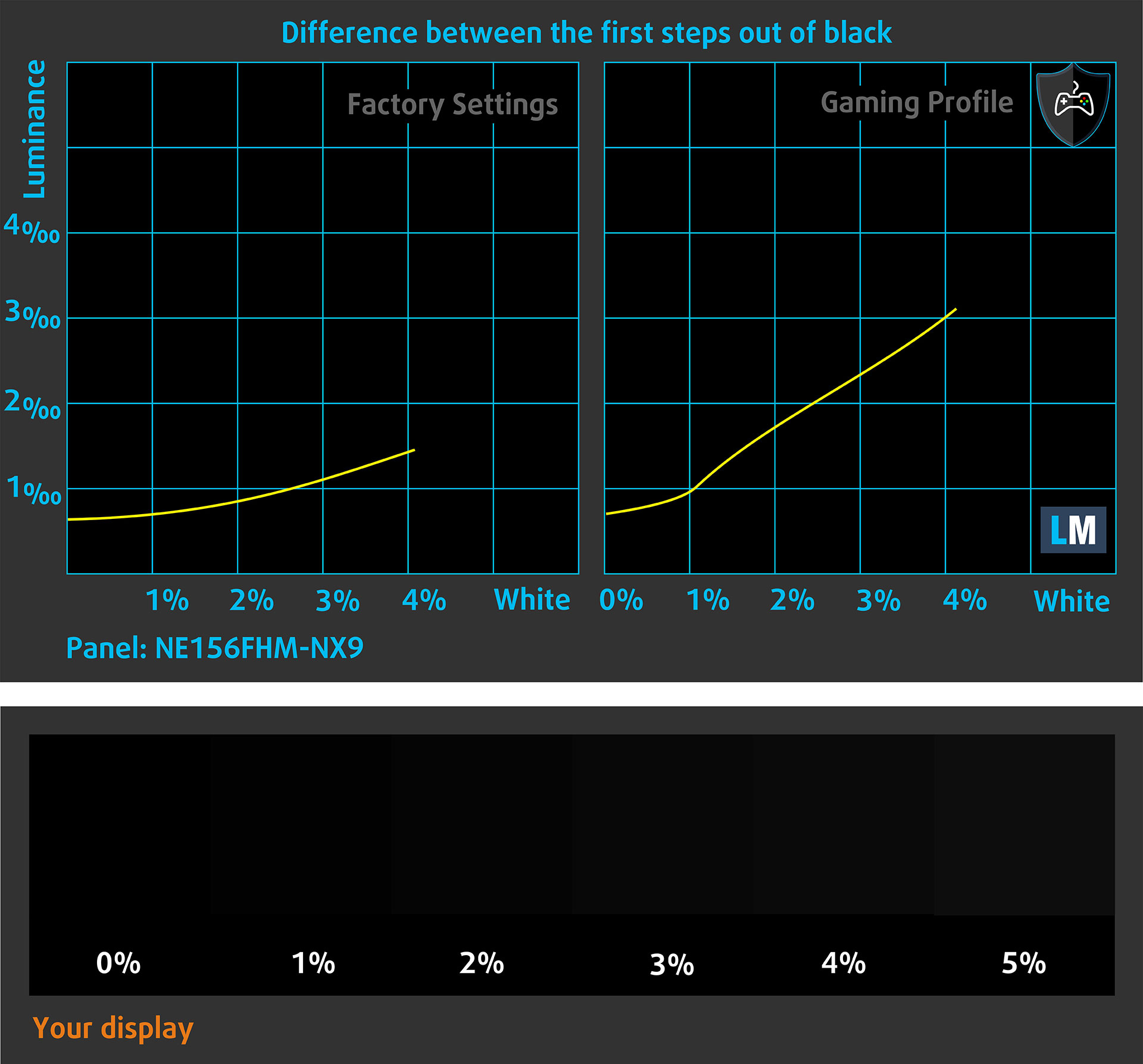
You can also check how your display handles the darkest nuances but keep in mind that this also depends on the settings of your current display and the surrounding light conditions.
Response time (Gaming capabilities)
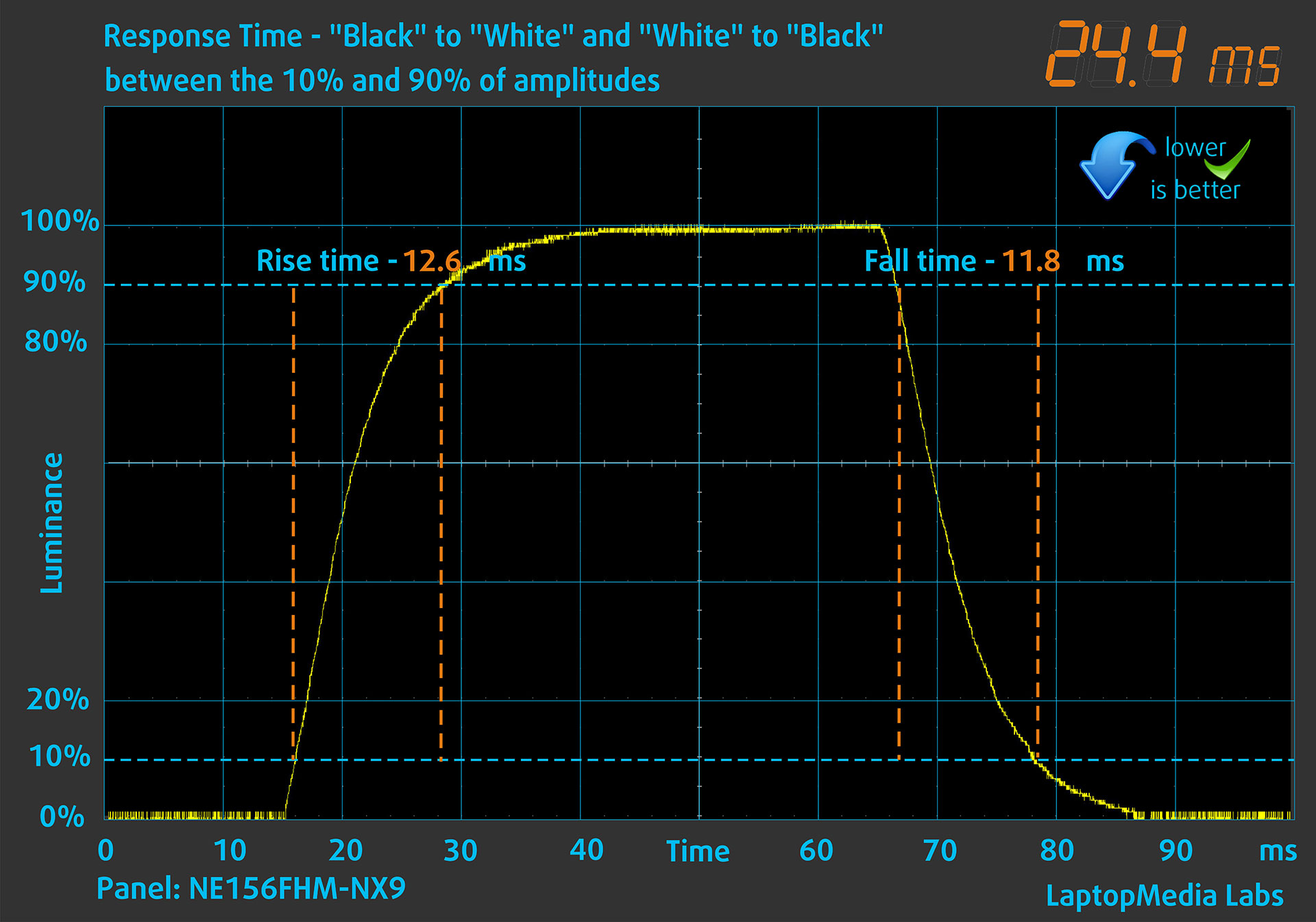
We test the reaction time of the pixels with the usual “black-to-white” and “white-to-black” method from 10% to 90% and vice versa.
We recorded Fall Time + Rise Time = 24.4 ms.
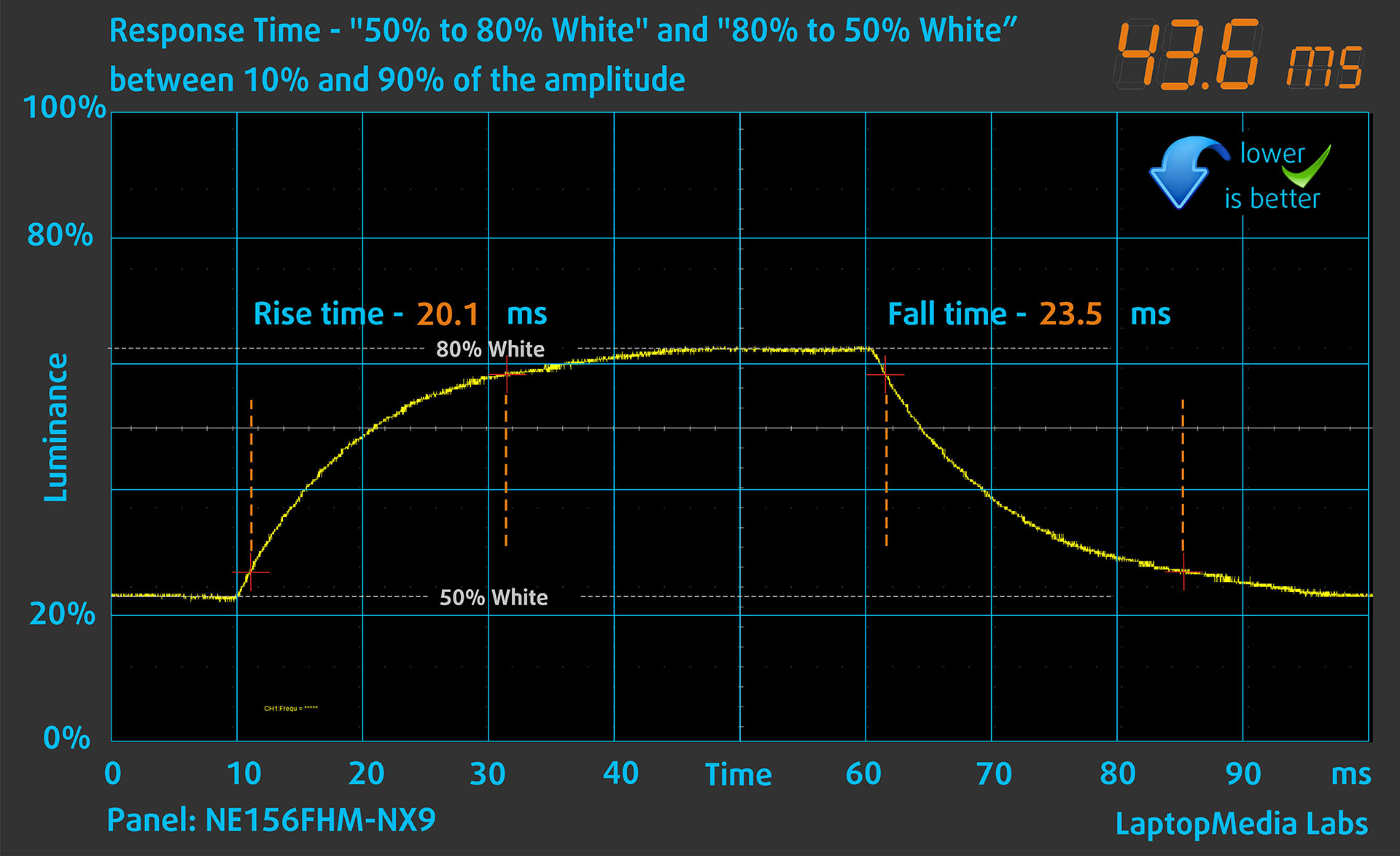
After that, we test the reaction time of the pixels with the usual “Gray-to-Gray” method from 50% White to 80% White and vice versa between 10% and 90% of the amplitude.
Health Impact: PWM (Screen flickering)
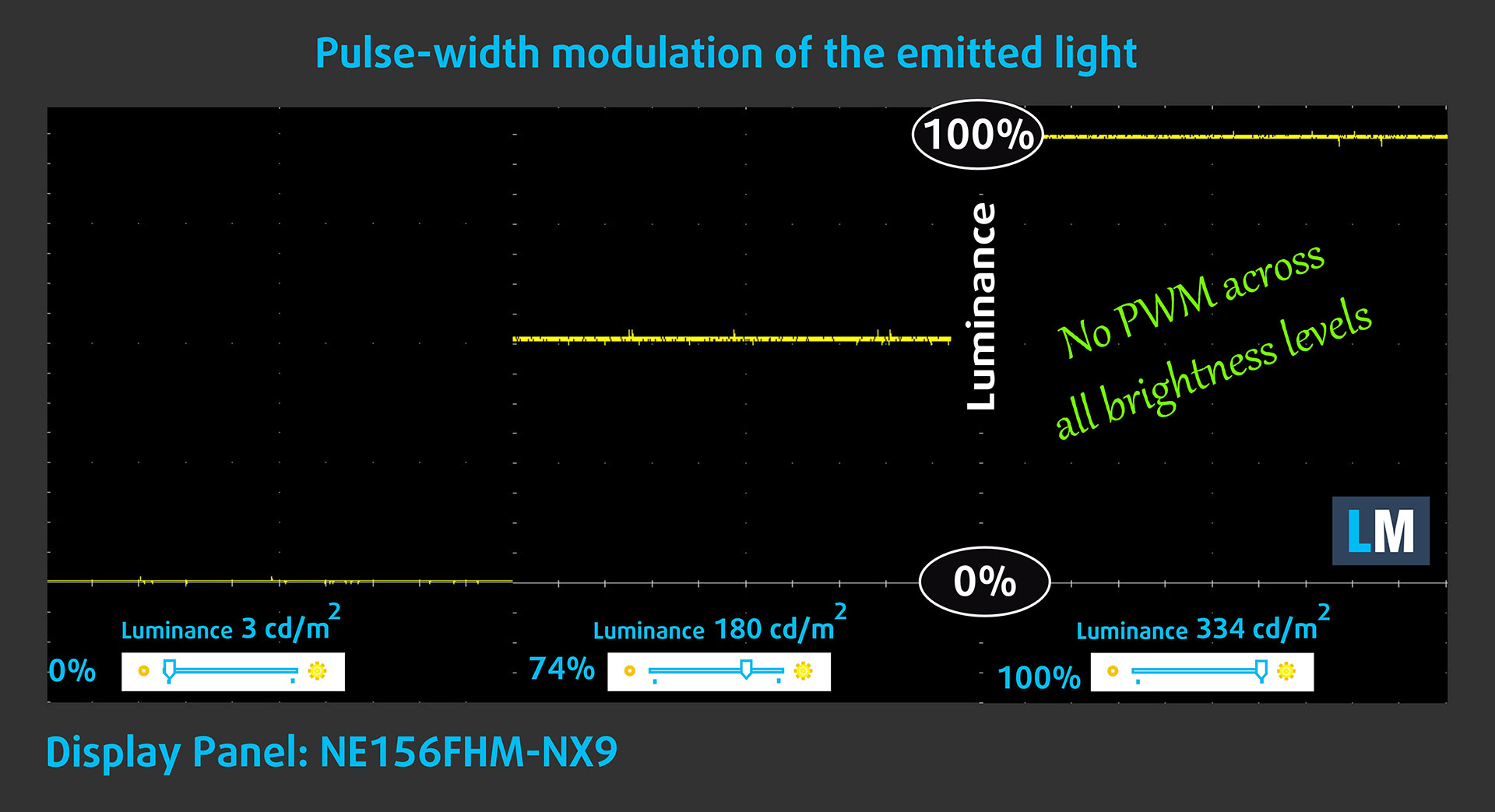
Some use PWM to regulate their brightness, which means that instead of reducing the light intensity, they pulse or flicker. Our brain merges the image, so it appears darker, but this strains both it and our vision, especially when the frequency of the pulses is low. You can read more about that in our dedicated article on PWM.
In the graph below, you see the intensity of light at different brightness levels—on the vertical axis is the brightness of the emitted light, and on the horizontal axis—time.
The light from the backlight of the Lenovo LOQ 15 (Gen 10, 15AHP10) display is not pulse-width modulated, providing visual comfort in the discussed aspect.
Health Impact: Blue light emissions
Installing our Health-Guard profile reduces harmful Blue Light emissions while keeping the colors of the screen perceptually accurate.
If you’re not familiar with the Blue light, the TL;DR version is – emissions that negatively affect your eyes, skin, and your whole body. You can find more information about that in our dedicated article on Blue Light.
Health Impact: Screen Reflectance
Glossy-coated displays can cause eye fatigue in high ambient light conditions due to reflections. We measure the level of screen reflection with the display turned off, at a 60° angle.
The reflectance of the Lenovo LOQ 15 (Gen 10, 15AHP10)’s screen is 54.5 GU. This is a good result.
High Gloss: >70 GU
Medium Gloss: 30 – 70 GU
Low Gloss: <30 GU
Get our profiles
Since our profiles are tailored for each individual display model, this article and its respective profile package are meant for Lenovo LOQ 15 (Gen 10, 15AHP10) configurations with NE156FHM-NX9 (BOE0C29), 1920 x 1080, IPS panel.
*Should you have problems with downloading the purchased file, try using a different browser to open the link you’ll receive via e-mail. If the download target is a .php file instead of an archive, change the file extension to .zip or contact us at [email protected].
Read more about the profiles HERE.
In addition to receiving efficient and health-friendly profiles, by buying LaptopMedia's products you also support the development of our labs, where we test devices in order to produce the most objective reviews possible.

Design and Office
The Design and Office profile makes display colors as close to real as possible.Ideal not only for professionals but also for everyday users, it meets sRGB standards (D65 white point, sRGB gamma) with minimal DeltaE for precise color reproduction on your panel.

Gaming and Movies
Have you ever watched a movie where, during dark scenes, you can barely see anything? Many displays fail to distinguish dark tones properly. Our Gaming and Movies profile enhances low-light performance, like HDR tech, using a gamma curve tailored to human perception — ideal for gamers seeking faster reactions and clearer visuals.

Health-Guard
Our Health-Guard profile protects your eyes by eliminating PWM flickering, reducing strain and fatigue, and minimizing harmful Blue light exposure that can disrupt sleep and health. It uses software dimming and a gamma curve tailored to human perception for comfort and safety during screen use.
Get All The Profiles With 33% Discount!

Sound
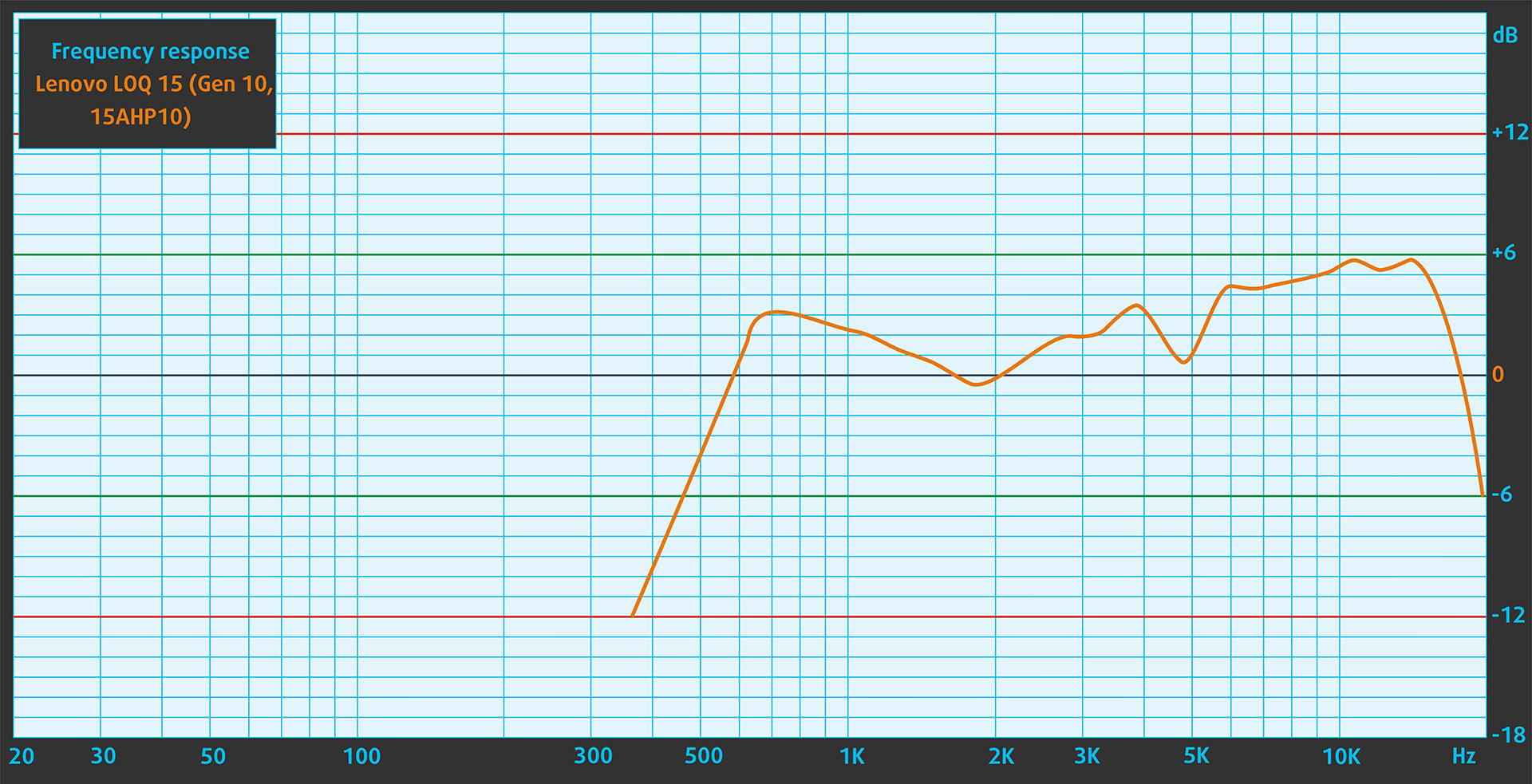
The sound quality of the Lenovo LOQ 15 Gen 10, emitted by the built-in speakers, is very good. The low, mid, and high frequencies are clear.
Work Performance: CPU, Storage, AI
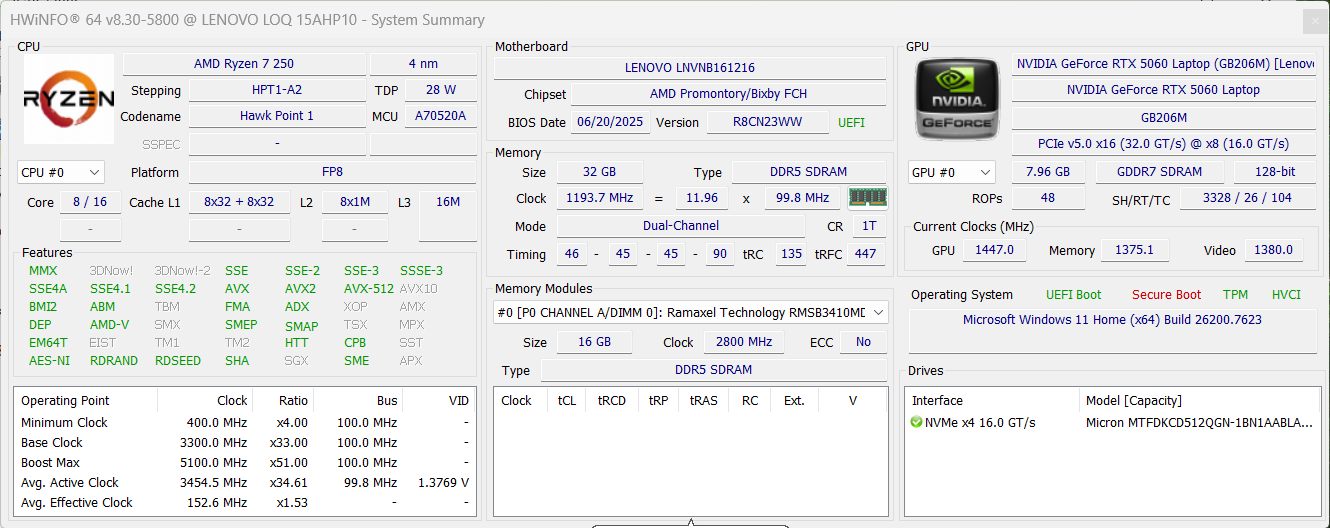
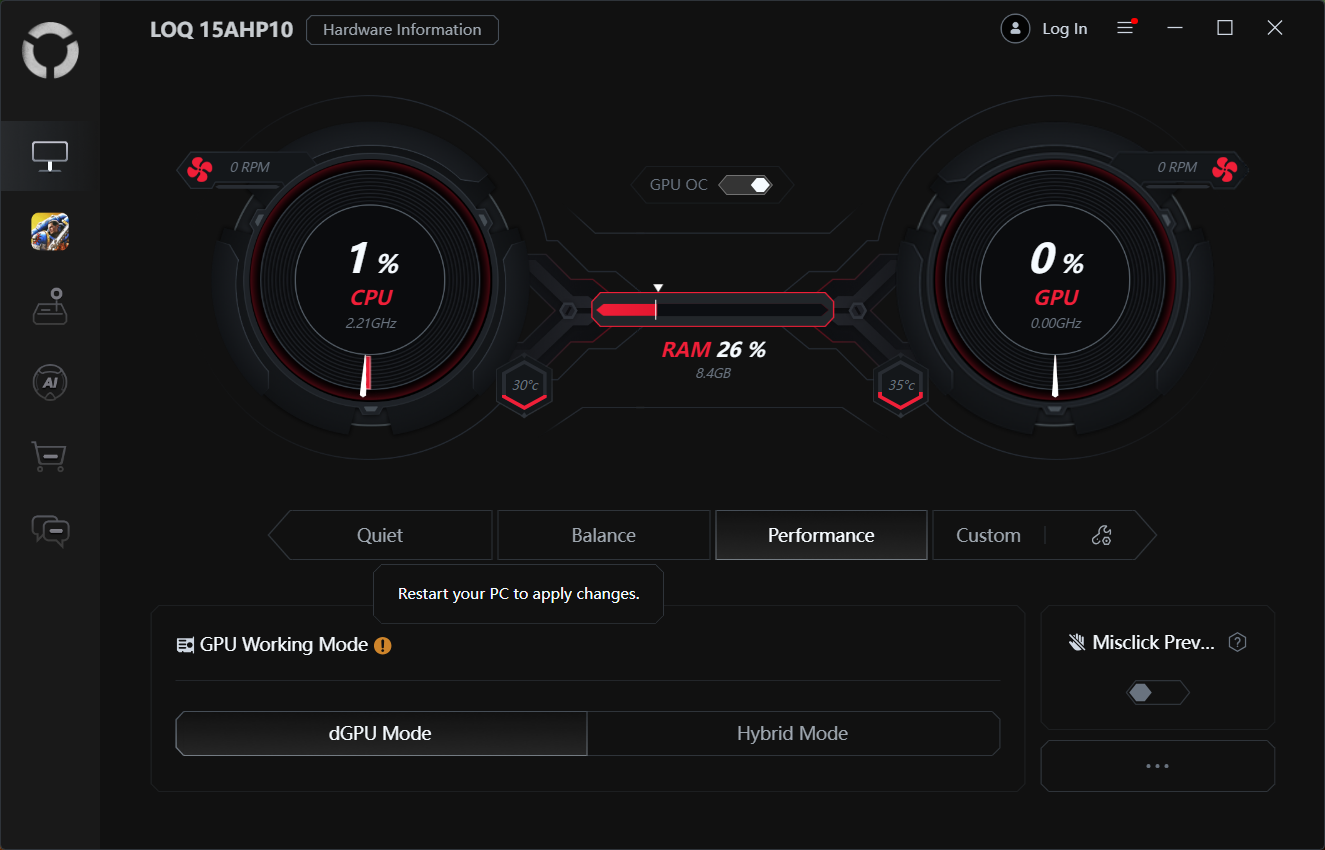
All performance and temperature tests are conducted with Performance / dGPU mode activated in Legion Space:
CPU and Work Performance
The Lenovo LOQ 15 (Gen 10, 15AHP10) is offered with AMD Ryzen processors such as the Ryzen 7 250 and Ryzen 5 220, depending on the configuration. For example, the Ryzen 7 250 features boost frequencies of up to 5.10 GHz, making it suitable for gaming and multitasking workloads in a mid-range laptop chassis. If you want to see how these processors compare to other options on the market, take a look at our Top Laptop CPU Ranking.
The Intel variant is called LOQ 15 “15IRX10” and it comes with Intel Core i7-14700HX, Intel Core i7-13650HX, or Intel Core i5-13450HX.
We ordered the Ryzen 7 250 variant and its performance is similar to Core i5-13450HX.
Single-core performance ensures smooth operation and responsiveness in operating systems, providing a better user experience.
Results are from the Geekbench 6 Single-Core test (higher is better)
Multi-core performance is essential for handling complex and demanding tasks, such as Video editing, CAD, and Scientific simulations.
Results are from the Geekbench 6 Multi-Core test (higher is better)
Here, we evaluate the CPU's performance using a real-world 3D rendering task, assessing its ability to handle complex computations and rendering workloads efficiently.
Results are from the Cinebench 2024 Multi-Core test (higher is better)
Storage Performance
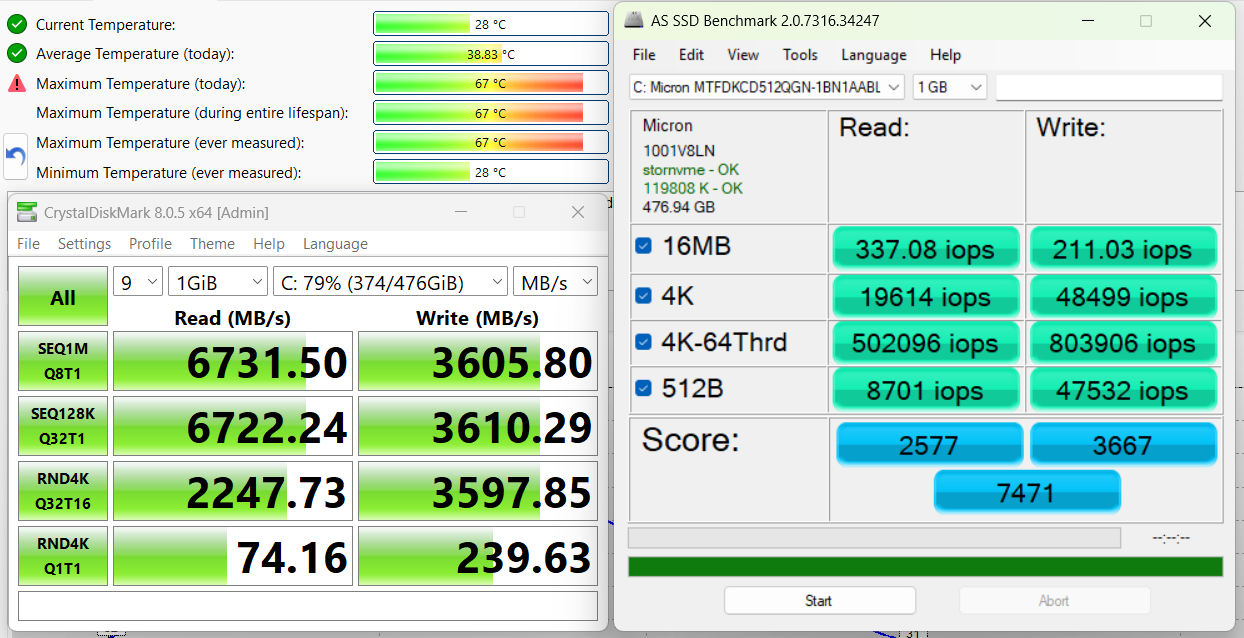
We ordered a configuration with 512GB of storage and the LOQ 15 arrived with Micron MTFDKCD512QGN-1BN1AABLA.
It’s a relatively fast (at least the read speed) PCIe 4.0 NVMe drive, reaching 6.7GB/sec sequential read and 3.6GB/sec sequential write speeds in our benchmark, while keeping the temperatures within good limits.
⚠️ While Lenovo officially says “Two M.2 2280 PCIe 4.0 x4 slots”, the second slot is actually PCIe 4.0 x2, and this info is burried with a small font in the “Notes” section of the official website.
AI Performance
Here you can see the position of the GPUs and CPUs (NPUs) found within the Lenovo LOQ 15 (Gen 10, 15AHP10) in our AI Hardware Performance Rankings based on their AI processing power, measured in TOPS (Tera Operations Per Second) - a critical metric indicating the computational throughput, particularly for AI tasks.
The first column shows peak performance for INT8/FP8 precision, which is the most widespread metric for evaluating AI inference capabilities. We exclude Sparsity to provide a more accurate reflection of AI performance in dense computation scenarios where sparsity optimizations may not be applicable. The second and third columns show the performance with Sparsity, and FP4 TFLOPS, when supported.
For SoCs, the results reflect the peak performance of the integrated NPU. Additionally, it’s important to note that, according to Microsoft, a NPU must have at least 40 TOPS of AI computing power for the PC to be considered “AI-capable.”
GPU and Gaming Performance
On the graphics side, the LOQ 15 (Gen 10) can be equipped with a range of NVIDIA GeForce RTX laptop GPUs, including the RTX 5070 (#27), RTX 5060 (#60), RTX 5050 (#85), and even entry-level options like the RTX 2050 (Laptop, 65W) at #197 in our Top Laptop Graphics Ranking. This allows users to tailor the system’s gaming performance to match their needs and budget, from more affordable 1080p setups to configurations capable of handling modern titles at higher settings.
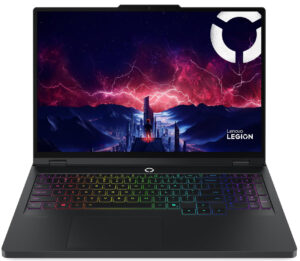
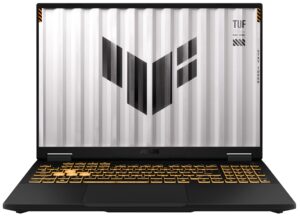
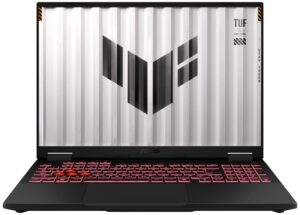
Lenovo LOQ 15 (Gen 10, 15AHP10) is one of the fastest RTX 5060 laptops but the winner here is Lenovo Legion Pro 5 16″, Gen 10 (detailed review), which should be expected as it’s a more premium machine. Compared to ASUS TUF Gaming A16 FA608 (detailed review), LOQ 15 is 1-2% slower.
The results are from 3DMark Time Spy (Graphics). Higher is better.
The results are from 3DMark Wild Life Extreme Unlimited. Higher is better.
Lenovo LOQ 15 (15", Gen 10) GPU variants
Here you can see an approximate comparison between the GPUs that can be found in the Lenovo LOQ 15 (15", Gen 10) models on the market. This way you can decide for yourself which Lenovo LOQ 15 (15", Gen 10) model is the best bang for your buck.
Note: The chart shows the cheapest different GPU configurations so you should check what the other specifications of these laptops are by clicking on the laptop’s name / GPU.
The results are from 3DMark Time Spy (Graphics). Higher is better.
Results are from the 3DMark: Wild Life (Graphics) benchmark (higher the score, the better)
Gaming tests

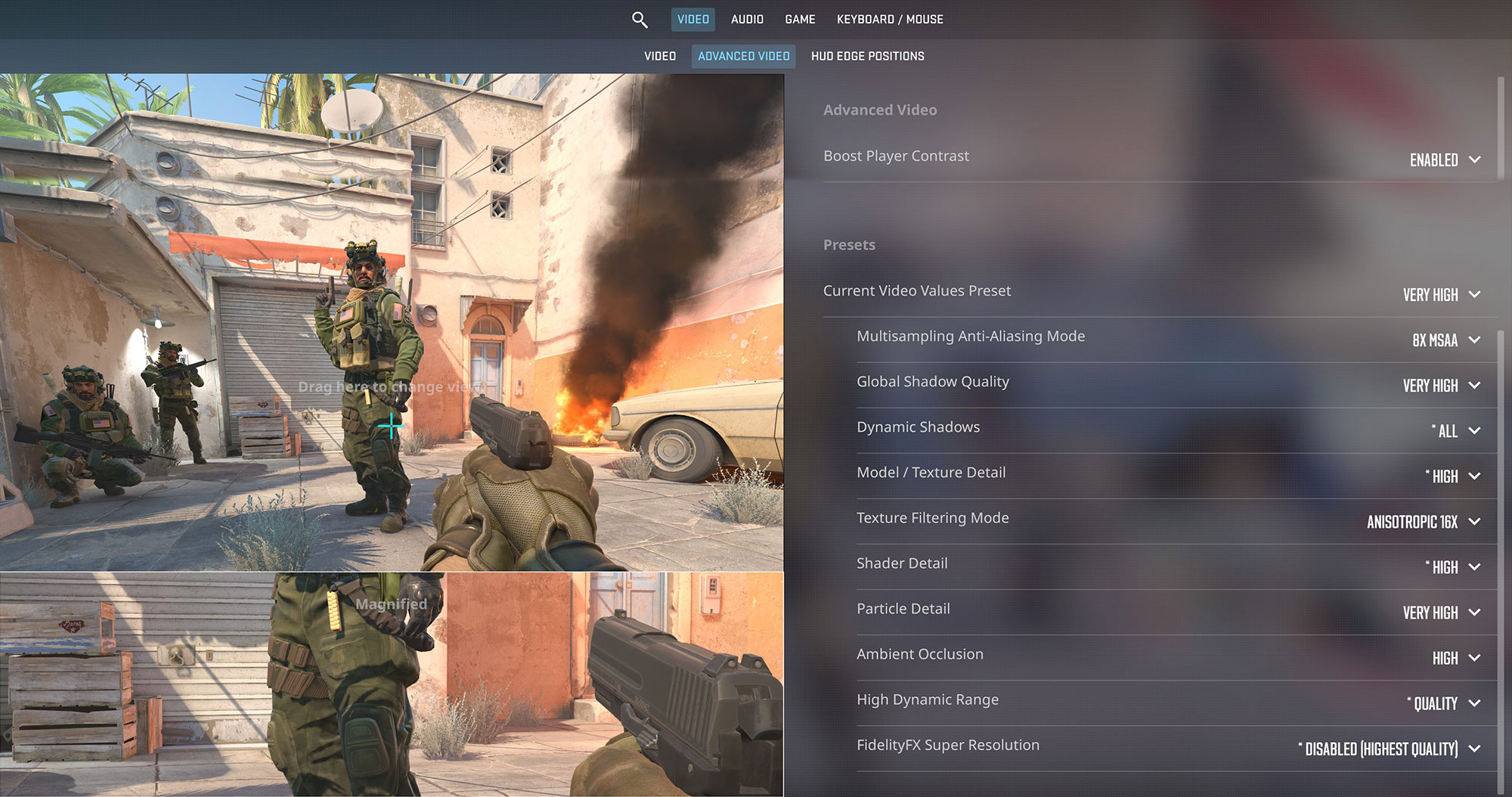
The Lenovo LOQ 15 is a fantastic budget-friendly esports machine. In Counter-Strike 2, it delivers a blistering 223 FPS at 1080p on Very High settings, easily maximizing the potential of the 144Hz display.
| Counter Strike 2 | 1080p, Very High (Check settings) |
| Average FPS | 223 FPS |

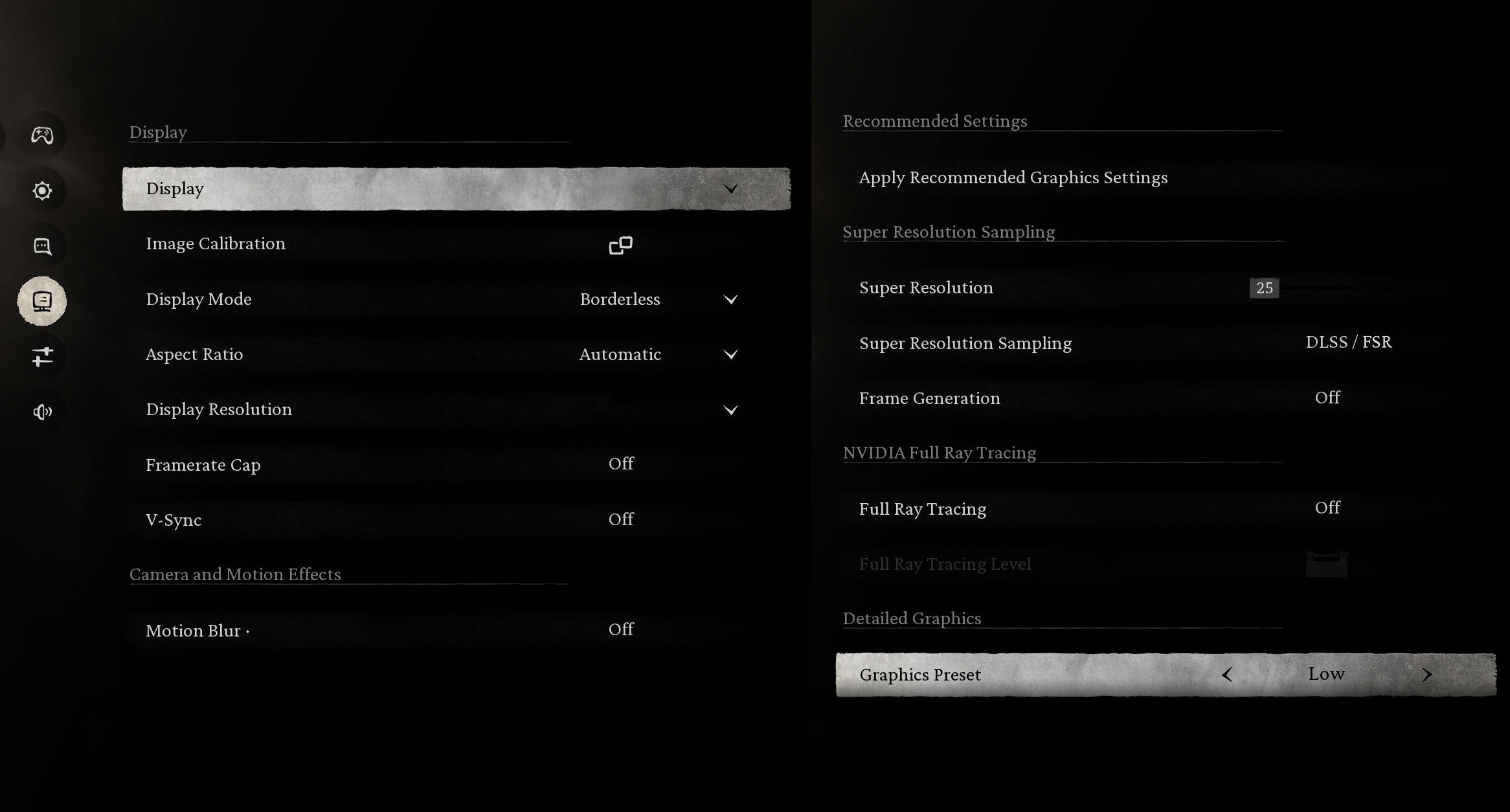
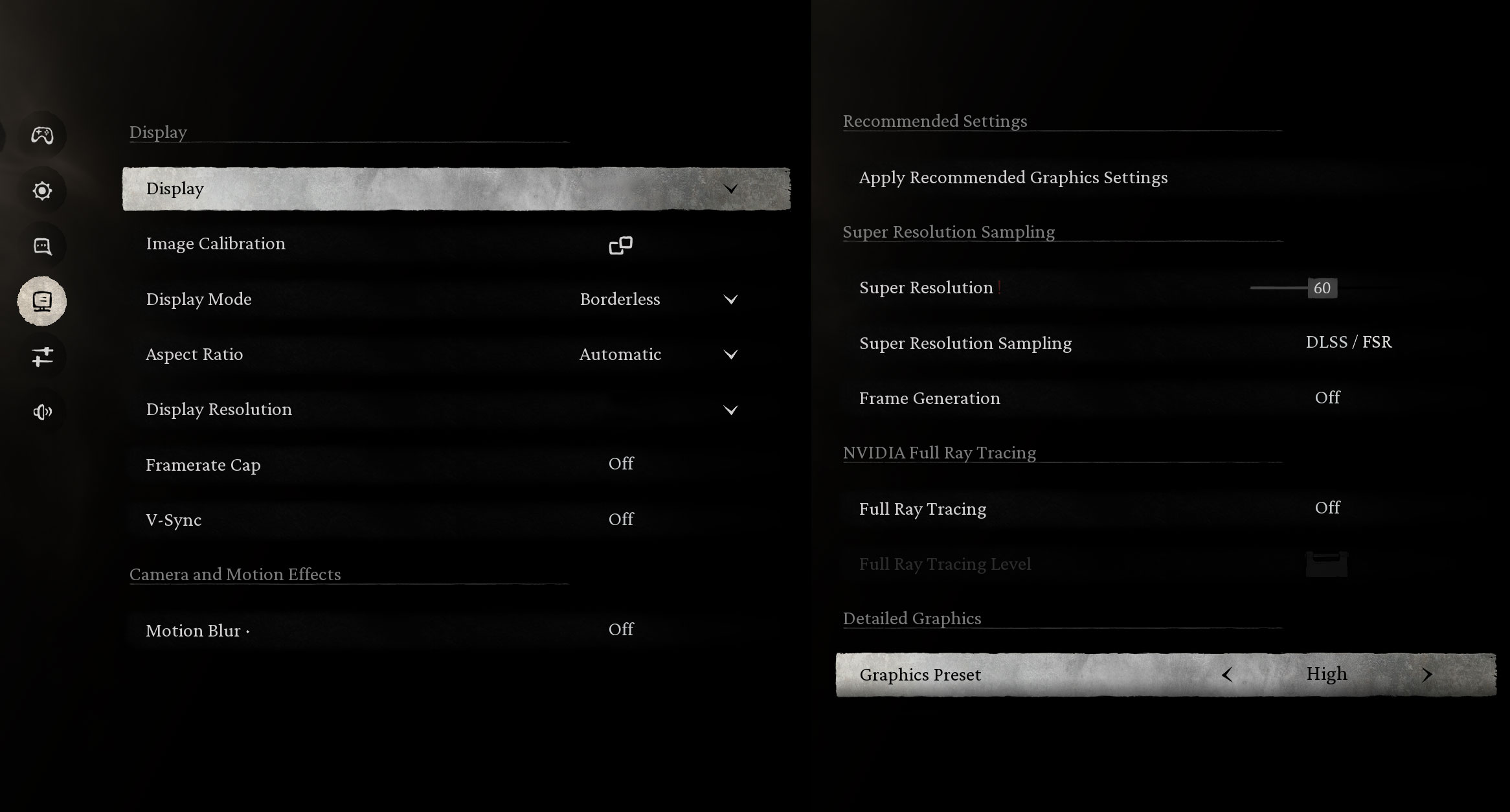
In the graphically intense Black Myth: Wukong, the RTX 5060 performs admirably. It hits 144 FPS on Low settings, matching the screen’s refresh rate, and maintains a very smooth 89 FPS on High settings for a more visually immersive experience.
| Black Myth: Wukong | 1080p, Low (Check settings) | 1080p, High (Check settings) |
| Average FPS | 144 FPS | 89 FPS |

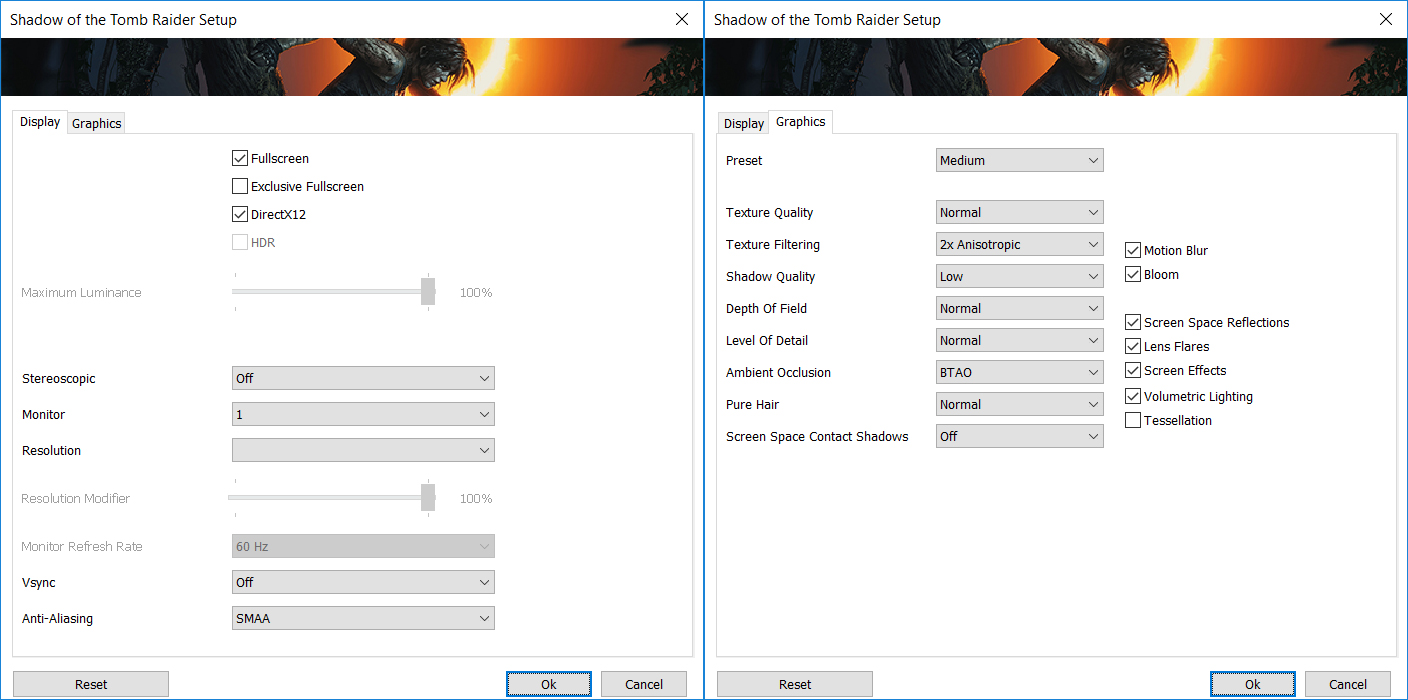
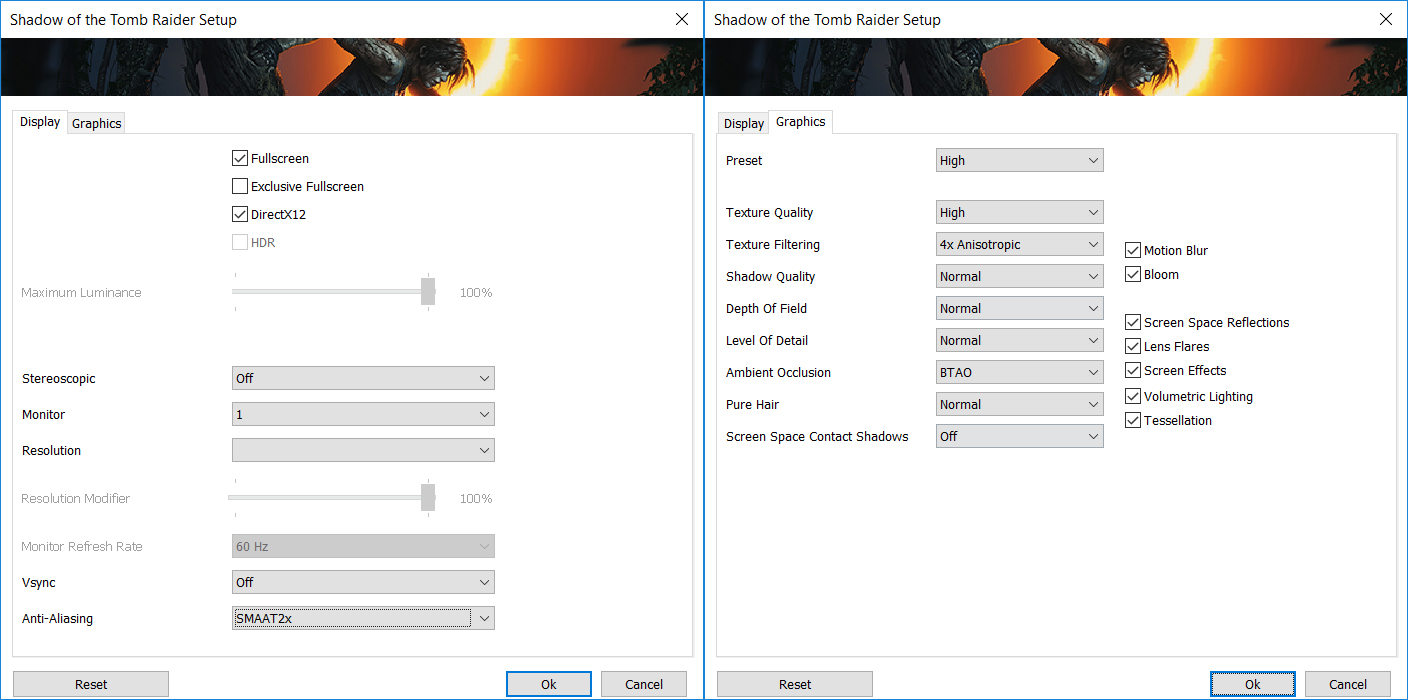
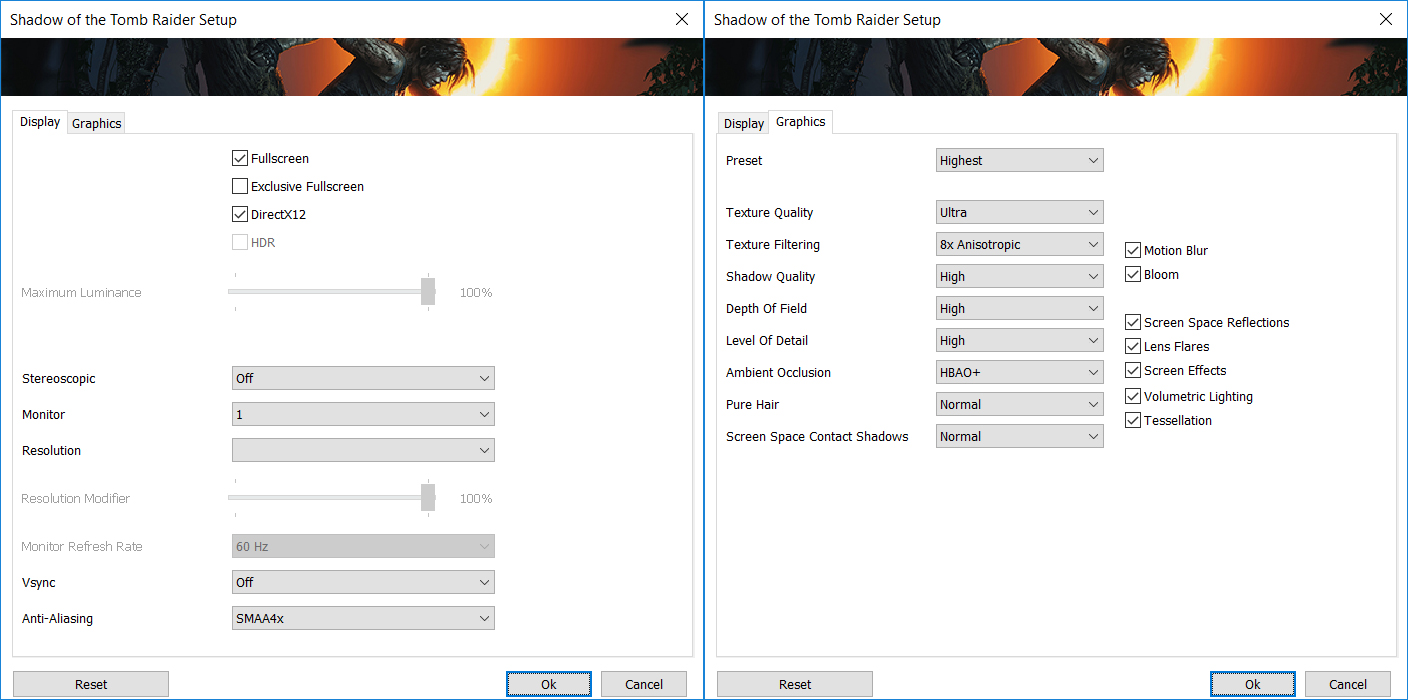
Shadow of the Tomb Raider runs flawlessly. Frame rates remain high across all presets, ranging from 161 FPS on Medium to a solid 117 FPS on the Highest settings, ensuring a fluid adventure.
| Shadow of the Tomb Raider | 1080p, Medium (Check settings) | 1080p, High (Check settings) | 1080p, Highest (Check settings) |
| Average FPS | 161 FPS | 158 FPS | 117 FPS |

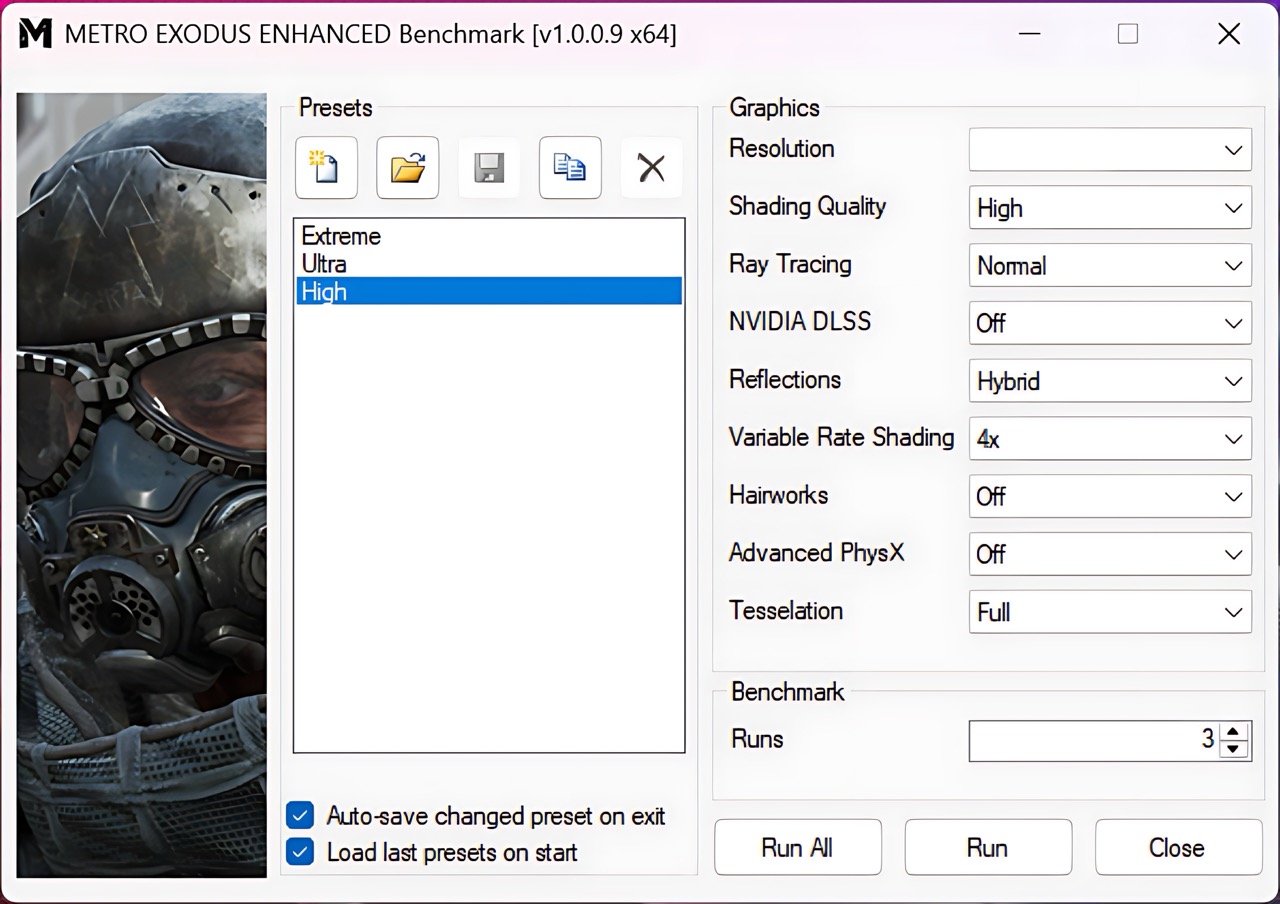
Even with the heavy ray-tracing workload of Metro Exodus Enhanced Edition, the LOQ 15 holds its ground. It achieves a comfortable 92 FPS on High settings at 1080p.
| Metro Exodus Enhanced Edition | 1080p, High (Check settings) |
| Average FPS | 92 FPS |
Temperatures and Comfort, Noise, Stability
At idle, the CPU package of the LOQ 15 maintains a super low temperature of 28ºC, but the notebook fans are audible – the CPU fan spins at 2400 RPM, while the GPU fan is at 2700 RPM. This is not optimal and you have to switch to Balanced mode if you need peace of mind.
Office Work, Web Development, Design
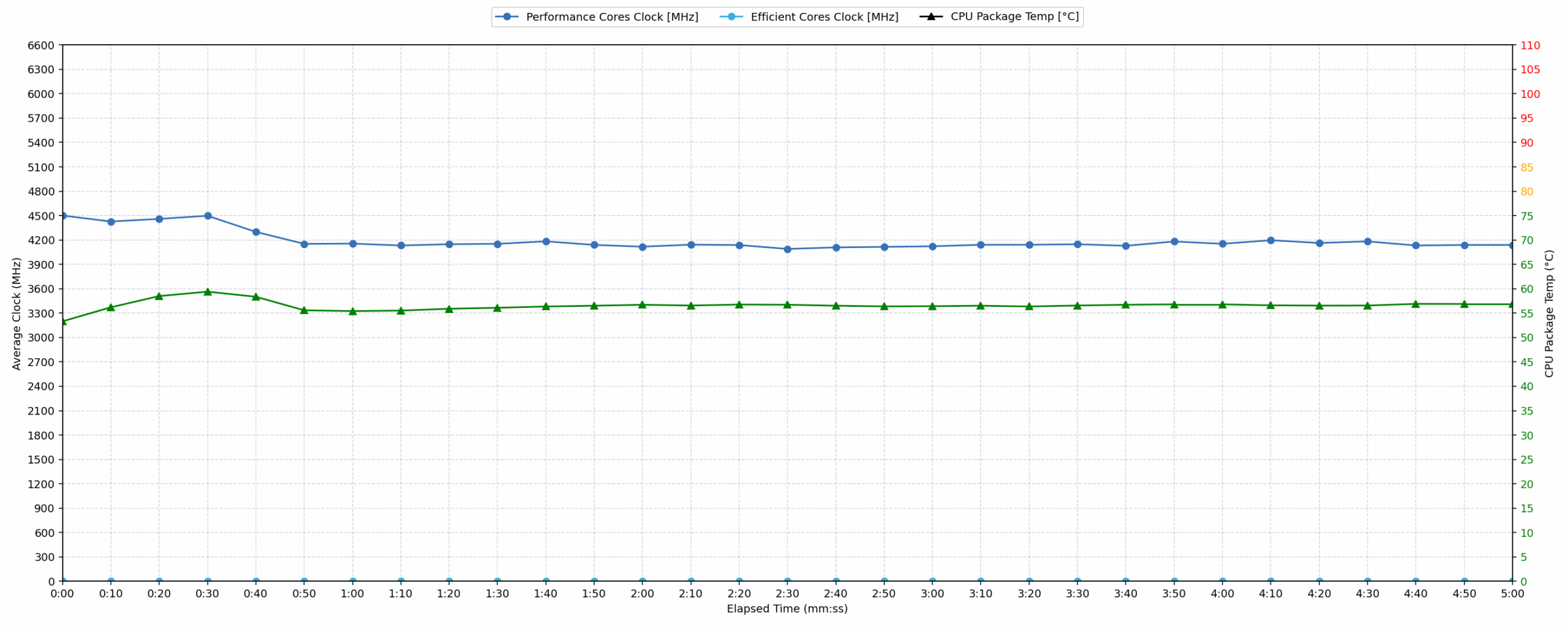
Short periods (0:00 – 0:10 s) of 100 % CPU load
This test shows the CPU behavior during short periods of serious load. It’s important for users who are looking for laptops suitable for tasks like Web Design and Programming.
| AMD Ryzen 7 250 | Avg. P-Core Clock | Avg. CPU Temp. | Avg. CPU Power |
| Lenovo LOQ 15 (Gen 10, 15AHP10) | 4500 MHz | 53 °C | 50 W |
In short burst scenarios typical of web design and programming, the AMD Ryzen 7 250 in the Lenovo LOQ 15 exhibits strong performance. Within the first ten seconds, the processor maintains an average clock speed of 4500 MHz, briefly peaking as high as 5019 MHz. Power consumption during this initial phase reaches 53 W, while averaging 50 W. Critically, the thermal management is very effective; the average temperature is only 53 °C, with a peak of 65 °C, remaining well within the range considered good for sustained hardware health and stability.
Video editing, Scientific computing, Software compilation, 3D rendering
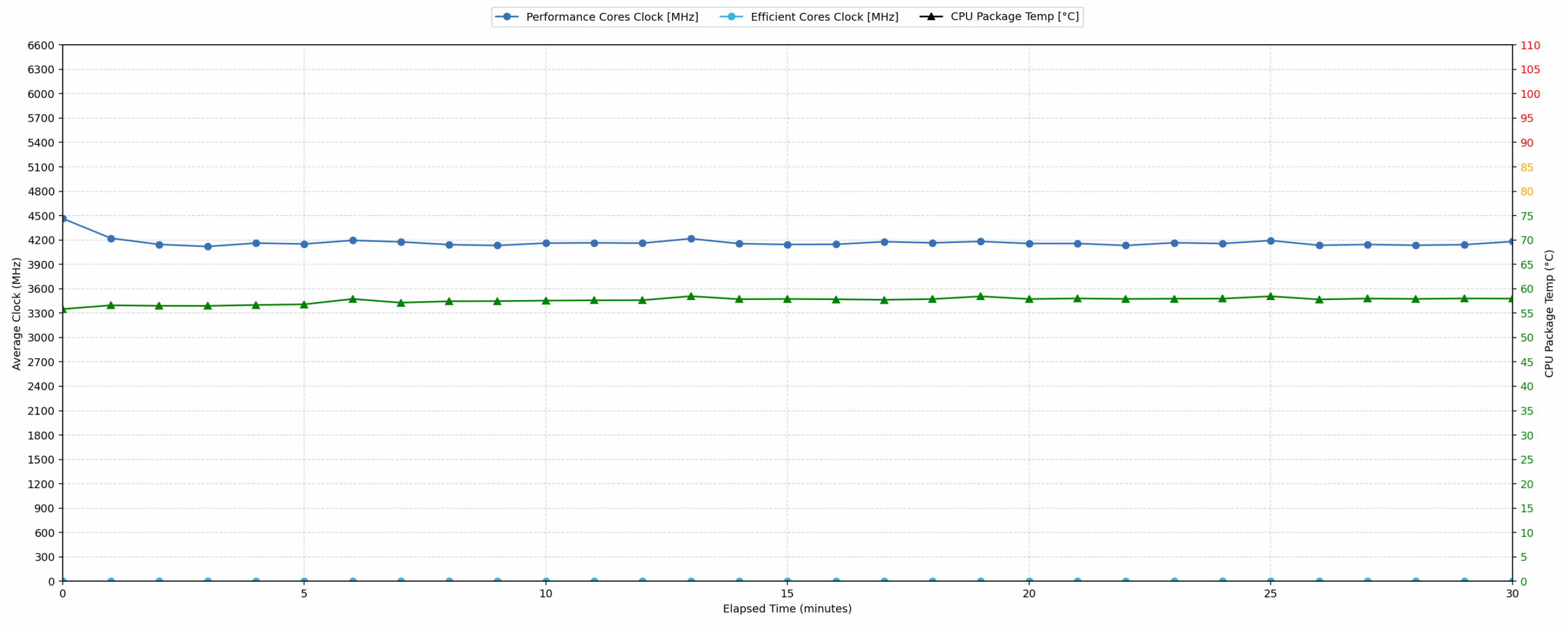
Long periods (0:00 – 30:00 min) of 100 % CPU load
This test shows the CPU behavior during long periods of serious load. It’s important for users who are looking for laptops suitable for tasks like Video Editing and 3D Rendering.
| AMD Ryzen 7 250 | Avg. P-Core Clock | Avg. CPU Temp. | Avg. CPU Power |
| Lenovo LOQ 15 (Gen 10, 15AHP10) | 4166 MHz | 57 °C | 43 W |
Under prolonged 100% CPU load, the system demonstrates consistent performance despite a minor clock frequency reduction. The average frequency stabilizes at 4166 MHz over thirty minutes, representing a 953 MHz drop from the initial peak. Power consumption also levels out at a steady 43 W. Thermal results remain impressive, with an average temperature of just 57 °C throughout the duration. This significantly undercuts the 80 °C threshold for good temperatures, suggesting that the cooling solution manages the Ryzen 7 250 with ease during demanding tasks like video editing or scientific computing.
Gaming Stability
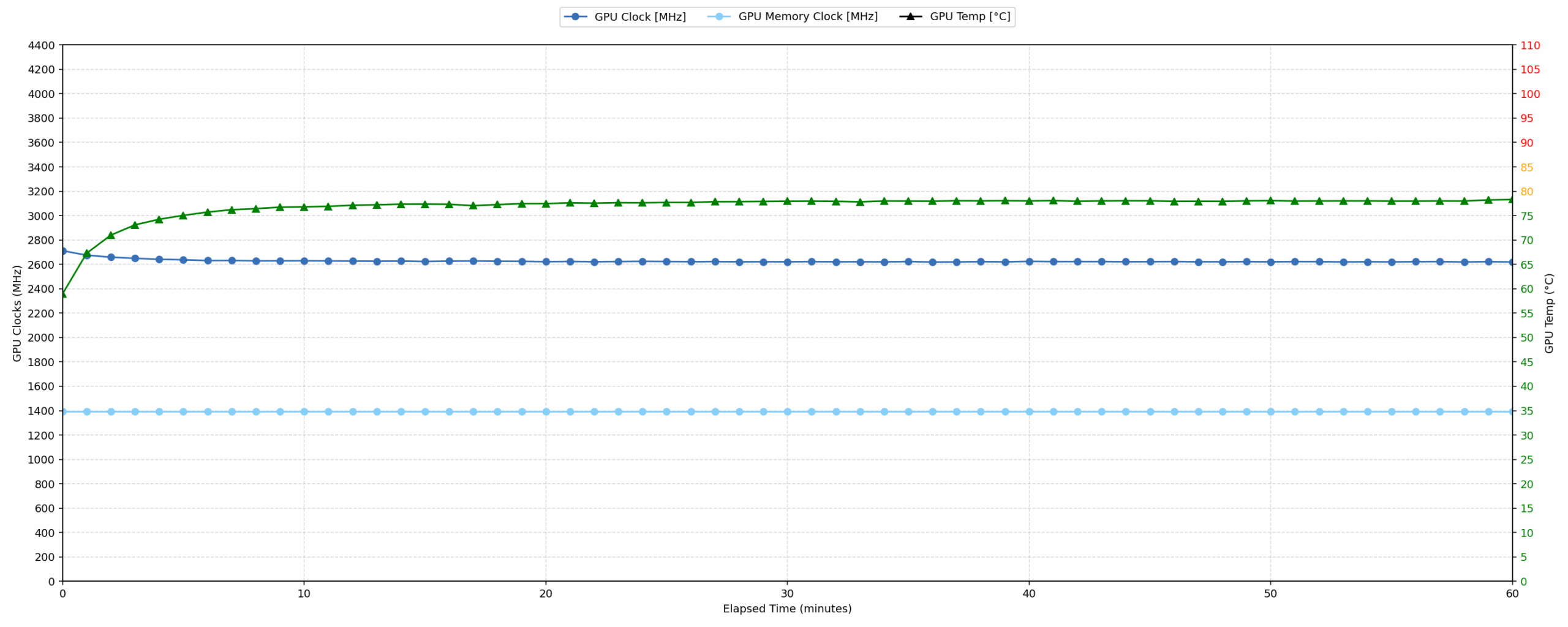
Continuous gaming (1-hour test)
This test evaluates the laptop’s performance under sustained GPU load and high CPU usage.
| NVIDIA GeForce RTX 5060 | Avg. GPU Clock | Avg. GPU Temp. | Avg. Memory Clock | Avg. GPU Mem Temp. | Avg. GPU Power |
| Lenovo Legion Pro 5 (16″, Gen 10) | 2821 MHz | 75 °C | 1400 MHz | 61 °C | 113 W |
| Lenovo LOQ 17IRX10 | 2742 MHz | 85 °C | 1393 MHz | 77 °C | 113 W |
| ASUS TUF Gaming F16 FX608 | 2714 MHz | 72 °C | 1387 MHz | 60 °C | 110 W |
| ASUS TUF Gaming A16 FA608 (2025) | 2708 MHz | 84 °C | 1387 MHz | 78 °C | 111 W |
| Lenovo LOQ 15 (Gen 10, 15AHP10) | 2626 MHz | 77 °C | 1393 MHz | 74 °C | 99 W |
| Acer Nitro V 16 AI (ANV16-42) | 2575 MHz | 84 °C | 1354 MHz | 79 °C | 93 W |
| ASUS V16 (V3607) | 2120 MHz | 76 °C | 1232 MHz | 79 °C | 68 W |
During a one-hour gaming simulation, the NVIDIA GeForce RTX 5060 maintains an average core clock of 2626 MHz at a power draw of 99 W. Temperatures are well-controlled, with the core averaging 77 °C and memory at 74 °C, both comfortably below the thresholds for good performance. Compared to other laptops with the same GPU, the LOQ 15 sits in the middle of the pack; it outperforms the Acer Nitro V 16 AI (2575 MHz) and ASUS V16 (2120 MHz) but falls behind the Lenovo Legion Pro 5 (2821 MHz) and LOQ 17IRX10 (2742 MHz).
Battery Life
The battery of the Lenovo LOQ 15 (Gen 10, 15AHP10) is a 4-cell Lithium Iron Phosphate (LiFePO4), model L24B4PK4. Its nominal voltage is 12.92V and stores 60 Wh of electrical energy. It can also be ordered with a 33% bigger battery – 80Wh.
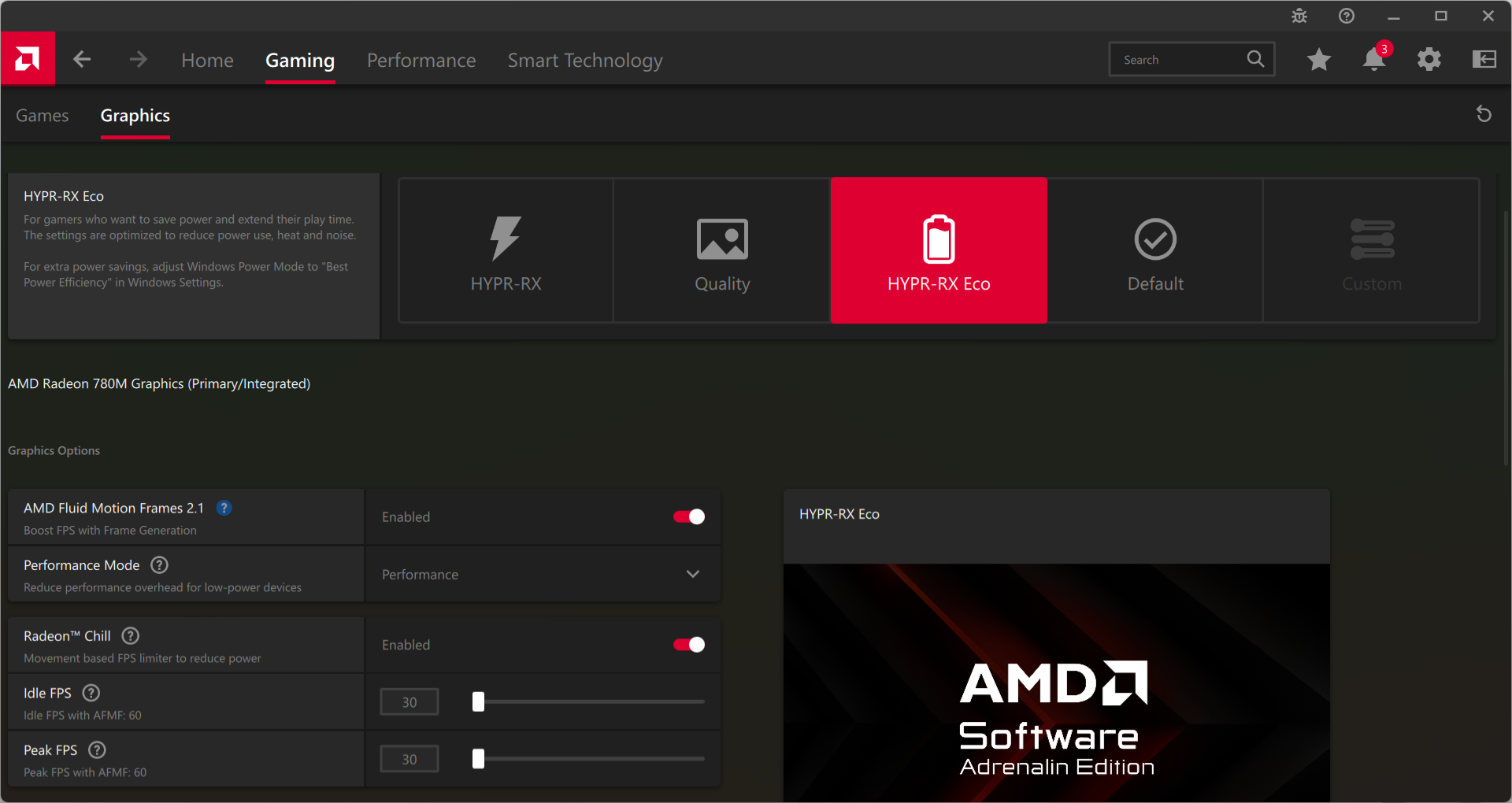
We tested the battery with Eco mode activated in AMD Software: Adrenalin Edition, and Best Power Efficiency in Windows Settings.
Despite the small 60Wh battery, LOQ 15 reaches above 7 hours on a single charge – which is a great result. ASUS TUF Gaming A16 FA608 (detailed review) is the undisputed champion here, with almost 2X better result but LOQ 15 still beats most of its competitors. You can expect even better results from the 80Wh battery unit configurations.
Brightness: 180 nits; Display Mode: SDR
Time to Full Discharge: Higher is Better
Disassembly, Upgrade options, and Maintenance
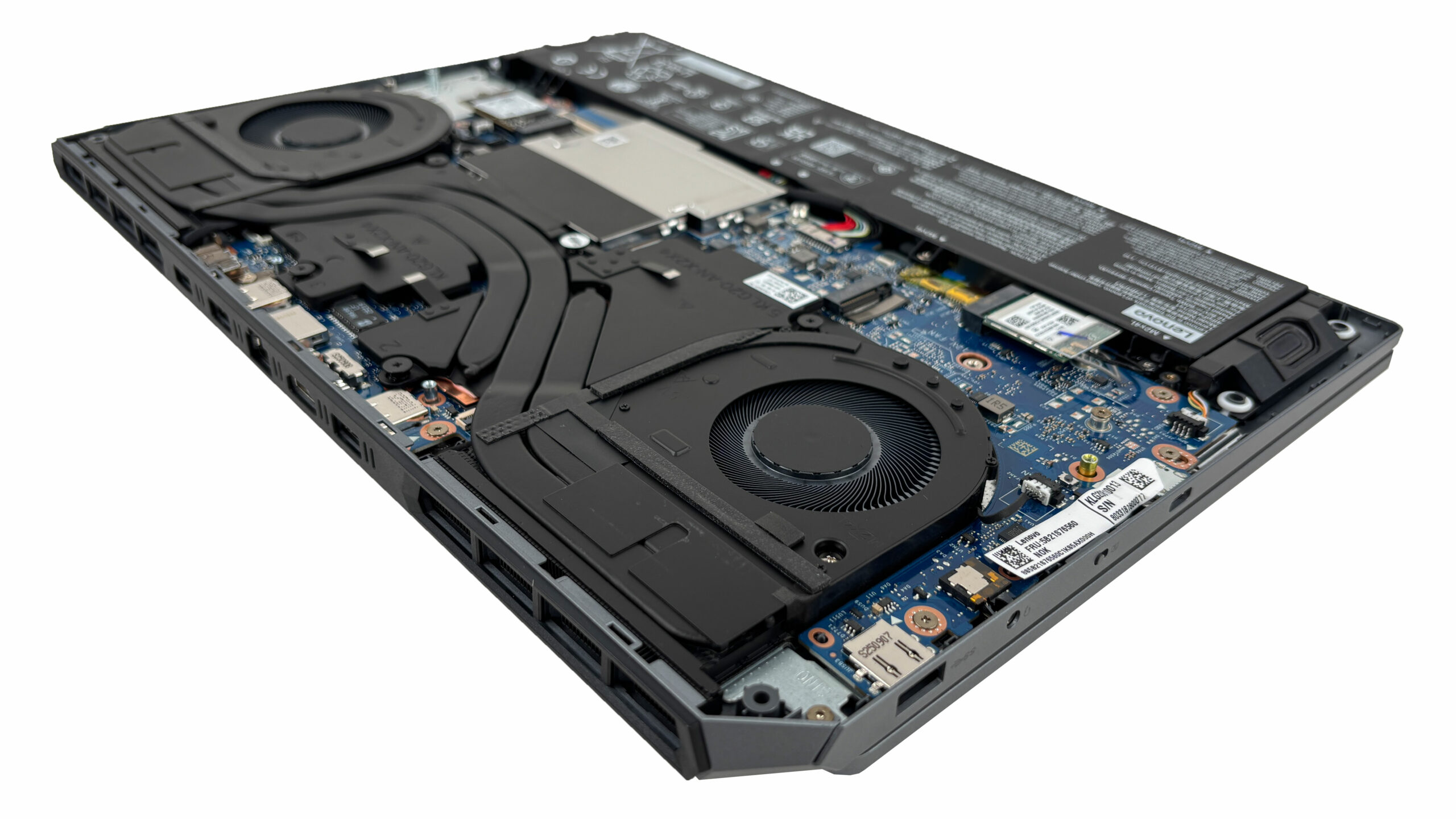
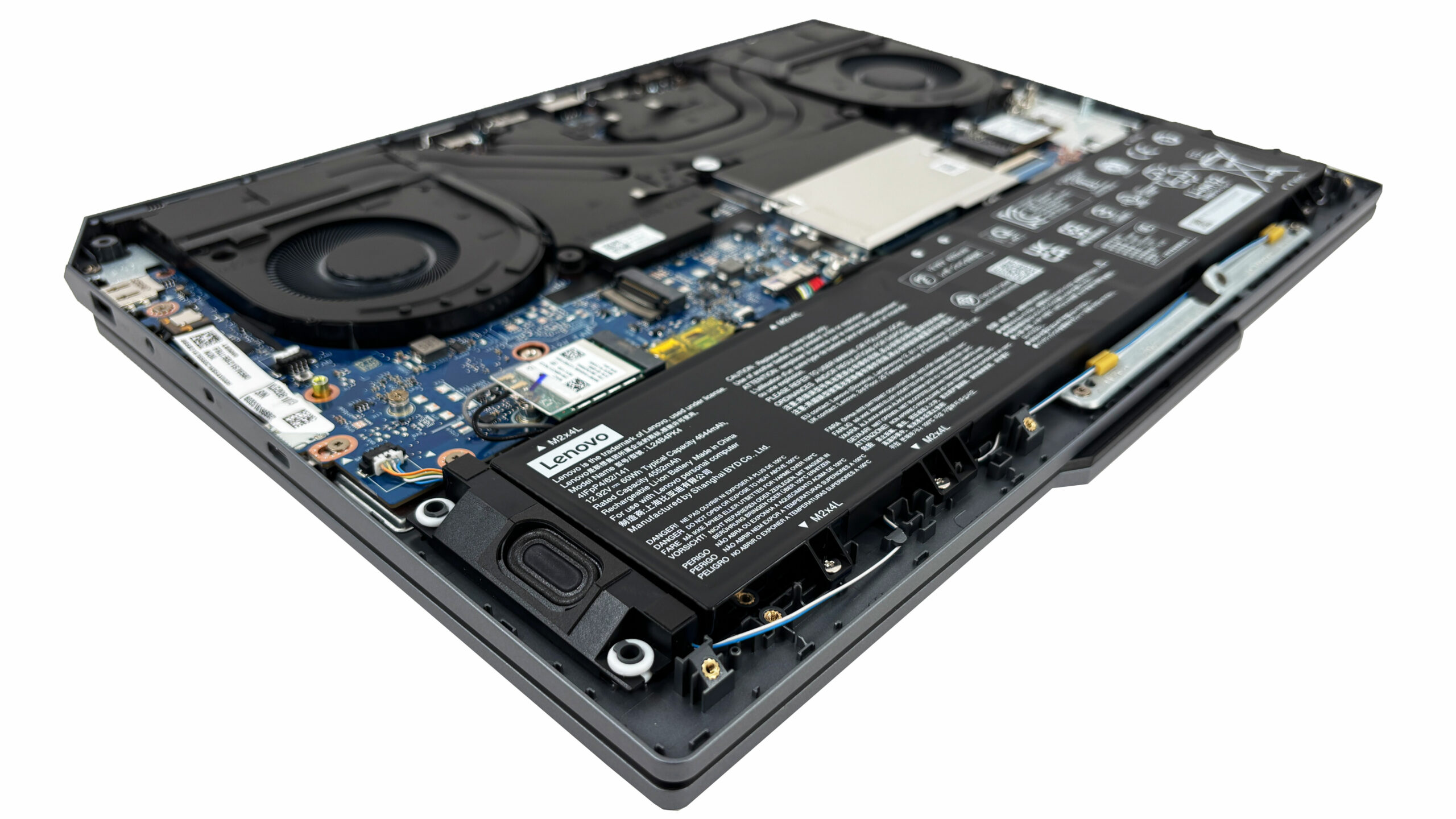
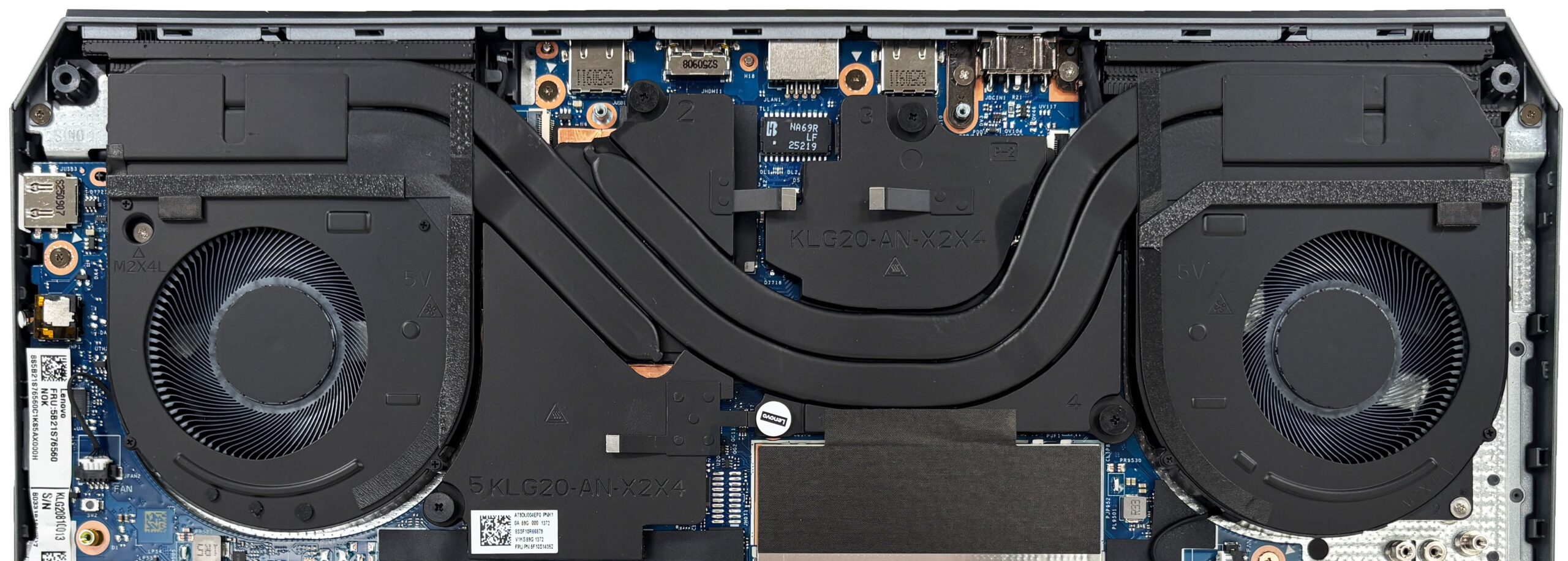
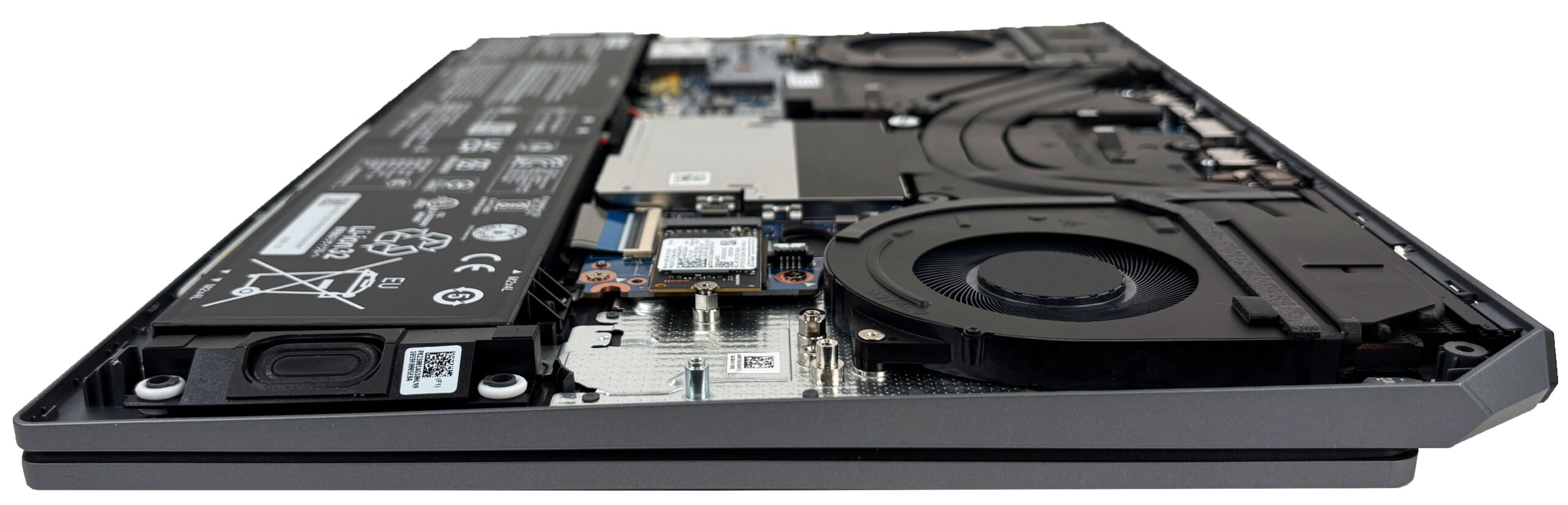
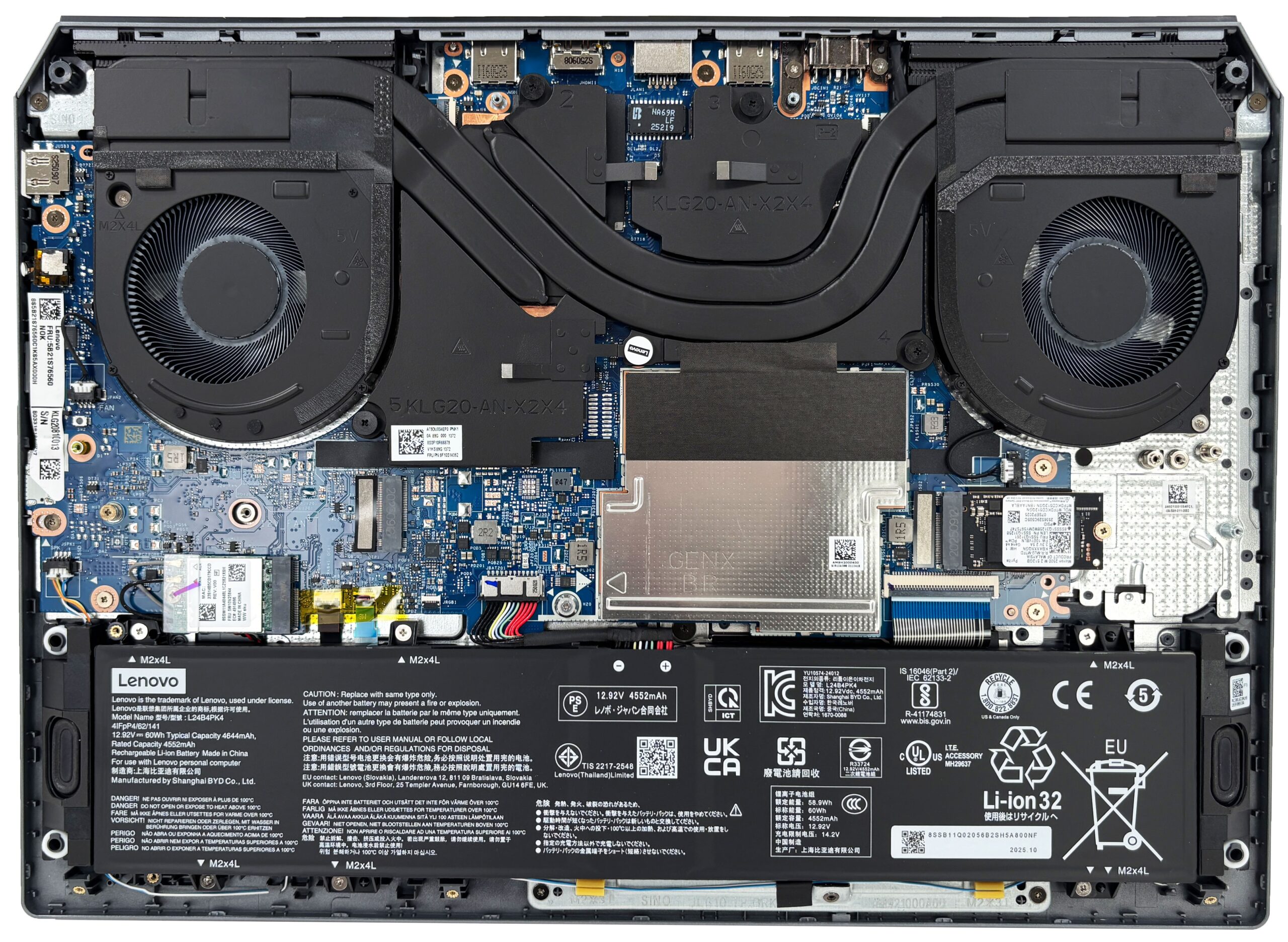
Getting inside the Lenovo LOQ 15 Gen 10 is straightforward: you remove ten bottom screws and carefully release the plastic clips around the perimeter. Once the panel is off, the layout is clean and service-friendly, with the battery along the front edge and the main upgrade components grouped toward the center and right side.
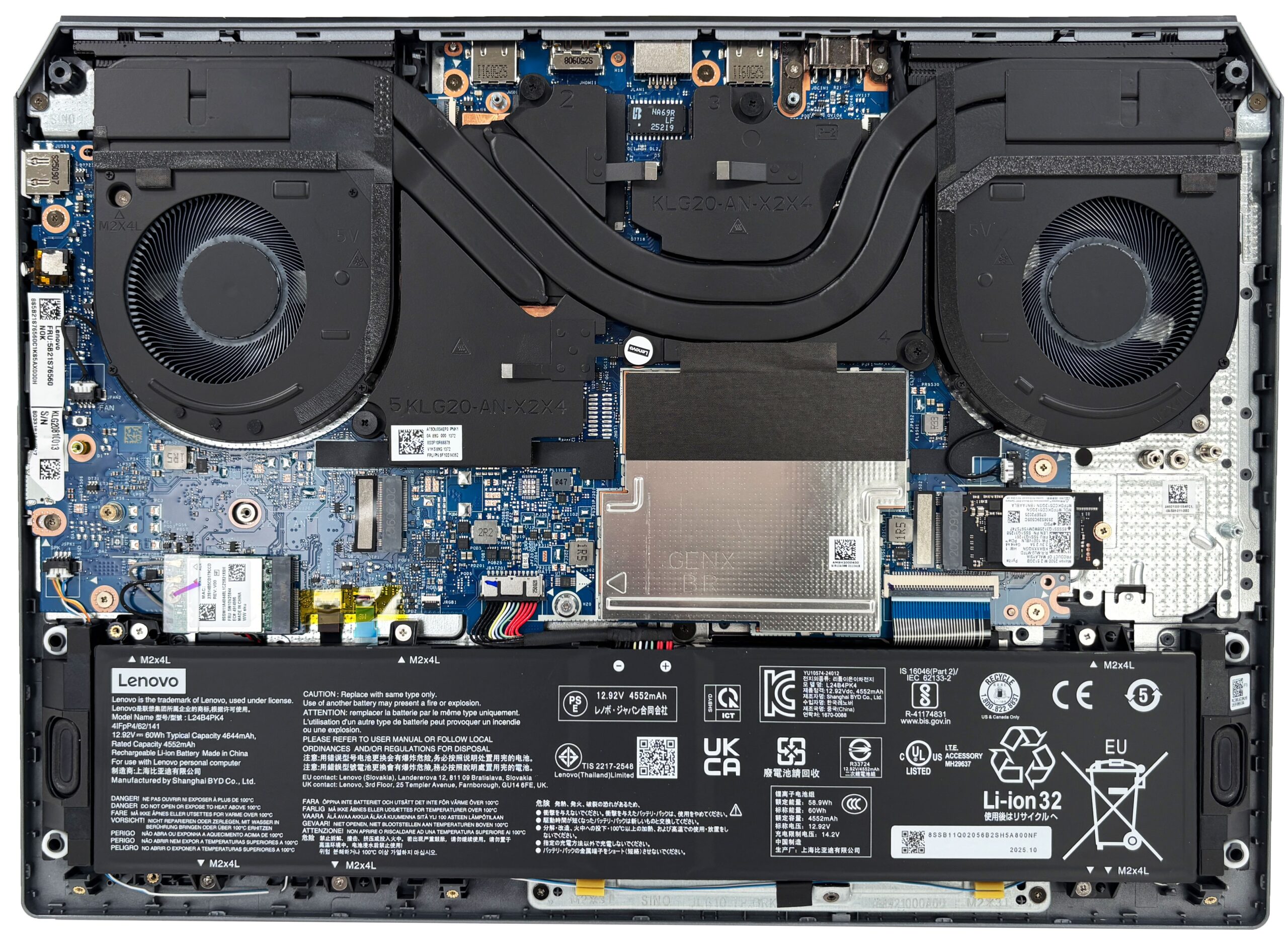
Cooling is handled by a dual-fan system with a shared heatsink assembly that spans the CPU and the discrete GPU. The design uses large heatsinks at the rear and multiple heat pipes, which is exactly what you want to see in a gaming laptop that may be pushed for long sessions. The fans and heatsink assembly are accessible for cleaning once you are inside, but the CPU and GPU themselves are, of course, not upgradeable.
The battery is a removable, screw-secured unit. This configuration comes with a 60Wh pack, while the series is also offered with an 80Wh battery depending on the model. Both options support Rapid Charge Pro, so quicker top-ups are possible with the right charger.
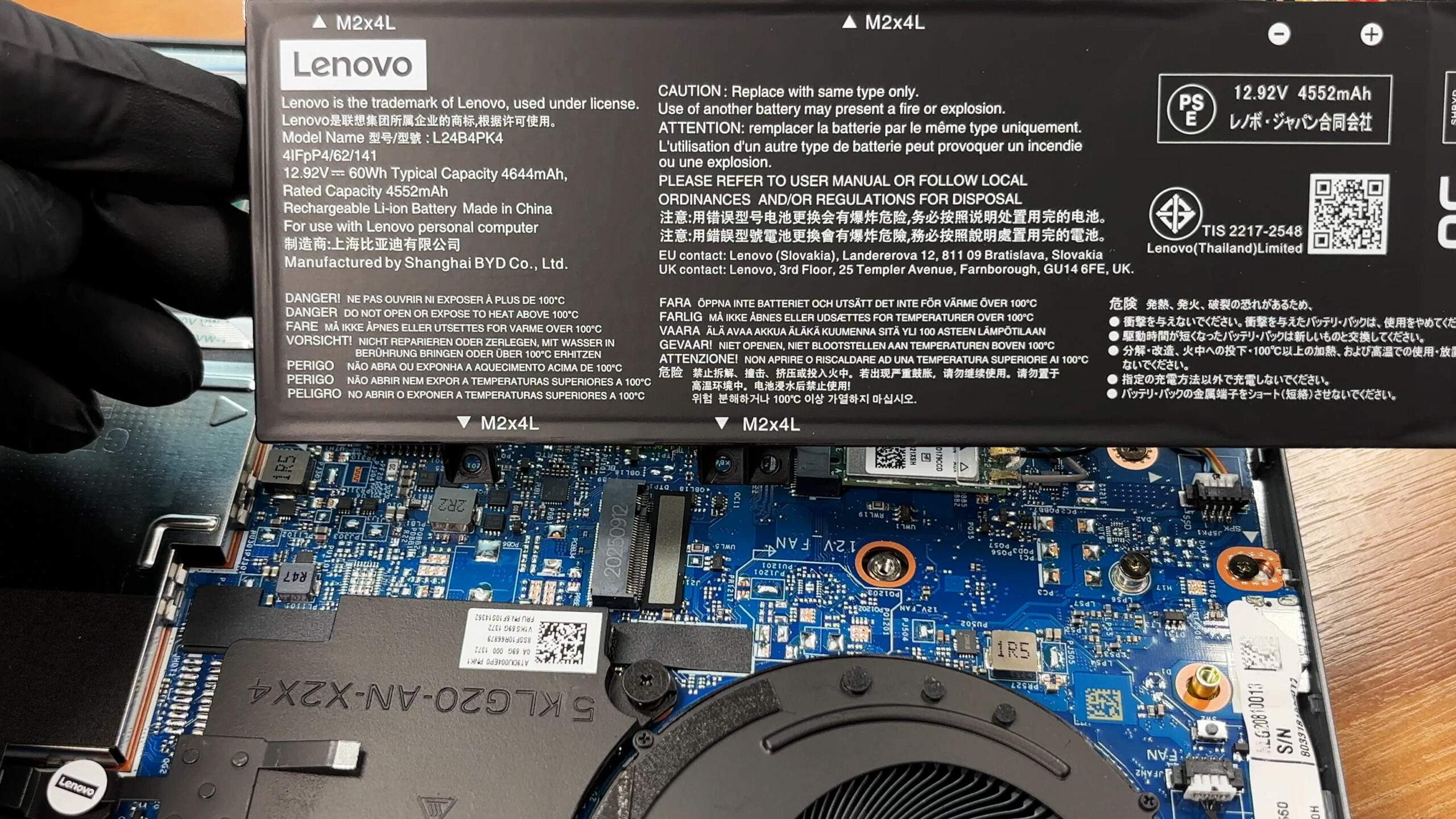
Storage upgradability is controversial. While you may expect two M.2 slots for PCIe 4.0 x4 NVMe drives, the second slot is actually 4.0 x2.
The chassis accommodates both short and longer M.2 lengths. Our unit arrived with a Micron 2500 512GB drive in the shorter M.2 2242 format, leaving the second slot open for expansion.
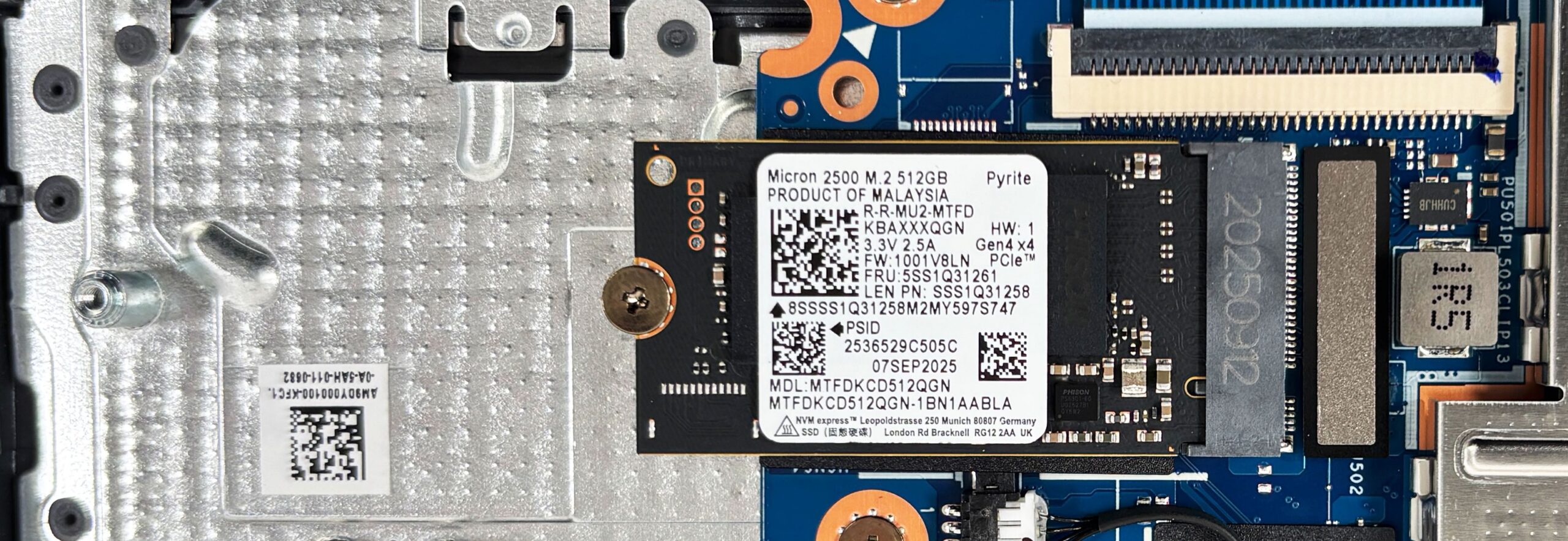
There is a nice touch on the inside of the bottom cover: thermal pads sit directly above the SSD area to help move heat away when the laptop is reassembled. Just make sure everything lines up properly during reassembly so the pads press evenly where they should.
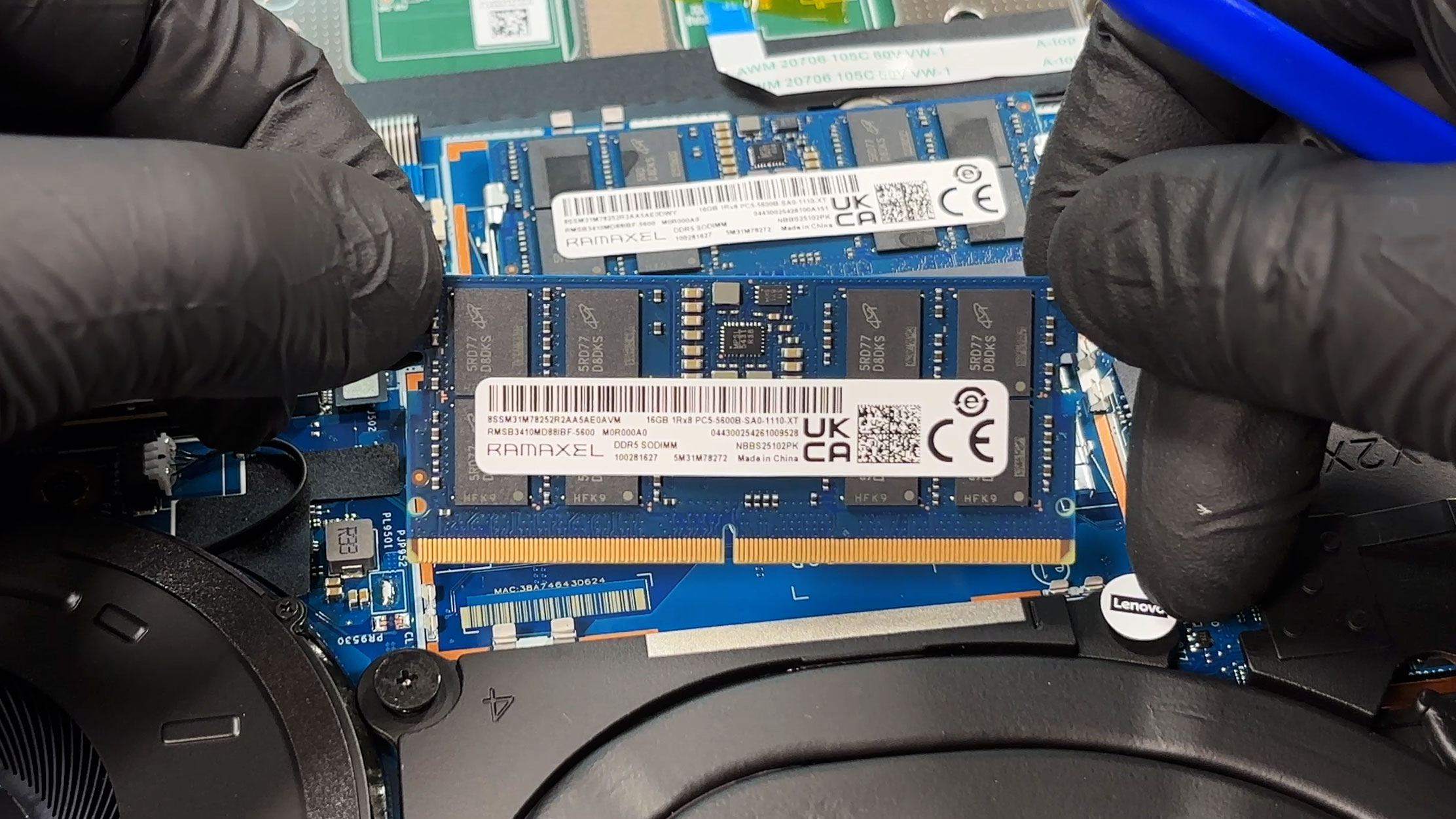
There are two DDR5 SO-DIMM slots under a protective shield, and the platform is officially rated for up to 32GB of DDR5-5600 in dual-channel. Our configuration is already at that official ceiling with two 16GB modules installed. The sticks are made by Ramaxel Technology, model number RMSB3410MD88IBF-5600.
The wireless card is also user-replaceable. It is an M.2 module, and this unit uses a Wi-Fi 6 solution with Bluetooth 5.3, so swapping it in the future is possible if you ever need a different standard or if the card fails outside warranty.
Other serviceable parts include the fans, speakers, and the battery itself, while the motherboard-mounted components remain fixed. You will also notice several ribbon cables and adhesive-backed elements around the midsection, so it is worth taking your time during reassembly to avoid misalignment or stressing connectors.
Overall, the LOQ 15 Gen 10 is easy to maintain and upgrade, with tool-free access after the bottom cover comes off and genuinely useful expansion options for storage and memory.
Verdict
The Lenovo LOQ 15 (Gen 10, 15AHP10) is a masterclass in providing a balanced, budget-friendly gaming experience. It takes the core philosophy of its more expensive Legion siblings—understated design, solid build quality, and reliable performance—and successfully distills it into a more accessible package. This is a laptop that doesn’t just look the part; it delivers where it counts for the everyday gamer.
While it makes a few necessary compromises to hit its price point, the sheer value it offers makes it an incredibly compelling option. It proves that you don’t need to break the bank to get a highly capable, cool-running machine with a great display and excellent user-focused features.
You can check the prices and configurations in our Specs System: https://laptopmedia.com/series/lenovo-loq-15-15-gen-10/
✅ The Good
The most impressive aspect of the LOQ 15 is its superb thermal management. The cooling system is incredibly effective, keeping the CPU running at astonishingly low temperatures even during sustained, heavy workloads, resulting in stable and reliable performance. This efficiency also contributes to great battery life, lasting over 7 hours on a single charge – a fantastic result for a gaming laptop, especially considering our unit had the smaller 60Wh battery option.
We are also big fans of the display. The 144Hz panel offers excellent sRGB coverage, becomes incredibly color-accurate with our profile, and is completely PWM-free, ensuring eye comfort during long gaming sessions. The user experience is further enhanced by an excellent, gamer-centric keyboard featuring full-sized, offset arrow keys, a physical privacy shutter for the webcam, and a generous selection of rear-facing ports for easy cable management.
The build quality, while plastic, feels robust and resists fingerprints well, and the upgradeability is good, offering two user-accessible RAM slots.
❌ The Bad
The most notable limitation concerns future-proofing your storage. While the laptop features two M.2 slots, the second slot is restricted to PCIe 4.0 x2 speeds, a frustratingly subtle downgrade that halves the potential bandwidth for your secondary drive. This is an unnecessary bottleneck on an otherwise excellent budget machine.
Another area where the budget nature shows is the fan noise. Even at idle or during light tasks, the fans remain audible, which can be annoying in a quiet room and requires switching to Balanced mode for peace of mind. Additionally, the complete absence of any biometric login options (fingerprint reader or IR camera) is a minor disappointment.
🆚 The Competitors
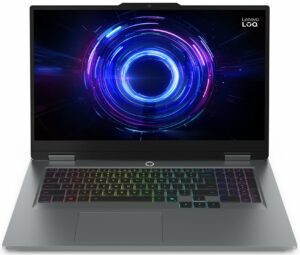
When compared to its larger sibling, the Lenovo LOQ 17 (detailed review), the LOQ 15 offers a more portable form factor and significantly better battery life. However, the 17-inch model provides slightly better sustained GPU clock speeds and a larger screen for those who prioritize immersion over mobility.
Against a direct budget rival like the Acer Nitro V 16 AI (detailed review), the LOQ 15 holds its own with superior CPU thermal management, running significantly cooler under load. While the Acer offers a slightly better battery result, the Lenovo’s combination of a fantastic keyboard, a more color-accurate screen, and cooler operation makes it a stronger overall package for gamers on a budget.
Pros
- Exceptional thermal management keeps the CPU very cool
- Great battery life for a gaming laptop (7+ hours)
- Excellent 144Hz display with accurate colors and no PWM
- Superb keyboard with full-sized, offset arrow keys
- Smart rear-port layout for clean cable management
- Physical privacy shutter for the webcam
Cons
- Second M.2 slot is limited to slower PCIe 4.0 x2 speeds
- Fans are audible even when idle
- No biometric login options (fingerprint or IR camera)
 Author: Simeon NikolovEditor-in-Chief at LaptopMedia.com with 20+ years of experience in testing and analyzing laptops and mobile devices.
 Author: eng. Kroum NikolovHead of Engineering at LaptopMedia.com, inventor and innovator with 40+ years of experience in electronics and high technology.

![[August 2026] Amazon USA: Top 10 Best-Selling Laptops – Apple MacBook Neo Dominates the Market with Massive Unit Sales!](https://laptopmedia.com/wp-content/uploads/2026/09/Best-Selling-Laptops-COM-Top-10-400x225.jpg)
![[August 2026] Amazon USA: Top 10 Best-Selling Gaming Laptops – ASUS ROG Strix G16 Dominates the Market with Massive Unit Sales](https://laptopmedia.com/wp-content/uploads/2026/09/Best-Selling-Gaming-Laptops-COM-Top-10-400x225.jpg)
![[July 2026] Amazon Global: Top 10 Best-Selling Laptops – Apple MacBook Neo Dominates the Charts as Budget and Premium Notebooks Split the Market](https://laptopmedia.com/wp-content/uploads/2026/08/Best-Selling-Laptops-GLOBAL-Top-10-400x225.jpg)
![[July 2026] Amazon Global: Top 10 Best-Selling Gaming Laptops – ASUS ROG Strix G16 Dominates the Global Market with Record-Breaking Unit Sales](https://laptopmedia.com/wp-content/uploads/2026/08/Best-Selling-Gaming-Laptops-GLOBAL-Top-10-400x225.jpg)
![[July 2026] Global Ranking of Best-Selling Laptop GPUs on Amazon – RTX 5060 Dominate Premium, Intel Still Rules Budget](https://laptopmedia.com/wp-content/uploads/2026/08/Best-Selling-GPUs-GLOBAL-Top-10-400x225.jpg)

Looks good overall. Specs aside, I like some of its smaller details, like the separated, full-sized arrow keys, a numlock indicator and a full-sized ethernet port for a reliable connection. The port is even turned the right way around, surprisingly enough. Regarding disassembly, Lenovo recommends popping the corners open before prying the bottom cover open, as described on their support page: https://support.lenovo.com/us/en/solutions/ht515227-removal-and-replacement-videos-lenovo-loq-15irh8-16irh8-82xv-82xw . The clip is for another version of the LOQ 15, but it should work for this one too.
Thanks for the detailed review.
Not sure what the sound quality of the ASUS TUF Gaming F16 FX608 has to do with this review BTW. Cheers.
Thank you 🙂
great review