How to open Acer Aspire 3 (A315-510P) – disassembly and upgrade options

Opening the Device
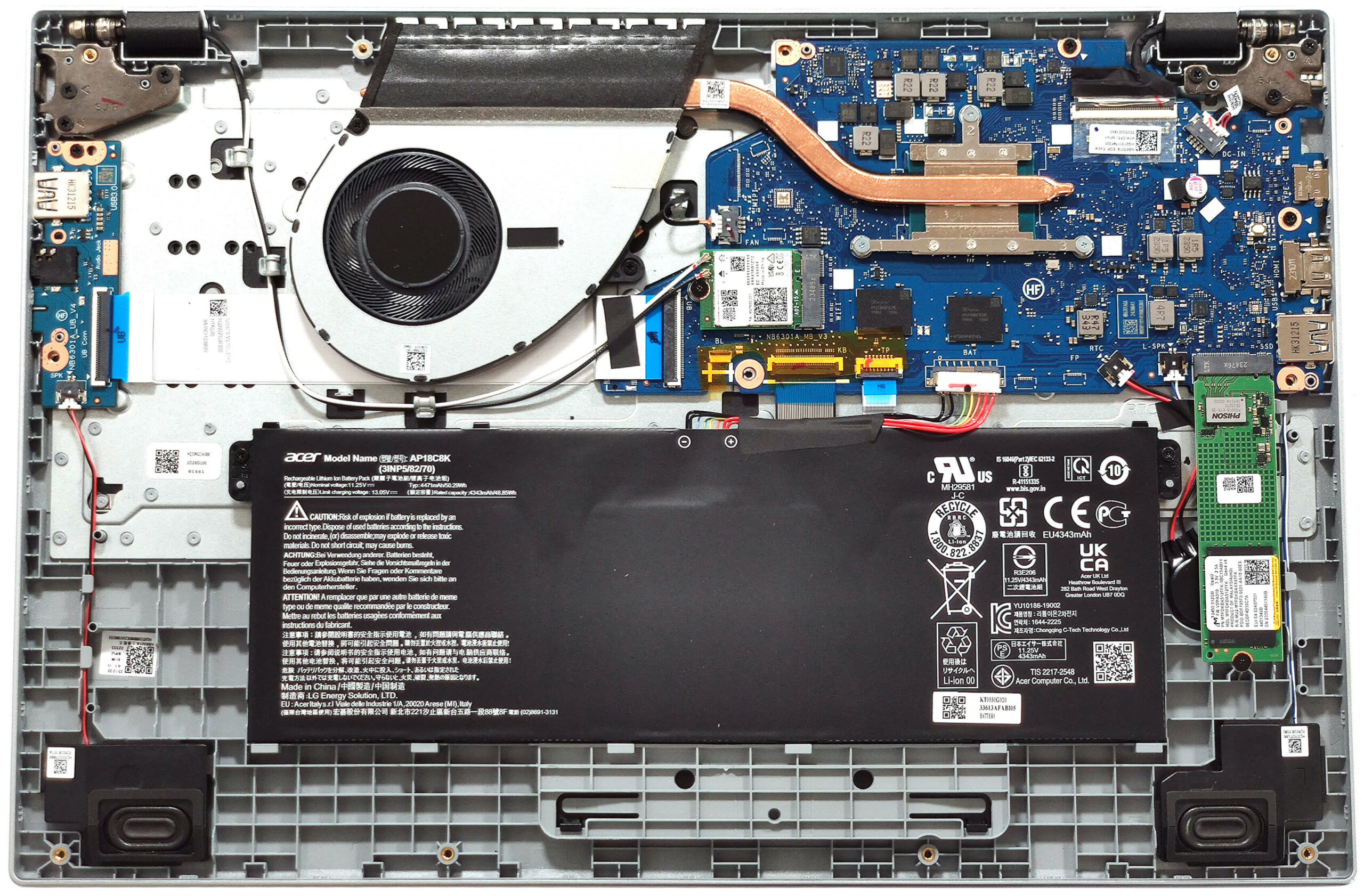
- Undo the 11 Phillips-head screws securing the bottom panel.
- Lift the top two edges with a thin plastic tool.
- After that, pop the back, sides, and front to remove the bottom panel.
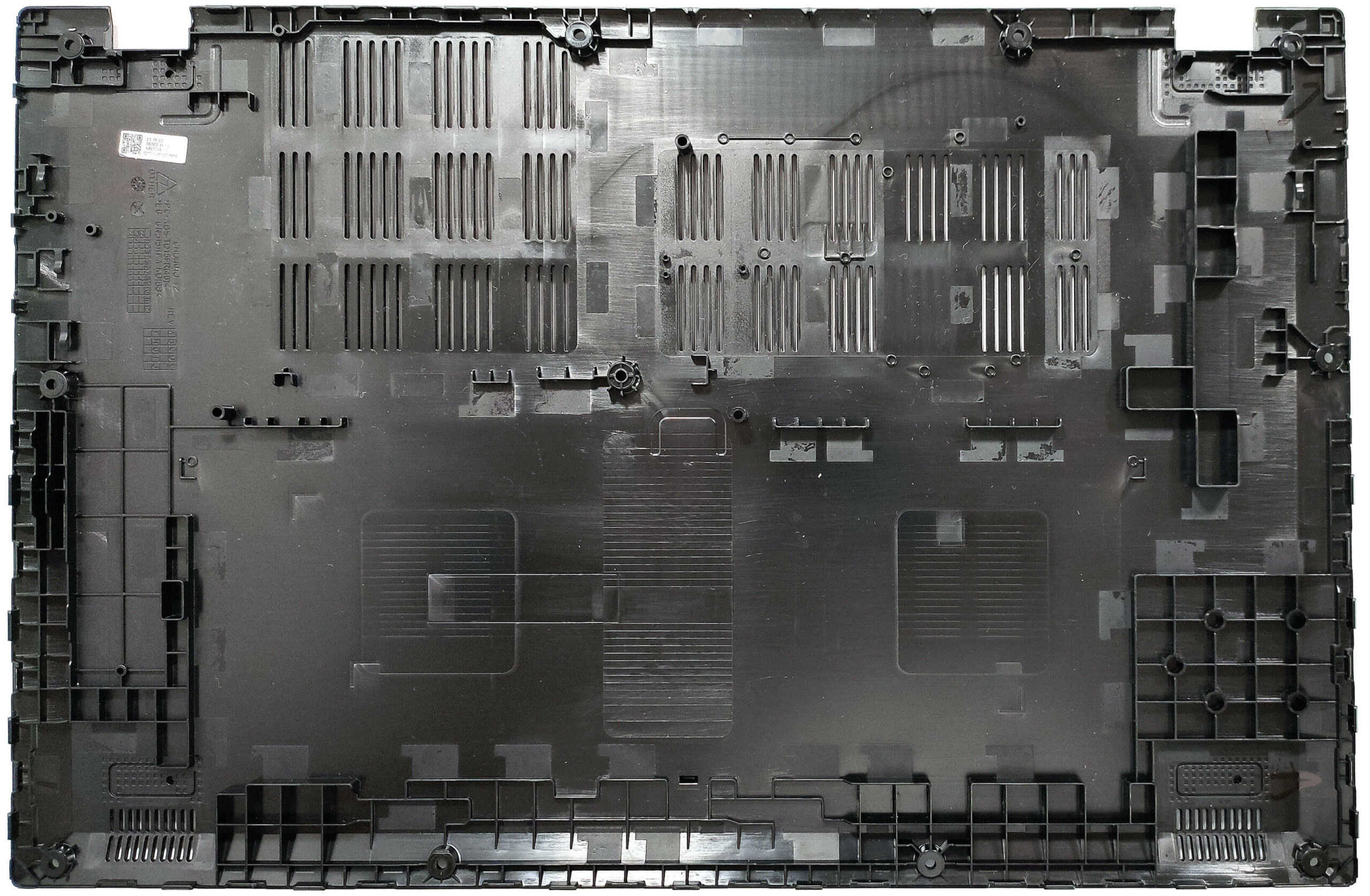
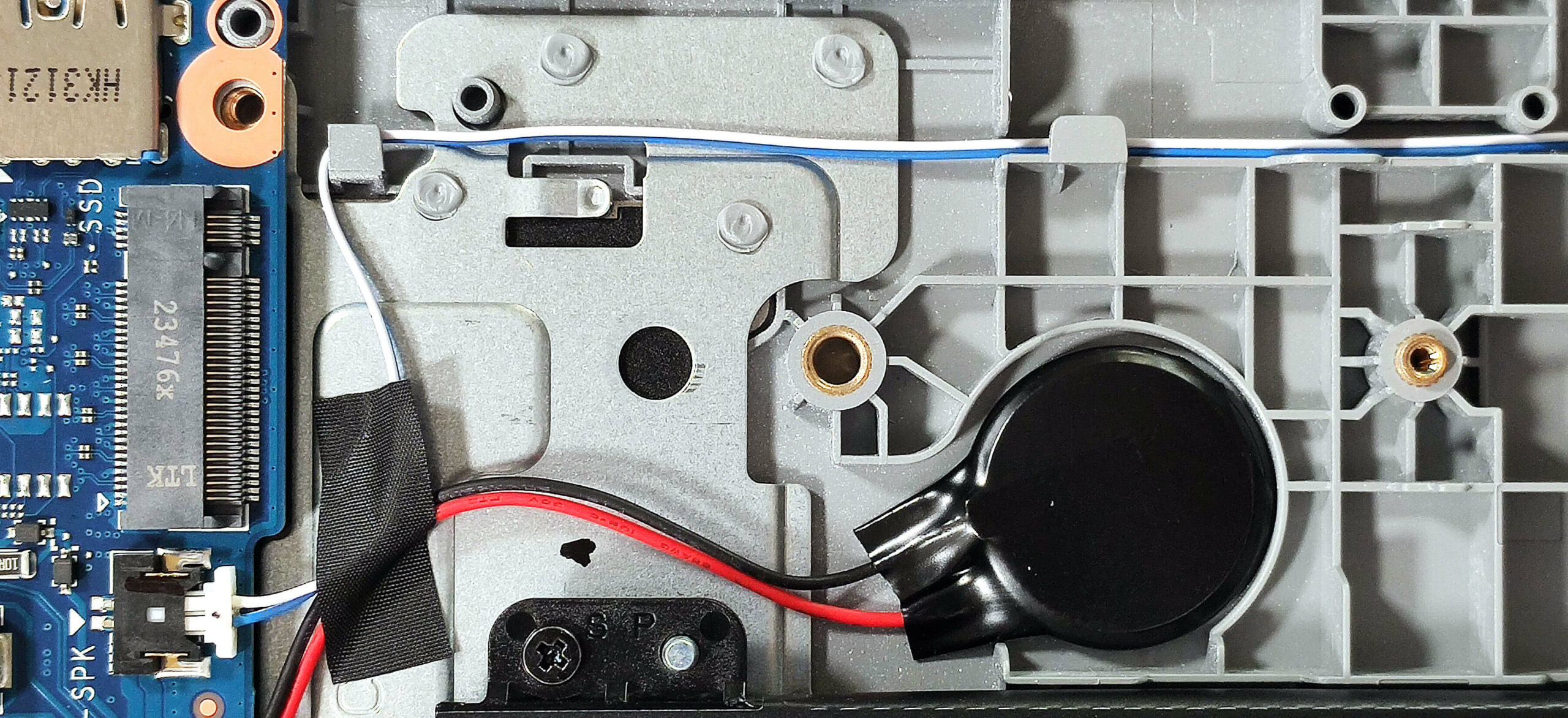
More info: Here’s how the bottom panel looks on the inside.
Battery Removal
- Detach the battery connector from the mainboard.
- Undo the two Phillips-head screws securing the battery.
- Lift the battery to remove it from the device.
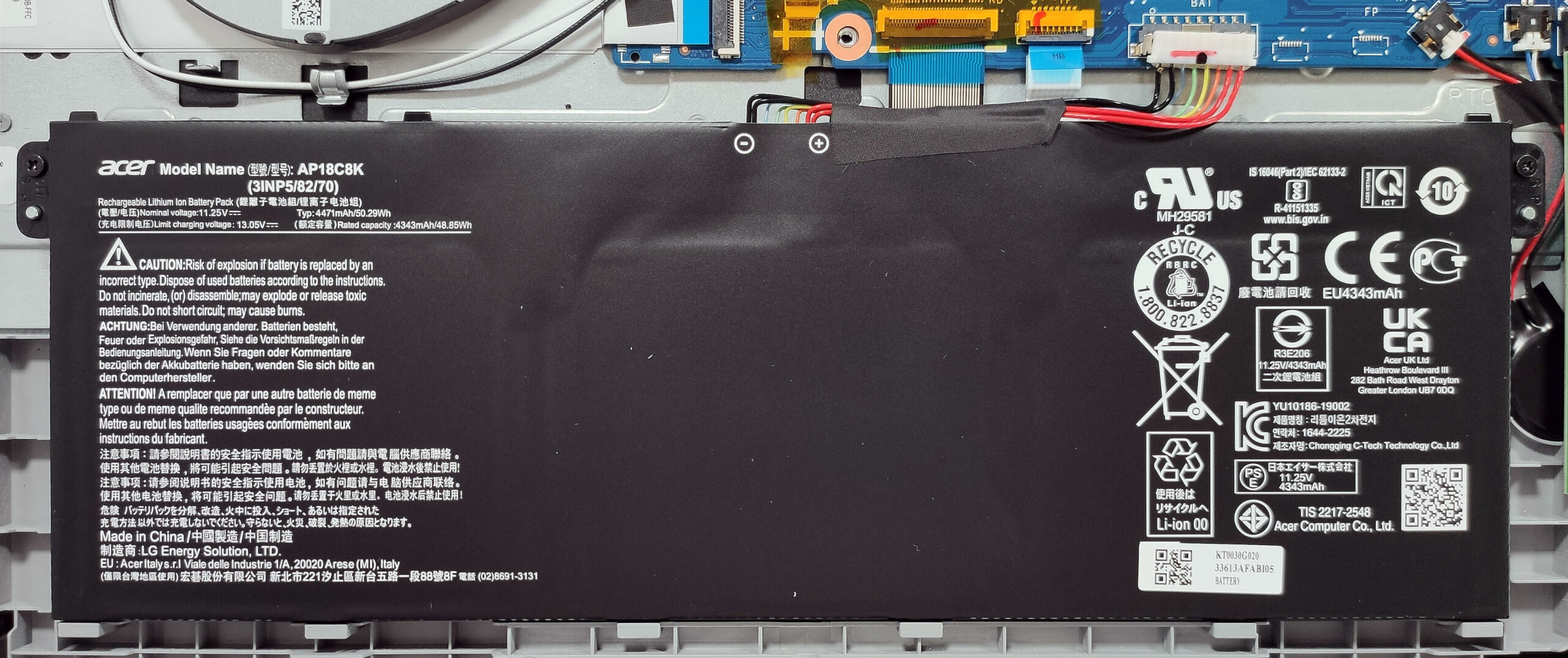
Note: The device is equipped with an optional 50Wh battery, with the default model having a 40Wh capacity. The optional battery provides approximately 8 hours of video playback.
Memory Information
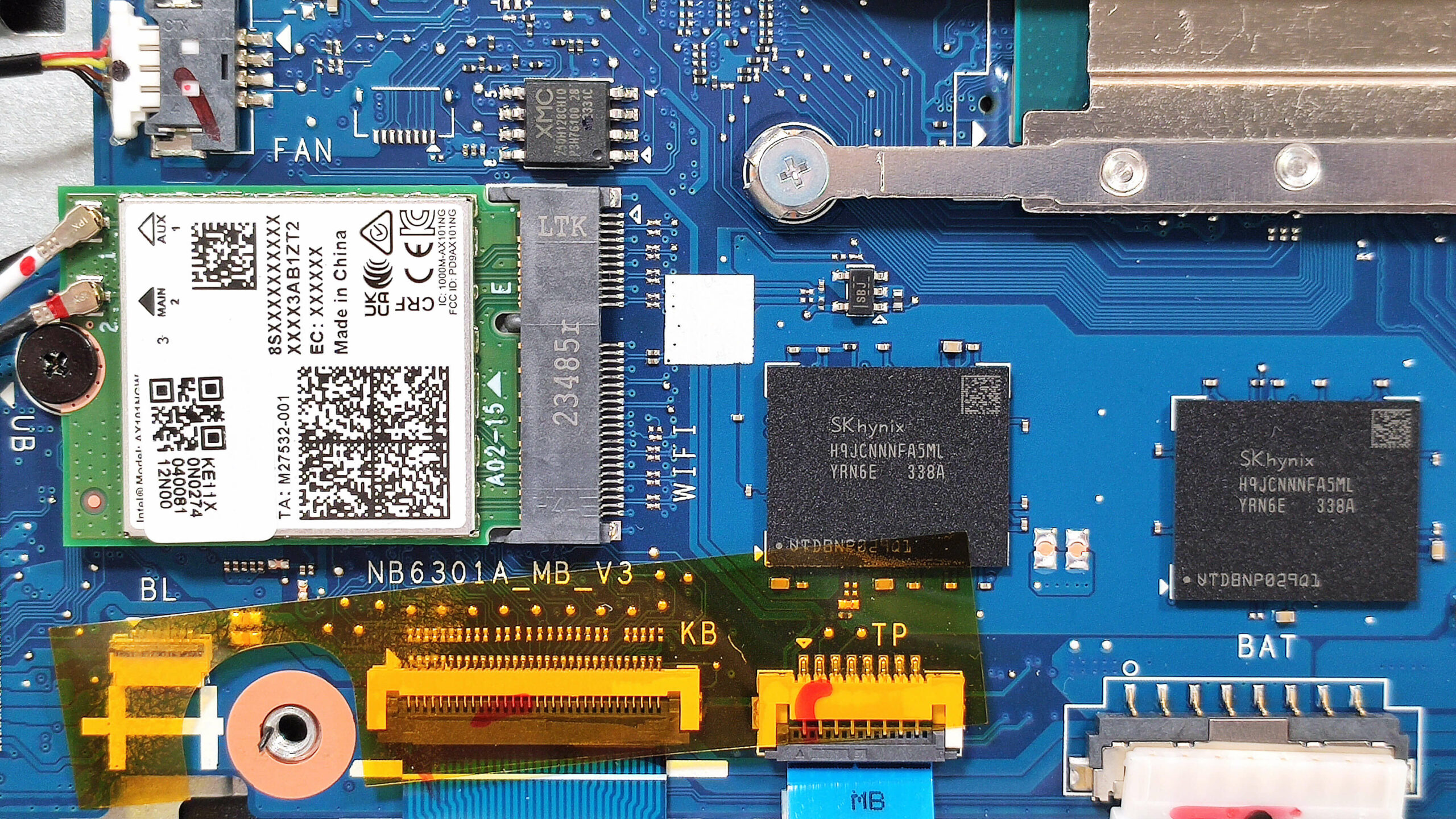
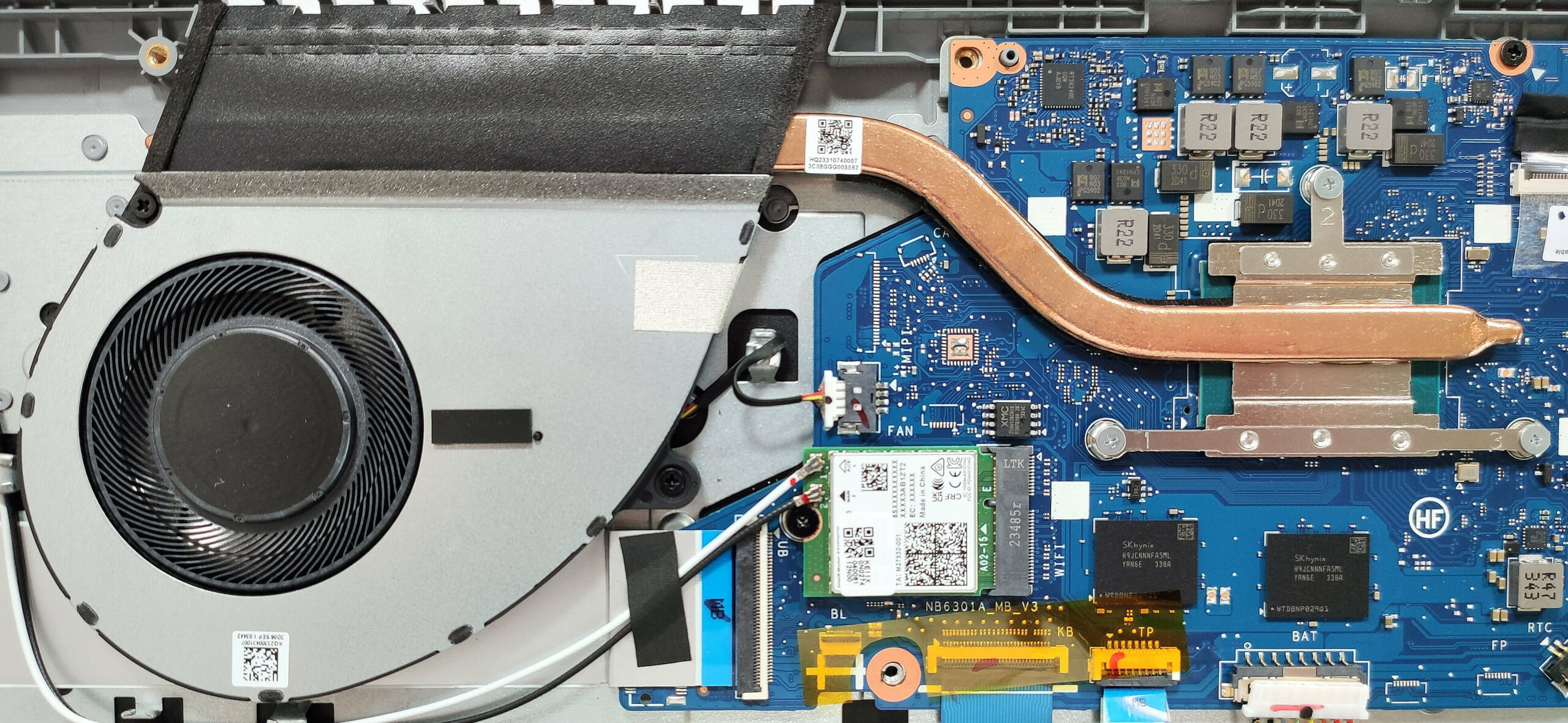
Note: The device comes with 4GB, 8GB, or 16GB of soldered LPDDR5-4800MHz RAM in single-channel mode. The Wi-Fi card is located next to the memory chips.
Storage Upgrade
- Locate the single M.2 slot compatible with 2280 Gen 3 SSDs.
- Remove the preinstalled SSD, if any, and the thermal pad beneath it, if present.
- Install the new SSD in the slot.
Note: Be aware that certain devices may come with 64GB or 128GB of eMMC storage, which might be too slow for modern laptop needs.
Hint: Don’t forget to check out our Top M.2 SSDs Performance Rankings for insights on the best storage options available.
You can buy compatible SSDs here: Buy from Amazon.com (#CommissionsEarned)
Cooling System Overview
- The cooling system is simple, consisting of one fan, a heat pipe, one top-mounted heat sink, and a heat spreader.
- Ensure all cooling components are clean and free of dust for optimal performance.
Acer Aspire 3 (A315-510P) in-depth review
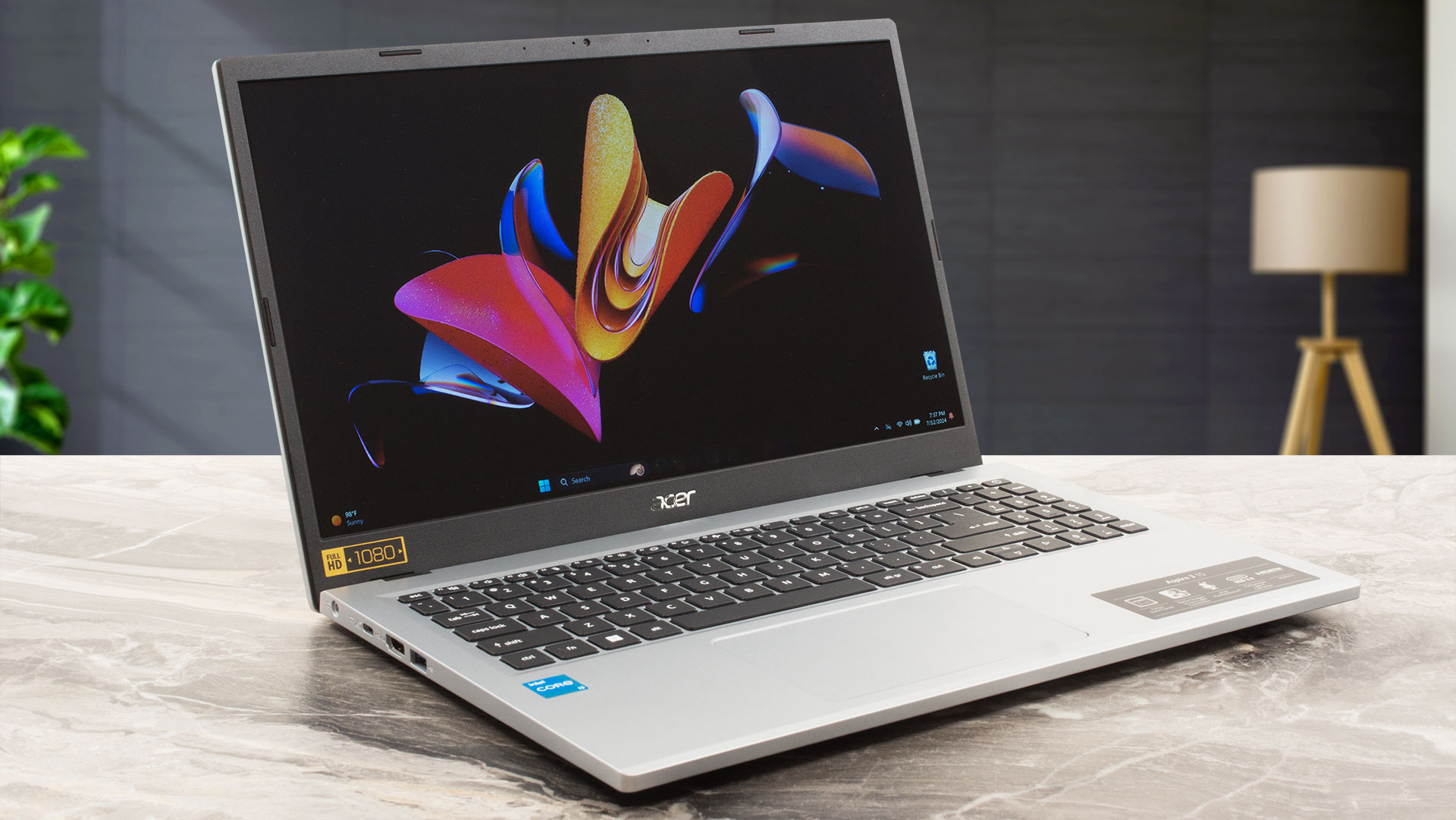
In terms of specs, the Aspire 3 (A315-510P) is almost similar to the bigger Aspire 3 (A317-55P) that we also have reviewed. This means that Alder Lake-N series processors power the 15-incher. We think the 6W 4-core Intel Processor N100 and N200 are too weak even for normal usage. That's why we picked a machine with the 15W Core i3-N305 which has eight E cores. Still not a beast but this chip's performance is snappy enough for daily tasks and even for light gaming. Yes, Dota 2 runs at 71 FPS on average on Low details which isn't a bad result at all given the soldered single-channel RAM.This[...]
Pros
- Long battery life considering the small 50Wh battery ~ 8 hours of videos
- Decent keyboard and touchpad
- Fair price
- The build is decently solid
- Lid with a lever design
- Good dimensions for a 15-incher (1.7 kg / 18.9 mm)
- PWM-free (BOE07CB)
- Snappy pixel response times of 9 ms (BOE07CB)
- Decent I/O for the price
- Wi-Fi 6 + Bluetooth 5.1
- The fan isn't noisy during full loads
- The Core i3-N305 can maintain ~3.00 GHz clock in short CPU stress
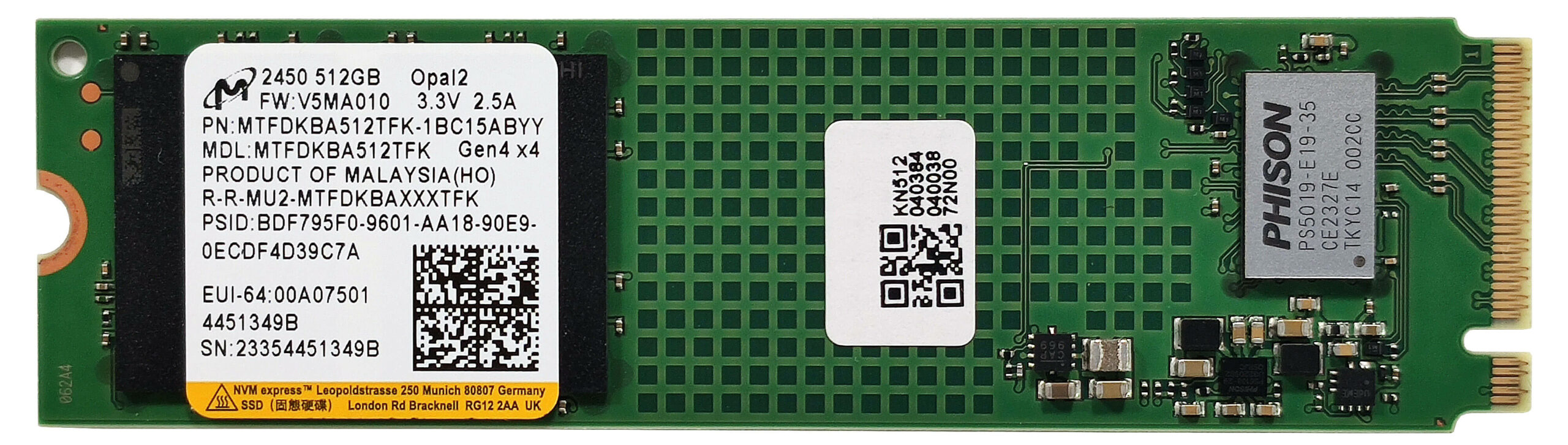
- SSD with TLC memory (Micron 2450 MTFDKBA512TFK)
Cons
- Some devices are configured with 4-core CPUs and eMMC storage
- Plastic build
- Low sRGB coverage and contrast ratio (BOE07CB)
- Bad viewing angles (BOE07CB)
- Soldered memory that works in a single-channel mode + just one M.2 slot
 Author: Severin Kolakov

![[June 2026] Best-Selling Laptop Brands on Amazon Global – Apple’s Unrivaled Dominance in Units and Revenue](https://laptopmedia.com/wp-content/uploads/2026/07/GLOBAL-Best-Brands-400x225.jpg)
![[June 2026] Amazon Global: Top 10 Best-Selling Laptops – Apple’s New MacBook Neo Storms to #1, Reshaping the Market with Affordability](https://laptopmedia.com/wp-content/uploads/2026/07/Best-Selling-Laptops-GLOBAL-Top-10-400x225.jpg)
![[June 2026] Amazon Global: Top 10 Best-Selling Gaming Laptops – Acer’s Nitro V 16S AI Dominates Sales, While ASUS Leads Overall Revenue](https://laptopmedia.com/wp-content/uploads/2026/07/Best-Selling-Gaming-Laptops-GLOBAL-Top-10-400x225.jpg)
![[June 2026] Global Ranking of Best-Selling Laptop GPUs on Amazon – NVIDIA RTX 5060 is the Top-Selling Dedicated GPU](https://laptopmedia.com/wp-content/uploads/2026/07/Best-Selling-GPUs-GLOBAL-Top-10-400x225.jpg)
![[June 2026] Global Ranking of Best-Selling Laptop CPUs on Amazon – Apple M5 Dominates, AMD Ryzen 7 260 Gets Solid Premium Share](https://laptopmedia.com/wp-content/uploads/2026/07/Best-Selling-CPUs-GLOBAL-Top-10-400x225.jpg)
