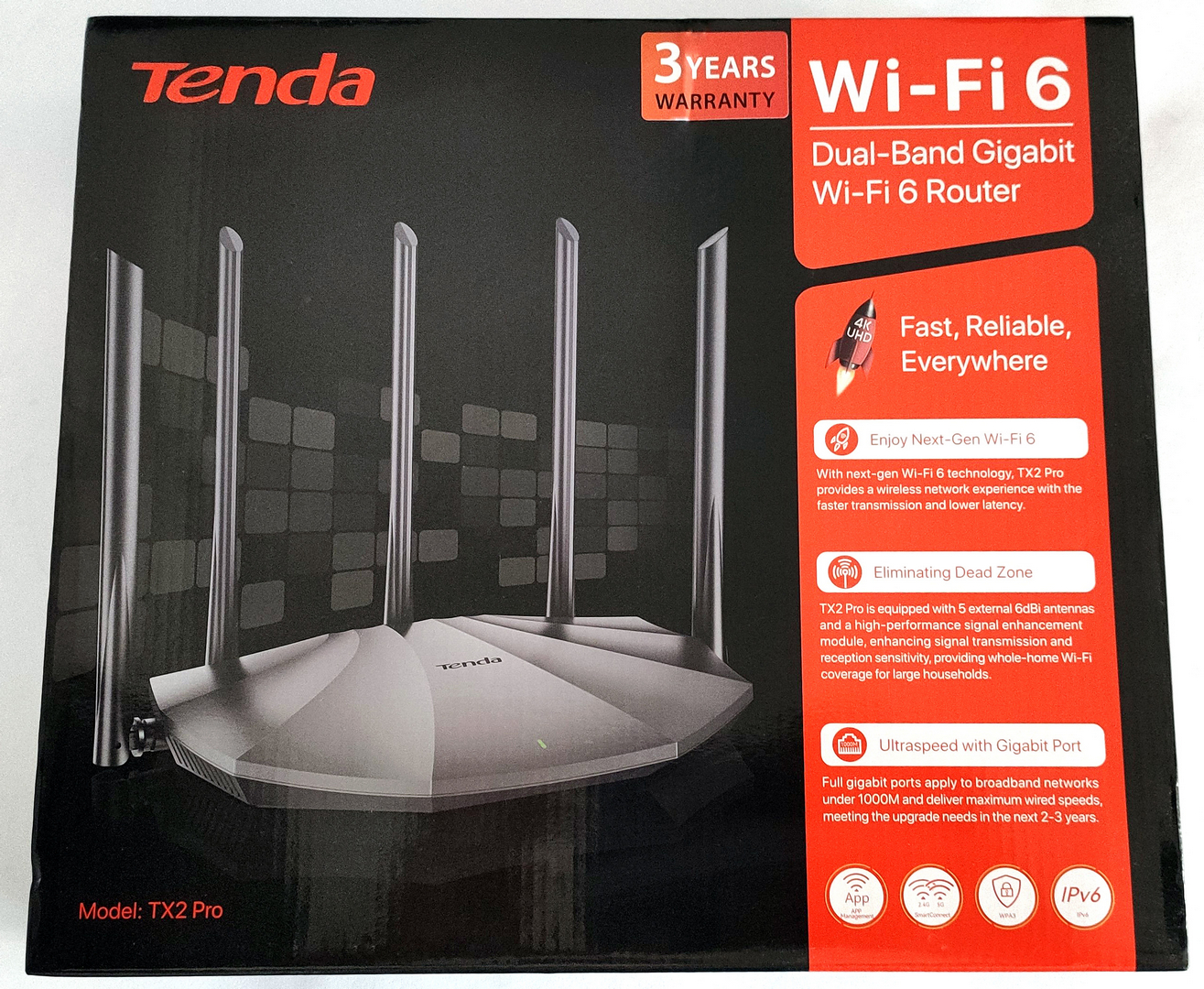
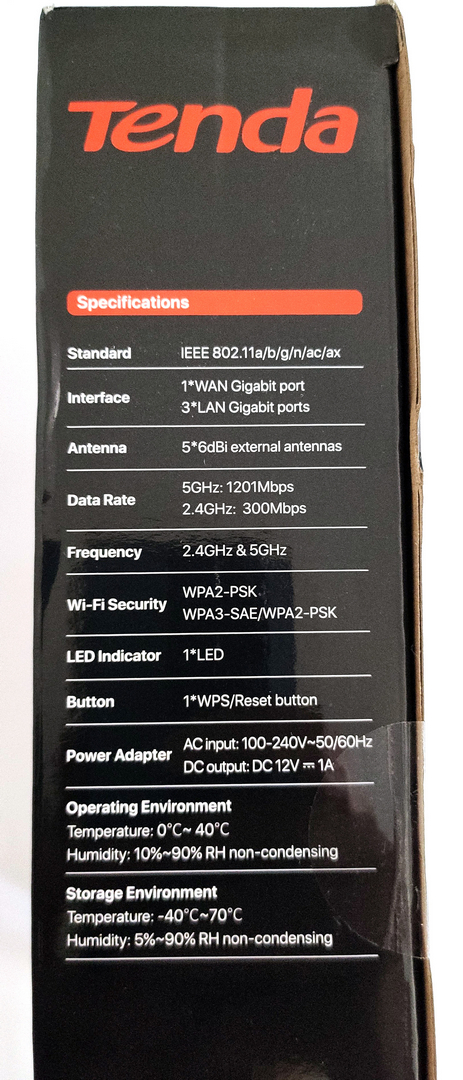
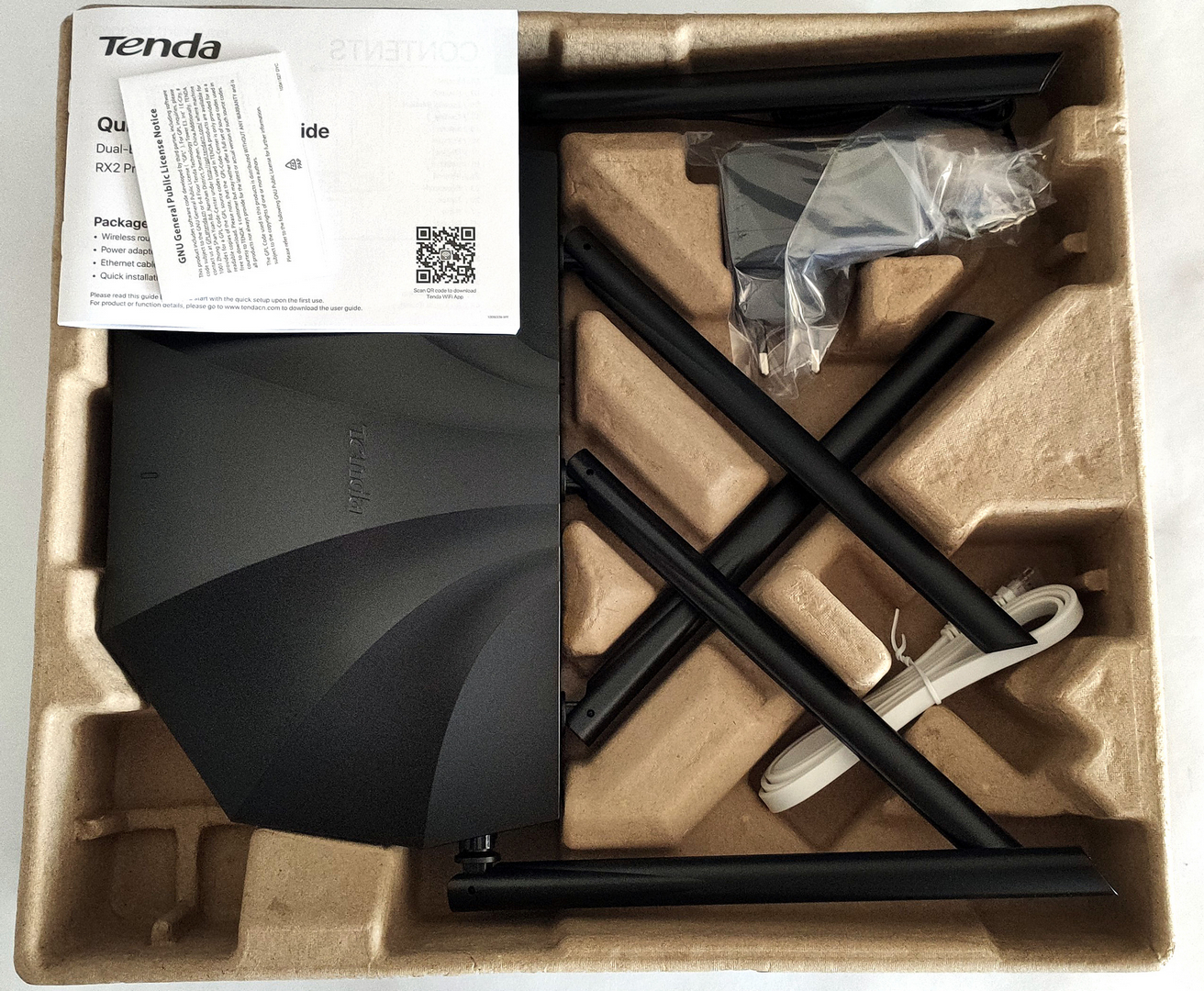
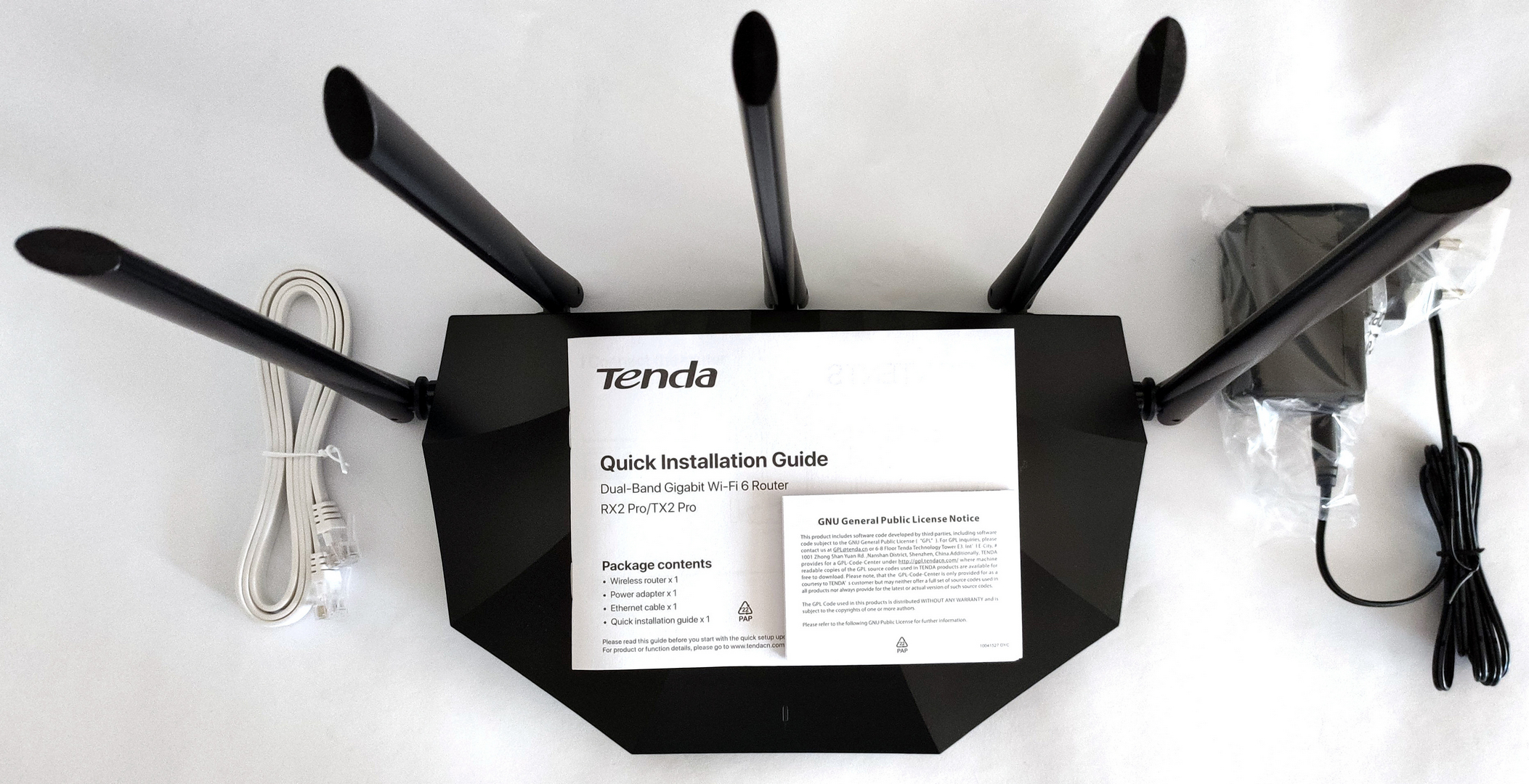
If you aren't a power user and you just need an Internet connection in your home (or small office) investing in an expensive high-end router is a total overkill. Most people are just browsing the Web, watching YouTube videos, uploading pictures to social media, gaming from time to time, etc. These are regular tasks that don't require a top-of-the-line router that offers tons of features that you'll not use even once. Still, nowadays the Wi-Fi 6 standard is the new normal and the market is loaded with a huge amount of different devices that are based on this protocol. In this review, we'll have a look at the Tenda TX2 Pro. This is an entry-level Wi-Fi 6 router that is meant for home and small office usage. We looked at the specs of this thing and we can tell that it's not a barebone device - it offers a useful amount of extras for its price (which is on the low side and that's good). The Tenda product impresses on paper with high-performance FEMs (WLAN Front-End Modules) and 5 external 6dBi high-gain antennas which should help to enhance the wireless coverage in places with many rooms and walls which are the public enemy number one when it comes to Wi-Fi signal quality. So, specs-wise, this router looks like a bargain, and were happy to see extras like OFDMA, MU-MIMO, a Gigabit WAN port, and three Gigabit LAN ports. Watching and streaming in 4K should be a piece of cake task for this fella, but let's check what else it has to offer, You can check the current price of Tenda TX2 Pro here: Specs Sheet Tenda TX2 Pro Standard&Protocol IEEE802.3, IEEE802.3u,IEEE802.3ab Interfaces 1*10/100/1000Mbps WAN Port 3*10/100/1000Mbps LAN Ports Antenna 5*6dBi External Antennas Button WPS/Reset Button*1 Power Input:AC 100-240V~50/60Hz 0.6A Output:DC 12V⎓1A Dimension 9.40*5.68*1.58 in (238.9*144.3*40.3mm) LED Indicator SYS*1 Wireless Standard IEEE 802.11n/b/g 2.4 GHz IEEE 802.11ax/ac/n/a 5GHz Data Rate 5GHz: Up to 1201Mbps 2.4GHz: Up to 300Mbps Frequency 2.4GHz & 5GHz Transmission Power CE: <20dBm(2.4G) <23dBm(5G) Basic Features Beamforming MU-MIMO Smart Power Saving Tenda App: Local and Remote Management Wireless Security WPA2-PSK WPA3-SAE/WPA2-PSK Wireless Encryption Disable and Enable WPS Fast Connection Internet Connection Type PPPoE, Dynamic IP, Static IP PPPoE(Russia), PPTP(Russia), L2TP(Russia) Unify,Maxis,Maxis-special,Celcom,Digi Operating Mode Wireless Router Mode AP Mode Universal Repeater Mode(Client+AP) DHCP Server DHCP Server DHCP Client List DHCP Reservation Virtual Server Port Forwarding DMZ Host UPnP Security Parental Control Client Filter Firewall Forbid UDP Flood Attack Forbid TCP Flood Attack Forbid ICMP Flood Attack Forbid WAN Ping from Internet DDNS Support DynDNS, No-ip,oray,88ip Special Features WPA3 Unify 2.4 GHz & 5 GHz Smart LED on/off Tenda Wi-Fi App Others Bandwidth Control Guest Network IPTV VLAN MAC Clone Static Routing System Log Backup & Restore configurations Firmware upgrade online Firmware upgradeable via browser Supports IPv6 Temperature Operating Temperature: 0℃~40℃ Storage Temperature : -40C ~70℃ Humidity Operating Humidity: 10 %~90% RH non-condensing Storage Humidity: 5 %~ 90%RH non-condensing Default Settings tendawifi.com or http://192.168.0.1 Certification CE, RoHS, FCC EIRP Power (Max) 2.4GHz<20dBm 5GHz<23dBm Package Contents Dual-Band Gigabit Wi-Fi 6 Router*1 Ethernet Cable*1 Power Adapter*1 Installation Guide*1 What's in the box? For an affordable device, the package is standard. The box is sturdy so the product and the accessories are well protected. Inside, you'll find the TX2 Pro device, a power adapter, a flat UTP cable (which is a nice touch), and the mandatory manuals. Design and construction The gadget isn't that crazy looking like its sibling - the Tenda AC23 AC2100. Still, the design is modern, the router is light and compact (well, it's not the most compact device in the market but the dimensions are fine), and on the bottom side, we can spot a lot of holes which will positively affect the heat dissipation during a hot summer. Installation, Features, Setup, and Testing The installation is more than easy (if you're not familiar with how to install and set up a router, the Quick Installation Guide is all you need). The first thing to do is to ensure an Internet connection to the router - you have to connect the WAN port of the device to the LAN port of your media convertor/modem. The next step is to connect your PC with the provided LAN cable to one of the three Ethernet ports or you can use a phone as well. Open a Web browser and ether the following address - 192.168.0.1. Of course, shortly after that, you have to enter a username and password in order to access the router for configuring - as always, the default SSID and the password are located on the bottom of the device. Don't forget to change them because someone can access your network with ease. The menus look almost exactly the same as the ones that can be seen on many other devices from the same brand. You can tweak and fine-tune so many settings. If you aren't a geek, just enter a new Wi-Fi password and you can leave the majority of the settings "as is" or on Auto. If you like to tweak settings and if you have previous experience, you can set up features like Parental Control, Guest Network, Blacklist/Whitelist, Timer Switch, and many more. The Guest network option is something like a trademark for the Tenda devices and it's super useful in situations like when you have a home party with a lot of guests and you don't want to give them access to your main network. You can create a separate Guest network with different Wi-Fi password and that's great in terms of safety. Also, the built-in firewall can automatically block DDOS attacks. Expectedly, standard commands like reset, reboot, and system log can be executed through the Web menu of the router or via the mobile Tenda program. Speaking of which, the dedicated software is easy to use and it's a great tool to monitor your network when you're on the go and not at home. Yes, remote management is so easy these days. System Log is very useful because you can see a lot of information about your network. Parental control is a great feature when you want to control how and when your kids can have access to the Internet and for extra safety, you can filter which Web sites can be accessed and which can not. Blacklisting or Whitelisting is another level of security, you can filter the devices that can access your network by MAC address. Testing the Tenda TX2 Pro is a pleasure. We didn't experience any kind of lags or connection problems. We connected some smartphones and laptops to our network and the connection is stable even when it has to go through walls. Of course, the connection speed of the distant devices isn't as fast as the ones that we're close to the router but that's more than normal. The most important thing is that all gadgets can rely on stable Wi-Fi or LAN connection and in our case, the ping in online games was good even when one of the test laptops was two rooms away from the router. Nice! Playing games, watching 4K or 8K videos, and Web browsing on different computers and smartphones is not a problem for the Tenda TX2 Pro. The Tenda product has a lot of tricks up in its sleeve like OFDMA (Orthogonal Frequency Division Multiple Access) which "enables Wi-Fi access points to serve multiple clients in parallel" and goodies like MU-MIMO can lead to enhanced and strong Wi-Fi coverage because the router can make a connection with multiple devices with the aid of five built-in antennas. Beamfolding is here as well - it can strengthen the signal to your most important machine which is nice to have especially if you're working at home and you need an Internet connection as stable as possible. The Tenda TX2 Pro offers some user-friendly options like smart switching between 2.4GHz and 5GHz channels, this happens on the fly and that's good in cases where many different old and new PCs and phones are connected to the network. WPA3 security is part of the default package which means enhanced protection for your passwords and better encryption for the network. Verdict Tenda TX2 Pro is a device that looks and feels up-to-date. For us, the router is a complete package for home users that don't want to spend too much money on tech like this. The gadget is light and the design is unintrusive so it's suitable for home and (small) office usage. As we said, the box ensures good protection for the router which is pretty useful if someone decides to play ping-pong with your precious machine before delivering it to you. The provided flat LAN cable looks sleek and that's a great small extra. For its price, the router offers a lot. We connected a lot of devices to our test network and we didn't observe any lags and speed problems during gaming, watching 4K and 8K videos, and casually browsing the Web. This is possible due to techs like MU-MIMO and OFDMA. With their aid (and with the five external 6dBi high-gain antennas in the mix) you can expect good ping in games (yes, "ping is king"), good downloading speeds, and stable Wi-Fi coverage. The Tenda device can be controlled locally or via the Tenda mobile program and that's good if you want to have a look at your network or to change an option or two when you're not at home. The device offers a nice amount of extras for its price tag as Parental Control, WPA3 Guest network, Whitelisting, Beamfolding, smart switching between 2.4GHz and 5GHz channels, etc. The Tenda TX2 Pro is a nicely priced entry-level Wi-Fi 6 router that offers a stable connection, useful extras, and a good amount of security features. You can check the current price of Tenda TX2 Pro here: