惠普 ZBook Fury 16 G10 评测–近乎静音的强大工作站,如同坦克一般的构造
性能测试CPU、GPU、游戏测试
所有基准和测试都是在惠普电源管理器应用程序中激活 “性能 “配置文件后进行的。此外,BIOS 中的 “独立显卡模式”(仅 dGPU)以及 “交流电源时风扇始终开启 “功能均已打开。


CPU 选项
该设备可配备英特尔酷睿 i5-13600HX、酷睿 i7-13700HX、酷睿 i7-13850HX 或酷睿 i9-13950HX。
在这里,我们通过真实世界的 3D 渲染任务评估 CPU 的性能,考察其高效处理复杂计算和渲染工作负载的能力。
结果来自 Cinebench 2024 多核测试(分数越高越好)
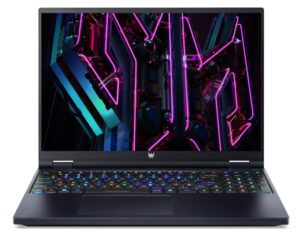
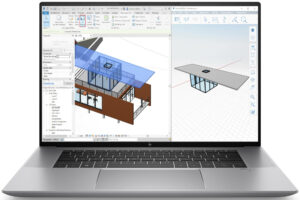
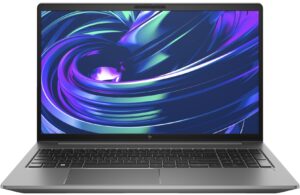
GPU 选项
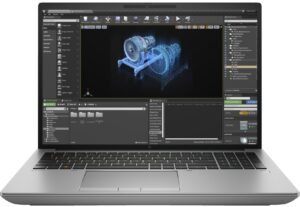
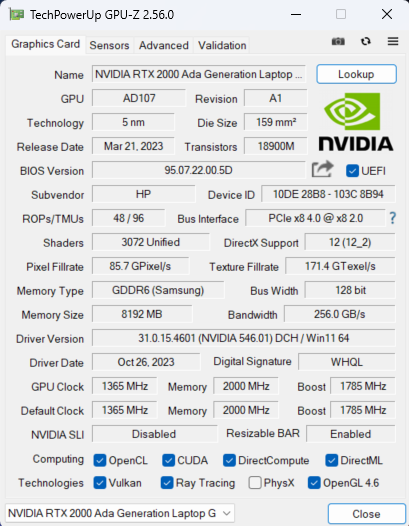
有趣的是,还有只配备 iGPU 的配置。您还可以选择五种 dGPU 选项 – NVIDIA RTX A1000(笔记本电脑)、RTX 2000 Ada Generation(65W)、RTX 3500 Ada Generation、RTX 4000 Ada Generation 和 RTX 5000 Ada Generation。
结果来自 3DMark Time Spy (Graphics)。分数越高越好。
结果来自 3DMark Fire Strike (Graphics) 基准测试(分数越高越好)
结果来自 3DMark Wild Life Extreme Unlimited。分数越高越好。
结果来自 Unigine Superposition 基准测试(分数越高越好)
HP ZBook Fury 16 G10 GPU的变体
在这里,你可以看到市场上[系列]型号的GPU之间的大致比较。这样你就可以自己决定哪一个[系列]型号是最划算的。
注:图表显示的是最便宜的不同GPU配置,所以你应该通过点击笔记本的名称/GPU来检查这些笔记本的其他规格是什么。
结果来自 3DMark Time Spy (Graphics)。分数越高越好。
结果来自 3DMark: Fire Strike (Graphics) 基准测试(分数越高越好)
结果来自3DMark: Wild Life(图形)基准测试(分数越高越好)。
结果来自 Unigine Superposition 基准测试(分数越高越好)
游戏测试


| 刺客信条瓦尔哈拉 | 全高清,低(检查设置) | 全高清,中(检查设置) | 全高清,高(检查设置) | 全高清,超(检查设置) |
|---|---|---|---|---|
| 平均 FPS | 158 帧/秒 | 131 帧/秒 | 108 帧/秒 | 92 帧/秒 |

| 边陲 3 | 全高清,V.Low(检查设置) | 全高清,中(检查设置) | 全高清,高(检查设置) | 全高清,坏蛋(检查设置) |
|---|---|---|---|---|
| 平均 FPS | 188 帧/秒 | 146 帧/秒 | 101 帧/秒 | 77 帧 |

| 远征 6 | 全高清,低(检查设置) | 全高清,高(检查设置) | 全高清,超(检查设置) |
|---|---|---|---|
| 平均每秒帧数 | 143 帧/秒 | 115 帧/秒 | 101 帧/秒 |

| 齿轮 5 | 全高清,低(检查设置) | 全高清,中(检查设置) | 全高清,高(检查设置) | 全高清,超(检查设置) |
|---|---|---|---|---|
| 平均每秒帧数 | 218 帧/秒 | 159 帧/秒 | 137 帧/秒 | 110 帧/秒 |
65W RTX 2000 Ada Generation GPU 在四款测试游戏中表现出色。如果不算《荒野大镖客 3》(Borderlands 3 on Badass quality),其他成绩都比惠普 ZBook Studio 16 G10 的 60W NVIDIA RTX 3000 Ada Generation GPU 的成绩要好。由此可见,惠普 ZBook Fury 16 G10 的性能和调校都非常出色。
 Author: Nikolay Palaozov
 Author: eng. Kroum NikolovHead of Engineering at LaptopMedia.com, inventor and innovator with 40+ years of experience in electronics and high technology.

![[2026年7月] 亚马逊全球畅销笔记本显卡排行榜——RTX 5060主导高端市场,英特尔仍主导入门级市场](https://laptopmedia.com/wp-content/uploads/2026/08/Best-Selling-GPUs-GLOBAL-Top-10-400x225.jpg)
![[2026年7月] 亚马逊全球畅销笔记本电脑CPU排行榜——苹果主导高端市场,英特尔稳居总榜榜首](https://laptopmedia.com/wp-content/uploads/2026/08/Best-Selling-CPUs-GLOBAL-Top-10-400x225.jpg)
![[July 2026] Amazon Canada: Top 10 Best-Selling Laptops – Apple MacBook Neo Dominates the Market to Claim the #1 Spot](https://laptopmedia.com/wp-content/uploads/2026/08/Best-Selling-Laptops-CA-Top-10-2-400x225.jpg)
![[July 2026] Best-Selling Laptop Brands on Amazon Japan – HP and Lenovo Dominate Units and Revenue Amid Fierce Competition](https://laptopmedia.com/wp-content/uploads/2026/08/CO.JP-Best-Brands-2-400x225.jpg)
![[July 2026] Amazon Italy: Top 10 Best-Selling Laptops – Apple MacBook Neo Claims the #1 Spot Amid Budget-Friendly Dominance](https://laptopmedia.com/wp-content/uploads/2026/08/Best-Selling-Laptops-IT-Top-10-400x225.jpg)

Thanks for the comprehensive review, it’s one of the few quality reviews out there. I’m glad HP kept the physical touchpad buttons. I suppose the laptop designers have no idea how IMPORTANT these physical buttons can be to the design & engineering industries (e.g. architectural and urban design, and perhaps the entire creative industry). We need the middle button to quickly pan/rotate views in 3D modelling / simulation software, and the physical left/right keys for fast, precise clicking without any sluggishness / accidental clicking and dragging. Not everyone wants to carry around a mouse and separate keyboard. After all, this is… 阅读更多 »
I don´t think people are doing 3d modeling at a café or in a plane, and need full control of the camera all the time. They have a standard usb mouse or a 3d connexion if they need that feature. I get it, I’use middle mouse drag and even more complex gestures in SideFX Houdini, but when you’re on your laptop on the go, you do with what you have.