惠普 ZBook Fury 16 G10 评测–近乎静音的强大工作站,如同坦克一般的构造
拆卸、升级选项和维护
这款工作站的打开过程非常简单。只需向右滑动位于中间的服务门锁。然后,轻轻向上拉动底板,将其从机箱上抬起。
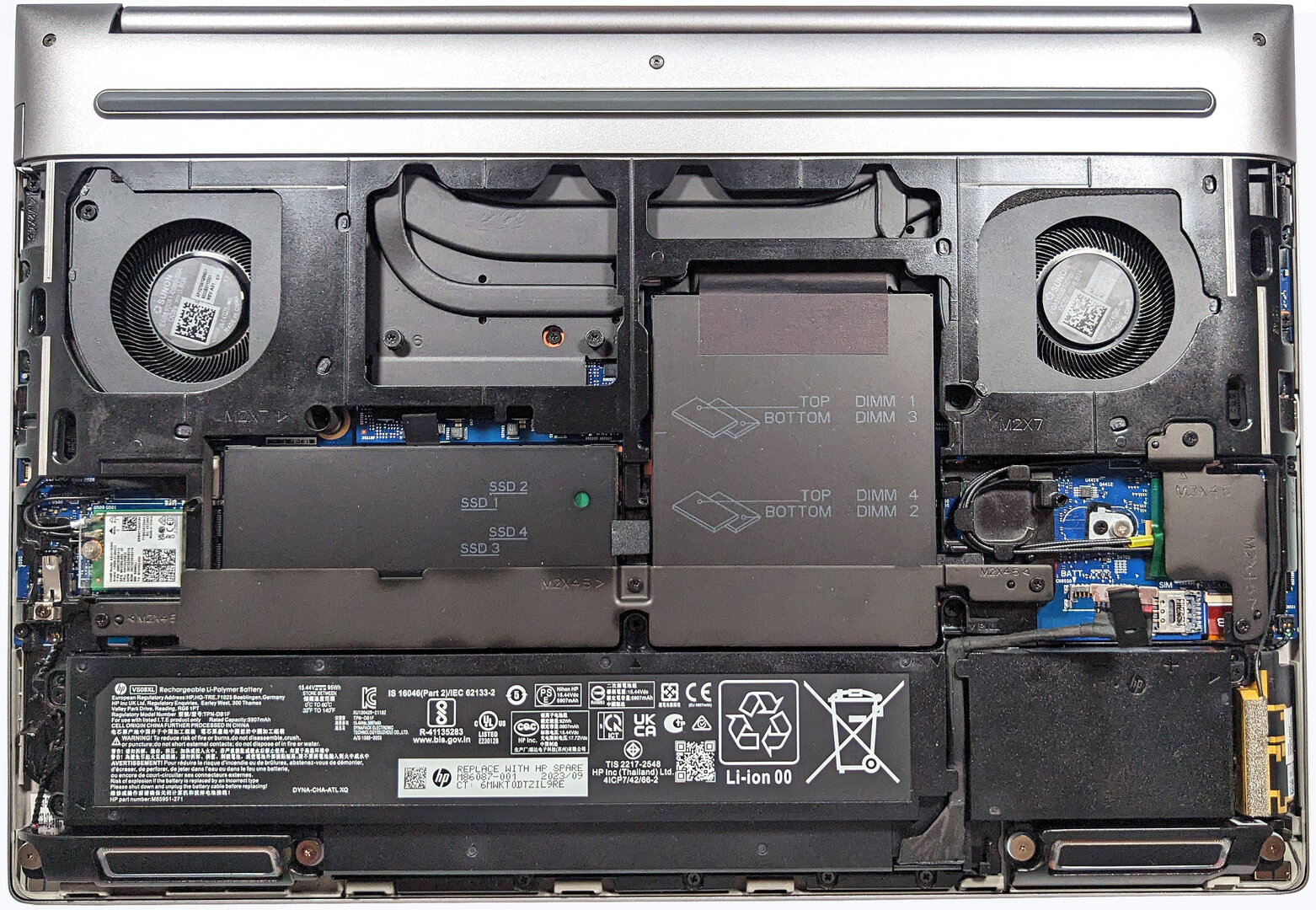
这就是底板的内部结构。

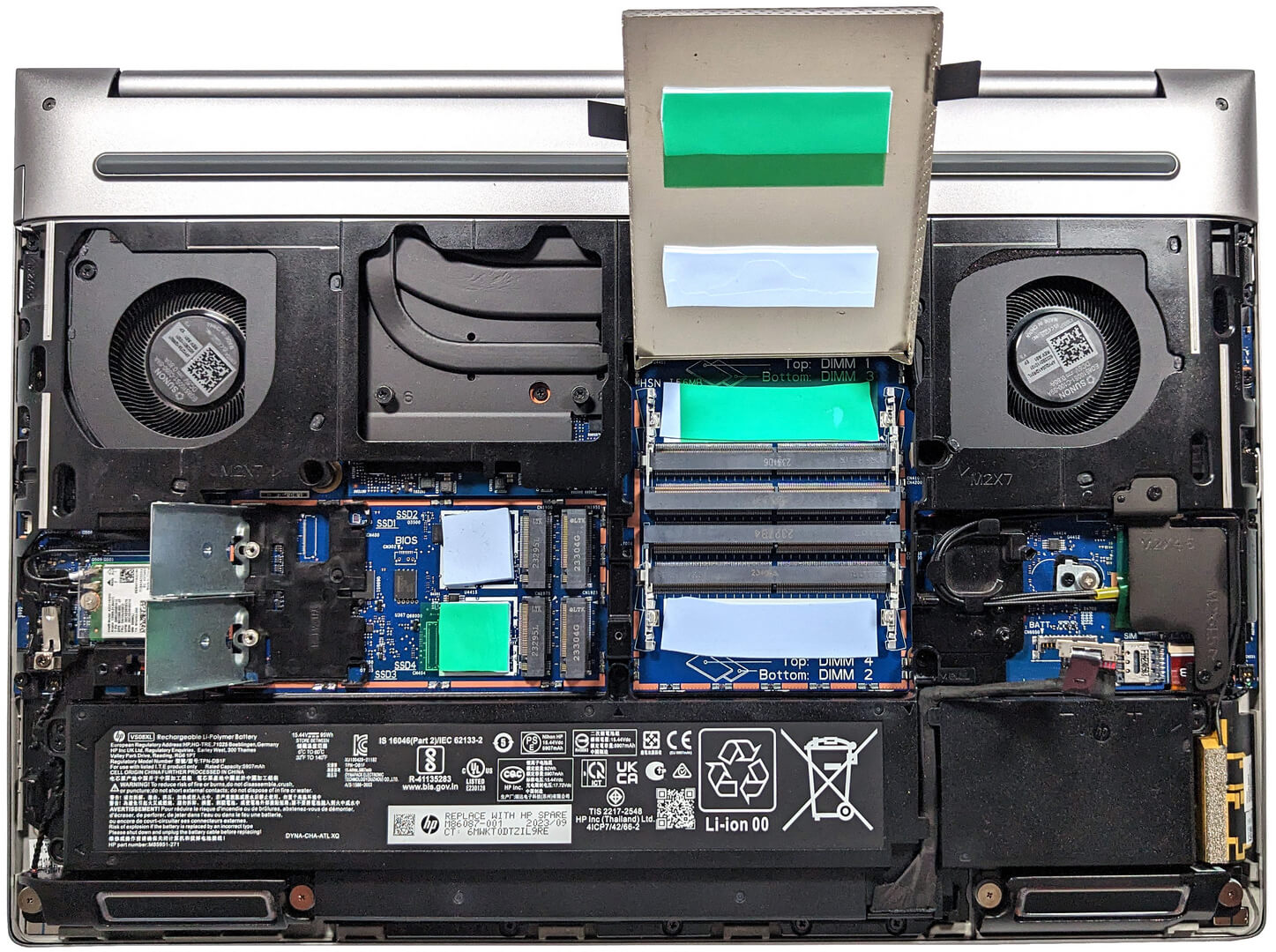
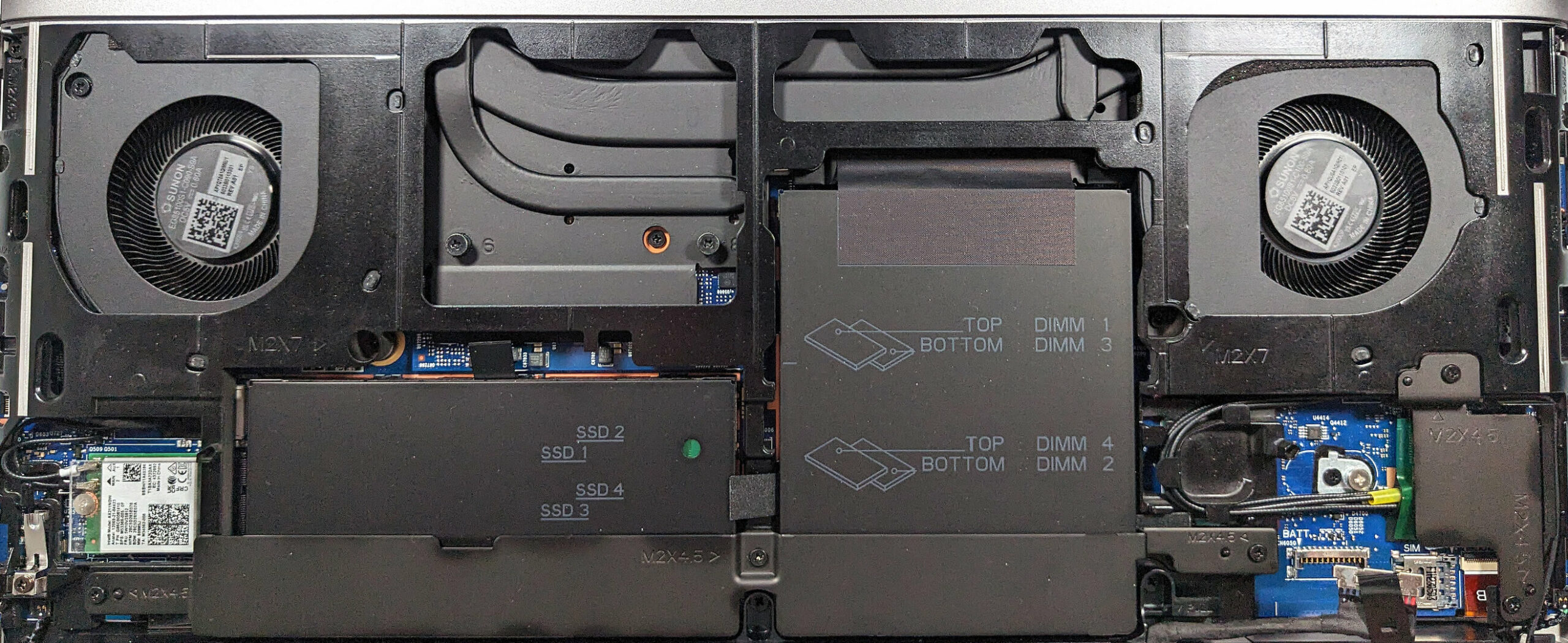
这是在打开/取下所有维修盖时的视图。
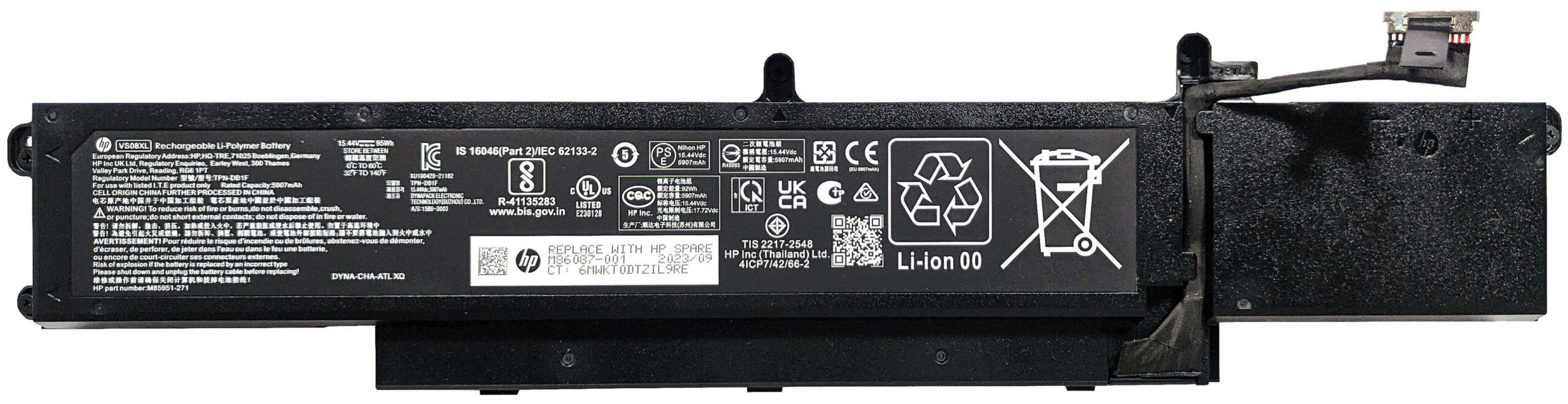
电池容量为 95 瓦时。如果要取出电池,只需将连接器从主板上拆下,然后拧下 5 颗十字螺丝,将电池固定到位即可。电池容量足够浏览 16 小时 40 分钟的网页或播放约 12 小时 30 分钟的视频。
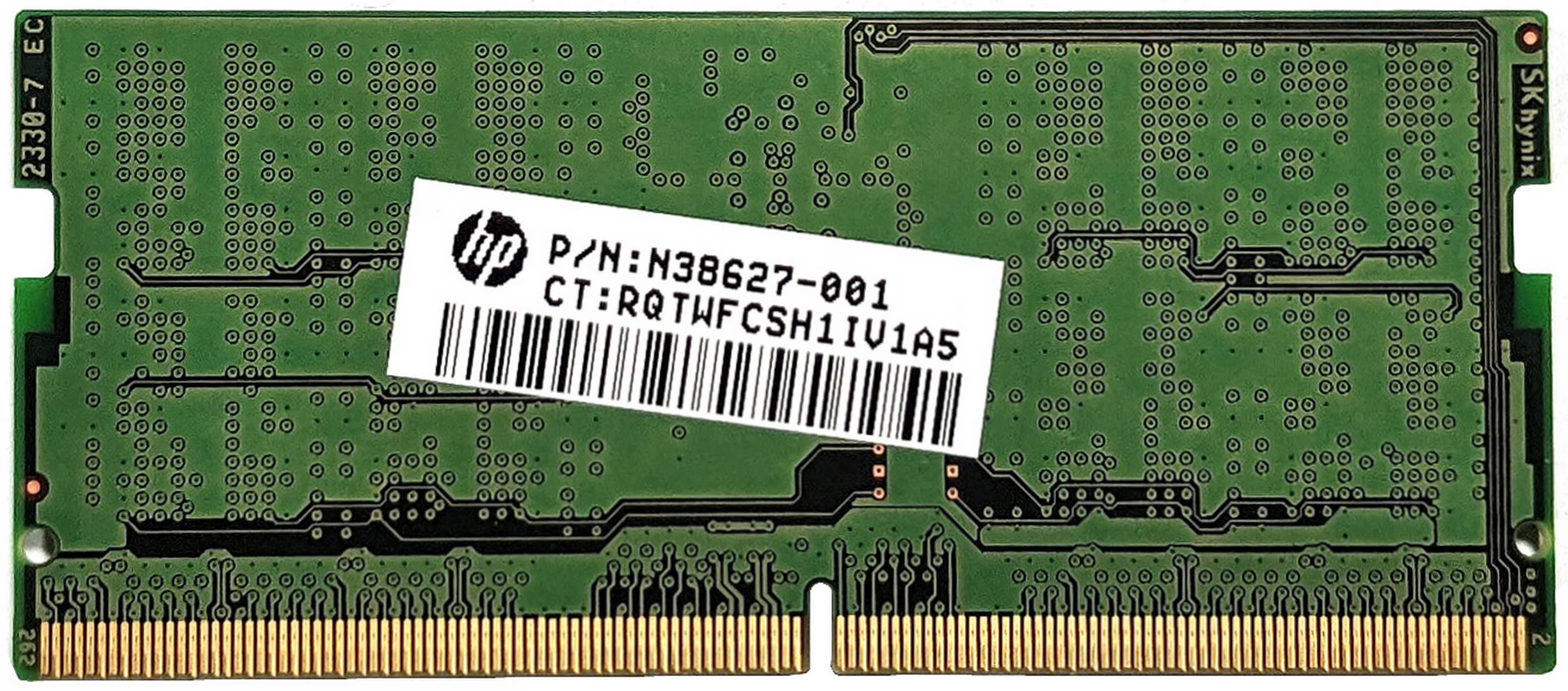
内存和存储区域由金属板覆盖,并由金属固定支架固定。拆卸之前,必须先拧下三颗十字螺丝。长金属片上有一个散热垫,用于为固态硬盘区散热。四个 SODIMM 隐藏在金属服务盖下面,服务盖内侧有一对散热垫,用于顶部安装的内存模块。在双通道模式下,插槽最多可容纳 128GB (4x32GB)DDR5-4800MHz ECC 内存或 128GB (4x32GB)DDR5-5600MHz 非 ECC 内存。我们还可以在主板上发现另外两个焊盘,用于安装底部位置的内存条。请注意,安装单排模块时,内存的运行速度为 4000 MT/s。双排内存条的速度为 3600 MT/s。



在第二个金属护罩(也有两个用于冷却顶部位置的 NVMes 的垫子)下方,有四个 M.2 插槽,可兼容 2280 Gen 4 SSD 或自加密(SED)OPAL2 设备。此外,它们还由固定盖固定。你必须先拧下两颗十字头螺丝,然后才能旋起每个盖板。同样,主板上有两个垫片,用于放置底部的固态硬盘。标准固态硬盘型号支持 RAID 0、RAID 1、RAID 5 和 RAID 10 模式。RAID 5 和 RAID 10 与 Opal 设备不兼容。


这里的冷却系统被称为 “HP Vaporforce Thermals”。这是一种大型蒸汽腔解决方案。其中一部分是可见的,如大型金属风扇和一些粗大的金属热管。
 Author: Nikolay Palaozov
 Author: eng. Kroum NikolovHead of Engineering at LaptopMedia.com, inventor and innovator with 40+ years of experience in electronics and high technology.

![[2026年7月] 亚马逊全球畅销笔记本显卡排行榜——RTX 5060主导高端市场,英特尔仍主导入门级市场](https://laptopmedia.com/wp-content/uploads/2026/08/Best-Selling-GPUs-GLOBAL-Top-10-400x225.jpg)
![[2026年7月] 亚马逊全球畅销笔记本电脑CPU排行榜——苹果主导高端市场,英特尔稳居总榜榜首](https://laptopmedia.com/wp-content/uploads/2026/08/Best-Selling-CPUs-GLOBAL-Top-10-400x225.jpg)
![[July 2026] Amazon Canada: Top 10 Best-Selling Laptops – Apple MacBook Neo Dominates the Market to Claim the #1 Spot](https://laptopmedia.com/wp-content/uploads/2026/08/Best-Selling-Laptops-CA-Top-10-2-400x225.jpg)
![[July 2026] Best-Selling Laptop Brands on Amazon Japan – HP and Lenovo Dominate Units and Revenue Amid Fierce Competition](https://laptopmedia.com/wp-content/uploads/2026/08/CO.JP-Best-Brands-2-400x225.jpg)
![[July 2026] Amazon Italy: Top 10 Best-Selling Laptops – Apple MacBook Neo Claims the #1 Spot Amid Budget-Friendly Dominance](https://laptopmedia.com/wp-content/uploads/2026/08/Best-Selling-Laptops-IT-Top-10-400x225.jpg)

Thanks for the comprehensive review, it’s one of the few quality reviews out there. I’m glad HP kept the physical touchpad buttons. I suppose the laptop designers have no idea how IMPORTANT these physical buttons can be to the design & engineering industries (e.g. architectural and urban design, and perhaps the entire creative industry). We need the middle button to quickly pan/rotate views in 3D modelling / simulation software, and the physical left/right keys for fast, precise clicking without any sluggishness / accidental clicking and dragging. Not everyone wants to carry around a mouse and separate keyboard. After all, this is… 阅读更多 »
I don´t think people are doing 3d modeling at a café or in a plane, and need full control of the camera all the time. They have a standard usb mouse or a 3d connexion if they need that feature. I get it, I’use middle mouse drag and even more complex gestures in SideFX Houdini, but when you’re on your laptop on the go, you do with what you have.