MSI Katana 15 HX B14W Review – The Surprise of the Year!
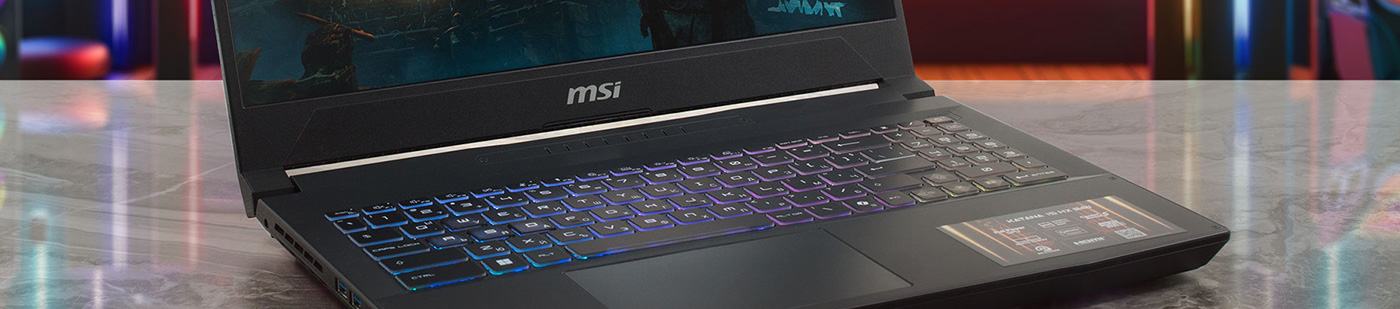
In the world of gaming laptops, you usually get what you pay for. But every now and then, a machine comes along that completely defies expectations. The MSI Katana 15 HX (B14Wx) is exactly that kind of surprise. On the outside, it looks like a standard, budget-conscious gaming laptop with a plastic chassis and a modest design. But under the hood, it’s hiding a secret: it is an absolute performance monster. In our testing, this unassuming laptop didn’t just compete with high-end rivals; it beat them, setting a new record as the fastest RTX 5070 laptop we have ever reviewed. Is this the best-kept secret in gaming laptops right now?
You can check the prices and configurations in our Specs System: https://laptopmedia.com/series/msi-katana-15-hx-b14wx/
Contents
Specs, Drivers, What’s in the box
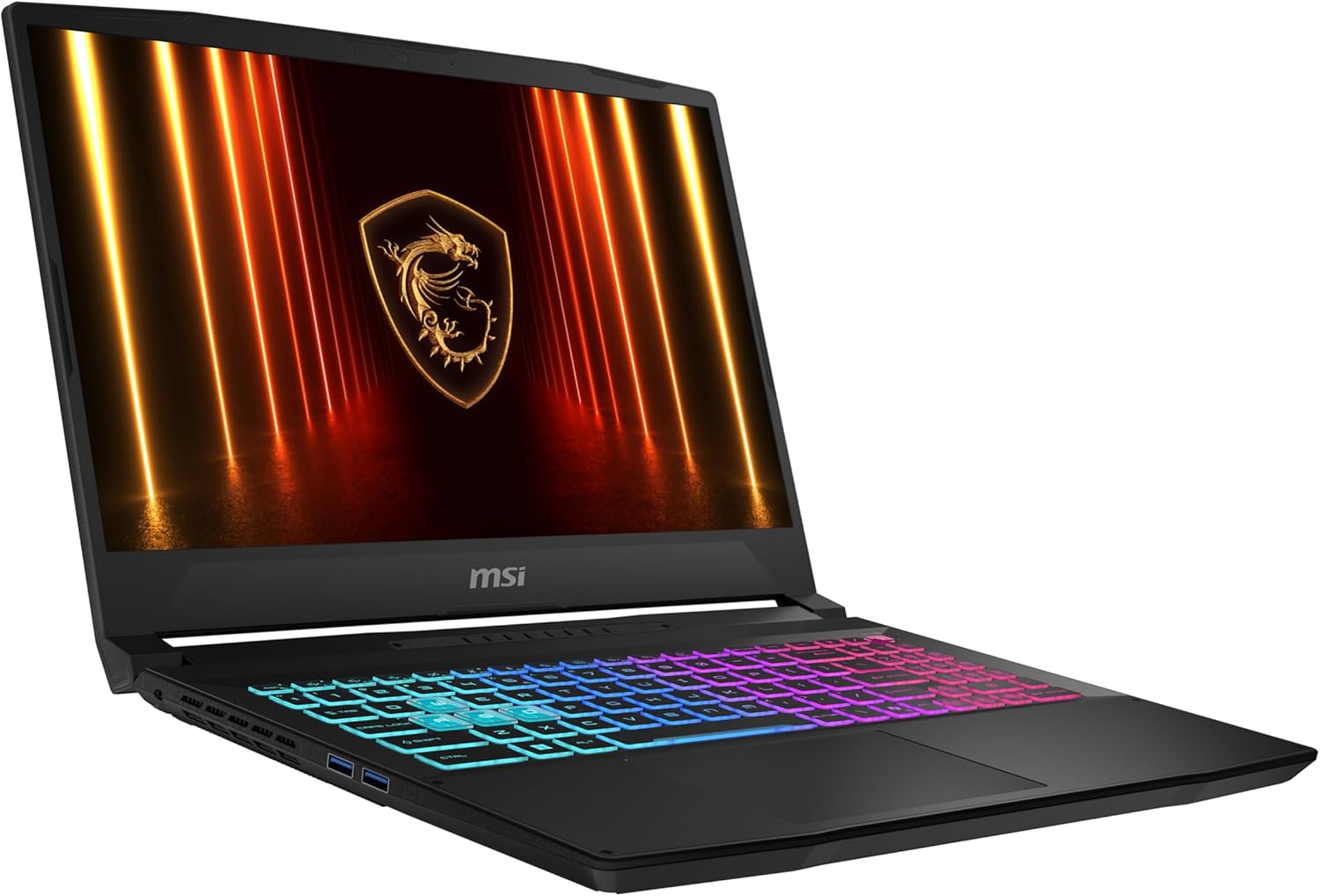
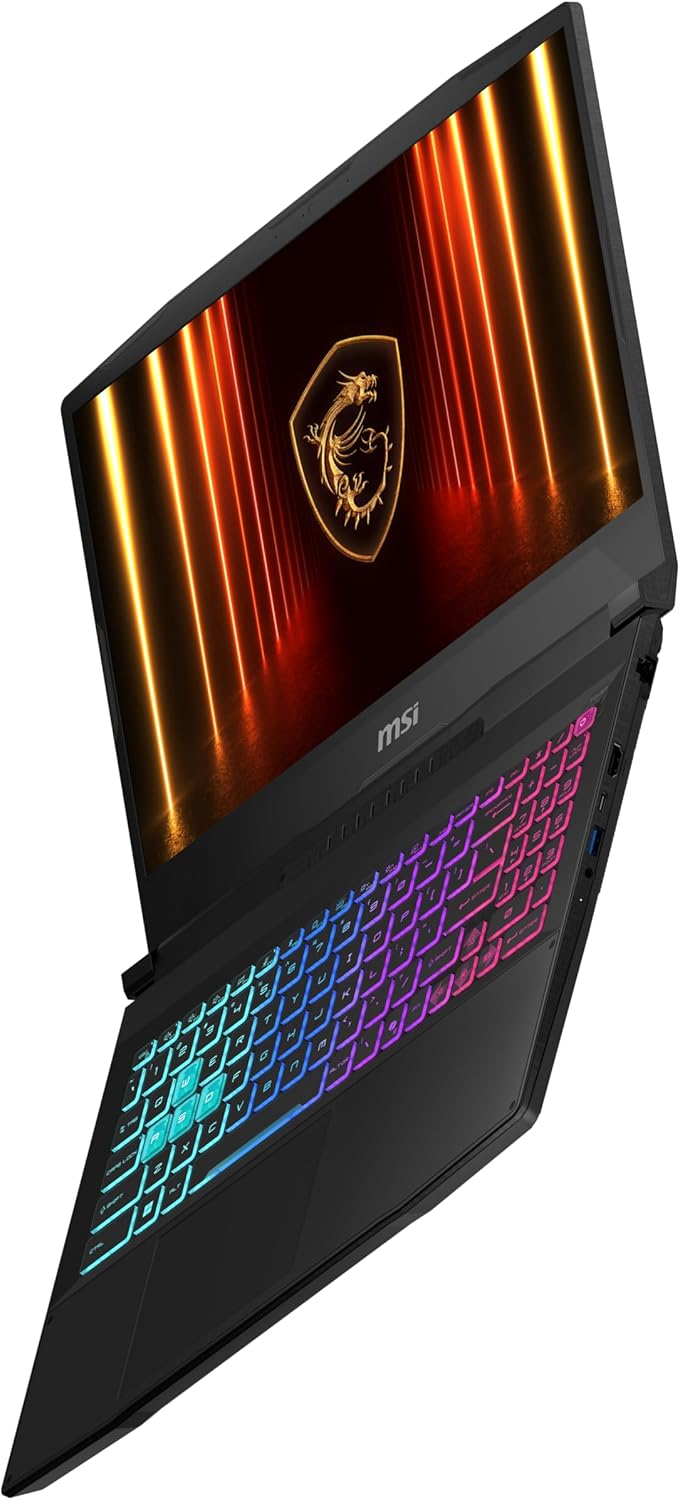
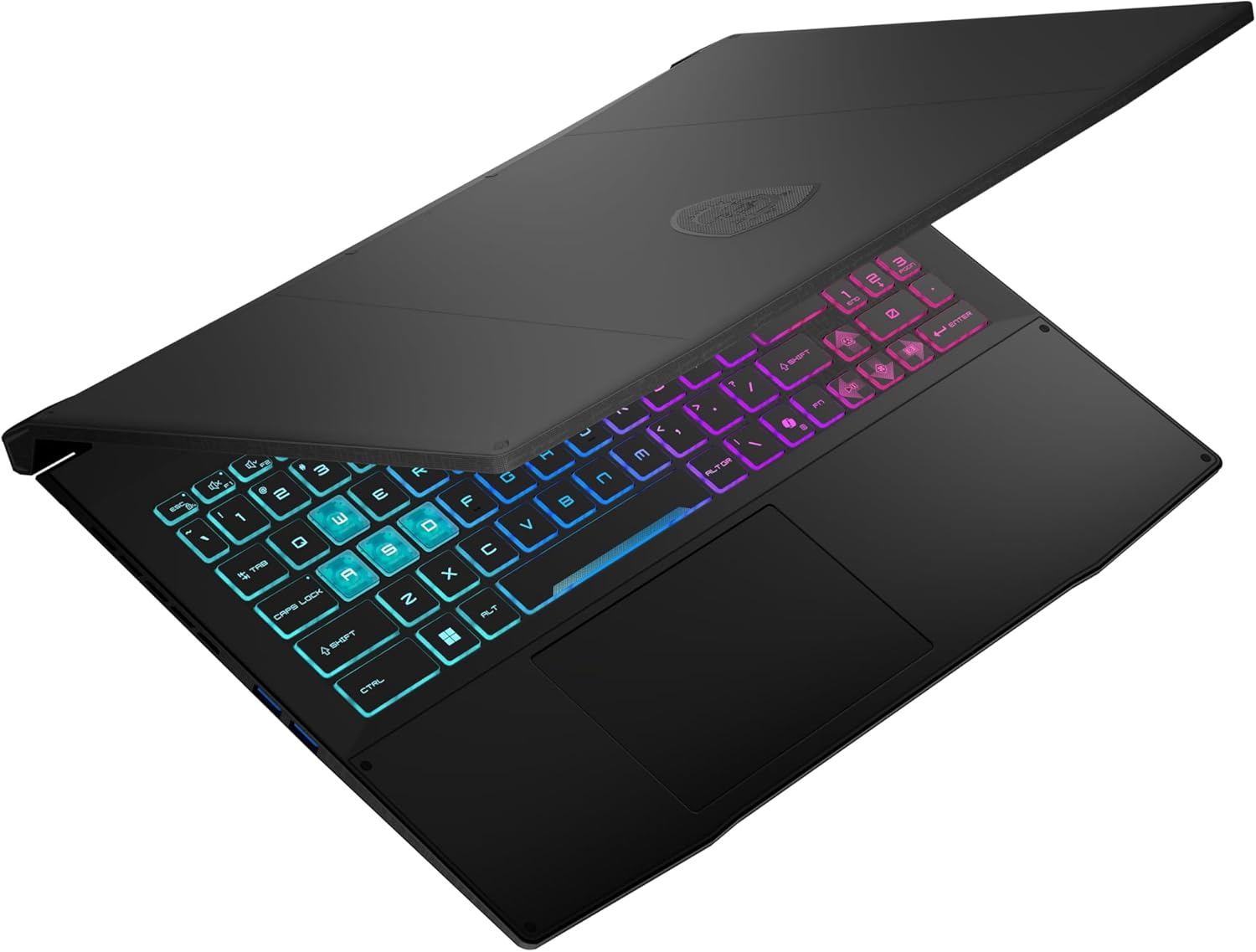
MSI Katana 15 HX (B14Wx) - Specs

- HDD/SSD
- up to 4000GB SSD
- M.2 Slot
- 1x 2280 M.2 NVMe PCIe 4.0 x4 See photo
- RAM
- up to 96GB
- OS
- Windows 11 Home, Windows 11 Pro, Windows 10 Pro, No OS
- Battery
- 75Wh
- Body material
- Plastic / Polycarbonate
- Dimensions
- 359 x 262 x 25.5 mm (14.13" x 10.31" x 1.00")
- Weight
- 2.40 kg (5.3 lbs)
- Ports and connectivity
- 3x USB Type-A
- 3.2 Gen 2 (10 Gbps)
- 1x USB Type-C
- 3.2 Gen 2 (10 Gbps), Power Delivery (PD), DisplayPort
- HDMI
- 2.1 (8K@60Hz / 4K@120Hz)
- Card reader
- Ethernet LAN
- 10, 100, 1000 Mbit/s
- Wi-Fi
- Wi-Fi 6E
- Bluetooth
- 5.3
- Audio jack
- 3.5mm Combo Jack
- Features
- Fingerprint reader
- Web camera
- HD
- Backlit keyboard
- Microphone
- Speakers
- 2x 2W Stereo Speakers
- Security Lock slot
All MSI Katana 15 HX (B14Wx) configurations
Drivers
All drivers and utilities for this notebook can be found here: https://www.msi.com/Laptop/Katana-15-HX-B14WX/support
What’s in the box?
Unboxing the MSI Katana 15 HX B14W is a refreshingly simple affair, focused entirely on the core hardware.
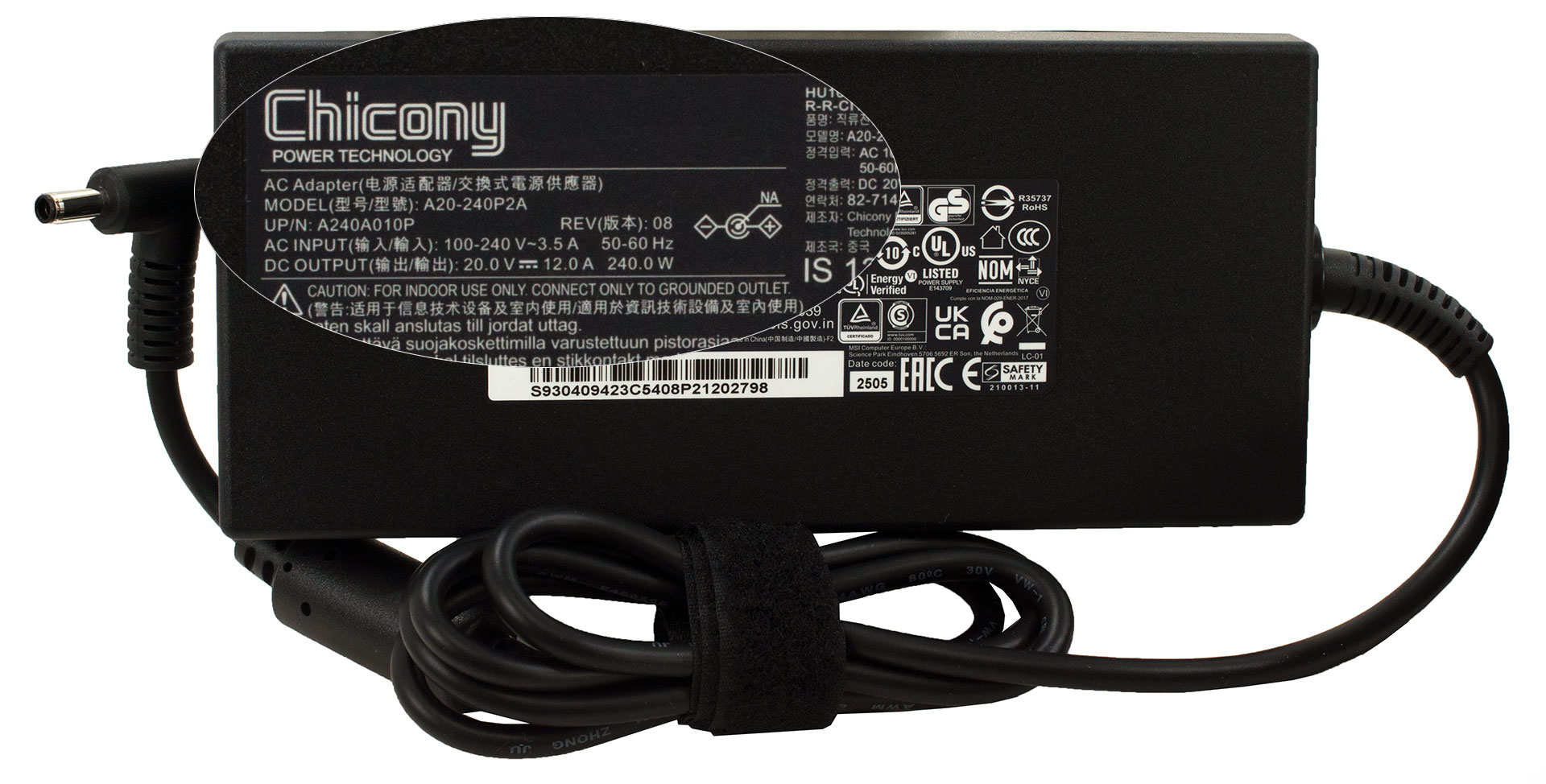
Inside the box, you’ll find just the laptop itself, its required 230W power adapter, and the setup manuals.
Design and construction
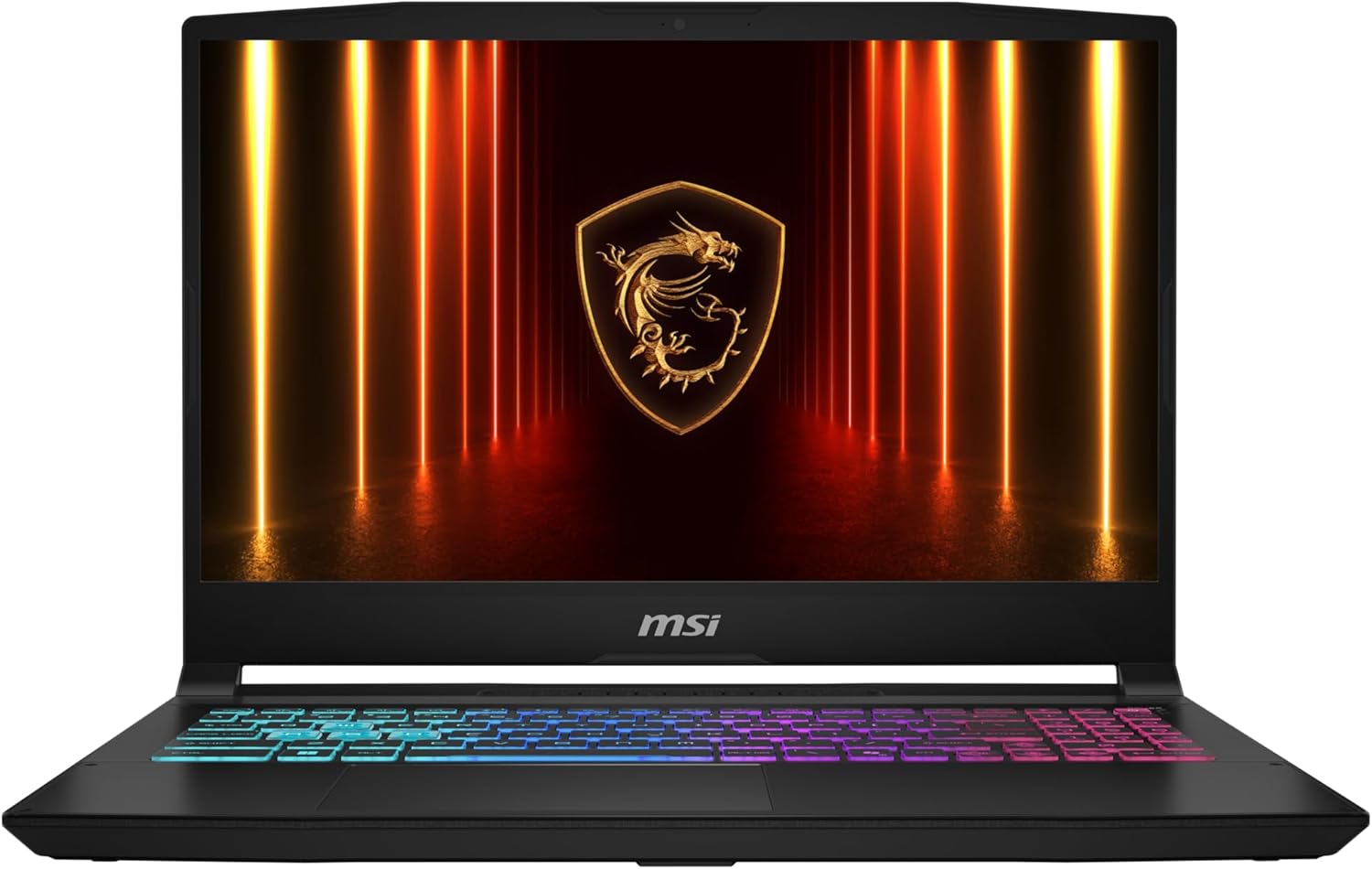
The MSI Katana 15 HX B14W embraces its gaming identity with a design that leans decidedly towards the aggressive. Its chassis features angular, “broken” lines and rugged edges, all finished in a quintessential gamer black.
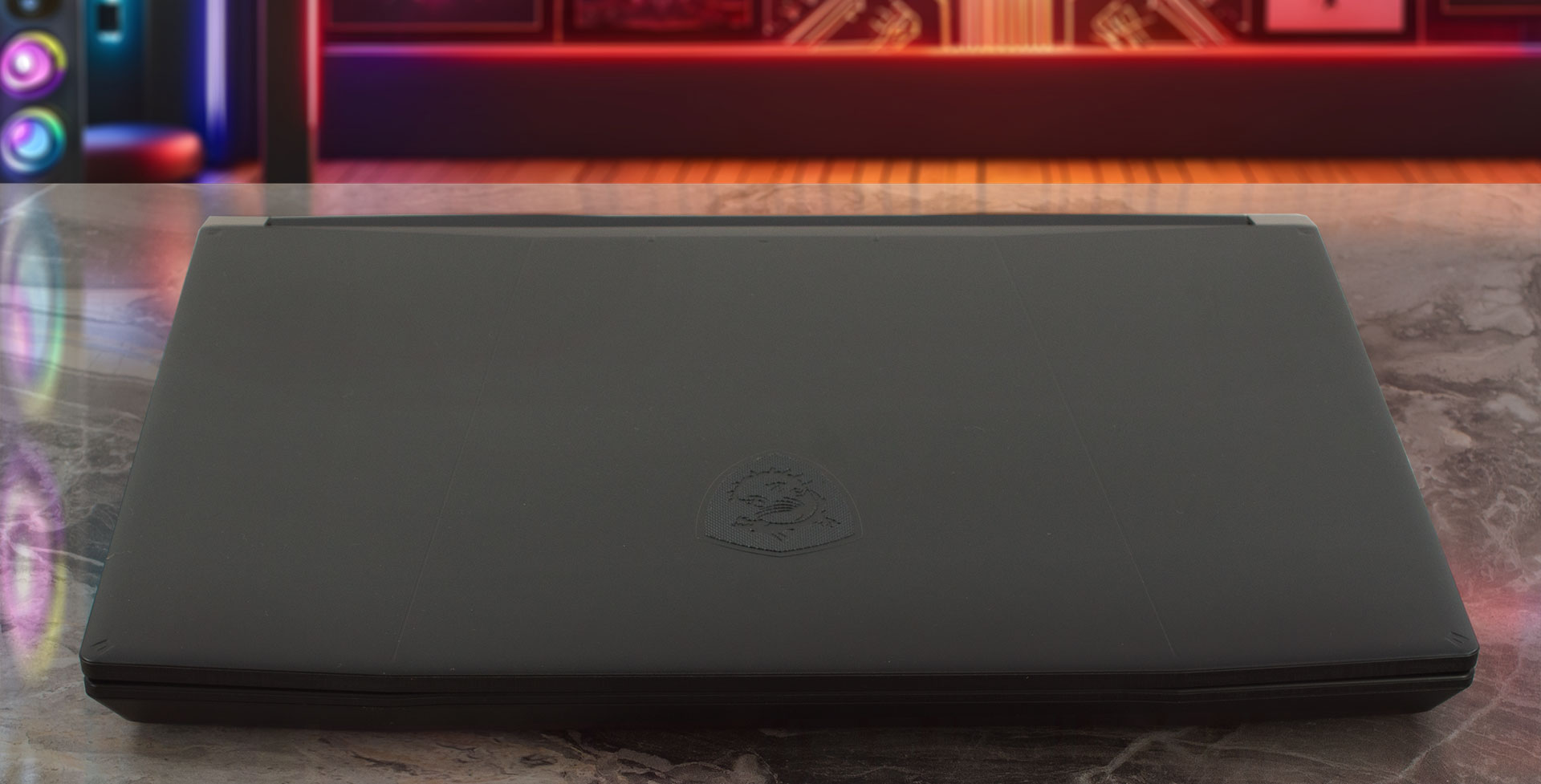
While MSI reserves metal construction solely for its flagship Titan line, meaning the Katana is built entirely from plastic, the build quality is commendable. It feels solid in the hand, exhibiting only minimal flex even under deliberate pressure, so durability shouldn’t be a concern in daily use. A nice practical touch is the finish’s resistance to fingerprints; while you might spot tiny smudges under specific lighting angles, the laptop generally stays looking clean.
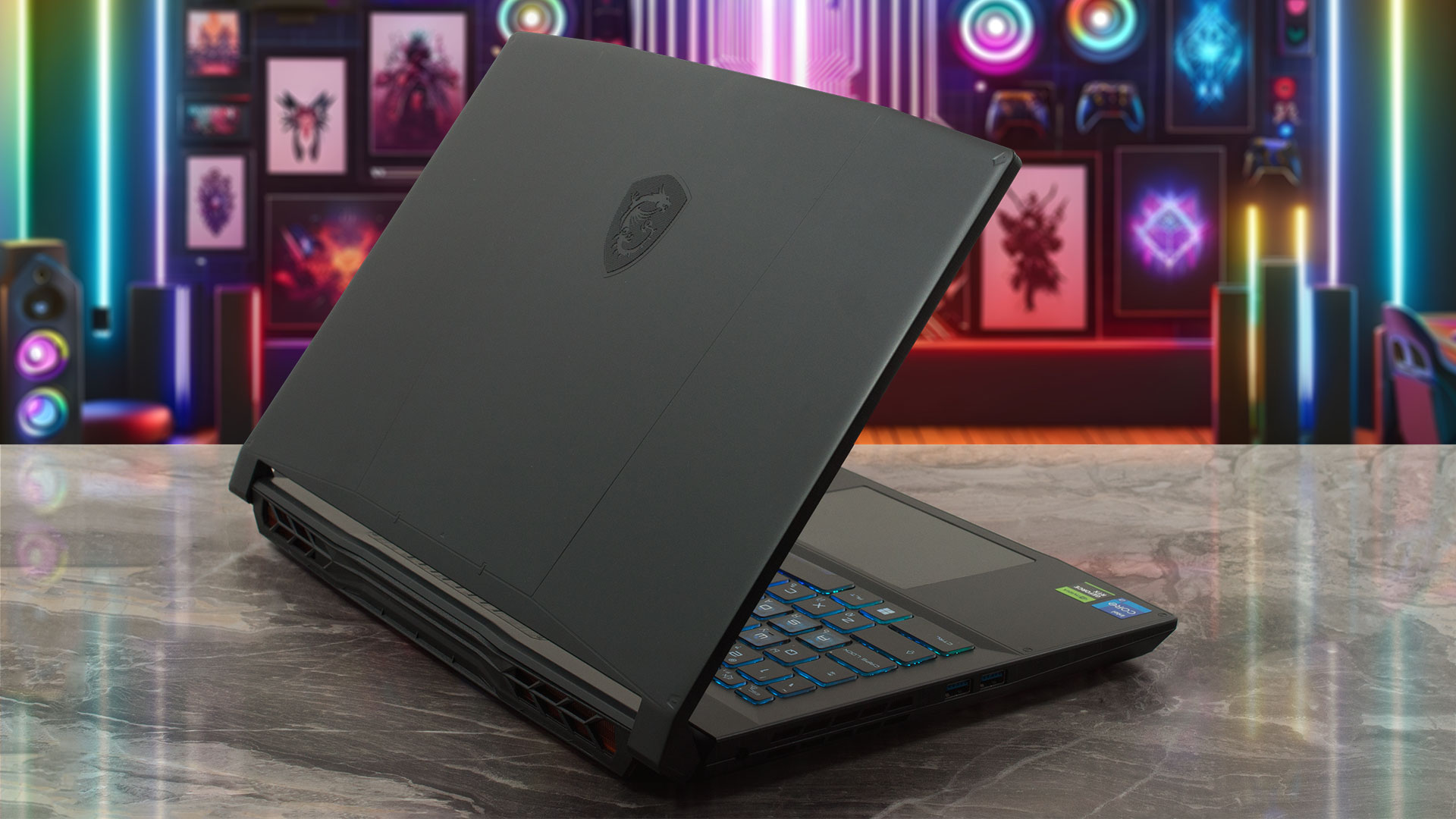
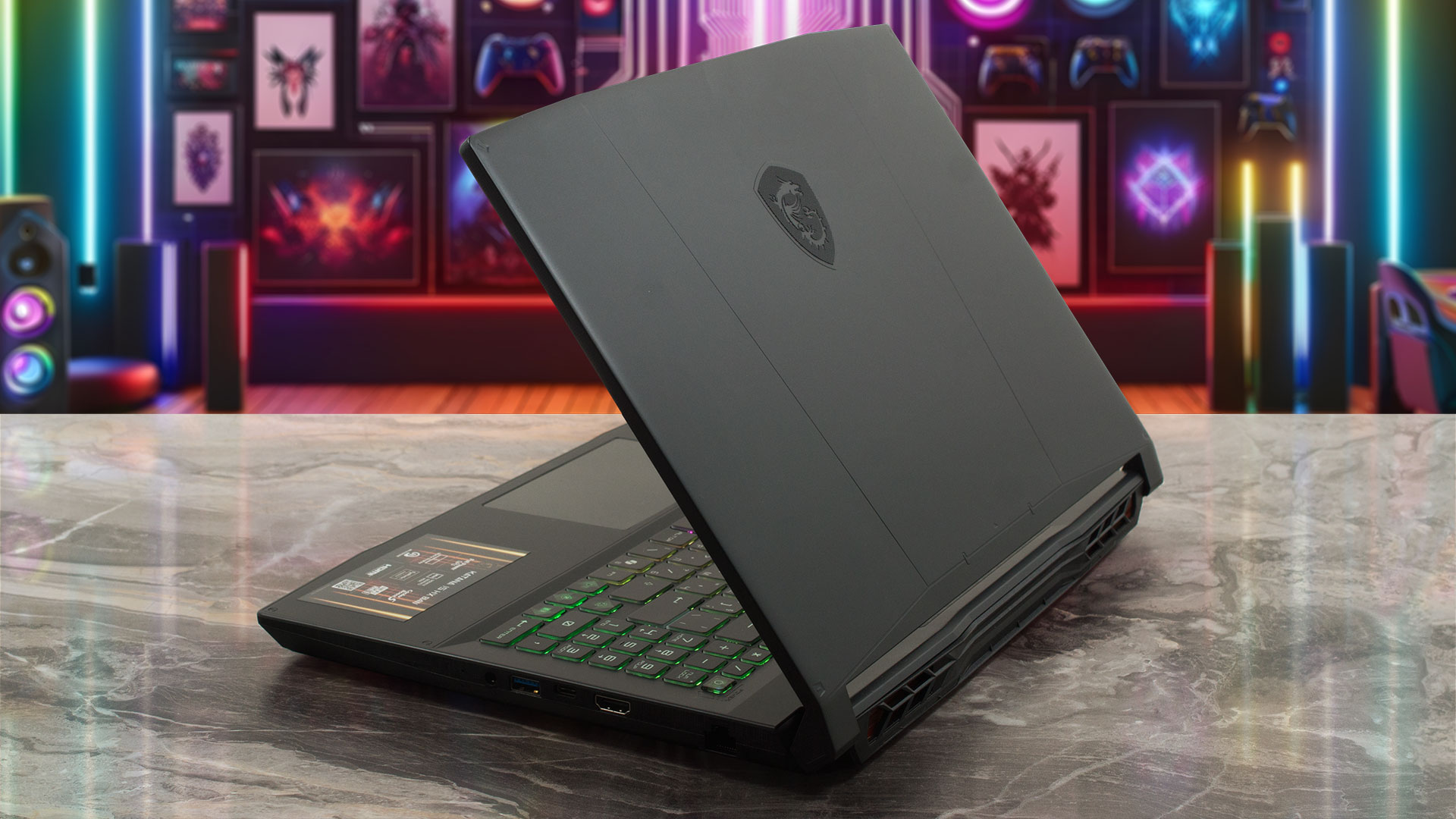
Considering the horsepower under the hood (specifically the capability to house an RTX 5070), the Katana 15 maintains a relatively trim profile. It measures 25.5 mm (~1.00 inch) in thickness and weighs 2.4 kg (~5.29 lbs), which are respectable figures for a machine in this performance class.
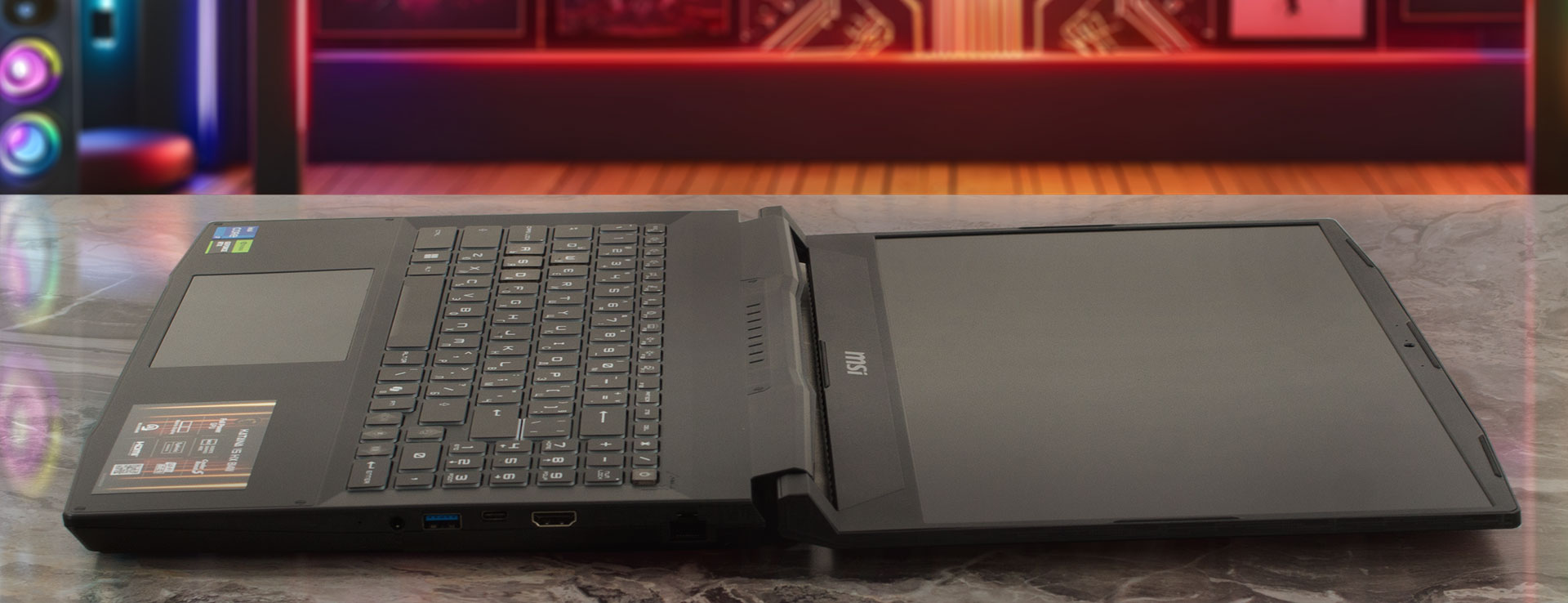
The hinge mechanism is a highlight, designed independently from the main chassis to allow the screen to open a full 180 degrees. While there are no touchscreen configurations to fully exploit this flat mode, the flexibility is always welcome for versatility and durability.
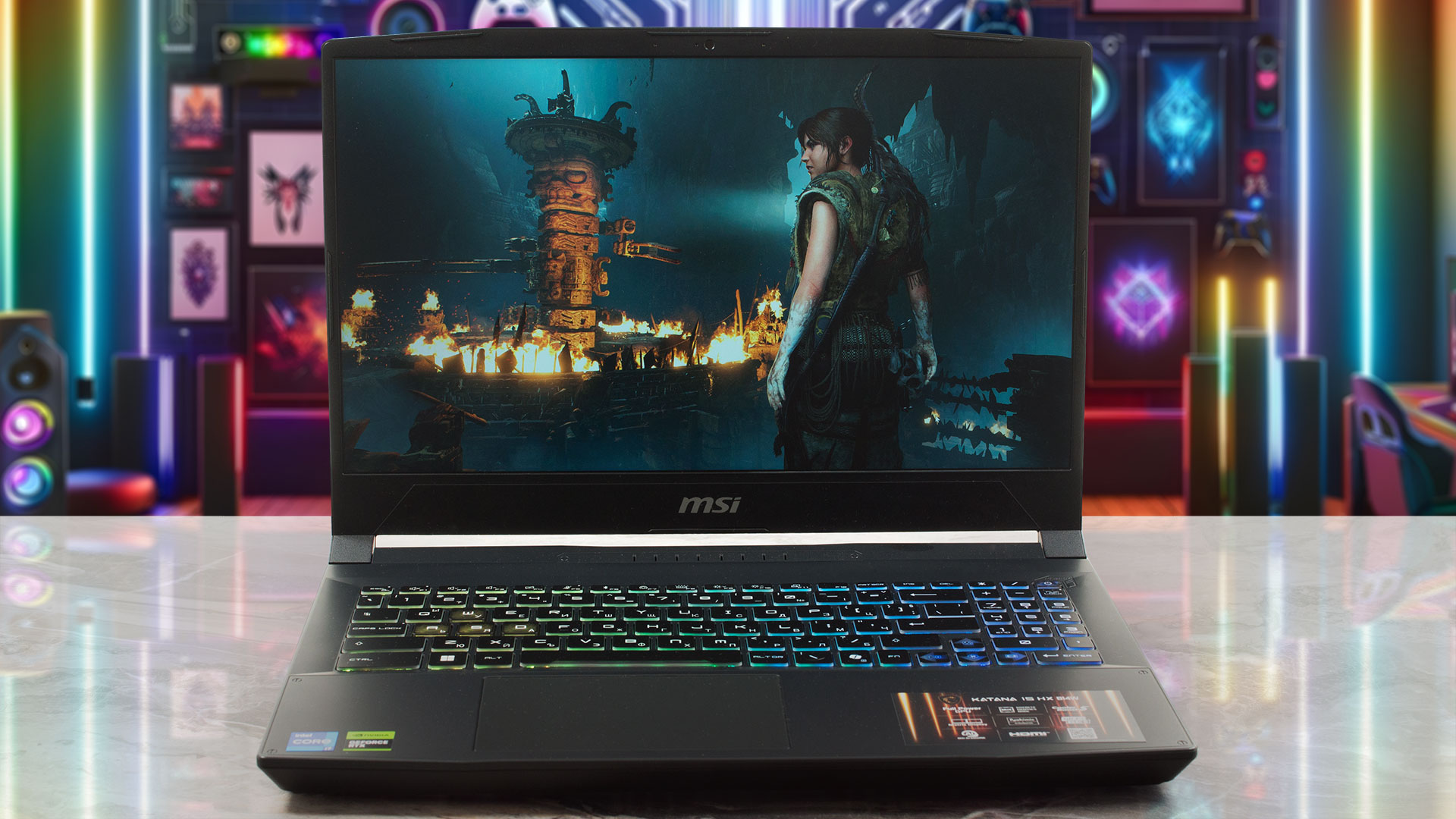
The display is flanked by reasonably thin side bezels measuring 7 mm (~0.28 inches). The top bezel is more substantial, tapering from 9 mm (approximately 0.35 inches) at the corners to 14.5 mm (approximately 0.57 inches) in the center to accommodate the basic HD webcam (720p @ 30fps) and microphone array. Unfortunately, a privacy shutter for the camera is notably absent.

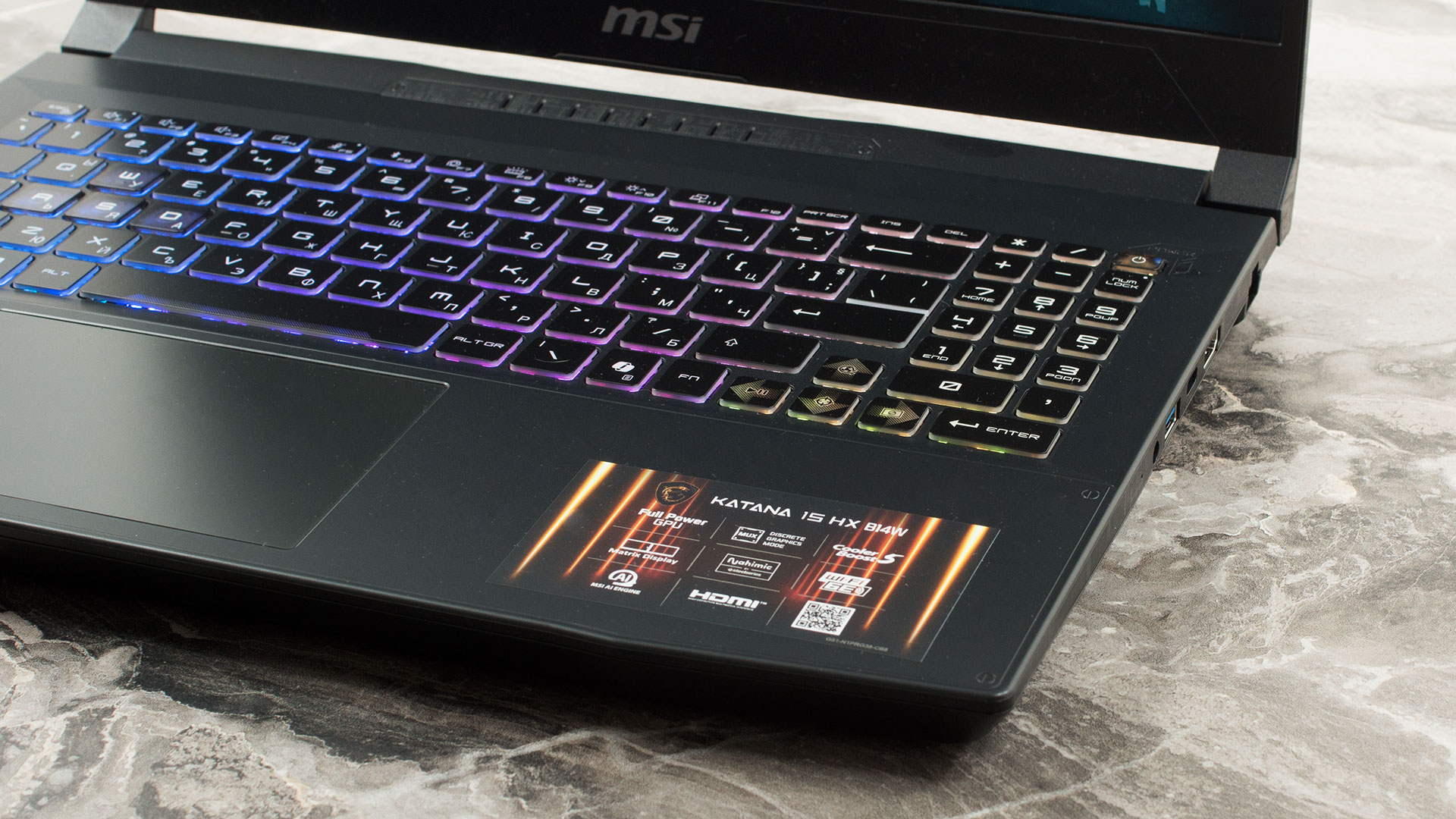
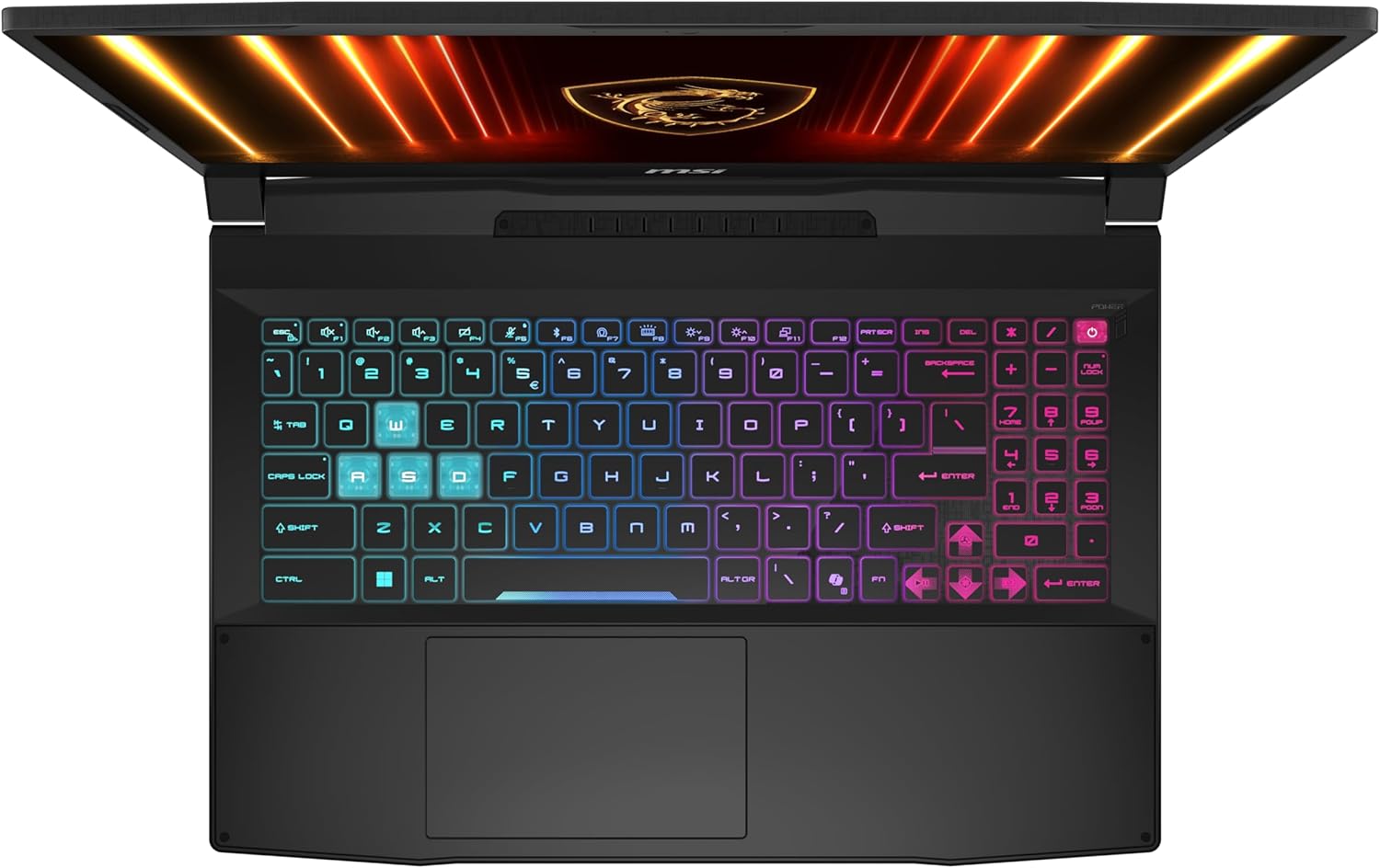
The keyboard deck is well-utilized, featuring a 4-zone RGB backlight that adds to the gaming aesthetic. MSI has managed to include a NumPad, albeit with slightly reduced key sizes. The main keyboard offers a comfortable typing experience with a satisfying 1.7mm of key travel. However, biometric security features have been completely omitted; there is no fingerprint reader and no IR camera, meaning you’ll need to rely on traditional passwords. Below the keyboard sits a trackpad measuring 120 x 75 mm (approximately 4.72 x 2.95 inches), which is an adequate size and provides a comfortable, responsive surface for navigation.
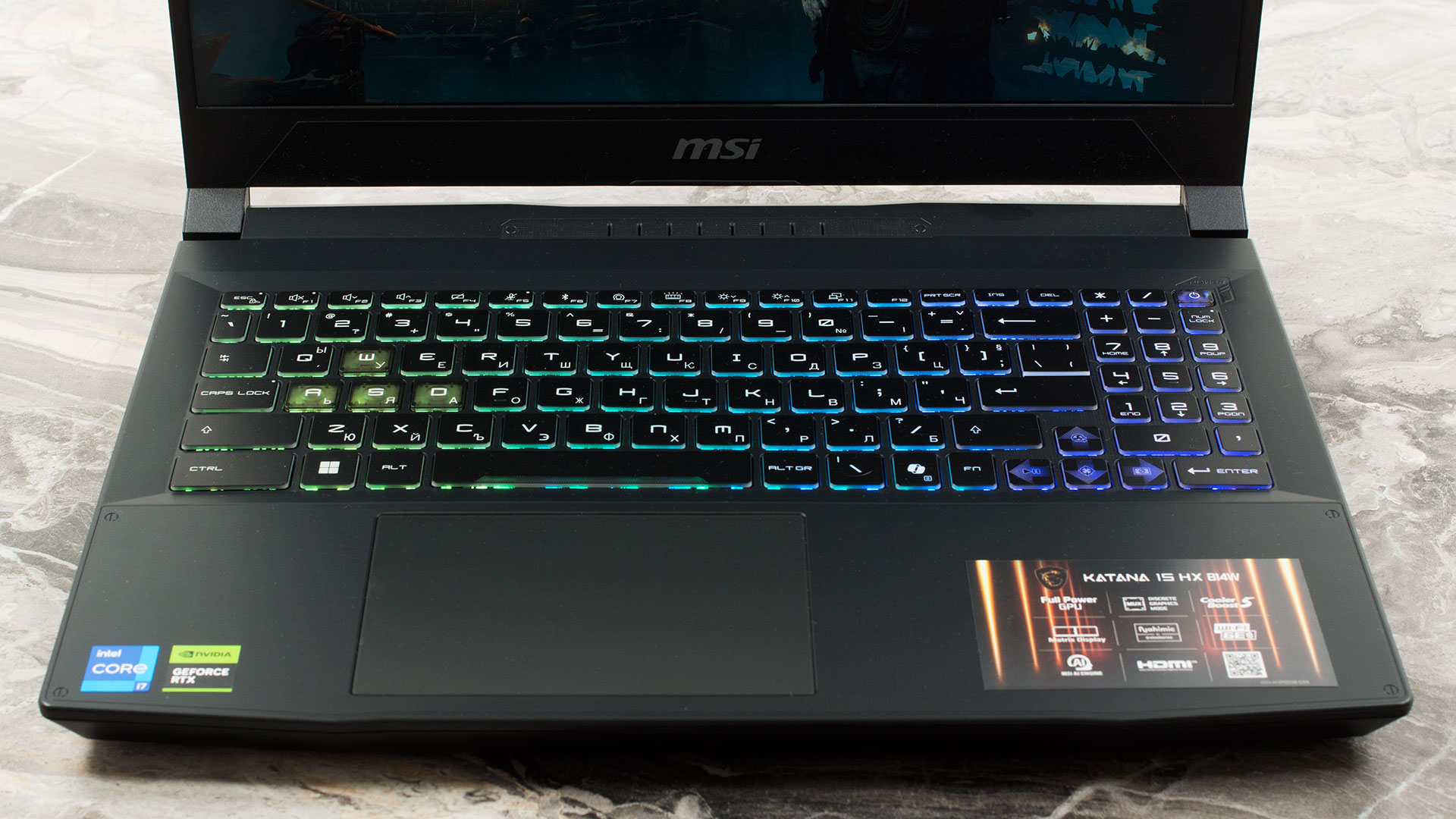
Ports and Connectivity
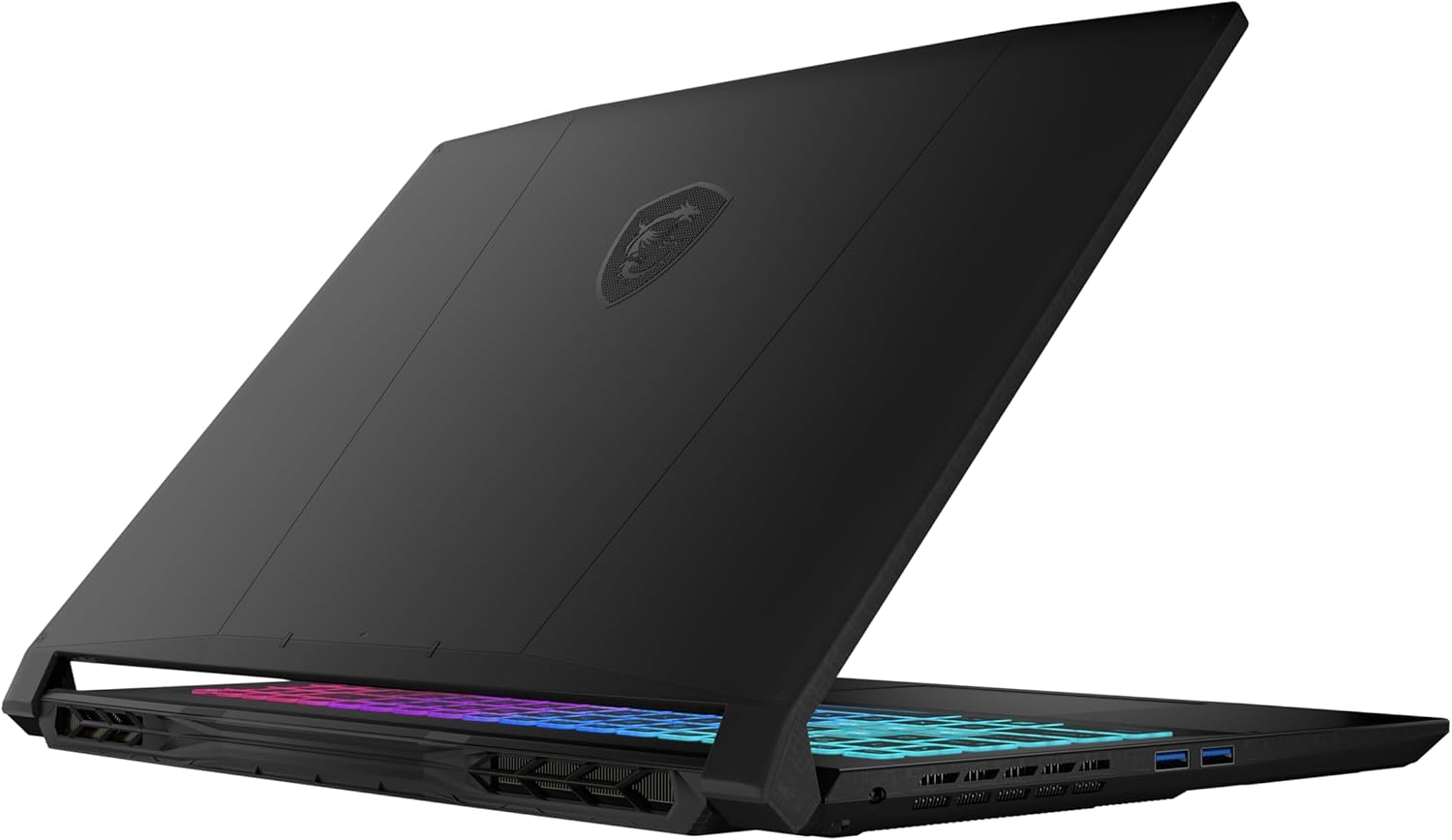
The MSI Katana 15 HX B14W offers a robust selection of ports, though the distribution is somewhat heavily weighted towards the right side.
On the left flank, the layout is kept simple, housing the dedicated power input for the charger. Alongside it are two Type-A USB 3.2 Gen 2 ports. It is worth noting that these operate at 10Gbps speeds, making them excellent for high-speed external storage transfer in addition to standard peripherals like mice or keyboards.

The right side is much denser, hosting the remainder of the connectivity. Here you will find a third Type-A USB 3.2 Gen 2 port, meaning all USB-A ports on this machine offer high-speed 10Gbps performance. Next to it is a versatile USB Type-C port (also USB 3.2 Gen 2), which supports DisplayPort Alt Mode for external monitors and Power Delivery 3.0 for charging. For dedicated video output, an HDMI 2.1 port is included, capable of supporting high resolutions and refresh rates up to 8K at 60Hz or 4K at 120Hz. A Gigabit Ethernet (RJ-45) port for wired networking and a 3.5mm audio combo jack complete the physical connections.

For wireless communication, the laptop is equipped with a Wi-Fi 6E (802.11ax) module. This allows the device to utilize the 6 GHz band for reduced interference and lower latency on compatible networks. Bluetooth 5.3 is also integrated for reliable connectivity with wireless accessories such as headsets and controllers.
– Wi-Fi 6E vs Wi-Fi 6: Learn the Key Differences in 10 Seconds

Display and Sound Quality, Display Profiles
We ordered the MSI Katana 15 HX B14W with its 15.6-inch QHD (2560 × 1440) 165 Hz IPS panel, which is the more premium screen option for this series. If you’re looking for a more budget-friendly configuration, there’s also a 15.6-inch Full HD (1920 × 1080) 144 Hz IPS-Level variant.
However, we recommend getting the 1440p panel, as it’s a great surprise! It’s eye-safe, it has exellent color accuracy with our display profiles, and full DCI-P3 color coverage. The only drawbacks are the mediocre brightness and contrast but this is still one of the best displays for photo/video editing, when used indoors.
| MSI Katana 15 HX B14W | 15.6″, Full HD (1920 x 1080), 144 Hz, IPS-Level | 15.6″, QHD (2560 x 1440), 165 Hz, IPS (Innolux N156KME-GNA / CMN154C) |
| Diagonal | 15.6 inches (39.6 cm) | 15.6 inches (39.6 cm) |
| Panel Type | IPS-Level | IPS |
| Resolution | 1920 x 1080 pixels | 2560 x 1440 pixels |
| Max Refresh Rate | 144 Hz | 165 Hz |
| Aspect Ratio | 16:9 | 16:9 |
| Pixel Density | 141 PPI | 188 PPI |
| ‘Retina’ Distance | Greater than or equal to 62 cm | Greater than or equal to 46 cm |
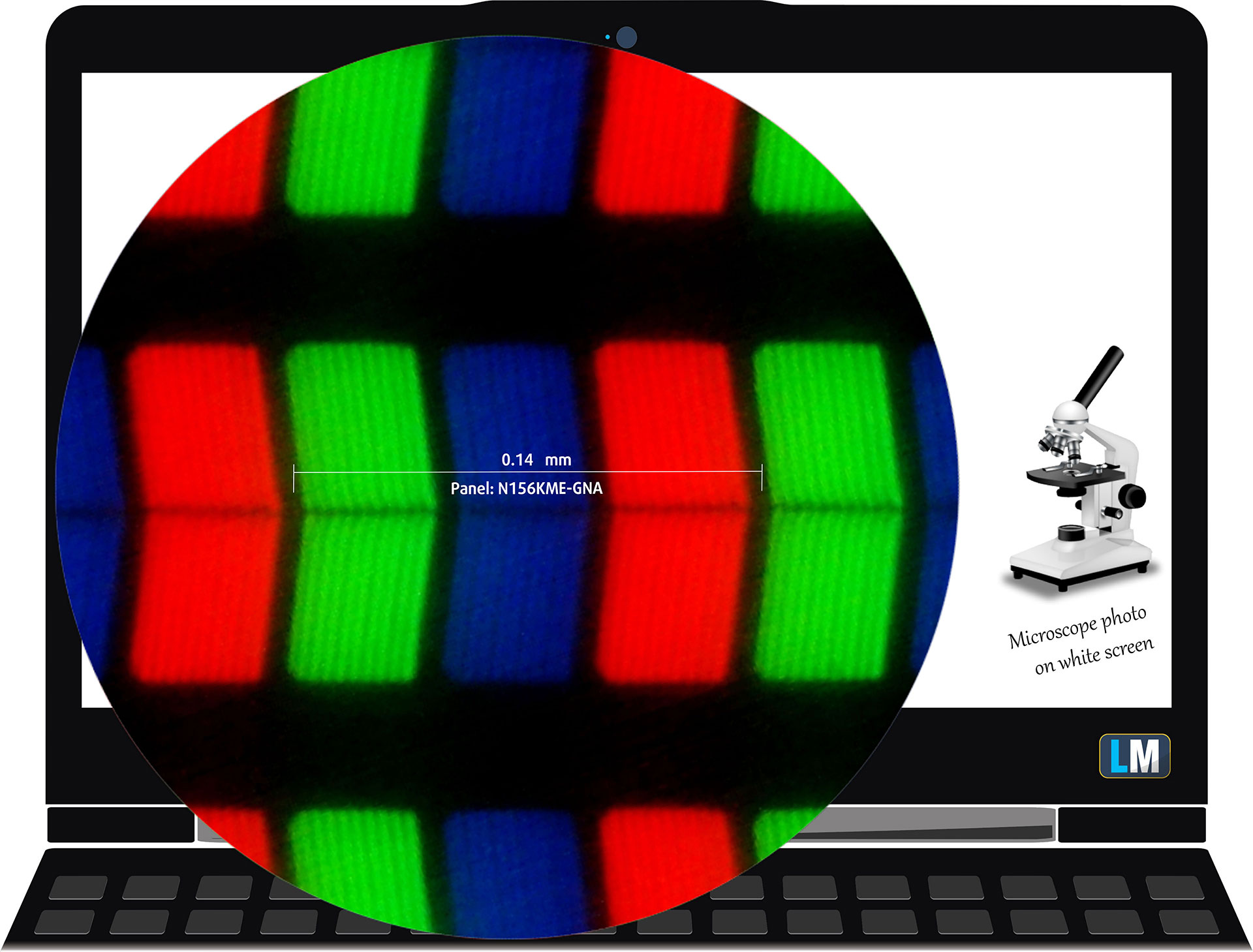 The Quad HD (QHD) (2560 x 1440), 165 Hz, IPS display variant under our microscope
Viewing Angles
Viewing angles are good. We take photos from different angles to evaluate the quality.
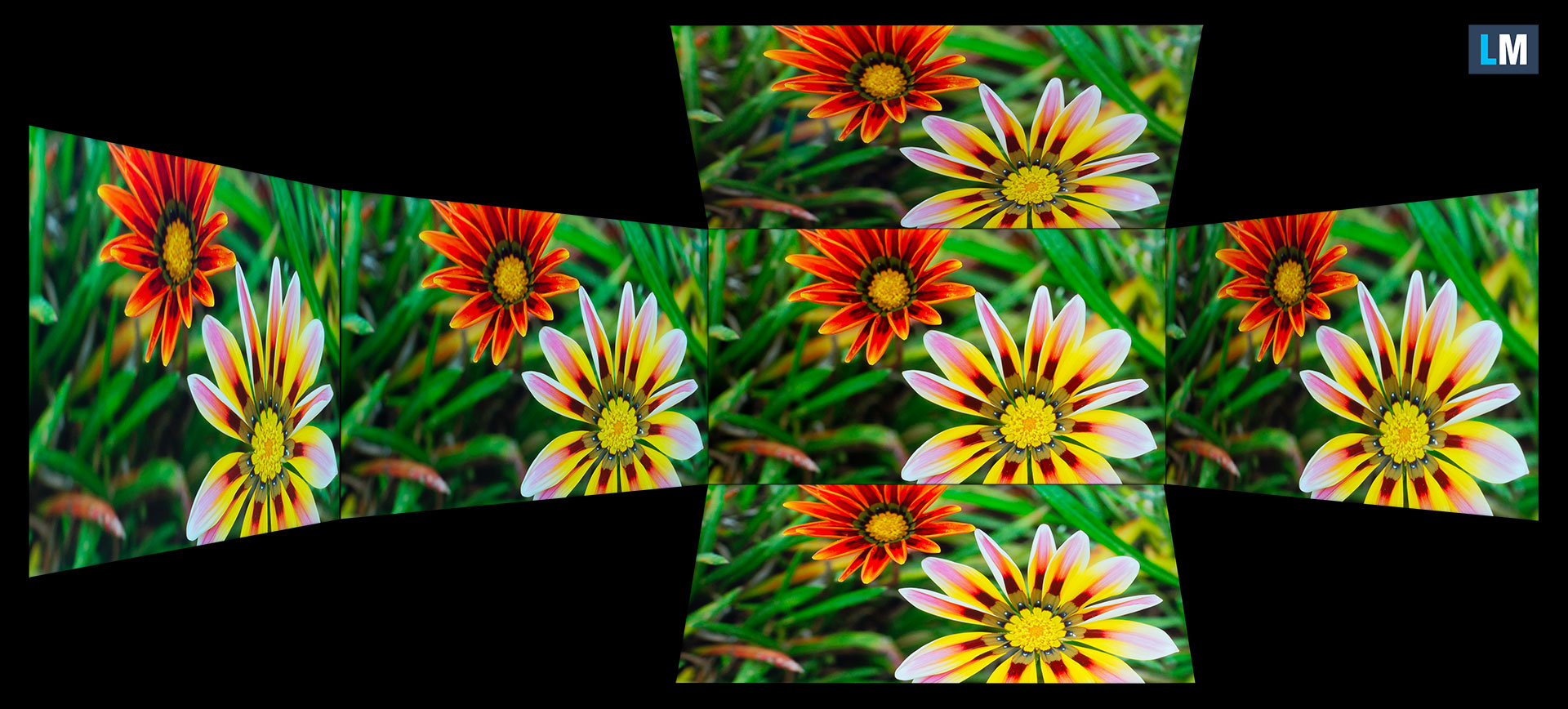
Also, a video with locked focus and exposure.
Color Coverage
The whole “sail-shaped” map below (Fig. 1) consists of all the colors we can see, while the black crooked line shows all the colors from real-world scenes and nature around us.
Then, we’ve drawn some of the most important and interesting color spaces, compared to the colors the panel of MSI Katana 15 HX B14W can show:
Standard/For Web: sRGB – widely used color space for most consumer devices, ideal for Web design and development
For Print: AdobeRGB – used in professional photo editing, graphic design, and print
For Photographers/Video Editors: DCI-P3 – used in high-end film production, post-production, and digital cinema
Premium HDR: Rec.2020 – the widest consumer ITU color standard, covering a massive 75.8% of the visible spectrum, a benchmark for premium HDR content.
MSI Katana 15 HX B14W: the yellow dashed triangle (– – – – – –) represents the range of colors this display can show.
In our tests, we calculated the total color coverage of the display at 100% of the sRGB color gamut and 98% of the DCI-P3 color gamut.
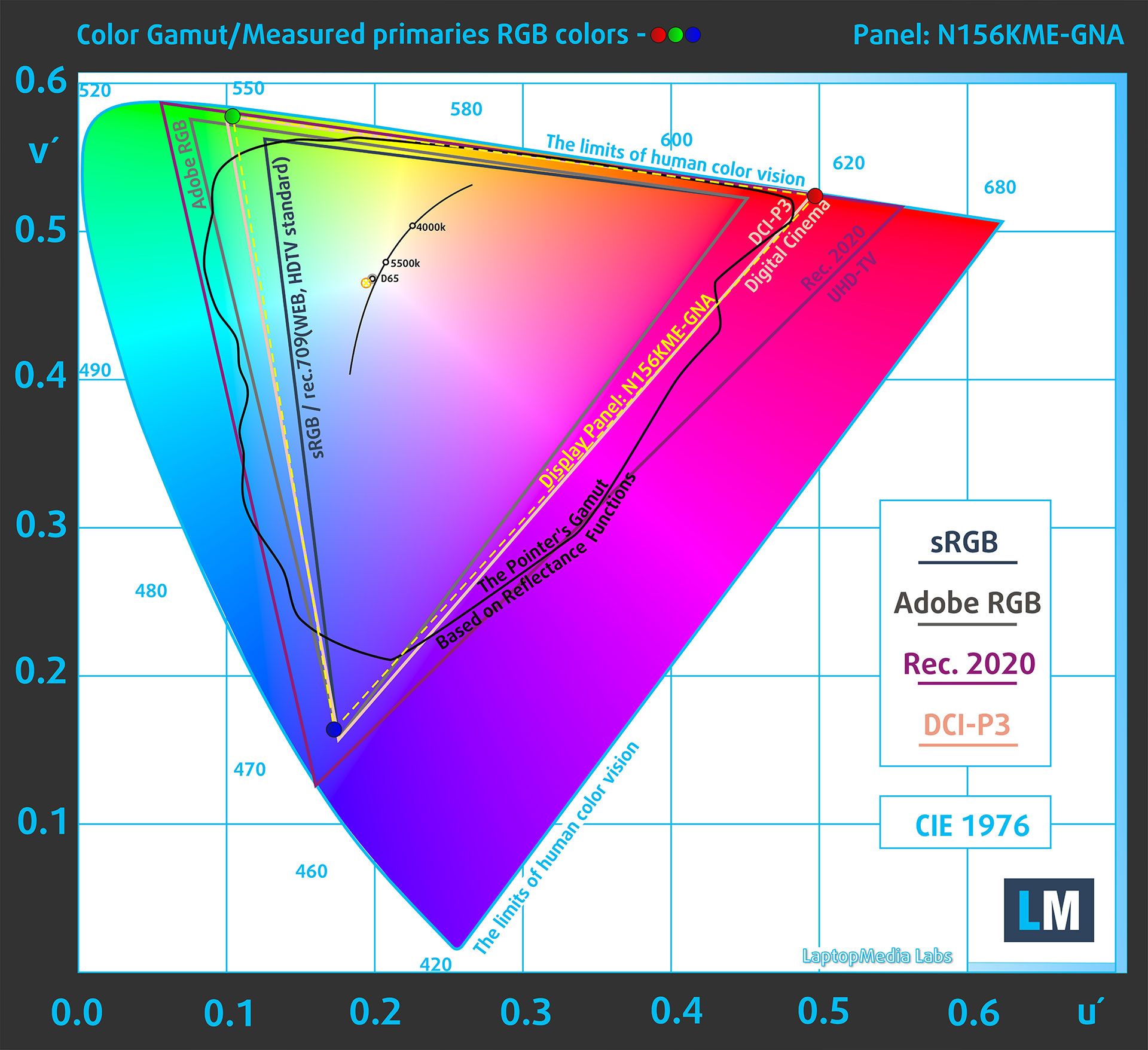
(Fig.1) MSI Katana 15 HX B14W covers 98% of the DCI-P3 gamut
Brightness and Contrast
The maximum brightness in SDR mode is 305 cd/m² in the center of the screen and 287 cd/m² averaged across the surface with a maximum deviation of 12%.
The Correlated Color Temperature (CCT) on a white screen at maximum brightness is 7020K.
The contrast ratio is 1100:1.

Uniformity: Luminance, Contrast, and Color Deviation
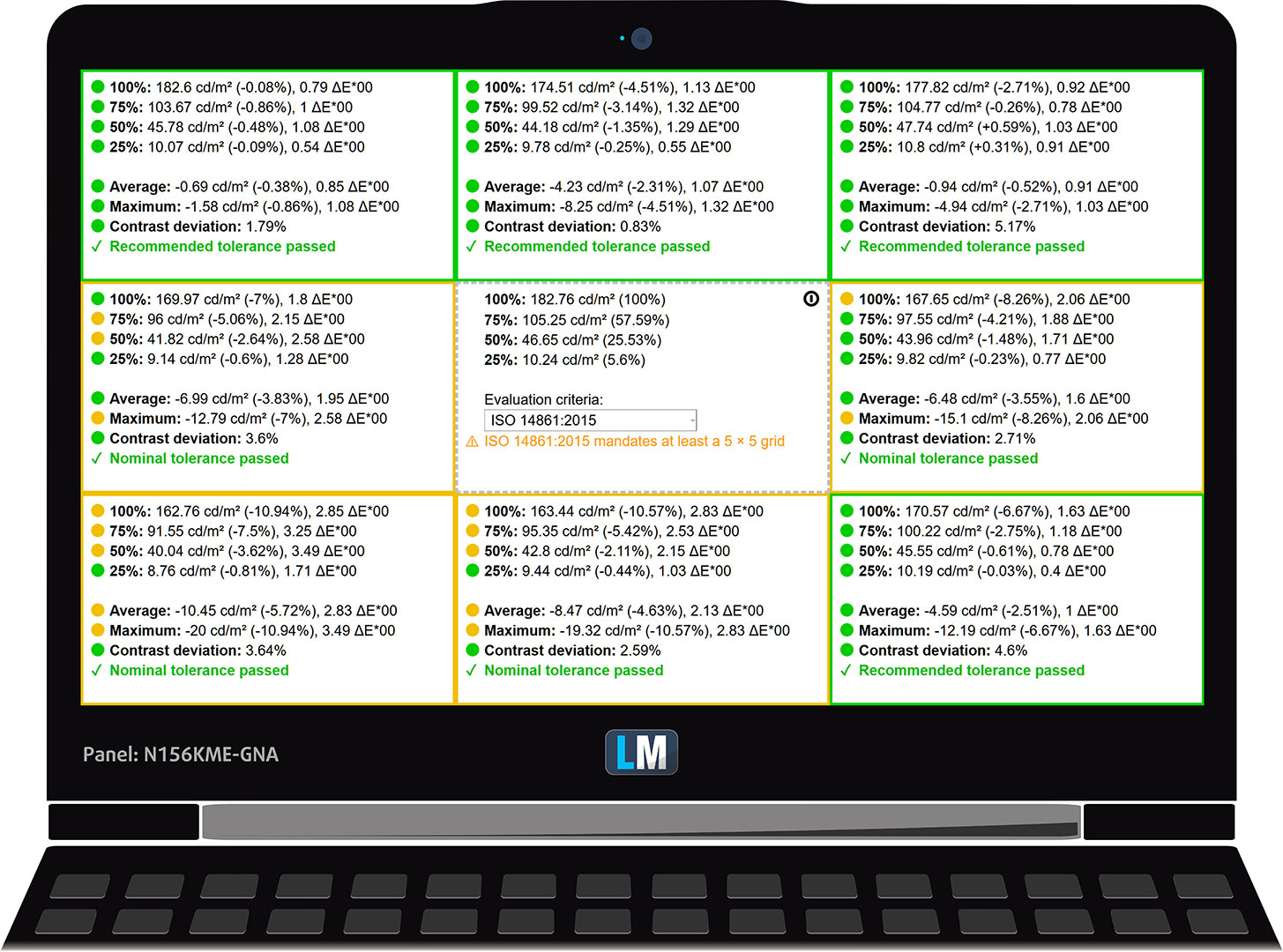
The figure below shows the results from our uniformity test across different sections of the screen. It’s measured at 183 nits (Windows slider = 66%) – a brightness level we consider typical for standard working conditions.
DeltaE values below 4.0 are acceptable for regular users. For those working with colors, screens with DeltaE values no higher than 2.0 are recommended.
Color Accuracy
Let’s check the difference between real colors and those you’ll see on the MSI Katana 15 HX B14W. We measure that distance in DeltaE – the higher the number, the more different they look.
Values below 4.0 are acceptable for regular users, while values below 2.0 are suitable for color-sensitive work. A value below 1.0 means the difference is indistinguishable to the naked eye.
For the next graph, we’ve selected 24 common colors, including dark/light skin, blue sky, green grass, etc.
Before our calibration of the MSI Katana 15 HX B14W, the Average color accuracy was 2.7 dE (Fig. 2), and with our Design and Office profile, it lowered to 1.0 dE (Fig. 3). This is an incredible acchievement.
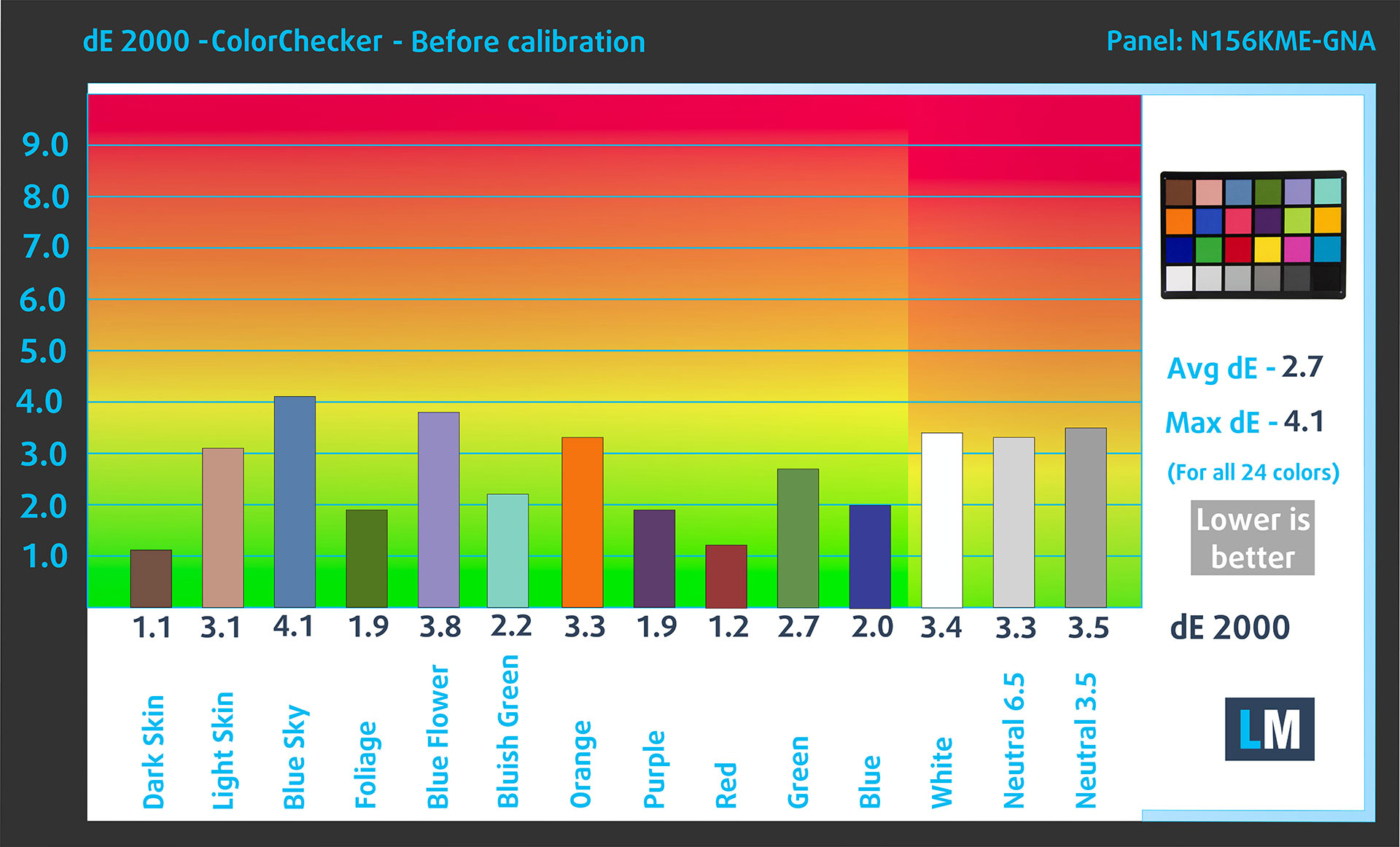
(Fig. 2) MSI Katana 15 HX B14W in its factory condition
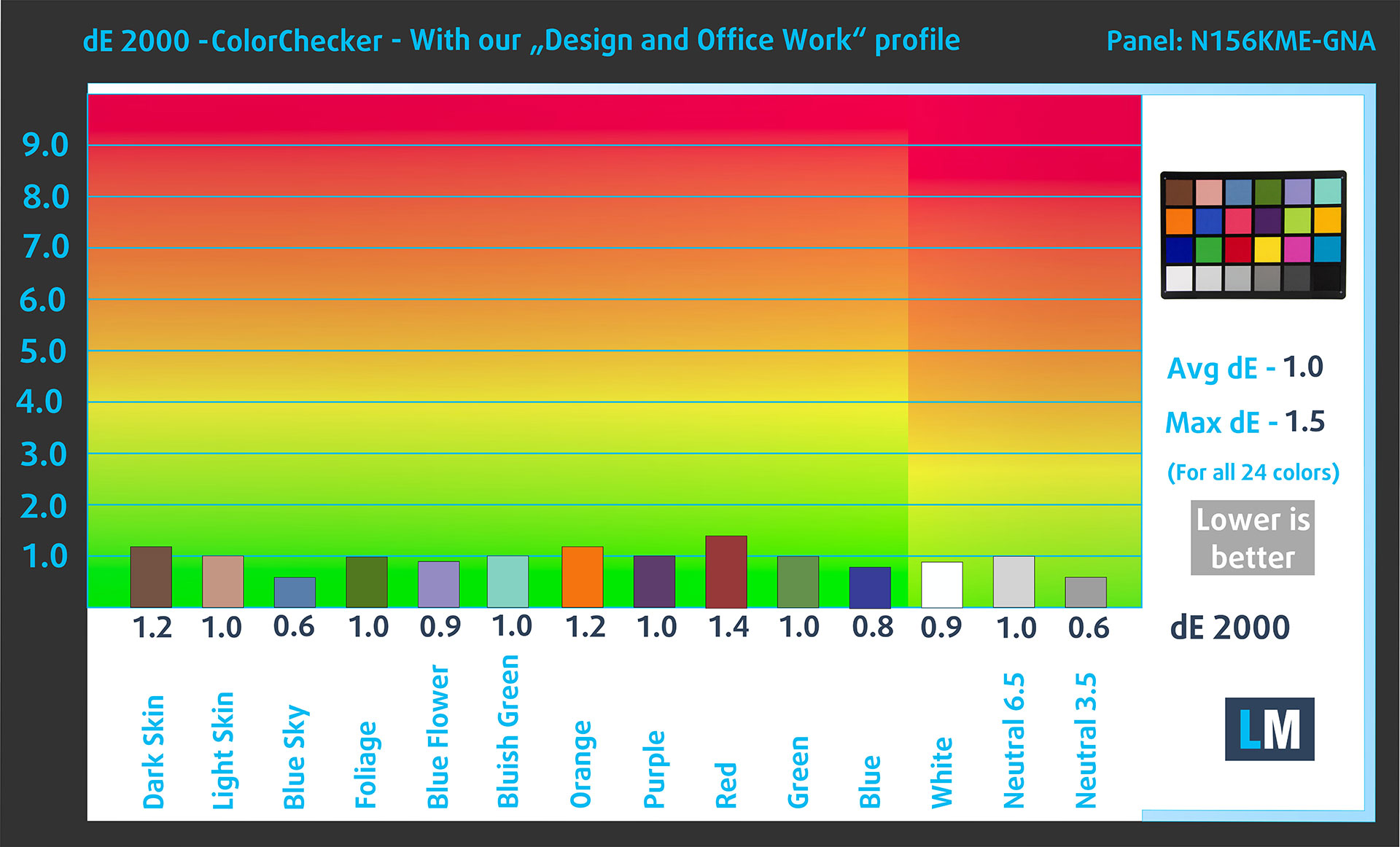
(Fig. 3) MSI Katana 15 HX B14W with our display profile
Comparison in the Display P3 color space.
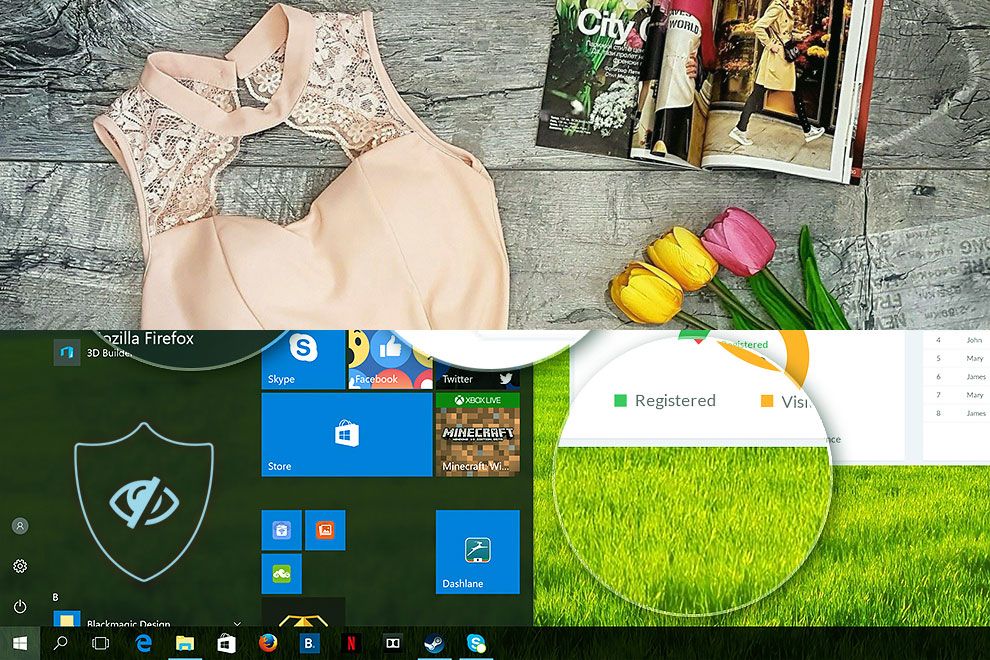
Here’s an illustration of what the Design and Office profile aims to deliver:
Left: No Profile | Drag the slider to see the difference | Right: Design & Office Profile
Visibility in dark scenes
Have you ever watched a movie with dark scenes where you could barely see anything? This often happens because many display panels struggle to differentiate the darkest nuances, making them appear the same.
The next figure illustrates how well the display reproduces these dark nuances. The left side of the image shows the display with stock settings, and the right side shows it with our Gaming and movies profile activated.
On the horizontal axis are the grayscale levels, and on the vertical axis – the corresponding display brightness.
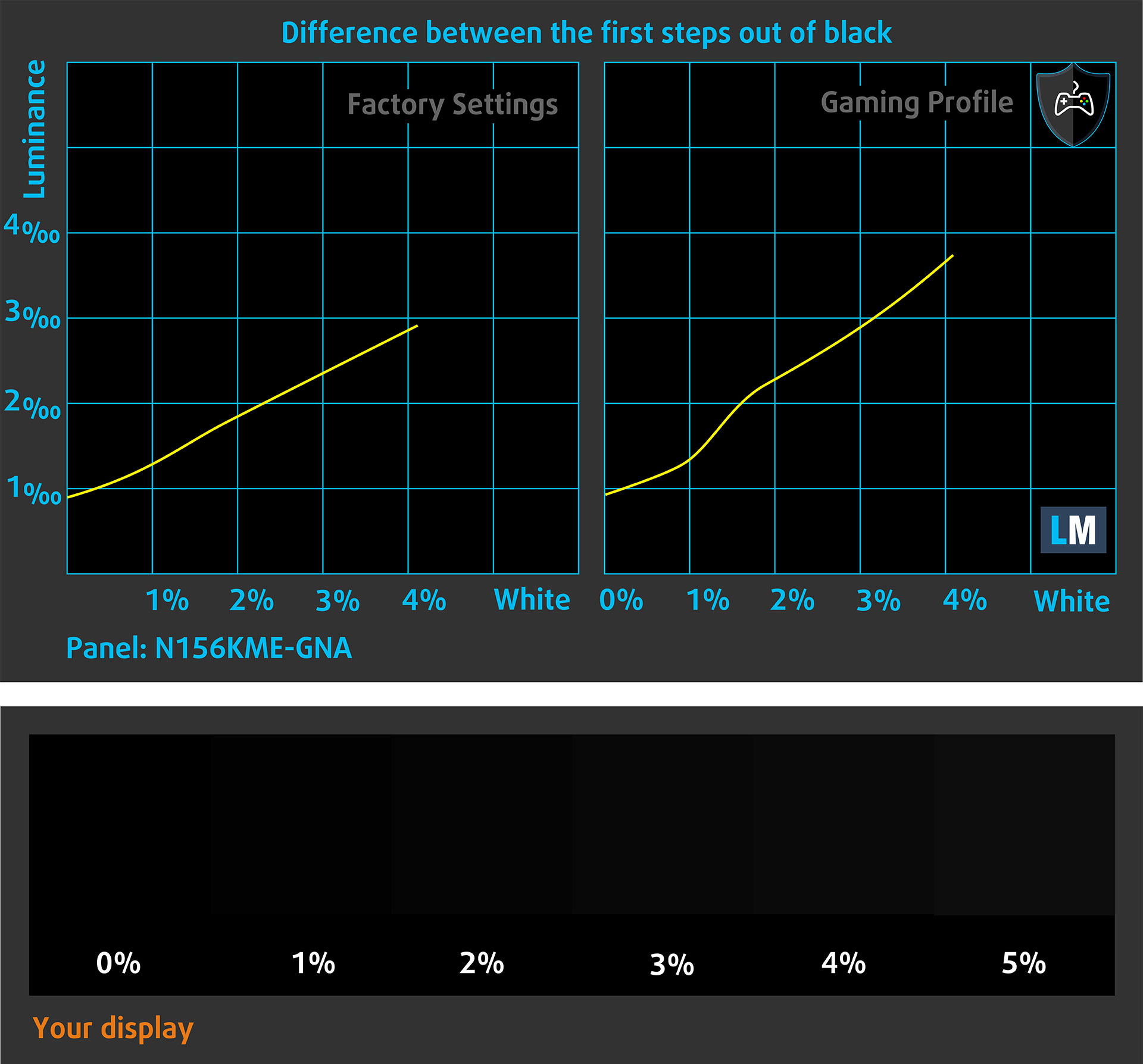
You can also check how your display handles the darkest nuances but keep in mind that this also depends on the settings of your current display and the surrounding light conditions.
Response time (Gaming capabilities)
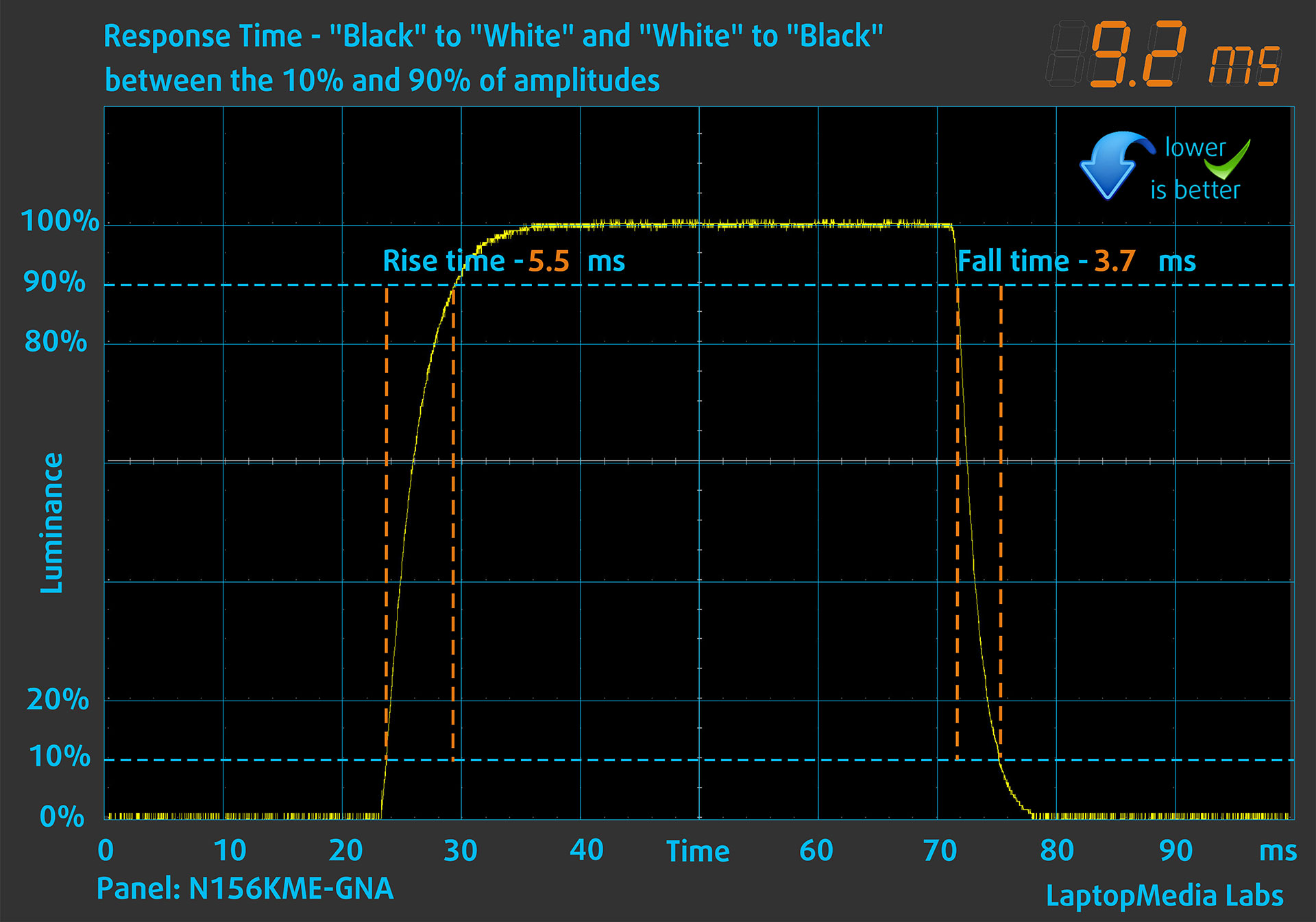
We test the reaction time of the pixels with the usual “black-to-white” and “white-to-black” method from 10% to 90% and vice versa.
We recorded Fall Time + Rise Time = 9.2 ms. Short pixel response time is a prerequisite for a smooth picture in dynamic scenes.
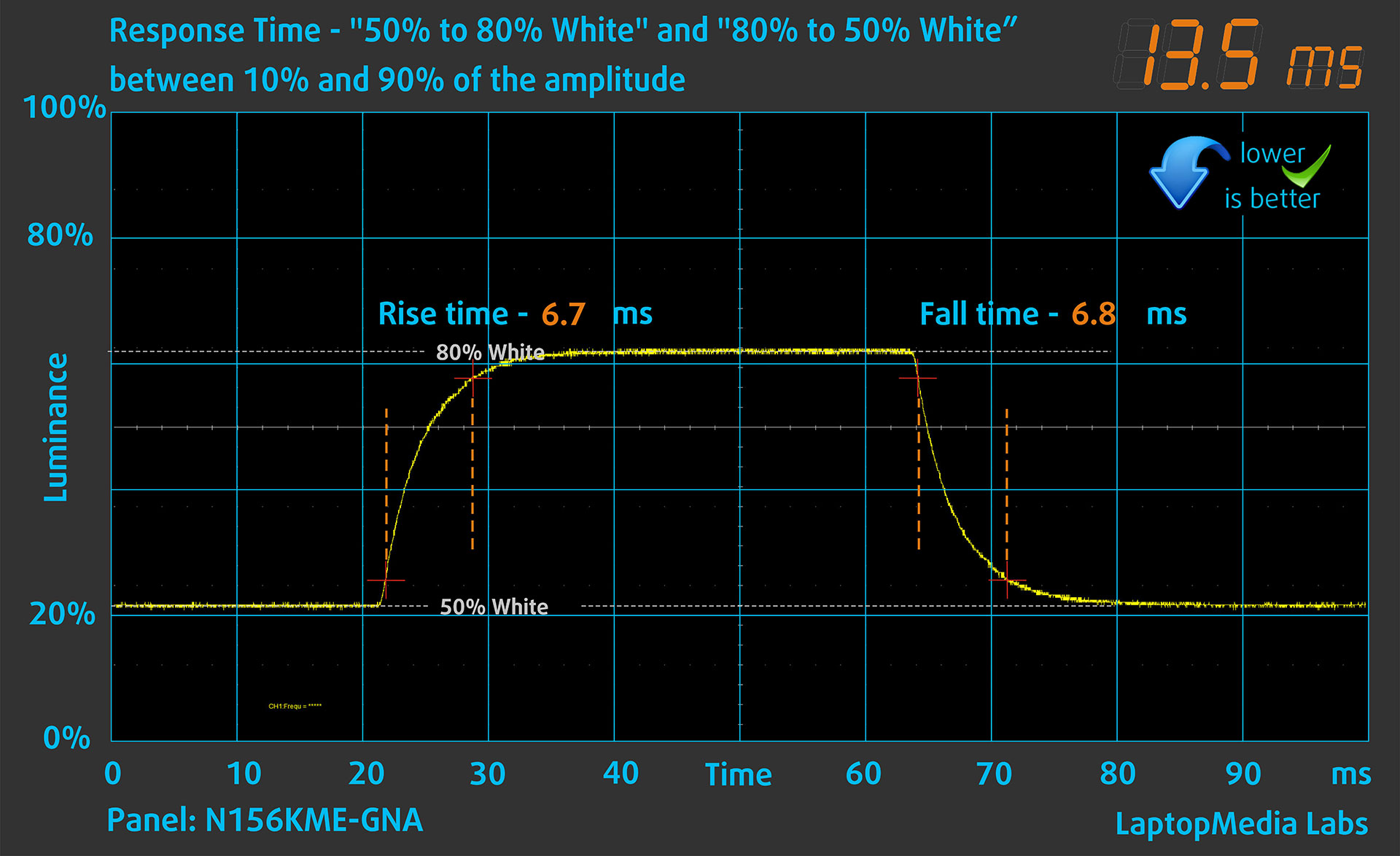
After that, we test the reaction time of the pixels with the usual “Gray-to-Gray” method from 50% White to 80% White and vice versa between 10% and 90% of the amplitude.
Health Impact: PWM (Screen flickering)
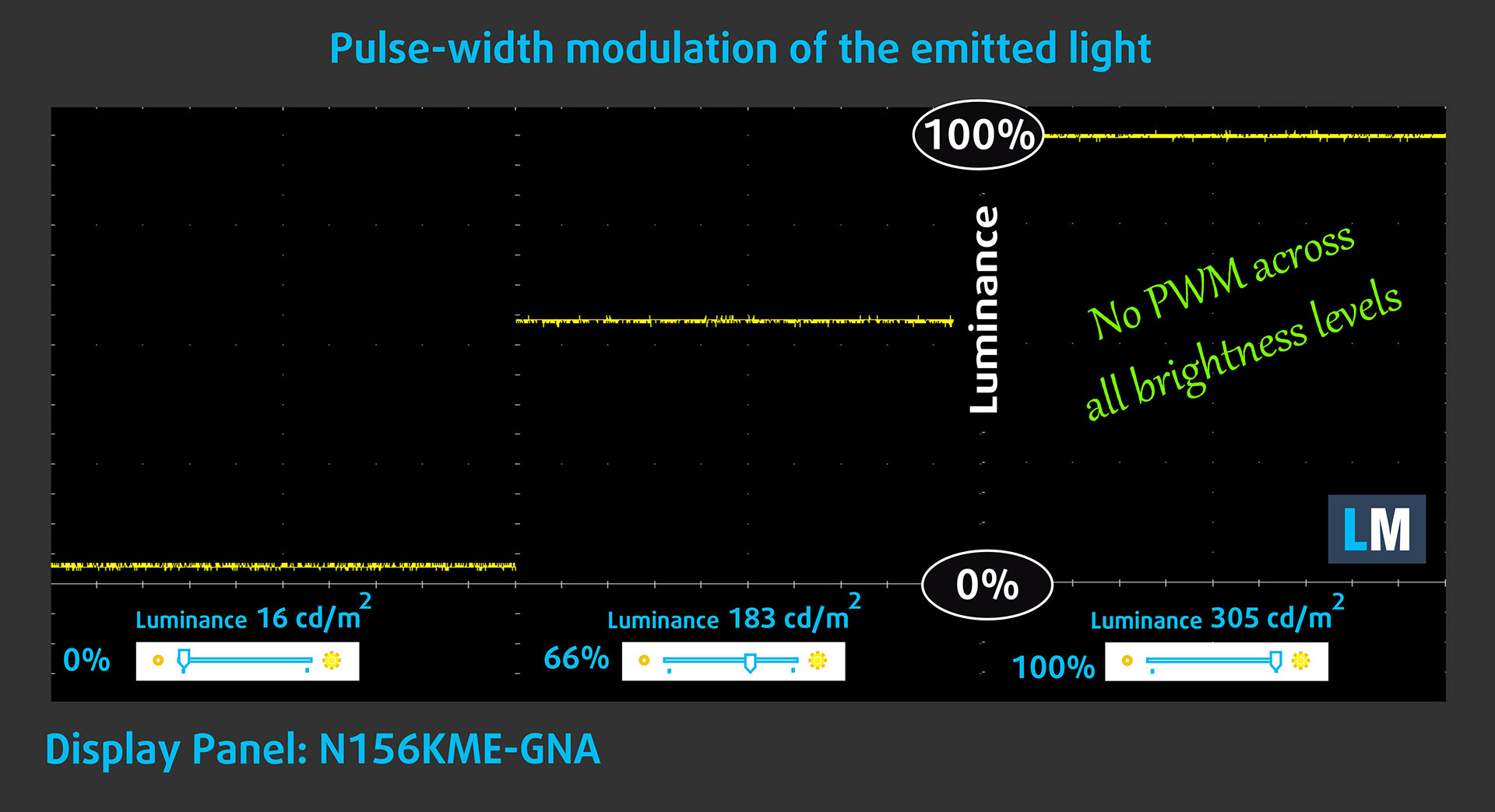
Some use PWM to regulate their brightness, which means that instead of reducing the light intensity, they pulse or flicker. Our brain merges the image, so it appears darker, but this strains both it and our vision, especially when the frequency of the pulses is low. You can read more about that in our dedicated article on PWM.
In the graph below, you see the intensity of light at different brightness levels—on the vertical axis is the brightness of the emitted light, and on the horizontal axis—time.
The light from the backlight of the MSI Katana 15 HX B14W display is not pulse-width modulated, providing visual comfort in the discussed aspect.
Health Impact: Blue light emissions
Installing our Health-Guard profile reduces harmful Blue Light emissions while keeping the colors of the screen perceptually accurate.
If you’re not familiar with the Blue light, the TL;DR version is – emissions that negatively affect your eyes, skin, and your whole body. You can find more information about that in our dedicated article on Blue Light.
Health Impact: Screen Reflectance
Glossy-coated displays can cause eye fatigue in high ambient light conditions due to reflections. We measure the level of screen reflection with the display turned off, at a 60° angle.
The reflectance of the MSI Katana 15 HX B14W’s screen is 54.8 GU. Good result!
High Gloss: >70 GU
Medium Gloss: 30 – 70 GU
Low Gloss: <30 GU
Get our profiles
Since our profiles are tailored for each individual display model, this article and its respective profile package are meant for MSI Katana 15 HX B14W configurations with N156KME-GNA (CMN154C), 2560 x 1440, IPS panel.
*Should you have problems with downloading the purchased file, try using a different browser to open the link you’ll receive via e-mail. If the download target is a .php file instead of an archive, change the file extension to .zip or contact us at [email protected].
Read more about the profiles HERE.
In addition to receiving efficient and health-friendly profiles, by buying LaptopMedia's products you also support the development of our labs, where we test devices in order to produce the most objective reviews possible.

Design and Office
The Design and Office profile makes display colors as close to real as possible.Ideal not only for professionals but also for everyday users, it meets sRGB standards (D65 white point, sRGB gamma) with minimal DeltaE for precise color reproduction on your panel.

Gaming and Movies
Have you ever watched a movie where, during dark scenes, you can barely see anything? Many displays fail to distinguish dark tones properly. Our Gaming and Movies profile enhances low-light performance, like HDR tech, using a gamma curve tailored to human perception — ideal for gamers seeking faster reactions and clearer visuals.

Health-Guard
Our Health-Guard profile protects your eyes by eliminating PWM flickering, reducing strain and fatigue, and minimizing harmful Blue light exposure that can disrupt sleep and health. It uses software dimming and a gamma curve tailored to human perception for comfort and safety during screen use.
Get All The Profiles With 33% Discount!

Sound
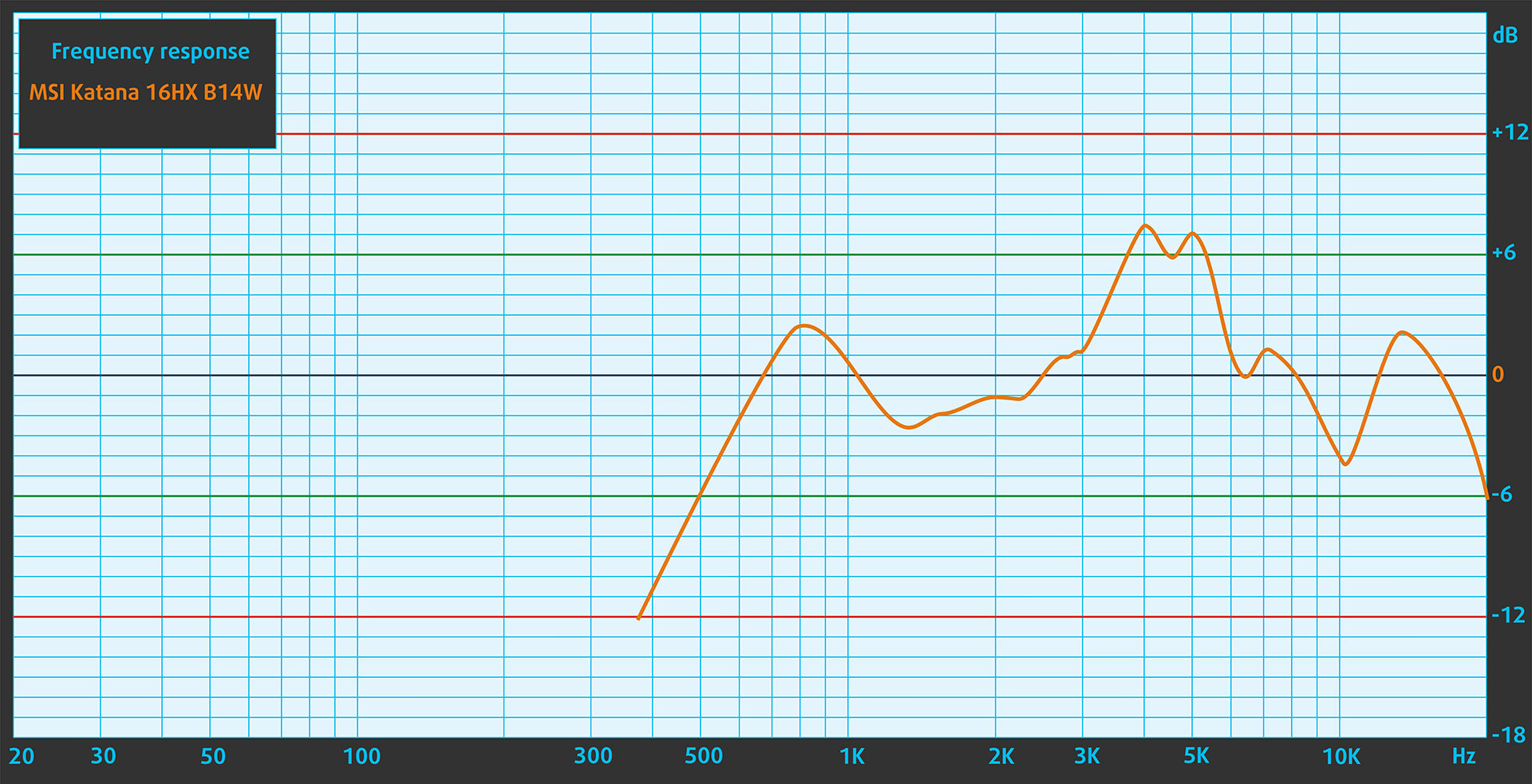
When we subjectively listen to a sound file through the built-in speakers, the sound quality offered by MSI Katana 15 HX B14W is relatively good. However, the low, mid and high frequencies have slight deviations in clarity.
Work Performance: CPU, Storage, AI
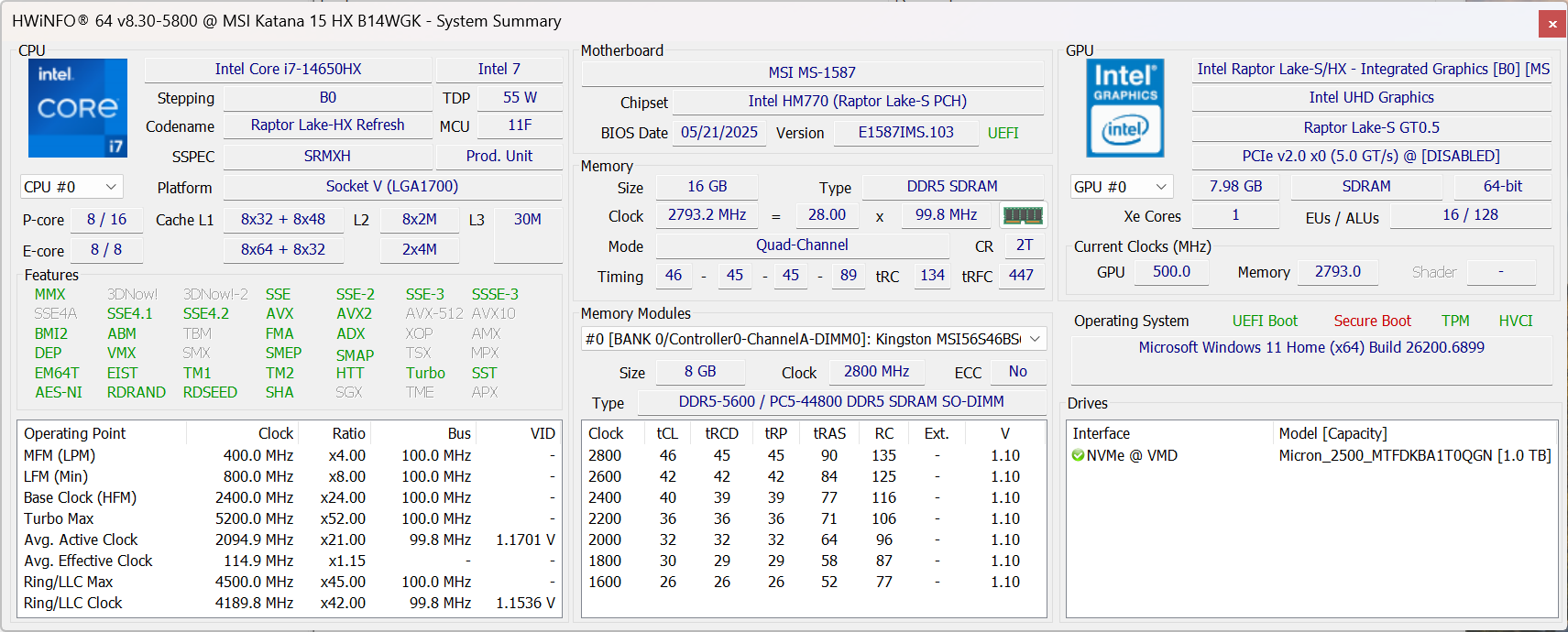
All performance and temperature tests are conducted with Extreme Performance mode activated in MSI Center:
CPU and Work Performance
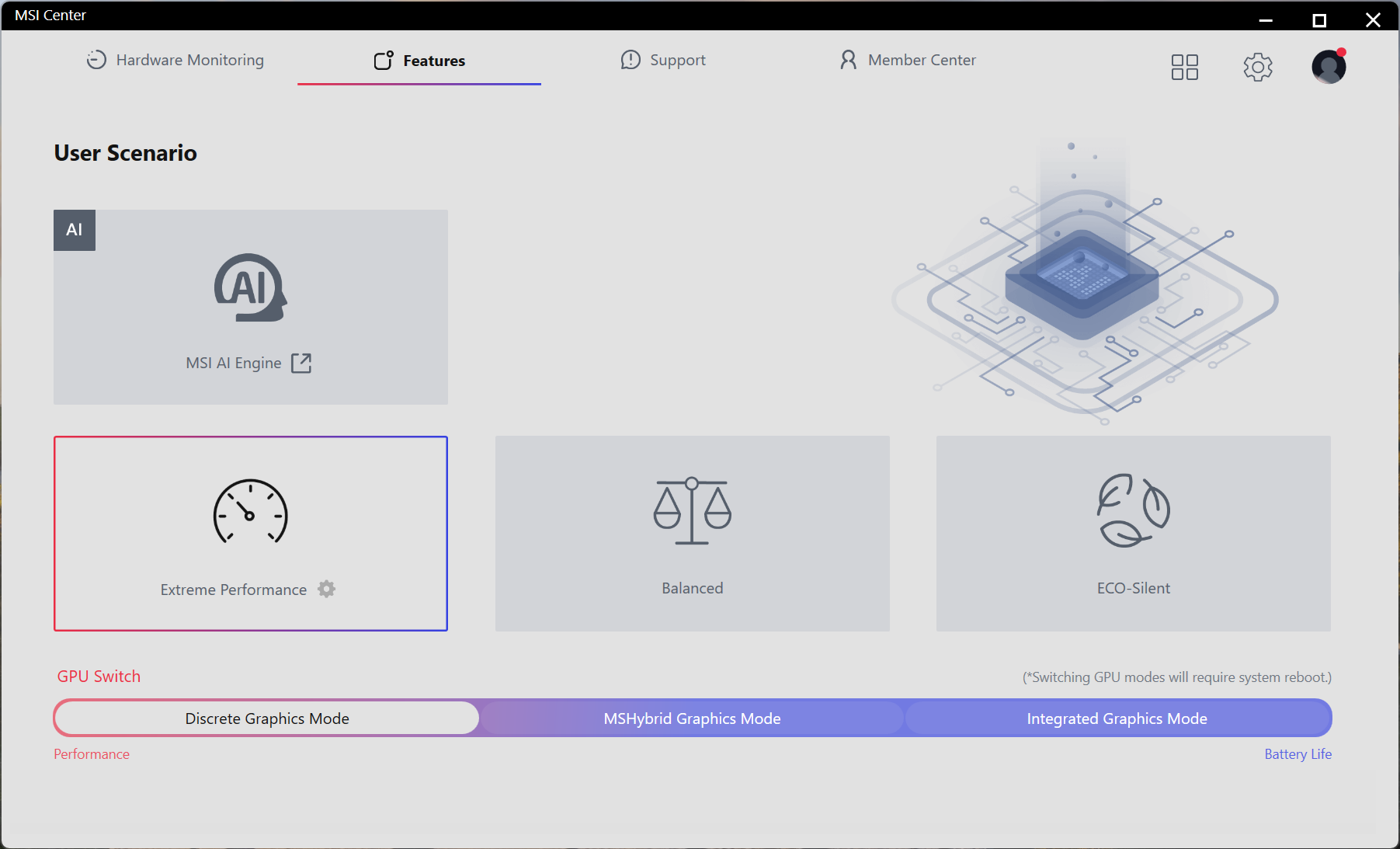
The MSI Katana 15 HX B14W is available with several Intel HX-series processors, covering a wide performance range. At the top sits the Intel Core i9-14900HX, currently ranked #11 in our Top Laptop CPU Ranking, offering strong multi-core performance for gaming and demanding workloads. More affordable options include the Core i7-14650HX (#22) and the Core i5-14450HX (#65), allowing users to choose a configuration that best matches their performance needs and budget.
Intel Core i7-14650HX has single-core performance similar to the new Intel Core 9 270H, but it’s much faster in the multi-core tests. The real competitor to 14650HX for heavy work is the AMD Ryzen AI 9 HX 370. If you need something even more powerful, choose a configuration with Intel Core i9-14900HX which is about 20% fater.
Single-core performance ensures smooth operation and responsiveness in operating systems, providing a better user experience.
Results are from the Geekbench 6 Single-Core test (higher is better)
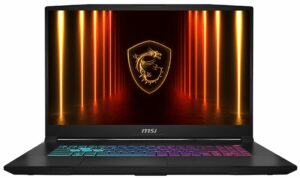
Multi-core performance is essential for handling complex and demanding tasks, such as Video editing, CAD, and Scientific simulations.
Results are from the Geekbench 6 Multi-Core test (higher is better)
Here, we evaluate the CPU's performance using a real-world 3D rendering task, assessing its ability to handle complex computations and rendering workloads efficiently.
Results are from the Cinebench 2024 Multi-Core test (higher is better)
Storage Performance
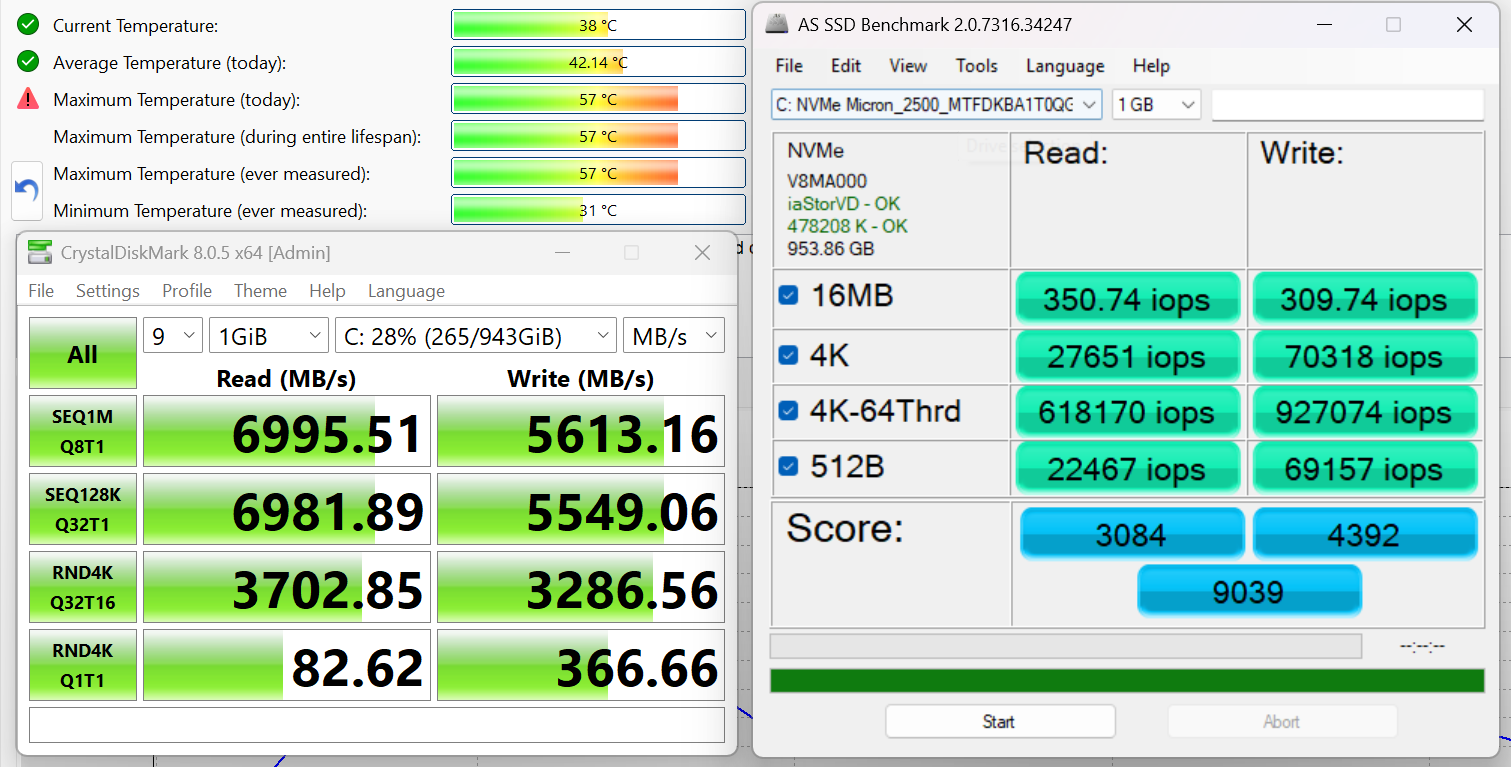
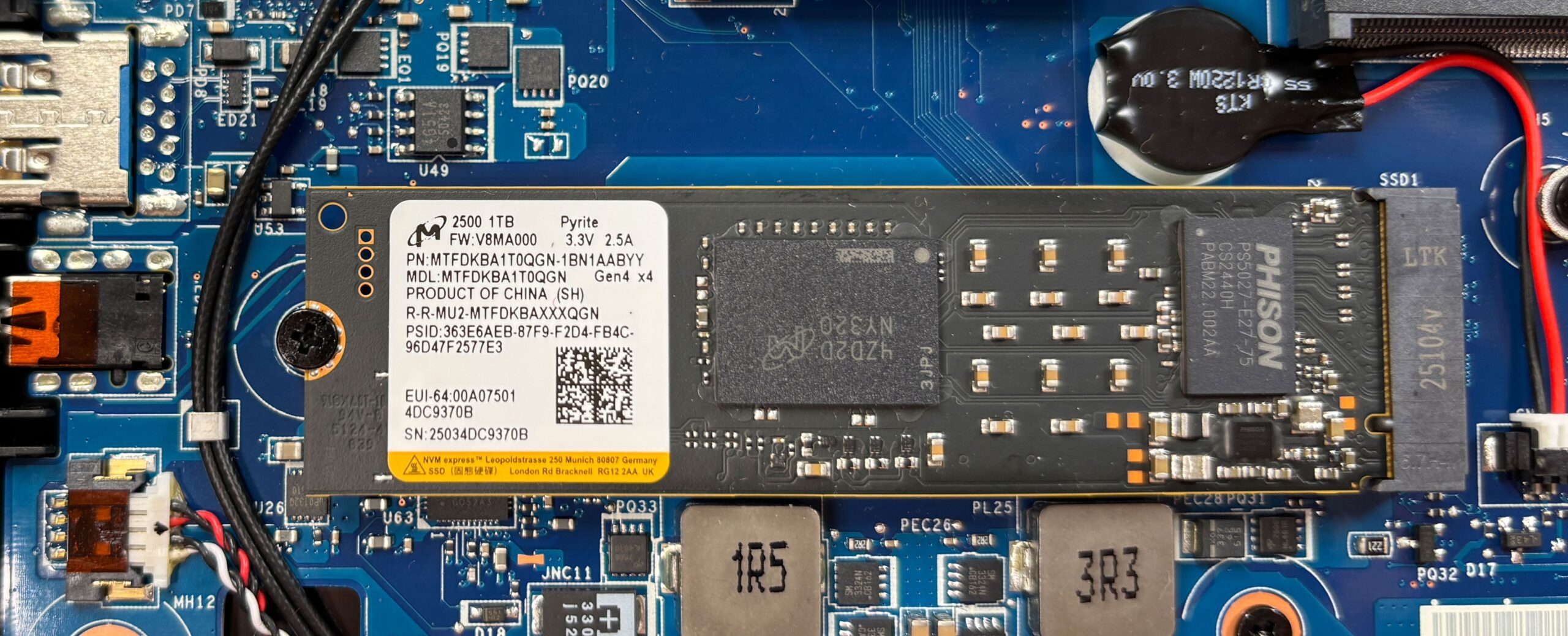
We ordered a 1TB configuration and it arrived with Micron 2500 (MTFDKBA1T0QGN). It’s a very fast Gen 4 SSD, reaching 7.0GB/sec sequential read speed, and 5.6GB/sec in sequential writing.
AI Performance
Here you can see the position of the GPUs and CPUs (NPUs) found within the MSI Katana 15 HX (B14Wx) in our AI Hardware Performance Rankings based on their AI processing power, measured in TOPS (Tera Operations Per Second) - a critical metric indicating the computational throughput, particularly for AI tasks.
The first column shows peak performance for INT8/FP8 precision, which is the most widespread metric for evaluating AI inference capabilities. We exclude Sparsity to provide a more accurate reflection of AI performance in dense computation scenarios where sparsity optimizations may not be applicable. The second and third columns show the performance with Sparsity, and FP4 TFLOPS, when supported.
For SoCs, the results reflect the peak performance of the integrated NPU. Additionally, it’s important to note that, according to Microsoft, a NPU must have at least 40 TOPS of AI computing power for the PC to be considered “AI-capable.”
| # | GPU / CPU (NPU) | TOPS INT8/FP8 No Sparsity | TOPS INT8/FP8 Sparsity | TFLOPS FP4 Sparsity |
|---|---|---|---|---|
| 849. | NVIDIA GeForce RTX 5070 (Laptop, 8GB GDDR7) | 173 | 346 | 692 |
| 1014. | NVIDIA GeForce RTX 5060 (Laptop) | 133 | 266 | 532 |
GPU and Gaming Performance
Graphics options include NVIDIA GeForce RTX 5050, RTX 5060, and RTX 5070 laptop GPUs. The RTX 5070 is the most capable variant here, ranked #19 in our Top Laptop Graphics Ranking, while the RTX 5060 (#29) and RTX 5050 (#47) provide more cost-effective alternatives. This lineup makes the Katana 15 HX flexible enough for modern gaming and GPU-accelerated tasks without pushing into the very high-end price segment.
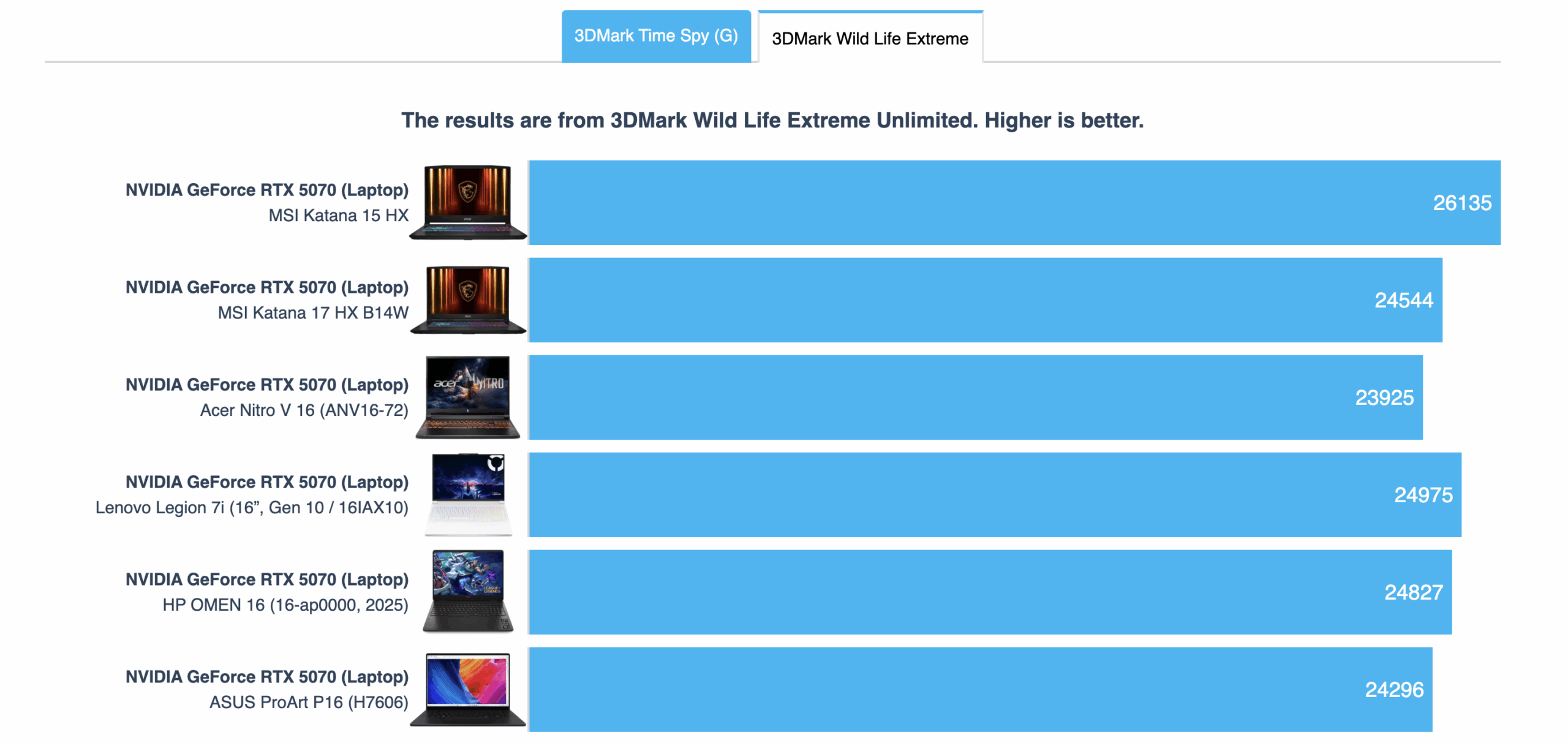
Here’s a great surprise – the MSI Katana 15 HX is the fastest RTX 5070 laptop we’ve tested, surpassing even the 18-inchers in our tests! Great job by MSI.
The results are from 3DMark Time Spy (Graphics). Higher is better.
The results are from 3DMark Wild Life Extreme Unlimited. Higher is better.
MSI Katana 15 HX (B14Wx) GPU variants
Here you can see an approximate comparison between the GPUs that can be found in the MSI Katana 15 HX (B14Wx) models on the market. This way you can decide for yourself which MSI Katana 15 HX (B14Wx) model is the best bang for your buck.
Note: The chart shows the cheapest different GPU configurations so you should check what the other specifications of these laptops are by clicking on the laptop’s name / GPU.
The results are from 3DMark Time Spy (Graphics). Higher is better.
Results are from the 3DMark: Wild Life (Graphics) benchmark (higher the score, the better)
Gaming tests

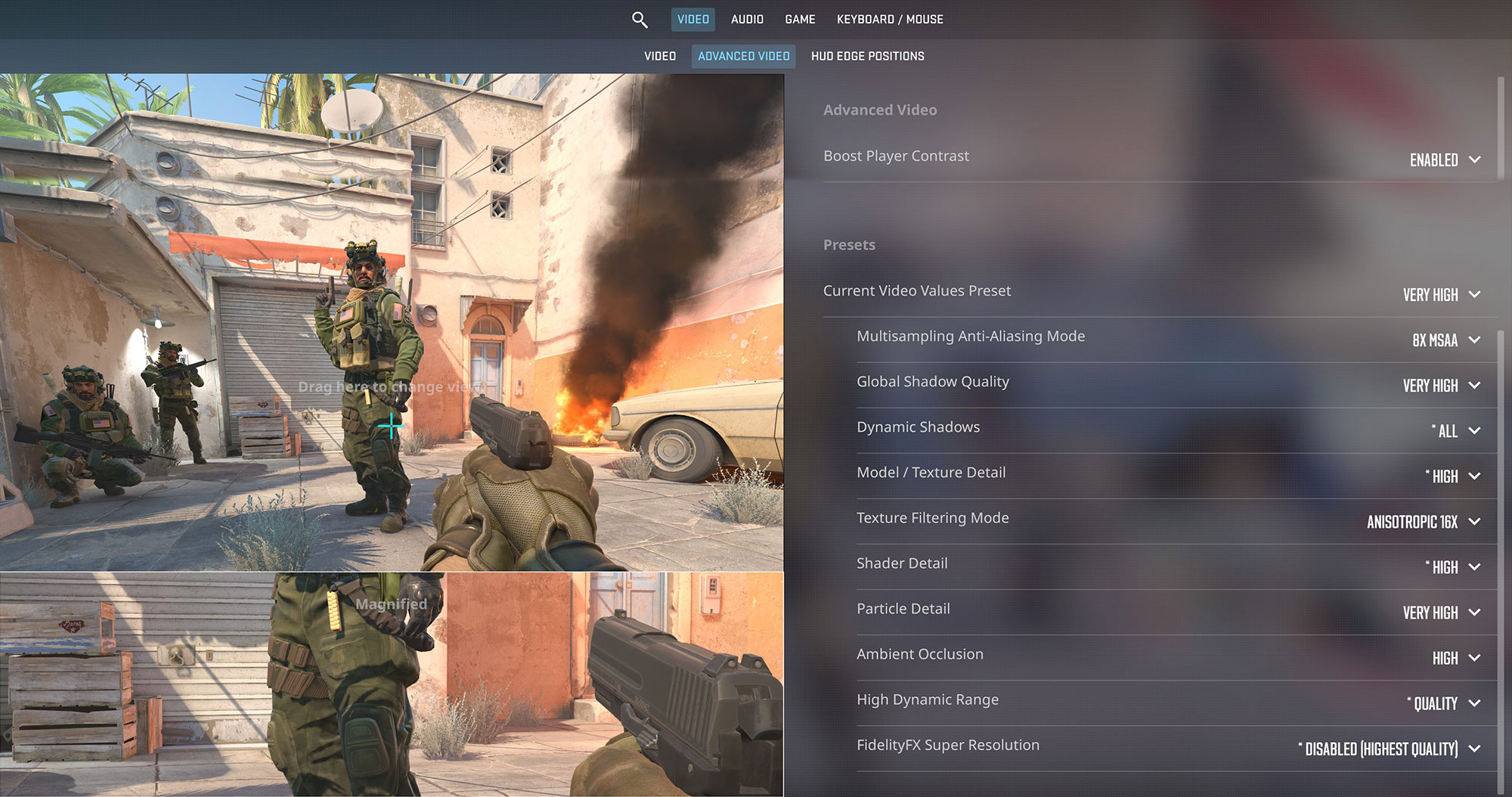
The MSI Katana 15 HX is a perfect match for its 165Hz display. In Counter-Strike 2, it hits an average of 173 FPS at the native 1440p resolution on Very High settings, ensuring maximum fluidity for competitive play.
| Counter Strike 2 | 1440p, Very High (Check settings) |
| Average FPS | 173 FPS |

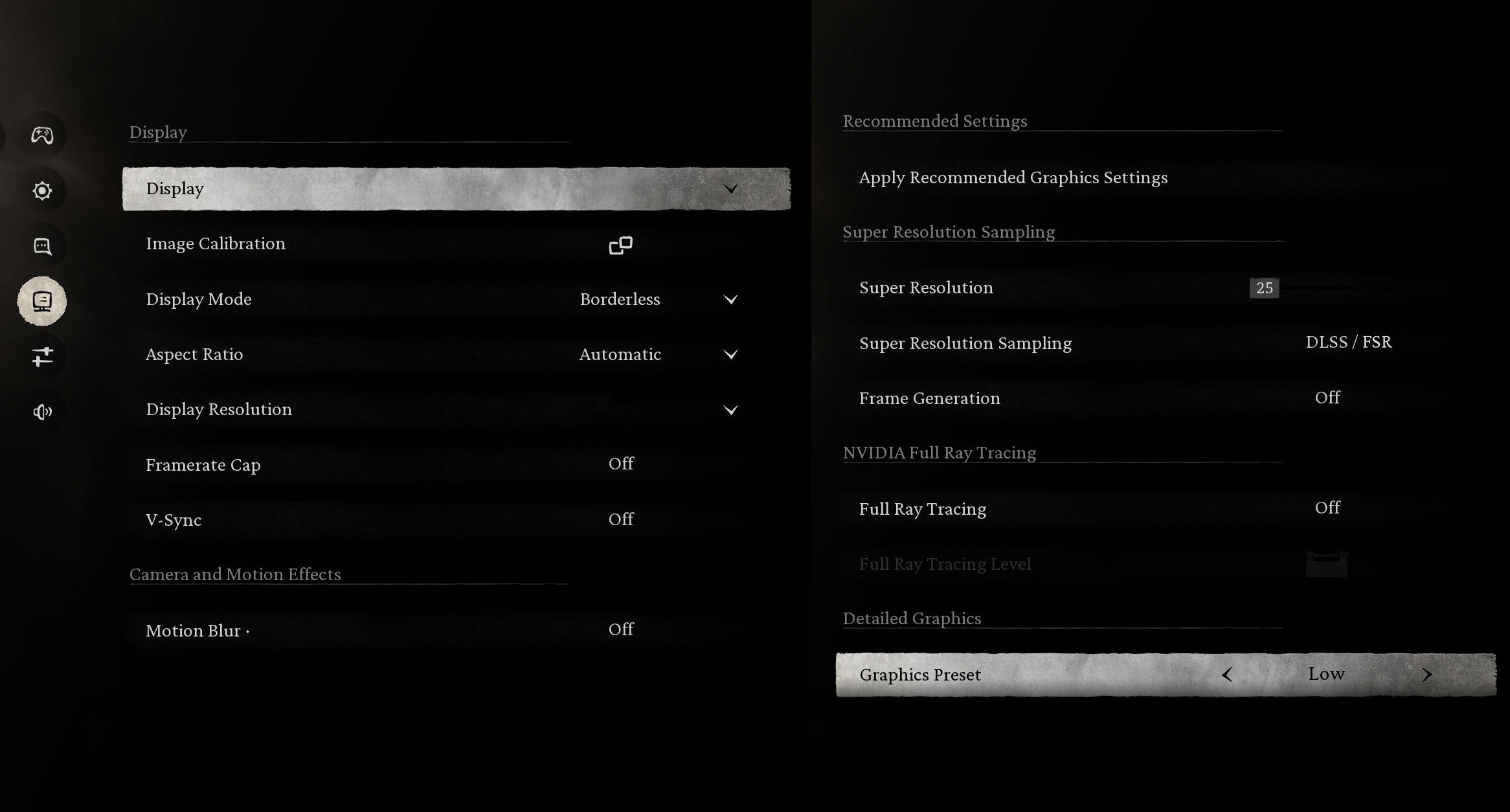
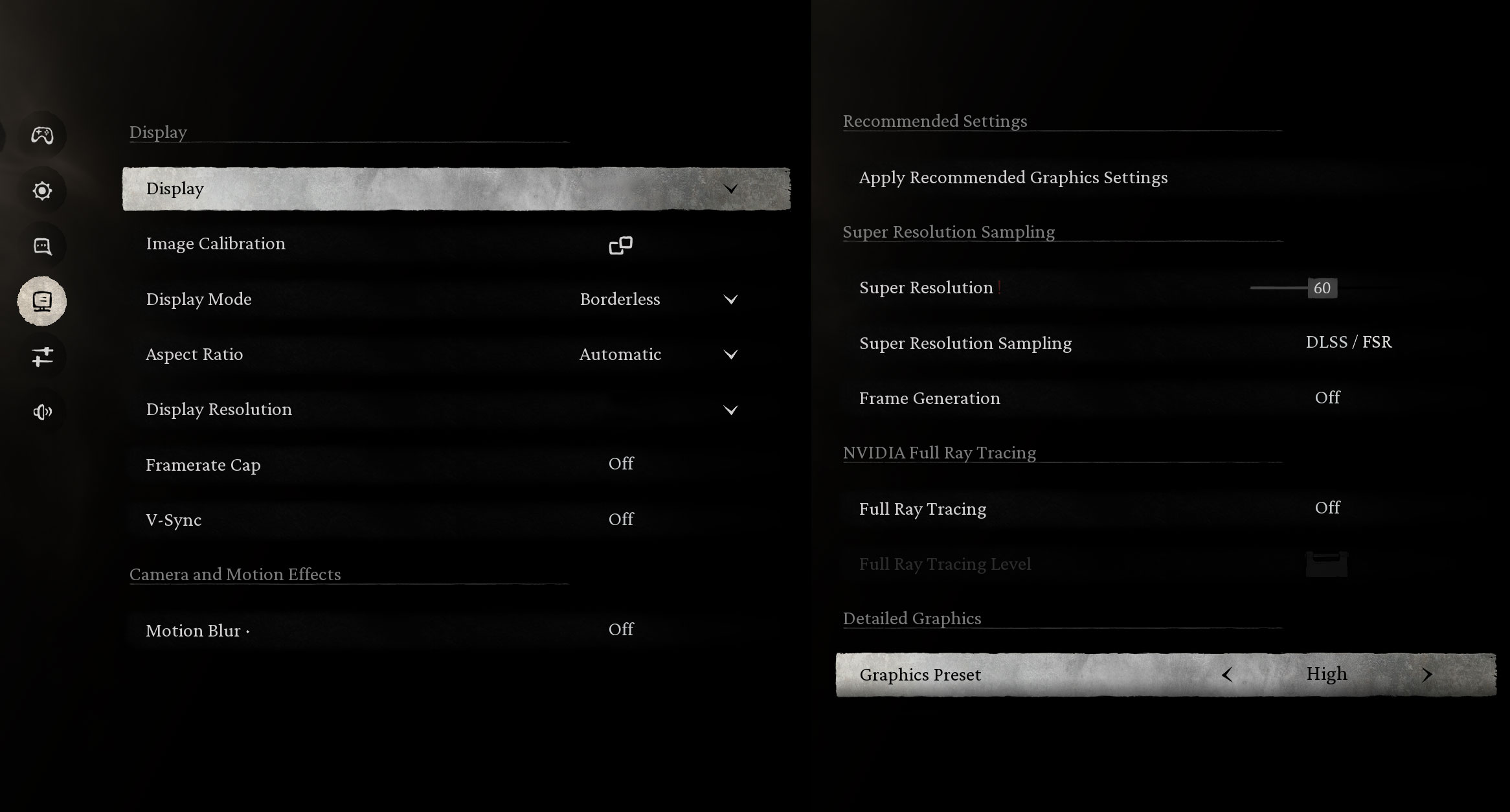
This machine handles the demanding Black Myth: Wukong effortlessly. At 1440p, you can expect a massive 184 FPS on Low settings, or a very smooth 87 FPS on High settings for a richer visual experience.
| Black Myth: Wukong | 1440p, Low (Check settings) | 1440p, High (Check settings) |
| Average FPS | 184 FPS | 87 FPS |

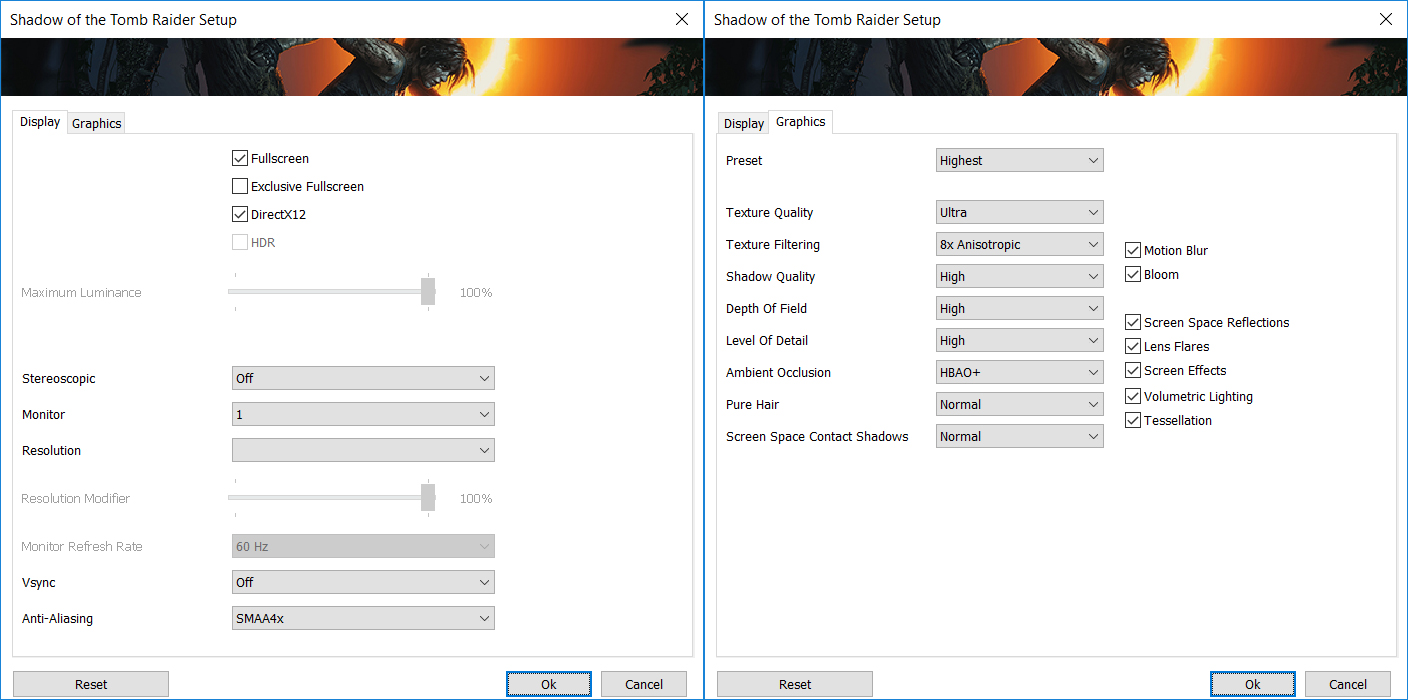
In Shadow of the Tomb Raider, the RTX 5070 shines. It delivers 175 FPS at 1080p and stays well above the 100 FPS mark at the native 1440p resolution with 132 FPS, both on the Highest quality preset.
| Shadow of the Tomb Raider | 1080p, Highest (Check settings) | 1440p, Highest (Check settings) |
| Average FPS | 175 FPS | 132 FPS |

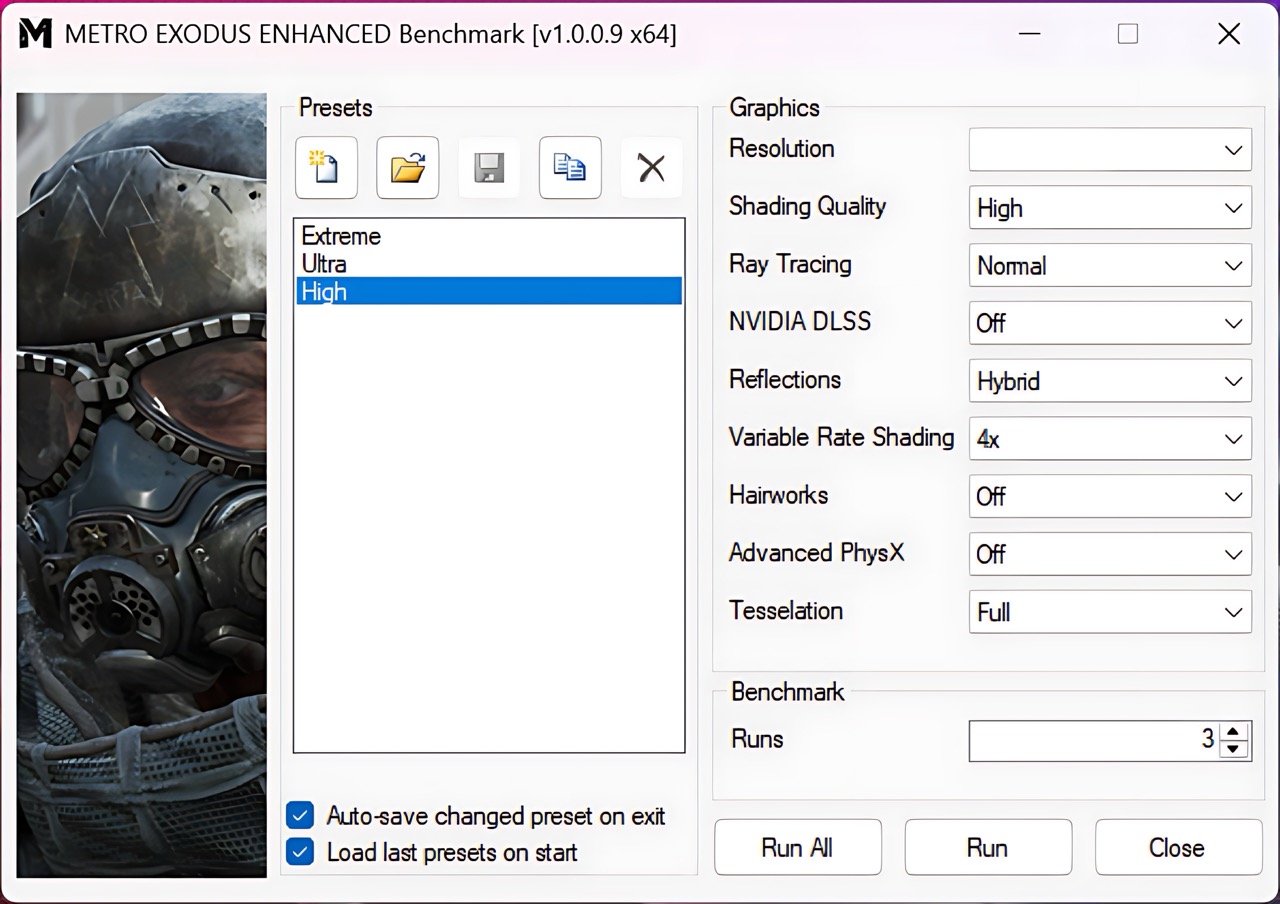
For ray-tracing enthusiasts, the Katana 15 HX runs Metro Exodus Enhanced Edition comfortably. It achieves 105 FPS at 1080p and a solid 79 FPS at 1440p using the High preset, providing a smooth, atmospheric experience.
| Metro Exodus Enhanced Edition | 1080p, High (Check settings) | 1440p, High (Check settings) |
| Average FPS | 105 FPS | 79 FPS |
Temperatures and Comfort, Noise, Stability
At idle, the CPU package of the MSI Katana 15 HX B14W maintains a temperature of 49ºC, and the notebook remains completely silent.
Office Work, Web Development, Design
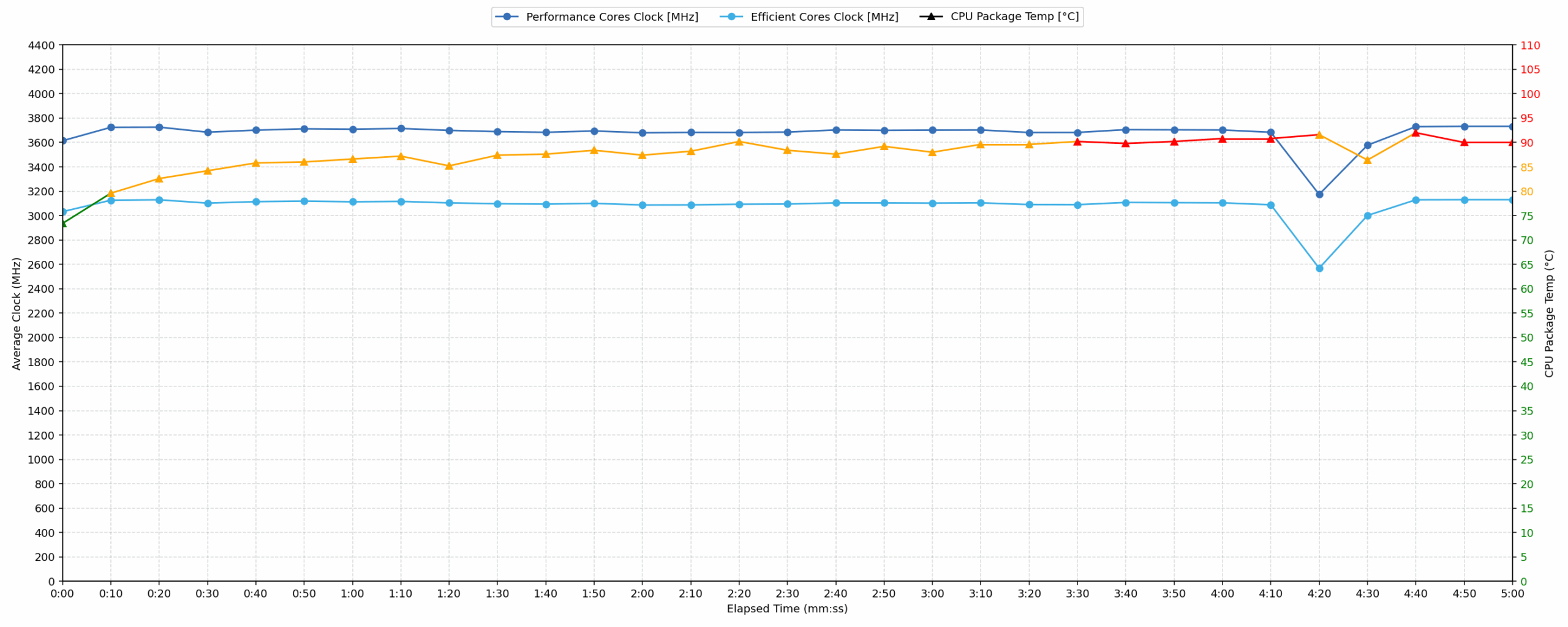
Short periods (0:00 – 0:10 s) of 100 % CPU load
This test shows the CPU behavior during short periods of serious load. It’s important for users who are looking for laptops suitable for tasks like Web Design and Programming.
| Intel Core i7-14650HX | Avg. P-Core Clock | Avg. CPU Temp. | Avg. CPU Power |
| MSI Katana 15 HX B14W | 3614 MHz | 73 °C | 88 W |
The MSI Katana 15 HX handles short bursts of computational load efficiently, peaking rapidly at 3859 MHz. Over the initial 10 seconds, the average performance is strong, registering 3614 MHz at an average power consumption of 88 W. Crucially, the average temperature remains well within the good range at 73 °C, ensuring immediate workload execution is not thermally throttled. However, the system registers a high instantaneous peak temperature of 96 °C during the initial 5-second burst. Compared to previous tests on the i7-14650HX, the average clock speed is competitive, suggesting good transient boost capabilities.
Video editing, Scientific computing, Software compilation, 3D rendering
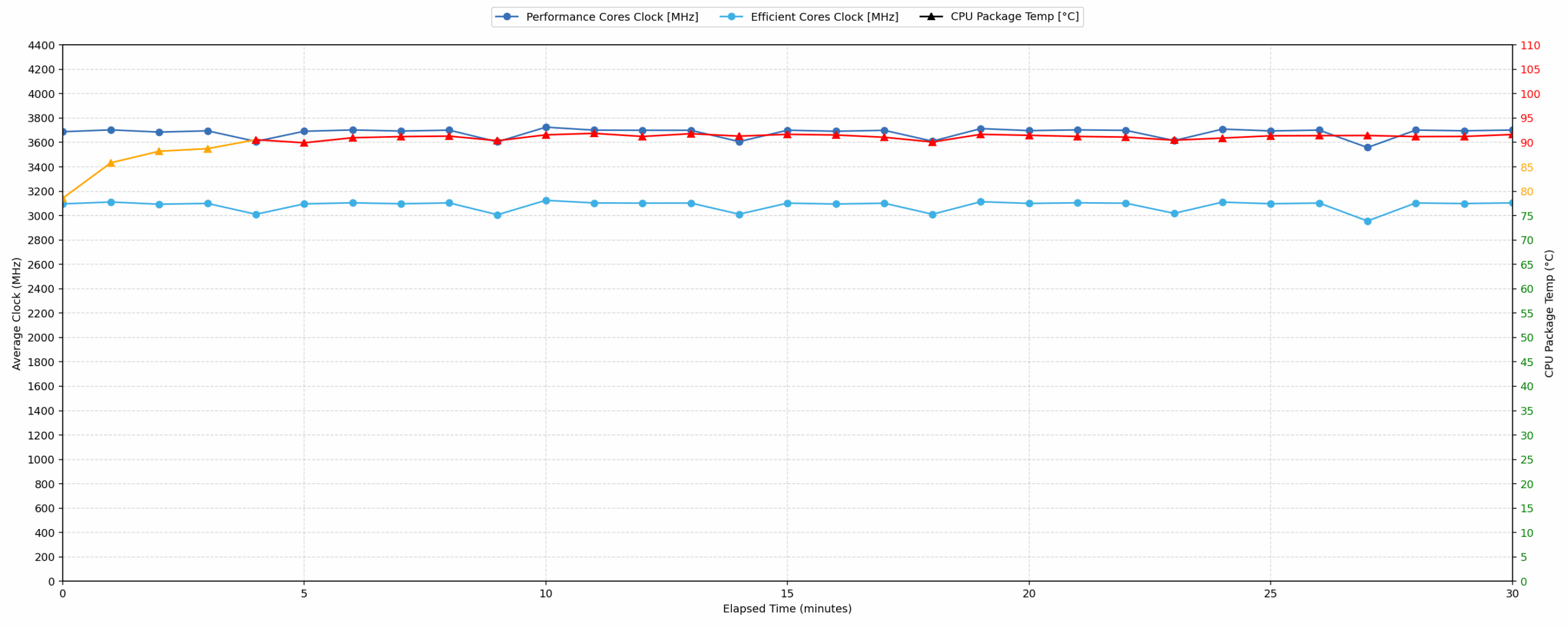
Long periods (0:00 – 30:00 min) of 100 % CPU load
This test shows the CPU behavior during long periods of serious load. It’s important for users who are looking for laptops suitable for tasks like Video Editing and 3D Rendering.
| Intel Core i7-14650HX | Avg. P-Core Clock | Avg. CPU Temp. | Avg. CPU Power |
| MSI Katana 15 HX B14W | 3680 MHz | 90 °C | 99 W |
Under sustained 30-minute CPU load, the system maintains a high average clock speed of 3680 MHz, drawing a consistent 99 W. This average clock speed is marginally better than previous tests on the same processor (3667 MHz). However, thermal performance is a significant concern, as the average CPU temperature hits 90 °C, placing it in the high thermal range. Furthermore, the stability shows initial volatility, evidenced by a noticeable clock speed drop of 1507 MHz within the 30-second to 5-minute window. This combination of high sustained performance and high sustained temperature suggests the cooling system is operating at its limit.
Gaming Stability
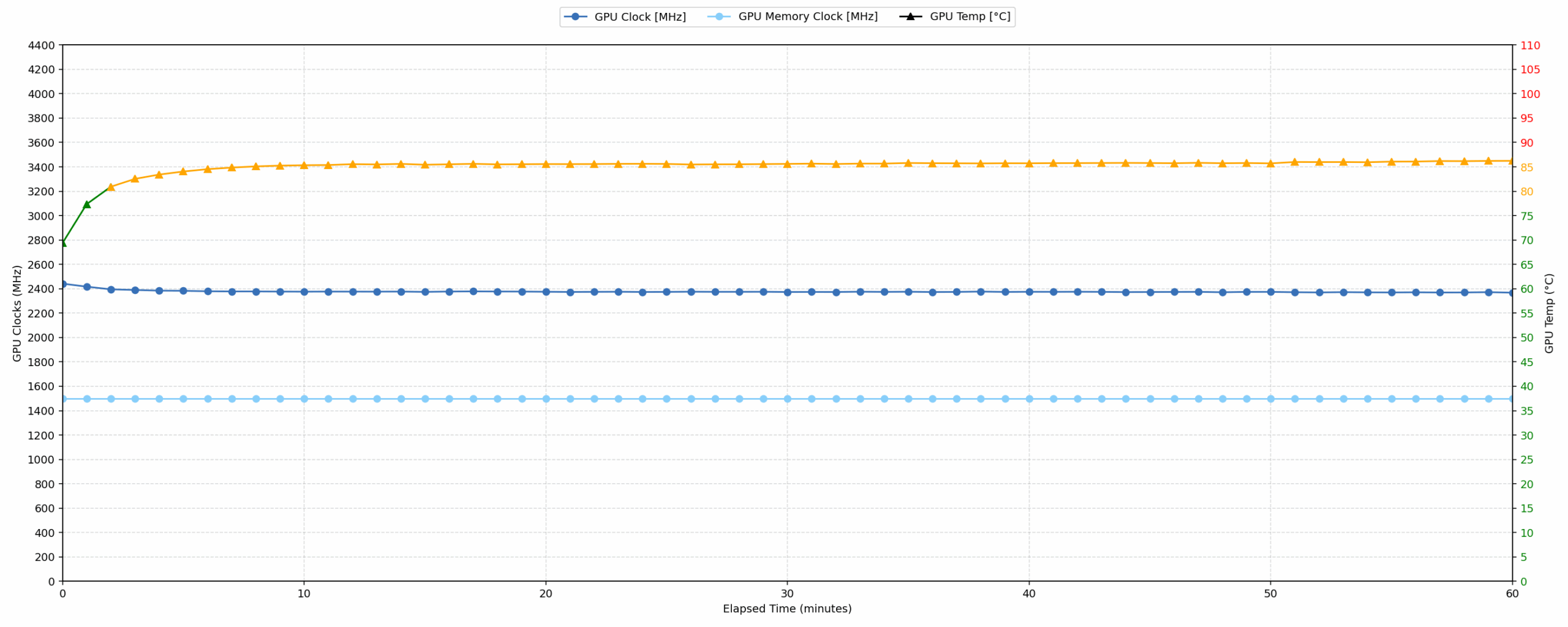
Continuous gaming (1-hour test)
This test evaluates the laptop’s performance under sustained GPU load and high CPU usage.
| NVIDIA GeForce RTX 5070 | Avg. GPU Clock | Avg. GPU Temp. | Avg. Memory Clock | Avg. GPU Mem Temp. | Avg. GPU Power |
| Acer Nitro 18 AI (AN18-61) | 2588 MHz | 79 °C | 1125 MHz | 75 °C | 113 W |
| HP OMEN 16 (16-ap0000) | 2510 MHz | 77 °C | 1125 MHz | 69 °C | 113 W |
| MSI Katana 15 HX B14W | 2376 MHz | 85 °C | 1500 MHz | 85 °C | 112 W |
| Alienware 16X Aurora (AC16251) | 2528 MHz | 86 °C | 1125 MHz | 81 °C | 111 W |
| MSI Katana 17 HX B14W | 2452 MHz | 85 °C | 1125 MHz | 83 °C | 106 W |
| Lenovo Legion 7i (16”, Gen 10 / 16IAX10) | 2441 MHz | 83 °C | 1125 MHz | 75 °C | 104 W |
| ASUS ProArt P16 H7606 (2025) | 2553 MHz | 84 °C | 1125 MHz | 83 °C | 102 W |
| Acer Nitro V 17 AI (ANV17-41) | 2489 MHz | 82 °C | 1093 MHz | 77 °C | 93 W |
| Acer Nitro V 16 (ANV16-72) | 2460 MHz | 78 °C | 1125 MHz | 75 °C | 93 W |
During the continuous one-hour gaming simulation, the RTX 5070 maintains excellent thermal control. Both the average GPU core temperature (85 °C) and the average memory temperature (85 °C) remain comfortably within the good range, well below critical limits. Performance stability is reliable, with a minimum clock speed of 2257 MHz.
Here’s something interesting – the average GPU clock is the lowest, just 2376 MHz, but the memory clock is the highest of all testsed RTX 5070 laptops – 1500 MHz. The result is a GPU power of 112 W, just behind the leaders OMEN 16, and Nitro 18 (113W for both). Interesting strategy, with great results.
Battery Life
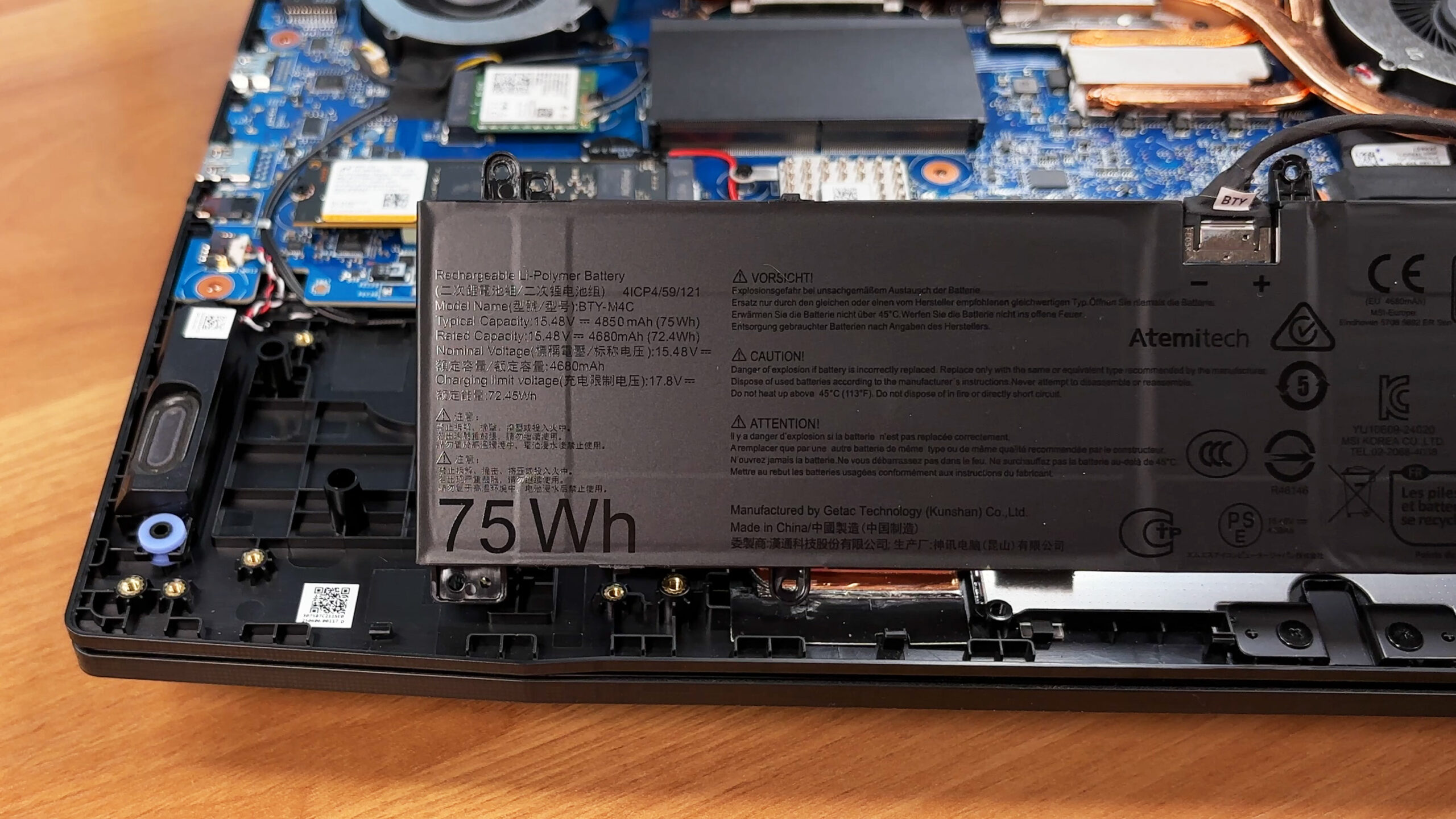
The battery of the MSI Katana 15 HX B14W is a 4-cell Li-polymer, model BTY-M4C. Its nominal voltage is 15.48V and stores 75 Wh of electrical energy.
We tested its endurance in ECO-Silent mode, with MSHybrid set GPU switch:
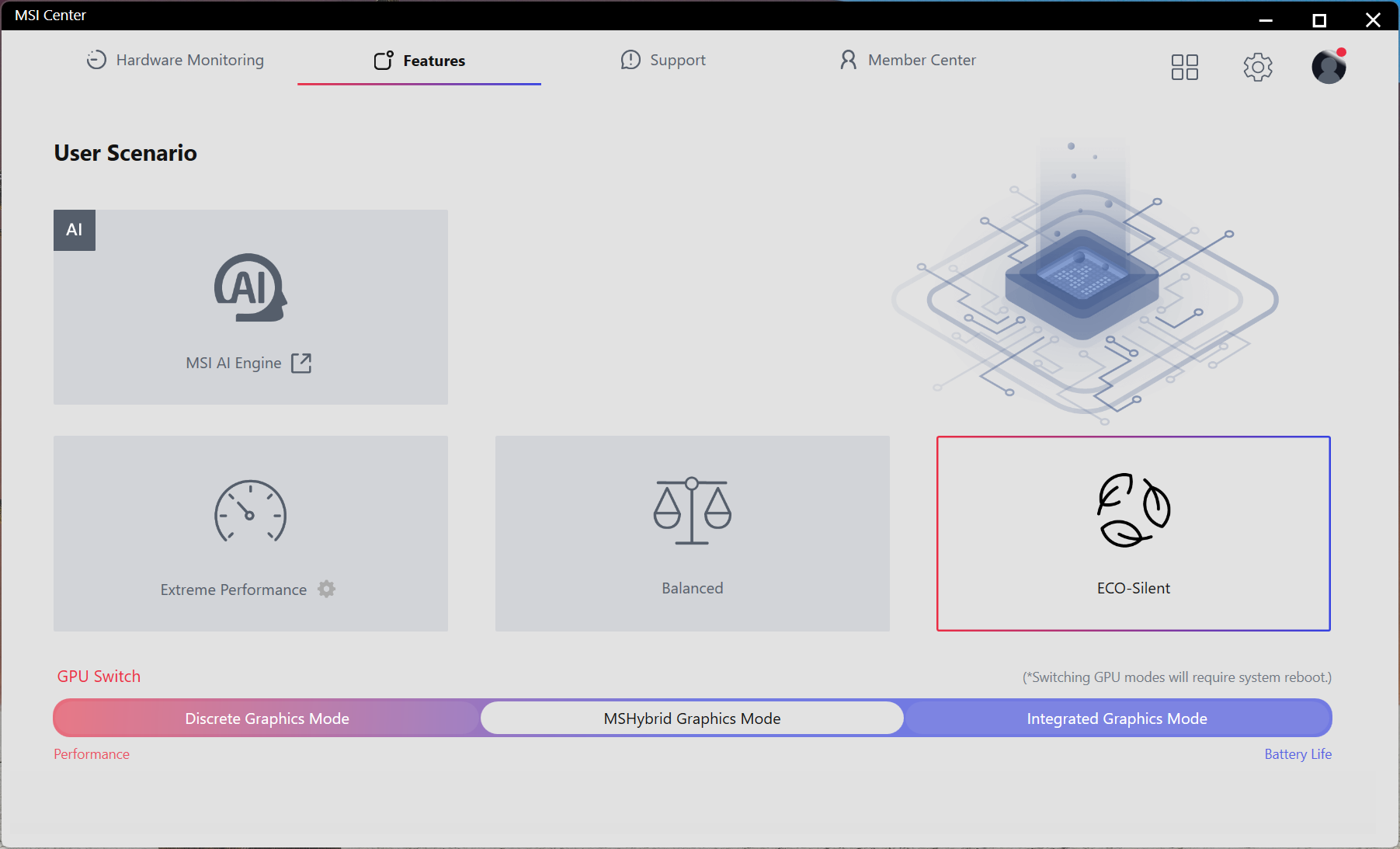
6 hours and 50 minutes on a single charge is a great result for a gaming laptop with RTX 5070, while it trails behind ASUS ProArt P16 H7606 (detailed review) and its great optimization + enormous 90Wh battery.
MSI Katana 17 HX B14W has the same 75Wh unit but due to the larger screen, its battery life is just over 5 hours.
Brightness: 180 nits; Display Mode: SDR
Time to Full Discharge: Higher is Better
Disassembly, Upgrade options, and Maintenance
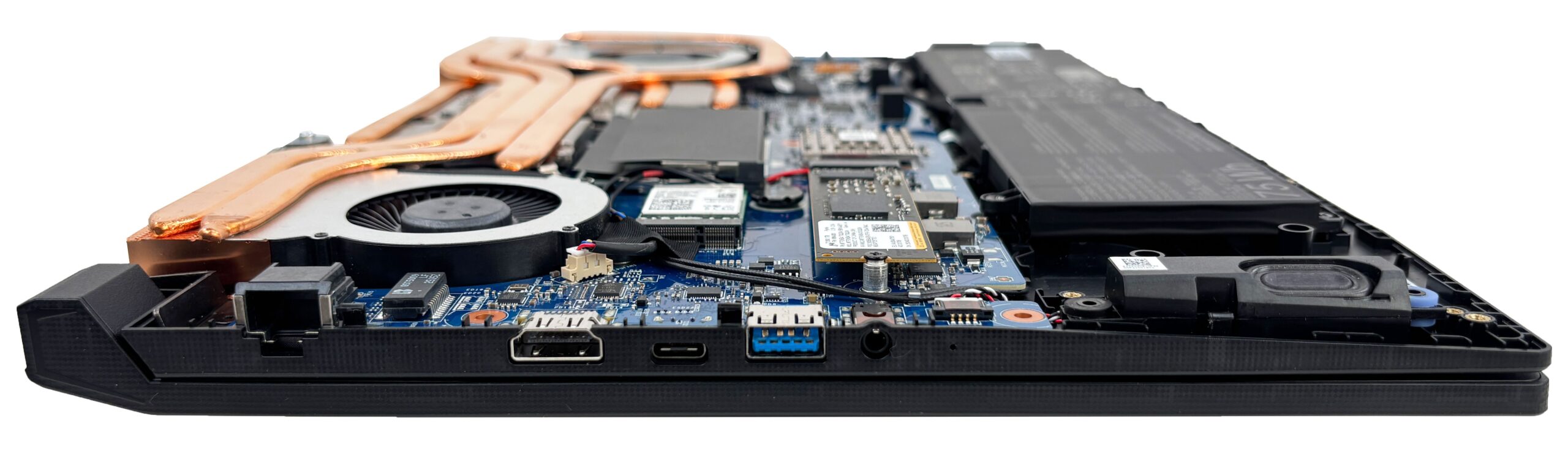
Getting inside the MSI Katana 15 HX B14W starts from the bottom: the panel is held in place by 13 screws and a set of plastic clips around the edges. Once the screws are out, a thin plastic pry tool helps release the clips without marring the finish, and the entire internals layout becomes accessible.
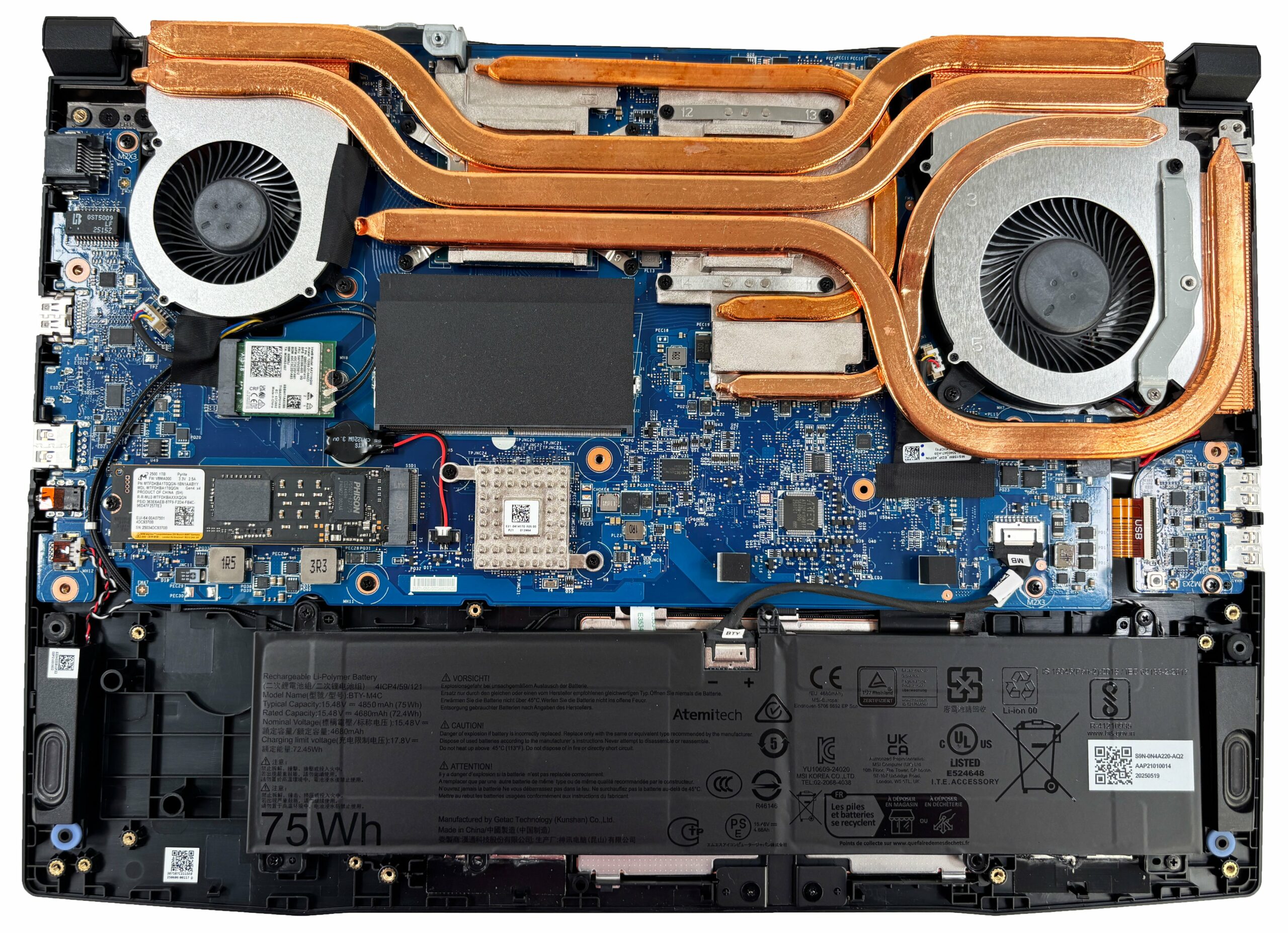
Cooling is handled by a dual-fan setup connected to a large shared heat spreader with multiple copper heat pipes. The pipes route heat into two fin stacks positioned toward the rear corners, so both fans can exhaust efficiently through the back. Access to the fans is straightforward after removing the bottom cover, while a full repaste would require taking off the entire heatsink assembly.
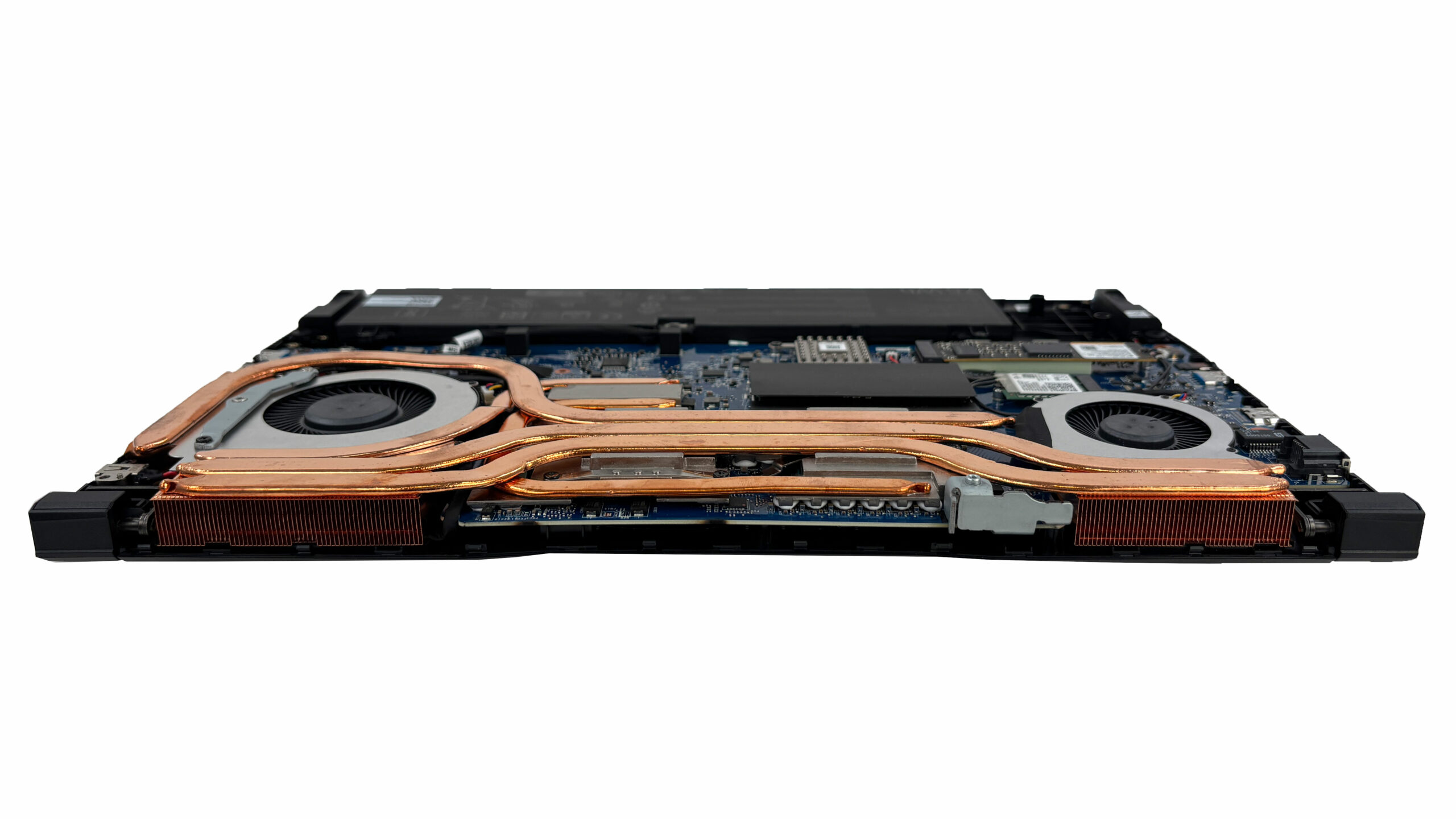
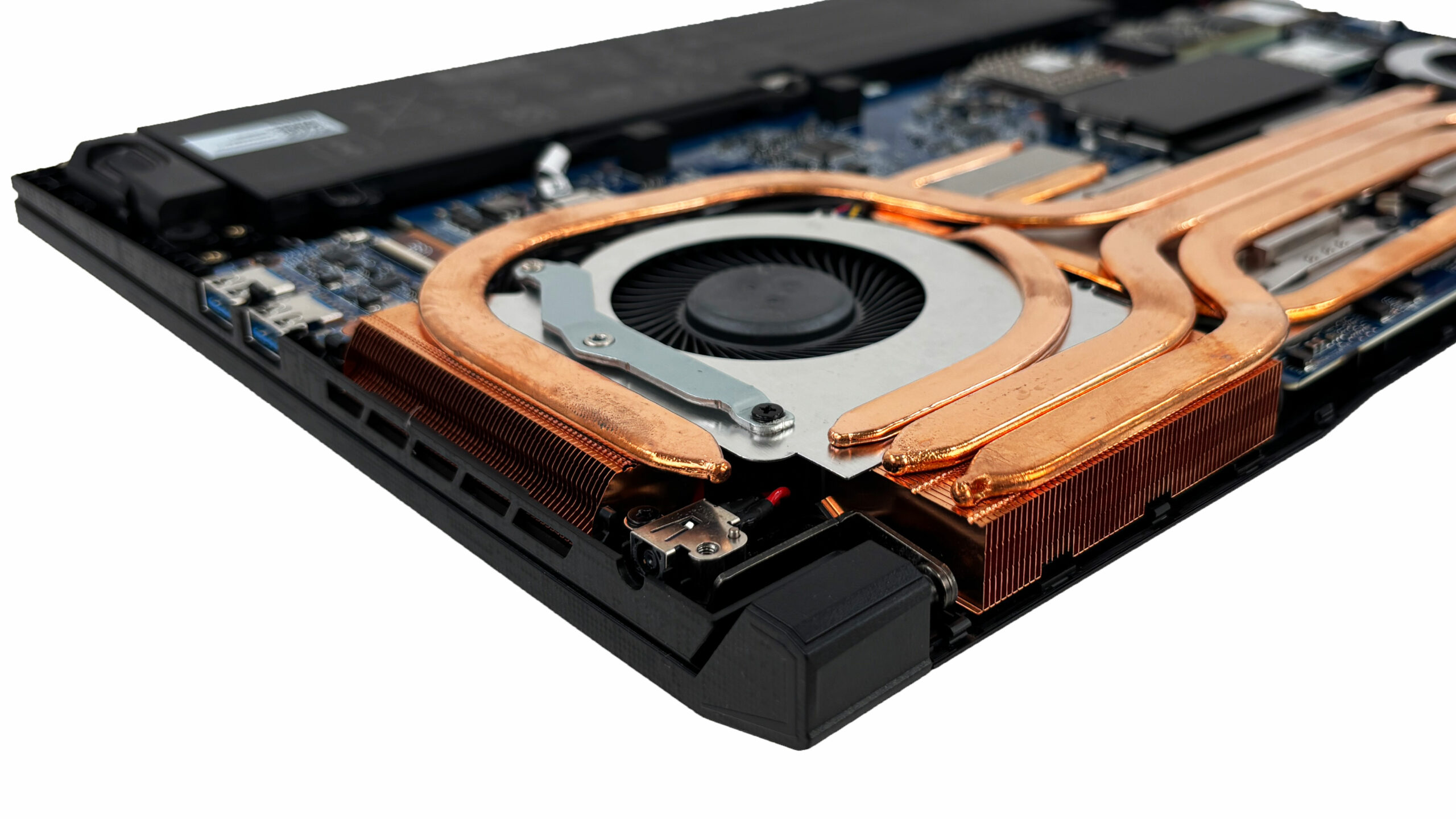
The battery is a removable 4-cell lithium-polymer unit rated at 75 Wh. It’s secured with screws and uses a cable connector that should be disconnected before doing any upgrades or service work; in this design, the connector is additionally guided by a small channel that helps prevent accidental loosening.
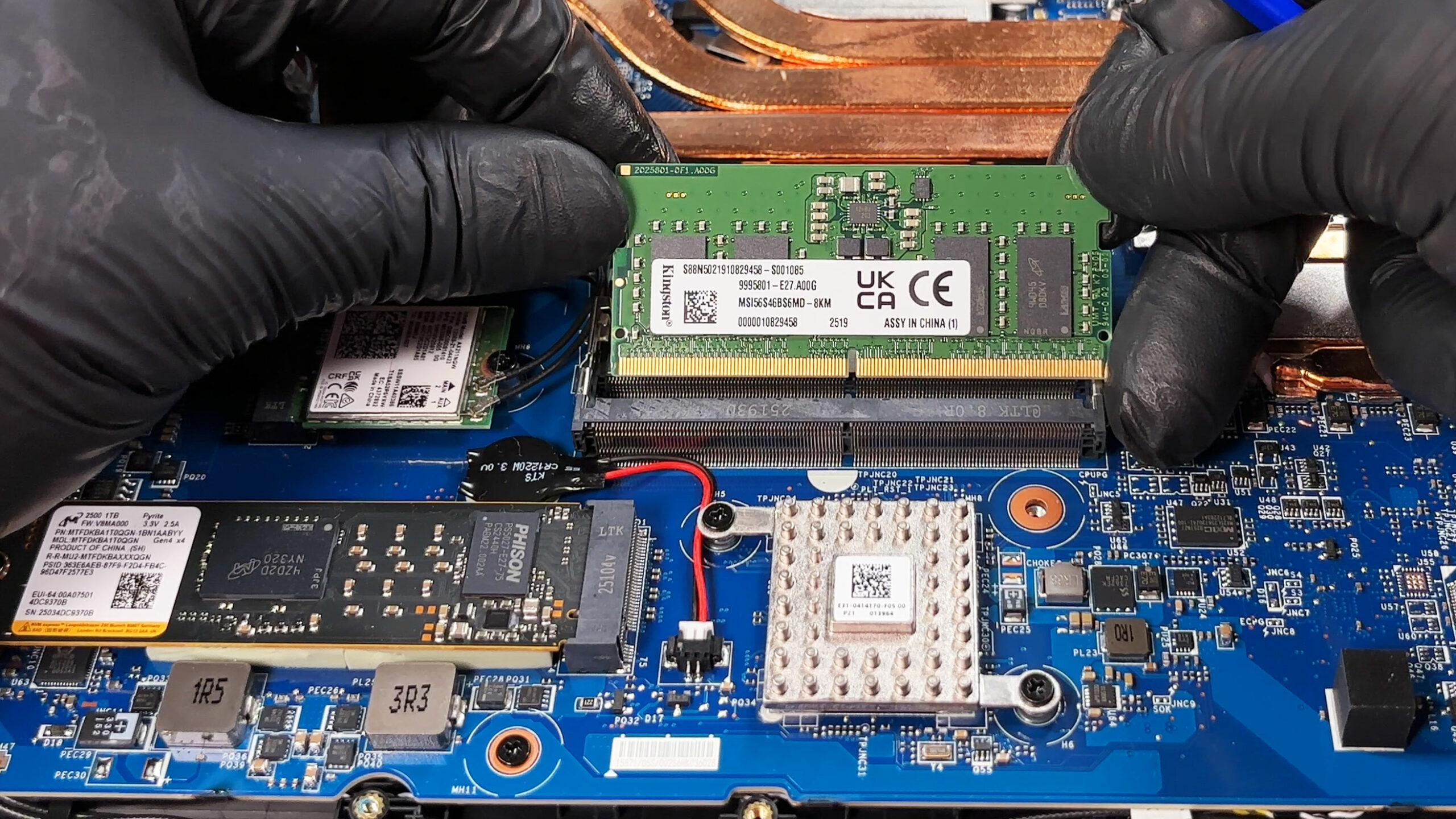
Memory is upgradeable thanks to two DDR5 SO-DIMM slots, with support for DDR5-5600 in this configuration. MSI also uses metalized shielding tape over the memory area, which you’ll need to peel back carefully and then reapply once you’re done to keep the EMI shielding intact.
For storage, there is a single M.2 slot for an NVMe drive, which limits upgrades to one SSD at a time. Our unit is fitted with a Micron 2500 1 TB PCIe Gen 4 x4 drive, and the installation includes thick, elastic thermal pads, so it’s worth pulling the drive out gently to avoid flexing it during removal.
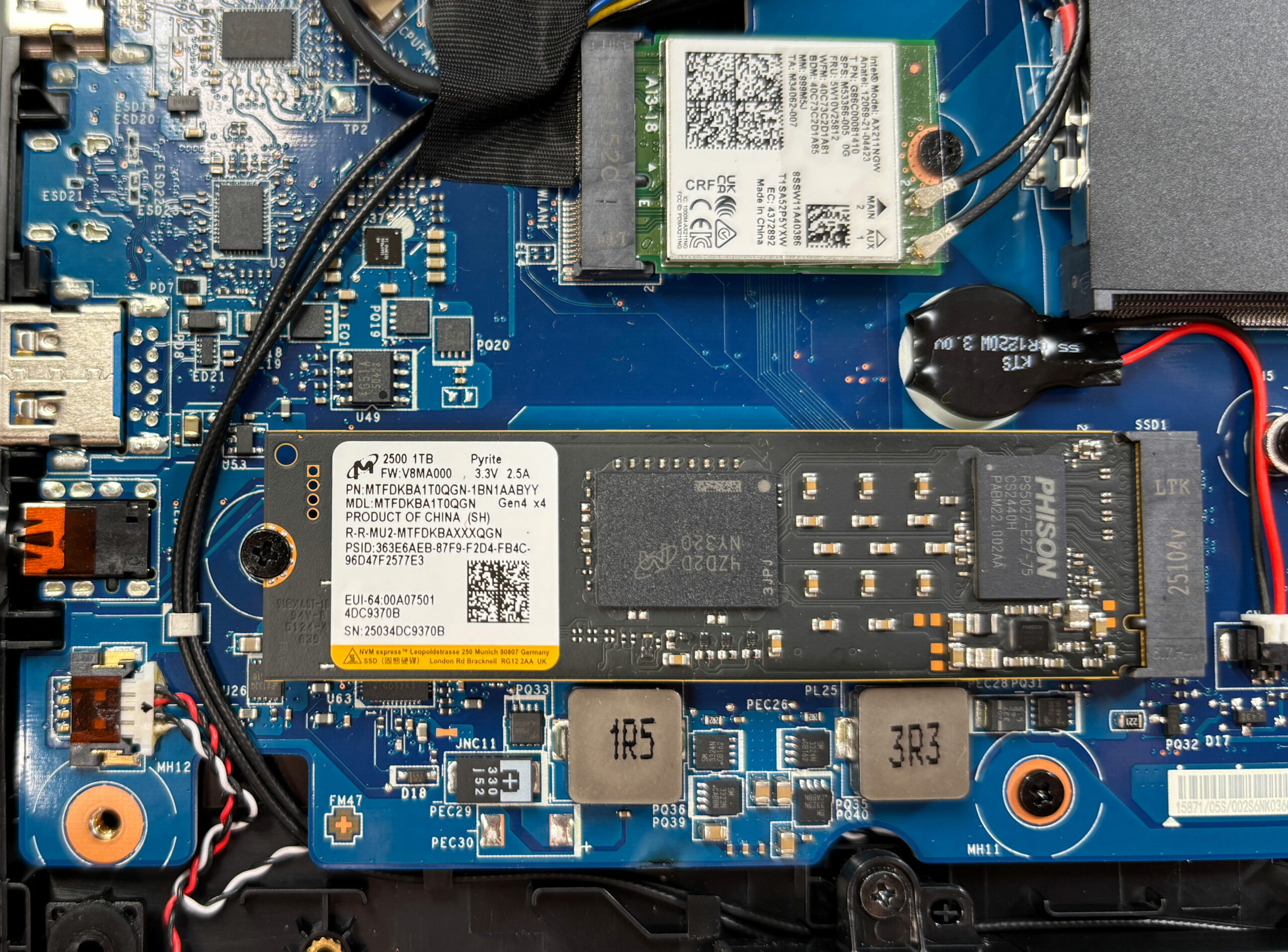
Wireless connectivity comes from an Intel Wi-Fi 6E AX211 card, which is a replaceable M.2 module and can be swapped if needed. The antenna leads are easy to reach, but as always, they should be popped off straight up and pressed back down carefully to avoid damaging the tiny connectors.
Beyond the RAM, SSD, Wi-Fi card, and battery, the two fans are also replaceable parts, while the CPU and GPU are soldered to the motherboard and not upgradeable. Overall, maintenance is user-friendly with quick access to the core service points, but storage expansion is constrained by having only one M.2 slot.
Verdict
 The MSI Katana 15 HX (B14Wx) is a gaming laptop that knows exactly what it wants to be: a no-nonsense performance machine. It doesn’t rely on flashy metal exteriors or gimmicky features. Instead, it focuses almost entirely on delivering the best possible gaming experience for the price, punching well above its weight class in raw performance. It’s a laptop that feels like a hidden gem for the pragmatist who values frame rates over frills.
While it makes some clear compromises in build materials and features to hit its price point, the sheer power and surprising quality of its display make it an incredibly compelling option for gamers who want top-tier performance without breaking the bank.
You can check the prices and configurations in our Specs System: https://laptopmedia.com/series/msi-katana-15-hx-b14wx/
✅ The Good
The headline feature here is the astounding GPU performance. Our RTX 5070 model proved to be the fastest laptop with this GPU we have ever tested, outperforming even larger and more expensive competitors. This raw power is backed by a fantastic 165Hz QHD display that offers full DCI-P3 coverage, excellent color accuracy with our profile, and is completely PWM-free for eye comfort.
Despite its plastic build, the chassis feels solid and resists fingerprints well. The keyboard is comfortable for gaming with a 4-zone RGB backlight, and the battery life is surprisingly very good, lasting nearly 7 hours in our tests. We also appreciate the user-accessible dual RAM slots, allowing for future memory upgrades up to 96GB.
The cooling system does a commendable job keeping the GPU temperatures in check during long gaming sessions, ensuring stable and reliable performance when it matters most.
❌ The Bad
 The most significant limitation for future-proofing is the single M.2 SSD slot. This means if you want more storage, you have to replace your existing drive rather than simply adding another one, which is inconvenient for a gaming laptop. The CPU also tends to run quite hot under sustained heavy loads, hitting high temperatures to maintain performance.
There are also some missing quality-of-life features typical of this budget-performance segment. There is no privacy shutter for the webcam, and no biometric login options (fingerprint or IR) whatsoever. Finally, while sturdy, the all-plastic build lacks the premium feel of metal-clad rivals.
🆚 The Competitors
When compared to the Acer Nitro V 16 AI (detailed review), the Katana 15 HX is the clear winner in raw power. Its RTX 5070 implementation is significantly faster, and its QHD display is superior. However, the Nitro V 16 runs its CPU much cooler, making it a better choice for users who prioritize thermal comfort over absolute maximum frame rates.
Against a more premium rival like the Lenovo Legion 7i (detailed review), the Katana holds its own surprisingly well. While the Legion offers a much better build quality and a stunning OLED screen, the Katana actually outperforms it in raw GPU benchmarks and offers better battery life. For the gamer on a budget who wants maximum FPS, the Katana 15 HX is arguably the smarter buy.
Pros
- Record-breaking GPU performance (fastest RTX 5070 tested)
- Excellent 165Hz QHD display with 100% DCI-P3 coverage and no PWM
- Very good battery life for a gaming laptop (nearly 7 hours)
- Solid build quality with fingerprint-resistant finish
- Two user-accessible RAM slots for easy upgrades
- Comfortable keyboard with 4-zone RGB lighting
Cons
- Only one M.2 slot limits storage expansion
- CPU runs hot under sustained heavy load
- No privacy shutter or biometric login options
- All-plastic chassis feels less premium
 Author: Simeon NikolovEditor-in-Chief at LaptopMedia.com with 20+ years of experience in testing and analyzing laptops and mobile devices.
 Author: eng. Kroum NikolovHead of Engineering at LaptopMedia.com, inventor and innovator with 40+ years of experience in electronics and high technology.

![[June 2026] Best-Selling Laptop Brands on Amazon Global – Apple’s Unrivaled Dominance in Units and Revenue](https://laptopmedia.com/wp-content/uploads/2026/07/GLOBAL-Best-Brands-400x225.jpg)
![[June 2026] Amazon Global: Top 10 Best-Selling Laptops – Apple’s New MacBook Neo Storms to #1, Reshaping the Market with Affordability](https://laptopmedia.com/wp-content/uploads/2026/07/Best-Selling-Laptops-GLOBAL-Top-10-400x225.jpg)
![[June 2026] Amazon Global: Top 10 Best-Selling Gaming Laptops – Acer’s Nitro V 16S AI Dominates Sales, While ASUS Leads Overall Revenue](https://laptopmedia.com/wp-content/uploads/2026/07/Best-Selling-Gaming-Laptops-GLOBAL-Top-10-400x225.jpg)
![[June 2026] Global Ranking of Best-Selling Laptop GPUs on Amazon – NVIDIA RTX 5060 is the Top-Selling Dedicated GPU](https://laptopmedia.com/wp-content/uploads/2026/07/Best-Selling-GPUs-GLOBAL-Top-10-400x225.jpg)
![[June 2026] Global Ranking of Best-Selling Laptop CPUs on Amazon – Apple M5 Dominates, AMD Ryzen 7 260 Gets Solid Premium Share](https://laptopmedia.com/wp-content/uploads/2026/07/Best-Selling-CPUs-GLOBAL-Top-10-400x225.jpg)