Lenovo IdeaPad Slim 5i (16″, Gen 10) review – A Great Laptop Held Back By (Our) Bad Choices
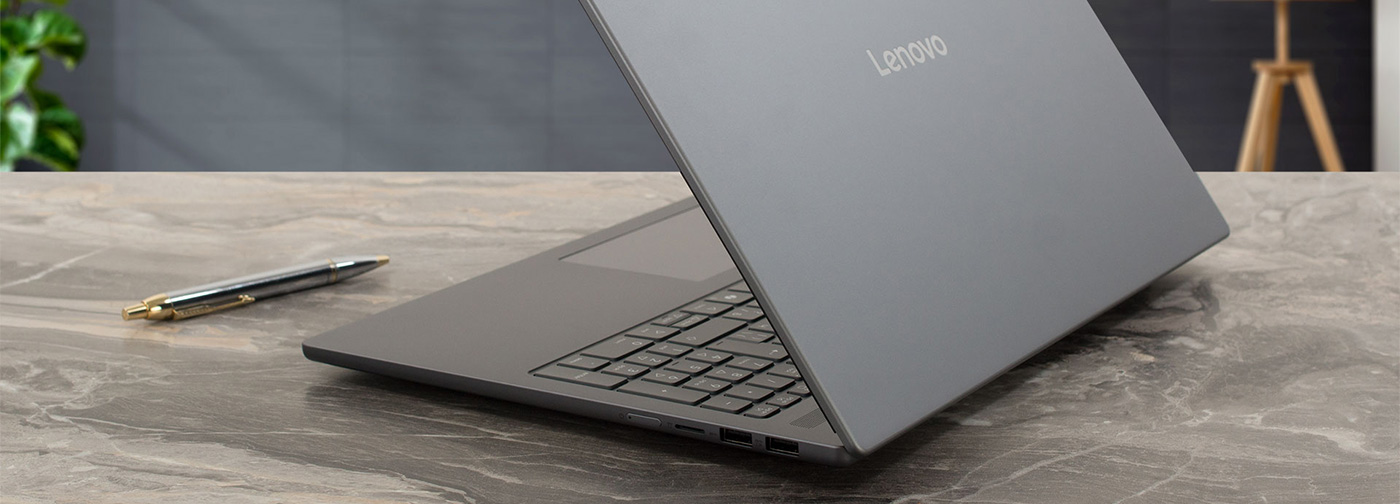
The Lenovo IdeaPad Slim 5i (16″, Gen 10) looks and feels like a premium machine far above its starting price. Its all-metal chassis is elegant and sturdy, and its internal design offers a level of upgradeability that’s almost unheard of in a slim laptop today. But this excellent foundation can be paired with some deeply disappointing components. Our review unit, the base model, reveals a story of stark contrasts – a beautiful shell housing a dull screen and a processor that struggles with heat. It’s a laptop that has the potential to be fantastic, but only if you choose your configuration very, very carefully.
You can check the prices and configurations in our Specs System: https://laptopmedia.com/series/lenovo-ideapad-slim-5-16irh10r/
Contents
Specs, Drivers, What’s in the box
Lenovo IdeaPad Slim 5i (16", IRH10R / 16IRH10, Gen 10) - स्पेक्स
- GPU
- Intel UHD Graphics Xe G4 (48EU) #313 शीर्ष GPU में Intel UHD Graphics (Alder Lake, 64EU) #315 शीर्ष GPU में Intel UHD Graphics #364 शीर्ष GPU में Intel Iris Xe Graphics G7 (96EU) #323 शीर्ष GPU में Intel Iris Xe Graphics G7 (80EU) #318 शीर्ष GPU में Intel Graphics (4-Cores) #290 शीर्ष GPU में Intel Arc (8-Cores) #247 शीर्ष GPU में

- HDD/SSD
- तक 8000GB SSD
- M.2 स्लॉट
- 1x 2242 M.2 NVMe PCIe 4.0 x4 + 1x 2280 M.2 NVMe PCIe 4.0 x4 फोटो देखें
- RAM
- up to 64GB
- OS
- Windows 11 Home, Windows 11 Pro, No OS
- आयाम
- 356.5 x 250.6 x 16.9 mm (14.04" x 9.87" x 0.67")
- वजन
- 1.65 kg (3.6 lbs)
- पोर्ट और कनेक्टिविटी
- 1x USB Type-A
- 3.2 Gen 1 (5 Gbps)
- 1x USB Type-A
- 3.2 Gen 1 (5 Gbps), Sleep and Charge
- 2x USB Type-C
- 3.2 Gen 1 (5 Gbps), Power Delivery (PD), DisplayPort
- HDMI
- 1.4b
- कार्ड रीडर
- microSD (microSD, microSDHC, microSDXC)
- ईथरनेट लैन
- वाई-फाई
- Wi-Fi 6E / Wi-Fi 7
- ब्लूटूथ
- 5.2 / 5.4
- ऑडियो जैक
- 3.5mm Combo Jack
- विशेषताएँ
- फिंगरप्रिंट रीडर
- वेब कैमरा
- 5.0MP, with privacy shutter, fixed focus / FHD 1080p + IR, with privacy shutter, fixed focus, with ToF sensor
- बैकलिट कीबोर्ड
- optional
- माइक्रोफोन
- Dual Microphone Array
- स्पीकर
- 2x 2W Stereo Speakers, Dolby Audio
- सुरक्षा लॉक स्लॉट
सभी Lenovo IdeaPad Slim 5i (16″, IRH10R / 16IRH10, Gen 10) कॉन्फ़िगरेशन
Drivers
All drivers and utilities for this notebook can be found here: https://pcsupport.lenovo.com/us/en/products/laptops-and-netbooks/ideapad-s-series-netbooks/ideapad-slim-5-16irh10r/downloads
What’s in the box?
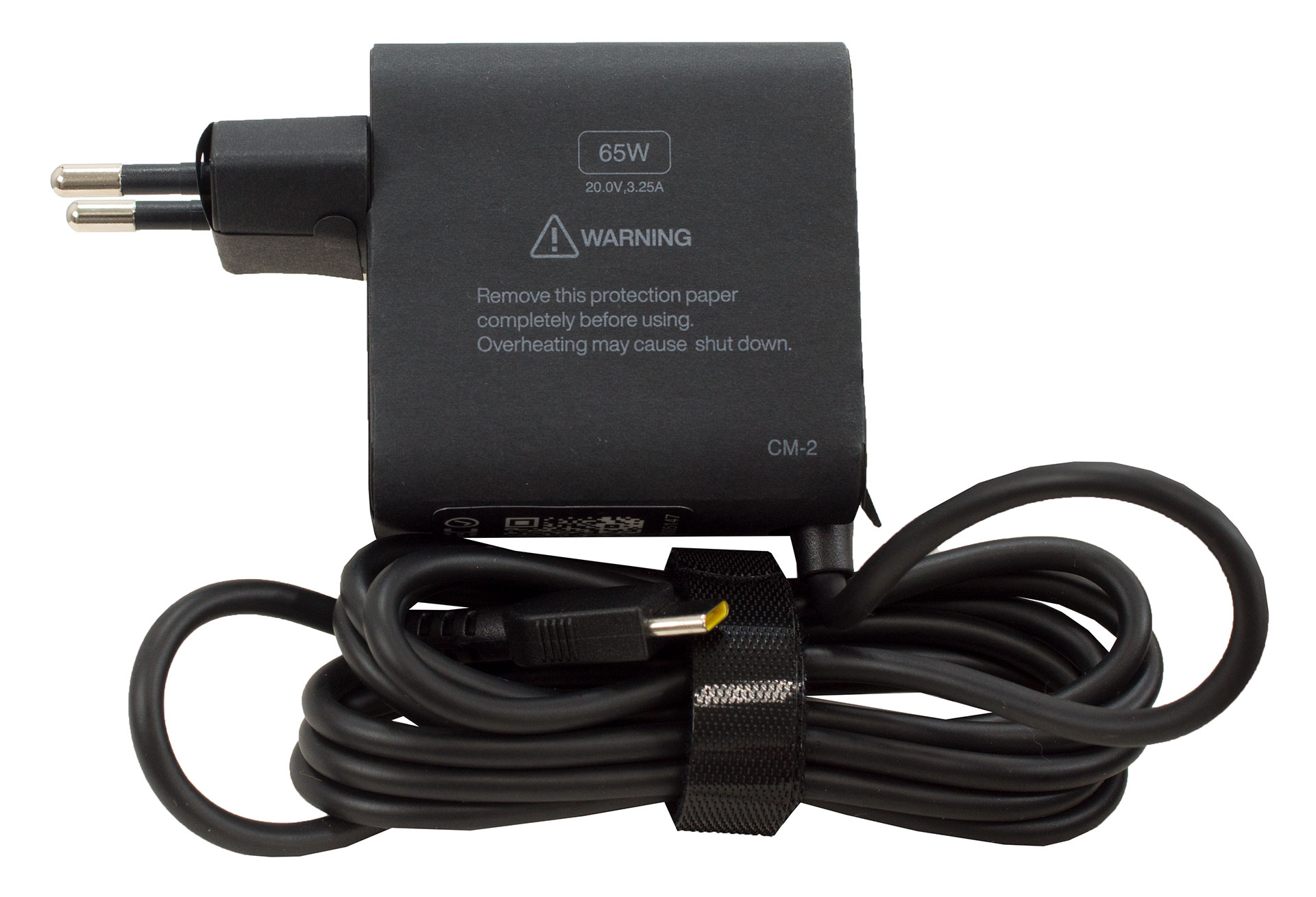
Opening the box for the Lenovo IdeaPad Slim 5i (16″, Gen 10) reveals the laptop itself and its impressively tiny power adapter.
While Lenovo’s official list tantalizingly suggests potential extras like a backpack, wireless earbuds, or a silent mouse depending on your region and a bit of luck, our European unit kept things strictly to the essentials.
We even double-checked for hidden compartments, but alas, no bonus accessories for us this time around!
Design and construction
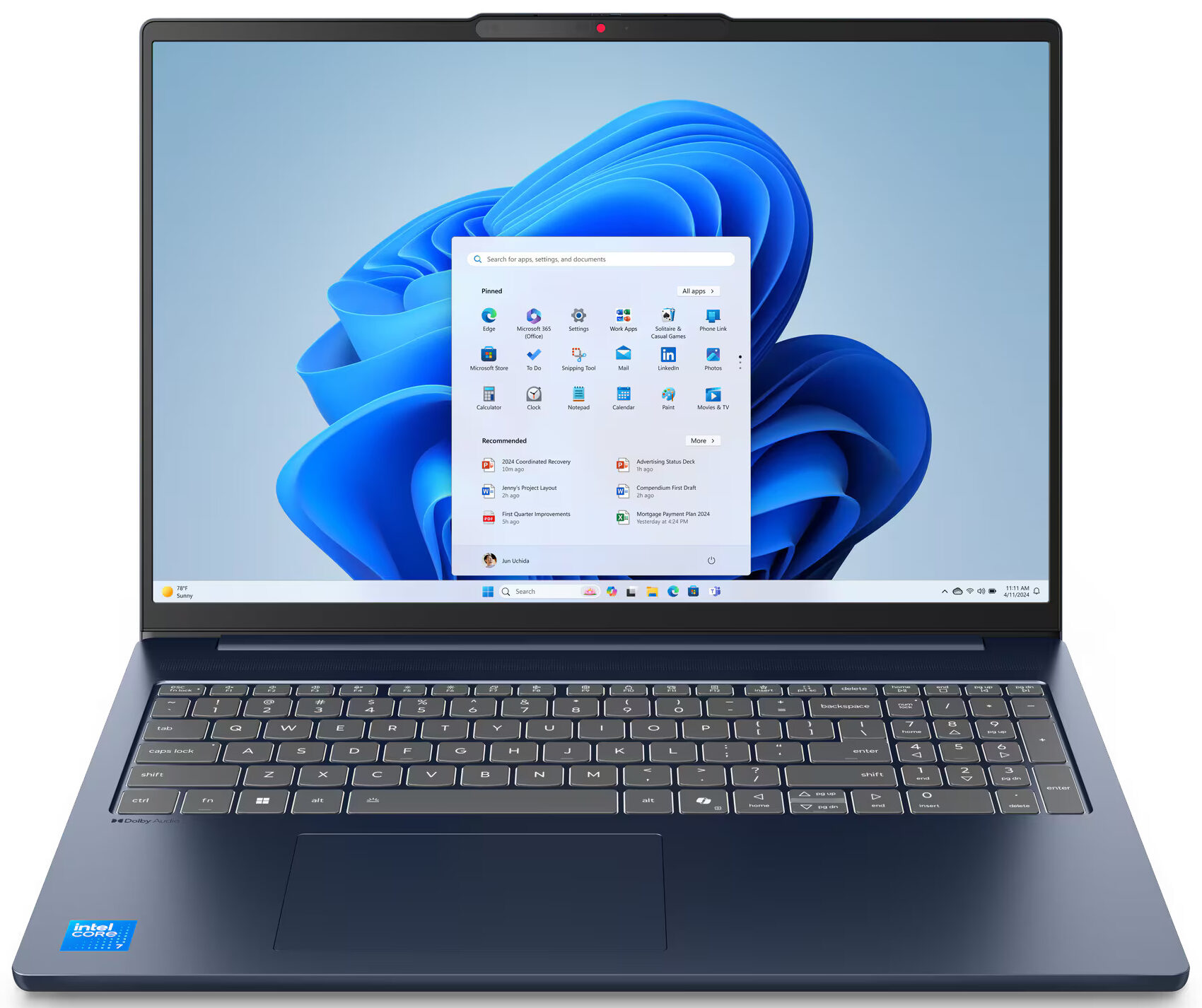
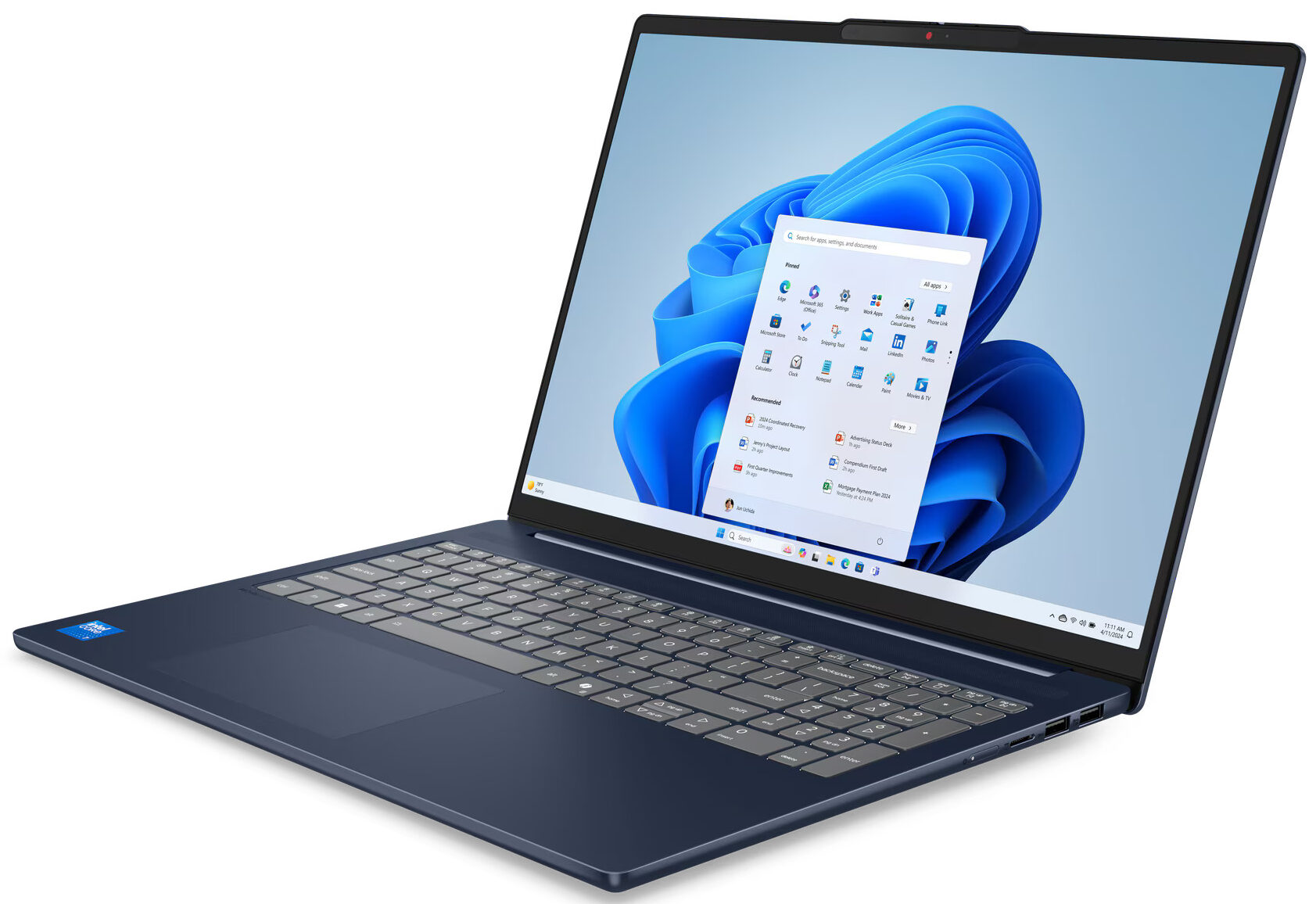
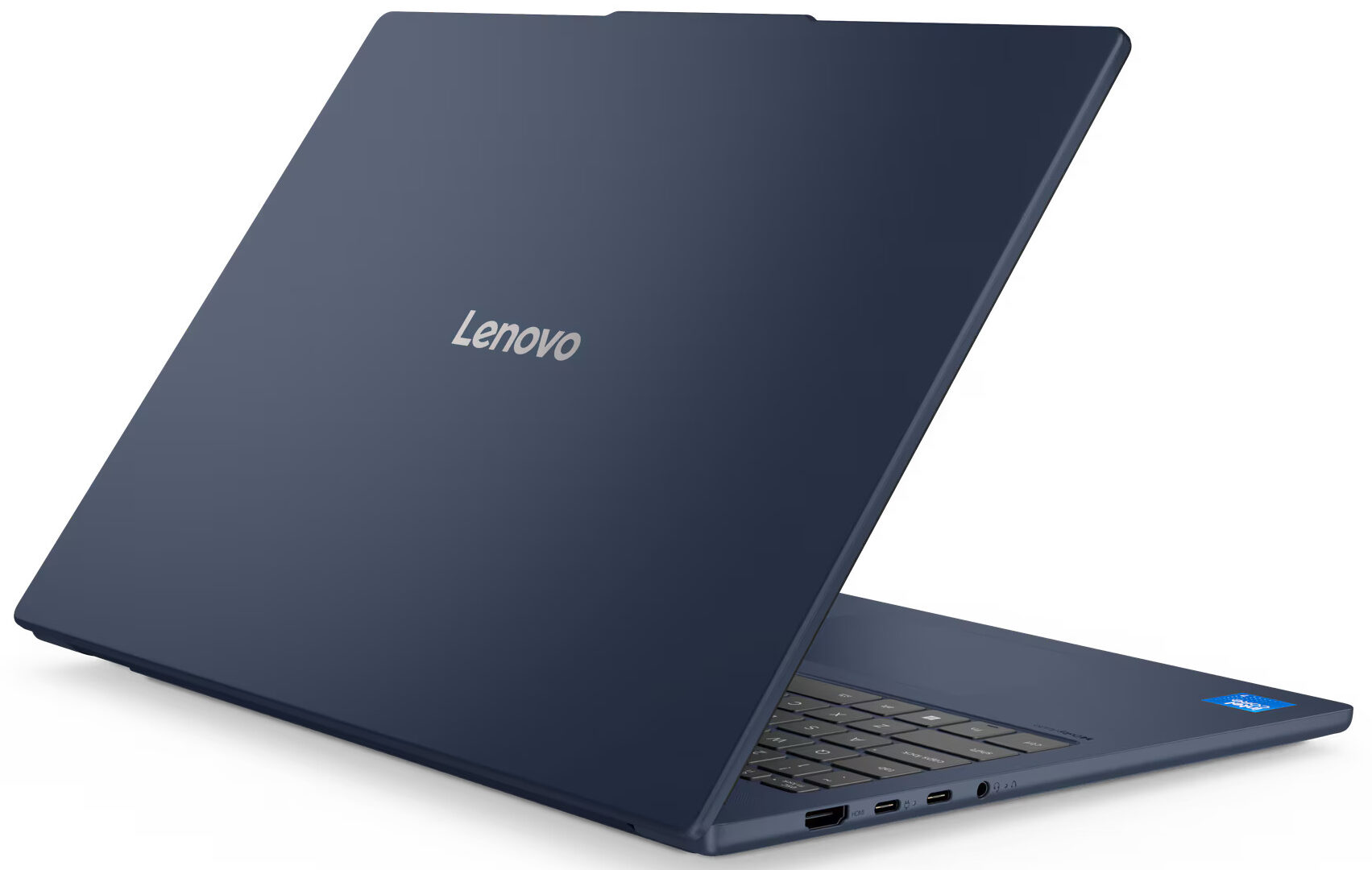
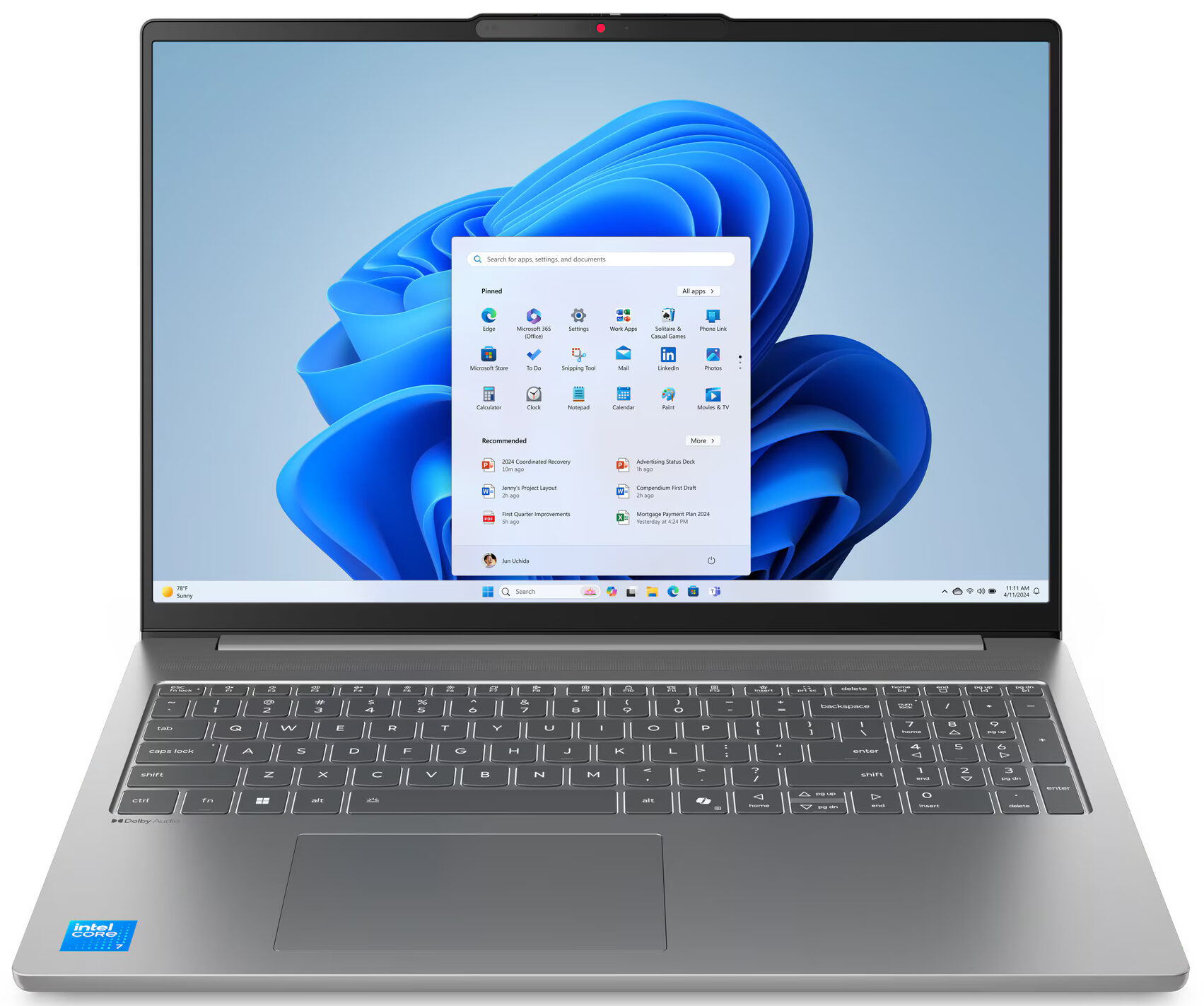
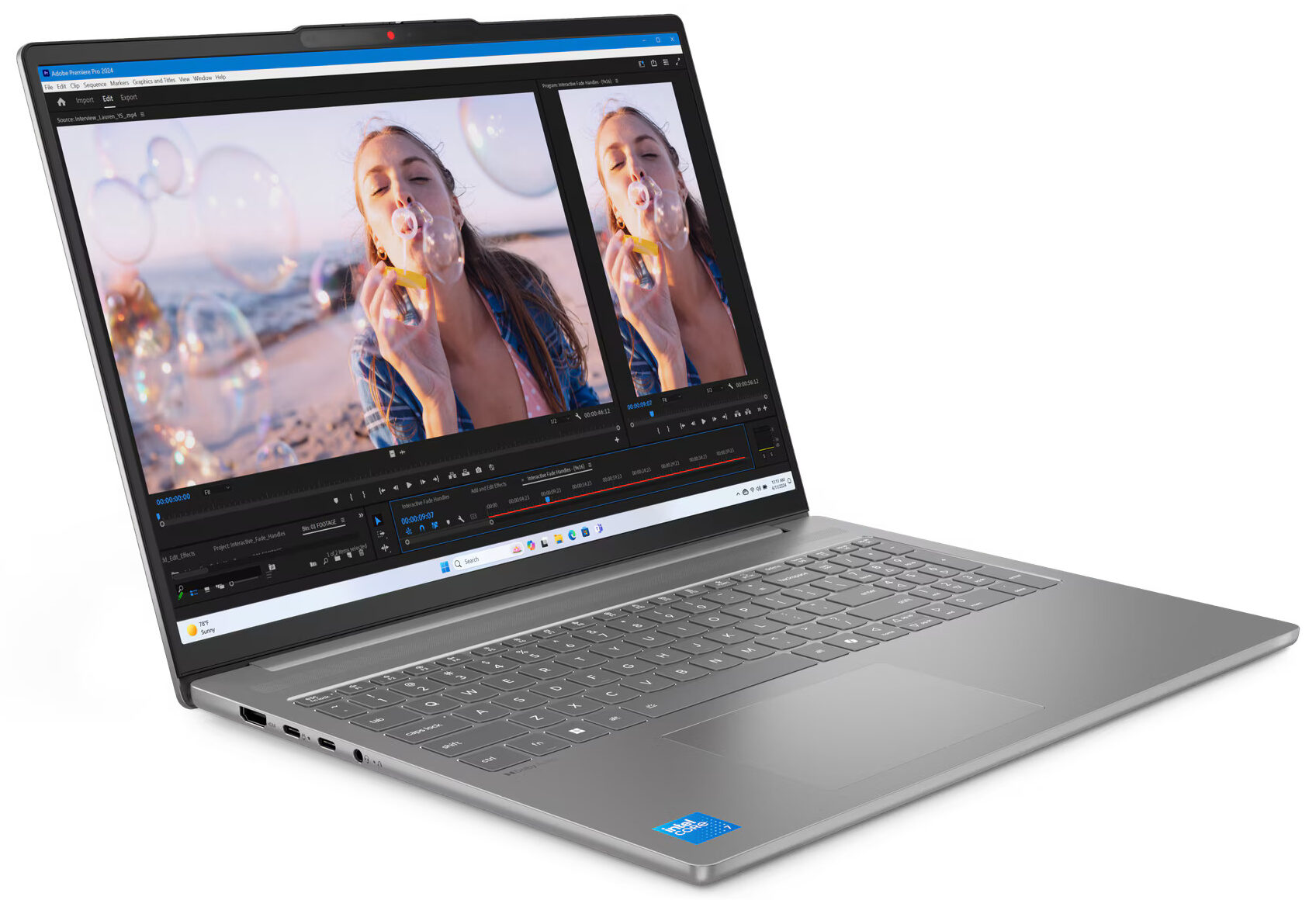
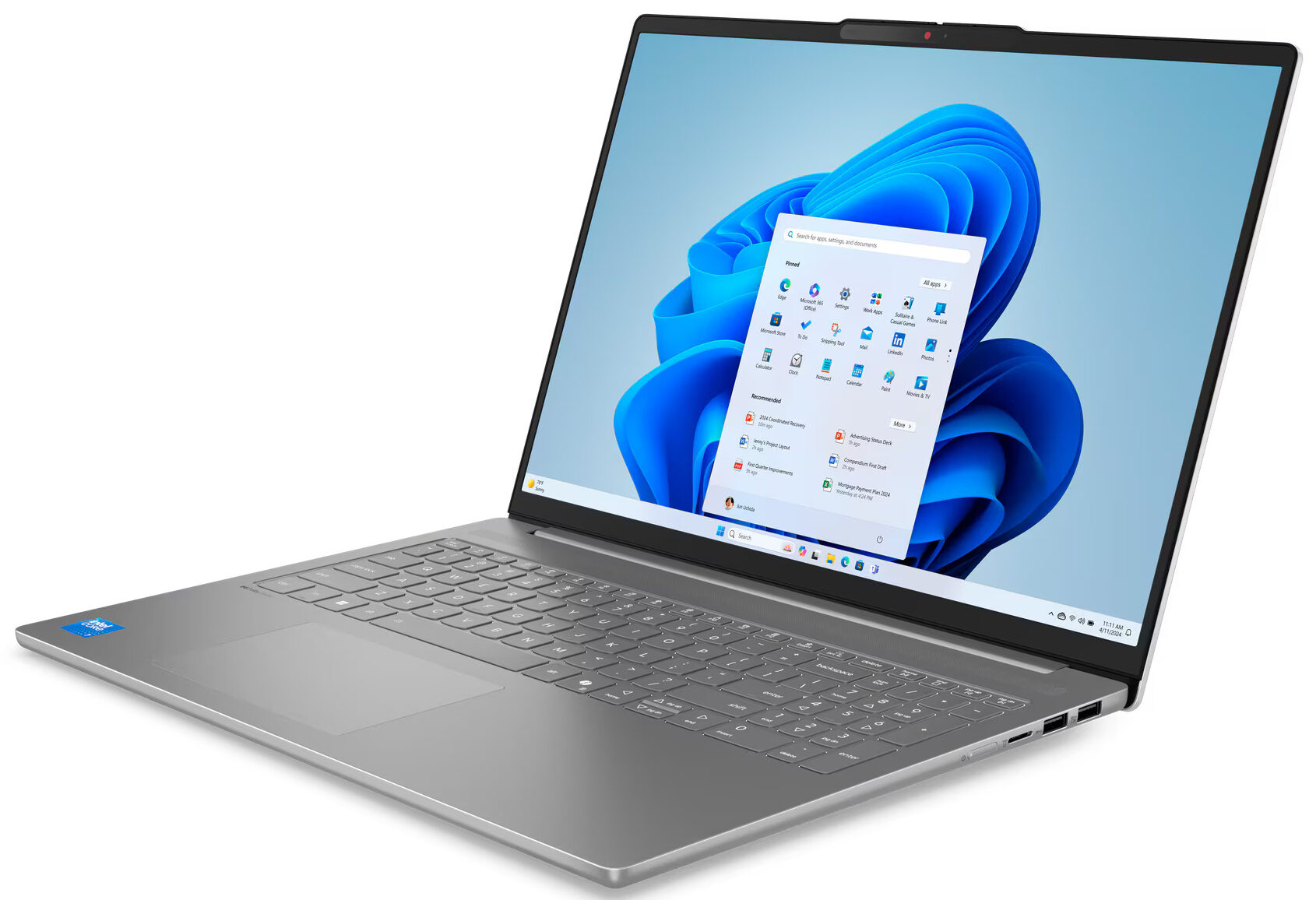
The Lenovo IdeaPad Slim 5i (16″, Gen 10) immediately strikes you with its understated elegance. This is a genuinely beautiful machine, exuding a sense of refined thinness that’s very pleasing to the eye. You get a choice of two colors: “Cosmic Blue” and “Luna Grey.” We opted for the Luna Grey, which presents as a sophisticated dark grey. The all-aluminium construction, for both the top and bottom covers, feels commendably sturdy; there are no creaks or undue flex here, lending a reassuring solidity. The surface treatment is an anodizing sandblasting, which does a decent job at resisting fingerprints, though faint smudges can still be seen under certain lighting conditions if you look closely – a minor quibble on an otherwise premium-feeling finish.
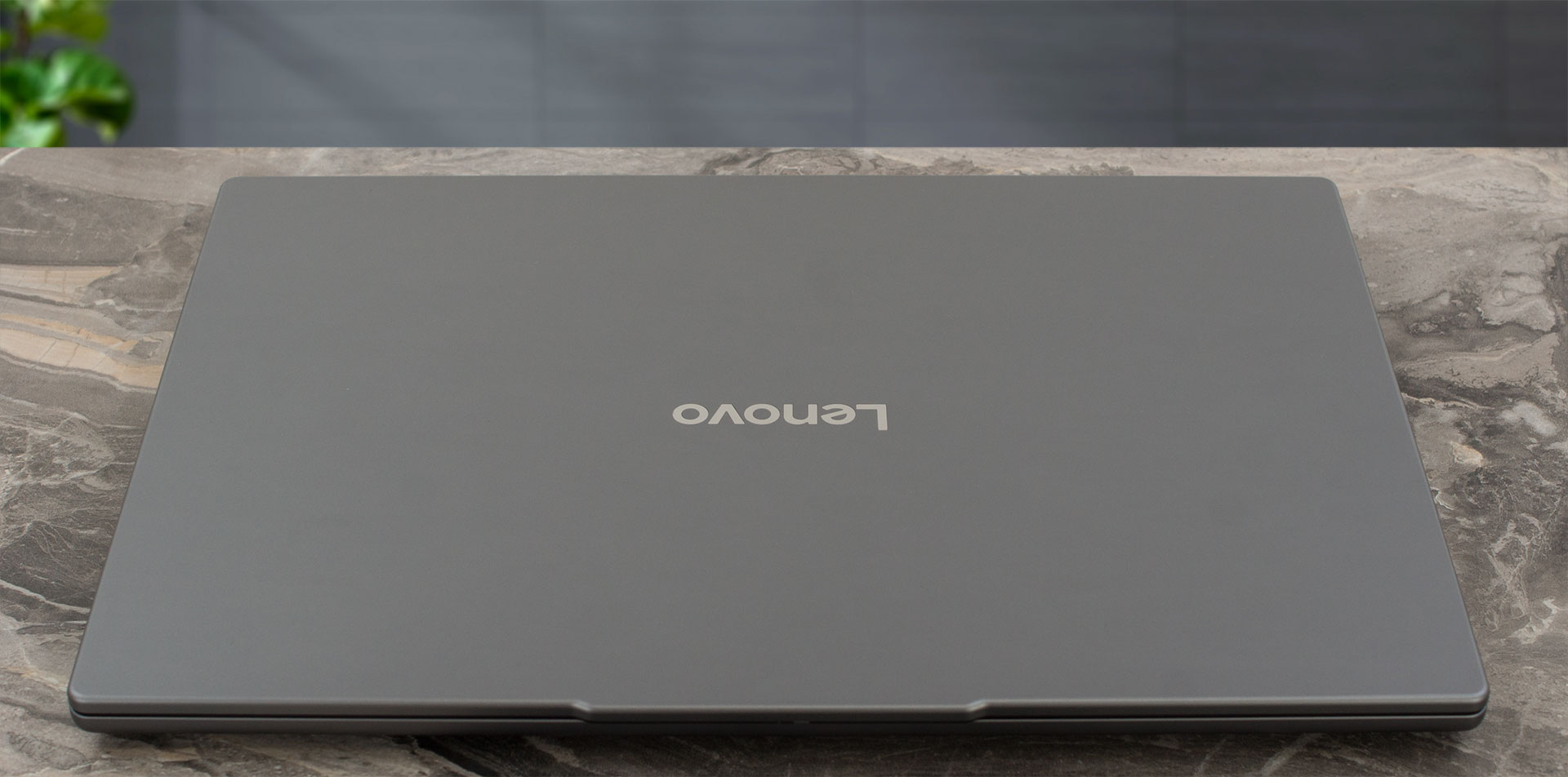
True to its “Slim” moniker, this IdeaPad is impressively svelte, measuring just 16.9 mm (0.67 inches) thick. Its full dimensions are 356.5 x 250.6 x 16.9 mm (14.03 x 9.87 x 0.67 inches). The weight can vary depending on the specific configuration, but our unit, equipped with a 1200p IPS display and a 60Wh battery, tips the scales at a very manageable 1.85 kg (4.08 lbs), making it a comfortable companion for on-the-go productivity.
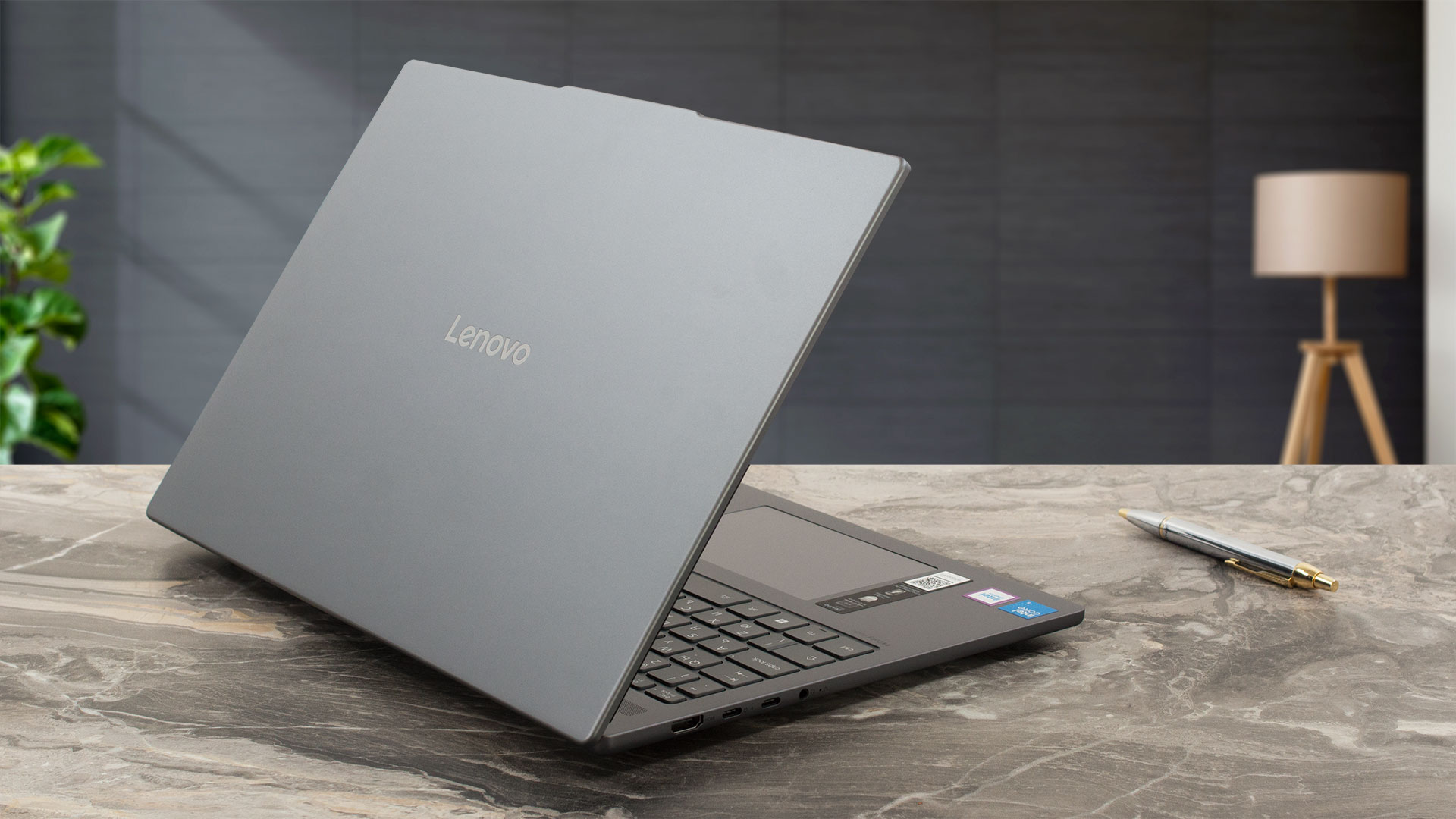
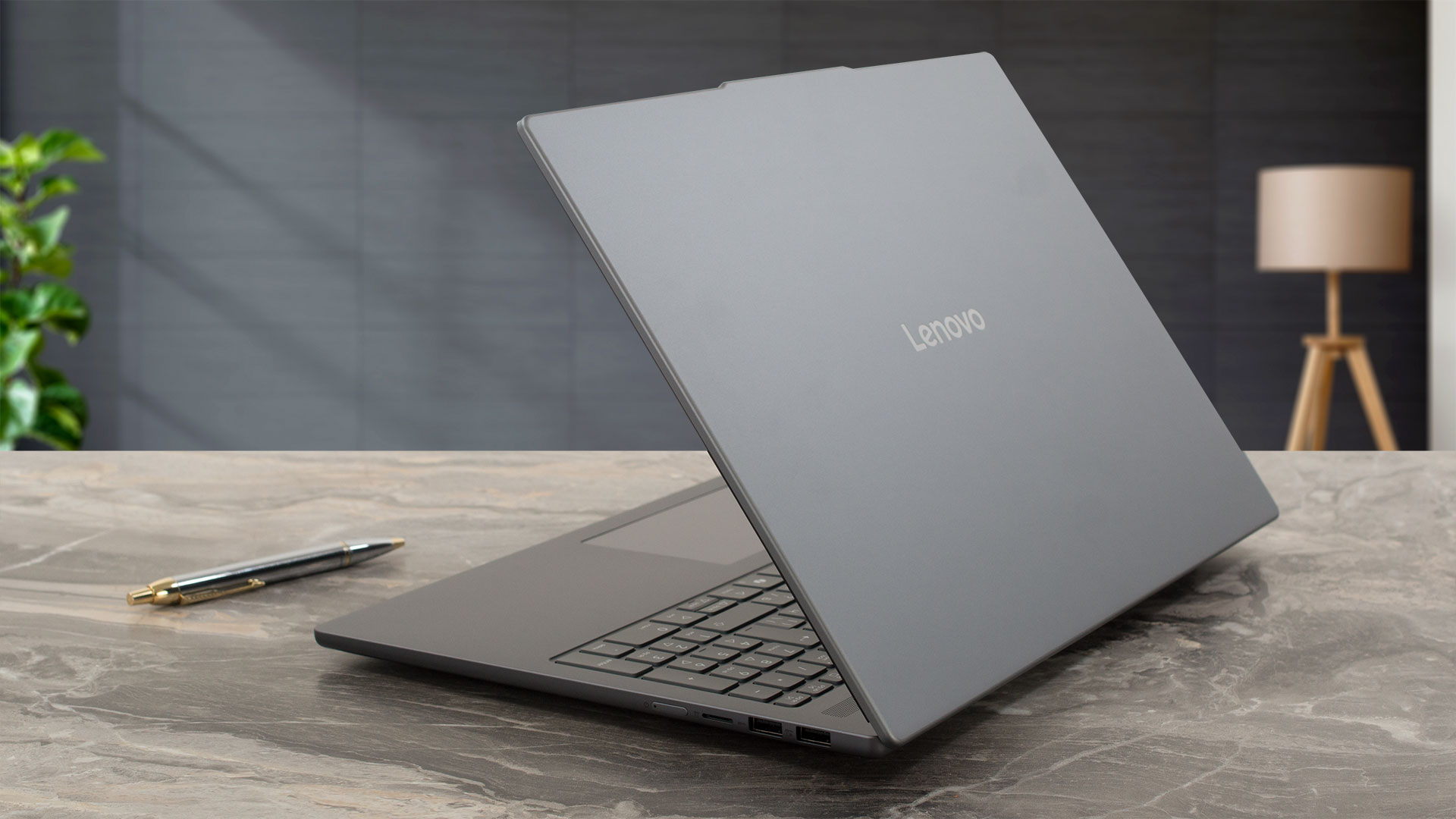
When it comes to opening the lid, the hinges are quite firm; you’ll definitely need two hands to get it open. There’s no one-handed lift here.
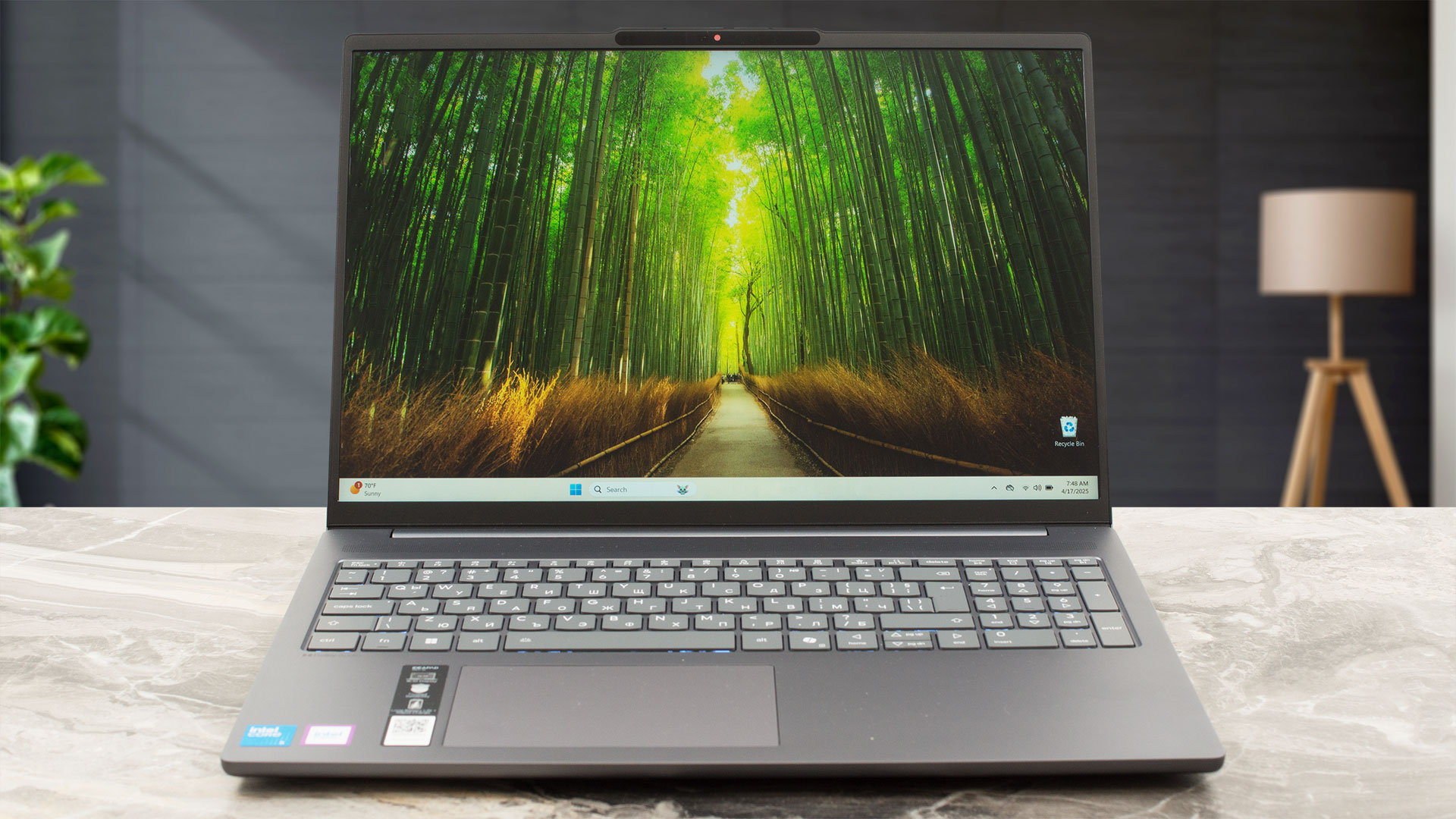
Once open, the display is framed by pleasingly thin bezels on the left and right, measuring just 5 mm (~0.20 inches). The top bezel is a bit thicker at around 9 mm (~0.35 inches), with a slight 2-3 mm (~0.08 – 0.12 inches) protrusion housing the webcam. Depending on the configuration, this could be either an FHD 1080p camera with IR for Windows Hello and a ToF sensor, or a 5.0MP camera. Regardless of the camera option, Lenovo has thoughtfully included a physical privacy shutter – a simple slider providing that essential peace of mind.
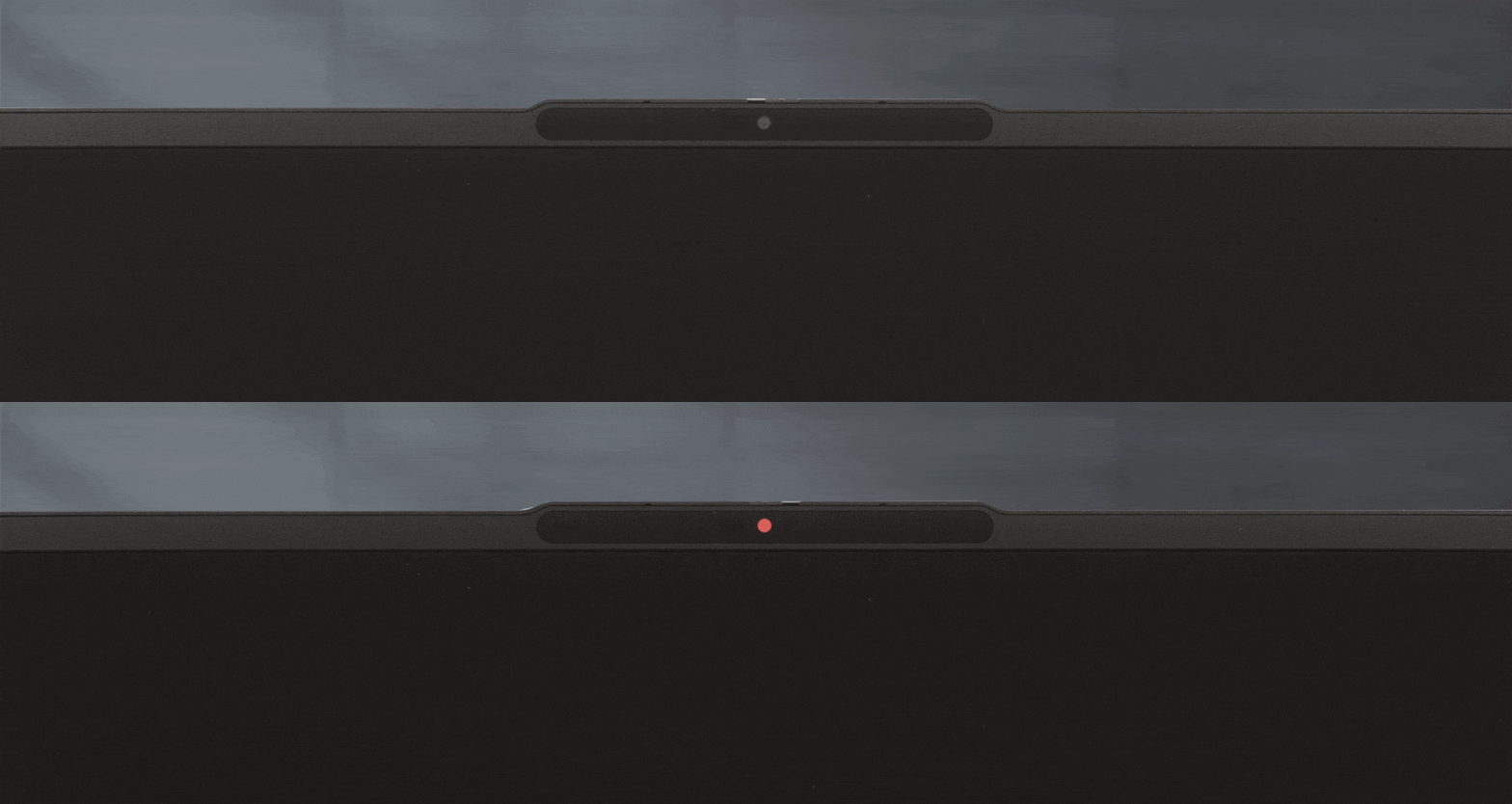
Now, about the screen’s opening angle: it can recline very far back, to about 170 degrees, which might lead you to believe it can go fully flat. However, it *cannot* open to a full 180 degrees. Be gentle here, as forcing it beyond its limit could lead to, well, a permanently open screen. The rear of the laptop doesn’t lift up when the screen is opened; instead, Lenovo has equipped it with a tall rear foot, ensuring there’s always ample space for airflow underneath, regardless of the screen angle.
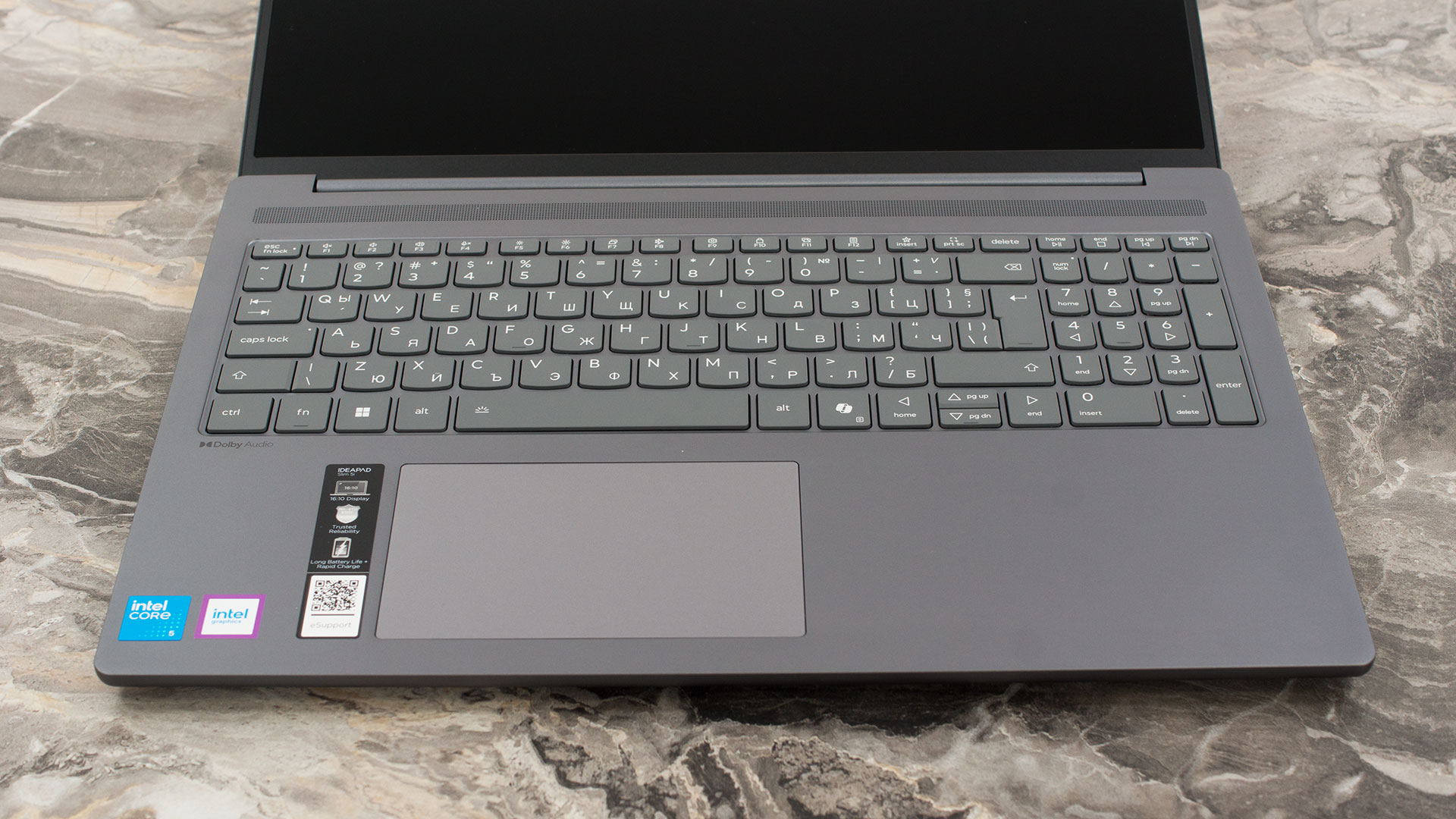
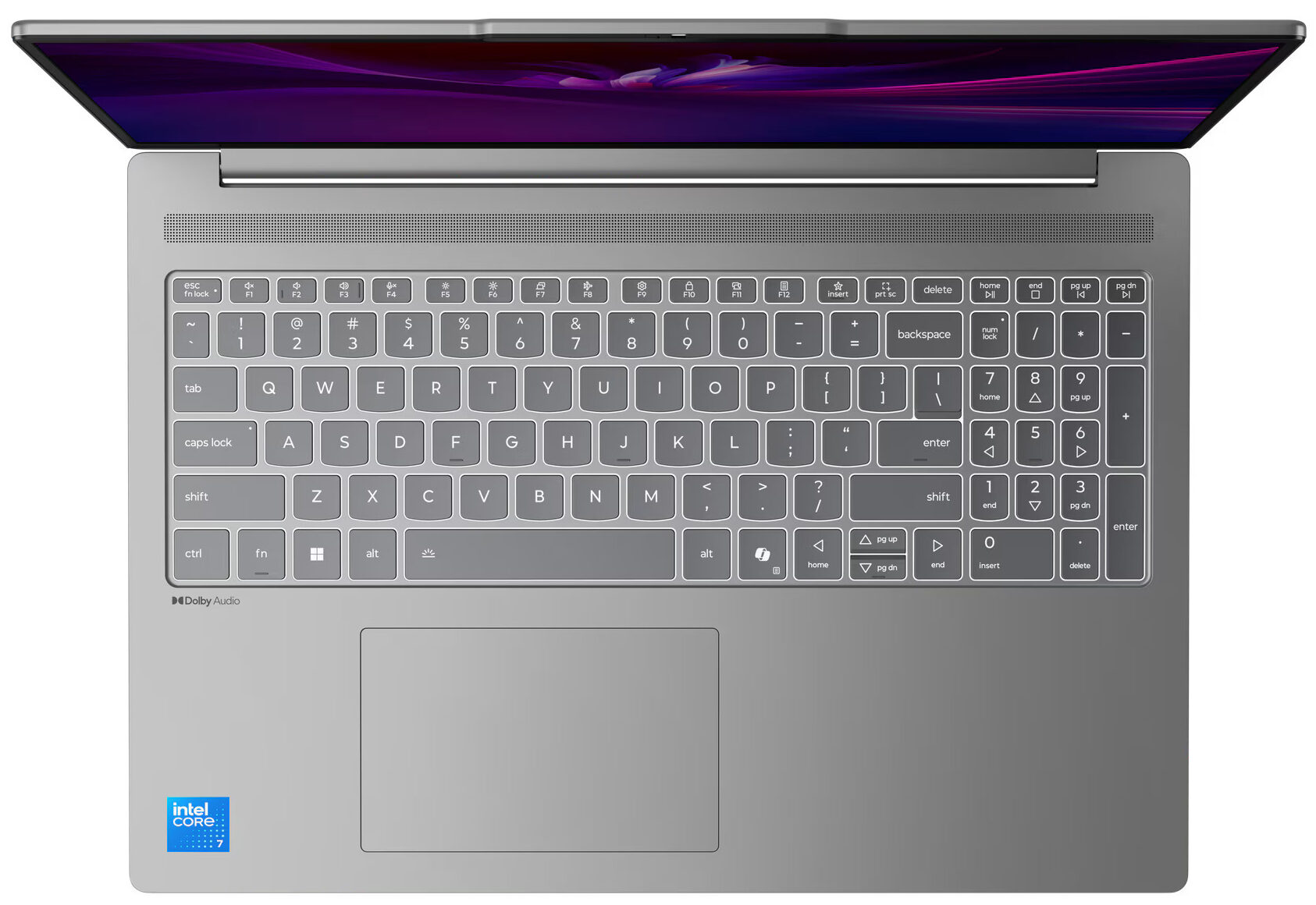
The keyboard deck includes a NumPad, a welcome feature for productivity, though its keys are slightly smaller than the main set. Our model came with keyboard backlighting, but this is an optional feature, so be sure to check the specifications of the unit you’re purchasing. The typing experience itself is comfortable, with decent key travel. However, like many modern laptops, the Up and Down arrow keys are significantly reduced in size, which always takes a bit of getting used to. Unfortunately, there’s no fingerprint sensor offered for this series, so you’ll be relying on the IR camera (if equipped) or traditional passwords for login.
Below the keyboard, the buttonless Mylar surface multi-touch trackpad measures 75 x 120 mm (2.95 x 4.72 inches). We found it to be both comfortable and precise for everyday navigation.
Ports and Connectivity
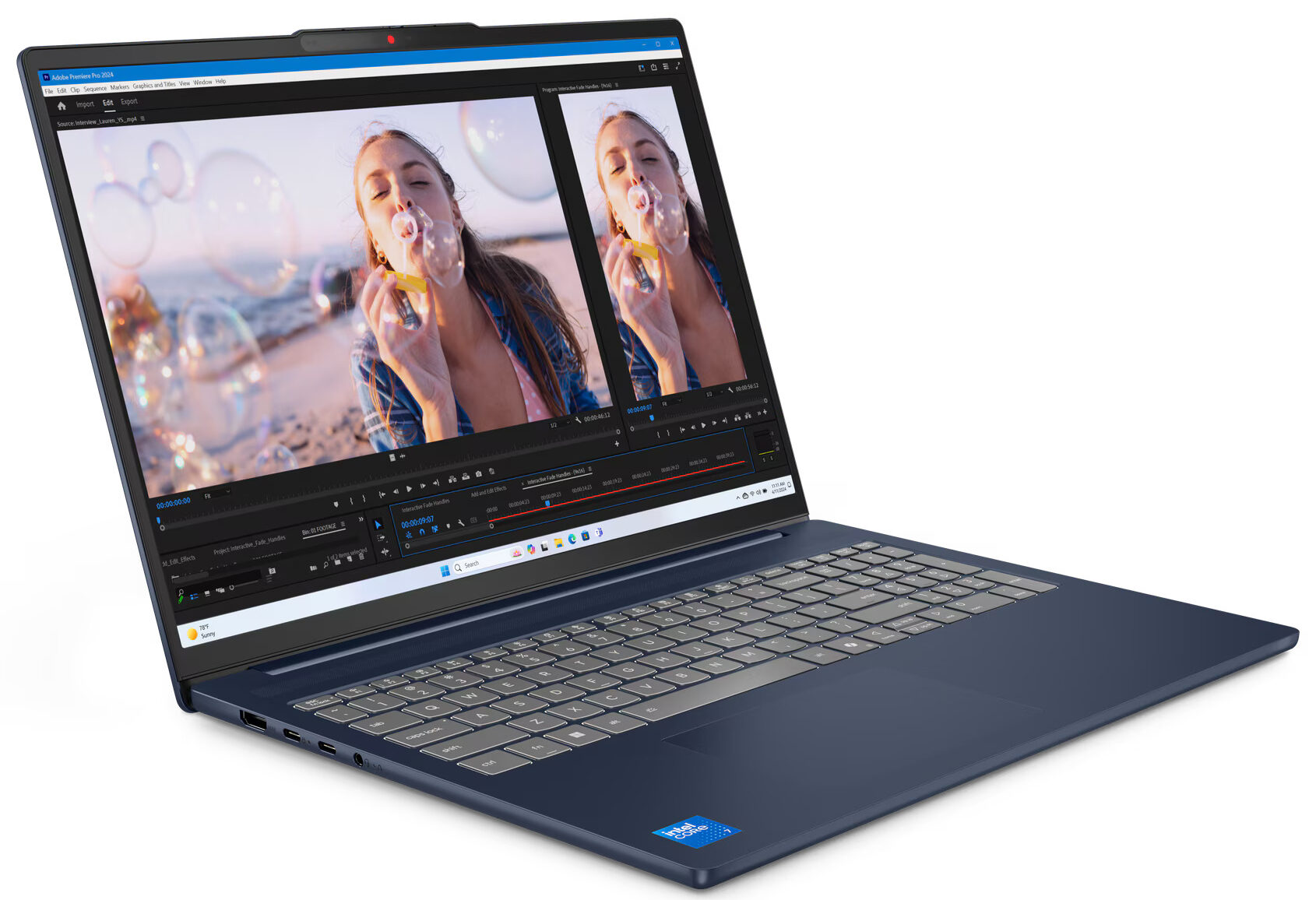
The Lenovo IdeaPad Slim 5i (16″, Gen 10) offers a practical selection of ports primarily located on its left side. Here, you’ll find an HDMI port, which is specified to support output up to 4K resolution at 30Hz. Accompanying this are two USB-C ports, both operating at 5Gbps (USB 3.2 Gen 1 speeds). These versatile Type-C ports support USB Power Delivery 3.0 for charging the laptop or other devices, and also feature DisplayPort 1.4 Alt Mode, enabling video output to external monitors at up to 4K resolution at 60Hz. The laptop can drive up to three external displays simultaneously (in addition to its native screen) using the HDMI and USB-C outputs. A standard 3.5mm headphone/microphone combo jack completes the left-side array.

On the right side of the IdeaPad Slim 5i, you’ll find the power button. This side also houses a convenient microSD card reader for easy file transfers from compatible memory cards. Additionally, there are two USB-A ports, both operating at 5Gbps (USB 3.2 Gen 1 speeds). One of these USB-A ports features an ‘Always On’ capability, allowing it to charge peripherals even when the laptop is sleeping or powered off. As is common with many slim laptops, there is no built-in Ethernet (RJ-45) port, so users requiring a wired network connection will need to use a USB-C or USB-A adapter.

Wireless connectivity is up-to-date, though the specific standard may vary depending on the configuration. The IdeaPad Slim 5i comes equipped with either a Wi-Fi 6 (802.11ax) 2×2 card paired with Bluetooth 5.2, or the newer Wi-Fi 7 (802.11be) 2×2 card which includes Bluetooth 5.4. Both options provide robust wireless performance for everyday use and connecting peripherals.
Display and Sound Quality, Display Profiles
For our review we’ve chosen to test the entry-level display option – 60Hz, low color coverage. There’s also a butter smooth 120Hz OLED with a 1800p resolution, or the same panel as this one, but with touchscreen capabilities. There’s also a “middle-ground” – 100% sRGB, no touch, 60 Hz.
| Lenovo IdeaPad Slim 5i (16″, Gen 10) | WUXGA (1920 × 1200), 60 Hz, IPS | WUXGA (1920 × 1200), 60 Hz, IPS | WUXGA (1920 × 1200), 60 Hz, IPS | 2.8K (2880 × 1800), 120 Hz, OLED |
| Panel ID | LEN160WUM (LEN915F) | — | — | — |
| Diagonal | 16.0 inches (40.6 cm) | 16.0 inches (40.6 cm) | 16.0 inches (40.6 cm) | 16.0 inches (40.6 cm) |
| Panel Type | IPS | IPS | IPS (Multi-touch) | OLED |
| Resolution | 1920 × 1200 pixels | 1920 × 1200 pixels | 1920 × 1200 pixels | 2880 × 1800 pixels |
| Max Refresh Rate | 60 Hz | 60 Hz | 60 Hz | 120 Hz |
| Aspect Ratio | 16:10 | 16:10 | 16:10 | 16:10 |
| Brightness | 300 nits, 45 % NTSC | 300 nits, 100 % sRGB | 300 nits, 45 % NTSC | 500 nits (HDR peak), 400 nits typical |
| Surface | Anti‑glare | Anti‑glare | Anti‑glare | Glossy |
| Color Gamut / Contrast | 45 % NTSC / 1200:1 | 100 % sRGB / 1200:1 | 45 % NTSC / 1200:1 | 100 % DCI‑P3 / 100 000:1 |
| Touch | None | None | Multi‑touch | None |
| ‘Retina’ Distance | Greater than or equal to 61 cm | Greater than or equal to 61 cm | Greater than or equal to 61 cm | Greater than or equal to 46 cm |
| Key Features | DisplayHDR True Black 1000 |
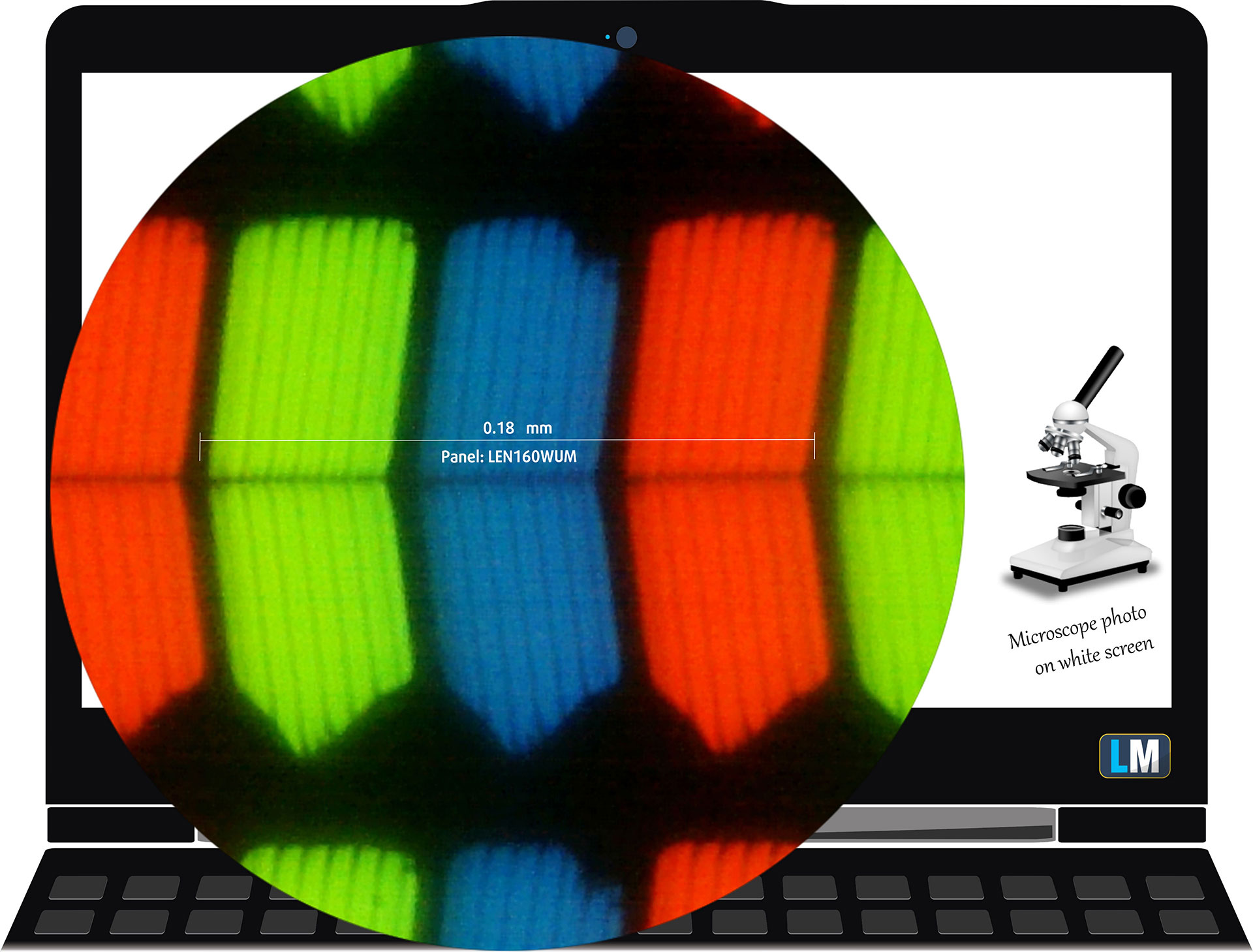
The budget WUXGA (1920 × 1200), 60 Hz, IPS panel under our microscope
Viewing Angles
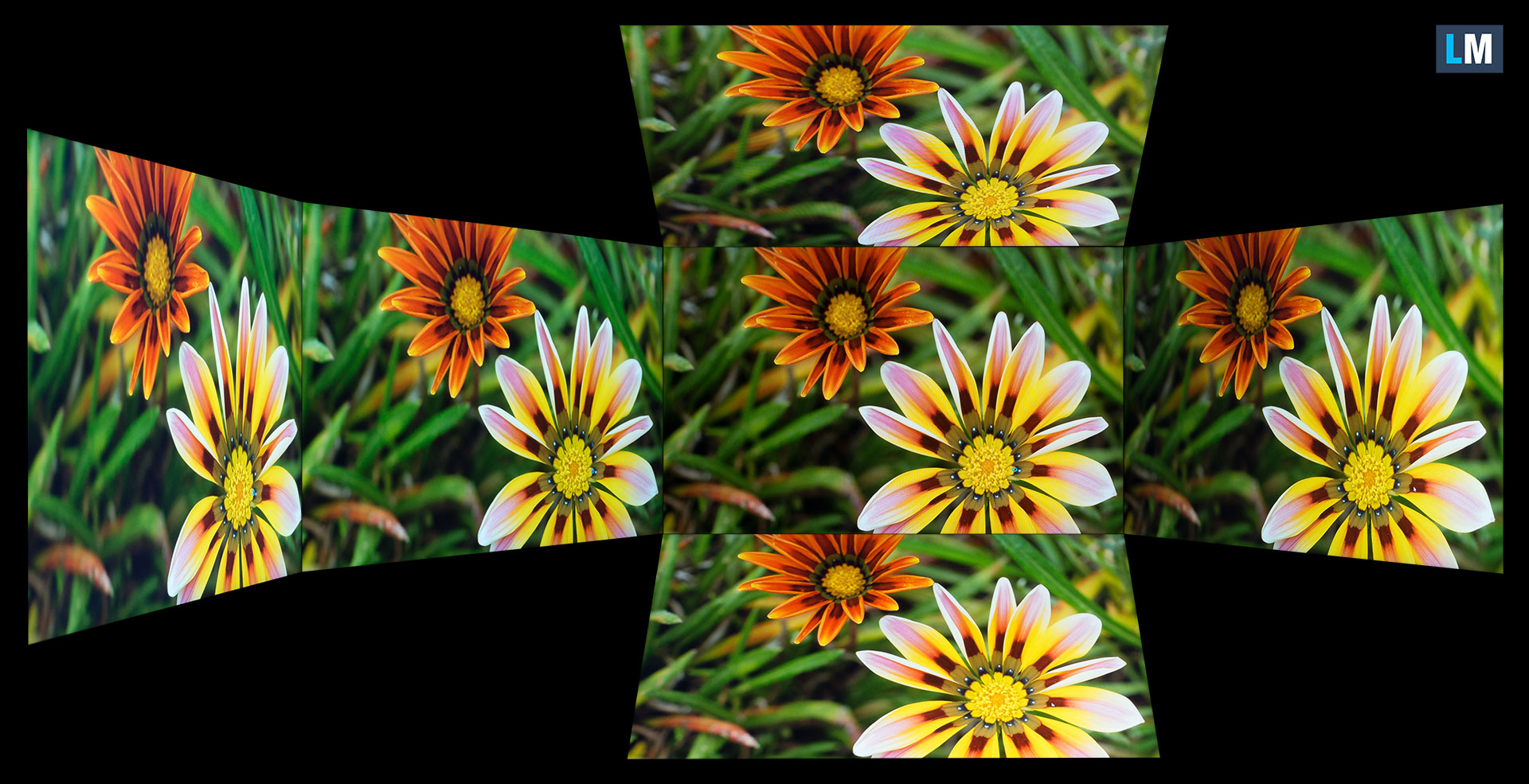
Viewing angles are good. We take photos from different angles to evaluate the quality.
Also, a video with locked focus and exposure.
Color Coverage
The whole “sail-shaped” map below (Fig. 1) consists of all the colors we can see, while the black crooked line shows all the colors from real-world scenes and nature around us.
Then, we’ve drawn some of the most important and interesting color spaces, compared to the colors the panel of Lenovo IdeaPad Slim 5i (16″, Gen 10) can show:
Standard/For Web: sRGB – widely used color space for most consumer devices, ideal for Web design and development
For Print: AdobeRGB – used in professional photo editing, graphic design, and print
For Photographers/Video Editors: DCI-P3 – used in high-end film production, post-production, and digital cinema
Premium HDR: Rec.2020 – the widest consumer ITU color standard, covering a massive 75.8% of the visible spectrum, a benchmark for premium HDR content
Lenovo IdeaPad Slim 5i (16″, Gen 10): the yellow dashed triangle (– – – – – –) represents the range of colors this monitor can show.
In our tests, we calculated the total color coverage of the display at 50% of the sRGB color gamut and 39% of the DCI-P3 color gamut.
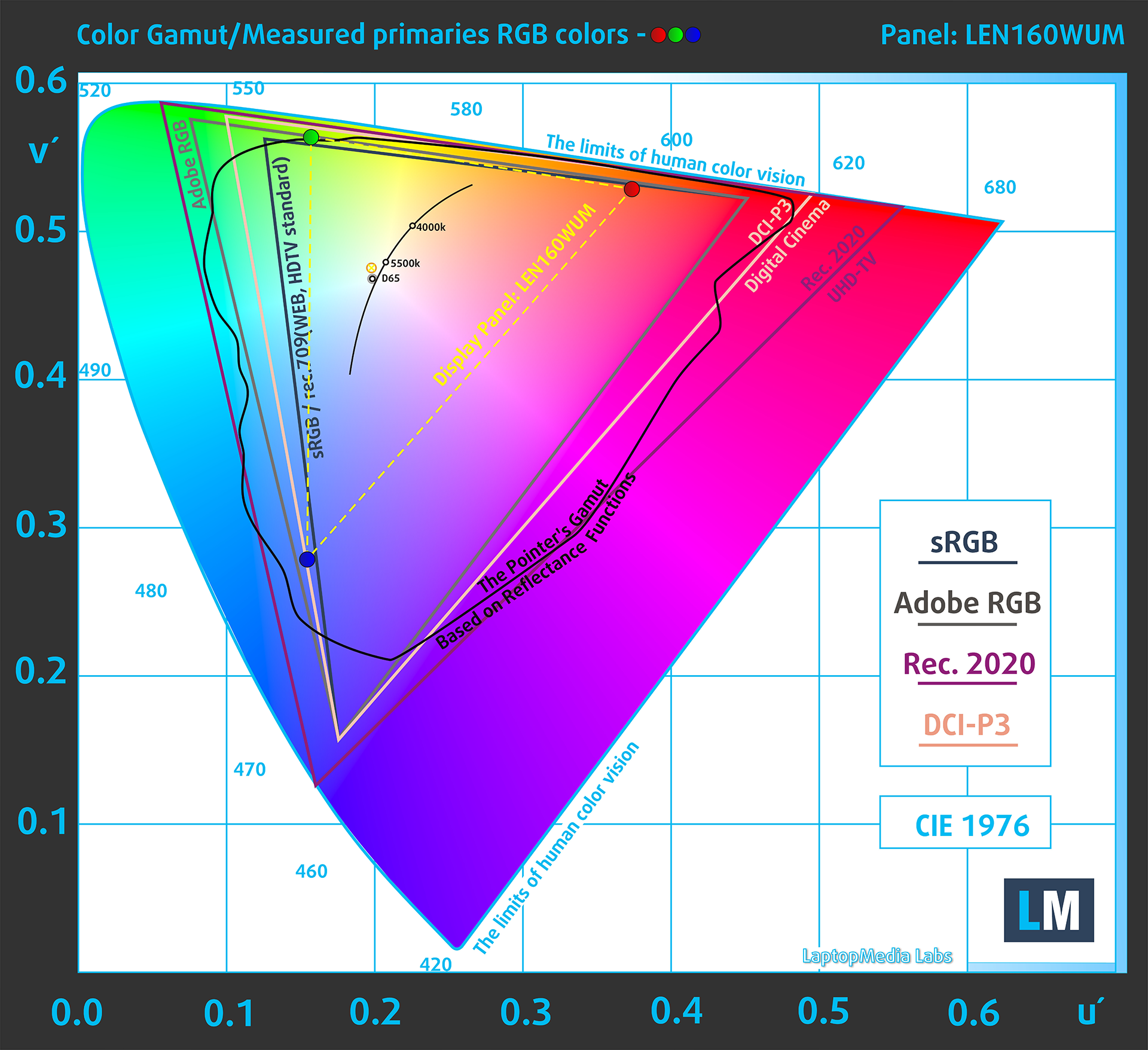
(Fig.1) Lenovo IdeaPad Slim 5i (16″, Gen 10) covers 50% of the sRGB gamut
Brightness and Contrast
The maximum brightness in SDR mode is 332 cd/m² in the center of the screen and 331 cd/m² averaged across the surface with a maximum deviation of 5%.
The Correlated Color Temperature (CCT) on a white screen at maximum brightness is 6180K.
The contrast ratio is 1110:1.
Uniformity: Luminance, Contrast, and Color Deviation
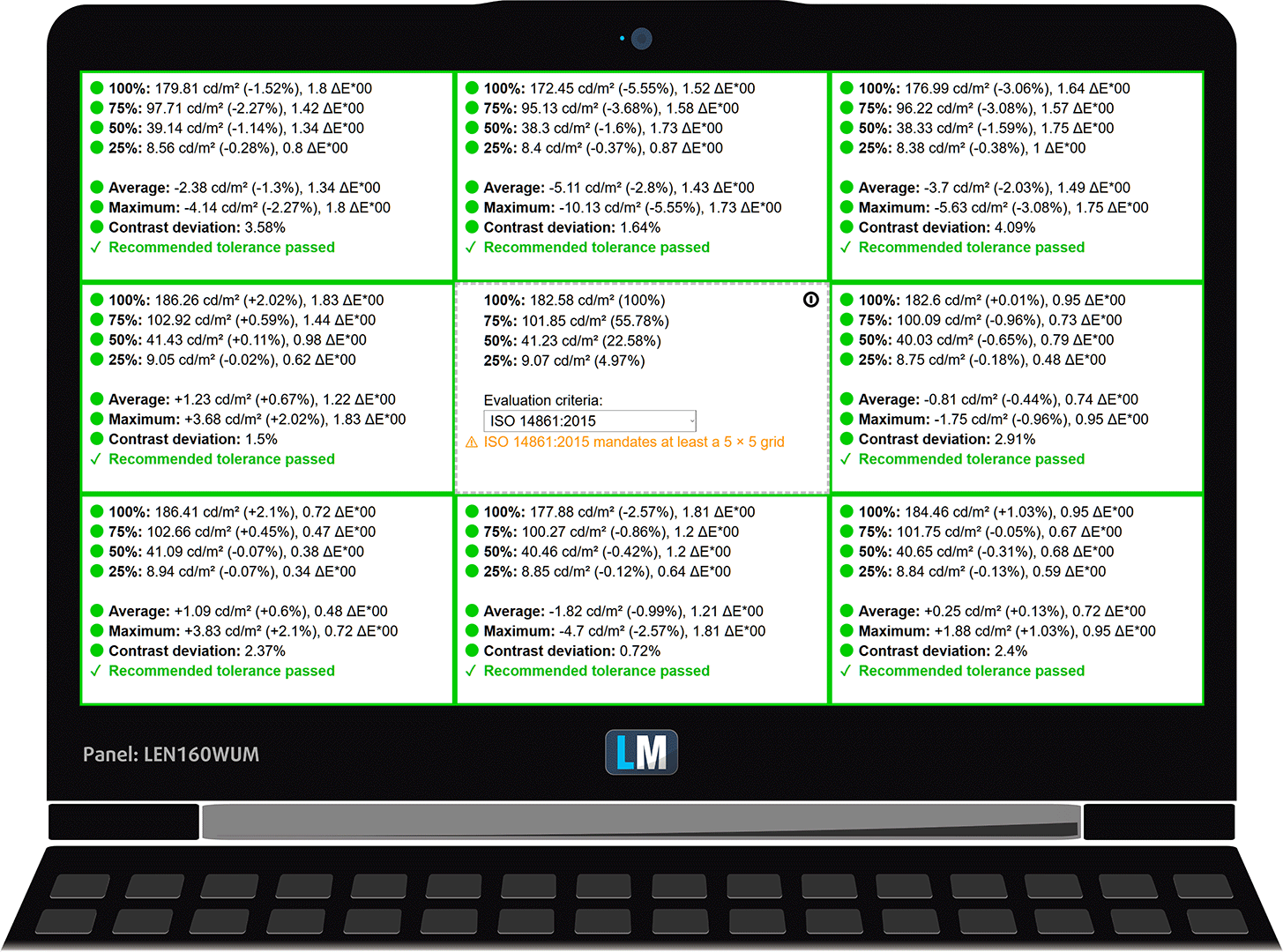
The figure below shows the results from our uniformity test across different sections of the screen. It’s measured at 183 nits (Windows slider = 75%) — a brightness level we consider typical for standard working conditions.
DeltaE values below 4.0 are acceptable for regular users. For those working with colors, screens with DeltaE values no higher than 2.0 are recommended.
Color Accuracy
Let’s check the difference between real colors and those you’ll see on the Lenovo IdeaPad Slim 5i (16″, Gen 10). We measure that distance in DeltaE – the higher the number, the more different they look.
Values below 4.0 are acceptable for regular users, while values below 2.0 are suitable for color-sensitive work. A value below 1.0 means the difference is indistinguishable to the naked eye.
For the next graph, we’ve selected 24 common colors, including dark/light skin, blue sky, green grass, etc.
Before our calibration of the Lenovo IdeaPad Slim 5i (16″, Gen 10), the Average color accuracy was 6.5 dE (Fig. 2), and with our Design and Gaming profile, it lowered to 4.4 dE (Fig. 3). Almost 50% improvement while still far from enough for professional use.
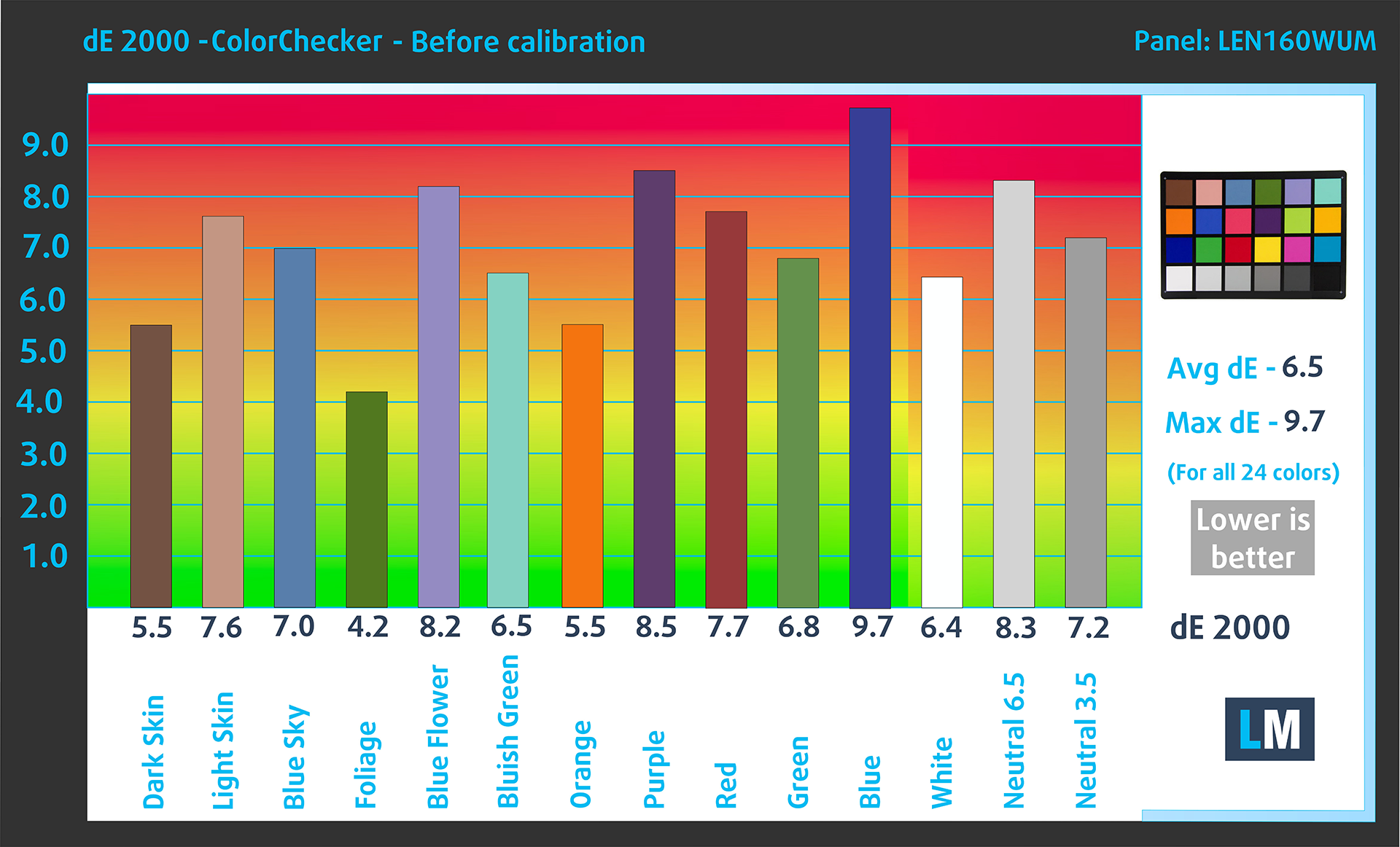
(Fig. 2) Lenovo IdeaPad Slim 5i (16″, Gen 10) in its factory condition
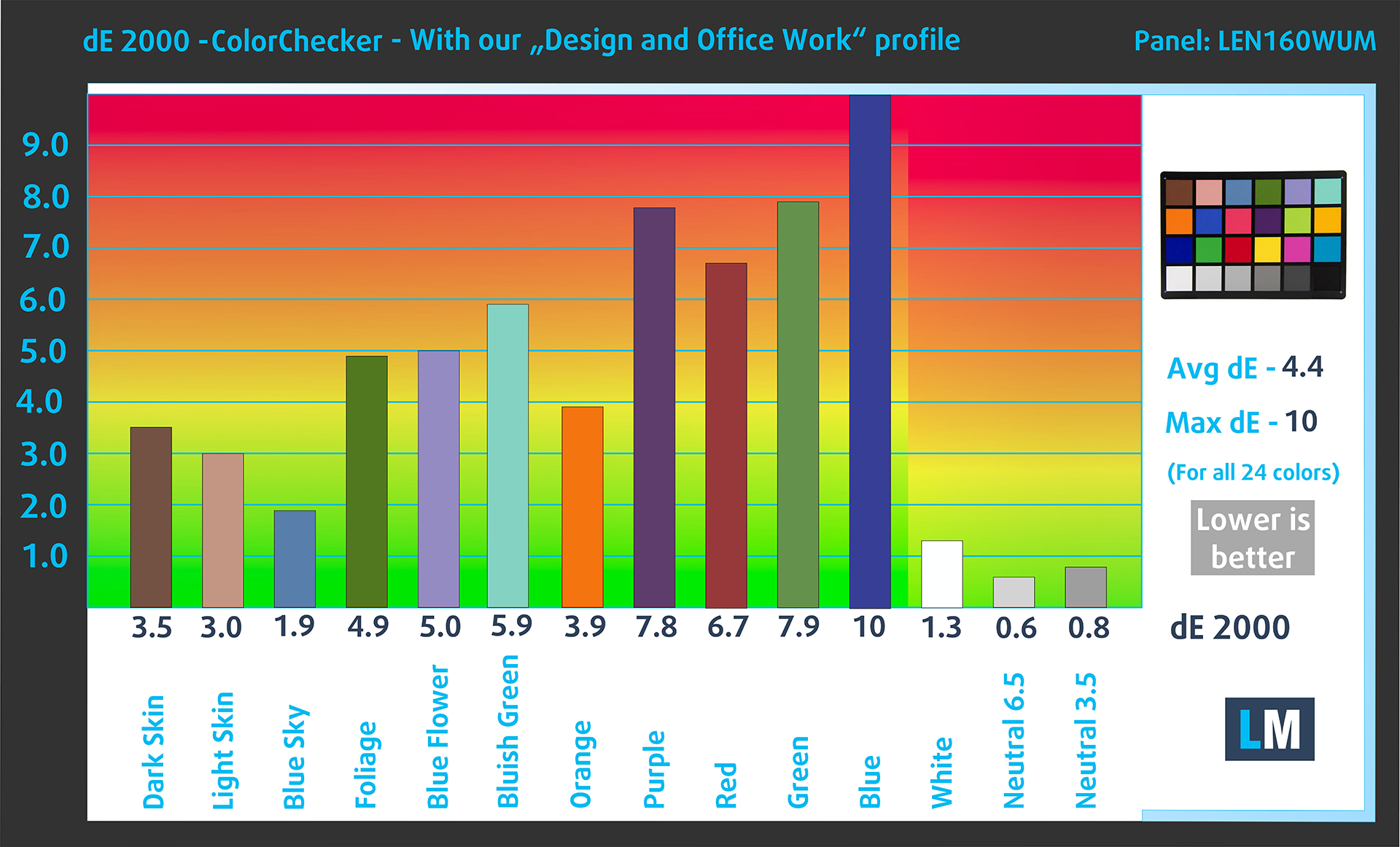
(Fig. 3) Lenovo IdeaPad Slim 5i (16″, Gen 10) with our display profile
Comparison in the sRGB color space (primaries and D65 white point specified in ITU-R BT.709, sRGB encoding curve).
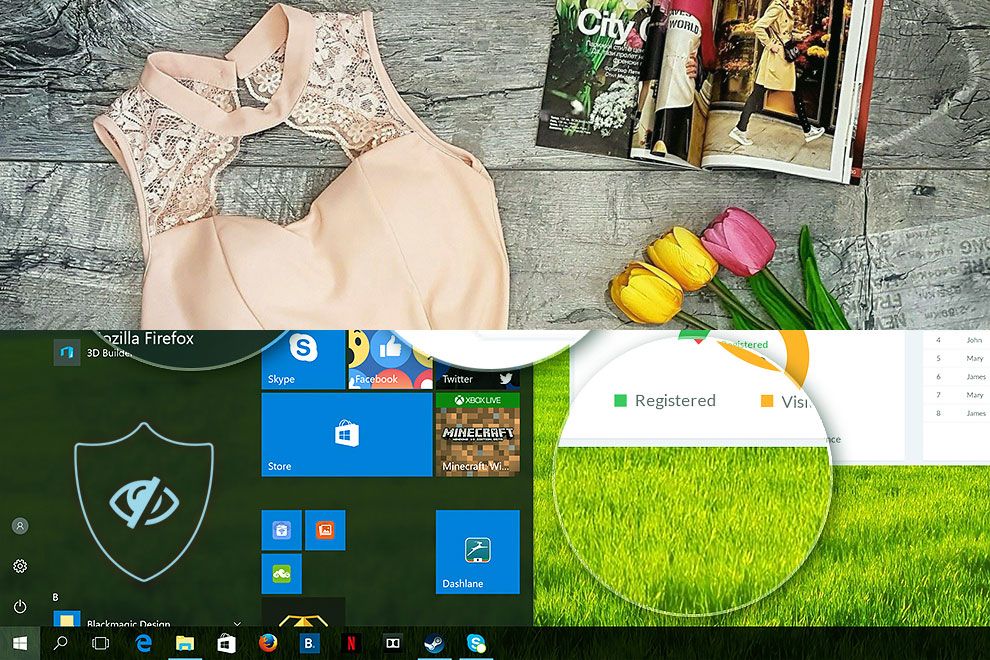
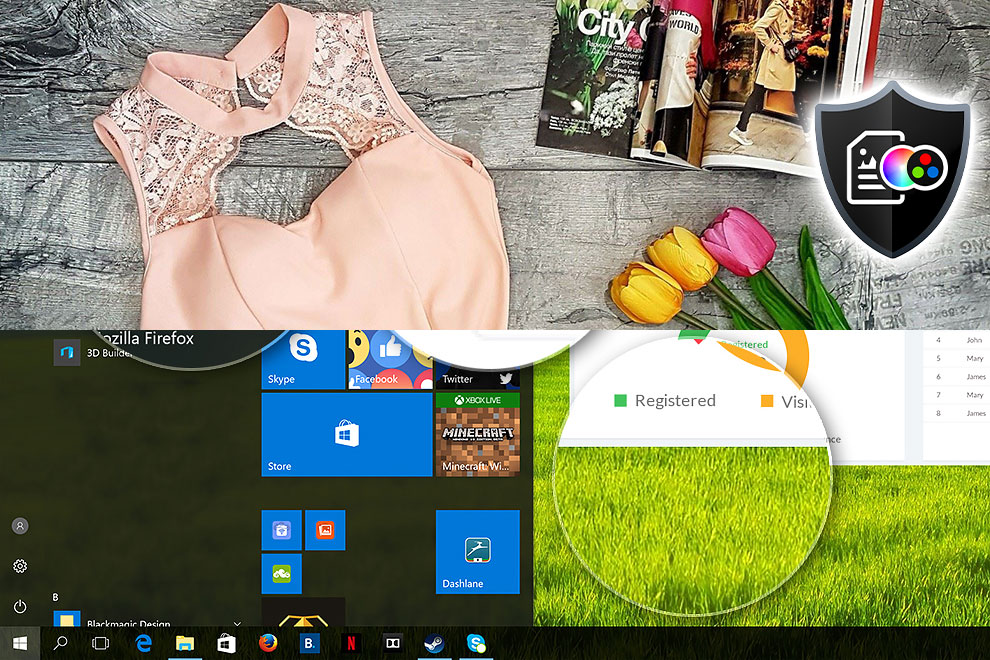
Here’s an illustration of what the Design and Office profile aims to deliver:
Left: No Profile | Drag the slider to see the difference | Right: Design & Office Profile
Visibility in dark scenes
Have you ever watched a movie with dark scenes where you could barely see anything? This often happens because many display panels struggle to differentiate the darkest nuances, making them appear the same.
The next figure illustrates how well the display reproduces these dark nuances. The left side of the image shows the display with stock settings, and the right side shows it with our Gaming and movies profile activated.
On the horizontal axis are the grayscale levels, and on the vertical axis – the corresponding display brightness.
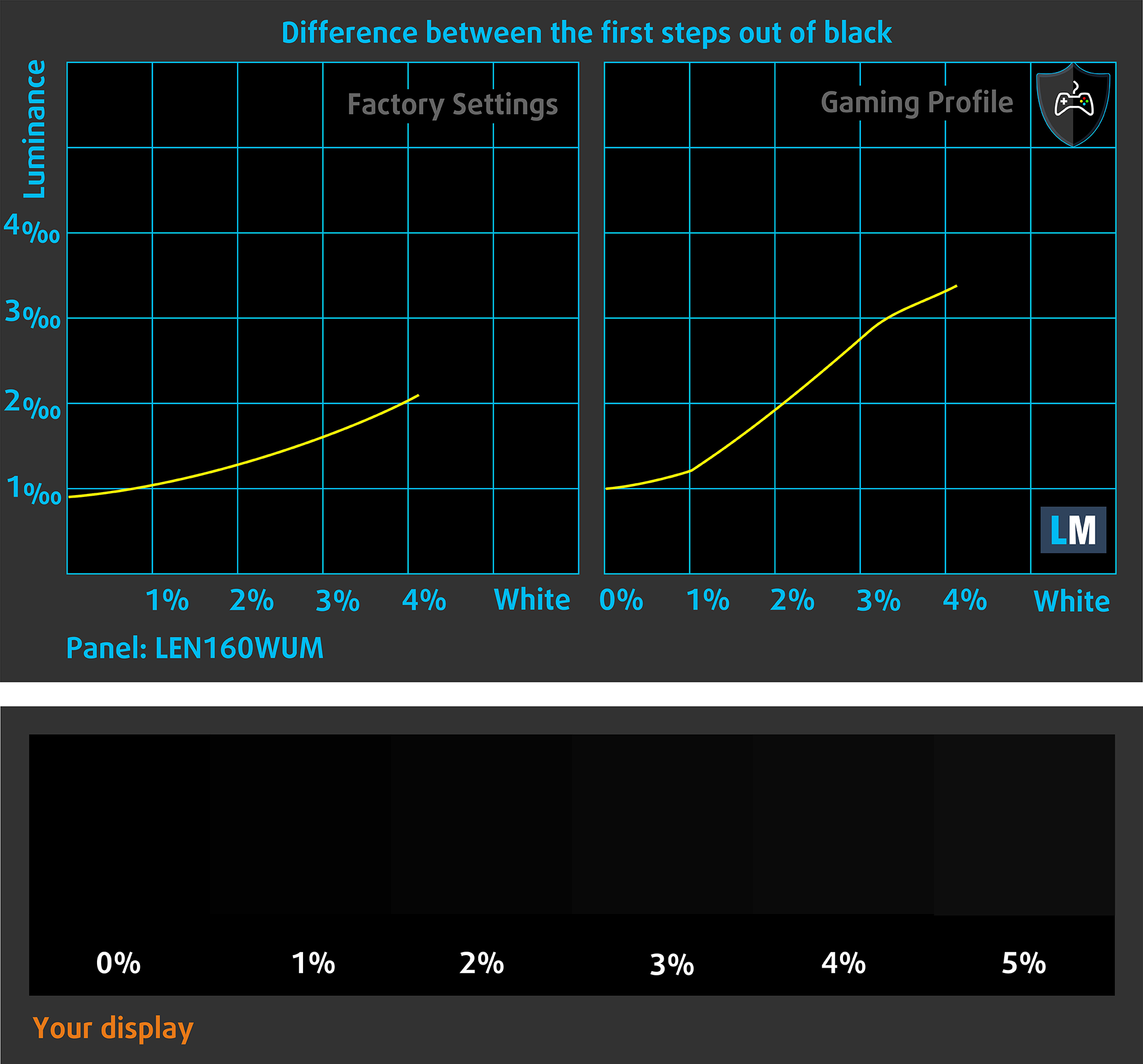
You can also check how your display handles the darkest nuances but keep in mind that this also depends on the settings of your current display and the surrounding light conditions.
Response time (Gaming capabilities)
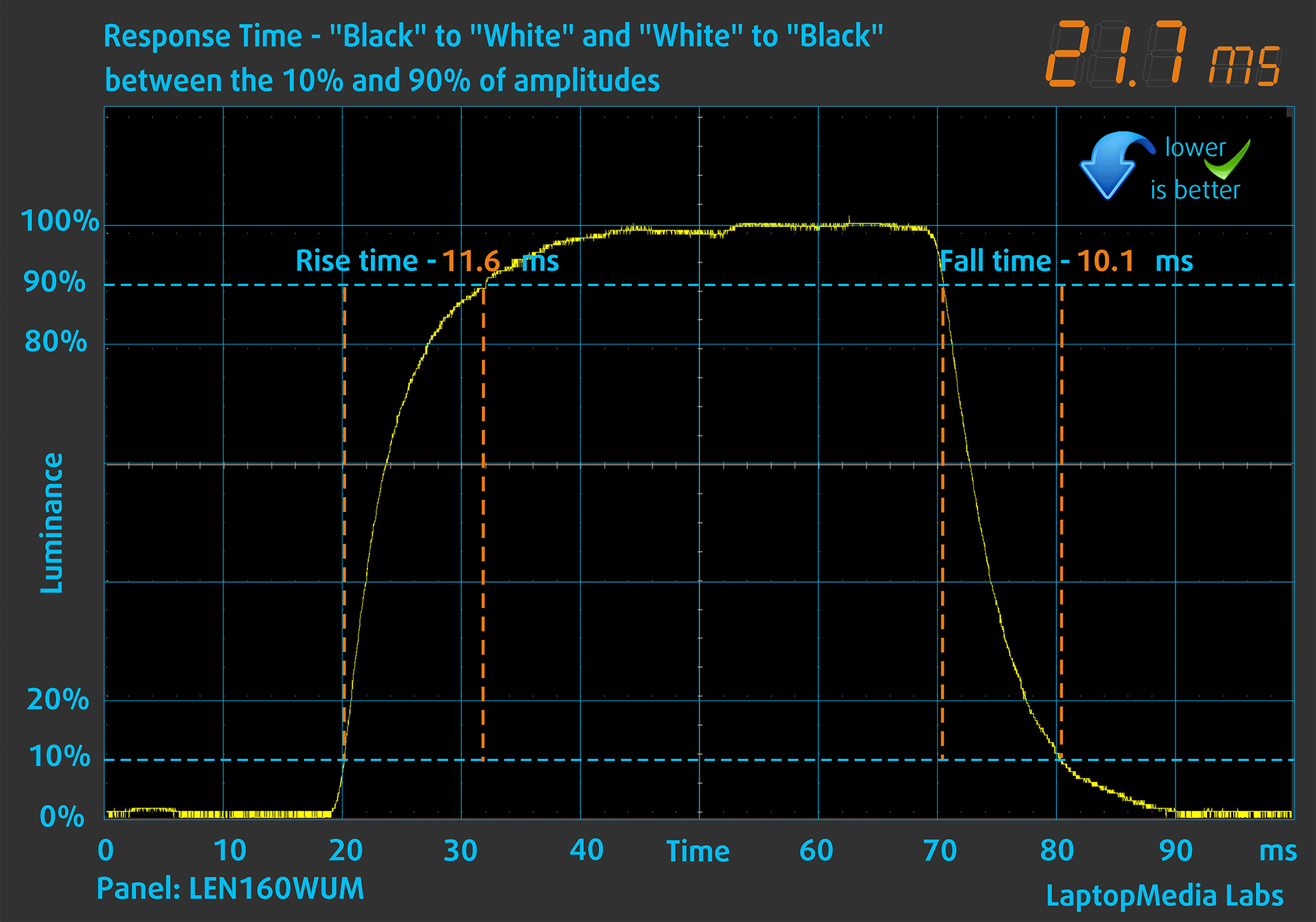
We test the reaction time of the pixels with the usual “black-to-white” and “white-to-black” method from 10% to 90% and vice versa.
We recorded Fall Time + Rise Time = 21.7 ms. Short pixel response time is a prerequisite for a smooth picture in dynamic scenes, but in this case it is not short.
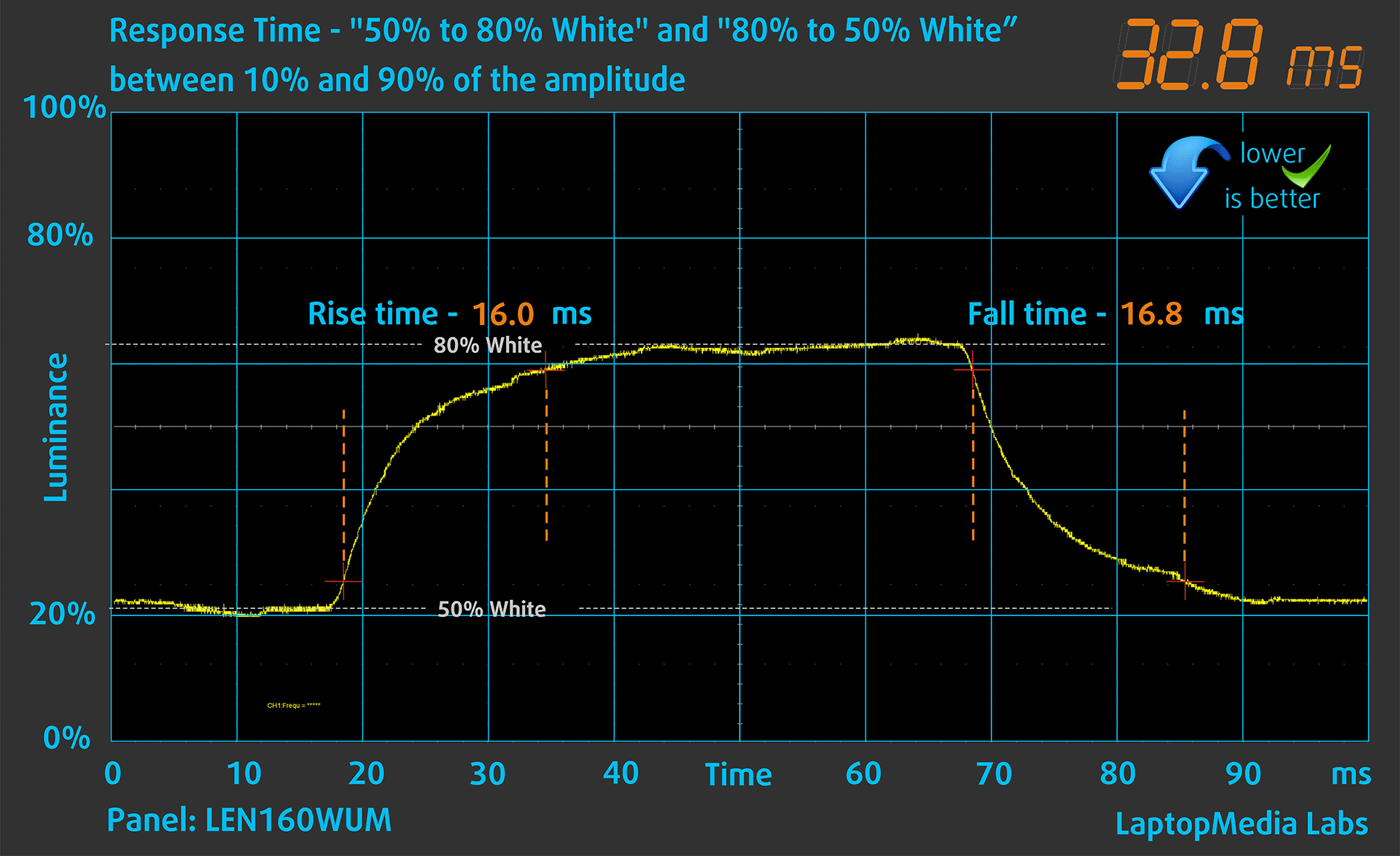
After that, we test the reaction time of the pixels with the usual “Gray-to-Gray” method from 50% White to 80% White and vice versa between 10% and 90% of the amplitude.
Health Impact: PWM (Screen flickering)
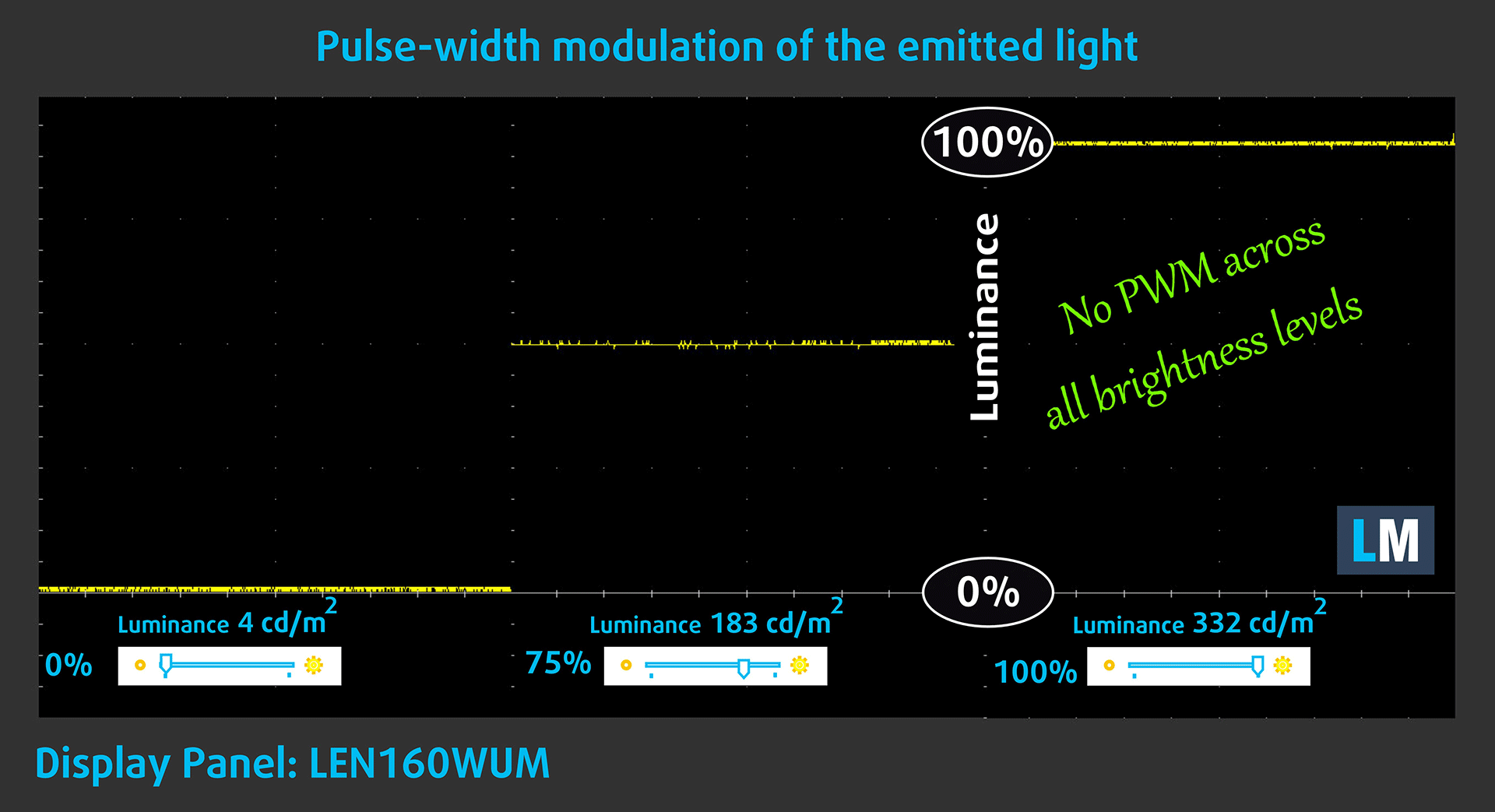
Some use PWM to regulate their brightness, which means that instead of reducing the light intensity, they pulse or flicker. Our brain merges the image, so it appears darker, but this strains both it and our vision, especially when the frequency of the pulses is low. You can read more about that in our dedicated article on PWM.
In the graph below, you see the intensity of light at different brightness levels—on the vertical axis is the brightness of the emitted light, and on the horizontal axis—time.
The light from the backlight of the Lenovo IdeaPad Slim 5i (16″, Gen 10) display is not pulse-width modulated, providing visual comfort in the discussed aspect.
Health Impact: Blue light emissions
Installing our Health-Guard profile not only eliminates harmful PWM when the laptop uses it to control brightness but also reduces harmful Blue Light emissions while keeping the colors of the screen perceptually accurate.
If you’re not familiar with the Blue light, the TL;DR version is – emissions that negatively affect your eyes, skin, and your whole body. You can find more information about that in our dedicated article on Blue Light.
Health Impact: Screen Reflectance
Glossy-coated displays can cause eye fatigue in high ambient light conditions due to reflections. We measure the level of screen reflection with the display turned off, at a 60° angle.
The reflectance of the Lenovo IdeaPad Slim 5i’s screen is 104 GU. Relatively acceptable result.
High Gloss: >70 GU
Medium Gloss: 30 – 70 GU
Low Gloss: <30 GU
Get our profiles
Since our profiles are tailored for each individual display model, this article and its respective profile package are meant for Lenovo IdeaPad Slim 5i (16″, Gen 10) configurations with LEN160WUM (LEN915F), 1920 х 1200, IPS panel.
*Should you have problems with downloading the purchased file, try using a different browser to open the link you’ll receive via e-mail. If the download target is a .php file instead of an archive, change the file extension to .zip or contact us at [email protected].
Read more about the profiles HERE.
कुशल और स्वास्थ्य के अनुकूल प्रोफाइल प्राप्त करने के अलावा, LaptopMedia के उत्पादों को खरीदकर आप हमारी प्रयोगशालाओं के विकास का भी समर्थन करते हैं, जहाँ हम सबसे वस्तुनिष्ठ समीक्षाएँ प्रस्तुत करने के लिए उपकरणों का परीक्षण करते हैं।

Design and Office
Design and Office प्रोफ़ाइल प्रदर्शन रंगों को वास्तविकता के जितना संभव हो उतना करीब बनाती है।न केवल पेशेवरों के लिए बल्कि रोजमर्रा के उपयोगकर्ताओं के लिए भी आदर्श, यह आपके पैनल पर सटीक रंग पुनरुत्पादन के लिए न्यूनतम DeltaE के साथ sRGB मानकों (D65 व्हाइट पॉइंट, sRGB गामा) को पूरा करता है।

गेमिंग और मूवीज़
क्या आपने कभी ऐसी फिल्म देखी है जहाँ, अंधेरे दृश्यों के दौरान, आप मुश्किल से कुछ भी देख पाते हैं? कई डिस्प्ले डार्क टोन को ठीक से अलग करने में विफल रहते हैं। हमारा गेमिंग और मूवीज़ प्रोफ़ाइल मानव धारणा के अनुरूप गामा वक्र का उपयोग करके, HDR तकनीक की तरह, कम-रोशनी के प्रदर्शन को बढ़ाता है - तेज़ प्रतिक्रियाओं और स्पष्ट दृश्यों की तलाश करने वाले गेमर्स के लिए आदर्श।

Health-Guard
हमारा Health-Guard प्रोफ़ाइल PWM फ़्लिकरिंग को समाप्त करके, तनाव और थकान को कम करके, और हानिकारक ब्लू लाइट एक्सपोज़र को कम करके आपकी आँखों की सुरक्षा करता है जो नींद और स्वास्थ्य को बाधित कर सकता है। यह स्क्रीन उपयोग के दौरान आराम और सुरक्षा के लिए सॉफ़्टवेयर डिमिंग और मानव धारणा के अनुरूप गामा वक्र का उपयोग करता है।
33% छूट के साथ सभी प्रोफाइल प्राप्त करें!

Sound
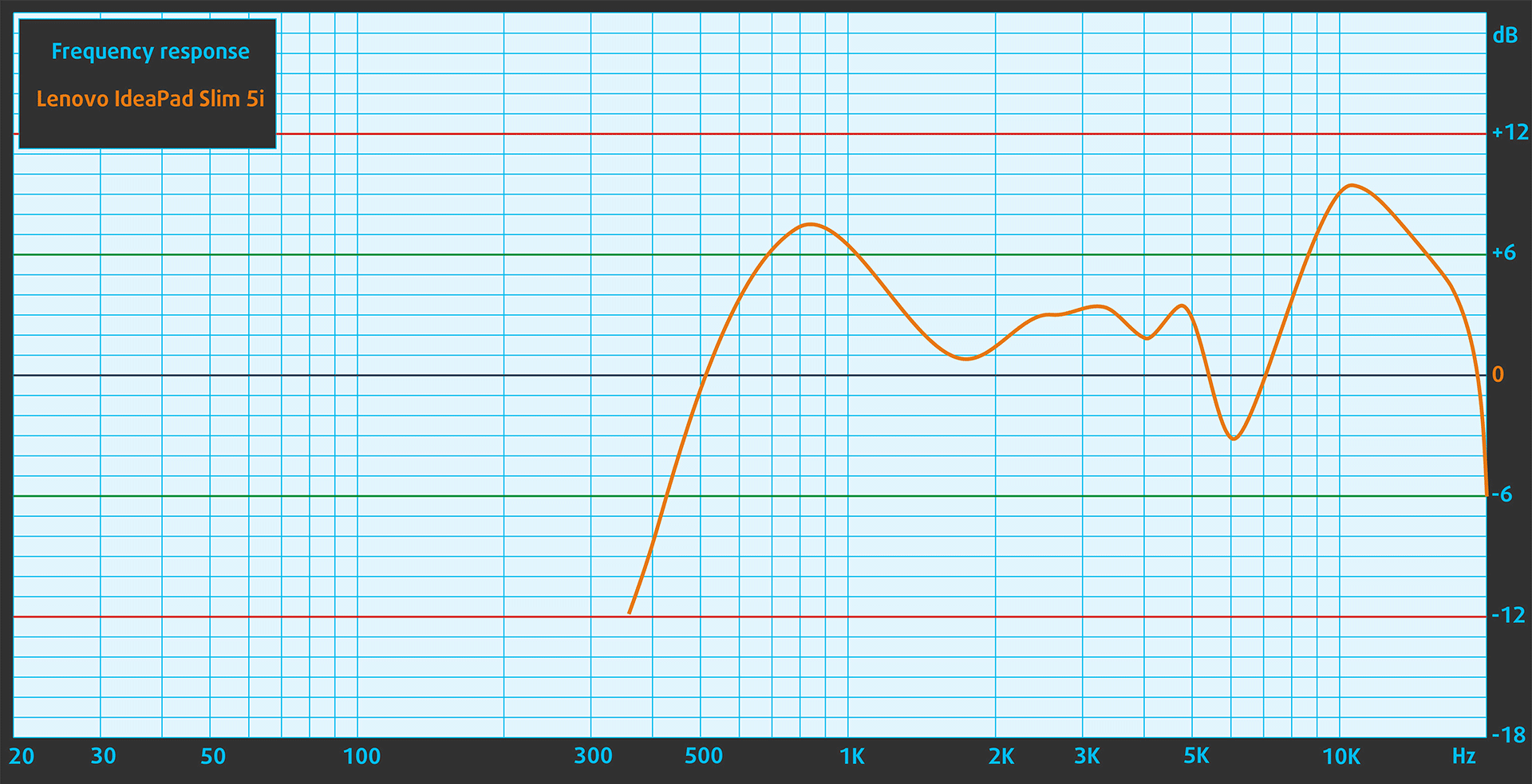
In subjective listening, the sound from the Lenovo IdeaPad Slim 5i (16″, Gen 10)’s speakers had deviations in clarity.
Work Performance: CPU, Storage, AI
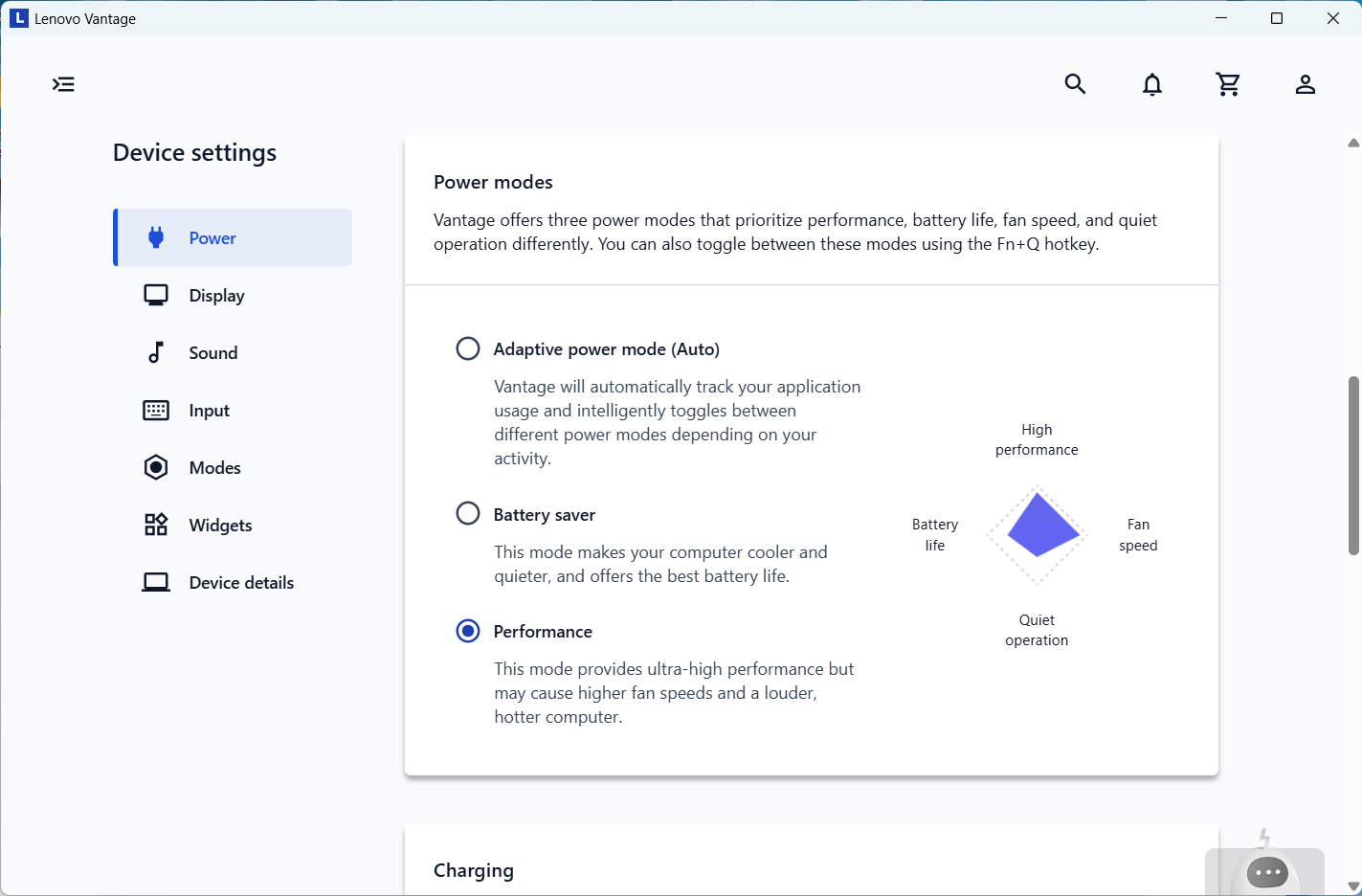
All performance and temperature tests are conducted with “Performance mode” activated in Lenovo Vantage:
CPU and Work Performance
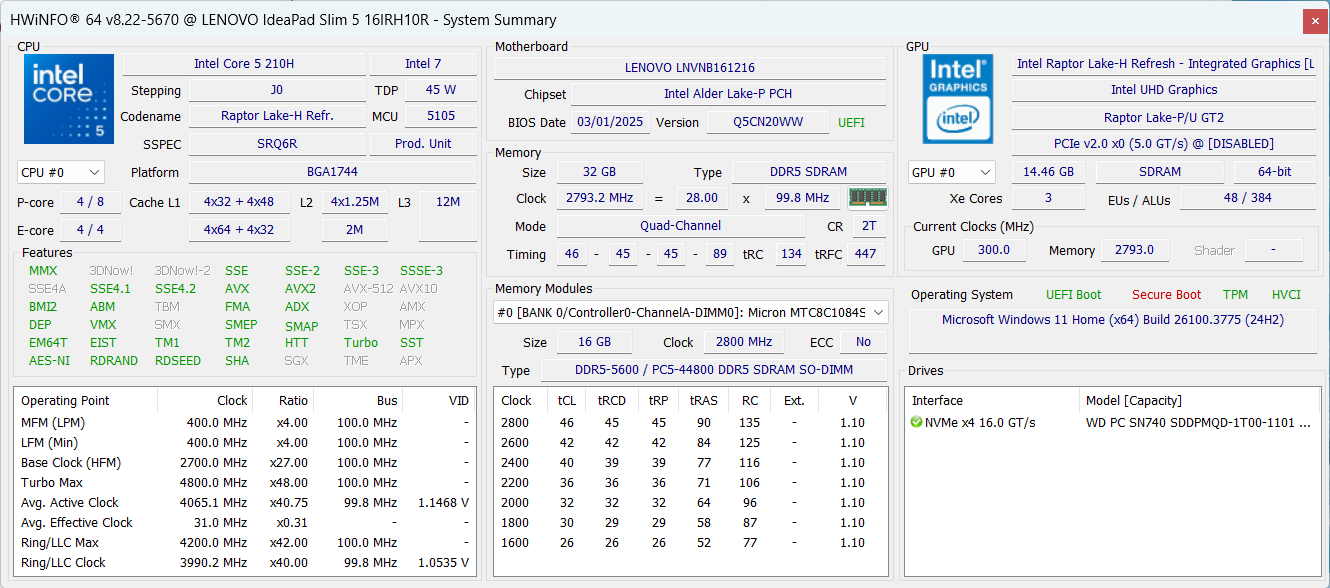
You can choose between four Intel Core 5 and Core 7 options – Intel Core 5 210H, Core 5 220H, Core 7 240H, Core 7 250H. We chose the former as it was the only configuration available at the moment. Both Core 5s have 4 performance cores while the Core 7s have 6 performance cores.
This is a good choice for everyday tasks as it offers good single-core performance leading to high responsiveness. However, it’s not a good choice for heavy work, as it struggles with multi-core tasks.
Single-core प्रदर्शन ऑपरेटिंग सिस्टम में सुचारू संचालन और प्रतिक्रिया सुनिश्चित करता है, जिससे एक बेहतर उपयोगकर्ता अनुभव मिलता है।
परिणाम Geekbench 6 Single-Core टेस्ट से हैं (उच्चतर बेहतर है)

Multi-core प्रदर्शन जटिल और मांग वाले कार्यों, जैसे वीडियो संपादन, CAD, और वैज्ञानिक सिमुलेशन को संभालने के लिए आवश्यक है।
परिणाम Geekbench 6 Multi-Core टेस्ट से हैं (उच्चतर बेहतर है)
यहां, हम एक वास्तविक-विश्व 3D रेंडरिंग कार्य का उपयोग करके CPU के प्रदर्शन का मूल्यांकन करते हैं, जटिल संगणनाओं और रेंडरिंग वर्कलोड को कुशलतापूर्वक संभालने की इसकी क्षमता का आकलन करते हैं।
परिणाम Cinebench 2024 Multi-Core टेस्ट से हैं (उच्चतर बेहतर है)
Storage Performance
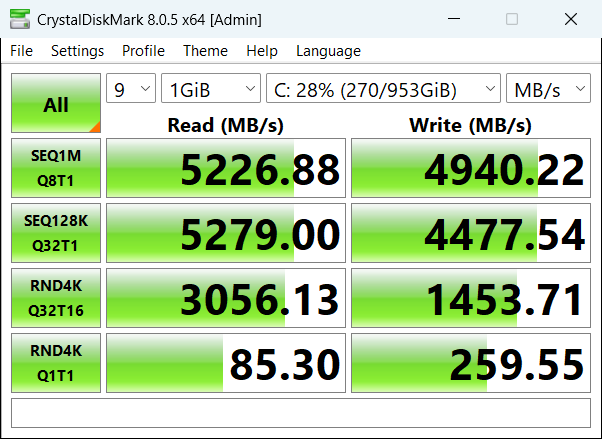
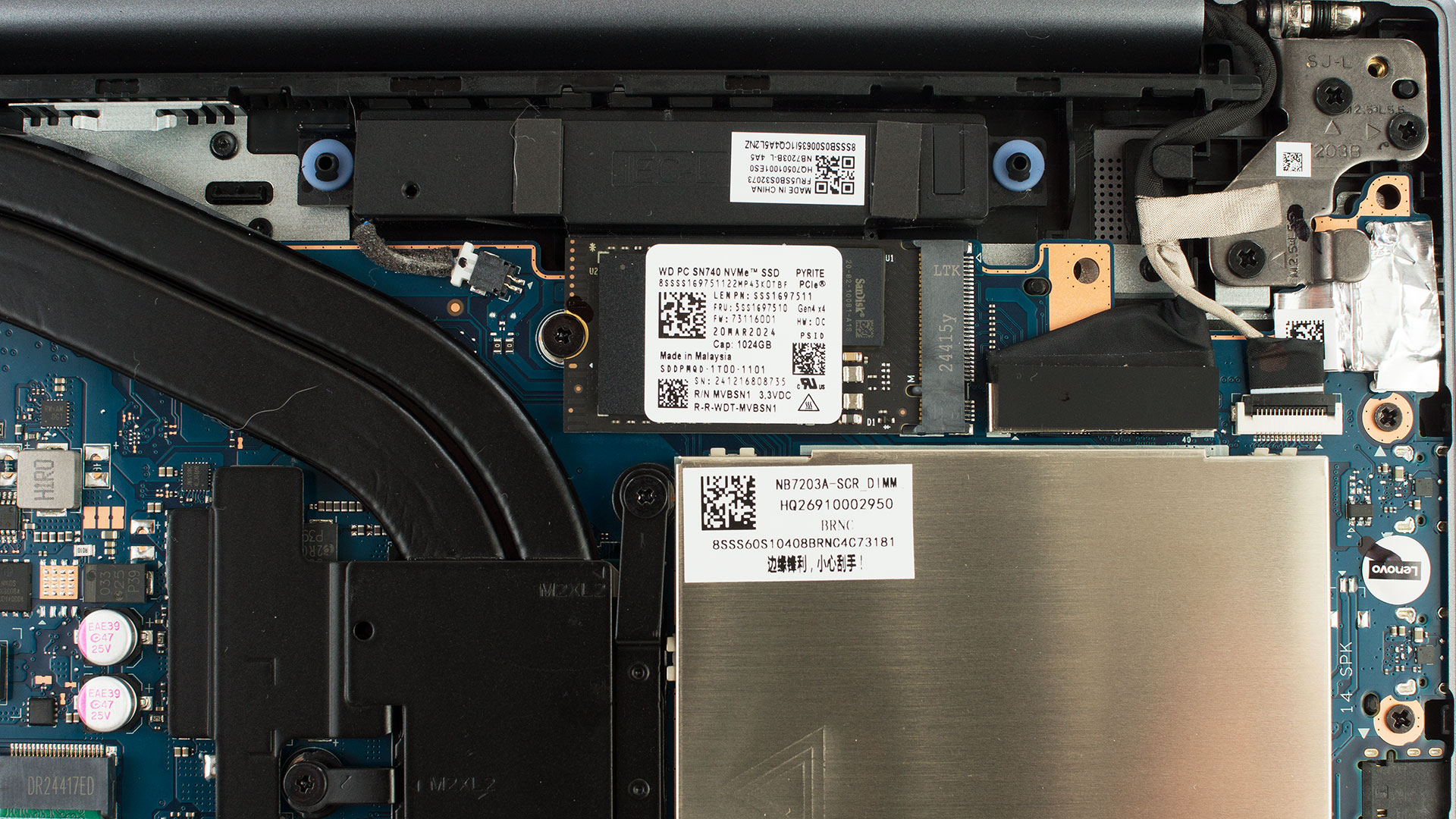
We ordered a configuration with 1TB storage and the Lenovo IdeaPad Slim 5i (16″, Gen 10) arrived with Western Digital PC SN740 NVMe. This is a good choice as it offers 5.2GB/sec sequential read speed and 4.9GB/sec sequential write speed.
AI Performance
यहां आप Lenovo IdeaPad Slim 5i (16", IRH10R / 16IRH10, Gen 10) में पाए जाने वाले GPU और CPU (NPU) की स्थिति को हमारे AI हार्डवेयर प्रदर्शन रैंकिंग में उनकी AI प्रसंस्करण शक्ति के आधार पर देख सकते हैं, जिसे TOPS (Tera Operations Per Second) में मापा जाता है - यह एक महत्वपूर्ण मीट्रिक है जो कम्प्यूटेशनल थ्रूपुट को इंगित करता है, विशेष रूप से AI कार्यों के लिए।
पहला कॉलम INT8/FP8 précision के लिए चरम प्रदर्शन दिखाता है, जो AI inference क्षमताओं का मूल्यांकन करने के लिए सबसे व्यापक मीट्रिक है। हम सघन गणना परिदृश्यों में AI प्रदर्शन का अधिक सटीक प्रतिबिंब प्रदान करने के लिए Sparsity को बाहर रखते हैं जहाँ Sparsity अनुकूलन लागू नहीं हो सकते हैं। दूसरे और तीसरे कॉलम Sparsity के साथ प्रदर्शन, और FP4 TFLOPS, जब समर्थित हो, दिखाते हैं।
SoCs के लिए, परिणाम एकीकृत NPU के चरम प्रदर्शन को दर्शाते हैं। इसके अतिरिक्त, यह ध्यान रखना महत्वपूर्ण है कि, Microsoft के अनुसार, PC को "AI-सक्षम" माने जाने के लिए NPU में कम से-कम 40 TOPS AI कंप्यूटिंग शक्ति होनी चाहिए।
| # | GPU / CPU (NPU) | TOPS INT8/FP8 No Sparsity | TOPS INT8/FP8 Sparsity | TFLOPS FP4 Sparsity |
|---|---|---|---|---|
| 1757. | Intel Core Ultra 9 185H | 11 | — | — |
GPU and Gaming Performance
There are no dedicated GPU options, so you’ll rely on the iGPU for the Core 5/7 processors. In our case, this is the Intel UHD Graphics Xe G4 (48EU). It’s one of the slowest GPUs on the market and it’s currently sitting at #292 in our ranking.
You can find the performance rating of all the GPUs on the market in our Top Laptop Graphics Ranking.
परिणाम 3DMark Time Spy (Graphics) से हैं। उच्चतर बेहतर है।
परिणाम 3DMark Wild Life Extreme Unlimited से हैं। उच्चतर बेहतर है।
Gaming tests
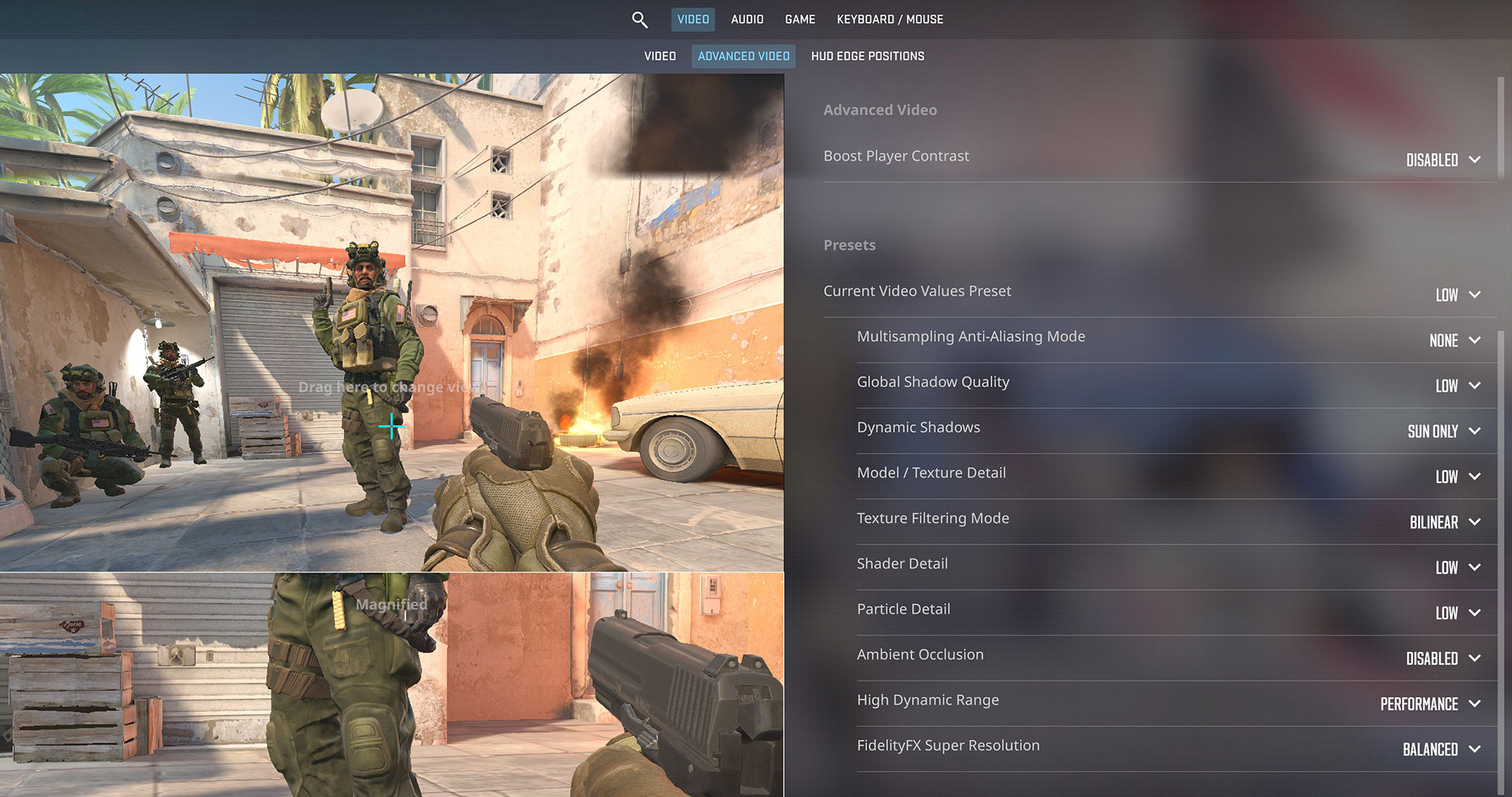
As we mentioned, gaming on the 48EU version of Intel UHD Graphics Xe G4 is not expected but we’ll still try CS2.

It is definitely playable when you lower the graphics settings to “Low” but don’t expect to comfortably run heavier titles.
| Counter Strike 2 | 1200p, Low (Check settings) |
| Average FPS | 73 FPS |
Temperatures and Comfort, Noise, Stability
At idle, the CPU package of the Lenovo IdeaPad Slim 5i (16″, Gen 10) maintains a temperature of 47ºC, and the notebook remains completely silent.
Office Work, Web Development, Design
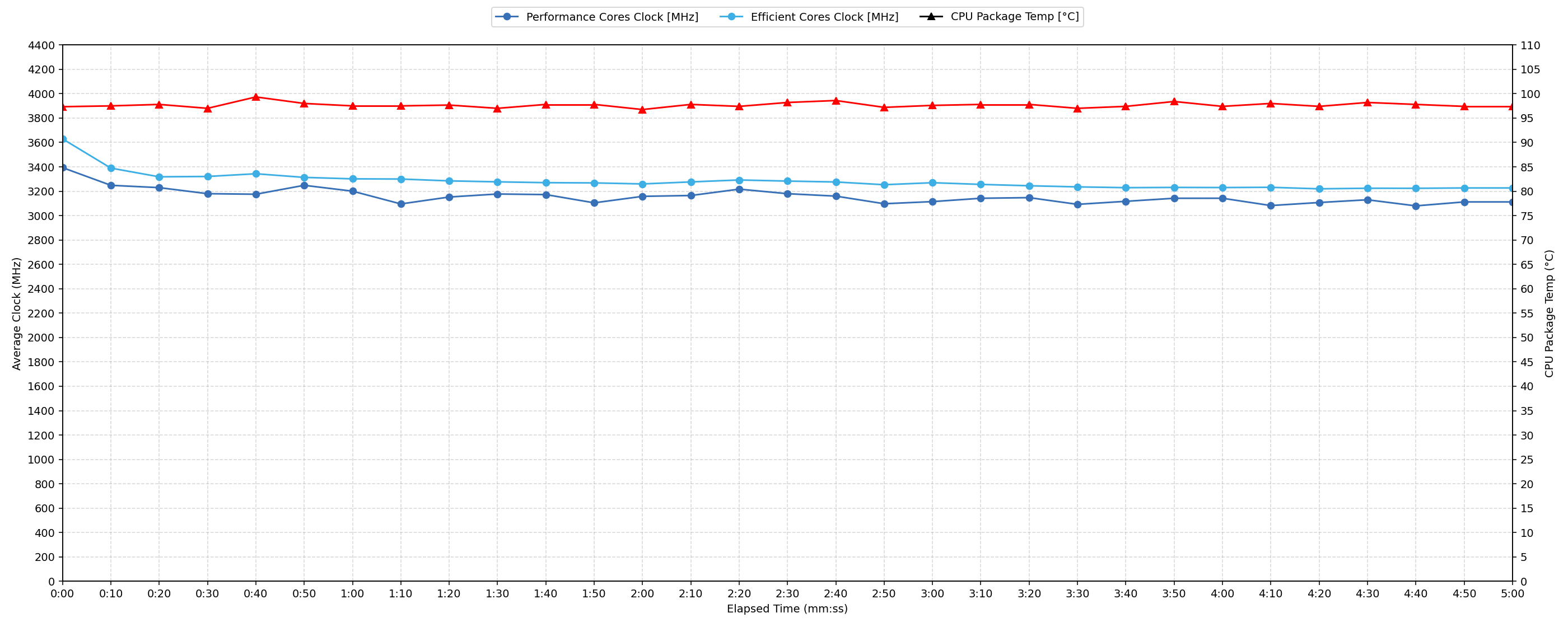
Short periods (0:00 – 0:10 s) of 100 % CPU load
| Intel Core 5 210H | Avg. P-Core Clock | Avg. CPU Temp. | Avg. CPU Power |
| Lenovo IdeaPad Slim 5i (16″, Gen 10) | 3393 MHz | 97 °C | 58 W |
During short periods of 100% CPU load, performance is initially robust. Over the first 10 seconds, the CPU averages 3393 MHz at 58 W. Peak clock speed reaches 3566 MHz, drawing up to 63 W. However, temperatures rapidly climb, averaging 97 °C and peaking at 100 °C. These temperatures are consistently high, indicating that thermal limits are reached quickly, even in brief demanding tasks, potentially impacting the sustainability of this initial performance.
Video editing, Scientific computing, Software compilation, 3D rendering
Long periods (0:00 – 30:00 min) of 100 % CPU load
| Intel Core 5 210H | Avg. P-Core Clock | Avg. CPU Temp. | Avg. CPU Power |
| Lenovo IdeaPad Slim 5i (16″, Gen 10) | 3101 MHz | 96 °C | 43 W |
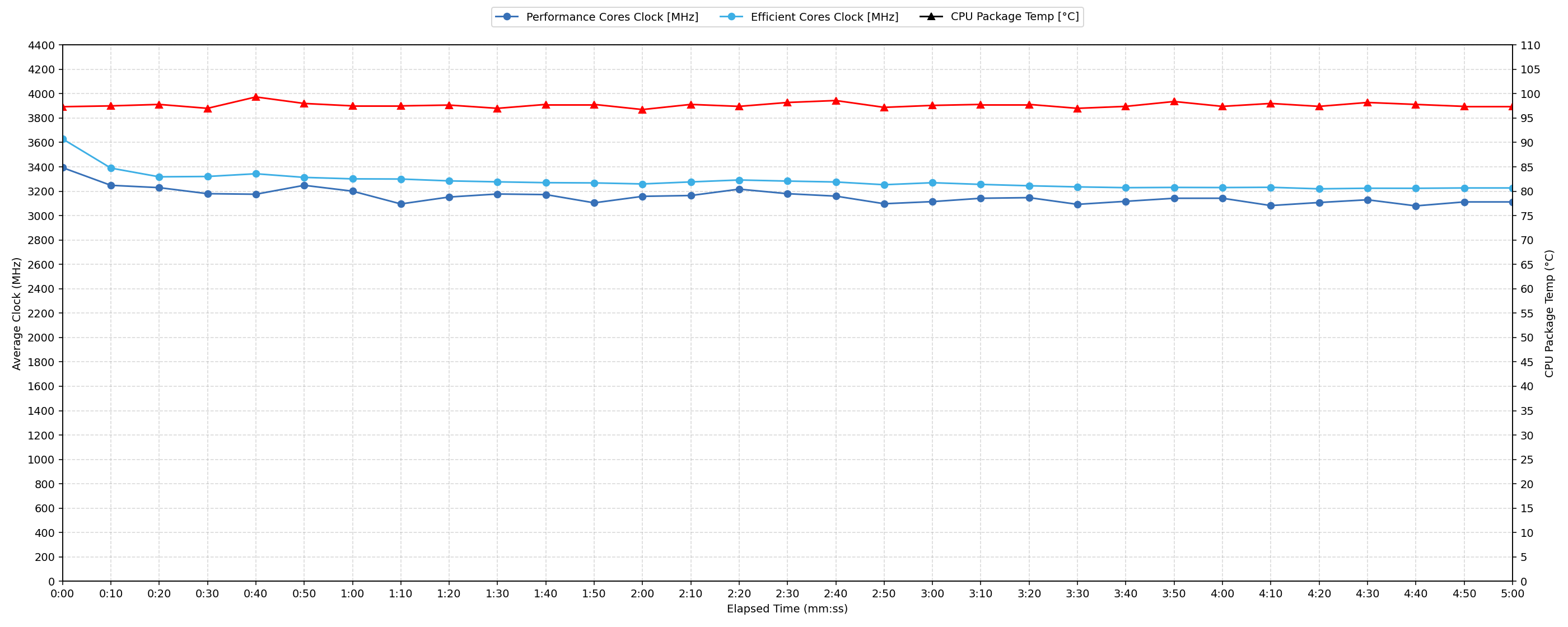
Under sustained 100% CPU load over 30 minutes, the CPU settles into a lower performance state compared to short bursts. It maintains an average clock speed of 3101 MHz. The minimum sustained clock speed observed between 30 seconds and 5 minutes is 2999 MHz, representing a drop of 567 MHz from the initial peak. Average power consumption over 30 minutes is 43 W. Throughout this extended load, the average CPU temperature remains high at 96 °C, consistently exceeding standard thermal thresholds.
Battery Life
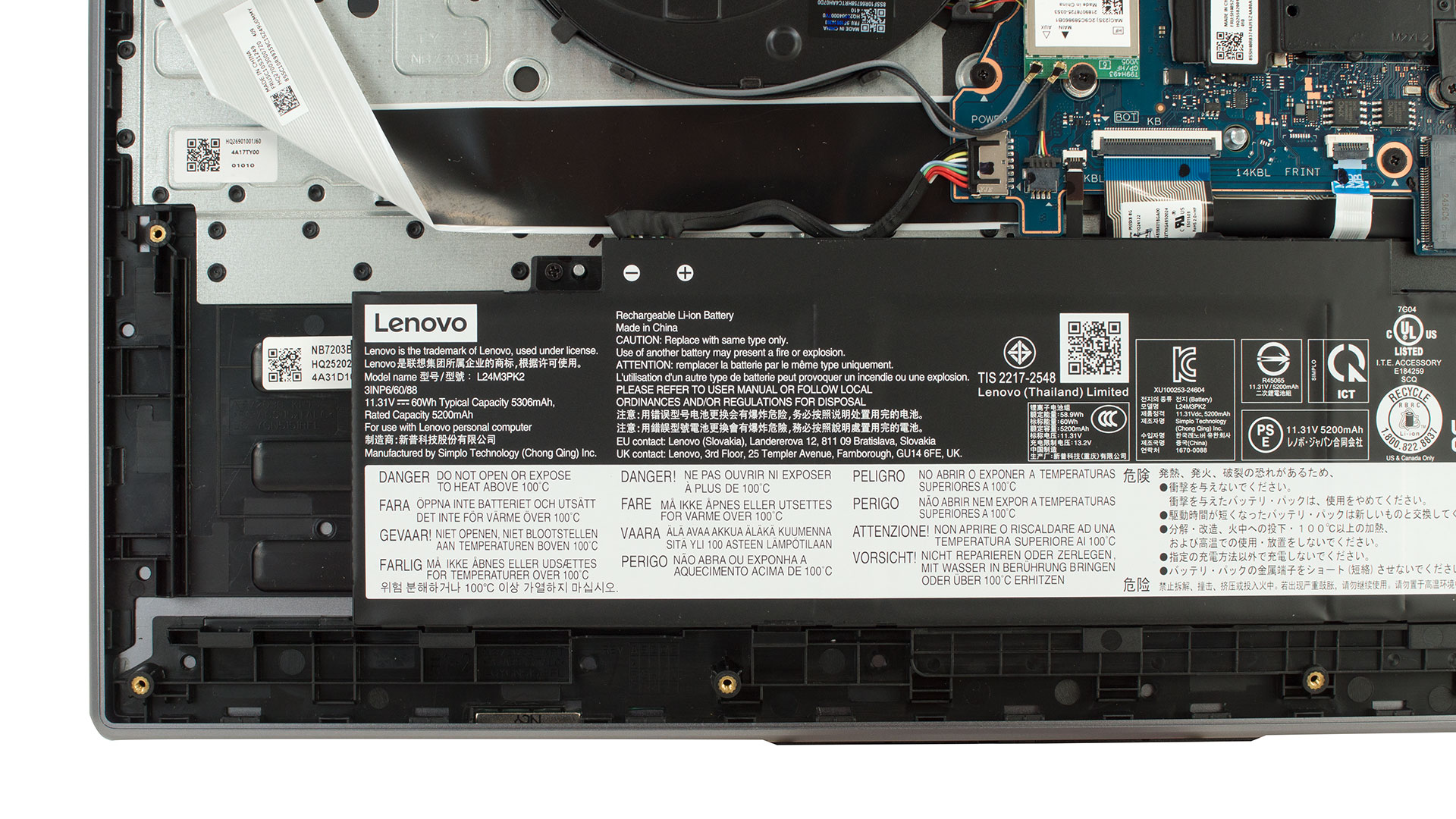
Lenovo IdeaPad Slim 5i’s battery has a capacity of 60Wh.
You can also order the Slim 5i with 50Wh or 80Wh battery.
The test is conducted with Battery Saver mode set in Lenovo Vantage.
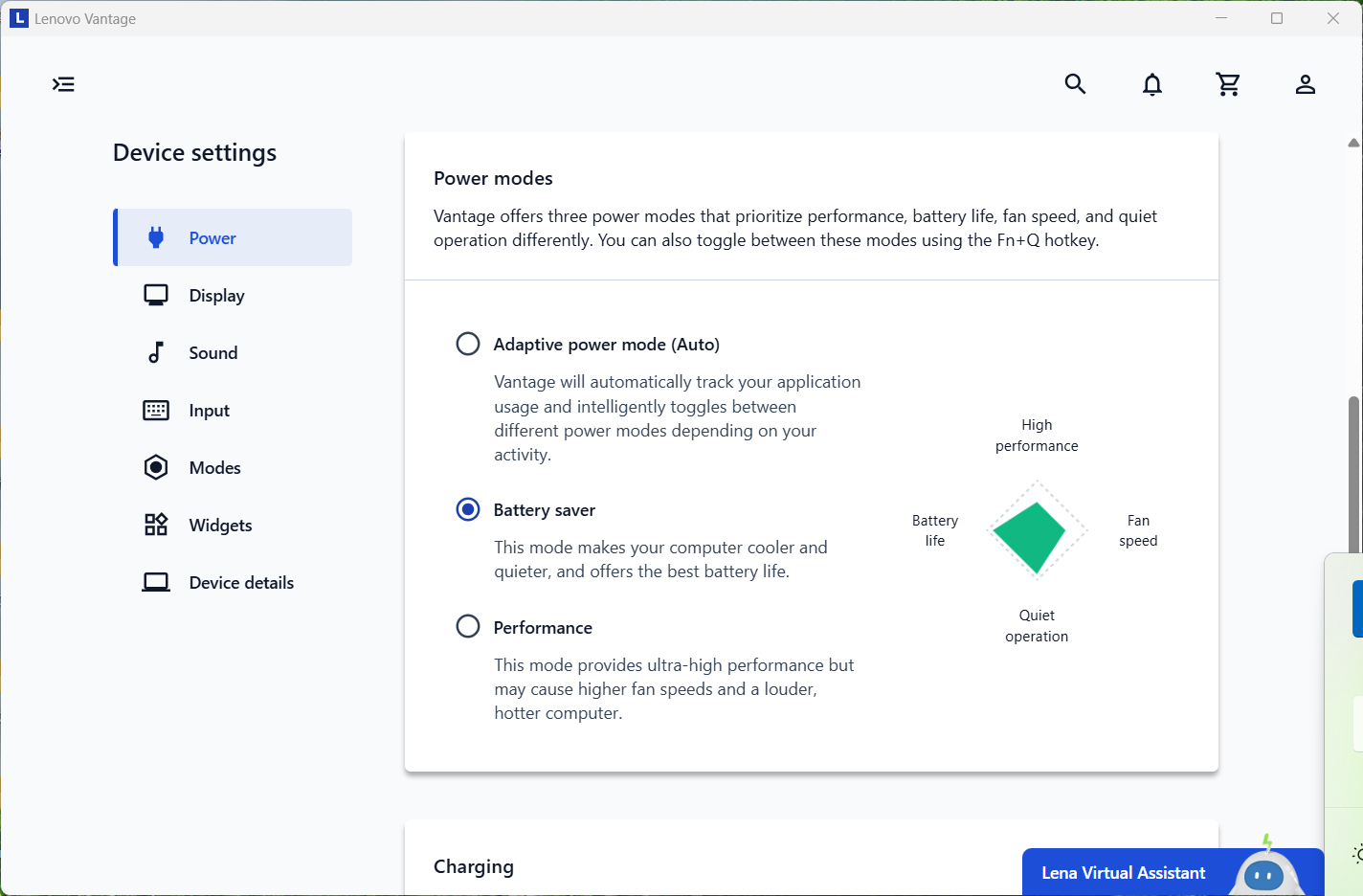
According to Lenovo, the battery should last for 15.8 hours of video playback. Our test shows two times lower result – 8 hours on a single charge.
चमक: 180 nits; डिस्प्ले मोड: SDR
पूर्ण डिस्चार्ज का समय: उच्चतर बेहतर है
Disassembly, Upgrade options, and Maintenance
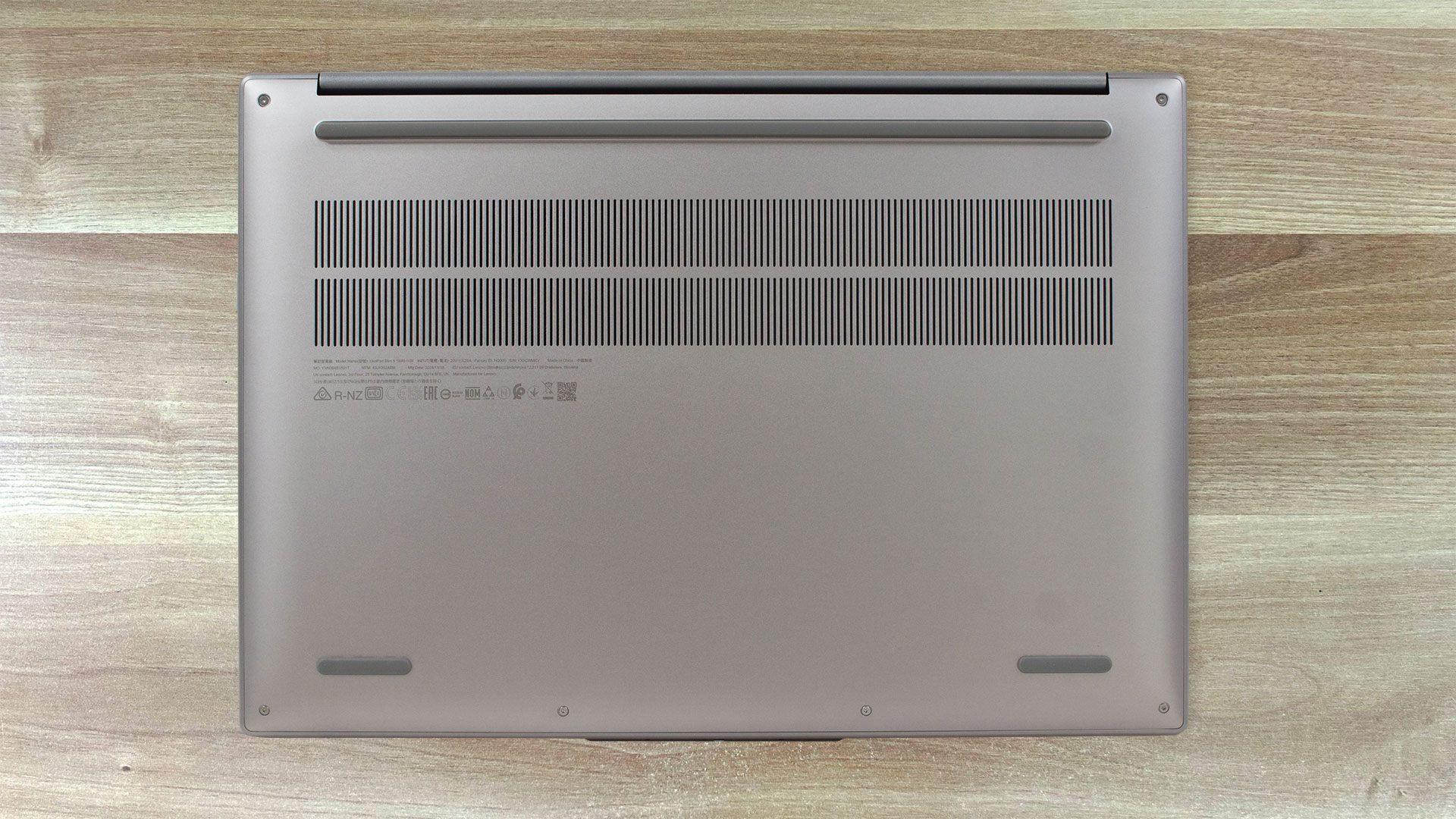
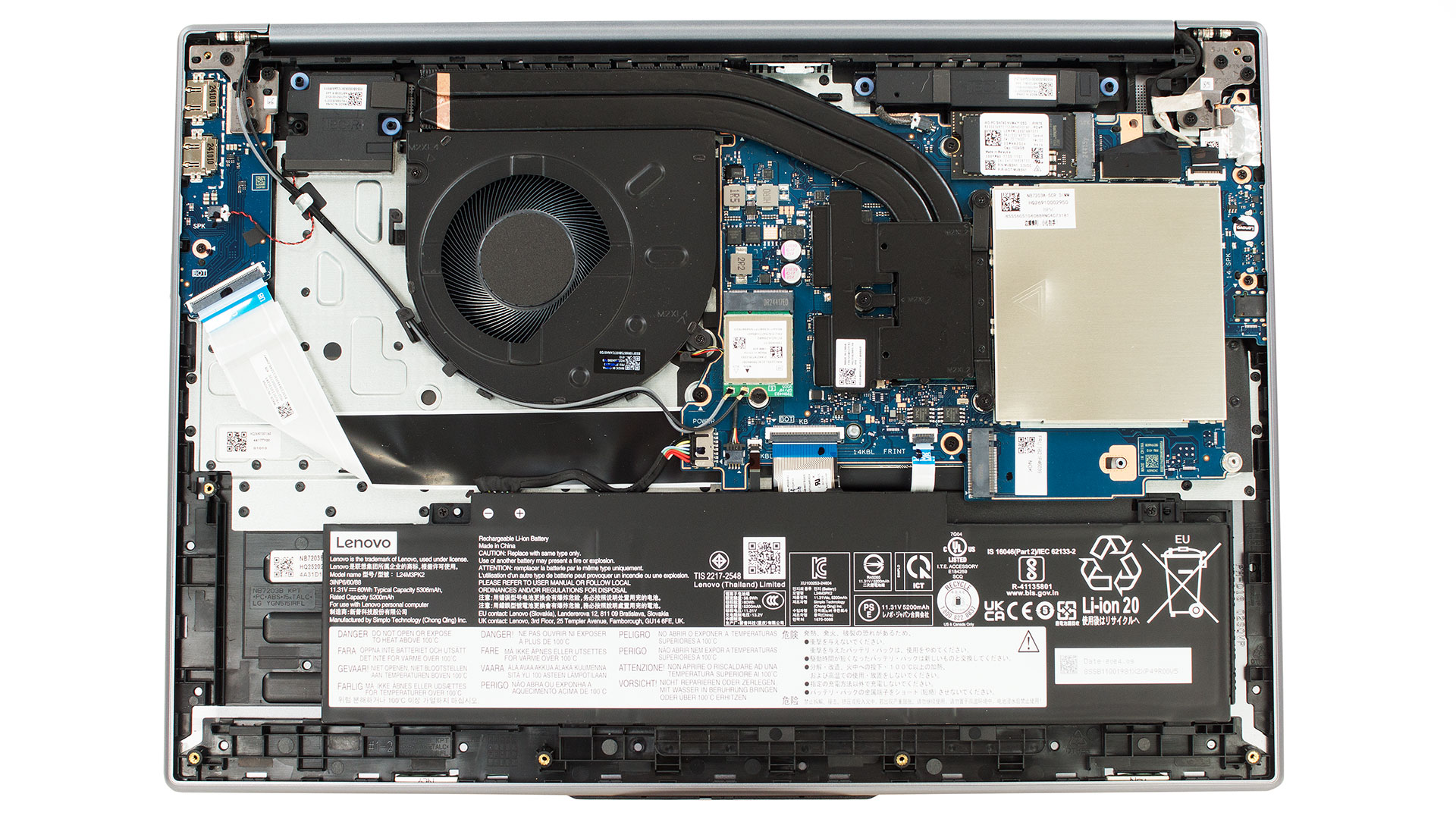
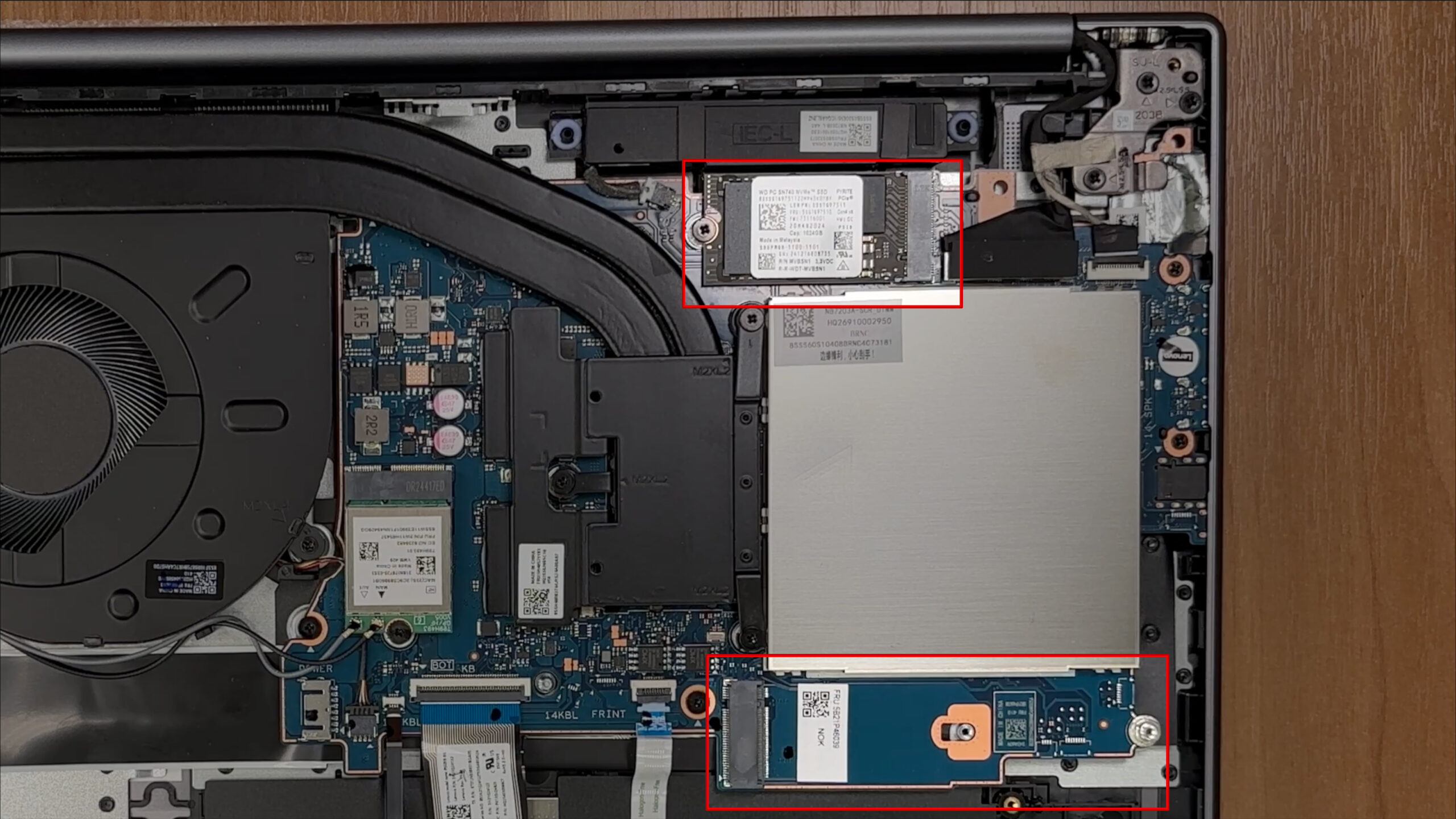
Getting inside Lenovo’s IdeaPad Slim 5i is refreshingly straightforward: six Torx T5 screws secure the bottom panel, and the plastic clips give way with minimal persuasion from a guitar pick‑style pry tool.
Once the cover is off you are greeted by a clean mainboard layout dominated by a single blower fan and two heat pipes that converge into a fin stack along the rear edge. The cooling solution is modest but covers the CPU and VRM components and should be enough for the sixty‑watt‑hour battery to deliver its best runtimes without thermal throttling.
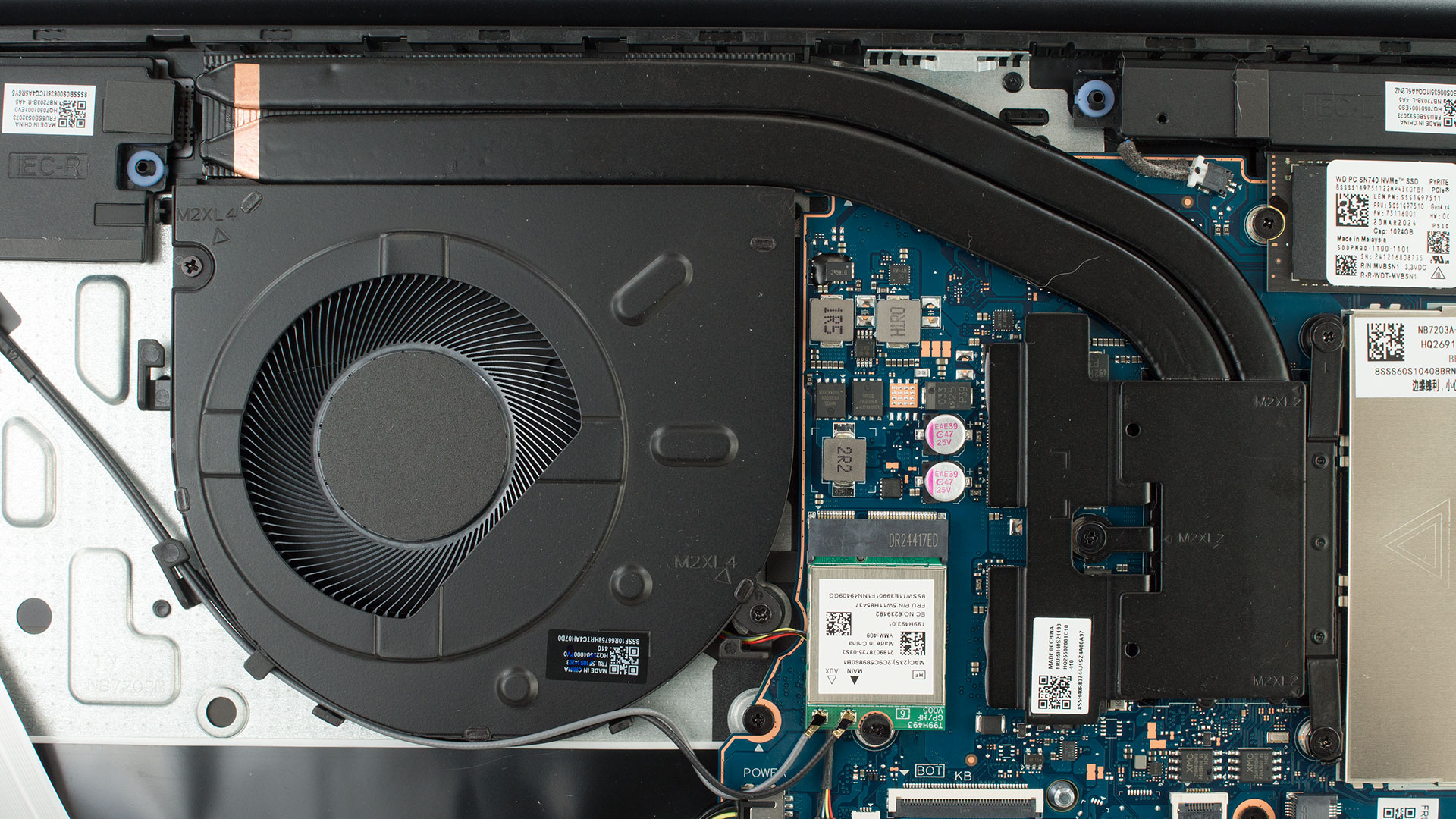
Memory upgrades are easy because Lenovo provides two DDR5 SO‑DIMM slots next to the fan shroud. The system supports dual‑channel configurations up to DDR5‑5600.
Storage options are equally versatile. One M.2 2242 PCI Express 4.0 x4 slot comes populated by a Western Digital SN740 drive in our sample, while a second M.2 2280 slot sits empty for future expansion.
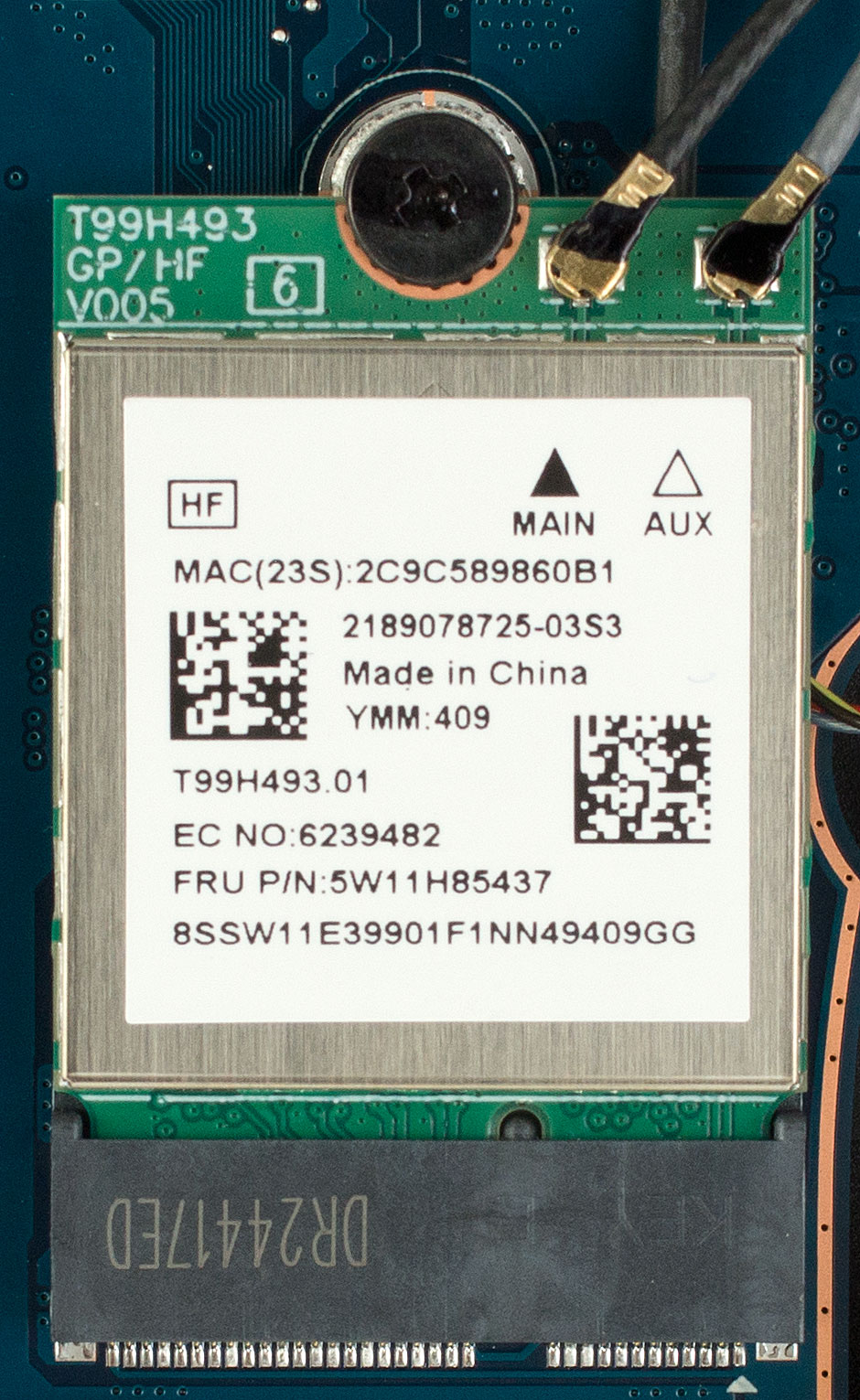
Wireless duties are handled by a replaceable MediaTek MT7925 Wi‑Fi 7 card, so next‑generation networking is already on board and user‑serviceable if standards evolve.
The 60 Wh lithium‑ion battery is held in by two Phillips‑head screws and lifts out once its connector is detached, making replacement painless down the road.
Overall, the Slim 5i offers hassle‑free maintenance and plenty of upgrade headroom – exactly what tinkerers appreciate in a modern thin‑and‑light.
Verdict
The Lenovo IdeaPad Slim 5i (16″, Gen 10) is a machine of stark contrasts, a laptop that brilliantly marries a premium, elegant chassis with a set of internal components that can vary dramatically depending on your budget. It’s a “tale of two laptops,” where the excellent build quality and upgradeability provide a fantastic foundation, but the user experience is almost entirely dictated by the configuration you choose – especially when it comes to the display and processor.
This is a versatile daily driver that can be either a budget-friendly workhorse with significant compromises or a much more capable and visually stunning machine if you’re willing to invest in the higher-tier options.
✅ The Good
 The first thing you’ll notice is the excellent all-aluminium build quality. The laptop feels sturdy, looks sophisticated, and does a great job of resisting fingerprints, giving it a much more premium impression than its price might suggest. It’s a beautifully designed and portable machine.
What truly sets this laptop apart, especially in the “slim” category, is its fantastic upgradeability. With two user-accessible SODIMM slots for RAM and two M.2 slots for storage, it offers a level of future-proofing and flexibility that is increasingly rare. This makes it a great long-term investment.
The keyboard is comfortable and includes a handy NumPad, the port selection is practical, and the inclusion of an IR camera with a physical privacy shutter is a welcome touch. Furthermore, the display on our base model is completely PWM-free, which is a huge plus for eye comfort during long work sessions.
❌ The Bad
The biggest issue with our specific test unit is the entry-level display. With extremely poor color coverage at just 50% sRGB, it is completely unsuitable for any photo or video work and makes for a dull visual experience. We strongly recommend opting for one of the better screen options, like the 100% sRGB IPS or the beautiful 120Hz OLED panel.
The thermal management is another significant concern. Even with the base Core 5 processor, the CPU runs uncomfortably hot under load, frequently hitting its thermal limits. The base model’s performance is also underwhelming for anything beyond everyday tasks, and its sound quality is mediocre at best.
🆚 The Competitors
When compared to rivals like the Lenovo IdeaPad 5 2-in-1 (detailed review), the Slim 5i falls behind in battery life and integrated graphics performance. Similarly, the Acer Swift Go 16 (detailed review) offers a much more powerful Intel Arc iGPU. However, the IdeaPad Slim 5i’s key advantage is its superior upgrade potential.
While competitors may offer better out-of-the-box graphics or longevity, the ability to easily upgrade both RAM and storage gives the Slim 5i a significant edge in long-term value and flexibility, a crucial factor for users who like to tinker and extend the life of their devices.
You can check the prices and configurations in our Specs System: https://laptopmedia.com/series/lenovo-ideapad-slim-5-16irh10r/
Pros
- Excellent and elegant all-aluminium construction
- Fantastic upgradeability with two RAM and two M.2 slots
- Comfortable keyboard with a dedicated NumPad
- Good selection of practical ports
- PWM-free display ensures eye comfort
- IR camera with a physical privacy shutter
Cons
- Base model display has extremely poor color coverage
- CPU runs hot under load
- Base model performance is weak for heavy tasks
- Mediocre sound quality
 Author: Simeon NikolovEditor-in-Chief at LaptopMedia.com with 20+ years of experience in testing and analyzing laptops and mobile devices.
 Author: eng. Kroum NikolovHead of Engineering at LaptopMedia.com, inventor and innovator with 40+ years of experience in electronics and high technology.

![[July 2026] Global Ranking of Best-Selling Laptop GPUs on Amazon – RTX 5060 Dominate Premium, Intel Still Rules Budget](https://laptopmedia.com/wp-content/uploads/2026/08/Best-Selling-GPUs-GLOBAL-Top-10-400x225.jpg)
![[July 2026] Global Ranking of Best-Selling Laptop CPUs on Amazon – Apple Dominates Premium, Intel Holds Overall Crown](https://laptopmedia.com/wp-content/uploads/2026/08/Best-Selling-CPUs-GLOBAL-Top-10-400x225.jpg)
![[July 2026] Amazon Canada: Top 10 Best-Selling Laptops – Apple MacBook Neo Dominates the Market to Claim the #1 Spot](https://laptopmedia.com/wp-content/uploads/2026/08/Best-Selling-Laptops-CA-Top-10-2-400x225.jpg)
![[July 2026] Best-Selling Laptop Brands on Amazon Japan – HP and Lenovo Dominate Units and Revenue Amid Fierce Competition](https://laptopmedia.com/wp-content/uploads/2026/08/CO.JP-Best-Brands-2-400x225.jpg)
![[July 2026] Amazon Italy: Top 10 Best-Selling Laptops – Apple MacBook Neo Claims the #1 Spot Amid Budget-Friendly Dominance](https://laptopmedia.com/wp-content/uploads/2026/08/Best-Selling-Laptops-IT-Top-10-400x225.jpg)

Cmon Lenovo, put TWO big(like above) coolers inside, not one. Eye safe/harm infograph is a marvel. Please say it to the guy who invented it.