Recensione di Dell Precision 15 3580: una workstation sottile e leggera che potrebbe essere migliorata
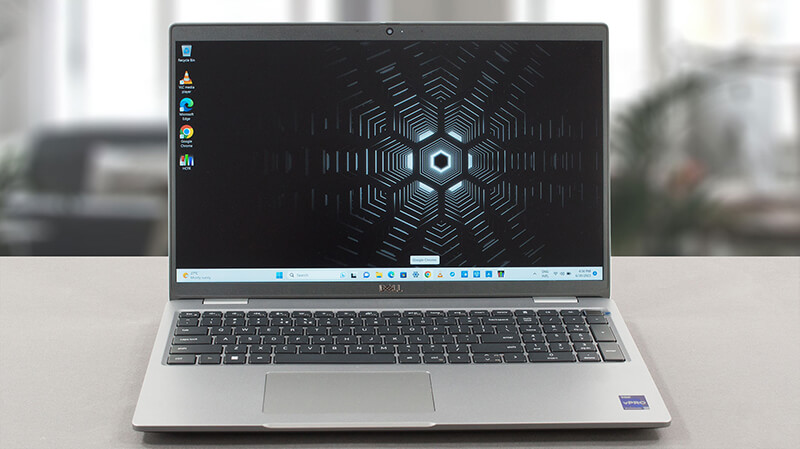 Pur essendo l’opzione di workstation più economica, la serie Precision 35xx è uno dei portatili di fascia professionale più venduti da Dell. Nonostante sia stata costruita sulla base di compromessi, fa una cosa migliore di qualsiasi altra workstation dell’azienda: è all’altezza delle aspettative.
Oggi recensiremo il Dell Precision 15 3580. Ci sono un paio di cose che dovete sapere fin dall’inizio. Innanzitutto, si tratta di un prodotto leggero, che non integra le CPU più potenti del mercato. Inoltre, l’unica opzione di GPU dedicata è la NVIDIA RTX A500.
Tuttavia, è possibile disporre delle ultime novità delle CPU Intel di classe di efficienza, come i chip della serie U e della serie P. Quindi, c’è qualcosa da aspettarsi. Inoltre, mentre l’unica opzione per il display è un’unità IPS a 1080p, è possibile scegliere tra un’unità piuttosto scialba o una con copertura sRGB completa.
In definitiva, c’è solo l’imbarazzo della scelta, ma prima è necessario prendere in considerazione l’acquisto di questo prodotto. E noi siamo qui per farvi sapere se ne vale la pena o se dovreste scappare come un certo colosso giamaicano quando sente una pistola esplodere.
Potete controllare i prezzi e le configurazioni nel nostro sistema di specifiche: https://laptopmedia.com/series/dell-precision-15-3580/
Contents
- Specifiche, Driver, Contenuto della confezione
- Design e costruzione
- Qualità del display, Impatto sulla salute (PWM), Suono
- Acquista i nostri profili
- Prestazioni: CPU, GPU, Test di gioco
- [Guida eBook + Strumenti] Come MASSIMIZZARE Il Tuo Laptop
- Temperature e comfort, durata della batteria
- Smontaggio, opzioni di aggiornamento e manutenzione
- Il verdetto
Specifiche, Driver, Contenuto della confezione
Dell Precision 15 3580 - Specifiche



- HDD/SSD
- fino a 8000GB SSD
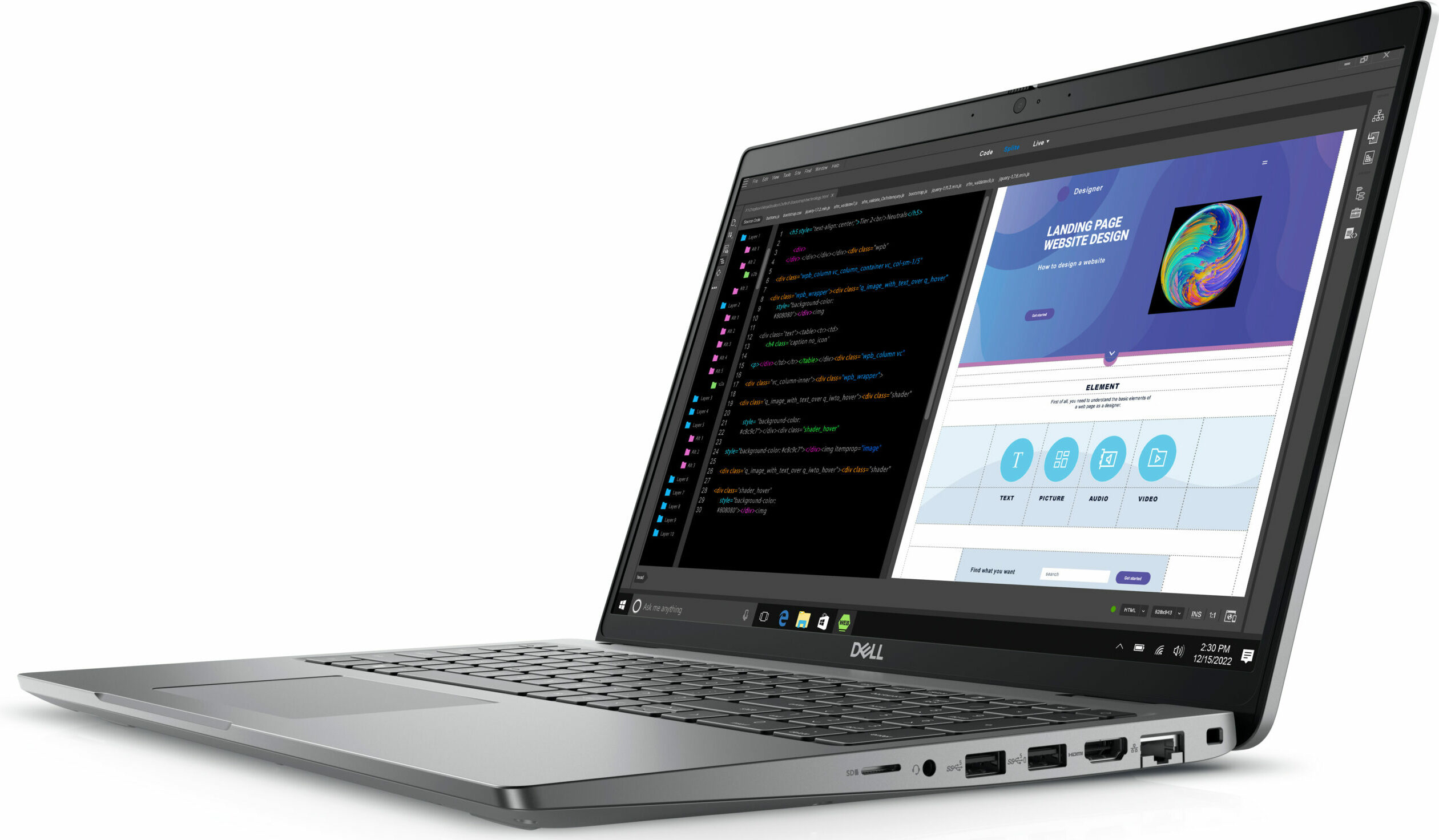
- Slot M.2
- 1x 2280 M.2 NVMe PCIe 4.0 x4 + 1x 2230 M.2 NVMe PCIe 4.0 x4 Vedi foto
- RAM
- up to 64GB
- SO
- Windows 11 Pro, Windows 11 Home, Windows 10 Pro, No OS
- Batteria
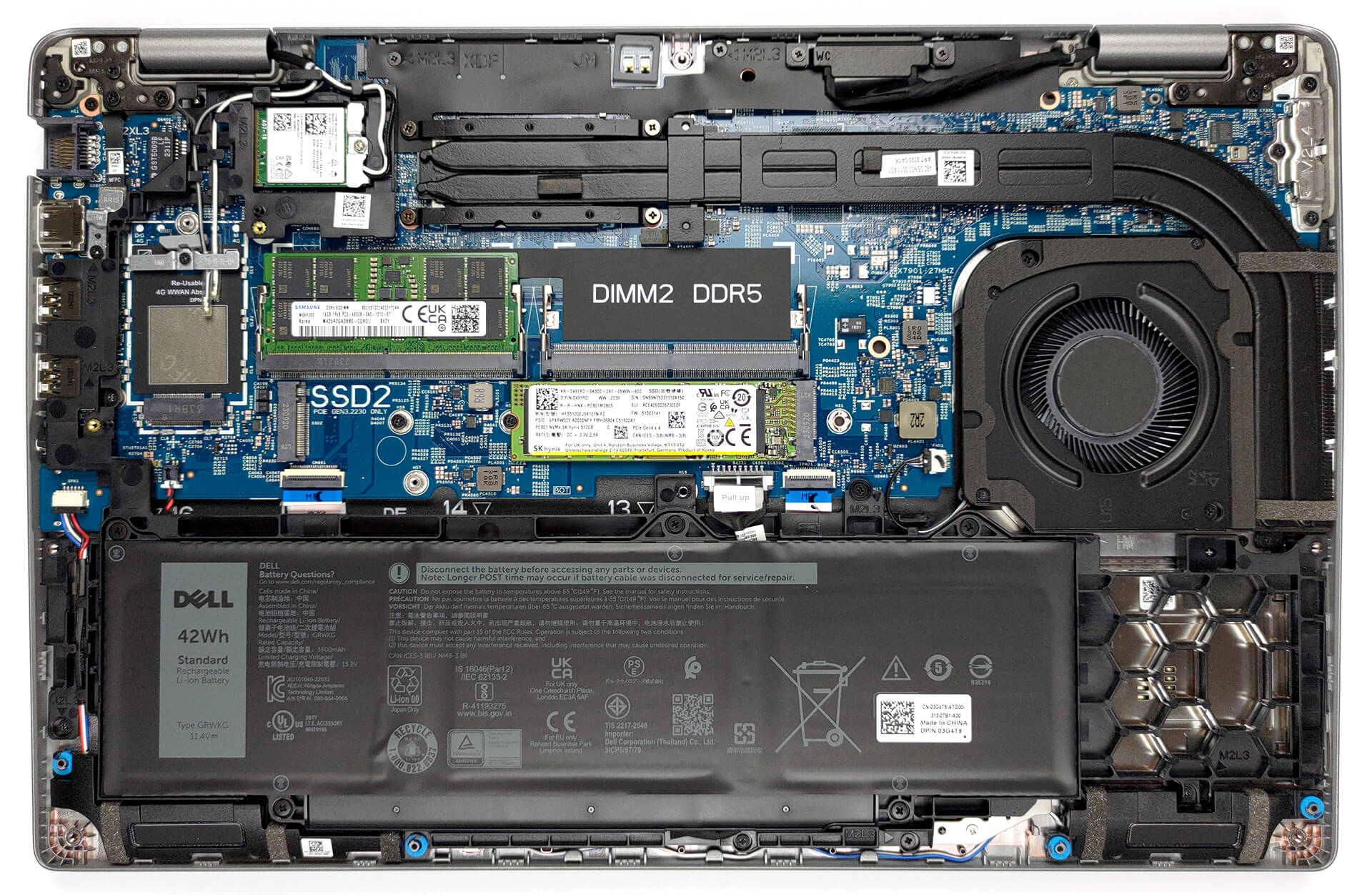
- 54Wh, 3-cell, 42Wh, 3-cell
- Materiale del corpo
- Plastic / Polycarbonate
- Dimensioni
- 357.80 x 233.30 x 20.80 x 22.80 mm (14.09" x 9.19" x 0.82")
- Peso
- 1.61 kg (3.5 lbs)
- Porte e connettività
- 1x USB Type-A
- 3.2 Gen 1 (5 Gbps)
- 1x USB Type-A
- 3.2 Gen 1 (5 Gbps), Sleep and Charge
- 2x USB Type-C
- 4.0, Thunderbolt 4, Power Delivery (PD), DisplayPort
- HDMI
- 2.0
- Lettore di schede
- MicroSD
- LAN Ethernet
- 10, 100, 1000 Mbit/s
- Wi-Fi
- 802.11ax
- Bluetooth
- 5.3
- Jack audio
- 3.5mm Combo Jack
- Caratteristiche
- Lettore di impronte digitali
- optional
- Webcam
- FHD IR
- Tastiera retroilluminata
- optional
- Microfono
- Dual Array Microphones
- Altoparlanti
- 2x 2W Stereo Speakers, Waves MaxxAudio
- Unità ottica
- Slot per lucchetto di sicurezza
- Wedge Lock
Tutti Dell Precision 15 3580 configurazioni
Driver
Tutti i driver e le utility per questo notebook sono disponibili qui: https://www.dell.com/support/home/en-us/product-support/product/precision-15-3580-laptop/drivers
Cosa contiene la confezione?
Oltre al notebook e ad alcuni documenti, la confezione contiene un caricabatterie da 65W, 100W o 130W. Tutti sono dotati di un connettore USB Tipo-C.

 Author: Alex Iliev
 Author: eng. Kroum NikolovHead of Engineering at LaptopMedia.com, inventor and innovator with 40+ years of experience in electronics and high technology.

![[Luglio 2026] Classifica globale delle GPU per laptop più vendute su Amazon: la RTX 5060 domina la fascia premium, mentre Intel continua a dominare quella economica](https://laptopmedia.com/wp-content/uploads/2026/08/Best-Selling-GPUs-GLOBAL-Top-10-400x225.jpg)
![[Luglio 2026] Classifica globale delle CPU per laptop più vendute su Amazon: Apple domina la fascia premium, Intel mantiene il primato assoluto](https://laptopmedia.com/wp-content/uploads/2026/08/Best-Selling-CPUs-GLOBAL-Top-10-400x225.jpg)
![[July 2026] Amazon Canada: Top 10 Best-Selling Laptops – Apple MacBook Neo Dominates the Market to Claim the #1 Spot](https://laptopmedia.com/wp-content/uploads/2026/08/Best-Selling-Laptops-CA-Top-10-2-400x225.jpg)
![[July 2026] Best-Selling Laptop Brands on Amazon Japan – HP and Lenovo Dominate Units and Revenue Amid Fierce Competition](https://laptopmedia.com/wp-content/uploads/2026/08/CO.JP-Best-Brands-2-400x225.jpg)
![[Luglio 2026] Amazon Italia: i 10 laptop più venduti – L’Apple MacBook Neo conquista il primo posto in una classifica dominata dai modelli economici](https://laptopmedia.com/wp-content/uploads/2026/08/Best-Selling-Laptops-IT-Top-10-400x225.jpg)

Very good, with the better battery and screen option it becomes very attractive, but the CPU tests have exactly the same results as the Yoga 9i with the same 1360P.
I think there is an error there..
Updating: after my message they updated the Cinebench results to exactly the same result obtained by the MSI Summit E14…
Do you actually test the laptops or do you try to approximate the expected results?
Hello! Yes, we do test them. The result is a strange bug, already reported, thank you!
The left side of the laptop also incorporates a battery status light which doesn’t appear to double as a hard disk activity light as on previous Dell laptops. The manual also makes no mention of a pause/break key combination which used to be Fn+B.
BTW Dell dropped the screen size from its model nomenclature a while back guys. This model is simply called the Precision 3580.
Can this be used for gaming