Lenovo ThinkPad X1 Carbon
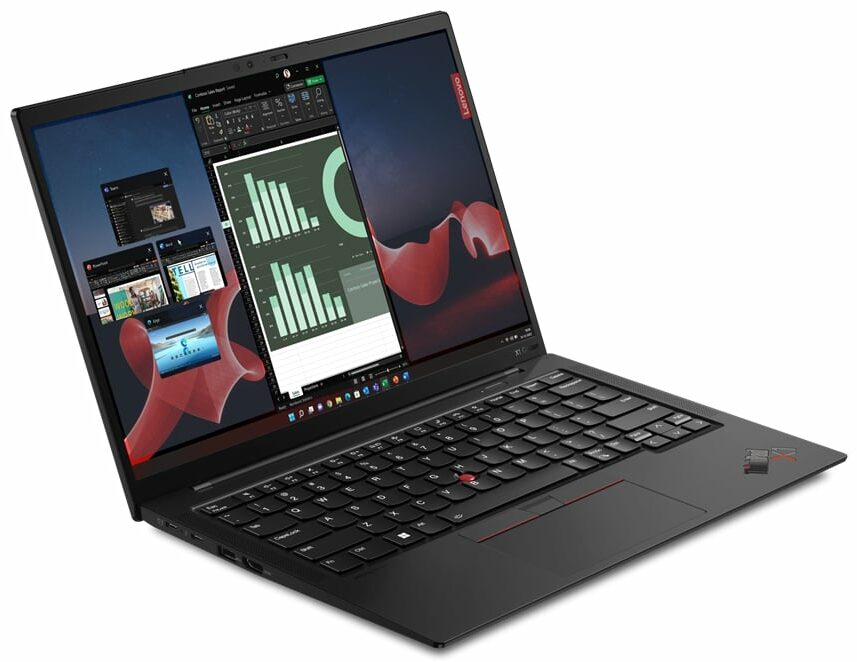


- Date Published: 19 Dec 2024
- Intel Core i7-1365U
- Intel Iris Xe Graphics G7 (96EU)
- 14.0”, WUXGA (1920 x 1200), IPS
- 1000GB SSD
- 32GB RAM
- 1.12 kg (2.5 lbs)
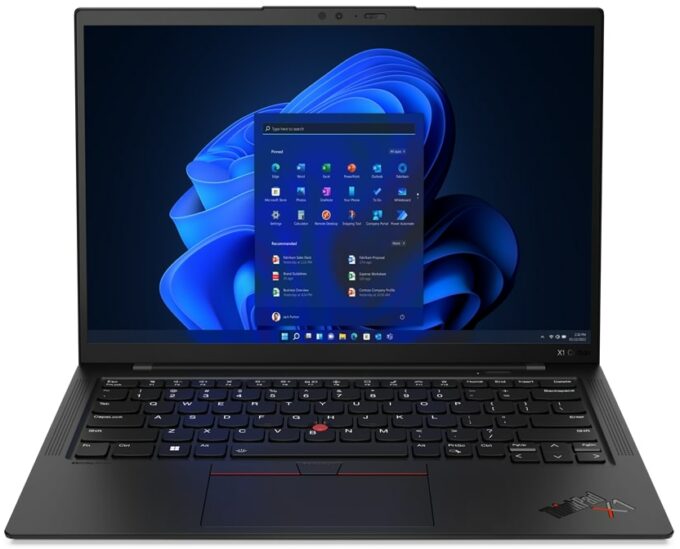
Specs
- Display

- HDD/SSD
- 1000GB SSD
- M.2 Slot
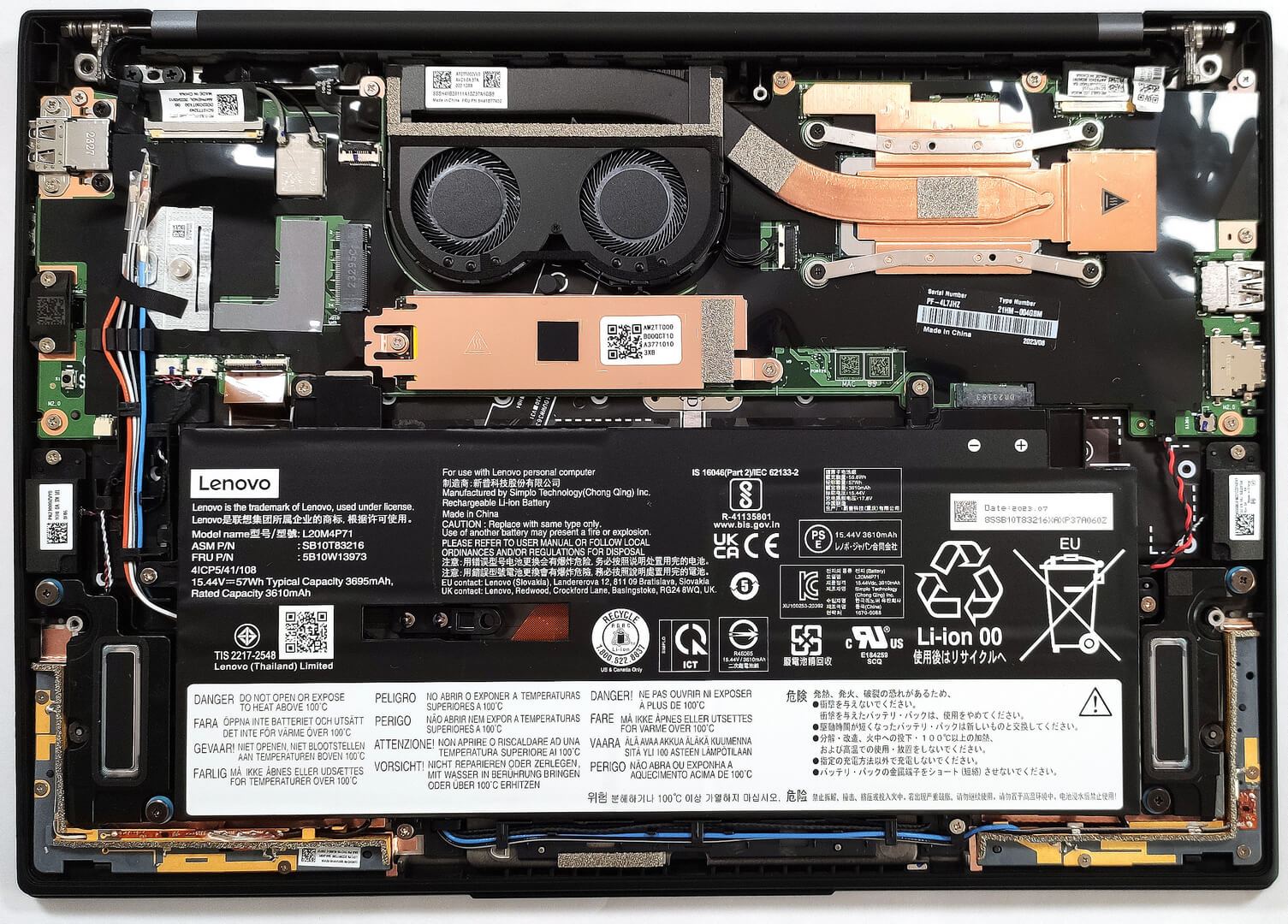
- 1x 2280 M.2 NVMe PCIe 4.0 x4 See photo
- RAM
- 32GB RAM
- OS
- Windows 11 Home
- Body Material
- Aluminum, Carbon
- Dimensions
- 315.6 x 222.5 x 14.96 - 15.36 mm (12.43" x 8.76" x 0.59")
- Weight
- 1.12 kg (2.5 lbs)
- Ports and connectivity
- 1x USB Type-A
- 3.2 Gen 1 (5 Gbps)
- 1x USB Type-A
- 3.2 Gen 1 (5 Gbps), Sleep and Charge
- 2x USB Type-C
- 4.0, Thunderbolt 4, Power Delivery (PD), DisplayPort
- HDMI
- 2.0b
- Card Reader
- Ethernet LAN
- Wi-Fi
- 802.11ax
- Bluetooth
- 5.1
- Audio jack
- 3.5mm Combo Jack
- Features
- Fingerprint reader
- Web camera
- HD / FHD / IR with privacy shutter, MIPI, fixed focus, Computer Vision
- Backlit keyboard
- Microphone
- Quad Array Microphone, 360° far-field, Dolby Voice
- Speakers
- 2x 2W woofers + 2x 0.8W tweeters Stereo Speakers, Dolby Atmos
- Security Lock slot
- Kensington Nano Lock
Portability
Review
Lenovo ThinkPad X1 Carbon in-depth review
Lenovo offers so many business and office devices that sometimes the regular user can be confused about when choosing a new laptop. Still, there is nothing wrong with a wide variety of machines in different categories and price classes. Today we will show a notebook that wealthy users should like - the Lenovo ThinkPad X1 Carbon Gen 11.The main focus here is the weight which is a bit over a kilo. In addition to that, considering how light this device is, there aren't any visible cut-downs in terms of features. There are seven CPU variants and some of them are 28W Raptor Lake chips but we decided to buy a laptop with a 15W U-series CPU since it costs less and it's more battery-friendly.As expected, the security is on point. We can spot a Web camera with a privacy shutter, dTPM 2.0 m[...]
Read the full review
Pros
- Good comfort under load
- 98% sRGB coverage and accurate color representation with our profile (CSOT MNE007JA1-1 (LEN403A))
- Wide viewing angles, high contrast ratio, and 16:10 aspect ratio (CSOT MNE007JA1-1 (LEN403A))
- PWM-free (CSOT MNE007JA1-1 (LEN403A))
- Two Thunderbolt 4 connectors (both can be used for charging)
- Wi-Fi 6E support plus optional IR face recognition, fingerprint reader, and 5G support (option)
- Up to 64GB of LPDDR5x-6000MHz
- The two fans aren't spinning until the CPU reaches 50°C
- Inlet keycaps
- Comfortable input devices
- Ultra-low weight combined with a thin profile
- Premium build quality
- Good P and E core clocks under load given the dimensions
Cons
- High CPU temperature in short and medium-long stress
- Memory is soldered to the motherboard
- High price
Disassembly, maintenance and upgrade options
Opening the LaptopUndo the 5 captive Phillips-head screws securing the bottom panel of the laptop. Use a plastic pry tool to gently separate the bottom panel from the chassis, starting from one of the top corners near the hinge.Caution: Be gentle to avoid damaging the internal components or the clips that hold the bottom panel in place.Removing the BatteryWear gloves to prevent short circuits when handling the battery connector, which is built into the unit. Disconnect the battery connector from the mainboard. Undo the 6 Phillips-head screws that secure the[...]
Read more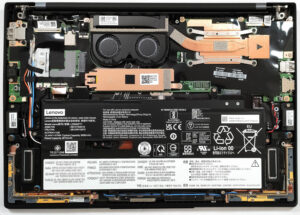


![[June 2026] Best-Selling Laptop Brands on Amazon Global – Apple’s Unrivaled Dominance in Units and Revenue](https://laptopmedia.com/wp-content/uploads/2026/07/GLOBAL-Best-Brands-400x225.jpg)
![[June 2026] Amazon Global: Top 10 Best-Selling Laptops – Apple’s New MacBook Neo Storms to #1, Reshaping the Market with Affordability](https://laptopmedia.com/wp-content/uploads/2026/07/Best-Selling-Laptops-GLOBAL-Top-10-400x225.jpg)
![[June 2026] Amazon Global: Top 10 Best-Selling Gaming Laptops – Acer’s Nitro V 16S AI Dominates Sales, While ASUS Leads Overall Revenue](https://laptopmedia.com/wp-content/uploads/2026/07/Best-Selling-Gaming-Laptops-GLOBAL-Top-10-400x225.jpg)
![[June 2026] Global Ranking of Best-Selling Laptop GPUs on Amazon – NVIDIA RTX 5060 is the Top-Selling Dedicated GPU](https://laptopmedia.com/wp-content/uploads/2026/07/Best-Selling-GPUs-GLOBAL-Top-10-400x225.jpg)
![[June 2026] Global Ranking of Best-Selling Laptop CPUs on Amazon – Apple M5 Dominates, AMD Ryzen 7 260 Gets Solid Premium Share](https://laptopmedia.com/wp-content/uploads/2026/07/Best-Selling-CPUs-GLOBAL-Top-10-400x225.jpg)