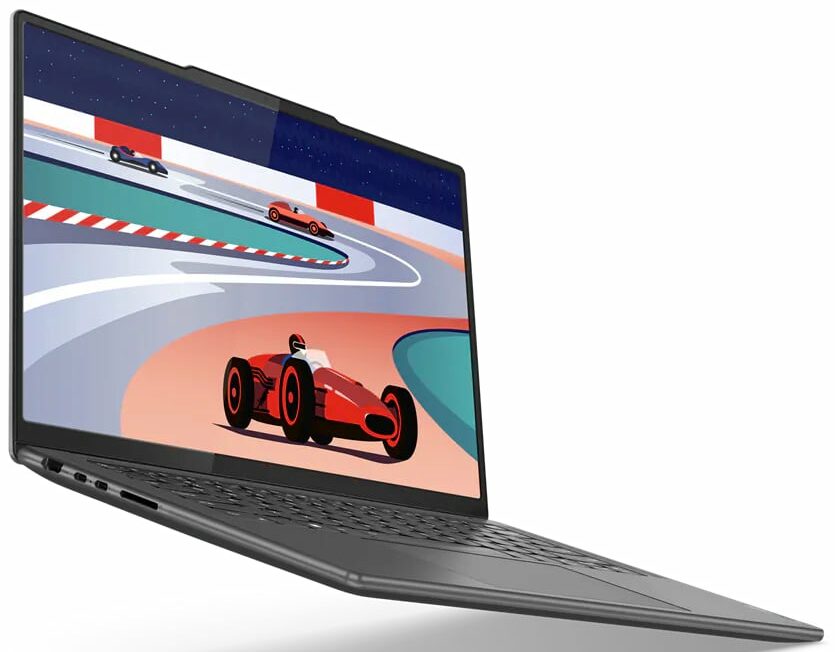
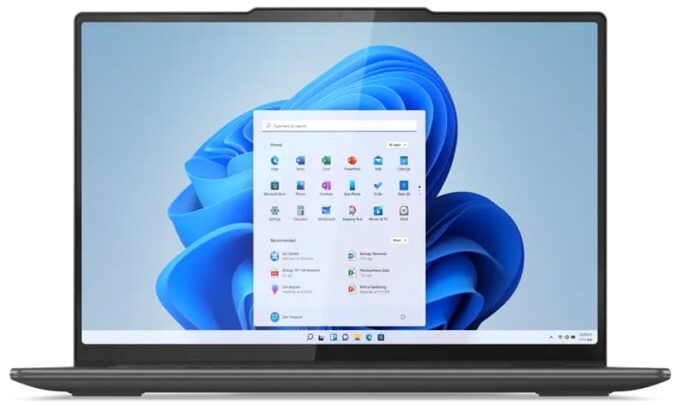
Lenovo Yoga Pro 9i




- Date Published: 03 Dec 2025
- Intel Core Ultra 9 285H
- NVIDIA GeForce RTX 5060 (Laptop)
- 14.5”, 3K (3072 x 1920), 165 Hz, IPS
- 4000GB SSD
- 32GB RAM
- 1.65 kg (3.6 lbs)
Specs

- HDD/SSD
- 4000GB SSD
- M.2 Slot
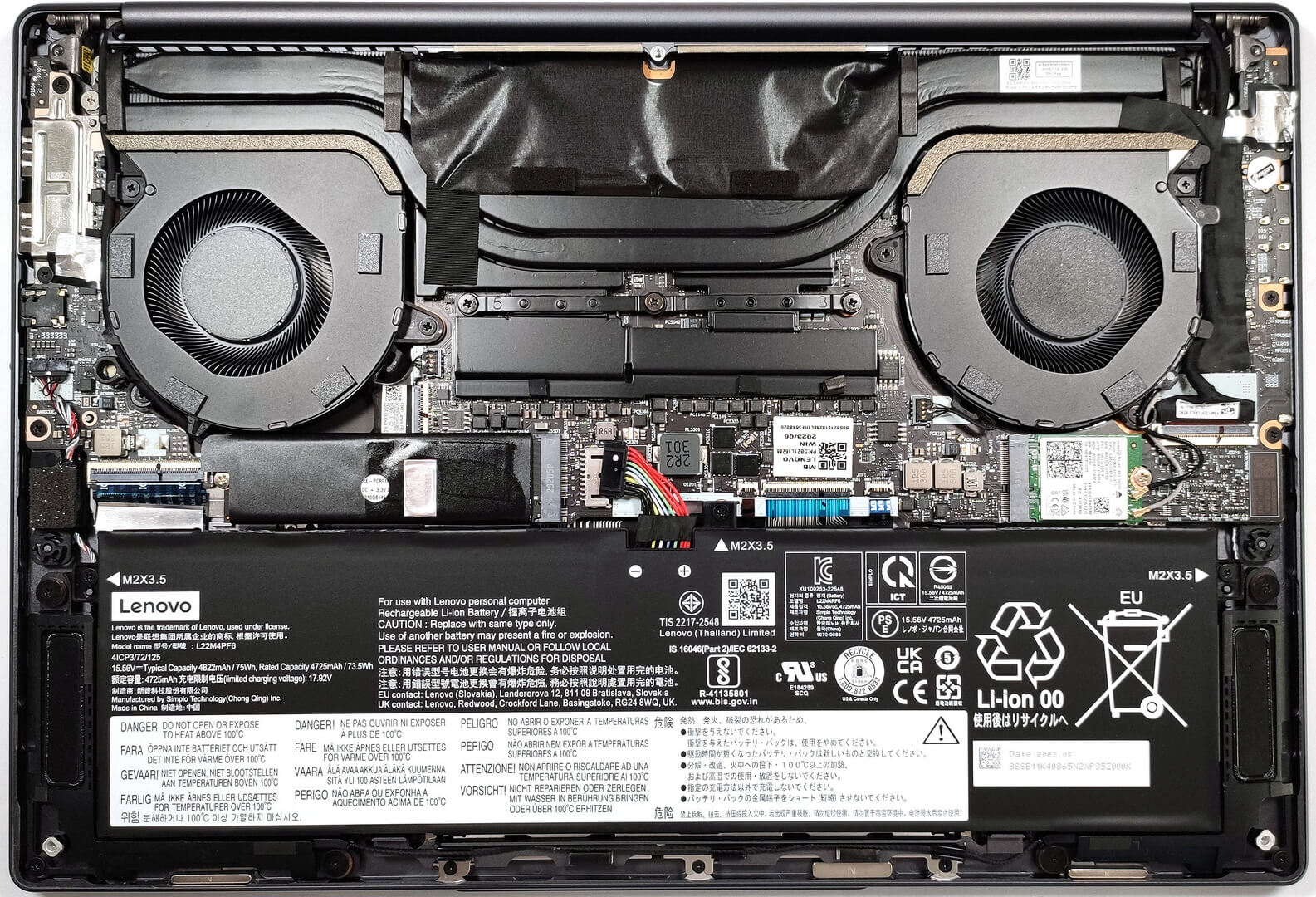
- 1x 2280 M.2 NVMe PCIe 4.0 x4 See photo
- RAM
- 32GB RAM
- OS
- Windows 11 Pro
- Body Material
- Aluminum
- Dimensions
- 326.95 x 223.54 x 16.9 - 17.6 mm (12.87" x 8.80" x 0.67")
- Weight
- 1.65 kg (3.6 lbs)
- Ports and connectivity
- 1x USB Type-A
- 3.2 Gen 1 (5 Gbps)
- 1x USB Type-A
- 3.2 Gen 1 (5 Gbps), Sleep and Charge
- 1x USB Type-C
- 3.2 Gen 2 (10 Gbps), Power Delivery (PD), DisplayPort
- 1x USB Type-C
- 4.0, Thunderbolt 4, Power Delivery (PD), DisplayPort
- HDMI
- 2.1 (8K@60Hz)
- Card Reader
- SD (SD, SDHC, SDXC, MMC)
- Ethernet LAN
- Wi-Fi
- 802.11ax
- Bluetooth
- 5.1
- Audio jack
- 3.5mm Combo Jack
- Features
- Fingerprint reader
- Web camera
- FHD IR with E-shutter, fixed focus, with ToF sensor
- Backlit keyboard
- Microphone
- Quad-microphone array with noise-cancelling
- Speakers
- 4x Stereo Speakers (2x 2W Woofers + 2x 1W Tweeters) optimized with Dolby Atmos, Smart Amplifier (AMP)
- Security Lock slot
- Gifts
- Mytrix Wireless Headset
Portability
Review
Lenovo Yoga Pro 9i in-depth review
Lenovo definitely knows how to make compact and powerful devices. With the Lenovo Yoga 9 (14″, 2023) they showed a strong contender in the 2-in-1 category while the extravagant Lenovo Yoga Book 9 is a curious light machine with two displays and many extras.Still, if you prefer a more traditional design but you still need high-end hardware in a compact and light chassis, the Lenovo Yoga Pro 9i (14", Gen 8) is one of the best possible options. This fella comes with a choice of three 3K display options - two of them have touch support and the top model is a Mini LED panel. We picked a device with the latter because we like to test new tech and we want to see how good this high-res display is.The main event is hidden under the bonnet. There, you can find power Raptor Lake-H CPUs and NV[...]
Read the full review
Pros
- Strong and stylish aluminum chassis
- Very good cooling and performance
- 99% sRGB and 96% DCI-P3 coverage (CSOT MNE507HZ2-1 (CSO1418))
- Has accurate color representation with our “Gaming and Web design profile” (CSOT MNE507HZ2-1 (CSO1418))
- Great contrast ratio (CSOT MNE507HZ2-1 (CSO1418))
- High resolution and 16:10 aspect ratio (CSOT MNE507HZ2-1 (CSO1418))
- IR camera with E-shutter
- 4-in-1 card reader
- Supports Advanced Optimus
- Comfortable input devices
Cons
- Soldered memory and just one M.2 slot
- Lacks a fingerprint reader
- Average battery life
- Three 5Gbps ports
Disassembly, maintenance and upgrade options
Step 1: Opening the Lenovo Yoga Pro 9i (14, Gen 8)Ensure the Lenovo Yoga Pro 9i (14, Gen 8) is powered off and placed on a soft, clean surface to prevent scratches or damage. Remove the five Torx-head screws from the bottom of the laptop. Use a plastic tool to pry open the bottom panel or carefully lift the plate by holding the central part to pop it up.Hint: Be cautious when lifting the panel to avoid damaging any internal components or the clips holding the panel in place.Step 2: Battery RemovalDisconnect the battery by pulling out its connector from the mot[...]
Read more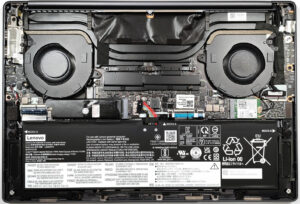


![[June 2026] Best-Selling Laptop Brands on Amazon Global – Apple’s Unrivaled Dominance in Units and Revenue](https://laptopmedia.com/wp-content/uploads/2026/07/GLOBAL-Best-Brands-400x225.jpg)
![[June 2026] Amazon Global: Top 10 Best-Selling Laptops – Apple’s New MacBook Neo Storms to #1, Reshaping the Market with Affordability](https://laptopmedia.com/wp-content/uploads/2026/07/Best-Selling-Laptops-GLOBAL-Top-10-400x225.jpg)
![[June 2026] Amazon Global: Top 10 Best-Selling Gaming Laptops – Acer’s Nitro V 16S AI Dominates Sales, While ASUS Leads Overall Revenue](https://laptopmedia.com/wp-content/uploads/2026/07/Best-Selling-Gaming-Laptops-GLOBAL-Top-10-400x225.jpg)
![[June 2026] Global Ranking of Best-Selling Laptop GPUs on Amazon – NVIDIA RTX 5060 is the Top-Selling Dedicated GPU](https://laptopmedia.com/wp-content/uploads/2026/07/Best-Selling-GPUs-GLOBAL-Top-10-400x225.jpg)
![[June 2026] Global Ranking of Best-Selling Laptop CPUs on Amazon – Apple M5 Dominates, AMD Ryzen 7 260 Gets Solid Premium Share](https://laptopmedia.com/wp-content/uploads/2026/07/Best-Selling-CPUs-GLOBAL-Top-10-400x225.jpg)