Lenovo Legion 5 (15″, Gen 10) Review – Everything Changes Based on Your Choices
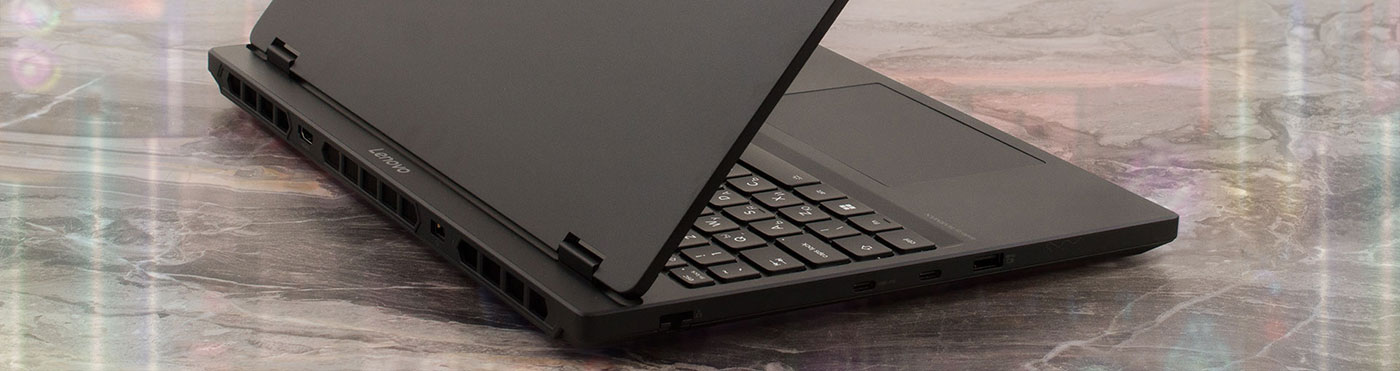
The Lenovo Legion 5 (15″, Gen 10) arrives not just as an update, but as a bold statement in the mid-range gaming laptop market. It’s a machine that feels decidedly premium, centered around a spectacular OLED display that could easily belong on a device twice its price. However, this pursuit of excellence comes with a fiery consequence, as its aggressive performance tuning pushes the CPU to its absolute limit. Adding to the intrigue, Lenovo has made a fascinating choice: the very materials and build of the laptop change depending on which screen you select. Is this the best mid-range gamer you can buy, or does it fly too close to the sun?
You can check the prices and configurations in our Specs System: https://laptopmedia.com/series/lenovo-legion-5-15-gen-10/
Contents
- Specs, Drivers, What’s in the box
- Design and construction
- Display and Sound Quality, Display Profiles
- Get our profiles
- Work Performance: CPU, Storage, AI
- GPU and Gaming Performance
- [eBook Guide + Tools] How to MAX OUT Your Laptop
- Temperatures and Comfort, Noise, Stability
- Battery Life
- Disassembly, Upgrade options, and Maintenance
- Verdict
Specs, Drivers, What’s in the box
Lenovo Legion 5 (15", Gen 10) - Specs

- HDD/SSD
- up to 8000GB SSD + up to 1000GB HDD
- M.2 Slot
- 2x 2280 M.2 NVMe PCIe 4.0 x4 See photo
- RAM
- up to 96GB
- OS
- Windows 11 Home, Windows 11 Pro, No OS, Windows 10 Home
- Battery
- 80Wh
- Dimensions
- 344.9 x 255.35 x 19.95 - 23.99 mm (13.58" x 10.05" x 0.79")
- Weight
- 1.90 kg (4.2 lbs)
- Ports and connectivity
- 2x USB Type-A
- 3.2 Gen 1 (5 Gbps)
- 1x USB Type-A
- 3.2 Gen 1 (5 Gbps), Sleep and Charge
- 1x USB Type-C
- 3.2 Gen 2 (10 Gbps), Power Delivery (PD), DisplayPort
- 1x USB Type-C
- 4.0, DisplayPort
- HDMI
- 2.1 (8K@60Hz)
- Card reader
- Ethernet LAN
- 10, 100, 1000 Mbit/s
- Wi-Fi
- Wi-Fi 6E / Wi-Fi 7
- Bluetooth
- 5.2 / 5.4
- Audio jack
- 3.5mm Combo Jack
- Features
- Fingerprint reader
- optional
- Web camera
- FHD 1080p + IR, with E-shutter, fixed focus
- Backlit keyboard
- Microphone
- Dual-microphone array
- Speakers
- Stereo speakers, 2W x2, audio by HARMAN, optimized with Nahimic Audio
- Security Lock slot
All Lenovo Legion 5 (15″, Gen 10) configurations
Drivers
All drivers and utilities for this notebook can be found here: https://pcsupport.lenovo.com/us/en/products/laptops-and-netbooks/legion-series/legion-5-15ahp10/downloads
What’s in the box?
Lenovo keeps the unboxing experience for the Legion 5 (15″, Gen 10) lean and focused on performance.
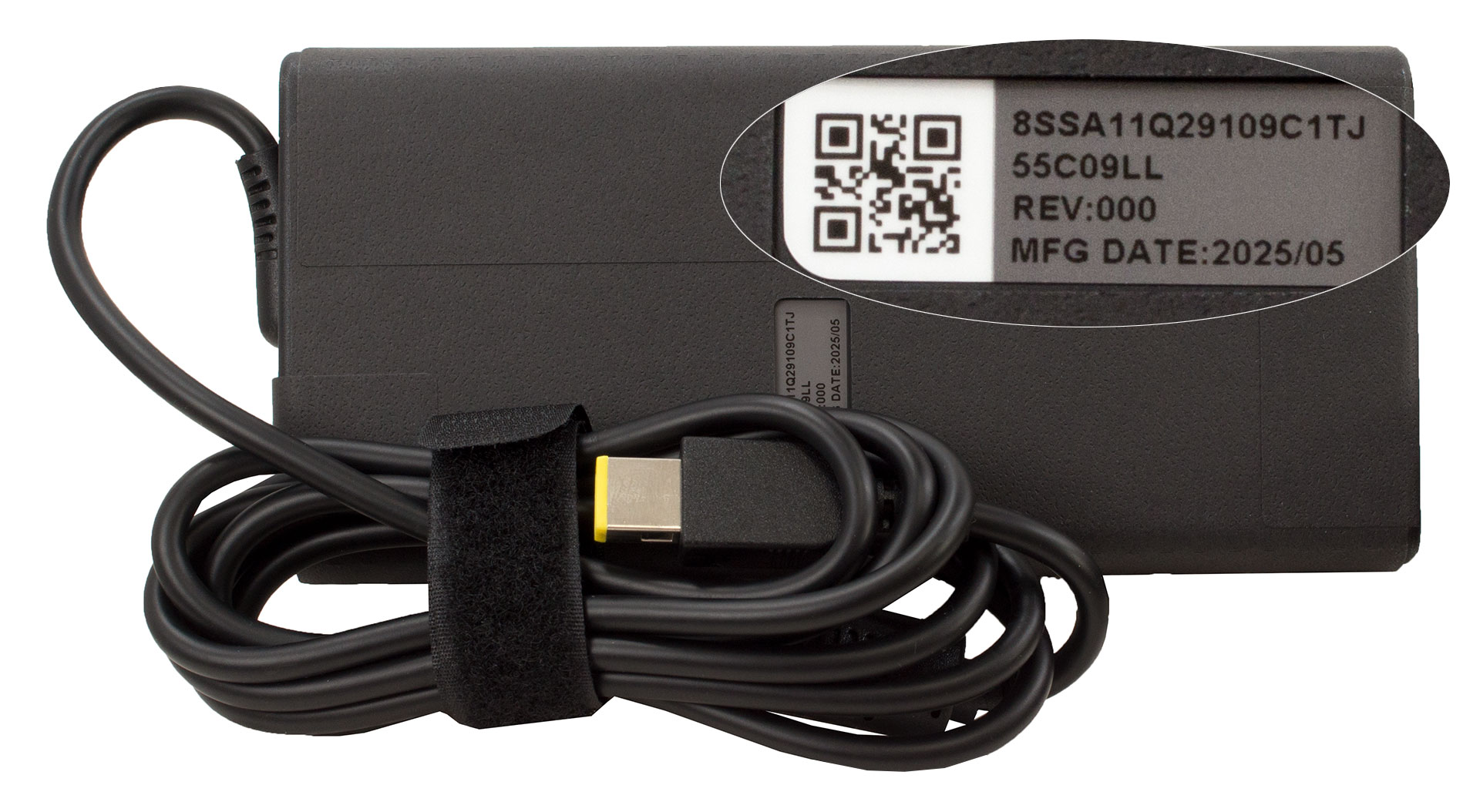
Inside the box, you’ll find the essentials to get you straight into the action: the laptop itself, the usual manual booklets, and its substantial 245W power adapter.
Design and construction
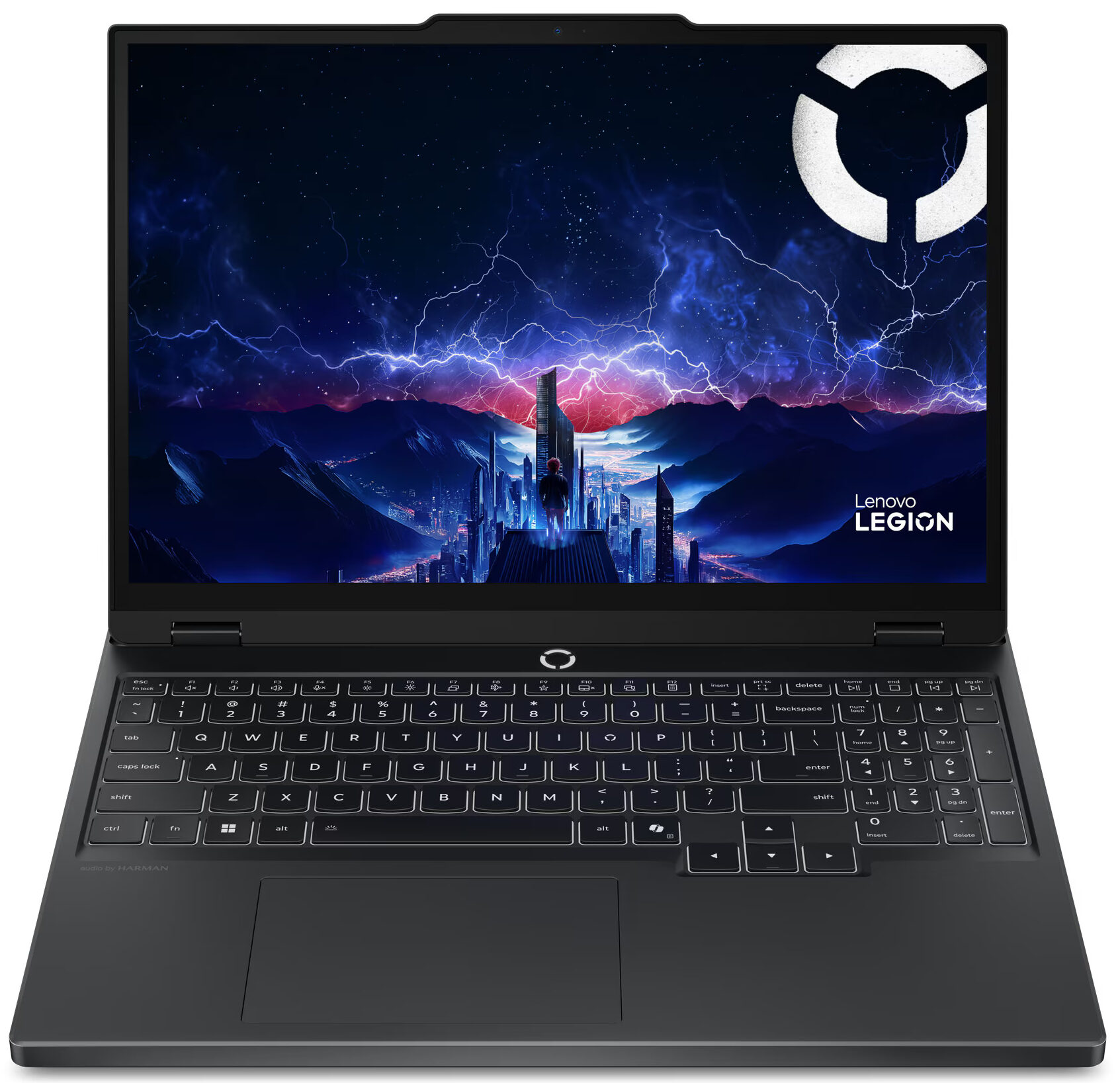
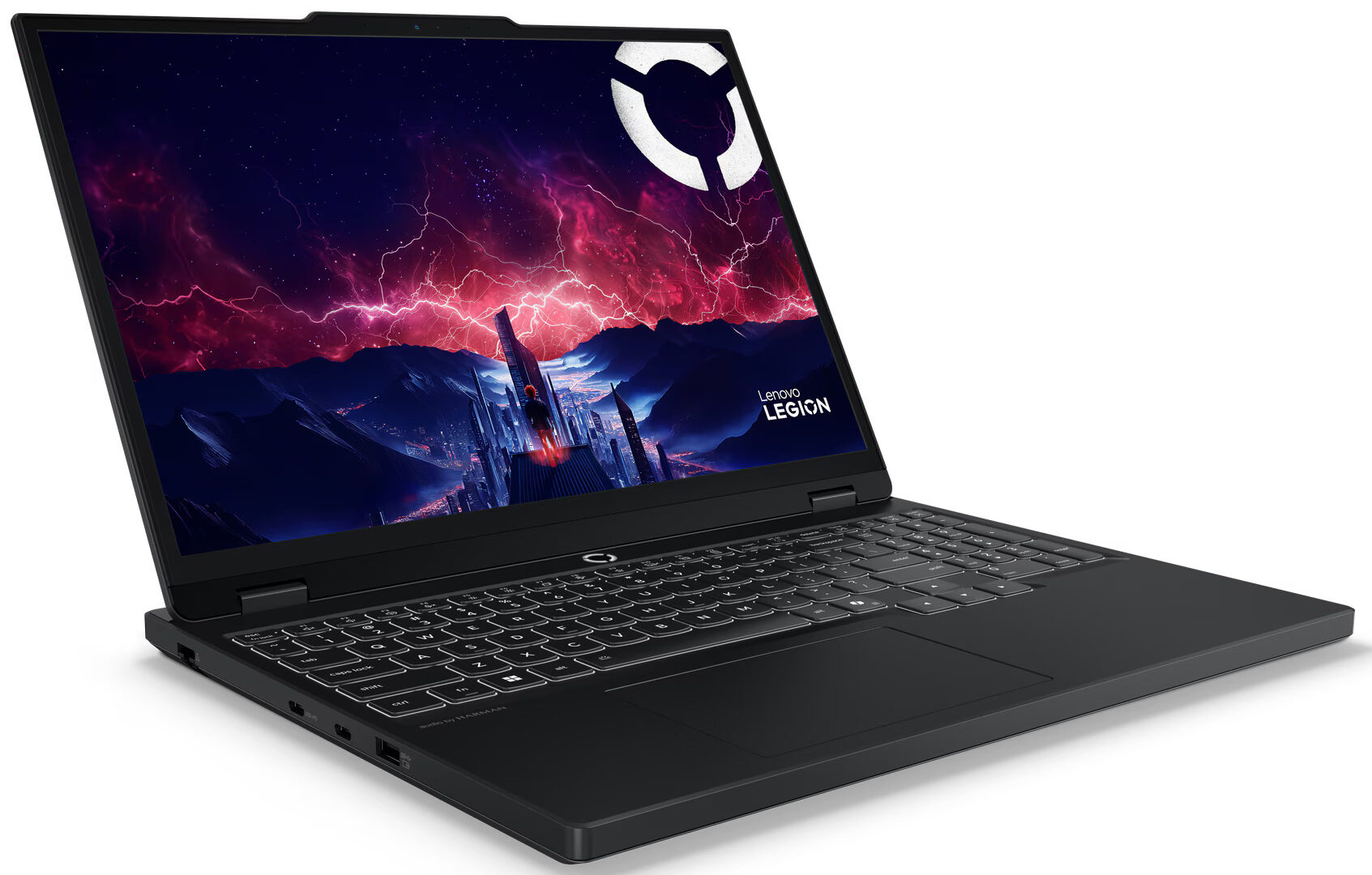
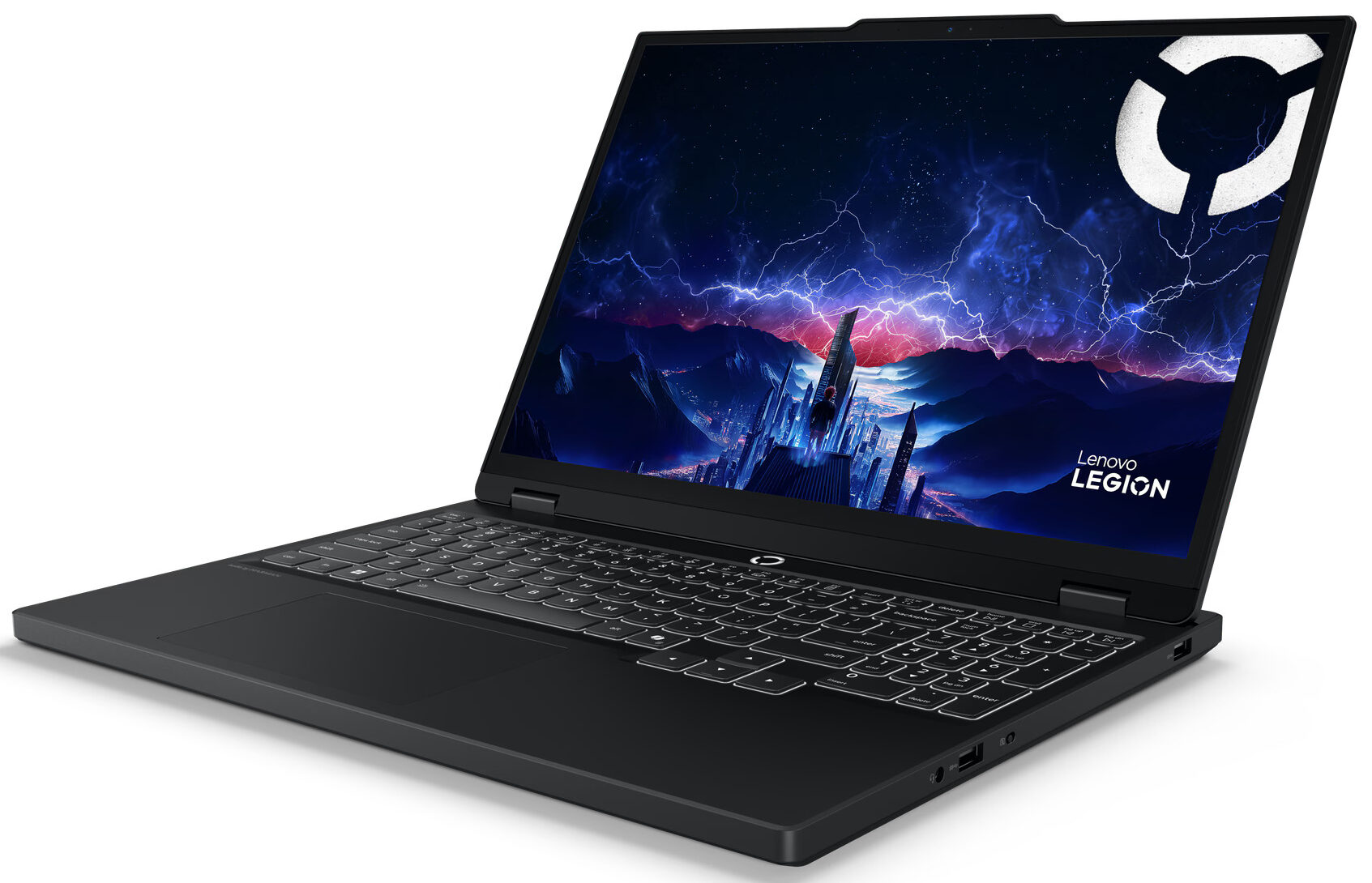
There’s a simple, strict, and purposeful elegance to the Lenovo Legion line that has always appealed to us, and the new Legion 5 (15″, Gen 10) carries this design language forward beautifully. Available exclusively in a slick “Eclipse Black” finish, it projects a sense of serious gaming capability without being overly ostentatious.
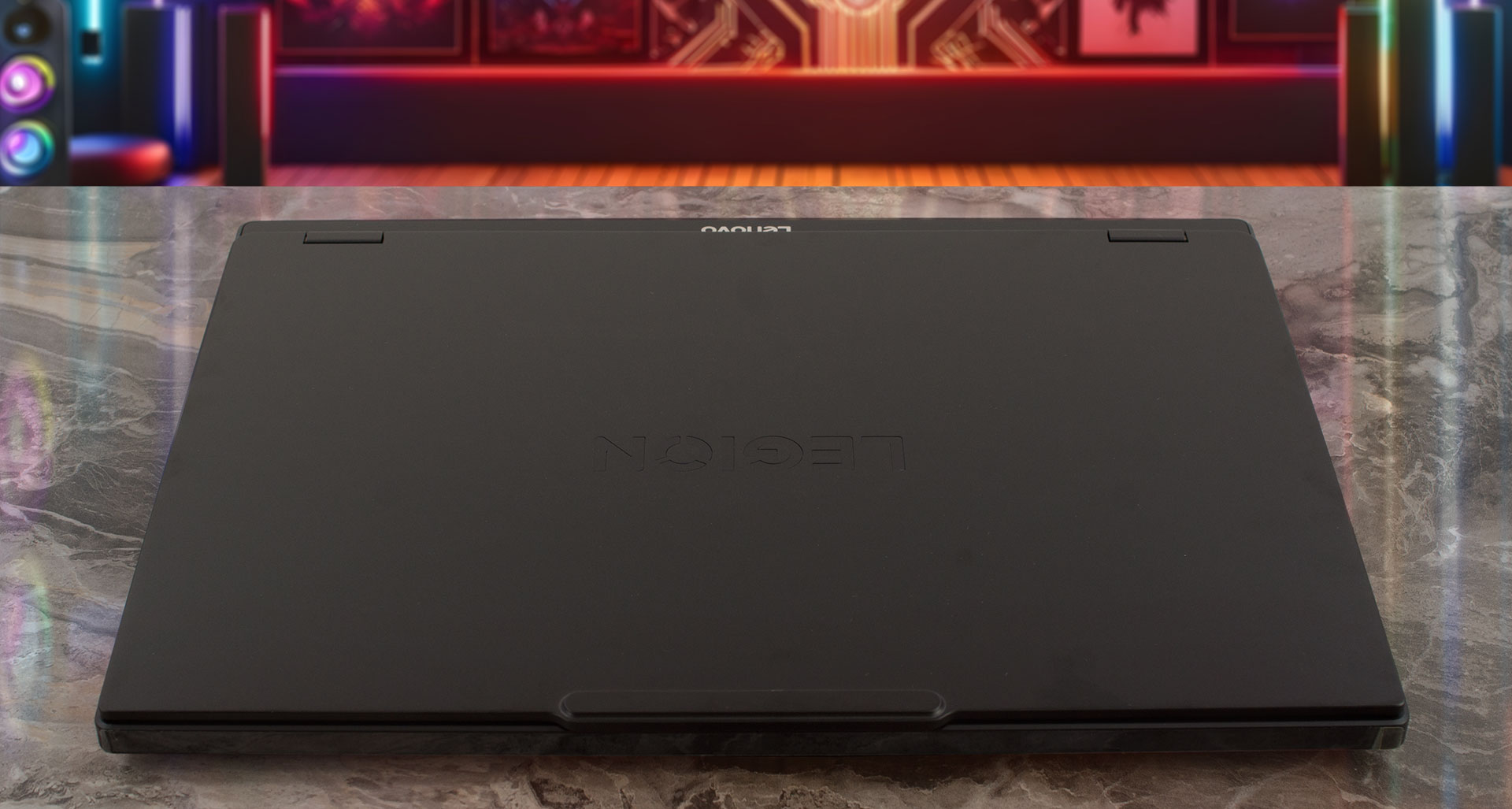
However, the most fascinating aspect of this year’s design is how it fundamentally changes depending on the screen you choose. The materials, weight, and even thickness differ between the IPS and OLED configurations. We ordered the OLED model, which means we get the more premium treatment: a slim, 1.9 kg (4.19 lbs) chassis with a cool-to-the-touch aluminium lid finished with anodized sandblasting. This finish does a good job, though it can pick up faint smudges over time, they are easily wiped away. The entire machine feels robust and well-constructed, with no concerning flex or creaks.
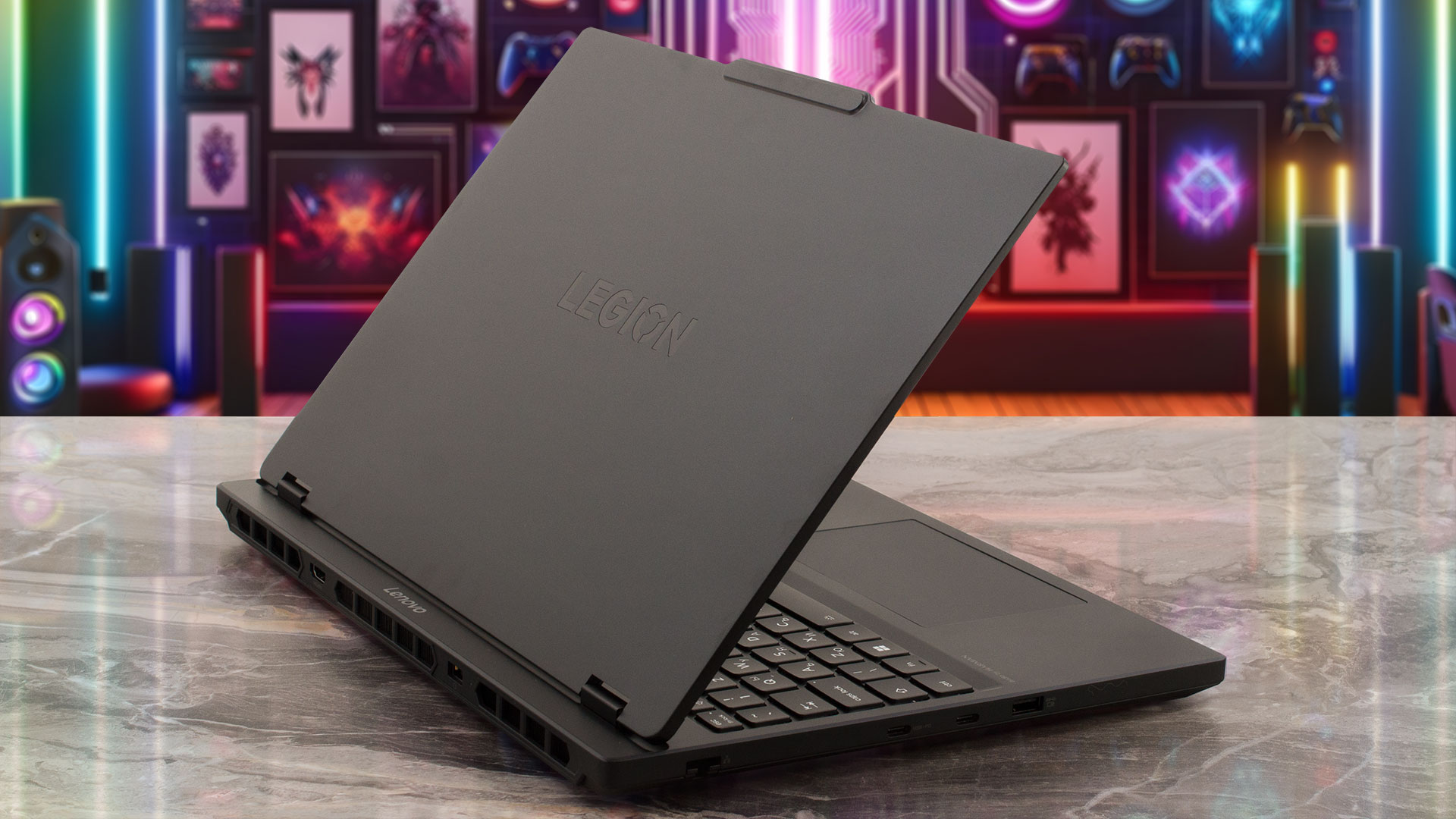
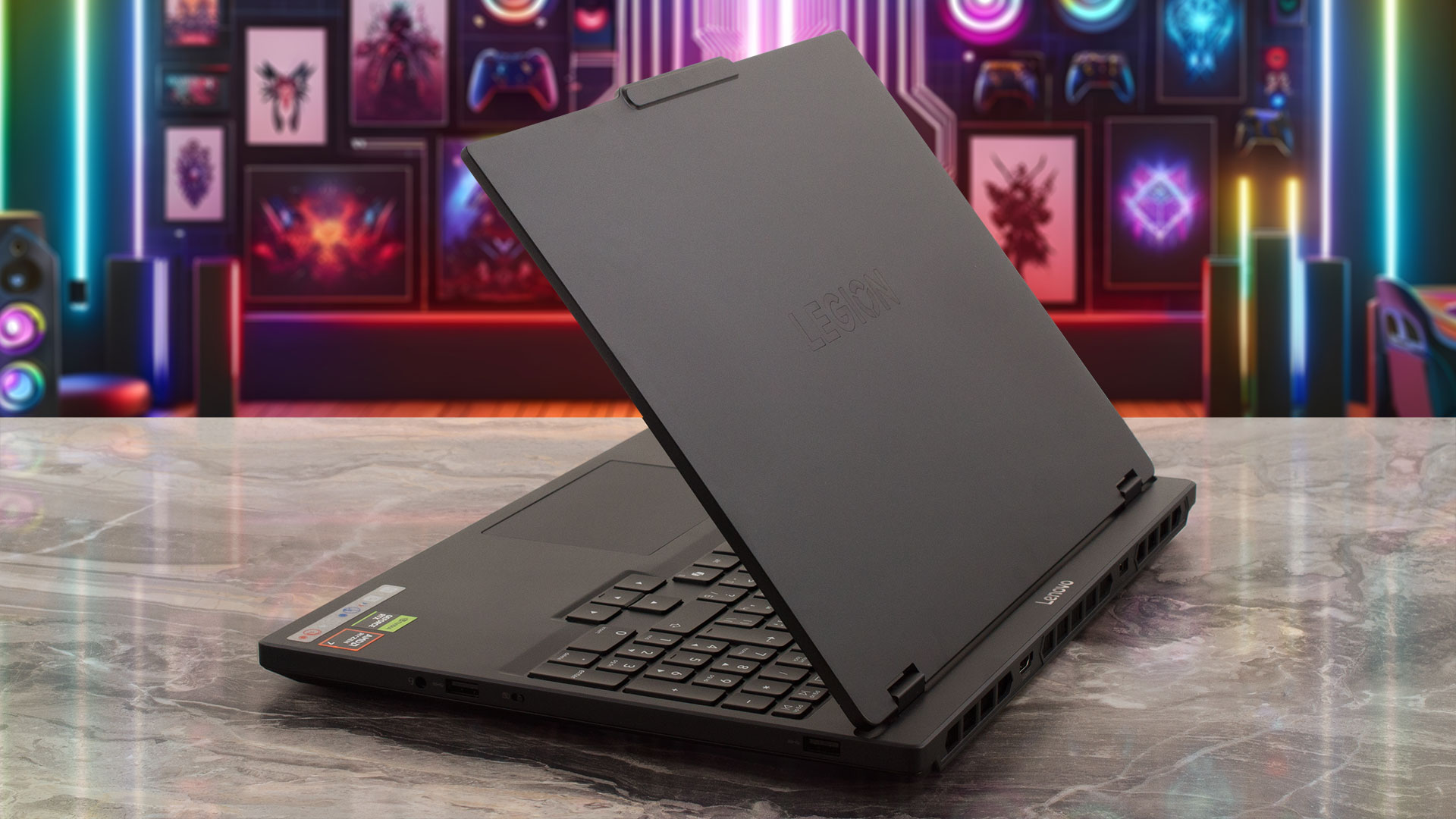
Let’s dive deeper into those physical differences, as they are quite significant. Our OLED model is the slimmer and lighter of the two, measuring just 19.95-21.54 mm (0.79-0.85 inches) thick and starting at 1.9 kg (4.19 lbs). In contrast, the IPS models are constructed from a PC-ABS composite material, have a standard painted finish, and are slightly thicker and heavier, measuring 22.50-23.99 mm (0.89-0.94 inches) and starting at 2.1 kg (4.63 lbs). This choice between a lighter, more premium metal build and a standard, slightly bulkier one is a very interesting approach from Lenovo. Regardless of the version, the craftsmanship feels high-end, allowing for a smooth, one-handed opening of the lid.
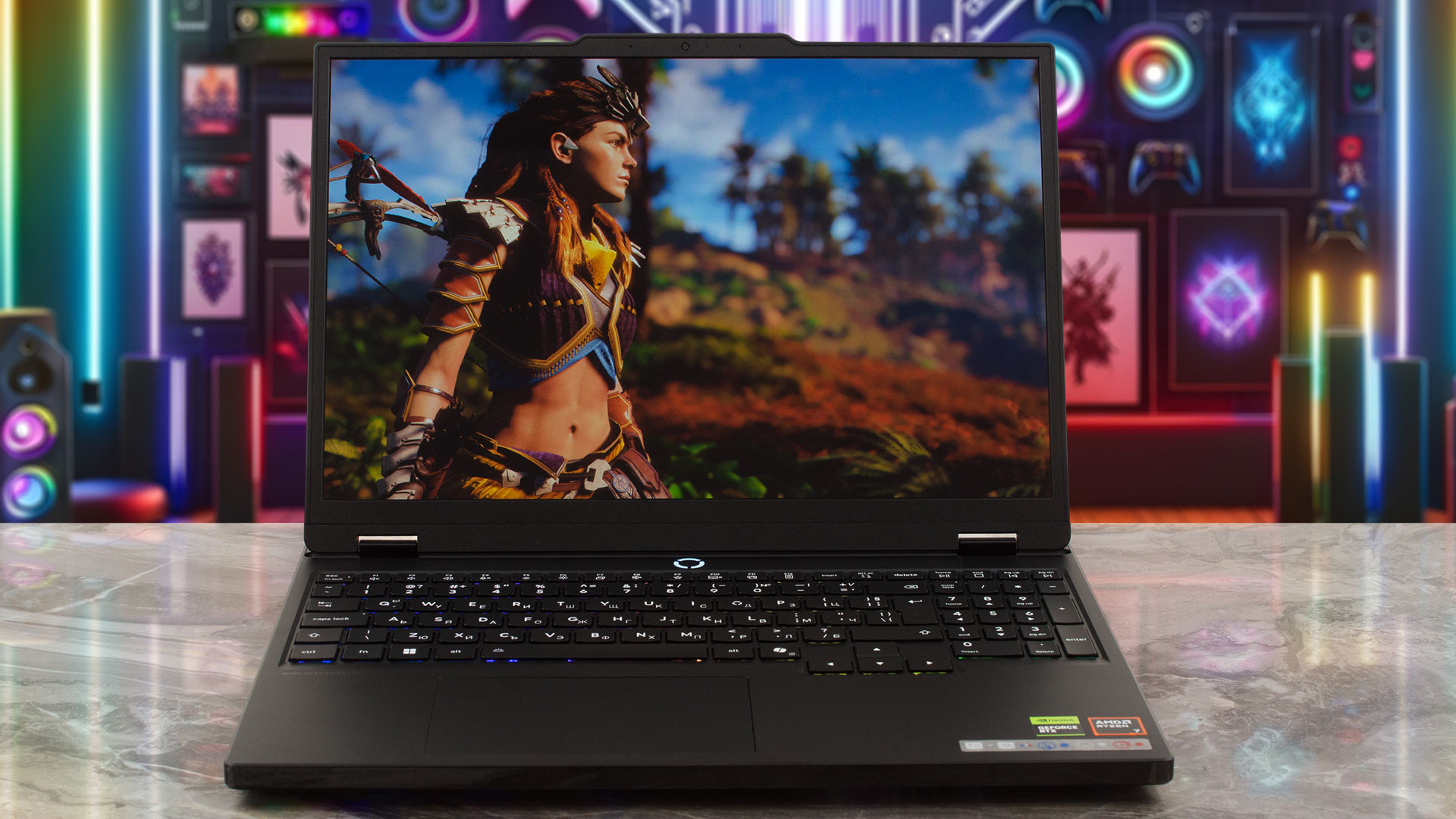
Once open, the display is framed by bezels that measure a uniform 9 mm (approximately 0.35 inches) on the sides and top. However, Lenovo has incorporated a small “bump” in the center of the top bezel, increasing its thickness to 12 mm (approximately 0.47 inches) precisely where the camera module is housed. This is a subtle but clever design choice. It’s interesting to compare this to a competitor like the Acer Nitro V 15 ANV15-52 (detailed review), which has bezels of the exact same dimensions; where Acer made its entire top bezel 12mm thick, Lenovo has opted to increase the thickness only where necessary for the camera.
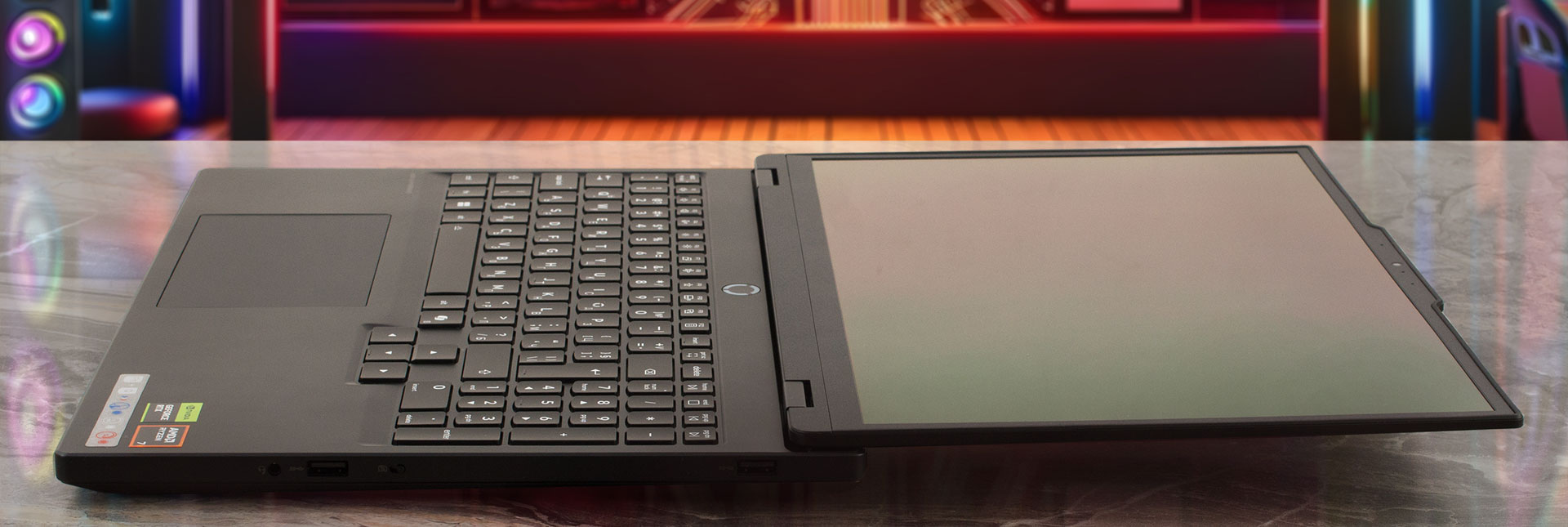
This module contains a dual-microphone array and either an HD 720p or a 5.0MP camera, both of which feature a welcome E-Shutter for privacy. A great feature of the hinge design is its ability to open a full 180 degrees, allowing the screen to lay completely flat, which is a nice touch for flexibility even without touchscreen options.
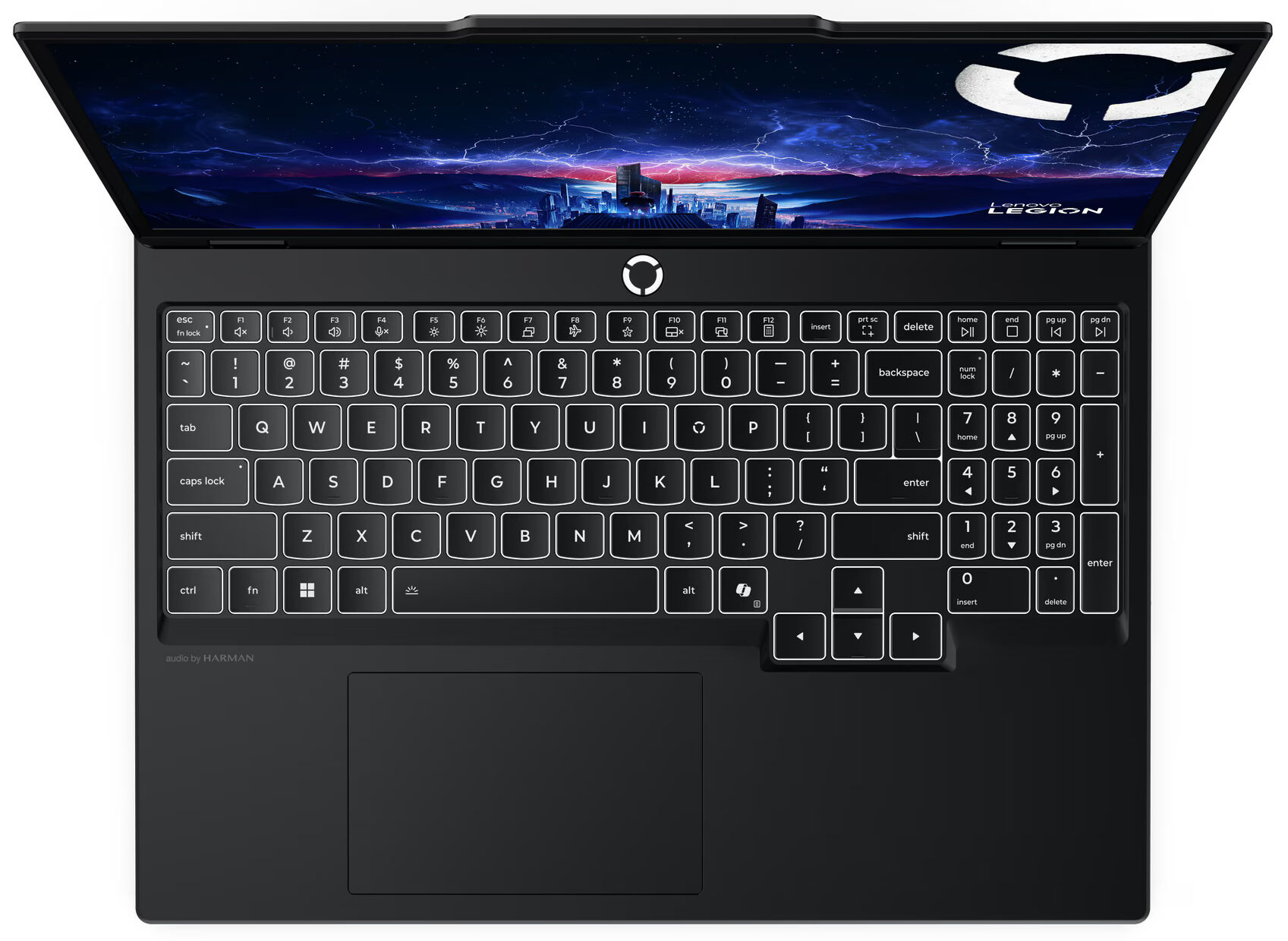
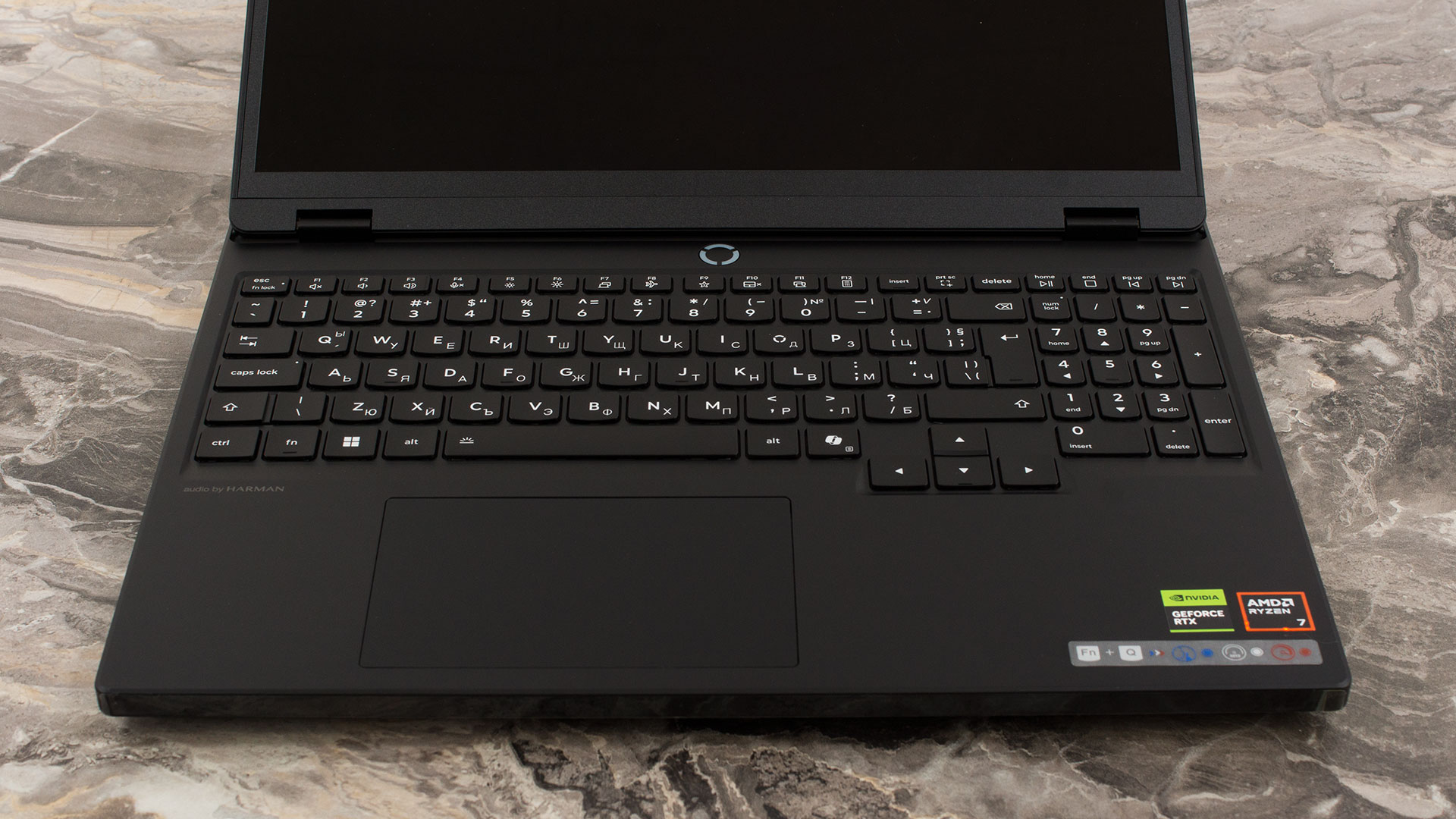
The keyboard deck is spacious and includes a NumPad, though its keys are slightly smaller than the main set. Our configuration came with the 24-Zone RGB backlight, which has five different modes you can cycle through using the Fn+Space combination (a white backlight is also available on other configurations). There is no fingerprint reader for biometric login, so you’ll be relying on passwords. Below the keyboard is the trackpad, measuring 120 x 75 mm (approximately 4.72 x 2.95 inches). While not the largest we’ve seen, it’s more than adequate for comfortable work, offering a pleasant surface and precise tracking for when you’re not using an external mouse.
Ports and Connectivity
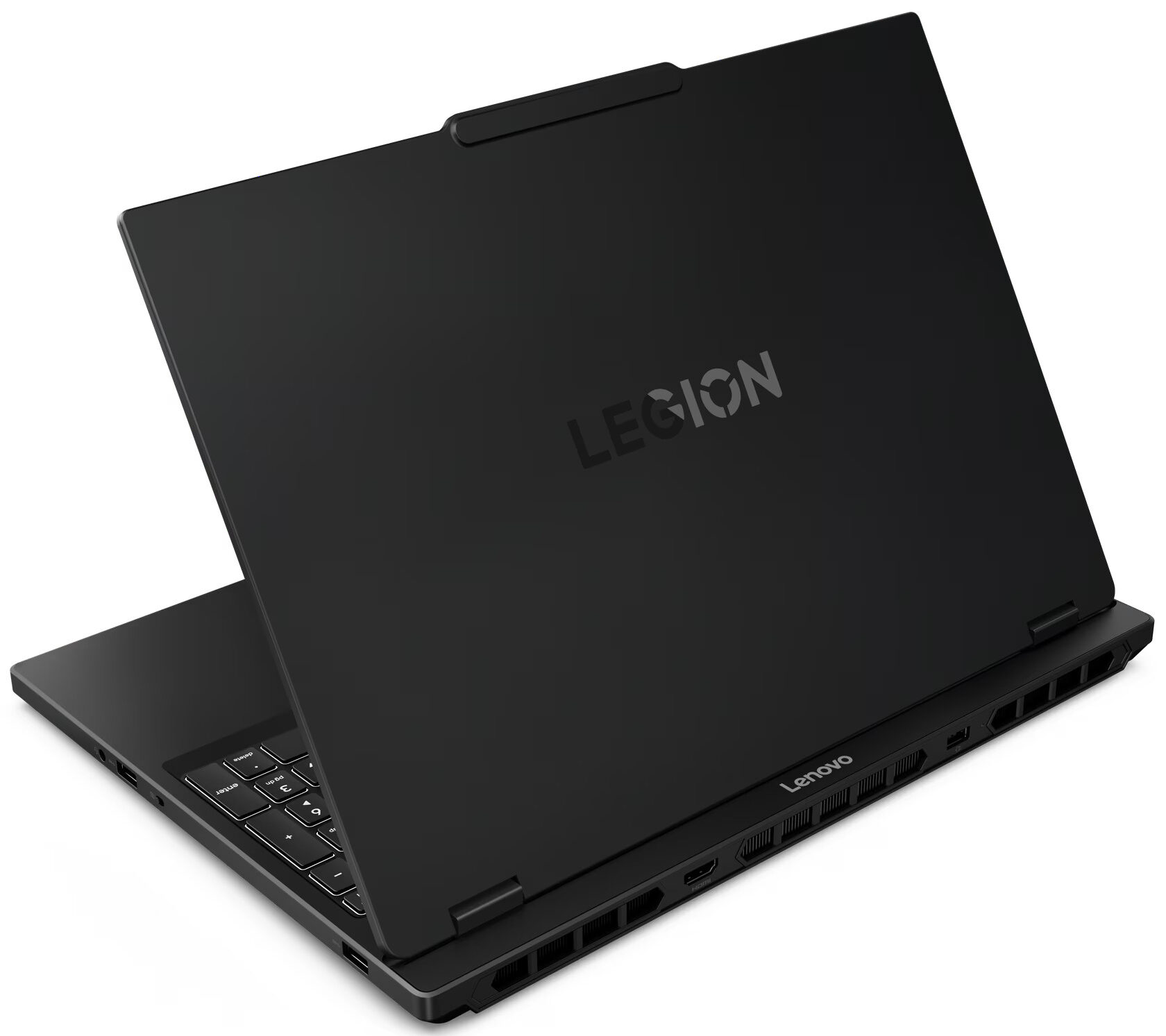
The Lenovo Legion 5 (15″, Gen 10) offers a robust and well-distributed selection of ports catering to both gaming and general productivity. On the left side, you’ll find a standard Gigabit Ethernet (RJ-45) port for stable wired networking. This is accompanied by two distinct USB-C ports: one operating at 10Gbps (USB 3.2 Gen 2) which impressively supports both DisplayPort 2.1 and a wide range of Power Delivery (65-100W), and a second, more powerful USB4 port providing 40Gbps of bandwidth and DisplayPort 1.4 video output. A single USB-A port running at 5Gbps (USB 3.2 Gen 1) with an ‘Always On’ feature for charging peripherals completes the left-side I/O.

The right side is simpler, housing two additional USB-A ports, both operating at 5Gbps (USB 3.2 Gen 1) speeds, which is convenient for connecting peripherals like a mouse or keyboard. A standard 3.5mm headphone/microphone combo jack is also located on this side.

Further connectivity is placed on the rear of the chassis, a common layout for gaming laptops to keep major cables out of the way. Here you’ll find the dedicated power connector and an HDMI port. The specifications note that both the HDMI and USB-C ports can support display resolutions up to 8K at 60Hz, providing excellent options for high-end external monitors.

Wireless connectivity options for the Legion 5 vary depending on the specific configuration. The laptop can be equipped with either a Wi-Fi 6 (802.11ax) 2×2 card paired with Bluetooth 5.2, or the more future-proof Wi-Fi 7 (802.11be) 2×2 card which includes Bluetooth 5.4. Both provide strong performance, with the Wi-Fi 7 option being the superior choice for users with compatible network hardware.
– Wi-Fi 6E vs Wi-Fi 6: Learn the Key Differences in 10 Seconds
– Wi-Fi 7 vs Wi-Fi 6E: Learn the Key Differences in 10 Seconds
Display and Sound Quality, Display Profiles
Legion 5’s OLED display option is one of the best gaming screens on the market with its only drawback being its reflectiveness. If eye-safety is more important to you than picture quality, you have the option to choose an anti-glare IPS option. However, as stated in the “Design and construction” section above, it comes with some other differences you should also consider.
| Lenovo Legion 5 (15″, Gen 10) | WQXGA (2560 × 1600), 165 Hz, OLED | WUXGA (1920 × 1200), 165 Hz, IPS |
| Panel ID | EverDisplay Optronics EF10QBC64.C (EDO4245) | — |
| Diagonal | 15.1 inches (38.3 cm) | 15.1 inches (38.3 cm) |
| Panel Type | OLED | IPS |
| Resolution | 2560 × 1600 pixels | 1920 × 1200 pixels |
| Max Refresh Rate | 165 Hz | 165 Hz |
| Aspect Ratio | 16:10 | 16:10 |
| Pixel Density | 200 PPI | 150 PPI |
| ‘Retina’ Distance | Greater than or equal to 44 cm | Greater than or equal to 59 cm |
| Brightness | ~1000 nits (HDR peak) / ~500 nits (SDR typical) | ~300 nits (typical) |
| Surface | Glossy | Anti-glare |
| Color Gamut | 100% DCI-P3 | 100% sRGB |
| Touch | Non-touch | Non-touch |
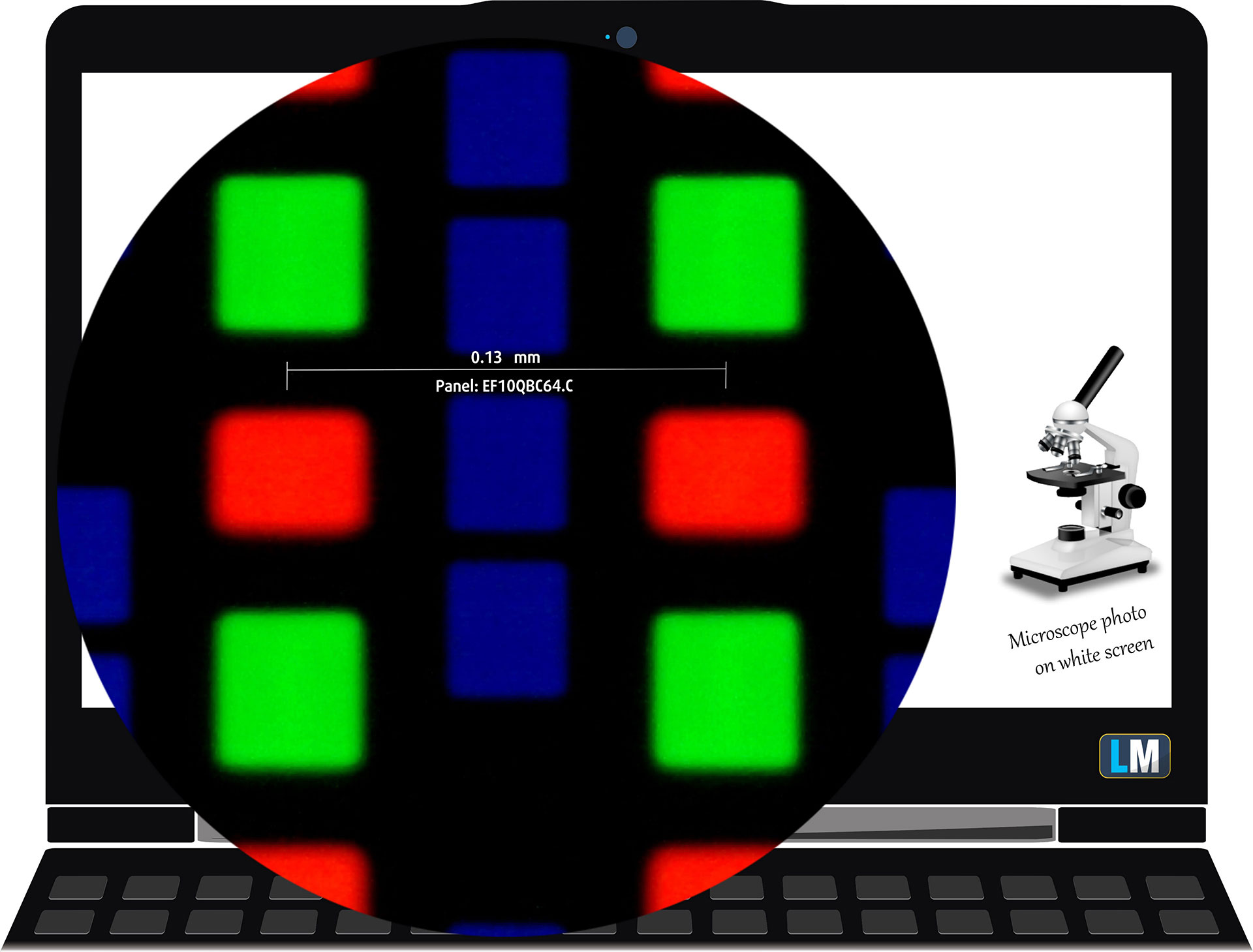
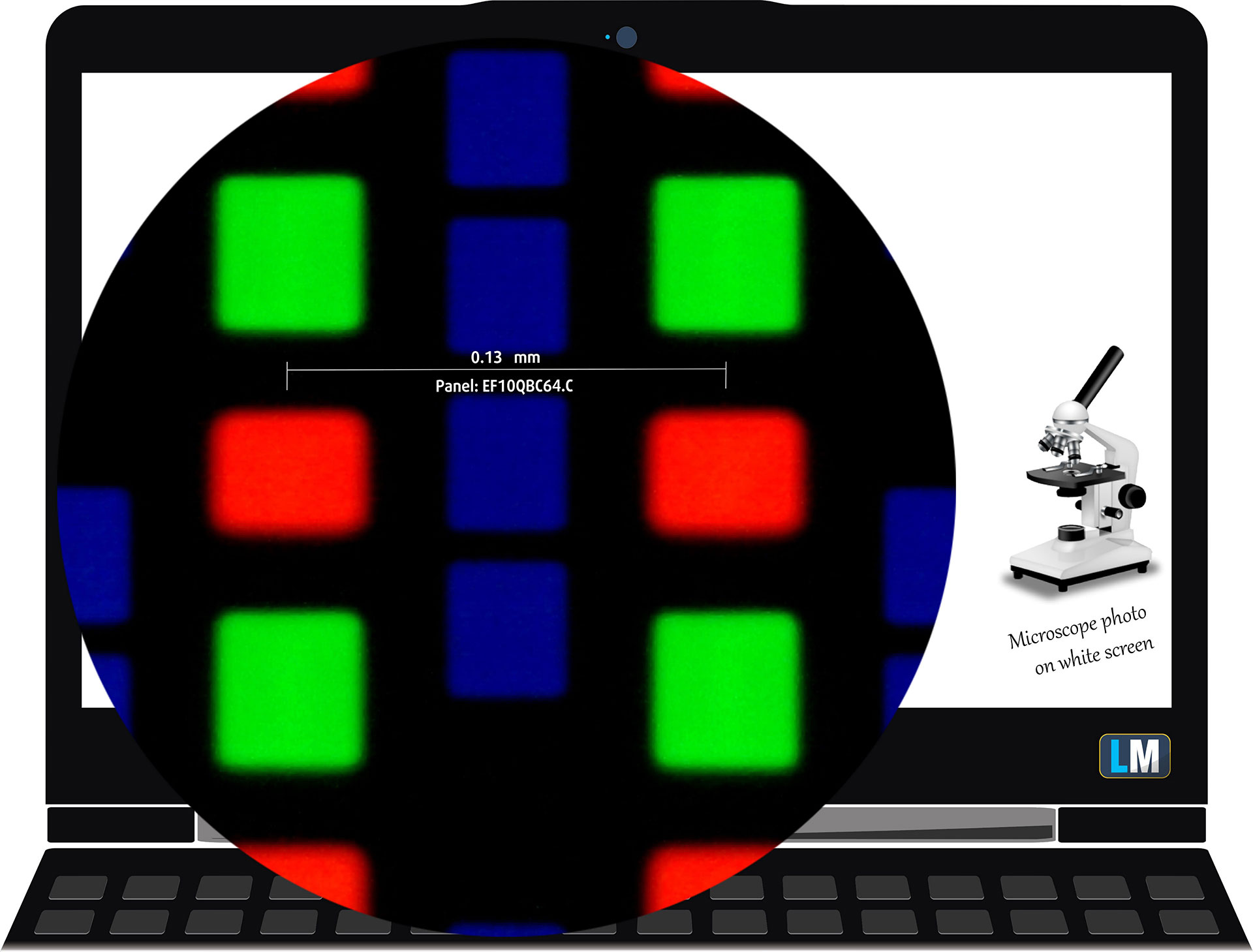
The 1600p OLED panel under our microscope
Viewing Angles
Viewing angles are good. We take photos from different angles to evaluate the quality.

Also, a video with locked focus and exposure.
Color Coverage
The whole “sail-shaped” map below (Fig. 1) consists of all the colors we can see, while the black crooked line shows all the colors from real-world scenes and nature around us.
Then, we’ve drawn some of the most important and interesting color spaces, compared to the colors the panel of Dell XPS 13 9350 can show:
Standard/For Web: sRGB – widely used color space for most consumer devices, ideal for Web design and development
For Print: AdobeRGB – used in professional photo editing, graphic design, and print
For Photographers/Video Editors: DCI-P3 – used in high-end film production, post-production, and digital cinema
Premium HDR: Rec.2020 – the widest consumer ITU color standard, covering a massive 75.8% of the visible spectrum, a benchmark for premium HDR content
Lenovo Legion 5 (15″, Gen 10): the yellow dashed triangle (– – – – – –) represents the range of colors this monitor can show.
In our tests, we calculated the total color coverage of the display at 100% of the sRGB color gamut and 100% of the DCI-P3 color gamut.
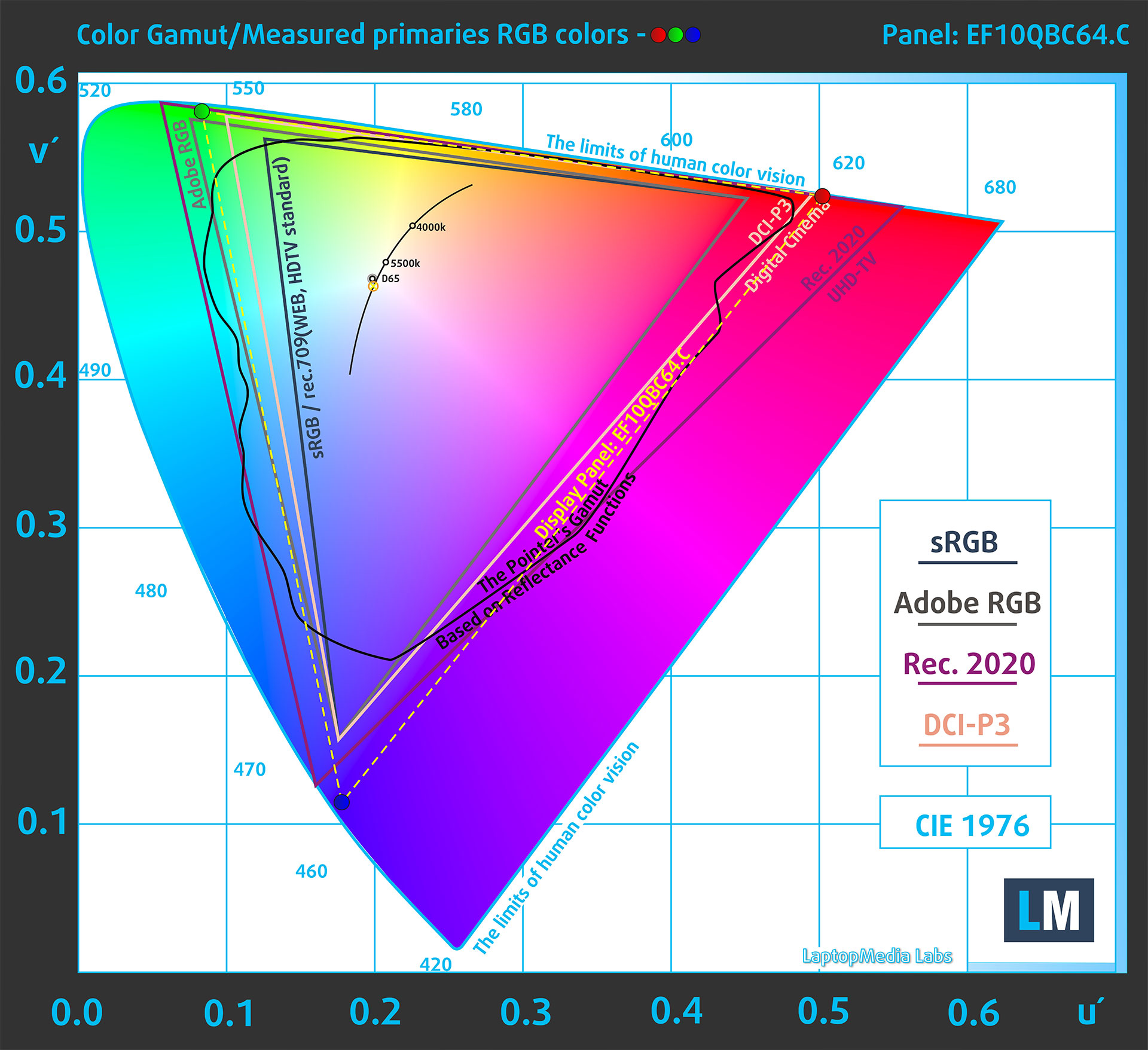
(Fig.1) Lenovo Legion 5 (15″, Gen 10) covers 100% of the DCI-P3 gamut
Brightness and Contrast
The maximum brightness in HDR mode is 1005 cd/m² at 8% white fill and 900 cd/m² on a full white screen.
The maximum brightness in SDR mode is 490 cd/m² in the center of the screen and 487 cd/m² averaged across the surface with a maximum deviation of 3%.
The Correlated Color Temperature (CCT) on a white screen at maximum brightness is 6790K.
The contrast ratio of OLED panels is excellent because the pixels turn off completely when displaying black.
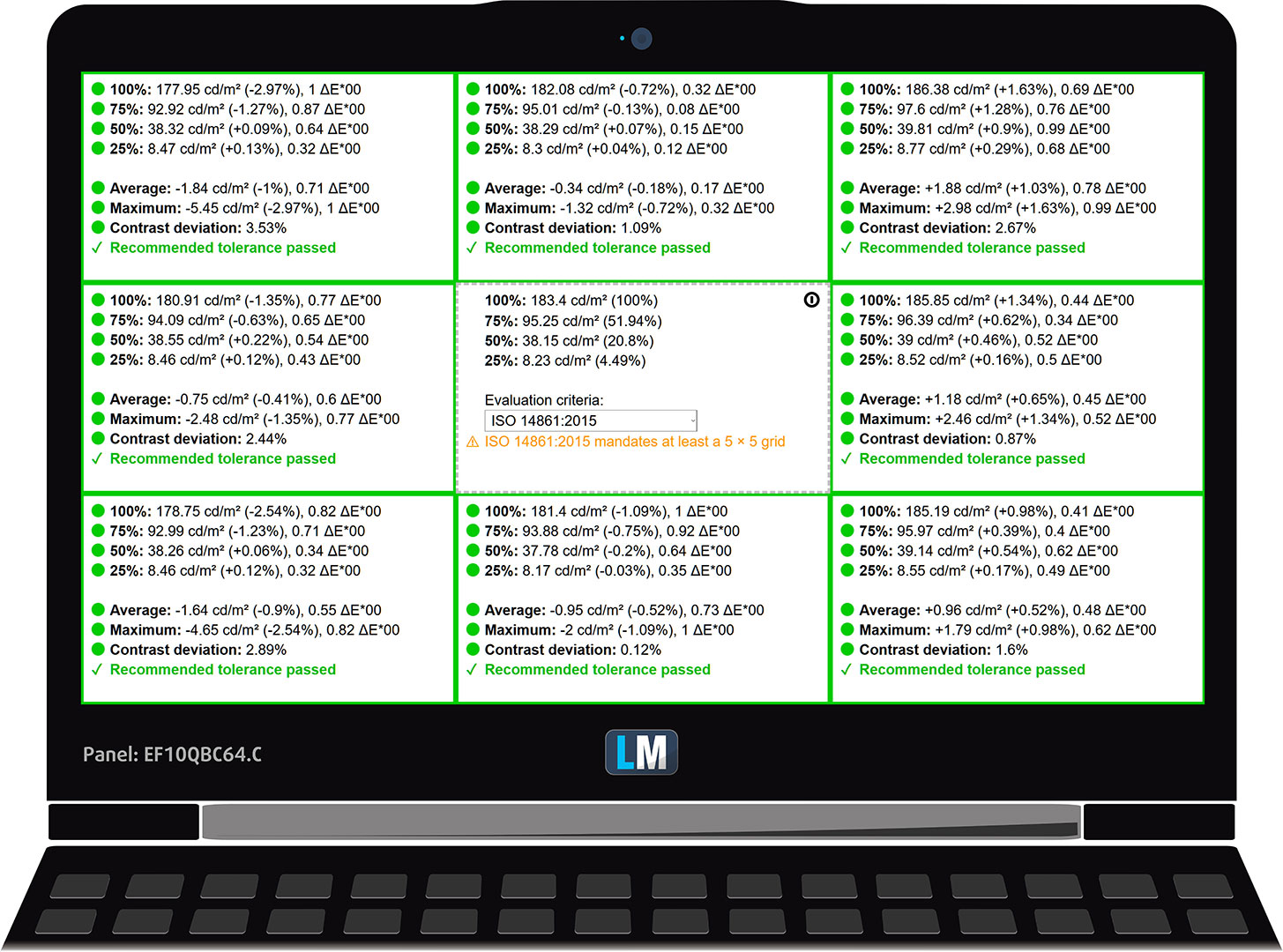
Uniformity: Luminance, Contrast, and Color Deviation
The figure below shows the results from our uniformity test across different sections of the screen. It’s measured at 183 nits (Windows slider = 65%) — a brightness level we consider typical for standard working conditions.
DeltaE values below 4.0 are acceptable for regular users. For those working with colors, screens with DeltaE values no higher than 2.0 are recommended.
Color Accuracy
Let’s check the difference between real colors and those you’ll see on the Lenovo Legion 5 (15″, Gen 10). We measure that distance in DeltaE – the higher the number, the more different they look.
Values below 4.0 are acceptable for regular users, while values below 2.0 are suitable for color-sensitive work. A value below 1.0 means the difference is indistinguishable to the naked eye.
For the next graph, we’ve selected 24 common colors, including dark/light skin, blue sky, green grass, etc.
Before our calibration of the Lenovo Legion 5 (15″, Gen 10), the Average color accuracy was 2.3 dE (Fig. 2), and with our Design and Gaming profile, it lowered to 1.5 dE (Fig. 3). This 50+% improvement in color accuracy makes the panel suitable for professional work with colors!
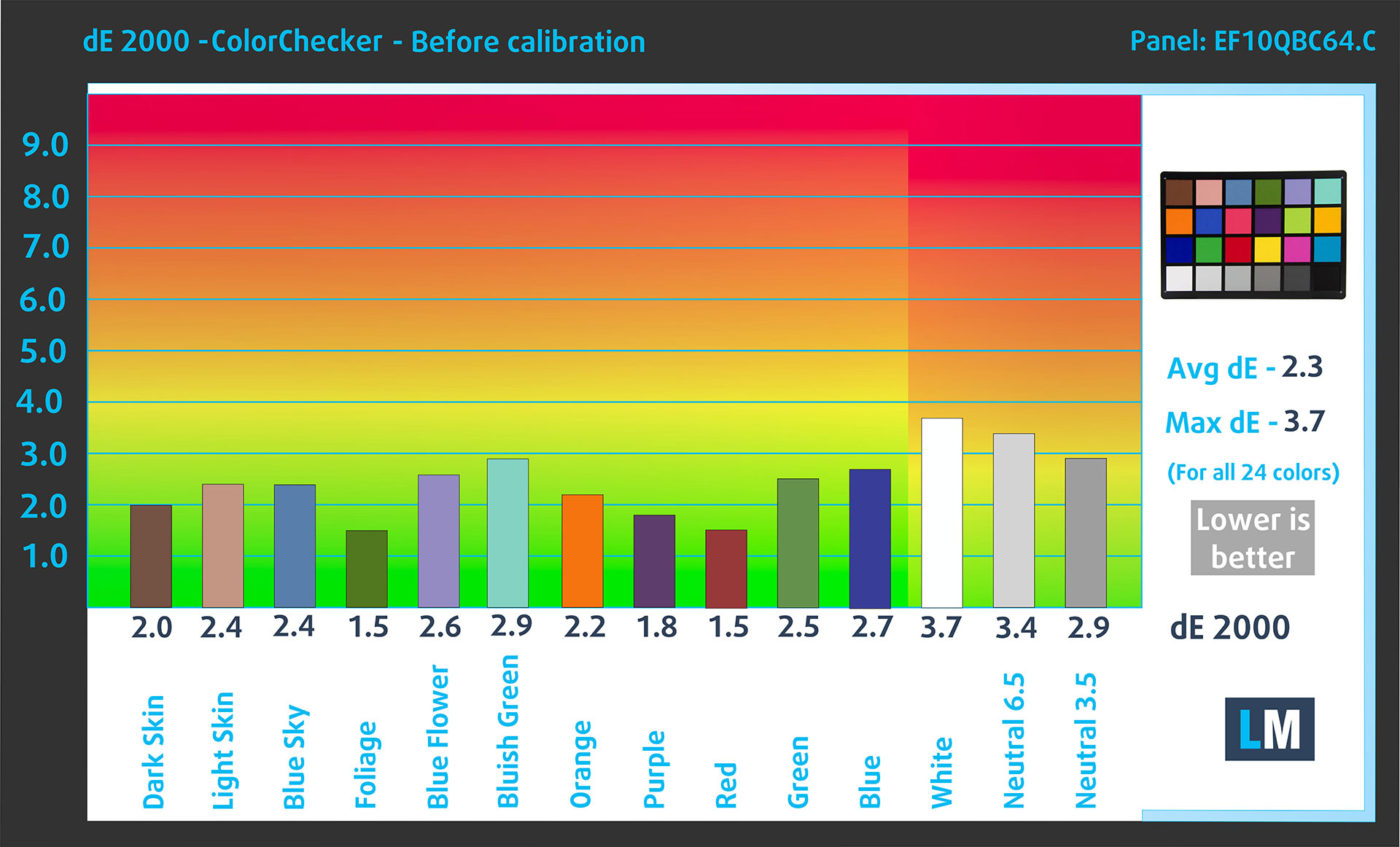
(Fig. 2) Lenovo Legion 5 (15″, Gen 10) in its factory condition
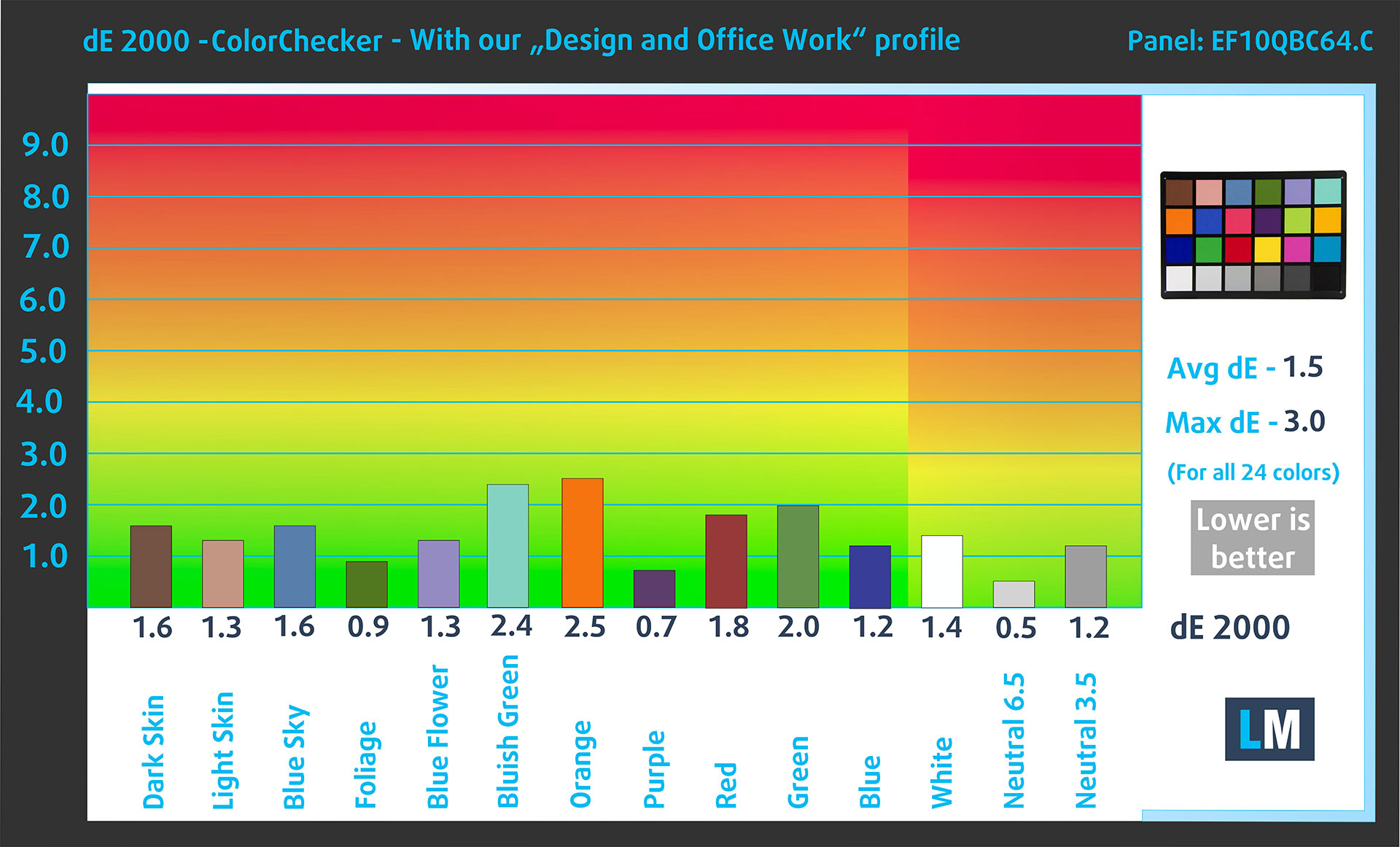
(Fig. 3) Lenovo Legion 5 (15″, Gen 10) with our display profile
Comparison in the Display P3 color space.
Here’s an illustration of what the Design and Office profile aims to deliver:
Left: No Profile | Drag the slider to see the difference | Right: Design & Office Profile


Visibility in dark scenes
Have you ever watched a movie with dark scenes where you could barely see anything? This often happens because many display panels struggle to differentiate the darkest nuances, making them appear the same.
The next figure illustrates how well the display reproduces these dark nuances. The left side of the image shows the display with stock settings, and the right side shows it with our Design and Gaming profile activated.
On the horizontal axis are the grayscale levels, and on the vertical axis – the corresponding display brightness.
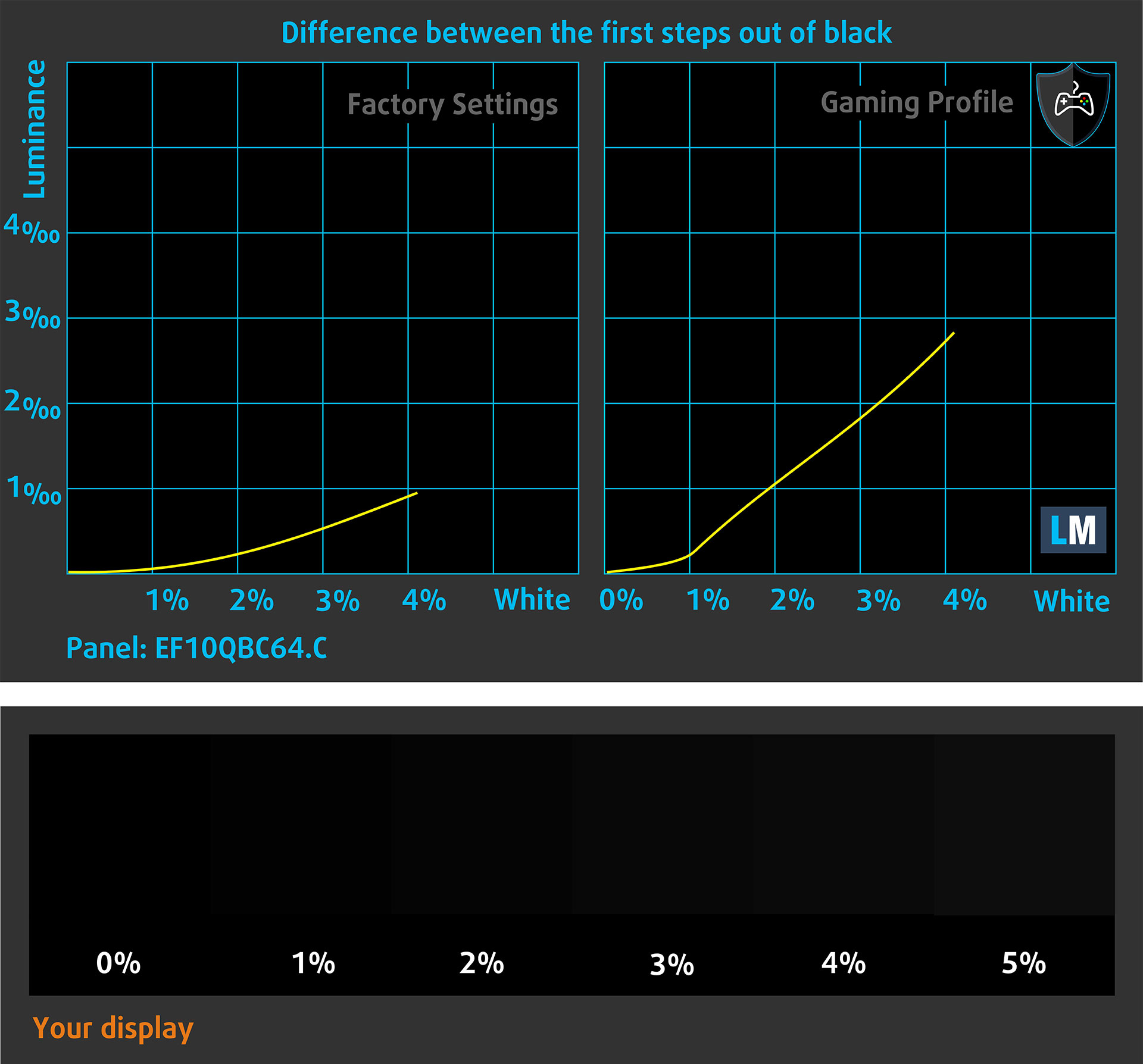
You can also check how your display handles the darkest nuances but keep in mind that this also depends on the settings of your current display and the surrounding light conditions.
Health Impact: PWM (Screen flickering)
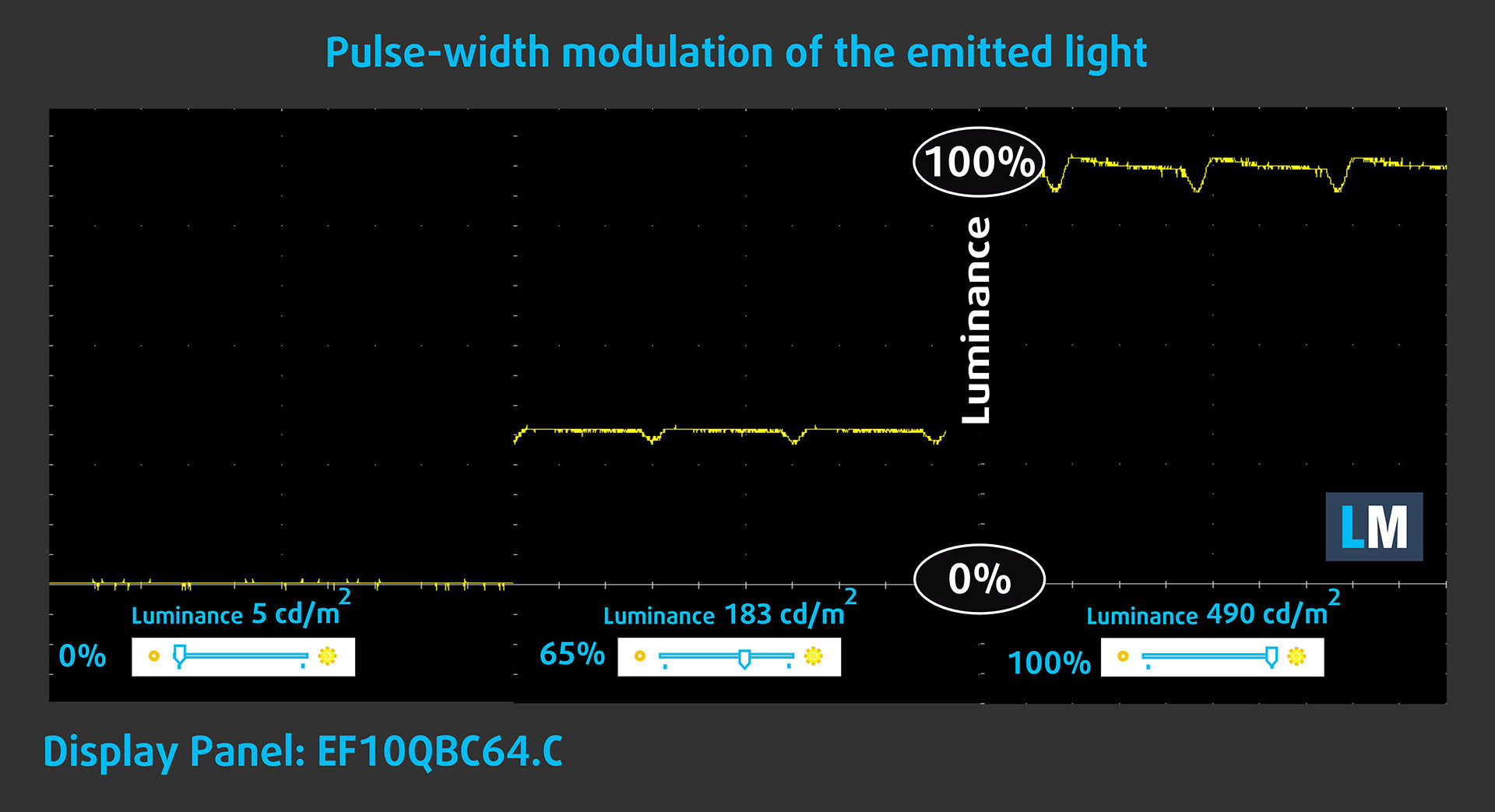
Some use PWM to regulate their brightness, which means that instead of reducing the light intensity, they pulse or flicker. Our brain merges the image, so it appears darker, but this strains both it and our vision, especially when the frequency of the pulses is low. You can read more about that in our dedicated article on PWM.
In the graph below, you see the intensity of light at different brightness levels—on the vertical axis is the brightness of the emitted light, and on the horizontal axis—time.
The luminance of the Lenovo Legion 5 (15″, Gen 10) display is not pulse-width modulated, providing visual comfort in the discussed aspect. OLED screens typically do not use pulse-width modulation (PWM) for brightness control, but some models may exhibit low-frequency flickering.
Health Impact: Blue light emissions
Installing our Health-Guard profile reduces harmful Blue Light emissions while keeping the colors of the screen perceptually accurate.
If you’re not familiar with the Blue light, the TL;DR version is – emissions that negatively affect your eyes, skin, and your whole body. You can find more information about that in our dedicated article on Blue Light.
Health Impact: Screen Reflectance
Glossy-coated displays can cause eye fatigue in high ambient light conditions due to reflections. We measure the level of screen reflection with the display turned off, at a 60° angle.
The reflectance of the Lenovo Legion 5 (15″, Gen 10)’s screen is 164 GU. This is one of the worst displays on the market, in that aspect.
High Gloss: >70 GU
Medium Gloss: 30 – 70 GU
Low Gloss: <30 GU
Get our profiles
Since our profiles are tailored for each individual display model, this article and its respective profile package are meant for Lenovo Legion 5 (15″, Gen 10) configurations with EF10QBC64.C (EDO4245), 2560 х 1600, OLED panel.
*Should you have problems with downloading the purchased file, try using a different browser to open the link you’ll receive via e-mail. If the download target is a .php file instead of an archive, change the file extension to .zip or contact us at [email protected].
Read more about the profiles HERE.
In addition to receiving efficient and health-friendly profiles, by buying LaptopMedia's products you also support the development of our labs, where we test devices in order to produce the most objective reviews possible.

Design and Office
The Design and Office profile makes display colors as close to real as possible.Ideal not only for professionals but also for everyday users, it meets sRGB standards (D65 white point, sRGB gamma) with minimal DeltaE for precise color reproduction on your panel.

Gaming and Movies
Have you ever watched a movie where, during dark scenes, you can barely see anything? Many displays fail to distinguish dark tones properly. Our Gaming and Movies profile enhances low-light performance, like HDR tech, using a gamma curve tailored to human perception — ideal for gamers seeking faster reactions and clearer visuals.

Health-Guard
Our Health-Guard profile protects your eyes by eliminating PWM flickering, reducing strain and fatigue, and minimizing harmful Blue light exposure that can disrupt sleep and health. It uses software dimming and a gamma curve tailored to human perception for comfort and safety during screen use.
Get All The Profiles With 33% Discount!

Sound
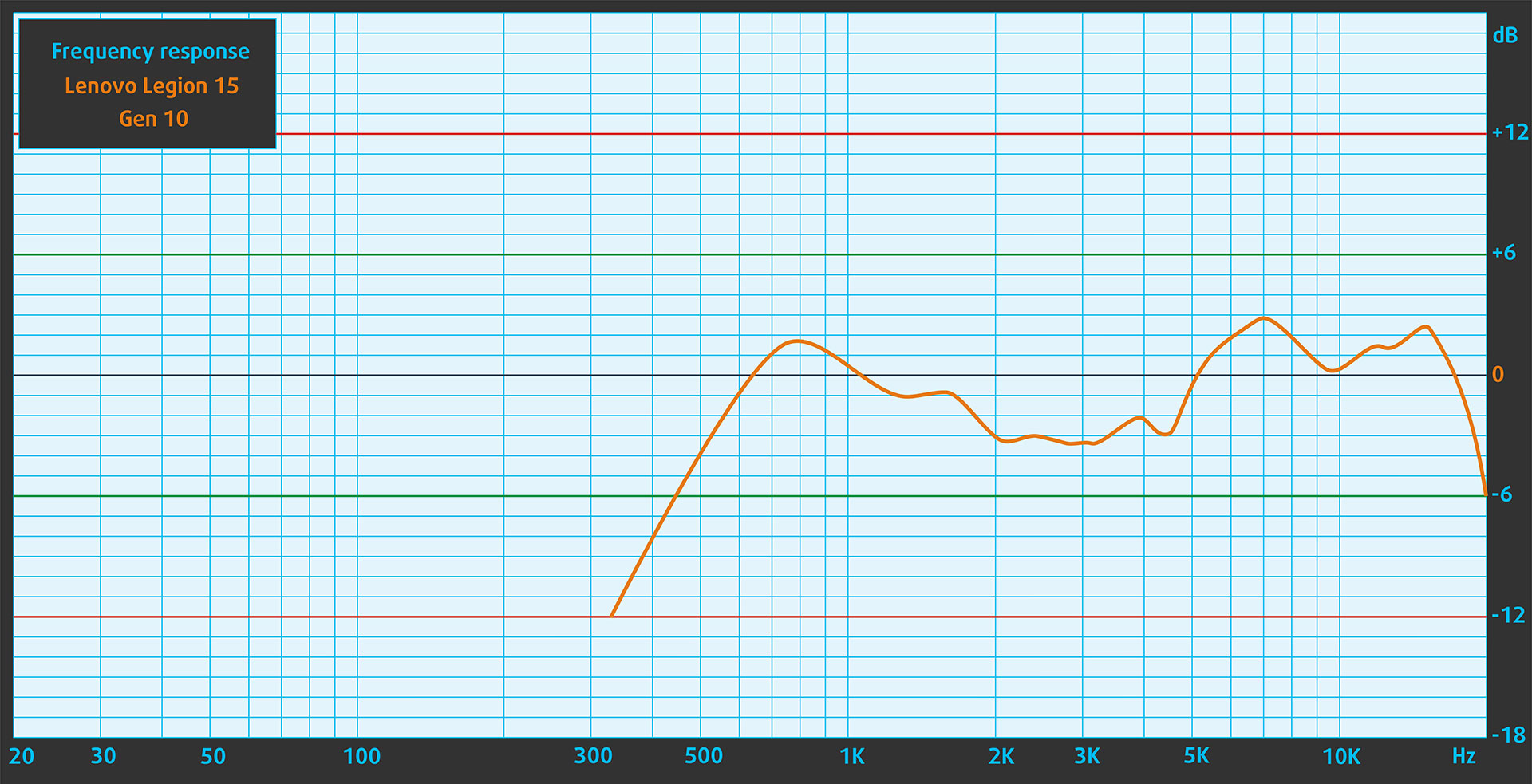
When we subjectively listen to a sound file through the built-in speakers (2x 2W speakers, audio by HARMAN), the sound quality offered by Lenovo Legion 5 (15″, Gen 10) is very good. The low, mid, and high frequencies are clear.
Work Performance: CPU, Storage, AI
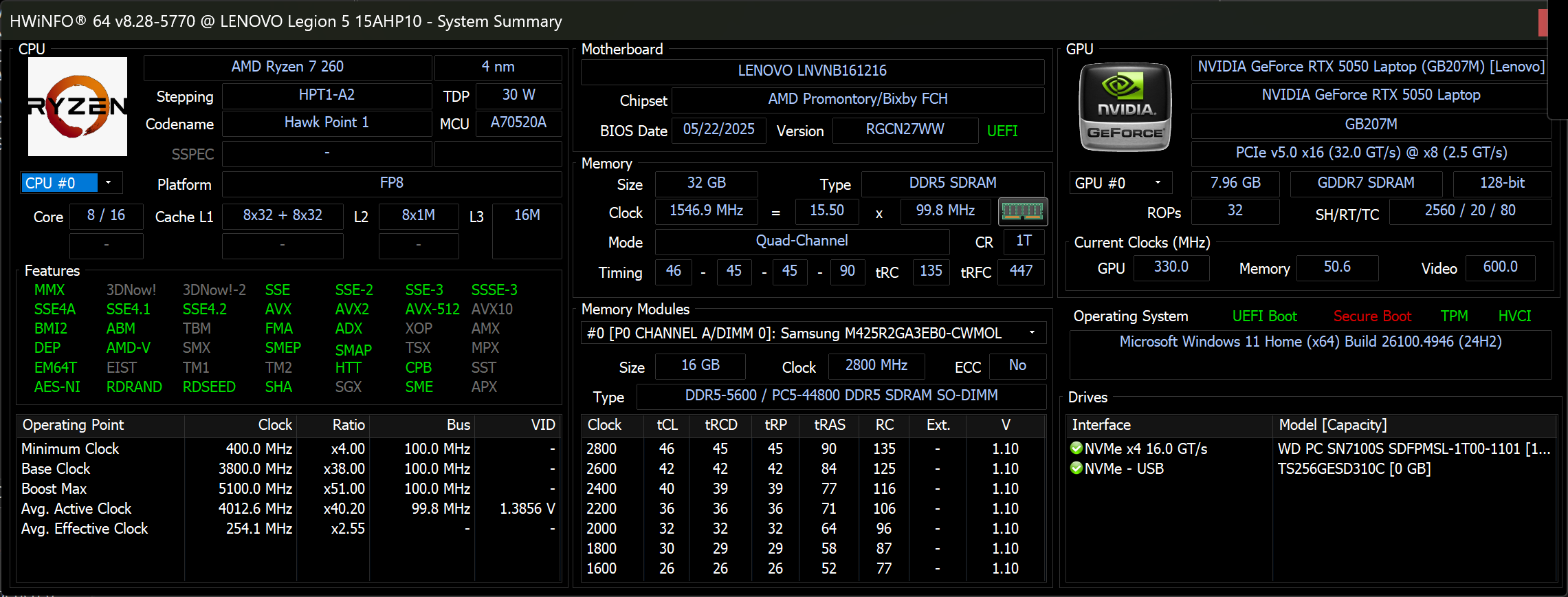
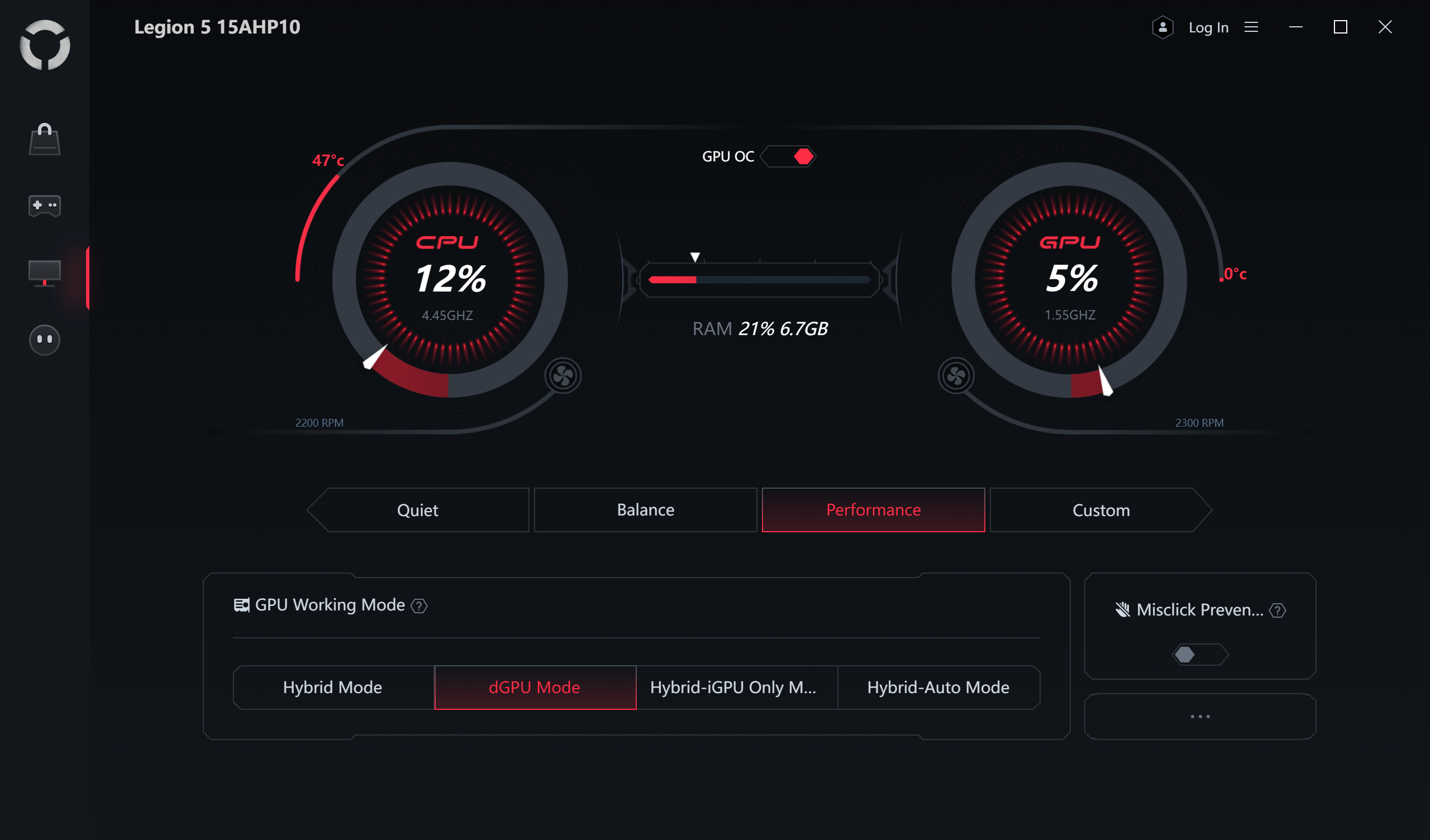
All performance and temperature tests are conducted with the “Performance” mode activated in Legion Space:
CPU and Work Performance
The Lenovo Legion 5 (15″, Gen 10) is available with two AMD processor options: the Ryzen 7 260 and the Ryzen AI 7 350. Both belong to the latest Ryzen lineup, delivering strong multi-core performance for gaming and productivity. The Ryzen 7 260 is slightly higher-ranked at #54, while the Ryzen AI 7 350 follows closely at #58 in our Top Laptop CPU Ranking.
We chose a Ryzen 7 260 model for this review.
AMD Ryzen 7 260 has the same performance as Ryzen 7 7840HS – they both have 8x Zen 4 cores working at 3.8 – 5.1GHz.
Single-core performance ensures smooth operation and responsiveness in operating systems, providing a better user experience.
Results are from the Geekbench 6 Single-Core test (higher is better)
Multi-core performance is essential for handling complex and demanding tasks, such as Video editing, CAD, and Scientific simulations.
Results are from the Geekbench 6 Multi-Core test (higher is better)
Here, we evaluate the CPU's performance using a real-world 3D rendering task, assessing its ability to handle complex computations and rendering workloads efficiently.
Results are from the Cinebench 2024 Multi-Core test (higher is better)
Storage Performance
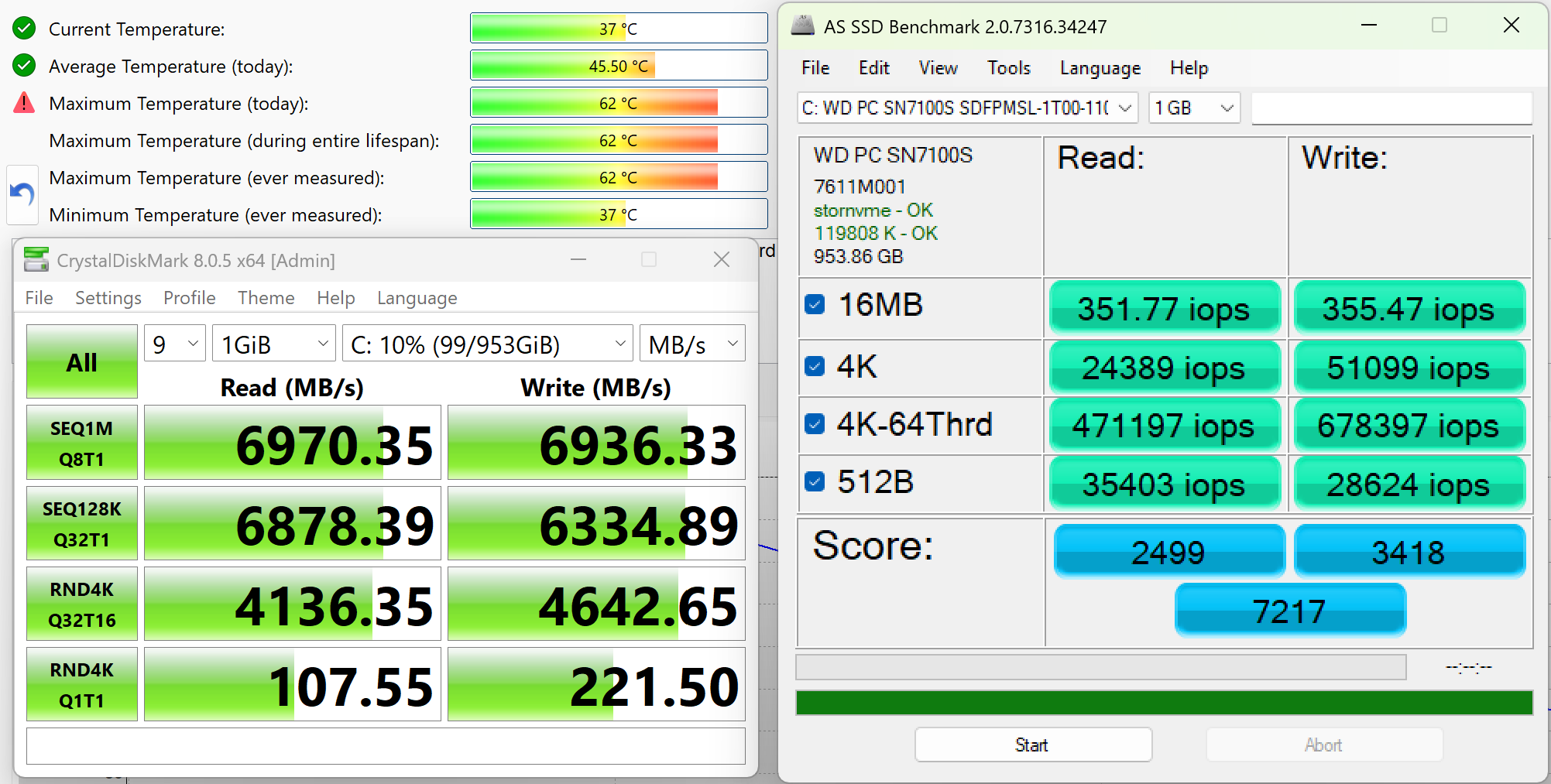
Lenovo Legion 5 (15″, Gen 10) has two M.2 2280 PCIe 4.0 x4 slots for storage. We ordered a 1TB configuration, and it arrived with WD PC SN7100S NVMe SSD.
This is an exceptional SSD drive, reaching 7.0GB/sec sequential reading speed, and 6.9GB/sec sequential writing, while keeping temperatures in check.
AI Performance
Here you can see the position of the GPUs and CPUs (NPUs) found within the Lenovo Legion 5 (15", Gen 10) in our AI Hardware Performance Rankings based on their AI processing power, measured in TOPS (Tera Operations Per Second) - a critical metric indicating the computational throughput, particularly for AI tasks.
The first column shows peak performance for INT8/FP8 precision, which is the most widespread metric for evaluating AI inference capabilities. We exclude Sparsity to provide a more accurate reflection of AI performance in dense computation scenarios where sparsity optimizations may not be applicable. The second and third columns show the performance with Sparsity, and FP4 TFLOPS, when supported.
For SoCs, the results reflect the peak performance of the integrated NPU. Additionally, it’s important to note that, according to Microsoft, a NPU must have at least 40 TOPS of AI computing power for the PC to be considered “AI-capable.”
| # | GPU / CPU (NPU) | TOPS INT8/FP8 No Sparsity | TOPS INT8/FP8 Sparsity | TFLOPS FP4 Sparsity |
|---|---|---|---|---|
| 849. | NVIDIA GeForce RTX 5070 (Laptop, 8GB GDDR7) | 173 | 346 | 692 |
| 1012. | NVIDIA GeForce RTX 5060 (Laptop) | 133 | 266 | 532 |
| 1565. | AMD Ryzen AI 7 350 | 50 | — | — |
| 1713. | AMD Ryzen 7 260 | 16 | — | — |
GPU and Gaming Performance
On the graphics side, the Legion 5 offers a choice between three NVIDIA GPUs from the RTX 50-series: the RTX 5050, RTX 5060, and RTX 5070.
The RTX 5070 is the most capable option, currently ranked #19 in our Top Laptop Graphics Ranking, while the RTX 5060 and 5050 provide more affordable alternatives with still solid gaming performance.
We ordered a configuration with RTX 5050:
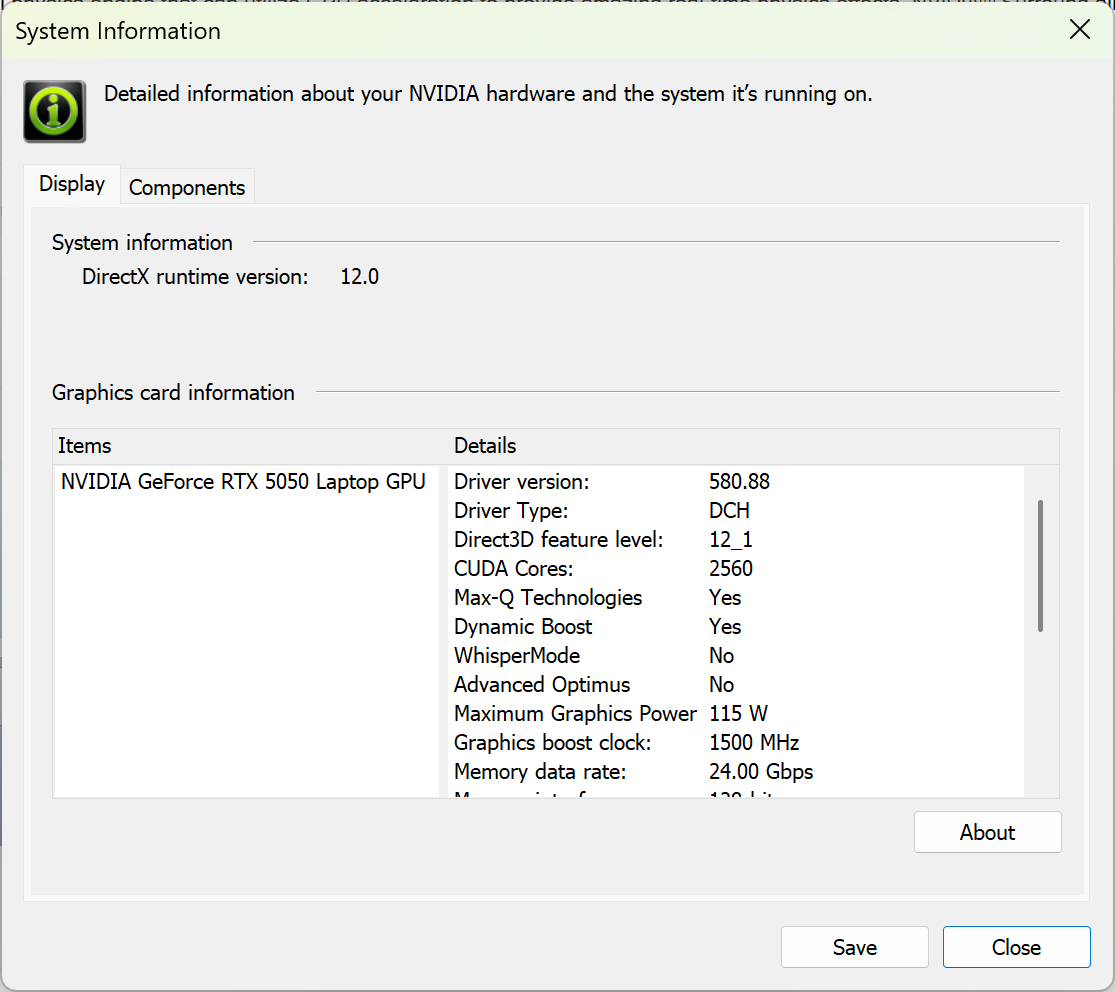
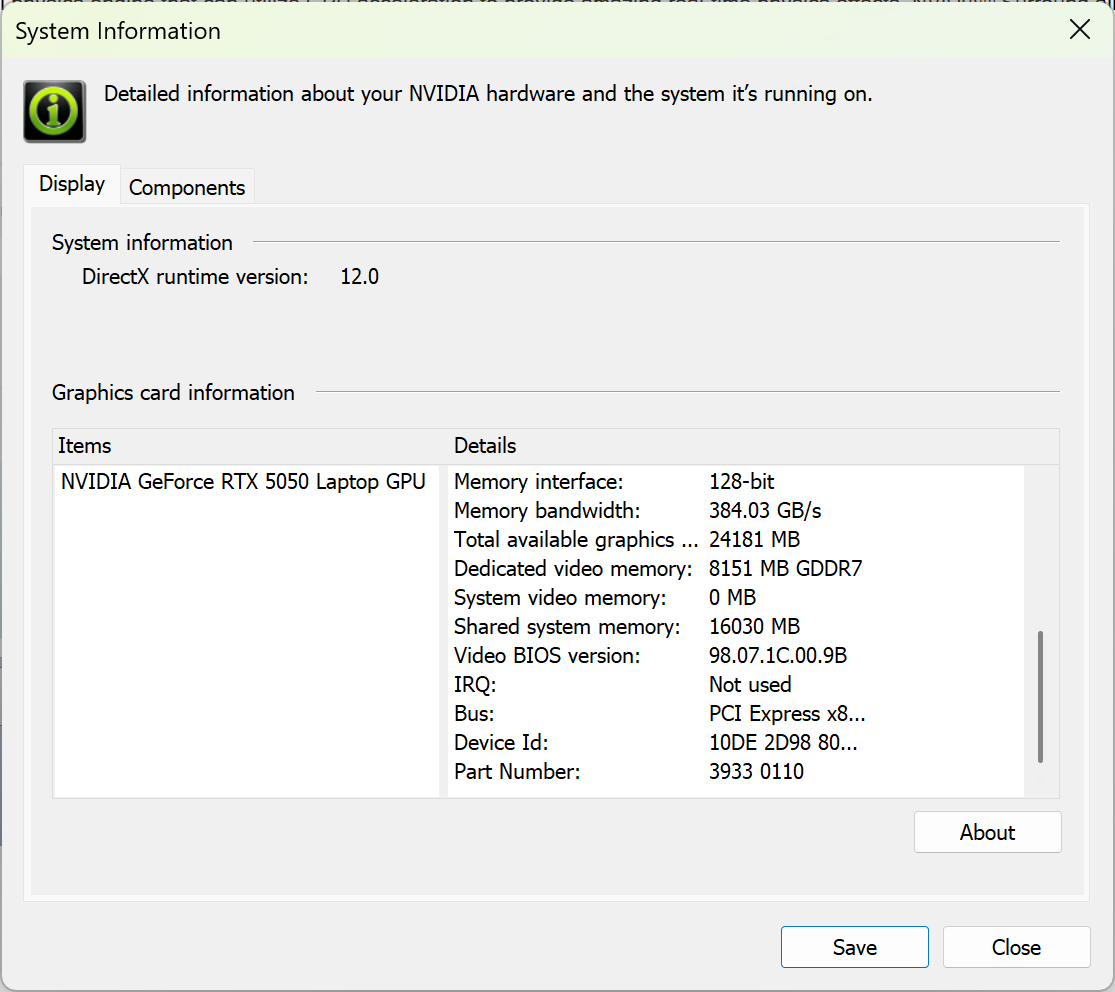
As you see, NVIDIA GeForce RTX 5050 (Laptop) has almost identical performance as RTX 4060 (and RTX 3070, btw):
The results are from 3DMark Time Spy (Graphics). Higher is better.
The results are from 3DMark Wild Life Extreme Unlimited. Higher is better.
Lenovo Legion 5 (15", Gen 10) GPU variants
Here you can see an approximate comparison between the GPUs that can be found in the Lenovo Legion 5 (15", Gen 10) models on the market. This way you can decide for yourself which Lenovo Legion 5 (15", Gen 10) model is the best bang for your buck.
Note: The chart shows the cheapest different GPU configurations so you should check what the other specifications of these laptops are by clicking on the laptop’s name / GPU.
The results are from 3DMark Time Spy (Graphics). Higher is better.
Results are from the 3DMark: Wild Life (Graphics) benchmark (higher the score, the better)
Gaming tests

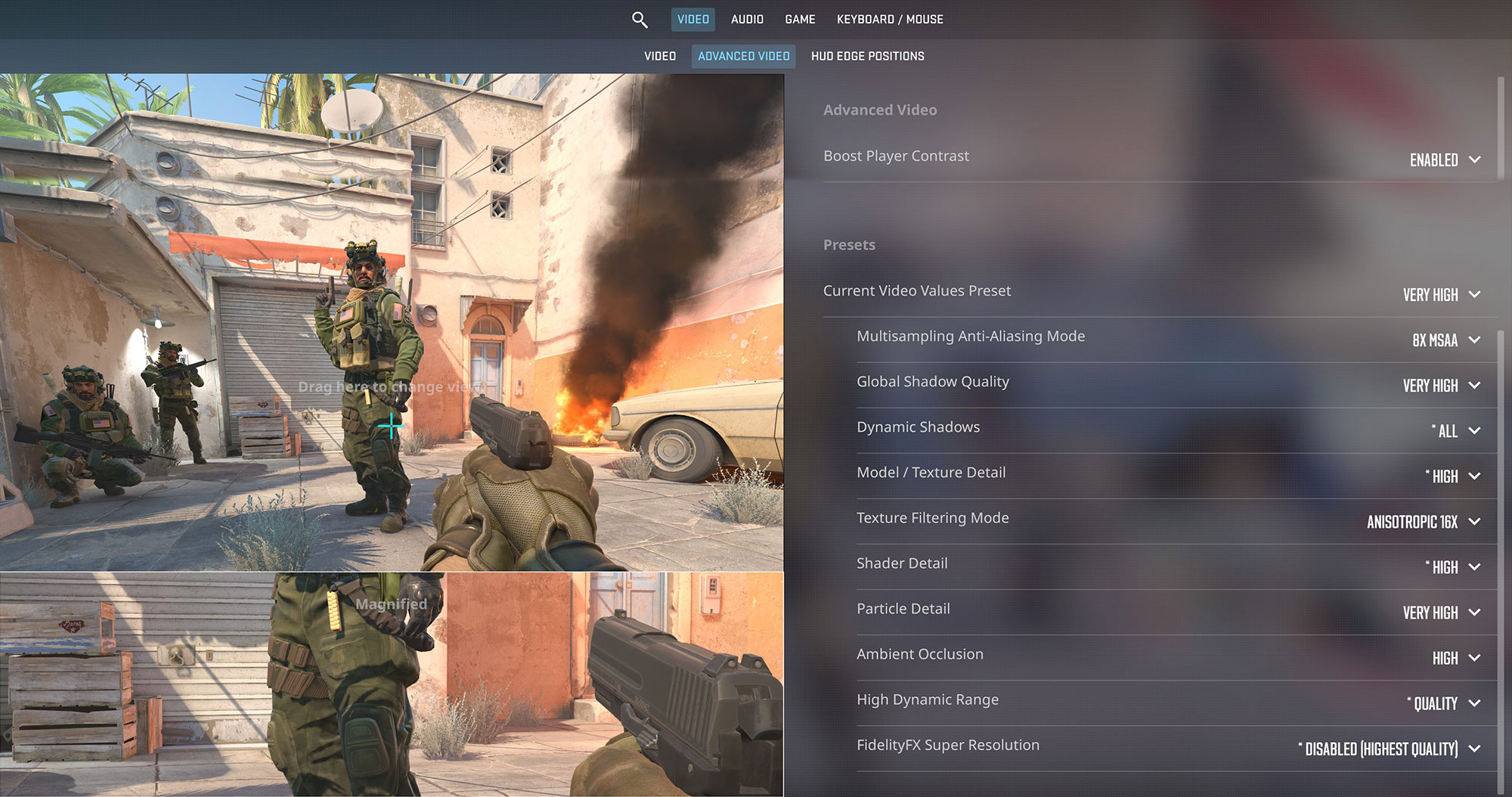
The new Lenovo Legion 5 is a solid performer for esports titles. In Counter-Strike 2, it achieves a smooth 115 FPS at its native 1600p resolution on Very High settings, which is great for making use of the 165Hz OLED display.
| Counter Strike 2 | 1600p, Very High (Check settings) |
| Average FPS | 115 FPS |

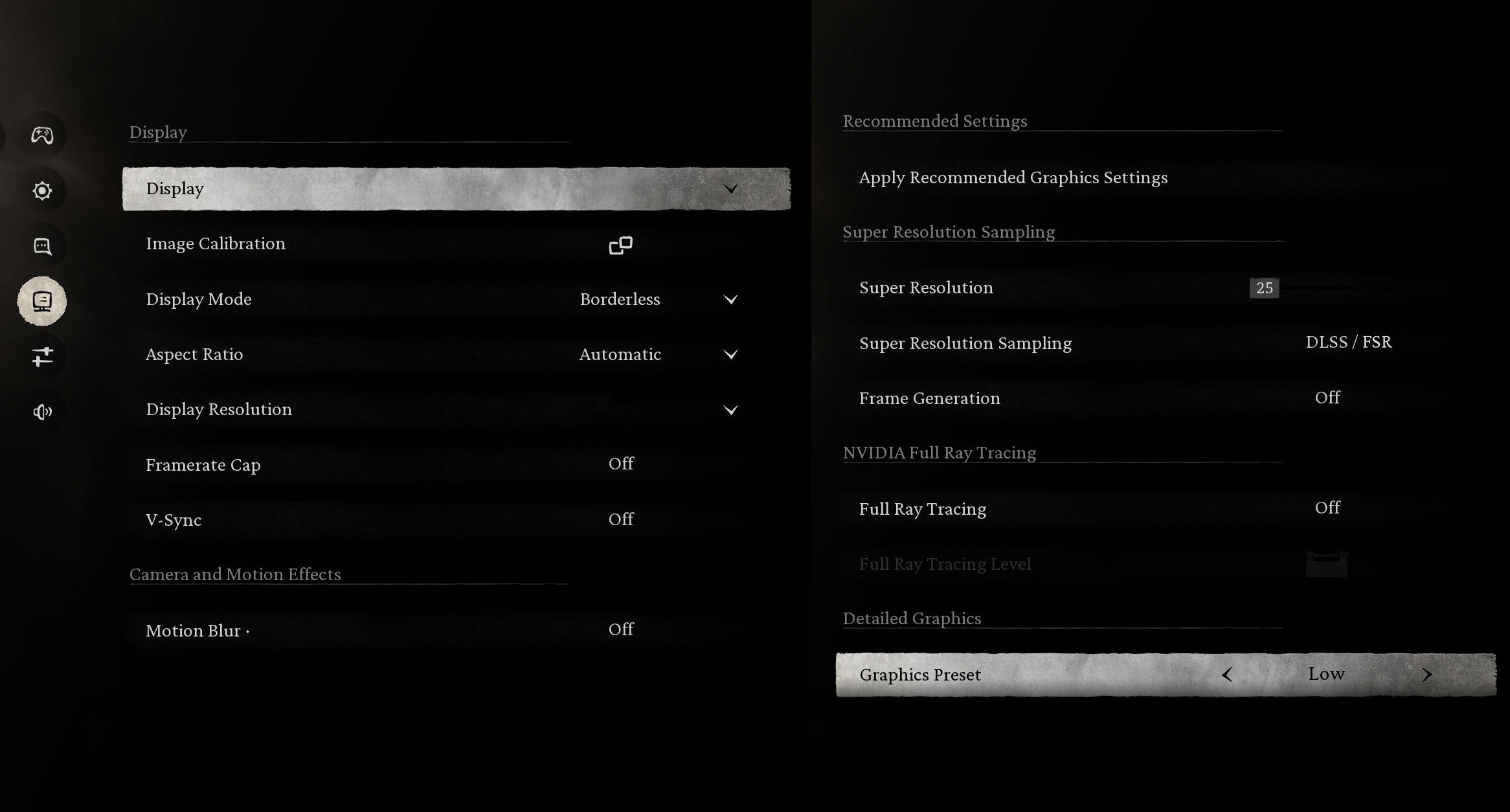
In Black Myth: Wukong, the RTX 5050 delivers an outstanding 145 FPS at 1600p on Low settings. This provides a huge amount of performance headroom, allowing gamers to increase the graphical fidelity significantly while still enjoying high frame rates.
| Black Myth: Wukong | 1600p, Low (Check settings) |
| Average FPS | 145 FPS |

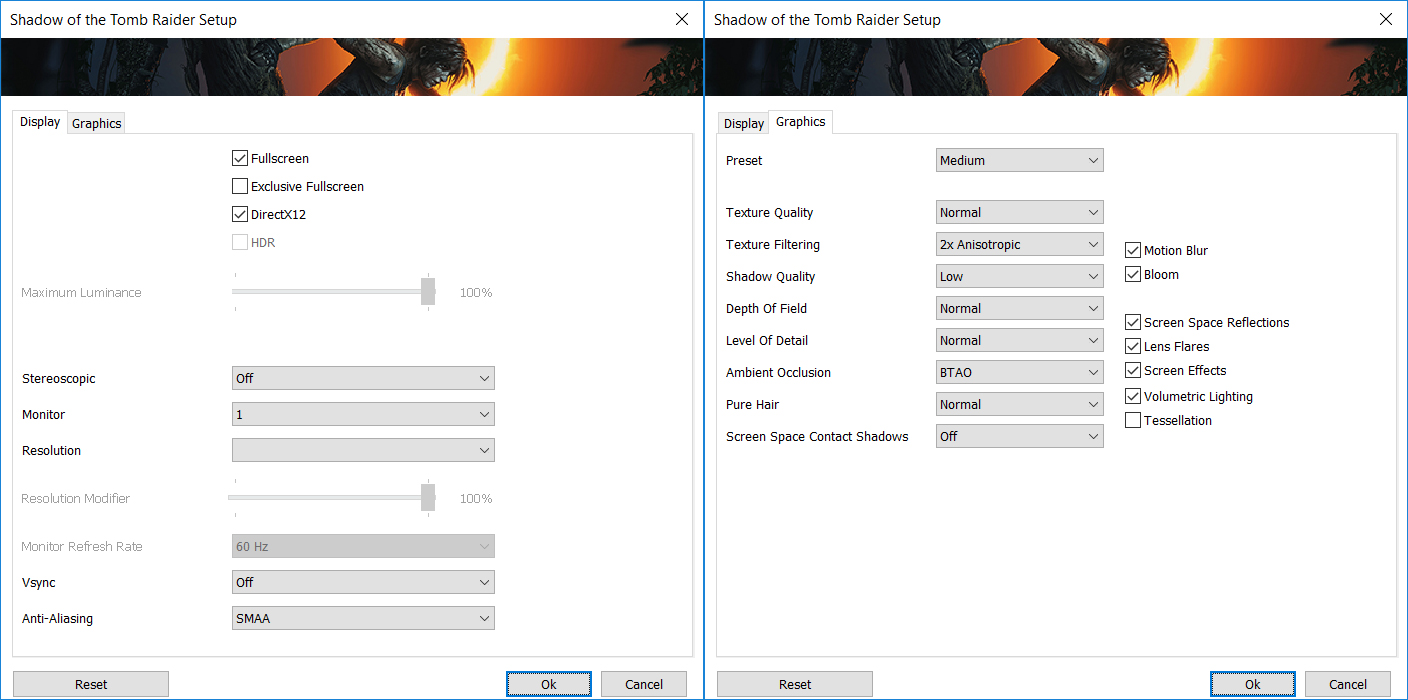
The laptop handles single-player adventures with ease. In Shadow of the Tomb Raider, it nets a very fluid 102 FPS at 1600p on Medium settings, ensuring a beautiful and responsive experience on the WQXGA display.
| Shadow of the Tomb Raider | 1600p, Medium (Check settings) |
| Average FPS | 102 FPS |

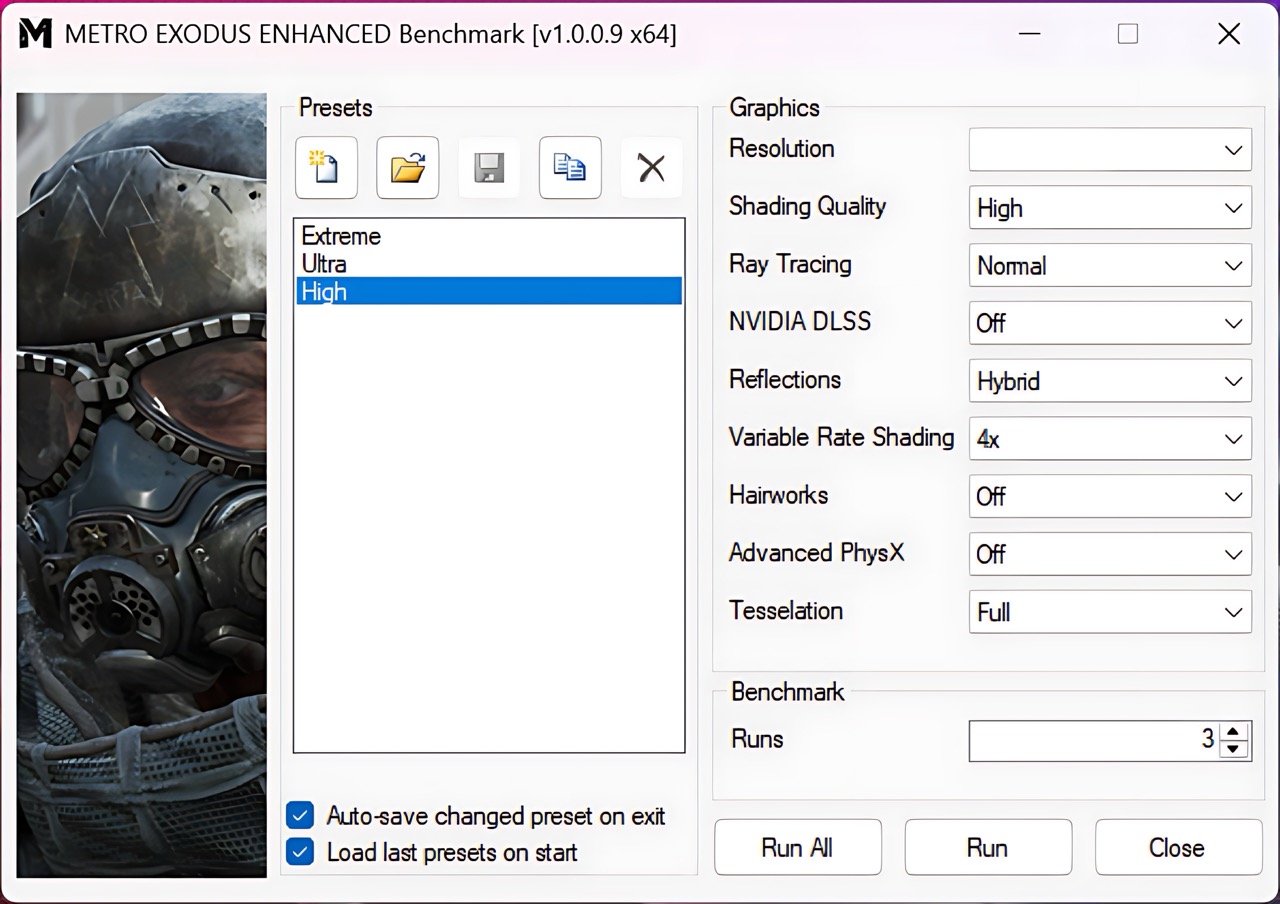
Metro Exodus Enhanced Edition, known for its heavy ray-tracing implementation, is quite playable on this Legion 5. It achieves 57 FPS at 1600p on High settings, which is very close to the good 60 FPS mark for a smooth single-player experience.
| Metro Exodus Enhanced Edition | 1600p, High (Check settings) |
| Average FPS | 57 FPS |
[eBook Guide + Tools] How to MAX OUT Your Laptop
You can make your laptop Faster. LaptopMedia has tested thousands of models in the last 15 years, and we have yet to see a notebook that couldn't be made more powerful through modifications.
That's why we decided to bundle everything we know about how to achieve this in an Easy-to-Follow, Step-by-Step, and Laboratory-Tested, all in one project.
Read more about it here:
[eBook Guide + Tools] How to MAX OUT Your Laptop

🛠️ GPU Modifications: vBIOS, Overclocking, Undervolting
⚙️ Building Fast/Reliable RAID configuration
💻 Hardware upgrade tips for best results
🖼 Display enhancing
💾 OS Optimization for best performance
Temperatures and Comfort, Noise, Stability
At idle, the CPU package of the Lenovo Legion 5 (15″, Gen 10) maintains a very cool temperature of 36ºC, and the notebook remains completely silent. But when under load, things get different.
Office Work, Web Development, Design
Short periods (0:00 – 0:10 s) of 100 % CPU load
This test shows the CPU behavior during short periods of serious load. It’s important for users who are looking for laptops suitable for tasks like Web Design and Programming.
| AMD Ryzen 7 260 | Avg. P-Core Clock | Avg. CPU Temp. | Avg. CPU Power |
| Lenovo Legion 5 (15″, Gen 10) | 4806 MHz | 90 °C | 84 W |
During brief, intense CPU loads, the Lenovo Legion 5 demonstrates robust immediate performance. The AMD Ryzen 7 260 CPU achieves an impressive peak clock of 4885 MHz within the first 5 seconds and maintains an average of 4806 MHz over 10 seconds. Power consumption is notably high at an average of 84W, peaking at 90W. However, this high performance comes with a significant thermal cost, as the CPU’s average temperature quickly reaches 90 °C. The peak temperature even hits 100 °C. This suggests that while burst performance is strong, thermal management is immediately challenged, pushing temperatures into the high range under short, demanding tasks.
Video editing, Scientific computing, Software compilation, 3D rendering
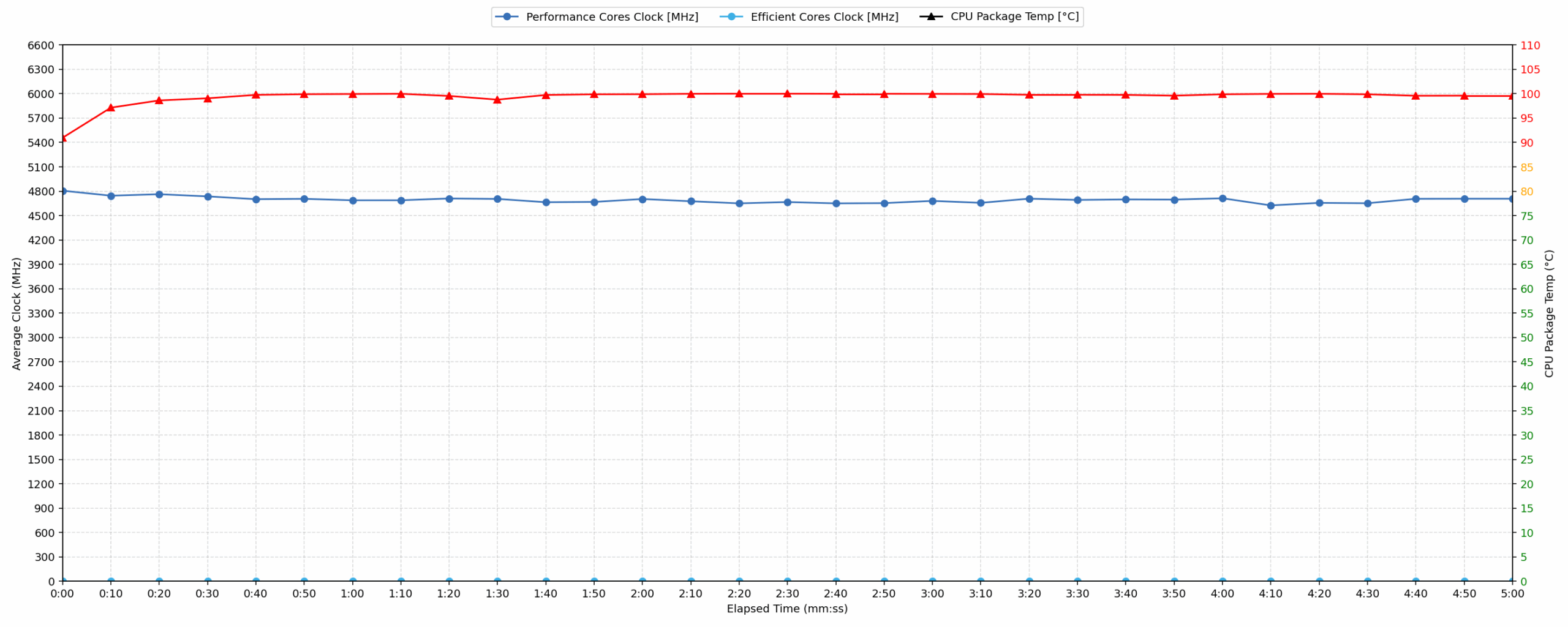
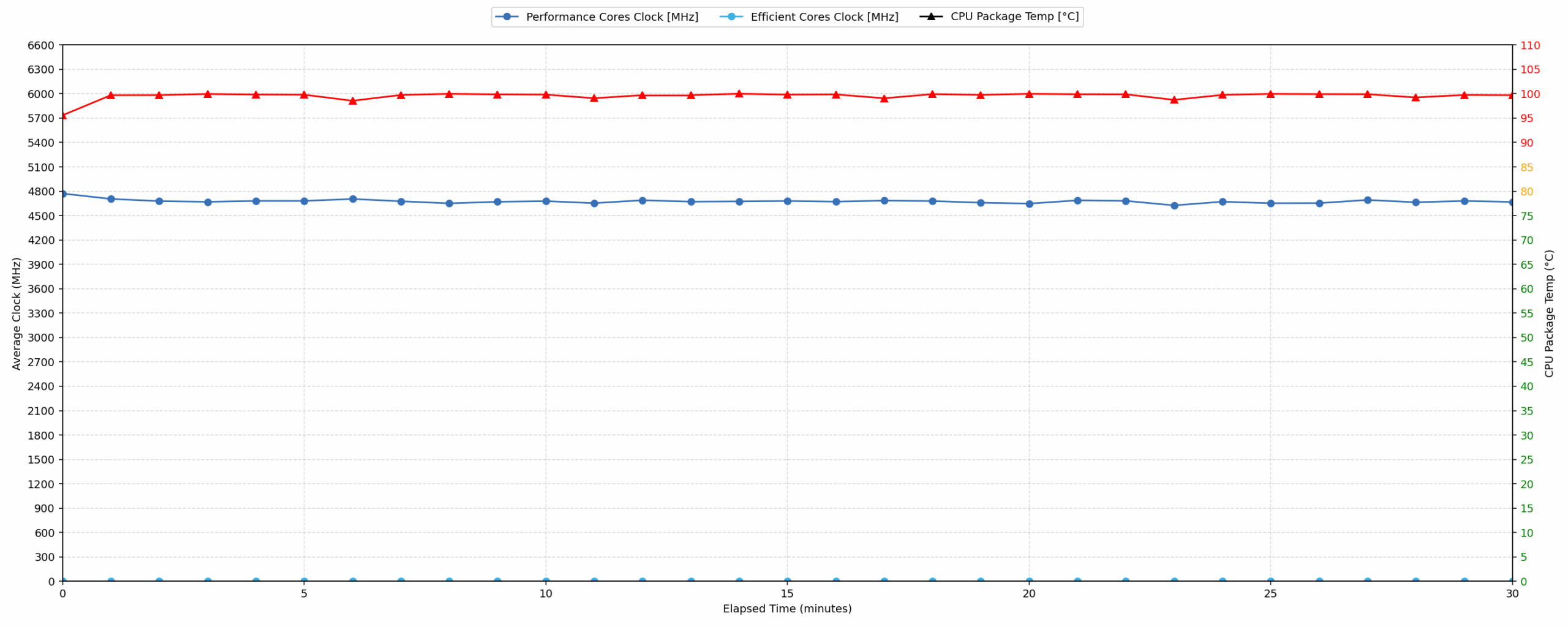
Long periods (0:00 – 30:00 min) of 100 % CPU load
This test shows the CPU behavior during long periods of serious load. It’s important for users who are looking for laptops suitable for tasks like Video Editing and 3D Rendering.
| AMD Ryzen 7 260 | Avg. P-Core Clock | Avg. CPU Temp. | Avg. CPU Power |
| Lenovo Legion 5 (15″, Gen 10) | 4674 MHz | 99 °C | 79 W |
For extended CPU-intensive tasks, the Lenovo Legion 5 maintains a strong average clock speed of 4674 MHz over 30 minutes, showing consistent performance under prolonged load. There is a 307 MHz drop from the initial peak clock within the first 30 seconds to 5 minutes, indicating some thermal management adjustments. Despite this, the CPU’s average power consumption remains robust at 79 W. A significant concern is the CPU’s average temperature, which settles at 99 °C. This consistently high temperature indicates the system is operating at its thermal limit, which could potentially impact long-term component health, but it still maintains a high clock speed.
Gaming Stability
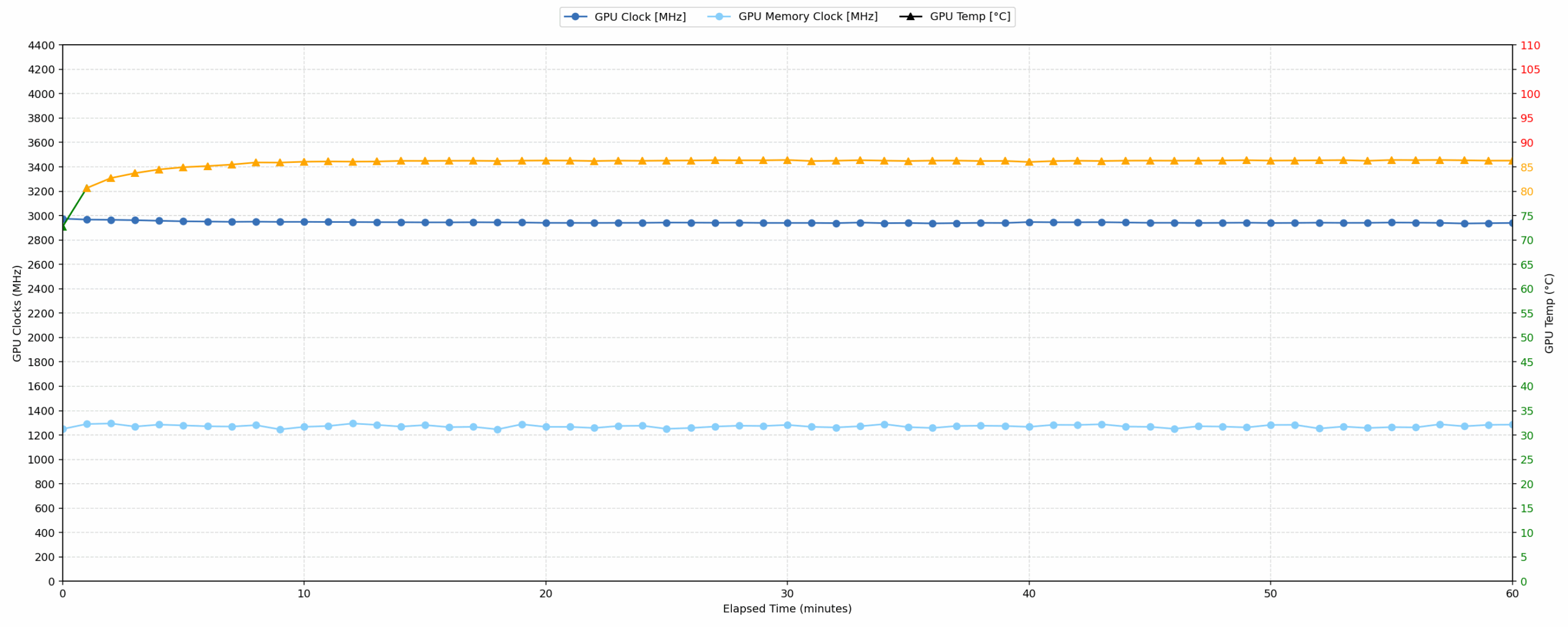
Continuous gaming (1-hour test)
This test evaluates the laptop’s performance under sustained GPU load and high CPU usage.
| NVIDIA GeForce RTX 5050 | Avg. GPU Clock | Avg. GPU Temp. | Avg. Memory Clock | Avg. GPU Mem Temp. | Avg. GPU Power |
| Lenovo Legion 5 (15″, Gen 10) | 2944 MHz | 85 °C | 1272 MHz | 77 °C | 111 W |
The Lenovo Legion 5 exhibits exceptional gaming stability over a continuous one-hour test. The NVIDIA GeForce RTX 5050 maintains a high average clock speed of 2944 MHz, with minimal fluctuations from its peak of 2992 MHz, even reaching a minimum of 2857 MHz over 30-60 minutes. Thermal management for the GPU is highly effective; the average GPU core temperature remains at a good 85 °C, peaking at 87 °C. Similarly, GPU memory temperatures are excellent, averaging 77 °C and peaking at 80 °C. Sustained power consumption averages 111 W. These metrics confirm robust and thermally efficient performance for prolonged gaming sessions.
Battery Life
Lenovo Legion 5 (15″, Gen 10) has a 60Wh or 80Wh battery. Our configuration arrived with the bigger option.
The 80Wh of energy are enough for 8 hours and 40 minutes of video playback on a single charge. Very good result!
Brightness: 180 nits; Display Mode: SDR
Time to Full Discharge: Higher is Better



Disassembly, Upgrade options, and Maintenance
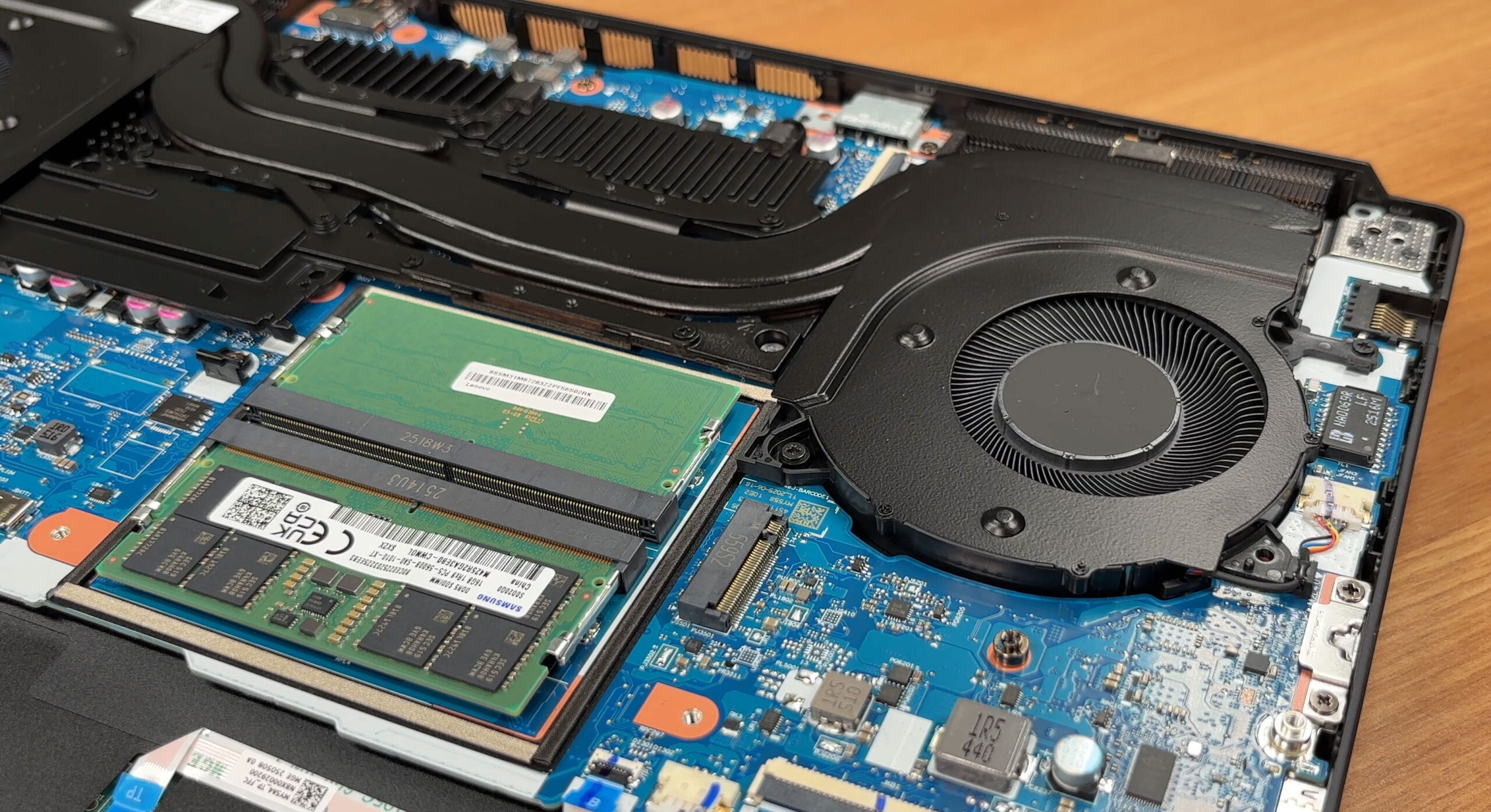
Removing the bottom panel reveals a familiar Legion layout with the battery at the front, the motherboard in the center, and a large cooling assembly stretched across the top. The internal space is well organized and most parts are accessible without drama.
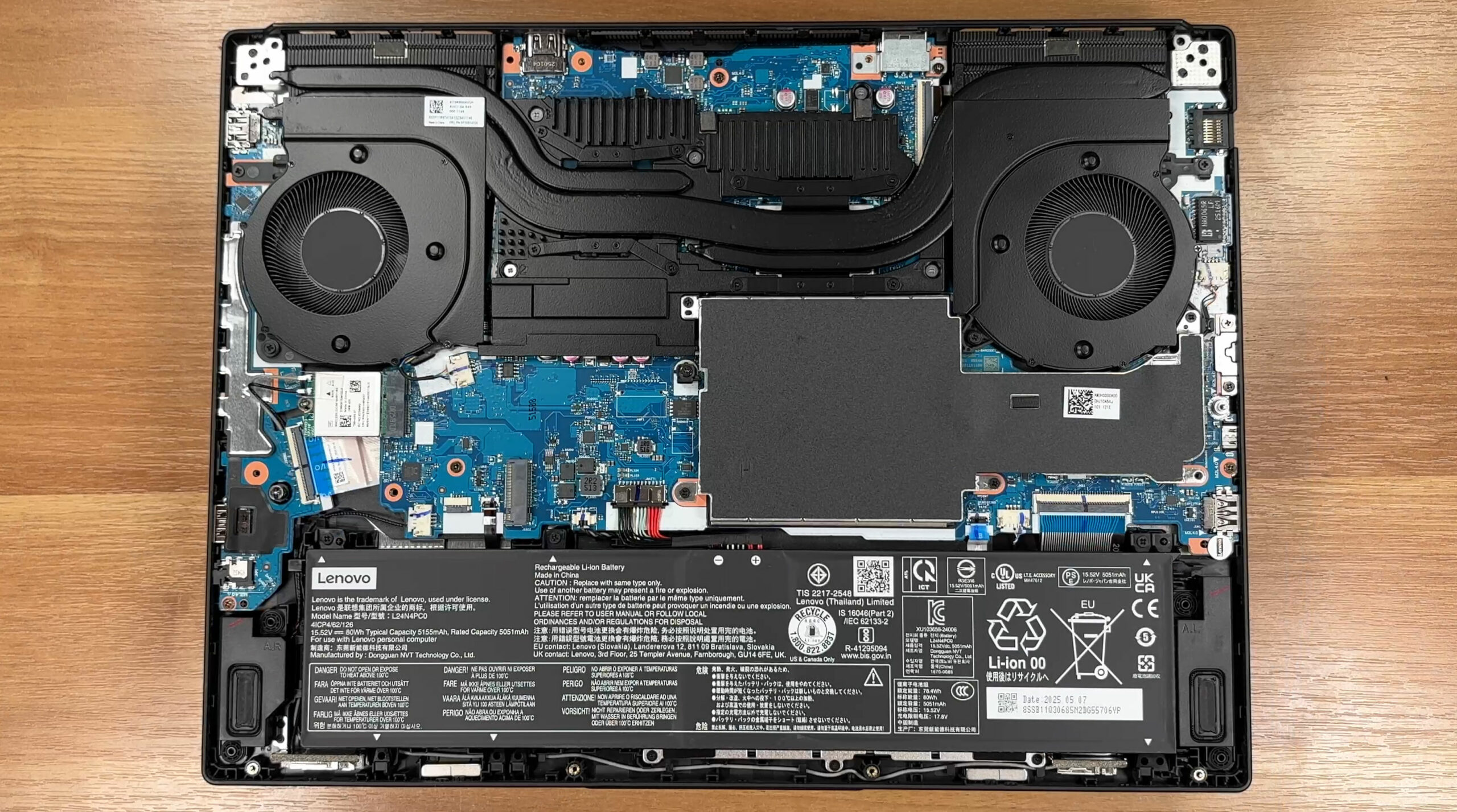
The cooling system is the Legion Coldfront Hyper design with two radial fans, multiple heat pipes, and large fin stacks on both sides. Lenovo also touts 3D copper heat pipes and a vacuum-sealed hyperchamber, with fan behavior governed by Lenovo AI Engine+ and Legion Space. The shrouds cover the VRM area and memory slots, helping airflow across the hottest components.
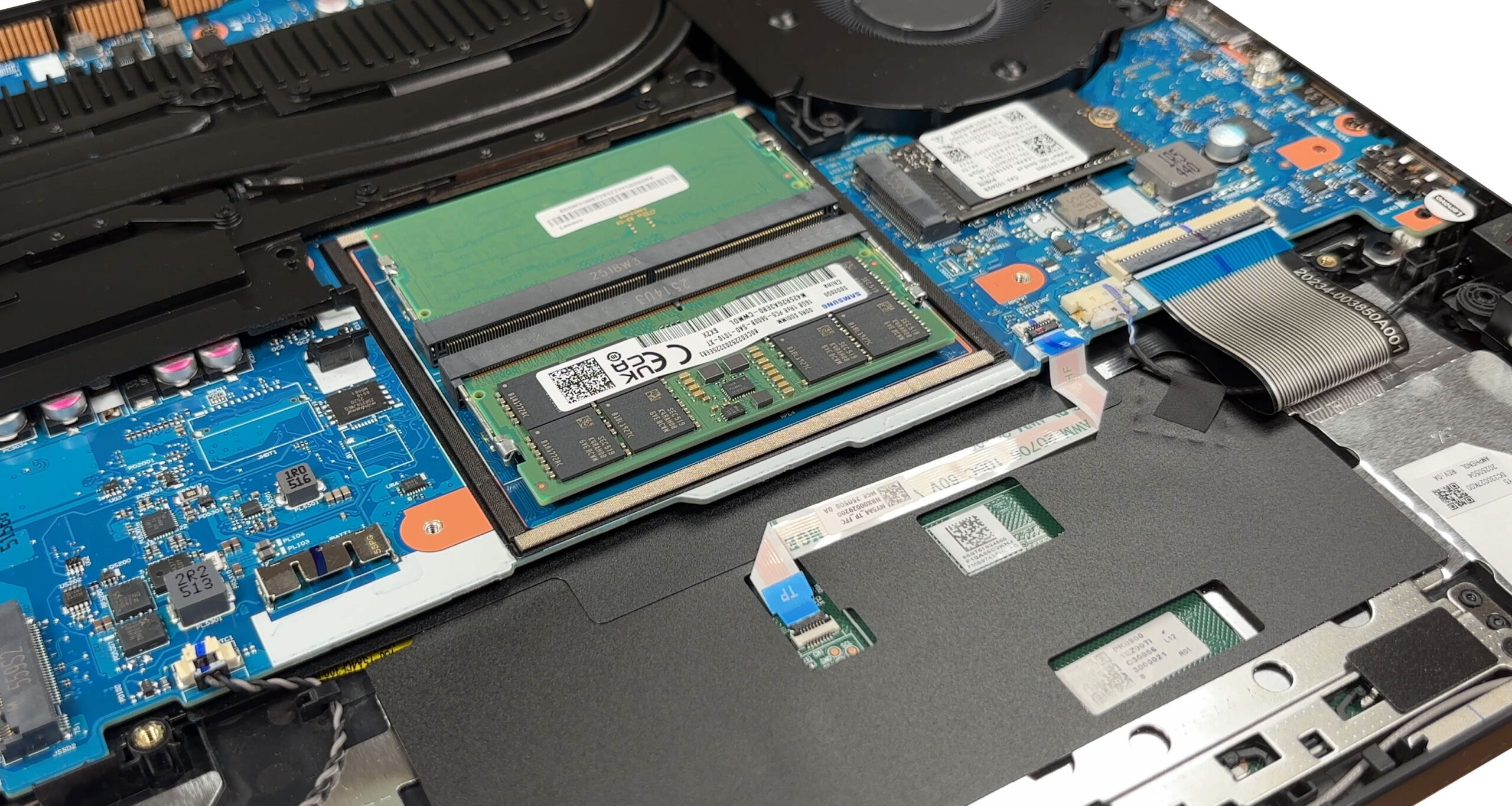
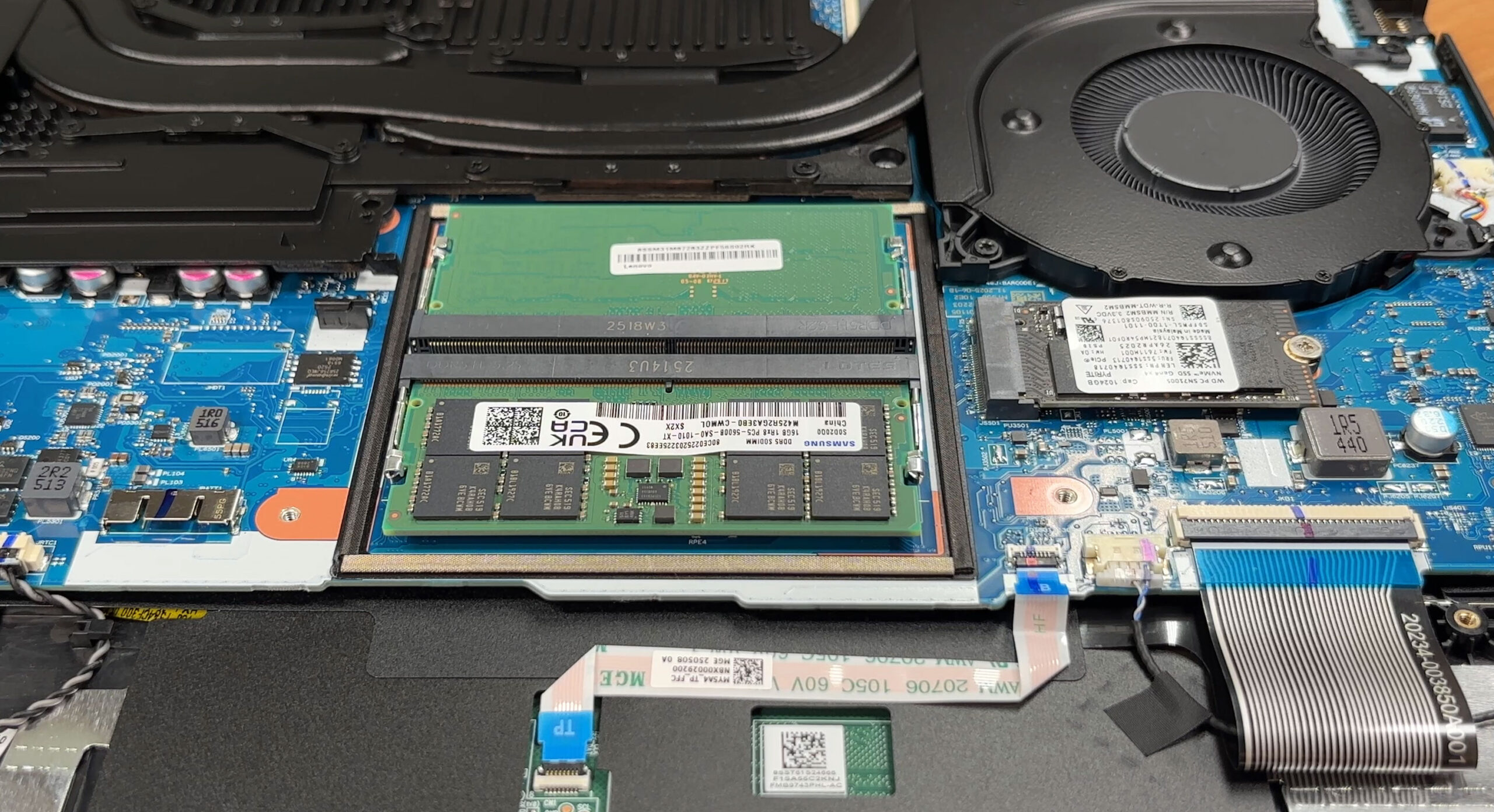
Memory sits under a removable EMI shield. There are two DDR5 SODIMM slots that accept up to 64 GB of DDR5-5600. Our unit ships with a two 16 GB Samsung modules. One shield screw is shared with the bottom cover and a small foam gasket prevents rattling once everything is back in place.
Storage is generous for a 15-inch gaming machine. You get two PCIe Gen4 M.2 2280 NVMe slots and the platform supports RAID 0 if you want maximum throughput. The reviewed configuration includes a WD PC SN7100S 1 TB drive in the first slot, while the second bay is open for expansion. A thermal pad sits between the shield and the SSD to wick heat into the cover.
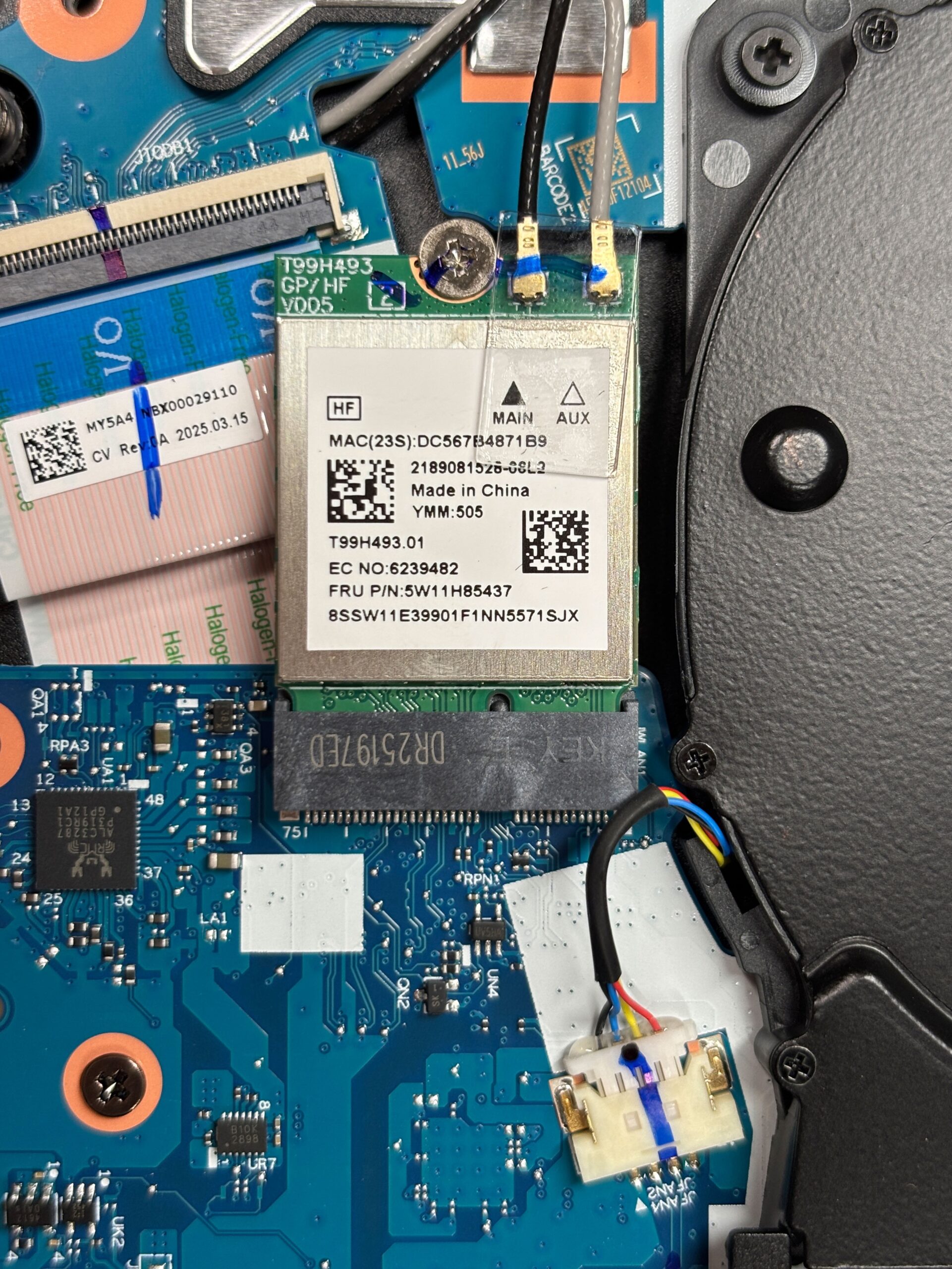
The wireless module is replaceable. Depending on the configuration, Lenovo fits either a MediaTek MT7921 or an Intel Wi-Fi 7 BE card, both paired with Bluetooth 5.4. Our unit carries Lenovo FRU 5W11H85437, positioned near the left fan with two antenna leads marked Main and Aux.
The battery options are 60 Wh or 80 Wh. The unit we tested uses the larger 80 Wh pack, model L24N4PC0, rated at 15.52 V and secured by three screws plus a pull-tab connector. Super Rapid Charge is supported and can bring the battery to around 70% in about 30 minutes.
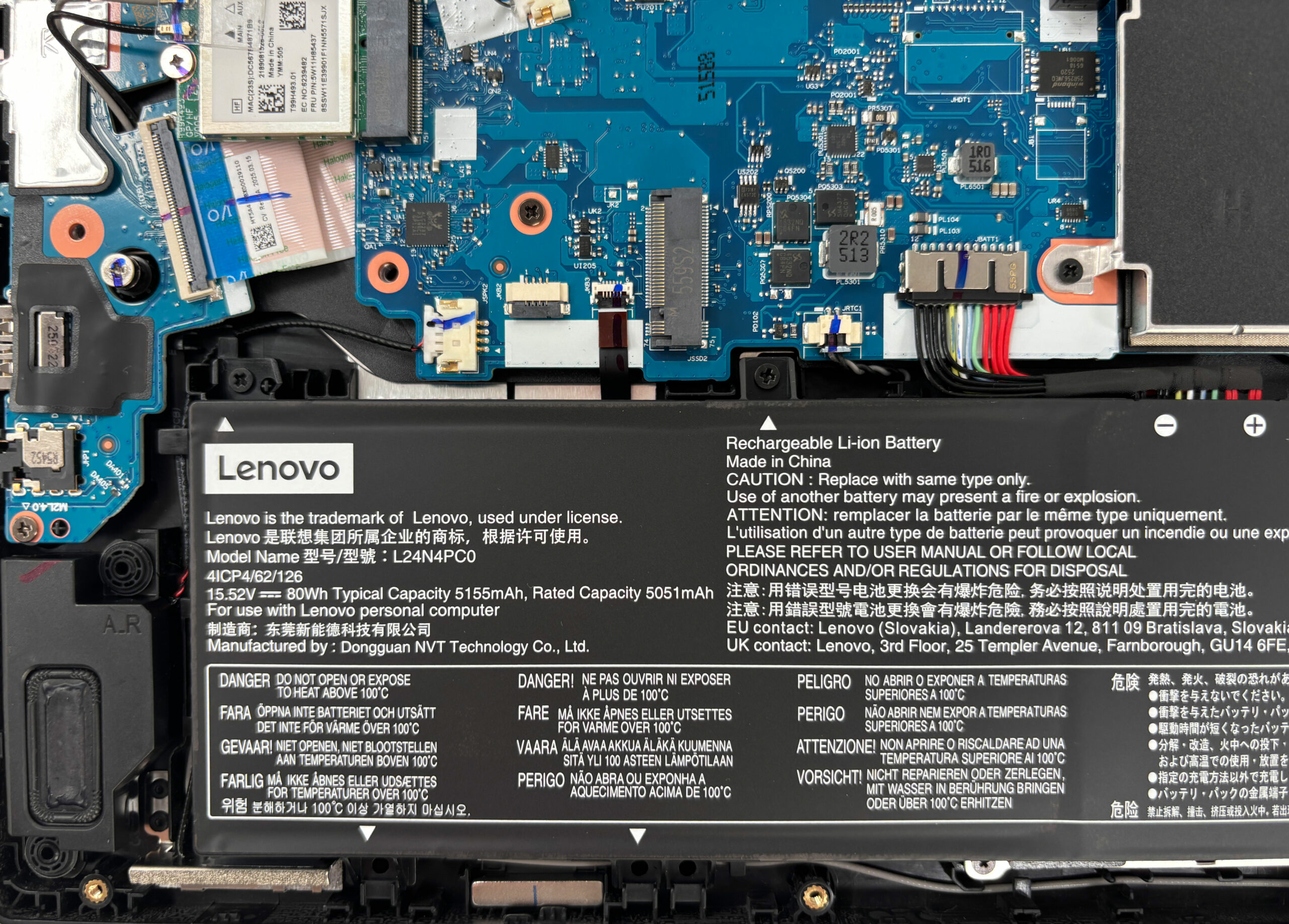
Other replaceable parts include both fans, the two speakers of the 2 x 2 W stereo system, the Wi-Fi card, and of course the two SODIMMs and both M.2 drives. The hinges are reinforced with metal brackets and the ports sit on daughterboards for easier servicing.
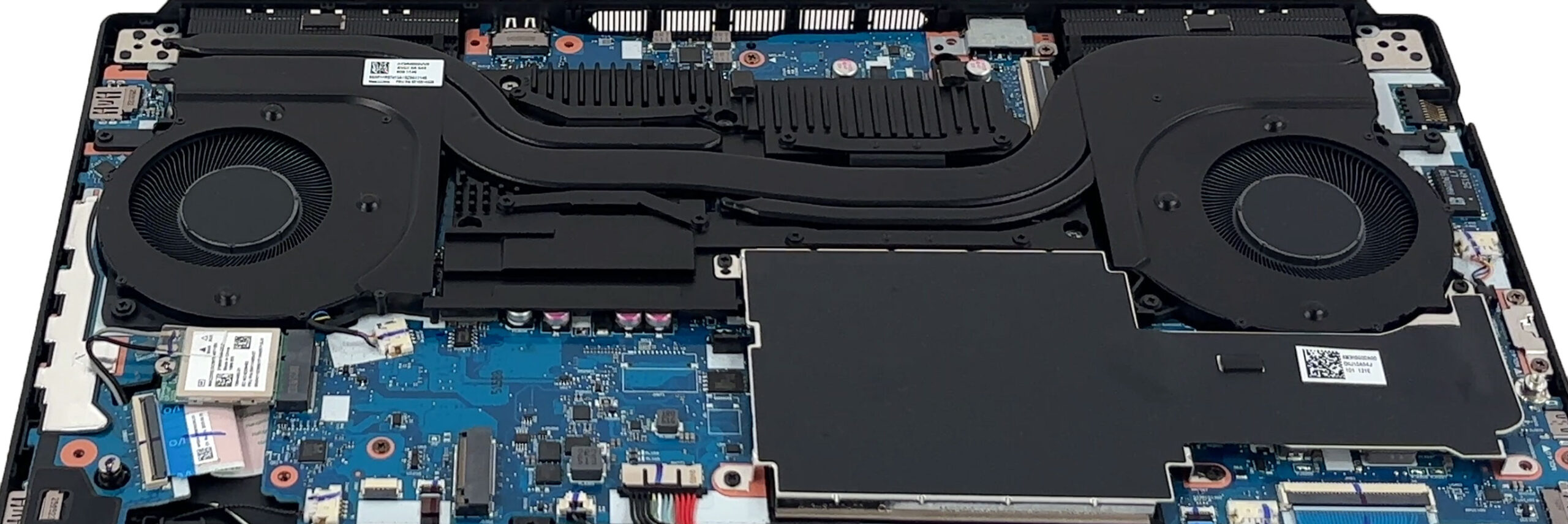
Overall maintenance is straightforward, with easy access to RAM and storage and clear, tool-friendly internals that make upgrades and repairs simple.
Verdict
The Lenovo Legion 5 (15″, Gen 10) is a masterclass in balance, a mid-range gaming laptop that feels far more premium than its position in the Legion hierarchy would suggest. It delivers a refined, powerful, and surprisingly enduring experience, centered around a truly spectacular OLED display. This machine proves that you don’t need to opt for the top-tier “Pro” model to get a top-tier experience.
However, this impressive package is not without its quirks. A crucial, and rather unusual, design choice means the physical build of the laptop changes depending on your screen selection, and its aggressive performance tuning pushes the CPU to its absolute thermal limit.
✅ The Good
 The star of the show is undoubtedly the stunning 165Hz QHD+ OLED display. With perfect contrast, 100% DCI-P3 coverage, and vibrant colors, it delivers a visual experience for gaming and media that is simply best-in-class. Crucially for user comfort, the panel is also completely PWM-free, making it a joy to use for long sessions.
This visual feast is backed by excellent and remarkably stable gaming performance. The GPU is exceptionally well-cooled, maintaining high clock speeds without thermal throttling. The battery life is also very good for a gaming laptop, providing over 8 hours of use, which is a fantastic result for a machine this powerful. We also have to applaud the fantastic upgradeability, with two user-accessible RAM slots and two M.2 slots for storage, ensuring great long-term value.
Finally, the OLED model we tested boasts a premium and slim aluminium build, giving it a sophisticated look and feel that punches well above its weight class.
❌ The Bad
The biggest and most significant concern is the thermal performance of the CPU. To achieve its impressive performance, the processor runs extremely hot, averaging 99°C under sustained load. While it remains stable, operating at this thermal ceiling is a definite concern for long-term component health.
The otherwise beautiful OLED display is hampered by a highly reflective glossy finish, which can be very distracting in bright environments. The most unusual drawback is a design choice: opting for the IPS screen model means you get a thicker, heavier, and all-plastic laptop, a critical difference that buyers must be aware of.
🆚 The Competitors
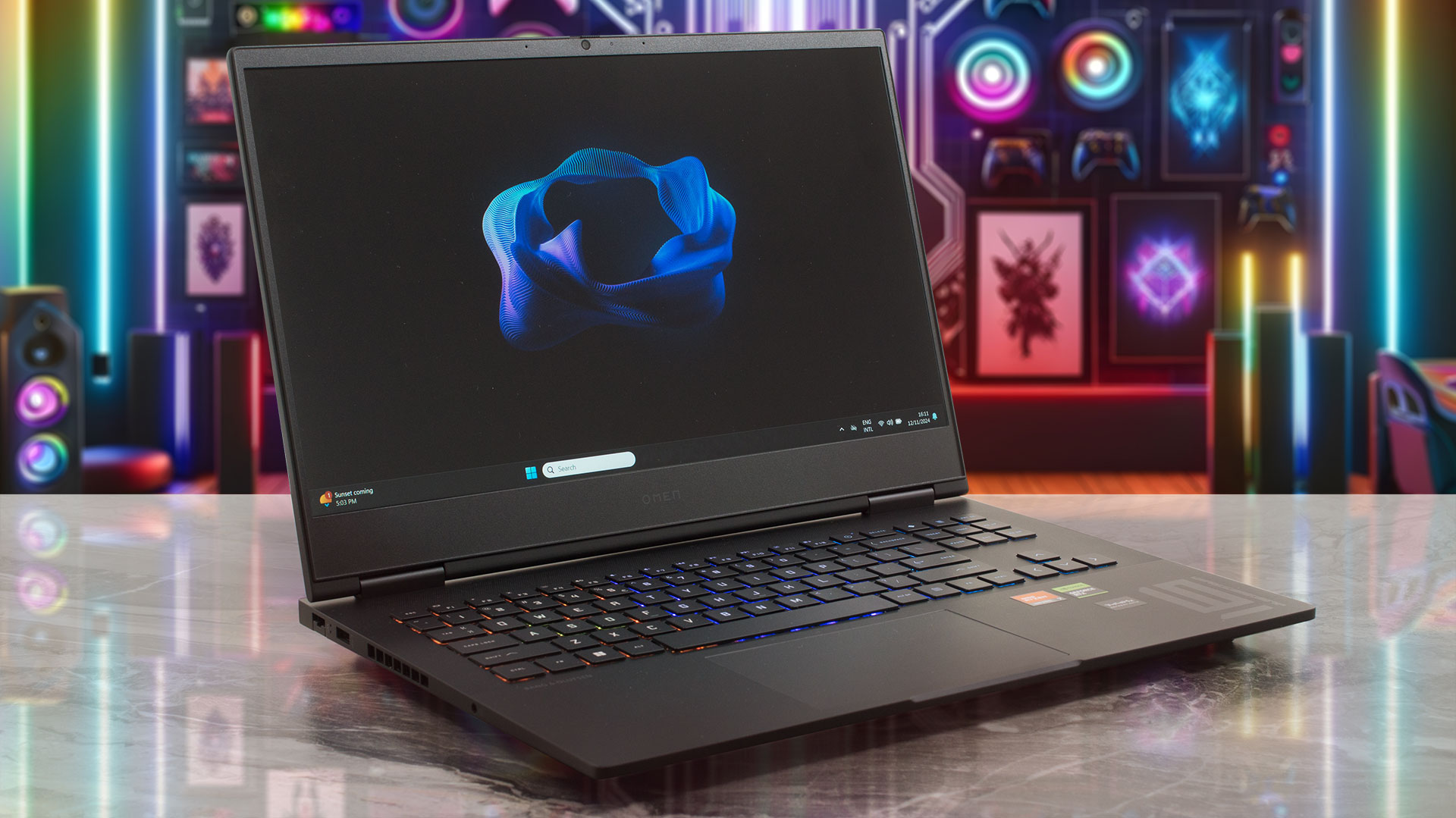 When placed against popular rivals like the HP OMEN 16 (detailed review) or the ASUS TUF Gaming A15 (detailed review), the Legion 5’s main advantage is its spectacular OLED display. While competitors may offer slightly better battery life or a more balanced thermal profile for the CPU, neither can match the sheer visual punch and vibrancy of the Legion’s screen.
The decision for a potential buyer comes down to a clear choice: prioritize the absolute best-in-class visual experience for gaming and media, or opt for a competitor that may offer a more conservative and potentially cooler-running CPU at the expense of that stunning OLED panel.
You can check the prices and configurations in our Specs System: https://laptopmedia.com/series/lenovo-legion-5-15-gen-10/
Pros
- Stunning 165Hz OLED display with 100% DCI-P3 coverage
- Excellent gaming stability and great GPU thermal management
- Fantastic upgradeability with two RAM and two M.2 slots
- Very good battery life for a gaming laptop
- Premium and slim aluminium build (on the OLED model)
- PWM-free screen is great for eye comfort
Cons
- CPU runs extremely hot (99°C) under sustained load
- OLED screen is highly reflective and glossy
- The physical build material and thickness depend on the screen choice
 Author: Simeon NikolovEditor-in-Chief at LaptopMedia.com with 20+ years of experience in testing and analyzing laptops and mobile devices.
 Author: eng. Kroum NikolovHead of Engineering at LaptopMedia.com, inventor and innovator with 40+ years of experience in electronics and high technology.
TOP 100 GAMING LAPTOPS


TOP LAPTOP RATINGS
HIGHLIGHTS view more
![[June 2026] Best-Selling Laptop Brands on Amazon Global – Apple’s Unrivaled Dominance in Units and Revenue](https://laptopmedia.com/wp-content/uploads/2026/07/GLOBAL-Best-Brands-400x225.jpg)
[June 2026] Best-Selling Laptop Brands on Amazon Global – Apple’s Unrivaled Dominance in Units and Revenue
Jul 06, 2026![[June 2026] Amazon Global: Top 10 Best-Selling Laptops – Apple’s New MacBook Neo Storms to #1, Reshaping the Market with Affordability](https://laptopmedia.com/wp-content/uploads/2026/07/Best-Selling-Laptops-GLOBAL-Top-10-400x225.jpg)
[June 2026] Amazon Global: Top 10 Best-Selling Laptops – Apple’s New MacBook Neo Storms to #1, Reshaping the Market with Affordability
Jul 06, 2026![[June 2026] Amazon Global: Top 10 Best-Selling Gaming Laptops – Acer’s Nitro V 16S AI Dominates Sales, While ASUS Leads Overall Revenue](https://laptopmedia.com/wp-content/uploads/2026/07/Best-Selling-Gaming-Laptops-GLOBAL-Top-10-400x225.jpg)
[June 2026] Amazon Global: Top 10 Best-Selling Gaming Laptops – Acer’s Nitro V 16S AI Dominates Sales, While ASUS Leads Overall Revenue
Jul 06, 2026![[June 2026] Global Ranking of Best-Selling Laptop GPUs on Amazon – NVIDIA RTX 5060 is the Top-Selling Dedicated GPU](https://laptopmedia.com/wp-content/uploads/2026/07/Best-Selling-GPUs-GLOBAL-Top-10-400x225.jpg)
[June 2026] Global Ranking of Best-Selling Laptop GPUs on Amazon – NVIDIA RTX 5060 is the Top-Selling Dedicated GPU
Jul 05, 2026![[June 2026] Global Ranking of Best-Selling Laptop CPUs on Amazon – Apple M5 Dominates, AMD Ryzen 7 260 Gets Solid Premium Share](https://laptopmedia.com/wp-content/uploads/2026/07/Best-Selling-CPUs-GLOBAL-Top-10-400x225.jpg)
[June 2026] Global Ranking of Best-Selling Laptop CPUs on Amazon – Apple M5 Dominates, AMD Ryzen 7 260 Gets Solid Premium Share
Jul 05, 2026
REVIEWS view more

Lenovo ThinkTab X11 Gen 1 review – The Tablet That Runs Without a Battery!
Jul 11, 2026Lenovo Yoga 9i 2-in-1 Aura Edition (14″, Gen 11) review – 2.8K OLED, Great Speakers, and 15+ Hours of Battery
Jul 08, 2026Dell Pro Max 14 (MC14250) review – Powerful, Repairable, and Very Configuration-Dependent
Jul 04, 2026Lenovo Legion 5i (15″, Gen 11) review – Full-Power RTX 5060, OLED Display, and Real Upgradeability
Jun 30, 2026Lenovo LOQ 15 (15IPH11) review – The Coolest Budget Gaming Laptop of 2026?
Jun 27, 2026
Thanks for the review and talking about the CPU high temperature thing. Other reviewers magically ignore this fact.
Thank you!
Are you sure screen is completely PWM free, how did you test it? I do have this laptop and I was reading on other sources and I do not think its fully free, but interested on your test
We use an oscilloscope along with custom-made optoelectronic hardware. We’ve noticed that some media sources confuse electromagnetic interference with PWM, which might be what you came across.
every oled has pwm which is bad for the eyes, selling profiles that promise to fix it is impossible, its on the hardware side! the only way is to keep the screen at 100% all the time
You are wrong on both points:
1. There are OLED panels with no PWM, Samsung ATNA53JB01-1 (INT3481) is an example – a great panel:
https://laptopmedia.com/review/lenovo-thinkpad-x9-15-gen-1-review-so-many-records-broken/#p3
2. Here’s some more info about our LM Profiles solution, read it, you’ll like it:
https://laptopmedia.com/analysis/laptopmedia-display-profiles-3-0-design-office-gaming-movies-and-health-guard/
Simeon, thank you for doing what you do; only recently discovered laptopmedia upon purchasing a new computer last month – your meticulous write-up saved me from returning one of these fine laptops out of potential uncertainty over its display. I’ve only ever used CRT, IPS/LCD monitors until now; for the record. A month ago, purchased a gen10 5i w/ core i7 14700HX / RTX 5050 and was concerned its display may not be not eye friendly. (new to OLED display tech. nuances & had no idea about pwm until doing more research) Other sources claim 5i does employ pwm luminance,… Read more »
Thank you very much, Joe! I’m really glad the analysis helped give you peace of mind, your message made my day! 🙂
Hi, thanks for this review. Have you tried or tested the other variant the Legion 5i? Which of the two has efficient CPU thermal?
At the Cpu load test. I dont mind the slower processing as long as I dont over heat the cpu, Is a lower temp attainable by lowering the laptop to its silent mode?
I bought one configured it well, r7 260, 5060, 32gb 1tb and 24 zone keyboard RGB, but I didn’t expect the glossiness to be this bad. I found your site after research about the insane reflectivity, it’s amazing that you review them in this much depth. I too am in a way picky and get hung up easily in details and how they affect my experience of things, so I’m thinking strongly of returning it and getting a Asus tuf from Amazon 1.3k, 38€ more than the legion, less ram and single zone keyboard but at least the screen is… Read more »
Thank you, Francesco! In case you’ve missed it, the Top 100 Laptops with the Best Screens could be useful to you, for your next purchase.
I have the 5070 type, and cpu is not getting even 90 degrees celcius, so dont worry its not that hot.
As we’ve noted, the CPU temp works at 36ºC at idle. However, under max load it goes to 100ºC. This is a design choice by Lenovo, it’s just that we prefer slightly lower limits for better long-term reliability.
enserio que buena review ,me hubiera encantada que hablaran rn especifico del modelo 5060 pero igual es muy buena
enserio que bien haces estas reviews enserio se agradece