MSI Vector 16 HX A13V review – Titan Performance in a 16-inch Package
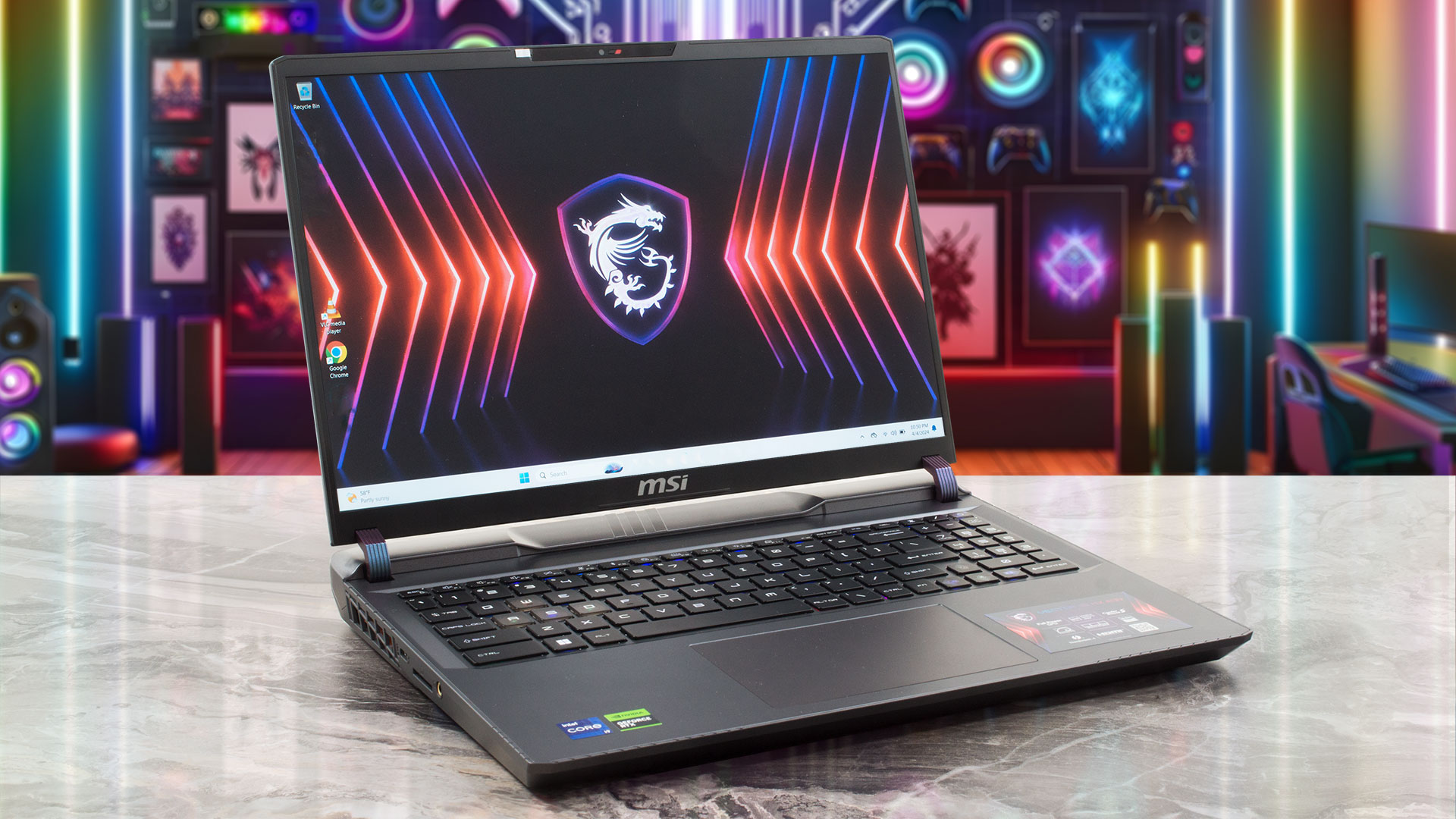 Nowadays, you can find a lot of high-end devices in a 17-inch or 18-inch form factor. On the other hand, if you want a smaller machine with top-end hardware, your choice is fairly limited. Still, with the aid of Vector 16 HX A13V, MSI tries to prove that a 16-incher can perform as well as some of its bigger siblings with larger displays. Specs-wise, the device is a true monster. You get a choice of Intel Raptor Lake HX CPUs with tons of cores and the latest and greatest NVIDIA Ada Lovelace GPUs with the highest possible power limits.
Display-wise, there are two IPS variants. The base one is a 144Hz 1200p unit and you can opt for a 240Hz 1600p model. There are no fancy OLED or 4K panels here. The absence of G-Sync support is quite strange given the price tag of the notebook. Still, there is a MUX switch for the best possible graphics performance, when the AC adapter is plugged in. For longer battery life, you can find an iGPU-only mode in the MSI Center app.
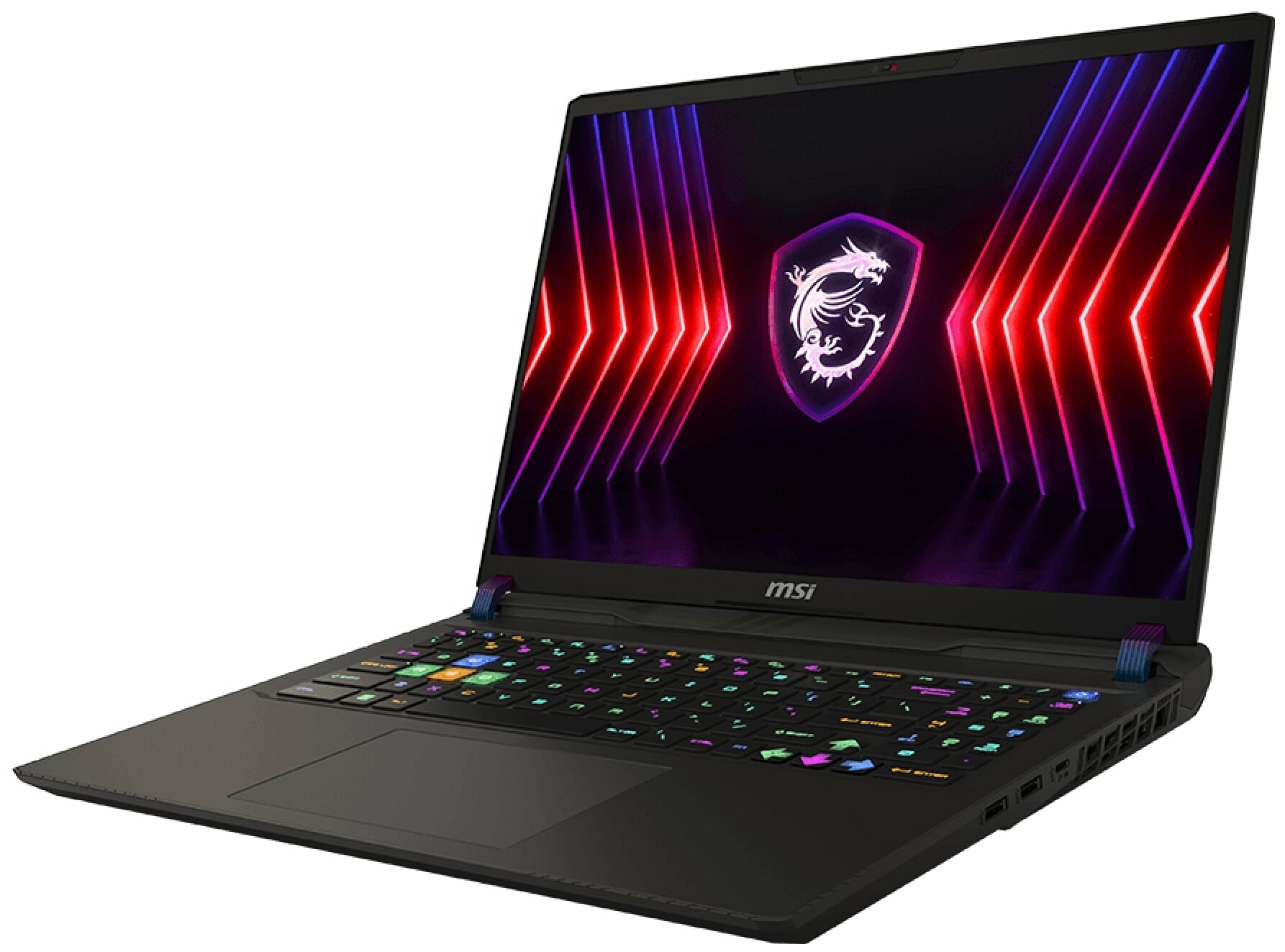
It’s great to see that one of the M.2 slots is compatible with Gen 5 NVMe drives. Speaking of internals, the Cooler Boost 5 cooling solution is quite massive with its six heat pipes, which is quite a logical solution considering the 175W video card under the hood. You can also rely on Wi-Fi 6E + Bluetooth 5.3 for connectivity, a big battery, a rich port selection, and a per-key RGB keyboard.
You can check the prices and configurations in our Specs System: https://laptopmedia.com/series/msi-vector-16-hx-a13vx-a14vx/

Contents
Specs, Drivers, What’s in the box
MSI Vector 16 HX (A13Vx / A14Vx) - Specificații




- HDD/SSD
- până la 16000GB SSD
- Slot M.2
- 2x 2280 M.2 NVMe PCIe 4.0 x4 Vezi foto
- RAM
- up to 96GB
- SO
- Windows 11 Pro, Windows 11 Home, Windows 11, DOS, No OS
- Baterie
- 90Wh, 4-cell, 90Wh, 90Wh, 4-cell
- Material Carcasă
- Plastic / Polycarbonate, Aluminum
- Dimensiuni
- 357 x 284 x 22.20 - 28.55 mm (14.06" x 11.18" x 0.87")
- Greutate
- 2.70 kg (6 lbs)
- Porturi și conectivitate
- 1x USB Type-A
- 3.2 Gen 1 (5 Gbps)
- 1x USB Type-A
- 3.2 Gen 1 (5 Gbps)
- 1x USB Type-C
- 3.2 Gen 2 (10 Gbps), DisplayPort
- 1x USB Type-C
- 3.2 Gen 2 (10 Gbps), Power Delivery (PD), DisplayPort
- 1x USB Type-C
- 4.0, Thunderbolt 4, DisplayPort
- HDMI
- 2.1 (8K@60Hz / 4K@120Hz)
- Cititor de carduri
- SD (SD, SDHC, SDXC)
- Ethernet LAN
- 10, 100, 1000, 2500 Mbit/s
- Wi-Fi
- 802.11ax/802.11be
- Bluetooth
- 5.3/5.4
- Mufă audio
- 3mm Combo Jack
- Caracteristici
- Cititor de amprente
- Cameră web
- HD with 3D Noise Reduction (3DNR)
- Tastatură iluminată
- optional
- Microfon
- Difuzoare
- 2x 2W Stereo Speakers, Nahimic 3D Audio
- Unitate optică
- Slot blocare securitate
- Kensington Lock
Toate MSI Vector 16 HX (A13Vx / A14Vx) configurații
Drivers
All drivers and utilities for this notebook can be found here: https://www.msi.com/Laptop/Vector-16-HX-A13VX/support
What’s in the box?
Inside the package, you’ll find some manuals and a huge 330W barrel plug charger.

 Author: Nikolay Palaozov
 Author: eng. Kroum NikolovHead of Engineering at LaptopMedia.com, inventor and innovator with 40+ years of experience in electronics and high technology.

![[August 2026] Amazon Global: Top 10 cele mai vândute laptopuri – Apple MacBook Neo domină clasamentul, în timp ce laptopurile Windows din gama economică și de mijloc se luptă pentru volumul vânzărilor](https://laptopmedia.com/wp-content/uploads/2026/09/Best-Selling-Laptops-GLOBAL-Top-10-400x225.jpg)
![[August 2026] Cele mai vândute mărci de laptopuri pe Amazon Global – Apple domină în ceea ce privește veniturile, în timp ce HP se află pe primul loc în ceea ce privește varietatea de modele](https://laptopmedia.com/wp-content/uploads/2026/09/GLOBAL-Best-Brands-400x225.jpg)
![[August 2026] Amazon Global: Top 10 cele mai bine vândute laptopuri pentru jocuri – HP Victus 15 ocupă primul loc, în timp ce modelele accesibile domină clasamentul](https://laptopmedia.com/wp-content/uploads/2026/09/Best-Selling-Gaming-Laptops-GLOBAL-Top-10-400x225.jpg)
![[August 2026] Best-Selling Laptop Brands on Amazon Japan – Apple Dominates Market Share and Revenue Led by Strong Unit Sales](https://laptopmedia.com/wp-content/uploads/2026/09/CO.JP-Best-Brands-1-400x225.jpg)
![[August 2026] Best-Selling Laptop Brands on Amazon USA – Apple Dominates Market Revenue and Volume Despite Lower Model Diversity](https://laptopmedia.com/wp-content/uploads/2026/09/COM-Best-Brands-1-400x225.jpg)

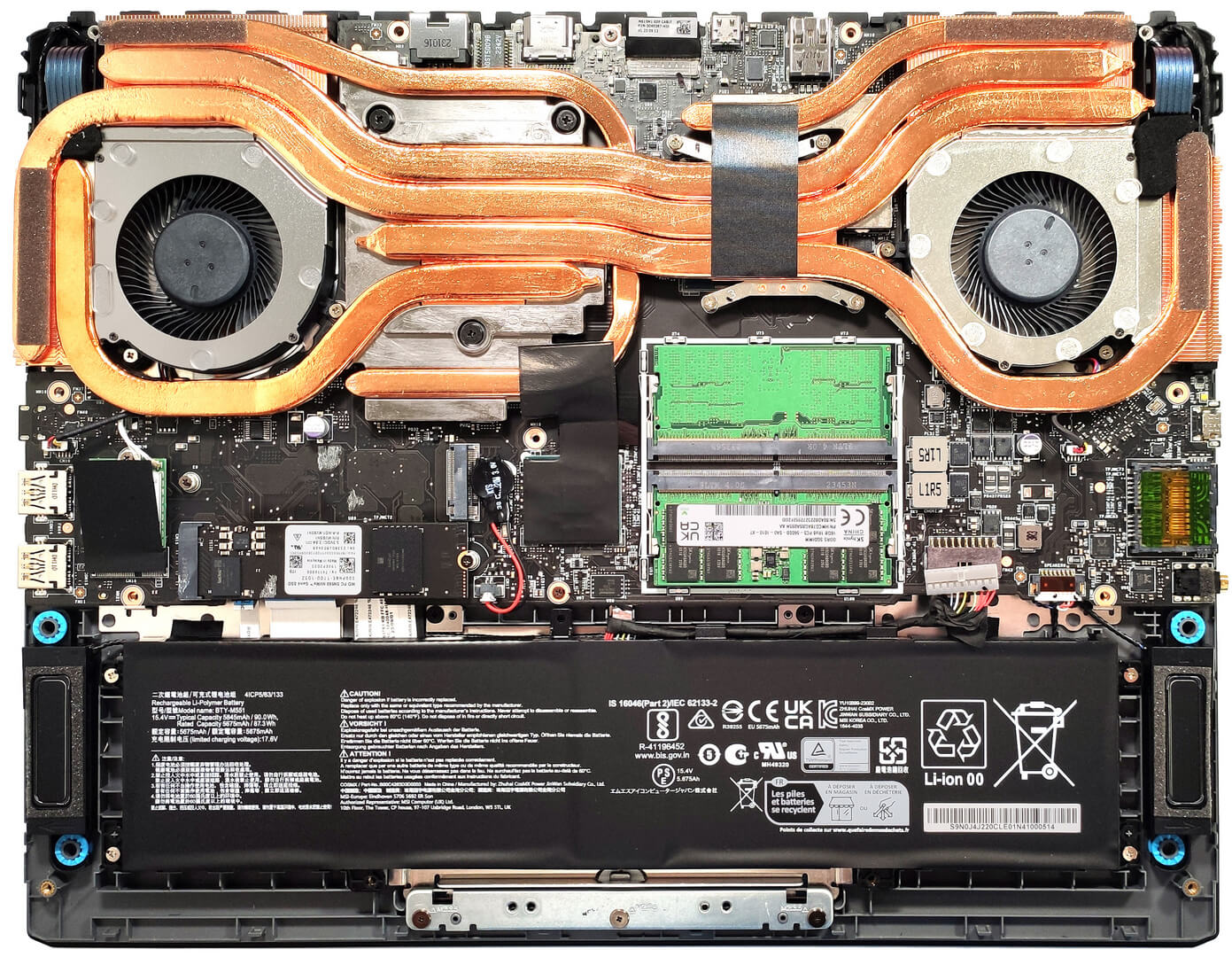
Hello! Which M.2 slot is Gen 4 and which is Gen 5?
Hye bro, top is Gen 5, bottom is Gen 4. No documentation. I heard this from multiple youtubers.
Cheers!