Dell Latitude 15 5540
Dell Latitude 15 5540 - Specs
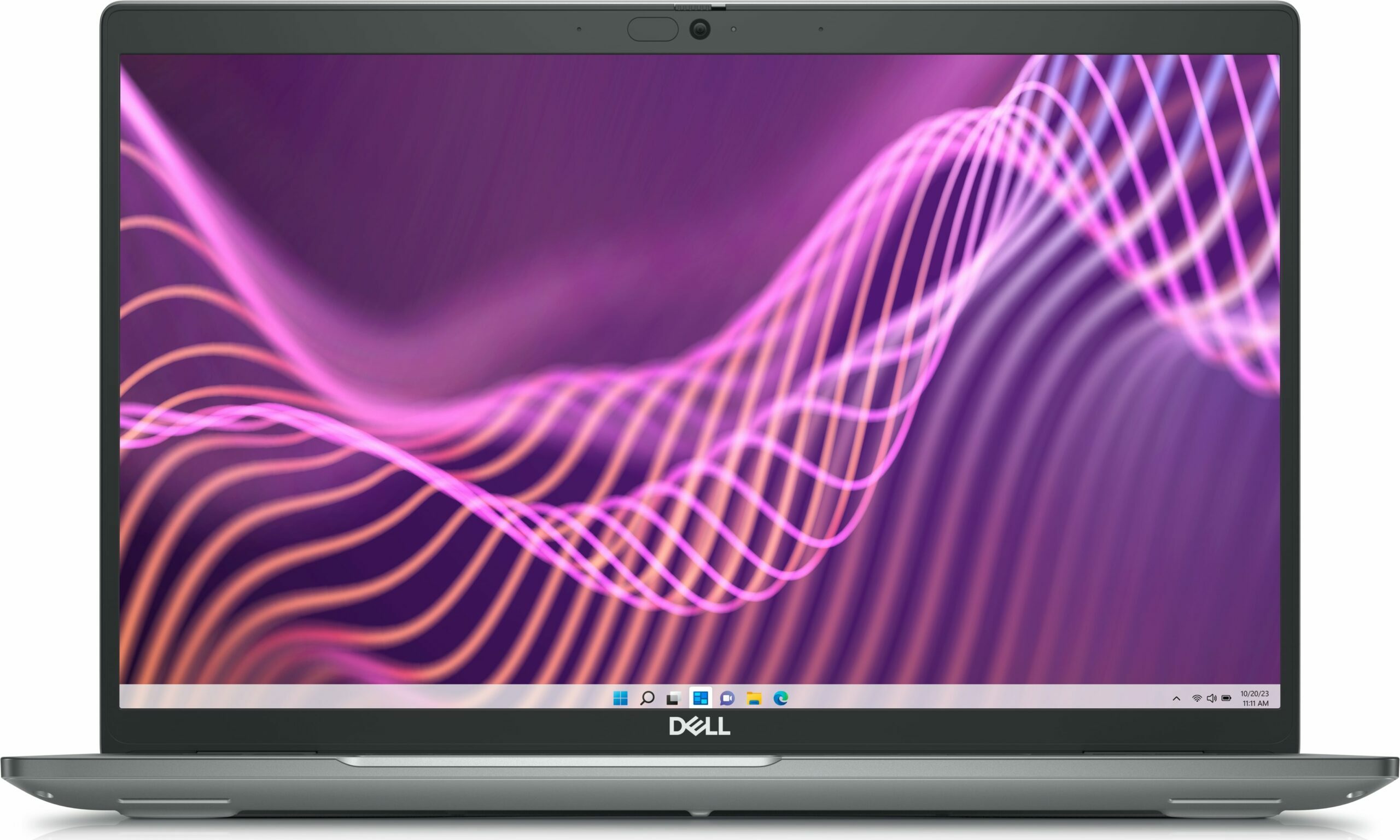
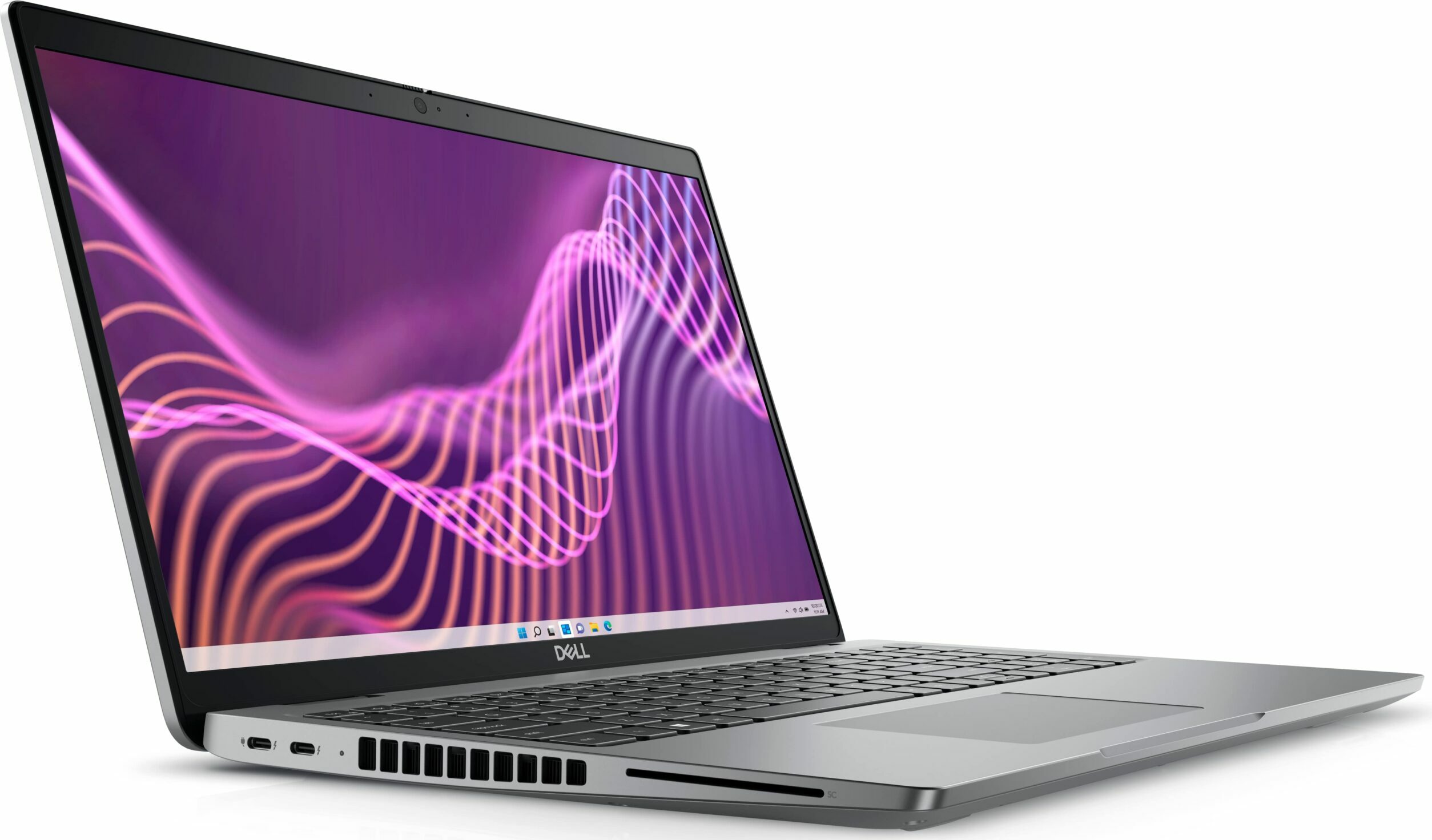
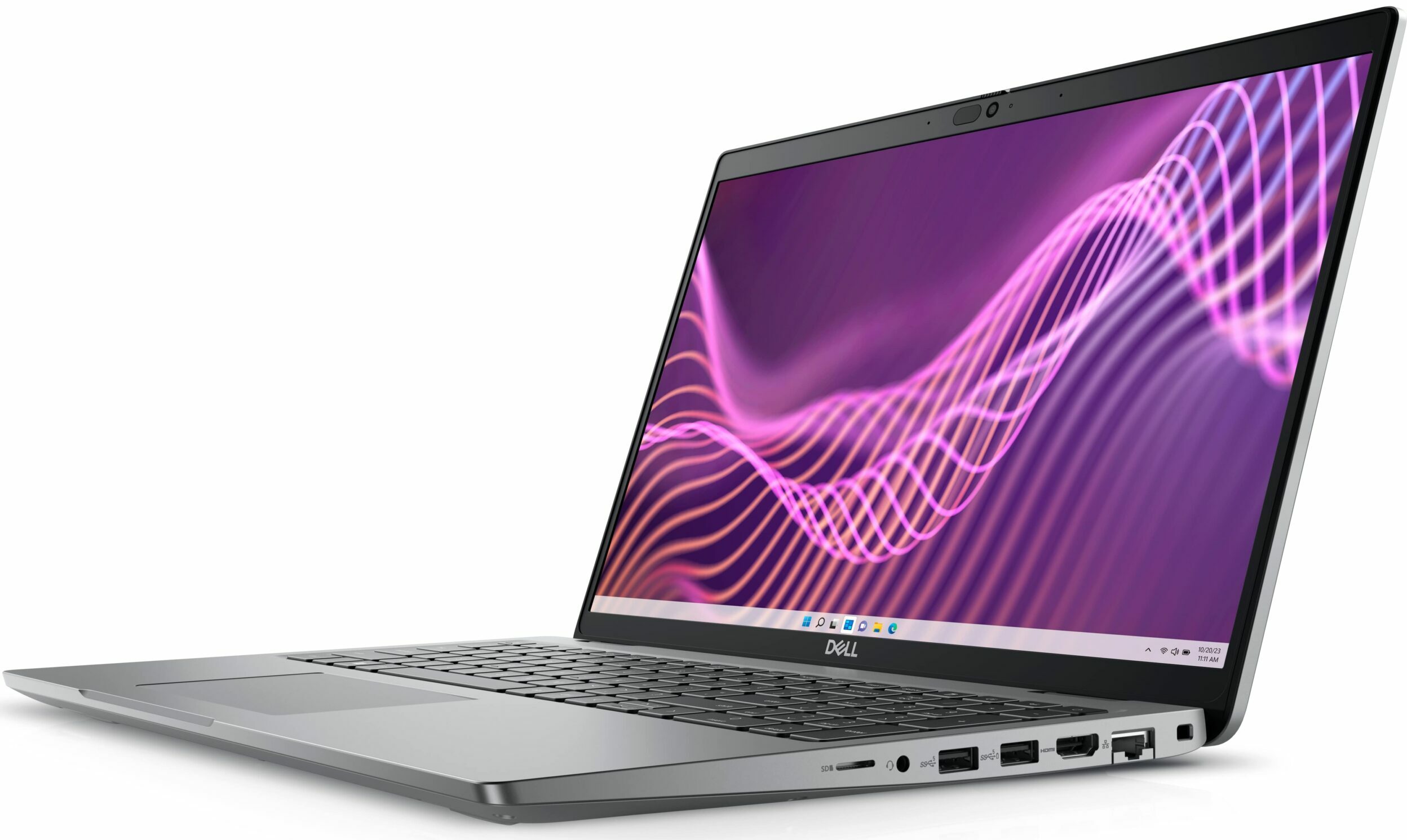
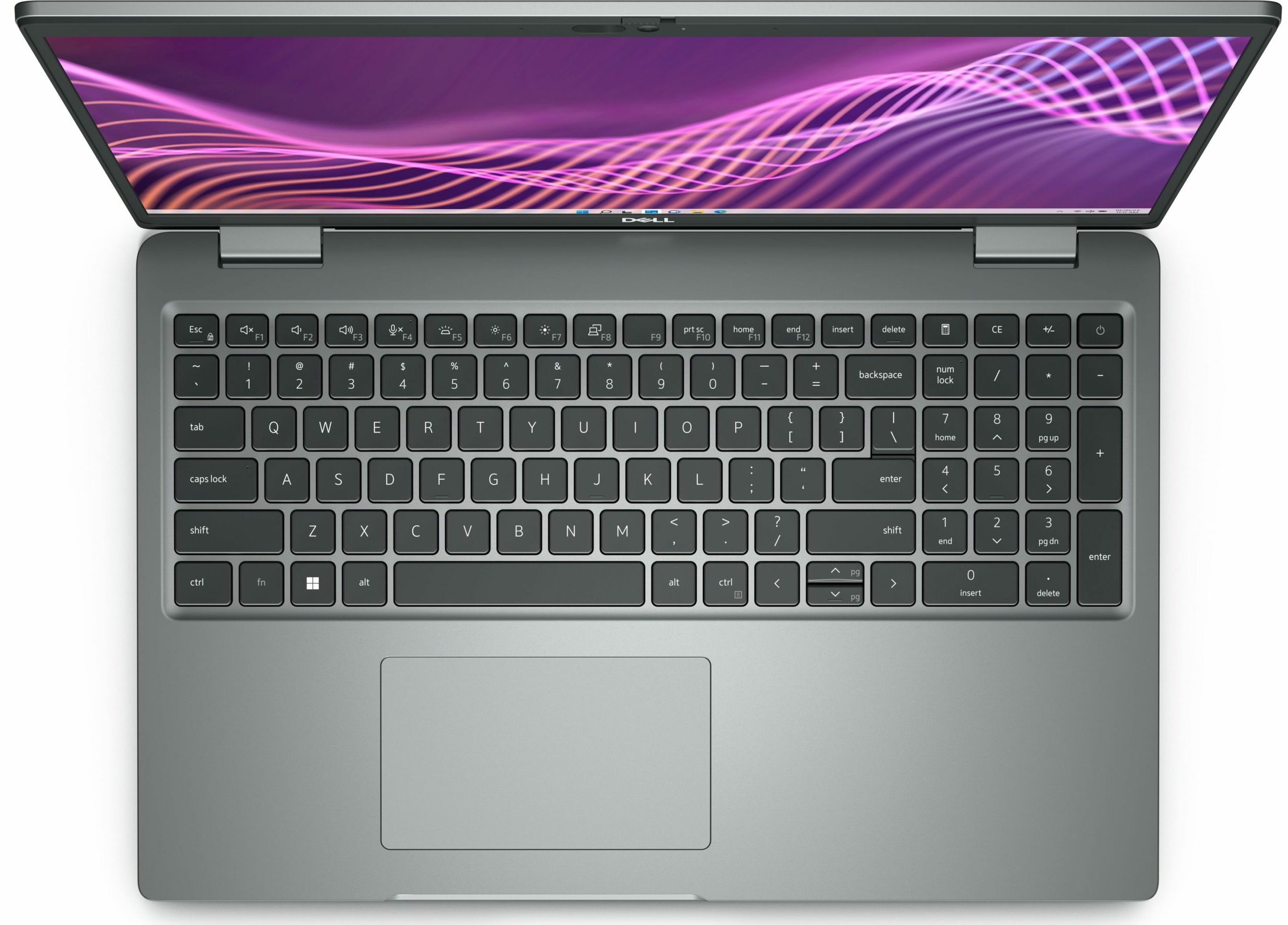

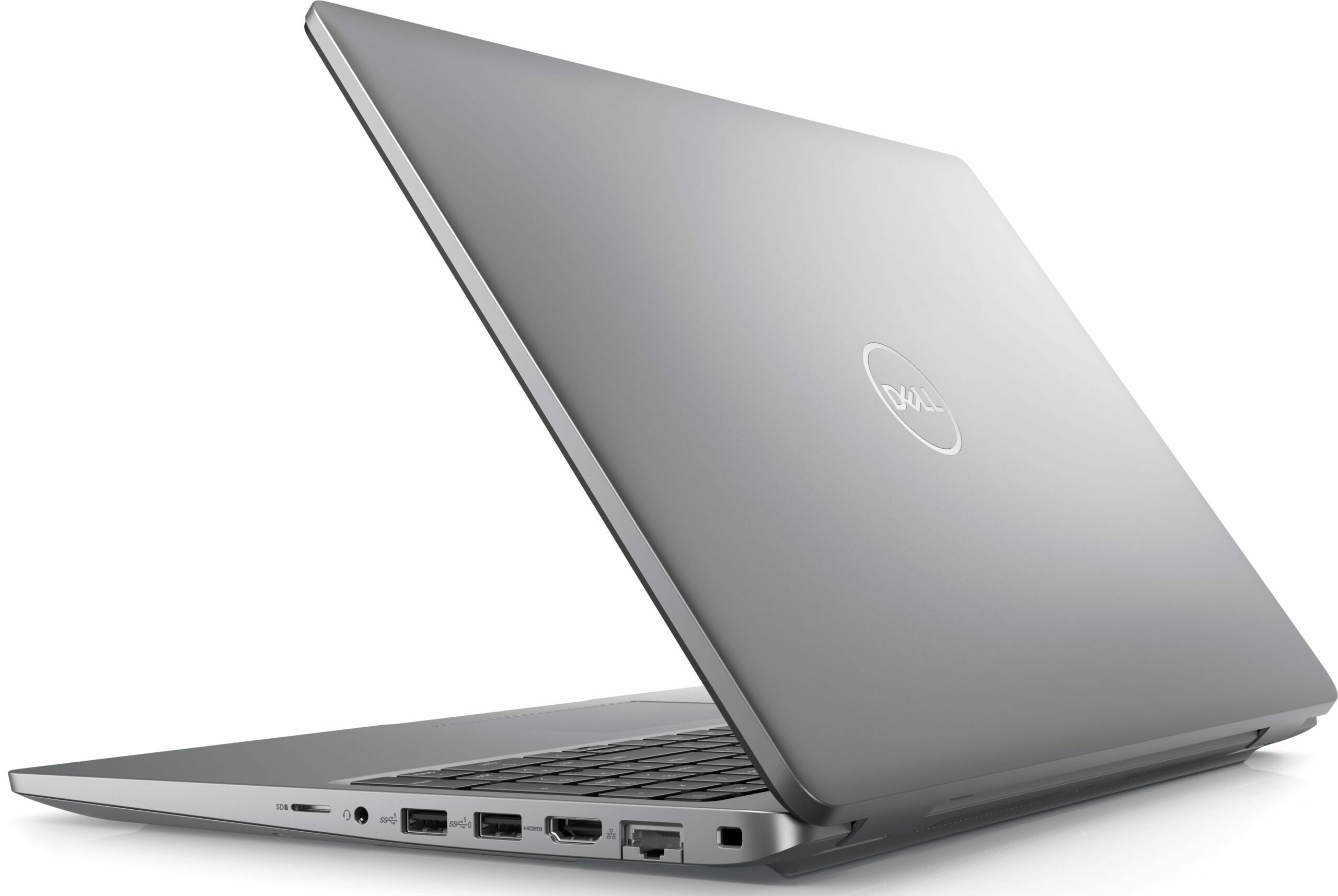

- HDD/SSD
- up to 8000GB SSD
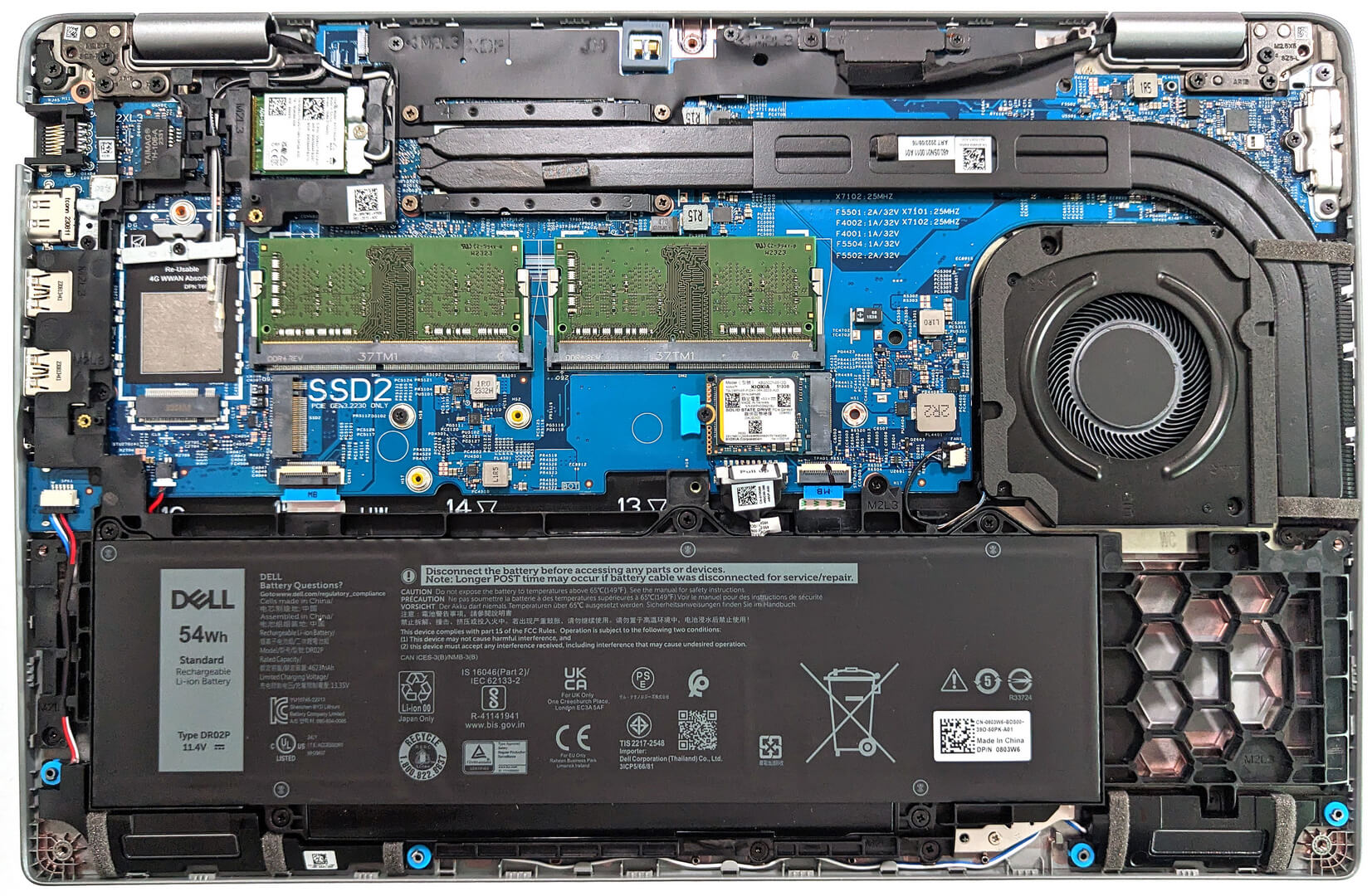
- M.2 Slot
- 1x 2230 / 2280 M.2 NVMe PCIe 4.0 x4 + 1x 2230 M.2 NVMe PCIe 3.0 x4 See photo
- RAM
- up to 64GB
- OS
- Windows 11 Pro, Windows 11 Home, Windows 10 Pro, No OS, Linux
- Battery
- 54Wh, 3-cell
- Body material
- Plastic / Polycarbonate, Aluminum
- Dimensions
- 357.80 x 233.30 x 20.80 x 22.80 mm (14.09" x 9.19" x 0.82")
- Weight
- 1.61 kg (3.5 lbs)
- Ports and connectivity
- 1x USB Type-A
- 3.2 Gen 1 (5 Gbps)
- 1x USB Type-A
- 3.2 Gen 1 (5 Gbps), Sleep and Charge
- 2x USB Type-C
- Thunderbolt 4, DisplayPort, Sleep and Charge
- HDMI
- 2.0
- Card reader
- microSD (microSD, microSDHC, microSDXC)
- Ethernet LAN
- 10, 100, 1000 Mbit/s
- Wi-Fi
- 802.11ax
- Audio jack
- 3.5mm Combo Jack
- Features
- Fingerprint reader
- optional
- Web camera
- FHD
- Backlit keyboard
- optional
- Microphone
- Dual Array Microphones
- Speakers
- 2x 2W Stereo Speakers, Waves MaxxAudio
- Optical drive
- Security Lock slot
- Wedge Lock
All Dell Latitude 15 5540 configurations
Buy our profiles for BOE KVVT5-NV15N4V (BOE0A86) / 15.6”, Full HD (1920 x 1080), IPS
In addition to receiving efficient and health-friendly profiles, by buying LaptopMedia's products you also support the development of our labs, where we test devices in order to produce the most objective reviews possible.

Office Work
Office Work should be used mostly by users who spend most of the time looking at pieces of text, tables or just surfing. This profile aims to deliver better distinctness and clarity by keeping a flat gamma curve (2.20), native color temperature and perceptually accurate colors.

Design and Gaming
This profile is aimed at designers who work with colors professionally, and for games and movies as well. Design and Gaming takes display panels to their limits, making them as accurate as possible in the sRGB IEC61966-2-1 standard for Web and HDTV, at white point D65.

Health-Guard
Health-Guard eliminates the harmful Pulse-Width Modulation (PWM) and reduces the negative Blue Light which affects our eyes and body. Since it’s custom tailored for every panel, it manages to keep the colors perceptually accurate. Health-Guard simulates paper so the pressure on the eyes is greatly reduced.
Get all 3 profiles with 33% discount

CPU performance
Here you can find the price/performance difference between all the CPUs that come in the Dell Latitude 15 5540 series.
Here, we evaluate the CPU's performance using a real-world 3D rendering task, assessing its ability to handle complex computations and rendering workloads efficiently.
Results are from the Cinebench 2024 Multi-Core test (higher is better)
GPU performance
Here you can find the price/performance difference between all the GPUs that come in the Dell Latitude 15 5540 series.
The results are from 3DMark Time Spy (Graphics). Higher is better.
Dell Latitude 15 5540 in-depth review
The manufacturer describes that the Latitude 15 5540 is built for "maximum performance and scalability". On paper, that's possible thanks to the snappy 13th Gen Intel Raptor Lake CPUs, the decent cooling solution, the memory that can work in dual-channel mode (if two memory modules are installed), and the battery that supports ExpressCharge.There is even one dGPU option and that's the NVIDIA GeForce MX550. Just like the Latitude 14 5440, the 5540 sibling can be found with DDR4 or DDR5 RAM. The newer standard is reserved for the 28W P-series CPUs while the machines with 15W U chips rely on [...]

Pros
- Capable cooling + quiet fan
- High P and E core frequencies during max CPU stress
- 2x M.2 slots
- 2x SODIMM slots
- PWM-free (BOE KVVT5-NV15N4V (BOE0A86))
- Wide viewing angles (BOE KVVT5-NV15N4V (BOE0A86))
- Modern I/O with two Thunderbolt 4 ports + optional fingerprint reader
- Long battery life
- Comfortable input devices
- Web camera with a privacy shutter + optional face recognition
- Offers optional e-SIM functionality and Smart card reader
Cons
- One of the M.2 slots is for Gen 3 SSDs
- Low sRGB coverage and unimpressive color accuracy (BOE KVVT5-NV15N4V (BOE0A86))
- The lid rigidity could be better
- High NVMe temperatures during benchmarking
Games you can play on this laptop series

Resolution: 1920 x 1080 (Full HD) |
NORMAL |
HIGH |
VERY HIGH |
MAX |
|---|---|---|---|---|
| Intel Iris Xe Graphics G7 (96EU) | 48 FPS PLAY VIDEO | 19 FPS PLAY VIDEO | - PLAY VIDEO | - PLAY VIDEO |

Resolution: 1920 x 1080 (Full HD) |
VERY LOW |
MED |
MAX |
|---|---|---|---|
| Intel Iris Xe Graphics G7 (96EU) | 231 FPS PLAY VIDEO | 183 FPS PLAY VIDEO | 142 FPS PLAY VIDEO |

Resolution: 1920 x 1080 (Full HD) |
MIN |
MAX |
|---|---|---|
| Intel Iris Xe Graphics G7 (96EU) | 537 FPS PLAY VIDEO | 50 FPS PLAY VIDEO |

Resolution: 1920 x 1080 (Full HD) |
MIN |
MED |
ULTRA |
|---|---|---|---|
| Intel Iris Xe Graphics G7 (96EU) | 174 FPS PLAY VIDEO | 41 FPS PLAY VIDEO | 23 FPS PLAY VIDEO |

Resolution: 1920 x 1080 (Full HD) |
LOW |
NORMAL |
HIGH |
MAX |
|---|---|---|---|---|
| Intel Iris Xe Graphics G7 (96EU) | 94 FPS PLAY VIDEO | 63 FPS PLAY VIDEO | 45 FPS PLAY VIDEO | 34 FPS PLAY VIDEO |

Resolution: 1920 x 1080 (Full HD) |
PERF. |
ORIG. |
ENCH. |
|---|---|---|---|
| Intel Iris Xe Graphics G7 (96EU) | 53 FPS PLAY VIDEO | 47 FPS PLAY VIDEO | 41 FPS PLAY VIDEO |

Resolution: 1920 x 1080 (Full HD) |
LOW |
MED |
MAX |
|---|---|---|---|
| Intel Iris Xe Graphics G7 (96EU) | 117 FPS PLAY VIDEO | 79 FPS PLAY VIDEO | 39 FPS PLAY VIDEO |

Resolution: 1920 x 1080 (Full HD) |
MIN |
MED |
MAX |
|---|---|---|---|
| Intel Iris Xe Graphics G7 (96EU) | 42 FPS PLAY VIDEO | 33 FPS PLAY VIDEO | 23 FPS PLAY VIDEO |

Resolution: 1920 x 1080 (Full HD) |
HIGH PERF |
HIGH QLT |
|---|---|---|
| Intel Iris Xe Graphics G7 (96EU) | 97 FPS PLAY VIDEO | 43 FPS PLAY VIDEO |

Resolution: 1920 x 1080 (Full HD) |
VERY LOW |
MED |
HIGH |
ULTRA |
|---|---|---|---|---|
| Intel Iris Xe Graphics G7 (96EU) | 30 FPS PLAY VIDEO | 23 FPS PLAY VIDEO | - PLAY VIDEO | - PLAY VIDEO |


![[September 2026] Best-Selling Laptop Brands on Amazon Global – Apple Dominates the Market with Over 70% Revenue Share](https://laptopmedia.com/wp-content/uploads/2026/10/GLOBAL-Best-Brands-400x225.jpg)
![[September 2026] Amazon Global: Top 10 Best-Selling Laptops – Apple’s MacBook Neo Claims the #1 Spot as Budget and Premium Devices Dominate](https://laptopmedia.com/wp-content/uploads/2026/10/Best-Selling-Laptops-GLOBAL-Top-10-400x225.jpg)
![[September 2026] Amazon Global: Top 10 Best-Selling Gaming Laptops – ASUS ROG Strix G16 Dominates the Market with Record-Breaking Unit Sales](https://laptopmedia.com/wp-content/uploads/2026/10/Best-Selling-Gaming-Laptops-GLOBAL-Top-10-400x225.jpg)
![[September 2026] Global Ranking of Best-Selling Laptop GPUs on Amazon – Apple’s M5 Chip Obliterates NVIDIA in Premium Laptops, But the RTX 5060 Is the Only Dedicated GPU to Crack the Top 10](https://laptopmedia.com/wp-content/uploads/2026/10/Best-Selling-GPUs-GLOBAL-Top-10-400x225.jpg)
![[September 2026] Global Ranking of Best-Selling Laptop CPUs on Amazon – Apple’s M5 Crushes Intel as Premium Market Becomes a One-Horse Race](https://laptopmedia.com/wp-content/uploads/2026/10/Best-Selling-CPUs-GLOBAL-Top-10-400x225.jpg)