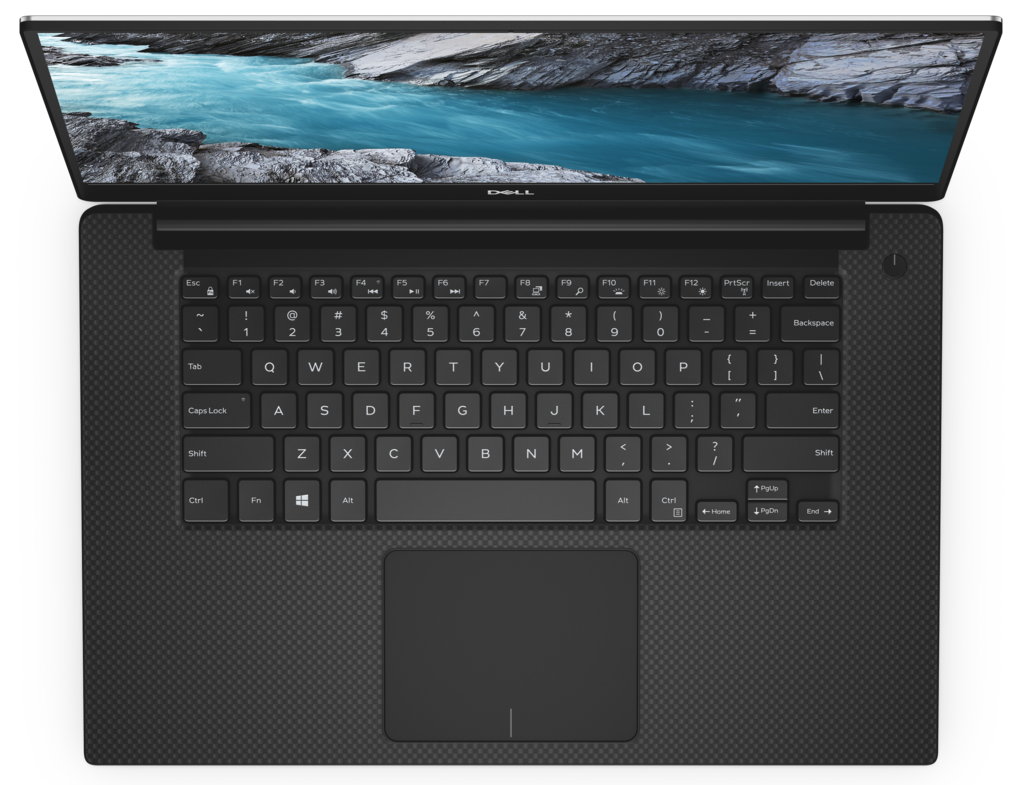
Dell XPS 15 7590
Dell XPS 15 7590 - Specs

- HDD/SSD
- up to 8000GB SSD
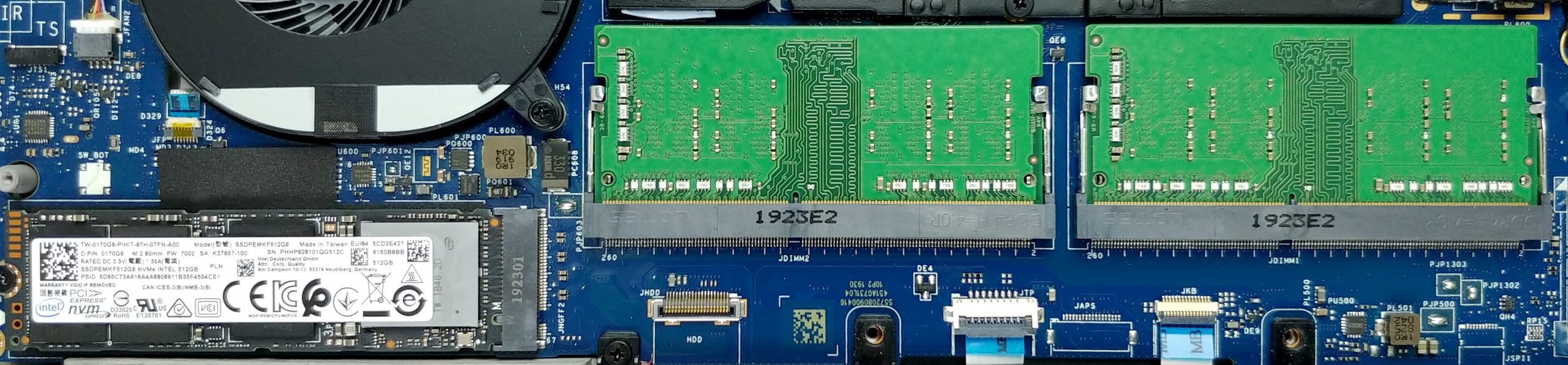
- M.2 Slot
- 1x 2280 PCIe NVMe 3.0 x4 See photo
- RAM
- up to 64GB
- OS
- Windows 10 Home, Windows 10 Pro, Windows OS, Windows 11 Home, Windows 10 S
- Battery
- 97Wh, 6-cell, 56Wh, 4-cell, 96Wh, 6-cell, 97Wh, 52Wh, 4-cell, 56Wh, 6-cell, 56Wh, 3-cell, 56Wh
- Body material
- Aluminum, Carbon
- Dimensions
- 357 x 235 x 11-17 mm (14.06" x 9.25" x 0.43")
- Weight
- 1.80 kg (4 lbs)
- Ports and connectivity
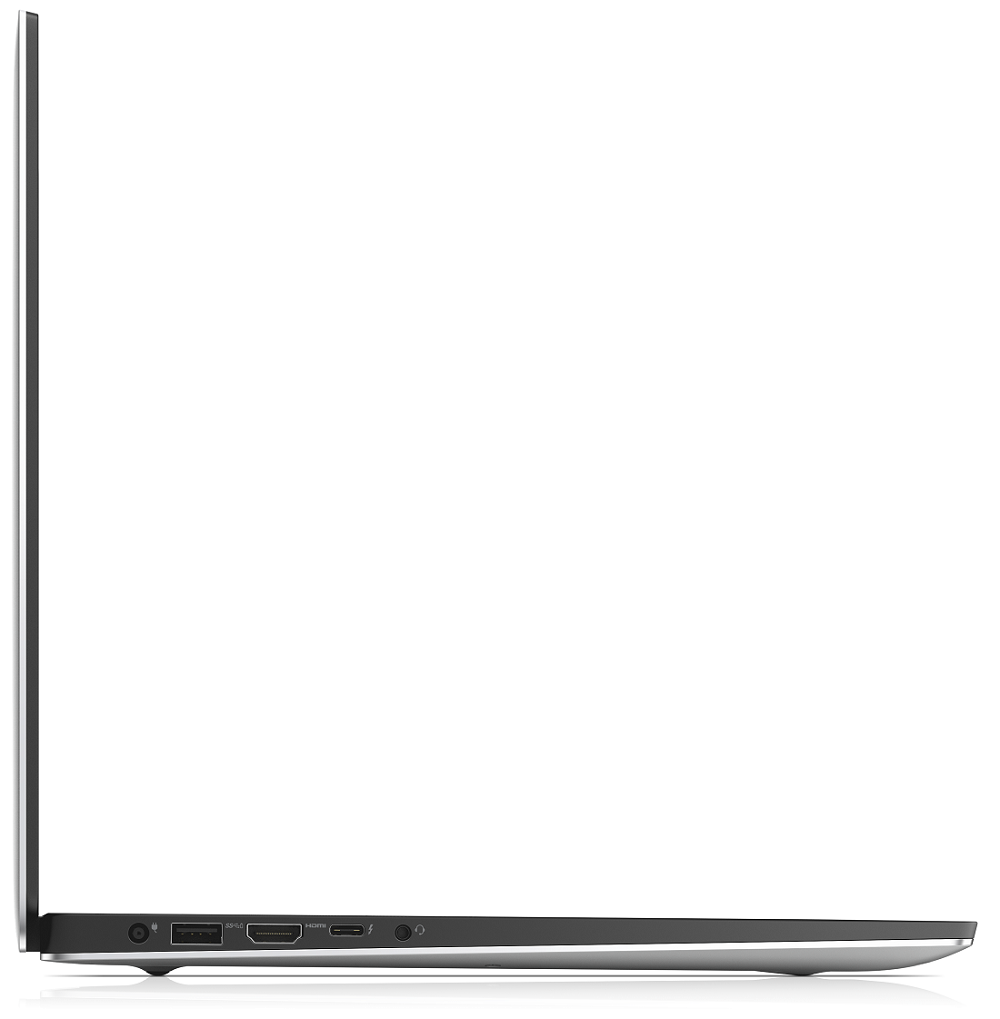
- 1x USB Type-C
- 3.2 Gen 2 (10 Gbps), Power Delivery (PD), DisplayPort
- 2x USB Type-A
- 3.2 Gen 1 (5 Gbps)
- HDMI
- 2.0
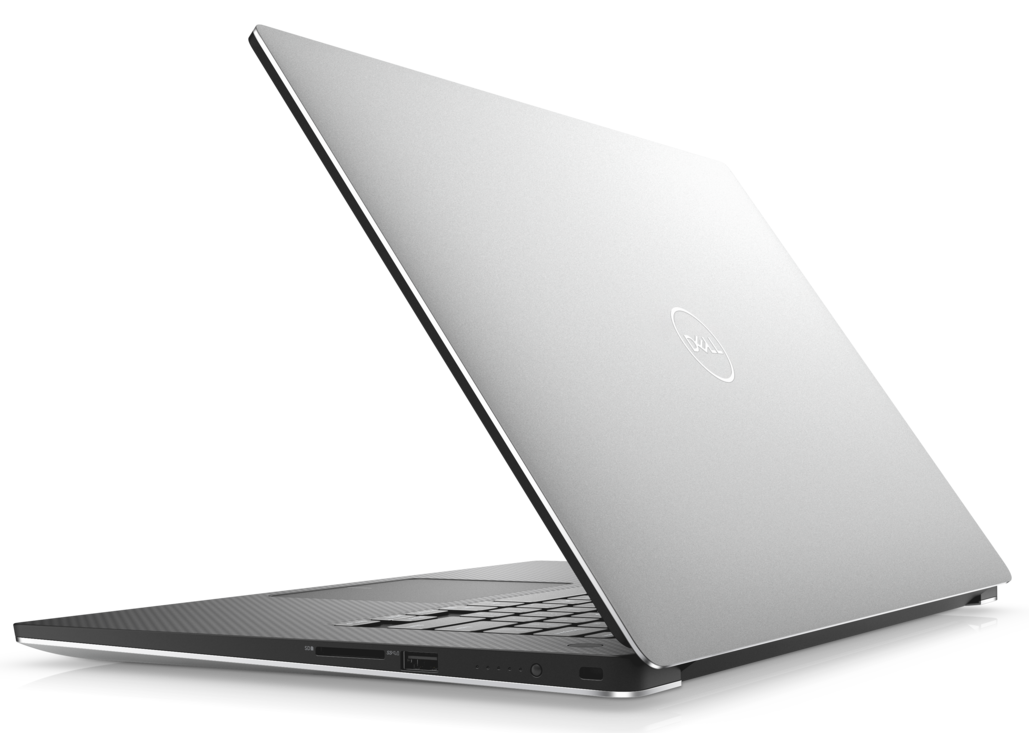
- Card reader
- SD, SDHC, SDXC
- Wi-Fi
- 802.11ax
- Bluetooth
- 5.0
- Audio jack
- combo audio / microphone jack
- Features
- Fingerprint reader
- optional
- Web camera
- Backlit keyboard
- optional
- Microphone
- Speakers
- 2x 2W
- Optical drive
- optional
- Security Lock slot
All Dell XPS 15 7590 configurations
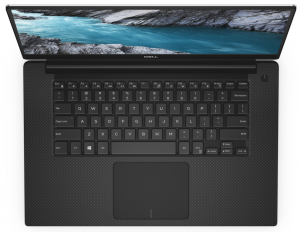
Buy our profiles for SHP14BA (MWP1T-LQ156M1) / 15.6”, Full HD (1920 x 1080), IPS
In addition to receiving efficient and health-friendly profiles, by buying LaptopMedia's products you also support the development of our labs, where we test devices in order to produce the most objective reviews possible.

Office Work
Office Work should be used mostly by users who spend most of the time looking at pieces of text, tables or just surfing. This profile aims to deliver better distinctness and clarity by keeping a flat gamma curve (2.20), native color temperature and perceptually accurate colors.

Design and Gaming
This profile is aimed at designers who work with colors professionally, and for games and movies as well. Design and Gaming takes display panels to their limits, making them as accurate as possible in the sRGB IEC61966-2-1 standard for Web and HDTV, at white point D65.

Health-Guard
Health-Guard eliminates the harmful Pulse-Width Modulation (PWM) and reduces the negative Blue Light which affects our eyes and body. Since it’s custom tailored for every panel, it manages to keep the colors perceptually accurate. Health-Guard simulates paper so the pressure on the eyes is greatly reduced.
Get all 3 profiles with 33% discount

CPU performance
Here you can find the price/performance difference between all the CPUs that come in the Dell XPS 15 7590 series.
Results are from the Cinebench 20 Multi-core test (the higher the score, the better)
GPU performance
Here you can find the price/performance difference between all the GPUs that come in the Dell XPS 15 7590 series.
The results are from 3DMark Time Spy (Graphics). Higher is better.
Dell XPS 15 7590 in-depth review
Okay, guys, we are sorry for being late on this one, but we were just able to take the XPS 15 7590 into our grasps. In the tomorrow of CES 2020, we will take some of your precious time by talking about the last-year XPS 15. Indeed it is a very popular device in the world of content creation. However, there are a lot of new models hitting the shelves in a couple of months, so it is interesting to see how a well-overused design is going to compare with them.First off, this notebook has a lot of iterations. Starting at 1200-1300 bucks for a decent model, equipped with a Core i7-9750H and a G[...]
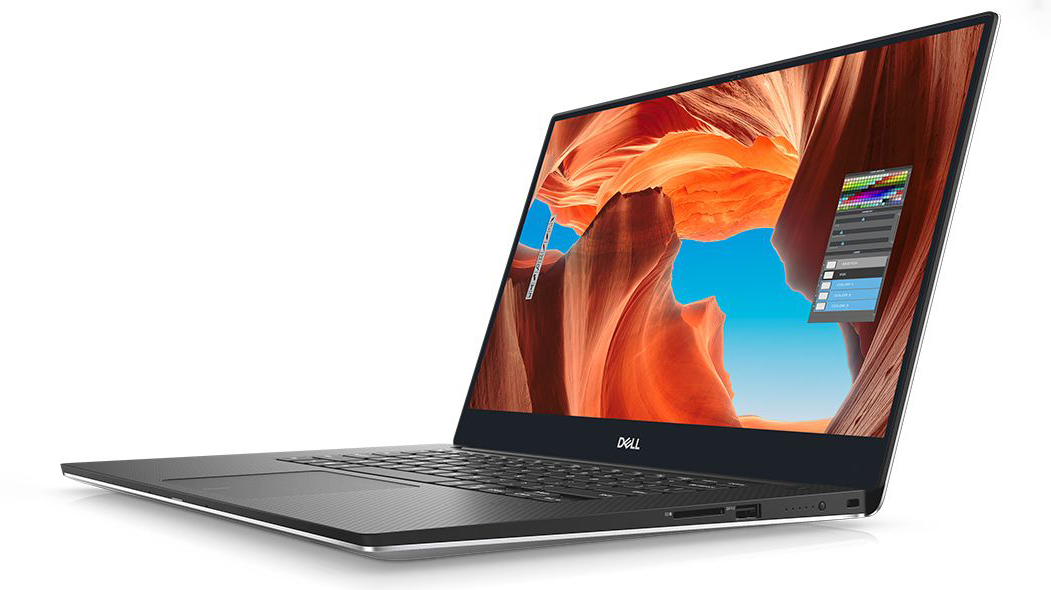
Pros
- Strong body build of carbon fiber and aluminum
- 97Wh battery that delivers more than 16 hours of Web browsing
- 94% sRGB coverage (1080p SHP149A) and with the help of our Gaming and Web design profile you the Average gamma falls to 1.1
- Thin and light
- Boasts up to Core i9-9980HK processor
- Easy upgrade and maintenance
- Wide variety of price options
- Fingerprint reader embedded in the power button
Cons
- Has a keyboard with a rather small deck
- Uses aggressive PWM to adjust its brightness up to 150 nits (fixed by our Health-Guard profile)
- Its design is getting old
- The cooling struggles under heavy load
Games you can play on this laptop series

Resolution: 1920 x 1080 (Full HD) |
NORMAL |
HIGH |
VERY HIGH |
MAX |
|---|---|---|---|---|
 | 173 FPS | 174 FPS | 73 FPS | 46 FPS |
| NVIDIA GeForce GTX 1650 (Laptop) | 171 FPS PLAY VIDEO | 92 FPS PLAY VIDEO | 49 FPS PLAY VIDEO | 29 FPS PLAY VIDEO |

Resolution: 1920 x 1080 (Full HD) |
MIN |
MAX |
|---|---|---|
| 1179 FPS PLAY VIDEO | 101 FPS PLAY VIDEO |
| NVIDIA GeForce GTX 1660 Ti (Laptop) | 703 FPS PLAY VIDEO | 48 FPS PLAY VIDEO |

Resolution: 1920 x 1080 (Full HD) |
VERY LOW |
MED |
MAX |
|---|---|---|---|
| 499 FPS PLAY VIDEO | 402 FPS PLAY VIDEO | 362 FPS PLAY VIDEO |
| NVIDIA GeForce GTX 1660 Ti (Laptop) | 242 FPS PLAY VIDEO | 251 FPS PLAY VIDEO | 235 FPS PLAY VIDEO |

Resolution: 1920 x 1080 (Full HD) |
MIN |
MED |
HIGH |
ULTRA |
|---|---|---|---|---|
| 96 FPS PLAY VIDEO | 62 FPS PLAY VIDEO | 34 FPS PLAY VIDEO | - PLAY VIDEO |
| NVIDIA GeForce GTX 1650 (Laptop) | 64 FPS PLAY VIDEO | 36 FPS PLAY VIDEO | 20 FPS PLAY VIDEO | - PLAY VIDEO |

Resolution: 1920 x 1080 (Full HD) |
MIN |
MED |
ULTRA |
|---|---|---|---|
| 589 FPS PLAY VIDEO | 262 FPS PLAY VIDEO | 137 FPS PLAY VIDEO |
| NVIDIA GeForce GTX 1650 (Laptop) | 622 FPS PLAY VIDEO | 160 FPS PLAY VIDEO | 79 FPS PLAY VIDEO |

Resolution: 1920 x 1080 (Full HD) |
LOW |
MED |
HIGH |
ULTRA |
|---|---|---|---|---|
| NVIDIA GeForce GTX 1660 Ti (Laptop) | 97 FPS PLAY VIDEO | 81 FPS PLAY VIDEO | 67 FPS PLAY VIDEO | 55 FPS PLAY VIDEO |

Resolution: 1920 x 1080 (Full HD) |
LOW |
MED |
HIGH |
EPIC |
|---|---|---|---|---|
| 136 FPS PLAY VIDEO | 66 FPS PLAY VIDEO | 54 FPS PLAY VIDEO | 34 FPS PLAY VIDEO |
| NVIDIA GeForce GTX 1650 (Laptop) | 95 FPS PLAY VIDEO | 41 FPS PLAY VIDEO | 33 FPS PLAY VIDEO | 23 FPS PLAY VIDEO |

Resolution: 1920 x 1080 (Full HD) |
LOW |
MED |
EPIC |
|---|---|---|---|
| 105 FPS PLAY VIDEO | 81 FPS PLAY VIDEO | 73 FPS PLAY VIDEO |
| NVIDIA GeForce GTX 1650 (Laptop) | - PLAY VIDEO | - PLAY VIDEO | - PLAY VIDEO |

Resolution: 1920 x 1080 (Full HD) |
VERY LOW |
NORMAL |
ULTRA |
|---|---|---|---|
| 109 FPS PLAY VIDEO | 98 FPS PLAY VIDEO | 76 FPS PLAY VIDEO |
| NVIDIA GeForce GTX 1650 (Laptop) | 72 FPS PLAY VIDEO | 63 FPS PLAY VIDEO | 47 FPS PLAY VIDEO |

Resolution: 1920 x 1080 (Full HD) |
LOW |
NORMAL |
HIGH |
MAX |
|---|---|---|---|---|
| 180 FPS PLAY VIDEO | 160 FPS PLAY VIDEO | 144 FPS PLAY VIDEO | 122 FPS PLAY VIDEO |
| NVIDIA GeForce GTX 1650 (Laptop) | 181 FPS PLAY VIDEO | 147 FPS PLAY VIDEO | 127 FPS PLAY VIDEO | 105 FPS PLAY VIDEO |


![[August 2026] Global Ranking of Best-Selling Laptop GPUs on Amazon – Apple Reigns Supreme, NVIDIA’s RTX 5060 Tops Dedicated Chart](https://laptopmedia.com/wp-content/uploads/2026/09/Best-Selling-GPUs-GLOBAL-Top-10-400x225.jpg)
![[August 2026] Global Ranking of Best-Selling Laptop CPUs on Amazon – Apple Dominates Both Budget and Premium: A18 Pro and M5 Crush Intel and AMD in August 2026](https://laptopmedia.com/wp-content/uploads/2026/09/Best-Selling-CPUs-GLOBAL-Top-10-400x225.jpg)
![[August 2026] Amazon Global: Top 10 Best-Selling Laptops – Apple MacBook Neo Dominates the Charts as Budget and Mid-Range Windows Portables Fight for Volume](https://laptopmedia.com/wp-content/uploads/2026/09/Best-Selling-Laptops-GLOBAL-Top-10-400x225.jpg)
![[August 2026] Best-Selling Laptop Brands on Amazon Global – Apple Dominates Revenue While HP Leads in Model Variety](https://laptopmedia.com/wp-content/uploads/2026/09/GLOBAL-Best-Brands-400x225.jpg)
![[August 2026] Amazon Global: Top 10 Best-Selling Gaming Laptops – HP Victus 15 Captures the Crown as Budget-Friendly Models Dominate the Charts](https://laptopmedia.com/wp-content/uploads/2026/09/Best-Selling-Gaming-Laptops-GLOBAL-Top-10-400x225.jpg)