The HP Pavilion Aero 13 (13-bg0000) Reaches “Perfect” Color Accuracy Using Our Display Profiles
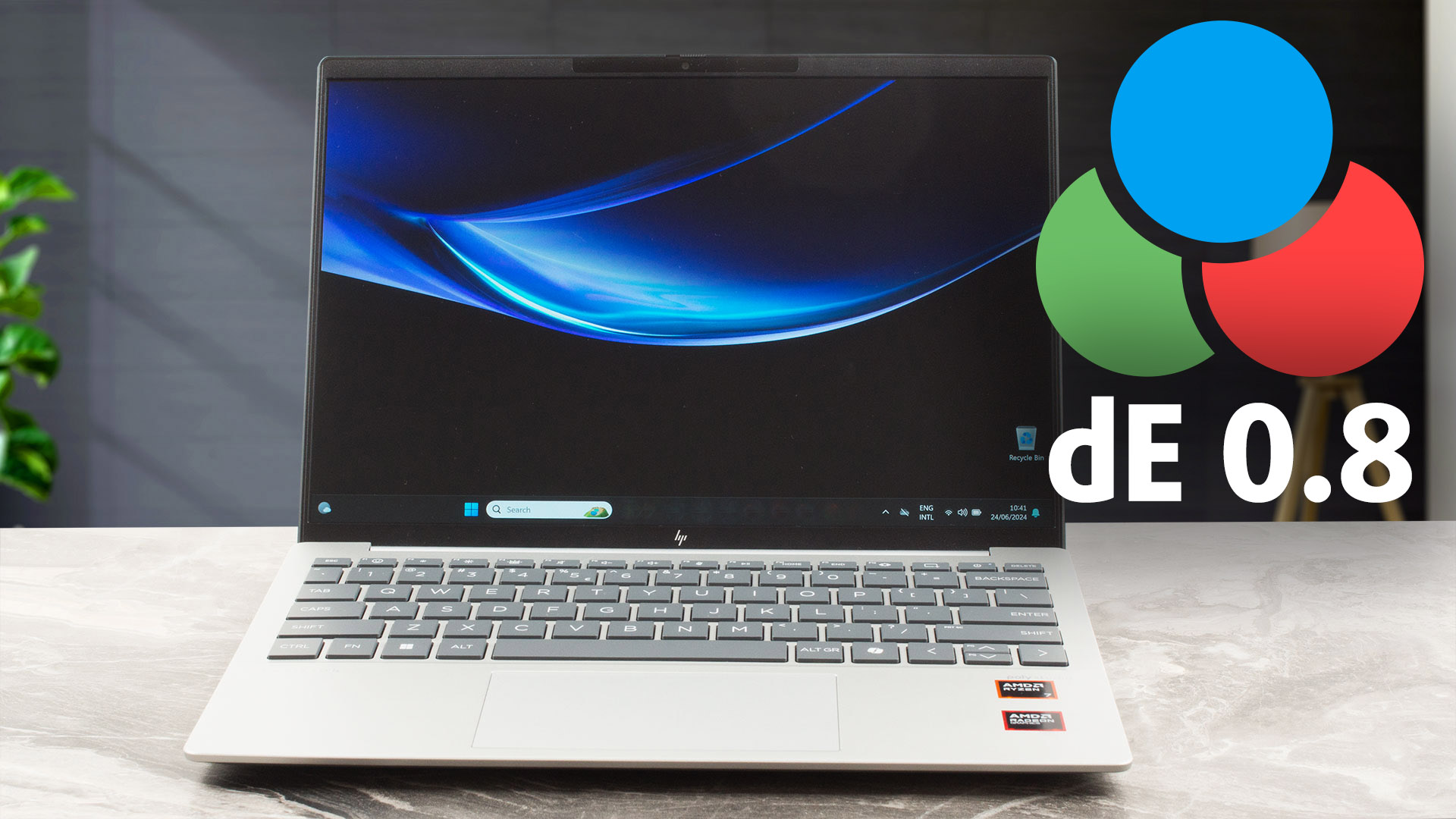 The HP Pavilion Aero 13 is a true example of the progress laptops have made in the last couple of years. We bought one for a review, outfitted with a Ryzen 7 8840U. We were shocked to find that the Ryzen 7 8840HS was also available, sporting a 45W base TDP. There’s also a Radeon 780M iGPU, which has shown to be a formidable GPU for gaming. While the performance of the notebook is great, we’re here to tell you just how good the display is.
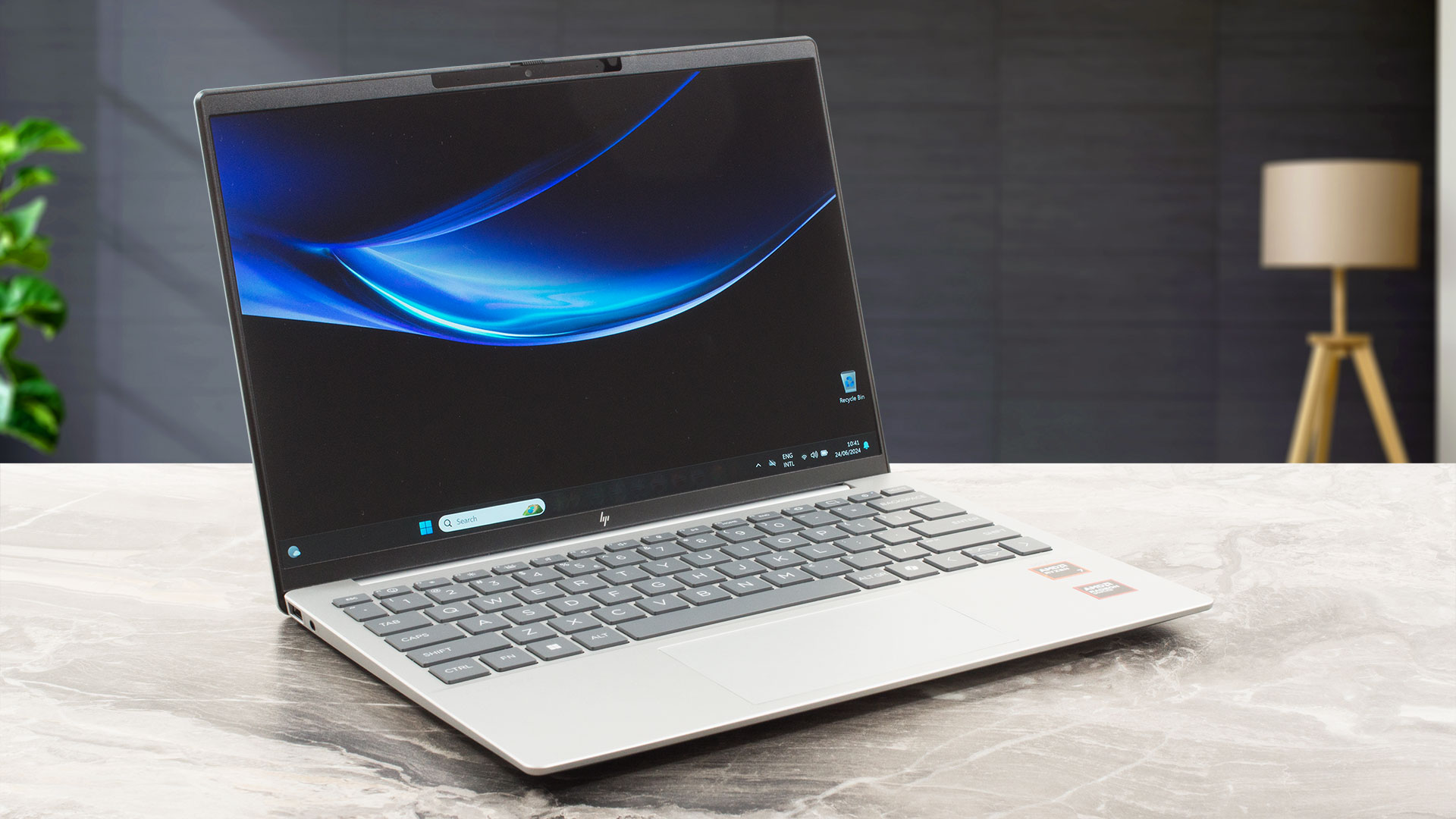
HP Pavilion Aero 13 (13-bg0000): Full Specs / In-depth Review
Display quality
The panel of the Pavilion covers 98% of the sRGB gamut as well as 80% of the DCI-P3 gamut, which means vibrant and punchy colors. On top of all the colors, the panel is super sharp, as it has a QHD+ resolution at a 13-inch form factor, resulting in a pixel density of 227 PPI, just like a MacBook. Moreover, it reaches a peak brightness of 443 nits, so outdoor use is great. You can find more about the display in our review.
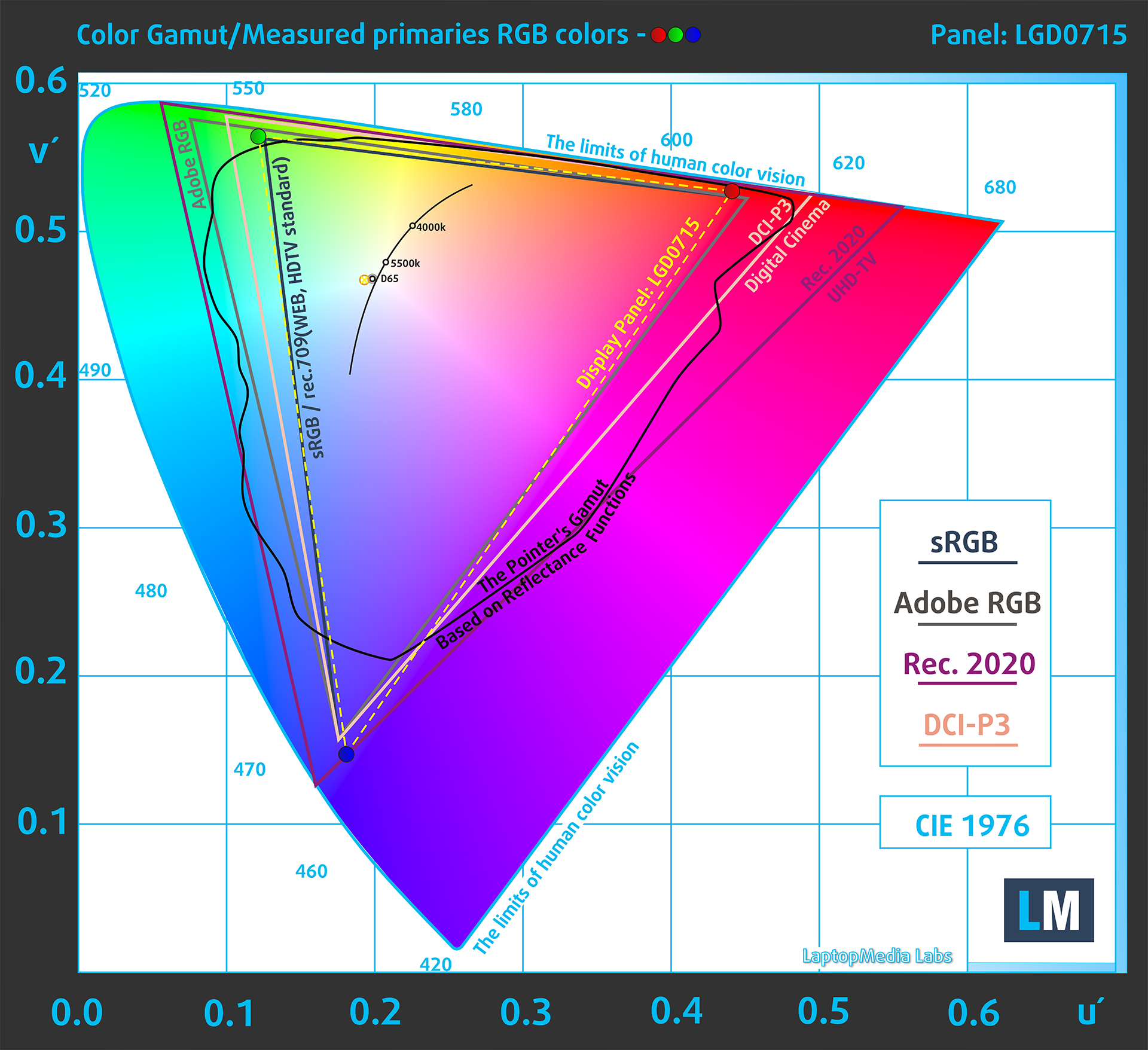
Now, we move to the color accuracy. We measure it in dE, the difference between the real-life colors and how they appear on screen. The lower the dE value, the closer the display colors appear to the real ones. With the stock settings, the HP Pavilion Aero 13 gets a dE value of 2.6. Once we apply our Web Design and Office Work profile, the dE value drops to 0.8, which means that now the Pavilion is ready for all sorts of professional color work, like graphic design, photo editing, publishing work, and printed media.
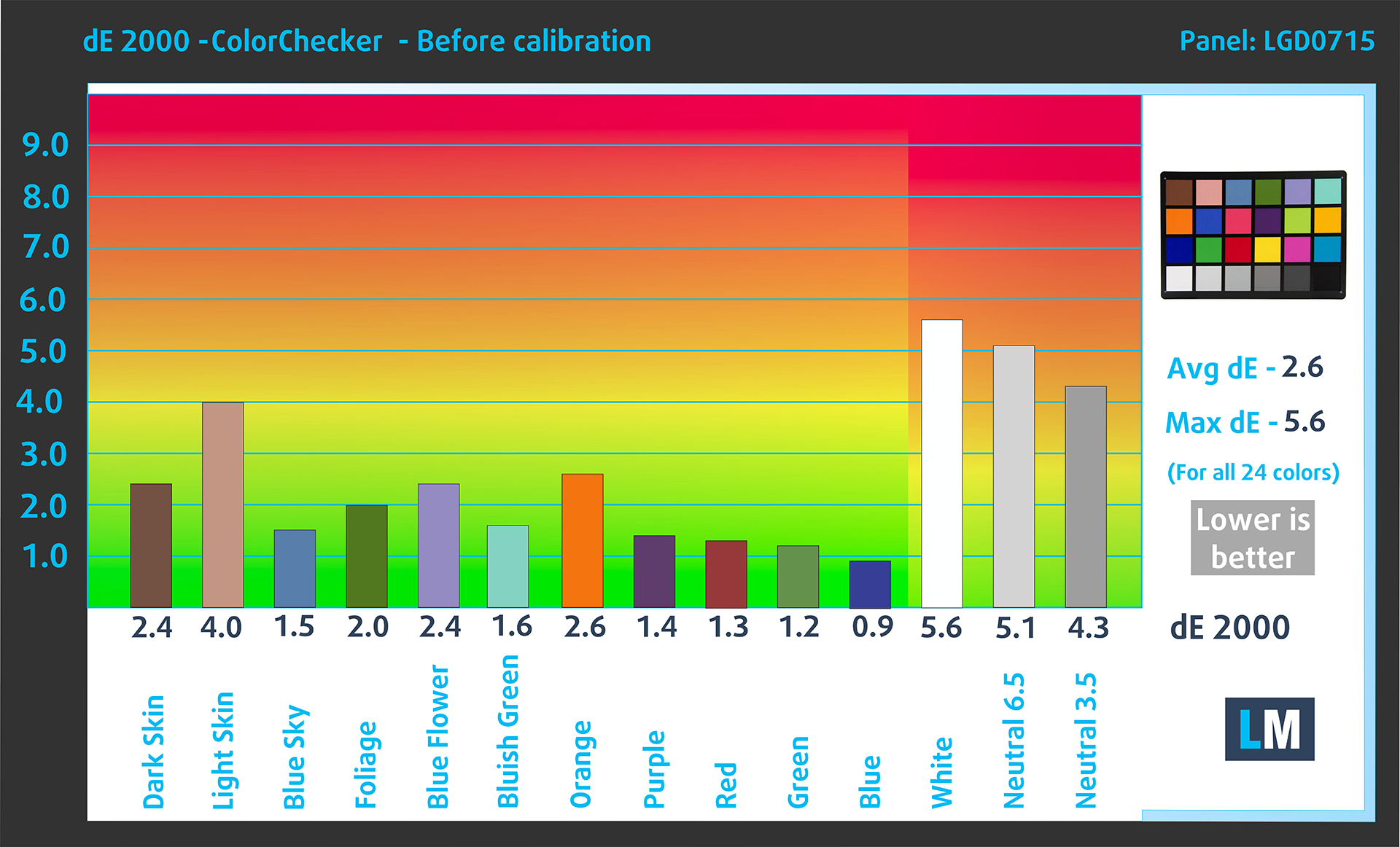 With factory settings
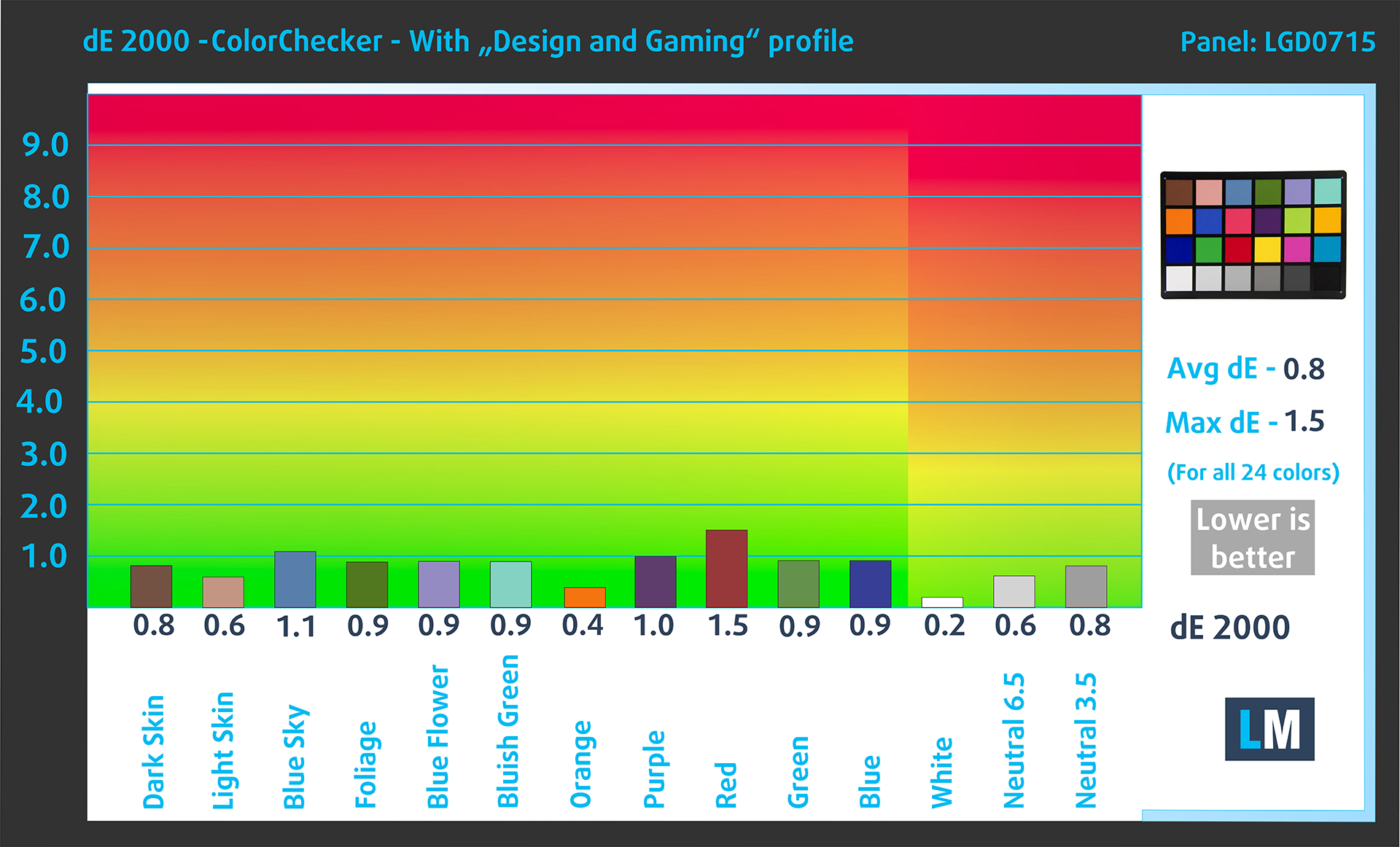 With Web Design and Office Work profile
Buy our profiles
Since our profiles are tailored for each individual display model, this article and its respective profile package are meant for HP Pavilion Aero 13 (13-bg0000) configurations with 13.3″ LG Display LGD0715 (2560 x 1600) IPS.
*Should you have problems with downloading the purchased file, try using a different browser to open the link you’ll receive via e-mail. If the download target is a .php file instead of an archive, change the file extension to .zip or contact us at [email protected].
Read more about the profiles HERE.
Verimli ve sağlık dostu profiller almanın yanı sıra, LaptopMedia'nın ürünlerini satın alarak, mümkün olan en objektif incelemeleri üretmek için cihazları test ettiğimiz laboratuvarlarımızın gelişimini de desteklemiş olursunuz.

Ofis Çalışması
Ofis Çalışması, çoğunlukla metinlere, tablolara bakan veya sadece gezinen kullanıcılar tarafından kullanılmalıdır. Bu profil, düz bir gama eğrisi (2.20), doğal renk sıcaklığı ve algısal olarak doğru renkler tutarak daha iyi ayırt edilebilirlik ve netlik sunmayı amaçlamaktadır.

Tasarım ve Oyun
Bu profil, renklerle profesyonel olarak çalışan tasarımcılara ve aynı zamanda oyunlara ve filmlere yöneliktir. Tasarım ve Oyun, ekran panellerini sınırlarına kadar zorlayarak Web ve HDTV için sRGB IEC61966-2-1 standardında, D65 beyaz noktasında mümkün olduğunca doğru olmalarını sağlar.

Health-Guard
Health-Guard, zararlı Darbe Genişlik Modülasyonunu (PWM) ortadan kaldırır ve gözlerimizi ve vücudumuzu etkileyen negatif Mavi Işığı azaltır. Her panel için özel olarak uyarlandığından, renkleri algısal olarak doğru tutmayı başarır. Health-Guard kağıdı simüle eder, böylece gözlerdeki baskı büyük ölçüde azalır.
3 profili de %33 indirimle alın

HP Pavilion Aero 13 (13z-bg0000) derinlemesine inceleme
It's almost unbelievable that an ultra-light laptop such as the HP Pavilion Aero 13 (13-bg0000) is powered by snappy Zen 4 CPUs with up to 8 cores and 45W default TDP. We decided to buy a machine with a 28W AMD Ryzen 7 8840U which will not stress the cooling system as much as the Ryzen 7 8840HS. The razor-thin profile comes at the cost of some missing functionalities such as a lack of SODIMMs and just one storage slot. Still, the port selection looks great for a 13-incher and you can easily open the bottom panel for servicing.The display department is represented by two IPS panels - one 12[...]
Artıları
- Clean design
- Ultra-low weight and a thin profile even for a 13-incher (983 grams / 16.5 mm)
- Snappy performance for daily or normal office tasks
- Wide viewing angles and a high max brightness of 443 nits (LGD0715)
- 98% sRGB coverage + accurate colors with our "Design and gaming profile" (LGD0715)
- 1600p PWM-free panel (LGD0715)
- Comfortable backlit keyboard
- 2x Type-A + 2x Type-C ports
- The fan isn't noisy in "Performance" mode
- Long battery battery life given the 1600p display and the small 43Wh capacity (more than 9 hours of video playback)
- Has a 5MP IR Web camera with a privacy shutter
- Decently snappy NVMe (1TB SAMSUNG MZVL41T0HBLB-00BH1)
- Lid with a lever design
- Solid base
Eksileri
- The optional Ryzen 7 8840U can't reach its official base clock even in short loads
- Lacks a fingerprint reader
- Soldered memory and just one M.2 slot
 Author: Severin Kolakov

![[Haziran 2026] Amazon Global’de En Çok Satan Dizüstü Bilgisayar Markaları – Apple’ın Satış Adedi ve Gelir Açısından Rakipsiz Hakimiyeti](https://laptopmedia.com/wp-content/uploads/2026/07/GLOBAL-Best-Brands-400x225.jpg)
![[Haziran 2026] Amazon Global: En Çok Satan 10 Dizüstü Bilgisayar – Apple’ın Yeni MacBook Neo, 1. Sıraya Fırtına Gibi Yükseldi; Uygun Fiyatıyla Pazarı Yeniden Şekillendiriyor](https://laptopmedia.com/wp-content/uploads/2026/07/Best-Selling-Laptops-GLOBAL-Top-10-400x225.jpg)
![[Haziran 2026] Amazon Global: En Çok Satan 10 Oyun Dizüstü Bilgisayarı – Acer’ın Nitro V 16S AI modeli satışlarda başı çekerken, ASUS toplam gelirde lider konumda](https://laptopmedia.com/wp-content/uploads/2026/07/Best-Selling-Gaming-Laptops-GLOBAL-Top-10-400x225.jpg)
![[Haziran 2026] Amazon’da En Çok Satan Dizüstü Bilgisayar GPU’larının Küresel Sıralaması – NVIDIA RTX 5060, en çok satan özel amaçlı GPU’dur](https://laptopmedia.com/wp-content/uploads/2026/07/Best-Selling-GPUs-GLOBAL-Top-10-400x225.jpg)
![[Haziran 2026] Amazon’da En Çok Satan Dizüstü Bilgisayar İşlemcilerinin Küresel Sıralaması – Apple M5 Liderlik Yapıyor, AMD Ryzen 7 260 Üst Sınıf Segmentte Sağlam Bir Pay Elde Ediyor](https://laptopmedia.com/wp-content/uploads/2026/07/Best-Selling-CPUs-GLOBAL-Top-10-400x225.jpg)
