Apple MacBook Pro 16 (M4 Pro / M4 Max) review – Powerhouse Performance for Prosumers
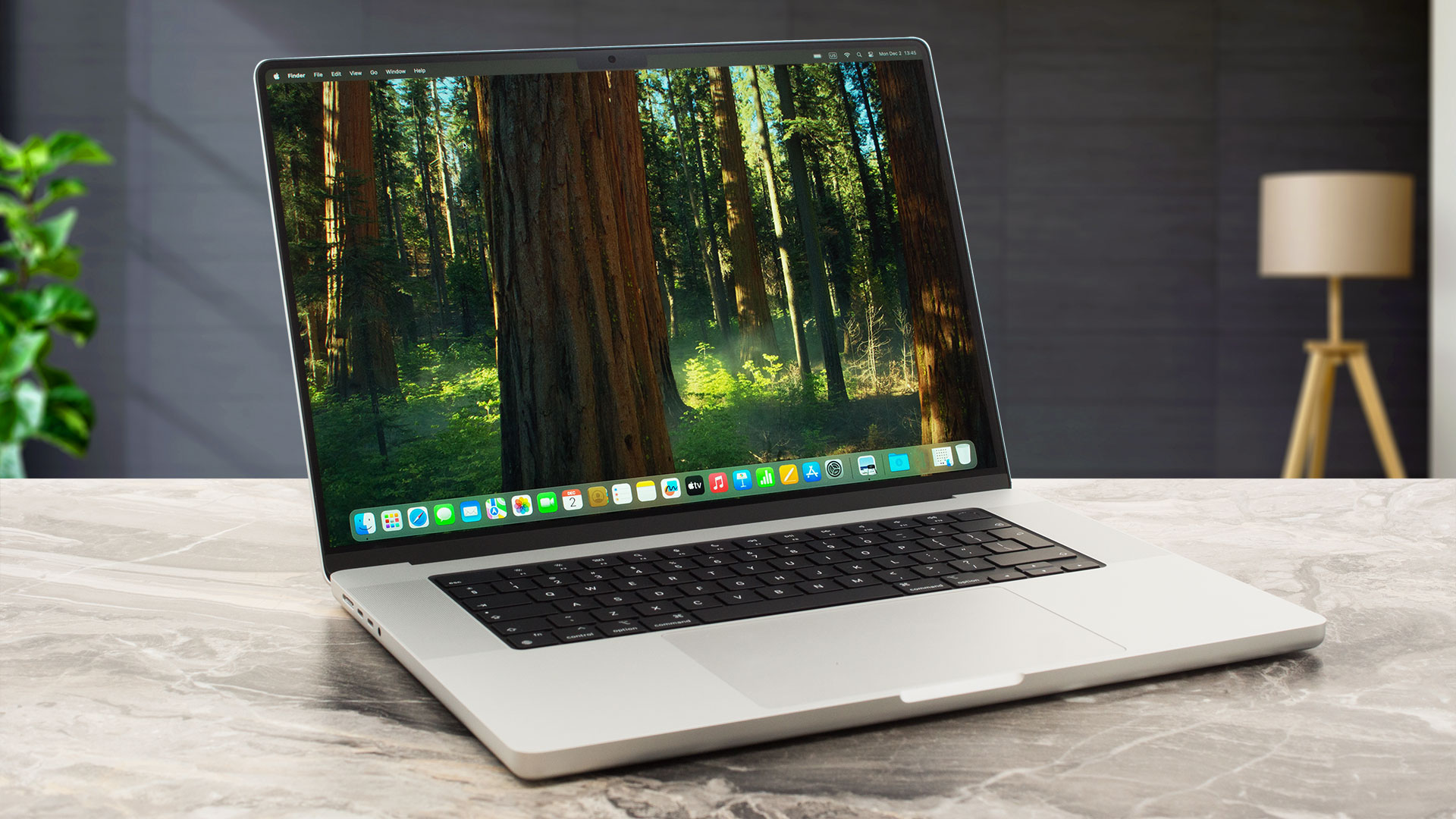 The Apple MacBook Pro 16 with its full-blown M4 Pro/Max SoC already hit the market. This time around, you get a 14-core processor (with 10 performance and 4 efficiency cores) and a 20-core graphics card, or 14 to 16-core M4 Max CPU with 32/40-core GPU, respectively. Compared to the base configuration of the 14-inch sibling (12-core CPU / 16-core GPU), the 16-incher provides more punch in heavy loads but this could be beneficial mainly for professionals and power users. It’s hard to spot any performance difference between the two “cousins” in terms of daily tasks and multimedia consumption.
One of the stars of the show is the 16.2″ Liquid Retina XDR display with 3456 x 2234 resolution. The panel offers true-to-live colors alongside an up to 120Hz adaptive refresh rate which boosts the battery life. The nano-texture matte display layer is perhaps the most important optional feature. It almost eliminates the glare when using the laptop on the outside during the daytime. The other thing that stands out among the competition is the godlike touchpad.
The port selection is high-end thanks to the trio of Thunderbolt 5s. The same can’t be said regarding the connectivity since Wi-Fi 7 isn’t available. Also, the bigger SSD and storage variants cost more than an arm and a leg.
You can check the prices and configurations in our Specs System: https://laptopmedia.com/series/apple-macbook-pro-16-late-2024/
Contents
Specs, What’s in the box
Apple MacBook Pro 16 (Late 2024) - Specs



- HDD/SSD
- up to 8000GB SSD
- M.2 Slot
- soldered SSD
- RAM
- up to 128GB
- OS
- macOS, Chrome OS
- Battery
- 99.6Wh
- Body material
- Aluminum
- Dimensions
- 355.7 X 248.1 X 16.8 mm
- Weight
- 2.14 kg (4.7 lbs)
- Ports and connectivity
- 3x USB Type-C
- 4.0, Power Delivery (PD), DisplayPort
- HDMI
- Card reader
- SD (SD, SDHC, SDXC)
- Ethernet LAN
- Wi-Fi
- Wi-Fi 6E
- Bluetooth
- 5.3
- Audio jack
- 3.5mm Combo Jack
- Features
- Fingerprint reader
- Web camera
- FHD FaceTime HD camera with Advanced image signal processor with computational video
- Backlit keyboard
- Microphone
- Studio-quality three-mic array with high signal-to-noise ratio and directional beamforming
- Speakers
- Six Speaker Sound System with force-cancelling woofers
- Security Lock slot
All Apple MacBook Pro 16 (Late 2024) configurations
What’s in the box?
The sturdy glossy box houses numerous manuals, a Fast-charge capable 2-meter USB-C to MagSafe 3 Cable, and a 140W USB-C Power Adapter.
Design and construction
Not much has changed in terms of the design compared to the 2023 model. That’s not a bad thing at all. The Apple MacBook Pro 16″ (M4 Pro / M4 Max) feels premium to the touch and it’s mind-blowingly solid because of the aluminum build. It’s a perfectly flat machine with a 16.8 mm profile. That’s great for a powerful 16-incher. The weight is a bit on the hefty side with its 2.14 kilos.
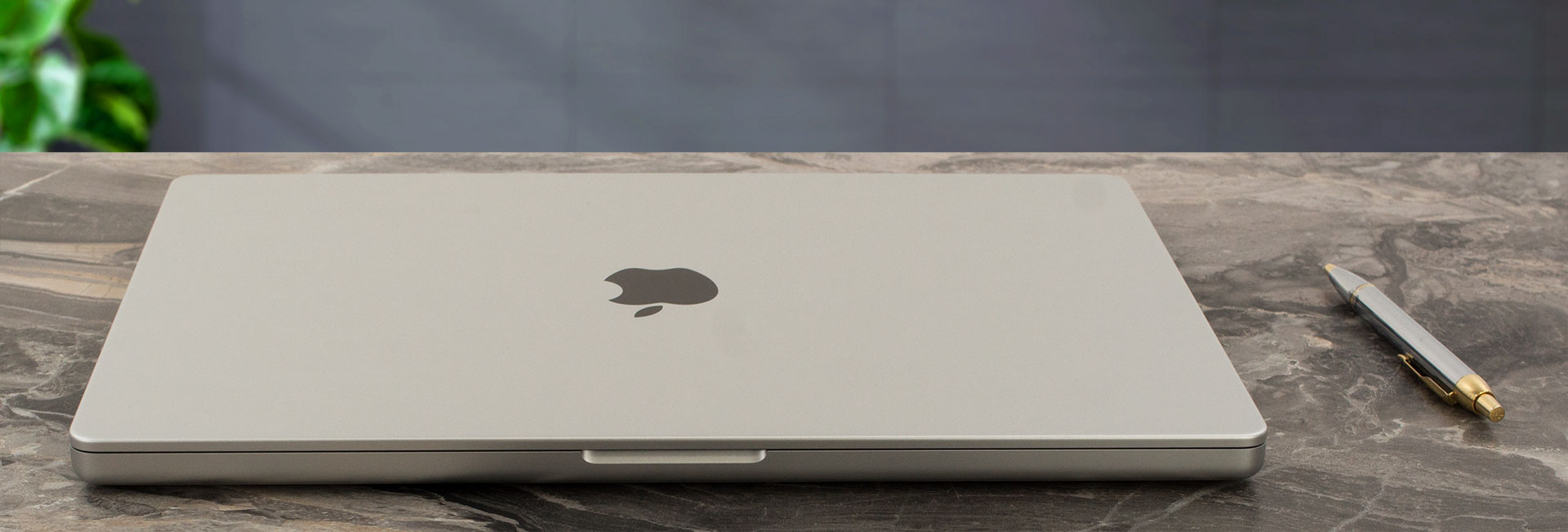
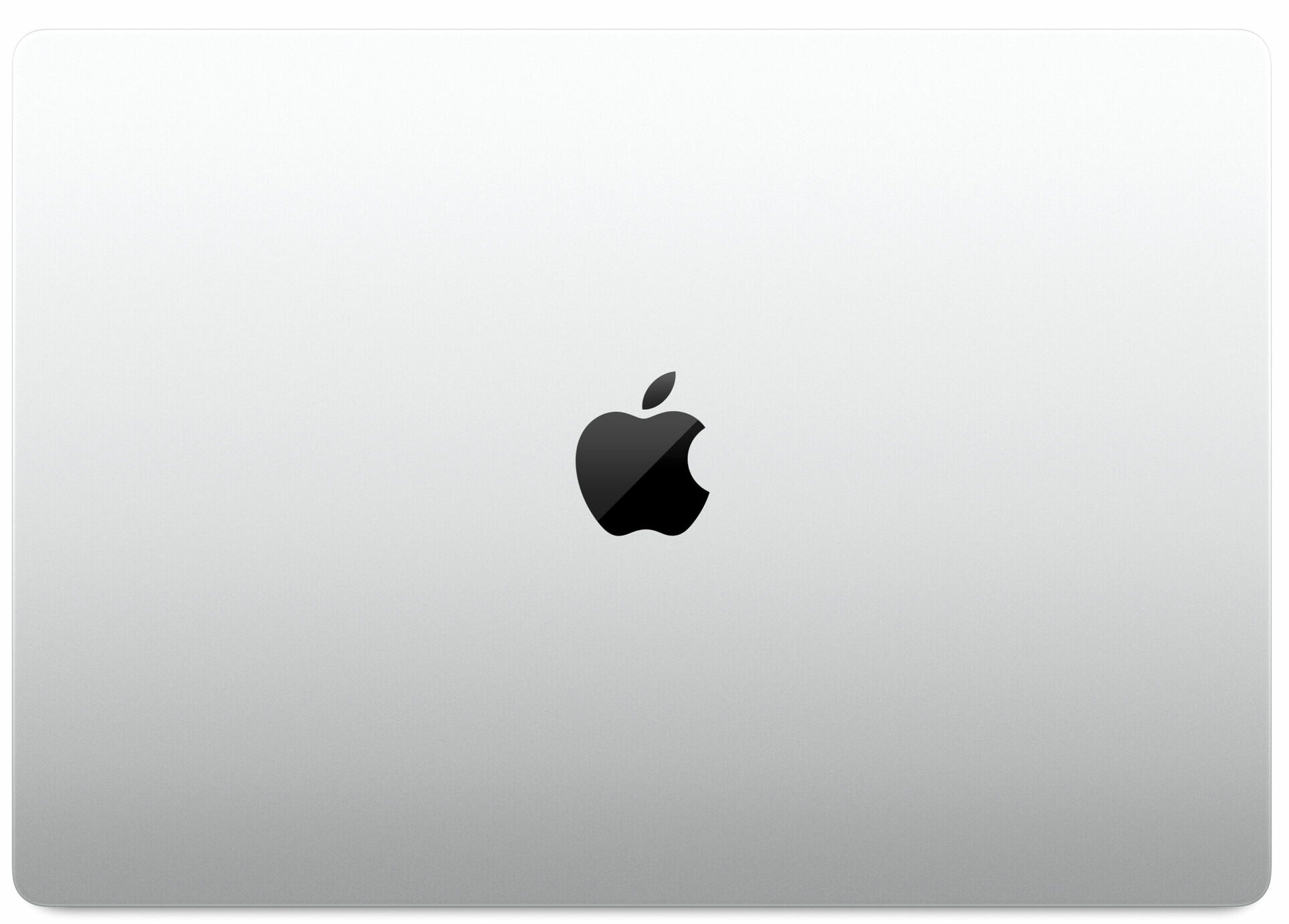
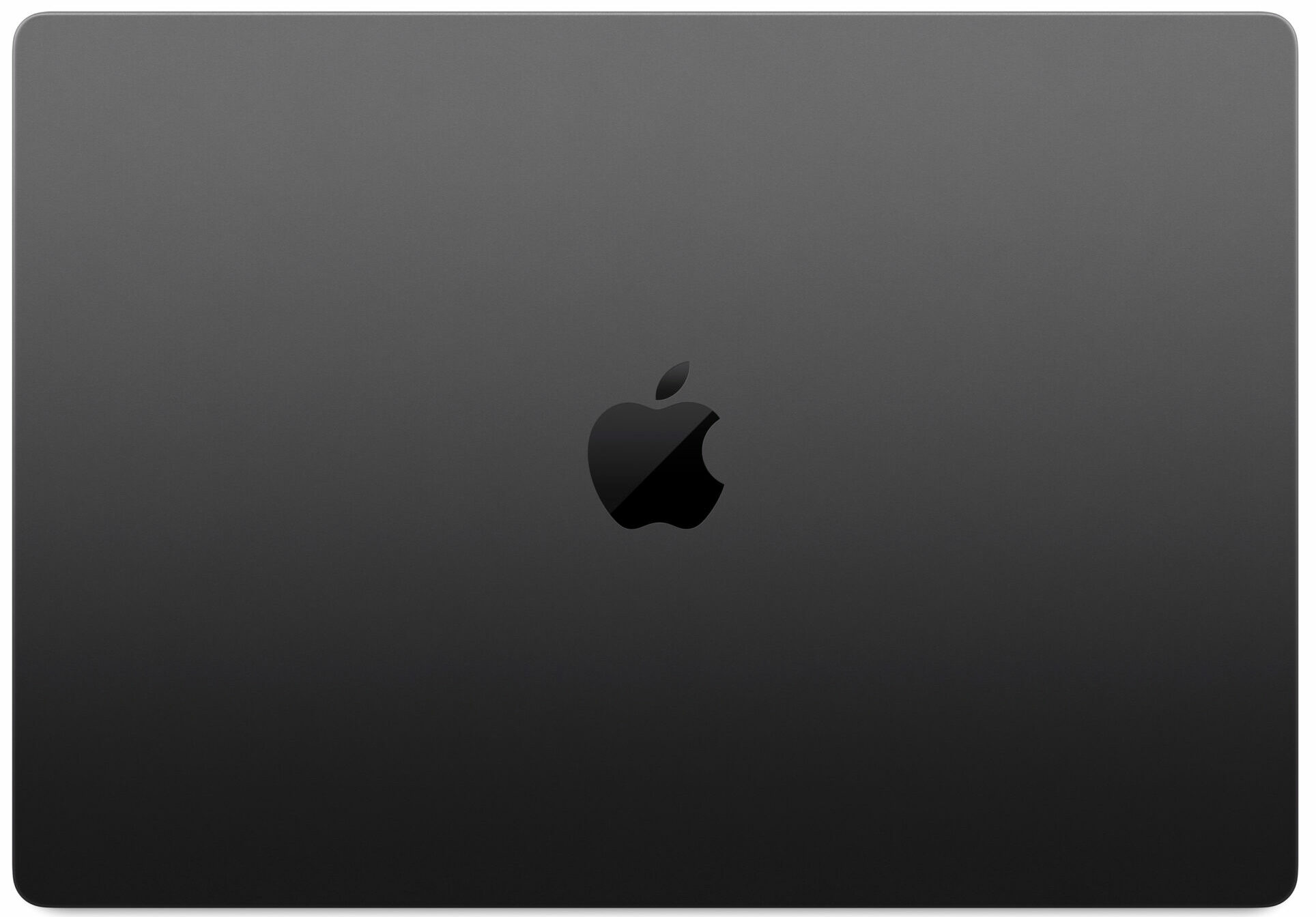
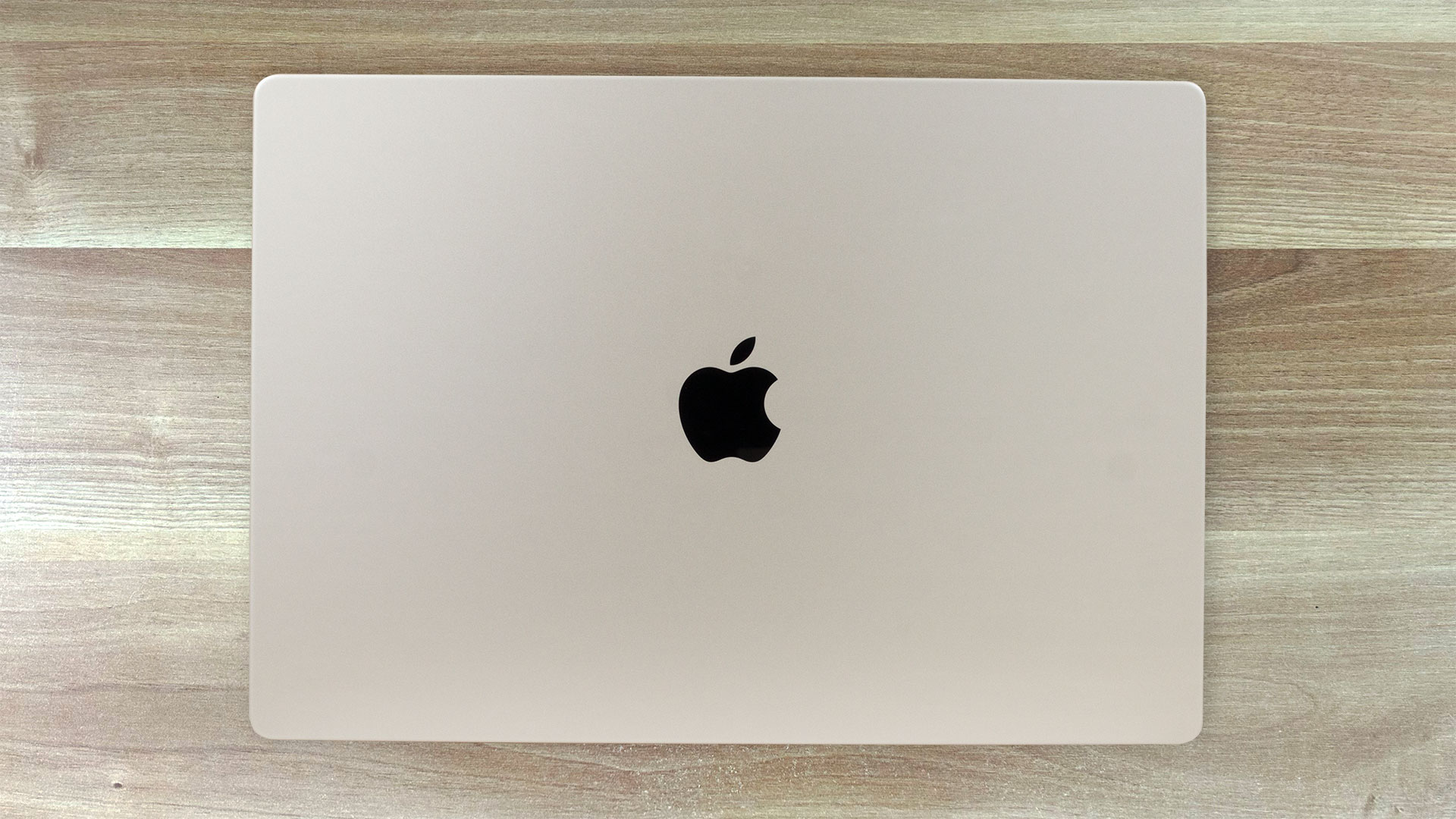
The “dent” at the center of the base allows you to grip the lid properly before opening it.

Expectedly, the hinges are butter smooth and you can open the lid with just one of your fingers. The Silver color option definitely picks up way less fingerprint than the Space Black finish.
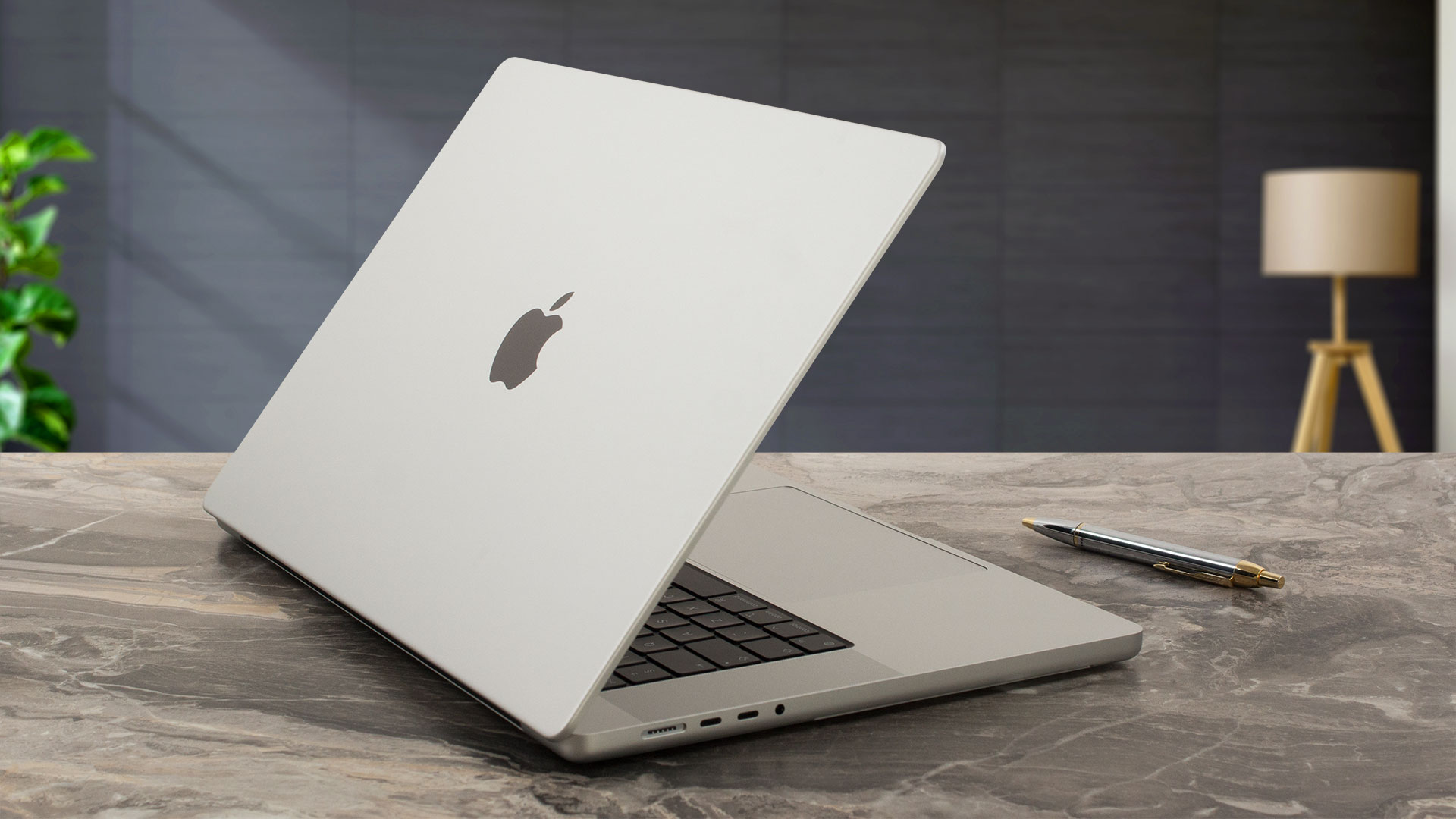
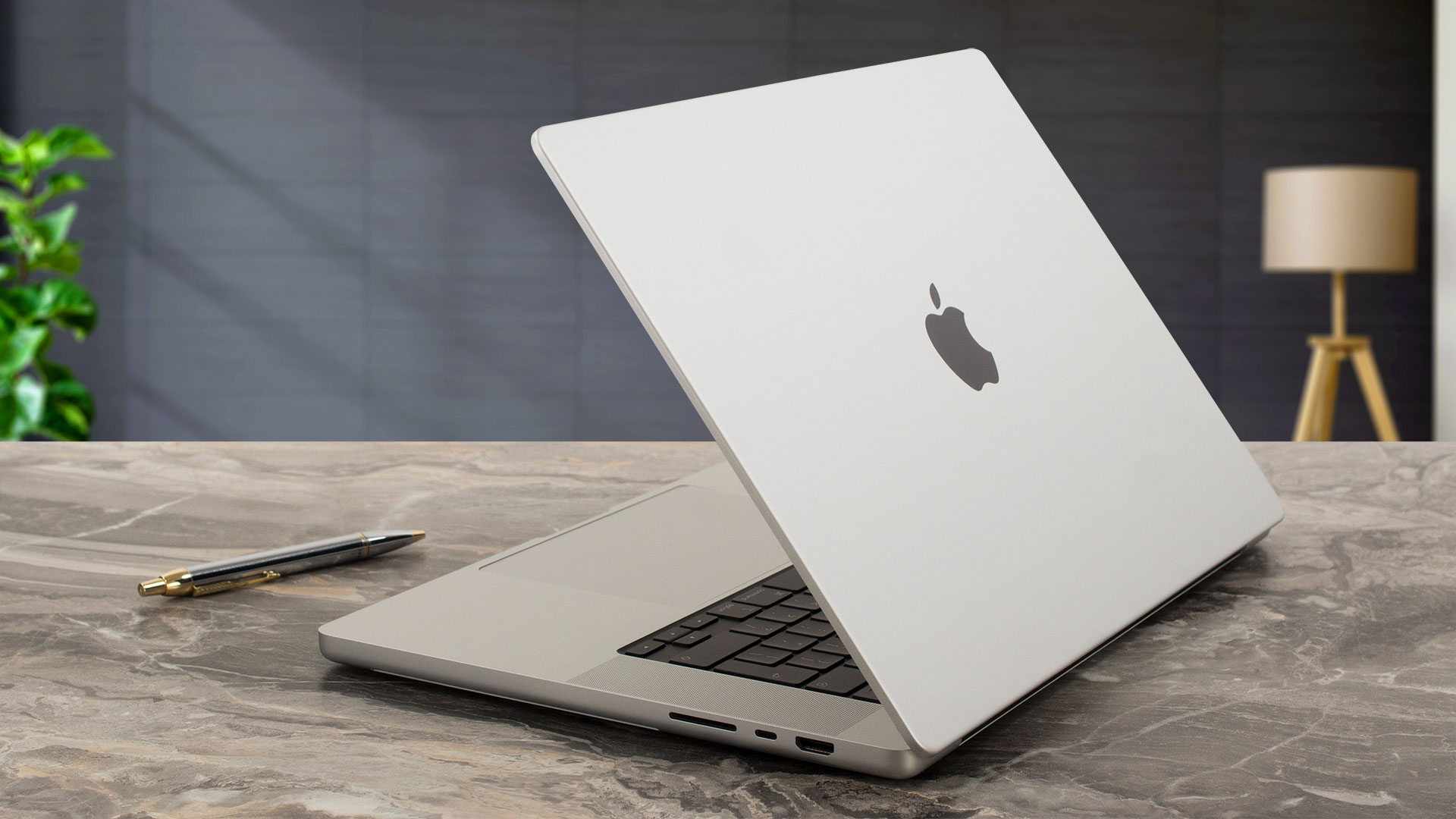
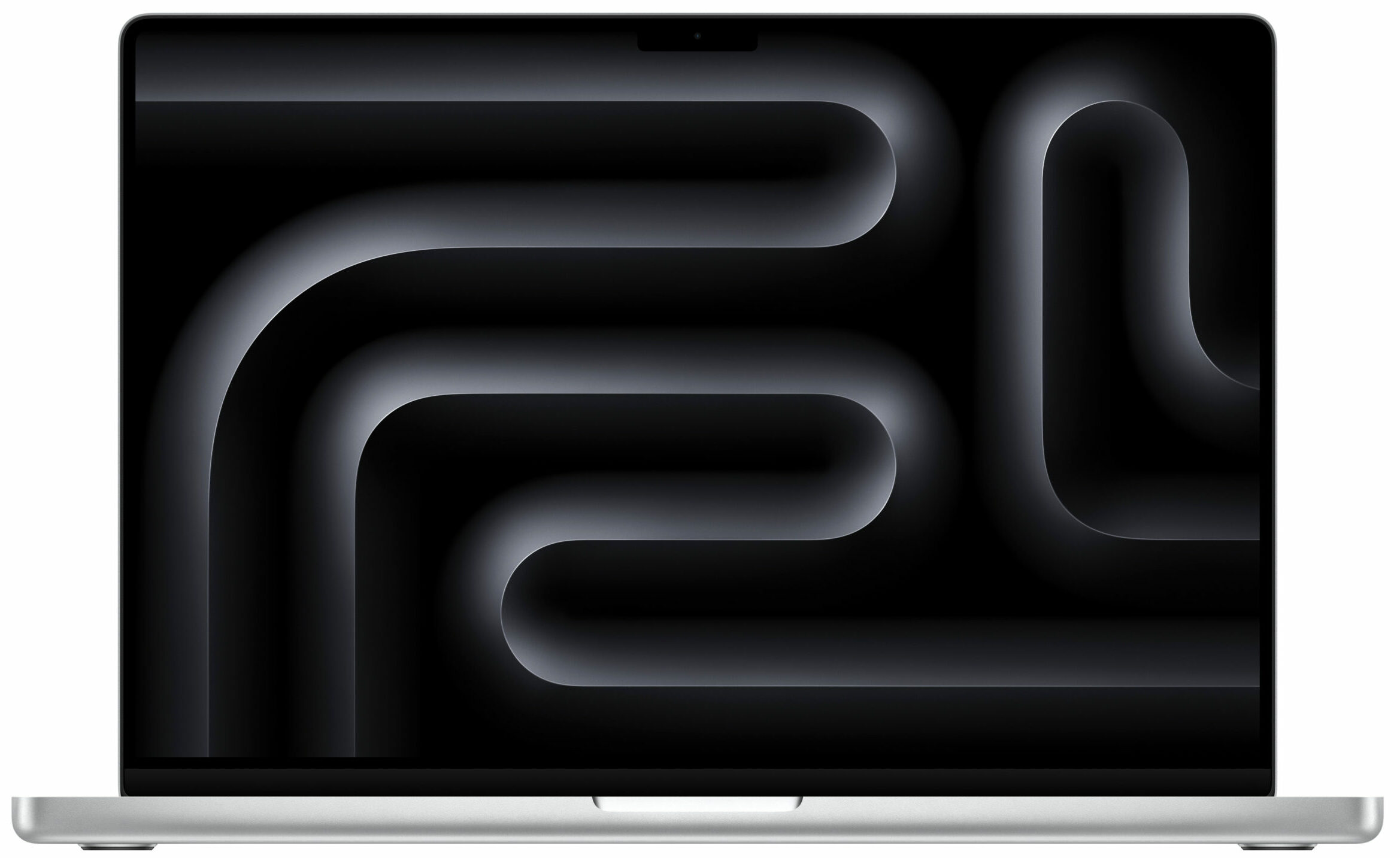
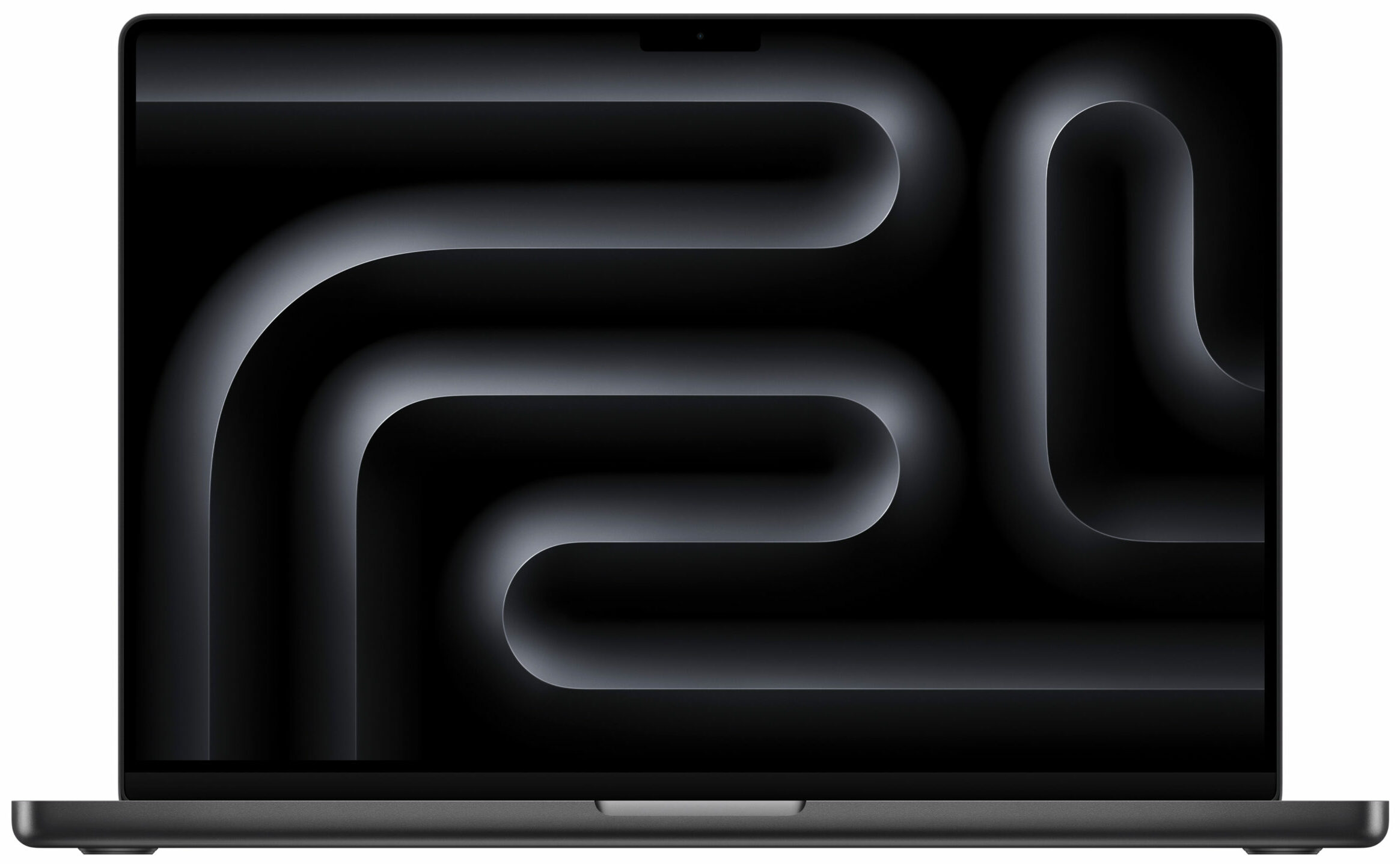
The pro-grade screen looks even better thanks to the thin dark bezels which greatly correspond to the bright chassis. The odd-designed notch on top is the only thing that spoils the fun in terms of aesthetics. It’s home to a 12MP Web camera that lacks FaceID. On the other hand, the unit supports Desk View which is useful because it can show your face and a bird’s eye view of your desk at the same time.
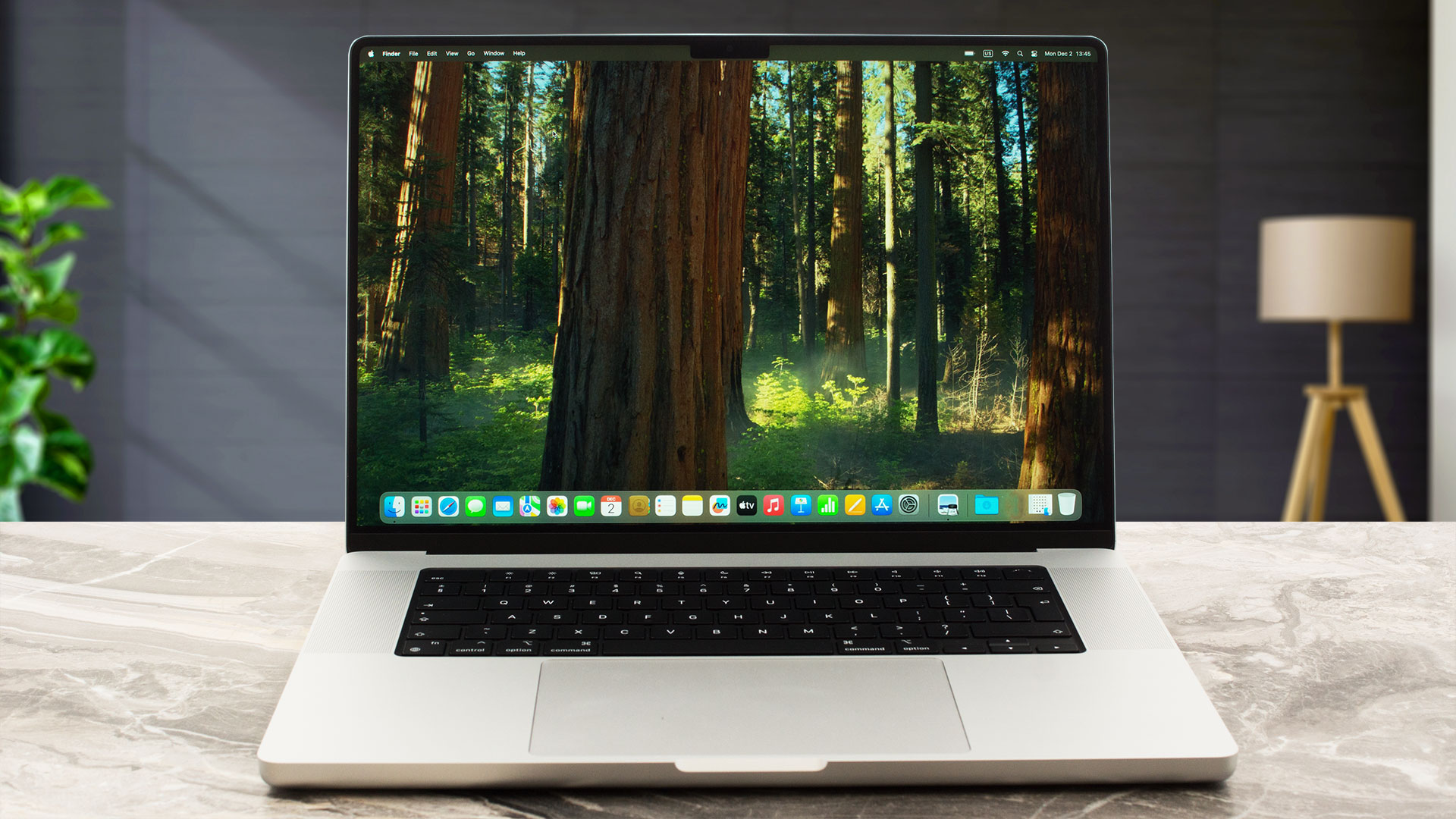
The max angle of the opening is limited to around 135 degrees. While it’s still fine for work, it’s not that great for content sharing.
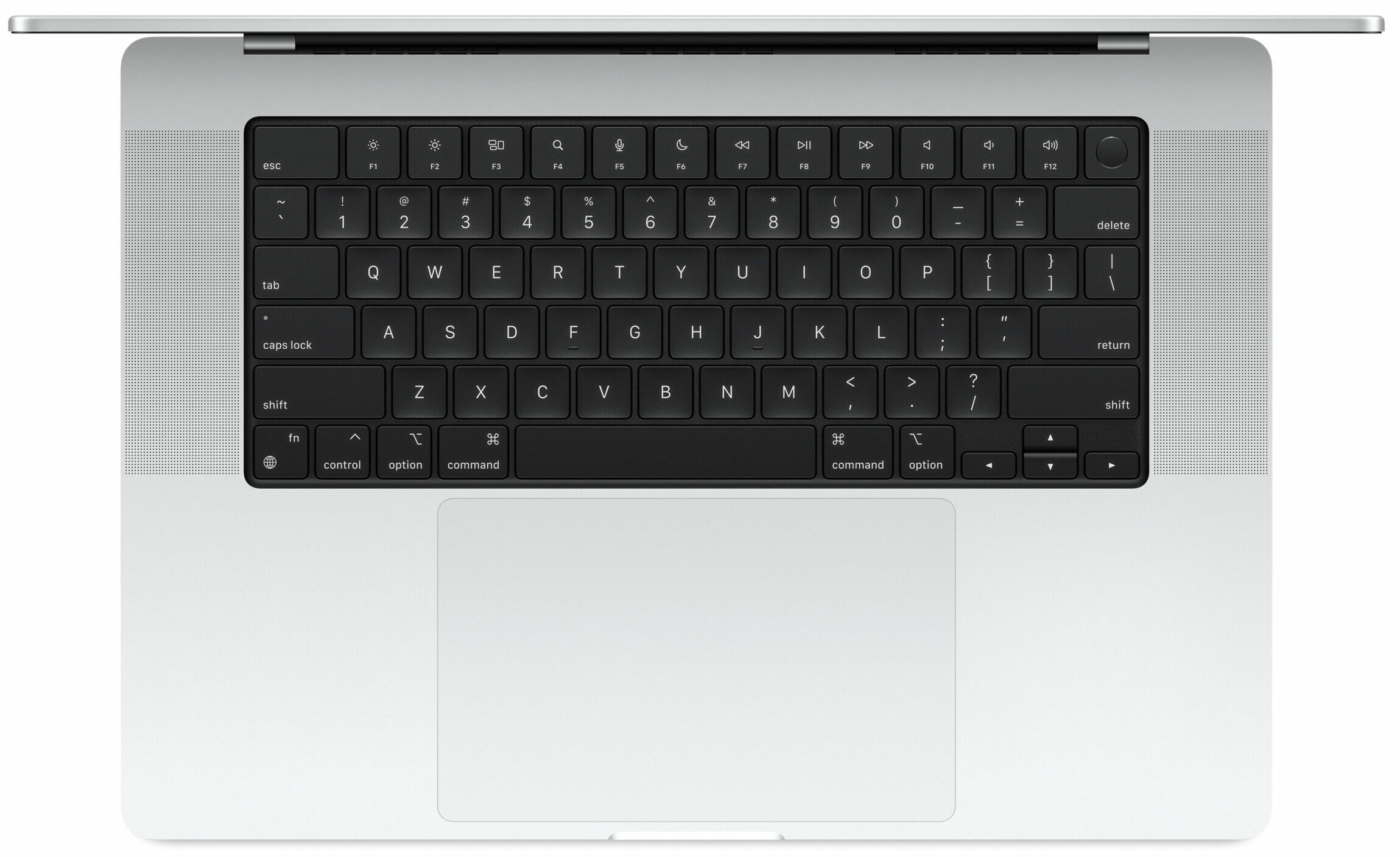
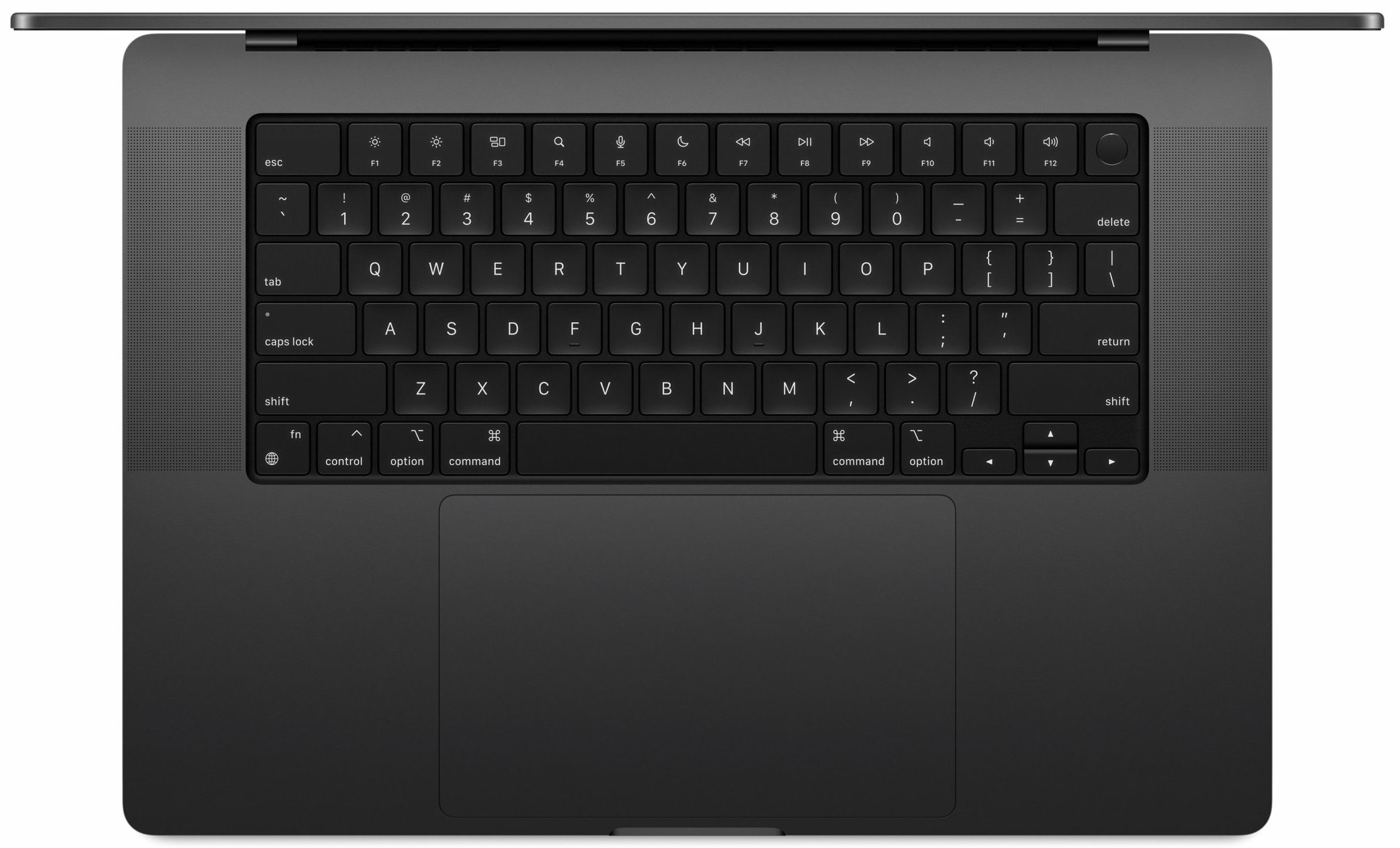
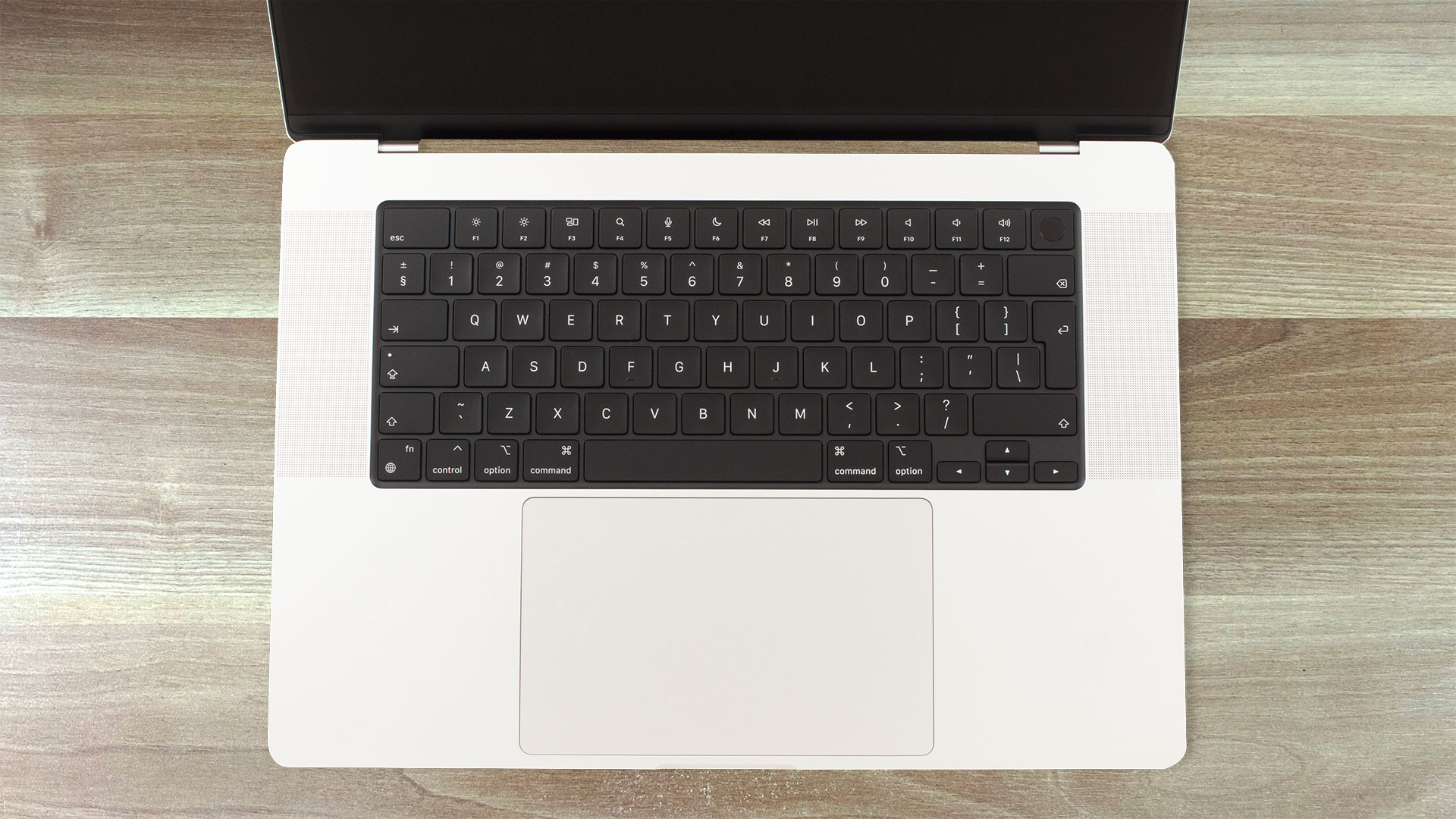
The Magic Keyboard is almost magical. Its cons are the half-sized Arrows and the average key travel. Despite that, the board is still a great tool for typing. The Touch ID fingerprint reader is built into the Power button.
The gigantic touchpad feels godlike when it comes to smoothness and accuracy!
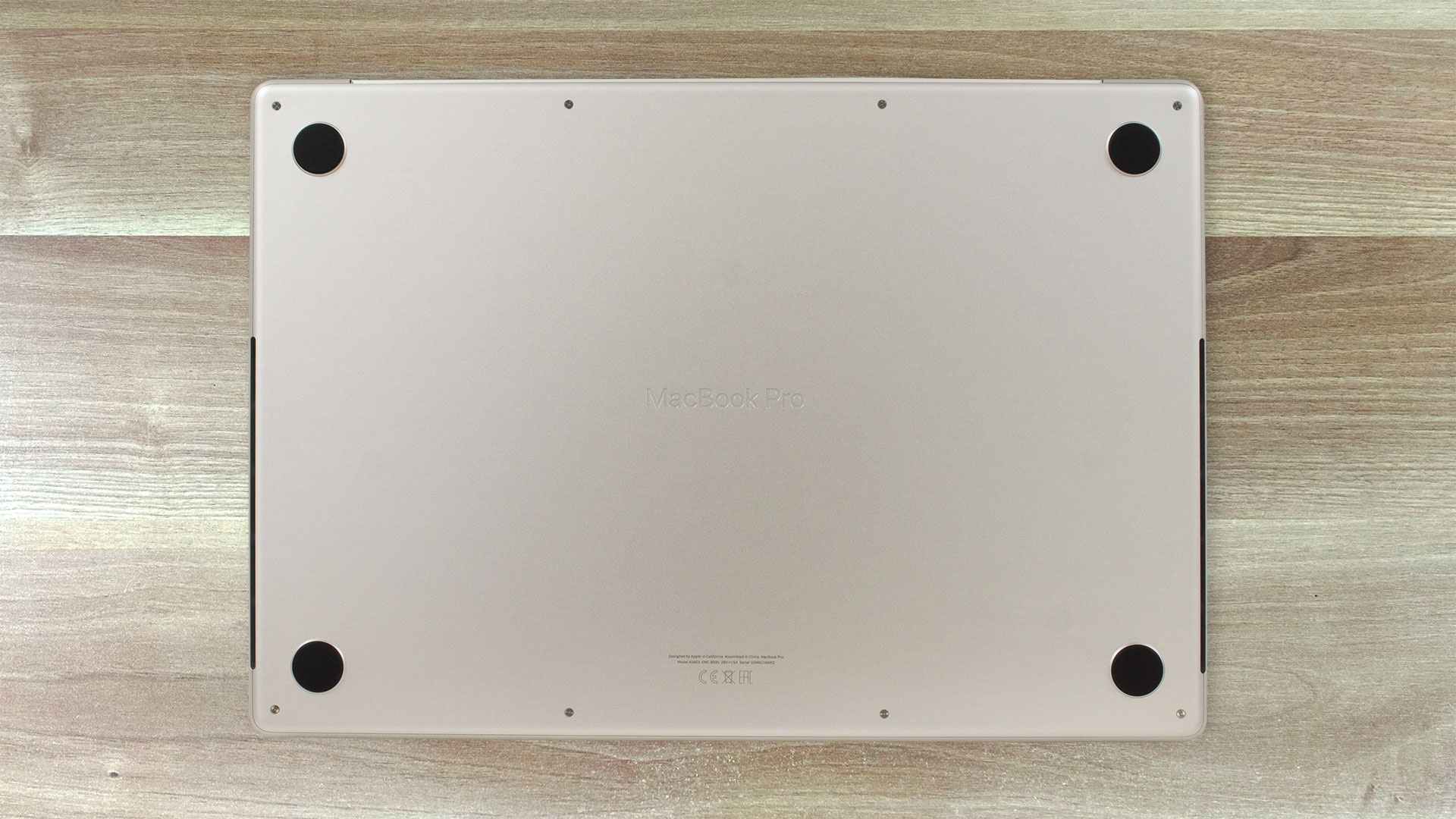
Turning over the machine reveals the four rubber feet and the two tall vents on the sides. The heat is being exhausted via three vents on the back. Some amount of hot air makes its way to the panel when the internals are loaded at max.
Ports
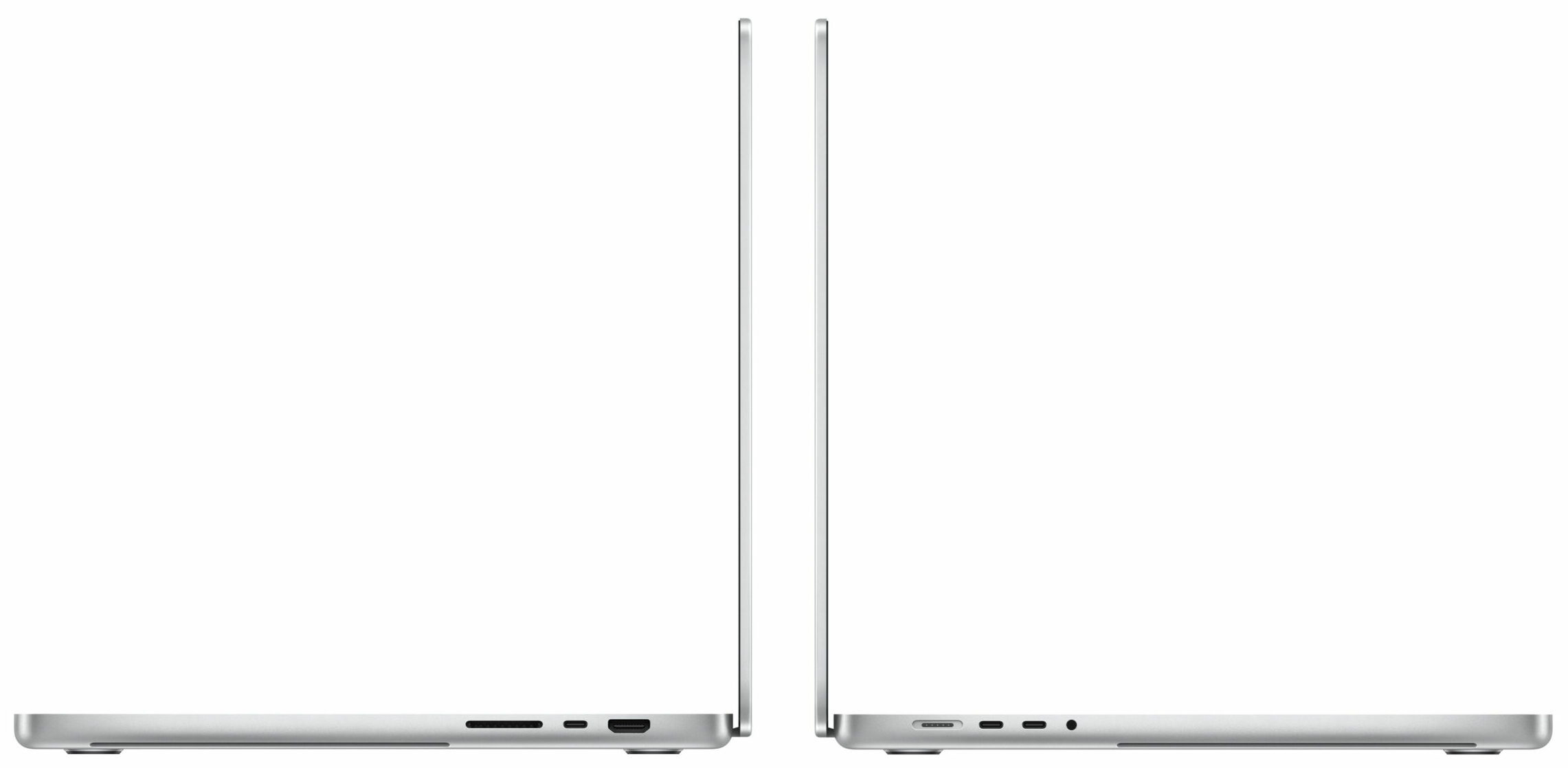
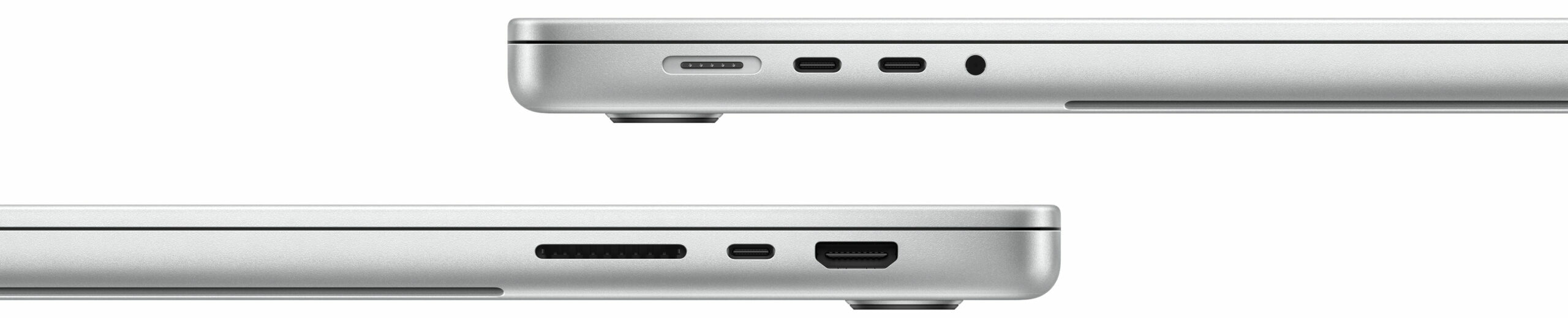
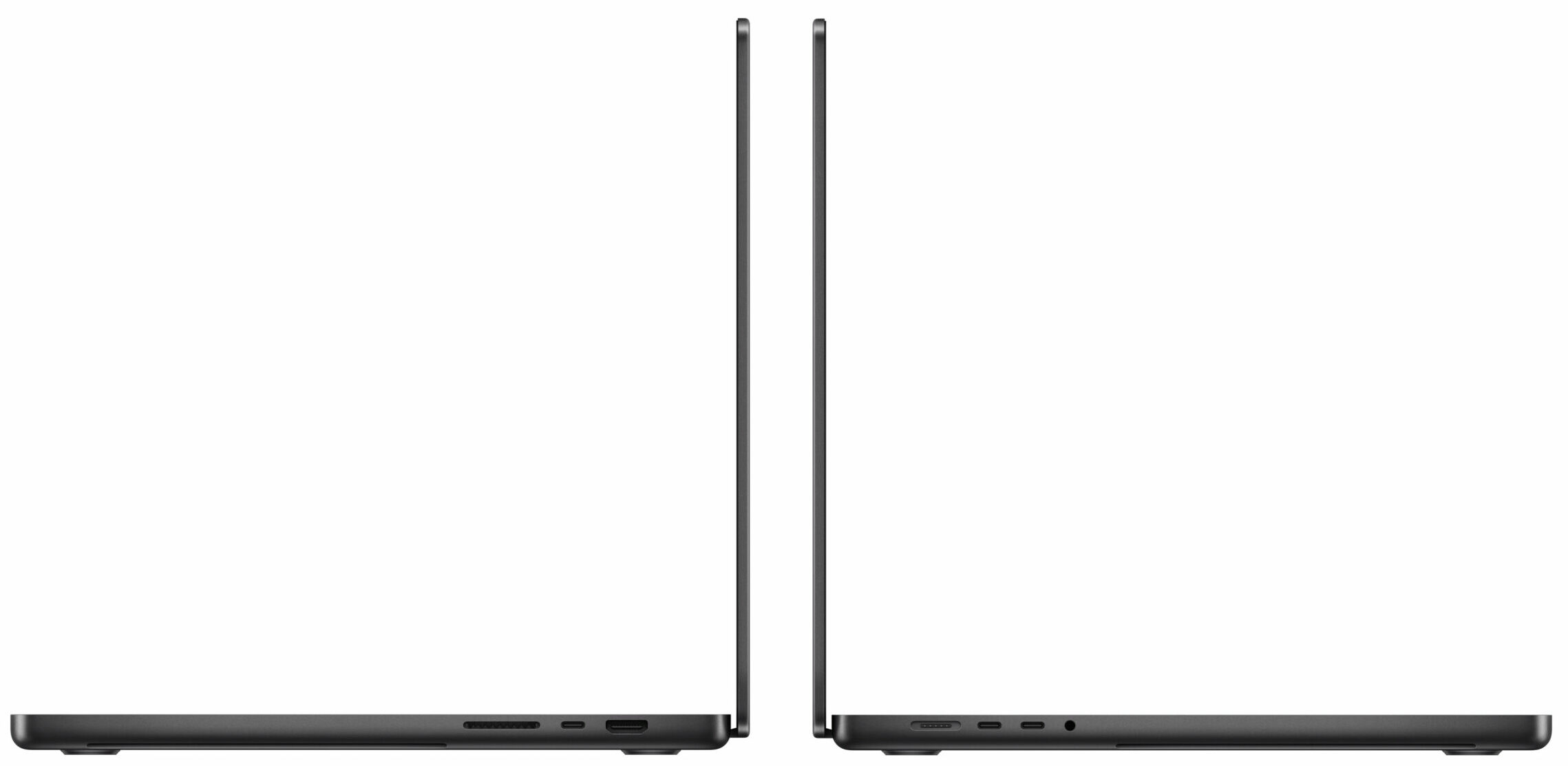
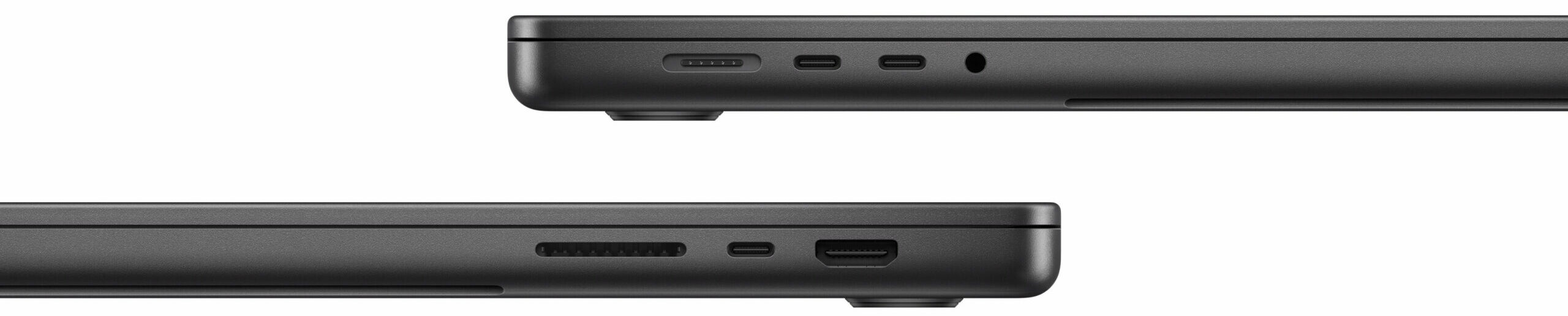
On the left side, you get a MagSafe 3 charging port, a pair of Thunderbolt 5 / USB4 ports, and an Audio jack. We can spot an HDMI 2.1 for up to 8K@60Hz / 4K@240Hz external displays, one more Thunderbolt 4 / USB4 port, and an SDXC Card reader on the other side.
All Thunderbolt 5s offer up to 120 Gbps transfer rate, DisplayPort 2.1, Power Delivery capabilities, and USB4 40 Gbps. They are capable of powering two external displays at the same time (2x 6k@60Hz over Thunderbolt or 1x 6k@60Hz + 1x 4K@144Hz over HDMI).


Display
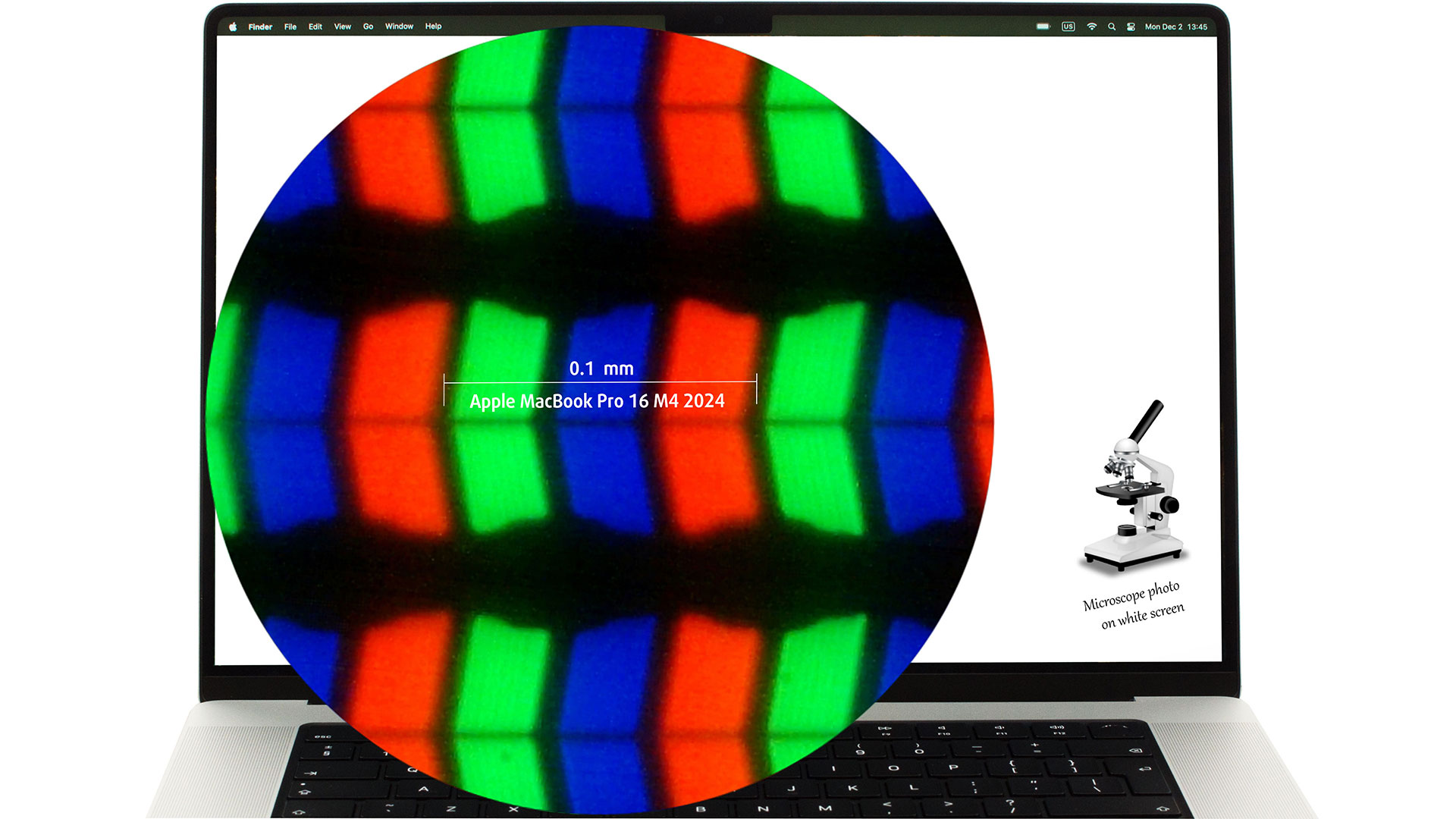
| Apple MacBook Pro 16″ (M4 Pro / M4 Max) | |
| Diagonal | 16.2 inches (41 cm) |
| Panel Type | Mini LED Liquid Retina XDR display |
| Resolution | 3456 x 2234 pixels |
| Max Refresh Rate | 120 Hz with “ProMotion” automatic adaptation |
| Aspect Ratio | 14:9 |
| Pixel Density | 254 PPI |
| ‘Retina’ Distance | Greater than or equal to 34 cm |
Viewing Angles
Viewing angles are good. We take photos from different angles to evaluate the quality.
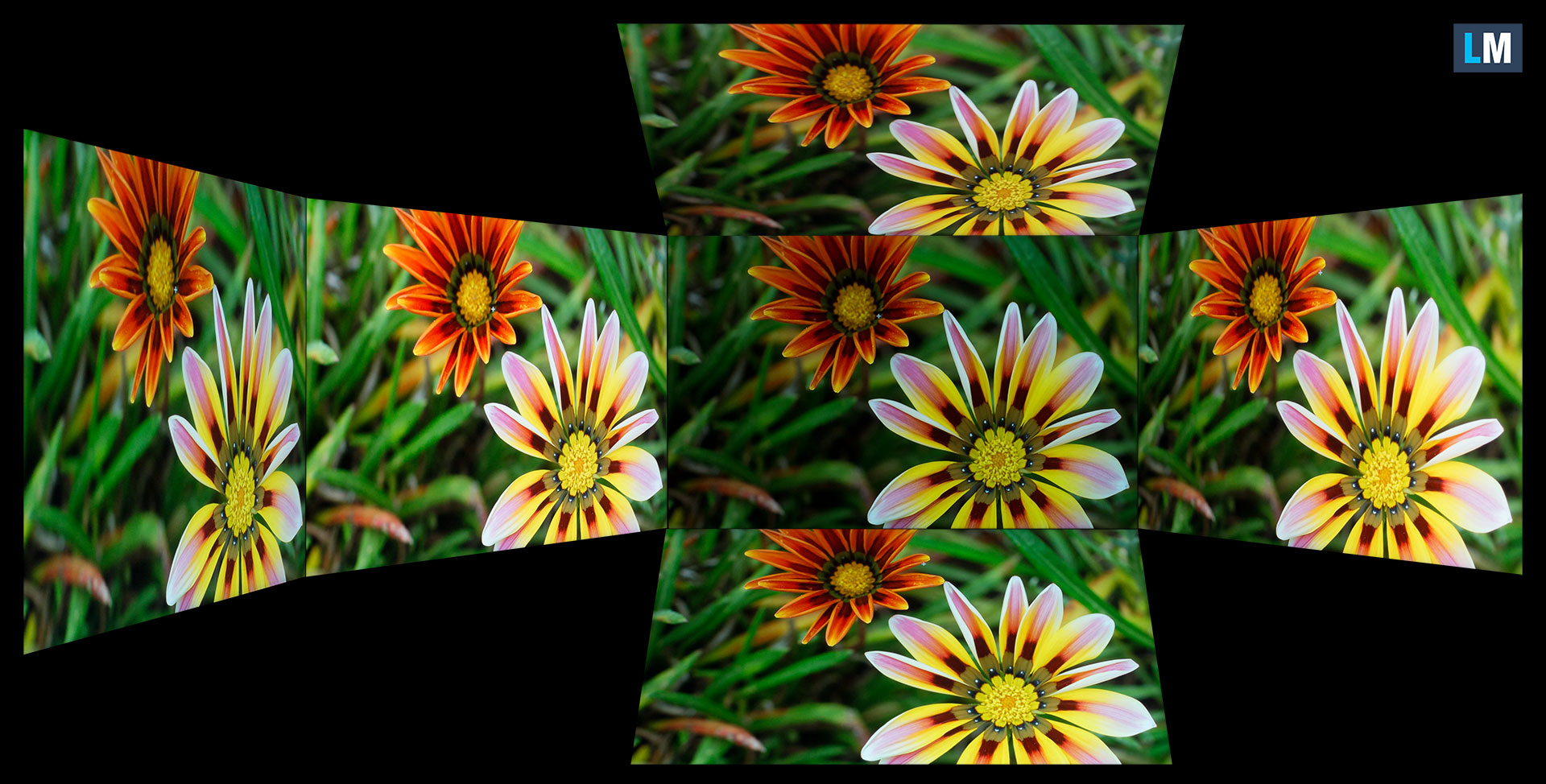
Also, a video with locked focus and exposure.
Color Coverage
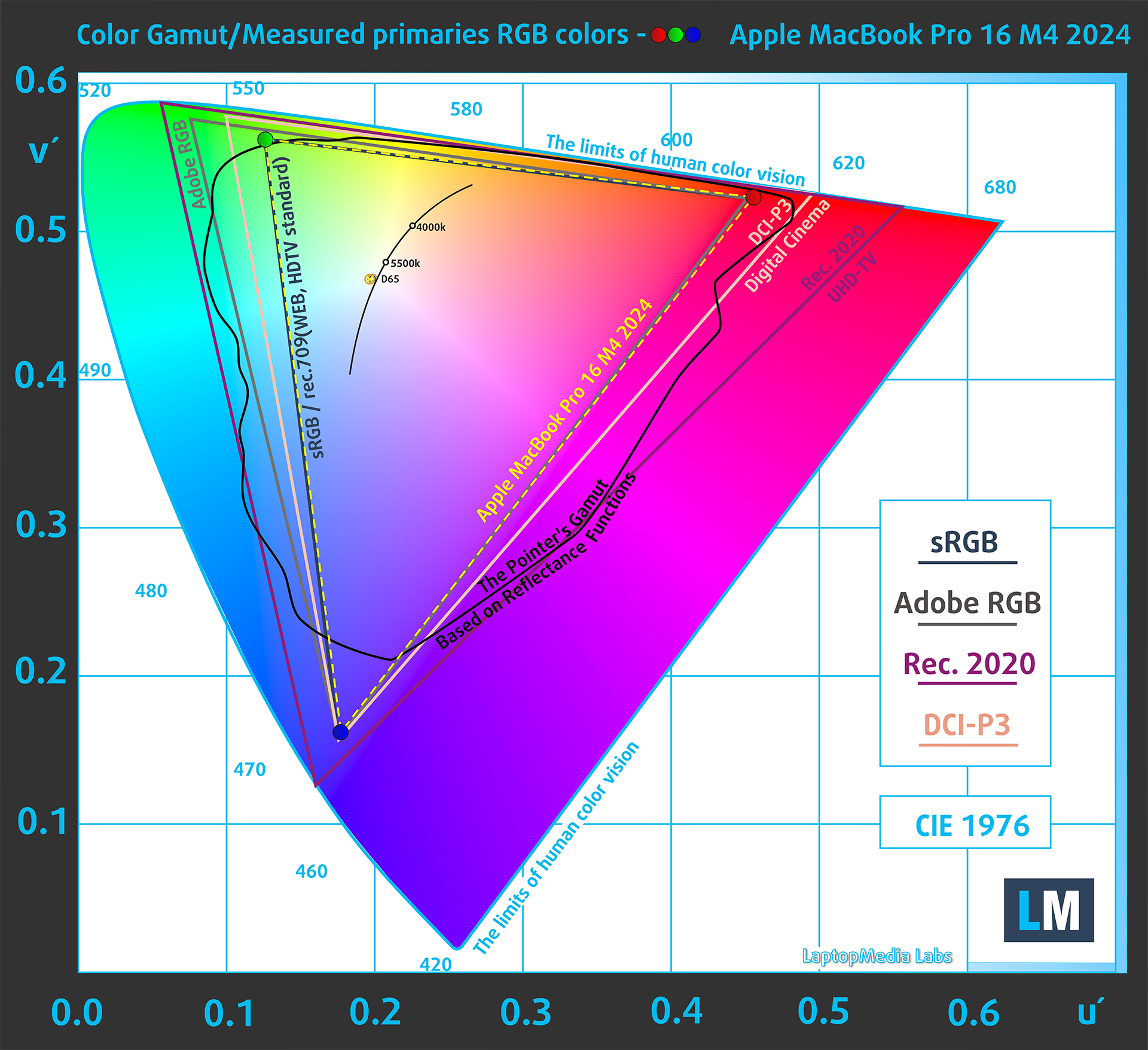
The whole “sail-shaped” map below (Fig. 1) consists of all the colors we can see, while the black crooked line shows all the colors from real-world scenes and nature around us.
Then, we’ve drawn some of the most important and interesting color spaces, compared to the colors the panel of Apple MacBook Pro 16″ (M4 Pro / M4 Max) can show:
Standard/For Web: sRGB – widely used color space for most consumer devices, ideal for Web design and development
For Print: AdobeRGB – used in professional photo editing, graphic design, and print
For Photographers/Video Editors: DCI-P3 – used in high-end film production, post-production, and digital cinema
Premium HDR: Rec.2020 – the widest consumer ITU color standard, covering a massive 75.8% of the visible spectrum, a benchmark for premium HDR content
Apple MacBook Pro 16″ (M4 Pro / M4 Max): the yellow dashed triangle (– – – – – –) represents the range of colors this monitor can display.
In our tests, we calculated the total color coverage of the monitor at 100% of the sRGB color gamut and 100% of the Display P3 color gamut.
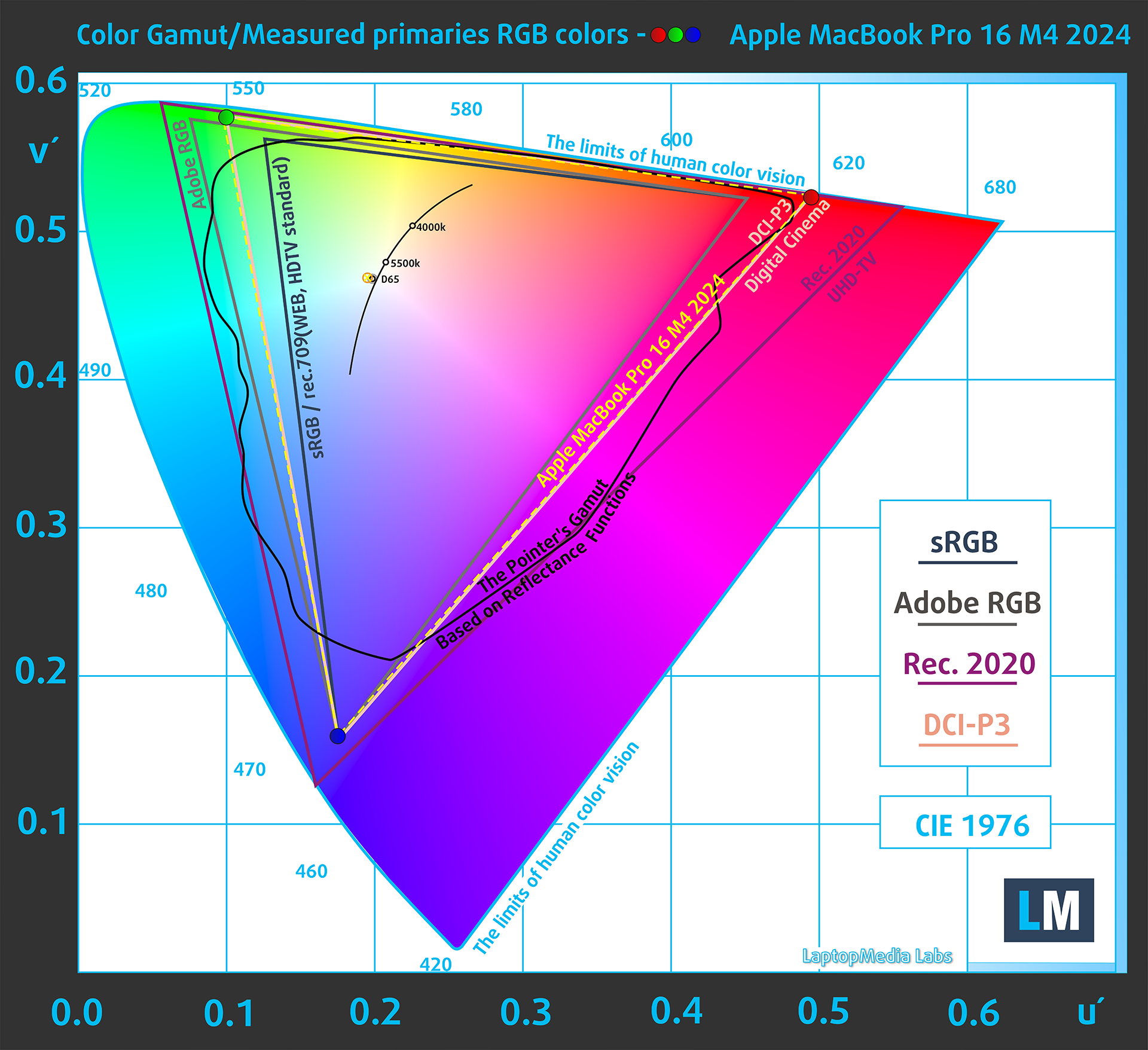
(Fig.2) Apple MacBook Pro 16″ (M4 Pro / M4 Max) covers 100% of the Display P3 gamut
When the user opens a web page in a browser on the Apple MacBook Pro screen, the content is typically displayed in the sRGB color space by default, although the native coverage is Display P3.
(Fig.3) sRGB
The display on the Apple MacBook Pro 16″ (M4 Pro / M4 Max) supports HDR10 and Dolby Vision, allowing HDR content to take advantage of a wider color gamut and higher brightness levels. The display has 10-bit color depth per channel and 1600 cd/m² maximum brightness when transmitting HDR content
Brightness and Contrast
The maximum brightness in SDR mode (indoor) is 613 cd/m² in the center of the screen and 595 cd/m² averaged across the surface with a maximum deviation of 7%.
The Correlated Color Temperature (CCT) on a white screen at maximum brightness is 6540K.
Uniformity: Luminance, Contrast, and Color Deviation
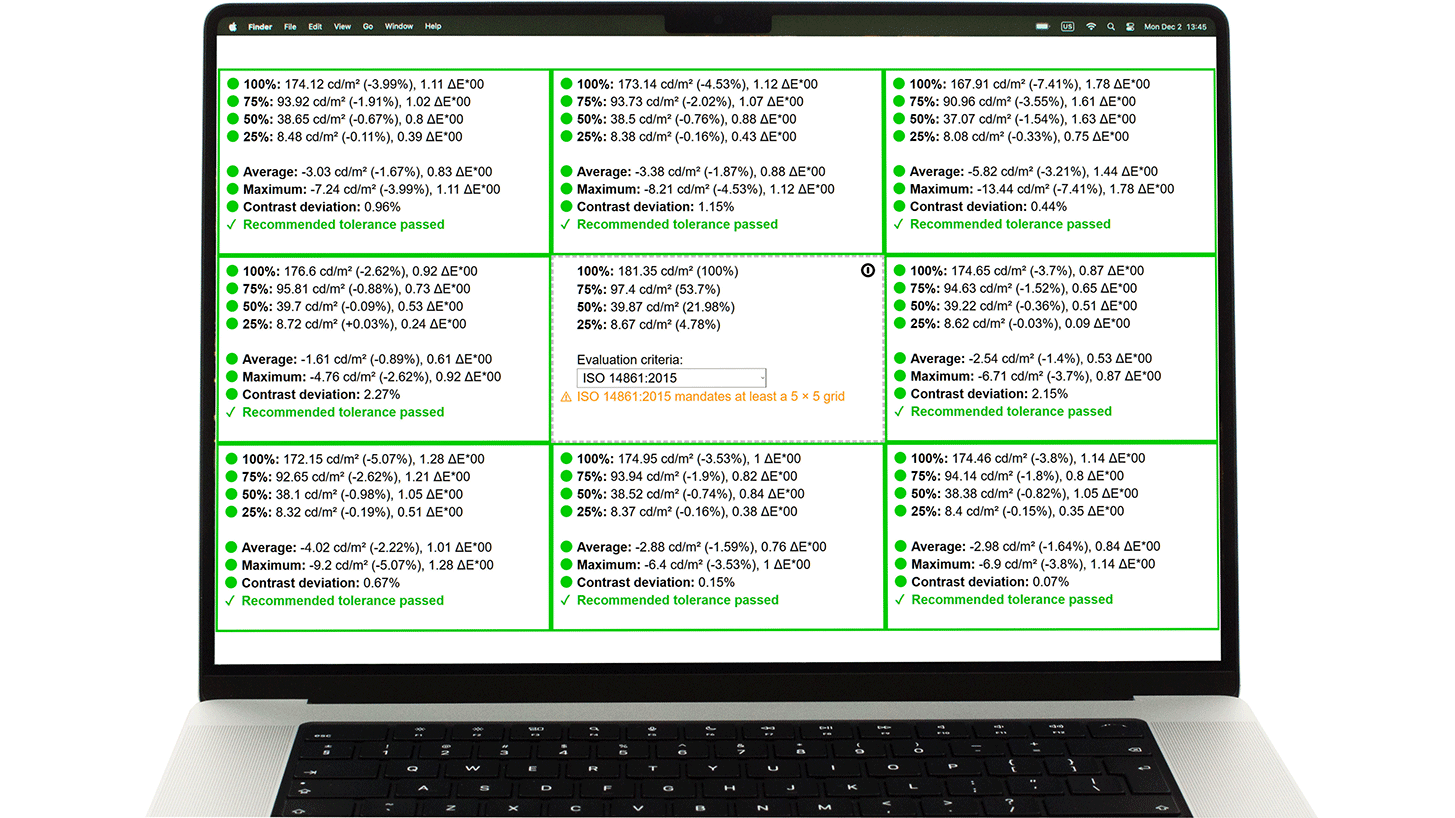
The figure below shows the results from our uniformity test across different sections of the screen. It’s measured at 181 nits (Windows slider = 58%) — a brightness level we consider typical for standard working conditions.
DeltaE values below 4.0 are acceptable for regular users. For those working with colors, screens with DeltaE values no higher than 2.0 are recommended.
Color Accuracy
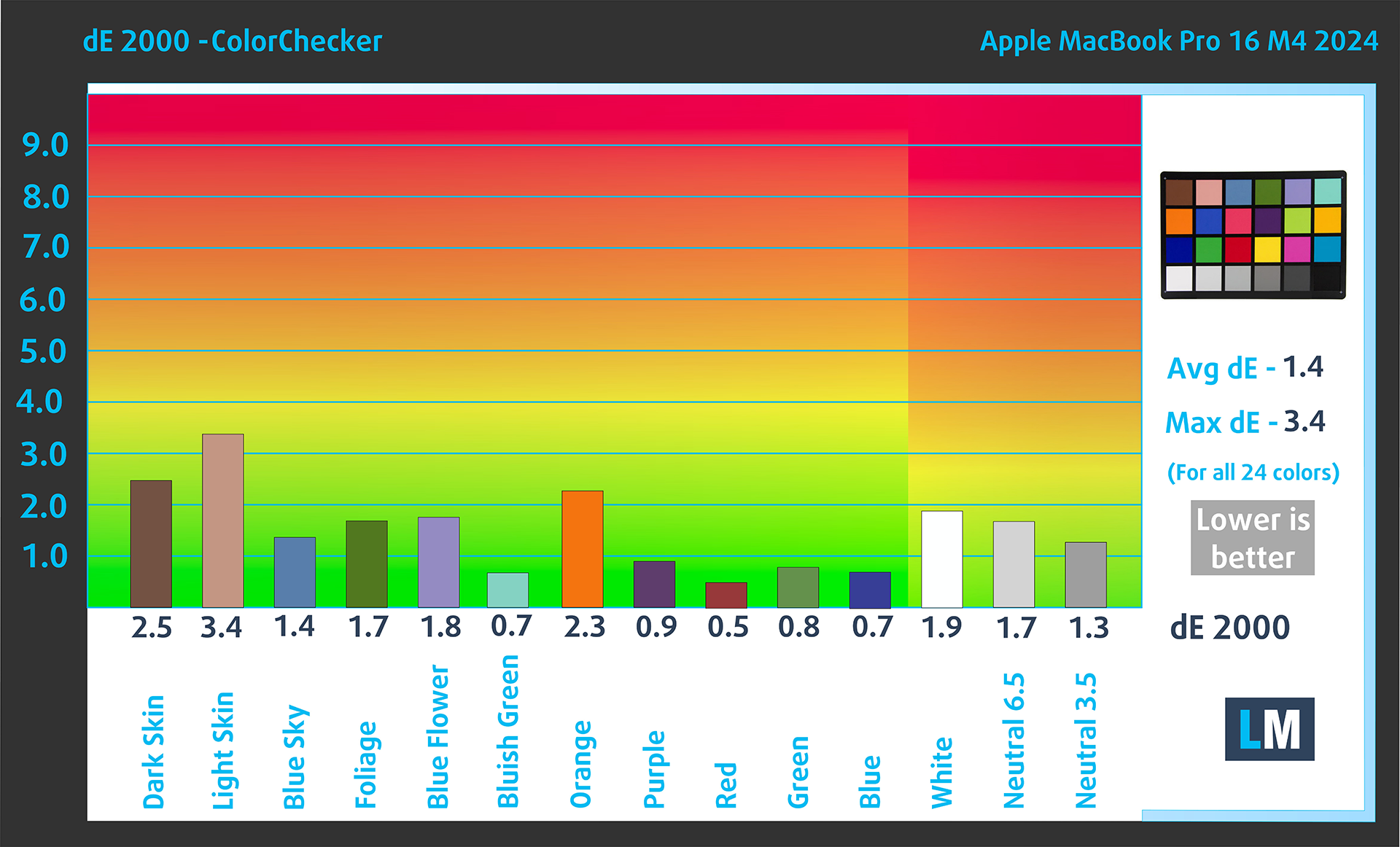
Let’s check the difference between real colors and those you’ll see on the Apple MacBook Pro 16″ (M4 Pro / M4 Max). We measure that distance in DeltaE – the higher the number, the more different they look.
Values below 4.0 are acceptable for regular users, while values below 2.0 are suitable for color-sensitive work. A value below 1.0 means the difference is indistinguishable to the naked eye.
For the next graph, we’ve selected 24 common colors, including dark/light skin, blue sky, green grass, etc.
Below are the results of the Apple MacBook Pro 16″ (M4 Pro / M4 Max) in its factory condition compared to sRGB color spaces.
Health Impact: PWM (Screen flickering)
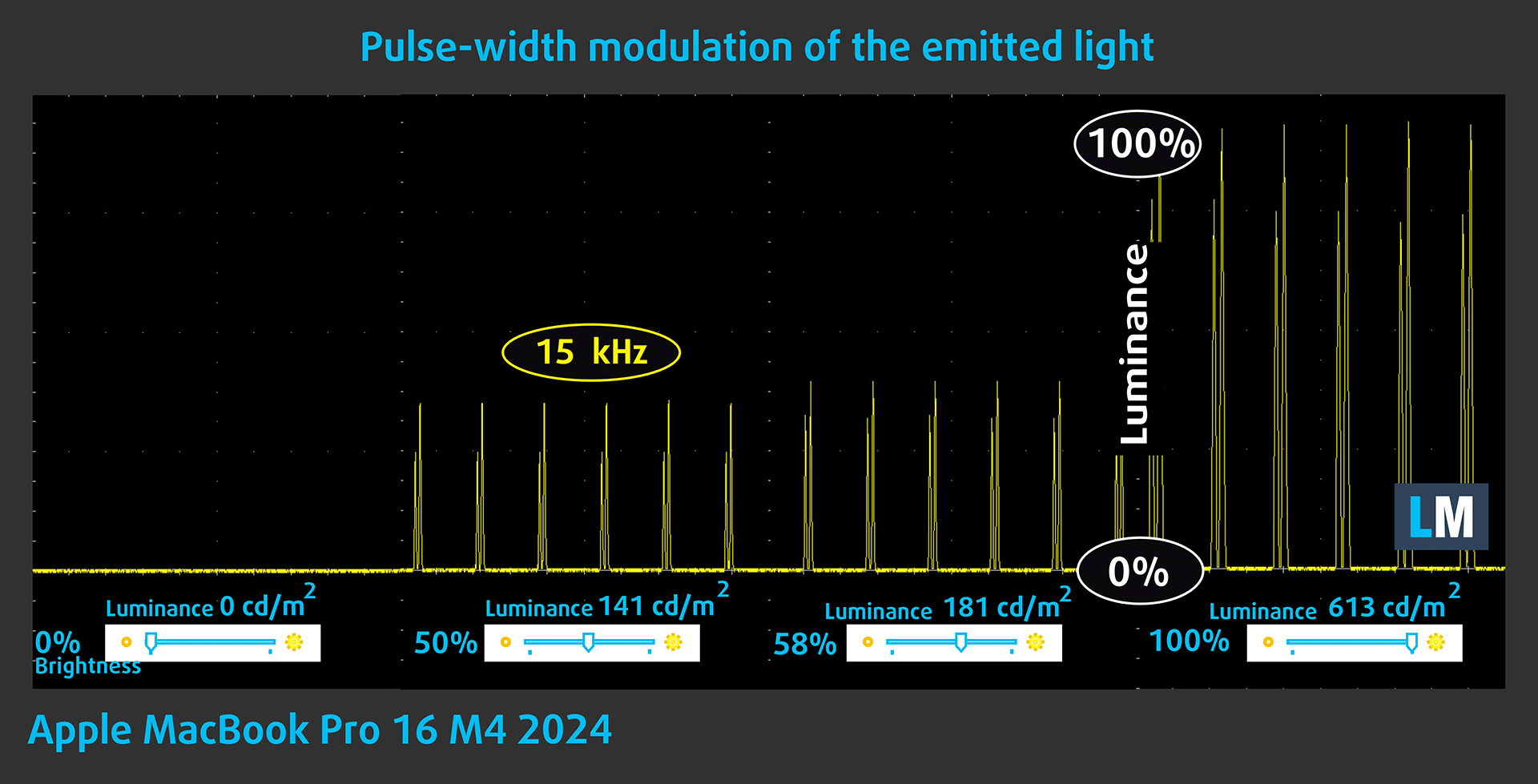
Some use PWM to regulate their brightness, which means that instead of reducing the light intensity, they pulse or flicker. Our brain merges the image, so it appears darker, but this strains both it and our vision, especially when the frequency of the pulses is low. You can read more about that in our dedicated article on PWM.
In the graph below, you see the intensity of light at different brightness levels—on the vertical axis is the brightness of the emitted light, and on the horizontal axis—time.
The backlight of the display of the Apple MacBook Pro 16″ (M4 Pro / M4 Max) uses Pulse Width Modulation (PWM), which operates at a high frequency of around 15 kHz. The fill factor is low, meaning the screen is on for a much shorter duration compared to being off. This could potentially have a negative impact on individuals with sensitive vision due to the nature of the flickering
Health Impact: Screen Reflectance
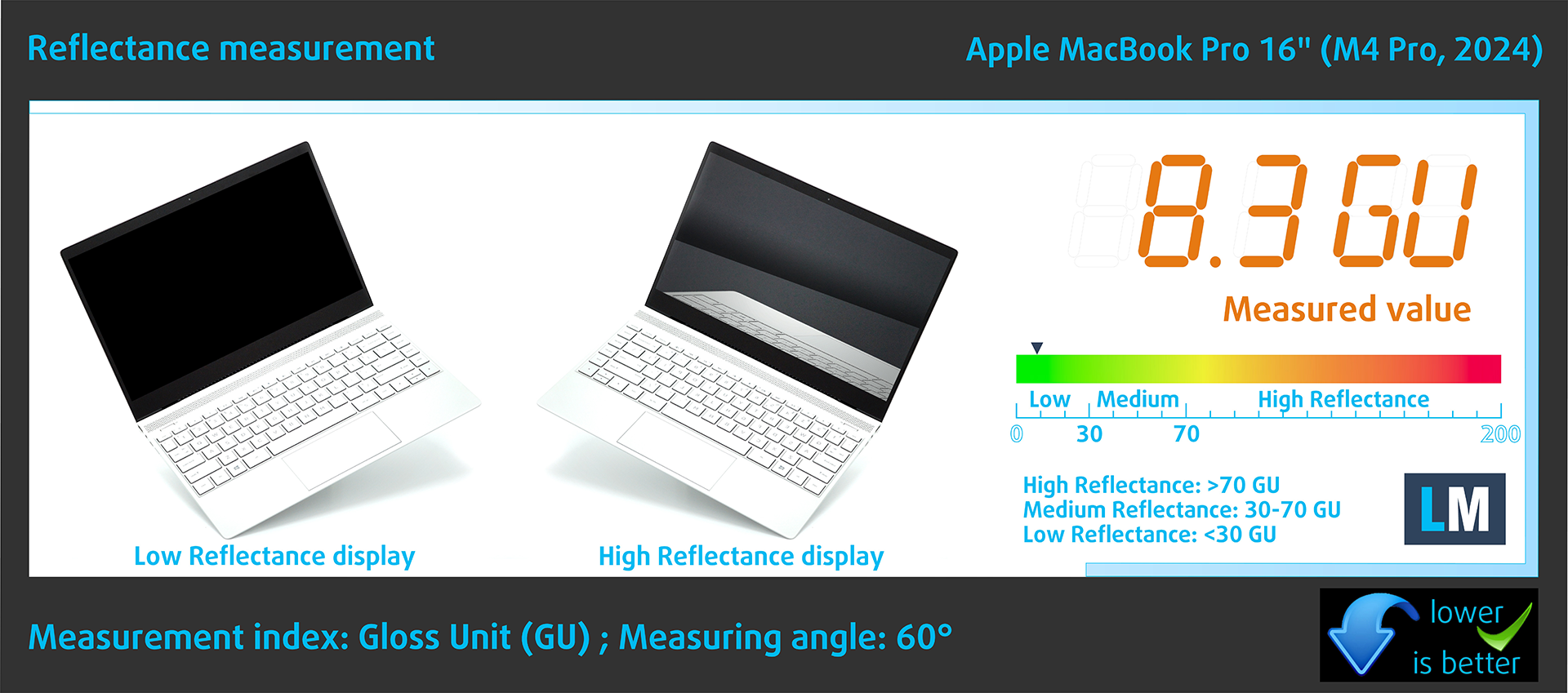
Glossy-coated displays can cause eye fatigue in high ambient light conditions due to reflections. We measure the level of screen reflection with the display turned off, at a 60° angle.
The reflectance of the Apple MacBook Pro 16″ (M4 Pro / M4 Max)’s screen is 8.3 GU. Incredible result!
High Gloss: >70 GU
Medium Gloss: 30 – 70 GU
Low Gloss: <30 GU
Sound
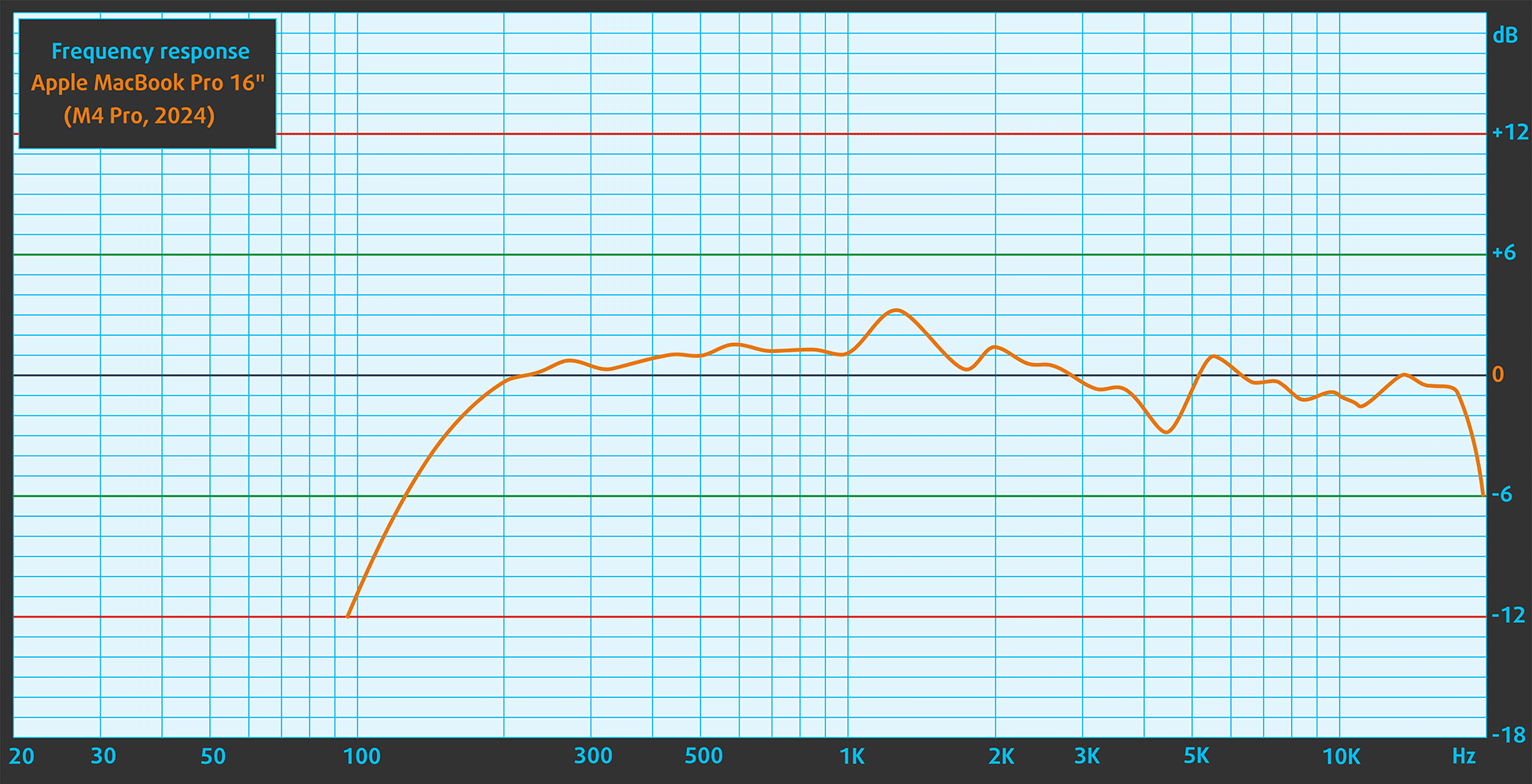
The Apple MacBook Pro 16″ (M4 Pro / M4 Max)’s sound is of very good quality. The low, mid, and high frequencies are clear.
Performance: CPU, GPU, Storage
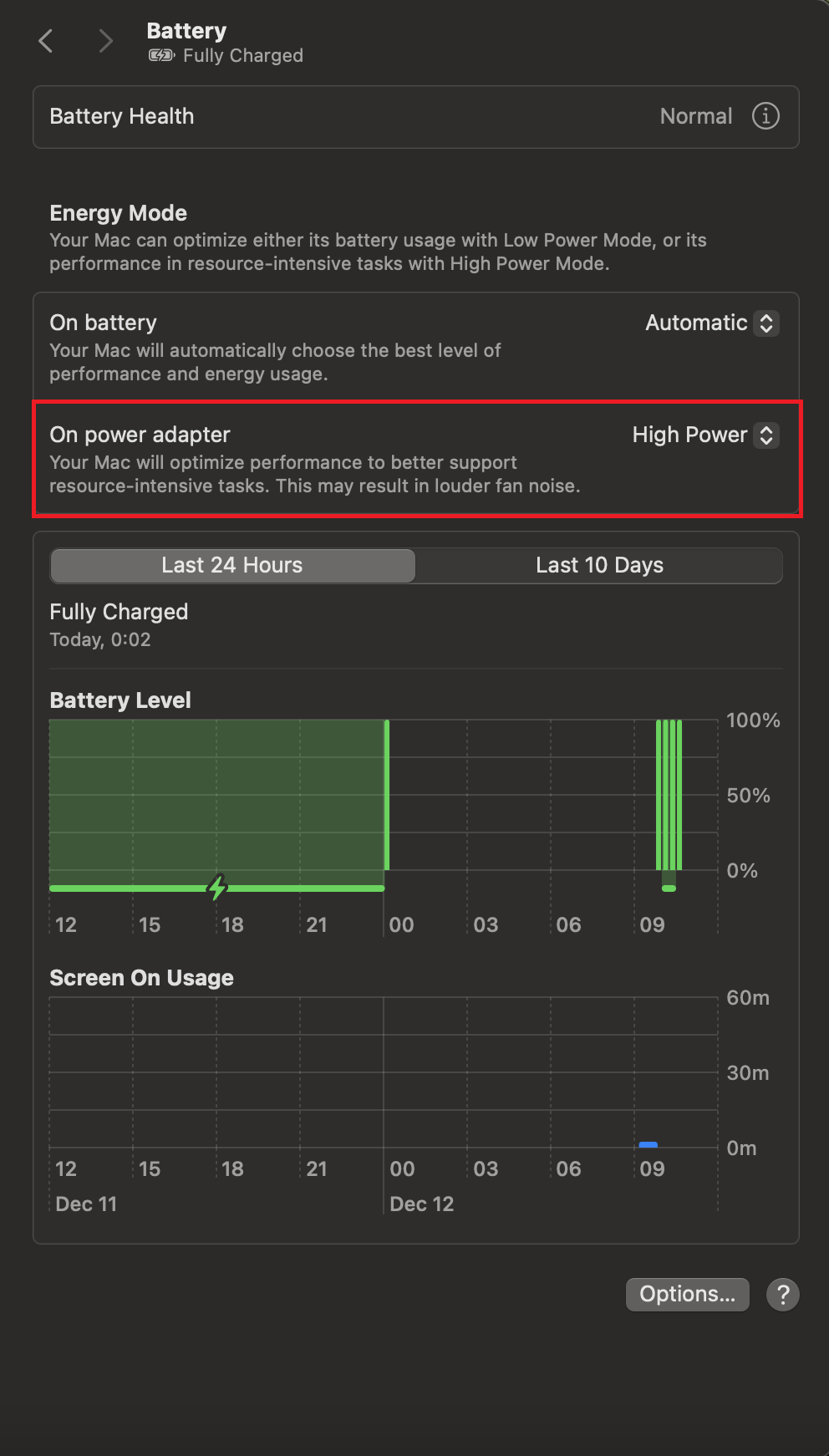
All benchmarks and tests were conducted with the “High Power” preset activated in the Battery menu.
CPU performance
The fully unleashed version of the M4 Pro with 14 cores has a notable advantage in multicore tasks while the single-core performance is almost unchanged compared to the 12-core iteration in MacBook Pro 14″. The Multi score of the MacBook Pro 16 in Geekbench 6 is ~ 11% higher than the one of the 14-inch sibling.
| Laptop Model | Geekbench 6: Single / Multi score |
|---|---|
| Apple MacBook Pro 16″ (M4 Pro, 14-core) | 3943 (+1%) / 22914 (+11%) |
| Apple MacBook Pro 14″ (M4 Pro, 12-core) | 3922 / 20622 |
| Apple MacBook Pro 16 (M3 Pro) | 3173 / 15749 |
| Apple MacBook Pro (14″, M3) | 3181 / 12055 |
| Apple MacBook Air (13″, M3) | 3135 / 12042 |
| Apple MacBook Air (15″, M3) | 3069 / 11976 |
| Apple MacBook Air (15″, M2) | 2631 / 10087 |
Single-core performance ensures smooth operation and responsiveness in operating systems, providing a better user experience.
Results are from the Geekbench 6 Single-Core test (higher is better)

Multi-core performance is essential for handling complex and demanding tasks, such as Video editing, CAD, and Scientific simulations.
Results are from the Geekbench 6 Multi-Core test (higher is better)
Here, we evaluate the CPU's performance using a real-world 3D rendering task, assessing its ability to handle complex computations and rendering workloads efficiently.
Results are from the Cinebench 2024 Multi-Core test (higher is better)
GPU performance
Expectedly, the 20-core graphics card has the upper hand in graphics-heavy loads. For example, it’s up to 19% faster in GFXBench Manhattan 3.1 and Aztec Ruins.
| GPU Benchmarks | GFXBench Manhattan 3.0 (1080p offscreen) | GFXBench Manhattan 3.1 (1080p offscreen) | GFXBench Aztec Ruins OpenGL (1080p offscreen) | GeekBench 5 Compute OpenCL | GeekBench 5 Compute Metal | GeekBench 6 Compute OpenCL | GeekBench 6 Compute Metal |
|---|---|---|---|---|---|---|---|
| Apple MacBook Pro 16″ (M4 Pro, 20-core GPU) | 1328 fps (+17%) | 911 fps (+19%) | 757 fps (+19%) | – | – | 70507 (+16%) | 112790 (+14%) |
| Apple MacBook Pro 14″ (M4 Pro, 16-core GPU) | 1136 fps | 767 fps | 634 fps | – | – | 60642 | 98925 |
| Apple MacBook Pro 16 (M3 Pro) | 935 fps | 671 fps | 581 fps | – | – | 50402 | 78940 |
| Apple MacBook Air (15″, M3) | 524 fps | 373 fps | 331 fps | – | – | 30566 | 47354 |
| Apple MacBook Air (13″, M3) | 530 fps | 367 fps | 331 fps | – | – | 30546 | 47782 |
| Apple MacBook Pro 14 (М3, Late 2023) | 561 fps | 390 fps | 321 fps | – | – | – | – |
| Apple MacBook Air 15 (M2, Mid-2023) | 533 fps | 370 fps | 289 fps | 27856 (Geekbench 6) | 46025 (Geekbench 6) | – | – |
| Apple MacBook Air (M2, 2022) | 478 fps | 319 fps | 247 fps | 23824 | 26182 | – | – |
| Apple MacBook Pro 13 (M2, 2022) | 552 fps | 370 fps | 296 fps | 35262 | 38692 | – | – |
| Apple MacBook Pro 14 (M1 Pro, 8C/14C) | 818 fps | 496 fps | 394 fps | 35262 | 38692 | – | – |
| Apple MacBook Air (M1) | 404 fps | 273 fps | 214 fps | – | – | – | – |
| Apple MacBook Pro 13 (M1) | 407 fps | 274 fps | 215 fps | – | – | – | – |
The results are from 3DMark Wild Life Extreme Unlimited. Higher is better.
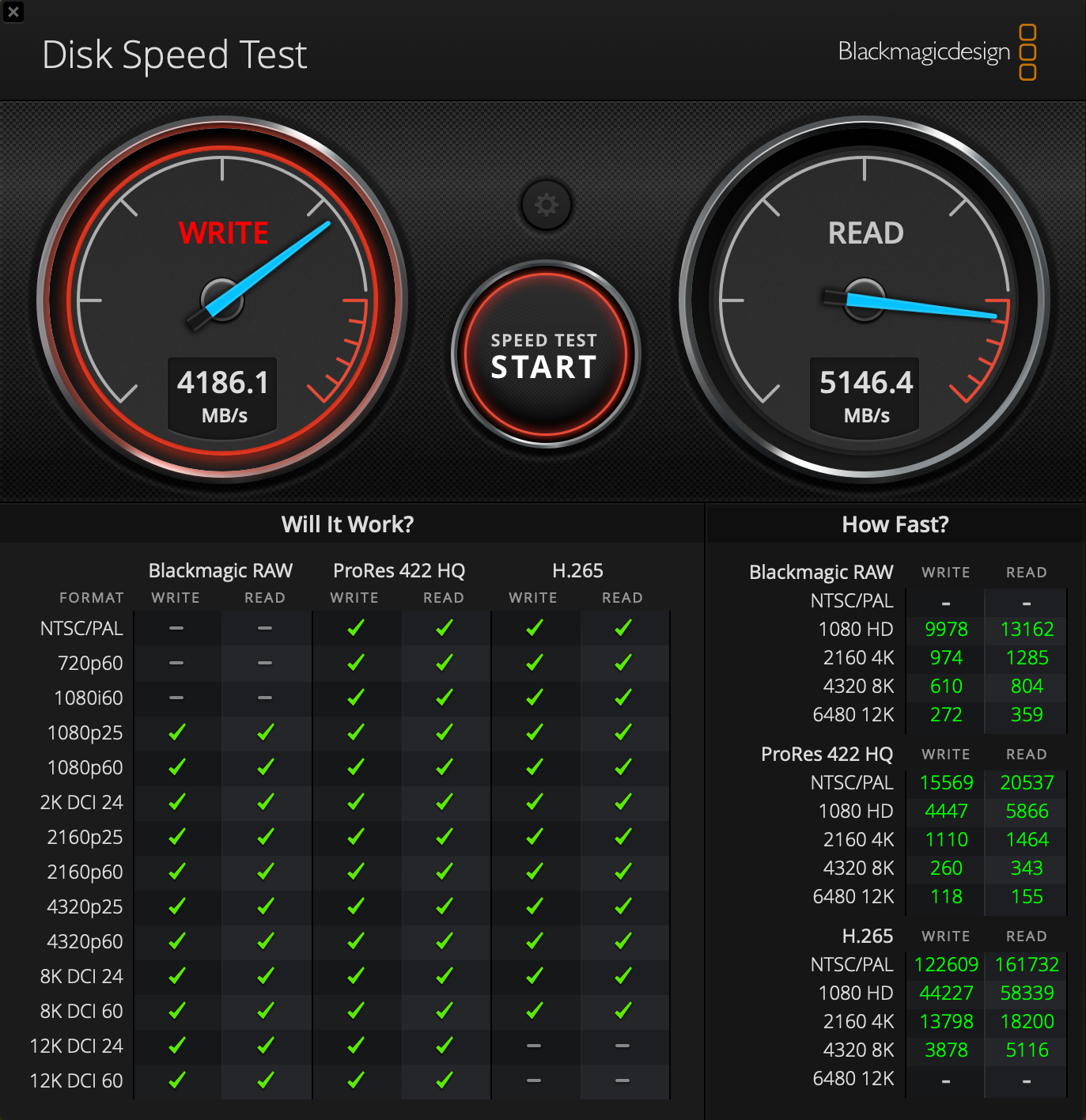
Storage
Our laptop is equipped with a 512GB SSD which shows similar higher benchmark sores against the MacBook Pro 14″.
Temperatures and comfort, Battery Life
Max CPU load
In this test we use 100% on the CPU cores, monitoring their frequencies and chip temperature. The first column shows a computer’s reaction to a short load (2-10 seconds), the second column simulates a serious task (between 15 and 30 seconds), and the third column is a good indicator of how good the laptop is for long loads such as video rendering.
Average P-core frequency; Average E-core frequency; CPU temp.; Package Power
| Apple M4 Pro | 0:02 – 0:10 sec | 0:15 – 0:30 sec | 10:00 – 15:00 min |
|---|---|---|---|
| Apple MacBook Pro 16″ (M4 Pro, 14-core CPU) | 3.85 GHz @ 2.59 GHz @ 72°C @ 47.81W | 3.85 GHz @ 2.59 GHz @ 87°C @ 47.80W | 3.85 GHz @ 2.59 GHz @ 92°C @ 48.14W |
| Apple MacBook Pro 14″ (M4 Pro, 12-core CPU) | 3.92 GHz @ 2.59 GHz @ 77°C @ 41.83W | 3.92 GHz @ 2.59 GHz @ 91°C @ 41.68W | 3.92 GHz @ 2.59 GHz @ 88°C @ 41.49W |
The 14-core chip maintains the same E-core clock of 2.59 GHz as the 14-incher. The P-core frequency is minimally lower but we can call it a day. Overall, the power is always there and it’s rock solid.
Stability (Cinebench R23 30-min test)
The CPU has lost just 4% of performance after 30 minutes of non-top runs of Cinebench R23. On top of that, the average score is 20% higher than the one of the 14-ich model because the latter has fewer processor cores.
| Model | First run | Average Score |
|---|---|---|
| Apple MacBook Pro 16″ (M4 Pro, 14-core CPU) | 23465 (+18%) | 22652 (+20%) |
| Apple MacBook Pro 14″ (M4 Pro, 12-core CPU) | 19823 | 18860 |
| Apple MacBook Pro 16 (M3 Pro) | 15140 | 14457 |
| Apple MacBook Air (15″, M3) | 10121 | 8441 |
| Apple MacBook Air (13″, M3) | 10871 | 7864 |
| Apple MacBook Pro 14 (М3, Late 2023) | 10471 | 9890 |
Comfort during full load
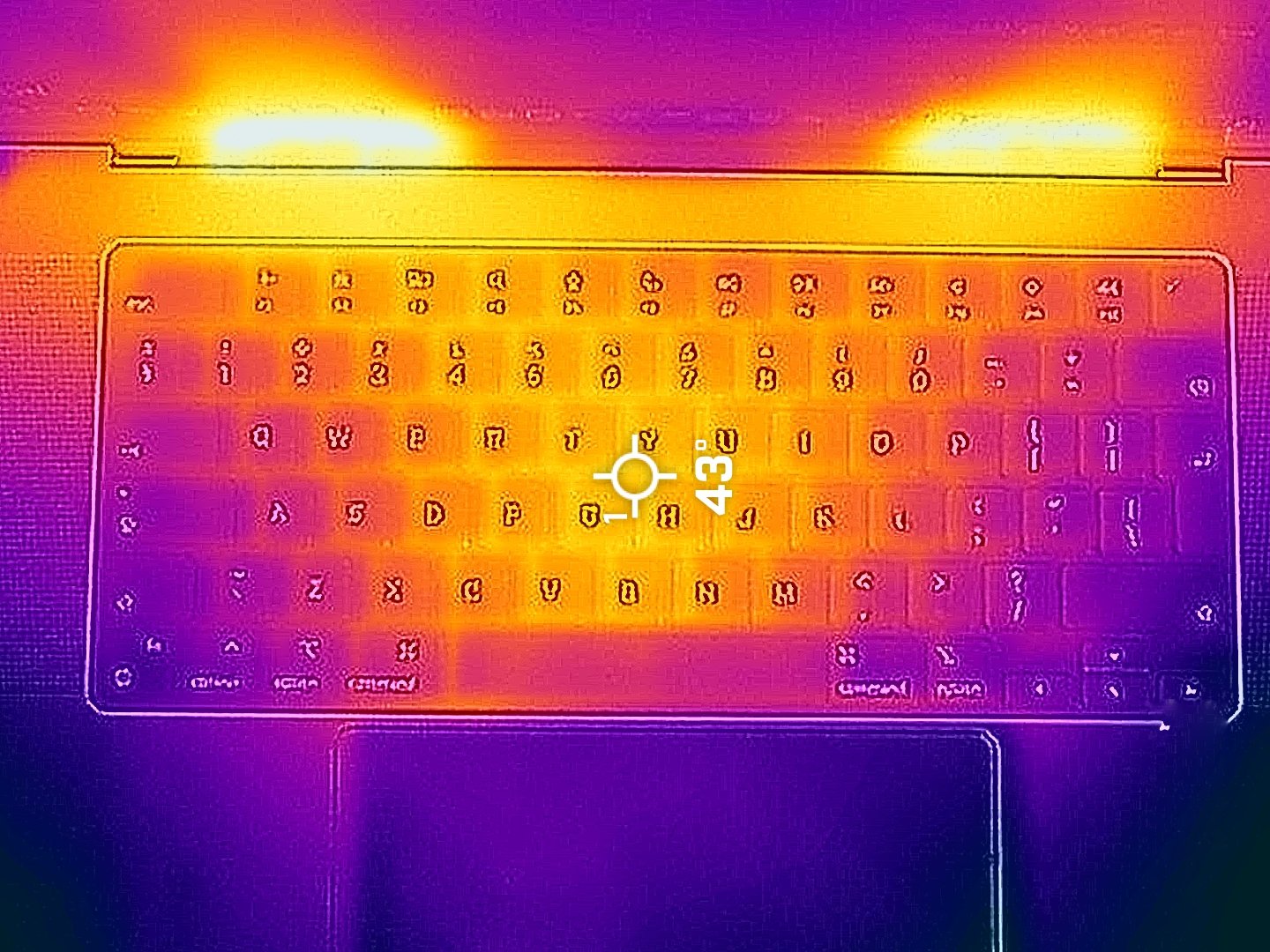
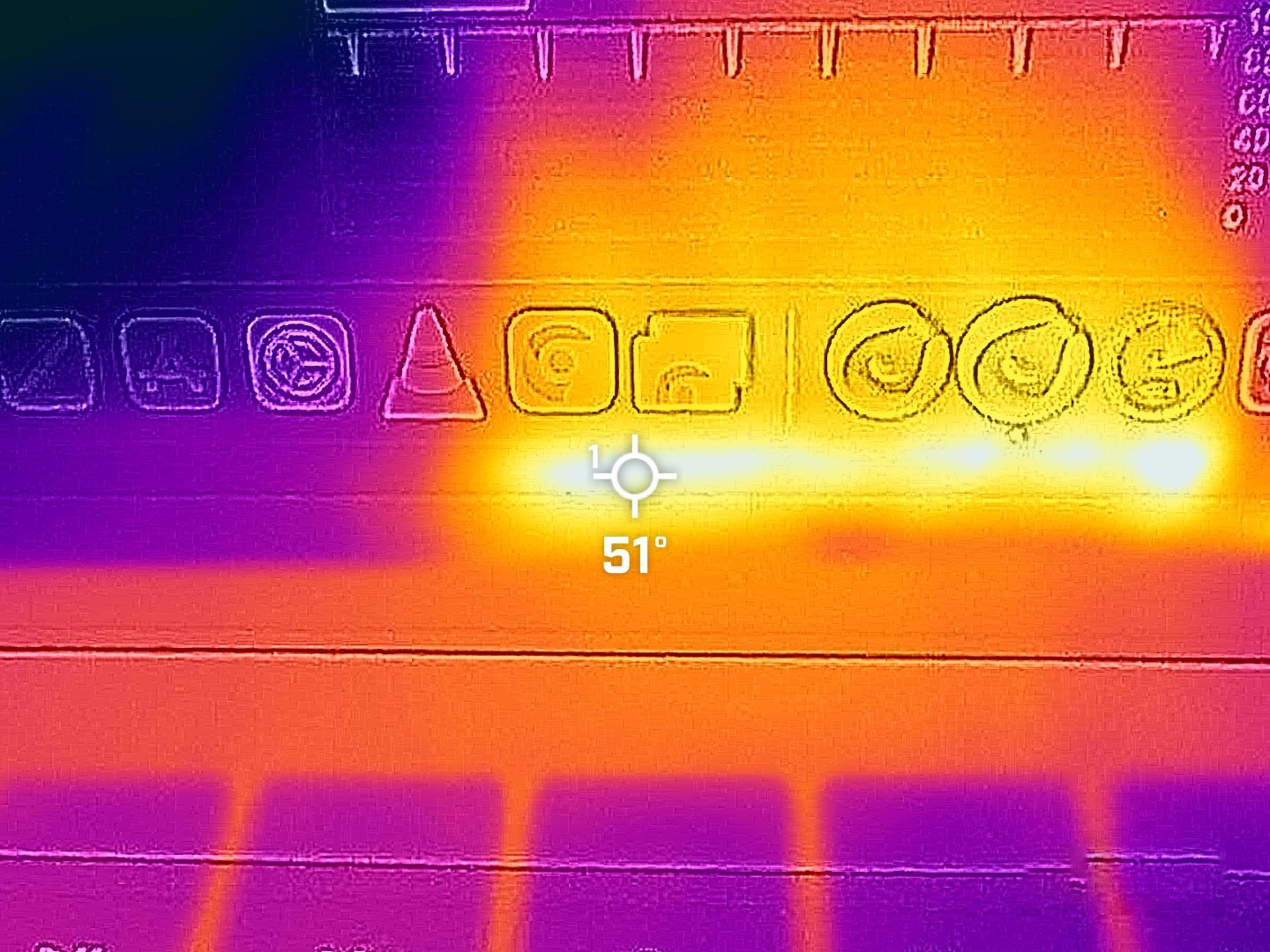
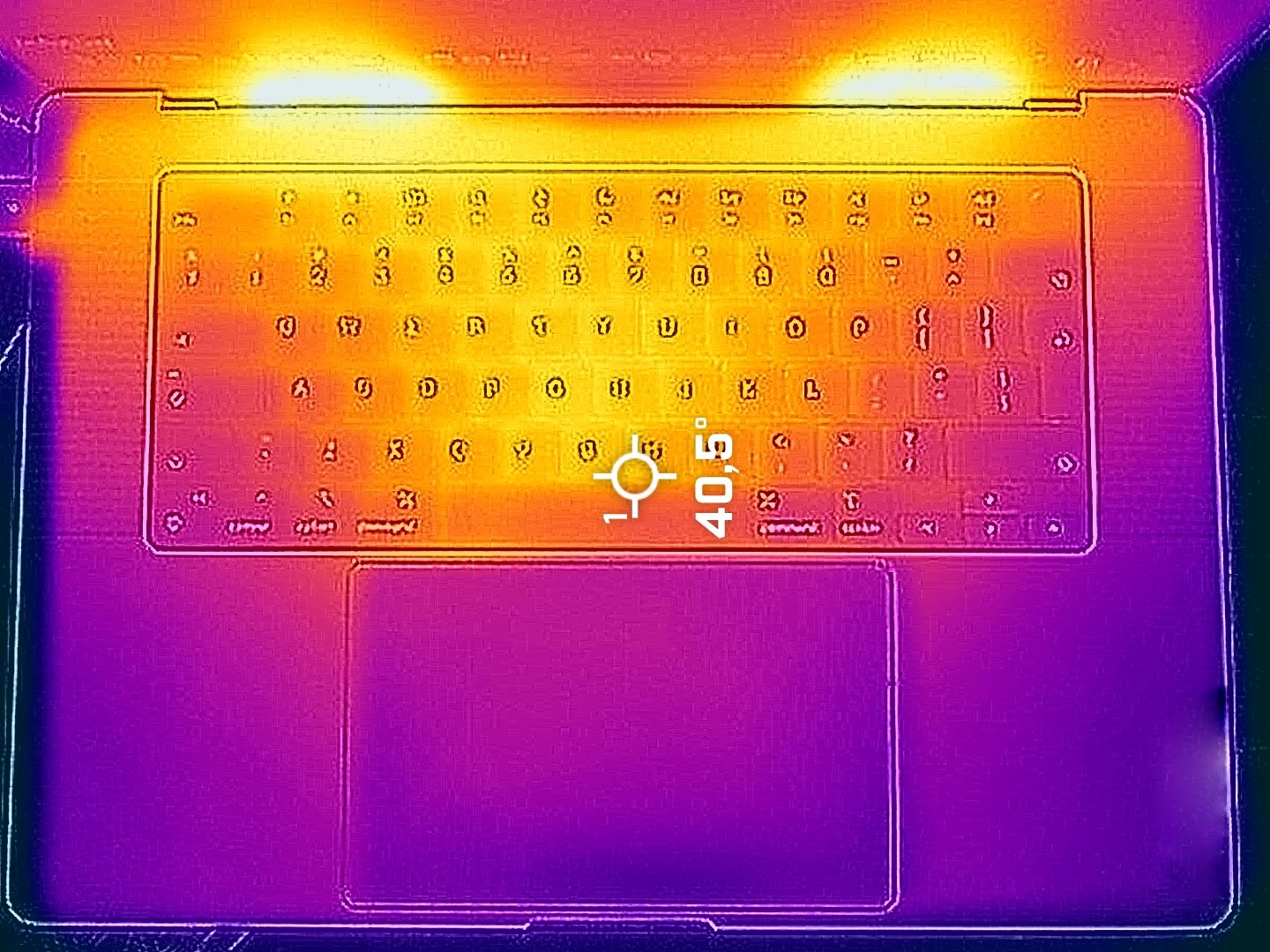
Because of the bigger chassis, the fans are a bit quieter but still audible in “High Power” mode compared to the 14″ sibling. Again, the hotspot on the keyboard is in the middle and it hits just 43°C. We also measured 51°C on the display bottom bezel in the zones in front of the rear vents.
Battery
We conduct the battery tests with the screen brightness adjusted to 180 nits and all other programs turned off except for the one we are testing the notebook with. The 100Wh battery lasts for around 17 hours of video playback. Considering the powerful hardware and the large mini-LED panel, this result is very good!
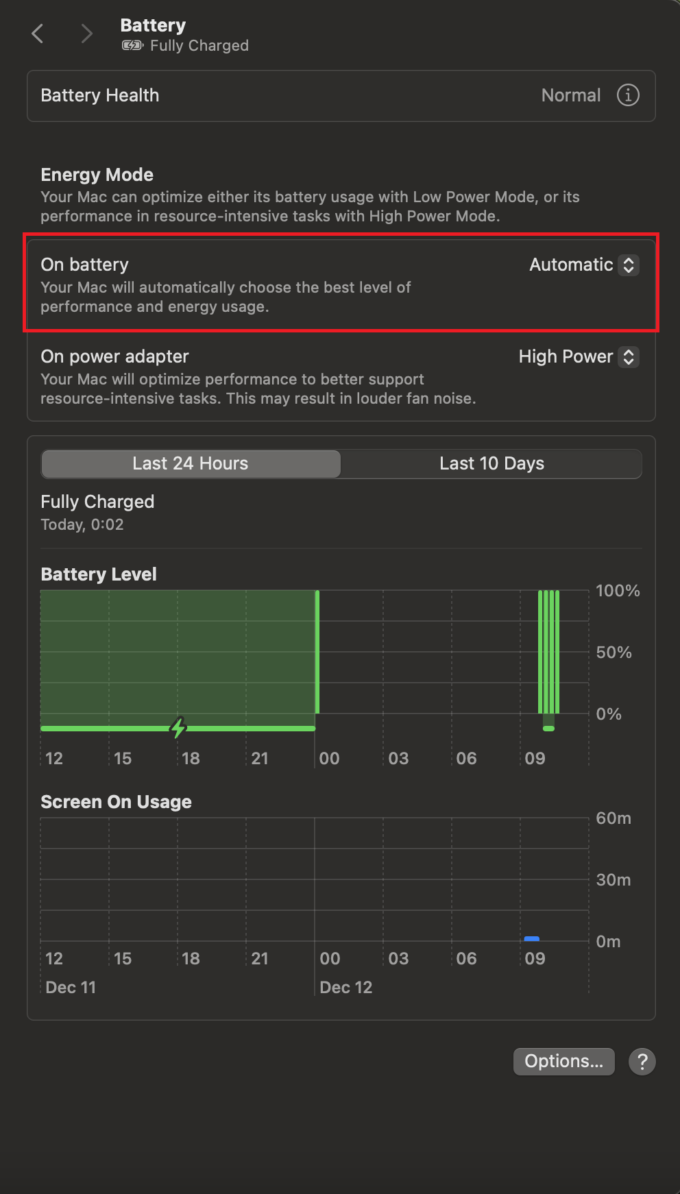
Оur test was conducted with the “Automatic” preset activated in the “Battery – On Battery” menu.
Brightness: 180 nits; Display Mode: SDR
Time to Full Discharge: Higher is Better
Disassembly, upgrade options and maintenance
If you want to open this machine, get yourself a spudger, a suction cup, and a thin pry tool.
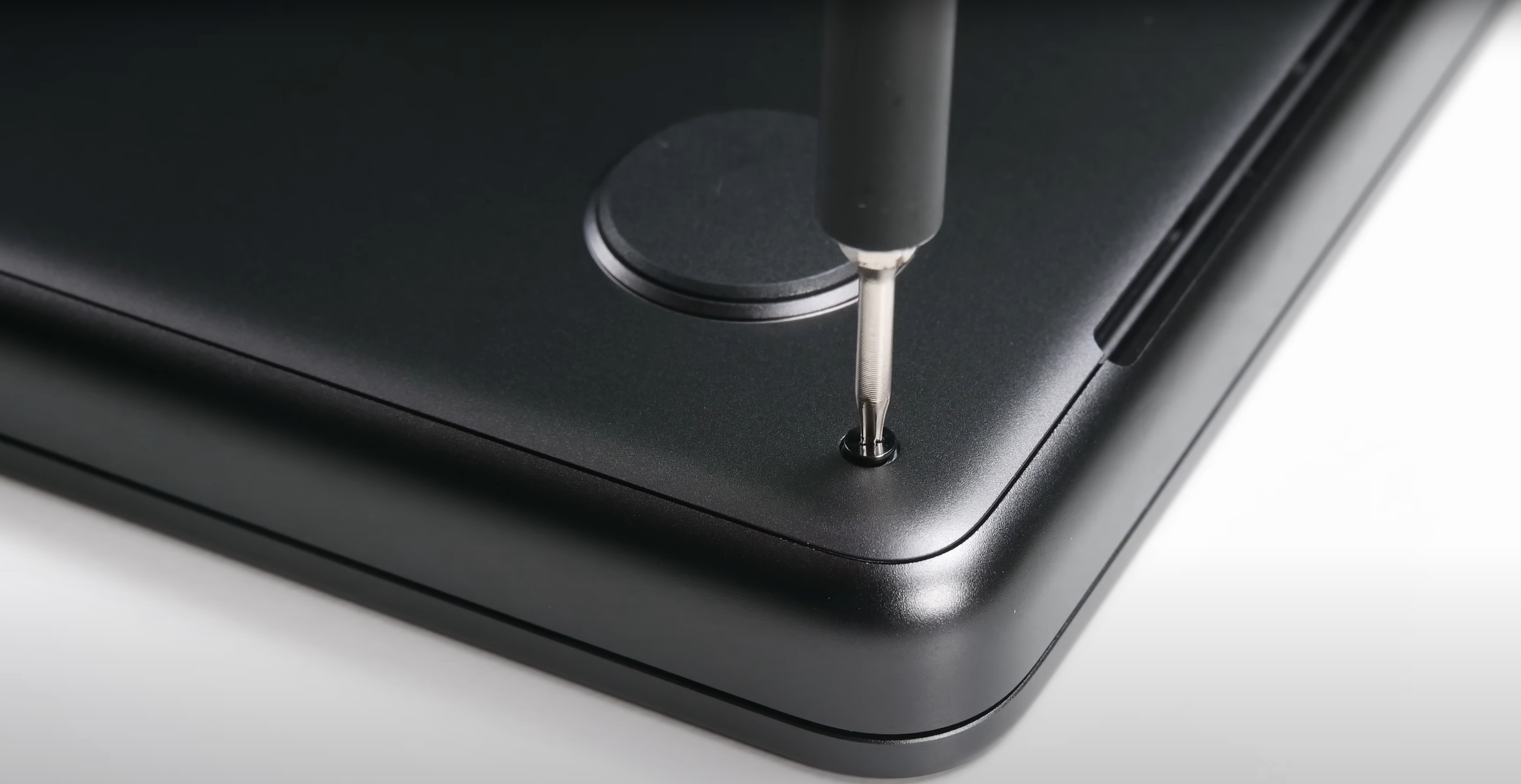
Then, undo the eight Pentalobe screws that secure the bottom panel.
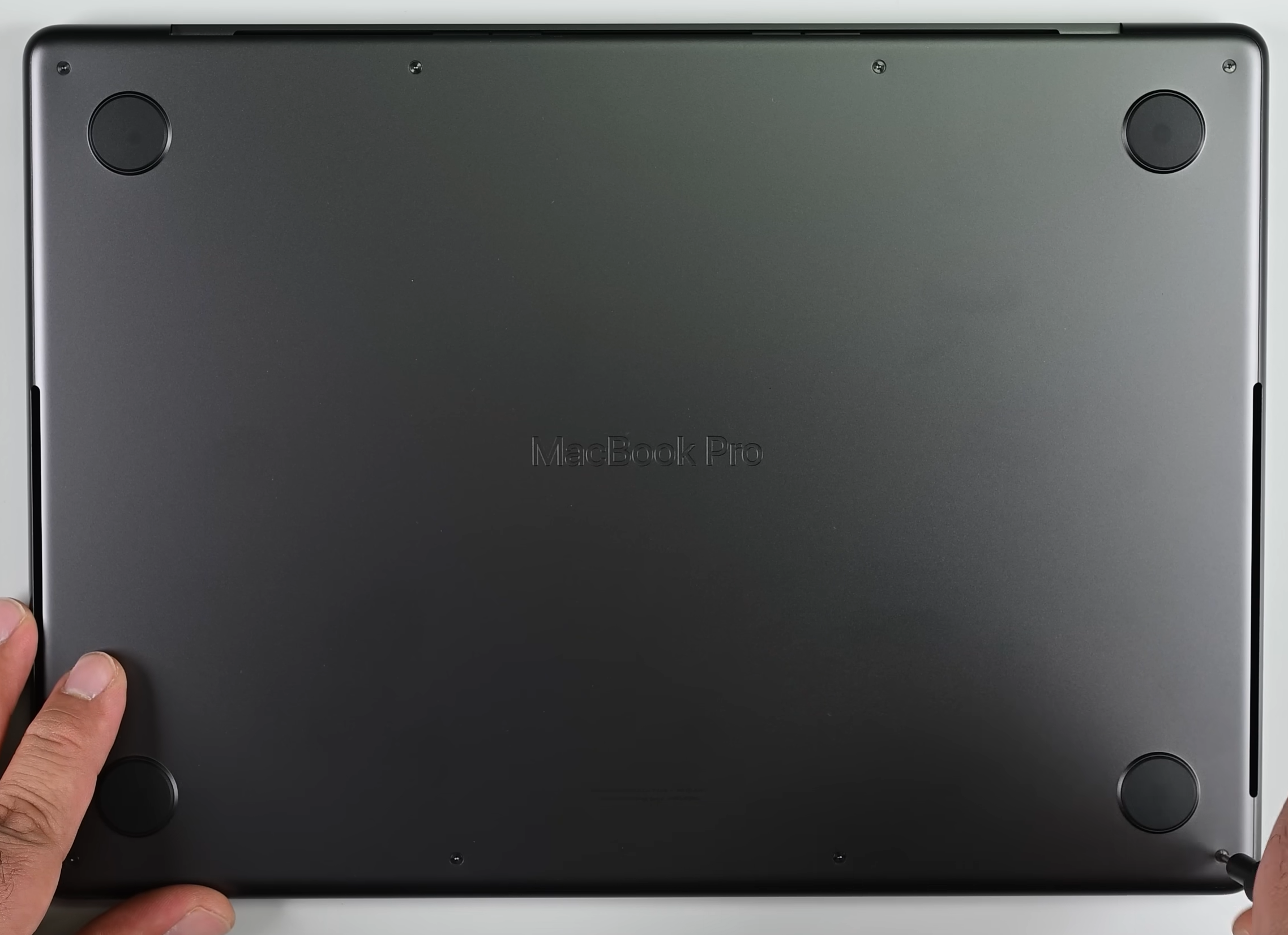
Carefully push down the suction cup to connect it to the left side of the bottom cover. Pull upwards until you feel that the internal clips on this side are fully released. Repeat the same process for the other sides except the rear.
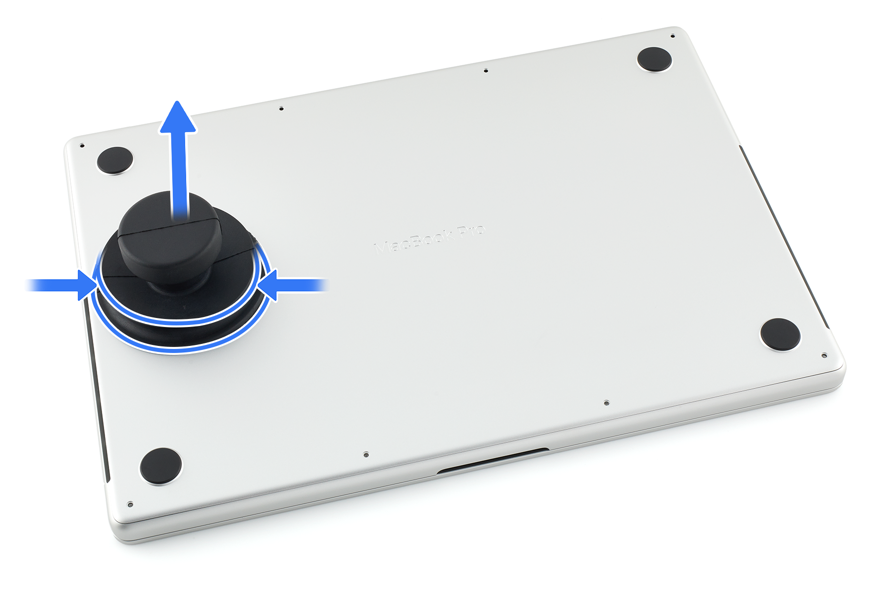
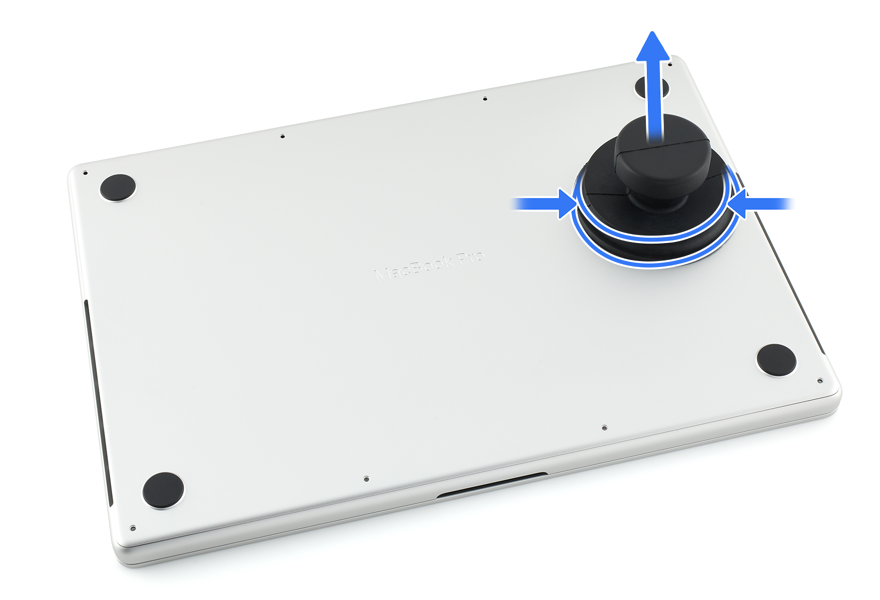
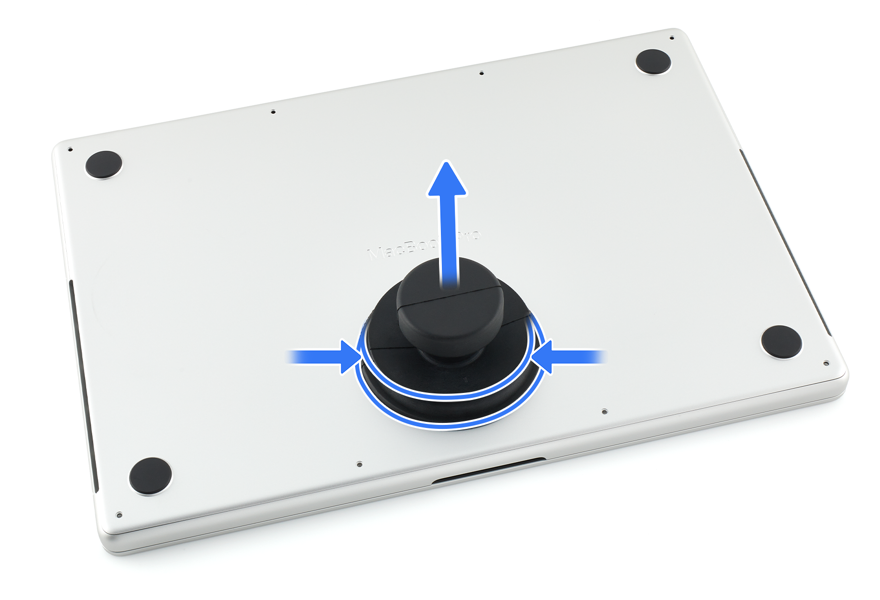
Use a spudger to push the back towards the front in the areas around the hinges.
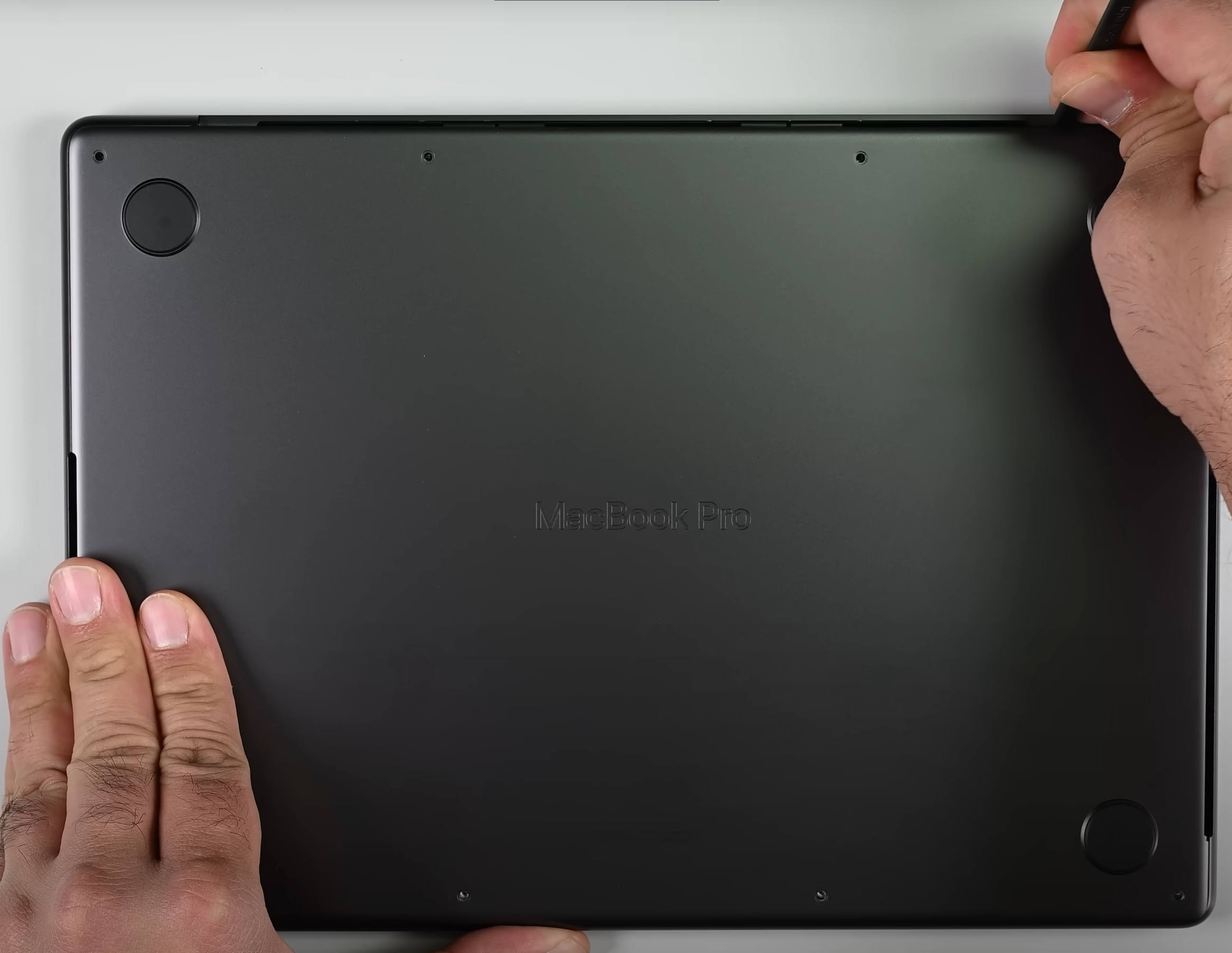
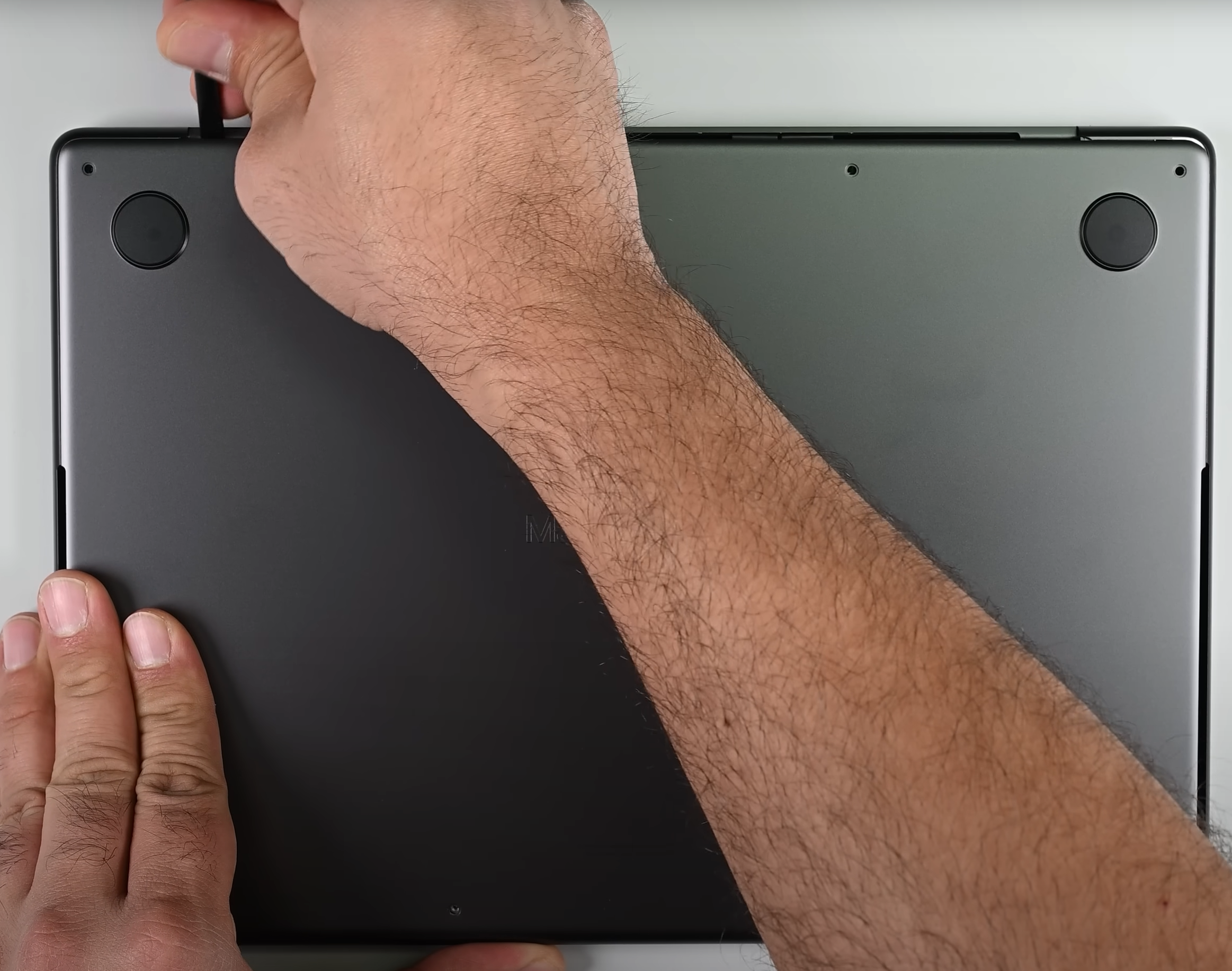
The next step is to pry the front side with a thin plastic tool and lift the metal plate away from the chassis.
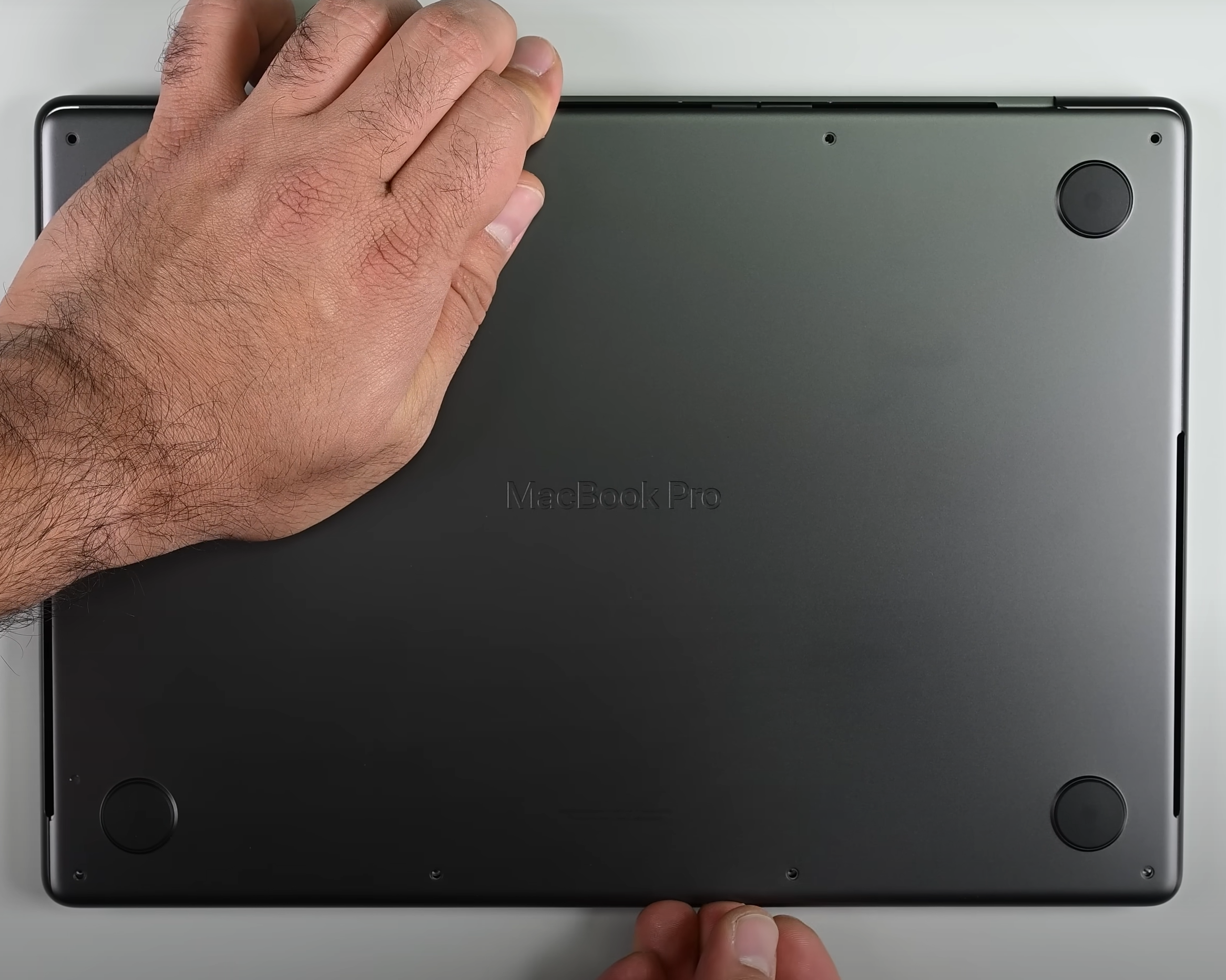
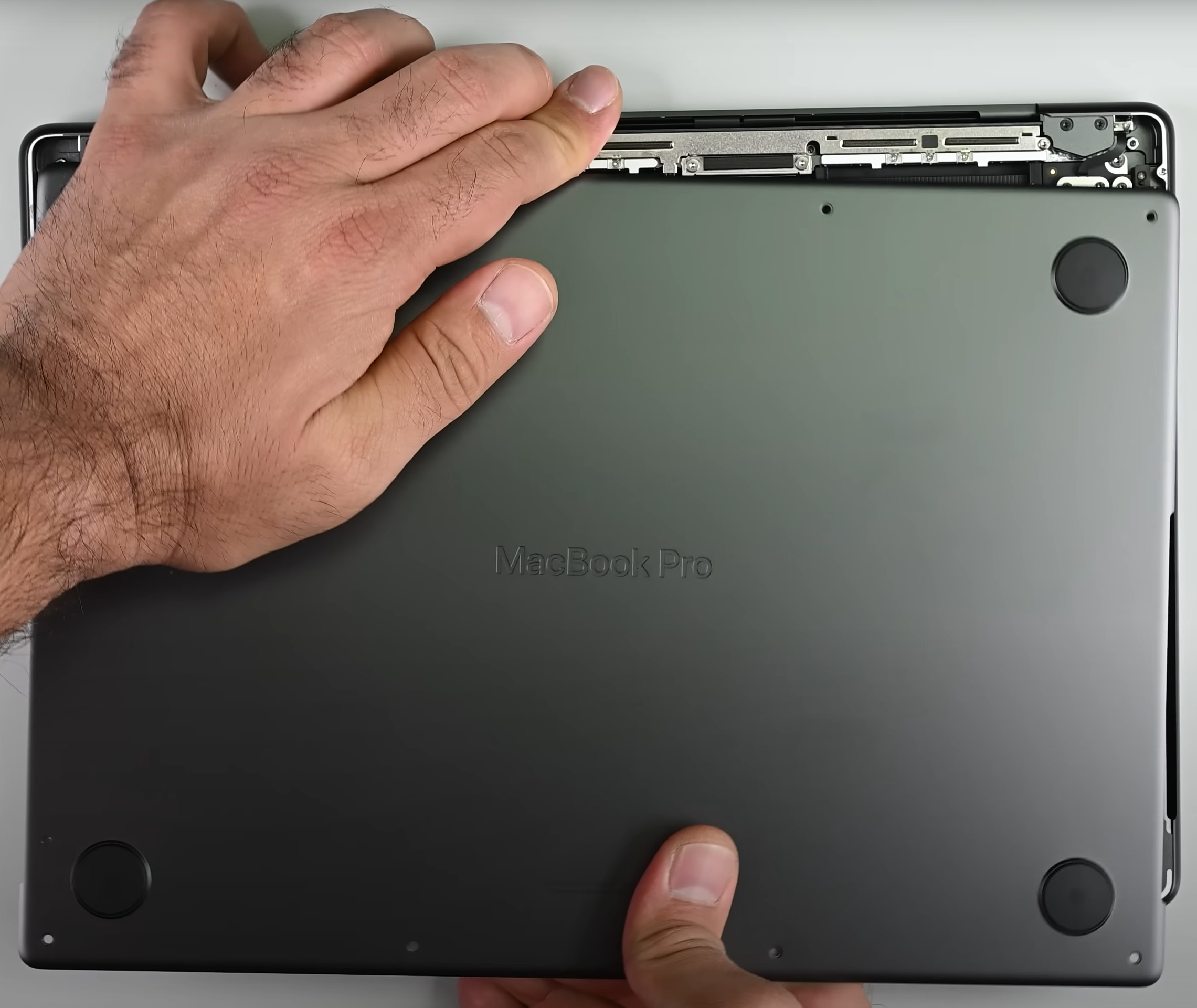
All credits to this guide go to iFixit and the official Apple repair manual.
Verdict
 Thanks to its more punchy hardware, the MacBook Pro 16″ (M4 Pro / M4 Max) offers more performance than the base version of the 14-inch sibling. In real life, you can spot this if you are using the machine for 3D rendering, video conversion, compression, decompression, etc. If you don’t care about the performance of these types of loads, both devices feel equally snappy during daily usage.
Still, the 16-incher boasts slightly better comfort. The fans are a bit quieter during heavy CPU stress. It took 75 seconds before hearing any noise while Cinebench R23 was running in the background.
The 16.2-inch display of our laptop is tied with the optional matte Nano-texture coating. The latter makes the panel a great choice for people who work in a well-lit environment. The screen offers 100% Display P3 coverage and 613 nits of max brightness when it’s not under direct sunlight.
While not providing many new groundbreaking features compared to its predecessor, the M4 Pro-based version of the MacBook Pro 16 impresses with its great display, faster hardware, superb touchpad, long battery life, and three Thunderbolt 5 ports.
You can check the prices and configurations in our Specs System: https://laptopmedia.com/series/apple-macbook-pro-16-late-2024/
Pros
- The 14-core CPU maintains 3.85 GHz / 2.59 GHz for the P and E cores even in long-stress scenarios
- Superb sustained performance
- The fans are quiet in light and medium loads
- Mini-LED display with 120Hz refresh rate and 613 nits of max brightness
- Full sRGB and DCI-P3 coverage
- Color-accurate panel
- The optional Nano-texture display handles the reflections like a boss
- Great CPU and GPU performance
- The metal chassis is very solid
- Very long battery life (~ 17 hours of videos)
- Great sound quality
- Mag Safe charging port
- 3x Thunderbolt 5 / USB4 ports
- Comfortable keyboard
- Enormous and super smooth touchpad
- Snappy 512GB NVMe drive
- The keyboard doesn’t feel hot during heavy loads
- Nice multicore performance bump compared to the 12-core version of the M4 SoC
- 24GB of unified memory as standard
- Up to 48GB RAM
- Up to 4TB of storage
- Thin for a powerful 16-incher (16.8 mm)
Cons
- High price, especially if you want to add more memory or storage
- Soldered memory and SSD
- High processor temperatures during long loads
- Clearly audible fans in long 100% CPU stress
- No Wi-Fi 7
 Author: Nikolay Palaozov
 Author: eng. Kroum NikolovHead of Engineering at LaptopMedia.com, inventor and innovator with 40+ years of experience in electronics and high technology.

![[June 2026] Best-Selling Laptop Brands on Amazon Global – Apple’s Unrivaled Dominance in Units and Revenue](https://laptopmedia.com/wp-content/uploads/2026/07/GLOBAL-Best-Brands-400x225.jpg)
![[June 2026] Amazon Global: Top 10 Best-Selling Laptops – Apple’s New MacBook Neo Storms to #1, Reshaping the Market with Affordability](https://laptopmedia.com/wp-content/uploads/2026/07/Best-Selling-Laptops-GLOBAL-Top-10-400x225.jpg)
![[June 2026] Amazon Global: Top 10 Best-Selling Gaming Laptops – Acer’s Nitro V 16S AI Dominates Sales, While ASUS Leads Overall Revenue](https://laptopmedia.com/wp-content/uploads/2026/07/Best-Selling-Gaming-Laptops-GLOBAL-Top-10-400x225.jpg)
![[June 2026] Global Ranking of Best-Selling Laptop GPUs on Amazon – NVIDIA RTX 5060 is the Top-Selling Dedicated GPU](https://laptopmedia.com/wp-content/uploads/2026/07/Best-Selling-GPUs-GLOBAL-Top-10-400x225.jpg)
![[June 2026] Global Ranking of Best-Selling Laptop CPUs on Amazon – Apple M5 Dominates, AMD Ryzen 7 260 Gets Solid Premium Share](https://laptopmedia.com/wp-content/uploads/2026/07/Best-Selling-CPUs-GLOBAL-Top-10-400x225.jpg)

Did Apple finally discover middle click on touchpad without command button?