Acer Predator Helios 16 AI (PH16-73) review – Ultimate Power Meets a Stunning (But Too Glossy) OLED
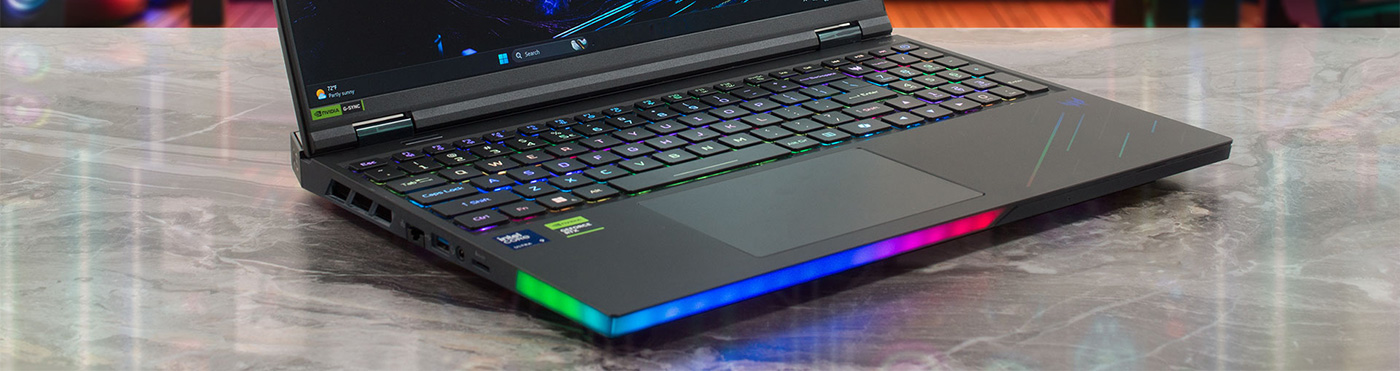
The Acer Predator Helios 16 AI (PH16-73) isn’t just another gaming laptop; it’s a declaration of dominance. Acer has thrown everything but the kitchen sink into this machine: a flagship NVIDIA RTX 5090, a breathtaking 240Hz OLED display, and next-generation connectivity like Thunderbolt 5. It’s a machine built to be the best, seemingly without compromise, wrapping top-of-the-line specs in a surprisingly well-managed thermal package. But does stacking the spec sheet this high translate to the ultimate, real-world gaming experience? We pushed this beast to its limits to see if it truly lives up to its legendary name.
You can check the prices and configurations in our Specs System: https://laptopmedia.com/series/acer-predator-helios-16-ai-ph16-73/
Contents
- Specs, Drivers, What’s in the box
- Design and construction
- Display and Sound Quality, Display Profiles
- Get our profiles
- Work Performance: CPU, Storage, AI
- GPU and Gaming Performance
- [eBook Guide + Tools] How to MAX OUT Your Laptop
- Temperatures and Comfort, Noise, Stability
- Battery Life
- Disassembly, Upgrade options, and Maintenance
- Verdict
Specs, Drivers, What’s in the box
Acer Predator Helios 16 AI (PH16-73) - Specs

- HDD/SSD
- up to 4000GB SSD
- M.2 Slot
- 1x 2280 M.2 NVMe PCIe 5.0 x4 + 1x 2280 M.2 NVMe PCIe 4.0 x4 See photo
- RAM
- up to 64GB
- OS
- Windows 11 Home, Windows 11 Pro
- Battery
- 90Wh
- Dimensions
- 356.78 x 279.55 x 15.9 - 27.71 mm (14.05" x 11.01" x 0.63")
- Weight
- 2.70 kg (6 lbs)
- Ports and connectivity
- 3x USB Type-A
- 3.2 Gen 2 (10 Gbps)
- 2x USB Type-C
- Thunderbolt 5
- Card reader
- microSD (microSD, microSDHC, microSDXC)
- Ethernet LAN
- Wi-Fi
- Wi-Fi 7
- Bluetooth
- 5.3
- Audio jack
- 3.5mm Combo Jack
- Features
- Fingerprint reader
- Web camera
- FHD IR
- Backlit keyboard
- Microphone
- Speakers
- 4x Stereo Speakers, DTS:X Ultra
- Security Lock slot
All Acer Predator Helios 16 AI (PH16-73) configurations
Drivers
All drivers and utilities for this notebook can be found here: https://www.acer.com/us-en/support/product-support/Predator_PH16-73/downloads?suggest=PH16-73;1
What’s in the box?
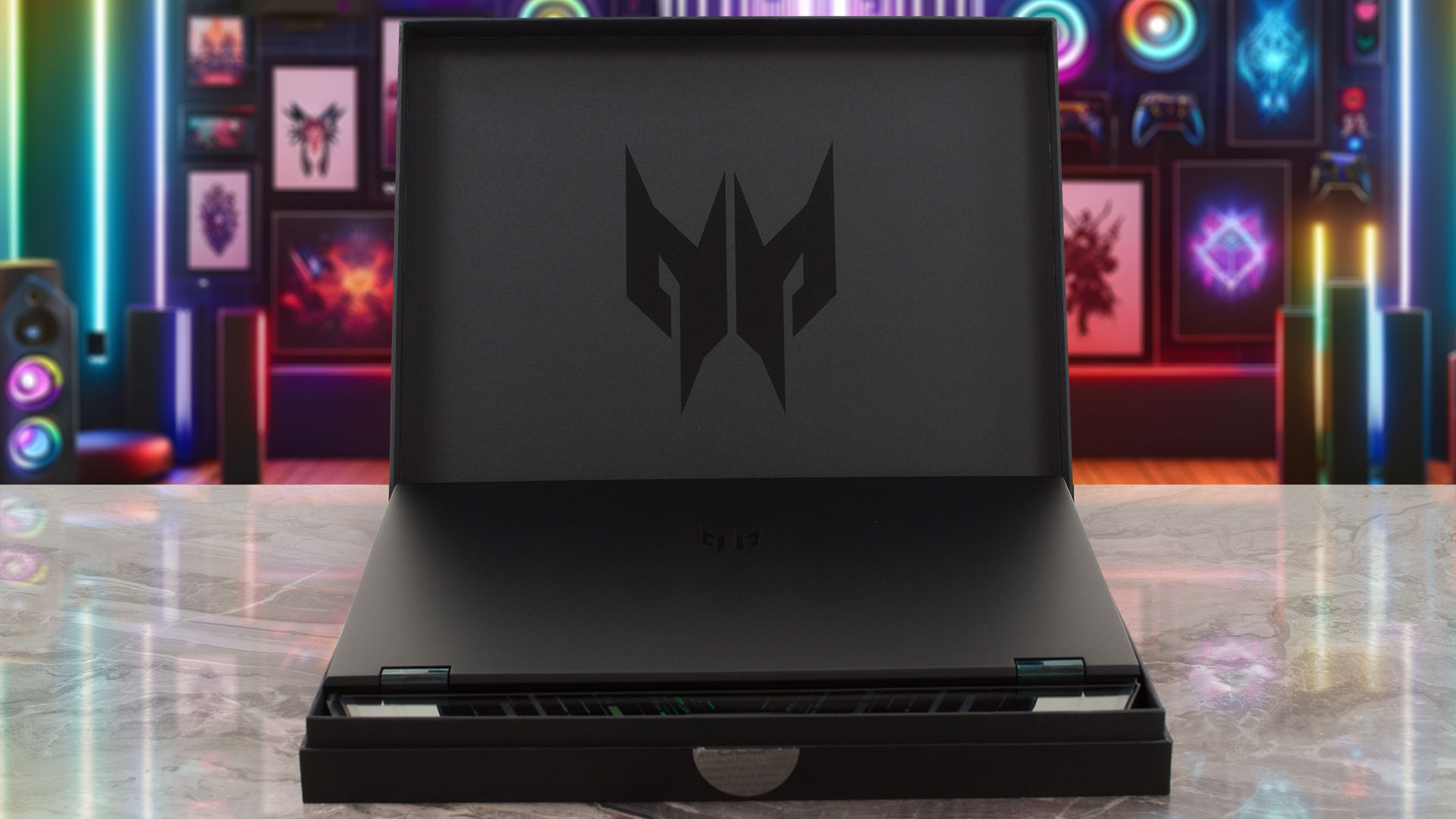
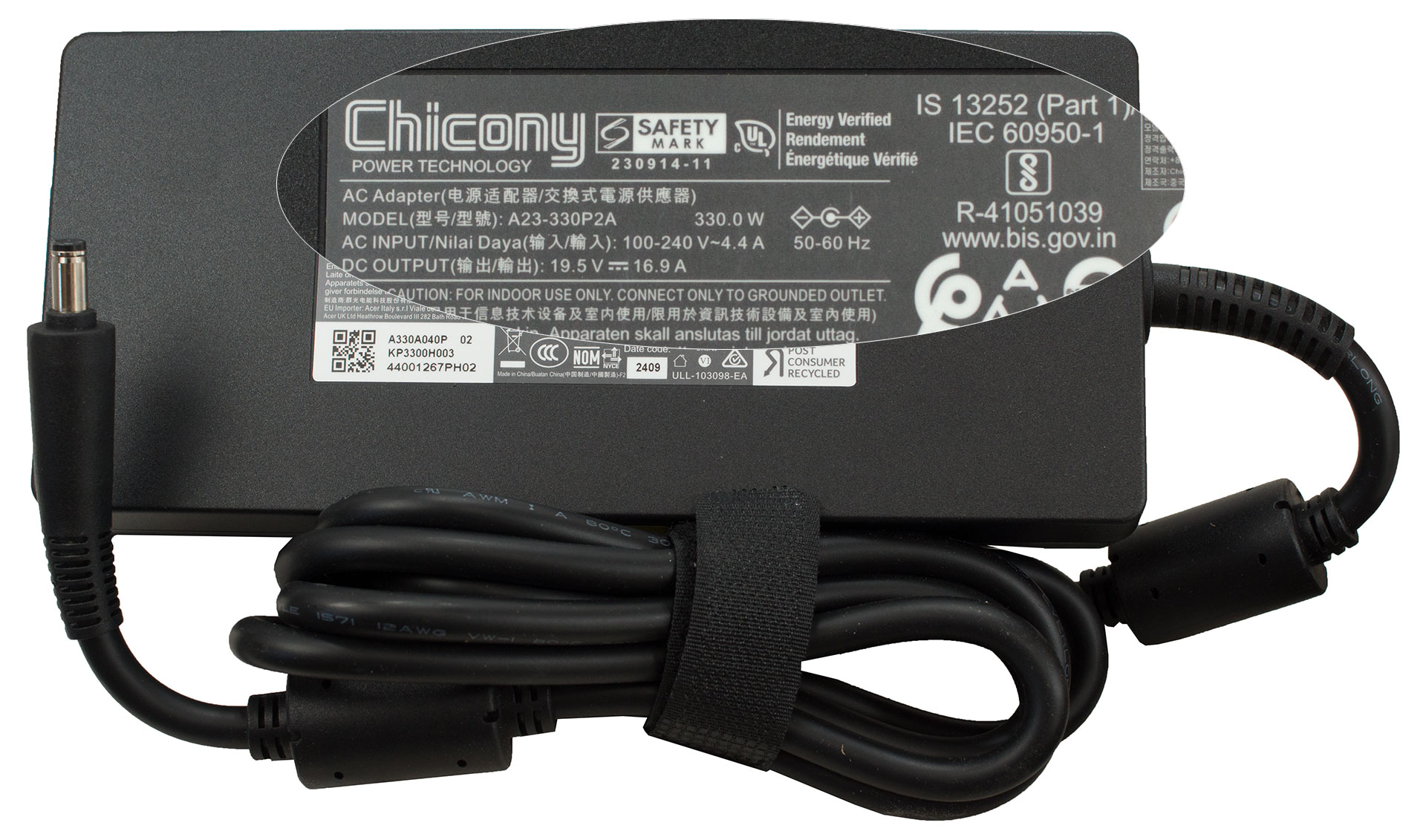
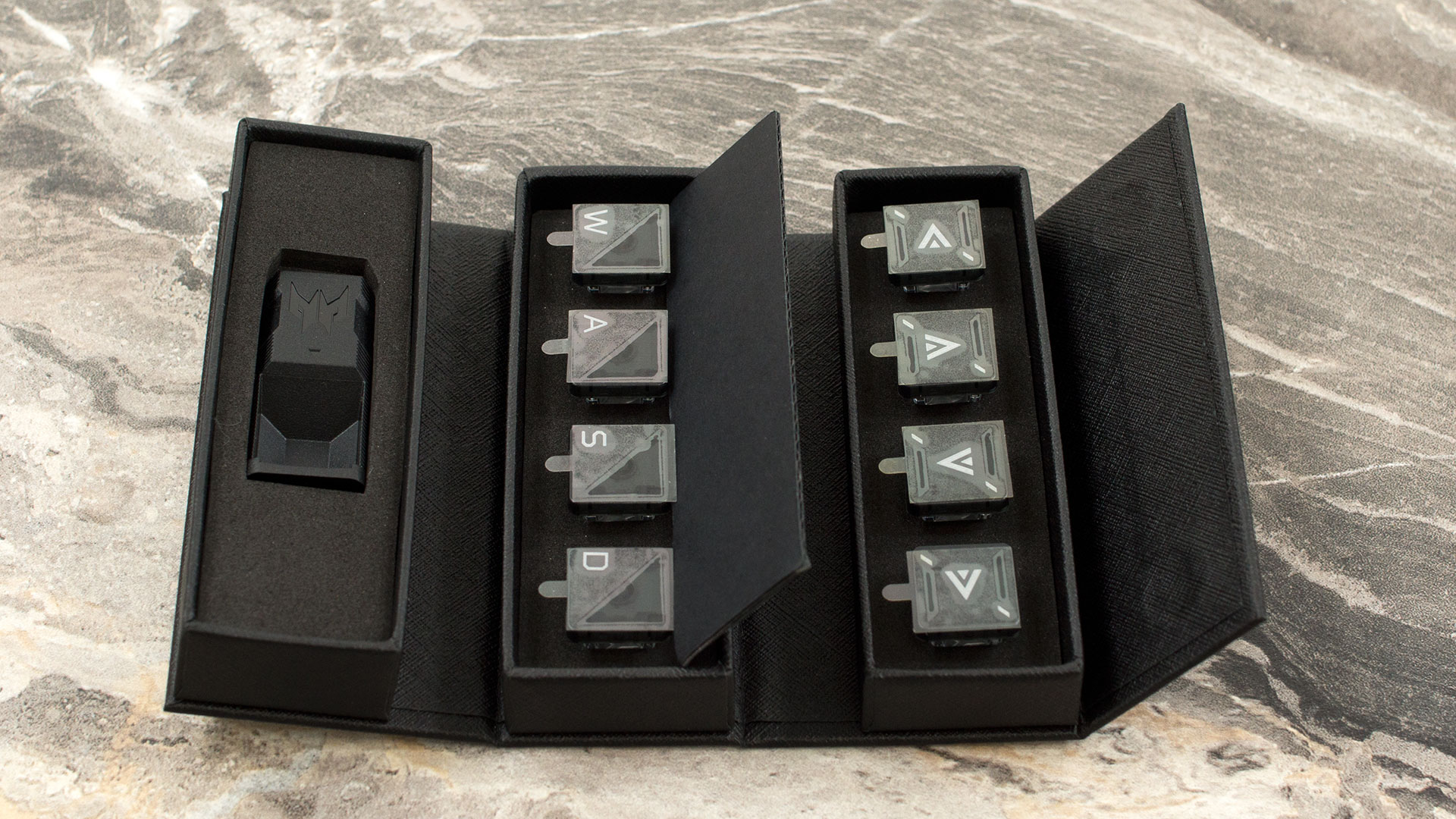
Opening the packaging for the new Predator Helios 16 AI, you’ll first notice the hefty 330W power adapter, a solid 900g (nearly 2 lbs) brick essential for fueling this gaming rig.
Beyond the laptop itself and the charger, Acer includes a cool bonus for enthusiasts: the Predator MagKey 4.0 Eight-in-One Box.
This kit comes with a set of MagClick swappable keycaps for the WASD and cursor keys, along with a key-puller, allowing for some neat personalization right out of the gate.
Design and construction
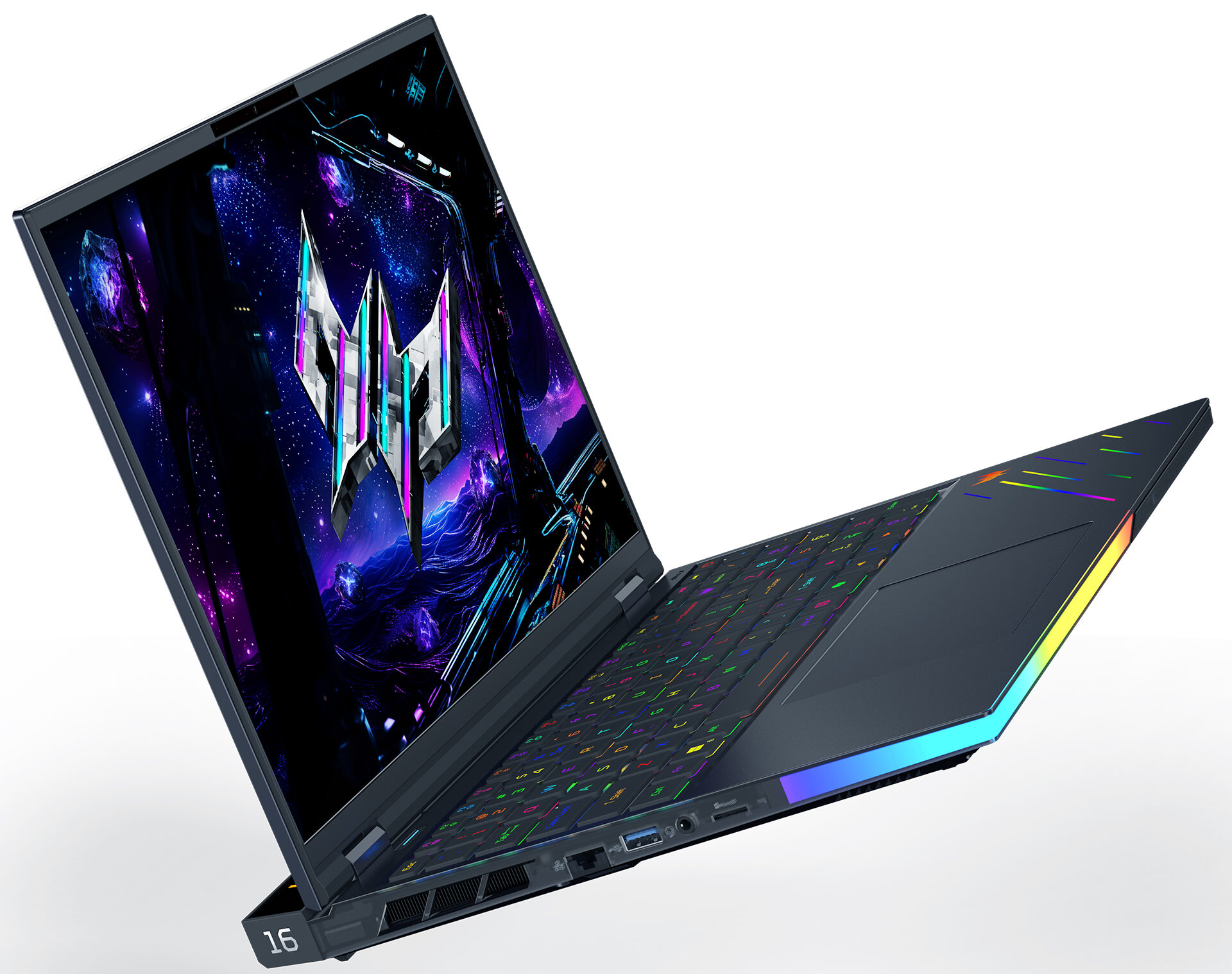
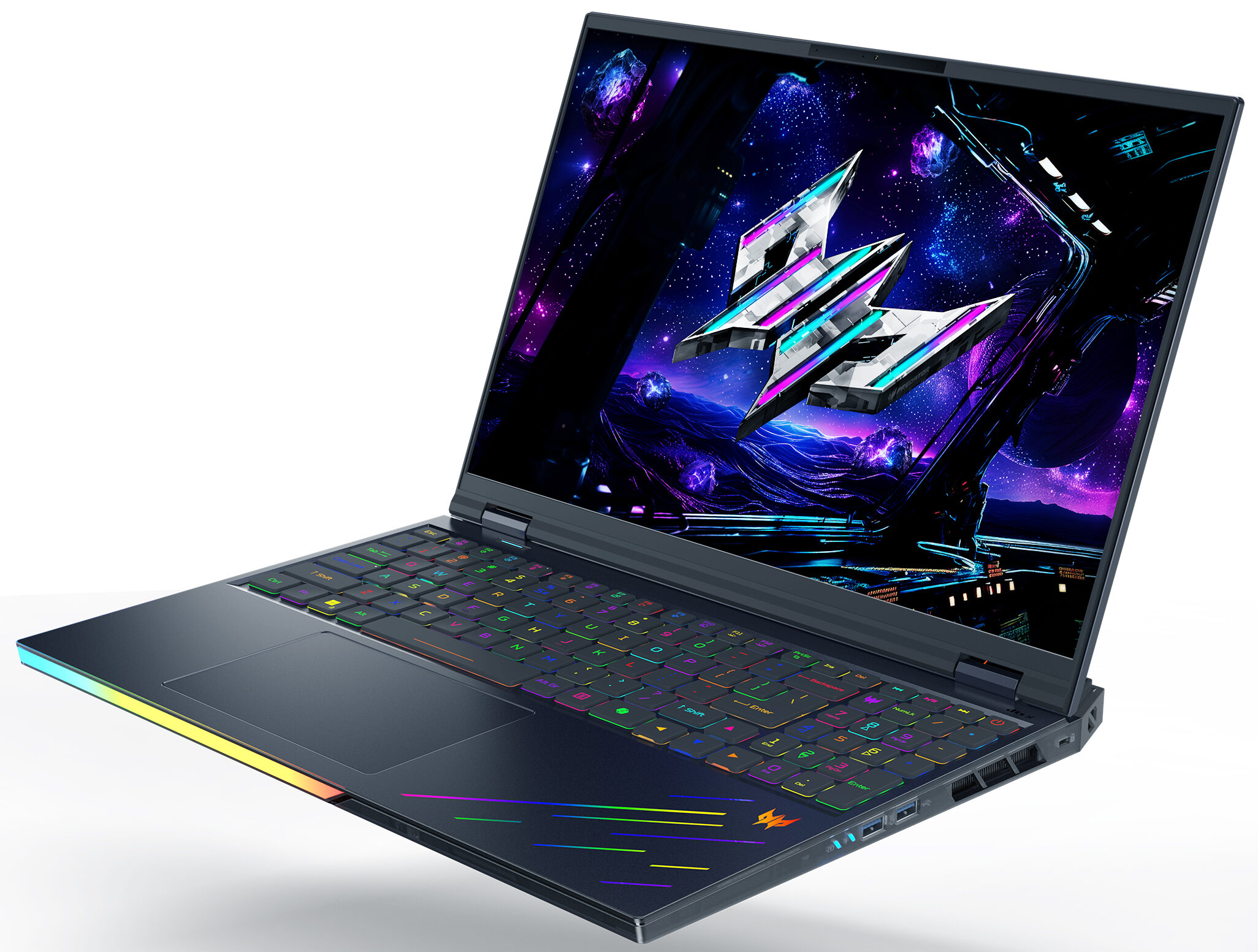
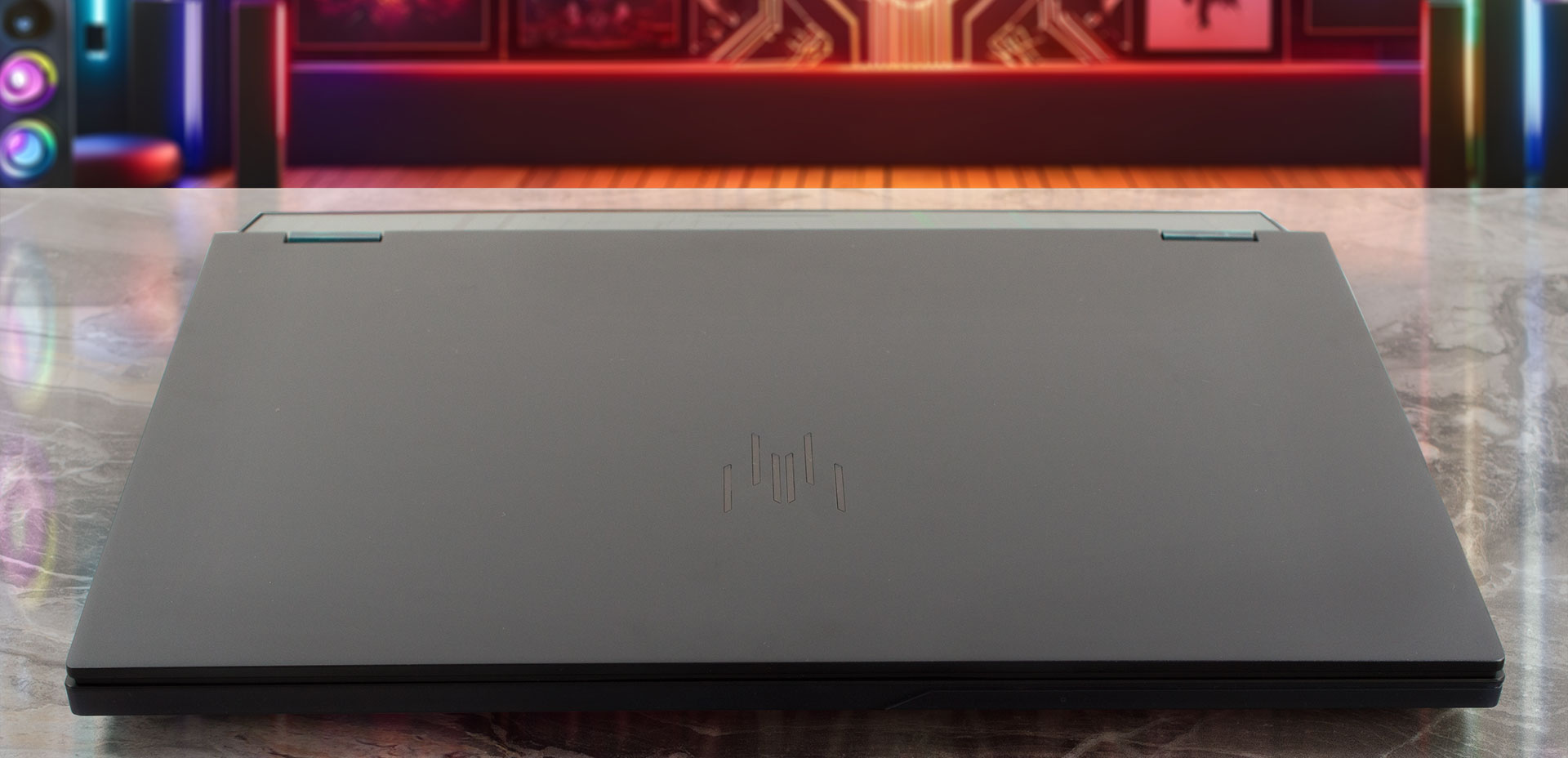
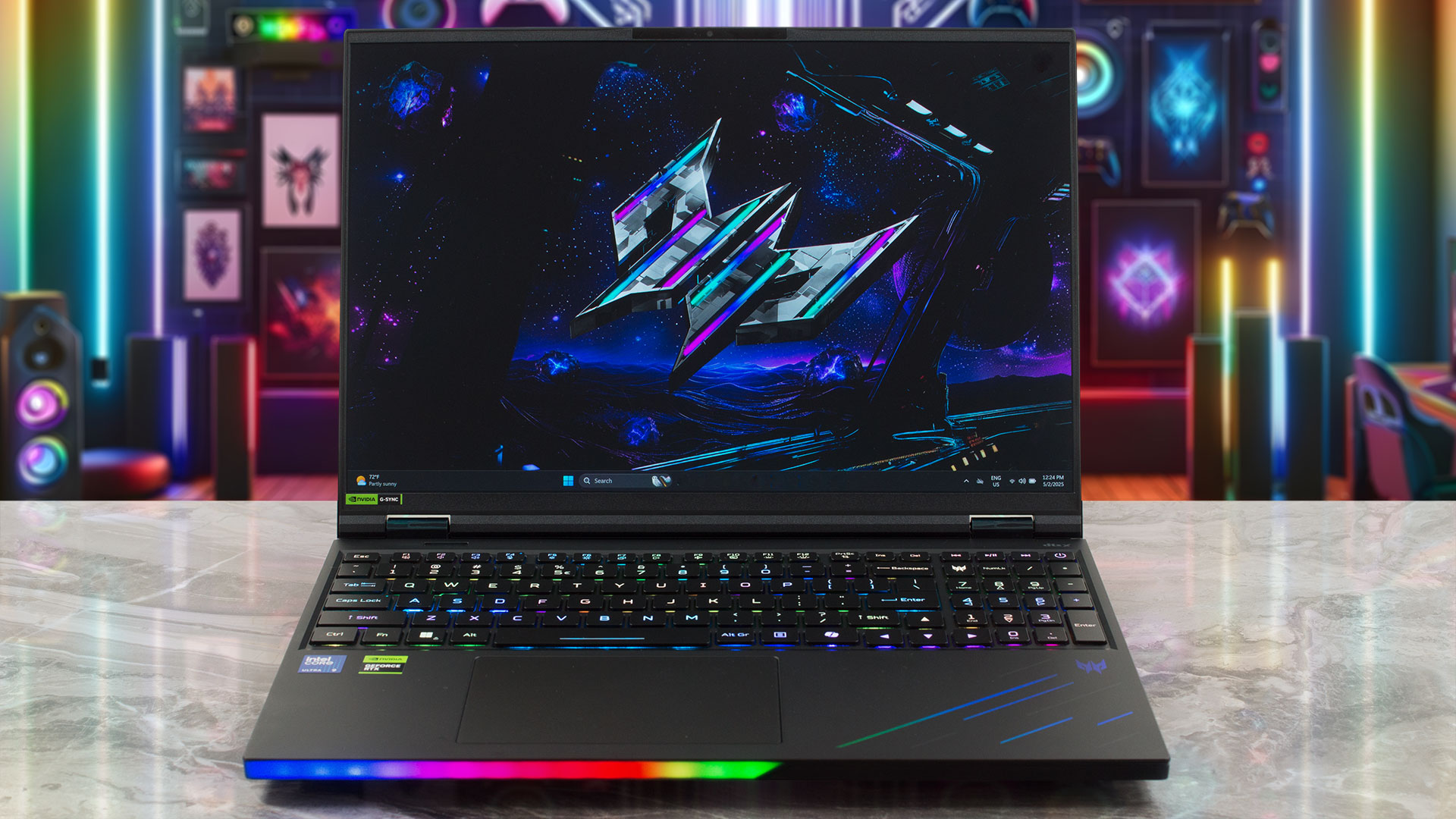
The Acer Predator Helios 16 AI (PH16-73) announces its presence with the unmistakable aura of a high-end gaming beast.
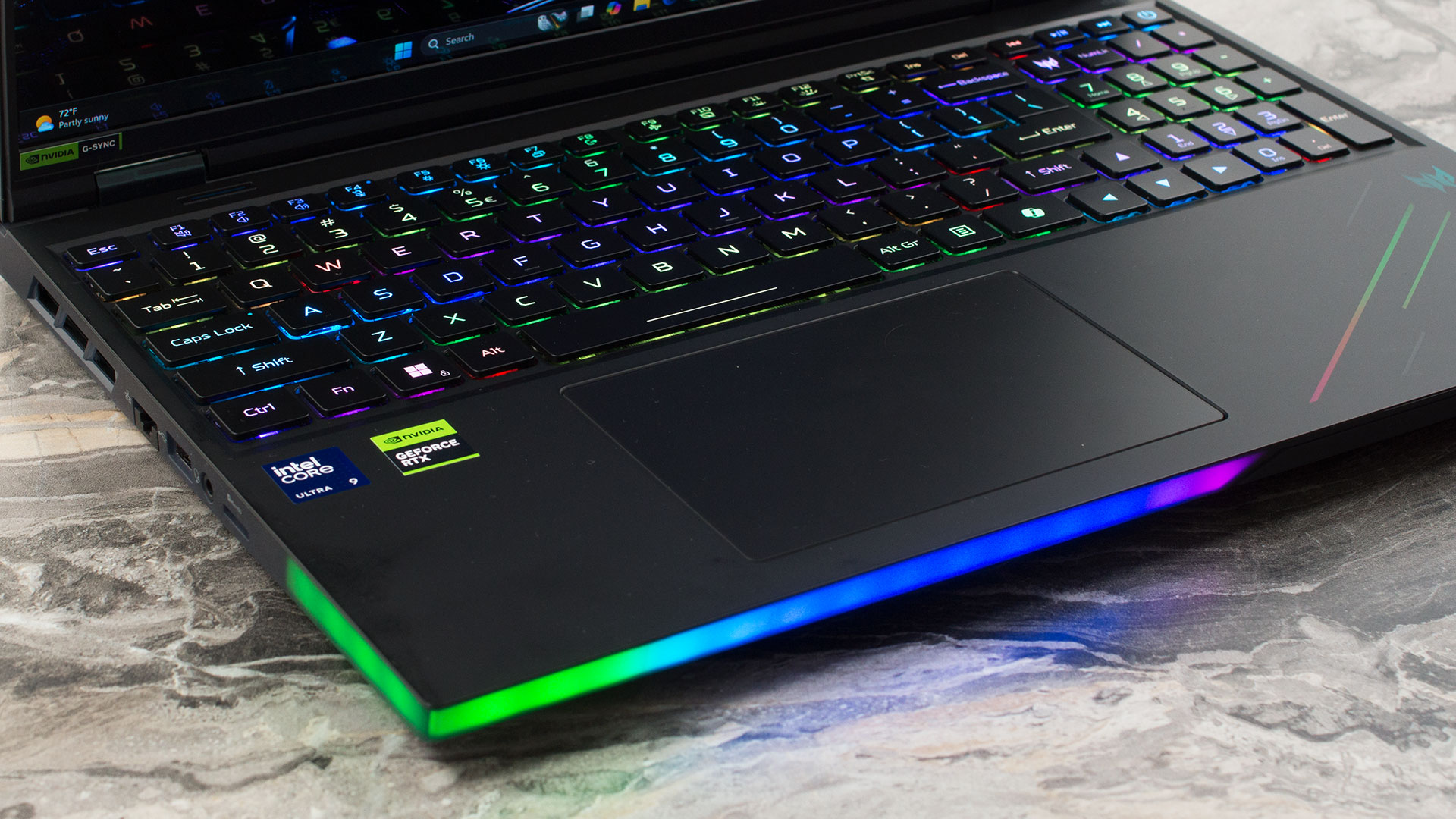
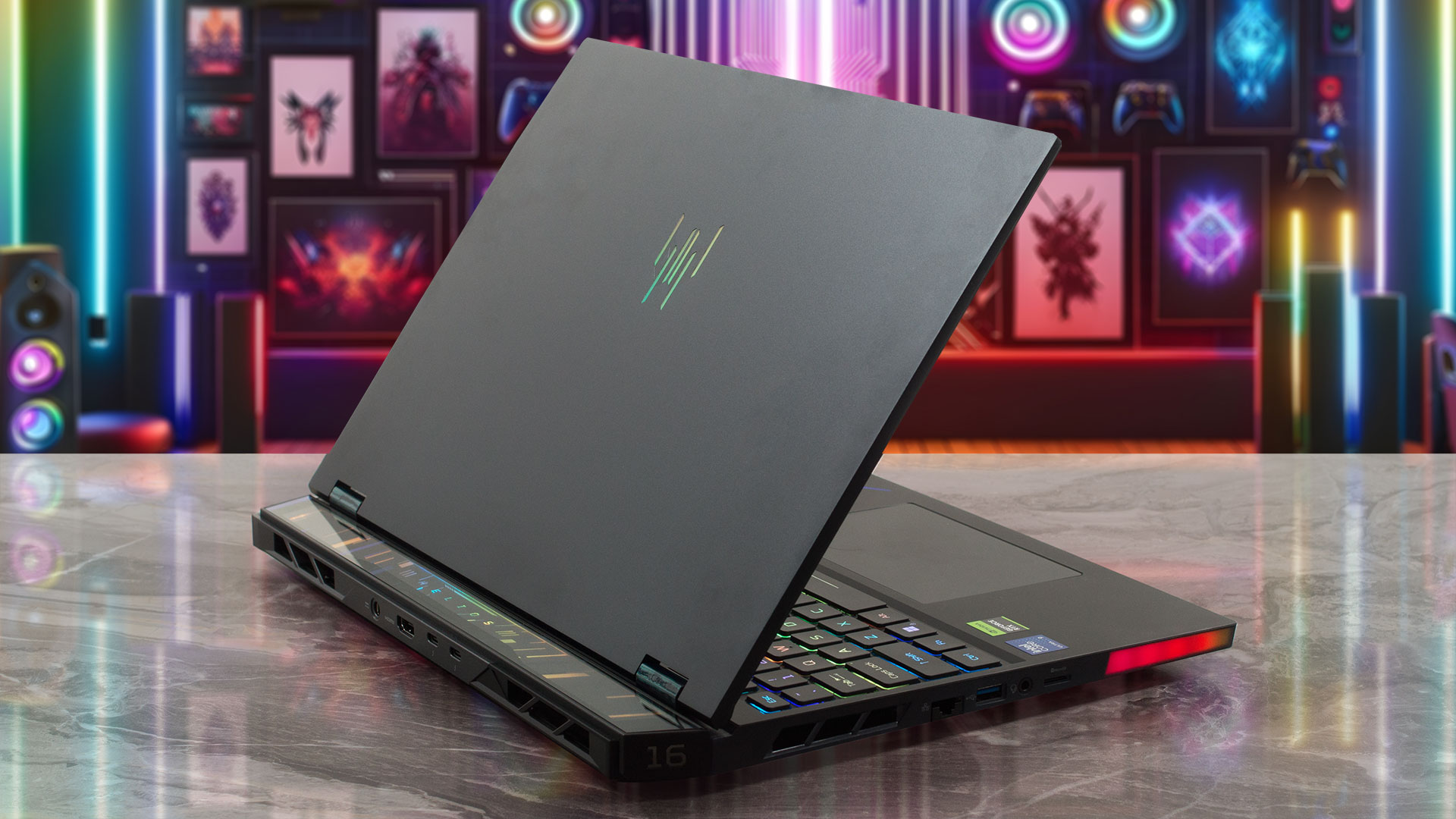
This machine is an absolute festival of RGB lighting – quite possibly the “glowiest” laptop we’ve ever tested, largely thanks to an enormous LED light bar dominating the front edge, directed right at you. Of course, this can be disabled, but subjectively, we didn’t find it distracting, at least not in normally lit environments.
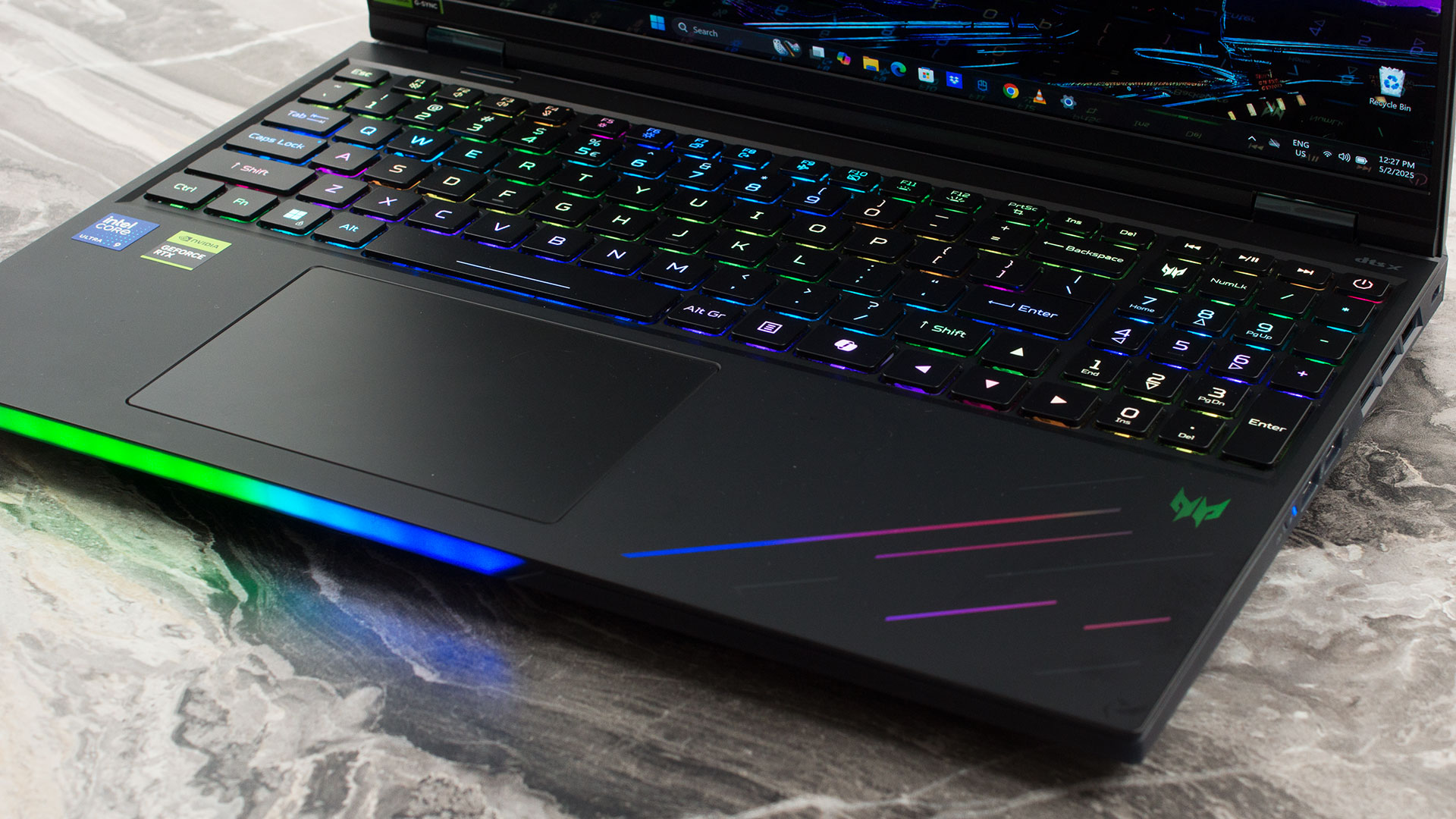
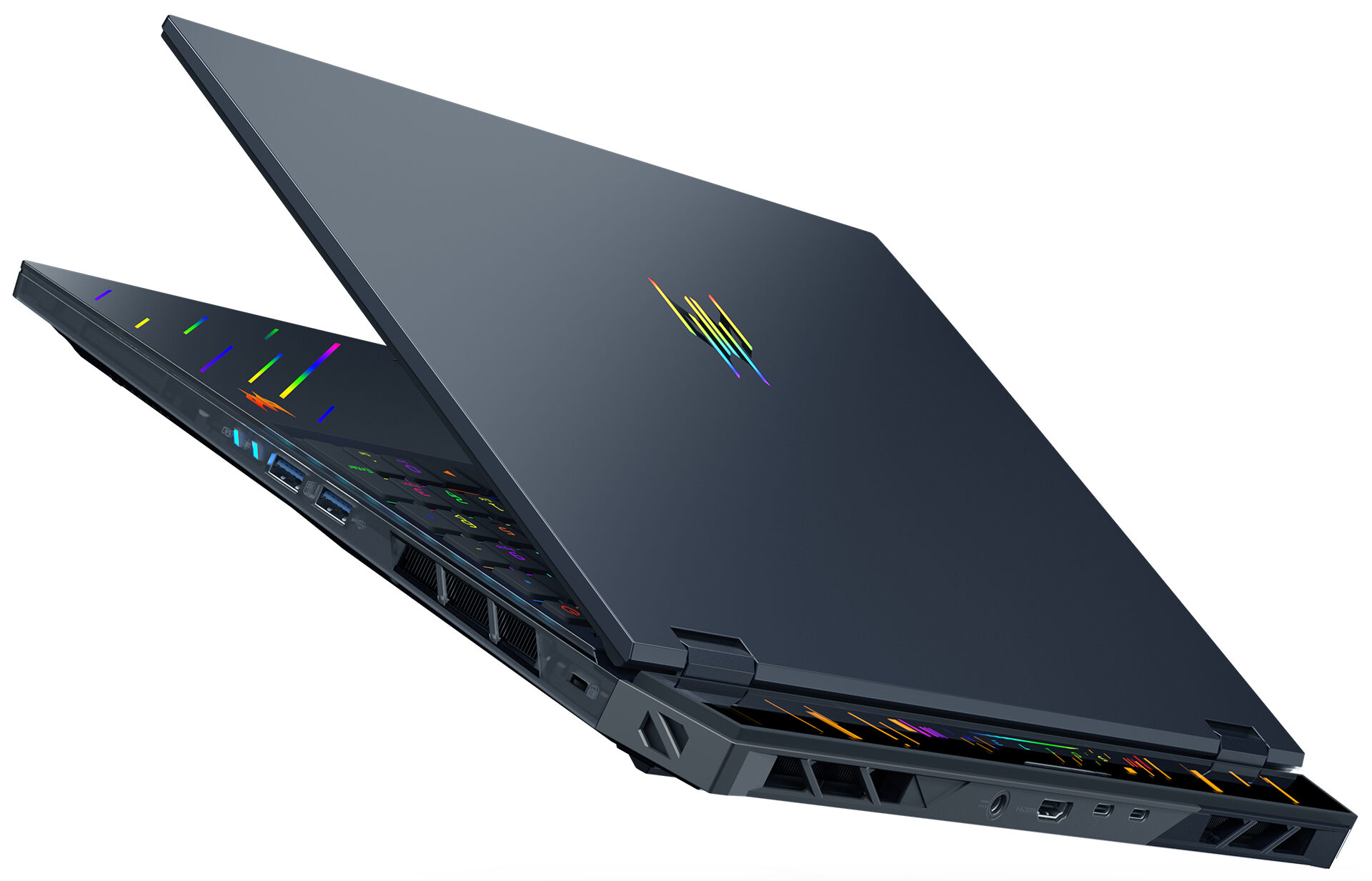
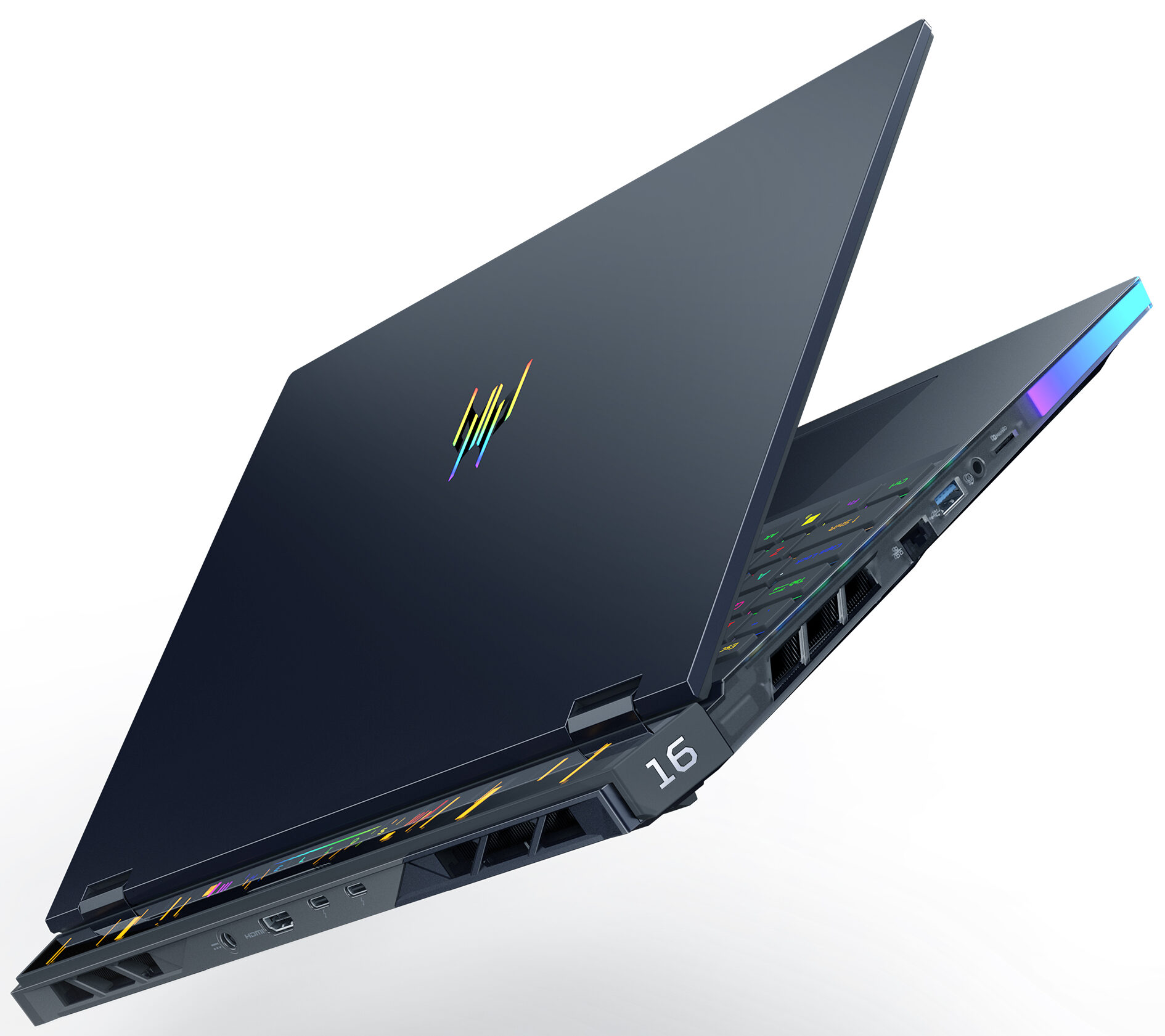
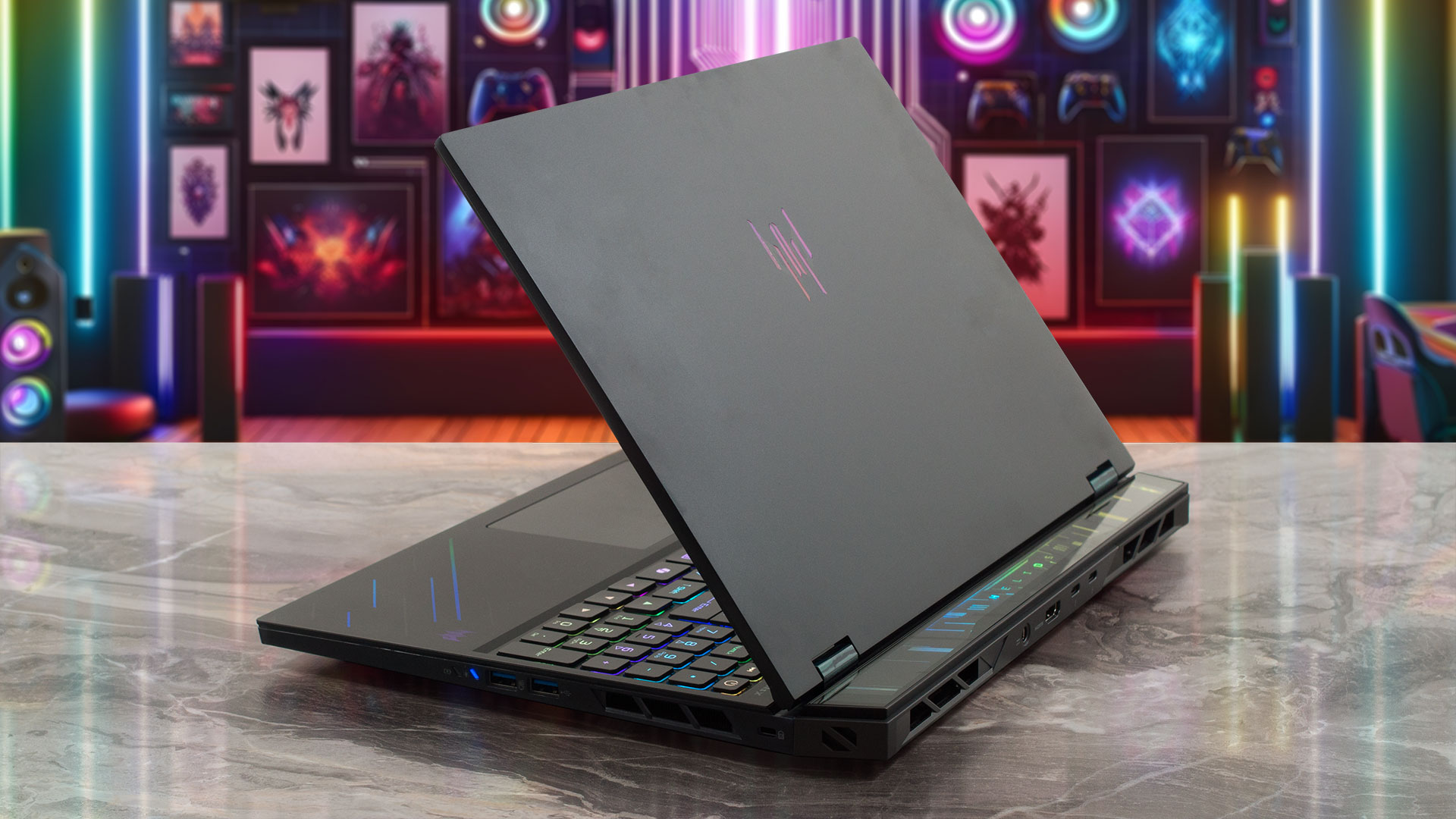
A particularly classy touch is the glass-covered rear section, adding a premium feel to its aggressive design.
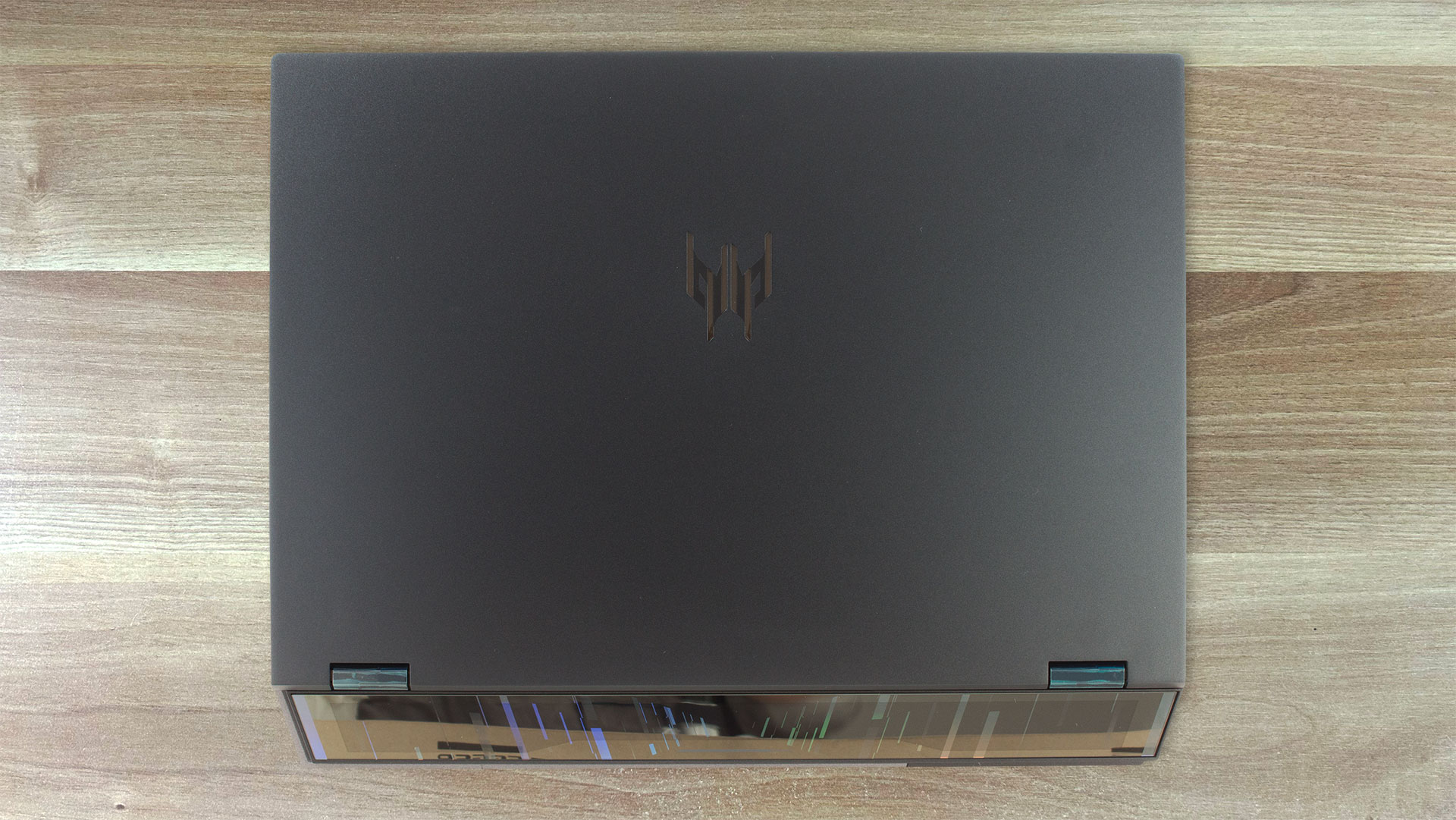
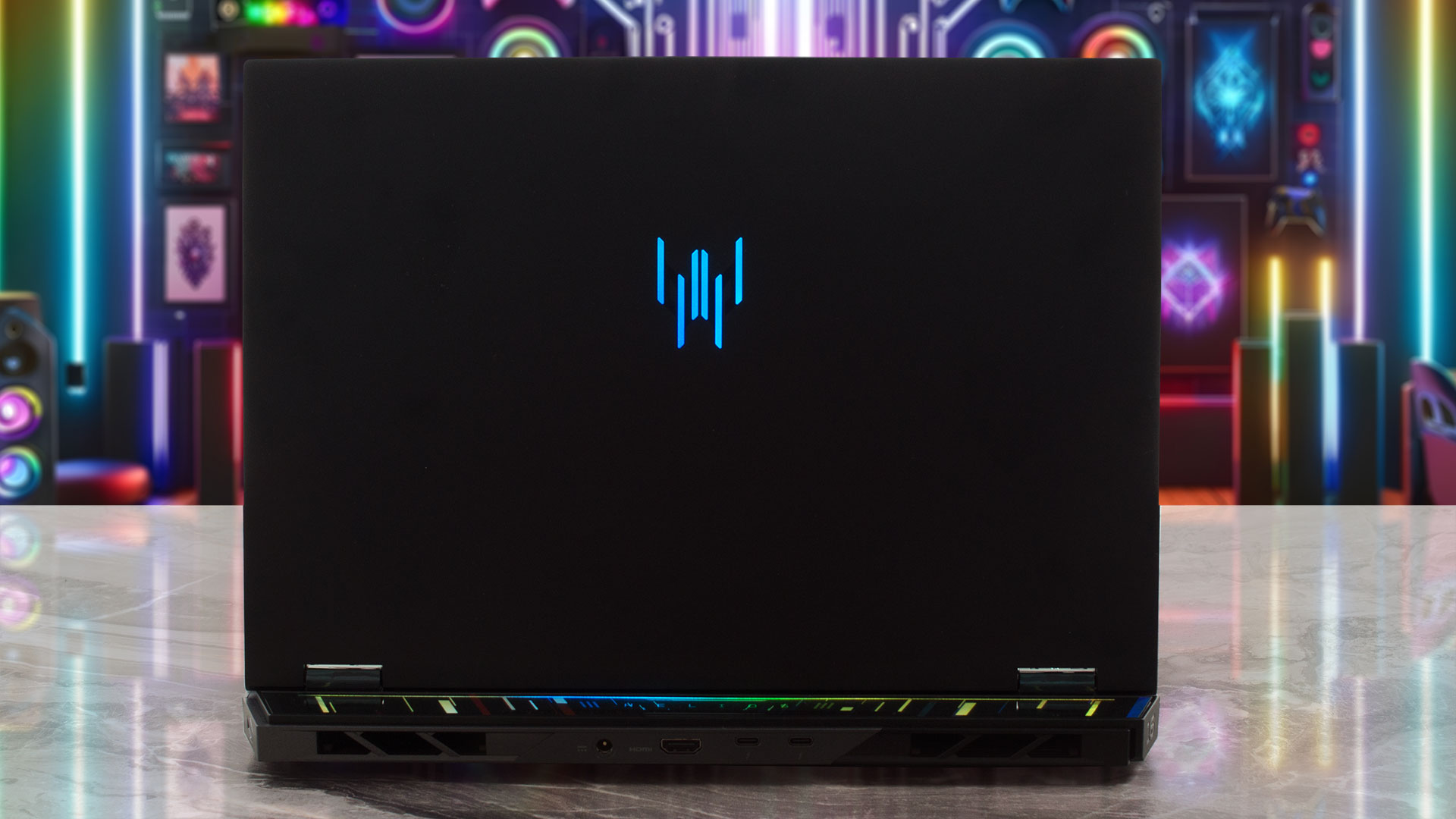
Acer Predator Helios 16 AI comes in a single, perfectly fitting colour: black, which looks fantastic. The lid is crafted from metal, while the interior chassis is made of robust plastic, and the overall build quality feels very solid with no concerning flex.
This is not a machine built for ultimate slimness or featherlight portability. It measures 356.78 (W) x 279.55 (D) x 16.26/27.75 (H) mm (14.05 x 11.01 x 0.64/1.09 inches) and weighs in at 2.65 kg (5.84 lbs). However, considering it can house a monstrous 175-watt RTX 5090, these dimensions are entirely justifiable and expected. The finish does a decent job of resisting fingerprints; after several weeks of use, we noticed only faint smudges on the lid, while the palm rest area remained almost pristine. Even the marks on the lid weren’t particularly noticeable. Opening the lid is a smooth, one-handed operation, adding a touch of convenience.
The display is framed by impressively thin bezels: the side bezels are a mere 4mm (approximately 0.16 inches), and the top bezel measures 8mm (approximately 0.31 inches). This top bezel houses a sophisticated camera system – a narrow USB FHD camera paired with an IR camera, both featuring blue glass lenses. This setup delivers 1080p HD video at a smooth 60 fps, enhanced by Temporal Noise Reduction and Staggered High Dynamic Range (SHDR), along with dual microphones for clear audio. A notable omission, however, is a physical privacy shutter for the webcam. The screen itself opens to a maximum angle of about 150 degrees.
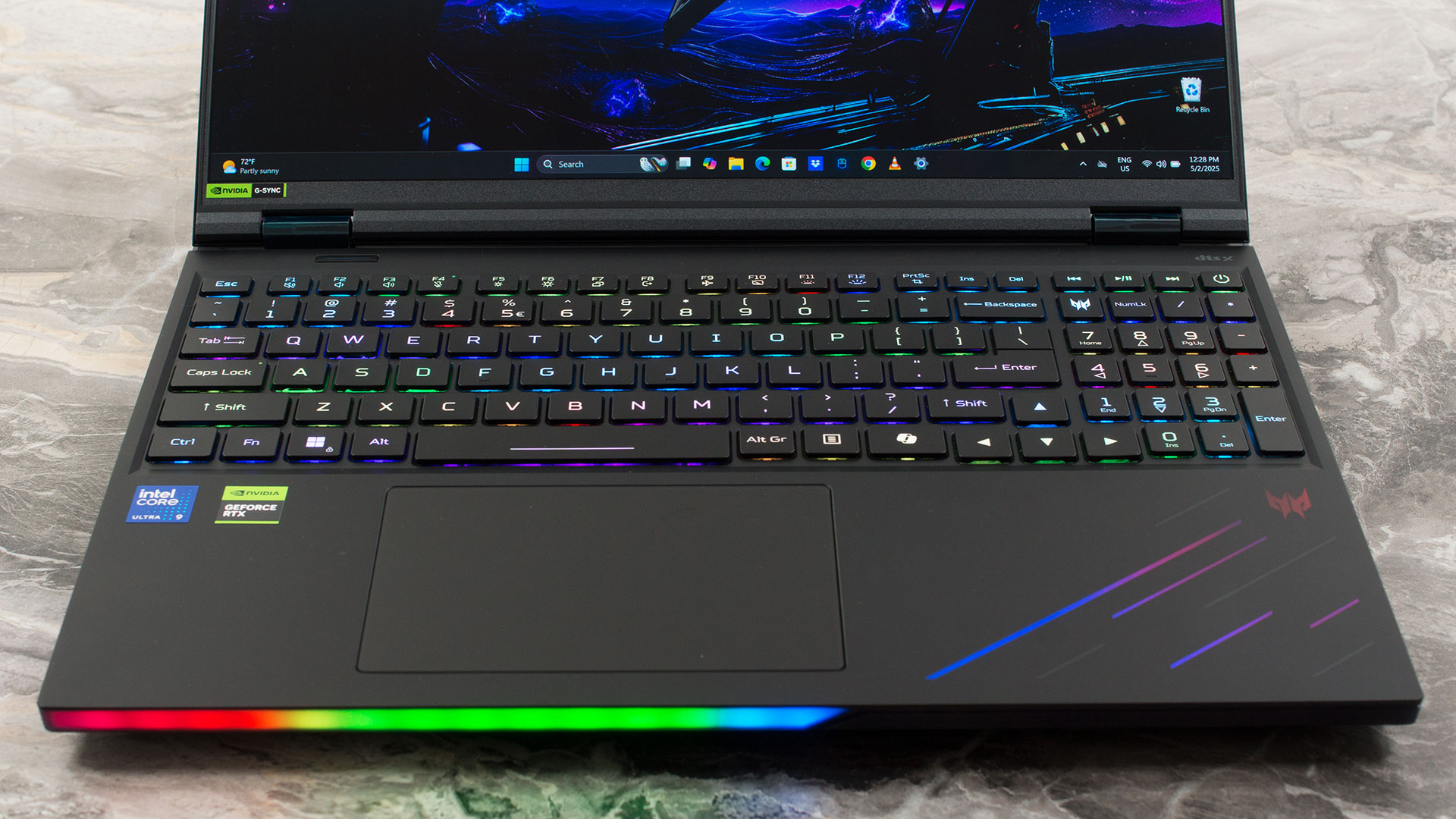
The keyboard deck is a gamer’s delight. It features a backlit chiclet keyboard with individual LEDs under each keycap, offering 100% anti-ghosting and a satisfying 2.0mm key travel distance optimized for gaming. A standout feature is the switchable MagKey 4.0 for the WASD and cursor keys, allowing for customized tactile feedback. There’s also a dedicated Copilot key and interactive lighting effects. The keyboard includes a NumPad with nearly full-sized keys, a welcome addition for productivity.
While there’s no dedicated fingerprint sensor, the IR camera enables secure login via Windows Hello. Below the keyboard sits a multi-gesture secure touchpad. It supports two-finger scroll, pinch-to-zoom, and various gestures for Cortana, Action Center, and multitasking. It boasts Windows Hello Certification and Microsoft Precision Touchpad certification and is topped with durable Corning Gorilla Glass, ensuring a smooth and responsive experience.
Ports and Connectivity
The Acer Predator Helios 16 AI (PH16-73) is generously equipped with a wide range of modern and high-performance ports, catering to demanding users. It features two cutting-edge USB Type-C ports, both supporting the nascent Thunderbolt 5 standard for extremely high data throughput and advanced display capabilities. These ports also offer USB 3.2 Gen 2×2 speeds (up to 20 Gbps), DisplayPort over USB-C for video output, and can provide a modest 15W (5V/3A) for charging external devices. Notably, these USB-C ports can also accept up to 100W (20V) DC power input for charging the laptop itself, though it’s important to be aware of certain limitations discussed below. A specific note mentions that Thunderbolt 5 on this device does not support CBR active cables.

For legacy and common peripherals, there are three USB Standard-A ports with varying speeds: one port operates at USB 3.2 Gen 1 (5 Gbps), while two faster ports support USB 3.2 Gen 2 (10 Gbps). One of these 10Gbps Type-A ports also includes a convenient power-off USB charging feature. Expanding its connectivity, the Helios 16 AI includes a microSD card reader, an HDMI 2.1 port with HDCP support for high-resolution and high-refresh-rate external displays (such as 4K at 120Hz or 8K at 60Hz), and a high-speed Killer E5000B Ethernet (RJ-45) port, which typically offers 2.5Gbps wired networking speeds.

A dedicated DC-in jack is provided for the main AC adapter, which will be the primary method for powering the laptop under heavy load. While the USB-C ports can accept 100W for charging, Acer explicitly states that this is intended for minimum usage scenarios, that slow charging is expected, and that users should not expect full performance or gaming capabilities when relying solely on this USB-C charging method. Furthermore, claims for extended dock functionality or driving 2K/4K monitors are not made when using this 100W USB-C charging. A standard 3.5mm headphone/speaker combination jack is also present for audio needs.

Wireless connectivity is top-of-the-line, featuring a Killer Wi-Fi 7 Wireless LAN module. This supports the 802.11be standard across 2.4 GHz, 5 GHz, and 6 GHz bands and utilizes 2×2 MU-MIMO technology for optimal wireless speeds, lower latency, and improved performance on compatible networks. Bluetooth connectivity (typically version 5.4 with Wi-Fi 7 modules) is also included for wireless peripherals.
Display and Sound Quality, Display Profiles
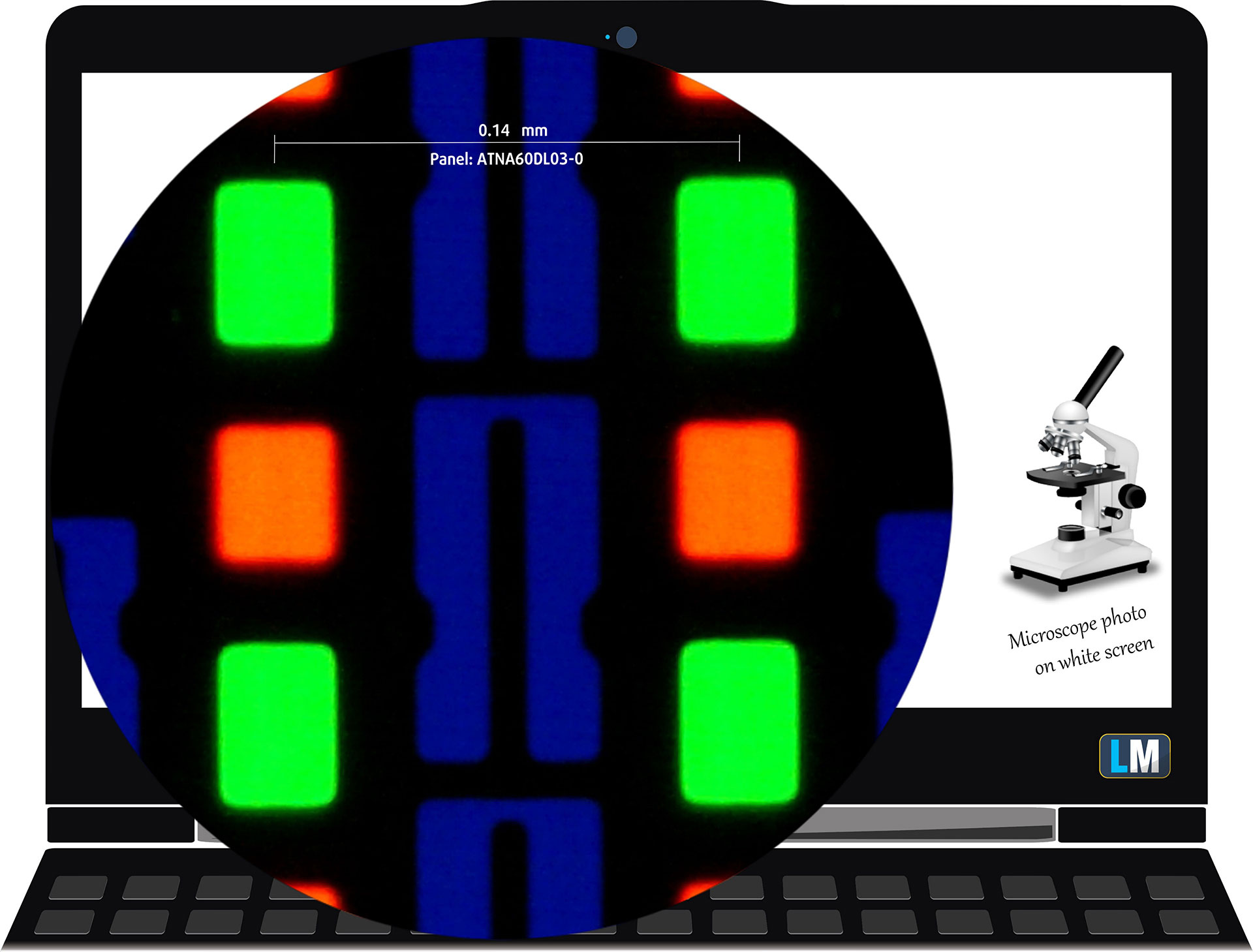
| Acer Predator Helios 16 AI (PH16-73) | ATNA60DL03-0 (SDC41AB) |
| Diagonal | 16.0 inches (40.6 cm) |
| Panel Type | OLED |
| Resolution | 2560 x 1600 pixels |
| Max Refresh Rate | 240 Hz |
| Aspect Ratio | 16:10 |
| Pixel Density | 189 PPI |
| ‘Retina’ Distance | Greater than or equal to 46 cm |
Viewing Angles
Viewing angles are good. We take photos from different angles to evaluate the quality.

Also, a video with locked focus and exposure.
Color Coverage
The whole “sail-shaped” map below (Fig. 1) consists of all the colors we can see, while the black crooked line shows all the colors from real-world scenes and nature around us.
Then, we’ve drawn some of the most important and interesting color spaces, compared to the colors the panel of Acer Predator Helios 16 AI (PH16-73) can show:
Standard/For Web: sRGB – widely used color space for most consumer devices, ideal for Web design and development
For Print: AdobeRGB – used in professional photo editing, graphic design, and print
For Photographers/Video Editors: DCI-P3 – used in high-end film production, post-production, and digital cinema
Premium HDR: Rec.2020 – the widest consumer ITU color standard, covering a massive 75.8% of the visible spectrum, a benchmark for premium HDR content
Acer Predator Helios 16 AI (PH16-73): the yellow dashed triangle (– – – – – –) represents the range of colors this monitor can show.
In our tests, we calculated the total color coverage of the display at 100% of the sRGB color gamut and 100% of the DCI-P3 color gamut.
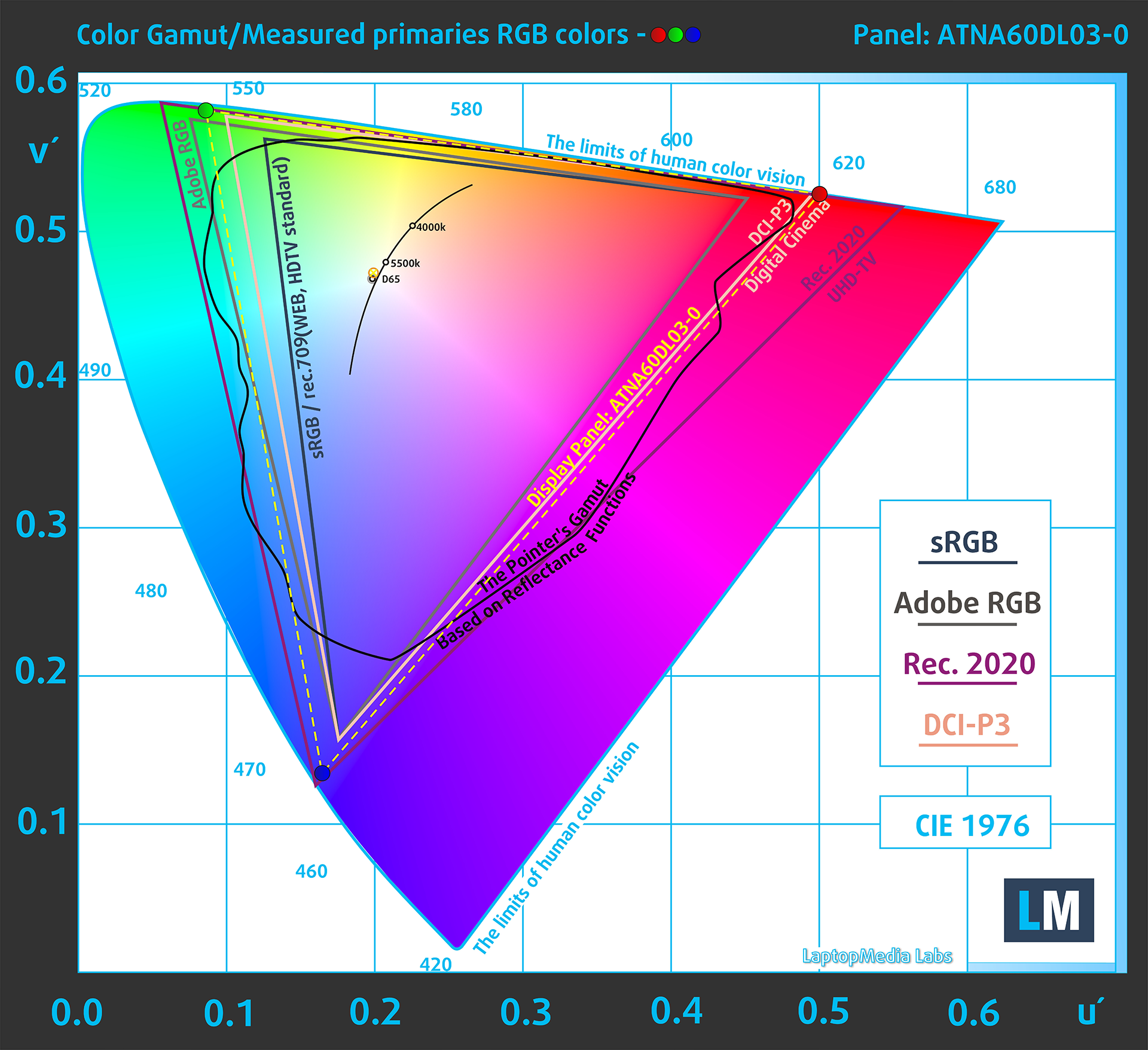
(Fig.1) Acer Predator Helios 16 AI (PH16-73) covers 100% of the DCI-P3 gamut
Brightness and Contrast
The maximum brightness in HDR mode is 615 cd/m² at 8% white fill and 433 cd/m² on a full white screen.
The maximum brightness in SDR mode is 394 cd/m² in the center of the screen and 398 cd/m² averaged across the surface with a maximum deviation of 2%.
The Correlated Color Temperature (CCT) on a white screen at maximum brightness is 6480K.
The contrast ratio of OLED panels is excellent because the pixels turn off completely when displaying black.

Uniformity: Luminance, Contrast, and Color Deviation
The figure below shows the results from our uniformity test across different sections of the screen. It’s measured at 180 nits (Windows slider = 61%) — a brightness level we consider typical for standard working conditions.
DeltaE values below 4.0 are acceptable for regular users. For those working with colors, screens with DeltaE values no higher than 2.0 are recommended.
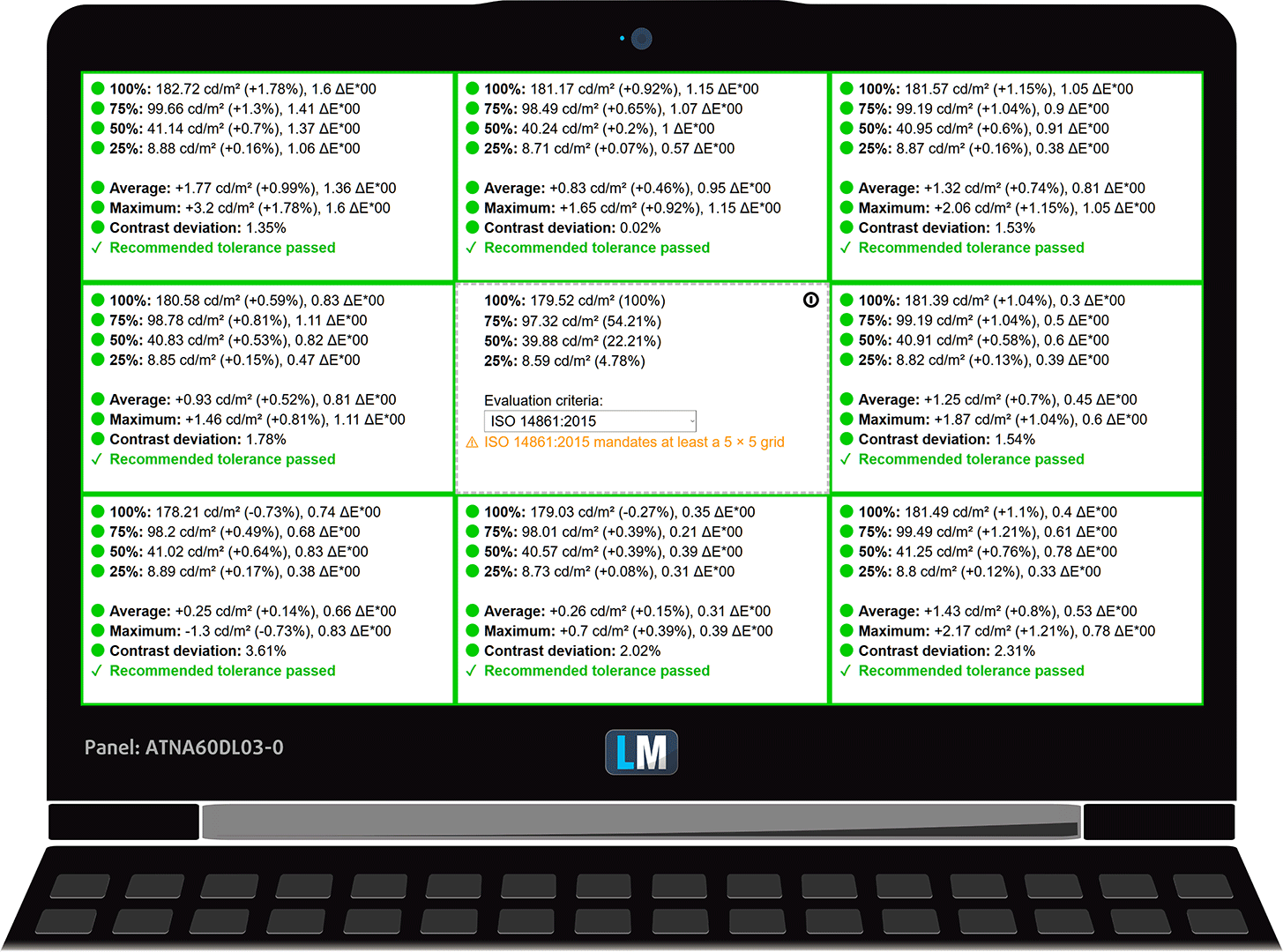
Color Accuracy
Let’s check the difference between real colors and those you’ll see on the Acer Predator Helios 16 AI (PH16-73). We measure that distance in DeltaE – the higher the number, the more different they look.
Values below 4.0 are acceptable for regular users, while values below 2.0 are suitable for color-sensitive work. A value below 1.0 means the difference is indistinguishable to the naked eye.
For the next graph, we’ve selected 24 common colors, including dark/light skin, blue sky, green grass, etc.
Before our calibration of the Acer Predator Helios 16 AI (PH16-73), the Average color accuracy was 2.3 dE (Fig. 2), and with our Design and Gaming profile, it lowered to 1.6 dE (Fig. 3). This is an almost 50% boost in color accuracy!
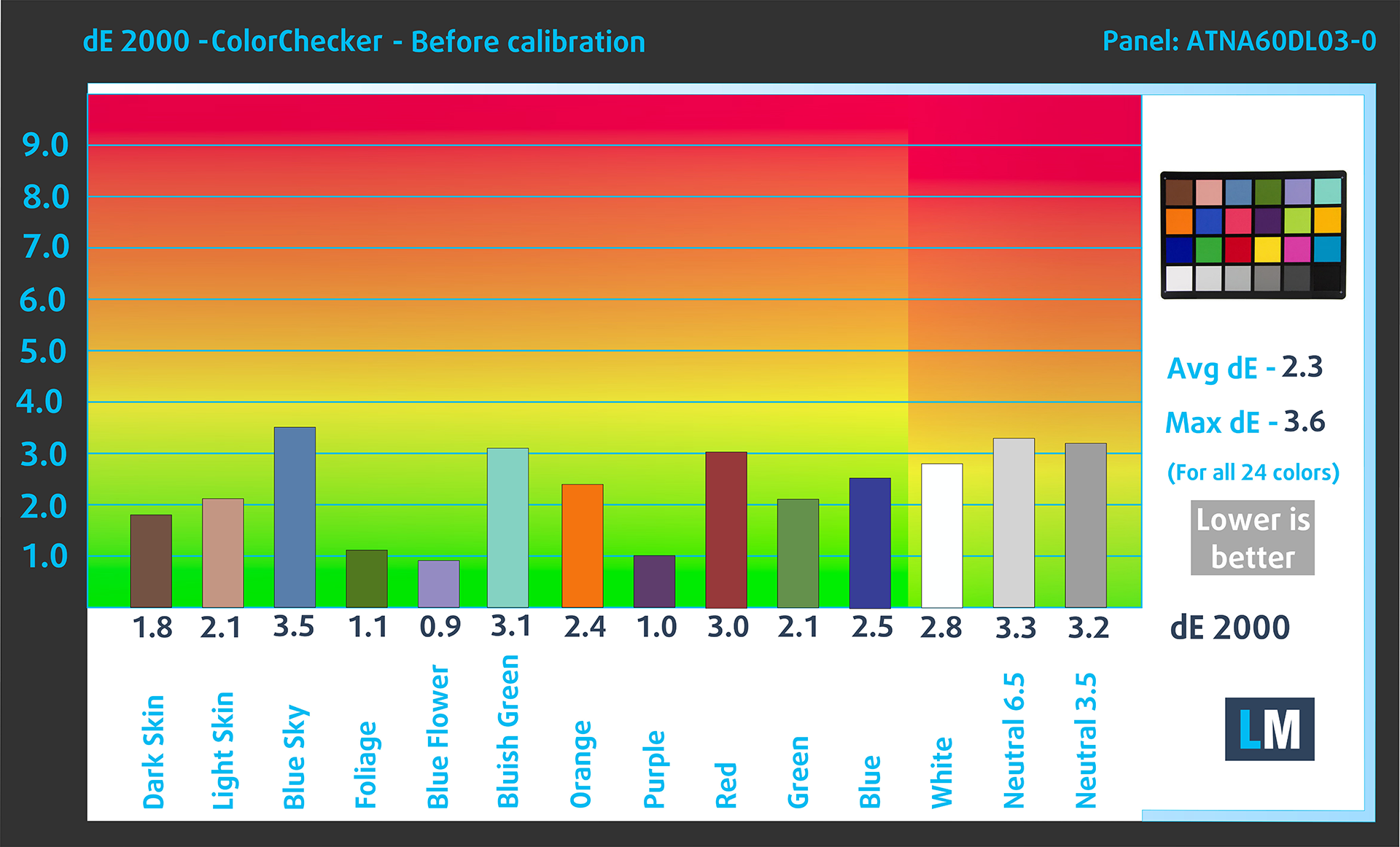
(Fig. 2) Acer Predator Helios 16 AI (PH16-73) in its factory condition
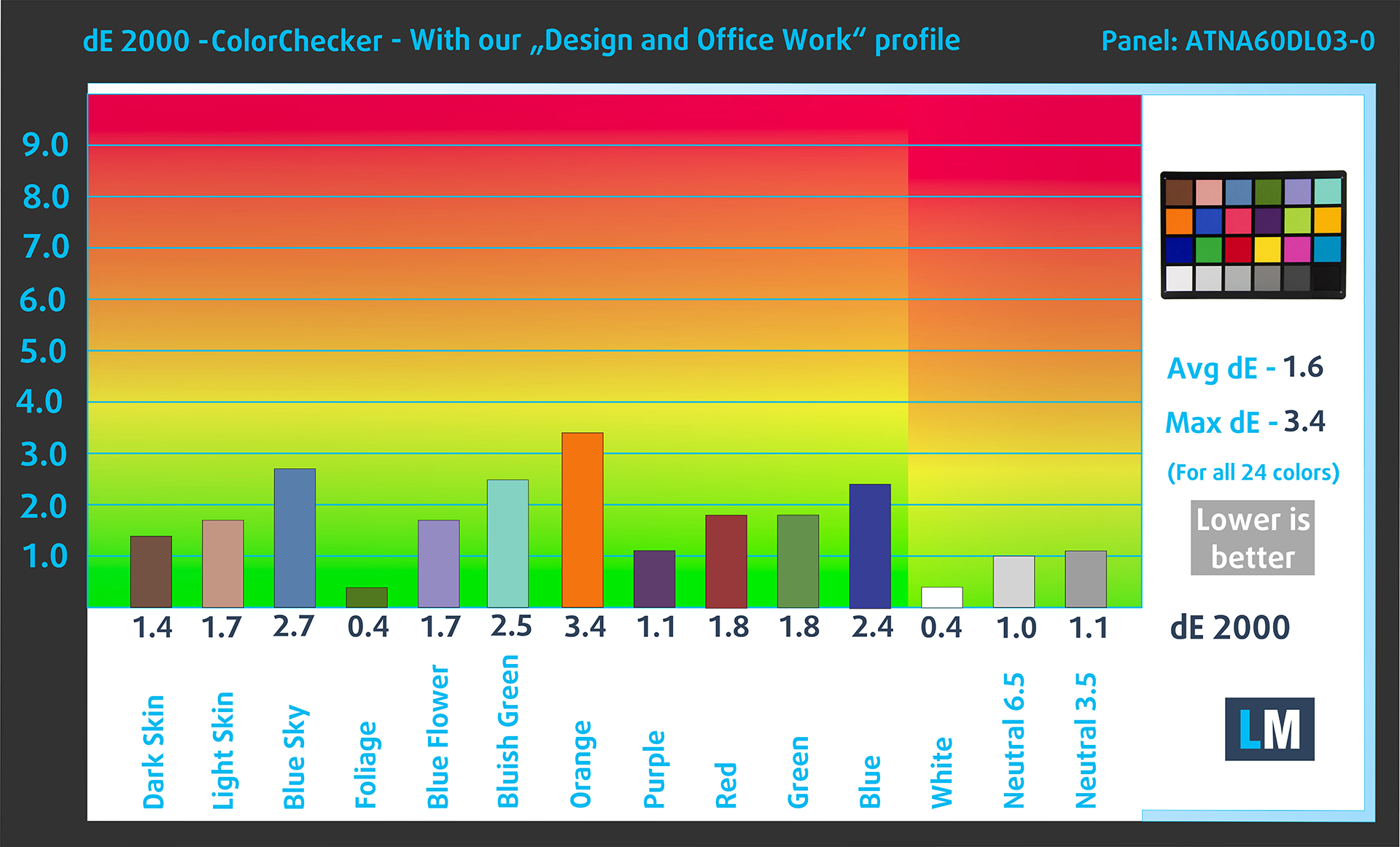
(Fig. 3) Acer Predator Helios 16 AI (PH16-73) with our display profile
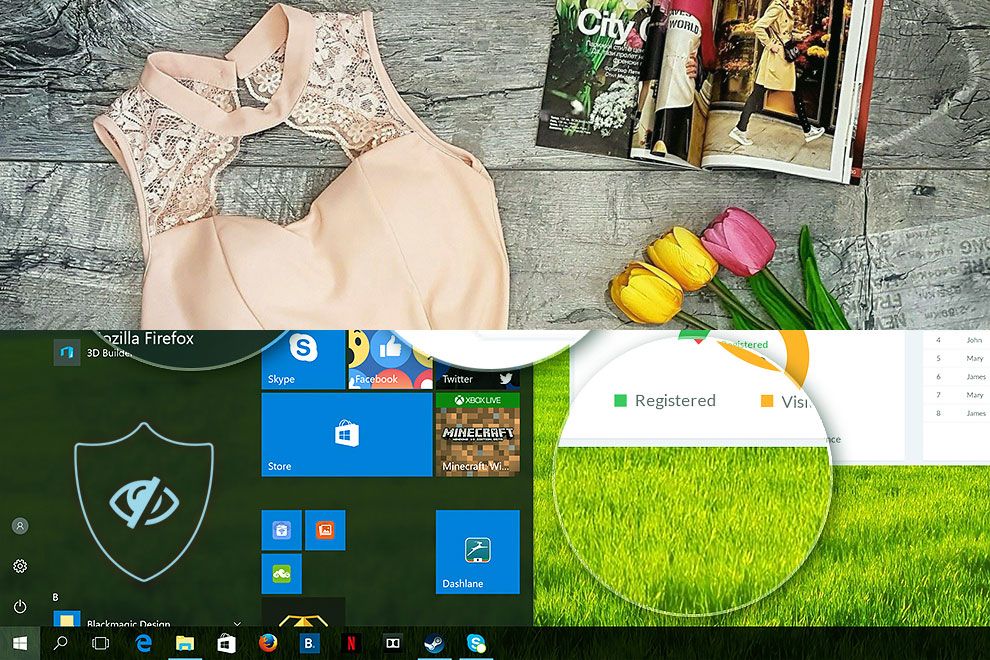
Comparison in the Display P3 color space.
Left: No Profile | Drag the slider to see the difference | Right: Design & Office Profile
Visibility in dark scenes
Have you ever watched a movie with dark scenes where you could barely see anything? This often happens because many display panels struggle to differentiate the darkest nuances, making them appear the same.
The next figure illustrates how well the display reproduces these dark nuances. The left side of the image shows the display with stock settings, and the right side shows it with our Gaming and movies profile activated.
On the horizontal axis are the grayscale levels, and on the vertical axis – the corresponding display brightness.
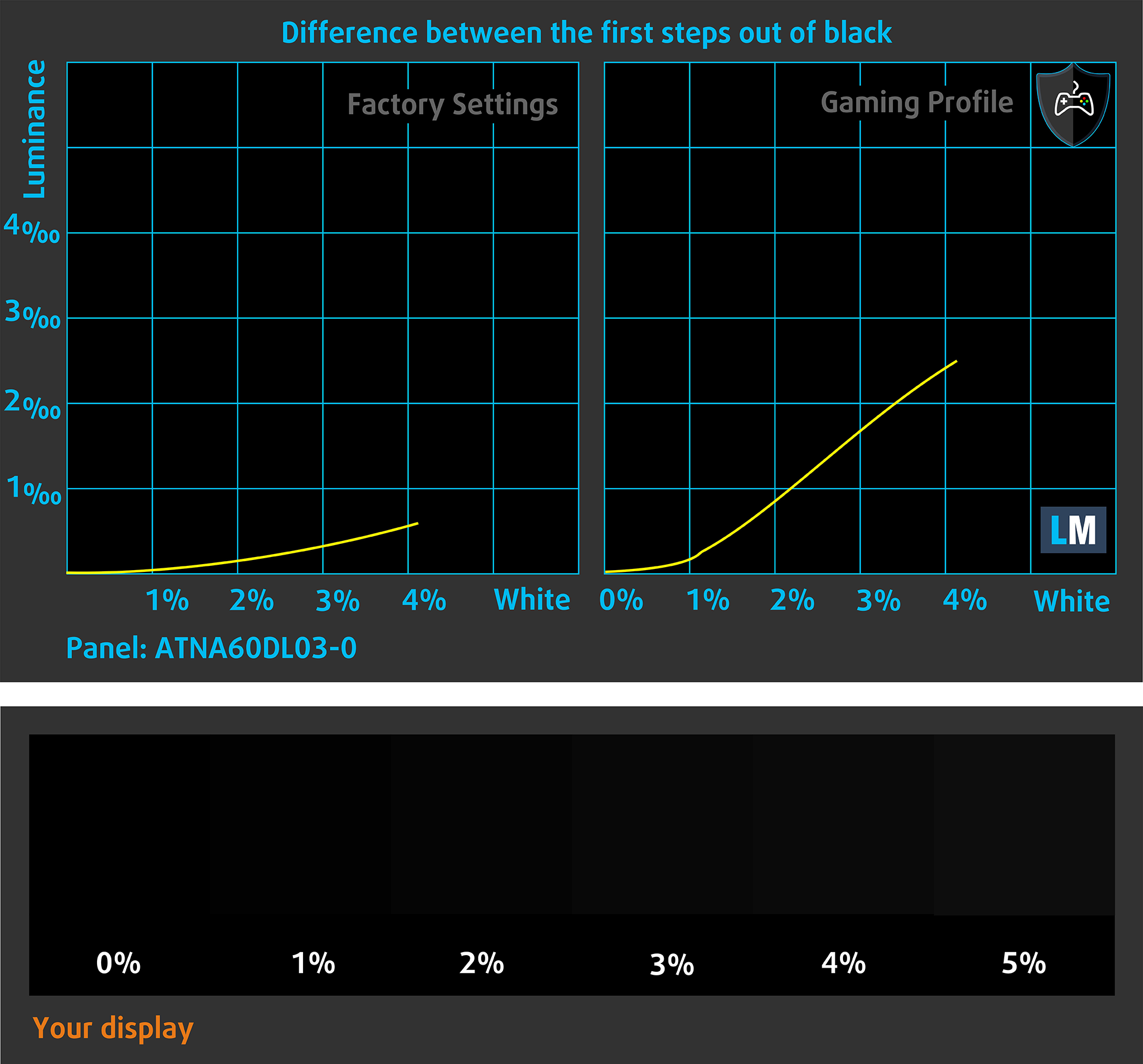
You can also check how your display handles the darkest nuances but keep in mind that this also depends on the settings of your current display and the surrounding light conditions.
Health Impact: PWM (Screen flickering)
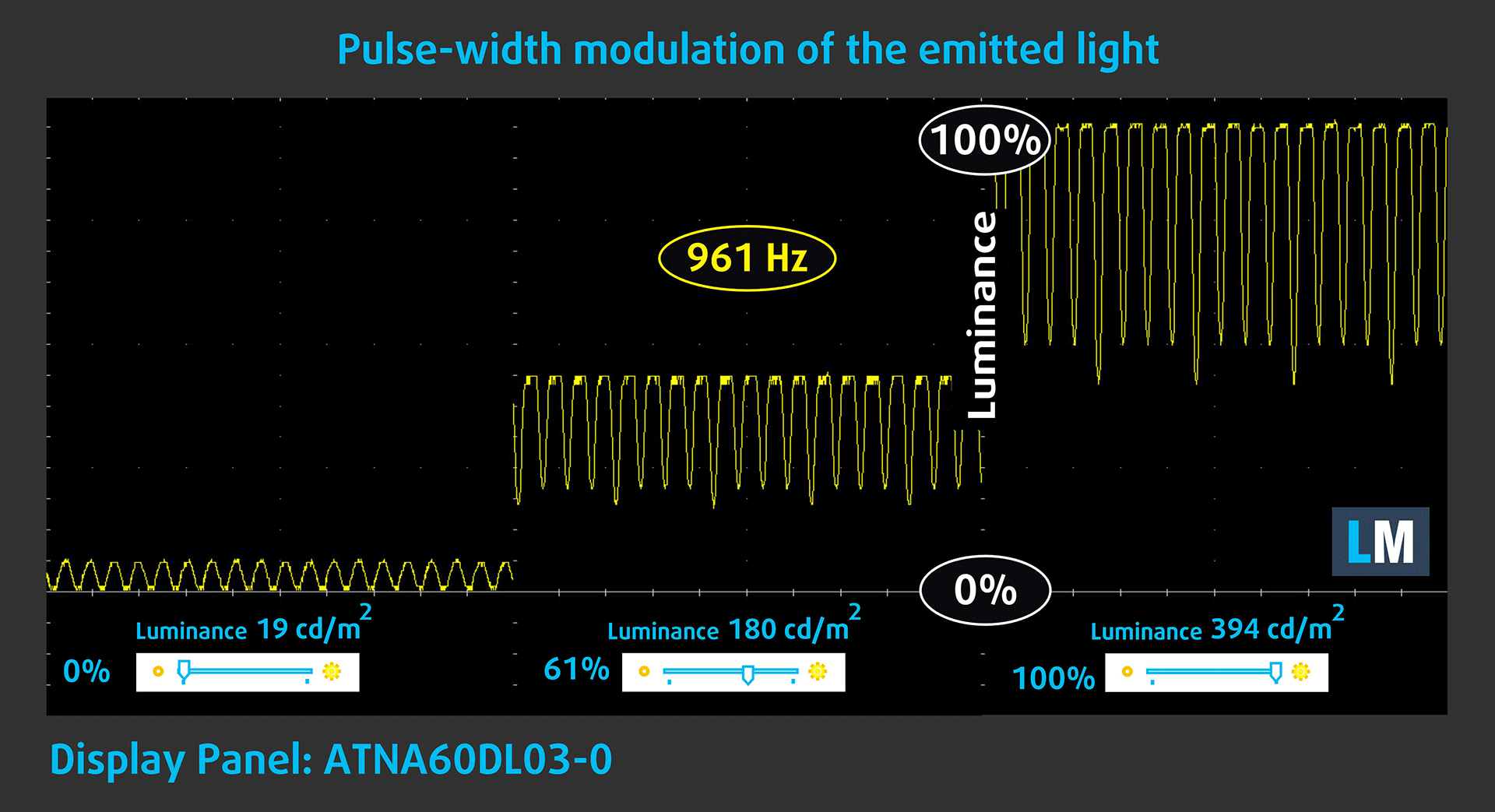
Some use PWM to regulate their brightness, which means that instead of reducing the light intensity, they pulse or flicker. Our brain merges the image, so it appears darker, but this strains both it and our vision, especially when the frequency of the pulses is low. You can read more about that in our dedicated article on PWM.
In the graph below, you see the intensity of light at different brightness levels—on the vertical axis is the brightness of the emitted light, and on the horizontal axis—time.
The luminance of the Acer Predator Helios 16 AI (PH16-73) display pulsates across the entire brightness range, but with limited amplitude. We find the display relatively comfortable for vision in this regard.
Health Impact: Blue light emissions
Installing our Health-Guard profile reduces harmful Blue Light emissions while keeping the colors of the screen perceptually accurate.
If you’re not familiar with the Blue light, the TL;DR version is – emissions that negatively affect your eyes, skin, and your whole body. You can find more information about that in our dedicated article on Blue Light.
Health Impact: Screen Reflectance
Glossy-coated displays can cause eye fatigue in high ambient light conditions due to reflections. We measure the level of screen reflection with the display turned off, at a 60° angle.
The reflectance of the Acer Predator Helios 16 AI (PH16-73)’s screen is 181 GU. This is far from a good result and it’s hurting the overall screen rating of Helios 16 AI.
High Gloss: >70 GU
Medium Gloss: 30 – 70 GU
Low Gloss: <30 GU
Get our profiles
Since our profiles are tailored for each individual display model, this article and its respective profile package are meant for Acer Predator Helios 16 AI (PH16-73) configurations with ATNA60DL03-0 (SDC41AB), 2560 x 1600, OLED panel.
*Should you have problems with downloading the purchased file, try using a different browser to open the link you’ll receive via e-mail. If the download target is a .php file instead of an archive, change the file extension to .zip or contact us at [email protected].
Read more about the profiles HERE.
In addition to receiving efficient and health-friendly profiles, by buying LaptopMedia's products you also support the development of our labs, where we test devices in order to produce the most objective reviews possible.

Design and Office
The Design and Office profile makes display colors as close to real as possible.Ideal not only for professionals but also for everyday users, it meets sRGB standards (D65 white point, sRGB gamma) with minimal DeltaE for precise color reproduction on your panel.

Gaming and Movies
Have you ever watched a movie where, during dark scenes, you can barely see anything? Many displays fail to distinguish dark tones properly. Our Gaming and Movies profile enhances low-light performance, like HDR tech, using a gamma curve tailored to human perception — ideal for gamers seeking faster reactions and clearer visuals.

Health-Guard
Our Health-Guard profile protects your eyes by eliminating PWM flickering, reducing strain and fatigue, and minimizing harmful Blue light exposure that can disrupt sleep and health. It uses software dimming and a gamma curve tailored to human perception for comfort and safety during screen use.
Get All The Profiles With 33% Discount!

Sound Quality
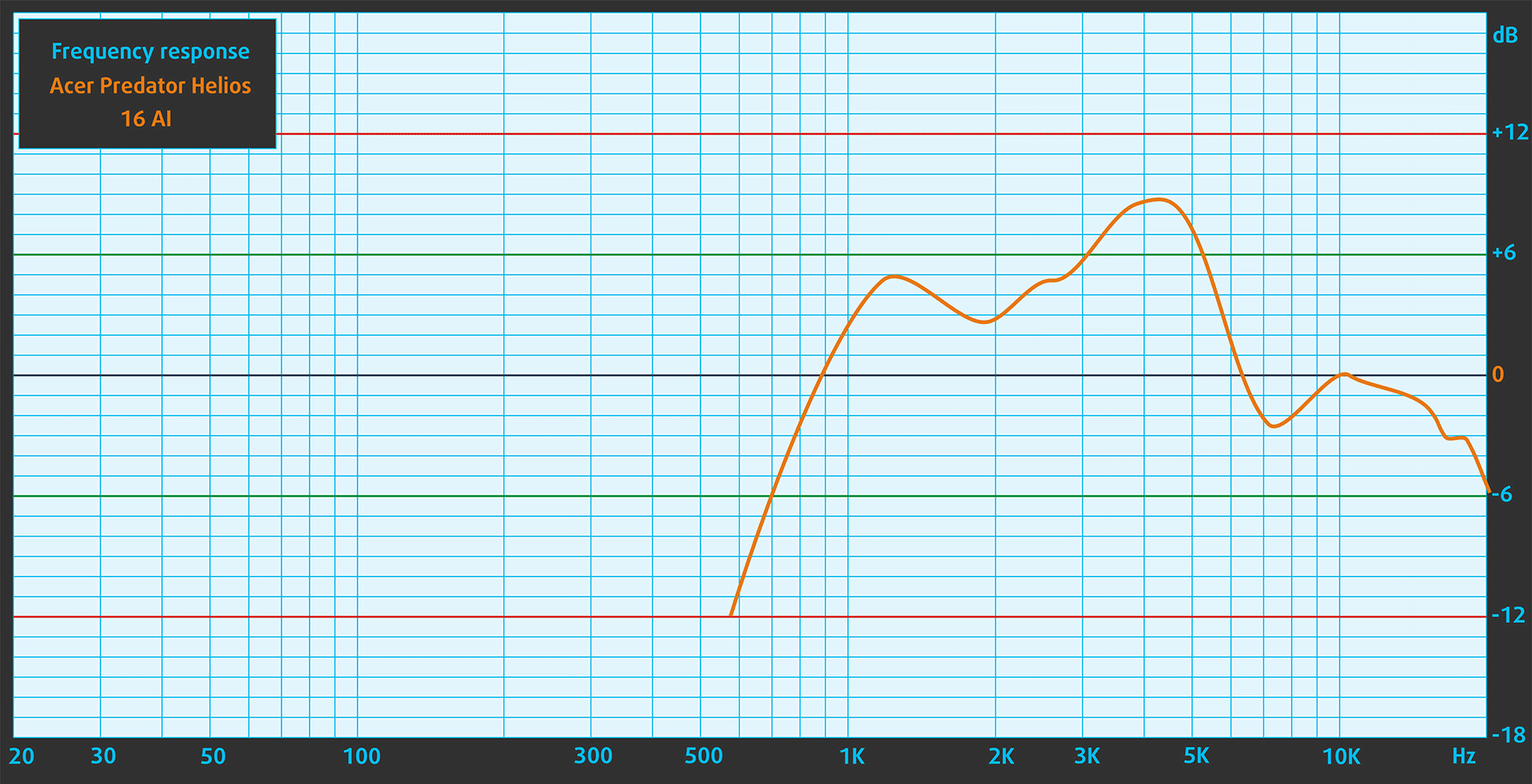
When we subjectively listen to a sound file through the built-in speakers, the sound quality offered by the Acer Predator Helios 16 AI (PH16-73) is very good.
Work Performance: CPU, Storage, AI
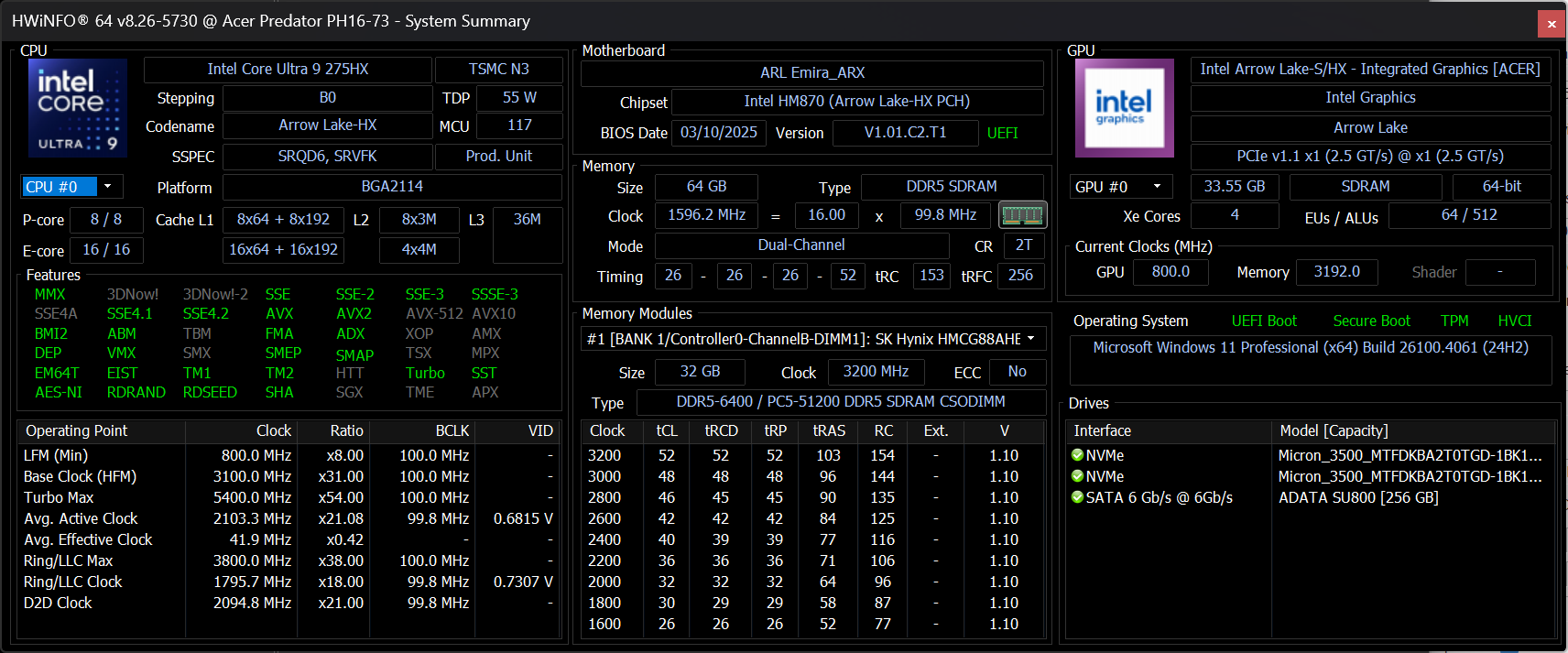
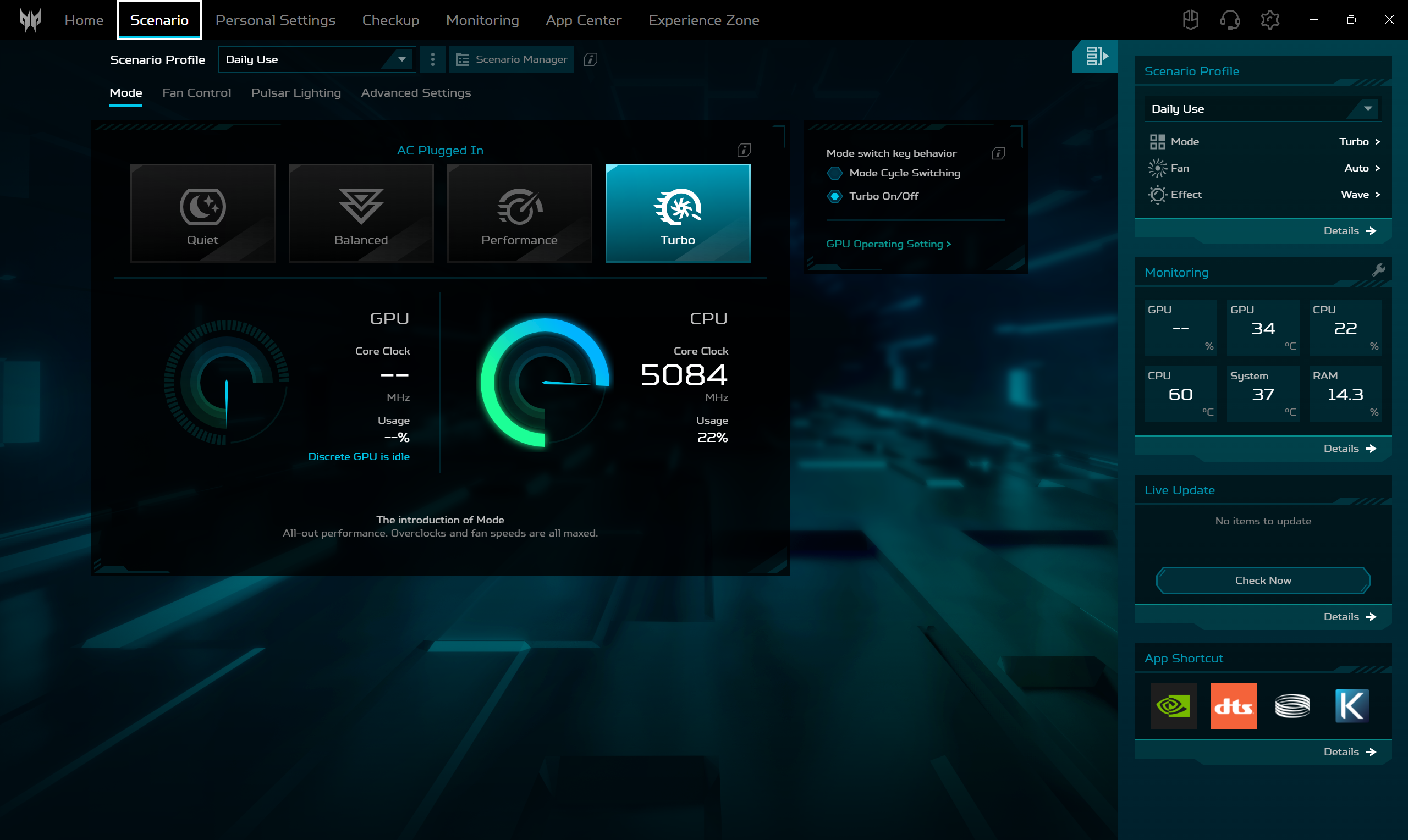
All performance and temperature tests are conducted with “Turbo” mode activated in Predator Sense:
CPU and Work Performance
There’s only one processor option but it is one of the best CPUs on the market – Intel Core Ultra 9 275HX.
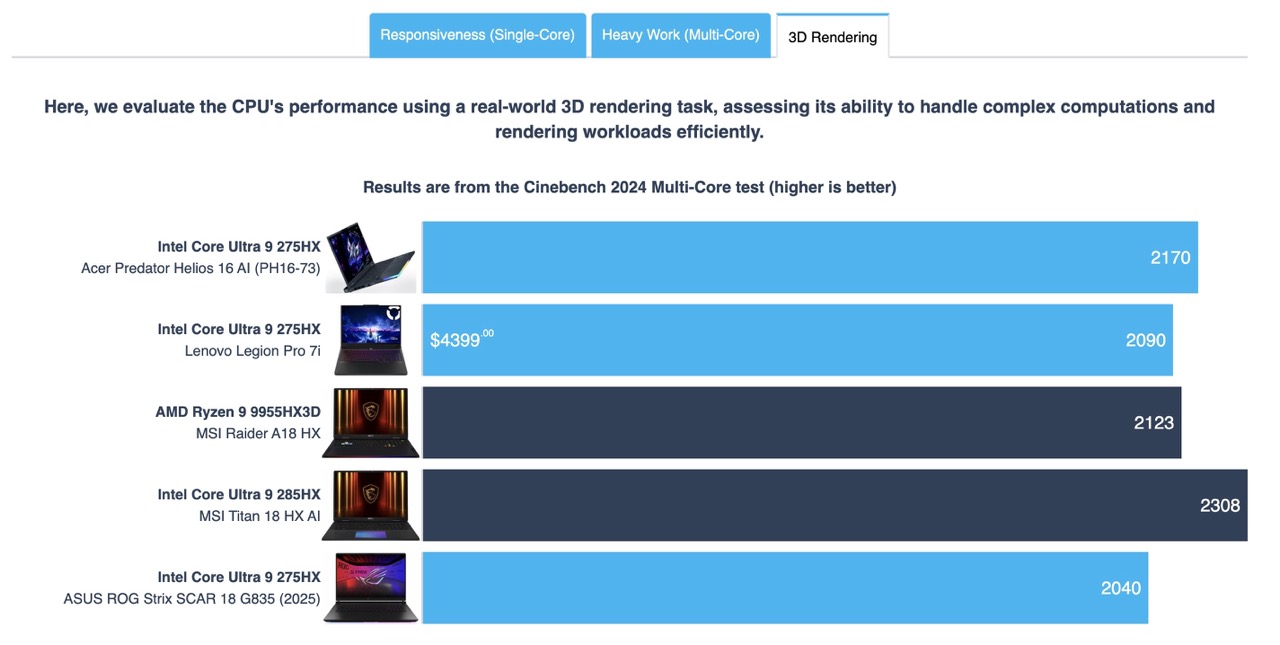
The nice surprise is that the 275HX in Acer Predator Helios 16 AI (PH16-73) is the fastest 275HX we’ve tested in Cinebench 2024. The MSI Titan 18 HX AI excels here but this is expected as it’s equipped with 285X which is number one most powerful CPU in our Top Laptop CPU Rankings.
Single-core performance ensures smooth operation and responsiveness in operating systems, providing a better user experience.
Results are from the Geekbench 6 Single-Core test (higher is better)
Multi-core performance is essential for handling complex and demanding tasks, such as Video editing, CAD, and Scientific simulations.
Results are from the Geekbench 6 Multi-Core test (higher is better)
Here, we evaluate the CPU's performance using a real-world 3D rendering task, assessing its ability to handle complex computations and rendering workloads efficiently.
Results are from the Cinebench 2024 Multi-Core test (higher is better)
Storage Performance
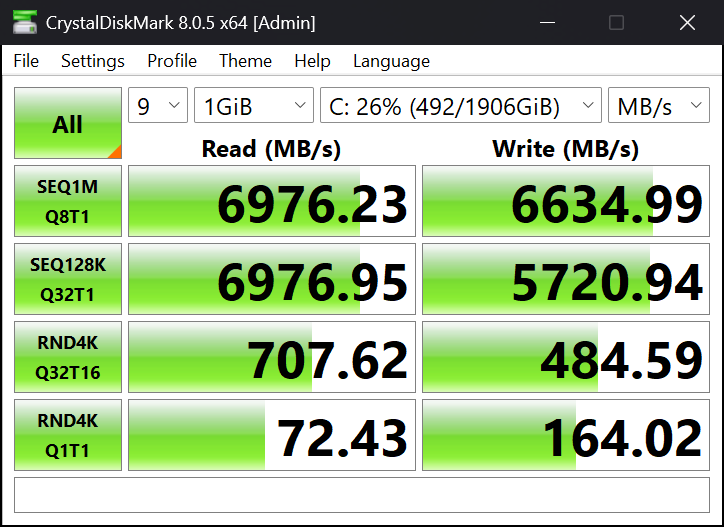
Our model has 4TB of storage and it arrived with 2x Micron 3500 NVMe SSDs. With 7.0GB/sec sequential read speed, and 6.6GB/sec sequential writing, this is one of the fastest PCIe 4.0 drives on the market.
AI Performance
Here you can see the position of the GPUs and CPUs (NPUs) found within the Acer Predator Helios 16 AI (PH16-73) in our AI Hardware Performance Rankings based on their AI processing power, measured in TOPS (Tera Operations Per Second) - a critical metric indicating the computational throughput, particularly for AI tasks.
The first column shows peak performance for INT8/FP8 precision, which is the most widespread metric for evaluating AI inference capabilities. We exclude Sparsity to provide a more accurate reflection of AI performance in dense computation scenarios where sparsity optimizations may not be applicable. The second and third columns show the performance with Sparsity, and FP4 TFLOPS, when supported.
For SoCs, the results reflect the peak performance of the integrated NPU. Additionally, it’s important to note that, according to Microsoft, a NPU must have at least 40 TOPS of AI computing power for the PC to be considered “AI-capable.”
| # | GPU / CPU (NPU) | TOPS INT8/FP8 No Sparsity | TOPS INT8/FP8 Sparsity | TFLOPS FP4 Sparsity |
|---|---|---|---|---|
| 172. | NVIDIA GeForce RTX 5090 (Laptop) | 363 | 726 | 1452 |
| 669. | NVIDIA GeForce RTX 5070 Ti (Laptop) | 209 | 418 | 836 |
| 1736. | Intel Core Ultra 9 275HX | 13 | — | — |
GPU and Gaming Performance
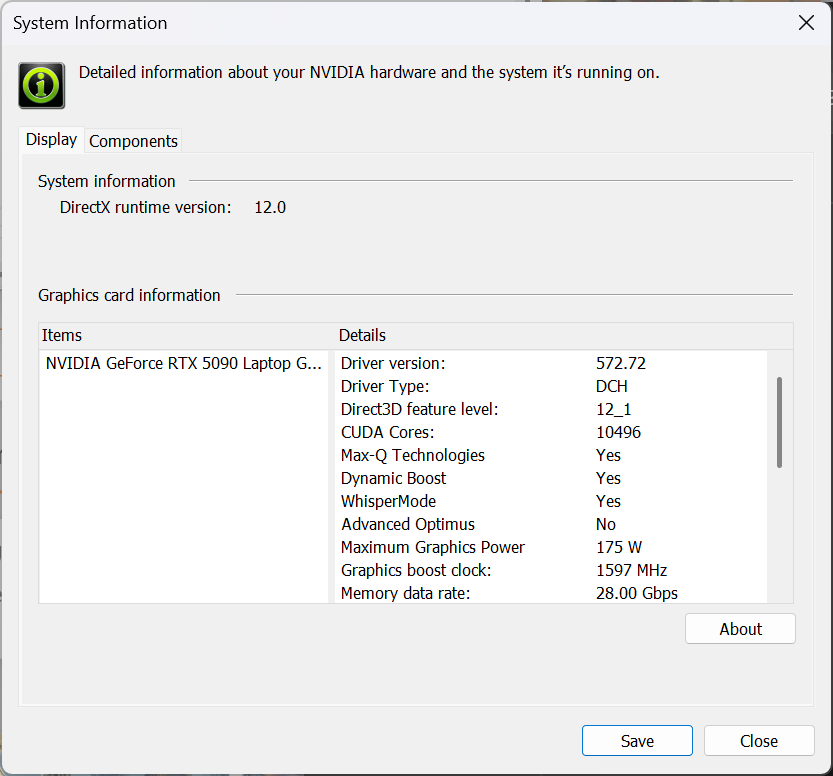
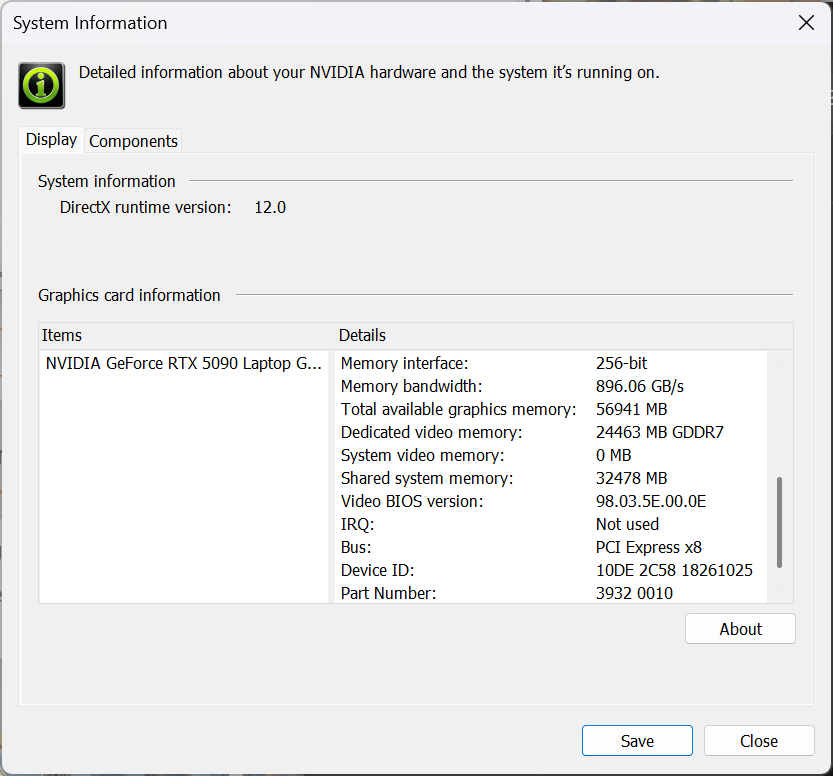
You can choose between an NVIDIA GeForce RTX 5090 (175W), and RTX 5070 Ti (115W). Our unit is equipped with the RTX 5090 – the fastest consumer GPU in the World.
You can find the performance rating of all the GPUs on the market in our Top Laptop Graphics Ranking.
As you see, despite it being a 16-incher, the PH16-73 shows great graphics performance, even surpassing the MSI Titan 18 HX AI. The leader here is the Lenovo Legion Pro 7i (detailed review) with 2% advantage over the Predator we’re reviewing today.
The results are from 3DMark Time Spy (Graphics). Higher is better.
The results are from 3DMark Wild Life Extreme Unlimited. Higher is better.
Gaming tests
The Acer Predator Helios 16 AI (PH16-73) is a beast in every sense, and with the 175W NVIDIA GeForce RTX 5090 under the hood – it lives up to the hype.

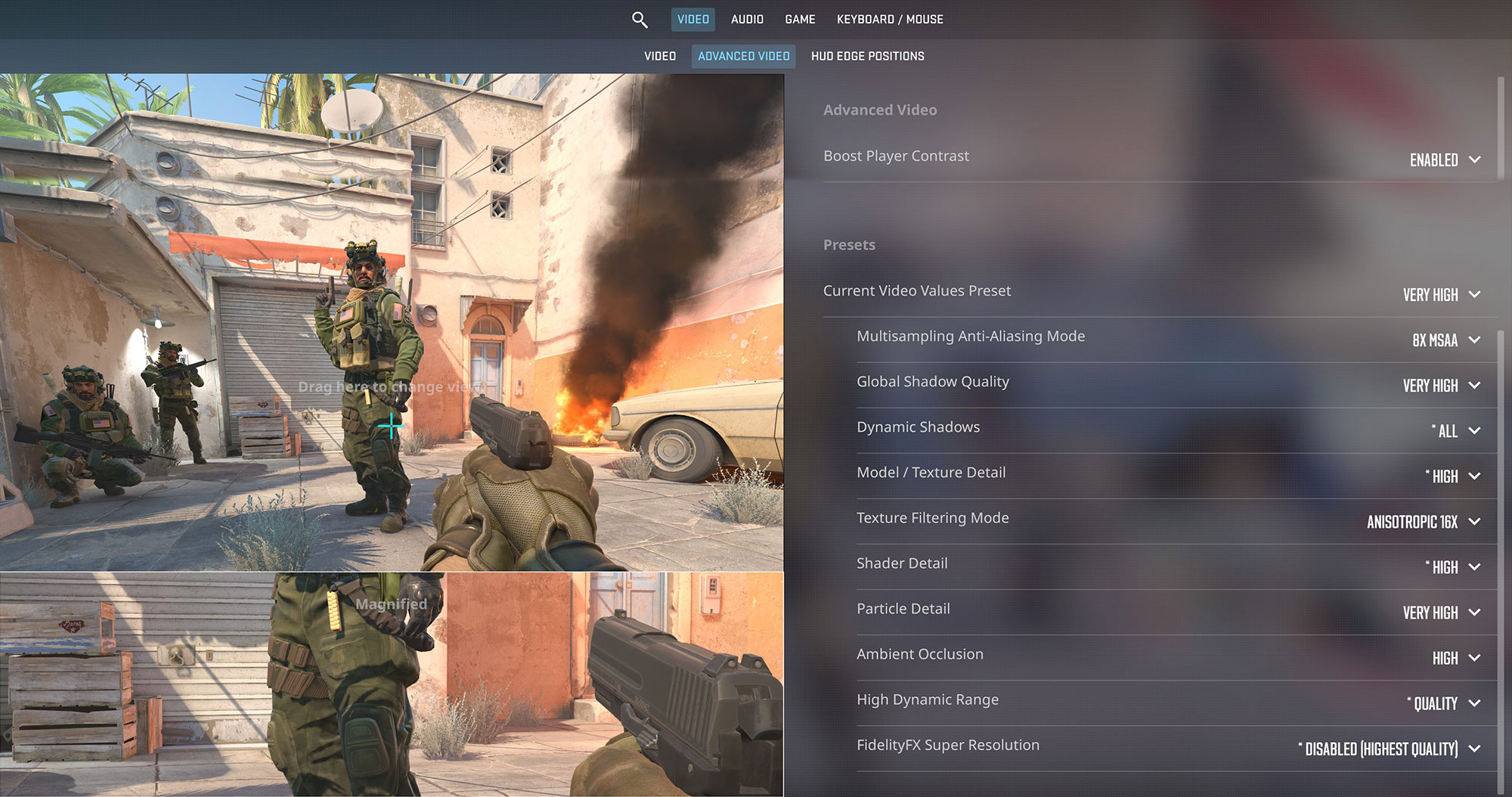
In Counter-Strike 2, it shredded expectations with a blistering 274 FPS at 1600p Very High settings, ideal for competitive play on high-refresh-rate displays.
| Counter Strike 2 | 1600p, Very High (Check settings) |
| Average FPS | 274 FPS |

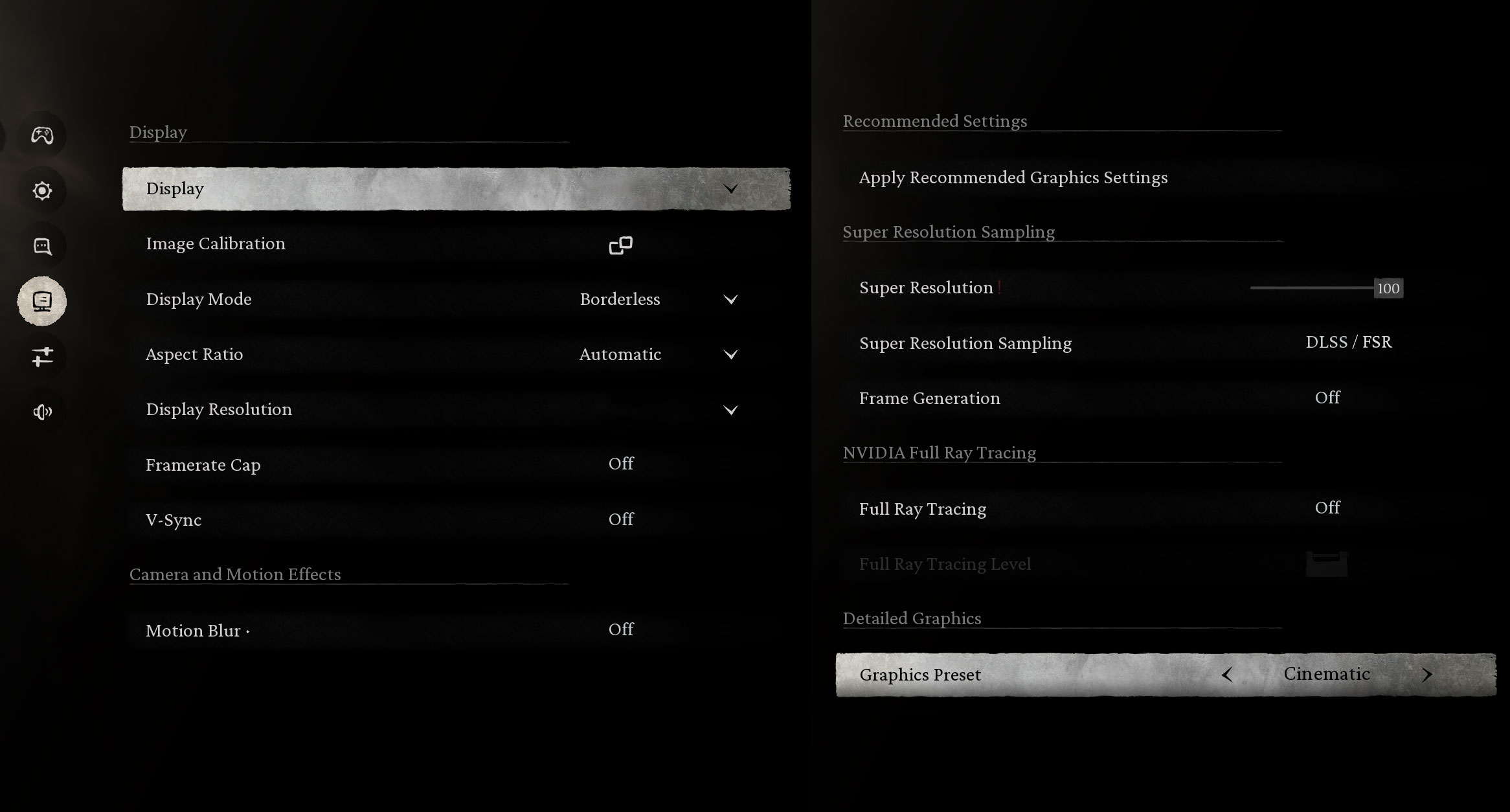
Even when pushed by next-gen visuals, the laptop holds strong. In Black Myth: Wukong, it achieved a smooth 51 FPS at 2560 x 1600 Cinematic settings, and still managed 29 FPS with Full Ray Tracing enabled – an impressive result for one of the most graphically intensive titles to date.
| Black Myth: Wukong | 2560 x 1600, Cinematic (Check settings) | 2560 x 1600, Cinematic + Full Ray Tracing |
| Average FPS | 51 FPS | 29 FPS |

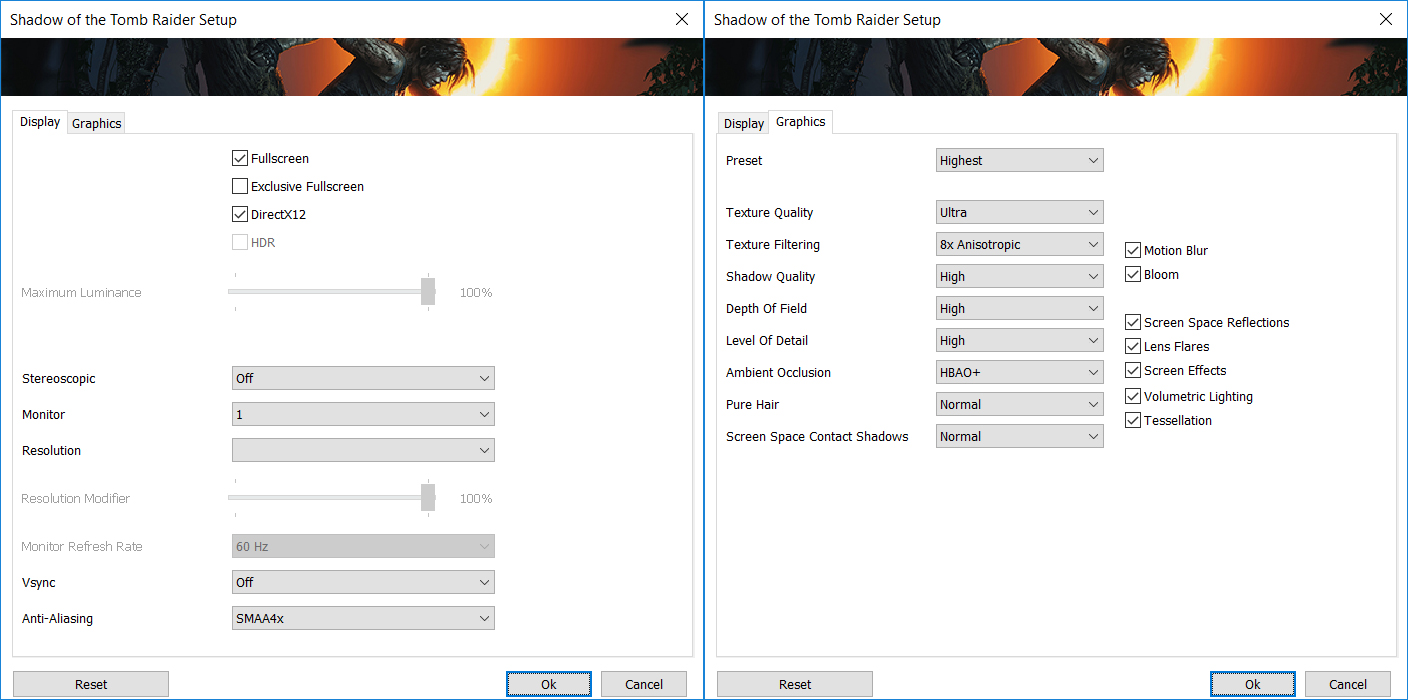
Shadow of the Tomb Raider ran effortlessly at 137 FPS on 1600p Highest settings, ensuring a fluid experience with maxed-out visuals.
| Shadow of the Tomb Raider | 1600p, Highest (Check settings) |
| Average FPS | 137 FPS |

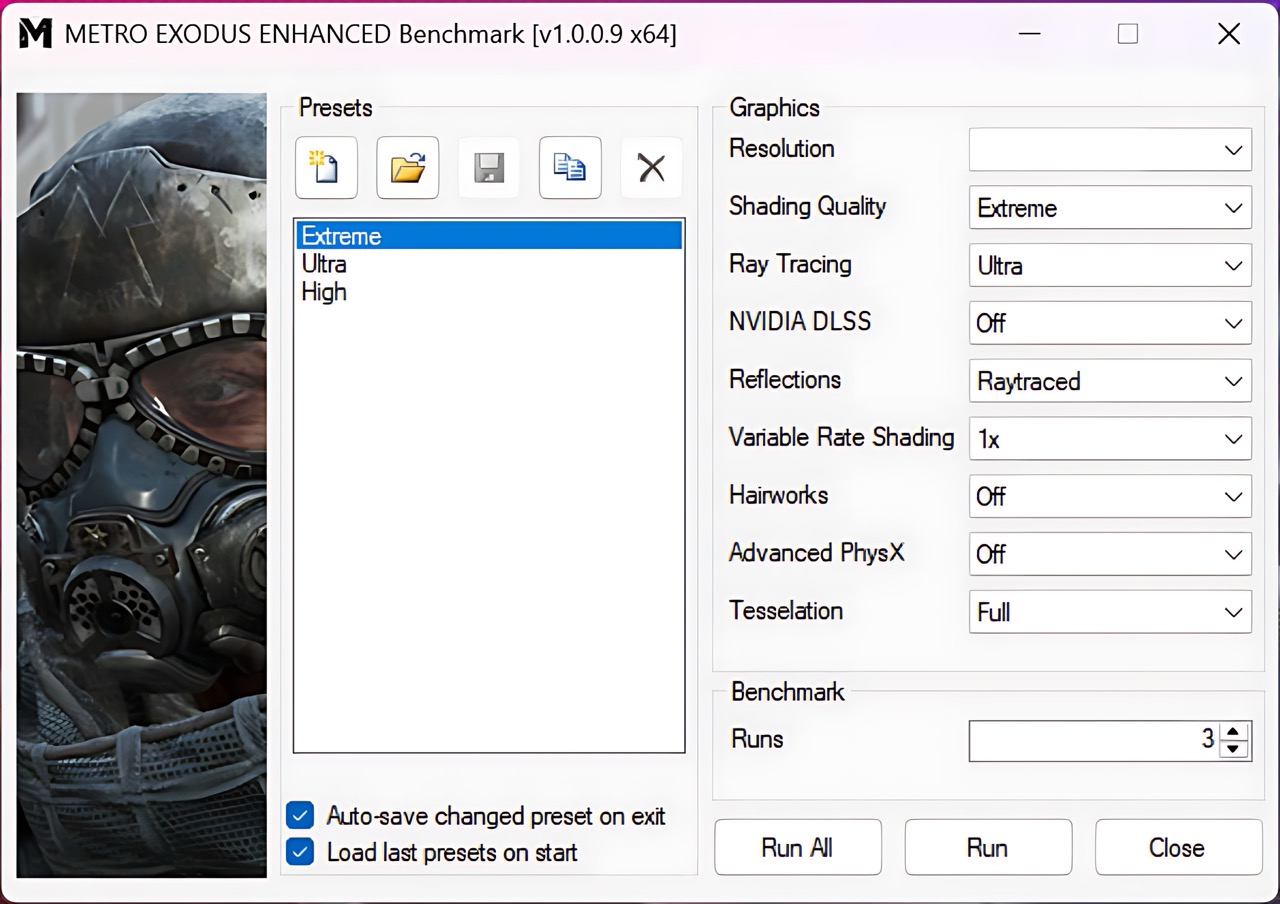
Lastly, Metro Exodus Enhanced Edition, a ray-tracing heavyweight, reached 101 FPS at 1200p Extreme and 71 FPS at 1600p Extreme.
| Metro Exodus Enhanced Edition | 1200p, Extreme (Check settings) | 1600p, Extreme (Check settings) |
| Average FPS | 101 FPS | 71 FPS |
[eBook Guide + Tools] How to MAX OUT Your Laptop
You can make your laptop Faster. LaptopMedia has tested thousands of models in the last 15 years, and we have yet to see a notebook that couldn't be made more powerful through modifications.
That's why we decided to bundle everything we know about how to achieve this in an Easy-to-Follow, Step-by-Step, and Laboratory-Tested, all in one project.
Read more about it here:
[eBook Guide + Tools] How to MAX OUT Your Laptop

🛠️ GPU Modifications: vBIOS, Overclocking, Undervolting
⚙️ Building Fast/Reliable RAID configuration
💻 Hardware upgrade tips for best results
🖼 Display enhancing
💾 OS Optimization for best performance
Temperatures and Comfort, Noise, Stability
At idle, the CPU package of the Acer Predator Helios 16 AI (PH16-73) maintains a temperature of 42ºC, and the notebook is slightly audible, with both CPU/GPU fans running at around 2150 RPM.
Office Work, Web Development, Design
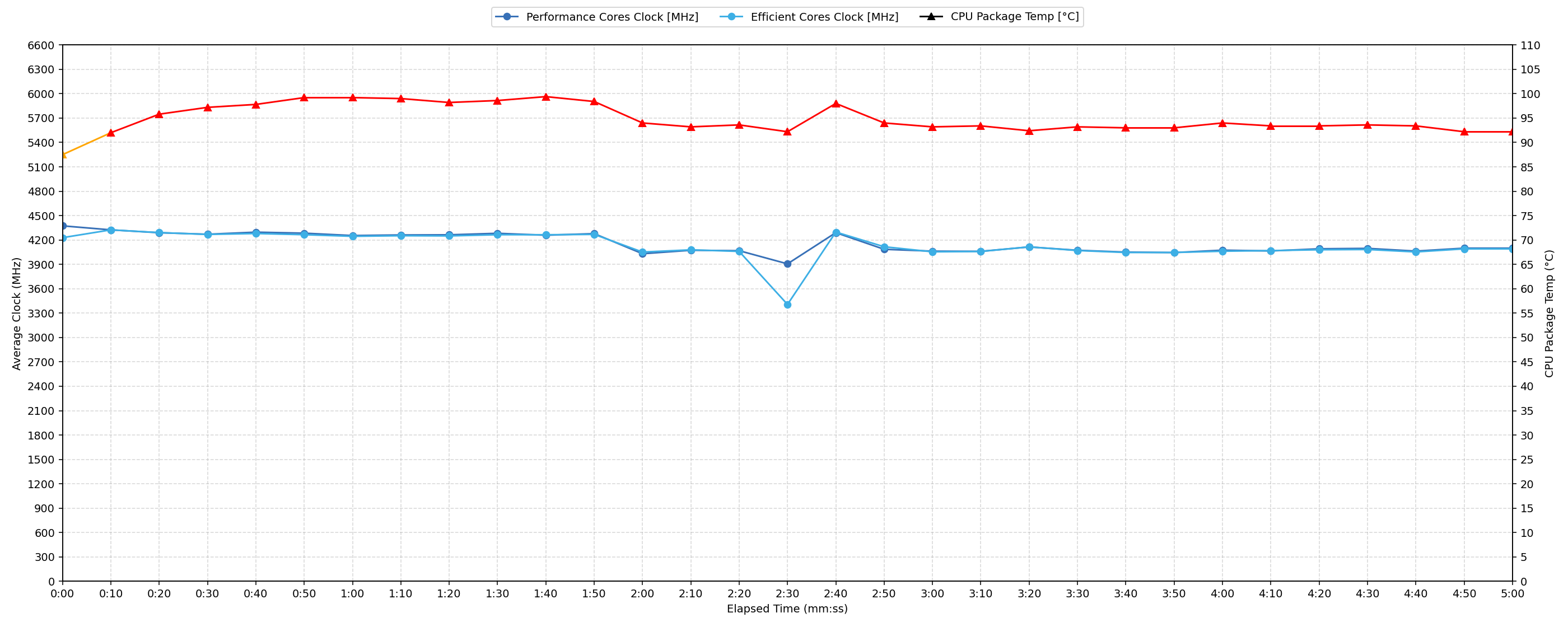
Short periods (0:00 – 0:10 s) of 100 % CPU load
This test shows the CPU behavior during short periods of serious load. It’s important for users who are looking for laptops suitable for tasks like Web Design and Programming.
| Intel Core Ultra 9 275HX | Avg. P-Core Clock | Avg. CPU Temp. | Avg. CPU Power |
| MSI Vector 16 HX AI (A2XWx) | 4681 MHz | 97 °C | 210 W |
| ASUS ROG Strix SCAR 18 G835 | 4383 MHz | 91 °C | 136 W |
| Acer Predator Helios 16 AI (PH16-73) | 4374 MHz | 87 °C | 154 W |
| Lenovo Legion Pro 7i Gen 10 (16″ Intel) | 4259 MHz | 90 °C | 178 W |
The Acer Predator Helios 16 AI exhibits strong performance under short CPU loads. Its average CPU clock of 4374 MHz over 0-10 seconds is highly competitive, performing on par with the ASUS ROG Strix SCAR 18 and surpassing the Lenovo Legion Pro 7i. While the CPU peak temperature reached 105 °C, the average CPU temperature during this period was 87 °C, which is considered acceptable and notably the lowest among comparable models. The average CPU power draw of 154 W maintains a good balance for the clock speeds achieved. This performance profile is well-suited for bursty tasks like web design and programming.
Video editing, Scientific computing, Software compilation, 3D rendering
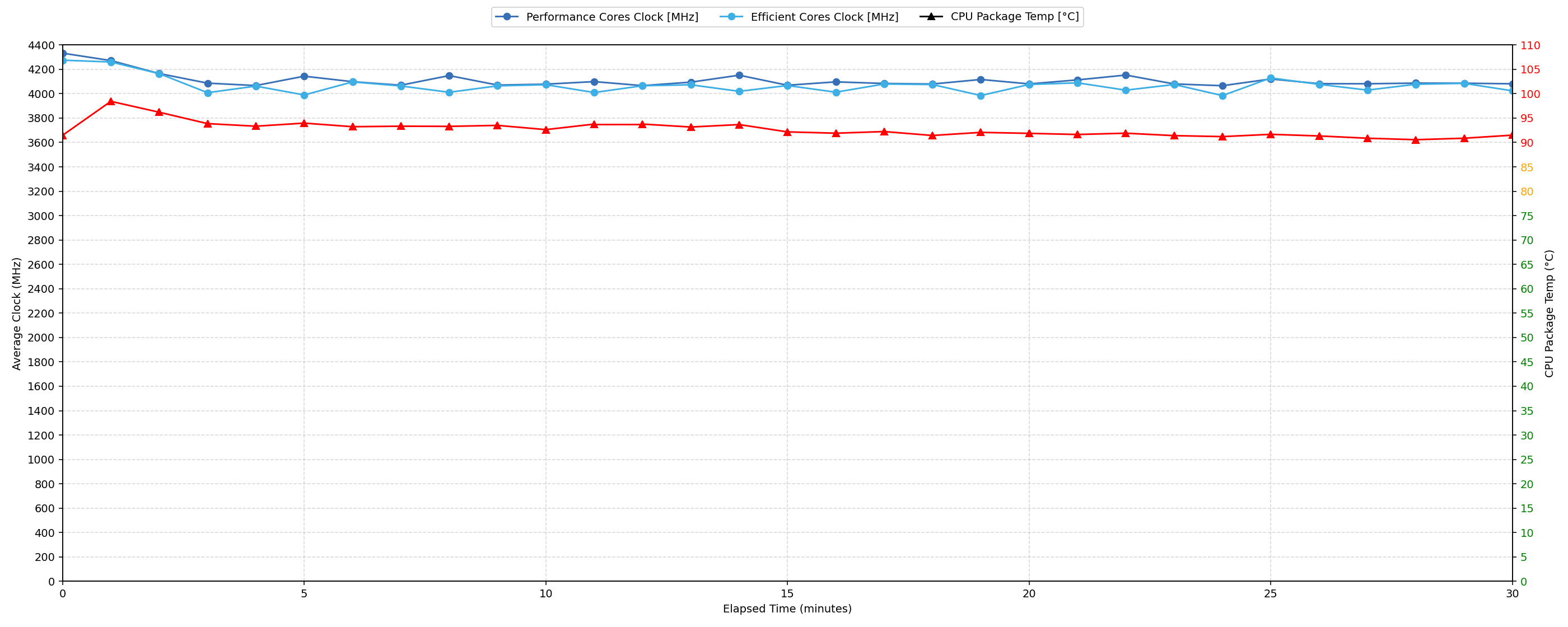
Long periods (0:00 – 30:00 min) of 100 % CPU load
This test shows the CPU behavior during long periods of serious load. It’s important for users who are looking for laptops suitable for tasks like Video Editing and 3D Rendering.
| Intel Core Ultra 9 275HX | Avg. P-Core Clock | Avg. CPU Temp. | Avg. CPU Power |
| Acer Predator Helios 16 AI (PH16-73) | 4106 MHz | 92 °C | 140 W |
| ASUS ROG Strix SCAR 18 G835 | 4057 MHz | 95 °C | 130 W |
| Lenovo Legion Pro 7i Gen 10 (16″ Intel) | 3980 MHz | 91 °C | 151 W |
| MSI Vector 16 HX AI (A2XWx) | 3904 MHz | 84 °C | 111 W |
For sustained workloads up to 30 minutes, the Acer Predator Helios 16 AI maintains an impressive average CPU clock of 4106 MHz, which is the highest among the tested competitors. Despite this, the average CPU temperature during long loads reaches 92 °C, falling into the high category. This suggests the system is pushing performance, leading to elevated thermals, though it performs better than the ASUS ROG Strix SCAR 18’s 95 °C. The CPU’s minimal clock for sustained periods drops by 962 MHz from its peak, indicating thermal management impacting clocks. With an average power draw of 140 W, it provides strong sustained performance suitable for demanding tasks like video editing and 3D rendering.
Gaming Stability
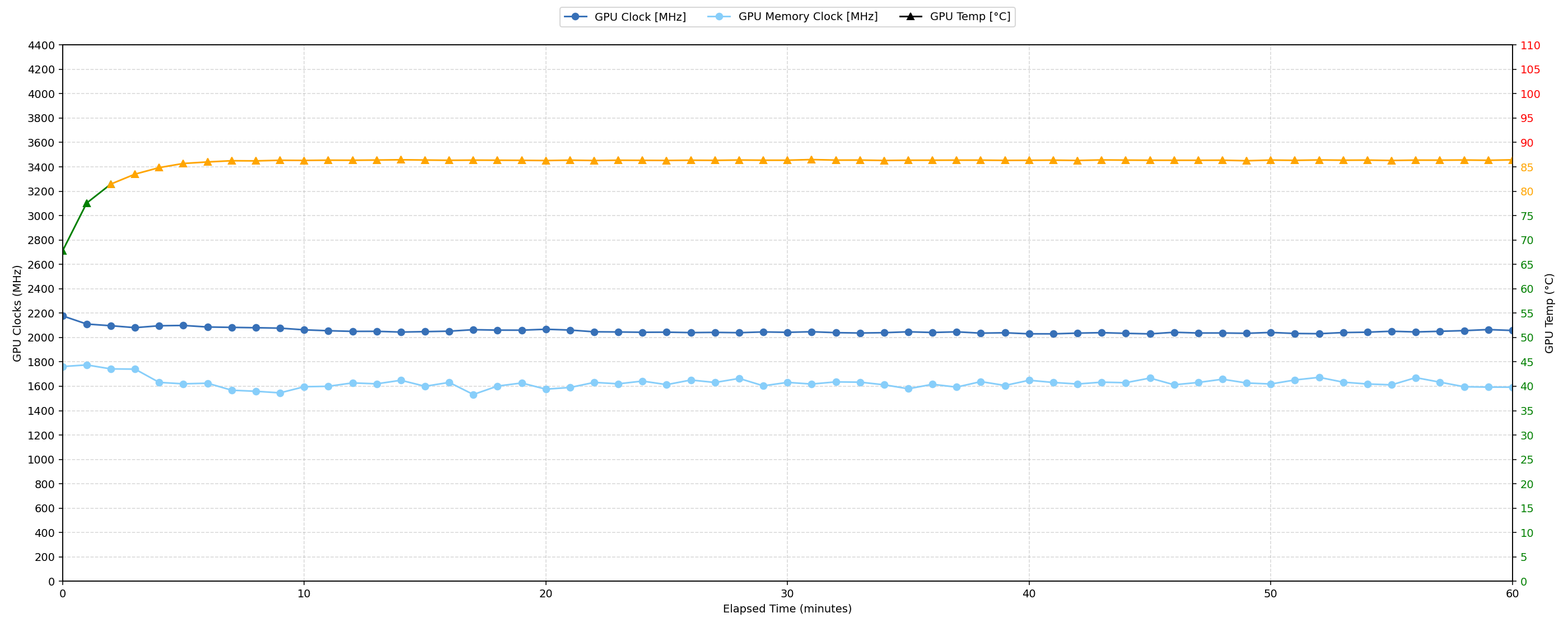
Continuous gaming (1-hour test)
This test evaluates the laptop’s performance under sustained GPU load and high CPU usage.
| NVIDIA GeForce RTX 5090 | Avg. GPU Clock | Avg. GPU Temp. | Avg. Memory Clock | Avg. GPU Mem Temp. | Avg. GPU Power |
| Lenovo Legion Pro 7i Gen 10 (16″ Intel) | 2238 MHz | 79 °C | 1463 MHz | 78 °C | 171 W |
| MSI Titan 18 HX A2XW | 2079 MHz | 83 °C | 1749 MHz | 81 °C | 172 W |
| Acer Predator Helios 16 AI (PH16-73) | 2053 MHz | 85 °C | 1626 MHz | 79 °C | 163 W |
| MSI Raider A18 HX (A9Wx) | 2046 MHz | 78 °C | 2313 MHz | 75 °C | 161 W |
| ASUS ROG Strix SCAR 18 G835 (2025) | 1959 MHz | 73 °C | 2350 MHz | 72 °C | 159 W |
Over the 60‑minute run, the Helios averaged 2053 MHz on the GPU core—faster than the ASUS ROG Strix SCAR 18 (1959 MHz) and MSI Raider A18 HX (2046 MHz), but behind the high‑clocked Lenovo Legion Pro 7i (2238 MHz) and MSI Titan 18 HX (2079 MHz). Despite that mid‑pack frequency, it records the highest core temperature at 85 °C, roughly 6–12 °C warmer than the competition, indicating Acer is trading extra thermal headroom for sustained boost.
Memory performance follows a similar pattern: its 1626 MHz memory clock is the slowest in the field—well below the Legion’s 1463 MHz and far behind the Raider’s 2313 MHz—yet at 79 °C the Helios’ memory temperature is on par with the coolest rivals.
On power draw, the Helios sips a moderate 163 W, undercutting the Legion (171 W) and Titan (172 W) while narrowly topping the Strix (159 W). This translates to respectable efficiency: every additional watt yields more core clock than on the lower‑powered Strix but with a smaller thermal penalty than the hotter Titan.
Battery Life
Acer Predator Helios 16 AI (PH16-73) has a battery unit with 90Wh capacity.
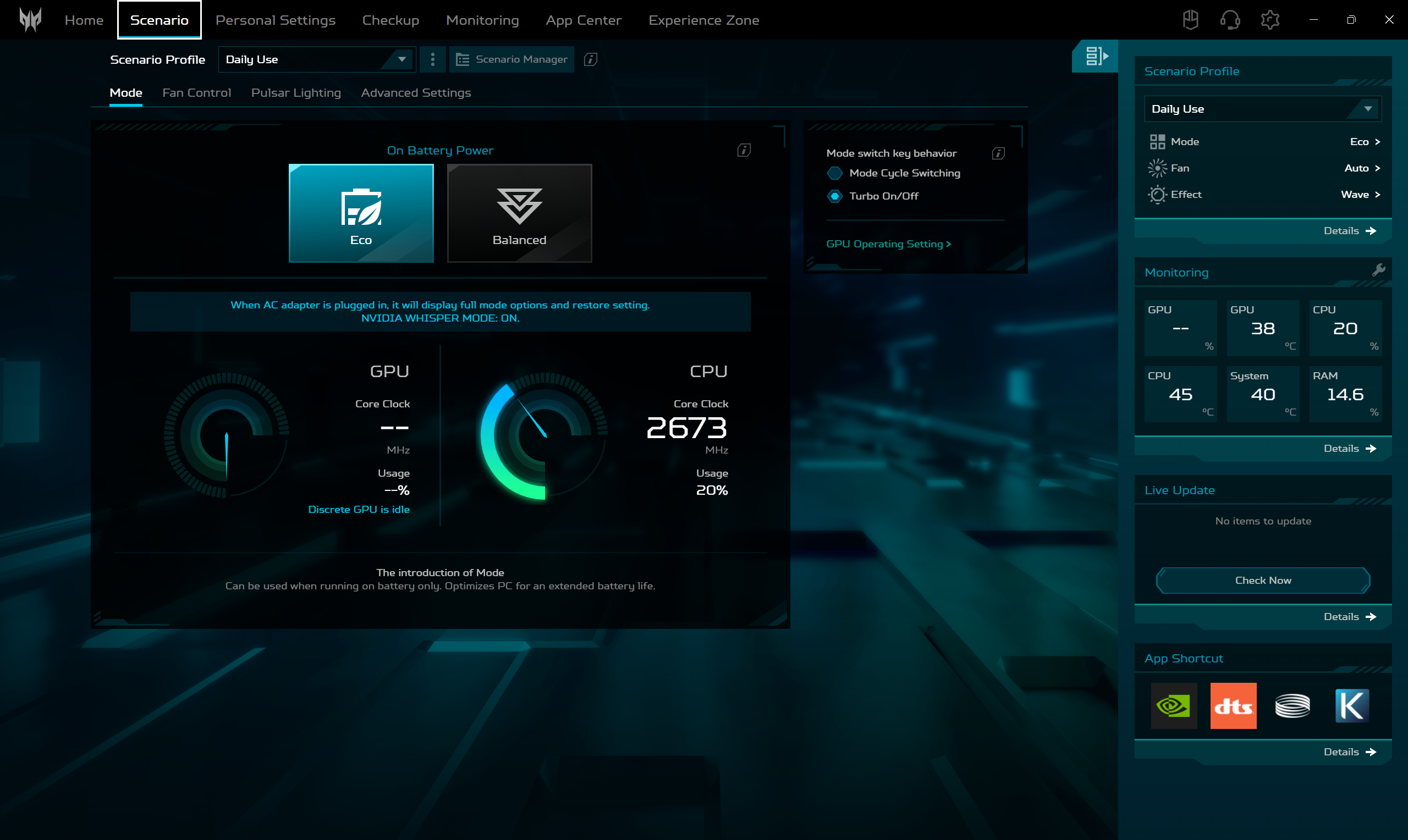
We conducted the battery test with the Eco mode activated in Predator Sense.
More than 5 hours is a very good result for a powerful gaming notebook, and on par with Lenovo Legion Pro 7i. The two 18-inch MSI machines are far behind, while the ASUS ROG Strix SCAR 18 G835 (2025) shows high endurance for its screen diagonal.
Brightness: 180 nits; Display Mode: SDR
Time to Full Discharge: Higher is Better
Disassembly, Upgrade options, and Maintenance
Ten Torx T6 screws and a quick run with a plastic pry tool separate the bottom plate, exposing a neatly organised interior that centres the cooling, memory and storage for easy reach.
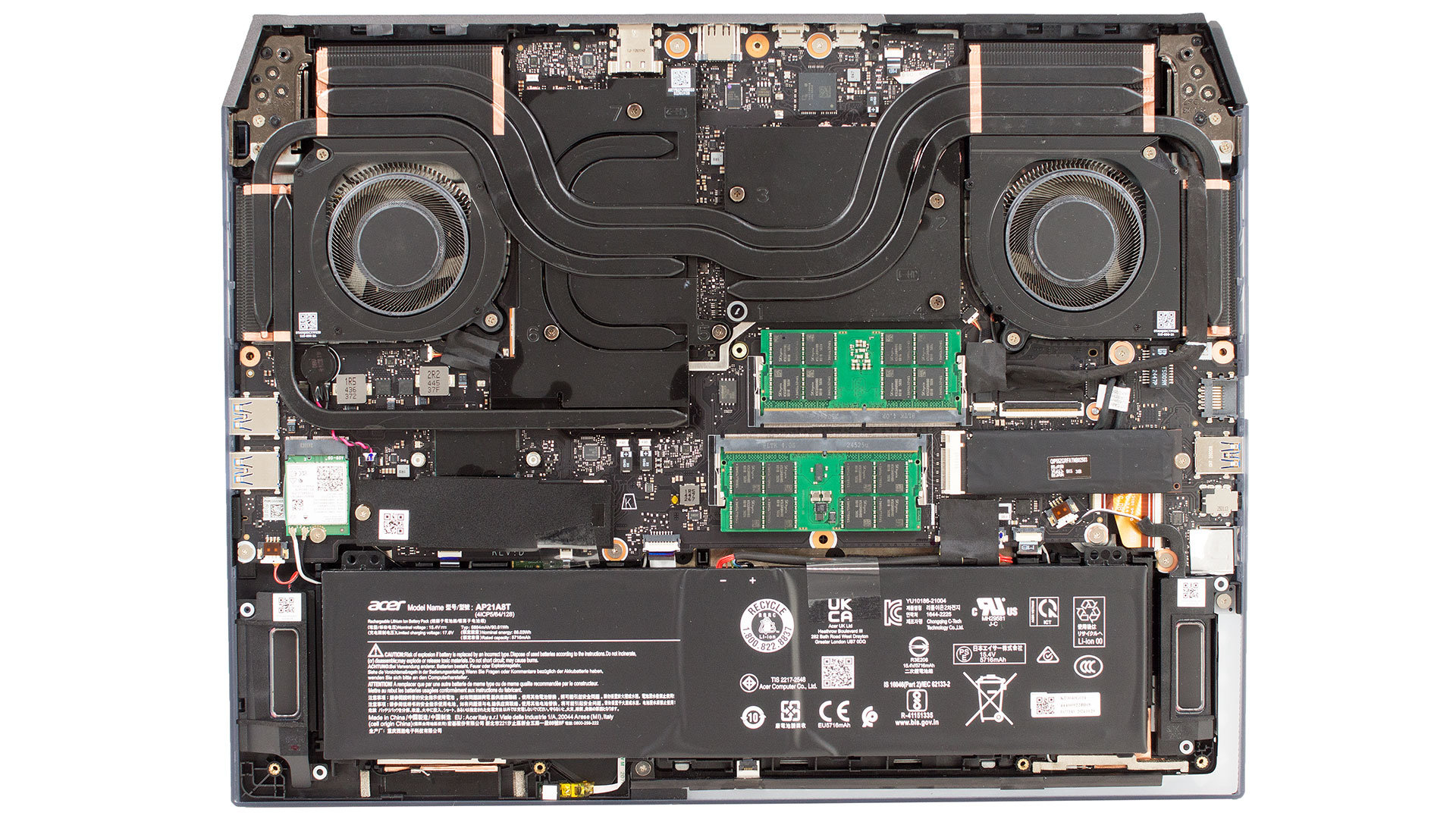
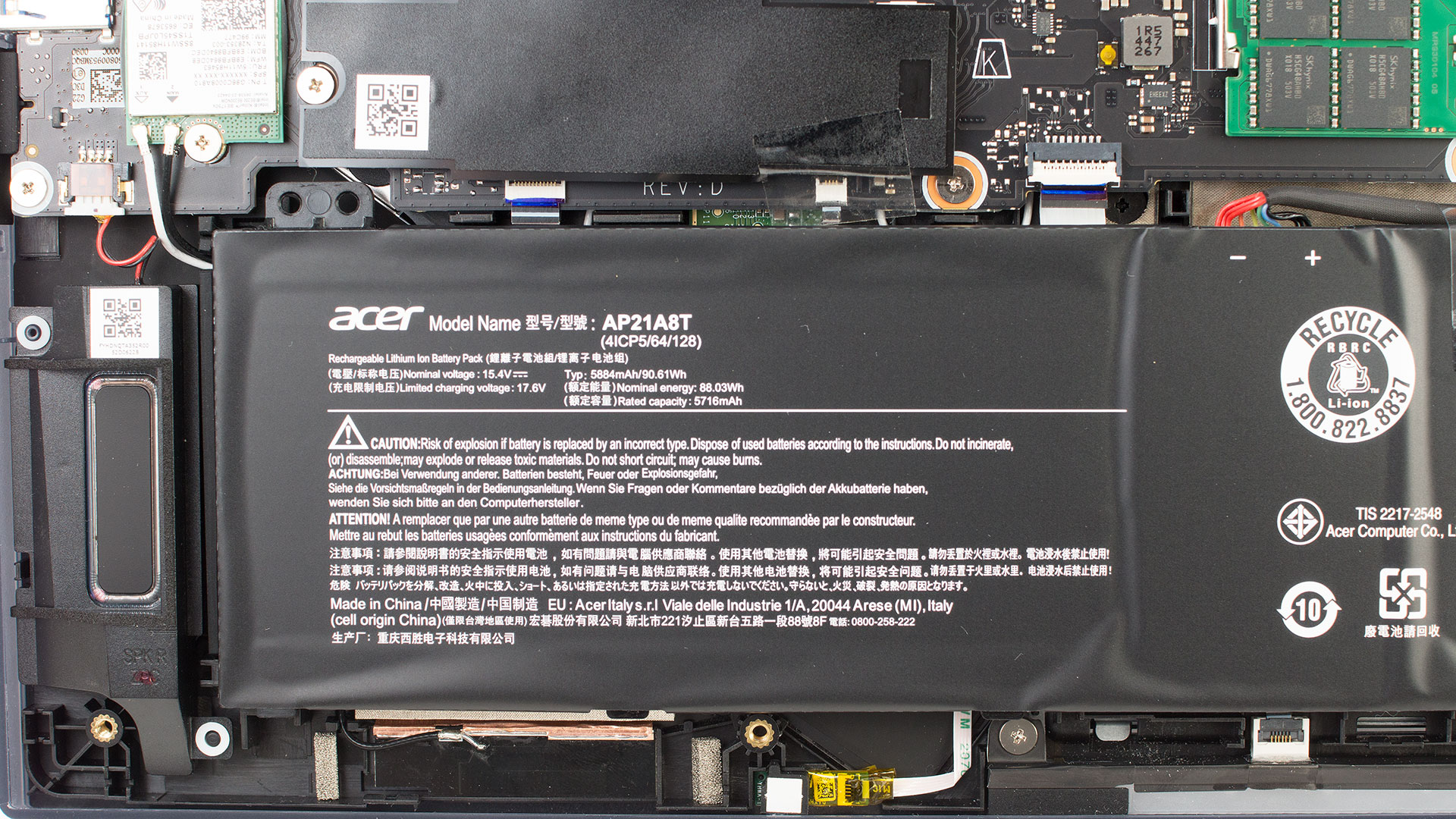
The 90 Wh four‑cell pack sits along the front edge and is held only by its power header, so once the connector is popped out the battery lifts free.
To the left of the battery, next to the Killer Wi-Fi 7 card, you find the main M.2 slot under a thin EMI sticker and, supporting PCIe Gen 5 NVMe drives.
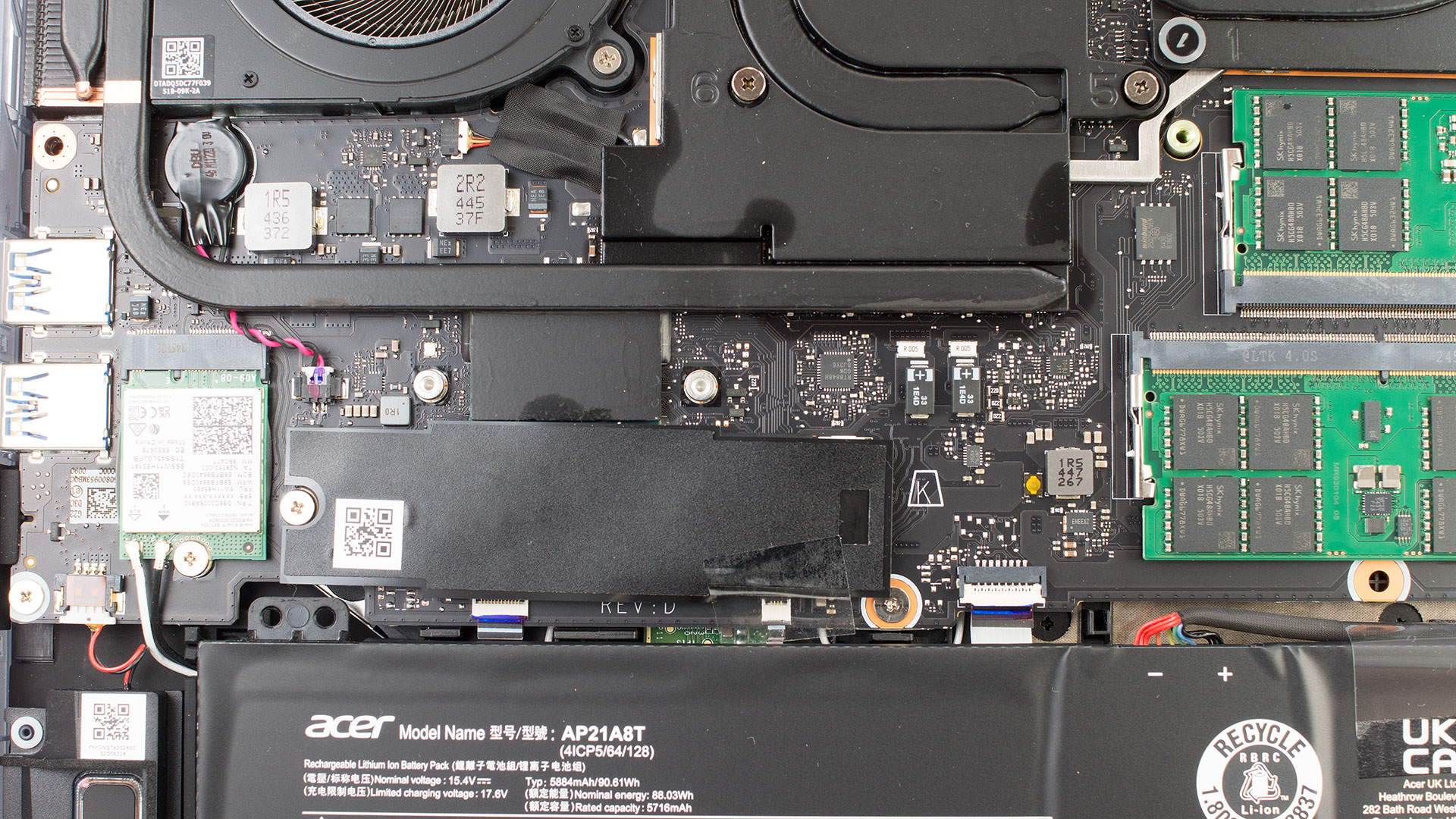
A secondary, Gen4‑ready M.2 bay mirrors the layout on the right, giving the Helios two NVMe slots that officially top out at 2 TB each; the foil covers can be peeled back part‑way so the factory thermal pads stay intact.
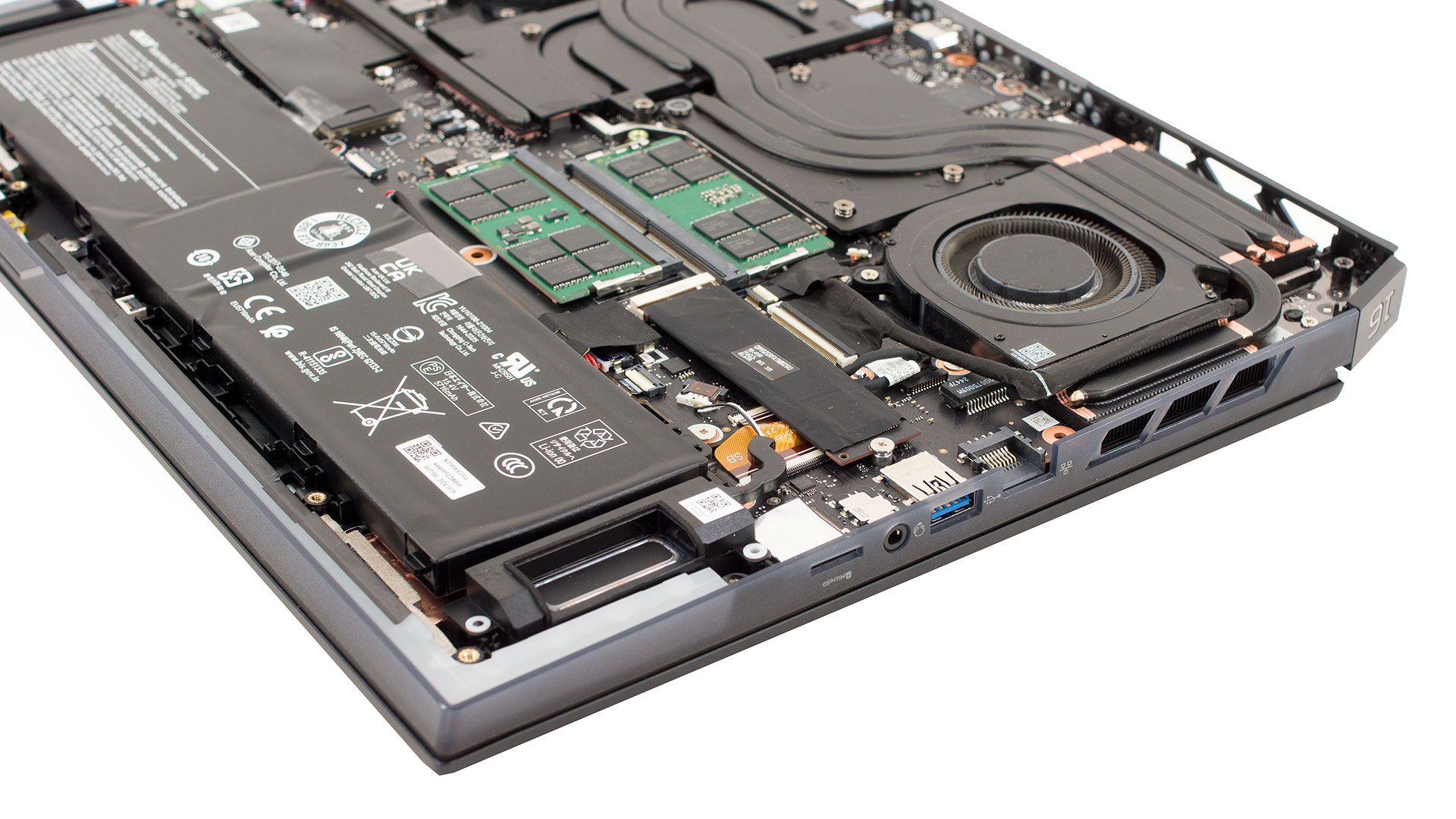
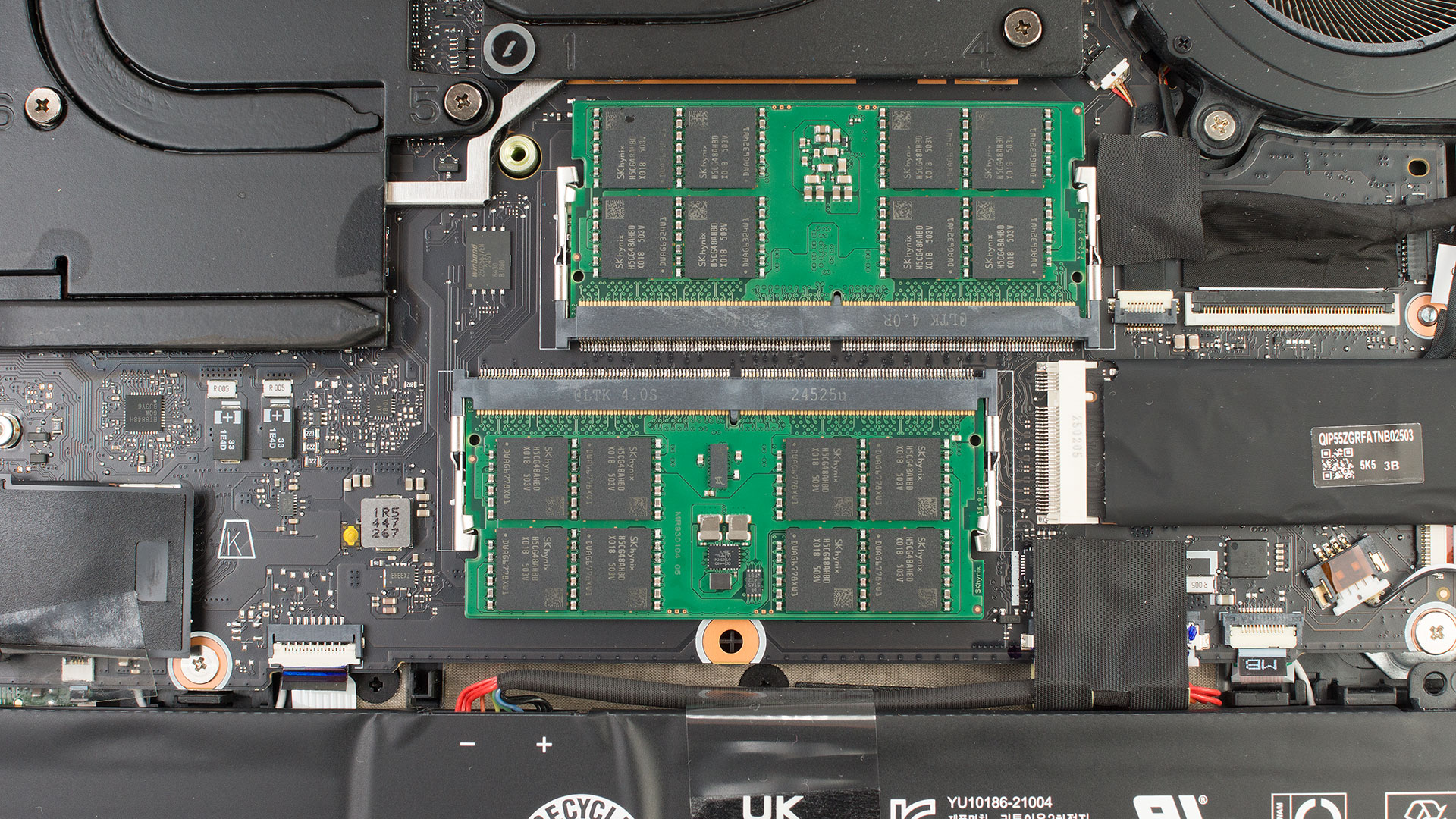
Between the fans Acer leaves two DDR5 SO‑DIMM sockets in plain view, for up to 64 GB of 6400 MT/s memory (officially).
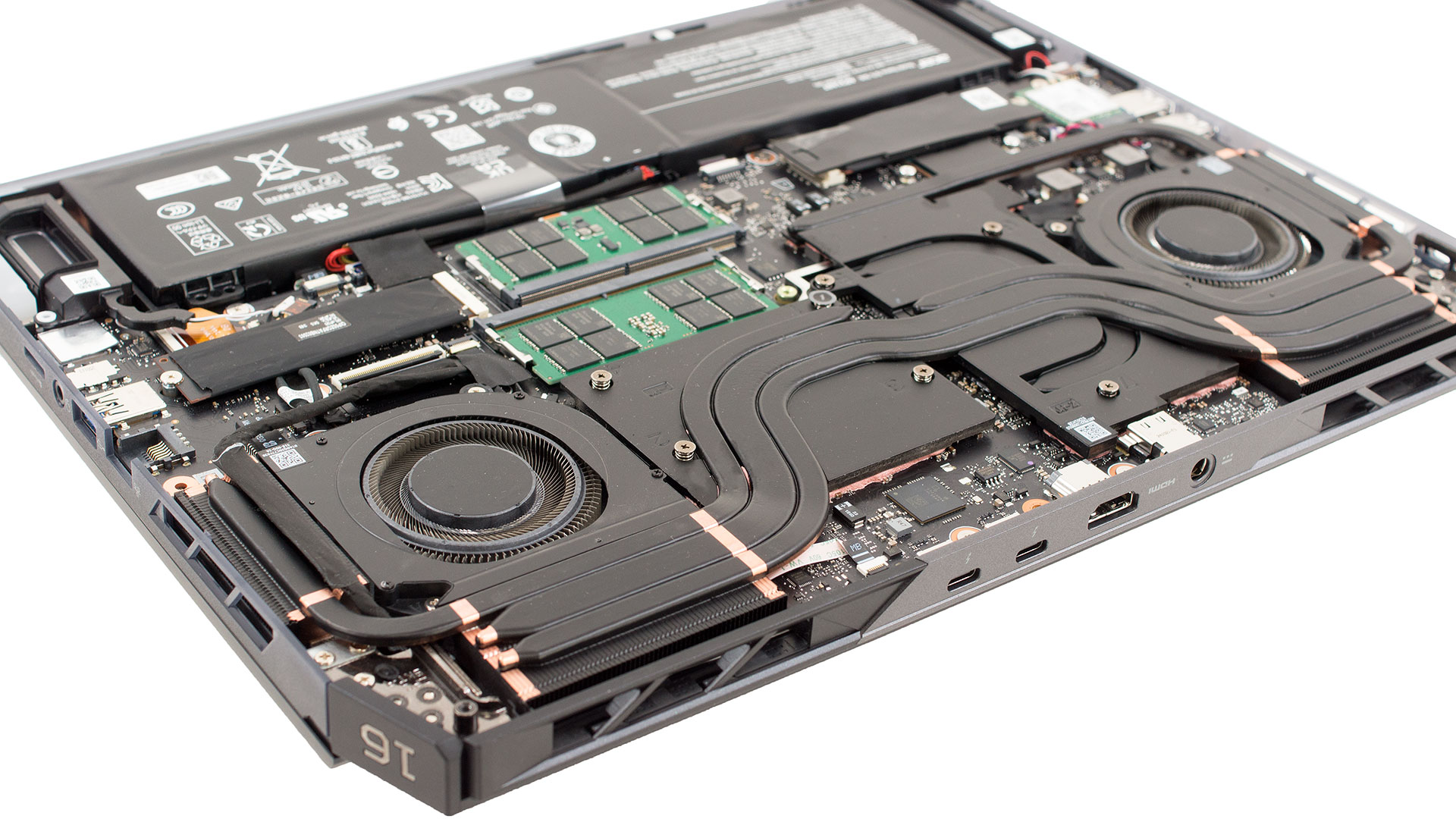
Cooling is handled by a pair of sixth‑generation AeroBlade 3D blowers feeding three thick copper heat pipes and wide fin stacks at the rear, a design Acer claims moves roughly 20% more air than the previous fan revision. Side‑on you can see how those pipes ride over the GPU, CPU and VRM plates before ending in the dual exhaust grids, while plenty of cut‑outs in the base feed the fans with fresh air.
The angled view also shows the stereo speaker boxes in the front corners.
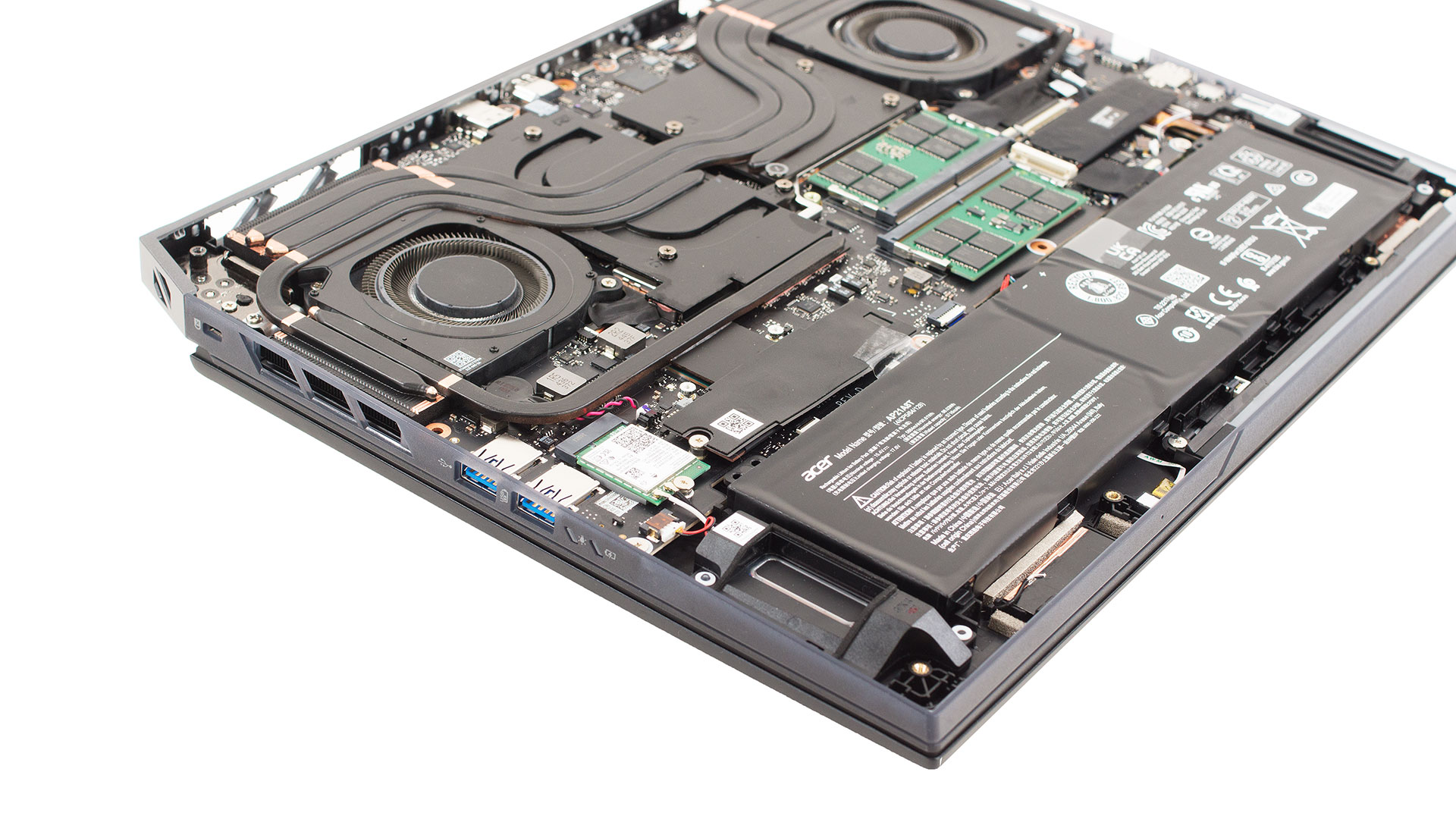
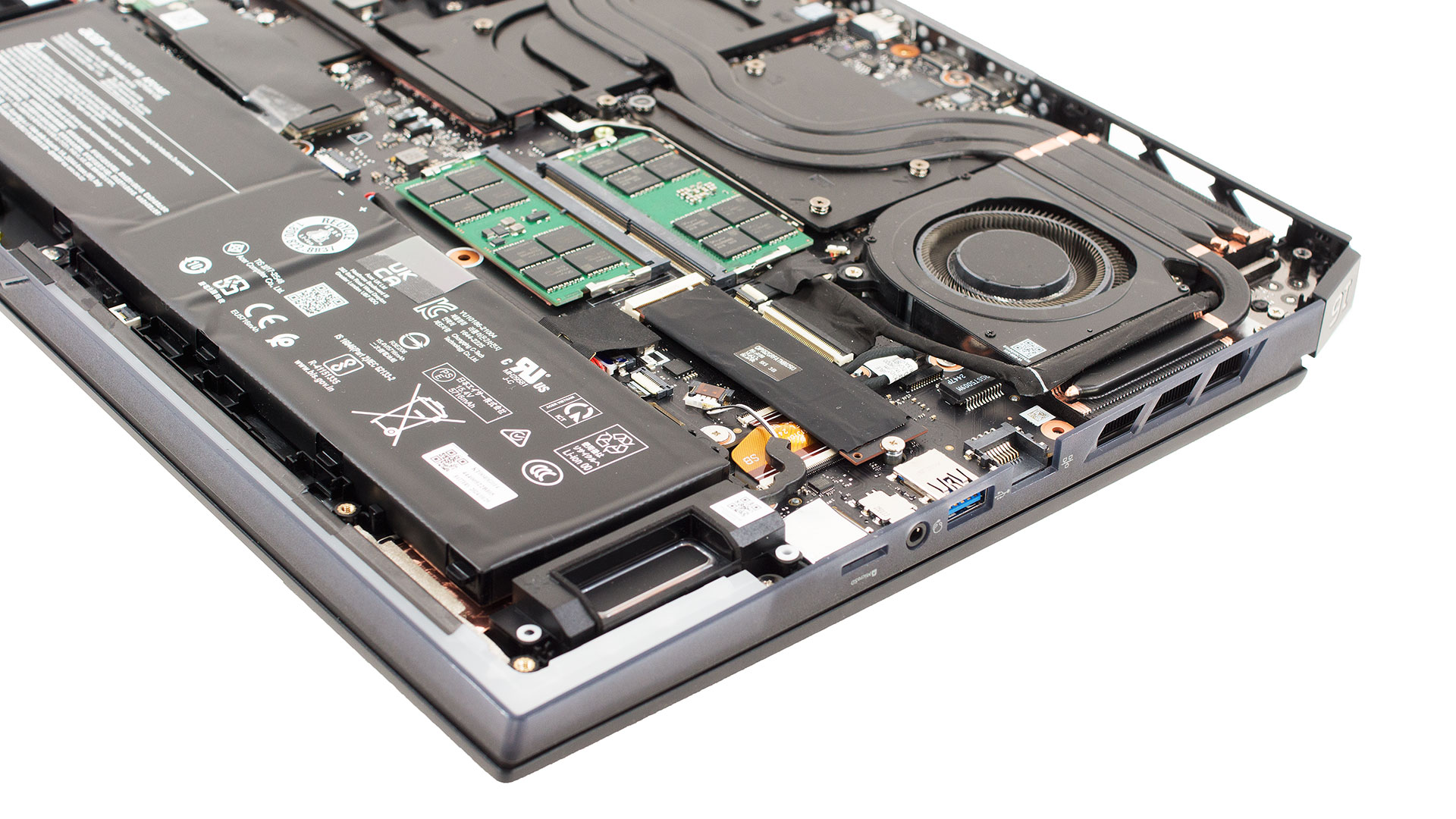
The Predator Helios 16 AI scores high for hobbyist maintenance and future‑proof upgrades.
Verdict
The Acer Predator Helios 16 AI (PH16-73) is an unapologetic beast of a machine, engineered to sit at the apex of mobile gaming performance. It combines a specs sheet overflowing with next-generation technology – from a flagship RTX 5090 to Thunderbolt 5. With a stunning OLED display, leaving no doubt about its enthusiast-grade intentions. This is a laptop built for those who demand uncompromising power.
While it makes a few practical missteps, the sheer force of its performance and the quality of its core components create a package that is undeniably impressive and stands tall among the elite gaming rigs on the market.
✅ The Good
 The Helios 16 AI is, first and foremost, a performance monster. It houses the fastest implementation of the Core Ultra 9 275HX we’ve tested, and its NVIDIA GeForce RTX 5090 delivers blistering, top-tier gaming frame rates that can rival even larger machines. This is a laptop that will chew through any modern game at its native resolution without breaking a sweat.
This immense power is paired with a simply breathtaking 240Hz OLED display. With 100% DCI-P3 coverage, perfect contrast, and great color accuracy, it provides an exceptionally vibrant and fluid visual experience. The connectivity is equally impressive and future-proof, featuring two Thunderbolt 5 ports and Wi-Fi 7. To top it all off, the battery life is very good for its class, and the upgradeability is excellent with two RAM and two M.2 slots, one of which supports blazing-fast PCIe Gen 5.0 drives.
❌ The Bad
The otherwise beautiful OLED display is hampered by an extremely reflective glossy finish, which can make it difficult to use in brightly lit rooms. The panel also uses PWM for brightness control, which may be an issue for users sensitive to flicker. Finally, the lack of a physical privacy shutter is a small but notable omission on a premium device like this.
🆚 The Competitors
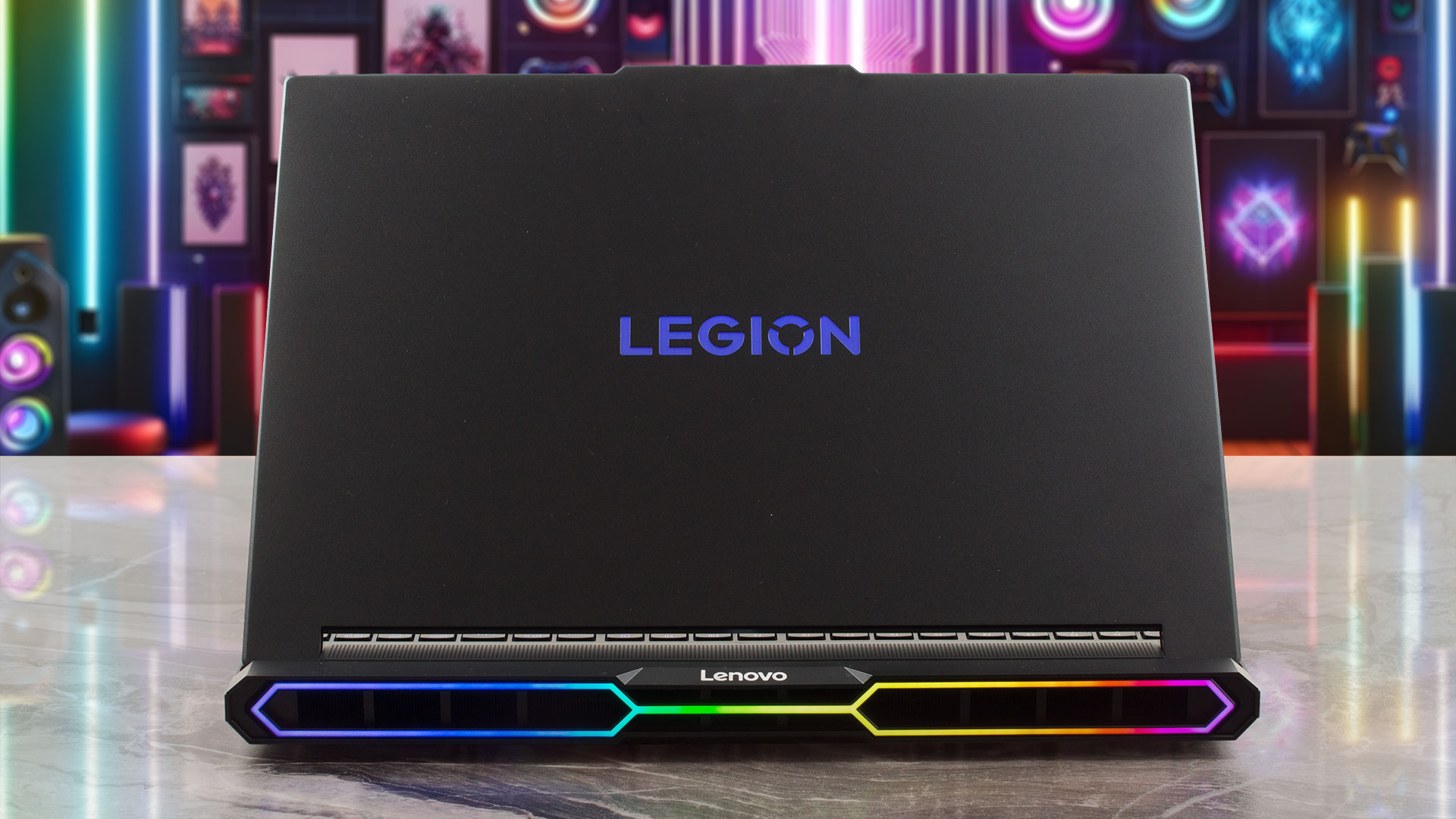 The Helios 16 AI’s main rival is the Lenovo Legion Pro 7i (detailed review). It’s a clash of titans where the Legion runs its GPU slightly faster and cooler, but the Predator counters with the more advanced Thunderbolt 5 connectivity.
Compared to larger 18-inch machines like the MSI Titan 18 HX AI (review soon), the Predator impressively holds its own or even surpasses them in GPU performance, all while offering significantly better battery life. This showcases the remarkable engineering Acer has achieved within this more compact 16-inch chassis.
You can check the prices and configurations in our Specs System: https://laptopmedia.com/series/acer-predator-helios-16-ai-ph16-73/
Pros
- Absolutely top-tier CPU and GPU performance
- Stunning 240Hz OLED display with 100% DCI-P3 coverage
- Future-proof connectivity with two Thunderbolt 5 ports and Wi-Fi 7
- Very good battery life for a high-performance gaming laptop
- Excellent upgradeability with dual RAM and dual M.2 slots (+ PCIe Gen 5!)
- Comfortable keyboard with a NumPad and swappable MagKeys
Cons
- The OLED screen is extremely glossy
- Uses PWM for brightness control, which may affect sensitive users
- No physical privacy shutter for the webcam
 Author: Simeon NikolovEditor-in-Chief at LaptopMedia.com with 20+ years of experience in testing and analyzing laptops and mobile devices.
 Author: eng. Kroum NikolovHead of Engineering at LaptopMedia.com, inventor and innovator with 40+ years of experience in electronics and high technology.
TOP 100 GAMING LAPTOPS


TOP LAPTOP RATINGS
HIGHLIGHTS view more
![[June 2026] Best-Selling Laptop Brands on Amazon Global – Apple’s Unrivaled Dominance in Units and Revenue](https://laptopmedia.com/wp-content/uploads/2026/07/GLOBAL-Best-Brands-400x225.jpg)
[June 2026] Best-Selling Laptop Brands on Amazon Global – Apple’s Unrivaled Dominance in Units and Revenue
Jul 06, 2026![[June 2026] Amazon Global: Top 10 Best-Selling Laptops – Apple’s New MacBook Neo Storms to #1, Reshaping the Market with Affordability](https://laptopmedia.com/wp-content/uploads/2026/07/Best-Selling-Laptops-GLOBAL-Top-10-400x225.jpg)
[June 2026] Amazon Global: Top 10 Best-Selling Laptops – Apple’s New MacBook Neo Storms to #1, Reshaping the Market with Affordability
Jul 06, 2026![[June 2026] Amazon Global: Top 10 Best-Selling Gaming Laptops – Acer’s Nitro V 16S AI Dominates Sales, While ASUS Leads Overall Revenue](https://laptopmedia.com/wp-content/uploads/2026/07/Best-Selling-Gaming-Laptops-GLOBAL-Top-10-400x225.jpg)
[June 2026] Amazon Global: Top 10 Best-Selling Gaming Laptops – Acer’s Nitro V 16S AI Dominates Sales, While ASUS Leads Overall Revenue
Jul 06, 2026![[June 2026] Global Ranking of Best-Selling Laptop GPUs on Amazon – NVIDIA RTX 5060 is the Top-Selling Dedicated GPU](https://laptopmedia.com/wp-content/uploads/2026/07/Best-Selling-GPUs-GLOBAL-Top-10-400x225.jpg)
[June 2026] Global Ranking of Best-Selling Laptop GPUs on Amazon – NVIDIA RTX 5060 is the Top-Selling Dedicated GPU
Jul 05, 2026![[June 2026] Global Ranking of Best-Selling Laptop CPUs on Amazon – Apple M5 Dominates, AMD Ryzen 7 260 Gets Solid Premium Share](https://laptopmedia.com/wp-content/uploads/2026/07/Best-Selling-CPUs-GLOBAL-Top-10-400x225.jpg)
[June 2026] Global Ranking of Best-Selling Laptop CPUs on Amazon – Apple M5 Dominates, AMD Ryzen 7 260 Gets Solid Premium Share
Jul 05, 2026
REVIEWS view more

Lenovo ThinkTab X11 Gen 1 review – The Tablet That Runs Without a Battery!
Jul 11, 2026Lenovo Yoga 9i 2-in-1 Aura Edition (14″, Gen 11) review – 2.8K OLED, Great Speakers, and 15+ Hours of Battery
Jul 08, 2026Dell Pro Max 14 (MC14250) review – Powerful, Repairable, and Very Configuration-Dependent
Jul 04, 2026Lenovo Legion 5i (15″, Gen 11) review – Full-Power RTX 5060, OLED Display, and Real Upgradeability
Jun 30, 2026Lenovo LOQ 15 (15IPH11) review – The Coolest Budget Gaming Laptop of 2026?
Jun 27, 2026
I’d like to see more words about noise and pricing in your reviews. Just saying.
Hey there, we’re currently working on both points!
Is the build quality better than Legion Pro 7i in your opinion?
If one of them has a slight edge, it’s probably the Legion. But in terms of build quality, they’re definitely in the same category.
Nice, thanks! Unfortunately, the Legion has a plastic touchpad, which I really dislike. The friction is not as good and it’s not resistant to teardown or moisture. The Helios 16 has a nice glass surface, so this is a big plus if everything else is more or less equal. The Legion has a slight edge